Select a subcategory to view available files.
Files From Subcategories
-
Tougher Raider Firepower
By Slorm
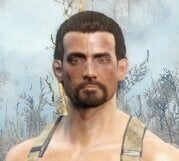
One thing that annoys me in FO4 is how weak the Raiders are. For example I recently went through DB Tech at level 16 and hardly got a scratch, so I wanted to give them a bit more bite in their firepower.
This is a simple mod to help make the Raider firepower a bit more powerful and so make them a bit tougher to deal with, but doesn’t turn them into bullet sponges or make them overpowered for low level characters.
Vanilla low level raiders have a debuff so they only do 75% of normal damage. This has been removed and replaced with a buff to make them do 150% of normal damage. The same for all the other Raider levels, except for Legendary which I have left at its vanilla 125%.
I tested with various settings at Normal game setting with a level 1 and level 17 pc and 150% seemed to be around the best, but it’s easy to adjust in xEdit or CK if you want to increase the values (just change the perk). Bear in mind that if you play on Very Hard or Survival then you may find the first Raider encounter at Concord rather interesting as the incoming damage factor will go from 2 to 3.
It’s safe to remove or change mid game as there are no scripts and it simply changes the perks in the Raider templates.
Many thanks to @EgoBallistic for pointing me in the right direction as to what files needed to be looked at.
362 downloads
Updated
-

how to build your mara? (Cod)
By Guest
Hi, this is my first post so don't judge me so hard hahaha
As the name indicates, I will leave a series of steps here to be able to build or create the female character of call of duty MARA, I will leave some screenshots of how it looks in my game and also the links corresponding to the original mods and their respective creators, all the credits to them, anything they can comment.
1) face preset: The most similar, if not exact, face preset from MARA can be found in the following link with their respective requirements.
- link: https://www.nexusmods.com/fallout4/mods/44669 nexus by NotWord2
2) Clothes and accessories: The following link is one of her armors, I have seen others in some publications around here but I have not been able to find them, if you find more, you can suggest them in the comments, this link also includes the hair, so I suggest downloading it since It looks very good with the hair of this mod, I use FS and not CBBE and it has worked for me without a problem, so that accessory should not present any error.
- link https://www.nexusmods.com/fallout4/mods/52738 nexus by Vitriks
3) body / tattoo textures: NotWord2 He has shared some textures of both the tattoo and the body, both the texture and the tattoo will be found in the download section.
3.1) how to put: (Putting the body texture is easy, it already comes with the tattoo included and it is only to replace)
- Look for your folder where you install the mods and look for the body replacement folder (FUSION GIRL, CBBE, ETC).
example: D:\ModOrganizer\fallout4\mods\FusionGirl
- now we will open the folder of textures / actors / character / BaseHumanFemale (In this folder you will find the textures of the body, hands, feet, etc. will be in DDS format)
- once there, we are going to take the DDS file that we downloaded and we are going to copy and paste it into that folder and replace it. NOTE: this does not replace the body of the NPC, only that of our character.
3.2) once this is done we can enter the game to be able to see if the body texture is there, make sure it has the same name as the original file that has body textures and make a backup in case something goes wrong.
4) special sections:
- I would not know if there is a body preset for it, so that depends on each person.
- If you want to add other tattoos such as looksmenu, etc, you can, the replaced body texture does not prevent this and adjusts with the skin tone.
- As I said before, I know that there are other armor or clothes similar to the ones she wears, however I am not aware of all of them but I will leave some recommendations so that you can take a look at them.
some mods that can accompany:
Clothes and accessories:
- Colorful Leggings: https://www.nexusmods.com/fallout4/mods/35289 by TyperTM
- Collection of tops v2.0 by DonEb14n: https://www.nexusmods.com/fallout4/mods/46942 by DonEb14n
- Vtaw Utility Pack: https://www.nexusmods.com/fallout4/mods/42971 by vtaw
- Vtaw Wardrobe 5: https://www.nexusmods.com/fallout4/mods/43844 by vtaw
- Vtaw Wardrobe 6: https://www.nexusmods.com/fallout4/mods/46628 by vtaw
- Vtaw Wardrobe 7: https://www.nexusmods.com/fallout4/mods/51798 by vtaw
weapons:
- DOOMBASED Weapons Merged (Weapon Pack): by DOOMBASED
visuals:
- Hide Pip-Boy: https://www.nexusmods.com/fallout4/mods/805 by p3king
I AM NOT THE AUTHOR OF ANY OF THESE MODS OR TEXTURES, ALL CREDITS TO THEIR RESPECTIVE CREATORS, THIS IS ONLY A GUIDE AND COMPLIATION OF FILES TO BE ABLE TO BUILD SUCH CHARACTER IN FO4.
some questions and answers:
- can i just have the arm tattoo?
R: Yes, it is in the download section as tattoo.png.
- the skin color of the hands and head does not match correctly
R:It is a small error, it is hardly noticeable, however I do not know any solution to this.
- face preset comes out brown or black when i build it in game
R:first make sure you have all the preset requirements, if so, then open your looksmenu and go to the face part, then to color and change it to pale or whatever you like and it is normalized.
Known issues:
- The color of the hands, head, does not fit or is the same as the rest of the body, it has a slight alteration, it is hardly noticeable, I do not know a solution in this regard.
197 downloads
Updated
-

nudemod Hot Model Body
By Triggermen_
Requirements
CBBE
BodySlide Studio
True Wasteland Body
All in Nexus Mod
Recommended mods
vocd_CBBE_RealSkin_Head and body
https://www.nexusmods.com/fallout4/mods/43566
FSM Body Texture Extreme
In Nexus Mod the mod don't apear sorry
Install
Use Vortex or othe mod manager or copy the files in Fallout 4/Data/Tools/BodySlide/SliderPresets
There are 4 files but the one I recommend using is Model 4.0
since it is the final body, the other 3 are previous versions that you can also use but the final result is Model 4.0
and a little present.
8541 downloads
- sexy body
- nsfw content
- (and 3 more)
Updated
-
Black Male Raiders
Wanderlust's All Black Male Raiders
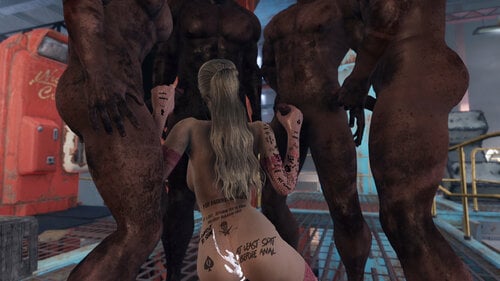
Are you into interracial BDSM? Does the inclusion of BBC themed tats in Tattoos for Captives but not much opportunity to get fucked by black guys disappoint you? Well, despair no longer!
This mod attempts to replace all vanilla raiders with new black characters made with faceripper and vanilla assets. As of V2 it seems to be completely working and I've made unique faces for each entry so I consider this complete unless something breaks.
Recommended Mods
I'm also using Male Takeover, I have not modified raider female records. If you want the raiders to be 100% black men, you'll need to use MTO's Enemy Males.
To spawn more raiders without changing leveled lists or stats, I recomend you use Endless Warfare
Conflicts
Anything else that modifies the default raider entries may cause issues with this mod.
Uninstalling
The mod doesn't add any scripts, it just overwrites the default raider facegen data from the fallout4 esm. It should be safe to install/uninstall as needed but I make no garuantees!
21754 downloads
Updated
-
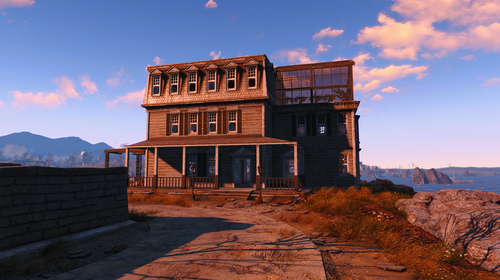
Woodfuzzy Croup Manor Bug Fixes & Clean up
By izzyknows
Requirements:
Fallout 4
Conflicts:
Anything that edits Croup Manor
What it does:
Bug fixes:
Changes the build area a bit which in turn stops settlers from spawning in the ocean. Because we all know that "current" settlers spawn at the build/sandbox volume center.
Cleaned up and fixes Bugthesda's navmesh errors. Now, the settlers will path the entire house.
Other Tweaks:
Repaired the house, cleaned it up and added a greenhouse with a few crops along with a boat dock out back. There's a couple Bobbleheads if you can find them, & a magazine.
And before you ask, this mod doesn't break the precombines.. cause I rebuilt them. HA!
637 downloads
Submitted
-
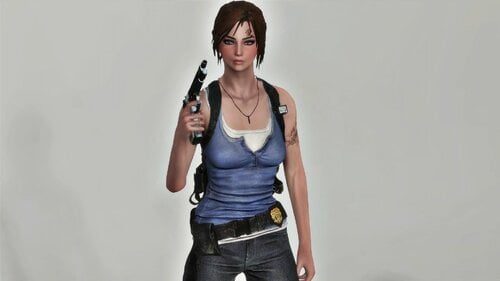
RE3 Jill Outfit - Fusion Girl
By kharneth1
Jill outfit ported from Resident Evil 3.
Requirements
-Fusion Girl
-Bodyslide and Outfit Studio (Optional, Recommended): Included meshes are zero sliders, you need to build the outfit in bodyslide to fit it to your preset.
-Fallout 4 High Heels System (Optional, Recommended): Shoes are only slighted elevated to take into account the sole. You can go without it, but it looks better with HHS.
Installation
Donwload the file, install with any mod manager. Make sure the esp is active. (It's esl flagged so it won't take max esp space).
To fit the outfit to your body shape open bodyslide and build "RE Jill Outfit FG" with your FG preset.
Description
Add Jill outfit from RE3.
Has some armor value and special stats and can be upgrade with ballistic and miscellaneus weave. Also can be legendary upgrade, provide you have a mod that add legendary modification.
Everything can be build at chem station under the category "RE Jill Outfit".
Note
-Originally I want to make a Fusion Girl conversion of this same port from Xavier here. But it wasn't totally well fitted to the body, that was even more noticiable when conver it to FG, make any preset looks bigger than it should. So decide to port it from scracht again, as using FG sliders is way easy to correctly fit it. If you want a CBBE version check linked Xavier port.
-Don't take into account the dark pendant in some ss, I was testing things and have a unrelated cubemap problem. It will be silver as it should in your game (well, assuming you don't have problems with your cubemaps too LOL).
-The gloves are from Dicky's Pinup Outfit (FG conversion here, the one in the main page is outdated).
Credits
-Capcom: Resident Evil Resistance
-Fusion Girl - 3BBB by Team ZeX
-BodySlide and Outfit Studio by Ousnius and Caliente
Permissions
-Don't use any assets here for any commercial or paywalled purposes.
2752 downloads
Submitted
-
Rain Maker animations
By Rain Maker
4 small anims:
FootJob FemDom PenisStep Yoga Cunnilingus Rainmaker FaceSitting
Required: patch for anims
148483 downloads
Updated
-
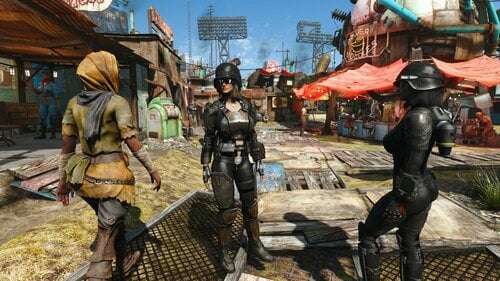
MTM CBP Physics Preset - CBBE - Fusion Girl - Wonder Body - Enhanced Vanilla Bodies - JaneBod Extended - Vanilla - More
CBP Physics Preset - A somewhat more realistic movement. Breasts have "more" mass. I do like how the default fallout 4 physics work on the Physics body. This is somewhat like that.
This is mirror for CBP presets
=======================================================
CBBE and "old" Fusion Girl (1.45 or 1.61)
Twelve Presets - Firm, Natural, Natural Soft and Soft. All contain Breasts, Belly, Butt and Thighs movement. Settings for chest armor on and off or ignore.
MTM CBP Physics Preset ( Version 1.8.2 )
Note: Fusion Girl has more Breast and Butt bones with physics attached to them compared to CBBE, so the movement is different.
Note: For Wonder Body, Enhanced Vanilla Bodies, True Wasteland Body and Vanilla Body use CBBE in the installer, they all use the same bones for physics.
Note: For Zaz Atomic Fusion Beauty, Unofficial CBP Atomic Beauty and JaneBod Extended use Fusion Girl in the installer, they all use the same bones for physics.
Note: Articles tab above on mod page has documentation for editing the cbp and ocbp presets
=======================================================
Articles
CBP INI info for tweaking and making your own
https://www.nexusmods.com/fallout4/articles/2020
=======================================================
CBP Tested and works with -
CBBE
CBBE reduced
Fusion Girl
Fusion Girl Reduced
Wonder Body
Enhanced Vanilla Bodies
Vanilla Body
JaneBod Extended - CBP version
Zaz Atomic Fusion Beauty
True Wasteland Body
Unofficial CBP Atomic Beauty
Atomic Beauty 3B
CBP - OCBP - OCBPC Currently doesn't work with (they are missing needed bones/weights) -
Atomic Beauty
Jane Bod
CBBE - physics
CBBE reduced - physics
All of the other physics version of bodies, they use FO4 cloth physics.
=======================================================
Video--
CBP Physics Preset
=======================================================
11119 downloads
Updated
-
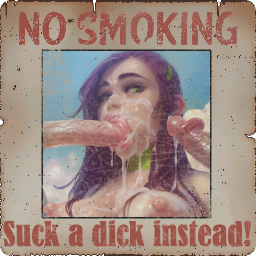
Miscellaneous NSFW Texture Replacer
By RoxyLalonde
I made some smutty textures and edits for my own game, and thought others might be interested. i tried to age the pictures to look similar to the ones in game, and kept it lore friendly when possible.
OLD:
started playing the game again so i made another update for myself ^_^ they were over the 250mb file limit so they're as google drive links in the download section. the old versions are still there as well in case you prefer them for any reason. like last time theres a 'loose' version, with all the files just in a folder, and an esp + ba2 version. i recommend the ba2 version unless you're worried about esp cap since it causes less texture bugs in game lol.
tested it on my own system and it worked fine but let me know if you have any issues ❤️
It replaces some textures for Far Harbor and Nuka World, so those DlC's are required, though i doubt it would be game breaking if u were to use it without the DLCs..
51211 downloads
Updated
-
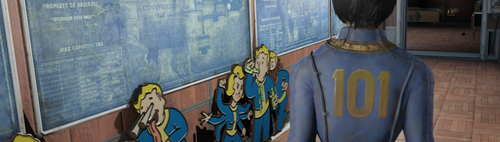
Woodfuzzy's Vault 101 Settlement
By izzyknows
This is my Vault 101 settlement from Nexus, but has been updated and fixed. The version on Nexus is outdated, and since... well.. we wont get into that shite.
Requirements:
Vault Tec Workshop DLC
Settlement Features:
Vault 101 jump suits and Pip-Boy creates to outfit your settlers
101 Power & 101 Water. (See what I did there...don't worry, the cheese doesn't end there)
Radio Beacon.. just wire it up.
Settlement attacks and MM/Help quests have been disabled.
2 Beds: 1 in the Overseers and 1 under the stairs. (Might upload a fully cluttered to hell version later.)
All clutter is lootable. Well.. most of it anyway.
Some interesting items not normally found...a few items will only show up after you reach xx level.
A fun little Find the Keys challenge. (Hint: crank up that Pick Pocket perk!)
1 Brahmin and 2 pet Radstags.
Idle markers all over the place. But not a silly amount!
I tried to place them where they wont interfere with settlement stuff.
The diner booths have been fixed so the plates/clipboards are on TOP of the table instead of inside it. Each booth
only seats 2, this prevents settlers writing on their neighbors food.
The Overseers terminal has a bit of ramblings..
Installation:
Use whatever MM you want, or install manually. It's only 2 files for Pete's sake. LOL
Conflicts:
Any mod that edits the top left world cell.
Credits:
I'd like to thank the thousands of settlers that selflessly gave their pixels in the creation of this mod. A virtual plaque will be place in the bathroom.. once we have enough donations.
And an honorable mention to the couple dozen Deathclaws who's lives were snuffed out, but in the end, was for no reason. (didn't use em)
Change Log:
811 downloads
Updated
-
BodyConvert
By brat175
Body Convert program to convert your bodyslide xml to/from looksmenu json to/from bodygen
687 downloads
Submitted
-
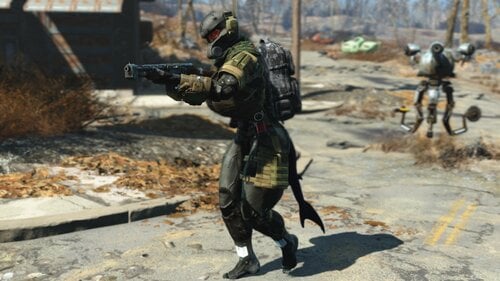
Haven Trooper v1.5 For Atomic Beauty
By Rex89
it's a conversion of the Haven Trooper armor by mrsasa789 (MrRage789)
i sent a messenge to MrRage789 (mrsasa789) about permission but that was back in February.
so for the time being I'll upload it here unless otherwise
there is one small problem with it, the morphs don't work in looks menu.
don't know why, tried to fix it but couldn't but it works fine as is.
it's pretty much done
anyone can mess with it fix it, it doesn't bother me
I'm uploading it so I don't loose it by accident hope you like it
oh and don't mind the shark tail it from this mod The Selachii - Shark Race
Requirements
Atomic Beauty
Haven Trooper Frogs Armor Pack
337 downloads
Updated
-
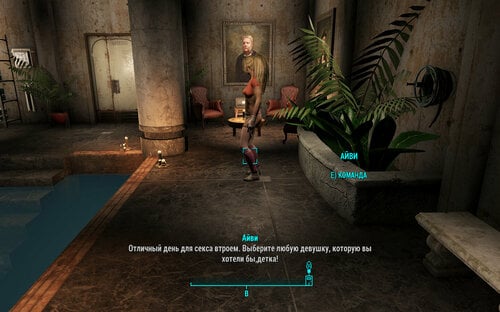
Red Rocket Luxurious Underground Living Estate/Russian translation
By Fiona159
Red Rocket Luxurious Underground Living Estate/Роскошный подвал Красной Ракеты
Перевод на русский язык мода Red Rocket Luxurious Underground Living Estate от Reginald_001
- Полностью оформленное и оптимизированное жилое пространство.
- Полноценный последователь (который работает вне системы последователей, поэтому вы можете нанять любого другого, кого захотите, в свою команду)
- 2 синтетических кошки со способностями "Гипер-Бой" и "Лазерный глаз" по имени Майло и Люси.
Требуется:
- WORKSHOP DLC (!)
Содержит только файл ESP.
285 downloads
Updated
-
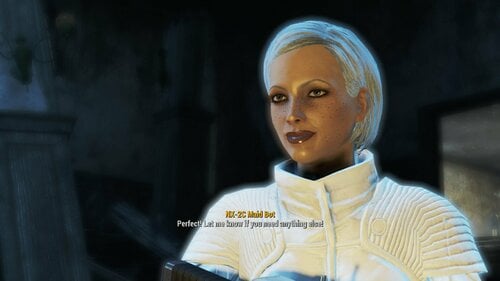
Red Rocket Luxurious Underground Living Estate
By Reginald_001
The Luxurious Red Rocket Underground Living estate is a mod that features:
- Fully decorated and optimized living space.
- Complete follower (that works outside the follower system so you can recruit anyone else you want in your party)
- 2 'Hyper Combat' / 'Laser Eye' cats called Milo and Lucy.
Requires:
- WORKSHOP DLC (!)
The mod and accompanying video should speak for itself.
(Please allow youtube some time to render the 1080p/60fps version)
5989 downloads
- companion
- player home
- (and 5 more)
Updated
-
OCBPC for Fallout 4
By takosako
Open source fork/merge of OCBP + CBPC for Fallout 4.
This mod is not stable above 60 fps. It is not compatible with other CBP mods (CBP, OCBP)
I will give no support on how to use this mod. MrTroublemaker has made helpful guides to use this mod here: https://www.nexusmods.com/fallout4/mods/39195?tab=articles
Thanks to polygonhell for the original CBP source code.
Thanks to Shizof for CBPC source code
Thanks to opparco for making the first FO4 CBP
Thanks to EgoBallistic for pex and psc files.
Source Code is here (MOD DOWNLOAD IS NOT HERE) on branch cbpc:
https://github.com/ericncream/OpenCBP_FO4
390502 downloads
Submitted
-
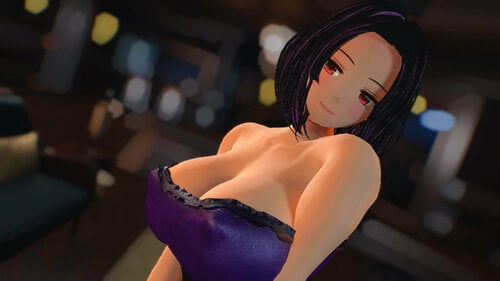
AnimeRace Nanakochan - Atomic Beauty ZeX 1.72
By takosako
Installation: Install required mods and their prerequisites. Replace/override files when needed.
WARNING: This mod is difficult to use correctly because when I made it, I re-weighted Atomic Beauty ZeX- so you may see clipping with a lot of outfits. I posted it here to make the mod available for those who wanted it.
2035 downloads
Submitted
-
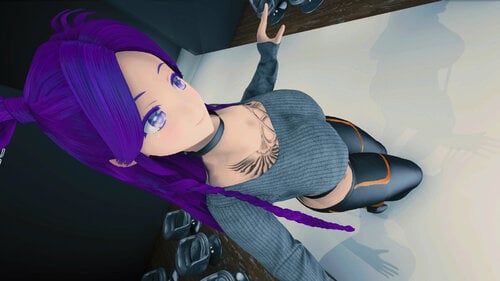
AnimeRace Nanakochan FusionGirl
By takosako
Install: Install required mods and replace/override files from those mods if needed and build in bodyslide
7788 downloads
Updated
-
Hfoods-Hentai Prewar Foods
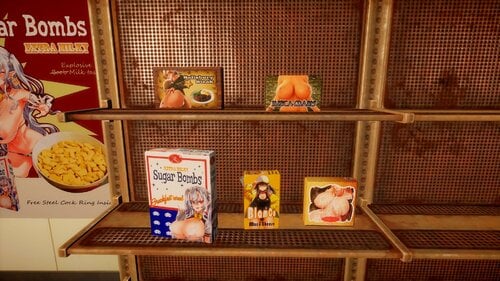
Mod Description:
Replace textures of package foods to Hentai exclusive version.
This replaces five foods at now, may work on others in future.
Poster mod at behind is still on working.
Artist of the Arts used in this mod:
あばずRED
FUCKHEADmanip
朝凪
けけもつ
Aster_C
Credit to their Amazing works.
Updates:
1.1)
Added texture for the damaged-packages too. Now mod replaces both Clean version and dirty version.
10034 downloads
Updated
-
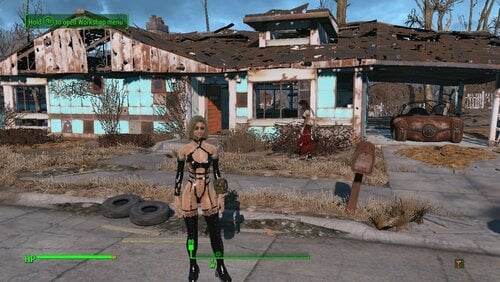
Christie's Eat Me Beat Me Fighting Harnass! Now In Technicolor.
Adds Everyone's favorite Doa Assasin's hottest outfit. Available for males too, I left the hard on Intentionally.
Craft at chem station unter "Utility" change colors to red or white at armor bench.
Includes female bodyslide files for fusion girl and cbbe, this mod was built around fusion girl then later converted to CBBE.
2026 downloads
Updated
-
Vault 88 Extras
By XunAmarox
Description:
Adds some missing Vault objects such as doors with override boxes as well as adding a whole slew of other stuff. New placards and ceiling signs, tons of one-way painting disguised windows, some missing lights, and Vault 88's blueprints. Read on to find out what all is added...
Requirements
DLC requirements
Vault-Tec Workshop
Paintings!
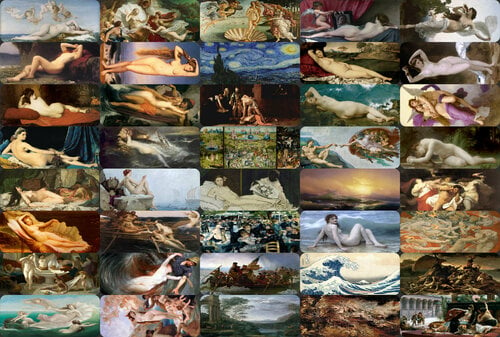
Adds over 40 one-way windows disguised as classical paintings (like Vault 75) so you can spy on all the things! Also moves all the windows into their own window category rather than being grouped into doors, which didn't make much sense. I recommend Vault 88 Room Corners Plus if you want to use these without wasting too much space (no middle slot necessary if you can use them in corners :P).
Paintings include:
Alexandre Cabanel - The Birth of Venus
Jules LeFebvre - Mary Magdalene in the Cave
Jules LeFebvre - Odalisque
Jean Auguste Dominique Ingres - La Grande Odalisque
Marià Fortuny - The Odalisque
Henri Pierre Picou - Venus
Henri Pierre Picou - Jeunes femmes au bain
Henri Pierre Picou - Sea Nymphs
Henri Pierre Picou - The Birth of Venus
Eugène Emmanuel Amaury Duval - La Naissance de Venus
Frederic Leighton - The Fisherman and the Siren
Gustav Wertheimer - The Kiss of the Siren
Edward Armitage - The Siren
Herbert James Draper - Ulysses and the Sirens
Knut Ekwall - Fisherman and The Siren
William-Adolphe Bouguereau - The Birth of Venus
Sandro Botticelli - The Birth of Venus
Vincent Van Gogh - Starry Night
Caravaggio - The beheading of St. John the Baptist
Hieronymus van Aeken Bosch - The Garden of Earthly Delights by Bosch
Edouard Manet - Olympia
Auguste Renoir - Dance at the Le Moulin de la Galette
Emanuel Leutze - Washington Crossing the Delaware
Claude Lorrain - Ascanius Shooting the Stag of Sylvia
Diego Velázquez - The Toilet of Venus
Giorgione - Sleeping Venus
Paul-Jacques-Aimé Baudry - The Pearl and the Wave
Michelangelo - The Creation of Adam
Hovhannes Aivazovsky - The Ninth Wave
William-Adolphe Bouguereau - The Wave
Katsushika Hokusai - The Great Wave Off Kanagawa
Peter Paul Rubens - The Fall Of The Damned
William-Adolphe Bouguereau - Dawn
William-Adolphe Bouguereau - Bather
William-Adolphe Bouguereau - Psyche
William-Adolphe Bouguereau - Biblis
William-Adolphe Bouguereau - The Remorse of Orestes
John Singer Sargent - Orsetes Pursued by the Furies
Théodore Géricault - The Raft of the Medusa
Alexandre Cabanel - Cleopatra testing Poisons on Condemned Prisoners
Doors!
Speaking of doors! Adds the 5 missing vault doors with functional override boxes. I have no idea why Bethesda didn't include the override boxes even though they designed the doorways with slots clearly intended for them. The one you'll most likely want to use is the "LL" version which has override boxes on the left side of each end of the doorway like the doorways are designed. You may also want to use the L version (one override box on one left side only) for doorways that don't have a spot for the box on the other side. The others are just sort of extra. RL/RR/R. The one real caveat to keep in mind is that the door included with the Vault-Tec Workshop DLC crumples up into itself when it's opened so the door panel that just raised into the ceiling isn't actually there. These don't. They function with a bit more realism. You'll have to design your vault with door awareness. If you have a doorway above a doorway below then if the door below is opened then the bottom half of the doorway above will be blocked off. The same goes for hallways. So you'll need to ensure your design aligns lower level doorways to a wall above. If you do that though, they work wonderfully.
Build responsibly.
Placards & Ceiling Signs!
Adds over 20 new placards, and matching ceiling signs for a few areas that you might want but just didn't have any kind of label for. These include: Laundry, Overseer's Office, Elevator, Showers, Armory, Bar, Stairs, Gym, Casino, Weapons Depot, Armor Depot, Clothing Depot, Trade Depot, North Sector, South Sector, East Sector, West Sector, Robotics, Restricted Area, and Firing Range. The existing arrows snap right onto the placards, just like the originals.
New in 1.1: Upper Level, ↑Upper Level↑, Lower Level, ↓Lower Level↓, Level One, ↓Level One↓, Level Two, ↑Level Two↑, ↓Level Two↓, Level Three, ↑Level Three↑
Lights!
Adds 4 missing vault lights. Two variations of a curved sort of L-shaped light that is used pretty extensively in Vault 81, along with a round one for the ceiling that is also used pretty extensively in Vault 81. The last one is a double light that goes in the fixtures in one of the walls of the Overseer's room. It fits perfectly. The big problem with that one however is that once placed it is unmoveable and unscrappable. You'll need to use the DELETE console command to get rid of it. So I suggest you quick save before attempting to place it in case you don't get it just right.
Misc!
Also adds the Vault 88 blueprints as a painting since it's just kind of lost if you scrap Overseer Barstow's original desk. Just kinda something nice to have. Those designs are horribly off though. I recommend this reddit user's Vault 88 blueprints if you actually want to use them to plan anything.
Compatibility:
I had to edit the keywords for the 3 existing vault windows to move them out of the doors category and into the new windows category. I also edited the ceiling signs and wall placards to add the new ones into those respective sections, and the vault menu to add the new window category. So if anything edits those directly without using script injection it'll probably be incompatible.
Plans:
In regards to the double light for the overseer rooms... It's like that because it was never actually intended to be used so it has no collision mesh. I have all the tools needed to give it one, I've just never learned the new process. I haven't really done much 3D modeling after Oblivion when the import/export process got so darn complicated. So that's something I'll be looking into.
Along those same lines, I'd also put out some standalone static non-functional override boxes that could be placed in doorways that are recessed ~6 inches less than any of the boxes were designed to go.
Credits
See list of painting artists.
Rhutos - for the standalone override box script.
Changelogs
Version 1.3
• Added functional standalone override box. Place one next to any door and you will be able to open/close the nearest door. Works for even non-vault doors. Script generously created by Rhutos.
• Added collision to the overseer double light. You can now move it and scrap it once it's placed, though it is somewhat difficult to place. I recommend disabling surface snap via Place Everywhere's F4SE plugin.
Version 1.2.1
• Adds the missing Level Three DOWN signs and placards that were accidentally overlooked in the 1.21 update.
• Minor change to Level Five ceiling sign texture paths. Shouldn't affect anything. Not even important, really.
Version 1.2
• Adds a free Cafeteria floor piece
• Adds 12 new signs and placards: Observation, Optometry, Surgery, Recovery, Storage, Waiting Room, Level Four, Level Four UP, Level Four DOWN, Level Five, Level Five UP, Level Five DOWN
Version 1.1
-Improved Elevator placard UV (it was a lil wonky)
-Added 11 new Placards, and 11 new Ceiling Signs:
Upper Level, ↑Upper Level↑
Lower Level, ↓Lower Level↓
Level One, ↓Level One↓
Level Two, ↑Level Two↑, ↓Level Two↓
Level Three, ↑Level Three↑
Version 1.0
Initial release.
Optional Files
• Fix that Radiation Sign-22519-.7z - A bat file to put the fallen radiation sign in the reactor room back on the wall. Install to game's exe directory and use "bat fix-that-sign"; you may need to change the first 2 numbers after prid.
• More Vault Rooms Compatability Patch-22519-.7z - Adds the Window category to MVR and moves the window it adds there. Without this patch you will see none of the spy windows added, or probably any windows at all for that matter except the one MVR adds.
• Windows Patch-22519-.7z - Use this if you don't have the Windows category, or if the vanilla windows are showing up in the Doors category. Should be last in load order. Can be used in place of MVR patch if MVR is updated but MVR's windows would be in Doors category without patch.
3552 downloads
Updated
-
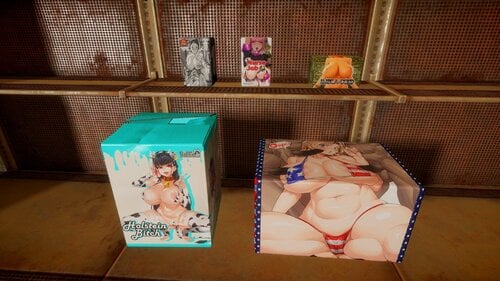
Onahole of Commonwealth - Onawealth 1.0b
What does this mod do:
Adds 5 Onahole boxes as consumable item.
It doesn't shows animation that actually 'use' it, however, gives some jerking sound.
Each one can be crafted in chem bench, having different effect.
Feedbacks are always welcome.
Used Artworks/Original Artists:
https://www.pixiv.net/artworks/57409891
https://www.pixiv.net/artworks/67455324
https://www.pixiv.net/artworks/65679351
https://www.pixiv.net/artworks/65785468
https://www.pixiv.net/artworks/65704401
https://www.pixiv.net/artworks/81690307
https://www.pixiv.net/artworks/87053903
https://twitter.com/ichiren02/status/1289724945728069632
https://www.pixiv.net/artworks/82609865
Credit for their amazing works.
Known Issues:
1) Mesh issue
I tried to make instamash mesh stood up, and use two enormous boxes.
However, when I make object stood up in nifskope or outfit studio, the physics itself didn't changed.
For two big boxes, I implanted wooden box inside it to apply physics, however, this behaves in strange manner.
If you are able to add proper physics to these meshes, please help me. Or change it as you want. I couldn't solve it. Sorry.
2) Texture issue
I tried to connect new texture to Mr. handy box nif file in my custom mesh folder,
however, It just keeps connects to the Original texture.
So I just planted texture to the Original box(the one shows up in pre-war, when you make your own character in the opening scene) to apply it.
You're welcome to solve it.
I'm totally new to modding.
Please give me feedbacks If you like it. Thanks.
6002 downloads
Updated
-
Pure Ida
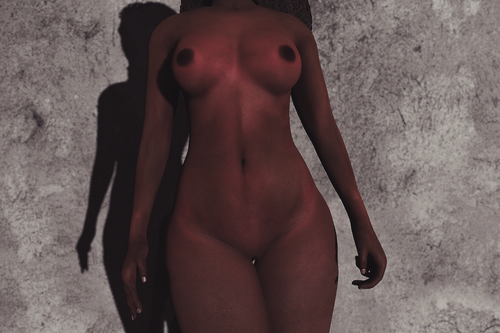
Overview
This is a personal edit I planned to use as a character skin base. It's a port of Regenbot's The Pure, Blended with Fuse00's Ida and given New Normals, Specular and SSS Maps.
This is designed out the gate to support Fusion Girl only. No I won't make a CBBE version, I don't have the files.
What's in the Box:
There's 2 versions of the skin texture available in Either 8K or 4K
Light-Medium: This version works best for Lighter to medium skintones
Medium-Dark: This skin is desaturated a tad bit and the contrast has been lowered to be friendly for Medium to Deep Dark tones
Notes:
Pure Ida matches best with Fuse's Valkyr Face Textures or anything based on it.
The effect of Medium-Dark is highly dependent on your lighting, ENB settings and your character's base skin colouring. The more saturated your character is, the more the details will look off. It's best to go a little less saturated than you normally want. I don't really have my SSS settings on hand, but SSS also plays some role and I recommend tweaking it.
Atomic Fusion will work with this just fine. Attempting to use on CBBE will give you barbie below the waist cause I don't support coochie decals.
Credits:
Regenbot/Anini - PureSkin Texture
Fuse00 - Ida Skin Texture
3021 downloads
Submitted
-
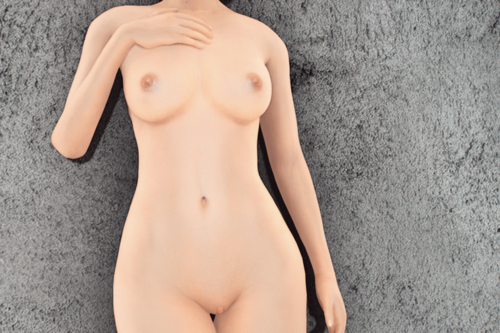
Demoniac - Fair Mature Skin
NOTE: This is a reupload from Nexus. I am slowly but surely organizing my work to go back up. I will make a post on LL in the Adult section when I get a good chunk of the way through to direct to all my content thank you.
Overview
I sort of made this on a request, sort of made this for myself. I liked the Fair Mature Blend option from Regenbot's Demoniac, so I decided to bring it to Fallout 4.
What's in the box
Fair Mature Skin
This comes with full body and hand textures. All Maps included as well as a new SSS Map for ENB users.
There's 4/8K resolution textures.
Notes
The FOMOD includes compatibility options
3D Coochie: This version is designed for bodies with 3D coochie. the painted on details in those areas are removed. Should work with Fusion Girl & Atomic Fusion.
2D Coochie: This version comes with the coochie textures painted on and etc. If you're using any body that has the vagina plastered on like a sticker... like CBBE... this is your option.
SSS Maps: The SSS maps are designed specifically for ENB
Credits
Regenbot03 - Demoniac
Mature skin texture by Maevan2
Fair Skin Complexion by HHaleyy
Avallonkao - Base materials I referenced for the SSS stuff
6057 downloads
Updated
-
Satellite Color World Map Combo
By XunAmarox
Description:
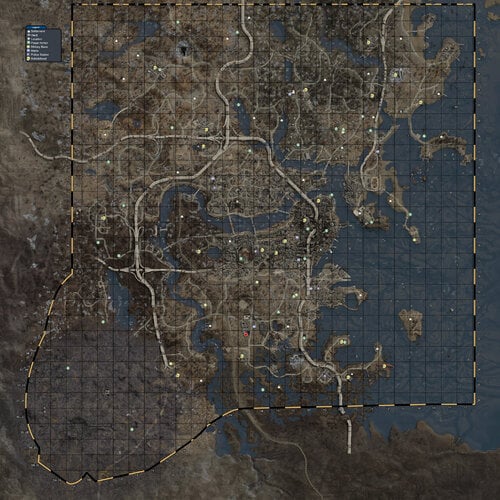
This is a replacer for your World Map in your Pip-Boy. It's a combination of Satellite World Map by FloorBelow and Color Map by VirusZ. It is a texture replacer and of the correct size so no ESP file is required. The map itself gives a satellite view of the Commonwealth made using the game's LoD meshes and textures. This map has icons for settlements, vaults, power armor, military bases, metros, police stations, magazines, discoverable locations (optional), and roads + railroads (optional). You'll discover many varieties of options in terms of what icons should appear on your map during the installation process, and this particular map features a more accurate boundary line. Oh yes, I painstakingly (with god mode and tons of run speed gear) ran around the edge of the entire wasteland just for you, so I could discover where the boundaries actually are. What was ever the point of a border on the map that didn't even represent any kind of boundary anyways? Sheesh. Get your stuff together, Bethesda.
Aside from the new boundary lines and the combining of those two maps, the icons being used have also been updated and the grid for the map has been made more like we're used to. The outer boundaries were manually fixed, because the original large black grid from the Satellite World Map was actually the individual meshes of the LoD and they didn't quite meet seamlessly. So... clone stamp, bitches!
I was going to remove the large black grid from Satellite World Map from the entire map (which would have been kind of a pain in the ass tbh) but it occurred to me that it would be more useful if there was a grid there. And so, I completely remade the grid - I even pulled out a calculator to figure out the exact size each square needed to be (hey, I was really proud of myself about that... I suck at math. For real.) - and now it's labeled with coordinates. That way it's easier to tell your friends where to find something. Like, "I ran into this crazy overpowered deathclaw at 1C-30, so don't go there! Or, uh... I mean... Forget what I said. There's tons of loot just laying around at 1C-30, go there immediately... and uh... don't save for a few hours before that. Yeah. Do that. >:]" Anyways, I'm sure you all will figure out some kind of use for it.
There are two primary editions: Vault Boy bobbleheads, or Vault Girl bobbleheads. We have replacers for the bobbleheads already and we'll surely have a full interface replacer sometime soon; so, we may as well have a matching map. Each of these types includes several variations: all features, no location markers, no location markers and no roads, and just no roads. You can choose which you prefer during the FOMOD installation.
"But Xun, I don't use NMM." Well, then you can manually install! The folders are named pretty intuitively, and here's how you do it...
Manual Installation:
Extract archive. Choose your desired flavor, and open that folder (e.g. VG-All). Copy "worldmap_d.dds" to "textures\interface\pip-boy" in your Data folder. Done!
All of this shit's in color. That means it's not going to be just pure pink or green or whatever the heck you have your Pip-Boy color set as. It's not going to look like that though unless you do some wizardry in your ini files first. Now look, before I continue... I'm just going to be up front with you: The entire interface for your Pip-Boy will be white after this, but the rest of your UI will be unaffected. So, weigh whether you want a color map & white pip-boy UI or if you'll just settle for a monotone map. Your choice.
Installation:
To get it in color you're going to need to navigate to Documents\My Games\Fallout4 and either edit your existing file or create a new file called Fallout4Custom.ini and it needs to have this:
[Pipboy]
bPipboyDisableFX=1
Now, if your map doesn't work at all - dude, have you done any texture or mesh replacer mods yet? - then you'll need to edit your Fallout4.ini and under [Archive] you'll want to add this line:
bInvalidateOlderFiles=1
And if you have anything after sResourceDataDirsFinal= then delete all that shit after it because it makes your game load like a sloth stoned out of its mind. Seriously. This will be your game's load speeds:
You don't want that. Or maybe you do. I don't know. I'm not the boss of you. Do what you want.
Moving on!
So, my map is the same resolution as the 8K Satellite Map. I know what you're thinking...
"mmm... 8K... high res... want..."
But, my map is only 4K.
I have a good reason though. The 8k Satellite Map had a ton of extra map area that quite frankly isn't really necessary. Once you crop the map to just the actual map area (which is why this map doesn't require an ESP), then it's the same resolution as it was with the 8K even though it's 4K.
Aaand, uh... that's pretty much it.
...EXCEPT FOR THE CREDITS!
Permissions
If you can get permission from everyone else whose assets were used in this (they're literally listed below), and you'd fucking better, then you can use whatever you want from this that is my work. Sharing is caring, ay? Only caveat: Don't put it on NexusMods without my express written consent.
Credits:
Satellite World Map by FloorBelow, for the satellite map. Used with permission.
Color Map by VirusZ, for icon placement, some icons, and inspiration. Used with permission.
JAMA / Armor Location Map by Nixsy, for the roads & railroads. Used with permission.
Shadman for vault girl's icon. Shadman is awesome. Check out Shadman's art. Uhh... if you're over 18. Definitely... only... if you're over 18...
Fallout 4 Map on Reddit by koolkyle802 which I used for placing magazine locations.
Oh!!! I almost forgot!!!
That little fucking red thing. What the fuck was that?:
Well, I'll tell you what the fuck that was...
It was THIS. Open that in a new tab and look at it. Things will make sense.
It still looked kind of ghetto though, but it got better:
You're welcome.
Troubleshooting:
Problem: My map isn't in color. What gives?
Solution: To get it in color you're going to need to navigate to Documents\My Games\Fallout4 and either edit your existing file or create a new file called Fallout4Custom.ini and it needs to have this:
[Pipboy]
bPipboyDisableFX=1
If you already have those entries in your other ini files then you'll need to either edit them there or remove them from there.
Problem: My map isn't in color but I've already done the ini changes. What gives?
Solution: Double check to make sure they're correct first. But failing that, if you're using Fallout 4 Configuration Tool (previously called the Fallout 4 Tweaker) by Bilago, some people mentioned a page back in the comments that the ini settings don't work because they're overwritten by it. "In the UI tab, there is button by Pipboy Colors called Disable FX that is not enabled by default."
Problem: Uhh... everything on the map is way off from where it should be.
Solution: Chances are you've installed Satellite World Map by FloorBelow. You'll need to either uninstall it or disable the ESP that came along with that mod. It will mess up this one.
Problem: I'm new to modding Fallout 4 and this doesn't work at all. Nothing changed.
Solution: Did you by any chance completely skip the installation instructions? There are some ini entries you'll need to make to get this to show in color and some more entries - especially if you're new to Fallout 4 modding - to get any changes to your game to work whatsoever.
Problem: Since the new update my player symbol is now a cave!
Solution: This map mod is just a texture. It doesn't mess with actual interface files. If you are having this problem it is likely due to Zoom Out Extended mod by Zenotep and if that is the case you can either uninstall it or try this fix.
Problem: I want a color map and a color pip-boy instead of a white pip-boy screen. How can I do that?
Solution: Try something like Gold Kit for Color Pipboy.
Problem: My power armor's map is way too bright.
Solution: Try something like Power Armor map fix.
Changelog:
1.3 - Feb 15, 2016 New!
-Placed the Agility bobblehead icon back at the FMS Northern Star, whose icon was incorrectly removed and placed on Spectacle Island in 1.2 as the Luck bobblehead that was added to Spectacle Island.
-Replaced location dots with small question marks. I did this because even as the map maker I didn't keep locations on because they cluttered the map.
-Location renamed to Point of Interest.
-Vault icons were made smaller.
-Metro icons were made smaller.
-Military base icons were made smaller.
-Power armor icons were made smaller.
-Settlement icons were updated to look more like a house, made light brown, and made somewhat smaller.
-Bobblehead icons were made smaller.
-Russian version added to misc files (as one was requested).
1.2 - Feb 7, 2016
-Corrected location of Luck Bobblehead.
-Removed incorrectly placed bobblehead locations from Lexington.
-Moved Perception Bobblehead closer to the Museum of Freedom.
-Moved Concord power armor to roof of Museum of Freedom.
-Added a missing power armor location.
-Added magazine locations. They're all likely a bit off so just assume "in this general area."
-All roads + railroads are now the faint version.
-Boston Commons area roads made significantly more defined for easier navigation.
-Removed variations: VB-NoRoad, VG-NoRoad, VB-NoLocFaintRoads, VG-NoLocFaintRoads, VB-NoLocNoRoad, VG-NoLocNoRoad. Why? I think the faint roads look better with a satellite map and there were starting to be far too many versions to maintain.
-Added variation: No Special: Removes the bobblehead, power armor, and magazine icons.
-Lighter grid for all variations except mono.
-Fixed a power armor icon so it looks better without full roads.
1.1 - Feb 3, 2016
-Adds the bridge outside sanctuary which was previously missing.
-Removes the vault icon from Vault 111. Why, you might ask? Well, it's impossible not to discover so it's pointless.
-Adds two new versions: Clean with only roads and clean with only faint roads.
-Adds two new variations: Vault Girl bobbleheads + no locations + faint roads, and Vault Boy bobbleheads + no locations + faint roads. This was previously the XunCustom.
1.0 - Feb 2, 2016
-Initial release.
Where TF are the DLC maps Xun? Eh? Eh?!
I got permission from DigitalUtopia to use his satellite maps for Far Harbor & Nuka World. So I'll be doing those at some point™.
I haven't played Fallout 4 in quite some time and probably won't for quite some time, so it's pretty much on the backburner. It'll happen some day when I'm particularly bored and think of doing it.
In the meantime, you can use Sakura9's satellite maps for Far Harbor & Nuka World.
Misc/Optional Files
• Mono-Blank-9414-1-1.7z Monotone with darker high contrast ocean and no icons.
• Satellite Color World Map Combo RUS 1-3-9414-1-3.7z
FOREIGN LANGUAGE. FOMod Installer. Russian. Русская язык.
User submitted YouTube videos:
https://www.youtube.com/watch?v=L64NwBKNDn0
20769 downloads
Updated
-
CBBE Innies - Fallout 4 Edition
By XunAmarox
Description:
Changes the texture that comes with CBBE to have an "innie" rather than "outie" pussy. It may be called a "cameltoe" pussy, or in Japanese "sujiman." Comes in six styles (currently): shaved, traditional, small strip, strip, v, and bushy. Features brand new nipples, and several normal map options to choose from. Dirty raider textures included (with innies). See images for exact depictions.
No ENB or post editing were done on images. If you want to make some better ones feel free to upload them!
Want to learn how to make an NMM installer yourself? Check out my NMM Installer Tutorial. Want CBBE Innies for Skyrim? Get them here!
Should be compatible with adding shaving styles via TextureBlend if you would like more options than provided. Just install shaved/waxed style if you intend to add different styles with texture blend.
REQUIREMENTS:
(required) Calientes Female Body Mod Big Bottom Edition -CBBE- by Caliente
Non-NMM installation:
-Install with NMM Installer.
Non-NMM installation:
-Install CBBE.
-Download and extract the CBBE Innies archive.
-Choose whether you want default CBBE abs or Sporty abs. Once decided open one of those folders, e.g. "1 - Default Abs" or "2 - Sporty Abs" and copy the contents of that folder (you can only choose one) into "0 - Required\textures\Actors\Character\BaseHumanFemale"
-Next, choose which of the five available shaving styles you want: Shaved, Small Strip, Strip, Traditional, or V. Copy the contents of the chosen shaving style's folder to the same directory as you did the abs, e.g. "0 - Required\textures\Actors\Character\BaseHumanFemale"
-Now, copy the contents of your "0 - Required" folder to your Fallout 4's Data folder. Overwrite when asked.
Troubleshooting:
First of all, if you're having problems... please do not send me a PM. My inbox is constantly at 99% full, if not completely full. Use the comments section instead.
Problem#1: I don't see any changes??
Solution: Navigate to Documents\My Games\Fallout4 and add bInvalidateOlderFiles=1 under [Archive] in your Fallout4.ini... Also, install CBBE and the vanilla armor & clothing replacer (on the CBBE page) and ensure they work first. CBBE doesn't change vanilla clothing and armor by itself and it has a different UV so any vanilla outfit that shows skin will look wrong without the replacer installed.
Problem#2: My skin texture looks really weird... like a huge nipple on my stomach, a foot on my arm, and so on...
Solution: This means you either didn't install CBBE correctly or you installed something overwriting either the CBBE mesh or texture. If you're seeing it while wearing armor that shows skin it just means you don't have the vanilla clothing/armor replacer from the CBBE page, or that particular outfit hasn't been converted with Outfit Studio yet. For the first problem, install CBBE again and ensure it looks right in-game and once it does install my texture again.
Problem#3: Help! My character has on a white tank top and a pair of shorts when naked... what gives?!
Solution: When you batch build using BodySlide make sure you uncheck CBBE nevernude. That's what is causing it.
Problem#4: When I try to reinstall with NMM to try a different option it doesn't pull up the installer and just starts installing again without giving me a choice.
Solution: You only disabled the mod. You'll need to right click it and uninstall for all profiles before reinstalling it.
Frequently Asked Questions:
Q: Will you add a wild hairy wilderness to your shaving styles so furry it scares me a little thinking it might come alive at any moment?
A: I... will not. I don't think bushy shaving styles look good without a merkin mesh and by the time we get to the point of adding meshes we're moving beyond the initial scope of this mod. You can find one such mesh here. Oh fine, I added it. I still think it needs a merkin mesh though.
Q: Can you make a version of your textures with X but without Y?
A: A lot of people make requests like this and in short... I can... but if I fulfilled every request people asked for I'd never get any work done on anything that I actually want to do. So, I won't. But all hope is not lost! Head over to the CBBE mod page and into the Misc section. There's a resource file there, including my work, that will let you mix and match and swap stuff around to your personal tastes to your heart's content. There will be a slight learning curve but it's well documented and shouldn't be too hard!
Q: I used NMM back before version 0.6x.x when they added profiling. How can I install a second copy to use for Fallout 4 without messing up my Skyrim, Fallout 3, Dragon Age, et cetera?
A: There's a post on the forums here that details how to do that. The long and the short of it is to download the latest NMM installer file manually then install it to a different location. My old 0.5x version is installed in "C:\Program Files\Nexus Mod Manager" and I installed the new one in "G:\Game Install\New NMM" and after it installed I didn't let it find any of my games I didn't want it to touch (hit the red X on the found game until it didn't find it). I just manage my old games with the old one and new games with the new one.
Changelog:
1.5 - January 13 2016 New!
-Somehow I had missed 3 moles, this has been rectified.
-Dirty textures have been added as a primary option for the players that want it.
-A new shaving style... hairy wilderness. It's a more extreme bushy with arm, leg, and armpit hair.
-I added my abs slider for the CBBE body to the fomod installer as an optional installation.
1.4 - January 1 2016
-Bushy pubic hairstyle added by popular request.
-Both normal maps adapted for bushy pubic hairstyle. They're optional but if you use the bushy pubic hair then I'd recommend using them, otherwise ignore and avoid them.
-Dirty raider textures added with innies, without scars, and with bushy pubic hair.
-Mod is moved out of Beta and into its full release.
1.3.1 Beta - Hotfix - December 28 2015
-Hotfix - corrects a typo in the NMM installer for the default abs option.
1.3 Beta - December 27 2015
-Mod is moved out of Alpha and into Beta.
-Converted Sporty Abs over from the Skyrim CBBE Innies.
-Default CBBE abs now included as an optional file.
-Optional shaving styles are no longer a separate package.
-NMM installer like the Skyrim version of CBBE Innies.
1.2 Alpha - December 24 2015
-Textures updated from CBBE 0.1a base to CBBE 1.0a base which fixes most seams and offers various other texture fixes.
-Updated vulva region in normal map so that it's smoother, and the pudendal cleft (slit) should appear deeper.
-Spec map should match CBBE base aside from mole removal, nipple changes, and vulva/slit changes.
1.1 Alpha - December 12 2015
-Diffuse textures recompressed as DXT1 for better compatibility and reduced file size.
-Hand textures no longer included as they were redundant, already included in CBBE and were unchanged.
1.0 Alpha - December 12 2015
-Initial release. Alpha stage. Normals & Specular maps likely need redone.
Credits:
Thepal for his nude females texture Caliente based his texture on supplied in the CBBE 3.2.3 release xs2reality's Sporty Sexy Map for the optional abs included as well as SvarogNL's Fitness Body for the upper and lower ab smoothing of the Sporty Sexy Map Ubercharge for the dirty raider textures included with CBBE. Intel ® Texture Works Plugin for Photoshop NVIDIA Texture Tools for Adobe Photoshop
Known Issues:
-No known issues. Please report them if you find any.
Optional Files
CBBE 2.3 plus ABs-5659-.7zUpdates my CBBE + Abs bodyslide files to CBBE 2.3. Not currently included in CBBE Innies 1.5
CBBE Innies - Spartan Compatibility Patch-5659-1-5.7zCompatibility patch for Spartan Sniper outfit. FOMOD installer with most pubic hair options and an optional abs slider for the pants.
Xun Slider Presets-5659-.7zFor anyone that wants the presets I use in my screenshots. Two variations included.
9650 downloads
Submitted