Framework & Resources
Frameworks and resources of various types related to SexLab SE
78 files
-
SexLab SE - Sex Animation Framework v1.66d - 08/29/2026
By Ashal
Skyrim SexLab SE/AE (SSL) v1.66d
An adult animation framework
This version of SexLab is for Skyrim Special Edition / Anniversary Edition
For the old LE version, click here
IMPORTANT Note on downloads:
For Skyrim Special Edition (1.7.104, aka AE) use SexLabFrameworkAE_v166d.7z
For Skyrim Special Edition (1.5.97, aka SE) use SexLabFrameworkSE_v163.7z
For the GOG version of Skyrim (1.6.1179) use SexLabFrameworkGOG_v166b.7z
AE and GOG versions also require latest version of Address Library (available here)
Only the latest version is supported. 1.5.97 version will not be updated.
To download older versions not mentioned above, you can find zip files for them here: https://github.com/eeveelo/SexLab/tags
DO NOT use older versions unless you know what you are doing, and do not expect tech support help when using older versions.
----- Description --------------------------------------------------------------
Skyrim SexLab, is intended to serve as a unifying resource for modders to pull animations from to aid them in development of adult themed mods, without having to going through the complex scripting work it takes by themselves. A modder is provided with a wealth of tools and functions they can call that will aid them in creating their own mod.
As it is intended as a resource mod that other mods can pull from to use for adult animations. This mod does NOTHING by itself, and requires a separate mod to make use of the resources provided.
----- Frequently Asked Questions -------------------------------------------
http://www.loverslab.com/topic/17711-sexlab-frequently-asked-questions-faq/
----- Requirements -------------------------------------------------------------
Skyrim Script Extender (SKSE) REQUIRES SKSE 2.3.1 OR NEWER
Address Library for SKSE Plugins
Fores New Idles in Skyrim SE (FNIS) REQUIRES FNIS 7.0.0 OR NEWER
FNIS Creature Pack version 5.2 or newer is required only if you want creature animation support in SexLab, otherwise it is not required. If you get a warning in game about not having 5.2 installed despite having installed it. You have without exception, installed it incorrectly. You can either ignore the warning and keep using SexLab like normal if everything working anyway, or do the smart thing and figure out what's wrong with your FNIS install so the warning will leave you alone.
SkyUI SE REQUIRES VERSION 5.0 OR NEWER
An actor skeleton mod such as XP32 Maximum Skeleton Special Extended (XPMSSE)
----- Basic Installation Procedure ------------------------------------------
After properly installing SKSE, SkyUI, and FNIS as listed above, follow these steps.
Download the latest full framework pack & install it using your mod manager of choice (Mod Organizer highly preferred.) Run the GenerateFNISforUsers.exe tool. If you have a custom animation skeleton installed (very likely, if you don't you should. See: XPMSSE ) make sure you check the "Skeleton arm fix" patch. Click the big button that reads "Update FNIS Behavior" You should see a line that says "Reading SexLab..." if not you've done something wrong. DO NOT ignore any warnings or errors you see in the FNIS window. Activate the SexLab.esm file in your list of active mods. Load or start a new save game in Skyrim and navigate to the Mod Configuration menu titled "SexLab" Check that you meet the requirements on the left pane and then click the Install option in the top right. NOTE: Some of the checks you'll see there are only soft dependencies, or can be a false-negative. If the Install button is clickable for you, just go ahead and continue. [*]Close all menus and stand still until the install finishes, it can take a few minutes.
----- Basic Update Procedure -------------------------------------------------
Download the latest full framework archive, if you are using a version older than 1.60, you will need the full archive, otherwise you will only need the update patch. Extract the updated framework/patch into your Skyrim's data folder, or if using Mod Organizer (like you should be) then merge the files ontop of an existing MO mod install for SexLab Framework. (optional, but recommended for safest upgrade) Disable ALL SexLab related mods except for SexLab.esm and any that are absolutely required or disabling will mean losing progress on in some way. Navigate to your Skyrim's data/tools/GenerateFNIS_for_Users folder and run the GenerateFNISforUsers.exe utility. If you have a custom animation skeleton installed (if you dont, you should) make sure you check the "Skeleton arm fix" patch. Click the big button that reads "Update FNIS Behavior" You should see a line that says "Reading SexLab ..." if not you've done something wrong. Load your save game and you should see a notification that SexLab is updating and/or installing, it will then go through the update process. [*]Wait 1-2 minutes, until you see a notification that says SexLab has finished updating and/or installing [*]Wait another 30 seconds or so and then perform a quick test animation either via the SexLab MatchMaker mod or by starting one via the animation editor. [*]Assuming the test animation was successful, save your game with the update now fully applied, you should see the appropriate version number listed on the last page of the SexLab MCM. [*](optional, but recommended for safest upgrade) if you followed step 3, you should now reinstall all the SexLab mods you disabled, ensuring you are using the latest version of each. For best results reinstall them one at a time and make sure they are functional with the new version of SexLab before reinstalling the next one.
----- Creature Use Instructions -----------------------------------------
If you want to use creature animations, you will need to follow some extra installation instructions.
Install the latest FNIS and the latest FNIS Creature Pack if you have not yet, both of which are available on the FNIS Download page Run GenerateFNISforUsers and click the big "Update FNIS Behavior" button. After it finishes patching, you should see 2 lines, "Create Creature Behaviors ..." and BELOW that "Reading SexLabCreature ..." Load your Skyrim save Navigate to the SexLab Mod Configuration menu and go to the first available settings page, "Animation Settings" Check the box for "Allow Creature Animation" so that it is in a toggled on state (the box is filled instead of empty) You will need to install mod that lets you start animations with creatures, as SexLab Framework does not start any animations by itself. SexLab MatchMaker works with creatures, and is the more straight forward of means to start creature animations. For others, look through the download page for SexLab mods with creature support
----- Uninstalling ----------------------------------------------------------------
To cleanly uninstall the mod, perform the following steps.
With your current installation, go into MCM and select the "Rebuild & Clean" page. Click on the row that says "Clean System" You will be prompted to close all your current menus, do so. After closing your menus and being told the system clean is complete, save your game. Perform the uninstall procedure for any 3rd party SexLab mods you have installed. Quit the game. Disable SexLab.esm and any SexLab mods you have enabled in your load order
----- Changelog ----------------------------------------------------------------
See: https://github.com/eeveelo/SexLab
----- Modder's Guide -------------------------------------------------------------
A modders guide to using the API can be partially found in scripts/sources/SexLabFramework.psc
WARNING: The API docs are currently fairly outdated in some spots for v1.60. It should be fine in most spots, but if you have any questions feel free to private message me or ask somewhere else and I'll answer soon as I'm able. Updating them is my top priority right now.
If you are a mod developer looking to develop a mod using SexLab, feel free to contact me via private message and I will do everything I can to help you along and if possible upgrade the framework to fit your needs.
----- Future Plans ----------------------------------------------------------------
See dedicated development thread
----- Credits -----------------------------------------------------------------------
Scripting & Project Owner:
Ashal
Additional Scripting:
osmelmc
SKSE Plugin:
h38fh2mf
Ashal
Animations:
Unknown Modders - http://skup.dip.jp
Arrok - BBP Animations
JoshNZ - Animated Prostitution
Mithos
Blac945
Zynsch
TDA
Zynsch
Bleagh
PanicForever
Athstai - Dark Investigations
3jiou - http://www.loverslab.com/topic/38317-3js-animations/
Mitos - http://www.loverslab.com/topic/42217-mitos-animation-shop/
Leito86 - http://www.loverslab.com/topic/39465-animations-by-leito-12915-new-animations/
4uDIK - http://www.loverslab.com/topic/38934-аnimations-for-sexlab/
FalloutBoy2 - http://www.loverslab.com/topic/39160-animation-complete/
Audio:
Lovers with PK
Setekh
Mesh/Textures:
Calyp - Strapon
oli3d - Bukkake Shaders
4uDIK1 - Male Nudesuit
Dimon99 - Female Nudesuit
Vacaliga - Stacking cum textures
Localization:
aravis7 - French
CGi - German
mswind - Chinese
anonymous - Japanese
fedim - Russian
sh1ny - Russian
holtof55 - Russian
Huili - Russian
RockMic - Italian
NOTE: If you have an updated translation file or would like to translate or update one of the existing translations; send it to me or let me know if you have any questions about how.
----- Permissions -----------------------------------------------------------------
You must ask my permission before distributing this base framework on any site other than LoversLab.com
The animations themselves belong to the individual modders who made them, I am using them solely by their permission and/or stated open use policy. If you wish to repurpose them else where it is there permission you need and not mine.
Unless you are contributing to the Git repository development branch, you are not allowed to edit any of the included scripts and resources except to translate the mod into another language.
If you wish to translate the framework into another language, go right ahead, no need to ask. If you need it, I will provide you with as much support as I can to assist you with the translation process. Afterwards if you want to send me the translated file and I will package it with the releases, or you are free to release the translation file, and the translation file alone, however you wish.
----- Contacting Me --------------------------------------------------------------
I will provide direct support to people via email and private message ONLY if you are a modder using the framework in your mod. People seeking support for using the mod contacting me this way will be, without hesitation, completely ignored. If you need support for the framework, use the thread or support section, I will answer such questions there and only there.
---------------------------------------------------------------------------------------
2933696 downloads
Updated
-

SexLab P+
By Scrab
SexLab P+
A high performance patch for SexLab fixing long standing issues and many improvements to bring SexLab to (and beyond) modern standards
Current optimizations and features:
Overhauled API to simplify integration into SexLab: Animations are now started through StartScene() functions, which operate only on Actors & Tags, interaction with sslBaseAnimation is no longer required Isolated API into new exclusive API scripts, properly splitting internal and external code: SexLabRegistry.psc, main API script to access animation related information SexLabThread.psc, a new interface script to interact with running SexLab threads SexLabThreadHook.psc, a blocking Hook interface to hook (synchronous) into SexLab threads SexLabStatistics.psc, an interface script to access actor statistics Improved Animation Selection: SLP+ is more strict with actor placement, you will no longer get animations with male actors in female positions, or a femdom animation with a dominant male Animations start within half a second or less Actors are expected to be placed instantaneously with a 99.9% precision in regards to their target location Expression functionality has been changed: Expressions now use only 2 profiles: Low and High (similar to BodySlide) The actual expression used by actors is chosen based on your current enjoyment 0 Enjoyment uses the Low Profile 100+ Enjoyment uses the High Profile Comparable to Bodies having a low/height weight depending on actor weight Added full, explicit, support for Futa Actors Any and all races are automatically recognized by SexLab (and have a RaceKey assigned to them) Removed restriction on available installed Animations, Expressions and Voices SexLab is now installed automatically on game start SLP+ includes its own manual match maker. You no longer need SL Matchmaker Improved SLs internal enjoyment logic. SLSO mods will work with SLP+ without a patch (SLSO itself is incompatible) crajjjj's Smooth Expressions is in-build into SLP+ CumFX Systems have been expanded with new textures, based on SCOE Expanded Voice Systems Voice Sets can now include a variety of additional voices used under certain criteria (such as muffled moans during Oral Animations) SLP+ also includes a number of exclusive voice sets, specifically made (by hired VAs) for this expanded system. Thanks to Vermillion for this SexLab now features its own UI overlay during scenes The UI gives extensive information on the currently playing scene Adds control over many features, such as an actors used Voice or the currently playing Scene Simplify mid scene control patterns (existing Hotkey controls have been removed) Expanded furniture Systems, overshadowing Furniture Framework
Compatibility:
SLP+ is backwards compatible with any correctly implemented SexLab mod Exceptions to this are mods that manually register animations into SexLab, such as SLAL or Estrus SLP+ is incompatible with any mod interacting with SexLab in an undesired way, including but not limited to: Directly calling internal functions that are not part of the public API Overwriting SexLabs scripts See Incompatible Mods | SexLab P+ Documentation for more information
Installation:
Beginner's Guide | SexLab P+ Documentation
API Guide:
API Reference | SexLab P+ Documentation
Requiremens:
SexLab SE Latest, independent of your game version RaceMenu Mfg Fix NG CorsshairRefHangFix
PPA - Procedural Penis Animations
A 3BA Body (CBBE 3BA, BHUNP, ...) SLSB Animations Packs Check the download page of your SexLab Animations if they provide a SLSB version Otherwise use the conversation patch, either from this Download Page or from the Discord (#slsb-pack-releases) You will also need the SLAL Packs for the conversions you installed Do not use SLAL itself Pandora Behaviour Engine Alternatively: FNIS / Nemesis Lovense API Optional, if you want to use Lovense Toys with SexLab UI Extensions (Temporary)
Version Support:
SLP+ is compatible with any version SLP+ supports, independent of which versions are supported by SL itself.
1.5.97.0 is compatible With minor limitations, such as no scaling support, which will not be addressed 1.6.1170 is primarily supported This version is stable, and recommended GOG is assumed compatible VR is being worked on SLP+ V2.17.1 should work with VR, but still requires testing Any other versions are not supported
---------------------------------------------
Some links if you want to support me:
Patreon: Scrab Joséline | Patreon Ko-fi: Scrab | Ko-fi Discord: Citadel
---------------------------------------------
Previous Changelogs:
444462 downloads
Updated
-
More Nasty Critters Special/Anniversary Edition
By MadMansGun
BE ADVISED: some sack of shit is using my name to re-post mods on other websites, this person is NOT me.
DO NOT DOWNLOAD ANYTHING FROM THOSE OTHER SITES. I ONLY UPLOAD TO LOVERSLAB.
THIS VERSION IS FOR SKYRIM SPECIAL, VR & ANNIVERSARY EDITIONS ONLY
go here for Skyrim Legendary Edition: https://www.loverslab.com/files/file/4130-more-nasty-critters-slal-edition/
MNC is a unified collection of the basic adult creature mods, the contents within came from multiple mod authors.
this version has updated mesh files, and is using SLAL for animation control.
- - - - - - - - - - - - - - - - - - - - - - - - - - - - - - - - - - - - - - - - - - - - - - - -
DISCLAIMER (copied from original v9 mod page):
I know its problematic to expand on the work of others or even expand upon someone elses expansion of the work of a third modder.
However some of the stuff here cant be released in any other meaningful way, at least not for someone who just wants to download and have fun.
If someone is offended by the stuff I put here let me know and I remove it. Its just here to give fellow players easy access to stuff thats posted all over the board, after all.
original More Nasty Critters made by dentarr: http://www.loverslab.com/files/file/1140-more-nasty-critters/
- - - - - - - - - - - - - - - - - - - - - - - - - - - - - - - - - - - - - - - - - - - - - - - -
The Downloads:
MoreNastyCritters:
the main mod, adds aroused meshes & animations for creatures + registers races into SexLab so that other SLAL Packs can use them.
(note: mod does NOT have a MCM of it's own, the CF and SLAL MCMs are used to control this mod).
CreatureSummoner:
adds spells to summon creatures for you to play with (note: mod has a MCM).
ModCompatibilityKitsForMNC:
various patches for other mods.
CreatureFramework:
used to apply aroused meshes onto creatures (note: mod has a MCM).
ExperimentalSexLabCreaturesV1-66bToSLALConversion.7z
removes creature animations from sexlab and re-adds them as a SLAL Pack.
- - - - - - - - - - - - - - - - - - - - - - - - - - - - - - - - - - - - - - - - - - - - - - - -
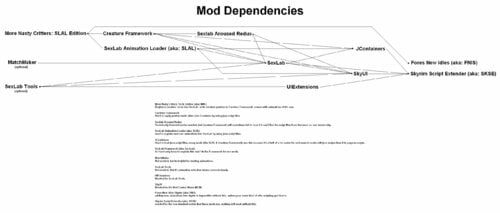
Required Mods/Install Order:
The full install guide (and a list of SLAL Packs) can be found here:
http://www.loverslab.com/files/file/3524-sexlab-more-nasty-critters-install-guide/
that guide is mostly not suitable for SE/AE anymore due to all the updates/game versions, but the list of slal packs is mostly still valid.
Mod Organizer 2 is the recommended mod manager to use:
https://www.nexusmods.com/skyrimspecialedition/mods/6194/
https://www.youtube.com/watch?v=j4ZQpzf_iAE&list=PLE7DlYarj-DcLS9LyjEqOJwFUQIIQewcK
also if you are installing this into SkyrimVR you should go here first:
https://www.loverslab.com/topic/134393-how-to-sl-in-vr-step-by-step-tutorial/
install mods in order shown:
Skyrim Script Extender (aka: SKSE)
http://skse.silverlock.org/
Note: must be installed manually into your game, NOT with the mod manager
Warning: pay attention to what version of Skyrim.exe/TESV.exe you have, right click on it and go to "Properties" and then go to the "Detales" tab to find your version number. DO NOT FALL FOR THE SE/AE TRAP, if your game is "up to date" then your game is using the "AE" exe even if you did not buy the pack of CrapClub mods that goes by the same name, this is why you must look at your exe version number to see what you actually have.
Address Library for SKSE Plugins
SE/AE https://www.nexusmods.com/skyrimspecialedition/mods/32444
Note: you most likely want the file called "1.6.x"
SkyrimVR https://www.nexusmods.com/skyrimspecialedition/mods/58101
Fores New Idles in Skyrim SE (aka: FNIS)
https://www.nexusmods.com/skyrimspecialedition/mods/3038
Note1: don't forget to download the "FNIS Creature Pack"
Note2: don't bother trying to use Pandora/Nemishit, combat mods are not worth it, you are just going to end up playing as a stealth archer again anyways.
SkyUI
https://www.nexusmods.com/skyrimspecialedition/mods/12604
note: use"SkyUI_5_2_SE" the new "6" versions seem to be causing issues.
UIExtensions (needed for SexLabTools lower down on this list)
https://www.nexusmods.com/skyrimspecialedition/mods/17561
Papyrus Tweaks NG ( makes sexlab run faster if you turn on "Speed up native calls" )
https://www.nexusmods.com/skyrimspecialedition/mods/77779?
1.7.xxx version
https://www.nexusmods.com/skyrimspecialedition/mods/190778
SexLab Framework SE (aka: SexLab....the real SexLab and not that fake P- crap)
https://www.loverslab.com/files/file/20058-sexlab-se-sex-animation-framework-v165-110822/
Warning: like SKSE you need to pay attention to what version of Skyrim you have.
SexLab Tools
https://www.loverslab.com/files/file/10660-sexlab-tools-for-se-patched/
note: when animations are running this lets you open a selection window by pressing H on your keyboard.
Sexlab Aroused Redux SSE (aka: SLAroused)
https://www.loverslab.com/files/file/5482-sexlab-aroused-redux-sse-version-29/
More Nasty Critters Special Edition (aka: MNC )
(you are here)
Creature Framework (aka: CF)
(you are here)
JContainers SE (aka: JCON, needed for both SLAL and CF.)
https://www.nexusmods.com/skyrimspecialedition/mods/16495 or https://github.com/ryobg/JContainers/releases
Warning1: like SKSE you need to pay attention to what version of Skyrim you have.
Warning2: if SkyrimVR DO NOT USE JCon v4.1.13 only use the older v4.1.2 file.
SexLab Animation Loader SSE (aka: SLAL, SLALSE)
https://www.loverslab.com/files/file/5328-sexlab-animation-loader-sse/
MatchMaker
https://www.loverslab.com/files/file/163-sexlab-matchmaker-updated-09172014/
NOTE: this is a LE mod and it works fine in SE/AE without any porting, form 43 esp files are safe to use in SSE.
it's only mods that have meshes, animations, bsa or dll files that you need to worry about, MatchMaker has none of these.
Suggested Load Order:
(Skyrim and it's DLCs here)
SexLab.esm
SexlabAroused.esm
CreatureFramework.esm
(other SexLab related mod's .esm here)
(All other .esm mods here)
SkyUI.esp
UIExtensions.esp
FNIS.esp
(All other .esp mods here)
SexLabTools.esp
MoreNastyCritters.esp
CreatureSummoner.esp (if installed)
SexLabMatchMaker.esp
SLAnimLoader.esp
(other SexLab related mod's .esp here)
Warning: if you have it please load XP32/XPMSE before MNC. Do not let there skeletons overwrite MNC or your game may crash or have floating dick problems, MNC is using nodes that are sometimes not found in these skeleton mods.
- - - - - - - - - - - - - - - - - - - - - - - - - - - - - - - - - - - - - - - - - - - - - - - -
other Related Mods/Addons you may or may not want:
SexLab Utility Plus (NOT Sexlab P+ and never Sexlab P+)
https://www.loverslab.com/files/file/10316-osmelmc-mod-tweaks/
Animation Limit Crash Fix )
https://www.nexusmods.com/skyrimspecialedition/mods/31146?
Warning: may not be working for AE at this time, seeing mixed reports about it.
alt mod to use: Engine Fixes
SE/AE https://www.nexusmods.com/skyrimspecialedition/mods/17230
VR https://www.nexusmods.com/skyrimspecialedition/mods/62089
+
Memory Leak Fix for the GOG version of skyrim
https://www.nexusmods.com/skyrimspecialedition/mods/169302
Animated Beast's Cocks
https://www.loverslab.com/files/file/7556-animated-beasts-cocksabc-for-users-le-se/
SexLab Werewolves Redux (for using animations when in Werewolf form)
https://www.loverslab.com/files/file/18014-sexlab-werewolves-redux/
Werewolf Prostitution
https://www.loverslab.com/files/file/36844-werewolf-prostitution/
SexLab Dragons
https://www.loverslab.com/files/file/7900-sexlab-dragons/
+ animations
https://www.loverslab.com/files/file/5465-horny-creatures-of-skyrim-special-edition/
https://www.loverslab.com/files/file/3999-billyys-slal-animations-2020-2-1/
SexLab Aroused Creatures
https://www.loverslab.com/files/file/6022-sexlab-aroused-creatures-se-2025-04-05/
Creature Overhaul (the "CO More Creatures" file to be exact, it goes well with the SLAC mod above)
https://www.loverslab.com/files/file/12760-creature-overhaul/
Bad Dog's Immersive Creatures SE (if you have "Skyrim Immersive Creatures" mod installed)
https://www.loverslab.com/files/file/6663-bad-dogs-immersive-creatures-se/
Note1: a bit outdated so some creatures are not supported.
Note2: DO NOT install the "BDIC Creature Framework Patch", it was made for CFv2 not CFv4, installing it will cause CFv4 to stop working.
Note3: don't install the "BDIC MNC Patch", it does nothing. the file you want is "1216885848_BDICBadDogImmersiveCreaturesSE_T2.1.7z"
- - - - - - - - - - - - - - - - - - - - - - - - - - - - - - - - - - - - - - - - - - - - - - - -
Animation Troubleshooting:
1. if you are using a Mod Manager ( please go with Mod Organizer 2, it's highly recommended ) make sure it's installing the files to the right location and with the right load order.
a good guide for using Mod Organizer 2 can be found here:
https://www.youtube.com/watch?v=j4ZQpzf_iAE&list=PLE7DlYarj-DcLS9LyjEqOJwFUQIIQewcK
2. run/rerun the GenerateFNISforUsers.exe, if you don't the animations wont work/run.
C:\Games\Steam\SteamApps\Common\Skyrim Special Edition\Data\tools\GenerateFNIS_for_Users\GenerateFNISforUsers.exe
WARNING: Windows (Vista/7/8/10) Security may interfere with updating/overwriting the FNIS behavior files.
you may not even get a error message telling you that this has happened.
make sure FNIS and your mod manager (if your using one) are running with administrator privileges.
NOTE: try deleting "Data\meshes\actors\character\behaviors\0_master.hkx" and re-running FNIS again, that sometimes helps.
3. when you start the game with the Skyrim Script Extender (SKSE) loader the list of installed mods wont get refreshed, so if you install a mod and just start the game with the loader any new mods you installed wont be fully activated. to fix this problem go to the skyrim launcher and click on "DATA FILES" and it will refresh the list of installed mods, you can now close the launcher and start the game with the skse loader.
note: this only apply if you are not using a mod manager
4. in game you need to go inside SexLab's Mod Control Menu (MCM) and click on "install" first before you can use SexLab.
5. make sure you have "Allow Creature Animation" checked in SexLab's MCM settings.
6. turn off "Match Creature Gender" in sexlab's MCM settings, if this setting is enabled some animations won't play.
7. did you forget to install the FNIS Creature Pack? install it and rerun the GenerateFNISforUsers.exe, then do steps 5 & 8
NOTE1: if you do have the Creature Pack but some creatures are just playing idle animations during sex or not moving try clicking on "De-Install Creatures" in FNIS, after it's done running click on "Update FNIS Behavior"
(doing this will delete all the creature behavior files generated by FNIS and remake new ones...that is assuming you DO have the FNIS Creature Pack installed)
NOTE2: try turning on the "hkx file compatibly check" in FNIS to see if you installed the wrong version/s of any animation packs.
8. you may need to reload the animations, go to the Animation Loader's MCM and then:
8.1. click on the "Disable All" button.
8.2. click on "Rebuild Animation Registry", then Wait for the message to pop up*.
8.3. click on "Reload JSON".
8.4. click on "Enable All".
8.5. click on "Count Animations" and make sure nothing is over 1000 (the stock SexLab v1.65 animation limit), turn off some animations if they are.
8.6. click on "Register Animations", then Wait for the message to pop up*.
*if you like you can press "~" on your keyboard to open the console so you can watch it Register everything, just make sure you close it before you try to click on anything.
9. if SLAL Packs are not being listed in SLAL try reinstalling/updating JContainers.
https://www.nexusmods.com/skyrimspecialedition/mods/16495
10. if you are getting teleported into the air above Secunda's Kiss (giant camp at center of map) then try starting a animation in a indoor area first.
it should stop happening outside after you do.
11. if all else fails, try going to sexlab's "Rebuld & Clean" menu and click on "Clean System" to reset everything to there default values.
note: once done you will need to re-select any sexlab settings you changed (turn Allow Creature Animation back on), and re-register your SLAL Packs.
- - - - - - - - - - - - - - - - - - - - - - - - - - - - - - - - - - - - - - - - - - - - - - - -
(Human) Animation Troubleshooting:
Problem1: actors standing inside each other and T pose or playing idle animations.
cause1: you forgot to run FNIS after installing/removing animations.
fix: run FNIS.
cause2: you installed the wrong animations for the version of the game you are using.
fix: remove the animation mod that is wrong and install the correct version.
tip: if you don't know what mod is wrong, then turn on the hkx compatibility check in fnis.
cause3: the generated 0_master.hkx may be corrupted.
fix: delete the 0_master.hkx to force fnis to generate a new one instead of trying to update it.
file location: Data\Meshes\actors\character\behaviors\0_master.hkx
note: should be deleted from within your mod manager...but that may also depend on however fnis was setup within it.
Problem2: odd behavior from sexlab (Eg: animations are not what it says are running, massive actor misalignments, or other odd shit)
cause1: corrupted animaton registry/SKSE cosave.
fix: go to the Animation Loader's MCM and then:
1. click on the "Disable All" button.
2. click on "Rebuild Animation Registry", then Wait for the message to pop up*.
3. click on "Reload JSON".
4. click on "Enable All".
5. click on "Count Animations" and make sure nothing is over 1000 (the stock SexLab v1.65 animation limit, yours may be different), turn off some animations if they are.
6. click on "Register Animations", then unpause and Wait.
cause2: corrupted sexlab settings/scripts.
fix: go to sexlab's "Rebuld & Clean" menu and click on "Clean System", then unpause and wait.
note: once done you will need to re-select any sexlab settings you changed, and re-register your SLAL Packs.
cause3: the generated 0_master.hkx may be corrupted...again.
fix: same as last time.
- - - - - - - - - - - - - - - - - - - - - - - - - - - - - - - - - - - - - - - - - - - - - - - -
Creature Framework Troubleshooting:
note1: don't use alt player werewolf form mods (Eg: the Player Hermaphrodite Werewolf patch) if you are playing as a vampire lord or using a creature transformation mod, due to how those mods work it will prevent CF from working on your non-werewolf creature form. CF will see you as still wearing the custom werewolf body mesh but as a different race, therefor seeing you as a unregistered race/armor combo.
note2: if using SkyrimVR DO NOT USE JCon v4.1.13 only use the older v4.1.2 file.
Aroused mesh not getting/staying applied during animations (a list of things to try):
A. go to the Creature Framework MCM and click on "Re-register all mods", then unpause the game and Wait a Minute.
B. go to the Creature Framework MCM and click on "Clear Creatures"
C. go to SexLab's MCM and turn off "Automatic Free Camera" (don't know why but freecam may stop meshes from getting refreshed, especially the player's werewolf form)
D. go to the Creature Framework MCM and disable "SexLab Aroused integration"
E. try clicking on the uninstall button in CF's MCM, then save & quit and reload the save. (wait for Creature Framework to reinstall and register)
F. click on the uninstall button in CF's MCM, then save & quit, then use a save editor to remove all of Creature Framework's scripts & forms from your save file.
NOTE: you may need to save & quit again after installing to get it's MCM menu to load.
also adding this to the Skyrim.ini (My Documents\My Games\Skyrim) may help CF work a bit better:
[General]
bPreemptivelyUnloadCells=1
Creature Framework not registering mods / is empty / stuck in a registering loop:
try reinstalling JContainers or installing a older version of it.
( Warning: pay attention to what version of Skyrim.exe you have. )
https://www.nexusmods.com/skyrimspecialedition/mods/16495
or
https://github.com/ryobg/JContainers/releases
There was a problem if you had any Mods from CrapClub (Creation Club) installed, but that bug should be fixed in newer versions of JContainers:
the problem was you had to remove them (or any other esl based mods) before you could register/reregister Creature Framework based mods into Creature Framework.
(i'm just keeping this message here in case the problem comes back)
- - - - - - - - - - - - - - - - - - - - - - - - - - - - - - - - - - - - - - - - - - - - - - - -
List of known mods that cause Werewolf problems:
One of the "Serana" mods but i can't remember the exact name, however theses esps are known to turn the female werewolf into a male:
Serana.esp
Valerica.esp
Bijin AIO.esp
load there esps before mnc's or delete the ArmorAddon ( NakedTorsoWerewolfBeast [ARMA:000CDD87] ) and any other werewolf edits from them.
EasyNPC:
I don't know the details of what this program it's doing, just that it's causing problems.
I assume its creating the same issue as the above, and therefor has the same fix.
ABC:
the "MNC_ABC_Patch.esp" file found in that mod is turning the herm werewolves into male (and is also messing up the Player Hermaphrodite Werewolf patch because of it),
turn off and/or delete that esp from that mod.
ABC also has rogue meshes in it that are causing problems:
"meshes\actors\werewolfbeast\character assets\" has random body part meshes in it, this may cause issues with mods such as "Total Werewolf Overhaul", the only thing that ABC should have in this folder are the skeleton files.
ABC's version of "MaleWerewolf_1.nif" in "MoreNastyCritters\werewolf\" is causing double dick & permanent erections issues, the only thing ABC should be replacing in this folder are the "addon_penisnamehere.nif" files.
SOS:
double dick problems, you need to turn off werewolves under all of its mcm settings.
if that fails to work then a more extreme fix can be found in the ModCompatibilityKit.
One With Nature - Dynamic Animals and Creatures:
it does not cover the female creatures added by mnc
you need to add OWNWerewolfFaction "OWN Werewolf Faction" [FACT:xx00388B] to the female werewolf's faction,
and OWNAbilityWerewolf "OWNAbilityWerewolf" [SPEL:xx04FBA9] to the female werewolf's actor effects.
Bash/Smash patches:
they can be known to mess up the body template flags on some creatures.
Total Werewolf Overhaul (TWO):
it has a patch for HCOS in it but HCOS no longer has werewolf meshes in it, so using that patch will only cause more problems.
Moonlight Tales:
that piece of shit is not even compatible with itself, let alone other werewolf mods.
remove it and never look at it again.
Growl - Werebeasts of Skyrim:
this mod adds new keywords to the Werewolf & Werebear races, so the esp must be loaded after MNC to avoid problems.
but this mod also makes them larger again, so you will need to edit the race's heights with xedit to make the animations line up again.
- - - - - - - - - - - - - - - - - - - - - - - - - - - - - - - - - - - - - - - - - - - - - - - -
FNIS Troubleshooting:
"ERROR(9): Index was outside the bounds of the array" or "ERROR(2026): Too many animations":
you may have Too many animation mods and/or SLAL Packs installed, use the "XXL" version of FNIS or uninstall some animations.
"ERROR(76): Could not find a part of the path DebugData.txt":
a Win10 update (or antivirus software) has forcibly turned on real time protection and it's stopping FNIS from generating/updating files.
you need to disable real time protection before running FNIS,
or
add GenerateFNIS_for_Users.exe to the exclusions list (also you should probably add skse_loader.exe and TESV.exe as well)
Crashing on loading save file:
you have Too many animations installed, most people start crashing around 12000 to 14000.
remove some animation mods to fix the problem, or try installing these mods to bypass the crashing point:
https://www.loverslab.com/files/file/11208-animation-limit-crash-fix/
https://www.nexusmods.com/skyrimspecialedition/mods/17230/
- - - - - - - - - - - - - - - - - - - - - - - - - - - - - - - - - - - - - - - - - - - - - - - -
Papyrus Tweaks:
"NOTE: THIS MAY OR MAY NOT FULLY APPLY TO SKYRIM SPECIAL EDITION"
the problem with installing script heavy mods is that the default Papyrus settings are not capable of handling the additional stress.
This tweak should increase stability, and needs to be added to the Skyrim.ini file under the [Papyrus] section.
Your Skyrim.ini can be found in "My Documents\My Games\Skyrim"
[Papyrus]
fUpdateBudgetMS=1.6
fExtraTaskletBudgetMS=1.6
fPostLoadUpdateTimeMS=1000.0
bEnableLogging=0
bEnableTrace=0
bLoadDebugInformation=0
iMaxMemoryPageSize=8192
iMinMemoryPageSize=256
iMaxAllocatedMemoryBytes=153600
note1: there is some debate on the last 3, it has been suggested that they should just be deleted from (or never entered into) the Skyrim.ini
https://www.loverslab.com/topic/56084-crash-fixes/
use this mod and use there Papyrus setting suggestions:
https://www.nexusmods.com/skyrimspecialedition/mods/77779?
note2: you should only have logging turned on (bEnableLogging=1) if you are actively trying to find a Papyrus script based problem,
the rest of the time it's just a drain on system resources and it can cause extra stress for the papyrus system,
therefor if you have it on all the time it can potentially become a part of the problem your trying to fix.
it only logs the scripts anyways so if you have a problem like a deleted world object or a bad navmesh the log won't say anything helpfull,
you should be doing this if you have such a problem:
http://www.creationkit.com/index.php?title=TES5Edit_Mod_Cleaning_Tutorial
http://wiki.step-project.com/TES5Edit/TES5Edit_Cleaning_Instructions
- - - - - - - - - - - - - - - - - - - - - - - - - - - - - - - - - - - - - - - - - - - - - - - -
Other Notes:
when you select "MNC Rescaled Meshes" for the wolves in CF's MCM it makes the wolves larger and gives them a penis that does not support ABC animations, this is intended to be used for older wolf animations.
(if you have RaceMenu/NIOverride you may want to edit the MoreNastyCritters.esp to remove the object effect from the wolf armors or they may end up much bigger than 1.2)
- - - - - - - - - - - - - - - - - - - - - - - - - - - - - - - - - - - - - - - - - - - - - - - -
Mod Compatibility Kit index of patches:
Warning: theses are ported from the LE version of the "mod compatibility kit" so some patches may be looking for the LE versions of the mod (eg: not a esl file)
Bear Mods:
The DovahBear (with & without Werebear form)
Canine Mods:
A Dogs Life
Amaterasu The Great Spirit (was unnecessary, Amaterasu is/was Female, this makes her a male)
garm companion
GenderDogs (you don't need the original mod to use this because MNC already includes female meshes)
Meeko Reborn
OkamiFollower
True Meeko
True Wolves of Skyrim
Vargr - a Draugr Hound
Vigilance Reborn
Zombie Dogs and Skinned Hounds- Mihail Monsters and Animals
Dragon Mods:
Behemoth Dragon
Chaos Dragons
Deadly Dragons
Diverse Dragons Collection 3 V4-1-3
DurnehviirResurrected
Jills of Akatosh
Jormungandr Dragon
Nithhogg Dragon
Thanatos Dragon
(note:if you are mixing dragon mods (Eg: Chaos Dragons with Deadly Dragons) you may need to edit the leveled npc lists, Eg: LCharDragonAny "0005EACF")
Horse Mods (the bane of my existence):
Blaze Of Eventide
Convenient Horses V5
GenderHorses (you don't need the original mod to use this because MNC already includes female meshes)
Horse Armors
Immersive Horses
Levelers Tower
Realistic Primitive Horse Breeds
Stendarr Rising
Other Mods:
Bestial Essence (may or may not work)
Creature Mod - Degonians (A.K.A: a DeathClaw mod for Skyrim)
Darkend
Reapers The Dark Tower
SkyFem
Tame the Beasts of Skyrim II
The Gray Cowl of Nocturnal
Tumbajamba's Mounts
Vilja in Skyrim
Yiffy Age of Skyrim
Zombies- Mihail Monsters and Animals
MNC Werewolf extras:
Alternative Werewolf Textures (for female/herm werewolves)
Player Hermaphrodite Werewolf patch
Remove Werewolves from SOS
installing the patches with a Mod Manager:
note from harveytherabbit:
"Mod Manager (i think he meant Mod Organizer) : Install the patch in the Mod Manager interface and you will see all of them under that one install. Navigate under the respective folder title for the patch you wish to install. Keep expanding the folder hierarchy until you see that patch's 'data' folder and the Right Click and set as Data Directory. Once it shows the green text indicating it is selected as the data folder, rename the install however you want to identify it as the patch for that specific mod (ex - "MNC Patch - ModTitle") and then complete the install and enable it. Repeat these steps for each patch you need for your own mod structure."
as i understand the things i've seen other people say in the past the patches need to be extracted and then recompressed into 7zip files of there own to be installed.
- - - - - - - - - - - - - - - - - - - - - - - - - - - - - - - - - - - - - - - - - - - - - - - -
CREDITS:
note: this list of credits most likely has many errors due to the amount of crossover work that has been done.
its hard to keep track of things when others are expanding upon someone else's expansion of work from a third person.
AnTiWoMaAgNoT (female VampierLord mesh)
Ashal (SexLab, scripting consultant)
Bad Dog (mesh consultant, edited Deer/Elk penis, Steam Centurion mesh, edited sabercat penis, Dragon Priest mesh, Riekling penis?, frost giant penis)
billyy (past Animations now removed, mesh & animation consultant + testing)
Blaze69 (consultant for many things)
blipblap (edited Hulking Draugr mesh, edited Giant body meshes, edited troll penis, Ashhopper)
Chosen Clue (Ash Spawn fix)
Cyndi (Benthic Lurker penis)
DARKGRAY (helped with something but i can't remember what it was)
Dayelyte (Animations)
dentarr (original MNC mod author)
Derrax (werewolf balls)
diarawr (Canine penis & werewolf penis from horny dogs of skyrim)
Dr Fring (female VampierLord texture)
Ep1cL3w1s (Creature Framework)
Flyingtoaster (Hentai Creatures)
Fore (FNIS, animation consultant)
FunnyBiz (Animations)
Gary3 (female horse meshes)
Gone (Animations, Beastiality Extras, Bear balls, Chaurus penis, spider penis, Draugr penis, Falmer penis, Gargoyle penis, Giant penis, Sabrecat penis, troll penis, VampireLord penis)
h38fh2mf (did something but i can't remember what it was)
jacques00 (female giant mesh, female Draugr texture)
Leito86 (Creature Features, Animations, Horse penis, new bear penis, Werebear penis, Riekling penis?)
llabsky (Animations)
lordescobar666 (Sexlab Nude Creatures)
Lost_Hawk (Female Falmer)
Lugburzum (Dremora face Fix for Hentai Creatures)
MadMansGun (mod maintenance, multiple edited meshes, dwarven sphere dildos, Dwarven Spider penis, Dwarven Ballista dildo, Werebear penis (based on Leito's horse penis), Frostbite Spider penis (based on Gone's Chaurus penis), Chaurus Hunter (also based on Gone's Chaurus penis), Frost Atronach, edited Dragon penis)
nicholas8 (helped with race registration)
Moutarde421 (female werewolf)
Panicforever (Animations)
PaulGreen (modifications to SLAL and enabling icewraith animation support)
Pfiffy (SSE porting)
ppp (helped with the Immersive Horses patch)
RavenKZP (female Dog & Husky)
SirNibbles (consultant, idea tester)
Skullered (helped with something but i can't remember what it was)
SkyMoMod (the Arch Demon in Hentai Creatures)
Subject2Host (edited bear penis textures, Werebear penis based on horse penis, Rabbit penis based on skeever)
Vioxsis (Goat, Horker, Hagraven, new Boar)
vpoteryaev (helped with something but i can't remember what it was)
Xandero (Animations)
ZarthonTheVanquished (fixed some creature voice errors)
3695757 downloads
Updated
-
Little Black Book
By neckmop
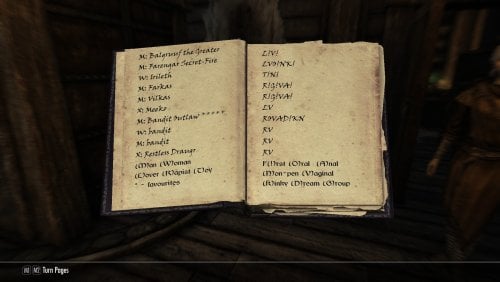
Adds a "little black book" sexual diary roleplay book that will dynamically fill as you engage in animations. Lists all actors you have had sex with in the order you had them, and for each lists all the different kinds of sex act categories you have had with them in the order you tried that. The first times for each act category are also marked so you can see who took each virginity type. Uses a custom sexlab stats tracking system (as sexlab stats lacked the necessary granularity) so it will not fill retroactively.
For modders: this stats tracking is EXTREMELY granular as visible in the debug outputs shown in the mod images. If you want to tie into it, DM me and I will put together some detailed documentation.
344 downloads
Updated
-
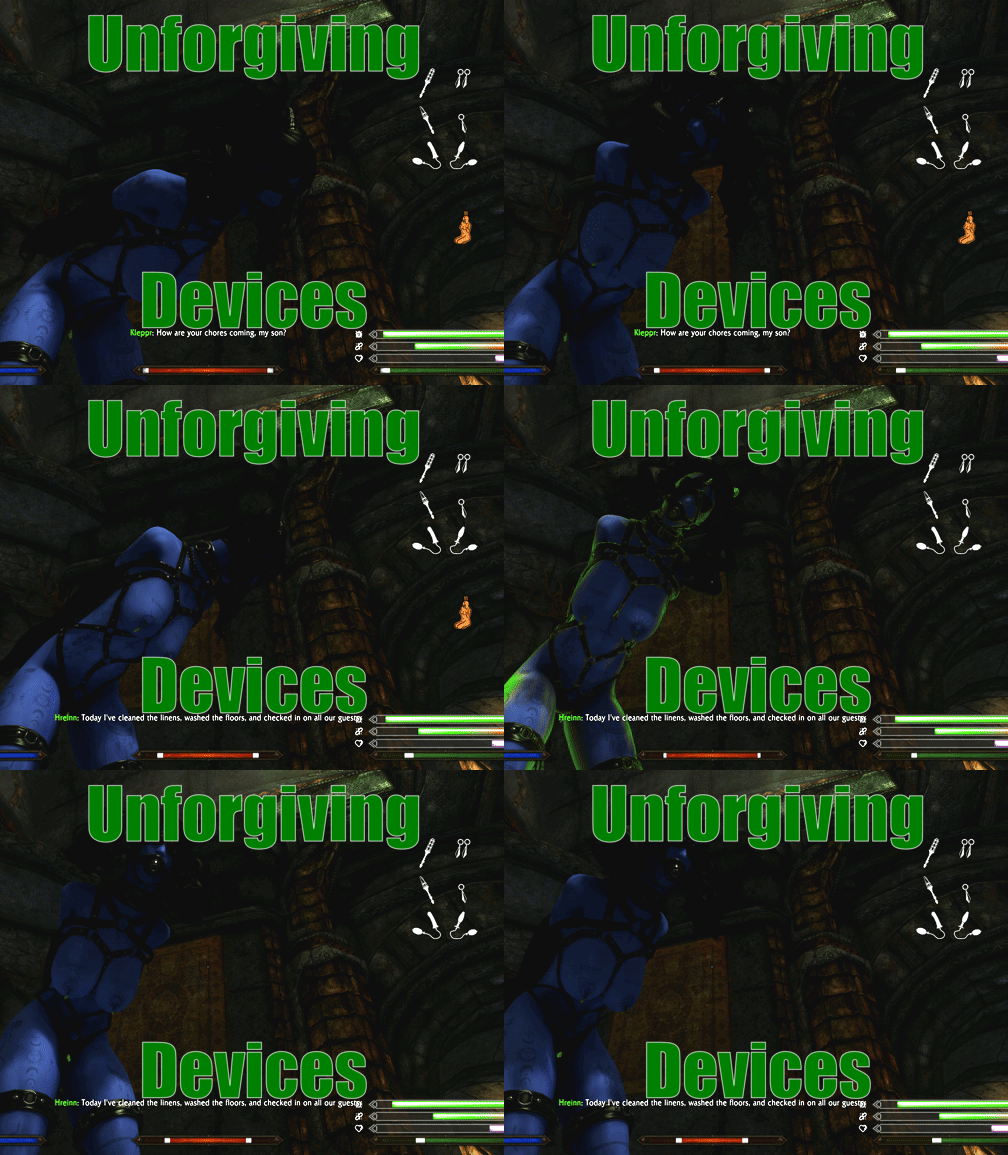
Unforgiving Devices
By ihatemykite
Unforgiving Devices is a framework extension for mod Devious Devices which focuses on adding more immersive and complex escape system.
My goal with this mod is to make custom devices with custom behavior. My vision is to convert all devices from framework and give them custom behavior that will be more punishing and realistic for the player. With that, I mean something along this line: Gas mask will actually work like gas masks, reducing player ability to breath. Collars can choke a player. Moving in restrictive boots will hurt the player. Trying to swim with heavy bondage will drown the player.
These are all examples of what I want to achieve in this mod (not what is currently in this mod yet).
People currently/previously taking part in mode development
@ihatemykite
@BreadDain
@iivanvv
@kurotatsu
@tznvlw
@naitro2010
@andbgame
UaineMazoku
@ozooma10
Fart-N
Current features
Reworked bondage devices - These new devices contains much more customization in comparison to Devious Devices. System of escaping the said devices is also reworked. Escape system is more focused on immersion and user feedback (sometimes more, sometimes less). These devices work in parallel to normal Devious Devices, and so can both types be used at once. Existing Devious Devices can also be converted to new type by using Synthesis patcher. Reworked orgasm system - (almost) Every registered NPC can orgasm/be edged by wearing specific devices. Some devices, like soulgem plugs, can increase character orgasm progress, which when reach top will cause orgasm. There are many more variables in play, which can make it harder/easier for character to reach orgasm. Every vibrator can also have different setting, like strength, duration and mod. Devious Swimming - Swimming with hand restrain can cause player to drown. Abadon quest - Small quest which more of works like mod demo. All devices are included in base mod and so can be used even without any patch. Quest is currently very short, but I'm planning on extending it in the future.
Changes from version 2.1.1
Greatly increased performance by replacing many of papyrus code with native C++ implementation. In most cases, this should also make the game more stable. Still, there is always chance that CTD happens. That cant be prevented. Any SKSE mod can cause such issue depending on multiple factors (like compatibility with other mods) Greatly increased performace of minigames by converting UI papyrus handling to native one Animation native handling, which should make time to start animation shorter Reworked cutting minigame. Instead of pressing buttons rapidly, player needs to try to press button when the bar is most full Added OutfitManager New section in MCM where player can change chances of different devices being equipped with black goo or quest. Changing Weight to 0 will disable the device It is also possible to disable the Outfit from being used Added more events which are sent by UD and can be hooked by other mods. For information, see script UD_Events.psc in documentation Integrated animation extension by @iivanvv Reworked device modifier system by @iivanvv. Totaly reworked system which is much more flexible and configurable. This makes it possible to made new modifiers much easier. Additionaly new modifiers are added. There are quite a lot of them, so I recommand to check them in MCM, where you can see what they do Reworked message boxes to use html by @iivanvv. This allows much better stylization, and also to adds more information in single message box. Reworked device list to also use html by @iivanvv. This allows much better stylization, and also to adds more information in single message box. MCM preset system. Allows player to store multiple presets and switch between them. Currently there are also 2 presets which are shipped with UD. I made them in haste, so they might not be perfect. If anyone got some ideas of how to adjust them, let me know. Lastly, if you made preset yourself, it can be easily shared with other users. Preset shoul be stored in folder Data\skse\plugins\StorageUtilData\UD\Presets\. If UD detects the preset in this folder, it will show in the MCM Easy preset - Much easier then the Default preset. Hard preset - Much harder then the Default preset. Be ready that escaping the devices at small level will takes quite a long time. Many, many more changes which I omitted because I'm lazy. Here are just some funny numbers Total of 348 Github commits were made between version 2.1.1 and 3.0 on main repository There were 458 files changed/added/removed 27189 New lines of papyrus script 8524 New lines of C++ code Detailed changes can be found on GitHub
Required mods
AE/SE version of the game. Version 1.7 or newer is not compatible, as I will have to update most of hooks in Native plugin Devious Devices 5.2 (And all mods they require) Devious Devices NG 0.4+ (And all mods they require) OSL Aroused UIExtensions ConsoleUtilSSE NG Papyrus Tweaks NG
Recommended mods
IWantWidget and IWantWidgetsNG - Hightly recommanded!! Having iWantWidget installed and enabled in MCM will show additional widgets for plugs/piercing. Also replaces meters and adds icons to them. Try to only use it with NG version, as otherwise script can be stuck and prevent loading of the save. This issue is caused by implementation of original IWW which is fixed by IWWNG. I basically created IWWNG just to fix this issue with UD, so please try to use it Improved Camera SE - Will give you first person experience while playing. UD have inbuild compatibility, so animations should hopefully work without issue. Skyrim Souls RE - Funnily makes the UD more stable, as there is no longer need to check if menu is open. Also makes mod little more harder/immersive.
Optional mods
ZazAnimationPack - Use animations for struggle minigame Security Overhaul - Adds unique locks for lockpick minigame. Require patch which can be selected when installing Unforgiving Devices in other patch category
Installation
In case you are installing the mod for fresh new game, then do following
Download the mod from there (or from GitHub) Install it using mod organizer (either MO2 or vortex). You can select some additional features in fomod, like patches, or fixes. In case you installed patches, check that mod loaded is correct! Patch have to be ALWAYS loaded after Unforgiving Devices and the patched mod! Not doing so will make devices broken and can cause strange issues. This can even lead to the whole framework breaking down. In case you are using esp patches, the framework will give you error immediately after starting the game, so you will know that you have to move the patches. But if you use esl patches, the error will not show. So always double check after you install the mod that load orders are correct. You can see example on how the load order should look at the last page of fomod. (optional, but highly recommended) Run LOOT. This way, it should be impossible for patches to be installed incorrectly. LOOT will also check if incompatible mods are not installed after patches.
If you intend to install Unforgiving Devices on existing save, do following
Rethink your choices. Even if you do following, it might still not work correctly. Best is to just start the new game. If you still insist, do the following Uninstall Devious devices (all modules) and all mods that require it. Open the save in ReSaver and clean all unattached forms. This way, save should be clean from Devious Devices. Load the save in game, wait some time and save the game. Install Devious Devices back and all other uninstalled mods. DO NOT LOAD THE SAVE YET Immediately install Unforgiving devices. Follow steps which are in the guide above. You have to load the save as if you never used Devious Devices and Unforgiving Device before. Otherwise, Unforgiving Devices will not correctly override some DD scripts and will not work.
Compatibility
List of tested mods which are working or not. There are only mods which I personally tested.
Devious Lore - Not issue, works fine Devious Lore DD Patch - Not compatible with Unforgiving Devices DD Patch! Install either before UD and any of its patches, or disable. Devious Devices - SE patch (part of Devious Devices for Special Edition) - Not compatible with Unforgiving Devices DD Patch! Install either before UD and any of its patches, or disable. Devious Strike -Not issue, works fine Works fine, but might UD might have issue many devices being locked at once (like when many strikers spawn at once). I recommend to reduce spawn chance so not too many strikers can spawn at once. Devious Enhanced chest - Not issue, works fine Devious Cursed Loot - Not very compatible (but works). If you only care about random devices, I would better recommend Devious Enhanced chest I would also recommand instead Devious Curses NG if you dont care about quests Requires Patch. Patch doesn't cover 100% of devices as there are too many of them. There are reported issue with some quest. Laura's Bondage Shop - Not issue (for now) Requires patch, but it can technically be skipped (I didn't test it without it) All quest works fine, but I didn't finish them all yet, only till 75%. Devious Pink - Requires Patch, otherwise didn't found any issue. Devious Training - Can cause issue as its very papyrus heavy. In combination with UD can cause serious papyrus lags Devious Curses NG - Not issue, works fine Trapped in rubber - Not issue, works fine Trappings of Fate - Not issue, works fine
How to make new patch using Synthesis
(taken from https://github.com/Gamerooni/UDScripts?tab=readme-ov-file#how-to-basic)
Near the top left corner of Synthesis, next to the '+,' create a new Group. Name it something appropriate, such as UDPatches; the outputted .esp will use this name. On the right pane, choose all the mods to blacklist. You don't need to choose every mod in your modlist - just the ones you find important to exclude from the Patcher's prying gaze. Add the Patcher to this new group. In the Patcher's right pane, click Settings. Scroll down to ensure they're not completely empty - if absolutely none of the values are filled in, check the Troubleshooting section of this guide for a fix. Add all the mods you want to patch to Mods to Patch. In almost every case, this will be the only setting you change. If left empty, all mods will be patched (recommanded) Run the Patcher! If the patcher informs you that some devices were skipped, keep in mind that this isn't the fault of you or the patcher. Some mods create Devices with custom scripts that cannot be automatically converted into a UD-friendly format. The patch, in this case, must instead be crafted manually. Graphical guide
to How to create new patch using Synthesis (recommanded)
Development
Most of the development takes place on the GitHub. As so, any user can directly observe the mod development there. Reporting issues there is also preferred, as it can be easier tied to specific part of the mod implementation. It will also be harder to forget about the issue this way.
Lastly, every time there is an update to indev version of the mod, a nightly build will be created. The latest nightly build can be downloaded from there. Be warned that it is still in dev version, and as so can be broken. Only use NB if you are interested in trying the latest features, which are not yet public on LL. I, and others, will also be very thankful for any early feedback, so we can prevent releasing broken betas.
Documentation
Mod documentation is created using NaturalDocs. It can be access either online or offline
Online - Using github.io. Note that I have to update it manually once in the while, so it might not always be correct. Offline - Last generated documentation will always be in docs/Documentation folder. Opening index.html will result in the same result as if online documentation is opened. Documentation also contains some additional informations
Example: mod: very simple mod which adds 3 new devices that use mods of the features provided by UD. Can be used as reference to be mod creators. Controls: Default controls layout (keybinding) Guide: Will replace existing tutorial from this page. Currently, contains information about some of the minigames.
Current issues
Mod is very script heavy. Weaker computers may have issues. Incompatible with mods which don't have Patch. (That doesn't mean the mod will not work, it just means the mods will not interact) Balance
Troubleshooting
In case you found that something is not working or not working as intended, please report it in support thread and i will give it a look. But also please add following information to your report
Version of skyrim: SE/AE Version of mod (in case of using older version then current) Used patches (if none, then also type it) In case that some device doesn't work but other works, tell me exactly which device doesn't work, not just type (saying that one boots does't work will really not help me) (Optional) Papyrus log. If you don't know what it is then you don't need to worry. I just need it if things get really broken. In most cases I manage to replicate the bug so this isn't really required. (Optional) UDNative.log. If you don't know what it is then you don't need to worry. I just need it if things get really broken. In most cases I manage to replicate the bug so this isn't really required. (Optional 2) Save file. Saves contain all information about papyrus threads and its local variables. This can greatly help to pinpoint the location of the issue.
How to help with mod development
By providing feedback in the support thread By providing bug reporst in support thread By actively helping with mod development using GitHub https://github.com/IHateMyKite/UnforgivingDevices If you like my work, you can also support me on my Patreon
Credits to
SirCrazy for suggesting how the intro quest for plug should look and writting some of the text in the quest. @naaitsab for contributing sentient dialogues and also explaining how to implement it @Shakx88 for creating Devices Escape Overhaul which was main inspiration when creating this mod Everyone who has taken part in creating DD framework Everyone who have given feedback/ideas for this mod All contributors who took their time to make this mod better (see list at top of this page)
Changelog
51259 downloads
- devious devices
- equip
- (and 5 more)
Updated
-

Advanced Nudity Detection
By NymphoElf
This Page is Obsolete
Download this mod on NexusMods
I am no longer responding to posts here on LL
Credits and Special Thanks
======================================================
DOWNLOAD/SHARE PRE-MADE
KEYWORD ITEM DISTRIBUTOR
FILES FOR THIS MOD
======================================================
Keyword Item Distributor Users
I have set up a file share blog where you can upload KID ini files you make,
or download KID ini files that you want that have been posted by me or other users.
Please consider sharing any KID files you make to help our premade library grow!
(See link above)
53423 downloads
Updated
-
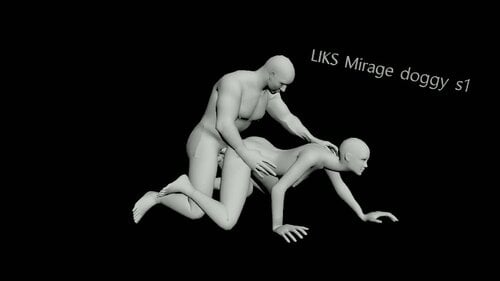
Liksval Anima box(slal)
By Liksval
My first attempt to make something for this legendary game. Human slal pack. Tested on my personal 1.5.97 build and looks like everything's working fine. SE/AE version only.
I also added conversion for slp+ version — tested it on V2.15.6 - 1.6.1170.
Installation:
Place data in your Skyrim folder Run FNIS Start game, register animations in SL loader
Tag for SL tools: liks
Animation list:
7745 downloads
Updated
-
![More information about "[Beta] PrismaUI Sexlab P+ Animation Toggle"](https://static.loverslab.com/screenshots/monthly_2026_08/enb_2026-8-11_09-17-44_931.thumb.jpg.b03c956caa015044743205409deafdb7.jpg)
interface [Beta] PrismaUI Sexlab P+ Animation Toggle
By BananaZombie
If you're like me then you are very picky when it comes to animations. Nothing worse than trying to have a simple defeat system for losing a fight and suddenly you're doing acrobatics while pleasuring a bandit. You don't want to get rid of certain packs because of those one or two decent animations so you have to go through each animation to see what you like.
This mod is here to help make your animation toggles much easier, faster and keep it across all your saves.
Features
A clean modern interface, no more sluggish flash menu. Toggle animations from the Sexlab registry at ease. Smart quick spawn, spawns the required actors for the scene. Preview system, scans for valid actors to use with the animation, can change who uses which slot. Spawn menu for basic humans and creatures. NPCs from this mod can be purged. Persistent saves, don't worry about re-doing all of your toggles when you end up breaking your game and need a restart.
This mod is early development, once it reached the stage where it worked for my purposes is when I decided to release. That doesn't mean other people will find issues so please send feedback, logs etc.. to help me fix any issues.
Preview 1 - Testing Animations.webm Preview 2 - UI Navigation.webm1298 downloads
Updated
-
Devious Devices NG
By krzp
A collaborative revamp of Devious Devices internals for SE, AE, and VR that aims to expand it’s functionality, overhaul animation, performance, compatibility and usability.
Improvements include:
Full support of the latest Skyrim versions Improved performance and eliminated script lag for device/limb hider, expression switching, gagged eating/drinking and bound looting/equip prevention, movement manager through the new SKSE plugin Multiple new devices and contraptions Complete conversion of DD's bound movement system to OAR for significantly faster idle switching and no script lag Greatly expanded library of movement, Sexlab, and furniture animations Fully remade Sexlab filtering mechanism & a SKSE-based arm offset applying technology, that allows DD NG to use your own animations and not built-in ones - including support for multi-actor scenes All of the SE Patch, For Him and Beast Race refits changes merged in SMP/meshes/texture improvements to a wide array of devices Hundreds of smaller edits and bugfixes A full list of changes can be found at the end of this page, source code for the plugin and scripts can be found here.
You can discuss the project, check out preview builds, and find accompanying mods on the Devious Devices Development Discord.
Compatibility
Skyrim AE/SE/VR are all supported thanks to Clib-NG. LE is unsupported.
DD NG is compatible with all the mods that required Devious Devices SE.
Compatibility for SLIF, OSL Aroused, VRIK is built in.
Compatibility patches for MCO/BFCO/TK Dodge are available in the FOMOD
Experimental patch for latest version of OStim Standalone (allows OStim to be aware of DD’s devices, does not replace SL with OStim)
Requirements
Devious Devices SE 5.2 & all of its requirements Address Library Open Animation Replacer Nemesis / FNIS / Pandora CBBE 3BA Papyrus Tweaks NG optional: Dynamic Armor Variants (for additional mesh replacers, pick the patches in the fomod) Recommended:
Devious Devices upscaled textures (so DD NG not only performs well, but also looks good - if you’ve got VRAM to spare) Non-3BA body mods conversions:
UBE by Ondine BHUNP by Racoonity, Serah Please note that DD NG's main development team only supports 3BA, and cannot guarantee support to the other body mods - if you are using any of the other bodies, please report any issues with meshes to the respective conversions mod threads, not the main support thread.
Installation guide
Get the following prerequisites: (if you have issues, first check you have them all and that they are the correct version for your game). A working game. Do not start messing with big mods like this if your game does not work.
A Mod manager. Mod Organizer 2 is highly recommended.
Sexlab SE (SexLab P+ 2.x has some ongoing issues with the current animation filter and other things, use at own risk).
Sexlab Aroused / OSL Aroused / SLO Aroused NG
BodySlide
CBBE 3BA Body
XP32MSE
MFG Fix
FSMP
Papyrus Tweaks NG
Address Library
Open Animation Replacer
Nemesis / Pandora / FNIS
Download and install the base DD SE 5.2 from here https://www.loverslab.com/topic/99700-devious-devices-se/page/110/#comment-3077930 Choose either the Mega or Gdrive link at the "SE conversion of DD 5.2". Install the mod, the game version choice does not matter. Pick anything. Install DD NG. Activate both mods in your mod manager. DD-NG should be as low on your priority (= win every conflict) on the list so it overwrites everything from the base DD SE, OSL, SLIF, etc. Do not let the base DD, or anything else, to overwrite anything from the DD NG mod. Disable "Devious Devices SE patch.esp" from the plugins list. It's no longer required. Open Bodyslide, select the group "DD Framework 3BA", batch build it, then select the group "DDNG 3BA " and batch build it afterwards. The older CBBE Bodyslide files are not updated and will probably be removed in the future. NG ships only with updated 3BA meshes. Run Pandora/Nemesis/FNIS to register the new animations. Look over the settings file Data/SKSE/Plugins/DeviousDevices.ini file for things that you may wish to tweak. Start a new game, activate Sexlab, save the game. Load that savegame and wait 2-3 minutes for DD to initialize Unforgiving Devices users:
If you are using UD 2.1.1, do not use it with NG - it will break things!
Use the new Unforgiving Devices 3.0 and create a new patch for your load order using the Synthesis patcher (make sure to re-run it whenever you update DD NG, so any new devices get patched)
Sexlab P+ users:
If you are using NG 0.4 - I do not recommend using the SLSB conversion for DD NG 0.2.9, as most of these animations got removed in the new update.
Credits:
@ihatemykite for SKSE development and script enhancements @krzp for OAR conversion, new movement and furniture animations, and QA @Taki17for multiple fixes, complete re-imagining of the animation configuration and SL filter @naaitsab for script fixes and NG community management ponzipyramid for SKSE development and script enhancements @andbgame for SKSE development and script enhancements @naitro2010 for SKSE development and script enhancements @Min for VR support @audhol for mesh & SMP fixes @Koffii for the new & updated meshes & textures @Predator-RJ for the new & updated meshes, and SMP fixes @Frayed for multiple plugin and script fixes @CheddarTrauma for multiple plugin and script fixes @Nuascura for script fixes and the BFCO conversion @Billyy, @factoryclose, @Leito86, @SirNibbles, psyche, and @iivanvv for various SL and furniture animations @Kimy and @zarantha for maintaining Devious Devices SE Everyone who's contributed to DD in the past481166 downloads
Updated
-
SL Triggers Redux
By hextun
SLTR lets you run simple scripts without the need to compile and without worrying about Papyrus script dependencies or whether your script will build. SLTR comes with some scripts for you, thinks like giving yourself a little gold, healing yourself, giving yourself a drink. You can also write your own custom SLTScripts. And finally, you can set up triggers, ways to make SLTScripts run in response to game events, like on game load, on changing location, or even tied to custom keymappings of your choice. All of this is configurable via MCM or text files if you prefer.
It is ESL flagged to minimize impact on your load order and most dependencies are loaded dynamically, so aside from the requirements of SKSE and PapyrusUtils, everything else is optional depending on what functionality you want.
Requirements:
SKSE Address Library for SKSE Plugins PapyrusUtil powerofthree's Tweaks
Optional:
SexLab Framework (if you want SexLab events and commands) SexLab P+ Framework (this version works as well) OStim Standalone Console Util Extended (if you want to execute Skyrim console commands in your scripts) (or another ConsoleUtil variant) MfgFix (if you want facial expression related commands in your scripts) Devious Followers Continued OSLAroused Devious Devices NG/Devious Devices SE Pet Collar Nether's Follower Framework Autonomous Sex Framework
More Details Please!:
The source code is available at https://github.com/sltriggersredux/sltriggersredux which also has a Wiki. There is also a LoversLab SLTriggers Redux Club available for better organized sharing of SLTR related content (i.e. SLTScripts, mini-games, add-ons).
SL Triggers Redux (SLTR, though you may still see references to SLT) is two things: first, it is a scripting engine for the SLTScript scripting language and second, it is an extensible set of triggers that let you set up SLTScripts to be run in response to in-game events. The original focus of SLTR was purely on the four basic SexLab events (Sex Start, Orgasm, Sex End, Separate Orgasm via SLSO), but the framework has been expanded to not be tied solely to SexLab events. In addition, out of the box, you can also set up hotkeys to run scripts on demand, set scripts up to run on the (in-game) hour, and even run scripts directly via console command.
These scripts are simple text files with the .sltscript extension, with an easy to understand syntax and a number of examples available to work from. Scripts are comprised of commands. Commands can be functions like "av_set" (to set an Actor Value) or syntactic commands like "goto" (to script execution to a different line).
SLTR comes with a base library of functions available for scripting that is growing. That said, it features an extension architecture through which mod authors can implement additional functions that would be available to other users of SLT that also install the extension. This allows the ability to expand the function library without needing it to be added to the core library.
You don't have to program the scripts to use them. A selection is available for you to work with from the get-go, plus any you want to copy and modify, and of course you can also share scripts with other SLTR users. (I hold no copyright over any SLTScripts anyone creates, just so you know.)
Visit the SLTR wiki for complete details, including script examples and SLT API documentation for your SLTScripts, as well as integration features.
Supported Events
Events that occur in game (SexLab orgasm, Key press, Fast Travel) can be configured to fire triggers, which in turn can result in running scripts if the filters match. Currently, you can run SLTScripts in response to the following events:
Core Keymapping (triggers in response to your choice of hotkey mapping, with optional modifier and DAK support) Top of the Hour (triggers on the in-game hour (or on the next such hour after sleep or travel)) New Session (triggers on each new game load) Player Cell Change (triggers on each Cell change; this happens more frequently than you might think, so be careful about heavy scripts with this, and protect against spamming i.e. player running back and forth across cell boundaries could generate spammed script executions) Player Opened Container (triggers after a Player opens a container; depending on timing of the backing ActiveMagicEffect landing, might not run until after the container is closed) Player Location Change (triggers on each Location change; typically much less frequent than Cell change) Player Equipment Change (triggers when the player swaps equipment) Player Combat State Changed (triggers when the Player's combat status changes) Player Hit Or Is Hit (triggers when the Player is hit; this can result in a lot of executions so be careful with filter selection and heavy scripts) Timer (triggers on a per-minute timer, delayed anywhere from 1 to 60 minutes) Harvesting (triggers when harvesting typical harvestables; e.g. plants, mushrooms, butterflies) Fast Travel Arrival (triggers when you arrive after fast travel) Vampirism Transitions (triggers when: you become a Vampire, you are cured, you transform to a Vampire Lord, and you end the Vampire Lord transformation) Werewolf Transitions (triggers when: you are cursed, you are cured, you transform into a Werewolf, and you end the Werewolf transofmration) Vampire Feeding (triggers when you begin vampiric feeding) Player Swim Start/Stop Player Water Enter/Exit Soul Trapped SexLab (optional) Start Stop Orgasm Orgasm, Separate Stage Start Stage End OStim (optional) Start Stop Orgasm SceneChange
Scripts Provided
These are some of the SLTScripts provided out of the box with just the Core install. That means you can run any of them from the console, or in response to any trigger, with no additional configuration. Making more SLTScripts available is simple; add them to your 'Data/SKSE/Plugins/sl_triggers/commands/' folder and on your next game launch you will see them. The 'target' of a script might be someone other than the player i.e. if you target them when using the console commands or if an event fires that targets them, like SexLab Separate Orgasm.
Core SLTScripts Add perk point.sltscript Alcohol.sltscript Cast Calm.sltscript Cast Fear.sltscript Cast Light.sltscript Change stats (bad).sltscript Change stats (good).sltscript Change stats (mix).sltscript Cry.sltscript CureDisease.sltscript Doomstone Lover.sltscript Eat (sweets).sltscript Give Gold(10).sltscript Harm (-100).sltscript Heal (+100).sltscript Learn skill (Mage).sltscript Learn skill (random).sltscript Learn skill (Thief).sltscript Learn skill (Warrior).sltscript Lovers comfort.sltscript MFG Reset.sltscript Necks bitten(+1).sltscript Show Limited RaceMenu.sltscript Sound - Levelup.sltscript Toggle Collision.sltscript Toggle God Mode.sltscript SexLab SLTScripts (included when selecting either of SexLab/SexLab P+) CumControl.sltscript DD Unlock All.sltscript DF Reset All.sltscript DF Set Debt to 0.sltscript Disease.sltscript Heart beat(A).sltscript Sex is crime.sltscript SL Aggressive Sex With Player - Anal.sltscript SL Aggressive Sex With Player - Oral.sltscript SL Aggressive Sex With Player - Vaginal.sltscript SL Masturbate Self.sltscript SL Sex With Player - Anal.sltscript SL Sex With Player - Oral.sltscript SL Sex With Player - Vaginal.sltscript SLS Destroy Random License.sltscript SLS Evict from Markarth.sltscript SLS Evict from Riften.sltscript SLS Evict from Solitude.sltscript SLS Evict from Whiterun.sltscript SLS Evict from Windhelm.sltscript SLS Magic Curse Add.sltscript SLS Magic Curse Remove.sltscript SLS Revoke All Licenses.sltscript SLS Revoke Random License.sltscript SLS Send to Kennel - Markarth.sltscript SLS Send to Kennel - Riften.sltscript SLS Send to Kennel - Solitude.sltscript SLS Send to Kennel - Whiterun.sltscript SLS Send to Kennel - Windhelm.sltscript SLS UnEvict from Markarth.sltscript SLS UnEvict from Riften.sltscript SLS UnEvict from Solitude.sltscript SLS UnEvict from Whiterun.sltscript SLS UnEvict from Windhelm.sltscript Time Control.sltscript Time Slow.sltscript Vision blurred.sltscript OStim SLTScripts (included when selecting OStim) OStim Disease.sltscript OStim Heart beat(A).sltscript OStim Masturbate Self.sltscript OStim Sex is crime.sltscript OStim Sex With Player.sltscript OStim Time Control.sltscript OStim Time Slow.sltscript OStim Vision blurred.sltscript General Adult-oriented SLTScripts (included when selecting any of OStim/SexLab/SexLab P+) Contamination - MME_Lactacid.sltscript Contamination - Transformative Elixir.sltscript PetCollar - Add Keyless.sltscript PetCollar - Add.sltscript PetCollar - Remove Keyless.sltscript PetCollar - Remove.sltscript
Add-Ons/Mini-Games Available
These are add-on packs or mini-games implemented through SLTR. These may alter gameplay or introduce new mechanics. Typically these involve combinations of SLTScripts, pre-built triggers, and sometimes configuration files.
PetCollar Game - (Requires: SexLab, PetCollar; Contents: SLTScript, trigger, JSON) At the start of SexLab scenes, your followers will (somewhat) randomly choose to equip and unequip the "Keyless Pet Collar" from the PetCollar mod. This is the one which cannot be picked or removed by the wearer. Consumption Lifestyle - (Requires: Transformative Elixirs; contents: SLTScript, trigger) When the non-stealth varieties of Transformative Elixirs appear in containers the player interacts with, they will automatically pull them into their inventory and consume them. Additionally, a periodic timer will run which will look for these items and consume them.
Speaking of Copyright and Licensing / Attribution:
All work associated with "SL Triggers Redux" aka "SLTR" aka "SLT" (in relation to it's origin) is derived from the original, SL Triggers, by Fotogen. I received approval to continue development. More info available on the SLTR Wiki.
All other work that exists as part of this project as well as the associated SKSE C++ plugin project (when it's not hosted here) is and always will be MIT Licensed.
All SLTScripts created by anyone else are subject to their copyright and I hold none over them.
Code and data related to container activation was graciously provided by @Bane Master from Deviously Enchanted Chests; they deserve any credit for the efficacy of the container activation logic and I'll take the heat for the issues with my implementation. As agreed, this code and data, as part of this project, will remain MIT Licensed.
Installation:
If You Are Updating From An Older Version
If you are moving from Fotogen's original SL Triggers, you will need a new save.
If you are updating from one version of SLTR (this mod) to a newer version, check the CHANGELOG, but I'll likely still recommend a new save. Regardless, especially for small version jumps, it doesn't hurt to try first without a new save.
That said, I have often found that both Fotogen's and mine seem to be able to survive the following:
Save your game and quit Skyrim Remove the old version Run Skyrim, load your save, click through the warning, save, and quit again Perform any necessary cleanup (e.g. some versions no longer understand old script formats like JSON) Install the new version Run Skyrim and enjoy your new version
However, in case of support, if a problem persists beyond that, the next logical step would be to test on a new save if possible.
If You Are Installing For The First Time
Using MO2 Is Recommended
I personally use ModOrganizer2/MO2 and even then, often just through whichever modlist I'm using via wabbajack. If using MO2, dragging an SLTR install .zip into the downloads tab should be sufficient to make it available to install into your list. Similarly dragging it into your active load order should be sufficient to have it installed and running when you next play. It doesn't (at this time) have any particular load order requirements so feel free to move it about as you need.
If, However, You Are Doing A Manual Install
SLTR itself is a typical mod install with a SKSE plugin. It installs into Data\ as you would expect
Mod And Plugin Logging Output
Mod logging output will appear in whichever folder SKSE is configured to output to. On a typical Windows 10 Steam install, for example, I think this ends up in your 'Documents\My Games\Skyrim Special Edition\SKSE\sl-triggers.log' folder. Generally I also send log output from Papyrus script through the plugin, so all log output should be located in that one file.
Once It Is Installed
Once installed, you should now find in your 'mods' folder a new sub-folder, 'sl_triggers' (or whatever you named it during install).
The mod folder structure at install should look something like:
interfaces\ - containing e.g. translation files scripts\ - containing compiled .pex files SKSE\ CustomConsole\ - config file for ConsoleUtil-Extended to provide improved console commands Plugins\ sl_triggers\ commands\ - pre-made SLTScripts you can link to triggers without having to do any coding commandstore\ - folder available for SLTScript usage as well as shared persisted files (other locations are not excluded) extensions\ sl_triggersExtensionCore\ - trigger definitions (JSON) for events handled by the 'Core' extension new triggers for the 'Core' extension will be created here (but may end up in your overwrite or other folder specified for output files) you can place your own JSON files (as long as the filename can be a valid string in the Skyrim Papyrus VM) here without needing to use the MCM this also allows you to share triggers created by others sl_triggersExtensionSexLab\ - trigger definitions (JSON) for events handled by the 'SexLab' extension new triggers for the 'SexLab' extension will be created here (but may end up in your overwrite or other folder specified for output files) similarly, this works for any extension; for now there are only 'Core' and 'SexLab' offered by the mod sl_triggersExtensionCore-attributes.json - DO NOT EDIT; JSON-based definitions for the SLTR MCM to handle Core triggers sl_triggersExtensionCore-libraries.json - DO NOT EDIT; JSON configuration for Core function libraries sl_triggersExtensionSexLab-attributes.json - DO NOT EDIT; JSON-based definitions for the SLTR MCM to handle SexLab triggers sl_triggersExtensionSexLab-libraries.json - DO NOT EDIT; JSON configuration for SexLab function libraries containers.json - JSON configuration for Containers (provides support for the Core trigger: On Player Activate Container) you can modify this file to add containers from other mods that will be detected; it includes some examples you can also define which containers will be considered "Common" for filtering purposes; some defaults are included settings.json - created at first launch to avoid being overwritten during updates sl-triggers.dll - SKSE plugin; CommonLibNG-SSE based; uses Address Library; should support most used versions source\ scripts\ - containing source .psc files for the .pex files sl_triggers.esp sl_triggers_CHANGELOG.txt sl_triggers_function_library.md - Markdown documentation for available SLTScript functions provided by SLTR (other functions may be provided by third party extensions and function libraries) sl_triggers_function_library.txt - Text documentation for available SLTScript functions provided by SLTR (other functions may be provided by third party extensions and function libraries) sl_triggers_sltscripts.txt - Basic information about SLTScript; for the best documentation visit the [wiki](https://github.com/lynnpye/sl_triggers/wiki).
In-Game Configuration
If you have SkyUI installed, you should have an MCM available as 'SL Triggers Redux'. Any extensions registering themselves with SLTR will be listed on the left.
The main SLTR MCM screen has an 'Enabled' option (on by default), a 'Debug' option, and a number of Granular Debug options, all of which are off by default. This will cause very little logging output. Even with all 'Debug' options off, during SLTScript parsing, if errors or important warnings or info need to be reported, they will be sent to that log. If your SLTScript isn't behaving as expected, check the log first.
All of the 'Debug' options will output to the log file and will absolutely impact performance, both of your SLTScript and likely the game itself. This can be useful when troubleshooting your scripts, but don't leave it on for general play.
Selecting an extension displays it's triggers if it has any defined, and gives you the option to create more. Each trigger has filter options on it's card for you to customize when the scripts should be applied.
In game, if you are using the MCM to create new triggers, or as any new files are generated by SLTR (like new .json files if you create SLTScript that does so), they will be generated in the 'overwrite\' folder as for any mod; if you want to manage those files, you will need to manually copy them into whatever new location you want them in.
You can also "soft delete" a trigger, marking it inactive until either you restore it or go in and physically remove the trigger file. Until restored it will remain inactive.
About Performance:
Effort has been made to avoid scripts from stressing the system more than necessary, but there are still limitations. Each script will be run on an Actor in game (the Player or an NPC) as an ActiveMagicEffect i.e. as from a Spell. Any one Actor can have no more than 30 scripts running on them at one time. Scripts can be long-running if you make them so, so be careful not to let things run away.
Papyrus Tweaks NG is Your Best Friend
SLTriggers Redux is *extremely* Papyrus intense, so anything you can do to improve scripting performance will have a *dramatic* impact on SLTScript performance.
To that end, I strongly recommend the following to maximize the performance of your SLTScripts.
- Install Papyrus Tweaks NG
- In SKSE/Plugins/PapyrusTweaks.ini (a reference copy of which is available in the Files tab on Nexusmods) make the following changes:
- iMaxOpsPerFrame = 2000
- bSpeedUpNativeCalls = true
- bIgnoreMemoryLimit = true
For reference, I use several modlists for testing, including Skyrim Modding Essentials (SME), available on Wabbajack. This is a somewhat bare list meant as a springboard for creating your own modlist. While it includes Papyrus Tweaks NG, it only includes the unmodified reference copy of PapyrusTweaks.ini.
I install SLTriggers Redux with the "Test Scripts" enabled. To run them, open your console in game and:
- prid player
- slt run zz_sltr_regression_test
This will begin a set of SLTScripts which will send output to your sl-triggers.log file. I keep Notepad++ running, use "View | Always On Top", and "View | Monitoring (tail -f)" on sl-triggers.log so that I can see the output in real time and watch for failures, as well as knowing when the scripts have completed.
Using the baseline reference copy of PapyrusTweaks.ini on SME, the full suite of regression test scripts takes roughly 140 seconds to run.
Using just those 3 changes to PapyrusTweaks.ini, the execution time drops to just over 14 seconds.
Not a 10% reduction in execution time but a whopping 90% reduction.
I totally agree that SLTScripts are slow compared to actual compiled Papyrus, but you can get a lot of performance by making these changes.
Okay, But How Do I Run A Script!
Running Scripts Manually:
You can use the console to list available scripts and run them. From the console, use:
slt list
To list the available scripts. To run a given script, use:
slt run "scriptname"
The quotes are only necessary if the script name has spaces. So, to give yourself a free 10 septims, try:
slt run "Give Gold(10)"
Setting Up a Keymapping:
If you have a script you want to be able to run at the press of a button, set up a Keymapping trigger. This is most easily done through the MCM.
Go to the "SL Triggers Redux" MCM and choose the "SLTR Core" extension. Then click "Add New Item" on the right. Choose "Keymapping" as the event type, then select the key you wish to map it to. Finally, click the "Do 1" drop down and select a script to run. Exit the MCM and you should be able to run that script on demand just by pressing your mapped key!
What Is Different From the Original?
Fotogen's original sl_triggers effort is great and still works well. Plus I had already added some of these features (like the Keymapping and Top of the Hour event handling) to it.
- Extensible - It is very easy to expand functionality to add more operations to be available in your scripts with the new command libraries; Papyrus script developers can create their own .psc file with global functions to add new operations that will be available to any script run on the system
- New script format - The original format used JSON which is conveniently supported in the Skyrim environment but not convenient for development; the new .ini format is easier to read and works conveniently with syntax highlighting for some of the features
- More than SexLab - I know, SexLab is the SL in SLT; but the framework supports any event to fire a script
- ModEvent support for Script Execution - Mod authors can send mod events with a script name and SLT will run the script on the targeted Actor (or the Player if no target is available)
- API support - You can also access the same features through an API if you prefer
- Console command support - Some features available from the console
- Additional SLTScript language features: subroutines, script-to-script execution with call arguments, named variables
This is a renewal of development on the original SL Triggers by Fotogen. I received approval to continue development.
17190 downloads
Updated
-

SexLab sslAnimationSlots 5000 SE VR AE
By Swe-DivX
New version fixes the Sound bug. and what i understand also other bugs in other mods.
If you downloaded version SexLab sslAnimationSlots SE VR AE 4.53 and used the AE esm, the file is broken. This is fixed in version 5.
Conversion from SE 1.61b sslAnimationSlots 1000 patch.
Will add 5001 human and 5001 animal slots for SexLab Animation Loader.
The slow start may be that some of your mod scans NPC for spells
SLE Version https://www.loverslab.com/files/file/13195-sexlab-sslanimationslots-2000-le/
Requirements Skyrim AE:
SexLab Animation Loader SSE
With Run All
https://www.loverslab.com/topic/54916-sexlab-animation-loader/page/26/#comment-3596583
or
https://www.loverslab.com/files/file/5328-sexlab-animation-loader-sse
JContainers SE
https://www.nexusmods.com/skyrimspecialedition/mods/16495
Papyrus Tweaks NG, ini file is included in sslAnimationSlots installer
https://www.nexusmods.com/skyrimspecialedition/mods/77779
Address Library for SKSE Plugins
https://www.nexusmods.com/skyrimspecialedition/mods/32444
FNIS Behavior SE 7_6. You dont run this. Only for the scripts.
https://www.nexusmods.com/skyrimspecialedition/mods/3038
Pandora Behaviour Engine.
https://www.nexusmods.com/skyrimspecialedition/mods/133232
Requirements Skyrim SE VR:
A patch to make Sexlab SE (version beta 7 and 8 only) work with Skyrim VR
https://www.loverslab.com/topic/132489-skyrim-sexlab-and-vr
Animation Limit Crash Fix SSE
https://www.nexusmods.com/skyrimspecialedition/mods/31146
SexLab Animation Loader SSE
With Run All
https://www.loverslab.com/topic/54916-sexlab-animation-loader/page/26/#comment-3596583
or
https://www.loverslab.com/files/file/5328-sexlab-animation-loader-sse
JContainers SE
https://www.nexusmods.com/skyrimspecialedition/mods/16495
Papyrus Tweaks NG, ini file is included in sslAnimationSlots installer
https://www.nexusmods.com/skyrimspecialedition/mods/77779
VR Address Library for SKSEVR
https://www.nexusmods.com/skyrimspecialedition/mods/58101
Fores New Idles in Skyrim SE - FNIS Behavior XXL
https://www.nexusmods.com/skyrimspecialedition/mods/3038
Requirements Skyrim SE:
Animation Limit Crash Fix SSE
https://www.nexusmods.com/skyrimspecialedition/mods/31146
SexLab Animation Loader SSE
With Run All
https://www.loverslab.com/topic/54916-sexlab-animation-loader/page/26/#comment-3596583
or
https://www.loverslab.com/files/file/5328-sexlab-animation-loader-sse
JContainers SE
https://www.nexusmods.com/skyrimspecialedition/mods/16495
Papyrus Tweaks NG, ini file is included in sslAnimationSlots installer
https://www.nexusmods.com/skyrimspecialedition/mods/77779
Address Library for SKSE Plugins
https://www.nexusmods.com/skyrimspecialedition/mods/32444
Fores New Idles in Skyrim SE - FNIS Behavior XXL
https://www.nexusmods.com/skyrimspecialedition/mods/3038
Load order: MO2
Skyrim.esm
...
Sexlab.esm
sslAnimationSlots.esp
...
Recommended mods
Defeat - To list the animations
Install: MO2
1. Load the mod after Sexlab Framework
2. Load all the animation you have ?
3. Run LOOT
4. Run FNIS
5. Run game and open Mod Settings
6. If you have Sexlab Defeat, disable it in the menu
7. Go to SL Anim Loader
8. Set Run All No Menu.
9. Click Run All.
10. Activate Sexlab Defeat if you have it installed. The mod needs some time for the keywords.
DONE
With 5328-sexlab-animation-loader-sse
1. Load the mod after Sexlab Framework
2. Load all the animation you have ?
3. Run LOOT
4. Run FNIS
5. Run game and open Mod Settings
6. If you have Sexlab Defeat, disable it in the menu
7. Go to SL Anim Loader
8. General settings
9. Click Rebuild Sexlab Animation Registry. Leave the menu!
10. If you have ZAZAnimations installed, register animations again.
If you have Estrus installed, register the animations again.
11. In SL Animations Loader Enable All and unable the you don't want.
12. Click Register Animations... now you have to wait. Open Console and watch. Leave the menu!
13. Click Reload JSON Data
14. Click Reapply JSON Data... now you have to wait. Open Console and watch. Leave the menu!
15. Activate Sexlab Defeat. The mod needs some time for the keywords.
DONE
Bugs:
Dynamic Animation Replacer - Skyrim SE Version 1.1.0 Modified DLL with the limit increased from 16.3k to 32.5k - DynamicAnimationReplacer.zip by MstrN
Dynamic Animation Replacer - Skyrim AE Version 1.1.1+ Added an INI file to change the maximum number of animations.
Defeat - After activating Defeat, editing keywords will create CDT. The mod will need some time to collect the animations.
From Ashal GitHub
https://github.com/eeveelo/SexLab
Patching you modified sexlab.esm:
1. Load TesEdit
2. Load sexlab.esm and Sexlab sslAnimationSlot XXXX.esp
3. Open Sexlab sslAnimationSlot XXXX.esp
4. Right click quest
5. Deep copy as override (with overwriting) into...
6. Chose sexlab.esm
7. Yes to All ( ...Done: Copying as override)
8. Done
117188 downloads
Updated
-
SexLab Animations List - Hotkey
By ZakkBaker
Hello everyone!
I've been searching for a mod for a long time without success that would allow me to open the list of animations for Sexlab with a single key (in a scene already playing), but I could only find the feature I needed in heavy mods (whose functionality I don't need). And so... if you want something done right, do it yourself, right?
And... after a day of struggling with variables, data, and scripts, here it is—a simple mod that performs only one function: When you press the "0" key, it opens the list of animations (by tags, which Sexlab already sorts before starting the scene).
You can select the desired animation from the list and change the current one right in the scene. That's all it does. The plugin is marked as 'esl' and will not take up a slot in the load order.
Requirements:
Sexlab - (I tested and use on version - SexLabFrameworkAE_v166b)
UIExtensions - to open the menu correctly
SkyUI - to display the hotkey assignment menu
________________________________________________________________________________________________________________________________________________
For more complex controls, the "SexLab Tools" mod still exists. But for those who simply want to choose an animation right then and there, this mod will be useful.
3084 downloads
Updated
-
Arousal is General
By Mortox
This mod will make the Arousal feel like a general/common stat throughout Skyrim exploration with OSL Aroused and sex scenes in both SLP+ and OStim Standalone.
Are you like me who never understood why my character has 0 Excitement/Enjoyment when SL/Ostim scene starts whereas she is heavily aroused in OSL Aroused? (further referred as OSLA) Alright, she is heavily aroused but what's Excitement/Enjoyment then? To me that's kinda weird and I wanted the smooth experience thus I decided to generalize the arousal parameter.
Now when SexLab P+ scene starts, the Enjoyment of all participating characters will be set to match their current OSLA arousal, and once the scene ends the OSLA arousal will be set to equal of SL Enjoyment by the end of the scene. Same goes for Ostim Standalone: when the scene starts, the Excitement will be set to the current OSLA arousal. Due to how Ostim Standalone's API works the OSLA Arousal will be updated back during Ostim's 'scene changes' and 'actor orgasms'. Unfortunately, when the Ostim "scene end" event fires, the actors are already reset and their Excitement is 0 thus resetting the OSLA arousal to 0, but since most scenes will end on some actor orgasming anyway and all actors are updated at this moment, I feel like it should be fine and cover most of the situations. There could possibly be scenes when you changed the last scene/stage a minute ago and then closed the scene without any actor orgasming, then the OSLA arousal will be equal to the actors' Excitement at the moment of the last scene change, but nothing can be done with that without direct interference with the Ostim code.
Ostim is a secondary framework here anyway. The main idea was to hook into SL P+ newly released Enjoyment system: now actors start scenes aroused as they are and you can influence who will orgasm and when. I still didn't quite finalize the idea of how to use it in practice but for me this is still quite a nice immersion mod. I'm open to ideas, guys, if you can think of a way how we can use it, I can probably tinker something out. Now mods like Interactive Arousal could be really meaningful increasing and decreasing character's arousal on the go since it can affect their next intercourse. The only thing I'm thinking about right now is hooking into some sort of Defeat mod and - for example - if your character orgasms sooner than the aggressor during scene, they proceed with post-defeat trauma events, but if the aggressor orgasmed first, then they are - like, what? - knock out or killed (drawn in post-nut clarity :D)? And the player can get back to the game right from the spot. Like sex battle I dunno.
The attached archive includes the FOMOD installer with separate scripts and plugins for SLP+ and Ostim Standalone (you can use both, I use both since I prefer Ostim when I'm in the mood for some roleplay). Both plugins are ESLs, source scripts provided. Created with the support of AI.
---
Only PPlus supported! At least created and tested with SLPP, I'm unsure if it will work with ordinary SexLab, 100% it won't work without Separate Orgasms. I can't tell if it will work with SLO Aroused NG or other arousal variants too, you tell me.
In your OSL Aroused I suggest you set on your Settings tab -> Event-Based Arousal Gains everything to 0, otherwise the mod doesn't just make sense.
PS. While I refer to the character as she, it obviously supports both genders.
1078 downloads
Submitted
-

ASF - Autonomous Sex Framework
By kaxat
A performant framework for finding available sex actors and pairing them together, without interrupting quests, scenes, or player dialogue.
The only reason to install this mod is if another mod requires it. You can create your own ASF mod using only an SPID config file, and many users do just that. Yet some of the more advanced features are exclusive to Papyrus Scripting.
Why is this needed?
The SexLab Framework is wonderful. But there are things it does not handle. It does not help you find a good spot for animations to take place. It offers no functionality for marking an actor as busy or free. It has little functionality for finding sex partners. Nor does it offer NPCs the ability to have preferences (Oral, Rough, Missionary...)
Few of these caveats impact dialogue and quest-sex mods. Which is why so many of those exist. But all of these become difficulties when you try to build a mod where NPCs autonomously have sex. Autonomously choose to have sex without the player prompting them, or a story quest fully controlling them.
Mods that add autonomous sex build all of that functionality from scratch. This is incredibly difficult. You will find various degrees of success. Most mods that do this are known for their bugs. People often temporarily disable mods like Slaverun or Public Whore, while playing other quests, because of these issues. Now that ASF exists, all mods that feature autonomous sex should use its simple API instead of building their own -- in my unbiased opinion 😁. They will find less bugs, unparalleled customization for user preference, and more realism.
Benefits for Mod Users when a sex mod switches to ASF
Unlikely to have your quests, scenes, or dialogue interrupted by sex. Extensive customizability via the MCM, SPID, and KID. Choose who has sex and what they like. ASF can find nearby furniture and objects and play SexLab animations with them. What furniture and what animations play is customizable via KID. Actors can have animation preferences (like doggystyle or anal) that are distributed via SPID. ASF will more frequently choose preferred animations. Fully customizable for the user, like any SPID config. Locations (such as SolitudeJail) can also have preferences, distributed via KID. Also fully customizable. Child locations inherit preferences from their parent if they lack one of their own, so you can distribute preferences to an entire region or just one home. Addons
There are a couple addons in the downloads area. These can be downloaded and installed after the main mod.
SexLab Aroused (ASF_Addon_SexLabAroused_vX-X-X.zip) — Makes arousal a consideration when pairing actors. Strongly recommended you install this. The thresholds are configurable in the MCM. Most SLA variants are supported. Including newer performance-friendly editions such as OSLA and SLO Aroused NG.
Scene Positions (ASF_Addon_ScenePositions_vX-X-X.zip) — Default KID configuration file for where actors can have sex. Distributes bed and bondage keywords to relevant objects. Also filters which animations happen at these locations. Strongly recommended you install this.
Base Object Swapper (ASF_Addon_BOS_Activators_vX-X-X.zip) — Increases the number of available locations you can prefer for sex scenes. New locations include Rugs and tables.
Skip Beasts & Elder Races (ASF_Addon_SkipBeastsElders_vX-X-X.zip) — This is a customized version of ASF's SPID distribution file. It causes ASF to ignore the following races: ElderRace, ElderRaceVampire, KhajiitRace, KhajiitRaceVampire, ArgonianRace, ArgonianRaceVampire. You can install this addon as-is, or use the .ini as a template to customize ASF to your liking. FAQ
Can I manually mark an actor as an initiator or recipient using the dev console? Open the console, click on the actor, and type AddSpell ASF_Ability_Include_Initiator or AddSpell ASF_Ability_Include_Recipient. Similarly you can exclude with the spells ASF_Ability_Exclude_Initiator and ASF_Ability_Exclude_Recipient. Use RemoveSpell if you ever wish to undo.
Is there Creature support? No. If somebody is interested in building and maintaining this, please reach out to me. It likelymakes sense to have creature support be a separate addon mod with its own additions to the API. In my experience creatures often require a largely separate set of code, to handle all of the races and actor sorting.
Is there builtin futa support? No. However enabling all gender pairings in your MCM (gay, lesbian, straight) will cause ASF to stop caring about gender. Technical Details for mod authors
Expand the spoiler to read about how the framework functions.
Permissions & Copyright
I want the community to own this mod, not me.
You have my permission to use this API in any mod. You can create forks of this mod, so long as they are also open source and free. Before publishing a fork, I kindly request that you contact me. Whenever possible I would love to integrate others work into the main branch here. But if am ever AWOL, or you simply do not want to work with me, you have permission to publish your fork. Please share any patches or feature ideas you have with me. I can post this project to GitHub so we can collaborate.34834 downloads
Updated
-

SOC - Slave Outfit Composer
By kaxat
Tiny mod that makes it easy to customize combinations of restraints, skimpy clothes, wigs, & accessories, into slave outfits. Then you can distribute those varied outfits to NPCs, usually via SPID. This will replace their current outfit, stripping the NPC of their current clothes and giving them something new to wear.
Mods like SES2 will distribute your customized slave outfits to the slaves of Skyrim. Alternatively you can distribute them yourself using a custom SPID file.
Choose your components
This mod is a small framework. It is contains a variety of components that are like little Lego building blocks. You can select which ones you want, they will be automatically snapped together by SOC, and it will create a variety of slave outfits from the components.
ZAP — Metal cuffs and collars
Gives slaves various metal cuffs and collars from the Zaz Animation Pack.
Neck will get various collars. Nipples are occassionally given metal piercings, sometimes with an attached neck chain. Wrists can be bound. Sometimes locked together in various positions like behind back, tied to the collar, etc. Ankles and feet are often bound in metal devices. All items are themed in either iron or rusty iron sets. Requires: Zaz Animation Pack (2023 edition or newer). If you have Devious Devices installed you will see some metal restraints from that mod as well. You technically only need the meshes and textures from that mod, the plugins and scripts are not used.
Note for modders: There are considerably more devices included in this plugin than get distributed. These additional devices were weeded out of broad distribution due to their physics files negatively impacting frame rates. However you might find these additional items useful if you are doing more limited distribution.
Corsec's Non-Devious Devices
Gives slaves an enormous variety of Devious Devices. Themed in matching colors.
Requires: Corsec's Non-Devious Devices Masterlist.
Note for modders: Corsec's Lewd Patches distributes its own outfit (OTFT). This file includes the Corsec items in SOC, and also pushes SOC items like wigs and extras into Corsec's outfit. It is a good example of how to use select components from SOC in your own outfits.
Luxury Collection Lingerie
Occasionally gives slaves skimpy clothing from the Luxury Collection. The distributed items were inspired by TV shows like Rome and Spartacus, where the slaves wore thin semi-transparent clothes alongside their restraints. The clothes distributed are mostly neutral colors.
Requires: The Textures and meshes from a Luxury Collection conversion. Either CBBE, 3BA, UUNP, or any other Luxury Collection mod. Included in this download is the Luxury Collection - Light.esp plug. This is an .esl version of the Luxury Collection plugin that was compacted. If no other mods in your load order require the regular Luxury Collection.esp, then you can disable that plugin and free up a spot in your load order.
Note for modders: There are considerably more outfits and color combinations included in this plugin than get distributed. Due to my desire to theme the clothing after the TV show Spartacus, I chose not to distribute the other variants. You might find the broader range of outfits useful. There are over 10k themed combinations. Examine the Leveled Lists and Outfits in xEdit to learn more.
Wigs — KS SMP
Stylizes slaves hair using KS SMP wigs. This is my recommendation for widely distributing hair with physics. It is optimized for performance. Usually only 4 physics bones in each wig. It is unlikely to negatively impact FPS.
Requires: KS SMP (w/optional wig addon installed). I also strongly recommend using FSMP - Faster HDT-SMP for physics. It is simply faster and more accurate than the older plugin it replaces. Without this installed you may notice FPS drops in crowded areas.
Note: This plugin also cleans up your crafting menu a little by not showing the 100+ wigs. You can still craft wigs, but you must already have one in your inventory for the crafting menu to allow you to make more.
Note for modders: Wigs are broken down into long haired and short haired variants. Short haired ones are shoulder length or less, and generally avoid clipping through armors. You might find these lists useful in your mods.
Wigs — Xing, Dint99, Fuse00
Occasionally stylizes slaves hair using this collection of wigs. These wigs contain numerous bones for the physics engine to manipulate. This makes them more realistic, but they also have a higher impact on your CPU (and sometimes GPU). If you notice your FPS is dropping in cities, I recommend switching to KS SMP. KS contains many of the same hair styles, but they are optimized for mass distribution.
Requires: Wigs - Xing - Dint999 - Fuse00. I also strongly recommend using FSMP - Faster HDT-SMP for physics. It is simply faster and more accurate than the older plugin it replaces. Without this installed you may notice FPS drops in crowded areas.
Note: This plugin cleans up your crafting menu a little, by not showing the Xing or Fuse wigs unless you have the Wig Crafting book in your inventory. The original mod contains instructions for finding the book and using it to craft. But the book only applied to Dint wigs, not the other two included in the collection. With this installed the book applies to all three collections.
Technical Mumbo Jumbo for Mod Authors
If you want to use SOC's strategy in your mod or use one of the components, read the following spoiler.
9740 downloads
Updated
-
ASF - Furniture Lite (Addon)
By kaxat
When an actor is in furniture this mod causes SexLab to choose an animation with that furniture. Applies to both bondage furniture and regular furniture items.
The parent ASF mod allows you to customize what furniture objects this should apply to, and what animations will play in that furniture.
FAQ
Why is nothing is happening after installing this mod?
This mod does not start sex scenes. When another mod starts a sex scene this mod kicks in and helps SexLab select a relevant animation. So you will need another mod installed that initiates sex with actors that are occupying furniture. Prostitution mods, slavery mods, and random sex mods, are common choices.
The only feature I want from this mod is for NPCs to autonomously have sex with actors that are locked in bondage furniture. How do I enable that?
That is not a feature of this mod. But there is a hacky way to accomplish that using ASF. Enable "Random Sex" in the ASF MCM and install a random sex config file. Be sure to also enable "Bound actors are recipients" in the ASF MCM. Wait around for a few minutes and you will notice NPCs start having sex while in bondage furniture, assuming other unbound NPCs are also available for sex.
When ASF Version 2 came out it included some of this mods functionality. What does it include and what is unique to this mod? ASF V2 has a new MCM section "Preferred animation locations". It includes these options even without Furniture Lite installed: Use current spot when preferred — When finding a location for sex, ASF first checks to see if any of the actors are in furniture that has been marked as a preferable animation location. When this checkbox is enabled ASF will prefer to use that furniture in the animation. Bound actors are recipients — When an actor enters bondage furniture they will be marked as an ASF recipient, and will no longer be available as an initiator. Rebind after scene — When ASF starts a scene with an actor who is in bondage furniture, the actor will be locked back into that furniture after a scene completes. They will remain stripped after the scene instead of redressing.
Reduce player choice — When the player is in bondage furniture, actors will ignore player specific cooldowns and attempt to have sex with the player more frequently. Also the player will not be provided the usual options to refuse sex, unless the sex request comes from a friend.
The only thing V2 of this mod does is extend some of those preferences to SexLab scenes that do not involve ASF. Most of the functionality that was exclusive to V1 of this mod is included in V2 of the parent mod.9005 downloads
Updated
-
ASF - Acheron Integration
By kaxat
A small addon for ASF that makes actors who are downed by Acheron available for sex with when combat is over.
This mod does not impact the player, only NPCs (followers and allies) will autonomously have sex with the remaining downed actors. If you are experiencing Yamete Kudasai NPC->NPC bugs this integration helps alleviate that problem.
This mod can optionally kill the bleeding out actors after a certain number of scenes have played. Includes the following options to enable death and stripping after scenes:
FAQ
Why is no one having sex with downed actors?
This mod relies on other ASF mods to dictate who can initiate sex and to actually play sex scenes. If you install only this mod you can not expect any scenes to play. If you want any standing NPC to initiate sex, there is a hacky way to accomplish that using ASF. Enable "Random Sex" in the ASF MCM and install a random sex config file. Wait around for a few minutes. Sex will happen randomly between the victorious and defeated NPCs.
Why is there no option for the player to initiate sex with downed actors?
Yamete Kudasai offers that option view the Hunters Pride menu. It pops up when selecting a downed actor. ASF is focused on Autonomous Sex not player-initiated sex.5170 downloads
Updated
-
SoulKnight's SGO4IF SLTR Integration Scripts
By Celestia 666
My first attempt at coding SLTR script, intended to make player corruption more immersive, give more consequence to combat defeat and to make collecting purity essences more worthwhile, as you struggle to stave off your growing corruptions, or embrace the change, what ever floats your goat
allows actors to be force fed SGO4IF essences of corruption , Philters and misc consumables via events set up and configured through the SLTR MCM.
does not include any of the items that effect male actors specifically yet as i don't play male PC, may add them further down the line but who knows.
Hard Requires:
SGO4IF
SL Triggers Redux
Soft Requires:
SLP+ or SL, if you want the events to trigger on events as intended
Any NSW defeat framework that handles SL events,
271 downloads
Updated
-
Pets of Skyrim Creation Club ABC/MNC Patch
Adds HDT animated penises from Animated Beast Cocks to Sweet Roll*, Thistle, Skritch and Arachnia. Hilda now has a pair of udders, and can have a penis if you change her sex to male in the console.
This is a pretty simple patch, and the only existing record it touches upon is Hilda's NPC record to mark her as female, so it is a simple change to forward.
~
Compatible with Menagerie - An Anniversary Edition Pet Overhaul.
*I only remembered Sweet Roll is female after I made this patch to give her some schmeat, so I don't really care to fix it...
Thank you to:
MadMansGun for MoreNastyCritters and Creature Framework.
factoryclose for Animated Beast Cocks.
3517 downloads
- skyrim
- creation club
- (and 3 more)
Submitted
-
Vivis Cockcages SE TRX CBBE - Devious Patch
By b4ben_69
This is a Devious Device Patch for Vivis Cockcages SE TRX CBBE V4.1.2.
It will make the cages compatible to a Devious Device Chastity.
Works well with the unforgiving Devices Synthesis Patcher.
I need help to make these spawn out of Devious Curses on Characters that are SOS enabled
2068 downloads
- cockcage
- devious device
- (and 3 more)
Updated
-
animations Sir Nibbles Anim Pack SE 5.81
By Stranger_28_
This is not my mod
I just converted the original mod via "Cathedral Assets Optimizer" so that it works on the SE version, not just LE
There is already a conversion here, but it is outdated.
It seems to work)
Have fun
p.s. If you find bugs...then I won't be able to fix them unless you tell me how))
Original mod:
Inspiration:
13449 downloads
Submitted
-

HSW - Hide Sheathed Weapons for NPCs
By kaxat
Hides daggers and other weapons from the hips of unarmored NPCs, especially those stripped by lewd mods. Lightweight mod that uses SPID, so it is very configurable.
This mod adds a spell that can be distributed to the NPCs of Skyrim with SPID. Any NPC who is given the spell will not display a weapon on their hip or back. The weapon is still available to them for combat, it's just invisible until they draw it.
Can optionally unequip helmets from NPCs. Distribute the 'Hide Sheathed Weapons and Helmets' spell instead of the 'Hide Sheathed Weapons' one.
Addons
SPID Distributor (HSW_Addon_Distribute_vX-X-X.zip) — Example SPID distribution file. It causes females to unequip weapons when unarmored, and helmets when outside of battle. For males it causes then to unequip weapons only. Give Leveled Females Wigs (HSW_Addon_Diversify_vX-X-X.zip) — This swaps the outfits for most female Guards, Vampires, and Vigilants, for an outfit that includes a wig instead of a helmet. It makes them look prettier. Requires the SOC KSSMP wig addon to work correctly. Embarrassing admission: This addon could be redesigned to exclusively use SkyPatcher. But I created it before SkyPatcher existed. This mod has been around and unreleased for a long while. In public beta testing for over a year. Notes
I see a sheathed weapon on an NPC, why? Unfortunately this is due to a game engine bug. It is a rare occurrence and will go away with time. Eventually the NPC will do something this script listens for and unequip. This script is intended to be light and have little performance impact. Attempting to fix this bug would cause this script to do a lot more work. So I decided patience was the antidote, just wait for the NPC to unequip. Also note this spell only runs when they are not wearing armor. If an item of their clothing is marked as armor, this spell will assume they can display weapons too.
Can I use the in-game console to prevent certain NPCs from equipping weapons? Yes. Select them in the console then use AddSpell HSW_Spell_WeaponsAndHelmet to have them unequip both weapons and helmets. Or use AddSpell HSW_Spell_WeaponsOnly to unequip only weapons.
Can you use IER instead of this? To an extent. I started using IER extensively in my own game. In SES2 I largely replaced this mod with IER. However due to the nature of my goals I found this spell still works better on followers. IER did not have enough conditions for me to consistently hide weapons from them when they were outside of combat. So I use both mods.5843 downloads
Submitted
-

HENTAIRIM
Hentairim is the Revamp of my older mods anim stage labels & IVDT Hentai . It comes with better optimizations , more features, and more immersion compared to predecessors.
The Collection of mods here aim to overhaul how you experience Sexlab by providing better immersion and customizability to suit your preference and gameplay. The mods collection come ready with plug and play presets as long as you install the load order correctly. i do not want to fill the page with difficult to read texts , so please read the Document Guide under Hentairim Tags, Enjoyment , and IVDT on how to install the mods load order and explore the available options to customize for your gameplay.
Requirements / Installation Mod Order if you install all the Hentairim mods
1) Sexlab
2) SLSO 2023-01-16
3) OSL Aroused or Any other arousal mods
4) MFG FIX NG
5) (Optional) MFEE
6) (Optional) Fill her Up Baka
7) (Optional) Anim Speed SE ( DOWNLOAD ANIM SPEED SE NOT ANIM SPEED SEXLAB)
8.) (Optional) Oninus Lactis NG
9) Hentairim Tags
10) Other Hentairim mods (Hentairim mods order dont really matter as they dont conflict)
11 ) Gag / Voice Pack of Choice
If you are upgrading from the older predecessor mods, clean your sexlab animations and reregister with the new Hentairim Tags. delete the old mods and replace them with the new Hentairim counter parts.
HENTAIRIM Tags
This Mod is the revamped of my previous Anim Stage Labels Mod . it serves as the foundation for the other Hentairim Mods. This is a MUST to install if you want to properly use the other mods in the collection
In a similar fashion with the previous Anim Stage Labels, this too does the same things but with completely different Tags which describe what every actor in every position is doing within the sex scene. It also accurately (mostly) describe what every actor is experiencing or doing in 3p 4p 5p scenes.
The Scope at least animators that make themselves known like Billyy , Anubs, leito, flufyfox, funnybizness, etc.
What it doesnt cover Guro animations from funnybizness, some necro / cannibal animations because i dont use them in my game, and probably some lesser known animators which im not aware about.
You could always publish your own action log file with defined Hentairim tags, or upload in the loverslab thread so i can consolidate.
HENTAIRIM Tags Guide
HENTAIRIM Enjoyment Expressions Traits
This Mod is Forked and enhanced/modified from Hentai NPC Traits & Enjoyment in IVDT Hentai
For First Time Users
There are 5 main features of this mod:
>Complete Redesign of the Enjoyment Calculation of SLSO
>Continuously changing with a variety of Expressions depending on the sex scene.
>NPCs get assigned unique traits which may change the Sex Scene behavior or enjoyment increments.
>Introducing the “Resistance & Aggression” system, which leads the actor to be “broken: if it is depleted. Broken status leads to altered enjoyment multipliers and behaviors in other Hentairim Mods
> Introducing the New Hentairim Game, which is complete redesign of the SLSO game you are familiar with. left click to speed up the animation and increase the intensity of the enjoyment, and right click to mod your own enjoyment. use the autoplay function if your hands are too busy. this feature is disabled by default and can be enabled in the skse config file for hentairim game.
For Users who was using Hentai NPC Traits & Enjoyment, these are the main changes since the predecessor:
>Expressions from iVDT Hentai has been migrated here, and can now apply to all NPC in the same scene.
>Additional Enjoyment modifiers by Race
>With Hentairim tags, Enjoyments for every action is added additively. E.g., if an actor is getting stimulated and penetrated at the same time, Enjoyment will add from SST and SVP
>Additional expressions to display for kissing and cunnilingus.
>Cap enjoyment if it is just lead in and no stimulation involved.
>The broken system is moved from Hentairim IVDT to this mod and is triggered by the “Resistance & Aggression” system.
> New Hentairim Game
Hentairim Enjoyment Expressions Traits Guide
HENTAIRIM IVDT (Intelligent Voiced Dirty Talk) Guide
This Mod is Forked and enhanced/modified from
Intelligent Voiced Dirty Talk
IVDT Hentai
to work with the new HENTAIRIM tags.
The voice packs are not published here. they are still valid so please get them from the old page in IVDT Hentai
For First Time Users
Hentairim IVDT provides additional sex effects, such as a variety of sex moans and voices, which you can select from a range from JP/EN voice packs & miscellaneous sex effects like armor swapping, cum dripping, that adds a bit more spice to sex scenes. PC will make different moans/voices depending on the intensity of the sex stages, being raped, femdom/cowgirl riding, or even when being broken.
This mod is designed with a female PC in mind, and only affects PC’s Sex Scenes. Male PC is not really considered when developing the features of Hentairim. Technically the features can still work with a male PC and you can prepare to replace the existing sound packs with your own sound files. What it does it applies a magic effect onto PC , and provides a variety of effects which help craft your ideal roleplay in Hentairim, which include:
> Sex Moans & Voices from various titles , be it English or Japanese.
> Armor Swapping from Normal Version to Lewd Version.
> Broken Status (from being raped continuously)
> Utilizing Orgasm Squirt / Cum leaking from Baka Fill Her Up
> compatibility with oninus lactis for lactating effect
For Users who was using IVDT 1.4.0 Hentai Edition.
The main ethos of the mod functions and design are mostly the same, save for some changes.
> More Lean and performance friendly.
> Utilizing New Hentairim Tags, instead of the ASLtags with much more Comprehensive.
> With the new Hentairim tags, properly handle what was previously considered “Lead in”, and handle it as handjob , titfuck, cunnilingus etc.
> The handling of Expressions are moved to Hentairim Enjoyment Expressions & Traits
> Dropping the Native Sexlab Timers, and control stage timers depending on the config file.
> Added option for moan only.
> Hentairim came packed with the main IVDT mod , so no need to download the original.
> MCM is mostly removed except for one option to mute sexlab voices.
> Assignment of male voices are Fixed to specific directory to avoid configuration mistakes.
> Assignment of Female voices are fixed to PC to avoid configuration mistakes.
Hentairim IVDT (Intelligent Voiced Dirty Talk) Guide
The Expressions format remain the same from its predecessor. so you can use this guide if you want to modify the expressions to suit your taste
Hentairim Expressions
HENTAIRIM Sound Effects
this is the fork of ASL SLSO Sound Effects and was modified to work with HENTAIRIM Tags. It also adds a new Kissing Sound Effect for Hentai rim Kissing tags. if you are not sure what it does, please read the original page's description anim stage labels
installing:
after getting the installation notification of the pack in SLSO, swich your PC's from 0 number to the row number of the sound pack in the list
HENTAIRIM Cumshot
This is a fork of the Cumshot mod modified to work with Hentairim Tags. it uses the tags to findout whether the penis is in or out and shows ejaculation accordingly. original mod not required. if you are not sure what it does, please read the original page's description
45083 downloads
Updated
-
SexLabUtil1 SE
By botticelli
This is a modified port of @Fotogen's SexlabUtil1 mod with the author's permission. The SE/AE/VR version does no longer require a specific SKSE version since it does no longer rely on a DLL. It now uses JSON format config files rather than INI files.
Requirements
SKSE (any version, really) needed for JsonUtil, PapyrusUtil, StorageUtil, etc. MCM/SkyUI MfgFix (and, optionally, MfgFix NG) only if you plan to use the spm command (SetPhonemeModifier) BEES, if you are on an old Skyrim SE version (like 1.5.97) and want to use the light master (ESL) version of this mod SexLab Framework for obvious reasons
Installation
This comes as a FOMOD installer. Use your favourite mod manager to install it. Installation during a running game should not be an issue.
Uninstall
Uncheck the "Enabled" box in the mod's MCM menu then wait for any running effects to end, save the game, exit and remove the mod.
Description - see enclosed pdf document for an extended description
Activate various effects when SexLab animations start or stop. Calm, go crazy, buff, debuff, light, etc. ... Minor, utility, side effects. Things that other mods usually skip. All configurable via MCM menu. Use up to 8 slots on each occasion (on start of sex, on orgasm, on end of sex, after sex) to trigger various side effects on anyone involved. See enclosed pdf or below for more details.
7867 downloads
Updated
-
acheron Yamete Kudasai
By Scrab
Yamete Kudasai
An add on mod to Acheron, adding a variety of generic, adult related content to it
Events
Assault
A generic assault quest. The winning party of an encounter will approach and.. well.. share their spoils of wars with you.
If your preferences (set in the MCM) dont align in the MCM, the quest can fall back into a generic robbing event, which lets you off a lot faster - and a lot lighter too!
Robbed
A robbing event where one of the enemies in the winning party will take care of your belongings. You have only certain amount to get them back or else someone else will finally make sure all that junk in your inventory is gone. Its not like clothes and armor are important to you; right? Right?!
Assault (NPC)
Another assault quest, this one is specifically for NPC exclusive encounters, where they will have some fun time post combat with each other. Note that this only applies to combat you have NOT been involved in
Surrendering
If you're not interested in almost dying and taken hostage, you can also surrender yourself willingly*, and then be taken hostage anyway!
This will trigger a negotiation which will decide your fate going forward
The surrender has a highly branched dialogue tree that tries to account for various circumstances you may be in at the time of surrender
*To avoid this feature being used excessively, surrendering to the same actor twice has a 3 minute cooldown
Hunter's Pride
Y. Kudasai adds 2 new options to the Hunter Pride menu:
Strip: Strip all armor from a victim, leaving them nude Assault: Sexually assault a victim. This is considered an Assault (Crime)
Active Assault
Maybe not exactly within this mods scope, but you can also assign a hotkey to assault another actor. Assaulting an actor will initialize a struggle motion against the targeted actor, if you manage to pin them down successfully they will be defeated, otherwise you will take a hit to your Hp
This feature is considered an Assault (Crime) and only works for actors that are not already in combat with you
Requirements
Acheron (Patreon / Nexus) Struggling QTE (optional) SexLab Fuz Ro D-oh SkyUI PapyrusUtil JContainers
Credits
Icons for the Hunter Pride Menu taken from https://game-icons.net/
---------------------------------------------
Some links if you want to support me:
Patreon: Scrab Joséline | Patreon Ko-fi: Scrab | Ko-fi
Discord Link for good measure:
Citadel
---------------------------------------------
Previous Changelogs
547113 downloads
Updated