Extensions
Sims 4 packages that add or change game mechanics.
67 files
-
![More information about "HL_Gastro — Gastronomy Career (Chef / Bartender) [SFW]"](https://static.loverslab.com/screenshots/monthly_2026_09/PortadaMod.thumb.png.099b4d7b0be187b341afe57e03b74838.png)
HL_Gastro — Gastronomy Career (Chef / Bartender) [SFW]
By Home Lacter
Straight up, before you download: this one is SFW. There is no adult content in 0.1.0 and nothing here needs WickedWhims. An optional adult layer is on my plan for a later version, but it does not exist yet — do not download this expecting it.
This release is free and public from day one. If you want to support the next version, my Patreon is at patreon.com/HomeLacter.
Yes, chef.
HL_Gastro is a full active gastronomy career for The Sims 4, built on top of Dine Out. No rabbit hole: your Sim travels to a real restaurant, puts on the venue's uniform and works a real shift.
You start at the bottom. Four jobs in the same restaurant:
Host. Welcome the parties at the podium and show them to their table. Busser. Check on the tables, clear the dishes, keep the room presentable. No orders yet. Server. Take the orders and serve the food. Kitchen Assistant. The chef hands you the station for one shift. Every one of those is a real post of the venue: the mod puts your Sim in the job Dine Out already has — host, waiter, chef, bartender — with its uniform and its native interactions.
Then you choose your path at level 5:
Chef, six levels from Commis Chef to World-Renowned Chef. Your restaurant is fixed for the rest of your career, rated one to five stars. The fancier ones unlock as you climb, and they tip better at closing time. Bartender, six levels from Amateur Mixologist to Renowned Bartender, in a bar, nightclub or lounge. The shift is yours to run. In Manual mode, the default, you decide when to do each step with the game's own actions: check up on a table, take the order, serve the plate when the pass rings, cook each step at the station. Rather watch? Flip to Automatic and your Sim works alone.
What else is in the box
A medal at the end of every shift — bronze, silver or gold — based on the goals you completed. The thresholds come from the real score of that shift's goals. Work tones: work with care, full throttle, chat with the staff. Custom moodlets and custom career messages too. The owner shows up to praise you or to scold you. In-game settings: pick your restaurant and your bar, switch the shift control, and decide whether the venue puts other waiters on the floor while you work. English and Spanish built in; every other language falls back to English. A translation kit and a debug add-on are separate downloads. Requirements
The Sims 4 + Dine Out and Get to Work. Both packs are required. At least one Restaurant lot in your save. Dine Out does not place them by itself, so drop one from My Library. The mod tells you in game if there is none. A Bar, Nightclub or Lounge for the Bartender branch. Install
Unzip HL_Gastro.zip into your Mods folder — the zip already brings its own HL_Gastro folder, so you end up with Mods/HL_Gastro/HL_Gastro.package and Mods/HL_Gastro/HL_Gastro.ts4script, together and one folder deep. Enable Script Mods in the game options and restart. Delete localthumbcache.package if anything looks stale.
Downloads
HL_Gastro.zip — the mod itself (package + ts4script) plus the README. This is the one you need. HL_Gastro_Debug_addon.zip — cheats and a support log. Optional, and handy if you want to report something. HL_Gastro_Translations_Kit.zip — 16 ready-made language templates and the instructions. What is tested and what is not
I would rather say this on the page than in a bug report. The four starting jobs are tested in game, and so is the chef station flow, because that is the level 4 shift. The star-based tip of the Chef branch and the whole Bartender branch are not tested yet. They ship in 0.1.0, but I have not run them in game, so if you go down either of those roads, reports in the thread help a lot.
Known issues
Like every active career, switching households or travelling with another Sim mid-shift ends the shift early. Loading a save made mid-shift lets your Sim do the first step alone; after that it goes back to manual. "Take Order" works on any customer — the order that gets cooked is the one that was actually waiting. What's coming next
Plans, not promises. None of this is in 0.1.0:
Cooking skill that actually goes up while you work, and skill requirements to get promoted. Boss interactions: get praised, get scolded, get fired with a story behind it. Food critic nights, unlockable recipes and qualities, and a say in the menu. Happy hour, theme nights and private events for the Bartender. An optional adult layer with WickedWhims in a later version. Credits
Built with Sims4ForgeStudio. Translations are welcome with the kit — I ask for reciprocal credit and a link back to the mod's official page. The cover art is AI-generated; the screenshots are straight from the game.
— Home Lacter
1032 downloads
- career
- active career
- (and 8 more)
Submitted
-
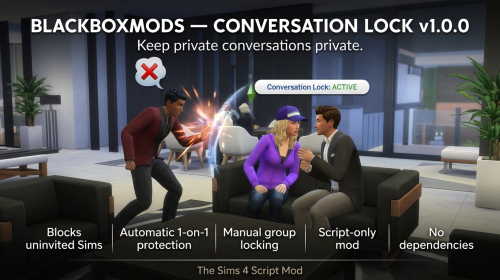
BLACKBOXMODS — CONVERSATION LOCK v1.0.0 The Sims 4 Script Mod
By BlackBoxMods
https://www.patreon.com/BlackboxMods
WHAT IT DOES
Conversation Lock prevents uninvited Sims from inserting themselves into a protected conversation. Two-Sim conversations are protected automatically by default, and any current conversation can be manually locked to its present members.
FEATURES
- Blocks unauthorized Sims before Social Group. attach adds them to the protected conversation.
- Preserves private one-on-one conversations automatically by default.
- Supports locked conversations with any number of approved Sims.
- Allows individual Sims to be approved or revoked by Sim ID.
- Immediately cancels/rejects unauthorized join attempts.
- Uses a lightweight watchdog as a backup for queued social interactions that already reference the protected group.
- Automatically releases stale locks when the social group shuts down.
- Does not globally disable social autonomy.
- Fails open if an internal game API changes, so unrelated conversations are not globally blocked.
DEFAULT BEHAVIOR
Automatic private-conversation protection is ON by default. When the active Sim enters a two-Sim social group, the two current participants become the approved group. A third Sim attempting to attach to that same social group is rejected before normal group attachment proceeds.
CONSOLE COMMANDS
Open the cheat console with Ctrl+Shift+C.
conversation_lock.lock: Locks the active Sim's current conversation to all Sims currently participating.
conversation_lock.unlock: Releases the current lock and returns the group to normal join behavior.
conversation_lock.auto on|off: Enables or disables automatic protection of two-Sim conversations. Default: on.
conversation_lock.allow <sim_id>: Approves another Sim for the current protected conversation.
conversation_lock.deny <sim_id>: Revokes a Sim and removes/cancels that Sim's participation in the protected conversation when present.
conversation_lock.enabled on|off: Master switch for Conversation Lock.
conversation_lock.status: Shows the current lock state, approved Sim IDs, version, and compatibility target.
conversation_lock.version: Shows the installed mod version and target game version.
conversation_lock.help: Shows the command summary.
HOW GROUP LOCKING WORKS
Manual locking snapshots the current conversation members. Those Sims stay approved for the life of that protected social group. Approved Sims may leave naturally and can rejoin the same live group. Unauthorized Sims are rejected. Unlocking restores normal join behavior immediately.
COMPATIBILITY NOTES
Conversation Lock does not replace the whole social system and does not disable autonomy lot-wide. Its admission hook delegates every unrelated or approved conversation directly back to the game's original Social-group.attach implementation.
A different script mod that completely replaces Social Group.attach instead of wrapping/delegating it may conflict depending on script load order. This is a general script-mod interoperability limitation rather than a required dependency.
TROUBLESHOOTING
- Confirm Script Mods are enabled after a game patch.
- Confirm there is only one Conversation Lock .ts4script installed.
- Run conversation_lock.version to confirm the script loaded.
- Run conversation_lock.status while a conversation is active to inspect lock state.
- If diagnosing a mod conflict, test Conversation Lock by itself first, then add other social-script mods back one at a time.
696 downloads
Submitted
-
Collect Cum MOD 1.23 [AI]
By xkatx
An add-on for Nisa's Wicked Perversions (NWP) that introduces the ability to harvest semen from yourself or your partner into bottles.
Key Features:
1. Collect Cum During Sex:
- Click on a male Sim during an active WickedWhims sex scene to collect cum.
- Executes immediately without interrupting or breaking ongoing animations!
- Restricted strictly to Sims with male anatomy (penis / semen producers).
2. Always Outstanding Quality:
- Collected jars are automatically assigned Outstanding Quality & Freshness.
3. Full Cumshine Integration:
- Drinking the collected cup completely satisfies Cumshine cum lust/addiction!
- Instantly wipes out craving moodlets ("Craving Cum", "Desperate for Cum")
and withdrawal symptoms.
- Grants signature Cumshine moodlets:
* "Cum Lust Satisfied" (+5 Happy for 60 min)
* "Splendid Specimen" (+1 Happy for 4 hours)
* "Proud Swallower" (+2 Confident)
* "Cum Drunk" (+2 Dazed for high consumption)
- Increments Cumshine swallow statistics (StatisticCumDrank +3, Quality +25).
4. Neutralizes Nisa Nausea:
- Drinking the jar prevents grossed out / nausea moodlets from NisaK.
5. Safe & Independent:
- If Cumshine is not installed, the mod still functions seamlessly.
ver 1.23:
Strict Anatomy & Gender Verification for Milking:
- Female Sims can NO LONGER milk themselves ("Cum into Jar" only appears for male Sims).
- A female Sim can only milk her male partner during active sex ("Milk Cum into Jar ({target})").
- Clicking on a female Sim never displays milking options.
2. Refrigerator Retrieval
3. Individual Jar Extraction:
- Clicking a jar inside the fridge provides the "Take from Refrigerator" interaction.
4. Quad-lingual support (PL / EN / DE / FR).
--------------------------------------------------------------------------------
REQUIREMENTS:
1. WickedWhims (Required)
2. Nisa's Wicked Perversions (Required - provides Cup O' Cum meshes and tuning)
3. Cumshine (Optional, highly recommended for cum addiction reactions)
--------------------------------------------------------------------------------
INSTALLATION:
1. Place "CollectCumMod.ts4script" into your The Sims 4 Mods folder:
Documents\Electronic Arts\The Sims 4\Mods\
(Note: .ts4script files must be placed directly in Mods or at most 1
subfolder deep, e.g. Mods\CollectCumMod\).
2. Start The Sims 4.
3. In Game Options -> Other:
- Check "Enable Custom Content and Mods".
- Check "Script Mods Allowed".
4. Restart the game.
Everything should be working fine—runs smooth on my end. Drop a comment and let me know how it goes for you
CollectCumMod_v1.23.zip
1427 downloads
Submitted
-

Meaningful Sexpertise Skill - Add on for Wicked Whims
By SpcyYogrt
Uses Wicked Traits to add a bit more depth to how the sexpertise skill works.
I feel like the sexpertise skill changes nothing. I'm sure Turbo implemented some kind of functionality, but I honestly don't see the difference during gameplay. What I'd do is hand-assign some wicked traits as my sim progressed in the sexpertise skill. So why not automate it?
What it Does
For each sexpertise level, your sim will be given a set of wicked traits:
lvl 1 → Shy + Selfish lover You're starting your journey into discovering your body (and other people's). You're still very self contious, and not very good at pleasing your partner. lvl 2 → Selfish lover You feel more comfortable in your own skin now, but you don't quite know the steps to the devil's tango (and your partner can tell). lvl 3 → Insatiably Lustful It's that middle ground where you've gained some experience and you think you know everything there is to know (even though that is not very true). So you want to try everything out all the time. At least now you're actually getting good at it and can provide some real carnal fun. lvl 4 → Generous Lover You've learned a lot and you prove that on every steamy encounter. Your partners always have a great time. lvl 5 → Sexually Alluring + Generous Lover When it comes to the arts of the bedroom, everything your brush touches is a masterpiece. Not only do you always leave your partner satisfied but your skillful silver tongue can talk almost anyone into becoming your new hay rolling buddy.
What about NPCs? Are they all bad in bed since they have no sexpertise? Nope, the mod randomizes the sexpertise skill level of every sim and applies the traits accordingly.
Requirements
Wicked Whims LINK (Suggestion) Skill Gain Customizer LINK If you think the sexpertise skill takes for ever to learn, you can use this mod to make it faster. Fun fact: I had the idea for the Skill Gain Customizer because I felt sexpertise and the Khlas skill were too slow, so I used mccc to make both of them faster. But the speed that was good for sexpertise made the Klhas one way too fast. And at the same time I felt like the naturism skill was going up way too fast. With this mod you can choose specific speeds for specific skills.
Installation
Install Wicked Whims normally Download one of the variants available Drop the [SpcyYogrt]MeaningfulSexpertise.package and the [SpcyYogrt]MeaningfulSexpertise.ts4script into your mods folder. Remember that the .ts4script file CANNOT stay deeper than one layer into your mods folder. "The Sims 4\Mods\MeaningfulSexpertise" is fine, "The Sims 4\Mods\sillymods_heehee\MeaningfulSexpertise" is not fine.
Q&A
What about teens?
Teenage sims can't learn the sexpertise skill but they can have Wicked traits. How the randomization works is that teens receive a "dormant" sexpertise level and get the respective traits assigned. When the teen ages up, they get their sexpertise skill set to the value that was initially set.
I think the Lustful and Shy traits are annoying when applied to all sims but I do want some of them to have it. What do I do?
What you can do is get the variant that doesn't apply those traits and then use the Wicked Whims trait distribution systems for applying those traits. It just depends on how you want to play. If you start a save with one of the variants you can switch to a different one at any time (this will not remove already applied traits, only stop new ones).
I think my neighbor just became a sexpertise master overnight. What the hell?
The mod needs to run checks to see if new sims were generated or aged up, so it can randomize their sexpertise level. Those checks happen on zone loading (when you travel to a lot or load a save) and at midnight. So, yeah, they did become casanova overnigth. Yay?
What if I remove one of the traits the mod assigned?
As mentioned above, the mod runs checks. One of them is to see what level all sims are currtently on. So when the check comes, it will apply the trait right back. That's why it's important that you choose the variant carefully.
if you have questions, issues or suggestions, you can comment them →HERE←
Join me on Patreon to see all my other mods! It's free!
https://www.patreon.com/cw/SpcYogrt
(I reply faster to comments left on Patreon.)
Disclaimers
Built to complement the mod Wicked Whims by TURBODRIVER. Not affiliated with or endorsed by the creator of that mod. Also not affiliated with or endorsed by the creators of any body mesh mod you use this with. Does not use any code from the original mod, only automates the input of commands already made publicly available. Does not edit any code from the original mod.
The code for this mod was made with the help of AI tools (A combination of Claude and Gemini, but mostly Claude). I am not a programmer, my contubution to this project was designing the core logic for the mechanics, managing the development steps and thoroughly testing the mod. While I don't take credit for the code, I can still help you with any issued you might encounter and would love if you could leave comments about what could be done better.
7847 downloads
Updated
-
CAS QuickFind - Favorites and Recent History, Built Into CAS
By XtremSyn
Tired of scrolling through the same CAS category trying to find that one hairstyle, top, accessory, or pair of shoes again?
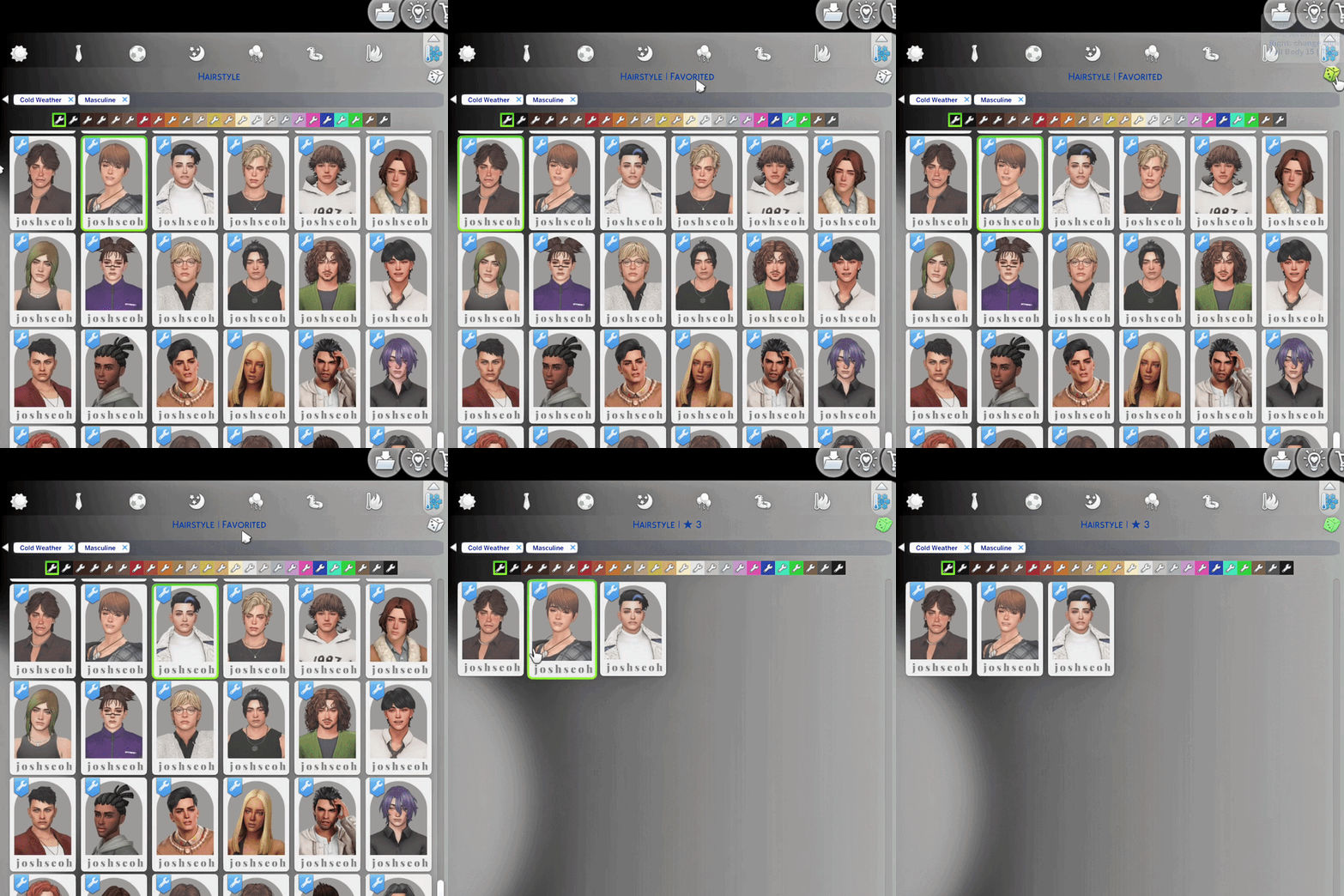
CAS QuickFind turns the randomize dice into a Favorites control. Star the items you love, switch to a filtered Favorites view, and return to them without searching through the entire category again.
Made for easier CAS browsing: save the pieces you keep returning to, filter the catalog instantly, and keep your favorites across game restarts. How QuickFind Works
★ Left-click the dice
Favorite or unfavorite the catalog item currently worn by your Sim.
↻ Right-click the dice
Switch between All ↔ Favorites.
⌛ Hold right-click for about five seconds
Clear favorites from the current clothing category. The title shows Clearing…, then confirms how many items were removed.
QuickFind uses the existing CAS dice, so there is no extra menu taking up space. The normal clothing and catalog flow stays familiar.
The CAS title also shows the current category and favorite count, along with brief Favorited and Unfavorited feedback. Hover over the dice for a quick control guide and category details when available.
Stock CAS and More Columns Support
CAS QuickFind supports:
Stock 2-column CAS Official More Columns by weerbesu in 3, 4, 5, or 6-column layouts Choose exactly one QuickFind UI package matching your CAS layout. Stock CAS users should install the 2-column QuickFind package.
More Columns users should keep weerbesu’s official package installed, then add the matching QuickFind compatibility package for the same number of columns. QuickFind does not replace More Columns.
[Example of a Correct Installation - Vanilla Sims 4 UI]
[Example of a Correct Installation - with More CAS Columns Compatibility]
Make sure both are in the same folder, or else the override will NOT work.
(Adding an ! symbol in my mod helps make it override the MCC package)
!XtremSyn_CASQuickFind_1.126_Lite_MC6_Compatibility.package
More_CAS_Columns_(6_Columns).package If you like my mods, please support me on Patreon Features
Unlimited favorites
Keep starring catalog items without having to remove older favorites first.
Recent view
QuickFind remembers the last 35 worn or clicked items per clothing category.
All → Favorites → Recent → All
Category-specific Recent clearing
While Recent is active, hold right-click for about five seconds to clear that category’s Recent history. The dice uses an amber tint while Recent view is active.
Status and export tools
qf.status: check the installed version and current setup
qf.fav_export: export your saved favorite data
Controls at a Glance
Left-click dice
Favorite or unfavorite the currently worn catalog item. Right-click dice
Switch between All and Favorites. Hold right-click for around five seconds
Clear favorites from the current clothing category. Installation
This release is made specifically for The Sims 4 patch 1.126. Close The Sims 4. Download and extract the Public release. Choose exactly one QuickFind UI package: stock 2-column, or the compatibility package matching your More Columns layout. Place the selected package in your Mods folder. Restart The Sims 4.
Note: No .ts4script file required for Public / LoversLab version, as of now. [Example of a Correct Installation - Vanilla Sims 4 UI]
----
[Example of a Correct Installation - with More CAS Columns Compatibility]
Make sure both are in the same folder, or else the override will NOT work.
(Adding an ! symbol in my mod helps make it override the MCC package)
!XtremSyn_CASQuickFind_1.126_Lite_MC6_Compatibility.package
More_CAS_Columns_(6_Columns).package
Important
Install either Public or Early Access - never both UI packages. Install only one QuickFind UI package. Do not combine the stock QuickFind package with a More Columns compatibility package. More Columns compatibility requires the matching official package by weerbesu. Close the game before installing or updating QuickFind. This release supports game patch 1.126 only. Translation Support
Optional translation packages can be placed beside the selected QuickFind UI package.
Star it. Filter it. Find it again. CAS QuickFind makes the pieces you already love easier to find.
2126 downloads
- the sims 4
- cas
- (and 3 more)
Updated
-
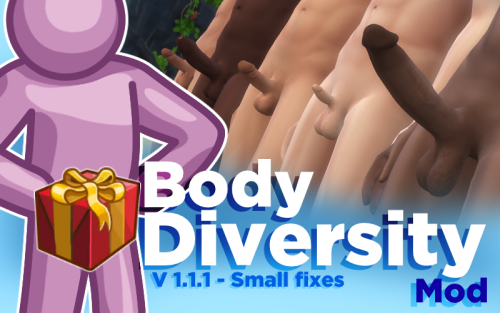
Body Diversity Mod - Have some dick variety, please!
By SpcyYogrt
Did you ever wish NPC Sims had more unique body parts? Instead of everyone having the same default WW body parts, you could download different meshes and have them distributed across the world. With the Body Diversity Mod, this is no longer just a dream!
This is a WickedWhims-dependent script mod that randomizes body parts (genitals, breasts, chest, tongue, and feet) across every eligible Sim in a save, with rarity-weighted selection, matching hard and soft penises, occult-aware part pools, and Khlas trait integration for size and sexual role.
Full update log for v 1.1
What it Does
Automatically scans all Sims and assigns each one their own independently-rolled set of body parts, sourced from a fully customizable external file.
Matches hard and soft penises.
Applies occult-specific part variants.
Each sim is only randomized once, so the body parts stay the same throughout gameplay.
Applies body parts based on whether the sim can become pregnant or impregnate other sims.
If you choose the override version, it will replace the "Risque Question" with the "Ask About Body Parts" interaction: a new way to find out if a sim has a special package.
Khlas Traits integration
Applies the Big Cock or Small Cock traits according to the size of the penis each Sim receives.
Applies sex role traits (Top/Bottom/Versatile) to all male Sims based on customizable distribution rules.
Now the "ask about cock size" and "ask about sex roles" interactions are more meaningful.
What it Doesn't Do
Block you from editing Wicked traits and body parts manually.
The randomization runs automatically on zone loading and at midnight, so it's actually not checking for new sims. In my experience, that is often enough to keep you from ever seeing an unrandomized sim.
Change penis size through WW's penis size manipulation. If you use the attraction window to set your Sim to be attracted to big or small penises, it will have no effect. However, if you use the size preference systems provided by Khlas, those will work correctly.
Apply textures and overlays, including pubic hair. This is a known annoyance because most penis meshes conflict with WW's pubic hair and make the penis look gross. I personally just turn pubic hair off.
Apply matching condom overlays for NPCs. If an NPC has a non-default penis, there will be no visual condom on the penis, unless they have the condom packs provided specifically for that mesh in their inventory.
BDM will never apply any body mesh on sims younger than teens. It will also never apply meshes on pets.
Requirements
Whicked Whims LINK
Khlas Males interactions LINK
Body part meshes compatible with Wicked Whims
How to Use
It is very important that you read this section carefully. How well this mod performs depends heavily on how you set it up.
Don't feel like settings things up? Check out these premade settings.
Install the mod and all requirements. Don't forget to install all body part files you plan to use. If you install new ones later, you may need to set the mod up again.
Open the game and load any save.
Open [SpcyYogrt]BDMPartReviewer.html. It's an HTML file, so it will open in your browser.
Click Load All Installed Parts.
Set up your parts using this post as a guide. You'll notice that most parts don't need to be configured that much.
Click Export Config. This will download a file called body_parts_config.json. Drop it into your BDM folder at Documents/Electronic Arts/The Sims 4/Mods/BDM.
If your game is still open, close it and reopen it.
Done! Next time you load a save, all sims will have randomized body parts.
Debug Commands
LIST OF ALL DEBUG COMMANDS
Instalation
(Always check if you have the most current version)
Choose either the Override or No Override version, don't install both!
Extract all files from BodyDiversityMod.zip.
Remove any old versions of the mod. If you have a body_parts_config.json file made for the previous version, you'll have to remove it and remake the config.
Drop the folder called BDM directly into your Mods folder. Do not place it inside other folders and do not rename it. The final path should be: Documents/Electronic Arts/The Sims 4/Mods/BDM
[SpcyYogrt]BDMPartReviewer.html is used to set up the mod.
BDM pairs up well with Meaningful Sexpertise Skill
Know Issues
Parts not showing up in the Reviewer
Try opening the game and using the WW body part selector to apply the part you're looking for. If you can't find it in the selector, that part is either not compatible with WW or is missing a tuning file. If the part does appear in the selector, close the game and try loading the Reviewer again.
I'm still seeing sims around town that haven't been randomized
That's either because they are receiving the default body parts (if you don't exclude them from the list in the setup, they will be in the randomization pool), or that sim was generated after the last check. If the second is true, you can either wait until it turns midnight in game, visit another lot, or run the randomization command.
Are you having other issues? Do you want to make a suggestion? Do you have a question? Leave a comment in this post, I'm active on patreon more often than here.
Disclaimers
Built to complement the mod Wicked Whims by TURBODRIVER and Males Interactions by Khlas. Not affiliated with or endorsed by the creators of those mods. Also not affiliated with or endorsed by the creators of any body mesh mod you use this with. Does not use any code from the original mod, only automates the input of commands already made publicly available. Does not edit any code from the original mod.
The code for this mod was made with the help of AI tools (a combination of Claude and Gemini, but mostly Claude). I am not a programmer; my contribution to this project was designing the core logic for the mechanics, managing the development steps, and thoroughly testing the mod. While I don't take credit for the code, I can still help you with any issues you might encounter, and would love if you could leave comments about what could be done better.
12882 downloads
Updated
-
Stop PC Obsession by Modnest
By Modnest
I'm excited to share the first public beta of my newest quality-of-life mod:
Stop PC Obsession by Modnest 🎉
If you've ever looked away from your Sim for five seconds only to find them glued to a computer again, this mod is for you.
Whether they're gaming, browsing the web, chatting, or your house guests immediately steal your PC, this mod gives you control over your Sims' computer autonomy while keeping player-directed gameplay completely untouched.
✨ Features
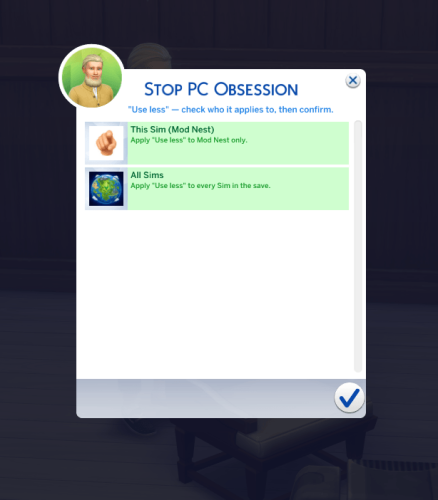
🖥️ New "PC Obsession" pie menu
Click on any Sim to access a new PC Obsession menu with three options:
✅ EA Default
Uses the game's normal computer autonomy.
✅ Use Less
Sims choose computers on their own far less often thanks to randomized quiet windows after each autonomous computer session.
✅ Never Use Unless Prompted
Sims will never autonomously use a computer.
Your own commands always work normally.
At any time, clicking the active option again will disable the mod's rule and return that Sim (or everyone) to normal behavior.
🌍 Apply it your way
After choosing a setting, simply decide who it affects:
✔️ This Sim
✔️ All Sims
Apply your preferences to one specific Sim or everyone in your save, including visitors, guests, and NPCs.
No more strangers running straight to your computer!
⚙️ Designed to be lightweight ✅ Base Game compatible ✅ Works with every computer, including laptops and CC computers ✅ Supports future EA computer objects ✅ No EA objects replaced ✅ Player-directed interactions always work ✅ Settings are saved through game saves and restarts Leave your thoughts in the comments so I can continue improving the mod.
Thank you all for supporting Modnest and helping shape these quality-of-life mods. Your feedback helps make every release better.
Happy Simming!
Modnest
My name is Modnest and I am passionate about modding games! I love pushing boundaries and getting creative!
I have many mod ideas that are in the works!
If you can support me I would be truly grateful, join me and give me feedback and ideas about what you'd like to see next!
My Patreon :)
818 downloads
Submitted
-
Better Time Control by Modnest
By Modnest
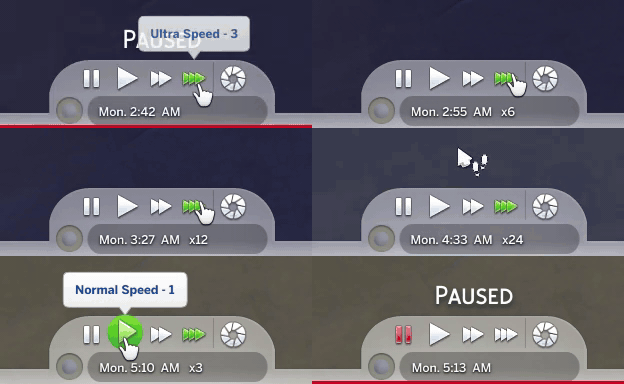
This mod makes the Sims 4 fast-forward button much more useful by letting the triple-speed button cycle through stronger time boosts:
x3 → x6 → x12 → x24 → back to x3
Just click the triple-speed button again to move to the next speed. The mod also adds a small multiplier label next to the in-game clock, so you can always see what speed you’re currently running.
What’s included:
Faster triple-speed cycling
Clean on-screen speed indicator
Built-in troubleshooting log
Main package + script file only
No extra UI replacement files needed
My name is Modnest and I am passionate about modding games! I love pushing boundaries and getting creative!
I have many mod ideas that are in the works!
If you can support me I would be truly grateful, join me and give me feedback and ideas about what you'd like to see next!
My Patreon :)
4024 downloads
Submitted
-
Stupid Drone
By Oops19
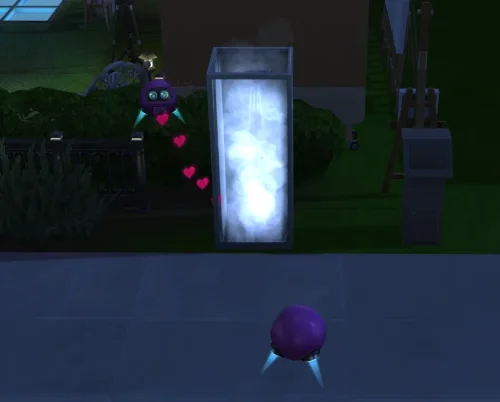
📹 The Stupid Drone The TS4 "Drone" will no longer be monitored or stopped by TS4 AI when Sims engage in "inappropriate" actions that should never be recorded or streamed. With this mod, Sims - including those from "Get Famous" - can live-stream even while showering or woohooing, as expected by their reality TV audience. This mod requires S4CL: https://github.com/ColonolNutty/Sims4CommunityLibrary ⚙️ Technical details The TS4 drone does not actually record or stream anything. After "recording," it simply creates an object with a title and description. This behavior remains unchanged. Resetting a Sim will also reset the drone attached to them and stop any recording or streaming in progress. 📥 Installation * Locate the localized `The Sims 4` folder (it contains the `Mods` folder). * Extract the ZIP file directly into this folder.
1265 downloads
Submitted
-
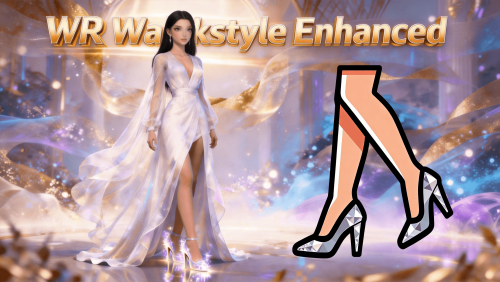
script mod WR Walkstyle Enhanced
By whiterober
WR Walkstyle Enhanced
Independent walkstyle management module — per-shoe walkstyle assignment, in-game configuration, and priority control
A dedicated walkstyle management system for Sims 4. Runs on top of WR Shoe System Core Library (v4.0+), fully independent of HHE.
v4.3.0 - April 4, 2026 Changes
Major update: Added direct read support for third-party female-shoe height and walkstyle data. Shoe series refactor: Reworked series management as groundwork for the upcoming "Shoe Closet" feature. Walkstyle UX improvements: Better readability, improved prefix handling, and grouped ordering. Localization improvements: Unified display logic and reduced duplicated/ambiguous labels. Stability updates: Fixed multiple edge-case display issues for smoother interactions. 🔥 v2.0.0 (Core v4.0) NOW LIVE — All-Sim Walkstyle Support Pre-Release!
Walkstyle effects now reach every Sim in the world!
👥 All-Sim Walkstyle Support — Walkstyle effects can now be applied to all Sims, including NPCs (pre-release: select users) 🧩 Modular — Runs on WR Shoe System Core Library (Core v4.0+), fully independent of HHE 🚶 Per-Shoe Walkstyle — Assign a unique walkstyle to each pair of shoes 🖱️ In-Game Configuration — Click any Sim to manage walkstyles in-game 🔧 Priority Control — Define which walkstyle takes precedence when multiple apply 💡 Want Pre-installed Package?
If you prefer a package with all dependencies included, it's available for free download on the author's Patreon:
👉 WR_Walkstyle_Enhanced_Pre-installed 👈
🌍 NOW SUPPORTING ALL 18 OFFICIAL LANGUAGES! 🌍
Full Localization Complete — English, 中文(简体/繁體), and 16 more!
Experience the mod in your native language: Čeština, Dansk, Nederlands, Suomi, Français, Deutsch, Italiano, 日本語, 한국어, Norsk, Polski, Português, Русский, Español, Svenska!
All menus, dialogs, and notifications fully localized. The game language automatically matches your settings!
🎯 Core Features
✅ 1. Independent Walkstyle Management
Dedicated system for configuring and managing walkstyles. Fully decoupled from the high heels module — install alone or alongside HHE.
✅ 2. In-Game UI Menu
Click any Sim → WR Walkstyle menu. Assign and adjust walkstyles without leaving the game.
✅ 3. Per-Shoe Walkstyle Assignment
Give each pair of shoes its own unique walkstyle. Heels can walk elegantly while sneakers stride casually.
✅ 4. Priority Control
When multiple walkstyle sources apply simultaneously, decide which one takes precedence.
✅ 5. Configuration File Management
Walkstyle settings stored in the shared config directory alongside WR Shoe System Core Library settings.
✅ 6. Dependency Version Validation
Checks WR Shoe System Core Library version at startup and reports mismatches immediately.
✅ 7. Dedicated Log System
Separate log file for easier troubleshooting, independent of WR Shoe System Core Library logs.
📋 Required Prerequisites
This mod requires the following dependencies:
💡 Want Pre-installed Package? Available for free on Patreon: WR_Walkstyle_Enhanced_Pre-installed
WR Shoe System Core Library v4.0.0+ — Required. Install this first.
Download: CurseForge or Patreon XML Injector — Required for walkstyle interaction hooks.
Download: XML Injector WR High Heels Enhanced — Optional. Fully independent of this module. 📦 Installation Guide
⚠️ CRITICAL: Extract Directly to Mods Folder Root or One-Level Subfolder!
DO NOT create deeply nested subfolders!
❌ WRONG: Mods/A/B/files... ✅ CORRECT: Mods/files... or Mods/WR_WSE/files...
Step 1 — Install WR Shoe System Core Library first
Visit the Quick Navigation Post and download WR Shoe System Core Library.
Step 2 — Install WR Walkstyle Enhanced (this file)
Extract the zip archive to: Documents/Electronic Arts/The Sims 4/Mods/ Enable Script Mods: Game Options → Other → Enable Script Mods ✓ Step 3 — Restart and verify
Restart the game Load a save → Click your Sim → look for the WR Walkstyle menu 🎮 How to Use
Assign Walkstyle to a Shoe
Click Sim wearing the shoes → WR Walkstyle → Set Walkstyle Select the desired walkstyle; takes effect immediately Manage Priority
Click Sim → WR Walkstyle → Priority Settings Configure which walkstyle source takes precedence ❓ Troubleshooting
Mod not working? Check Script Mods enabled; verify files in Mods root (max one subfolder deep). Walkstyle not applying? Confirm WR Shoe System Core Library is installed and up to date. Click menu missing? Restart game; confirm .ts4script in Mods folder; Script Mods enabled. 📢 Support & Community
Author's Patreon: https://www.patreon.com/cw/Whiterober Free Version Download: Available on CurseForge (this page) GitHub Project (Protocol Spec + Sample Package): https://github.com/whiterober/WR_Shoe_System Includes Chinese/English integration specs and creator_shoe_marker_sample.package for third-party creators JOIN OUR DISCORD COMMUNITY
🔗 Discord Server: https://discord.gg/sZp3A9eTpq
What you get:
🆘 Technical support 💡 Feature requests 📸 Showcase your work 💬 Community discussion ⚖️ License & Usage
Free for personal gameplay. Do not re-upload or include in paid mod packs. Use official distribution pages.
Author: 白袍 (Whiterober)
Thank you for your support! ❤️
3890 downloads
Updated
-
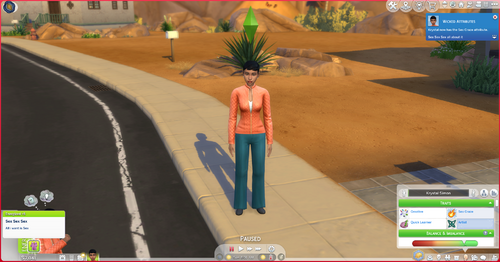
WW Traits
2026/07/18-New Poll out on Patreon
https://www.patreon.com/ShearBear1216/posts/poll-for-2026-164211391?utm_medium=clipboard_copy&utm_source=copyLink&utm_campaign=postshare_creator&utm_content=join_link
Whicked Whims Traits
Thanks to the Great mod WW i have made some traits for you to add to your sim
-If you want to request some new ones let me know in Discord or my Patreon
-PornAddict
-ManWhore
-MilfCity
-PornAddict is the only one with a buff right now
Whats to come
-More WW Traits
-Adding Buffs
- Interactions for each traits
Social Sites
Patreon-SherBear12162 | Sims 4 Custom Content | Patreon
Discord-https://discord.gg/VKxRHBu6Y4
9268 downloads
Updated
-
.thumb.jpg.2ae4ed0c0c53d0cf701f728814785eb4.jpg)
Submitted
-
.thumb.jpg.3c6a327ab61f3d9ef731981944783cbb.jpg)
Submitted
-
.thumb.jpg.0e664793b33a3e21bb2330effa8cdf34.jpg)
Genos Loading Screen One Punch Man Package
By ONE-JUMP-MAN
Saitama Loading Screen For The Sims 4
Saitama loading screen.package
118 downloads
Submitted
-
.thumb.png.b011978d783bcdbd193b9d3fbfabeff0.png)
Updated
-
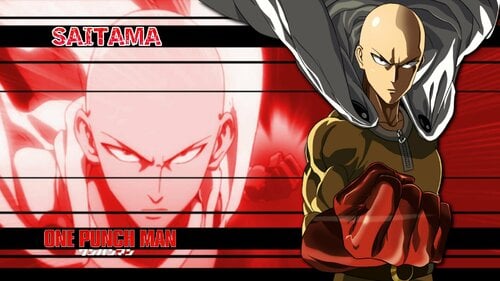
Saitama Loading Screen One Punch Man Package
By ONE-JUMP-MAN
Saitama Loading Screen For The Sims 4
Saitama loading screen.package
126 downloads
Updated
-

script mod WR High Heels Enhanced
By whiterober
WR High Heels Enhanced
Smart auto-adjust for slider-based heels — learn once, apply instantly; series management; height-based mood buffs; third-party animation support
A comprehensive enhancement system for slider-based high heels. Runs on top of WR Shoe System Core Library (v4.0+).
v4.3.0 - April 4, 2026 Changes
Major update: Added direct read support for third-party female-shoe height and walkstyle data. Shoe series refactor: Reworked series management as groundwork for the upcoming "Shoe Closet" feature. Walkstyle UX improvements: Better readability, improved prefix handling, and grouped ordering. Localization improvements: Unified display logic and reduced duplicated/ambiguous labels. Stability updates: Fixed multiple edge-case display issues for smoother interactions. 🔥 v2.0.0 (Core v4.0) NOW LIVE — All-Sim Heel Support Pre-Release!
Heel effects now reach every Sim in the world!
👥 All-Sim Heel Support — Heel effects can now be applied to all Sims, including NPCs (pre-release: select users) 🧩 Modular — Runs on WR Shoe System Core Library (Core v4.0+), fully independent of WSE 🧠 Smart Learning — Adjust once, remembered forever 💎 Height-Based Buffs — Low / medium / high heel mood effects 💡 Want Pre-installed Package?
If you prefer a package with all dependencies included, it's available for free download on the author's Patreon:
👉 WR_High_Heels_Enhanced_Pre-installed 👈
🌍 NOW SUPPORTING ALL 18 OFFICIAL LANGUAGES! 🌍
Full Localization Complete — English, 中文(简体/繁體), and 16 more!
Experience the mod in your native language: Čeština, Dansk, Nederlands, Suomi, Français, Deutsch, Italiano, 日本語, 한국어, Norsk, Polski, Português, Русский, Español, Svenska!
All menus, dialogs, and notifications fully localized. The game language automatically matches your settings!
⚠️ IMPORTANT COMPATIBILITY NOTICE
Works only with slider-based high heels (height via body sliders). Not compatible with proportion-based high heels (leg-length edits / full-scale changes). How to tell: If unconfigured heels clip into the ground, they're slider-based (✅ compatible). If legs appear shorter but heels don't clip, they're proportion-based (❌ incompatible).
🎯 Core Features
✅ 1. Smart Height Adjustment System
Two Working Modes:
Learning Mode — Adjust height once via Sim click menu; mod remembers and auto-applies next time. Pre-Configured Mode — If a preset exists, height is auto-applied without manual input. ✅ 2. In-Game Click Menu
Click your Sim → WR High Heels menu. Adjust heel height without leaving the game.
✅ 3. High Heel Series Management
Same shoe, five colors? Configure once — all variants update instantly.
✅ 4. Instant Effect Application
Changes apply immediately — no outfit swap needed.
✅ 5. Height-Based Heel Buffs
Low / medium / high heel thresholds each trigger unique buffs and mood effects.
✅ 6. Third-Party Animation Compatibility
Automatic detection of custom animations. Manual whitelist configuration for pose packs, WW animations, and more.
✅ 7. INI Configuration
Fine-grained control over heel detection, buff thresholds, and more via configuration files.
📋 Required Prerequisites
This mod requires the following dependencies:
💡 Want Pre-installed Package? Available for free on Patreon: WR_High_Heels_Enhanced_Pre-installed
WR Shoe System Core Library v4.0.0+ — Required. Install this first.
Download: CurseForge or Patreon XML Injector — Required for shoe detection and interaction hooks.
Download: XML Injector WR Walkstyle Enhanced — Optional. Fully independent of this module. 📦 Installation Guide
⚠️ CRITICAL: Extract Directly to Mods Folder Root or One-Level Subfolder!
DO NOT create deeply nested subfolders!
❌ WRONG: Mods/A/B/files... ✅ CORRECT: Mods/files... or Mods/WR_HHE/files...
Step 1 — Install WR Shoe System Core Library first
Visit the Quick Navigation Post and download WR Shoe System Core Library.
Step 2 — Install WR High Heels Enhanced (this file)
Extract the zip archive to: Documents/Electronic Arts/The Sims 4/Mods/ Enable Script Mods: Game Options → Other → Enable Script Mods ✓ Step 3 — Restart and verify
Restart the game Load a save → Click your Sim → look for the WR High Heels menu Put on slider-based heels and test height adjustment Configuration files will auto-create on first run at: mod_data/high_heels/configuration
🎮 How to Use
Quick Height Adjustment
Click Sim wearing heels → WR High Heels → Adjust Heel Height Set desired height; changes apply instantly Manage Heel Series
Click Sim → WR High Heels → Apply to Series Configure once — all variants in the series update Other options: Rename Series | Split Series | Set Walkstyle | Manage Interaction
Advanced Configuration
Edit preset.*.ini for pre-configured heels Edit blacklist.global.ini for buff parameters and interaction settings 💎 Perfect Experience — Add High Heels Sitting Clips Pack
Want the ULTIMATE high-heel experience? Combine with the High Heels Sitting Clips Pack!
Standing height perfect (this mod) Sitting poses perfect (Clips Pack) Seamless high-heel gameplay in every situation! 🔗 Download: High Heels Sitting Clips Pack
💎 Download Configuration Presets
For the best experience, download configuration presets!
Author-curated high heel presets Popular CC shoe presets One-click — no manual adjustments needed 👉 Download Configuration Presets
❓ Troubleshooting
Mod not working? Check Script Mods enabled; verify files in Mods root (max one subfolder deep). Heels not adjusting? Confirm heels are slider-based; try WR High Heels → Adjust Heel Height. Click menu missing? Restart game; confirm .ts4script in Mods folder; Script Mods enabled. 📢 Support & Community
Author's Patreon: https://www.patreon.com/cw/Whiterober Configuration Presets (free): Patreon Free Version Download: Available on CurseForge (this page) GitHub Project (Protocol Spec + Sample Package): https://github.com/whiterober/WR_Shoe_System Includes Chinese/English integration specs and creator_shoe_marker_sample.package for third-party creators JOIN OUR DISCORD COMMUNITY
🔗 Discord Server: https://discord.gg/sZp3A9eTpq
What you get:
🆘 Technical support 💡 Feature requests 📸 Showcase your work 💬 Community discussion 🙏 Special Thanks
Oops19 — Original High Heels system GitHub: https://github.com/Oops19/preview-HighHeels MADMAN — Default Feet Slider (3V Up) Patreon: https://www.patreon.com/posts/default-feet-3v-107447678 ⚖️ License & Usage
Free for personal gameplay. Do not re-upload or include in paid mod packs. Use official distribution pages.
Author: 白袍 (Whiterober)
Thank you for your support! ❤️
5264 downloads
- high heels
- customization
- (and 12 more)
Updated
-

Flirty to Horny
By Gilette83
This mod replaces all "flirty" strings in the game with "horny".
Tested on game version 1.118.257.1020.
English only.
9233 downloads
Submitted
-

Bare Bare Male Exhibitionism Gameplay Mod (Demo)
By Bare Bare
Susu, fellow Sims players! 👋
I love making my male Sim walk around naked, but there’s barely any reaction—from NPCs or even the Sim doing it. That always felt like a missed opportunity to me. I wanted something more immersive, where male Sims could be naked in public, do lewd or awkward things, and actually react to the situation, along with the Sims around them.
There aren’t many mods out there for male Sims, and honestly, I got tired of waiting for a mod that probably wasn’t ever going to exist. So I decided to make it myself.
After months of self-learning and experimenting, I finally created a mod that I’ve had so much fun with, and now I’m excited to share it with others who enjoy this kind of gameplay for their male Sims.
This mod is still very new, and there’s so much more I want to add and improve. If it is your kind of gameplay too, stick around. There's a lot more coming.
Bare Bare Male Exhibitionism
Full Version:
patreon.com/BareBare
Bare Bare Exhibitionism is a gameplay interaction mod for male Sims that builds upon the existing Exhibitionist skill from Wicked Whims. It introduces two exhibitionism types—Awkward and Perverse—each featuring unique behaviors, interactions, custom animation sets, as well as distinct buffs and emotions. Whether your Sim nervously exposes themselves in shame or confidently flaunts it all in public, this mod transforms male nudity into a fully interactive, story-driven experience that makes their exhibitionist journey more immersive and dynamic.
Core Gameplay Features
Awkward or Perverse Exhibitionism Gameplay
Choose between Awkward or Perverse exhibitionism type for your Sims. Both types share the same range of exhibitionist interactions available when your Sim is naked in outdoor or public spaces, including automatically reacting when exposed in public areas, triggering animations and mood buff. However, their reactions when caught are very different—Awkward Exhibitionists become too embarrassed to continue, while Perverse Exhibitionists lean into the attention without hesitation. Each type features unique emotional responses, different behaviors, and custom animation sets.
Naked Interactions
Flashing to groups, striking bold naked poses, or working out in the nude—watch your Sim confidently dwerk with hip swings, enjoy quirky moments like maschalagnia (armpit fetish), or simply embrace the thrill of getting a hard-on in public. The mod is still young and growing, with more exciting interactions coming in future updates.
Dynamic NPC Reactions To Naked Exhibitionist
NPCs respond based on your Sim’s exhibitionist type. Awkward Exhibitionists may be laughed at, while Perverse Exhibitionists are more likely to be cheered on. NPCs—and even paparazzi—will take out their phones to snap photos of your naked Sim. Staying exposed for too long will draw a growing crowd, intensifying both the attention and the pressure.
Arousal & Climax System
When naked in public, exhibitionist Sims enter a visible arousal state. When things heat up, they can climax openly—including custom outcomes like premature ejaculation, enhancing both immersion and risk.
Clothing Control with Custom Animations
This mod adds new pie menu interactions that let Sims undress or get dressed, complete with custom stripping animations when they take their clothes off.
Requirements & Dependencies
To ensure the mod works as intended, please make sure you have the following installed:
- Latest WickedWhims mod
Required for exhibitionism skill, undressing system, and nudity support (naked body, penis, erection).
- The Sims 4: Get Famous Expansion Pack
Required for NPC reactions.
How to Give Your Sim an Awkward or Perverse Exhibitionist Trait?
Once the mod is installed correctly, the Bare Bare Exhibitionism interaction pie menu will appear when you click on your active Sim. Within this menu, you’ll see options to set your Sim’s trait to Awkward or Perverse Exhibitionist.
⚠️ Please avoid using cheat (shift click) to add Awkward or Perverse Exhibitionism traits.
These traits are meant to be unlocked naturally by leveling up the Wicked Whims Exhibitionist skill. If added through cheats, your naked Sims may automatically dress themselves or fail to undress in public spaces, which can conflict with the core behavior of this mod.
If the Bare Bare Exhibitionism menu appears but is not clickable, it’s likely your Sim does not have the Exhibitionist trait from Wicked Whims. You need to purchase the trait using Satisfaction Points in the Reward Store.
My mod is designed to be user-friendly: if any interaction is not clickable, simply hover over it to see a tooltip explaining why it’s unavailable and what you can do to enable it.
Demo (v0.9.6) vs Patreon (v1.1.4): What’s the Difference?
Both the Demo and Patreon versions share the same core gameplay features — including NPC reactions and emotion buffs, which are primarily built using existing in-game tunings. This is why the demo is freely available.
The Patreon version mainly includes additional naked interactions with custom animations. These features take significantly more time and effort to produce due to the 3D animation work and tuning customization.
Below is a visual tree diagram comparing the pie menu options between the Demo and Patreon versions, so you can clearly see what’s included in each.
Here's what's new in V3.3.0:
🔥 Hellflames Upgrade — Lite / Heavy Options
The fire VFX got a do-over and are placed strategically so the chest, tummy, and crotch are totally exposed. Available in Heavy or Lite variant — mainly a choice for players whose PC can't handle too many fire VFX.
Toggling flame no longer auto-removes the outfit, and it no longer decays and disappears over time. Turning flame on also unlocks interactions for The Prominence such as levitating, blaze teleport, prominence flash, etc.
🕯️ Flame Censor
A different fire toggle, mainly for the crotch. It covers the sim and stops NPCs from reacting to naked exhibitionism, as if it were clothed. However, it's a decay variant that will go off over time and expose the sim. Doesn't protect erections during modeling.
💥 100+ In-Out & Loop Animation Clips Across 50 Interactions
The Prominence received a massive set of interactions to pose, dwerk, and bate in the hottest way I can think of, with many climax variants along the way. Either standing posture, or turn on flame to levitate mid-air to perform. There's too much to showcase here, so just explore them in-game. There are selectable auto-loop options in each category, which can loop random or specific levitate/standing animations depending on whether body flame is turned on.
⚡ Prominence Flash
Run Prominence Flash interaction to trigger an auto-loop — from burning off the outfit to randomly picking across all available Prominence poses, dwerks, and bates — done autonomously until the sim reaches cumming distress or climax.
👀 Just Watch Me
A continuous loop bating interaction where he never stops jerking and cumming. He won't give up, and continues to stand on both feet even when fully drained and exhausted.
👕 Base Layer Skinsuit CAS CC (Accessories > Base Layer)
A supe needs to dress like a supe. 2 designs, each with 2 swatches. These are extremely tight outfits designed to fit underneath any outfit your sim is wearing. When he's ready to show off, undress everything and let the suit highlight every part of your sim's body. Looks great with cutout outfits or unbuttoned shirts. This CAS also stops NPCs from reacting to naked exhibitionism — unless an erection happens, in which case the suit no longer protects your sim.
⚠️ Note: turn off auto-undress for base layers in Wicked Whims nudity settings if you want to keep your sim wearing these skinsuits naked.
👖 Bulge Bottom With Jiggle CAS CC (Clothing Bottom)
if you have Simdulgent motion mod, you can see them jiggle in CAS. This is a rather unusual CAS item designed to work with the skintight base layer to create a bulge effect. Since it's just a transparent mesh, it will pick up the color of whatever base layer overlays the crotch. Most Bare Bare interactions have jiggle animations, so when you play them with this bulge bottom, you'll see it animate. This is my first time building really advanced CAS CC, so it will have many imperfections — I apologize in advance for any ugly visuals.
Download Link to latest file:
Full Version (Patron-only)
23982 downloads
- exhibitionism
- exhibitionist
- (and 17 more)
Updated
-

Proxy Loader for SIMS 4: Real-Time Body Physics + ReShade
By CTMODS
───────────────────────────────────────────────
SIMS 4: Real-Time Body Physics + ReShade Proxy Loader
Dual DLL Compatibility Fix
───────────────────────────────────────────────
By CTMODS
───────────────────────────────────────────────
───────────────────────────────────────────────
RTBP by CPVC → https://www.loverslab.com/topic/151957-real-time-body-physics/
This setup allows both RTBP and ReShade to function in The Sims 4,
despite both requiring d3d9.dll. It uses a custom proxy DLL that
loads both mods in sequence — ensuring no conflicts or crashes.
────────────────────────────
🎮 Intended For:
────────────────────────────
✔ The Sims 4 DX9 64-bit version (Tested on version 1.116.202.1030):
TS4_DX9_x64.exe
✔ ReShade 6.5.1 Addon build:
ReShade_Setup_6.5.1_Addon.exe
(Download from: https://reshade.me/#download)
Compatible with shader packs tested for Sims 4
────────────────────────────
✅ Safe-to-Use Shader Packs:
────────────────────────────
The following shader packs are tested and safe to use with Sims 4:
• qUINT
• SweetFX
• FXShaders
• Legacy Standard Effects
• AstrayFX
• OtisFX
• CShade
• AnamorphoFX / Fubax
Avoid using GShade, METEOR, RSRetroArch, or other OpenGL/experimental packs unless you know how to debug shader compilation errors.
────────────────────────────
📂 Setup Instructions:
────────────────────────────
1. Go to your Sims 4 game folder:
C:\Program Files\EA Games\The Sims 4\Game\Bin
or
C:\Program Files (x86)\Origin Games\The Sims 4\Game\Bin
2. Rename your RTBP d3d9.dll to:
rtbp.dll
3. Rename your ReShade d3d9.dll to:
reshade_original.dll
4. Copy this d3d9.dll (the proxy loader) into the same folder.
✅ Your final folder should now contain:
├── d3d9.dll ← the proxy loader
├── rtbp.dll ← Real-Time Body Physics
└── reshade_original.dll ← ReShade 6.5.1 Addon
5. Launch The Sims 4.
✅ You should see:
- ReShade's overlay (press HOME)
- Working physics from RTBP
────────────────────────────
🔁 Notes & Compatibility:
────────────────────────────
• This setup works only with DirectX 9 mode
• Not compatible with other mods that also inject d3d9.dll
• If you update ReShade or RTBP, just reapply the renames
• Tested on Sims 4 x64 DX9 with ReShade 6.5.1 Addon and CPVC RTBP
────────────────────────────
📝 Credits:
────────────────────────────
Proxy Loader by CTMODS
RTBP by CPVC → Real-Time Body Physics by CPVC
ReShade by crosire → ReShade
────────────────────────────
This is for those who had trouble getting RTBP to work after updating both TS4 and ReShade to the latest editions like myself. Enjoy.
5370 downloads
- ts4
- the sims 4
- (and 2 more)
Submitted
-
.thumb.png.c087c8bee9a1fb81b4778092389c446c.png)
Pervers Trait FR/ENG
By Gum2503
Bonjour à tous, je suis heureux de vous présenter ce mod ! Il s'agit d'un reposte de ma page patreon pour la version Gratuite.
une nouvelle version du mod ajoutant 3 nouveaux traits de caractère sera disponible sur mon patreon dès aujourd'hui en payant 2.50 (Tous mes autres mods sont également disponibles, vous trouverez mes tatouages pervers version payante, des tapis de sims nus comme déco et d'autres trucs) patreon.com/Gum555
Les traits sont : Gigolo, Sainte nitouche et pervers. Ils ajoutent tous les 3 de nouveaux buffs, comme le trait présenté dans ce post !
Encore merci à Angelus pour son aide. Il m'a fait toute la version anglaise qui est directement intégrée dans le fichier du mods !
PLACE AU POSTE ! :
J'espère qu'il vous plaira malgré que ce soit mon tout premier mod trait de caractère, car j'ai passé beaucoup de temps à le réaliser.
Vous pouvez aussi aller voir les mods de Grumpy, ces vidéos sur YouTube m'ont beaucoup aidé à créer ces mods, elle ne fait pas des mods spéciaux comme ici 👀 , mais ces mods sont quand même excellent !
Angelus75 m'a fait la traduction anglaise du mod ! Il réalise normalement des traductions de l'anglais vers le français, mais il a bien voulu faire l'inverse pour moi ! n'hésitez pas à le suivre sur LoversLab
pour pouvoir avoir ceci, il faut être membre payant ( je mettrai le lien de la publication pour télécharger sur ce poste)
Le mods sortira en version gratuite dans 1 mois, mais il y aura aussi probablement une nouvelle version du mods pour les membres payants dans 1 mois ou 2 !
MAINTENANT , PRESENTATION !
Ce mot est un trait de caractère exclusivement pour les femmes qui représente le fétiche de faire l'amour avec des personnes que l'on ne connaît pas et de tomber enceinte.
le nouveau trait de caractère ajoute un buff enjoleur à votre sims quand celui-ci est à proximité de sims masculins qui ne font pas partie de son foyer
le nouveau trait ajoute un buff enjoleur puissant à tous les hommes qui ne sont pas dans votre foyer et qui sont à proximité de votre sim
les buffs enjôleur ont un léger multiplicateur qui s'applique constamment ( exemple : votre sims à un buff classique enjoleur de 1 alors avec le multiplicateur, se buff passe de 1 à 2 )
les relations amoureuses sont boostées et montent plus vite pour votre sims
il y a un buff spécial enjôleur extrêmement puissant qui apparaît quand votre sims est enceinte
Pour les prochaines mise à jour ?
je souhaite faire en sorte que le buff qui apparaît quand votre sims est enceinte, n'apparaisse seulement quand elle est enceinte d'un homme ne faisant pas partie de son foyer
j'ajouterais plus de bonus
de nouveaux traits de caractère pour avoir plusieurs traits qui interagissent avec diverses buffs et interactions ensemble
un nouvel objectif de vie à remplir pour débloquer mon trait de caractère
j'ajouterais une sécurité pour pas que le buff enjôleur n'apparaisse pas chez les sims masculins de votre famille ne faisant pas partie du foyer
INSTALLATION
déposer le fichier dans votre dossier mods ou un sous dossier
lancer le jeux , activer les triche en appuyant sur Maj et en cliquant sur votre sims , allez dans Gameplay et là bas vous trouverais mon trait , le logo du trait ressemble à des lèvres
-----------------------------------------------------------------------------------------------------------------------------------------------------------------------
Hello everyone, I'm happy to present this mod to you! This is a repost of my Patreon page for the Free version.
A new version of the mod adding 3 new traits will be available on my Patreon starting today for a fee of 2.50 (All my other mods are also available; you'll find my paid version of perverted tattoos, nude Sim rugs as decor, and other stuff) patreon.com/Gum555
The traits are: Gigolo, Goody-goody, and Pervert. All three add new buffs, like the trait featured in this post!
Thanks again to Angelus for his help. He made the entire English version, which is directly integrated into the mod file! ( Yes, this post is made with Google Translate, sorry for the mistakes.) LET'S GET STARTED!
Hello everyone, I'm happy to present this new mod to you!
I hope you'll like it, even though it's my very first character trait mod, because I spent a lot of time making it.
You can also check out Grumpy's mods; her YouTube videos helped me a lot in creating these mods. She doesn't make special mods like this one 👀, but these mods are still excellent!
Angelus75 translated the mod into English for me! He normally does translations from English to French, but he kindly agreed to do the reverse for me! Feel free to follow him on LoversLab.
To get this, you must be a paying member (I'll post the link to the post to download it on this post).
The mod will be released as a free version in a month, but there will probably also be a new version for paying members in a month or two!
NOW, INTRODUCING!
This word is a female-exclusive trait that represents the fetish of having sex with strangers and getting pregnant.
The new trait adds a flirtatious buff to your Sim when they are near male Sims who are not part of their household.
The new trait adds a powerful flirtatious buff to all males who are not in your household and are near your Sim.
Flirty buffs have a slight multiplier that applies constantly (example: your Sim has a classic flirtatious buff of 1, so with the multiplier, this buff goes from 1 to 2).
Romantic relationships are boosted and progress faster for your Sim.
There is a special, extremely powerful flirtatious buff that appears when your Sim is pregnant.
For future updates?
I want to make it so that the buff that appears when your Sim is pregnant only appears when she's pregnant by a man outside her household.
I would add more bonuses.
New traits to have multiple traits that interact with various buffs and interactions together.
A new life goal to complete to unlock my trait.
I would add a security feature so that the flirtatious buff doesn't appear on male Sims in your family who aren't part of the household.
DOWNLOAD
drop the file into your mods folder or a subfolder
launch the game, activate the cheats by pressing Shift and clicking on your sims, go to Gameplay and there you will find my trait, the trait logo looks like lips
4968 downloads
Updated
-
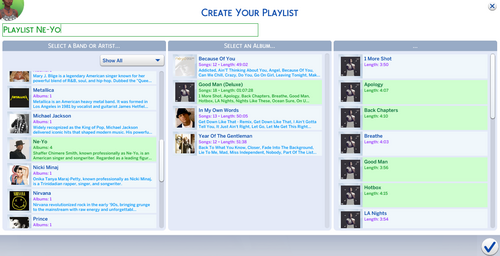
its music time Its Music Time
By _TANK_
Hey everyone!
I’m excited to introduce ItsMusicTime — a brand new music mod that brings your Sims’ listening experience to life! 🎧
As of now, the mod works with the following objects:
📻 Stereo
🎧 Earbuds
🎛 DJ Booths
🔊 Wall Speakers
🤖 Party Bots
You’ll find the ItsMusicTime menu by clicking on any of these objects.
NEW GOOGLE DRIVE LINK for easier download of all Trailer Albums
https://drive.google.com/drive/folders/1VjFowRGZcr5hzeiyGilVCiyUjM4QiX7I?usp=sharing
FULL ALBUMS HERE: https://www.patreon.com/posts/125547962
🛠 REQUIREMENTS
📌 TanksMods Mod Central 1.2.1+
📌 Music Library (Public or Patreon Exclusive)
📌 Game Version: 1.116
🎵 BASIC FEATURES
Play music from a growing library of artists/bands and teaser albums
Dynamic UI with artist/band and album
Music Genre filter drop-down for quicker browsing
Autonomous music picker for immersive game-play
"Turn On" and "Listen" interactions for music objects
✨ PATRON-EXCLUSIVE FEATURES
🎼 Full albums with multiple tracks for immersive sessions
🎧 Full DJ Booth support — integrated with your music collection 🎧
Skip to Next Song ⏩
Play Specific or Random Album🔄
Pick Specific Album🎵
Request Random and Specific Albums to hired DJs 🎉
📝 Playlists Builder (NEW)
🎤 Request New Artists/Albums — your input drives future updates!
📥 INSTALLATION
Download the file below and extract its contents into your Sims 4 Mods directory:
📂 Usually Documents\Electronic Arts\The Sims 4\Mods
Updating? Follow the same steps and overwrite existing files when prompted.
🧠 Tip: The zip file includes a structured folder setup to avoid duplicates and ensure proper installation. Just copy the entire TanksMods folder to your Mods directory!
❓ NEED SUPPORT?
💬 Join the Discord → https://discord.com/invite/NhYVhY35ex
Get help, leave feedback, and submit your requests!
🧹 Don’t forget to delete localthumbcache.package and avatarcache.package after updating to refresh the game’s cache.
🔧 CHANGES & FIXES
🔽 Added genre filter drop-down in the artist/band section
🤖 Added autonomous music picker
🆕 New Turn On and Listen interactions for supported objects
3444 downloads
Updated
-

DLS BackGrounds
2025/07/08-Tested on Latest Patch still works good
https://www.patreon.com/posts/loading-screen-126426375?utm_medium=clipboard_copy&utm_source=copyLink&utm_campaign=postshare_creator&utm_content=join_link
These are my DLS Background images for this sims 4 more to come 20 Images so far
Needed Mods
2280 downloads
Updated
-
On Interaction Do
By Oops19
Alpha Preview Release
You are welcome to test it. It is quite stable but some timings still fail. Traveling will cause a bunch of exceptions, please ignore them.
S4CL and TS4-Lib are needed for this mod!
On Interaction Do
This is a script mod to run various commands whenever a sim is executing an action.
It supports many base game interactions, and support for some mods. It uses the appearance modifiers provided by Devious Desires / Core and it is not compatible with 'wicked' script mods.
This mod currently requires Devious Desires / Core to be able to use appearance modifiers.
Code and/or included Content
This mod only references object and/or tuning names of interactions etc. This mod does not
add new interactions add new items include or override UGC created by other mod creators Base Game
For the base game there are a few interactions. Some base game interactions may result in removed outfit parts for sims.
Shower
Sims will turn around in shower instead of watching the wall. Vanilla 'Pillow Fight ...'
Sims will undress their shoes and might lose outfit parts. Using Toilet
Configuration removed. Handled and hard coded in DD. Feeding Baby
Configuration removed. Handled and hard coded in DD. Play Sabbac
Losers undress am outfit item. 3rd party mods and build items
HIU
HIU by Sacrificial is supported, while it is not required. If HIU is installed make sure to remove these script mods:
wicked*.ts4script The actors support the basic un-/equip commands as used by HIU.
Build Items
Some devices by Kritical are supported, none of them is required. Just make sure to remove these script mods:
[Kritical]StyxUrinal1.ts4script # and/or similar versions [Kritical]PracticalSexArcade1.ts4script # and/or similar versions The following devices are supported:
[Kritical]BlowjobArcade1d.package [Kritical]CeladonUrinal1a.package [Kritical]ExerciseBike1b.package [Kritical]FeedingMachine1d.package [Kritical]LetheUrinal1a.package [Kritical]MajesticHole1f.package [Kritical]MilkingMachine1d.package [Kritical]PracticalSexArcade1j.package [Kritical]SensoryDeprivationChamber1a.package [Kritical]StyxUrinal1h.package [Kritical]TanningRack1a.package [Kritical]Thighmaster1a.package [Kritical]WorkoutMachineFreya1a.package This mod has been tested with the versions mentioned above.
The mod injects into the interactions to make them compatible with DD.
Issues
Commands may be executed shortly after an interaction starts and shortly before an interaction stops. It's not perfect but hopefully good enough for TS4. Some of the issues mentioned below may have been fixed so far.
Sex and BJ Arcade
Customers will undress the lower body and dress up afterwards properly, the initial state (nude, underwear, outfit) will be restored. The gender check has been removed, customers without a penis will use a strap-on. Customers with a penis will get a boner during animation. Flaccid afterwards, also the cum level will be reduced. Styx Urinal
Customers will undress the lower body and dress up afterwards properly, the initial state (nude, underwear, outfit) will be restored. Not modified: The game may rotate the sim or the effect 180° and it may look odd. Milking Machine
Sims with a Basic, Upgraded or Reward trait can use it. Sims will undress the upper body and dress up afterwards properly, the initial state (nude, underwear, outfit) will be restored. The milk level will be reduced after milking. This is not related to the amount of milk available in the machine. Sims will no longer fade-out and fade-in as it didn't work reliable for me. Pregnant sims can milk themselves. Customized Custom User Customization
You read the title successfully, so you may start to adjust random vanilla and/or mod interactions as you like.
Gather the interaction IDs
There are two options to get interaction IDs
Log interaction IDs
Press Shift+Ctrl+C to open the debug console Enter o19.oid.log_sim to log the queued interactions of the active sim. Optionally, this is usually Not Needed, log the pre-run interactions with o19.oid.log_sim_pre_run Run the command again to disable logging. Gather the interaction IDs with S4CL
Pause the game and click on object X and select the interaction. It will be queued in the interaction Q. Sim+Shift-click > S4CL > Show running interactions to ge the IDs/Names or running and/or queued interactions. Un-pause the game and wait until the sim is using the object. Shift-click > S4CL > Show running interactions to ge the IDs/Names or running and/or queued interactions. The 'interact' and the 'interacting' interactions may be two different ones. Create Configuration File
Use your name and replace author (unless everyone calls you 'author' already). Replace interaction_description with the intention of the modification. Replace the tunings value with the interaction name(s), e.g. celebrity_Self_PoseforPicture. Optionally use S4S to search for similar interactions (with interaction/celebrity_Self_). There you'll find 3. You could add these 3 interactions or celebrity_Self_ - in case a new self interaction is added your customization will modify it without any update. Then we need an idea what to do. For now add g_debug_alert(celeb) and g_info_alert(celeb). Save the file to mod_data/on_interaction_do/cfg/ and hope you didn't break it. Optionally validate the contents with https://codebeautify.org/python-formatter-beautifier Reload the data with o19.oid.patch or o19.oid.patch_verbose which logs more data while patching to TS4-Library_*_Messages.txt. In case the file is broken validate it with https://codebeautify.org/python-formatter-beautifier { "author_interaction_description*": { # TODO adjust "filter": { "tunings": ["TuningName_as_logged_by_S4CL", "TuningName_2_as_logged_by_S4CL", ], }, "actions": { "start_of_animation*": { # TODO adjust "parameters": ["g_debug_alert(111)", ], "timing": "at_beginning", }, "end_of_animation*": { # TODO adjust "parameters": ["g_info_alert(111)", ], }, }, }, } http://localhost:63342/markdownPreview/1717297396/TS4-OID?_ijt=b9eqjtflr7nfbhirajdj81kde8
The keywords 'filter, tunings, actions, parameters, timing' must not be modified.
Adjust the keywords ending with '*' to match your needs.
Unlike json comments are supported and ,} and/or ,] work fine. This allows to add new lines / statements without appending,` to the line above.
Run again the interaction - with a random sim - and enjoy the modified configuration.
debug.txt
In case too much is going and/or patched save the file as 'debug.txt' or 'author_debug.txt'. In case one or more debug files exist it/they will be read and applied - the standard configuration is ignored. To 'undo' all applied modifications restart the game and then test the debug settings. Reload them with o19.oid.patch.
After testing copy the contents to a regular configuration file and delete the/all debug file(s). With o19.oid.patch the files will be read and applied again, without restarting the game.
Supported 'actions'
To modify how interactions start or end some commands are available. Some additional settings are also available and shown below.
{ "author_interaction_description*": { 'actions': { "start_of_animation*": { 'drop_all_basic_extras': True, # drop everything with <I><L n="basic_extras">[...]</L> 'drop_basic_extras': [ # or drop individual elements within <I><L n="basic_extras">, supported are 'TunableBroadcasterRequestWrapper.BroadcasterRequest', 'TunableBuffElementWrapper.factory', 'TunableChangeOutfitElementWrapper.ChangeOutfitElement', 'TunableDoCommandWrapper.DoCommand', 'TunableLootElementWrapper.LootElement', 'TunableNotificationElementWrapper.NotificationElement', 'TunablePlayVisualEffectElementWrapper.PlayVisualEffectElement', 'TunablePregnancyElementWrapper.PregnancyElement', 'TunableStateChangeWrapper._factory', 'TunableTunableAudioStingWrapper.TunableAudioSting', ], 'timing': 'at_beginning', # or 'at_end' or 'on_xevt' 'offset_time': 5, # optionally, only valid for 'at_beginning' 'xevt_id': 123, # only valid for 'on_xevt' 'include_target_sim': True, # can be set to False 'include_target_object': False, # setting this to True sets include_target_sim=False 'parameters': ['...', ], }, }, }, } http://localhost:63342/markdownPreview/1717297396/TS4-OID?_ijt=b9eqjtflr7nfbhirajdj81kde8
For parameters these commands are available:
g_repeat(tunings_ref, 900, 30) - Repeat the following commands for max. 900 seconds, every 30 seconds, while the sim is running one of the interactions in "filter.tunings". g_random(10) - 10% change to continue with the next command (range 1-99) g_rotate_abs(340) - Rotate the sim slowly to -20° (range 1-359) g_rotate_rnd(180, 10) - Rotate the sim slowly to a position between -170° - 190° (180° ± 10°) - range(1-359, 1-179) g_rotate_end - Stop the rotation before it completed. g_opacity(0.8, 10) - Fade the sim to 80%% opacity within 10 seconds. range(0.0-1.0, 0-30) g_debug_info(Message) - Show a blue popup for debug purposes. g_debug_alert(Message) - Show an orange popup for debug purposes. bg_impregnate - Impregnate the target sim (target sim must be set !) s_undo_outfit - Undo outfit changes created by one of the following parameters at the end of the interaction. s_undo_outfit(200) - In case the interaction is still running after 200s undo the outfit change. (range 1-999) s_undo_outfit(200, 30) - As above, but wait 30 seconds before undo. s_undress_cas_parts(5, 6, 7) - Remove CAS / body types from the sim. 5=FULL_BODY, 6=TOP, 7=BOTTOM (range 1-200, not every part is supported) s_equip_cas_parts - Equip CAS / body types s_undress_all, s_undress_full, s_undress_top, s_undress_bottom, s_undress_shoes - Remove CAS parts s_equip_all, s_equip_full, s_equip_top, s_equip_bottom - Add CAS parts s_undress_next - Remove one CAS part. The types and order is pre-defined. Might be called in a loop. s_undress_next(7, 6) - Remove one CAS part in the specified order. Might be called in a loop. Supported 'filters'
Usually it is fine just to specify tunings.
The default tuning manager is 'INTERACTION', this can be modified if needed. The configuration files of this mod always call their own cheat command 'o19.oid.do_command' (default) which can also be modified. One call can call cheat commands of random mods while the supplied command parameters will usually not match. A list of buffs and traits can also be generated to be used by 'commands'. The 'tunings' can be specified as strings starting and or ending with '*' for wildcards. Use wildcards with care, *a* matches almost all tunings and may cause out of memory issues and take less than eternity to complete.
{ "author_interaction_description*": { "filter": { 'traits': ['...', ], 'buffs': ['...', ], 'manager': 'INTERACTION', # or 'SNIPPET' to modify a snippet tuning 'tunings': ['...', ], 'command': 'o19.oid.do_command', }, ... http://localhost:63342/markdownPreview/1717297396/TS4-OID?_ijt=b9eqjtflr7nfbhirajdj81kde8
Supported 'commands'
Within 'commands' a few special commands are supported. It contains a list of 1-n commands.
{ "author_interaction_description*": { "filter": { 'traits': ['...' ], 'buffs': ['...' ], ... }, "commands": [ ... ] } } http://localhost:63342/markdownPreview/1717297396/TS4-OID?_ijt=b9eqjtflr7nfbhirajdj81kde8 remove_privacy Remove privacy checks (<I>[<V n="privacy" ...</V>]) no_gender_check Remove gender checks (<I><L n="test_globals">[<E n="gender">...</E>]) drop_tg_TEST with TEST=BuffTest, CareerGigTest, CommodityAdvertisedTest, SimInfoTest, SkillRangeTest, TraitTest drop_tg_BuffTest removes all Buff tests from 'test_globals'. This might cause issues for further tests. ACTION_LIST_TYPE Eight commands with ACTION=add or remove, LIST=whitelist or blacklist and TYPE=buffs or traits from test_globals add_whitelist_buffs add_blacklist_buffs add_whitelist_traits add_blacklist_traits remove_whitelist_buffs remove_whitelist_buffs remove_blacklist_traits remove_blacklist_traits All six other variations work like these two samples: add_whitelist_traits Add the 'filter.traits' to the allow list remove_blacklist_buffs Remove the 'filter.buffs' from the deny list. Set 'filter.buffs' to 'True' to remove everything. To add buffs and two remove other buffs two author_interaction_description sections are needed as only one buffs and traits section exist. ACTION_LIST_TYPE_test Eight commands with ACTION=add or remove, LIST=whitelist or blacklist and TYPE=buffs or traits from n="testSet..." tunings (). add_whitelist_buffs_test, ... see above for details. Addendum
Game compatibility
This mod has been tested with The Sims 4 1.112.481, S4CL 3.10, TS4Lib 0.3.36. It is expected to be compatible with many upcoming releases of TS4, S4CL and TS4Lib.
Dependencies
Download the ZIP file, not the sources.
This Mod TS4-Library S4CL The Sims 4 If not installed download and install TS4 and these mods. All are available for free.
Removal of the mod
The mod installation with unzip writes to a few directories. To remove this mod and all related files locate the files and folders and remove them:
The Sims 4/Mods/_o19_/$mod_name.* The Sims 4/mod_data/_o19_/$mod_name/ The Sims 4/mod_documentation/_o19_/$mod_name/ The Sims 4/mod_sources/_o19_/$mod_name/ To remove all of my mods locate these folders and remove them:
The Sims 4/Mods/_o19_/ The Sims 4/mod_data/_o19_/ The Sims 4/mod_documentation/_o19_/ The Sims 4/mod_sources/_o19_/ Installation
Locate the localized The Sims 4 folder which contains the Mods folder. Extract the ZIP file into this The Sims 4 folder. It will create the directories/files Mods/_o19_/$mod_name.ts4script, Mods/_o19_/$mod_name.package, mod_data/$mod_name/* and/or mod_documentation/$mod_name/* and/or mod_sources/$mod_name/* CAS and build-buy UGC without scripts will create Mods/o19/$mod_name.package. mod_logs/$mod_name.txt will be created as soon as data is logged. mod_documentation/$mod_name/ and/or mod_sources/$mod_name/ are not required and can be deleted. Manual Installation
If you don't want to extract the ZIP file into The Sims 4 folder you might want to read this. You can extract the ZIP file to a temporary directory and copy the folders manually.
The files in ZIP-File/mod_data are usually required and should be extracted to The Sims 4/mod_data. The files in ZIP-File/mod_documentation are for you to read it. They are not needed to use this mod. The files in ZIP-File/mod_sources are not needed to use this mod. The Mods/_o19_/*.ts4script files can be stored in a random folder within Mods or directly in Mods. I highly recommend to store it in _o19_ so you know who created it. Troubleshooting
When installed properly this is not necessary at all. For manual installations check these things and make sure each question can be answered with 'yes'.
Does 'The Sims 4' (localized to Die Sims 4, Les Sims 4, Los Sims 4, The Sims 4, ...) exist? Does The Sims 4 contain the folder Mods? Does Mods contain the folder _o19_? Does _19_ contain ts4lib.ts4script and ts4lib.package files? Does _19_ contain {mod_name}.ts4script and/or {mod_name}.package files? Does The Sims 4 contain the folder mod_data? Does mod_data contain the folder {mod_name}? Does {mod_name} contain files or folders? Does The Sims 4 contain the mod_logs ? Does mod_logs contain the file Sims4CommunityLib_*_Messages.txt? Does mod_logs contain the file TS4-Library_*_Messages.txt? Is this the most recent version or can it be updated? Does mod_logs contain the file {mod_name}_*_Messages.txt? Is this the most recent version or can it be updated? Doesn't The Sims 4 contain the file(s) last_exception.txt and/or last_exception*.txt ? Share the The Sims 4/mod_logs/Sims4CommunityLib_*_Messages.txt and The Sims 4/mod_logs/{mod_name}_*_Messages.txt file. Usage Tracking / Privacy
This mod does not send any data to tracking servers. The code is open source, not obfuscated, and can be reviewed.
Some log entries in the log file ('mod_logs' folder) may contain the local username, especially if files are not found (WARN, ERROR).
External Links
Sources Support Donations
Copyright and License
© 2024 Oops19 License for '.package' files: Electronic Arts TOS for UGC License for other media unless specified differently: CC BY 4.0 unless the Electronic Arts TOS for UGC overrides it. This allows you to use this mod and re-use the code even if you don't own The Sims 4. Have fun extending this mod and/or integrating it with your mods. Oops19 / o19 is not endorsed by or affiliated with Electronic Arts or its licensors. Game content and materials copyright Electronic Arts Inc. and its licensors. Trademarks are the property of their respective owners.
TOS
Please don't put it behind a paywall. Please don't create mods which break with every TS4 update. For simple tuning modifications use Patch-XML or LiveXML. To check the XML structure of custom tunings use VanillaLogs.11089 downloads
Submitted
-
Plumbob Duels! - A Lore Friendly CCG Mod (v1.0.1)
By PECO
Plumbob Duels! is a mod focused around Card Collecting, and features Lore-Friendly Original Content.
PATCH COMPATIBILITY:
Tested and working with TS4 game versions 1.116 or newer.
(Please note that this does not mean that this mod doesn't possibly work with game versions older than that - it most likely will - I just can not guarantee that it will work perfectly.)
LATEST UPDATE:
2025-AUG-20: Plumbob Duels framework updated to v1.0.1
MOD DESCRIPTION:
Ever since I noticed how popular the collectible CineMinis figurines featured in my CinErotique mod have become, I’ve been thinking about expanding further into the collectible genre. However, it wasn’t really until the introduction of the Tarot cards in the Life & Death EP that I finally felt inspired to make it happen.
So without further ado, let me present you my brand new mod...
PLUMBOB DUELS!
And to kick it off in style, the first card set for it is fittingly featuring...
The Stars of CinErotique
This new set features 350+ individual cards of your favourite CinErotique Stars in varying levels of spiciness (Basic, Lewd, Nude) - and rarity (Common, Special Edition and Full Holo) - so there's plenty to collect.
But to give you a full glimpse, I've made a collage of all the cards that can be found... (see spoiler below)
All cards featured in the public version have 512p textures (just for comparison, EA uses 128p textures - which is 1/16th the size - for similar objects), but if you feel like upgrading, I have a HD version of the card sets available on my -PATREON-, that features 1024p textures.
To start collecting, you'll need to open Booster packs.
Simply click on your sim, then select Plumbob Duels! > Buy Booster Packs.
Each series (Basic, Lewd and Nude) has three different types of Booster packs available:
Common Booster packs are cheap, but the chance to pull any rare cards from them are also low. Deluxe Booster packs are a bit more expensive, and are guaranteed to contain at least one card with a strength of 7 or higher. Mythic Booster packs are the most expensive ones, but they're also guaranteed to contain at least one special variant card (Special Edition or Full Holo)!
To help you proudly showcase your collection to your nerdy Sim friends - or to your customers if you'd like to run your own shop -, I’ve also created some special objects designed specifically to display your cards.
Two wall mounted display cases, one with a glass cover and one without. - (2 colour swatches each) - (A)(D) A simple black card display stand. - (C) A small glass display case - to display those really valuable cards. - (4 swatches - featuring different grading scores) - (B)
DLC REQUIREMENTS
Nothing. It is Base Game compatible.
INSTALL INSTRUCTIONS
Download the mod framework zip file from the #DOWNLOAD THIS FILE# section.
( !PlumbobDuels_Mod_Framework_vX.X_buildXXXX.zip ) Unzip it and copy the "Plumbob Duels" folder - as is - into your Sims4 Mods folder.
(Default path for the Mods folder is: Documents/Electronic Arts/The Sims 4/Mods) Download Card Set(s) of your choice from the #DOWNLOAD THIS FILE# section.
(Download at least one, otherwise the mod is useless) Copy the downloaded card set package files into the Plumbob Duels > CARD_SETS folder in your Sims4 Mods folder.
PLANNED FUTURE ROADMAP
While the mod is a little bare-bones at the moment - to say the least - but I have some plans for the future...
Phase 1: I'll add some basic Quality-of-Life improvements, like the ability to open 10 packs at once, sell duplicate cards from the inventory, etc. (DONE - added in v1.0)
I'd also like to add a second set of cards (with a similar scope to the current one), featuring the iconic pre-made Sims from the game. I’ve already created a shortlist of about 50 classics simmies, including the Goths, Pancakes, Landgraabs, Vlad, and many more.
Future plans will depend on the mod’s reception. If it proves popular, I’d like to progress further into...
Phase 2: Introduce a Collection Manager and a Sim-to-Sim Card Trading system, similar to what’s available for the CinErotique CineMinis figurines.
Probably also add some sort of achievement system, and some unlockable rewards to go with it.
Phase 3: This phase would involve creating an actual in-game card game that Sims can play against each other. Don’t worry—it won’t be anything too complicated! I’m thinking a sort of mix between Uno and Top Trumps, with some light deck-building elements. However, this is something planned for much further down the line.
FAQ
"Why is this a separate mod and is not just a new feature for the CinErotique framework?"
From the get go of coming up with the concept, I wanted to make a mod that has the potential to reach a wider possible audience; so by making it its own thing I can more easily strip out NSFW parts and make a more vanilla alternate version.
"What are those Icons/numbers on the cards?"
The 3 scores at the bottom of the cards represent 3 attributes of the sim - Charisma, Ambition and Style - , while the card strength score in the top right marks a sort of general strength the card represents based on the other 3 attribute scores.
They are purely artistic, and have no real function at the moment - apart from making the card look more like paying cards - but if we reach Phase 3, these scores could be the basis of a real card game I was talking about.
USAGE TERMS:
- For personal use only.
- DO NOT re-distribute this mod or any parts of it on other 3rd party sites.
- DO NOT include this mod in bundles. Just link to this site please.
- DO NOT bundle, include or in any ways incorporate this mod's custom ingame assets with other mod's.
Care to support the development? Check out my Patreon page.
18633 downloads
- original content
- lore friendly
- (and 5 more)
Updated