Sexual Content
Adult oriented Fallout 4 mods that add Sexual related content.
187 files
-
Triggerwoman - Brothel in London
By Plite
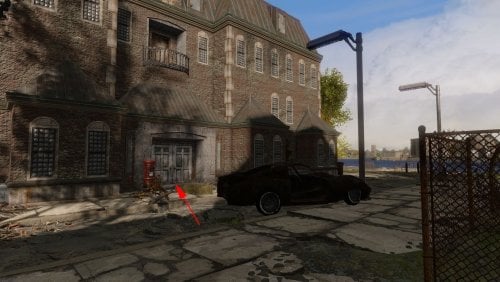
This is a patch for the Triggerwoman mod, which moves the brothel "Secrets of Chestnut Hill" from Commonwealth to London. The brothel workers had to urgently flee to London, fleeing the massacre, due to the fact that one of their prostitutes killed a Diamond City security guard. Now the brothel is located near Lewisham Dock, and is called "Secrets of London Ruins". If you have "Fallout: London" installed, your heroine has the opportunity to earn tickets at the very beginning of the game. And there are grocery stores there. And your heroine can live there, because there is a personal bed for her.
The English and Russian versions of the patch are presented here.
Important note:
This place is a good home for the player, combined with work. There is a bed in the brothel where your heroine can sleep, as well as vendors from whom she can buy food. There are many mods that add a home for the player, but Triggerwoman is the only mod that allows you to work from home without going outside. In order to start working there, you just need to talk to Ruby, whom you will meet as soon as you enter the brothel.
Well, since the "Secrets of London Ruins" are secret, it doesn't have a marker on the map. So you need to look for a brothel here:
The initial dialogue with Ruby corresponds to the location of the brothel. Also in the dialogues, the money that the heroine receives is called what they are called in London - tickets.
Requirements:
Fallout: London - necessarily, hard requirement (this patch was tested in Fallout: London v1.03).
Triggerwoman - necessarily, hard requirement.
Recommendation:
If you want to add a doctor to the brothel, and you want vendors to sell not only food, but also weapons, then I recommend additionally installing my "Triggerwoman Alive or Brothel is Best Home" patch.
Load order:
Triggerwoman.esp (the main file of the Triggerwoman mod)
TriggerwomanFurniturePatch.esp (if you downloaded this patch from here and installed it)
TriggerwomanContraceptivesFromSellersPatch.esp (if you downloaded this patch from here, and you also have the mod Family Planning Enhanced v2.710 and you have installed both of them)
TriggerWomanLondonPatch.esp (the patch from this page)
Thanks:
TeamFOLON for creating Fallout: London
Heinzelman for creating the Triggerwoman
ElminsterAU for creating xEdit and keeping it updated through years
11 downloads
- triggerwoman
- brothel
- (and 2 more)
Updated
-
Transfer Settlements - Zimonja Broadcasting Station
By msmfoster
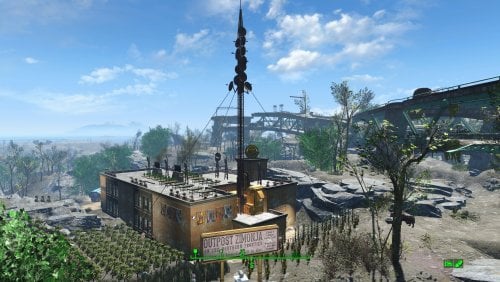
A Transfer Settlements blueprint that completely re-imagines Outpost Zimonja into a pre-war television broadcasting station. Elements of the studio and stages remain to this day. Details on this build: Two storey structure First deck: Workshop, clothing store, medical area, bathrooms, shops and lounge. Second deck: Bunks, control space, sound stages, bathrooms. Roof: Additional space for food production. Antenna is incorporated into the build, but should be rotated to align with the main structure. Antenna area on the second deck contains industrial equipment that appears like an amplifier bank. Powered turret batteries located outside the primary build area to provide additional protection. Note. If you are using Companion Ivy the antenna can be removed as it will be replace with Ivy's radio antenna. Settlement Features 30 bunks. 145+ food. 585+ defence. 200 power. 60 water. Tier 3 Medical, Restaurant, Clothing, and General Store. Dedicated gym area. Vault-Tec drink dispenser and slot machines. Working sinks and showers. Power mostly runs through conduits to minimise visible power lines. Settlers appear able to move freely, with minimal difficulties observed. Cat, and dog included in the build. No visual glitches observed from this build. Requirements Downloadable Content Contraptions Workshop Vault-Tec Workshop Wasteland Workshop Far Harbour Hard Requirements Transfer Settlements. To import this blueprint. Scrap Everything or an equivalent. To clear out the area as per Setup Instructions. Homemaker. Primary build components for most of the settlement, decorations, furniture, and miscellaneous objects. Settlement Objects Expansion Pack. Fusion generators, railings, pools, foundation liners, cooking station, and water pumps. Note. Transfer Settlements will not add items if the mods are missing. Mods listed below are not required but will remove associated elements. Soft Requirements Craftable Working Sinks and Showers Redux. Working sinks and showers. Erotic Art. Frames and pictures used throughout. Working Fridges. Simple mod that adds working fridges, ice machines, and vending machines. Working Washer and Dryer (Immersive Laundry). Player functional laundry machines and dryers with sound effects. Singing Settler. Used for the singing settler and flooring. Nice to Have Armour and Weapon Keywords Community Resource. Additional types of workshops, namely power armour. Videos of the Wasteland. Working televisions and projectors. Gruffydd's Signs and Posters. Billboards and signs. Crazy Sex Animations. Invisible mats that make settlers happy through masturbation, done without using the Advanced Animation Framework, and additionally places assignable gurneys that increase happiness. Sex Toys of the Commonwealth. Adds the random placement of sex toys throughout. Bad Dragon Dildos. Adds more extreme dildos throughout. Companion Ivy. If you happen to have Ivy as a companion, one of her broadcast towers will be added in an out of the way area.
Unrelated But Useful Place Everywhere. Allows you to make minor adjustments if necessary. Armour Rack Female Mannequin Fix. Fixes the armour rack to support alternate bodies like Fusion Girl. Setup Clearing the area is relatively straightforward. Scrap everything except for the antenna itself. Note. If you are using Companion Ivy this settlement is a great candidate for 'ScrapAll'. Build a Transfer Settlements console from Power > Miscellaneous near the rocks behind the antenna. The small patch you can easily walk over facing the overpass. Note. Import should be done with Workshop Mode enabled. Tasks After Import Confirm that all power has been restored as expected. Additionally if you want everything to look clean, do the followowing: Select the antenna. From the console: modangle z ZZ Recommend increments of 5 until for the above until you can dial it in. Adjust the above using Z or -Z until it aligns properly. Optional It is possible to move the workshop so it aligns with the settlement Do the following steps in order: Place a new workshop from Homemaker. Select the new workshop and use the following: getpos z getpos x getpos y getangle z Scrap the new workshop as it is not functional. Select the original workshop and apply the values procured: setpos x XX setpos y YY setpos z ZZ setangle x XX setangle y YY setangle z ZZ Notes on Imports Transfer Settlements recommends leaving the area after import and not return for 1-2 game days. However, I found that saving on site always crashes the game. The easiest way to get away and save is to coc Vault111Ext from the console. Wait a couple of minutes before heading into the vault. Once you arrive at the bottom it is safe to save. I recommend that you import/export Blueprints using Stable defaults. Using other methods has caused ladders, walls, and flooring to appear without collision. In many cases the collision effects are found elsewhere leading to interesting behaviours among the NPC population, and leading to a snap back effect as you push through an area and are forced back by the invisible wall. Note. This blueprint was tested with Transfer Settlements working under Stable. Lastly Import wired power connections should always be selected as part of the import process. It will reliably re-connect all wired connections. This saves you the trouble of linking up floors, turrets, and in some cases re-establish connections for hidden or buried runs. Notes on Power and Performance These blueprints utilize ambient fill lighting to provide a pervasive glow. I use Naked Bulbs to create a lived-in atmosphere for statues, fountains, and roof voids. Warning for Dynamic Lighting Users If you use mods that turn all lights into dynamic, shadow-casting sources, the sheer number of these bulbs will severely cripple your framerate. I strongly recommend using the Transfer Settlements Blueprint Editor to strip out all instances of 306F1 before importing. Optimization for Complex Builds: Because of the heavy use of conduits to reduce visible power lines, these settlements have high object counts. The steps below may improve performance. Enable Faux Power in the Workshop Framework's workbench settings. Use the Transfer Settlements Blueprint Editor to strip all conduits from the .json file. This can reduce build complexity by up to 40% without losing the overall aesthetic of the settlement. Note. I cannot guarantee the above will work. A Special Thanks To Thank you to Caladon for creating the template that makes blueprints installable. Updates Version 1.0.0 Initial release of this build.
21 downloads
Submitted
-
Female Genitals Morph Control with Key
By TobiR999
this Mod requires
FusionGirl-VagAnusMod
FusiongGirl 1.80 or above for the textures
1.10.163 + F4SE 0.6.23 or higher
ZaZ Extended Skeleton
ZeX In-Game Sliders
fallout4 bodyslide to create the body
what does it
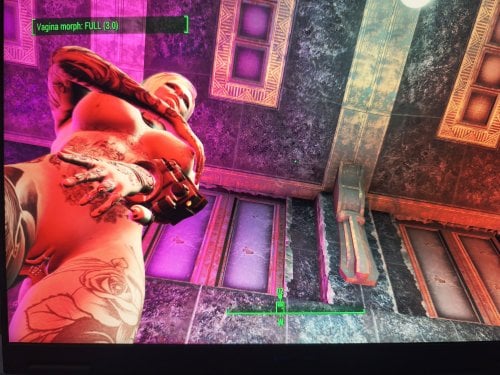
it opens the vagina with Key T and the anus with Key Y and closes them
The F4SE (Fallout 4 Script Extender) hex key codes (DirectX scan codes) for T and Y are 0x54 for T and 0x59 for Y.
so now you can use all sex animation mods no matter if they have
animated vagina or anus, so no more dicks hitting against closed
doors.
I havent tested if it works with CBBE only FusionGirl-VagAnusMod
my thanks go to DeepSeek AI & ChatGPT I never made a scripted mod its my first one
if you use MO2 you have to create a mod folder an put it below ZeX In-Game Sliders because it adds slider for vagina and anus penetrate
For Modders who ever likes to use this mod and to modify it or whatever can do with it, just do it! Its public opensource for everyone to use and intigrate!
it took me 3 days with AI to create it without knowledge 😄
Cant believe I made it, well it was teamwork!
For people who never tried it, just try use AI, I hope that AI gets better for us common people to create more mods and stuff!
471 downloads
Updated
-
Pickman's Whisper
By Oohtre
Pickman’s Whisper
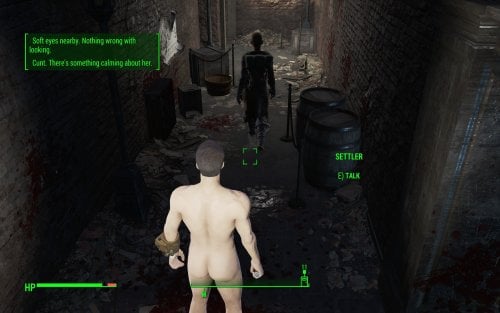
Continue Pickman’s legacy. Pick up the instrument of his art—his gift—and hear the voice of the blade turn the wasteland into your canvas, painted with the blood of anonymous NPCs that, all of a sudden, catch your eye. You know them. You even name them, because you know them like an old friend. Why do they not seem to know their own name? Is it because they are arrogant? Well, you’ll teach them the cost of their hubris. Haughty bitches. Why won’t the voices stop?
Pickman's Whisper is a serial killer simulator. Not for the weak of mind or easily offended. It pairs well with Necromantic.
This mod is under active development.
Restrictions
The mod requires an unmodified Pickman's Blade to function.
Features
Older Versions
336 downloads
Updated
-
Triggerwoman Alive or Brothel is Best Home
By Plite
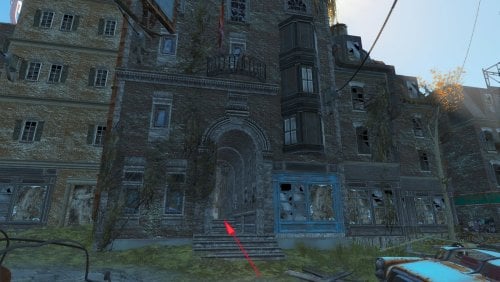
This is a patch for the Triggerwoman mod, which turns the brothel "Secrets of Chestnut Hill" into the most useful place in the Commonwealth, and will also allow you to simultaneously play Triggerwoman and Triggerwoman Reborn.
The patch adds a female doctor named Arianna to the brothel, as well as plenty of food, weapons and ammo for the vendors. In addition, this patch moves the door from the "Old Neighborhood Club" to another location, which should remove the conflict with the Triggerwoman Reborn mod.
The English and Russian versions of the patch are presented here.
If you have the Family Planning Enhanced v2.710 mod installed, you can download an additional patch that will add contraceptives from this mod to brothel sellers. Maybe the contraceptive patch will work for FPE Redux v4.025, but I'm not sure about that. The IDs seem to match, but I have no way to verify this in game.
Important note:
Triggerwoman has not only quests, but also an active brothel "Secrets of Chestnut Hill", where Nora can earn money without any conditions. At the same time, there is always a bed in the brothel where Nora can sleep, as well as vendors from whom she can buy food. That is, this place is a good home for the player, combined with work. There are many mods that add a home for the player, but Triggerwoman is the only mod that allows you to work from home without going outside. In order to start working there, you just need to talk to Ruby, whom you will meet as soon as you enter the brothel.
Well, since the "Secrets of Chestnut Hill" are secret, it doesn't have a marker on the map. So you need to look for a brothel here:
Since Triggerwoman Reborn, created as an improved version of Triggerwoman, has a door in the same place as in Triggerwoman, both of these mods have become incompatible. I was sorry to lose such a useful mod, and I created this patch to remove the conflict between these mods. That's where the door to the "Old Neighborhood Club" from Triggerwoman is now:
I also made the brothel even more useful, especially in survival mode.
What has been changed:
Secrets of Chestnut Hill
Added a female doctor. Her name is Arianna. She is a real doctor with all the features of a vanilla doctor. She can cure the player, and she can even have an abortion if Family Planning Enhanced (any version) is installed. Added products for the saleswoman Carol. Now she has a lot of different food and "energy" drinks on sale. Added products for the saleswoman Kiara. Now she has several types of weapons on sale and a lot of ammo for them. She also sells Stimpacks and other drugs, as well as alcohol and water (clean and dirty). If a additional patch for contraceptives is installed, then each saleswoman will have 500 condoms and 10 contraceptives on sale. Added two showers. Initially, there were only sinks and toilets, there was nowhere to wash. Old Neighborhood Club
Added two beds. If NPCs are not sleeping on them at the moment, then you can get enough sleep with a bonus. Added two showers. Initially, there were only sinks and toilets, there was nowhere to wash. I moved the front door. The entrance to the club is now located on the other side of the house (see screenshots at the top of the page). This should fix the conflict with the Triggerwoman Reborn mod (I haven't checked yet, please let me know if it helped if you've already checked). Beacon Hill Crew
Added one shower. Initially, there were only sink and toilet, there was nowhere to wash.
Note: if you install my patch SWAP Vanilla plumbing fixtures to CWSS, all sinks, toilets and showers will turn into working sinks, toilets and showers that can be used for their intended purpose.
Requirements:
Triggerwoman - necessarily, hard requirement.
Load order:
Triggerwoman.esp (the main file of the Triggerwoman mod)
TriggerwomanFurniturePatch.esp (the patch from this page)
TriggerwomanContraceptivesFromSellersPatch.esp (if you have the Family Planning Enhanced v2.710 mod installed)
Recommendation:
SWAP Vanilla plumbing fixtures to CWSS - replacement of vanilla bathtubs, sinks, and toilets with CWSS work units.
GET DIRTY (take a bath) 2.0 - makes the player get dirty over time. A great reason to take a CWSS shower.
Get Dirty - Debuffs Patch - after installing this patch, it will make real sense to use a shower or a bath. This patch adds debuffs when the body is dirty, and adds buffs when the body is clean.
AAF Dirty Sex 1.1 - dirties the player during sex. It fits the brothel theme very well.
Family Planning Enhanced v2.710 - It will force the player to be more responsible about their work. In a brothel, of course. Although, with the right approach, it can bring additional income in the form of caps.
Triggerwoman Reborn - I think this mod can now be recommended for use with Triggerwoman.
Warning! The "Universal Working Bathroom Fixtures (CWSS) - Base Object Swapper" patch that Heinzelman recommended for the Triggerwoman Reborn mod is incompatible with my "SWAP Vanilla plumbing fixtures to CWSS" patch, which I recommend for installation. If you already have "Universal Working Bathroom Fixtures" installed, then you do not need to install "SWAP Vanilla plumbing fixtures to CWSS". In this patch, you will wash dishes in kitchen sinks, and with my patch, you can drink from kitchen sinks. In addition, all the sinks in my patch provide purified water. But most importantly, do not install both of these patches at the same time! If you want to replace one CWSS patch with another, then you need to follow these steps:
New:
If you need a brothel in London, you now have the opportunity to visit one. In this patch, the brothel has been moved to a house located relatively close to the starting area.
Thanks:
Heinzelman for creating the Triggerwoman mod, which has such a wonderful place as "Secrets of Chestnut Hill"
ElminsterAU for creating xEdit and keeping it updated through years
389 downloads
- triggerwoman
- brothel
- (and 1 more)
Submitted
-
GAPE
By riveth
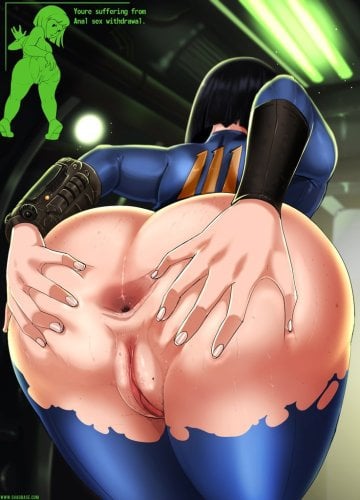
A simple bridge between Sex Attributes and Expanded Holes.
Every time the Wear value increases (typically after a sex scene), this mod applies a gape effect from Expanded Holes. The dilatation amount scales with current Wear — higher Wear means a larger gape and a longer-lasting effect.
Gaping becomes noticeable around Wear 60.
The effect is temporary: dilatation gradually retracts over time and the body returns to normal. The next time Wear increases, the gape is applied again.
Warning: If you use Fusion Girl, you need to download and install PotC FGMP v1.20a FOMOD, then run BodySlide and build the nude body morph+. Otherwise, the gape effect will not be visible.
The mod contains only a modified SA script and does not take up the ESP slot.
Hard requirements:
Sex Attributes
Expanded Holes
for FG users:
PotC FGMP v1.20a
I recommend first installing the exaple dcc patch, which is found in the expand holes files. This simple mod will apply anal dilation after inserting and removing the anal plug from the PotC mode.
1754 downloads
- gape
- expand holes
- (and 4 more)
Updated
-
Necromantic
By Oohtre
Necromantic
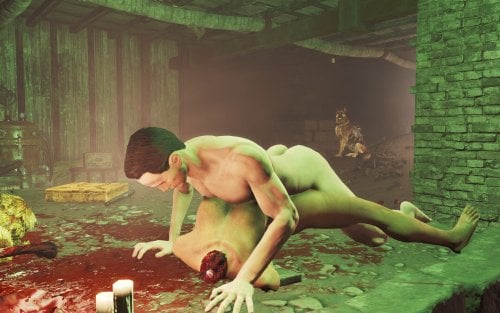
A necrophilia mod for Fallout 4 (AAF). Align yourself to a dead female NPC and run a one-player scene — only you are animated. The corpse is never reanimated, never added to AAF, and gore remains.
Overview
Necromantic lets you run a 1-actor AAF scene while aligned to a corpse. The body is treated as a prop for placement and aftermath only — the animation is the player’s only, wrapped as custom 1P AAF positions.
Features
Hotkey N — start / cancel a scene (MCM-configurable) Aim at a dead woman nearby, or stand facing her in range Hotkey position picker — curated 1P male-idle wrappers of BP70 ground anims (Missionary is the default and most tested). Doggy, Prone Bone, Romantic Missionary, Pit Doggy, Spooning, Lotus, Cowgirl, and similar options use the same start path and should also work; alignment may need a nudge per pose Can be extended to use other animations that aren't BP70 Optional cum aftermath via AAF overlay sets when CumOverlays is present Corpse Craving — after two finished scenes, a craving meter unlocks (time + seeing dead women nearby; stronger if undressed). High craving applies AGI −1 / CHA −1 until you finish another Necromantic scene Witness insult lines (editable text file) Full MCM: scene, alignment, craving, witnesses, debug
Requirements
Fallout 4 + F4SE Advanced Animation Framework (AAF.esm) At least one AAF sex animation pack — the game needs real idle animations to play. Shipped defaults use BP70; any other pack works but needs a short setup (docs/ADD_ANIMATION_PACK) Garden of Eden Papyrus Script Extender (targeting / nearest-dead scan) Body stack (for AAF) — pick one: Fusion Girl + BodyTalk (what BP70 targets), or CBBE (+ Animated Fannies if you use that path). Necromantic does not depend on these plugins directly, but scenes will look wrong or break without a supported body.
Highly Recommended
Graf's Fusion Girl Reduced CumOverlays — for Belly (etc.) aftermath overlays Collect Bodies — haul corpses into interiors A multi-follower / companion framework if you prefer “alive → private interior → aftermath” play BP70 sex animations 2.8 (rxl_bp70_animations.esp + its AAF data / meshes); If nothing else it is currently supported out of the box. Pickman's Whisper My other mod
Known limits
How to add new animation packs
Prior releases
Quick start
Load a save — you should see a ready toast (hotkey N) Get a dead woman into an interior Optionally change position using U or P. Aim at her and press N Press N again to cancel Open MCM → Necromantic for positions, craving sliders, and debug checks.
Permissions
Ask before redistributing or porting. Do not upload this mod’s files to other sites without permission.
Built on AAF and BP70 — their licenses / permissions still apply to those assets.
Feedback, bug reports, and load-order notes welcome in the thread.
1844 downloads
- necrophilia
- fallout4
- (and 3 more)
Updated
-
Beta AAF Family Planning Enhanced with Voiced Dialogue (Adds sound files and some new dialogue to EgoBallistic's mod)
By GrimGrim31
This mod revises and adds sound files to EgoBallistic's original mod AAF Family Planning Enhanced Version d2021.12.14. There are no changes to the way the mod is installed or the way it functions so use EgoBallistic's mod page for instructions on how to install and use Family Planning.
Disable his original mod if you use this version.
This mod does not work with InvictusBlades' version of Family Planning Enhanced. Because this mod changes the scene dialogue in the Family Planning .esp file, you cannot simply copy this mod's sound files over to InvictusBlade's mod.
This mod adds voiced dialogue for all doctors, including settler doctors, in the base game. It does not cover DLC doctors (Teddy Wright in Far Harbor and Mackenzie Bridgeman in Nuka World) yet.
This mod adds voiced dialogue for fathers in the base game including super mutants, even Strong. It does not cover raiders, scavengers, gunners, triggermen, ghouls, or the BoS yet.
This mod is a beta. It works great for me, but I'm sure we will discover bugs when other people use it. I created it because I wanted to hear my dialogue with the doctors.
Voiced dialogue created using Elevenlabs.
689 downloads
Updated
-
Modern Vintage Porn for VotW
By KineKin
Context
When i looked for some nice porn to add to my Fallout via Videos of the Wasteland, i noticed that every mod i could find would either be a original vintage porn film, or some unashamed new, colorful thing. I don't like the old stuff and want the new stuff to feel a bit more grounded for my game. So i set out and made my own little thing.
What is this?
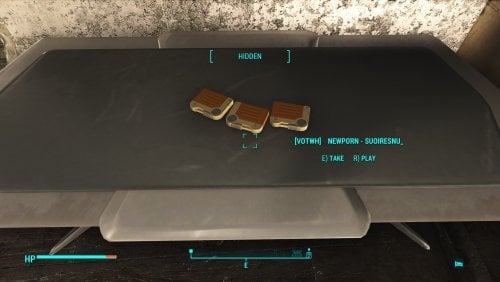
This mod adds 3 new Videos to the Videos of the wasteland holotape workbench. All are Fallout themed, and edited in a way to seem old timey by me.
The name of the holotapes include the name of the Artists, if you want to look up more
Compatibility
Compatible with everything
Bugs
Currently there are a bunch of empty Holotapes in the workbench called zautoniden that autovideo put there. You can ignore these.
Future Plans
I am planning to build upon this by adding more videos, and removing the zautoniden ones. But i don't know when i will find the time, so i wanna put the first three out there now.
If anyone know their way around Videos of the Wasteland Video creation (or autovideo), hit me up. I have questions.
And if you have cool videos that fit in this collection, link them, and i might add them.
Please tell me!
Please tell me if you like the mod. It would really mean a lot.
And if there are things I could improve you can also let me know, and maybe i can improve that.
Acknowledgments
Thank you RazorWire, Dertspovor06 and AGreatWeight for Videos of the wasteland
Thank you to TheDestroyerOfWorlds for AutoVideo.
Included videos:
The Shoop - Piper Wright Fucked After an Interview
Suoiresnu - Vault Girl
AlenAbyss - Vault Girl Standing Sex Creampied
996 downloads
Submitted
-
Human Resources x Crime & Punishment - Integration Bridge
By Parley1984
Human Resources x Crime & Punishment - Integration Bridge
(Soft-Dependency Patch)
About this Patch
Have you ever wanted to seamlessly combine the intense surrender mechanics of Flashy(JoeR)'s Crime and Punishment (CAP) with the capture and enslavement system of Human Resources (HR)? This patch builds a direct, script-based bridge between both mods.
With this integration, NPCs who have surrendered via CAP's combat mechanics can now be directly captured using your HR equipment (e.g., the enslavement baton).
How it Works (The In-Game Experience)
Normally, both mods run their own independent systems for subduing enemies. This patch alters the hit-detection logic of the HR enslavement weapon.
When you strike an NPC, the script now actively checks if they are currently in a "surrendered" state triggered by CAP. If so, the NPC is smoothly processed by the Human Resources framework, just as if you had captured them through standard HR methods.
Technical Details & "Soft Dependency" Magic
One of the biggest issues with compatibility patches is the dreaded "Missing Master" CTD (Crash to Desktop) if you decide to uninstall one of the mods. This patch is built differently.
Instead of forcing a hard plugin dependency in xEdit, this patch utilizes a 100% safe, script-level "Soft Dependency" using Papyrus (Game.GetFormFromFile).
Dynamic Detection: The script dynamically searches for Flashy_CrimeAndPunishment.esp and its specific surrender keywords. No Crashes: If CAP is installed, the bridge is active. If you uninstall CAP, the Papyrus script simply returns None, bypasses the CAP checks, and your HR weapons revert to their normal vanilla behavior. No crashes, no broken save games! Initialization Check: Upon loading your game, a custom alias script will check your load order and notify you: "HR-CAP Patch: Crimes & Punishment successfully detected. Patch activated!" (Or it will warn you if CAP is missing).
Requirements
Human Resources (HR) - Hard Requirement (The patch modifies HR scripts/weapons). Crime and Punishment (CAP) - Soft Requirement (Highly recommended for the patch to actually do something, but your game won't crash if it's missing).
Installation / Uninstallation
Install via Mod Organizer 2 (MO2) or Vortex. Place the patch below both Human Resources and Crime and Punishment in your load order. Safe to install or uninstall mid-playthrough! If you remove the patch, your HR weapons will simply revert to their default, unpatched state.559 downloads
Updated
-
Transfer Settlements - Longfellow Estates at Archers Point
By msmfoster
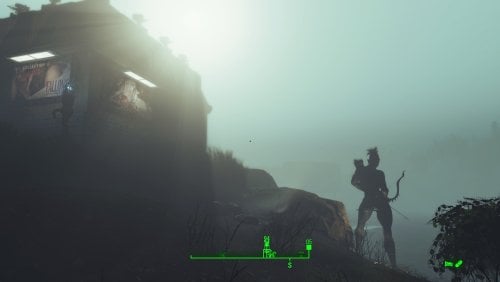
Transforms Longfellow's rugged island into a premier seaside locale. Featuring the iconic Lynn Woods Tower as a historic lighthouse and a fully refurbished boardwalk, this build offers a stark, brightly-lit contrast to the gloom of the Fog. The build is dotted with nude elven archer statues, hence Archers Point.
Details on this build: Added the Lynn Woods Tower as a historic lighthouse on the rocks. Lit and visible from afar, even in fog. Replaced the boardwalk with a functional version which now leads straight to the beach. Added gift shop housing general/clothing store and gym. Added dedicated medical facility with surgical bays. Replaced the Longfellow's Cabin with a combination bar and workshops. Longfellow can now enjoy a cold one any time to the day. Added bunkhouses throughout. The two by perimeter serve as weapon platforms for fog threats. Wrought iron fence beach-to-beach. Bubble turrets on concrete posts defend openings/outer areas. Large pump house with windows located along the shore. Windows and lights make it clearly visible to those huddling for warmth at Far Harbour. Added beach side decor: Lifeguard shack, seaside bar, parasols, and deck chairs. Placed several large Skyrim statues of nude elf archers throughout. Radiators/power lines run underground in key areas for remote lighting without view obstruction. Every building has independent power. Settlement Features 32 bunks. 150+ food. 1150+ defences. 420 power. 60 water. Tier 3 Medical, Restaurant, Clothing, and General Store. Dedicated gym area. Vault-Tec drink dispenser and slot machines. Working sinks and showers. Power mostly runs through conduits to minimise visible power lines. Cat and dog included in the build. No visual glitches observed from this build. Requirements Downloadable Content Far Harbour Contraptions Workshop Vault-Tec Workshop Wasteland Workshop Enclave Remnants Hard Requirements Transfer Settlements. To import this blueprint. Scrap Everything or an equivalent. To clear out the area as per Setup Instructions. Homemaker. Primary build components for most of the settlement, decorations, furniture, and miscellaneous objects. Settlement Objects Expansion Pack. Fusion generators, railings, pools, foundation liners, cooking station, and water pumps. Beach Workshop. Core elements related to making this a viable beach side resort. Note. Transfer Settlements will not add items if the mods are missing. Mods listed below are not required but will remove associated elements. Soft Requirements Craftable Working Sinks and Showers Redux. Working sinks and showers. Erotic Art. Frames and pictures used throughout. Advanced Bubble Turret Set (Realistic No Power version). Additional defensive capability around the fence line. Working Fridges. Simple mod that adds working fridges, ice machines, and vending machines. Working Washer and Dryer (Immersive Laundry). Player functional laundry machines and dryers with sound effects. Nice to Have Armour and Weapon Keywords Community Resource. Additional types of workshops, namely power armour. Videos of the Wasteland. Working televisions and projectors. Invisible Furniture. Adds invisible markers that are used as idles for settlers and pets. TRX Trixter Statues Collection. Skyrim styled statues for aesthetics. Gruffydd's Signs and Posters. Billboards and signs. Crazy Sex Animations. Invisible mats that make settlers happy through masturbation, done without using the Advanced Animation Framework, and additionally places assignable gurneys that increase happiness. Sex Toys of the Commonwealth. Adds the random placement of sex toys throughout. Bad Dragon Dildos. Adds more extreme dildos throughout. Unrelated But Useful Place Everywhere. Allows you to make minor adjustments if necessary. Armour Rack Female Mannequin Fix. Fixes the armour rack to support alternate bodies like Fusion Girl. Setup Clearing the area can be done quickly. Still, save often just in case you scrap a cliff or dirt terrain that may lead to visual glitches. Be sure to maintain cliffs and dirt mounds to avoid visual glitches. Clear trees from the line drawn by the tree trunk that has fallen over the path leading into the settlement all the way back to the end of the point. Note. Visual glitches have been noted when scrapping terrain near the path leading to Longfellow's cabin. Build a Transfer Settlements console from Power > Miscellaneous on the rocks in front of Longfellow's Cabin. Note. Import should be done with Workshop Mode enabled. Tasks After Import No additional requirements other than to confirm that all power has been restored as expected. Want to have permanent bikini-clad settlers hanging around the beach? Do the following: Position yourself at a prime location by the beach. E.g., fire pit. From the console type: Player.PlaceAtMe 20593 5 This will spawn five settlers. Want to change a NPC? From the console select the NPC and type: recycleactor Using something like Crazy's Muli-tool, strip the NPC, and open their inventory to add in appropriate clothing. Additionally you can do it from the console. Repeat the above for more settlers using the idles. Notes on Imports Transfer Settlements recommends leaving the area after import and to not return for 1-2 game days. However, I found that saving on site always crashes the game. The easiest way to get away and save is to coc Vault111Ext from the console. Wait a couple of minutes before heading into the vault. Once you arrive at the bottom it is safe to save. I recommend that you import/export Blueprints using Stable defaults. Using other methods has caused ladders, walls, and flooring to appear without collision. In many cases the collision effects are found elsewhere leading to interesting behaviours among the NPC population, and leading to a snap back effect as you push through an area and are forced back by the invisible wall. Note. This blueprint was tested with Transfer Settlements working under Stable. Lastly Import wired power connections should always be selected as part of the import process. It will reliably re-connect all wired connections. This saves you the trouble of linking up floors, turrets, and in some cases re-establish connections for hidden or buried runs. Notes on Power and Performance These blueprints utilize ambient fill lighting to provide a pervasive glow. I use Naked Bulbs to create a lived-in atmosphere for statues, fountains, and roof voids. Warning for Dynamic Lighting Users If you use mods that turn all lights into dynamic, shadow-casting sources, the sheer number of these bulbs will severely cripple your framerate. I strongly recommend using the Transfer Settlements Blueprint Editor to strip out all instances of 306F1 before importing. Optimization for Complex Builds: Because of the heavy use of conduits to reduce visible power lines, these settlements have high object counts. To steps below may improve performance. Enable Faux Power in the Workshop Framework's workbench settings. Use the Transfer Settlements Blueprint Editor to strip all conduits from the .json file. This can reduce build complexity by up to 40% without losing the overall aesthetic of the settlement. Note. I cannot guarantee the above will work. A Special Thanks To Thank you to Caladon for creating the template that makes blueprints installable. Thank you to PiCSeL for the magazine and painting retextures seen in the screenshots. Updates Version 1.0.0 Initial release of this build.86 downloads
Submitted
-
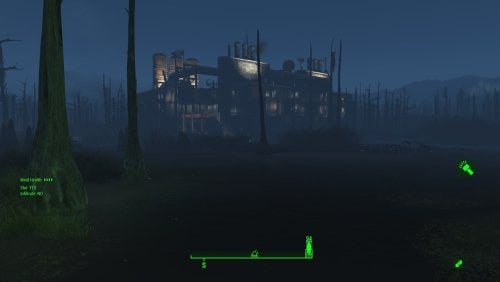
Transfer Settlements - Murkwater Oil - Pipeline Monitoring Station
By msmfoster
Murkwater Oil - Pipeline Monitoring Station
Murkwater Construction has been re-imagined into an oil pipeline monitoring facility. Given that most of it is swampland, the facility was built on stilts to maintain operations through the apocalypse.
Details on this build:
Created a multi-level coherent structure that incorporates BOS and pre-war industrial pieces to create the illusion of this being a viable facility the settlers found and adapted for use. First deck: Large tailing pond used to grow nearly 60 food in tarberries, additional planters for varied food, dedicated shops and medical facilities. Second deck: Catwalks over the industrial site, bathroom, gym, and bunk room. Third deck: Workshops, monitoring station, power generation. Piping, silos and industrial equipment, and Istacks added to fit in with the theme of Murkwater Oil.
Note. Warehouse glass pieces have a reflection component that may tank your framerate within the industrial area. See Unrelated But Useful for more information on mods that may help.
Settlement Features
32 bunks. 130+ food. 675+ defense. 280 power. 120 water. Tier 3 Medical, Restaurant, Clothing, and General Store. Dedicated gym area. Vault-Tec drink dispenser and slot machines. Working sinks and showers. Power mostly runs through conduits to minimise visible power lines. Cat and dog included in the build. No visual glitches observed from this build.
Note. Tailing pond may not animate as expected. I've seen some cases where the settlers to to ground level to reach the tarberries instead of floor level. An option to avoid this at import is to filter out the Tarberries (001D1A, 001D1C) and Lake Water (000D9C, 03DE49) from the blueprint and place Homemaker planter tables and food.
Requirements
Downloadable Content
Contraptions Workshop Vault-Tec Workshop Wasteland Workshop Far Harbour Automatron
Hard Requirements
Transfer Settlements. To import this blueprint. Scrap Everything or an equivalent. To clear out the area as per Setup Instructions. Settlement Objects Expansion Pack. Primary build components for most of the settlement. Fusion generators, railings, pools, foundation liners, cooking station, and water pumps. Homemaker. Mostly used for decorations, furniture, and miscellaneous objects. Advanced Bubble Turret Set (Realistic No Power version). Sole defensive capability for the settlement itself.
Note. Transfer Settlements will not add items if the mods are missing. Mods listed below are not required but will remove associated elements.
Soft Requirements
Craftable Working Sinks and Showers Redux. Working sinks and showers. Erotic Art. Frames and pictures used throughout. Working Fridges. Simple mod that adds working fridges, ice machines, and vending machines. Working Washer and Dryer (Immersive Laundry). Player functional laundry machines and dryers with sound effects. Singing Settler. Used for some of the flooring.
Nice to Have
Armour and Weapon Keywords Community Resource. Additional types of workshops, namely power armour. Videos of the Wasteland. Working televisions and projectors. Invisible Furniture. Adds invisible markers that are used as idles for settlers and pets. Gruffydd's Signs and Posters. Billboards and signs. Crazy Sex Animations. Invisible mats that make settlers happy through masturbation, done without using the Advanced Animation Framework, and additionally places assignable gurneys that increase happiness. Sex Toys of the Commonwealth. Adds the random placement of sex toys throughout. Bad Dragon Dildos. Adds more extreme dildos throughout. Companion Ivy. If you happen to have Ivy as a companion, one of her broadcast towers will be added in an out of the way area.
Unrelated But Useful
Place Everywhere. Allows you to make minor adjustments if necessary. Armour Rack Female Mannequin Fix. Fixes the armour rack to support alternate bodies like Fusion Girl. Glass Roofs Stop Rain and Snow - Various Mods Patches. Stops rain and snow from going through glass roofs. Glowing Glass Fix. Changes the glass textures to reduce glare and reflection.
Setup
Clearing the area is straightforward, remove everything. In fact, this is one of the few settlements where ScrapAll works.
Some of the foliage cannot be easily scrapped. To remove it using the console:
Select the offending brush, tree, or bumper of a wrecked truck . Disable MarkForDelete
Note. Disable first in case you selected the wrong object. If that happens Enable will recover the object.
Build a Transfer Settlements console from Power > Miscellaneous in front of the settlement workbench.
Note. Import should be done with Workshop Mode enabled.
Tasks After Import
No additional requirements other than confirming that all power has been restored as expected.
Notes on Imports
Transfer Settlements recommends leaving the area after import and to not return for 1-2 game days. However, I found that saving on site always crashes the game. The easiest way to get away and save is to coc Vault111Ext from the console. Wait a couple of minutes before heading into the vault. Once you arrive at the bottom it is safe to save.
I recommend you import/export Blueprints using Stable defaults. Using other methods has caused ladders, walls, and flooring to appear without collision. In many cases the collision effects are found elsewhere leading to interesting behaviours among the NPC population, and leading to a snap back effect as you push through an area and are forced back by the invisible wall.
Note. This blueprint was tested with Transfer Settlements working under Stable.
Lastly Import wired power connections should always be selected as part of the import process. It will reliably re-connect all wired connections. This saves you the trouble of linking up floors, turrets, and in some cases re-establish connections for hidden or buried runs.
Notes on Power and Performance
These blueprints utilize ambient fill lighting to provide a pervasive glow. I use Naked Bulbs to create a lived-in atmosphere for statues, fountains, and roof voids.
Warning for Dynamic Lighting Users
If you use mods that turn all lights into dynamic, shadow-casting sources, the sheer number of these bulbs will severely cripple your framerate. I strongly recommend using the Transfer Settlements Blueprint Editor to strip out all instances of 306F1 before importing.
Optimization for Complex Builds:
Because of the heavy use of conduits to reduce visible power lines, these settlements have high object counts. To steps below may improve performance.
Enable Faux Power in the Workshop Framework's workbench settings. Use the Transfer Settlements Blueprint Editor to strip all conduits from the .json file.
This can reduce build complexity by up to 40% without losing the overall aesthetic of the settlement.
Note. I cannot guarantee the above will work.
A Special Thanks To
Thank you to Caladon for creating the template that makes blueprints installable.
Thank you to PiCSeL for the magazine and painting retextures seen in the screenshots.
Updates
Version 1.0.0
Initial release of this build.
92 downloads
Submitted
-
Cookie Workshop
By Cookie DLC
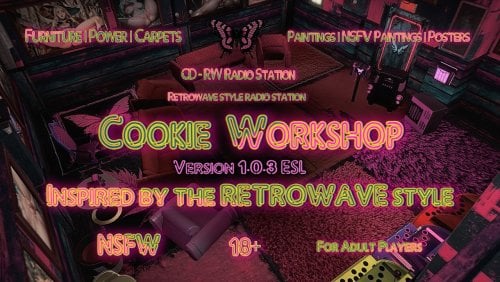
👋 | WELCOME ⋆.ೃ࿔🌸*:・ I present to you my first work (I'm referring to the separate workshop menu with new items).
❯❯❯❯ This mod includes some furniture (tables, chairs, sofas, armchairs, nightstands, etc.)
❯❯❯❯ Rugs (Various designs, in red and pink tones, 12 in total)
❯❯❯❯ Posters (Various sizes, with worn-out details)
❯❯❯❯ Paintings (Available in standard and adult versions, in various frames)
❯❯❯❯ Power Supply (100 kW generator and several connectors)
❯❯❯❯ The "Miscellaneous" menu contains radio receivers and amplifiers tuned to the 99.90 frequency. They play the CD-RW radio station built into this mod. To activate the radio station, you need to obtain the magazine, which is located on the workbench in the Red Rocket.
🌌 Installation: Unzip and place all contents in the Data folder, or use your favorite mod manager. The file is converted to ESL. Activate the mod and play.
You can craft a potion in the Chemistry Lab to safely remove the mod. Keep this in mind to avoid damaging your save.
☄ I'm a fan of Retrowave, Synthwave, and Retro Cyberpunk styles. I was inspired by this theme after creating the mod for the Player House. By the way, check that mod out ⤵︎
Helga HQ - Player Home (modeer Cookie - Delicious)
🏞 I finally decided to make some interior items. I might not have done too much, but I hope to continue adding new items to further expand the selection, so to speak.
(‘•.•’)? I hope you enjoy this mod. If you have any questions, please leave them in the comments; I'll try to accommodate all your suggestions or concerns.
✌︎㋡ If you liked my work, don't forget to give it a like!
♡ྀི ₊ And if you'd like to support me financially, you can do so here:
Support ( ๑ ˃̵ᴗ˂̵)و ♡
┆ ⤿ 💌 ⌗ My Discord channel. Join us, let's chat!
Thank you for your attention, ✧ *BYEEE*✧ 👋😊
925 downloads
Updated
-
Transfer Settlements - Greenleaf Pharms (Greentop Nursery)
By msmfoster
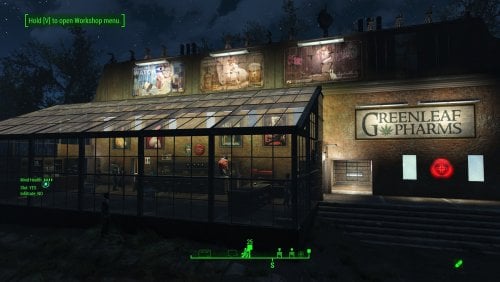
Greentop Nursery has been re-imagined into a Greenleaf growing operation, dispensary, and associated headquarters. This build works around the visual glitches caused by the scrapped home by working around it entirely. The area plagued with visual glitches is now a warehouse that sees little to no traffic.
Details on this build:
Removed the home to create a cohesive brick and warehouse glass structure. First deck: Dispensary area featuring all shops, large warehouse, laundromat, and medical clinic. Second deck: Washrooms, kitchenette, bunks, and gym. Third deck: Washrooms, bunks, and employee break area. Greenhouse has been repaired, extended, with a visible warehouse floor. Warehouse annex to the greenhouse, that functions as a workshop, and two levels of turrets on the roof. Warehouse electric doors have been added for the greenhouse and annex. Underground radiators are used to hide much of the cabling.
Note. Warehouse glass pieces have a reflection component that may tank framerate when you are in the dispensary. See Unrelated But Useful for more information on mods that may help.
Settlement Features
32 bunks. 150+ food. 680+ defense. 240 power. 60 water. Tier 3 Medical, Restaurant, Clothing, and General Store. Dedicated gym area. Vault-Tec drink dispenser and slot machines. Working sinks and showers. Power mostly runs through conduits to minimise visible power lines. Power switch on the third deck will turn on and off the settlement beacon to save players from having to tcl onto the roof. Cat, dog, and child included in the build.
Requirements
Downloadable Content
Contraptions Workshop Vault-Tec Workshop Wasteland Workshop Far Harbour
Hard Requirements
Transfer Settlements. To import this blueprint. Scrap Everything or an equivalent. To clear out the area as per Setup Instructions. Homemaker. Primary build components for most of the settlement, decorations, furniture, and miscellaneous objects. Settlement Objects Expansion Pack. Fusion generators, railings, pools, foundation liners, cooking station, and water pumps.
Note. Transfer Settlements will not add items if the mods are missing. Mods listed below are not required but will remove associated elements.
Soft Requirements
Craftable Working Sinks and Showers Redux. Working sinks and showers. Erotic Art. Frames and pictures used throughout. Working Fridges. Simple mod that adds working fridges, ice machines, and vending machines. Working Washer and Dryer (Immersive Laundry). Player functional laundry machines and dryers with sound effects. Singing Settler. Used for some of the flooring.
Nice to Have
Armour and Weapon Keywords Community Resource. Additional types of workshops, namely power armour. Videos of the Wasteland. Working televisions and projectors. Invisible Furniture. Adds invisible markers that are used as idles for settlers and pets. Gruffydd's Signs and Posters. Billboards and signs. Crazy Sex Animations. Invisible mats that make settlers happy through masturbation, done without using the Advanced Animation Framework, and additionally places assignable gurneys that increase happiness. Sex Toys of the Commonwealth. Adds the random placement of sex toys throughout. Bad Dragon Dildos. Adds more extreme dildos throughout. Family Planning Enhanced or Family Planning Enhanced Redux. Will import an assignable child into the settlement.
Unrelated But Useful
Place Everywhere. Allows you to make minor adjustments if necessary. Armour Rack Female Mannequin Fix. Fixes the armour rack to support alternate bodies like Fusion Girl. Glass Roofs Stop Rain and Snow - Various Mods Patches. Stops rain and snow from going through glass roofs. Glowing Glass Fix. Changes the glass textures to reduce glare and reflection.
Setup
Clearing the area is relatively straightforward. Remove the greenhouse, home and associated shack.
Maintain the following:
The internal components of the greenhouse. Existing support pylons and spray lines. Maintain just enough of the mutfruit plants to keep the settlers assigned.
Some of the foliage cannot be easily scrapped.
Select the offending brush, tree, or bumper of a wrecked truck. Disable MarkForDelete
Note. Disable first in case you selected the wrong object. If that happens Enable will recover the object.
Build a Transfer Settlements console from Power > Miscellaneous down the hill near where the fire pit was, where caravans come in.
Note. Import should be done with Workshop Mode enabled.
Tasks After Import
No additional requirements other than to confirm that all power has been restored as expected.
Note. The electric garage door for the warehouse is not wired in. It is purely decorative because an operational door would make the visual glitches worse.
Optional
The workshop ends up being lower than the floor level of the motel. This can be corrected with two quick commands:
Select the lantern besides the workshop and type getpos z to get the elevation. Select the workshop itself and type setpos z <value> using the above elevation.
Notes on Imports
Transfer Settlements recommends leaving the area after import and to not return for 1-2 game days. However, I found that saving on site always crashes the game.
The easiest way to get away and save is to coc Vault111Ext from the console. Wait a couple of minutes before heading into the vault. Once you arrive at the bottom it is safe to save.
I recommend you import/export Blueprints using Stable defaults. Using other methods has caused ladders, walls, and flooring to appear without collision. In many cases the collision effects are found elsewhere leading to interesting behaviours among the NPC population, and leading to a snap back effect as you push through an area and are forced back by the invisible wall.
Note. This blueprint was tested with Transfer Settlements working under Stable.
Lastly Import wired power connections should always be selected as part of the import process. It will reliably re-connect all wired connections. This saves you the trouble of linking up floors, turrets, and in some cases re-establish connections for hidden or buried runs.
Notes on Power and Performance
These blueprints utilize ambient fill lighting to provide a pervasive glow. I use Naked Bulbs to create a lived-in atmosphere for statues, fountains, and roof voids.
Warning for Dynamic Lighting Users
If you use mods that turn all lights into dynamic, shadow-casting sources, the sheer number of these bulbs will severely cripple your framerate. I strongly recommend using the Transfer Settlements Blueprint Editor to strip out all instances of 306F1 before importing.
Optimization for Complex Builds:
Because of the heavy use of conduits to reduce visible power lines, these settlements have high object counts. To steps below may improve performance.
Enable Faux Power in the Workshop Framework's workbench settings. Use the Transfer Settlements Blueprint Editor to strip all conduits from the .json file.
This can reduce build complexity by up to 40% without losing the overall aesthetic of the settlement.
Note. I cannot guarantee the above will work.
A Special Thanks To
Thank you to Caladon for creating the template that makes blueprints installable.
Thank you to PiCSeL for the magazine and painting retextures seen in the screenshots.
Updates
Version 1.0.0
Initial release of this build.
135 downloads
Submitted
-
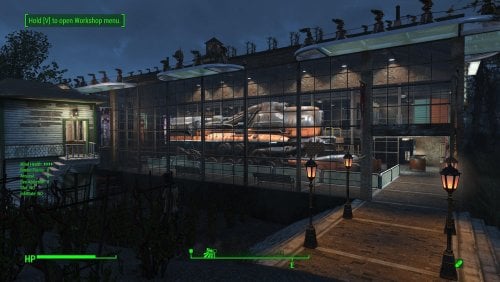
Transfer Settlements - Oberland Station Interpretative Museum
By msmfoster
A Transfer Settlements blueprint that completely re-imagines Oberland Station into a pre-war train interpretative centre. The most notable feature is a multi-level museum with a train engine acting as the centrepiece. This build is a fusion of Homemaker brick walls with vanilla warehouse glass pieces. Details on this build: Three storey structure with a working mechanical level. First deck: Train exhibit, shops, and medical facilities. Second deck: Gym, bunks and washroom facilities. Third deck: Kitchen, bunks, and washroom facilities. Mechanical room: Working laundry, power, water, and workbenches. Repaired the roof for the switching station, while converting it into a barbershop and spa. Added a large water tower to fit in with the overall decor. Hidden radiators and wires are used to power some of the lights. Settlement Features 30 bunks. 175+ food. 630+ defence. 200 power. 90 water. Tier 3 Medical, Restaurant, Clothing, and General Store. Dedicated gym area. Vault-Tec drink dispenser and slot machines. Working sinks and showers. Power mostly runs through conduits to minimise visible power lines. Settlers appear able to move freely, with minimal difficulties observed. Cat, dog, and child included in the build. No visual glitches observed from this build. Note. Warehouse glass pieces add a reflection component that can tank your framerate when you are on the second deck. See Unrelated But Useful for more information on mods that may help. Requirements Downloadable Content Contraptions Workshop Vault-Tec Workshop Wasteland Workshop Far Harbour Creation Club: Arcade Cabinets (Optional) Creation Club: Bunker Homes Pack (Optional) Hard Requirements Transfer Settlements. To import this blueprint. Scrap Everything or an equivalent. To clear out the area as per Setup Instructions. Homemaker. Primary build components for most of the settlement, decorations, furniture, and miscellaneous objects. Settlement Objects Expansion Pack. Fusion generators, railings, pools, foundation liners, cooking station, and water pumps. Note. Transfer Settlements will not add items if the mods are missing. Mods listed below are not required but will remove associated elements. Soft Requirements Craftable Working Sinks and Showers Redux. Working sinks and showers. Erotic Art. Frames and pictures used throughout. Working Fridges. Simple mod that adds working fridges, ice machines, and vending machines. Working Washer and Dryer (Immersive Laundry). Player functional laundry machines and dryers with sound effects. Singing Settler. Used for the singing settler and flooring. Nice to Have Armour and Weapon Keywords Community Resource. Additional types of workshops, namely power armour. Videos of the Wasteland. Working televisions and projectors. Invisible Furniture. Adds invisible markers that are used as idles for settlers and pets. Gruffydd's Signs and Posters. Billboards and signs. Crazy Sex Animations. Invisible mats that make settlers happy through masturbation, done without using the Advanced Animation Framework, and additionally places assignable gurneys that increase happiness. Sex Toys of the Commonwealth. Adds the random placement of sex toys throughout. Bad Dragon Dildos. Adds more extreme dildos throughout. Companion Ivy. If you happen to have Ivy as a companion, one of her broadcast towers will be added in an out of the way area.
Unrelated But Useful Place Everywhere. Allows you to make minor adjustments if necessary. Armour Rack Female Mannequin Fix. Fixes the armour rack to support alternate bodies like Fusion Girl. Glass Roofs Stop Rain and Snow - Various Mods Patches. Stops rain and snow from going through glass roofs. Glowing Glass Fix. Changes the glass textures to reduce glare and reflection. Setup Clearing the area is relatively straightforward. Remove flora, food, garbage, rubble. Leave the following intact: The existing food production. The switching station, but clear out the inside. The train tracks. Scrapping within the switching station an be risky. To reduce the risk, you can do the following: Select the switching station to get the Reference ID (REFID). REFID.Disable Scrap without risk. REFID.Enable Build a Transfer Settlements console from Power > Miscellaneous on the tracks near the edge of the build area nearest to the switching station. Note. Import should be done with Workshop Mode enabled. Tasks After Import No additional requirements other than to confirm that all power has been restored as expected. Optional There is a brand new settlement workshop near the existing one. This serves as a reference to move the existing workshop in it's place. This is purely for aesthetics, but it does make the settlement look better. Do the following steps in order: Select the new workshop and use the following: getpos z getpos x getpos y getangle z These are the values I extracted: setpos x -45666.39 setpos y -4482.37 setpos z 1583.14 setangle x 0 setangle y 0 setangle z 0 Scrap the new workshop as it is not functional. Select the original workshop and apply the values procured: setpos x -46104 setpos y -4368.05 setpos z 1569.18 setangle x 0 setangle y 0 setangle z 184.34 Note. While the above can be a copy and paste, confirm the values and save prior to making the changes. Notes on Imports Transfer Settlements recommends leaving the area after import and not return for 1-2 game days. However, I found that saving on site always crashes the game. The easiest way to get away and save is to coc Vault111Ext from the console. Wait a couple of minutes before heading into the vault. Once you arrive at the bottom it is safe to save. I recommend that you import/export Blueprints using Stable defaults. Using other methods has caused ladders, walls, and flooring to appear without collision. In many cases the collision effects are found elsewhere leading to interesting behaviours among the NPC population, and leading to a snap back effect as you push through an area and are forced back by the invisible wall. Note. This blueprint was tested with Transfer Settlements working under Stable. Lastly Import wired power connections should always be selected as part of the import process. It will reliably re-connect all wired connections. This saves you the trouble of linking up floors, turrets, and in some cases re-establish connections for hidden or buried runs. Notes on Power and Performance These blueprints utilize ambient fill lighting to provide a pervasive glow. I use Naked Bulbs to create a lived-in atmosphere for statues, fountains, and roof voids. Warning for Dynamic Lighting Users If you use mods that turn all lights into dynamic, shadow-casting sources, the sheer number of these bulbs will severely cripple your framerate. I strongly recommend using the Transfer Settlements Blueprint Editor to strip out all instances of 306F1 before importing. Optimization for Complex Builds: Because of the heavy use of conduits to reduce visible power lines, these settlements have high object counts. To steps below may improve performance. Enable Faux Power in the Workshop Framework's workbench settings. Use the Transfer Settlements Blueprint Editor to strip all conduits from the .json file. This can reduce build complexity by up to 40% without losing the overall aesthetic of the settlement. Note. I cannot guarantee the above will work. A Special Thanks To Thank you to Caladon for creating the template that makes blueprints installable. Updates Version 1.0.1 Optimized Erotic Art for use with my Classic Erotic Art Retexture. Fixed a critical power distribution fault. One entire floor was not receiving power including the Vault-Tec Drink Dispenser. This has been corrected. Added SEO lighting sources. Added Anniversary Edition lighting and arcades. Entirely optional and works without. Version 1.0.0 Initial release of this build.
141 downloads
Updated
-

load screen ❤️🔥 Tasty Cookie - Full HD/2K/4K Load Screen ❤️🔥
By Cookie DLC
Hi all!
A simple loading screen substitute, without fanaticism (‿ˠ‿) Ɑ͞ ̶͞ ̶͞ ̶͞ لں͞ 😏
I made it for myself and thought I’d post it here. I want to see if such content is worth bothering with at all. Write what you think about this. All the best!
❥ If you liked my work, don't forget to like it!
┆ ⤿ 💌 ⌗ My Discord channel. Join us, let's chat!
❥ And if you'd like to support me financially, you can do so here: ♡ SUPPORT COOKIE ♡
❥ You can listen to my music on my YouTube channel, covering Fallout and more!
💖💗🥰💞 Thank you all for your attention, and goodbye!
1196 downloads
Updated
-
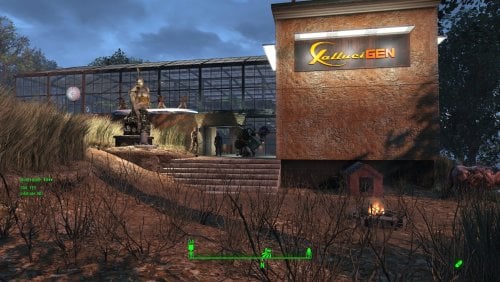
Transfer Settlements - Tenpines Bluff HalluciGen Experimental Crop Facility
By msmfoster
A Transfer Settlements blueprint that completely re-imagines Tenpines Bluff as an experimental crops facility by HalluciGen. Most of the usable space fused into a single coherent structure of Homemaker brick walls with vanilla warehouse glass pieces. Details on this build: Two floor structure (with a courtyard) that uses most of the build space for the settlement. First floor: Stores, bunks, bathrooms, laundromat, workshops, and medical facilities. Second floor: Gym and over one hundred greenhouse tables. Courtyard: Bar, singing settler, slot machines, and drink dispensers. Combination of brick walls and warehouse glass walls, creates an expansive space that still feels like you are outside. Entire second level, except for the gym, is enclosed in glass. Hidden radiators and wires are used to power some of the lights. Settlement Features 31 bunks. 175+ food. 715+ defence. 300+ power. 60 water. Tier 3 Medical, Restaurant, Clothing, and General Store. Dedicated gym area. Vault-Tec drink dispenser and slot machines. Working sinks and showers. Power mostly runs through conduits to minimise visible power lines. Settlers appear able to move freely, with minimal difficulties observed. Cat, dog, and child included in the build. No visual glitches observed from this build. Note. Warehouse glass pieces add a reflection component that can tank your framerate when you are on the second deck. See Unrelated But Useful for more information on mods that may help. Requirements Downloadable Content Contraptions Workshop Vault-Tec Workshop Wasteland Workshop Far Harbour Hard Requirements Transfer Settlements. To import this blueprint. Scrap Everything or an equivalent. To clear out the area as per Setup Instructions. Homemaker. Primary build components for most of the settlement, decorations, furniture, and miscellaneous objects. Settlement Objects Expansion Pack. Fusion generators, railings, pools, foundation liners, cooking station, and water pumps. Note. Transfer Settlements will not add items if the mods are missing. Mods listed below are not required but will remove associated elements. Soft Requirements Craftable Working Sinks and Showers Redux. Working sinks and showers. Erotic Art. Frames and pictures used throughout. Working Fridges. Simple mod that adds working fridges, ice machines, and vending machines. Working Washer and Dryer (Immersive Laundry). Player functional laundry machines and dryers with sound effects. Singing Settler. Used for the singing settler and flooring. Nice to Have Armour and Weapon Keywords Community Resource. Additional types of workshops, namely power armour. Videos of the Wasteland. Working televisions and projectors. Invisible Furniture. Adds invisible markers that are used as idles for settlers and pets. Standing Stones from Skyrim. Skyrim styled statues for aesthetics. Gruffydd's Signs and Posters. Billboards and signs. Crazy Sex Animations. Invisible mats that make settlers happy through masturbation, done without using the Advanced Animation Framework, and additionally places assignable gurneys that increase happiness. Sex Toys of the Commonwealth. Adds the random placement of sex toys throughout. Bad Dragon Dildos. Adds more extreme dildos throughout. Companion Ivy. If you happen to have Ivy as a companion, one of her broadcast towers will be added in an out of the way area. Family Planning Enhanced or Family Planning Enhanced Redux. Will import an assignable child into the settlement.
Unrelated But Useful Place Everywhere. Allows you to make minor adjustments if necessary. Armour Rack Female Mannequin Fix. Fixes the armour rack to support alternate bodies like Fusion Girl. Glass Roofs Stop Rain and Snow - Various Mods Patches. Stops rain and snow from going through glass roofs. Glowing Glass Fix. Changes the glass textures to reduce glare and reflection. Setup Clearing the area is relatively straightforward. Remove flora, food, garbage, rubble, the destroyed home and shack. You will be required to scrap some trees beyond the build area in addition to the unscrapable tree within. For these you will need to do the following. Select the tree. Disable MarkForDelete Note. Disable first in case you selected the wrong object. If that happens Enable will recover the object. Build a Transfer Settlements console from Power > Miscellaneous in the corner where the food workshop was located. Note. Import should be done with Workshop Mode enabled. Tasks After Import Because you cleared all food prior to the blueprint import, you'll need to re-assign the settlers already there. Additionally, confirm all power has been restored. Optional There is a brand new settlement workshop near the existing one. This serves as a reference to move the existing workshop in it's place. This is purely for aesthetics, but it does make the settlement look better. Do the following steps in order: Select the new workshop and use the following: getpos z getpos x getpos y getangle z These are the values I extracted: setpos x -22190.01 setpos y 89346.05 setpos z 6138.54 setangle x 0 setangle y 0 setangle z 171.89 Scrap the new workshop as it is not functional. Select the original workshop and apply the values procured: setpos x -22185.38 setpos y 89303.74 setpos z 6159.34 setangle x 0 setangle y 0 setangle z 181.06 Note. While the above can be a copy and paste, confirm the values and save prior to making the changes. Notes on Imports Transfer Settlements recommends leaving the area after import and to not return for 1-2 game days. However, I found that saving on site always crashes the game. The easiest way to get away and save is to coc Vault111Ext from the console. Wait a couple of minutes before heading into the vault. Once you arrive at the bottom it is safe to save. I recommend that you import/export Blueprints using Stable defaults. Using other methods has caused ladders, walls, and flooring to appear without collision. In many cases the collision effects are found elsewhere leading to interesting behaviours among the NPC population, and leading to a snap back effect as you push through an area and are forced back by the invisible wall. Note. This blueprint was tested with Transfer Settlements working under Stable. Lastly Import wired power connections should always be selected as part of the import process. It will reliably re-connect all wired connections. This saves you the trouble of linking up floors, turrets, and in some cases re-establish connections for hidden or buried runs. Notes on Power and Performance These blueprints utilize ambient fill lighting to provide a pervasive glow. I use Naked Bulbs to create a lived-in atmosphere for statues, fountains, and roof voids. Warning for Dynamic Lighting Users If you use mods that turn all lights into dynamic, shadow-casting sources, the sheer number of these bulbs will severely cripple your framerate. I strongly recommend using the Transfer Settlements Blueprint Editor to strip out all instances of 306F1 before importing. Optimization for Complex Builds: Because of the heavy use of conduits to reduce visible power lines, these settlements have high object counts. To steps below may improve performance. Enable Faux Power in the Workshop Framework's workbench settings. Use the Transfer Settlements Blueprint Editor to strip all conduits from the .json file. This can reduce build complexity by up to 40% without losing the overall aesthetic of the settlement. Note. I cannot guarantee the above will work. A Special Thanks To Thank you to Caladon for creating the template that makes blueprints installable. Thank you to PiCSeL for the magazine and painting retextures seen in the screenshots. Updates Version 1.0.0 Initial release of this build.127 downloads
Submitted
-
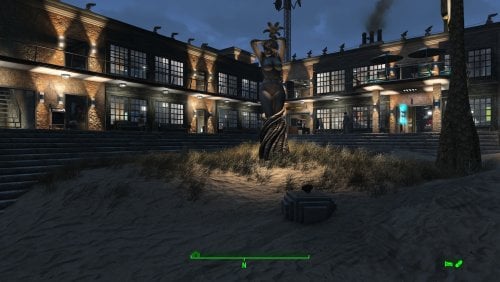
Transfer Settlements - Nordhagen Beach Hotel
By msmfoster
Nordhagen Beach is transformed from an isolated beachside farm into a sprawling beach resort with a working dock. The build delivers high defence, population, and food production while leaning heavily into the classic resort aesthetic.
Details on this build:
Added a large two-storey L-shaped hotel hugging the road and bridge-side of the shore. Hotel includes a basement that conceals power and water generation while providing workshop space. Added a fishing wharf with a docked fishing trawler. Added a smaller dock dedicated to a singing settler. Added beachside decor: palm trees, lifeguard shack, seaside bar, parasols, and deck chairs. Placed a large Skyrim statue as the settlement centerpiece. Several power lines and radiators routed below ground level for ambient lighting without obstructive pylons or visible lines.
Settlement Features
32 bunks. 190+ food. 775+ defences. 260 power. 90 water. Tier 3 Medical, Restaurant, Clothing, and General Store. Dedicated gym area. Vault-Tec drink dispenser and slot machines. Working sinks and showers. Power mostly runs through conduits to minimise visible power lines. Cat and dog included in the build. No visual glitches observed from this build.
Requirements
Downloadable Content
Contraptions Workshop Vault-Tec Workshop Wasteland Workshop Far Harbour Halloween Decorations Wasteland Workshop
Hard Requirements
Transfer Settlements. To import this blueprint. Scrap Everything or an equivalent. To clear out the area as per Setup Instructions. Homemaker. Primary build components for most of the settlement, decorations, furniture, and miscellaneous objects. Settlement Objects Expansion Pack. Fusion generators, railings, pool, foundation liners, cooking station, and water pumps. Beach Workshop. Core elements related to making this a viable beachside resort.
Note. Transfer Settlements will not add items if the mods are missing. Mods listed below are not required but will remove associated elements.
Soft Requirements
Craftable Working Sinks and Showers Redux. Working sinks and showers. Singing Settler. Beachside performer and some flooring. PsBoss Statues from Skyrim. Skyrim styled statues for aesthetics. Erotic Art. Frames and pictures used throughout. Working Fridges. Simple mod that adds working fridges, ice machines, and vending machines. Working Washer and Dryer (Immersive Laundry). Player functional laundry machines and dryers with sound effects.
Nice to Have
Armour and Weapon Keywords Community Resource. Additional types of workshops, namely power armour. Videos of the Wasteland. Working televisions and projectors. Invisible Furniture. Adds invisible markers that are used as idles for settlers and pets. Gruffydd's Signs and Posters. Billboards and signs. Crazy Sex Animations. Invisible mats that make settlers happy through masturbation, done without using the Advanced Animation Framework, and additionally places assignable gurneys that increase happiness. Sex Toys of the Commonwealth. Adds the random placement of sex toys throughout. Bad Dragon Dildos. Adds more extreme dildos throughout. Companion Ivy. If you happen to have Ivy as a companion, one of her broadcast towers will be added in an out of the way area.
Unrelated But Useful
Place Everywhere. Allows you to make minor adjustments if necessary. Armour Rack Female Mannequin Fix. Fixes the armour rack to support alternate bodies like Fusion Girl.
Setup
Clearing the area can be done quickly. Still, save often just in case you accidentally scrap something important like the cliff face or the main fishing shack. Scrap everything but the following elements:
Existing food plants. Existing fishing shack structure. Clear out the inside, and wooden pad leading into it.
You need to scrap the leaning power pole and the associated wires. For the wires you will need to do the following:
Select one of the wires. Disable MarkForDelete
Note. Disable first in case you selected the wrong object. If that happens Enable will recover the object.
Build a Transfer Settlements console from Power > Miscellaneous facing the workshop.
Note. Import should be done with Workshop Mode enabled.
Tasks After Import
No additional requirements other than confirming that all power has been restored as expected. You will likely need to lower the warehouse block adding additional collision meshes on the singing settler platform. Doing ModPos Z -15 from the console should send the block to the correct depth.
Optional
Want to have permanent bikini-clad settlers hanging around the beach? Do the following:
Position yourself at a prime location by the beach. E.g., fire pit near the stage. From the console type: Player.PlaceAtMe 20593 5 This will spawn five settlers. Want to change a NPC? From the console select the NPC and type: recycleactor Using something like Crazy's Muli-tool, strip the NPC, and open their inventory to add in appropriate clothing. Additionally you can do it from the console. Repeat the above for more settlers using the idles.
Notes on Imports
Transfer Settlements recommends leaving the area after import and to not return for 1-2 game days. However, I found that saving on site always crashes the game.
The easiest way to get away and save is to coc Vault111Ext from the console. Wait a couple of minutes before heading into the vault. Once you arrive at the bottom it is safe to save.
I recommend that you import/export Blueprints using Stable defaults. Using other methods has caused ladders, walls, and flooring to appear without collision. In many cases the collision effects are found elsewhere leading to interesting behaviours among the NPC population, and leading to a snap back effect as you push through an area and are forced back by the invisible wall.
Note. This blueprint was tested with Transfer Settlements working under Stable.
Lastly Import wired power connections should always be selected as part of the import process. It will reliably re-connect all wired connections. This saves you the trouble of linking up floors, turrets, and in some cases re-establish connections for hidden or buried runs.
Notes on Power and Performance
These blueprints utilize ambient fill lighting to provide a pervasive glow. I use Naked Bulbs to create a lived-in atmosphere for statues, fountains, and roof voids.
Warning for Dynamic Lighting Users
If you use mods that turn all lights into dynamic, shadow-casting sources, the sheer number of these bulbs will severely cripple your framerate. I strongly recommend using the Transfer Settlements Blueprint Editor to strip out all instances of 306F1 before importing.
Optimization for Complex Builds:
Because of the heavy use of conduits to reduce visible power lines, these settlements have high object counts. To steps below may improve performance.
Enable Faux Power in the Workshop Framework's workbench settings. Use the Transfer Settlements Blueprint Editor to strip all conduits from the .json file.
This can reduce build complexity by up to 40% without losing the overall aesthetic of the settlement.
Note. I cannot guarantee the above will work.
A Special Thanks To
Thank you to Caladon for creating the template that makes blueprints installable.
Thank you to PiCSeL for the magazine and painting retextures seen in the screenshots.
Updates
Version 1.0.0
Initial release of this build.179 downloads
Submitted
-
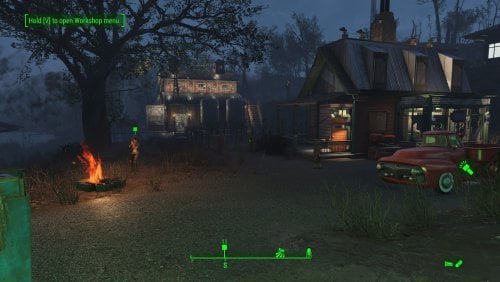
Transfer Settlements - Somerville Place a Farming Community
By msmfoster
Somerville Place is defined not only by its convenient location near the Glowing Sea and a Gunner vault, but also by its unforgiving terrain and the lone Destroyed Home structure. This blueprint builds on that to create an expansive, thriving farming community. The added barn, homes, and structures form a layered defense strong enough to make even a legendary alpha deathclaw will think twice. Details on this build: Repaired the destroyed home to house the diner, general store, and clothing store. Created an elevated area with retaining walls for access to four bunkhouses. Added a large two-level barn: ground floor used as gym, upper level serves as a workshop. Placed two large cisterns beside the barn to conceal water generators while preserving the farm aesthetic. Dedicated medical facility with surgical bays. Dedicated laundromat that also houses the barbershop. Added a large bunkhouse nearer to the water to fully enclose the settlement. Every structure equipped with independent power. Double-flooring used throughout to reduce settler fall-through issues. Settlement Features 30 bunks. 140+ food. 860+ defences. 420 power. 63 water. Tier 3 Medical, Restaurant, Clothing, and General Store. Dedicated gym area. Vault-Tec drink dispenser and slot machines. Working sinks and showers. Power mostly runs through conduits to minimise visible power lines. Cat and dog included in the build. No visual glitches observed from this build. Requirements Downloadable Content Contraptions Workshop Vault-Tec Workshop Wasteland Workshop Far Harbour Hard Requirements Transfer Settlements. To import this blueprint. Scrap Everything or an equivalent. To clear out the area as per Setup Instructions. Homemaker. Primary build components for most of the settlement, decorations, furniture, and miscellaneous objects. Settlement Objects Expansion Pack. Fusion generators, railings, pools, foundation liners, cooking station, and water pumps. Note. Transfer Settlements will not add items if the mods are missing. Mods listed below are not required but will remove associated elements. Soft Requirements Craftable Working Sinks and Showers Redux. Working sinks and showers. Erotic Art. Frames and pictures used throughout. Working Fridges. Simple mod that adds working fridges, ice machines, and vending machines. Working Washer and Dryer (Immersive Laundry). Player functional laundry machines and dryers with sound effects. Nice to Have Armour and Weapon Keywords Community Resource. Additional types of workshops, namely power armour. Videos of the Wasteland. Working televisions and projectors. Invisible Furniture. Adds invisible markers that are used as idles for settlers and pets. Standing Stones from Skyrim. Skyrim styled statues for aesthetics. Gruffydd's Signs and Posters. Billboards and signs. Crazy Sex Animations. Invisible mats that make settlers happy through masturbation, done without using the Advanced Animation Framework, and additionally places assignable gurneys that increase happiness. Sex Toys of the Commonwealth. Adds the random placement of sex toys throughout. Bad Dragon Dildos. Adds more extreme dildos throughout. Companion Ivy. If you happen to have Ivy as a companion, one of her broadcast towers will be added in an out of the way area. Unrelated But Useful Place Everywhere. Allows you to make minor adjustments if necessary. Armour Rack Female Mannequin Fix. Fixes the armour rack to support alternate bodies like Fusion Girl. Setup Clearing the area can be done quickly. Still, save often just in case scrap the destroyed home. Be sure to maintain: Destroyed home, but toss the contents. Existing food plants and surrounding fence. Tree with swing. Water pump. Fire pit. Note. To make scraping less risky around the Damaged Home consider using Disable during the scrap and Enable when done. Be sure to note the home's Reference ID in case you click on another object by mistake. Build a Transfer Settlements console from Power > Miscellaneous facing the workshop. Note. Import should be done with Workshop Mode enabled. Tasks After Import No additional requirements other than to confirm that all power has been restored as expected. Notes on Imports Transfer Settlements recommends leaving the area after import and to not return for 1-2 game days. However, I found that saving on site always crashes the game. The easiest way to get away and save is to coc Vault111Ext from the console. Wait a couple of minutes before heading into the vault. Once you arrive at the bottom it is safe to save. I recommend that you import/export Blueprints using Stable defaults. Using other methods has caused ladders, walls, and flooring to appear without collision. In many cases the collision effects are found elsewhere leading to interesting behaviours among the NPC population, and leading to a snap back effect as you push through an area and are forced back by the invisible wall. Note. This blueprint was tested with Transfer Settlements working under Stable. Lastly Import wired power connections should always be selected as part of the import process. It will reliably re-connect all wired connections. This saves you the trouble of linking up floors, turrets, and in some cases re-establish connections for hidden or buried runs. Notes on Power and Performance These blueprints utilize ambient fill lighting to provide a pervasive glow. I use Naked Bulbs to create a lived-in atmosphere for statues, fountains, and roof voids. Warning for Dynamic Lighting Users If you use mods that turn all lights into dynamic, shadow-casting sources, the sheer number of these bulbs will severely cripple your framerate. I strongly recommend using the Transfer Settlements Blueprint Editor to strip out all instances of 306F1 before importing. Optimization for Complex Builds: Because of the heavy use of conduits to reduce visible power lines, these settlements have high object counts. To steps below may improve performance. Enable Faux Power in the Workshop Framework's workbench settings. Use the Transfer Settlements Blueprint Editor to strip all conduits from the .json file. This can reduce build complexity by up to 40% without losing the overall aesthetic of the settlement. Note. I cannot guarantee the above will work. A Special Thanks To Thank you to Caladon for creating the template that makes blueprints installable. Updates Version 1.0.1 Adjusted Erotic Art to work with my Classic Erotic Art Retexture. Used SOE lighting sources for a few locations to enhance clarity. Version 1.0.0 Initial release of this build.146 downloads
Updated
-
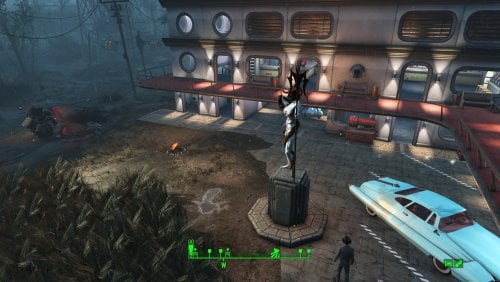
Transfer Settlements - County Crossing Motel
By msmfoster
What is missing by a military training facility? A motel!
County Crossing is transformed into an L-shaped motel that gives off a by-the-hour vibe. This build delivers high defence, population, and food production while leveraging the Settlement Objects Expansion Pack High Rise pieces to give it a distinctive look.
Details on this build:
Added a large three-storey, drive-through L-shaped motel. Workshops, power generation, and water located on the third level. Rooftop planters for additional food production (viable even in sieges). Large concrete area with vintage cars (scrap if concerned about explosions). Existing power lines along the settlement activated for perimeter lighting. Placed a large Skyrim statue as the centerpiece (hides flames from an unscrapable fire pit).
Settlement Features
34 bunks. 150+ food. 680+ defences. 200 power. 60 water. Tier 3 Medical, Restaurant, Clothing, and General Store. Dedicated gym area. Vault-Tec drink dispenser and slot machines. Working sinks and showers. Power mostly runs through conduits to minimise visible power lines. Cat and dog included in the build. No visual glitches observed from this build.
Requirements
Downloadable Content
Contraptions Workshop Vault-Tec Workshop Wasteland Workshop Far Harbour
Hard Requirements
Transfer Settlements. To import this blueprint. Scrap Everything or an equivalent. To clear out the area as per Setup Instructions. Settlement Objects Expansion Pack. Primary build components for the settlement. Homemaker. Concrete floors, retaining walls, decorations, furniture, and miscellaneous objects.
Note. Transfer Settlements will not add items if the mods are missing. Mods listed below are not required but will remove associated elements.
Soft Requirements
Craftable Working Sinks and Showers Redux. Working sinks and showers. Erotic Art. Frames and pictures used throughout. Working Fridges. Simple mod that adds working fridges, ice machines, and vending machines. Working Washer and Dryer (Immersive Laundry). Player functional laundry machines and dryers with sound effects.
Nice to Have
Armour and Weapon Keywords Community Resource. Additional types of workshops, namely power armour. Videos of the Wasteland. Working televisions and projectors. Invisible Furniture. Adds invisible markers that are used as idles for settlers and pets. Gruffydd's Signs and Posters. Billboards and signs. TRX Trixter Statues Collection. Skyrim styled statues for aesthetics. Crazy Sex Animations. Invisible mats that make settlers happy through masturbation, done without using the Advanced Animation Framework, and additionally places assignable gurneys that increase happiness. Sex Toys of the Commonwealth. Adds the random placement of sex toys throughout. Bad Dragon Dildos. Adds more extreme dildos throughout.
Unrelated But Useful
Place Everywhere. Allows you to make minor adjustments if necessary. Armour Rack Female Mannequin Fix. Fixes the armour rack to support alternate bodies like Fusion Girl.
Setup
Clearing the area can be done quickly. Still, save often just in case you accidentally scrap something important like one of the power poles. Be sure to maintain:
Existing food plants. Power lines traveling along the road facing the nuclear power plant.
Some of the foliage cannot be easily scrapped.
Select the offending brush or tree. Disable MarkForDelete
Note. Disable first in case you selected the wrong object. If that happens Enable will recover the object.
Build a Transfer Settlements console from Power > Miscellaneous in between the fire pits.
Note. Import should be done with Workshop Mode enabled. Tasks After Import
No additional requirements other than confirming all power has been restored as expected.
Optional
The workshop ends up being lower than the floor level of the motel. This can be corrected with two quick commands:
Select the lantern besides the workshop and type getpos z to get the elevation. Select the workshop itself and type setpos z <value> using the above elevation.
Note. The window shutters can only be accessed from the outside. You'll need to use tcl to reach most of the windows. Notes on Imports
Transfer Settlements recommends leaving the area after import and to not return for 1-2 game days. However, I found that saving on site always crashes the game.
The easiest way to get away and save is to coc Vault111Ext from the console. Wait a couple of minutes before heading into the vault. Once you arrive at the bottom it is safe to save.
I recommend that you import/export Blueprints using Stable defaults. Using other methods has caused ladders, walls, and flooring to appear without collision. In many cases the collision effects are found elsewhere leading to interesting behaviours among the NPC population, and leading to a snap back effect as you push through an area and are forced back by the invisible wall.
Note. This blueprint was tested with Transfer Settlements working under Stable.
Lastly Import wired power connections should always be selected as part of the import process. It will reliably re-connect all wired connections. This saves you the trouble of linking up floors, turrets, and in some cases re-establish connections for hidden or buried runs.
Notes on Power and Performance
These blueprints utilize ambient fill lighting to provide a pervasive glow. I use Naked Bulbs to create a lived-in atmosphere for statues, fountains, and roof voids.
Warning for Dynamic Lighting Users
If you use mods that turn all lights into dynamic, shadow-casting sources, the sheer number of these bulbs will severely cripple your framerate. I strongly recommend using the Transfer Settlements Blueprint Editor to strip out all instances of 306F1 before importing.
Optimization for Complex Builds:
Because of the heavy use of conduits to reduce visible power lines, these settlements have high object counts. To steps below may improve performance.
Enable Faux Power in the Workshop Framework's workbench settings. Use the Transfer Settlements Blueprint Editor to strip all conduits from the .json file.
This can reduce build complexity by up to 40% without losing the overall aesthetic of the settlement.
Note. I cannot guarantee the above will work.
A Special Thanks To
Thank you to Caladon for creating the template that makes blueprints installable.
Thank you to PiCSeL for the magazine and painting retextures seen in the screenshots.
Updates
Version 1.0.0
Initial release of this build.
118 downloads
Submitted
-
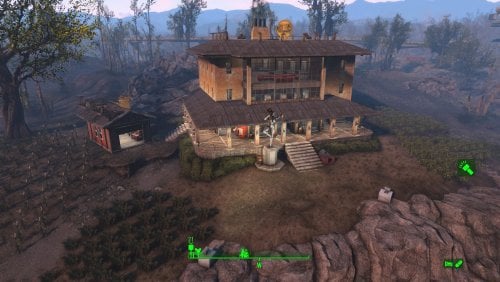
Transfer Settlements - Boylston Club Coastal Cottage
By msmfoster
A Coastal Cottage that lives up to its name: A rebuilt three-storey cottage with basement and fixed garage, that offers commanding views of the fish plant and mirelurk queen spawn points. Meets the goal of building within the existing template without sacrificing food production.
Details on this build: Removed existing cottage and cleaned out the sinkhole. Created a three-storey cottage with large observation area. First deck: shops, bar, and medical facilities. Second deck: bunks, washrooms, gym, and barber shop. Third deck: bunks, and washrooms. Basement: power, water, and laundry. Repaired garage serving as a workshop. Added large Skyrim statue near entrance as showpiece. Discounting rooftop turret lines, only one visible power cable from the exterior. Radiators/conduits routed below surface for lighting without marring views. Settlement Features 28 bunks. 170+ food. 525+ defense. 200 power. 60 water. Tier 3 Medical, Restaurant, Clothing, and General Store. Dedicated gym area. Vault-Tec drink dispenser and slot machines. Working sinks and showers. Power mostly runs through conduits to minimise visible power lines. Cat and dog included in the build. No visual glitches observed from this build. Requirements Downloadable Content Contraptions Workshop Vault-Tec Workshop Wasteland Workshop Far Harbour Enclave Remnants Hard Requirements Transfer Settlements. To import this blueprint. Scrap Everything or an equivalent. To clear out the area as per Setup Instructions. Homemaker. Primary build components for most of the settlement, decorations, furniture, and miscellaneous objects. Settlement Objects Expansion Pack. Fusion generators, railings, pools, foundation liners, cooking station, and water pumps. Note. Transfer Settlements will not add items if the mods are missing. Mods listed below are not required but will remove associated elements. Soft Requirements Craftable Working Sinks and Showers Redux. Working sinks and showers. Advanced Bubble Turret Set (Realistic No Power version). Bubble turrets in the basement and roof outcroppings. Erotic Art. Frames and pictures used throughout. Working Fridges. Simple mod that adds working fridges, ice machines, and vending machines. Working Washer and Dryer (Immersive Laundry). Player functional laundry machines and dryers with sound effects. Singing Settler. Used for flooring in the gym and barber shop. Nice to Have Armour and Weapon Keywords Community Resource. Additional types of workshops, namely power armour. Videos of the Wasteland. Working televisions and projectors. Invisible Furniture. Adds invisible markers that are used as idles for settlers and pets. Gruffydd's Signs and Posters. Billboards and signs. TRX Trixter Statues Collection. Skyrim styled statues for aesthetics. Crazy Sex Animations. Invisible mats that make settlers happy through masturbation, done without using the Advanced Animation Framework, and additionally places assignable gurneys that increase happiness. Sex Toys of the Commonwealth. Adds the random placement of sex toys throughout. Bad Dragon Dildos. Adds more extreme dildos throughout. Unrelated But Useful Place Everywhere. Allows you to make minor adjustments if necessary. Armour Rack Female Mannequin Fix. Fixes the armour rack to support alternate bodies like Fusion Girl. Setup Clearing the area is relatively straightforward: Remove the existing cottage and clutter found throughout the build area. Remove the damaged roof for the garage and the clutter within. Do not remove the garage itself. Remove all clutter within the sinkhole itself. This significantly expands the usable space. A few elements cannot be scrapped normally, in this case you will need to do the following: Go into the console. Select the object (E.g., ivy or wood plank). Disable MarkForDelete Note. Disable first in case you selected the wrong object. In that case Enable will recover the object without consequence. Build a Transfer Settlements console from Power > Miscellaneous facing the workshop. Note. Import should be done with Workshop Mode enabled. Tasks After Import No additional requirements other than to confirm that all power has been restored as expected. Notes on Power and Performance These blueprints utilize ambient fill lighting to provide a pervasive glow. I use Naked Bulbs to create a lived-in atmosphere for statues, fountains, and roof voids. Warning for Dynamic Lighting Users If you use mods that turn all lights into dynamic, shadow-casting sources, the sheer number of these bulbs will severely cripple your framerate. I strongly recommend using the Transfer Settlements Blueprint Editor to strip out all instances of 306F1 before importing. Optimization for Complex Builds: Because of the heavy use of conduits to reduce visible power lines, these settlements have high object counts. To steps below may improve performance. Enable Faux Power in the Workshop Framework's workbench settings. Use the Transfer Settlements Blueprint Editor to strip all conduits from the .json file. This can reduce build complexity by up to 40% without losing the overall aesthetic of the settlement. Note. I cannot guarantee the above will work. Notes on Imports Transfer Settlements recommends leaving the area after import and to not return for 1-2 game days. However, I found that saving on site always crashes the game. The easiest way to get away and save is to coc Vault111Ext from the console. Wait a couple of minutes before heading into the vault. Once you arrive at the bottom it is safe to save. I recommend that you import/export Blueprints using Stable defaults. Using other methods has caused ladders, walls, and flooring to appear without collision. In many cases the collision effects are found elsewhere leading to interesting behaviours among the NPC population, and leading to a snap back effect as you push through an area and are forced back by the invisible wall. Note. This blueprint was tested with Transfer Settlements working under Stable. Lastly Import wired power connections should always be selected as part of the import process. It will reliably re-connect all wired connections. This saves you the trouble of linking up floors, turrets, and in some cases re-establish connections for hidden or buried runs. A Special Thanks To Thank you to Caladon for creating the template that makes blueprints installable. Updates Version 1.0.1
Adjusted Erotic Art to work with my Classic Erotic Art Retexture. Re-built the roof to better align it. Switch for settlement beacon added to the third floor. Turn off beacon without clipping to the roof. Version 1.0.0 Initial release of this build.
134 downloads
Updated
-
Sexual Harassment +
By riveth
What is this?
A fork of the "Sexual Harassment" mod with an additional features.
Are you tired of turning the "approaches" feature on and off? Does it annoy you when a harasser disrupts normal gameplay? Have you ever forgotten to turn the feature back on?
Well, this mod provides a solution to that problem. To get rid of an unwanted harasser, simply draw your weapon just before they approach.
New features:
1) When the dialogue begins while your weapon is drawn, new dialogue options become available:
IMPORTANT: you need to draw your weapon before approach (when you see hint that someone is watching you). Weapon doesn't need to be aimed at NPC, you just need to have it unholstered.
[FOCED END] - it forces harasser to flee and harassment ends, a failsafe option to simply get rid of harassment instead of turning mod off.
[AIM WEAPON] - you can ask aditional questions and agree to harasser terms eventually. - This is default, lore friendly dialogue you should choose for immersion.
Devious and collar master approaches doesn't have those options for obvious reason.
2) No Harasser approach while in workshop mode
3) No buttslap dioalogue.
Because some mods out there makes butt slap very frequent, i removed dialogue after this event. If player activate molester, he will just say some comments.
4) Molestation skip
If you have a lot of clothes on you (Vtaw) and molestation scenario takes forever to get you uindressed, you can now give up and skip to last scene.
I decided to create a fork because it can be installed alongside the standard version of SH, and you can switch between them at any time.
I have @TwistedTrebla’s—the author of the original mod—permission to create this fork.
All credit goes to the author of the original mod, who created one of the best NSFW mods for FO4.
Known issues:
- voiceover mods no longer compatible. Unfortunatelly I needed to change some dialogue otions, expect some problems with standard voiceover mods.
I plan to make new voices for this mod in future as soon as I finish changing dialogue options.
How to use:
Install as seperate mod, disable original SH.
Mod should be before Pervert in load order (same as standard FPSH)
Thanks to all ppl that helped me test this mod. You are great support and source of ideas!
7571 downloads
- sex
- harassment
- (and 4 more)
Updated
-
Floozy Furniture RU
By vjnmrf
Только перевод Floozy Furniture, сам мод по ссылке.
Позволяет строить рабочие места для шлюх, где они 24 часа будут принимать разные позы(встроено) и торговать бухлом, автоматически меняя наряды. При наличии НАФ или ААФ с ними можно потрахаться. Если поставить мод того же автора на посетителей поселений, то можно создать и нормально работающий бордель. (а то все, имеющиеся здесь, моды на проституцию НПС, это лютый ПЦ)
Отдельно добавил архив с коррекцией особо вырвиглазных текстур, ну и часть из них "разрисовал".
В процессе эксплуатации выявилась пара ошибок
1 Примерно трети рабочих мест аффтырь забыл добавить ключевое слово запуска анимации. Соответственно, назначенные на них шлюхи просто тупо топтались перед станком.
2 Обычные кровати были названы(и, соответственно, переведены), как рабочие места.
Для исправления заменить esm.
Добавляю переводы свежих модов того же автора Settlement Visitors 2.0 и Vulgar Settlers and Visitors 2.0.
Первый добавляет посетителей, шарахающихся по поселениям и занимающихся всякой ерундой. Их можно нанимать. Частичная альтернатива НПС-тревел, не создающая его проблем.
Второй неплохо заменяет всякие "автономии", опять же не вызывая их проблем.
В общем, все три мода взаимодополняют друг друга.
651 downloads
Updated
-
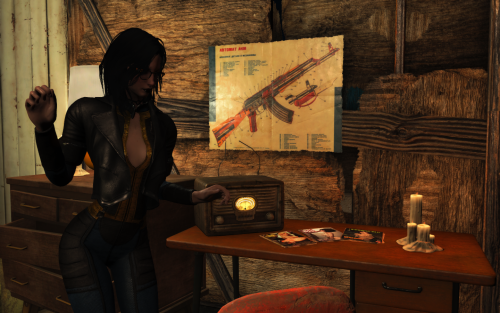
Perverted mechanics
By Samhsay
This mod is a synthesis of several ideas taken from this forum and slightly reworked.
Main features:
- Covering animation when naked
- Arousal from being naked
- Addition/removal of perks from the Provocative Perks mod. Adds when player gets status "slut". Perks are related to dominance and submission parameters.
- Auto-masturbation for sluts and drunk girl.
- Debuff (blur) from strong arousal
AUTO MASTURBATION
It has two operating options.
1. Automatic masturbation with a timer. Depends on the heroine's intoxication, her depravity, and the presence of people around.
2. Activation via wait animations. This also depends on intoxication, depravity, and the presence of spectators, but is somewhat more immersive. You'll need to find a secluded spot for a few seconds of wait (2-3 seconds) before a sequence of animations begins, leading to an AAF scene.
PERKS
I added PVPK perks based on dominance/submissiveness, injuries, and intoxication.
- life Of The Party gets slut or drunk girl
- Tentacles will harass traumatized girl
- Exhibitionist Streak demands that рукщшту spend time naked in a crowded place
- To obtain Dubcon Enthusiast the heroine needs to be raped many times.
- To earn the Town Bicycle achievement, the heroine must sleep with a large number of settlers.
They are currently fixed at the values of Sexual Attributes. But I want to make them upgradeable in some other way. For example, for a dubcon, experience a forced orgasm N times. For a psychosexual, kill N enemies with arousal >90. And so on.
AROUSAL
The mod adds certain effects to the heroine's appearance and behavior. It also adds audio and visual effects at high levels of arousal. Additionally, at a medium level of arousal, it is possible to use an immersive idle animation that transitions into an AAF solo scene.
KNOWN ISSUES
- Covering Animations Conflicts with the More Ways of Washing Mod. I haven't encountered any issues with other washing mods (CWSS and BYOP). Apparently, this is because MWoW is the only one that uses IDLE, while the others focus on furniture animations.
- When drawing a weapon while IDLE, the weapon draw animation may play twice. I know the reason and I am thinking about a solution.
- Currently, animations can trigger while in WORKSHOP and WORKBENCH. I've already figured out what to do with this and will fix it in the next version.
- T-pose when exiting IDLE directly into a sprint. This will also be fixed in the next update.
- There's some confusion with the cover animations. I don't know what could be causing this yet. A temporary solution is to switch between different combinations in the MCM when the heroine is clothed and when she's undressed. But I'm still thinking of moving some of the conditions from FO4Edit to the scripts.
HARD REQUIRES
Installed AAF
SAKR
Patched clothes. I use Rubber Duck's SAKR Repo and make own patches with his Rubber Duck's SAKR/RCP Gen 0.9.0. But sometimes you have to use FO4Edit for adding keywords to OMODs. You can also use Skimpy Armour Keyword Archive
Sex Attributes
Provocative perks
SOFT REQUIRES
Devious devices for Chastity belt
NSFW Sounds for some perks
Animated tentacles for perk
Pervert for some perks
Perverted electrics I created it to control arousal in this mod. The blur and sounds from high arousal will make combat impossible.
And i recommend to install all soft requires of Provocative Perks.
COMPABILITY
This may cause issues when used with other animation-based mods, such as Smokeable Cigars, More Ways of Washing, and Advanced Needs. I'll try to make compatibility patches, but I can't promise they'll be perfect.
The Arosual blush code is identical to the blush component of this mod, so it is recommended to disable it. However, there won't be any serious conflict between them—though the blush might appear more intense due to the overlapping layers.The Arosual blush code is identical to the blush component of this mod, so it is recommended to disable it. However, there won't be any serious conflict between them. Though the blush might appear more intense due to the overlapping layers.
I also received a question about the Kziitd toolset. I have it installed after my mod and haven't encountered any issues. The only thing is a couple of seconds of jaw flickering if you equip a gag while an active mouth morph is in use.I also received a question about the Kziitd toolset. I have it installed after my mod and haven't encountered any issues. The only thing is a couple of seconds of jaw flickering if you equip a gag while an active mouth morph is in use.
Supported mods:
Smokeable Cigars - Cigarettes - Joints - With HardCore Auto Save
CREDITS
I used animations created by @kziitd, @RohZima and timanca. And I used parts of code written by @riveth Thank you.
9524 downloads
Updated
-
R34 Fallout 4 Animated Main Menu Theme-Ellie TLOU2
A simple Adult Main menu theme replacer based on TLOU2 character Ellie with video and audio. Tested on 1.10.163. Probably works fine on all versions as its simple UI edit. This is my first attempt at learning simple interface modding so kindly forgive any mistakes. And feel free to comment about any issues.
Source R34
Tools used ;
RAD video for the bk2 clip
Audacity for audio mixing/merging.
1739 downloads
Updated

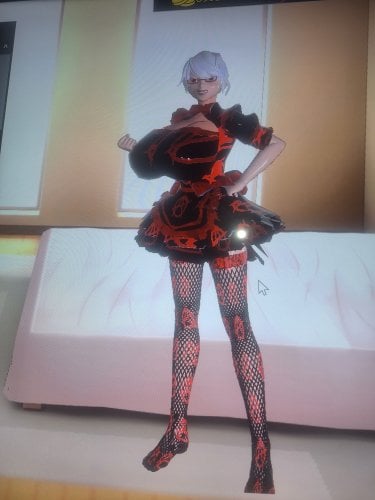
![More information about "[XCL] Effect and Side Effect CORES (XCL 0.25)"](https://static.loverslab.com/screenshots/monthly_2026_07/U666Effects.thumb.png.8697b2f2927f23a845ba2cb4a9e5b064.png)
![More information about "[XCL] U666's Drugs"](https://static.loverslab.com/screenshots/monthly_2026_07/U666Drugs.thumb.png.5983add7acd5a5cc888546586d750821.png)
![More information about "[XCL] Pill Diagnostic Kiosk"](https://static.loverslab.com/screenshots/monthly_2023_09/SpikeFun.thumb.jpg.d92a953de3ebcff865b7049703b3ea10.jpg)
![More information about "[XCL] Spike Fun (XCL 0.25)"](https://static.loverslab.com/screenshots/monthly_2026_07/SpikeFuncover.thumb.png.1f17cadb97db0bebe6fe31a15cc529fe.png)
![More information about "[XCL] Drug Framework *4*"](https://static.loverslab.com/screenshots/monthly_2026_07/U666DrugFramework4.thumb.png.841dccec46db0c66a2eb9b491e38cc48.png)