Select a subcategory to view available files.
Files From Subcategories
-
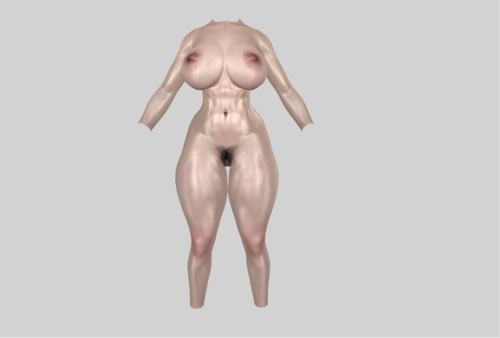
Chees's UUNP Preset "Slimer"
Just some random dudes UUNP presets
(Now slimer)
Requirements:
XPMSE: https://www.nexusmods.com/skyrim/mods/68000 (pretty obvious)
BodySlide and Outfit Studio: https://www.nexusmods.com/skyrim/mods/49015 (Another obvious one)
DIMONIZED UNP female body: https://www.nexusmods.com/skyrim/mods/6709
HDT Physics Extensions: https://www.nexusmods.com/skyrim/mods/53996
(Optional) Demoniac Textures (UNP): https://www.nexusmods.com/skyrim/mods/70834?tab=files
V1.0
(I tried i really did. Man i cant make good slim body presets)
Working on improvements
660 downloads
Updated
-
![More information about "Rhino Armor and Hair Conversions [2018-02-03]"](https://static.loverslab.com/screenshots/monthly_2020_01/385947952_KannaHair.thumb.jpg.e5d2e8446c0f1d12f67e77e51eea0a09.jpg)
Rhino Armor and Hair Conversions [2018-02-03]
By rhino_4
REQUESTS/SUGGESTIONS:
I have recieved several messages from people asking for specific armors/outfits, so I'm adding this section so people can stop messaging me. Do it in the comments instead:
I am open to suggestions, but I make no promises. Fulfilling requests is dependent on how easy it will be for me to do it, how much free time I have, and my interest in your suggestion.
Another consideration is a developer's/publisher's rights and whether they will object to me porting things. CD Projekt is an example of a developer that is friendly towards other people (tastefully) using their assets. Don't even bother asking me for something from Overwatch.
If you have a request, try to find a source before asking me. XPS/XNA models (easiest to do), Blender models, DOA5 mods, MMD models (hardest to do), etc. are all suitable sources that I can use to port something to skyrim. Deviantart is a great source for these, but not everyone is willing to let me port stuff they've ripped, and I will respect their wishes if they say no.
Lastly, let me reiterate that I MAKE NO PROMISES. If I don't want to do it, asking me ten times in a pm and offering me money won't change anything. I don't have/want a patreon. I do this for fun.
WHY:
I've been messing around with Skyrim for a long time, and I've built up quite a bunch of stuff I figure I should share. So I'll be keeping all of my mods here from now on. I do conversions from other games, so here you'll find hairs, outfits, and armours I've ported over to Skyrim. I'll add more as I get around to packaging it all up and making sure it's worthy to share.
WHAT:
ARMOR -
1) High Society UUNP HDT from DOALR
Heel Sound 1.5 required.
Property of Tecmo/Team Ninja
Original Port by Rolance https://rolance.deviantart.com/
2) Two UUNP HDT from Drakenguard 3
Property of Access Games/Square-Enix
3) Ranger Set 1 UUNP HDT from Black Desert Online
Property of Kakao/Pearl Abyss
Original port by Riz on Npatch.ru
Reuploaded by Bringess https://bringess.deviantart.com/
4) Berserker UUNP HDT from Black Desert Online
Property of Kakao/Pearl Abyss
Original port by Riz on Npatch.ru
Reuploaded by Bringess https://bringess.deviantart.com/
5) Ryuko Matoi UUNP HDT costume from Kill la Kill
Costume originally created by Huchi001 https://huchi001.deviantart.com/ for use in DOA5
Note: the suspenders clip through the boobs on higher weight body types (like the Manga body) so I've made them a separate add-on that you can wear or not.
6) Four UUNP HDT from Drakenguard 3
Property of Access Games/Square-Enix
7) Ryuko Matoi School UUNP HDT costume from Kill la Kill
Costume originally created by Huchi001 https://huchi001.deviantart.com/ for use in DOA5
? Seashell Bikini UUNP HDT from DOA
Property of Tecmo/Team Ninja
(Just something quick I already had lying around. I think this one hasn't been done yet, but I could be wrong.)
9) Marie Rose costume by Tamiki Wakaki UUNP HDT from DOA5LR
Property of Tecmo/Team Ninja
Original Port by Rolance
From wikipedia:
Tamiki Wakaki (若木 民喜 Wakaki Tamiki, born May 9, 1972 in Ikeda, Osaka[1]) is a Japanese manga artist and graduate of Kyoto University, notable for his manga series, The World God Only Knows.
HAIR -
1) Xiaoyu's hair from Tekken 7
(Nini on patreon has been showing this one off in his screenshots and not sharing so I figured I would beat him to the punch.)
Property of BANDAI NAMCO
Original Port by Rolance https://rolance.deviantart.com/
2) Kanna's Hair from DOA
(I saw screenshots of it online but couldn't find a download so I decided to port it myself)
Property of Tecmo/Team Ninja
Original Port by Shubaruu https://www.deviantart.com/shuubaru
POSSIBLE UPCOMING:
More DOA hairs, as Kanna's was rather easy.
DO NOT REUPLOAD/REDISTRIBUTE TO OTHER SITES WITHOUT CHANGING THE MODEL IN SOME WAY AND CREDITING THE ORIGINAL UPLOADERS (LISTED ABOVE)
Fixes/Updates:
2020-01-06
Uploaded Kanna's Hair from DOA
2018-02-03
Uploaded Tamiki Wakaki costume from DOA5LR
2018-02-01
Uploaded Seashell Bikini
2018-01-29
Fixed Ryuko Matoi's school download
2018-01-28
Uploaded Ryuko Matoi's school outfit
2018-01-23
Added Four from Drakenguard 3
2018-01-21
Added Ryuko Matoi costume
2018-01-20
Added BDO Berserker set
2018-01-15
Added BDO Ranger Set
Added esp to Drakenguard Two (woops)
35105 downloads
Updated
-
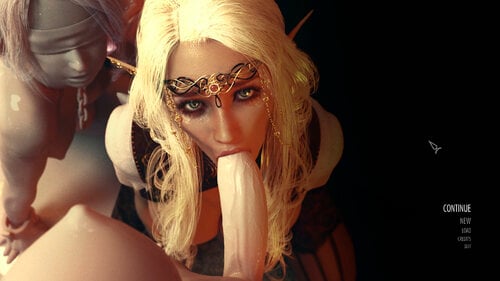
Lewd Main Menu and Intro Logo
By QWitch
This is a group of some mods that change main menu with 8 random adult pictures and various music.
Replaces Bethesda logo with a short adult video clip for the start-up screen.
Removes Bethesda logo in menu.
Turns off the fog from main menu and loading screen.
Fine with HD/FullHD.
Requirements:
● SKSE
More info:
Changing default BGS_Logo.bik with a short(4sec) video created by noname55
Basic mod for randomize main menu is https://www.nexusmods.com/skyrim/mods/28025
Pictures are from various artists. Music too.
Menu logo remover and fog remover from author - IceKK(nexusmods).
Installation:
Extract all files to the \Data folder in your \Skyrim folder.
Or
Use mod manager tools such as MO.
10621 downloads
Updated
-
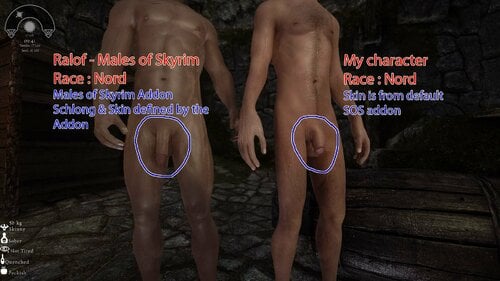
Males of Skyrim - SOS Patch (for real)
By Barzing
This patch will equip all Males of Skyrim with a custom schlong (schlong & textures) not the default race one !
There are 2 esps :
Males of Skyrim.esp (will replace the original MoS esp - USLEP version)
MS Addon.esp (Addon for SOS in Alphas FW format)
Requirement :
A new game (needed because of faction mechanism, or add your npcs in the SOS_ALPHAS faction via the console)
Schlongs of Skyrim
Males of Skyrim
SOS - Alphas FrameWork (Mandatory - won't work without)
Credits :
All credit goes to SOS original authors: VectorPlexus and Smurf.
Aberin for "Males of Skyrim"
5082 downloads
Updated
-
Nordic Warmaiden Body Hair - Armpits - Pubes - Bum Crack
By dePog
Installation Notes:
1. Install the main file first, either:
Nordic Warmaiden Body Hair - 8K Res - v2.1.0.rar
or
Nordic Warmaiden Body Hair - 4K Res - v2.1.0.rar
2. Then if you are using UNP based bodies install:
Nordic Warmaiden - UUNP Nipple and Navel Patch 8K v2.1.1.rar
and if you want bumcrack hair moved to better fit UUNP then install:
Nordic Warmaiden Hair 2.0 UNP Patch 4096.rar
3. If you want the armpit hair available as SlaveTats instead of RaceMenu Body Paint then install
Nordic Warmaiden Hair v2.0 - Armpits - SlaveTats.7z
Version 2 now supports three formats - RaceMenu, TexBlend & PNG
Version 2.1.0 now includes all three ways to apply body hair to female textures, and has some extra styles.
The in-game RaceMenu Body Paint tab Caliente's TexBlend App Loose PNGs that can be applied with a paint program such as Photoshop or Paint.net
Navel and Back hair now included in the v2.1.0 download. Plus you now have the choice of 8K or 4K resolutions. (2.1.0 was 8K ). Also included a nipple / areola Body Paint so you can change them to any colour. There is also a patch for UUNP to fix the position of the navel hair and nipples, but you need to download the Main file first then the patch.
OPTIONAL DOWNLOADS:
The v2.0.0 set has been tweaked to fit better on UNP textures, thanks to Cezul The armpits have been converted to work as SlaveTats, thanks to emily1673
TexBlend Method
Use Caliente's Texblend app to apply body hair to the main female texture. This will give every NPC the same hair. If you want to give unique body hair to special NPCs that have their own textures there is instructions on how to do that on Caliente's page.
RaceMenu Method
This version allows you to add body hair separately to your female characters' pubes, armpits and bum crack.
Using the Racemenu "Body Paint" overlay system you now have the option of
8x styles of armpit hair 8x styles of pubic hair 6x styles of bum crack hair Choose each individually so you can add hair to: just one area, or two, or all three Choose any colour by using the RaceMenu sliders. So you can now easily match you head hair colour.
Installation
Download the Nordic Warmaiden Body Hair v1.1.0 file and install with NMM or MO and you are ready to go. Simple.
When you're applying the hair in game you will notice that each style is available in both Fair and Dark.
If you want darker hair that just has a hint of colour, such as auburn or dark brown, then use the Dark variants,
for example: dePog - Pits - Dark_Long_Wild
If you want brighter coloured hair, such as honey blonde or copper blonde (or fluoro green, lol), then use the Fair variants,
for example: dePog - Pits - Fair_Short_Petite
Sooo.... would you like bright pink pubes, lime green armpits, and fluorescent blue bum crack fuzz? No problem!
***************************************************************************************************************************
***************************************************************************************************************************
PNG Version
Note: If you only want to change your main character, then use the "RaceMenu" version above.
This PNG version allows you to add pubes, armpit and bum crack hair to all females in game. Also, if you have some special NPC's with their own texture folders (such as Bijin Wives, BVFE Serana, etc) then you can give each character their own individual body hair styles.
Installation of the PNG version of the Mod
Download the Nordic Warmaiden Hair PNGs file with NMM and it will put three new Folders into your Female Folder:
( Skyrim\Data\textures\actors\character\female )
The three new folders are: ... \Pits \Bum Crack \Pubes
Installing this Mod does not install the hair onto your player or NPC's bodies, it just installs the folders. If you don't know how to use PNG files to add the hair to your NPC's or character's body there is a step by step tutorial below.
NOTE: This tutorial shows how to change the standard NPC female using the main femalebody_1.dds texture. If you want to change special NPCs (such as Bijin Wives, BVFE Serana, etc) then you will have to find the folder in which their texture is located and add the PNGs to its femalebody_1.dds, for example, you would find BVFE Serana in the following folder:
Data\textures\Actors\Character\female\Serana
Tutorial - How to add body hair to any skin texture
This tutorial is based on the Paint.net graphics program. If you don't have this program you can download it FREE from here
NOTE: The tutorial below was written by me for the female textures in Fallout 4, so some screenshots will show a folder called "BaseHumanFemale". In Skyrim this is the "Female" folder
Once you have downloaded and installed Paint.net, then follow the steps below:
Step 1
Go to your Skyrim data folder, then drill down till you find the Female folder
( Skyrim\Data\Textures\Actors\Character\Female )
Find the file FemaleBody_1.dds
As shown below, right-click on FemaleBody_1.dds, click on 'Open with', and choose Paint.net
Step 2
You should now have Paint.net open with the FemaleBody_1.dds texture showing similar to the pic below. It may look slightly different depending on what skin type Mod you are using.
Step 3
Now click on the Layers menu and choose Import From File, as shown below
Step 4
You should now have a window open that shows the Pits, Pubes & Bum Crack folders.
Double click on the Pits folder
Step 5
and now you have the choice of Brunette or Blonde.
In this example we are choosing Brunette, so we double click on the Brunette folder
Step 6
We now have the choice of four different armpit hair styles: Long Dense; Long Sparse; Short Dense; Short Sparse
In this example I chose Long Dense
Step 7
And you should now see the armpit hair appear on your body texture, like the pic below
Step 8
If you go back to step 3 and repeat steps 3 to 7, but this time choose the Pubes folder instead of Pits, then you will now have a texture with both the Armpit style and Pubes style to your liking. The Pic below shows a texture with both armpit and pubic hair. ( Repeat steps 3 to 7 again if you want Bum Crack hair.)
Step 9
Now we need to save your creation.
Click on File, and choose Save As from the drop down menu
Step 10
In the window that appears change the Save as type to DirectDraw Surface (dds)
Step 11
Make sure you are still in the Female folder (unless you are doing a special NPC with their own folder) and the File name is FemaleBody_1.dds
Then click on Save
Step 12
Now click on Yes when it asks "Do you want to replace"
Step 13
Then when the "Save Configuration" window appears, click OK
Step 14
Then click on Flatten
That's it! You have now given the Female texture armpit, pubic and bum crack hair. Remember, you could also do the same procedure again for characters that may have their own texture folders (such as Serana, Bijin Wives, or custom races) and perhaps give them a different combination of styles if you wish.
(If you are feeling adventurish, Paint.net will also allow you to tweak the colour tint of the pubic hair to your particular liking. You would need to do that just after Step 7 before the layers get flattened. The Adjustments menu has all the tools for adjusting colours. I won't go into detail in this tutorial as it is already quite long. Just play around and see what happens, lol.)
42965 downloads
Updated
-
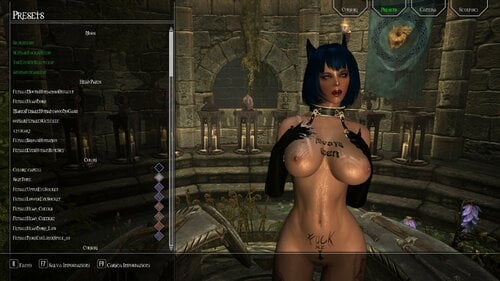
CBBE - COSIO-3BBB-Sexy Daedric Armor.7z.rar
By Dorabella
CBBE - COSIO-3BBB-Sexy Daedric Armor.7z.rar HDT
Armor for naked gameplay . Armor no rating . To make up for the lack , i join with Dibella Blessing .
Weapon in screen : yes
Tails and ears in screen : no.
Mod include 3BBB Skse files folder .
Extrat> copy drop into Skyrim data folder, active plugin and don't forget to launch FNIS.
Into game : Additemmenu for weapon and armor.
Requirement :
Skyrim + all DLC.
SkyUI.
Dibella's Blessings - Naked Gameplay 1.4.0
Sexlab Aroused Redux December 05 2016 28b
HDT HighHeels System
Heels Sound
XPMS or XPMSE
Optional :
CLAMS OF SKYRIM PROJECT Inni Outie HDT Vagina 5.6.1 or your HDT Vagina TBBP.
Recommended
For weapon : VioLens - A Killmove Mod and Samurai Killmove
990 downloads
Submitted
-
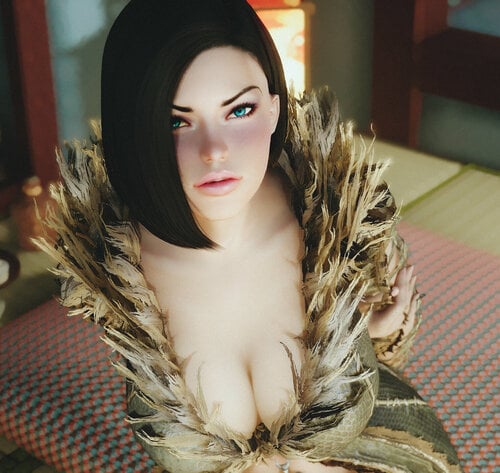
Hidielle Follower
By Sunsakuka
Description
This mod adds a new follower in games. It is Hidielle my character. And I am very happy to share with you.
Installation
Just drop the Data folder in your Skyrim folder and everything will find its way around.
Follower detail:
Race : Nord Race
Location : Candlehearth Hall, Windhelm
Default Body : Personal preset, supplied with mod.
Level : Min 10 - (Level up in synchronization with the player.)
Default outfit : BDLeatherRobe 7B
Default weapon : None
Class: CombatMageElemental
Primary Skills : Destruction, Restoration, Alteration, Conjuration
Requires XP32 Maximum Skeleton - XPMS
http://skyrim.nexusm...m/mods/26800//?
Recommended Mod:
https://www.nexusmods.com/skyrim/mods/68000
Credits and Thanks:
Warning: don't reupload it on Nexus!
83850 downloads
Updated
-
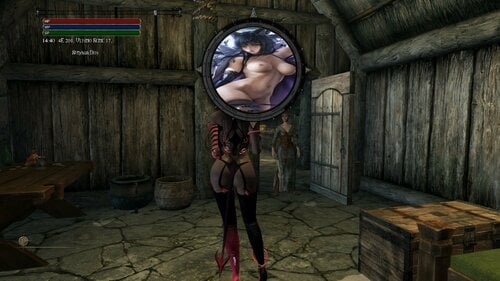
Amotsimbol.rar
By Dorabella
Changing the symbols of A Matter of Time.
Extract, copy / paste into Skyrim Data folder
Requirements:
Skyrim + all DLC, SkyUi, A Matter of Time. A Matter of Time - A HUD clock widget
At stake:
MCM Menu> A Matter of Time:
1st symbol set A Matter of Time to Astrolabe and resize
2nd symbol set A Matter of Time to Astrolabe structure and resize
Thank's to SkyAmigo for original mod
766 downloads
Submitted
-
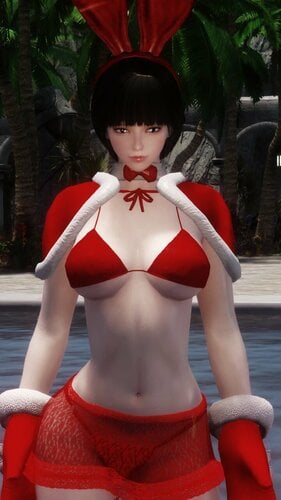
Christmas collection 10 kinds
By hp4068
About This File
This file introduces the Christmas costume I have made every year so far.
December memorial
Christmas Costume
I'm sorry to fail to upload the file myself.
But through the link you can download it from my blog.
Maximum weight is recommended.
Required mode
HDT Physics Extensions
High Heel
Decompress
7z Program
Split Compression
001, 002, 003 Place the same
Uncompress to 001
1401 downloads
Updated
-
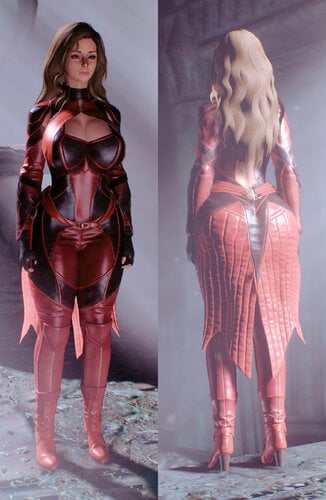
Blood Magic Armor UUNP
By Siegmeyer
Port of MK11 Blood Magic outfit to Skyrim LE. Body type is UUNP with Bodyslide files included.
Textures are 4K compressed to DXT5. Additional archives contain optional 4K uncompressed and 2K compressed versions of the textures.
Ground / Inventory models for the armor have 1K compressed textures to reduce performance lag in the inventory menu.
REQUIREMENTS:
Dawnguard DLC
HDT Physics Extensions and its requirements
NetImmerse Override (this is included with Racemenu if you use it)
Latest XPMSE
Bodyslide and its requirements (only if you intend to make use of the Bodyslide files)
UNP-compatible skin textures
RECOMMENDED:
Eyes Glitch Fix
Mod makes use of the Invisibility affect which can cause your character's eyes to glitch out. The mod above is one of a few different mods that can fix this.
Alternatively, entering Showracemenu will restore your eyes if the glitch occurs.
------------------
DESCRIPTION
Adds the Blood Magic outfit as a set of light armor. To acquire the armor, seek out a coffin "chest" in Lord Harkon's chamber in Castle Volkihar. The chest appears in both the normal and "bossfight" versions of the room. Alternatively, the armor can be crafted at a forge if you possess the Daedric Smithing perk.
Once the base armor has been acquired, take it to the forge to create the Enchanted version, which features several new enchantments for Vampire characters designed to boost your vampiric abilities. NPCs and non-vampire player characters will not be able to make use of these new spells and effects.
The enchanted version can be made combining the base armor with a filled Black Soul Gem, and requires the Arcane Smithing perk. The enchantments (aside from the Full Set effect) can be learned with Disenchantment and applied to other equipment pieces at the Enchanting table.
The unenchanted armor is tempered at the workbench with Ebony Ingots, and the enchanted version with Potions of Blood. Tempering either version of the armor requires the Daedric Smithing perk.
List of all effects, by set piece:
BODYSUIT
-Debilitating Aura: While the Vampire is in combat, nearby hostile enemies will have their physical defenses decreased by 25 and magic resistance decreased by 50%.
-Parasitism: When at less than 25% health, the Vampire gradually absorbs Health and Magicka from nearby foes.
GLOVES
-Augmented Lifedrain: Vampiric Drain spells are three times as powerful.
-Blood Bounty: Grants the Vampire a 5% chance when killing a humanoid target to acquire one Potion of Blood.
BOOTS
-Swift Shadows: The Vampire moves 50% faster while sneaking.
-Shroud: When sneaking out of combat, grants Invisibility and muffled footsteps to the Vampire.
SLEEVES
-Spellbound Swarm: Each time the Vampire casts a spell in combat, summons clouds of bats that attack nearby enemies for 5 seconds. Effected enemies become afraid and flee for its duration.
-Hemotoxic Weaponry: The Vampire's melee attacks deal poison damage and reduce enemy stamina regeneration by up to 75% for 60 seconds. This effect cannot apply to poison-immune targets.
SKIRT
-Swiftwing Cloak: Grants the power "Rush of Wings". This spell cloaks the Vampire in a swarm of bats that doubles movement speed and negates fall damage for 5 seconds, at a cost of 10 Stamina per second.
-Savage Bloodlust: While under Stage 4 Vampirism, weapon damage and Destruction spells are twice as powerful, and critical hit chance is increased by 20%.
FULL SET
-At the start of combat, automatically summons a Blood Fiend to aid the Vampire for 30 seconds. Increases fire resistance by 50%.
------------------
COMPATIBILITY
The enchantment effects are based on vanilla mechanics and values, and might function differently depending on whatever Magic/Perk/Vampire overhaul mods you have installed. If you notice anything game-breaking when used in conjunction with such a mod, let me know and I will try to make a patch for it.
UNINSTALLATION
Since this mod makes use of scripts for some the enchantments, I recommend completely unequipping all pieces and saving your game before uninstalling the mod or deactivating the mod's ESP. Otherwise, this mod should be safe to install and uninstall mid-playthrough.
------------------
PERMISSIONS
You are free to make and upload any modification to this mod as you wish. This includes conversions to other bodies, retextures, ports to SE / other games, patches to work with other mods, etc. You don't need to ask me beforehand but I would appreciate if you gave credit to me and the others listed in the credits section below.
I am fine with the re-uploading of this mod's files to any non-Nexus site, but again would prefer that you list any necessary credits.
CREDITS
Rotten-Eyed on deviantArt for the model rip
Vicn for his Creature Resource Pack
dint999 for the HDT PE rig used for the skirt physics
Ousnius and Caliente for UUNP and Bodyslide
Last three screenshots created and submitted by Kali
9138 downloads
Updated
-
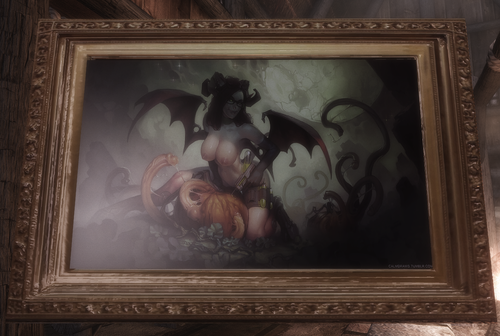
Calm Pictures
By spoonsinger
Various pieces of art, by the very talented Calm, stuck into lists for your treasure hunting pleasure.
Notes:-
1) 82 pieces of art, (might be some duplicates but they probably have different frames). stuck into list CalmPaintingsList, (10% chance). Then that list stuck into LootWarlockChestBossBase, LootForswornChestBossBase, LootVampireChestBossBase, LootHagravenChestBossBase, LItemMiscVendorMiscItems75, LootBanditChestBossBase. So your chance will be lower than 10% for finding one. (There's always the console). Don't forget to Bash or whatever you kids do nowadays. As of version 20190819.02 the pictures should be automatically added to the lists.
2) Use Jaxonz Positioner https://www.nexusmods.com/skyrim/mods/52583 to stick them on a wall, up a tree or even on a stationary cow.
3) Bleak ENB. (just in case anybody cares).
Acknowledgements
Calm. All the awesome artwork is theirs. Go support them at https://www.patreon.com/calm on their Parteon account. Pressure them, via hard currency, into merchandising hats.
varfolomey for https://www.loverslab.com/files/file/5129-replacer-narrativeloot-paintings-and-frames/ I snaffled a couple of the picture frame meshes, (also it's good anyway if you are running low on pictures to hang on things).
Whoever wrote the nif handling script functions in Xedit. Very useful/time saving.
That Paint.net bloke.
9759 downloads
Updated
-
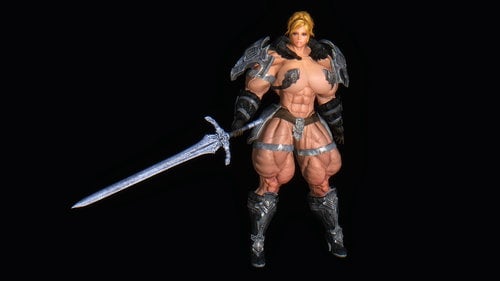
Amazons of Skyrim
By Azazellz
=== DISCLAIMER ===
If you not a fan of female muscles, or you just find muscle women is disgusting - just leave this place right now.
Author is not responsible for injuring your sense of beauty.
This mod adds five playable races (only female versions), as well as special abilities and equipment for them.
Contains custom animation pack (work with FNIS) and MCM for more detailed configuration.
=== RACES ===
Amazon Warrior
The Amazons hail from a valley hidden deep within Skyrim's mountains. A lifestyle of harsh training under the presence of a local magical anomaly gives them incredible muscle mass and power.
Amazon warriors have unmatched physical strength. Their attacks do extra damage and they can fight for days without rest.
Even novice Amazon warriors can hold their own against the most experienced fighters of other races.
Amazon Warlord
The Amazons hail from a valley hidden deep within Skyrim's mountains. A lifestyle of harsh training under the presence of a local magical anomaly gives them incredible muscle mass and power.
Amazon warriors have unmatched physical strength. Their attacks do extra damage and they can fight for days without rest.
Warlords are experienced Amazon warriors. One Warlord is more than a match for an entire Imperial centuria.
Amazon Adept
The Amazons hail from a valley hidden deep within Skyrim's mountains. A lifestyle of harsh training under the presence of a local magical anomaly gives them incredible muscle mass and power.
Amazon mages channel magic through their musculature to greatly increase the power of all spells. Their muscles continually generate vast amounts of magicka.
The raw magic power of even young Amazon Adepts exceeds that of most mages of other races.
Amazon Warlock
The Amazons hail from a valley hidden deep within Skyrim's mountains. A lifestyle of harsh training under the presence of a local magical anomaly gives them incredible muscle mass and power.
Amazon mages channel magic through their musculature to greatly increase the power of all spells. Their muscles continually generate vast amounts of magicka.
A Warlock's mastery of Amazonian muscle-based magic grants her peerless magical power.
Amazon Matriarch
The Amazons hail from a valley hidden deep within Skyrim's mountains. A lifestyle of harsh training under the presence of a local magical anomaly gives them incredible muscle mass and power.
The Matriarchs are the rulers of the Amazons. The limits of a Matriarch's martial and magical abilities are unknown.
=== ABILITIES ===
=== SPELLS ===
== MOD ARCHIVE CONTENT ==
Two body variants: body with un-removable underwear and complicatedly nude body.
Five different skin textures with different types of veins.
Six different skeleton variants: XS, S, M, L, XL, XXL, XXXL.
Seven different variants of normal maps for different muscle relief.
Two plugins variants:
1) Common .esp plugin.
2) Pseudo-esm plugin (.esp plugin with .esm flag). Will load first in your load order.
Extra data:
ECE data for Enhanced Character Edit users.
RaceMenu character presets for RaceMenu users.
BodySlide data for making conversions (for experienced users).
FNIS PCEA animation pack. If you have troubles with animations from main mod - use this pack instead.
HDT custom preset for breasts and butt jiggles.
=== ARMOR ARCHIVE CONTENT ===
60+ sets of premade armors, vanilla remakes and others. Most of them goes in two variants - full and cut.
New weapons.
=== REQUIREMENTS ===
Skyrim
Dragonborn DLC
Dawnguard DLC
RaceCompatibility for Skyrim and Dawnguard
XPMSE
HDT Physics Extension
FNIS
FNIS_PCEA2 for alternative animation pack.
NetImmerse Override (standalone or as part of Racemenu) for armors high heels.
SkyUI for MCM-Menu.
===RECOMMENDATIONS ===
Better Jumping - if you want to use really high jumps (300+ points).
Skyrim - Enhanced Camera - SKSE-plugin for better first person experience.
=== INSTALLATION ===
Use any mod manager you want and run install.
Choose any options you want.
If you are ECE user - don't forget ECE-part of the mod!
After finishing install don't forget to run FNIS!
In the character creation menu set character gender to female before switching to Amazon races (or may occur bug with not-working passive abilities).
If you are ECE user - in the character creation menu go to the slot-load part and select "Preset 1" "Preset 2" or "Preset 3".
This loads pre-defined preset with various skeleton bones scaling. Only after this you can tweak your character's face!
Don't forget to use MCM for further customization.
=== BUGS AND LIMITATIONS ===
Because of modified skeleton you can expect clipping or other weird things in some poses or animations.
Because of custom body, this race can't normally wear vanilla armors.
May appear some strange bugs in beast form or vampire lord form, especially for ECE users.
For obtain armors - use AddItemMenu. Or you can found all armors in a sack near the Warrior's Stone.
Because of Skyrim engine limitation, If you want to use really high jumps (300+ points) you need to install Better Jumping (SKSE Plugin), or you may stuck in mid-air during high jumps.
Some animation mods may overwrite animations from my pack or set it to "vanilla" state. If this happens - use PCEA variant instead.
If you use mods, that changes basic jump height, leave Jump option disabled in MCM.
If you use mods, that changes attack and move speed - leave this options disabled in MCM.
=== THANKS AND CREDITS ===
Tigersan - for normal maps.
HHaleyy - for Fair Skin textures.
Groovtama - for skeleton.
tktk1 - for ECE.
Septfox - for more sliders for ECE.
Caliente - for BodySlide
TMPhoenix - for Race Compatibility
crossfire1616 - for invaluable help in testing and screenshots
kinghulk - for help in testing and screenshots
Donegan - for help in testing and screenshots
shidoni, resist112, debrarshackelford, RocketNow - for testing and general help
bigsmitty2 - for testing and polishing English translation.
clanomega2501 - for SSE version of the old True Amazons mod.
Animation creators (all of them) - for animations that I used in my pack.
All who I forgot to mention here.
Old versions of this mod (True Amazons) can be found here.
Ah, and sorry about my bad english.
50408 downloads
Updated
-
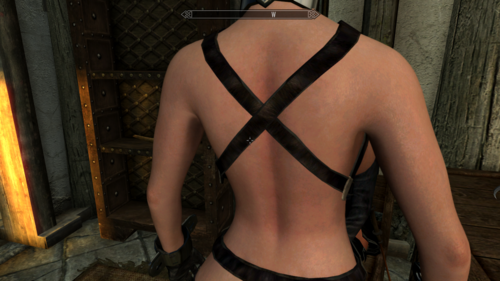
texture Superior Female Textures for CBBE
By karellen
A little experiment I made & liked. I hope you like it too.
This is a full 2k texture replacer for cbbe female body. It comes with make-up texture improvements.
711 downloads
Submitted
-
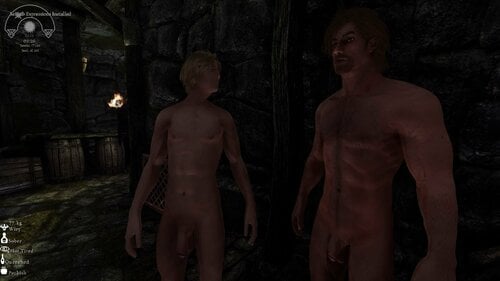
Lucien SOS Patch (for real!)
By Barzing
This patch will equip Lucien with a custom schlong (schlong & textures) not the default race one !
There is 1 esp :
Lucien.esp will replace the original Lucien.esp and include the SOS Addon (Addon for SOS in Alphas FW format)
include a face makeover too.
Requirement :
A new game (needed because of faction mechanism, or add Lucien in the SOS_ALPHAS faction via the console and reset the schlong)
Schlongs of Skyrim
Lucien - Fully voiced Follower
SOS - Alphas FrameWork (Mandatory - won't work without)
Credits :
All credit goes to SOS original authors: VectorPlexus and Smurf.
568 downloads
Updated
-
Deadly Traps and curses
DEADLY TRAPS AND CURSES
A little mod about amputations...
Thanks to : Hæretic (Amputator Framework), CPU (MCM script), asdasd123123 (Patch author), Delzaron (the original author), and Monoman (Amputator Framework Tweak)
Needed :
- ZAZ Animation Pack
- Amputator framework (of course !)
- Monoman's tweaked version of Amputator
How the mod works :
- Traps can ampute you or your follower.
- Rune Traps can cast Curses on you or everybody who will declench them.
- Some enemies (randomly chosen) can cast on you a curse when they die.
- Project : the Hound's curse : the deadly beast will track you everywhere, and turn your life into a living hell.
How to get rid of that :
- Curses strongly incapacitate the player, and can be removed only by amputation. Danica Pure Spring can do that for a small fee.
- The Brood Cave Shrine contains a furotub : the only way to heal amputations and curses without damages.... and not without risks.
- an MCM menu allow you to modify the chances to be curses/amputated, and to head amputations and curses.
Plans:
- Sacrifice something to convince the Hound to stop tracking you.
- Prosthetics devices. This may require patches to Amputator Framework though.
- Soft link to Kyne's Blessing?
- Check for Sexlab Survival so that player isn't getting amputated by both mods.
I don't have patreon, but I do accept paypal donations or donations through Nexus.
Feel free to contribute to Delzaron's patreon though, he absolutely deserves it.
Want to support me? Visit my Patreon ! https://www.patreon.com/Delzaron
Permissions :
You're allowed to use this mod code as you want. You're not allowed to upload this mod on another platform. Assets belongs to their original authors.
If you use this code in your own project, it would be lovely if you would credit Delzaron and/or myself.
13041 downloads
- amputation
- curse
- (and 2 more)
Updated
-
[Obsolete] Pregnancy Scaling Body - for Bodyslide2
By zecoron
These bodies are highly obsolete, please use one of the modern alternatives.
All credits to their respective creditors.
98733 downloads
Updated
-
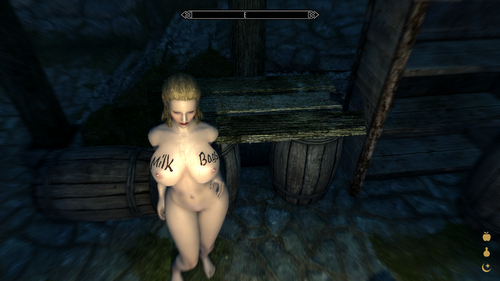
Milk Bags Tattoos
By Ankahet
About This Mod:
Adds a few tattoos for use with the Slave-Tats Mod, tattoos are geared towards milking, lactation, hucow type stuff.
This pack is based on a CBBE body. UNP Version also available.
Planned Additions / Changes:
Will add more when I have time.
----------
Like my stuff? Want to help me out?
Check out my Patreon
10304 downloads
Updated
-
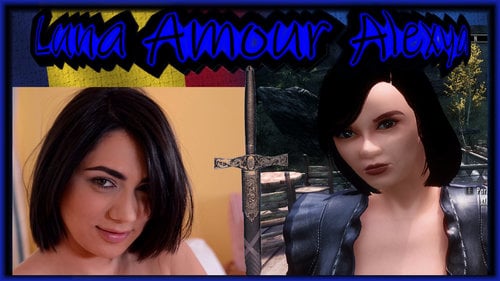
The romanian rocks of busty Alexya (Luna Amour)
By princelll
Luna Amor is a dark eyed brunette from Romania with an impressive pair of natural tits. She made her debut at DDF Busty in May 2014.
Princelucian presentatiion
I recreated Busty Alexya to perfection, She is now as a follower in Skyrim le, You can find her in dragonreach balcony.The appearance of this follower is the vision of the mod author, requests for changes may or may not be considered
The head mesh is custom sculpted in zbrush
The body mesh is custom sculpted in zbrush (not work with bodyslide)
hands and feets High Poly Feet and Hands by Halofarm
textures my original modification of fairskin maps. Mesh for the head parts and body are custom.
Textures created and others altered to represent this character.
This mod is independent of any body type or textures used as avanilla re-placer. It is completely standalone. There will be no offering as cbbe. Use HDT Physics Extension and all its dependencies ifso desired. All screens and videos by the mod author are in-game usingan ENB.
Mod may cause slow downs, stuttering, black textures or followeri nvisibility on lower end machines or game setups with Hi Res textures and script heavy mods. Follower statistics:She is a companion, she will accompany you on your adventures.
She has her own race.
She has her own XPMSE skeleton.Set as essential.
Marriagable.Weight 100.
4 dress versions avaiable
Rubin bra and panties (original)
Skimpy bra (original)
Alexya Adams set (convertion le of with my custom textures of grimsovereign se original mesh)
Alexya Rocklady (convertion)
YOU have 2 main facegeom
1 is fatter by default, other more skinny, up to you what to use
0000E506 - fatter (default)
0000E506 - thinner (somene may like more)
rename 0000E506 to your liking
650 downloads
Updated
-
XP32 Maximum Skeleton (Special) Extended - XPMS(S)E
By Groovtama
XPMSE\XPMSSE
(also on Nexus(SK)\Nexus(SSE))
Warning:
Do not delete the skeleton_female.hkx
Description
"XP32 Maximum Skeleton Extended" is a completely redone version of "XP32 Maximum Skeleton - XPMS" by xp32, for the "HDT Physics Extension" and "HDT Skinned Mesh Physics" and provides ingame customization features.
Requirement
(are installed BEFORE and nothing overwrites XPMSE)
Two list of requirements for XPMSE one for people using Racemenu and one for people using Enchance Character Edit\Vanilla
General:
SKSE 1.7.3 or newer
Fores New Idles in Skyrim 7.2 or newer
RaceMenu users:
RaceMenu 3.4.5 or newer
Enchance Character Edit\Vanilla users:
NetImmerse Override Standalone 3.4.4 or newer
Installation
Use a Mod Manager:
Either Moder Organizer or NMM\Vortex work.
Uninstallation (completely):
- (RaceMenu) Set all XPMSE related sliders in RaceMenu and MCM to default
- Press uninstall in your mod manager for XPMSE.
Skeleton
Body and Physics Support:
- Breast and Butt Physics [bBP]
- Tender Breast and Butt Physics [TBBP]
- HDT Physics Extension [HDT-PE]
- HDT Skinned Mesh Physics [HDT-SMP]
Mods compatible:
- Aesthetic Bolt Quiver
- CITRUS
- Deadly Mutilation
- Dual Sheath Redux
- Enderal
- Flimsy Ragdolls (included in XPMSE)
- HDT Dragon Tails
- HDT Equipment (Well Fitted option only)
- Nipple Magic (included style option and animations recommended)
- Realistic Ragdolls & Force (included in XPMSE)
- SAM - Shape Atlas for Men
- SOS - Schlongs of Skyrim
- The Joy of Perspective
- UN7B
Mods compatible without support:
- Enchance Character Edit (Comes with it's own XPMSE skeleton)
Mods completely unsupported:
- HDT Equipment (everyone option), that includes mods including everyone option features in their HDT Physics extension xmls this includes:
HDT equipment v0.2 everyone breast fix HDT Equipment V0.2 for Everone with Belly and Collision
XPMSE Plugin
XPMSE RaceMenu:
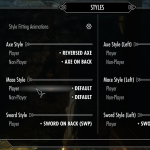
- Weapon styles, moving weapons ingame
- Scale\Position\Rotation sliders
- Body related sliders
- SOS\SAM related sliders
- Female specific related sliders
- Beast race specific related sliders
- Third and first Person scaling
- Extensible Follower Framework 4 compatible
XPMSE MCM:
- Weapon styles, moving weapons ingame
- Iinformation tab with debug information
XPMSE Weapons:
Scale Module:
- Fixes weapon scale problems with the game for females, thanks Bethesda, good job!
- Compatible with weapon scale edits in Racemenu
- Disabled withEnchance Character Edit for compatitibility reasons
Style Module:
- Manages styles for player and non-Player characters
- Manages Arrows\Bolts, Bows\Crossbow, Greatswords\Battleaxe\Warhammer and Magic styles dynamically for fixing visual issues and seperating shared nodes
- Manages animation switching for styles, such animations are Arrows Draw, Bow Equip, Idle and Attack, Greatswords\Battleaxe\Warhammer Equip and Magic Attack, Cast, Concentration, Cast, Idle, Movement and Sprint
- Enchance Character Edit supported
XPMSE Lib:
- Adds common functions for modders to use/copy from, like skeleton checks or manipuilation
Styles (Weapon Positions) List
Axe:
0: Default
1: Reversed Axes by Groovtama
2: Axes on Back by Groovtama
Sword:
0: Default
1: 1-Handed Swords on Back by xp32
2: SWP 1-Handed Swords on Back by Metal-Gear-Rex
3: FSM Swords turned edge up by fushimi
4: Dual Swords on left waist by Ayame
5: No More Dangling Swords by Akakus
Dagger:
0: Default
1: Daggers on Back Hip by xp32
2: Daggers on the Ankles by Metal-Gear-Rex
Two-Handed (Greatsword and Battleaxe\Warhammer):
0: Default
1: SWP Two-Handed Weapons on Back by Metal-Gear-Rex
2: FSM Two-Handed turned and on waist by fushimi
Bow:
0: Default
1: Frostfall Bow by Chesko
2: Reversed Better Bows by Messes With Wolves
3: FSM Turn Bow by fushimi
Arrow Quiver:
0: Default
1: Frostfall Quiver by Chesko
2: Frostfall Quiver by xp32
Crossbow:
0: Default
1: Frostfall Bow by Chesko
Bolt Quiver:
0: Default
1: Frostfall Quiver by Chesko
2: Left Hip Bolt by xp32
3: Experimental Hip Bolt by xp32
4: Aesthetic Bolt Quiver by IsharaMeradin
Magic:
0: Default
1: Nipple Magic by ElPsyCongroo
Shout:
0: Default
1: Schlong Shout by ElPsyCongroo
Endorse those mod authors, show your support!
Modders\Animators Section
New XPMSE 2.1 Rig txt and behaviour files: Resource
These are compatible with the Modders Resource at XP32 Maximum Skeleton - XPMS and with Skeleton Controller Rig. Fully Backwards compatible.
Do not use the Modders Resource at XP32 Maximum Skeleton - XPMS and with Skeleton Controller Rig for skinning.
How 2 make tails compatible with the XPMSE tail position sliders:
1. Open the tail mesh into nifskope
2. Replace the following node names with the new ones
- "NPC Pelvis [Pelv]" => "Tail"
- "NPC Spine [spn0]" => "NPC Tail Spine [spn0]"
- "NPC L Thigh [LThg]" => "NPC Tail L Thigh [LThg]"
- "NPC R Thigh [RThg]" => "NPC Tail R Thigh [RThg]"
3. Save the tail mesh
FNIS Bone numbers (this has nothing to do with the skeleton):
- XPMSE HDT rig: 115 (4.51) or 126 (4.6+) Bones
- XPMSE BBP rig: 129 (4.51) or 156 (4.6+) Bones
- XPMS Fallback rig: 242 Bones
Bone naming and prefix schema:
Nodes for meshes and havok animations
NPC => Mesh bones
HDT Physic exclusive
HDT => exclusive HDT Motion bones
XPMSE feature exclusive nodes
507934 downloads
Updated
-
Deviously Dressed Followers
By Ankahet
About The Mod:
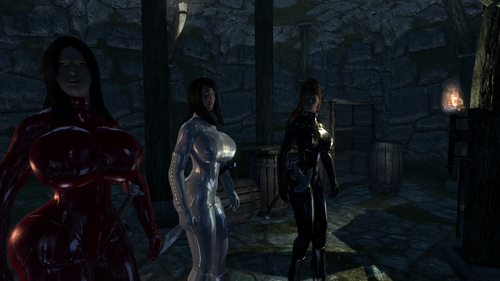
Redresses Housecarls to be sexier, even the fellas.
Adds 3 new sister followers (Incestual)
Adds player home with most amenities, a private dungeon
and 7 planting plots.
Requires:
Skyrim + DLCs
ApachiiSkyHair (Main, Female, and Male)
The Eyes of Beauty
DDi, DDe, DDa
Updating:
Uninstall the old one completely.
Install the latest version.
----------
Like my stuff? Want early access and dev updates for free?
Check out my Patreon
1863 downloads
Updated
-
ABC 1.251 locale patch
By cooldown1337
This is now a little locale fix for Baka's https://www.loverslab.com/files/file/7556-animated-beasts-cocksabc-for-users-le-se/ version 1.251.
Check your hdtSkinnedMeshPhysics.log file - if you get the "not a float value" error for animal .xmls this is what you need.
1691 downloads
Updated
-
SexLab Disparity
By Lupine00
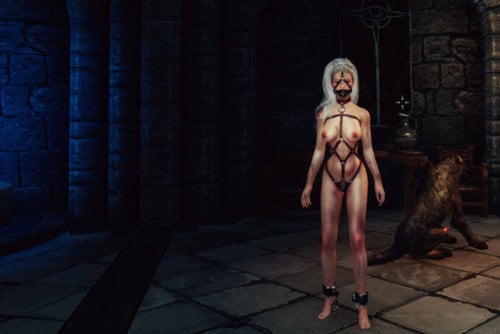
SexLab Disparity is a flexible system for settings buffs and debuffs based on things that other mods do. If you're not happy with the way that SexLab Arousal, or Milk Mod Economy buff or debuff your character, SLD lets you change it. If you want to make it so that SexLab Hormones body-weight, breast, butt or belly-size changes have consequences, SLD can do it. If you want to give those wussy Fertility Mode buffs and debuffs some real teeth, SLD can do that.
It's non-intrusive, and highly-compatible. How does it work?
SLD reads properties of your character like the node values of breasts, belly, and butt, body-weight, arousal values, and more. It has specific integration of Milk Mod Economy, so it can read your current milk, percentage-fullness, and pain levels. Additional integrations are planned, but a large range of mods work with no changes.
SLD lets you feed the values it reads into a simple-to-configure calculation engine, to generate a vast range of buffs, debuffs, and events of your choice. Yes, as well as buffs and debuffs on practically every stat in the game, it can also controls the probability of certain events happening, like your character falling over, dropping weapons, getting injured, and so on.
SLD can buff and debuff all the major stats: Health, Stamina, Magicka, along with every skill in the vanilla game, and many other values besides, such as carry-weight, movement speed, and attack speed. It does so in a robust, and highly-compatible way, that is unlikely to cause crazy problems with other mods.
SLD can use inputs from body nodes, morph values, SLA, MME, Apropos2, worn items, devious devices, and also collects data of its own - all of this information can be used to create the dynamic modifiers you want. SLD modifiers change directly with the input, they aren't fixed, or determined by a simple threshold.
Everything can be configured through an MCM that is full of sliders, sliders, sliders ... but once you understand how they work, it's easy to get the results you want, and setup is quick and simple. It's likely that SLD has the most sliders of any mod in existence! SLD does all its number crunching - and there's a lot of it - without impacting your game performance at all. It does the hard work almost instantly, using its own SKSE plugin. It was developed on a potato, and it will run fine on your potato too. Papyrus script load is pretty minimal, and you can adjust it for more or less frequent updates if you like.
Please read the quick-start instructions lower down.
It's simple, but it's not necessarily obvious at first!
There is some stuff you just NEED to know first.
Requirements:
SexLab 1.62+ SKSE, SkyUI XP32 Maximum Skeleton Extended (XP32MSE) 3.0+ (built against 4.51) NiOverride (get this from RaceMenu, or use the Standalone)
Explicit Support for:
SexLab Aroused v28b (this is optional, but recommended) Devious Devices 4.1+ Apropos 2 1.0.0.10+ SLIF 1.2.2 beta+ Milk Mod Economy (any 2018+ version) older versions may work, but SLD V13 was written against the above mod versions. SexLab Separate Orgasm (SLSO)
Works well with:
SexLab Hormones (any version) SexLab Parasites (any version) SexLab Stories / Devious (any version) Sanguine's Debauchery Plus (Flowering Spriggan quest etc) Fill Her Up (any version) Deviously Cursed Loot (any version) Diet Based Butt Estrus Chaurus+ Estrus Chaurus Spider Addon SexLab Survival Spank that Ass SexLab Adventures Any pregnancy mod that can change breast or belly size Any other mod that messes with body shape, weight, or SexLab Arousal data
About this version:
This version will definitely not work with SE, due to the new SKSE plugin As well as bug fixes, major additions in the latest V14.X compared to V13.X include: Worn items support - configure modifiers for different statistics relating to worn items, vanilla and devious. New inputs for orgasms, rapes, steps taken, damage taken, beatings, sex/item addiction and more. SLSO support - orgasms and rapes correctly tracked for SLSO. C++ plugin accelerates the crazy amount of calculations this mod performs - performance should be much more responsive. Can now set update time as low as one-second. Morph values now have a global application offset for each class of morph. Awareness of various vanilla DCL, DF and TAWoBA armors. Awareness of SD+ special wrist shackles. Fixed unintended creature rapes. Expanded range on many modifiers. Carry weight now a direct value, not a percentage. "huge number of cocks" dialog now only shows at 100 arousal. Sliders in debug menu to set Orgasm and Rape data manually. Removed gender and XMPSE version check - not sure what will happen if your character is male or you have wrong libs now - it's your problem
Update Instructions:
SLD will update itself automatically into a running game. Simply install the new version and load your existing save. You should see a message about the update on the top left just after loading. Open the MCM and check the version number. That's all you need to do. Note for MO users: if updating an existing game, make sure you don't change the position of SLD (or any other mods) in your load order. The easy way to ensure this is to install the new SLD version as a new mod, and only after that is enabled and positioned in your left pane, disable and remove the old mod. That way, MO will retain the load order without modification. Do not disable the old mod, then install the new one, as this will put the SLD ESP at the end of the load order, which is probably not what you want ... unless that's where it was to begin with.
Credits:
Included animations in V13.6+ are by Gunslicer - used with permission.
Thanks:
The Devious Devices framework team, Ed86 for Milk Mod Economy and SLSO, Gooser for Apropos, and DeepBlueFrog - if it hadn't been for SexLab Hormones I wouldn't have started this.
Quick Start Guide
If you install SLD into an existing game, it will take a while for the MCM to show up. This is normal. Open the MCM of another mod, then close the menu and wait a while. If nothing shows up after a minute, save and load, open the MCM of another mod, close, and then wait ... wait ... it will show up. If it doesn't, it's not my fault! Try Jaxonz MCM Kicker if you have troubles with MCMs not starting.
When you first open the Sexlab Disparity MCM, SLD will be disabled. Tick the box to enable, quit the MCM, and go back in. SLD should now be working, and you'll have a main screen like the one in the screenshots.
The main screen has the "master sliders". If you turn these down to zero you can stop buffs or debuffs being applied at all by SLD, or you can use them to quickly adjust your game to react to some stupid mod that's suddenly made your SLD debuffs into a lethal horror. You can also adjust the update frequency here. Shorter is more responsive, longer will load your machine less. The default should be fine for anyone. SLD was developed on an eight-year-old laptop, and ran effortlessly on that with the default setting.
Each input (or group of inputs, such as Arousal data, or Milk Mod Economy stats) has its own page. Every page is page is pretty much the same...
If the page is an input "group", like Milk or Arousal, multiple values are crammed onto one page, and there is a drop down at the top to pick what stat from the group you want to adjust settings for. It's just a way of having more pages. Regardless of what you set, all of the settings from the group will apply if you enable processing for that group. In the future, probably all the pages will be like this because I'll need the space.
There are two columns of sliders. The left column is for debuffs, the right column for buffs ... In theory anyway.
At the top of each column is a sub-master slider that controls the strength of effects from this input.
By default, these sliders are always set to zero. This makes the entire column do nothing! It's safer this way.
You must change the slider to something other than zero for the column to have any effect.
Beneath the sub-master slider are two sliders Debuff from (node value), and Debuff to (node value).
These determine the range of the input you want to apply modifiers for, and their order matters. In fact, it is SUPER IMPORTANT!
From is the input-value at which the effects below will be zero, and To is the input-value at which the effects will be fully applied.
The "input-value" is of course the thing the page is for, like breast-size, or body-weight, or sex-addiction.
e.g.
Go to the Breasts page, and set the master slider for debuffs to 100 (that's the slider at the top of the left column). Then, set the From slider to 1.0 and the To slider to 2.0 (the default limit is for bigger breasts, size 6.0, but that's pretty huge).
What does this do?
With a range of From 1.0 ... To 2.0, debuffs will start to apply when your character's breast size gets up to a value of 1.0
Values below that will have no effect - they're smaller than From.
As it increases towards 2.0 the effects of the modifiers you pick below will increase to their full "100%" effect. With a breast-size larger than 2.0, they will not get any stronger.
To sum up:
With From 1.0, To 2.0
Any breast size below 1.0 will have zero effect.
Any breast size of 2.0 or greater will have full effect.
But this still does nothing! Yet...
Because you didn't pick any of the modifiers below From .. To.
Open the Magicka slider, and set it to 100% Then, open the Stamina slider, and set it to -100% Scroll down and enjoy the huge range of sliders you can slide!
What will this do?
Now, as your breasts grow from size 1.0 to 2.0, a buff will be applied to magicka, and a debuff will be applied to stamina.
Negative values in the modifiers = debuffs, and positive ones equal buffs...
Even though this is the "debuffs" column ... well, it's just a convention, it's up to you whether you set them up as bonuses or penalties for any given range.
In modifiers, negative is bad, positive is good. Always.
Sometimes it's a bit odd, like when you set the chance of falling over, only negative values give a chance to fall, and positive values are all ways of saying "don't fall over, ever".
But it is consistent. As there are so many values, it would be confusing if sometimes the convention flipped around, just because it was a "chance" value rather than a buff/debuff.
Now, let's suppose you put From and To, the other way around...
Set From to 2.0 and To to 1.0
Now, as your character's breasts decrease in size from 2.0 to 1.0, the effect of the modifiers will increase to 100%.
So you will get no modifications at breast size 2.0 but at 1.5 you'll get +50 magicka, and -50 stamina. At size 1.0 (or below), you'll get + 100 magicka and -100 stamina.
Which is silly, but it's just an example.
So the ordering of From and To is very important.
The From value is always the one that applies no effect, and the To value is always the one that applies full effect.
It's intuitive when you want to set a buff for small breasts, that increases as they get smaller.
e.g.
Set the master slider for breast buffs to 100%. Set From 0.9 and To 0.0
Now the modifiers in the buffs column will increase to 100% of their configured values as your breasts approach size 0.0, with benefits starting to kick in at 0.9 or lower.
As every screen is pretty much the same, you now know how to set up everything!
Almost...
There's a page called Limits... and it's different from the others.
What does it do?
Basically, ALL of the modifiers you configure, on all the pages, are totalled up before being applied.
So, let's say, you set a magicka bonus of 100 from breasts, and a magicka bonus of 100 from belly, but a magicka debuff of 90 from arousal.
Imagine that the From .. To values of breasts result in 75% effect, and the values on belly result in 30% effect, and the values on arousal 50%.
These are all totalled up, so you get 75 + 30 - 45 = 60 magicka bonus.
So negative and positive values can cancel out.
But in some cases, you'll add large values of the same sign together, and a big number will result.
Let's say you end up with a total health modifier of -270. If you have less health than this, you'd die, right?
Well... that's not quite how Skyrim works, but pretty close.
That's where limits come in. The default Limit for health is -90, so no more than -90 will be applied to your health.
You can adjust the limits as you see fit, so if you never want to get a Movement Speed debuff worse than -25% from SLD, set that in the lower limit, and totalled speed debuffs will simply be clamped at that value before application.
What about buffs and debuffs from other mods? How does SLD interact with them?
SLD doesn't stick its fingers into other mods: it doesn't disable their effects. However, most mods will let you disable their buffs or debuffs. Sometimes the options to do so are strangely named, or hidden in a debug menu, but it is usually possible. In the case where SLD is modifying a value, and another mod is doing it too, the higher modifier usually overwrites the weaker one. Movement speed is a bit different, because DD, and other mods set it directly instead of using an effect
At this time, SLD only limits the modifiers it applies, it can't control what other mods might do. This might change for movement speed, but it's technically impractical to do it for other values.
SLIF
If you have SLIF installed, you can choose to get node (and morph) values from it. This is the best way to get them, and is more efficient than if SLD reads them directly.
What is this Body Morph thing? Does it change morphs?
SLD's body morph awareness allows it to generate 'fake' node values from mods (such as MME, or various SLIF patches) that modify body morphs instead of skeleton nodes. These values are not used by anything except SLD's internal modification calculations. You have to set up how you want the morphs to be interpreted. See below for more information...
Adding Custom Animations
The "internal animations" for Stagger, Trip and Fall are intended to support custom animations (by Gunslicer) now bundled with SLD for those events. If you don't want to use them, you can disable them and use vanilla animations ... or ... you can use your own custom animations. You can add your own animations if you have suitable .hkx files you want to use. It's recommended you use the built-in animations, but you can change them if you want.
Worn Items
The 'Worn' tab conceals a large number of options. At the top of the page are two drop-down menus, one to pick the ITEM, and one to pick the MODE. There are 45+ items, and 12+ modes, and each ITEM x MODE combination is a unique configuration set! In practice, you may not want to set up all items, and you will certainly never want to set up all the modes for all items.
The items are largely self-explanatory. At the top are the major outfit types: 'Naked', 'Clothing', 'Light Armor' and 'Heavy Armor', followed by 'Bare Feet'. While the major outfit types are naturally exclusive to each other, most of the other item types aren't. It's possible for a character to wear gloves, a collar, and slave boots - but a character can't wear slave boots and have bare feet.
In the drop-downs there will be a '+' next to items you are considered to be wearing. There will be an '*' next to items you've enabled for the current mode, and an '*' next to modes you've enabled for the current item. The '*' is MODE x ITEM combination specific, it helps you track what you've enabled.
If you do not enable an ITEM x MODE combination, it will not be processed, and its modifiers will not be applied.
The modes need some explanation:
I plan to write a full guide for SLD when things are more complete, but for now, I hope this is enough. Use the forum thingy if you have questions.
Change History
FAQ
30014 downloads
Updated
-
ZAP - Whipping Sound Expanded
By Nymra
This is (finally) my first Mod.
WHAT IT DOES
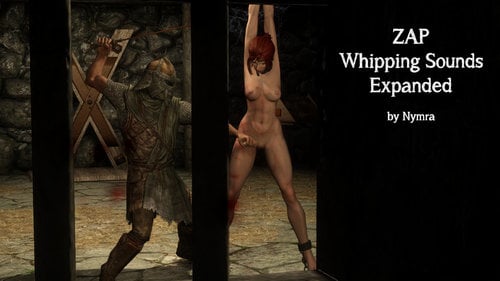
1. It expands the "ZaZAnimationPack.esm" to allow up to 10 different whipping sound effects to be played.
NOTE: The only change to the ESM is the number of sound files. No other changes have been made.
2. Adds 10 Whipping Sound files with screams that I made from the basic whipping sound and Overwatch Tracer Screams.
(the 10th file is currently from Immersive Torture Sounds as a filler, with permission from Kircheis.
DOWNSIDES
The whipping sounds will be the same for all NPC too, not only the player.
Meaning that also MALE NPC will have these sounds playing.
I will make a neutral Sound Set, too, so just the whipping sounds are more varied, but will have no screams.
INSTALLATION
Without Mod Organizer:
Overwrite "ZaZAnimationPack.esm" and the sound files.
With Mod Organizer:
Install Zaz Animation Pack 8+ as usual.
Then overwrite it in the left pane with my files.
With any other Mod Organizer:
Dont know, I think you get it done
DO IT YOURSELF TUTORIAL (TES5EDIT)
This is a Tutorial for changing the "ZaZAnimationPack.esm" urself.
HOW TO MAKE YOUR OWN SOUND FILES
You need:
- an audio editing program of your choice (Audacity i.e. I used Adobe Audition).
- the screams/moans you want
- whip sounds from the ZAZ directory
You now merge the two. I would suggest that the "screams" should start a bit after the whip hits. This way it sounds more realistic.
It is very important, that the sound files are converted to .wav with 44100 Hz Mono 16-bit Uncompressed or they will not play
COMPATIBILITY WITH OTHER MODS
Should be compatible with the same stuff as Zaz Animation Pack 8+
COMPATBILITY WITH OLDER ZAP VERSIONS
I dont know if this also works for earlier Zaz Versions.
If not, please let me know and I will maybe release a modified ESM for older Zaz Versions.
COMPATIBILITY WITH SPECIAL EDITION
The sound files, most likely.
The ESM changes (if there even is a ZAP SE) should be not a big deal with TES5edit.
FUTURE PLANS
I will make more sound files for different Voice types, so the whipping sounds match your Sexlab Screams.
I will also release my own version of Sexlab Extra Voices with more voice files (up to 80) and Voice packs for Overwatch and League of Legends Characters.
Every Voice pack will receive its own whipping sound files, too.
5983 downloads
Updated
-
BBW Fat Bottom UUNP
By Aussie2001
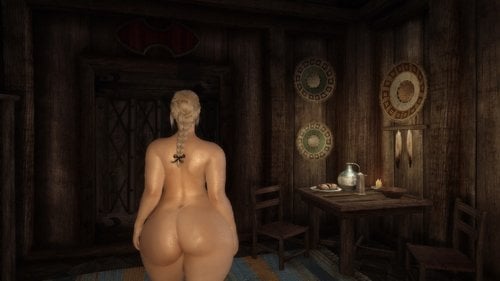
I already posted my preset on the SYBP thread. The only change I made was fixing the belly shape of Weight 0 (it was too flat before, so I added more volume to the belly). I didn't modify the max weight at all. Only for UUNP--why? Because the UNPK and ZGGB-r2 High sliders both need to be set to 50%.
This BBW body features soft and realistic curves, with a fat arse in both width and height. Flabby arms and thick thighs, calves and legs. Breasts only a bit large...not TOO large. Wide torso/waist at higher weights and narrow torso/waist at lower weights for variation: goes from Slender/Curvy (0-29) -- Thick/Chubby (30-69) -- Fat/BBW (70-100).
In my screenshots I used the following visual mods:
# Rudy ENB (Vivid Weathers)
# Bijin Skin 4K Textures (Wet Texture)
# The Eyes of Beauty
# The Amazing World of Bikini Armour
I also recommend # COB HDT Physics with Belly
For the armour/clothing to fit you need to batch build in bodyslide, and for the weapons not to clip you need to adjust via the Racemenu weapon scales.
Weight 0-100
Front:
Back:
Side:
Slider Values:
2587 downloads
Submitted
-
Proxy's Animations
By proxy86
Hi everyone.
[update 11-19-2019 version 2.2]
Sorry for the absence. Learned how to incorporate Animated Objects properly now to complete the Spoils of War animation. Also created a very simple Doggy Style Rape animation that I thought I might as well throw in to this update. made some minor tweaks to Spoils of War animations as well. Note for the Fish Hook Scene in the Doggy Style Rape Animation, "open mouth" SLAL toggle doesn't open the mouth wide enough so I recommend going into showracemenu or something similar and manually adjusting the mouth. It's a hassle, but I don't see another easy option if you want to make it look realistic.
Animation Gif Previews:
28025 downloads
Updated