Search the Community
Showing results for tags 'hdt'.
Found 13 results
-
 Luxury Collection for CBBE HDT Bodyslide View File Declaration Description For the most luxurious female characters, I bring you the outfits collection of fashion and beauty. Large amounts of high-poly items with the varieties of 2K textures can be dressed up in your own unique style. For now, this mod only contains items that are merged from Rayne1023's mods. I improved the textures and the bugged esps, expanding textures varieties, and converted them to CBBE HDT Bodyslide. Most of the models and textures are ported from Poser/DAZ. Due to the high-poly models and 2K textures, you should expect some performance impacts if you have already struggle to run the game with your current build. Because of the file size, I upload the main file to MEGA, and post hot fix directly on LL. Courtesy of Gwanuneg Below are original released mods and Japanese introduction pages. These files are not required. Features Preview Large varieties of high quality outfits. CBBE HDT Bodyslide supported with various zap. Weight slider supported. Heels Sound supported. Box ground models added. Different fine-tuned heights for High Heels. New CBBE feet mesh imitates the Victoria 4 feet from Poser/DAZ. Textures are fixed, improved, and expanded. All textures optimized by DDS compression or SMCO. NIF specular strength reduced. Light Armor only, with Dragonscale stats but decreased weights. Sorted names with this tradition: LUX [original outfit name]: [texture expansion name] [part] (color/style tag) Some esp bug fixes. Not craftable and a few items are temperable. I gave up adding tempering list. No 1st person models and assignments. Use this or fix by yourself. Requirements Caliente's Beautiful Bodies Edition -CBBE- V3.4+ BodySlide 2 and Outfit Studio V2.7+ XP32 Maximum Skeleton Extended V2.0+ HDT Physics Extension HDT HighHeels System Heels Sound Acquirement Use console or AddItemMenu I don't think it's good to make tons of lore-breaking items craftable. And of course it will be a hell to make these items craftable and temperable. If someone want to do it, feel free to upload the esp. sidfu offer an esp that makes items craftable at tanning rack. WraithSlayer provide an esp which makes items buyable in Whiterun. Installation Use any mod manager or drop into Data manually. Overwrite everything. Uninstallation Deactivate in mod manager or delete files listed below: Known Issues Some bugs(missing race supports etc.) inherit from original esp. I hope someone can help me fix these......I'm tired of them. Fixed by A.J. Too many items, so there is lag when opening AddItemMenu. Some of the names are too long. Please hide the type and class columns in SkyUI because the awesome icon already do it. Feel free to give me better names. Don't use negative value at calf parts with close-fitting outfits. We can only fix clippings between 0-100. Default meshes in BSA are CBBE Curvy, so there are clippings at calf parts. I'm new to texture modding. Maybe there are lighting issues I didn't aware of. Feel free to point out. Bodyslide is a morphing tool, you should expect distortions. I have done my best to prevent them. Credits Renderosity and DAZ3D creators for original models and textures. Rayne1023 for the ported models. Blabba and Cell(aka Ousnius), Tianya, and InsanitySorrow for the tutorials. Arison_c and CT77 for the feet mesh from this mod. xXDeliteXx for some textures from this mod. Raven for the ground models and textures from Luxurious Seduction. BloodFree, Ramccoid, Nebula, Majk360, CaBal, and HalkHogan for the cubemaps. Titan7585 for screenshots and testing. A.J. for helping me fixed race bugs from original mods. Blabba for the bsd files from HDT Body. If I miss any credit, please inform me. Tools Bodyslide and Outfit Studio 2.7c-f 3dsMax 2012 NifSkope 2.0 Pre-Alpha 2 Photoshop CS6 Extended TES5Edit BSAopt SMCO FAQ Q: Can you convert to 7B/XXX? A: No. This is a BODYSLIDE mod. Q: Why only CBBE? A: I have used CBBE since the game released, and then Bodyslide make me stick to it. Q: How about UUNP? A: Not me. I would be glad if there is a UUNP one. Q: CTD? A: Check the requirements. Q: I can't connect MEGA. A: Fix your connection, maybe try again. I recommend this Q: Small clippings? A: Use Bodyslide to adapt the files to your preset or use more normal body shapes. Submitter ApoKrytia Submitted 08/16/2015 Category Armor & Clothing Requires CBBE, XPMSE, HDT High Heels System, Heels Sound Special Edition Compatible No
 -
UUNP HDT Piercing Sets View File Abandoned: will not be worked on ever. This is a UUNP HDT conversion of Skeuomorph's Piercing Sets for CBBE HDT Credits go to original authors, namely: Hentaijin, Newmiller, and Shazhar for their original mods Lother for the HDT Piercingsets 2.6 for Bodyslide Skeuomorph for the CBBE HDT Set Herman777 several fixes Everyone involved with Outfit Studio/Bodyslide and Unified UNP: Caliente, Cell, Stuffed_Bunny, Chronotrigger77 and BringTheNoise HydrogensaysHDT and Groovtama for their work with HDT physics Does not require the original mod. Download both split archives then extract them with 7zip by opening the .001 it will extract the contents of both archives. You can also right click the .001: 7zip > "Extract to: ". Repack the resulting folder and add it as a regular mod. Alternatively MO users can drag the resulting folder directly into their mods folder (Mod Organizer\mods\). Word of advice, if you add both split archives to MO, it will only extract the first part and you will miss half of the items. You will have to batch build all items with Bodyslide or nothing will show up in game. If you have never used BS/UUNP before i don't recommend starting with this mod (also please don't post bugs until you are certain you didn't screw up the Bodyslide installation). It's a grand total of 120 items, while i tried to do it as good as possible, i didn't test each and every item. If you encounter bugs (item not showing, texture not showing), try to be as precise as possible ("Name of the Item/Color" as it shows up in game is enough "newmiller golden piercing" is not). Submitter t3h0th3r Submitted 12/06/2015 Category Armor & Clothing Requires Latest versions of: Bodyslide2/UUNP, XPMSE3, HDT PE or SMP Special Edition Compatible No
-
Animated Beast's Cocks(ABC) For users LE / SE
factoryclose posted a topic in HDT Physics - Downloads
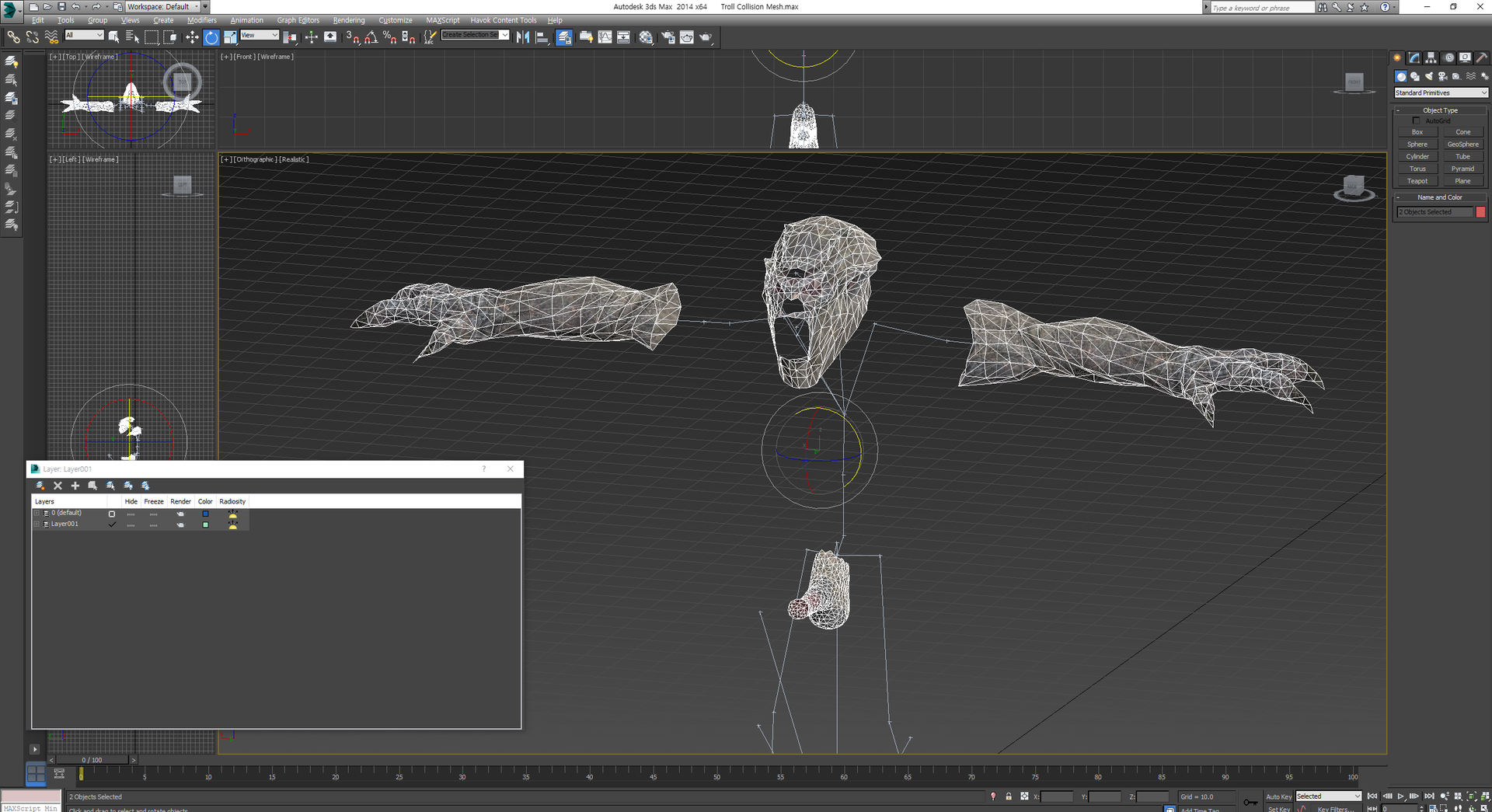
Animated Beast's Cocks(ABC) For users LE / SE View File Animated Beast's Cocks ABC - For users LE / SE BakaFactory's ABC HDT Patch !Warning! The mod is fully compatible with ASOS, SOS, MNC. However it doesn't mean you could use all the variations from all these mods while using ABC. You have to choose one model from each race via CF(Creature Framework) Description Think about it. Didn't you ever be bothered when you look at those dead dicks and thought 'It would be good to see them moving though.'? Surprisingly, there haven't been any attempts to make a significant change in creatures' rigging compared to humans'. It was so dissapointing and made me so discouraged to look at those stony and plastic-like penises that I couldn't help but make them come to alive! I wanted natural, realistic but also subtle and fundamentally improved animations for a long time. I searched up for an answer, and now... I think I find it.. I present you my moving fellas. Or should I put this term as 'Animated Beast's Cocks'? So What does it do? Will it make their dicks movable with this? That's correct but also not precisely. You cannot move their dicks only with this one. It's nothing like SOS. It's not gonna automatically move, detect and align their dicks like a highly advanced A.I. No! You should wait till the animators including me do their job, which means without editing animations, the dicks won't be moving. Don't worry. I already had them noticed. Just wait with patience. Requirement(LE) XPMSE HDT-PE with Collision Settings Any body mesh with physics(UUNP HDT, CBBE HDT) MNC LE - SLAL Creature animations and its requirements Fully Compatible Mods UUNP TBBP Vagina Body(It is also called CUUNP) BHUNP 3BBB CBBE 3BBB Requirement(SE) XPMSE Any body mesh with physics HDT-SMP with Collision Settings MNC SE - SLAL SE Creature animations and its requirements If you're a modder and do know how to animate things, you should check this one out! My HDT xml setting is for UUNP users. If you are using COSIO, why don't you check it out? Load Order Do not let other mods overwrite the mod. The mod is currently being updated considering other mods. You don't have to worry about conflicts. Special Thanks to MadMansGun for his wonderful job on MNC and texture works 9204 from Team TAL for technical 3ds Max Rigging Support(HDT) - 제 꼬추 스승! Groovtama - XPMSE modder for technical advice Majormodder for remodeling rieklings 이하은(Ha-eun) for reshaping meshes. 이하은 NambuOne! Submitter factoryclose Submitted 11/20/2018 Category HDT Physics Requires Special Edition Compatible Yes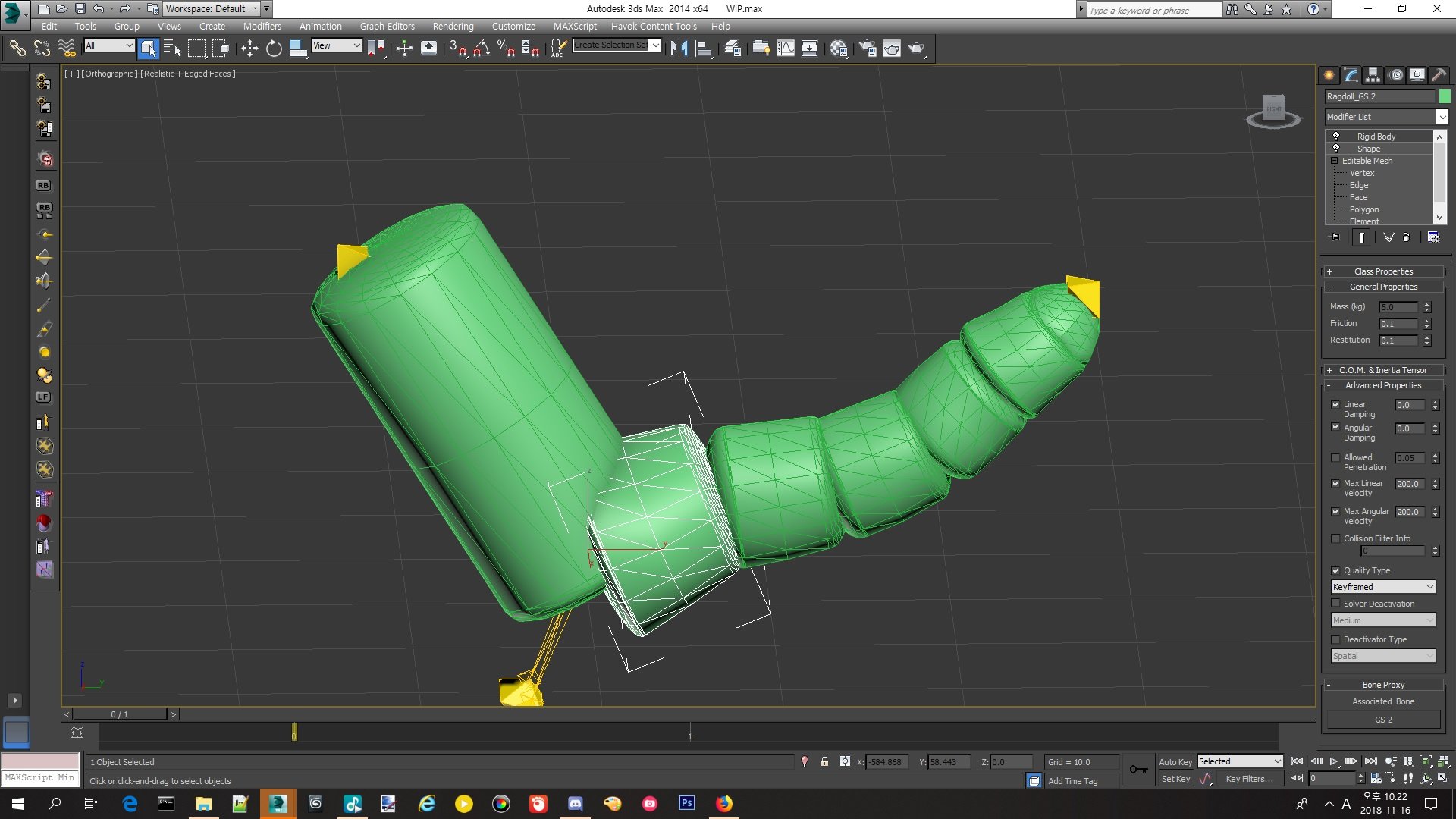
-
View File Bug fixes. Submitter Monsto Brukes Submitted 01/14/2014 Category HDT Physics Requires Special Edition Compatible
-
 TWO - Total Werewolf Overhaul View File Total Werewolf Overhaul (formerly HDT Werewolves Overhaul) is a complete visual makeover for male and female werewolves. The goal of TWO is to eventually become the definitive mod for werewolf apparel, offering versatile and highly customizable features integrated from or inspired by the many talented authors out there who have shown their love for one of Skyrim’s more underappreciated denizens. TealEri (AKA CinnaMewRoll), the creator of MFA and Expressive Werebeasts has been a fantastic help by providing additional textures for TWO. Please go and check out their tweaks for this mod! Current Features Male and Female Body Remakes: Bodies for both male and female werewolves have been given substantial makeovers, using VectorPlexus’ Mighty Beasts as a base. Shapes are now smoother, with more triangles and large-scale remeshing. Jiggle bones are back for the softer parts: the belly, butt, front and back thighs, calves and finally, breasts which feature 3 bones each. Multi-breast options have been remade using the original HDT werewolves as reference. 6 breasts with 3 bones each means a total of 18 breast bones! All physics interactions are driven by HDT SMP and almost every part of the body has had collision meshes added for extra interactivity. Physics in general are similar to CBBE 3BA. Last, but not least: Female werewolves now have a fully 3D modelled vagina and accompanying internal anatomy. Both males and females also have fully modelled anuses and rectums. All of these are HDT enabled with the necessary weight painting and collision meshes. A compatible Wicked Werewolves style skeleton is included in the optional installs if you prefer. Be aware this will change the proportions of the werewolves and will cause some animations to become misaligned. Expressive Head Parts: This mod gives werewolves genuine head parts that are capable of the same expression and phoneme functionality as the humanoid races. The high poly tongue is integrated from HCOS and works for both phonemes and mod animations that use the tongue bones, it also has HDT collisions. Expression morphs are based on Monster Facial Animations. Please give the original author, CinnaMewRoll, an endorsement for their fantastic work, as it is severely underrated! Bodyslide Functionality: Bodyslide allows for a great degree of freedom in the number and combination of possible options, you can mix and match various head and body shapes for highly customizable werewolves. I intend to expand the number of available sliders over time and this will be my primary way of implementing new shapes going forward. Multi-breast for females is controlled through ZAP checkboxes. Shapes that are now implemented as sliders: Asjure’s head shape. MadMansGun’s head shape, WhiteWerewolfX's head shape, Expressive Werebeasts by CinnaMewRoll, The Howling by Brevi, Naturalistic Werewolves by artifex0, HDT Werewolves by jacques00. If you are aware of any other werewolf shapes that might be easily implemented, let me know in the support thread and I may add them as sliders. NOTE: Some slider combinations may cause clipping. If you notice anything egregious, please report it and I’ll work to smooth out the shapes. Creature Framework / Horny Creatures of Skyrim: The Creature Framework contains a bunch of great features for werewolves along with Sexlab animations. TWO patches these features to work with the new werewolf bodies and makes some additions such as penis SMP collision meshes. The use of the CF system means that I am trading unsheathing animations for idle and Sexlab animations. I am intending to produce customized auxbone skeletons to integrate both features. If you do not wish to use the CF, the SOS based meshes from previous versions are included as an optional module in the main installer Herm Player Werewolf and Equipment System These features are grouped together in a separate module in the main installer called "Extras". This is due to complications with cross-compatibility. To enable this module, HCOS must be active in your load order. A lesser power will be added to your character which lets you change your werewolf form into a herm or urta werewolf, as seen in HCOS. This uses an SKSE function to overwrite the player's 'worn armor' slot when they transform into a werewolf. This implementation of herm player werewolves has no compatibility issues with custom races and does not result in missing body parts, unlike previous versions. A proof-of-concept werewolf equipment system is introduced. This edits the part of the werewolf script that unequips items so that it ignores armor with the keyword: "WerewolfEquippable". This allows armor with the keyword to remain equipped in werewolf form. Included are two sets of simple nipple loops to demonstrate the system. The loops are fitted for both males and females in both human and werewolf forms. For humans, they are fitted to the SAM male body and CBBE 3BA female body. For weres, they are fitted for the TWO bodies (obviously). The loops for the 3BA and TWO bodies have Bodyslide functionality. Nipple loop items are not currently implemented into any loot pools. To obtain them, enter the console and type "player.additem two_goldennippleloops 1" and "player.additem two_silvernippleloops 1". Alternate Skin Pack: A large collection of compatible alternate body and eye textures are available to replace the default vanilla style body. This is provided as a separate download to reduce the file size of the main download and for better ease of texture swapping. All credit to KrittaKitty and Brevi for the original Moonlight Tales, from which these textures were taken. Note that the skin system from Moonlight Tales will still need to be disabled. This texture pack will work independently from TWO so you can use it without the main mod if you wish. There are a few problems that were caught in testing but have not yet been fixed and can be seen in the ‘Known Issues’ section. SMP physics in particular are difficult to get right, reports of any strange physics behaviour would be useful. The fur layers that were in previous versions are missing currently, but I am working on re-implementing them. I wish to continue to bugfix and improve upon or add new features and Bodyslide shapes in a more iterative way, so bug reports and suggestions are appreciated! Mod Requirements and Recommended Load Order Hard Requirements – These mods are needed for baseline functionality: Monster Facial Animations – Main vanilla main file or werebeasts only file. This mod is only needed for the plugin. Faster HDT SMP – More performance optimized SMP physics. Make sure you choose the correct file for your Skyrim and SKSE versions. Soft Requirements – Required for additional key features: Bodyslide and Outfit Studio – Needed for building customized body and head parts for werewolves. Creature Framework – This is used to select and add the genitals to the werewolves. It is needed for HCOS but can also be used with TWO by itself if you prefer to not use that mod. Horny Creatures of Skyrim – For several features including making the werewolves (especially their genitals) more animated. Requirement for the extras component of TWO. Install in accordance with the guide found on the modpage. Recommended Mods – Not required, but will add useful or flavorful auxiliary features: Werewolf Eyetracking Behavior for MFA – Allows the werewolves to look at and track objects and actors. Use the FNIS patch only and NOT the main file if you have the Fores New Idles creature pack in your mod list. Werewolf Revert Effect – Gives werewolves changing back to human form a visual effect and animation to make the process less sudden. CinnaMewRoll has added compatibility options for TWO. Sexlab – Fairly self-explanatory. Most werewolf sex animations are set up to use the animation bones found in the CF / HCOS addons. Werewolf sex animations require the FNIS creature pack. Sexlab Werewolves Redux – Utility for the player to initiate Sexlab animations whilst in werewolf form. Dynamic Animation Replacer – If you have HCOS installed, you can install DAR which will give the werewolves sexual idle animations outside of combat if their arousal is high enough. If DAR is not installed, these animations will not play. MFG Fix – Fixes and improvements for Skyrim's expression system. Random Emotions / Conditional Expressions Extended – Causes both the player and NPCs to be more emotive and react to different situations. Works well with the werewolf expressions. Authentic Sinding Follower – Overhauls Sinding to be a voiced follower that can speak in werewolf form. Use main file only. More Werewolf Growling (optional file for MFA) – Causes friendly werewolves to ‘speak’ to each other, allowing the phoneme shapes to be used more. NOTE: May become obnoxious or interfere with voiced werewolf followers like Sinding. Installation Instructions Once the above mods along with their respective requirements have been installed you can begin with the main TWO module. There is a Fomod installer that contains some optional components and automatically selects appropriate modules depending on whether certain other mods are loaded in your profile. Miscellaneous patches are included for mods such as Moonlight Tales SE and Growl: Werebeasts of Skyrim which will be added automatically if these mods are active. However, the skin system from Moonlight Tales will still need to be deactivated. Once installed, TWO should be placed late in your load order and below all its requirements. Make sure the assets from TWO overwrite mods such as XPMSE and HCOS if they are installed. If TWO does not win every skeleton conflict, then you will have bugs like body parts floating in the air or falling through the floor. If a body or head conflict is lost then you’ll simply get the wrong head or body, possibly ending up with two heads stacked on top of each other. Please ensure your file conflicts are correctly resolved before continuing or asking for assistance. If HDT SMP is missing, or the wrong version is installed, the head of the werewolves may stretch away from the body. I have no idea why this happens, but if this bug occurs for you, please first ensure you have the correct version of SMP installed for your Skyrim and SKSE versions before asking. If you want to use the alternate skin pack, now is the time to install it. The 4.1 pack is provided as a Google Drive link in the downloads section, as the LL website is struggling to process it due to its size. You can choose alternate fur textures, eye textures or both from the included Fomod installer. Make sure the new textures are overwriting the main TWO module or they will not appear. The Werewolves.esp plugin should load after plugins from any other mod that modifies the werewolf race record, including MFA or HCOS. If you are unsure, or having issues such as werewolves missing their heads, try placing the plugin very late in your load order. Other plugins from TWO following the naming convention of Werewolves(suffix).esp should load immediately after Werewolves.esp following the order of plugin masters. Bashed patch or other similar merged patches will need to be rebuilt if they are present. If you want to customize how your werewolves look, now is the time to open up Bodyslide through your mod manager of choice. A guide on how I recommend you use Bodyslide to build the werewolf body parts is in the below spoiler section: Pre-built body parts made using the default presets are included, so if you decide to not build werewolves yourself the mod will still work. Once in game, the shape and colour of the werewolf genitals can be modified in the Creature Framework MCM. Werewolves are found on the 4th page of the creature list. Sometimes the genitals might take a while to appear or may not update when switching shapes. In this case you can force the target creature to update using the puppeteer tab of the CF MCM and wait about 15 seconds. Other times, the CF addon loading can result in overlapping werewolf bodies with double head parts. In this case, or if all else fails, try reregistering all mods from the CF MCM and updating and waiting like previously discussed. In some cases, a quit to desktop and reload may also be necessary. If you have installed TWO with any of its SOS patches mid-save then you might have to restart SOS from its MCM in order to prevent it and the CF from fighting over which framework will provide genitals. If you decide to not use the CF, you can use any of the werewolf compatible SOS addons on offer. Additionally, included in the Fomod is an optional SOS module which will replace the default SOS shapes with the animated canine shape by olebronkosrak. If you choose to use SOS over CF, make sure that CF is either not active or that werewolves are disabled in its MCM. Be aware that this feature is largely depreciated for the time being and won’t be supported much unless I decide to return to using SOS in the future. Compatibility with Other Mods CBPC – No longer used for bounce physics in this mod. If it is installed, make sure it is not conflicting with and overriding the physics from HDT SMP. Conflicts can arise if you are using body replacer mods such as CBBE 3BA or BHUNP that have components that rely on CBPC. I recommend installing those mods with SMP physics only options selected to minimize conflicts. Schlongs of Skyrim – TWO has migrated to primarily using the Creature Framework for the genitals system as it is broadly more compatible with what I am trying to do with this mod. SOS can conflict with the CF and cause multiple penis meshes to appear. Altered plugins are included that will make the default SOS and SkyFurry SOS addons ignore werewolves so that this effect does not occur. If you’re having trouble with other SOS addons besides these ones, please see the section of the MNC install guide concerning SOS conflicts. XPMSE and other mods containing werewolf skeletons – Make sure that TWO wins the skeleton conflict otherwise body parts might be static or fall through the floor. Any mod that edits the werewolf race record will need to be patched to work with TWO. Patches for MTSE and Growl are already included. Patches for similar werewolf gameplay mods may be requested in the support thread. A Note on Frequently Reported Head Part Issues A number of people have reported problems with missing head parts or general instability / crashing when using TWO despite following the installation instructions correctly. I, and the people who I've asked to test this mod are not able to replicate such issues. To the best of my knowledge, the head part meshes included in this mod are not problematic. I might be wrong on this, but I'm going to need more evidence on exactly what is causing the crashing (such as crash logs) to make that call. I would guess that these crashes or glitches are a result of general instability in SKSE based mods such as HDT SMP when using the latest build of Skyrim. I personally continue to use Skyrim 1.5.97 AKA the last pre-anniversary edition build, since the stability of this version is better established. My recommendations are to first ensure you are always checking for updates to SKSE and mods based on it if playing on the latest build of Skyrim. SMP in particular has a tendency to exhibit buggy interactions with head parts. It might also be a good idea to disable automatic Steam updates, or even backport your game to SE for a more stable experience. This can be done via this patcher on the Nexus. Known Issues Eye tracking movements are too extreme at times. The naturalistic head shape appears quite bug eyed. The Closed Mouth shape may cause clipping with the tongue during certain animations. I would recommend not setting this slider much higher than 50%. Possible instability if playing on the latest versions of Skyrim (AE 1.6+). If your character is male but you are using the herm player werewolf spell, some problems like mismatching the male head parts or nipple loops with the female body can occur. Planned Features Reintroduce Fluffworks style fur layering options Dewclaw and other body mesh tweaks Sexlab expression pack for werewolves Racemenu implementation for werewolves Custom genital meshes that can utilize auxbones Werewolf behaviour modifications Credits BakaFactory – Some ABC assets used. b3lisario – Schlongs of Skyrim CinnaMewRoll – Expressive Werebeasts, MFA and alternate genitals textures. Groovtama – XPMSE jacques00 – Original HDT Werewolves Kartoffel – Cleaned vanilla texture resource KrittaKitty, Fiszy and Brevi – Werewolf skins and other textures lifted from Moonlight Tales MadMansGun – Numerous assets and technical support olebronkosrak – SOS canine schlong animations theshiba – Testing and several amazing preview screenshots VectorPlexus – Original Mighty Beasts and SOS shapes SPECIAL THANKS to MadMansGun and the SkyFurry team for their help with technical support and testing! This mod would not be what it is now without you. Submitter Frosferes Submitted 01/04/2021 Category Adult Mods Requires SKSE, Monster Facial Animation SE, FSMP, Bodyslide and Outfit Studio, Creature Framework Regular Edition Compatible No
 -
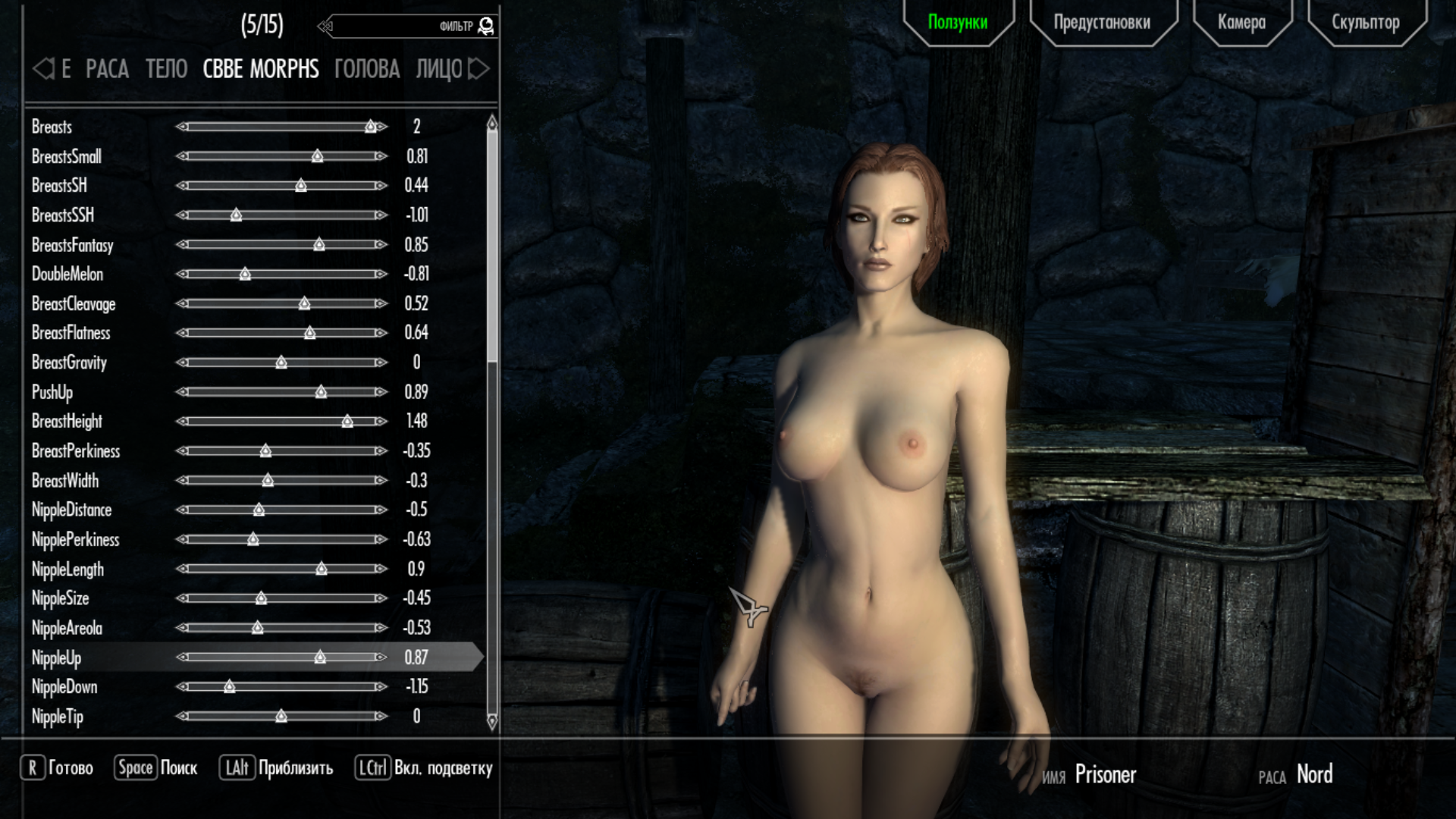
CCBE body doesn't work with cbbe morphs sliders. Example:Same problem with cbbe hdt physics. It works, but the body stays the same. When I put on clothes with hdt support they move according to physics, but the body doesn't
-
.thumb.jpg.09d3795d928afb1677e784144d5d4132.jpg)
outfits Legendary Avatar: Korra outfits_LE
RomeoZero posted a topic in Downloads - Skyrim Non Adult Mods
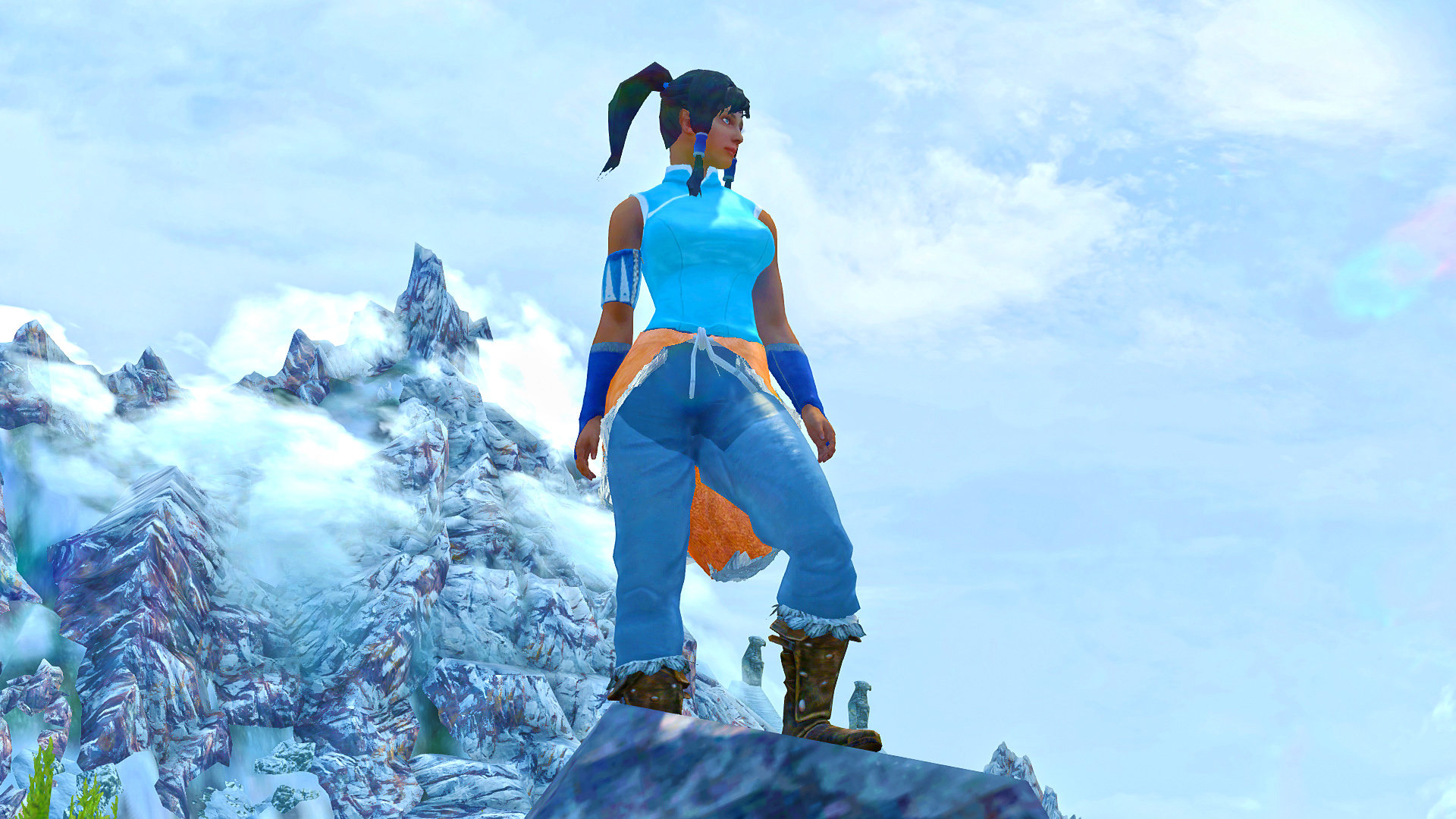
Legendary Avatar: Korra outfits_LE View File Author Notes This is a first mod I made (for myself) as a fan of Avatar Korra, but fans asked me non-stop to share it with them. It took me long to reconvert it from custom files to xpmse unpb variant. It might be no lore friendly, but Skyrim northern environments kind of suits it INFORMATION A set of 2 outfits awaits you, with a sexy swimsuit bonus FX items like Fire, Water and Earth bend for photo shoots! Contains 4 wigs - season 1\2 + Jinora and Opal hair variants Contains a Chargen face preset file for Racemenu head import. Big background photo wall item [ in misc items tab ] for creation scenery, any 1024x512+ landscape textures can be assigned to it in NIF INSTALLATION Manual ~ Drop bsa archive and meshes folder to your Skyrim Data\ If you need to extract BSA archive ~ use BAE tool Uninstall~ delete bsa archive, delete the folder in meshes[textures]\romeozero\Avatar Korra HOW TO GET ~ AddItemMenu mod.~ console “help Korra” outfits are creatable or in vendor store there will be 2 effects "earthbendFX" and "Photo wall" in a "Misc" menu, they are droppable objects, for posing mods and making Screenshots Requirements XMPSE skeleton HDT outfits can use CBBE\UNP textures but the swimsuit body mesh is unp\7b Credits : variable folks for creativity and inspiration Michael Dante DiMartino Bryan Konietzko Permissions: Loverslab exclusive content, do not modify\share to other sites, you must ask the author first, also, hit "I love it baby " (thumb icon) if you love this content. Submitter RomeoZero Submitted 12/31/2016 Category Armor & Clothing Requires Special Edition Compatible No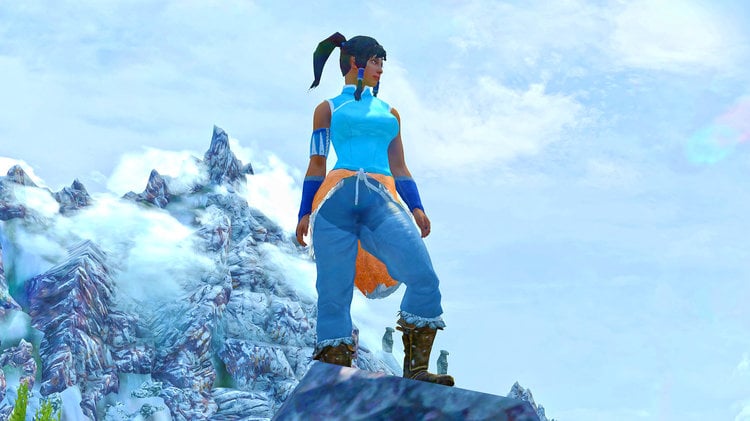
-
 XP32 Maximum Skeleton (Special) Extended - XPMS(S)E View File XPMSE\XPMSSE (also on Nexus(SK)\Nexus(SSE)) Warning: Do not delete the skeleton_female.hkx Description "XP32 Maximum Skeleton Extended" is a completely redone version of "XP32 Maximum Skeleton - XPMS" by xp32, for the "HDT Physics Extension" and "HDT Skinned Mesh Physics" and provides ingame customization features. Requirement (are installed BEFORE and nothing overwrites XPMSE) Two list of requirements for XPMSE one for people using Racemenu and one for people using Enchance Character Edit\Vanilla General: SKSE 1.7.3 or newer Fores New Idles in Skyrim 7.2 or newer RaceMenu users: RaceMenu 3.4.5 or newer Enchance Character Edit\Vanilla users: NetImmerse Override Standalone 3.4.4 or newer Installation Use a Mod Manager: Either Moder Organizer or NMM\Vortex work. Uninstallation (completely): - (RaceMenu) Set all XPMSE related sliders in RaceMenu and MCM to default - Press uninstall in your mod manager for XPMSE. Skeleton Body and Physics Support: - Breast and Butt Physics [bBP] - Tender Breast and Butt Physics [TBBP] - HDT Physics Extension [HDT-PE] - HDT Skinned Mesh Physics [HDT-SMP] Mods compatible: - Aesthetic Bolt Quiver - CITRUS - Deadly Mutilation - Dual Sheath Redux - Enderal - Flimsy Ragdolls (included in XPMSE) - HDT Dragon Tails - HDT Equipment (Well Fitted option only) - Nipple Magic (included style option and animations recommended) - Realistic Ragdolls & Force (included in XPMSE) - SAM - Shape Atlas for Men - SOS - Schlongs of Skyrim - The Joy of Perspective - UN7B Mods compatible without support: - Enchance Character Edit (Comes with it's own XPMSE skeleton) Mods completely unsupported: - HDT Equipment (everyone option), that includes mods including everyone option features in their HDT Physics extension xmls this includes: HDT equipment v0.2 everyone breast fix HDT Equipment V0.2 for Everone with Belly and Collision XPMSE Plugin XPMSE RaceMenu: - Weapon styles, moving weapons ingame - Scale\Position\Rotation sliders - Body related sliders - SOS\SAM related sliders - Female specific related sliders - Beast race specific related sliders - Third and first Person scaling - Extensible Follower Framework 4 compatible XPMSE MCM: - Weapon styles, moving weapons ingame - Iinformation tab with debug information XPMSE Weapons: Scale Module: - Fixes weapon scale problems with the game for females, thanks Bethesda, good job! - Compatible with weapon scale edits in Racemenu - Disabled withEnchance Character Edit for compatitibility reasons Style Module: - Manages styles for player and non-Player characters - Manages Arrows\Bolts, Bows\Crossbow, Greatswords\Battleaxe\Warhammer and Magic styles dynamically for fixing visual issues and seperating shared nodes - Manages animation switching for styles, such animations are Arrows Draw, Bow Equip, Idle and Attack, Greatswords\Battleaxe\Warhammer Equip and Magic Attack, Cast, Concentration, Cast, Idle, Movement and Sprint - Enchance Character Edit supported XPMSE Lib: - Adds common functions for modders to use/copy from, like skeleton checks or manipuilation Styles (Weapon Positions) List Axe: 0: Default 1: Reversed Axes by Groovtama 2: Axes on Back by Groovtama Sword: 0: Default 1: 1-Handed Swords on Back by xp32 2: SWP 1-Handed Swords on Back by Metal-Gear-Rex 3: FSM Swords turned edge up by fushimi 4: Dual Swords on left waist by Ayame 5: No More Dangling Swords by Akakus Dagger: 0: Default 1: Daggers on Back Hip by xp32 2: Daggers on the Ankles by Metal-Gear-Rex Two-Handed (Greatsword and Battleaxe\Warhammer): 0: Default 1: SWP Two-Handed Weapons on Back by Metal-Gear-Rex 2: FSM Two-Handed turned and on waist by fushimi Bow: 0: Default 1: Frostfall Bow by Chesko 2: Reversed Better Bows by Messes With Wolves 3: FSM Turn Bow by fushimi Arrow Quiver: 0: Default 1: Frostfall Quiver by Chesko 2: Frostfall Quiver by xp32 Crossbow: 0: Default 1: Frostfall Bow by Chesko Bolt Quiver: 0: Default 1: Frostfall Quiver by Chesko 2: Left Hip Bolt by xp32 3: Experimental Hip Bolt by xp32 4: Aesthetic Bolt Quiver by IsharaMeradin Magic: 0: Default 1: Nipple Magic by ElPsyCongroo Shout: 0: Default 1: Schlong Shout by ElPsyCongroo Endorse those mod authors, show your support! Modders\Animators Section New XPMSE 2.1 Rig txt and behaviour files: Resource These are compatible with the Modders Resource at XP32 Maximum Skeleton - XPMS and with Skeleton Controller Rig. Fully Backwards compatible. Do not use the Modders Resource at XP32 Maximum Skeleton - XPMS and with Skeleton Controller Rig for skinning. How 2 make tails compatible with the XPMSE tail position sliders: 1. Open the tail mesh into nifskope 2. Replace the following node names with the new ones - "NPC Pelvis [Pelv]" => "Tail" - "NPC Spine [spn0]" => "NPC Tail Spine [spn0]" - "NPC L Thigh [LThg]" => "NPC Tail L Thigh [LThg]" - "NPC R Thigh [RThg]" => "NPC Tail R Thigh [RThg]" 3. Save the tail mesh FNIS Bone numbers (this has nothing to do with the skeleton): - XPMSE HDT rig: 115 (4.51) or 126 (4.6+) Bones - XPMSE BBP rig: 129 (4.51) or 156 (4.6+) Bones - XPMS Fallback rig: 242 Bones Bone naming and prefix schema: Nodes for meshes and havok animations NPC => Mesh bones HDT Physic exclusive HDT => exclusive HDT Motion bones XPMSE feature exclusive nodes Submitter Groovtama Submitted 01/22/2014 Category HDT Physics Requires SKSE 1.7.3 or newer, Fores New Idles in Skyrim 7.2 or newer, RaceMenu 3.4.5 or newer\NetImmerse Override Standalone 3.4.4 or newer Special Edition Compatible Yes
 -
Ok, i been watching you guys for a while now, and i KNOW youre all heteros, very skilled and DaddyBear level programmers and not interested in male anal sex, but please will you help a modding gimp of a gay boy out! just point me in the right direction, im sure ill figure it out sometime, mind you im a 47 year old farmer who was a much better Rugby player than a student of computer science... i still remember DOS! Im hypersexual so if im not fucking im working, or watching porn or making my toon on Skyrim take every orc cock in sight! but so far im downloading as much as i can that i think i may need but honestly im still using sosanus and i want an animated anus that stretches and closes as the schlong enters and exits it... is this even possible to make? if you guys have done it for vaginas it must be, i just dont have the know how and resources to even know where to start. Please help a delicious gay bro out, what do i need, where do i start? just get my balls rolling and im sure ill ill figure out the rest eventually... these pics are as far as my abilities modding naked dudes go im afraid! also natural bodies are WAY hotter, all these overly ripped and muscular bodies are nauseatingly boring and make me feel like ive eaten too much sugar! i would like to change that also! please guys do me a solid and tell me what i need to do and where must i go to do it?
-
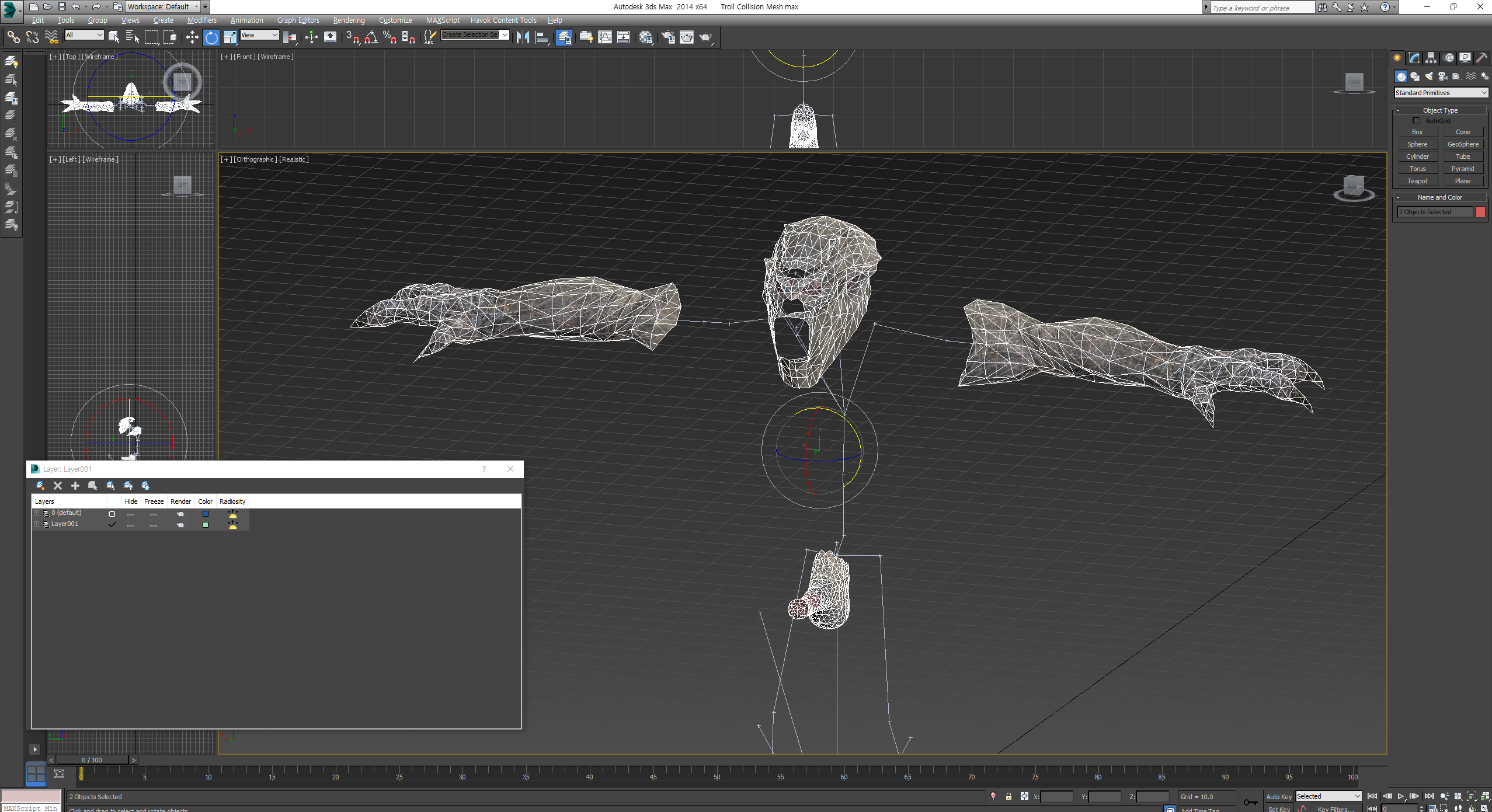
 This is something I've never done before and don't know where too start. I do not know what tools I need. I want to try adding some simple physics to things like hair, skirts, and maybe some equippable static wings swing side to side or something. I intend to keep it as basic as possible to start with. Nothing fancy. And it is entirely possible this is something well beyond me. But, if anyone has any advice on the topic I am all ears. I do not have any specific files in mind I intend to do this with yet. No current projects or anything that I'm specifically trying to fix. Just want to look into the topic and guage if its something within my current skill level or something I'm not ready for.
 -
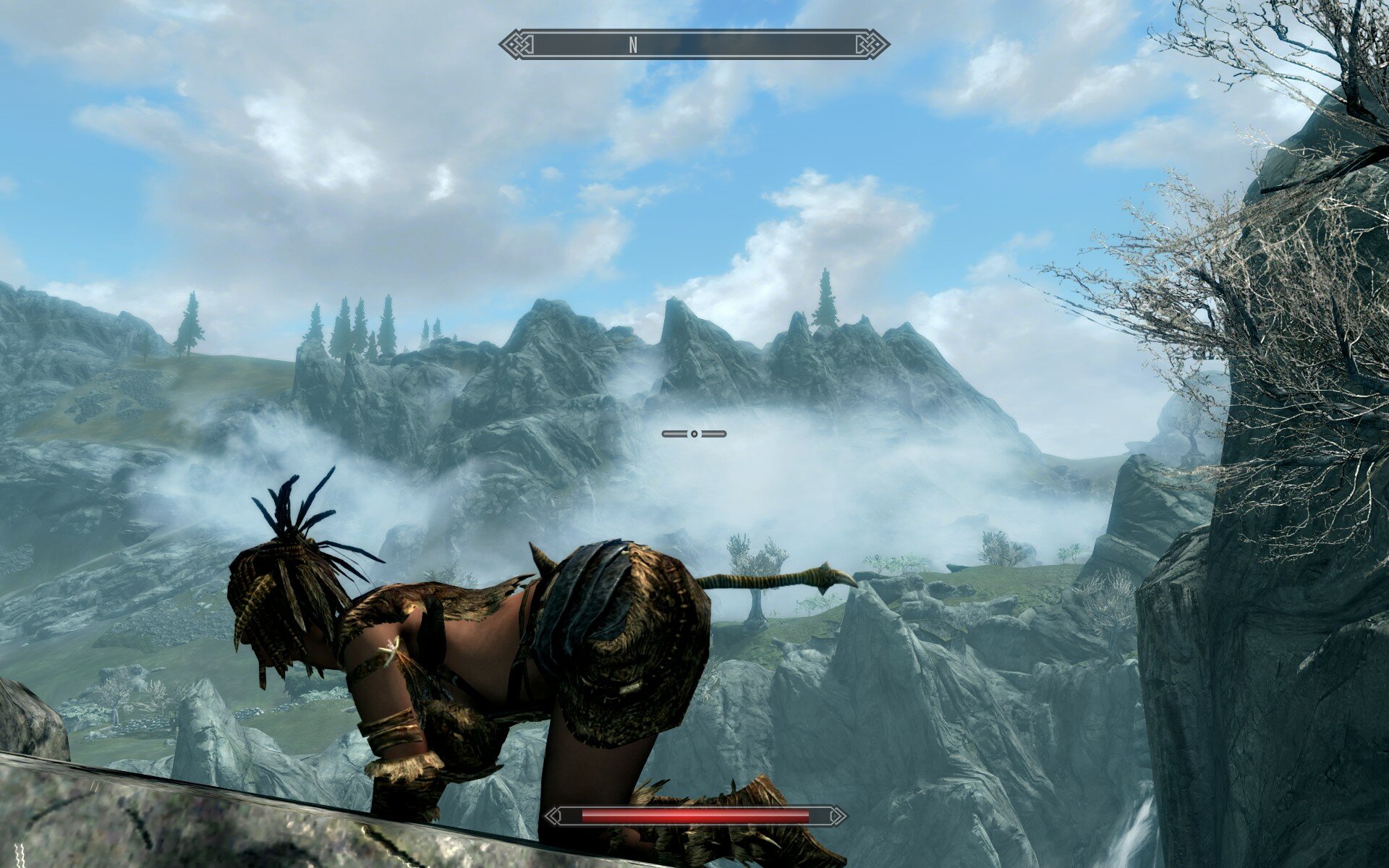
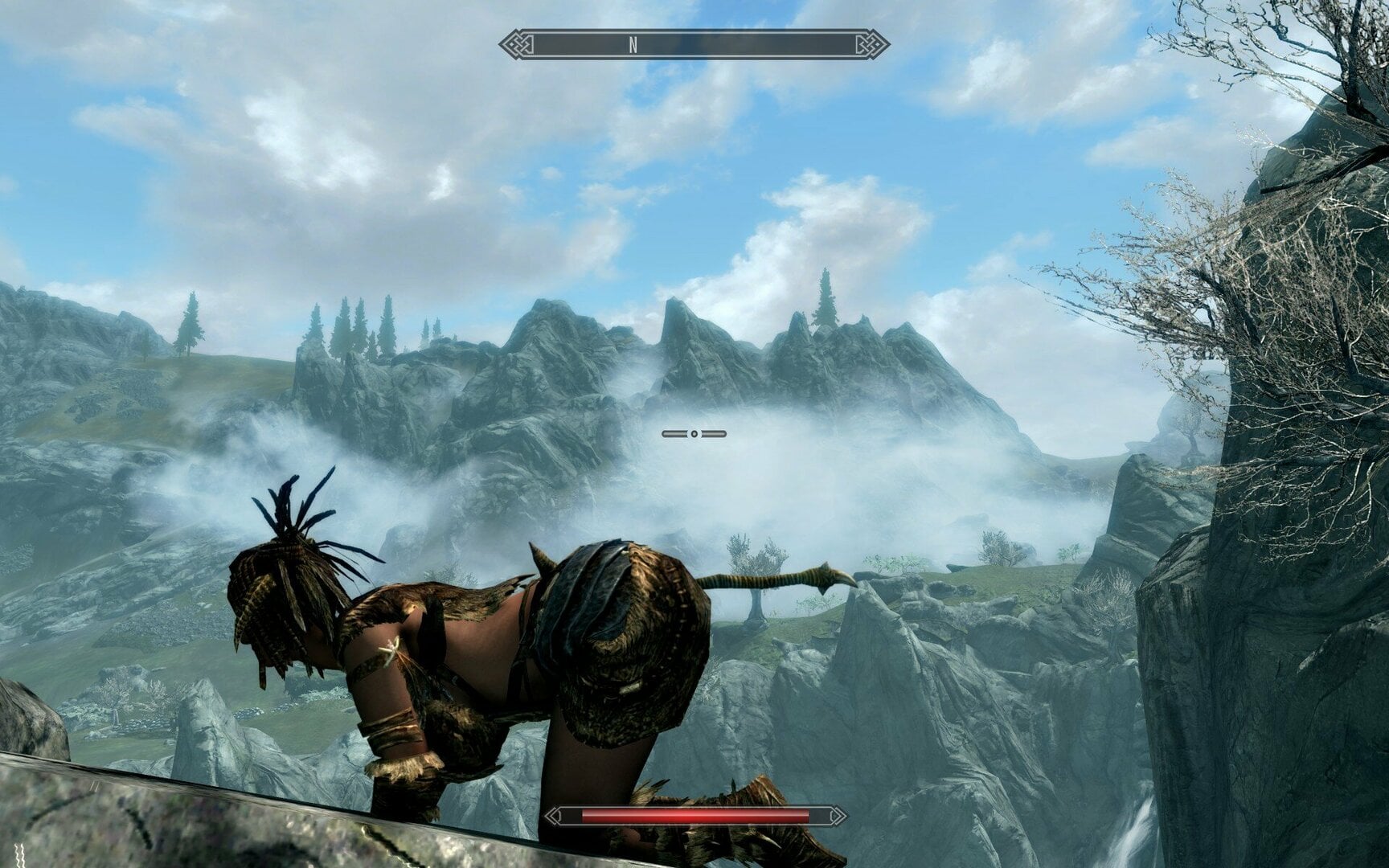
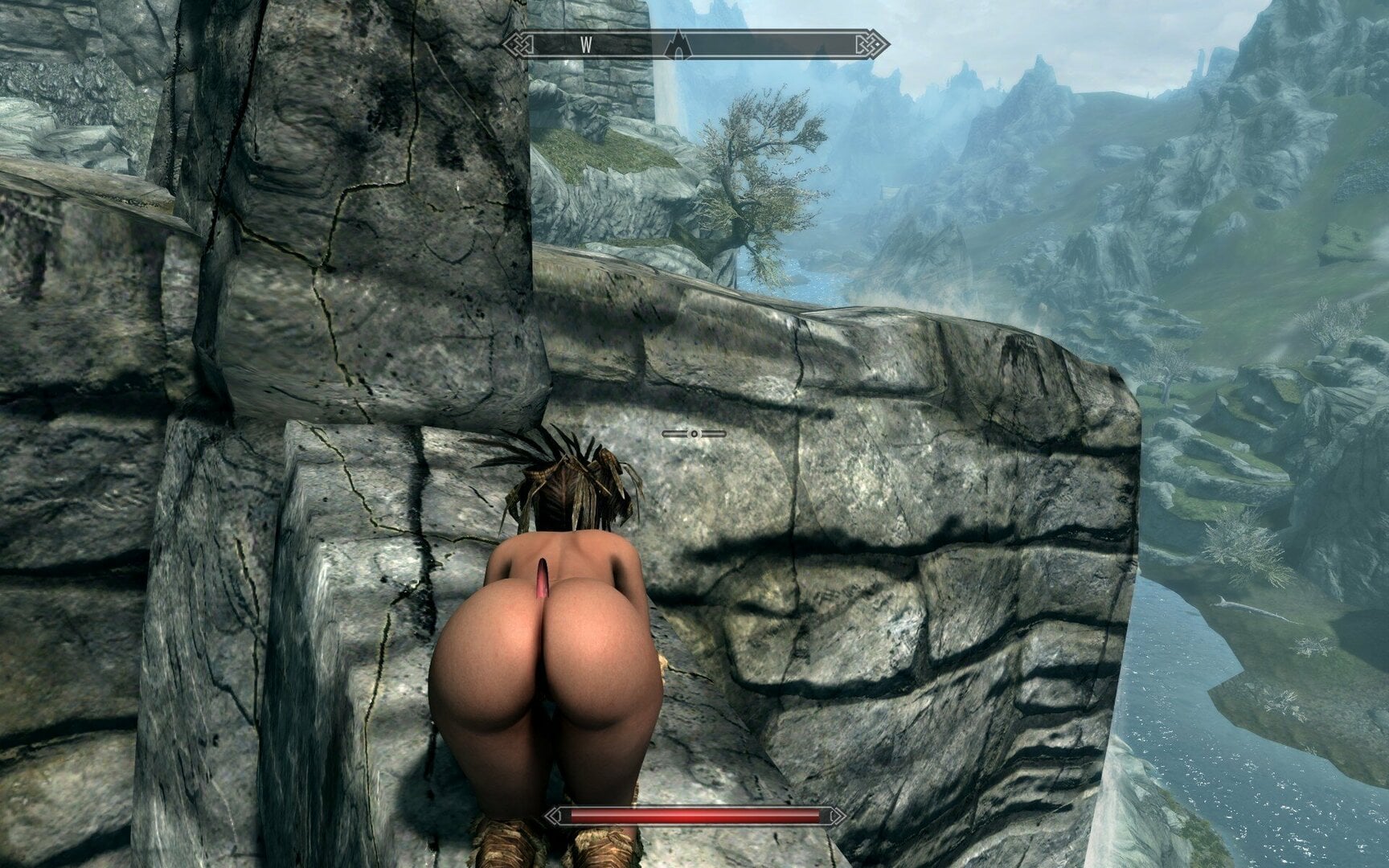
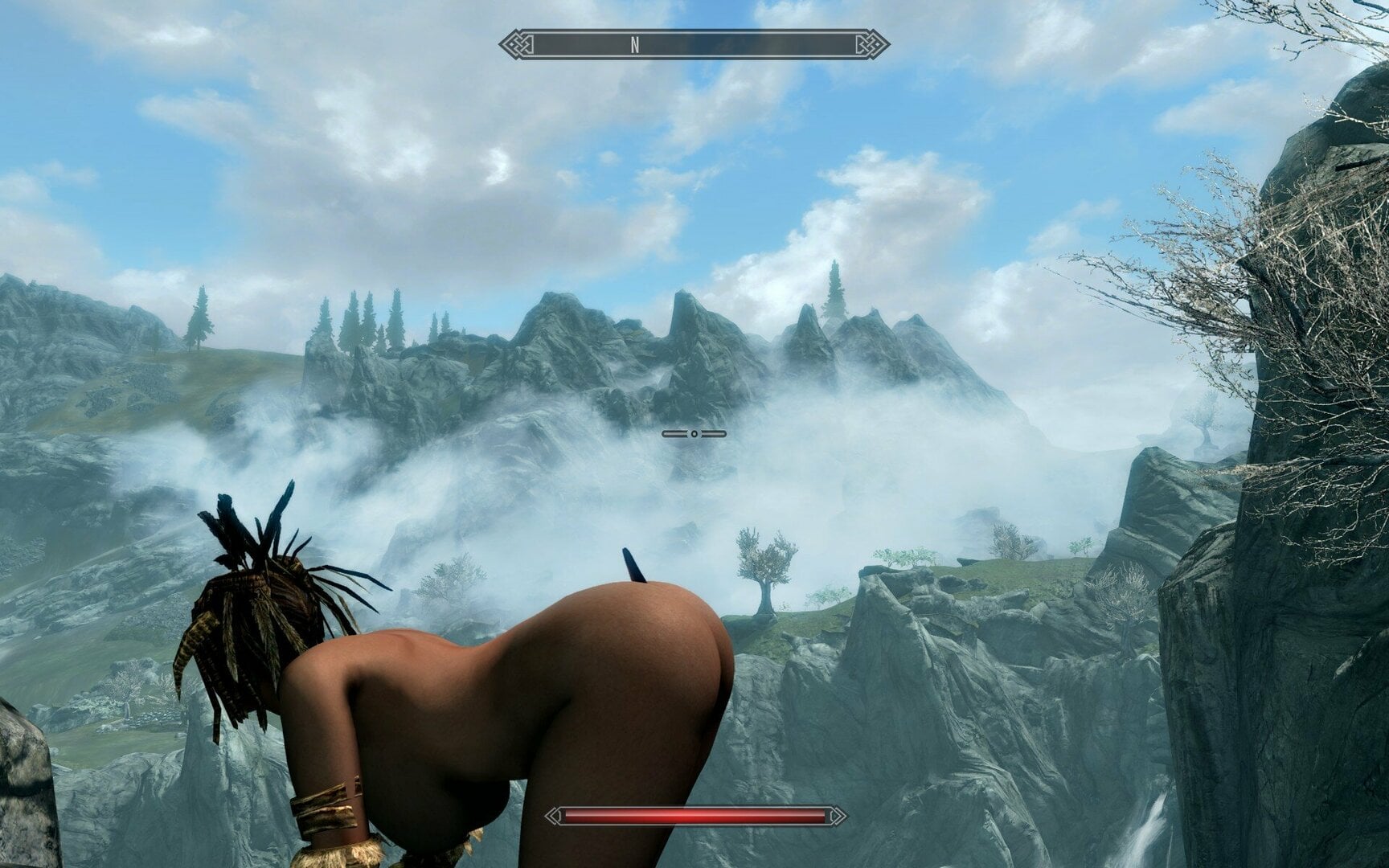
Hello! I have a strange problem, despite being quite used to Skyrim modding, that I cannot seem to find a solution to, nor I can find any similar issue online. Loverslab was the only forum I was able to find a similar problem, with a pointlessly complex solution - I can't even find the thread anymore right now and I'm in a hurry to go to sleep asap, so I have to keep it short. The problem is this; I can't get physics to work on a BHUNP body with FSMP without using Softbody. That gives me physics. Any other previous time I have installed Skyrim it worked right-out the gate - now I need another mod to get it working? Strange. But the worse thing is the genitals clipping through female body when crouching low or during certain animations, that require even a slight bow. See screenshots. It's not really stretching, but it's always poking-out that way. It shows on TAWOBA outfits, but not on Book of BHUNP ones, but most-importantly it shows on naked body too. Physics not working without another mod is pretty annoying too and I think it's connected. My version is 1.61170 - the newest Steam version. I have a clean install of Skyrim with a few mods. I have tried turning most of them (excluding required) and running the game. Problem persists no matter the load-order, which follows next: 0 0 Skyrim.esm 1 1 Update.esm 2 2 Dawnguard.esm 3 3 HearthFires.esm 4 4 Dragonborn.esm 5 5 ccBGSSSE001-Fish.esm 254 FE 0 ccQDRSSE001-SurvivalMode.esl 254 FE 1 ccBGSSSE037-Curios.esl 6 6 ccBGSSSE025-AdvDSGS.esm 254 FE 2 _ResourcePack.esl 7 7 unofficial skyrim special edition patch.esp 8 8 Schlongs of Skyrim - Core.esm 254 FE 3 Expressive Facegen Morphs.esl 9 9 SkyUI_SE.esp 10 a SMIM-SE-Merged-All.esp 254 FE 4 BHUNP3BBB.esp 254 FE 5 RaceMenuMorphsBHUNP.esp 11 b KS Hairdo's.esp 12 c SOSRaceMenu.esp 13 d RaceMenu.esp 14 e XPMSE.esp 15 f RaceMenuPlugin.esp 16 10 ShowRaceMenuAlternative.esp 17 11 Book of UUNP Iron And Steel.esp 18 12 Schlongs of Skyrim.esp 19 13 SOS - Smurf Average Addon.esp 254 FE 6 FSMPM - The FSMP MCM.esp 20 14 FNIS.esp 21 15 DSer360MovementBehavior.esp 22 16 The Amazing World of Bikini Armors REMASTERED.esp 254 FE 7 TAWOBA Remastered Leveled List.esp 254 FE 8 HDT SMP Object - Simple.esp 23 17 RaceMenuMorphsCBBE.esp 24 18 Book of UUNP - Textures.esp 25 19 WetFunction.esp 26 1a alternate start - live another life.esp I am using Pandora for animations and I have built everything for Bodyslide. I have tried running different texture mods, I have ran LOOT, I have turned of all mods and rebuilt in Bodyslide with only BHUNP, FSMP and their respective requirements. I don't want a lenghty, complex fix as I'm 100% sure the problem is somewhere on MY side. But I have not done anything different prior to the previous 30-40 modded Skyrim installs. Not much has changed except; - I am now using Pandora, but switching to FNIS didn't fix anything - the version of Skyrim is different, but I am probably not using anything outdated I literally don't know what it could be. Can you please help? I know that Loverslab is full of very knowledgable people and I'm more likely to get help here than Nexus - especially with bodymod related issues. I am one hundred-thousand percent sure I have missed a conflict or I'm doing something stupidly, because it has been two years since I have modded Skyrim.
-
 Hi, I am wondering if any mod like this exists for SE? So My issue is I am using COCO Body with SOS (SOS also has Baka SMP Patch) CBPC isn't working for me and I think this might be because of SMP SOS. SMP works but it sometimes makes the coochie go crazy.
 -
HDT vagina textures, the manual way (with Photoshop/GIMP) + Template PSD
Rattlesnark posted a blog entry in RS's Content Dump
Update for 2025: Just came across this old post of mine (that I totally forgot about. To clarify, this resource is strictly for Skyrim Legendary Edition (the old one from 2011). Bear also in mind that this is a old posting from 2018, so the information here might very well be outdated and obsolete. Here's a step-by-step-ish tutorial I've written for others like me who for some reason would prefer to add the vagina texture(s) to body textures manually, instead of using TexBlend or getting a set of prepared textures from a compilation mod (e.g. All-in-One). Additionally, I have also prepared template .psd files that you can use to quickly insert your own body textures, vagina-fy them up, and export them as .dds textures. The vagina textures included in the template are from BodySlide & Outfit Studio (UUNP), Clams of Skyrim (CBBE), and inner vagina textures for use with Bazinga's Naturalistic HDT Chinese UUNP meshes. This guide, in PDF format, as well as the templates are available for download here: MEDIAFIRE LINK Part 1: Preparing the Tools & Materials What you are expected to have before we begin. Part 2: Working the Textures Adding the vagina textures to the body textures, the “hard” way. The procedure is the same for both UUNP and CBBE/CoS. Extra: Using the ‘HDT Vagina Template’ PSD