Search the Community
Showing results for tags 'creatures'.
-
 SexLab Aroused Creatures SE (2026-06-12) View File Allow ❤️❤️friendly❤️❤️ creatures to take advantage of your character and NPCs. Any nearby non-hostile creatures with a high enough arousal will pursue and force themselves on (or seduce) your character or any available NPC. There are lots of configuration options to customise your experience, including dialogue and hotkey invitation. Aroused Creatures is designed to provide an immersive way to enable sex with creatures outside combat. This is intended to compliment combat-sex mods like SexLab Defeat which allow combat to end or be avoided with sex, including sex with creatures. As such, Aroused Creatures specifically excludes engagement with hostile creatures in order to allow combat mods like this to function. SexLab Aroused Creatures SE is developed from the Legendary Edition SexLab Aroused Creatures. Please note that any support for patched versions of Aroused Creatures must be sought from the authors of the patches. License All contained code and assets: GPLv3. Full license included in archive. Open Source means more and better mods for everyone. Please consider releasing your own mods under recognized open source licenses such as GPL, MIT, or CC and help build a foundation for future mod developers. Hard Requirements SexLab SE or SexLab P+ and all requirements. OSL Aroused and all requirements. Other versions of SexLab Aroused should work. Pandora Behaviour Engine Plus Required to add new animations to the game. Run this after installing or uninstalling any animation mods. If you are not sure, run it anyway. Actors will t-pose without this. Other Requirements SexLab Defeat SE Aroused Creatures is intended to compliment the combat sex features of Defeat. Use this to provide a means of having sex with hostile creatures. This mod also provides the player struggle HUD meter feedback used by Aroused Creatures (the Defeat ESP does not need to be enabled if the other features are not wanted). Creature Framework SE (third-party port) Creature aroused model management. More Nasty Critters SE, Creature Framework, and Hentai Creatures (third-party port) Creature aroused models and animations. Also adds spells to spawn female creatures. Fuz Ro D-oh Silent Voice Silent dialogue readability. Strongly Recommended SexLab More Creatures SE Adds more friendly domestic creatures for Aroused Creatures to work with. There will be far fewer engagements without this. Recommended Mods Billyys Animations for SE (third-party port) Creature group animations. Horny Creatures of Skyrim SE (third-party port) Adds animations for male NPCs on female creatures. SLAL SE Animations by Sailing Rebel Adds a few more non-consensual horse animations. FunnyBizness SLAL Pack (third-party), more animations. One With Nature - Dynamic Animals and Creatures SE Allows normally hostile creatures such as wolves and deer to be treated as friendly. Installation Skyrim must be installed outside Program Files to avoid potential issues with Windows UAC. This is not just an Aroused Creatures issue - modded Skyrim should never be installed in protected areas of the file system. Doing so can prevent SKSE and other modding tools from functioning correctly. Avoid any folder created by Windows itself, including Documents, Desktop, Downloads, etc. Folders in the root of a drive other than C are recommended. Exclusions must be configured in any antivirus or antimalware apps for the game installation folder, folders containing any modding tools including the mod manager, the mod manager instance or staging folder, and the mods download folder. As with install location, this is an issue for modded Skyrim in general not just Aroused Creatures. Antivirus can interfere with the normal operation of mod managers, SKSE and SKSE plugin mods like SexLab and PapyrusUtil which Aroused Creatures depends on. Use Mod Organizer 2 (fully supported) or Vortex Mod Manager. NMM and manual installation are not supported! Enable the mod in the MO2 left panel, and make sure the SexLab Aroused Creatures.esp is enabled in the Plugins tab. It should not matter where the ESP is in the load order, so long as it is after SexLab.esm and SexLabAroused.esm. Run Pandora and deal with any warnings or errors (they are all important). By default, Aroused Creatures does not display any notifications during initial installation. This is to avoid contributing to new-game notification spam. Once in-game ensure that SexLab is fully installed. For the original SexLab, this requires opening the SexLab MCM, clicking the Install option, exiting the menu then waiting for SexLab's "Ready" notification at the top left of the screen. For SexLab P+ it should be fully installed automatically. Once SL installation is complete open the SexLab MCM again, choose the Animations Settings page and uncheck the Disable Starting Teleport option (to speed up animation start), then enable the Allow Creature Animations option (to install creature support). Close the menu and wait for the message that creature animations have been installed. Aroused Creatures will be active as soon as creature animation installation has finished. You may need to install SLAL packs to make creature animations available. For SLP+ this will involve adding compatible SLSB packs or using the Automated SLSB Conversions mod (available from the SexLab P+ download page). Open the SLAL MCM page then enable and register the installed animations. Check the Aroused Creatures MCM > Help page for any issues with the installation. Highlight an indicator on this page to see an explanation and possible solution at the bottom of the interface. Updating If it ain't broke, don't fix it! If you are mid-game and the mod is doing everything you want it to, then consider not updating until your next playthrough. Updating always comes with the risk of new issues, which can be avoided if you don't need the fixes or new features the update provides. Back up your Aroused Creatures configuration in the AC MCM > Profiles page. Enter a name for the profile in the text field at the top right, then click a profile save slot below it. Again, if an update goes badly, you will be able to use the profile to get back to where you were much faster. Make a named save before updating. To do this, open the in-game console and use the command save "Before SLAC v4.16". If the update goes badly, you can then reinstall the previous version and load up that save to get back to where you were. Aroused Creatures is specifically designed to support mid-game updates, and will handle conversion of settings and states where necessary. To update, simply uninstall the previous version and install the new one. Run LOOT to make sure the load order is updated. When loading the last save, there may be some notification messages to indicate that the update has made changes. Check your configuration, and enjoy. Downgrades are not supported. To downgrade you will need to load a save from before the upgrade. How To Use Automatic The core functionality of Aroused Creatures is automatic and does not require user input. By default Aroused Creatures will be active as soon as SL is ready. If a creature with a suitable arousal level is within range of a female NPC or PC they will begin to pursue them. When they are close enough they will start a non-consensual SL animation (or a consensual one if there are no alternatives). Only two pursuits can be active at the same time, one NPC and one PC, but another NPC pursuit can begin as soon as a victim is engaged. By default, other creatures can queue to use an already engaged actor. To increase the frequency with which engagements are triggered go to the Aroused Creatures MCM, select the PC/NPC Auto Settings and reduce the Creature Arousal Threshold for the PC and/or NPC. Invitation To directly invite a creature to engage the PC access the Aroused Creatures MCM -> Dialogue & Interactions, find the Invite Creature Hotkey and chose an input. Adjust the Invite Arousal which will be used to test the creature's arousal when trying to invite them. Now stand close to a creature with the reticle over them and hit the invite key. A message should be displayed if the creature is not suitably aroused or cannot be animated for some reason, otherwise an SL animation should start. Settings in the Creature Framework MCM can be used to change the level at which creatures become visibly aroused to help show the player when they might be interested. Hold the key for one second to try and perform oral sex on the creature. Hold the key for two seconds to invite nearby creatures of the same species as the targeted creature to a group animation. Dialogue options can be enabled under Dialogue & Interactions that will allow you to direct your follower NPCs and creatures by talking to them. You may also extend this to non-followers. Some dialogue options will only be available after selecting an actor with the Target Select Key (default [N]) - for instance, select a creature then persuade your NPC follower to deal with it, or select an NPC and task your creature with chasing them down. There are plenty of other settings to explore and customise your experience. Hover over a setting in the MCM to view a description at the bottom of the interface In-Game Help There is now a Help MCM page which will display potential issues with the configuration of Aroused Creatures and SexLab. Hover over any warning to get a detailed description. The Help page will also list recently failed engagements and their failure codes. Hover over these codes to display a description of what they mean and any potential solutions. Saving and Loading Profiles Aroused Creatures configurations can be saved and loaded via the Profiles MCM page allowing settings to be transferred between saves. When using MO2 these saved profiles will be found in the Overwrite mod under SKSE > Plugins > ArousedCreatures and may be moved to another mod if required. If they are moved to the Aroused Creatures mod itself then please remember to back them up before updating or they will be lost for good. It may be more prudent to store them in a separate mod specifically for such SKSE data. Arousal Exposure to nudity and witnessing sex acts will increase creature arousal and produce more frequent engagements. This is not controlled by Aroused Creatures. For issues with arousal not properly increasing or increasing too quickly, please check the OSL Aroused support thread or the support thread for your version of SL Aroused. Frequently Asked Questions Known Issues Change Log See support thread for older Change Logs and Downloads Submitter Sailing Rebel Submitted 06/06/18 Category Other Requirements SexLab SE, OSL Aroused, Pandora Behaviour Engine Plus Regular Edition Compatible No Install Instructions
 -
 Horny creatures of Skyrim Special Edition View File BE ADVISED: some sack of shit is using my name to re-post mods on other websites, this person is NOT me. DO NOT DOWNLOAD ANYTHING FROM THOSE OTHER SITES. I ONLY UPLOAD TO LOVERSLAB. Horny Creatures of Skyrim a Dragon & creature focused SLAL pack with bonus animated main menus and load screens. by MadMansGun special thanks to: Billyy, Blaze69, CPU, Dayelyte, Leito86, notmenotyou, Serenna187 and SirNibbles for help, advice and pointing me in the right direction. Ixum and Dravus for finding some solutions and walkarounds for animations not loading or crashing. Pfiffy for Original SSE port. 32Bit/SLE version: https://www.loverslab.com/files/file/2436-horny-creatures-of-skyrim/ ---------------------------------------------------------- the downloads: HornyCreaturesofSkyrim < the mod. HCOS_Bonus&Extras < 3D printable model and alternative main menus (is compatible with main menu randomizer mod). ---------------------------------------------------------- Mod Requirements: More Nasty Critters: SE https://www.loverslab.com/files/file/5464-more-nasty-critters-special-edition/ Fores New Idles in Skyrim SE (aka: FNIS) (don't forget to download the "FNIS Creature Pack") https://www.nexusmods.com/skyrimspecialedition/mods/3038 Suggested Load Order: (Skyrim DLC and Patch mods here) SexLab.esm SexlabAroused.esm CreatureFramework.esm (other SexLab related mod's .esm here) (All other .esm mods here) SkyUI.esp UIExtensions.esp FNIS.esp (All other .esp mods here) SexLabTools.esp MoreNastyCritters.esp HentaiCreatures.esp (only if installed) SexLabMatchMaker.esp SLAnimLoader.esp HornyCreatures.esp (other SexLab related mod's .esp here) ---------------------------------------------------------- suggested (but not at all needed) mods: SexLab Dragons (highly recommended) https://www.loverslab.com/files/file/7900-sexlab-dragons/ SexLab Werewolves Redux (highly recommended) https://www.loverslab.com/files/file/18014-sexlab-werewolves-redux/ Animation Limit Crash Fix (note: may not be working for AE at this time) https://www.nexusmods.com/skyrimspecialedition/mods/31146? SexLab Aroused Creatures + osmelmc's patch for SexLab Aroused Creatures. https://www.loverslab.com/files/file/6022-sexlab-aroused-creatures-se-2025-04-05/ https://www.loverslab.com/files/file/10316-osmelmc-mod-tweaks/ Quite the Sperm Replacer http://www.loverslab.com/files/file/2568-sexlab-quite-the-sperm-replacer/ ---------------------------------------------------------- Animation Troubleshooting: 1. if you are using a Mod Manager ( please go with Mod Organizer 2, it's highly recommended ) make sure it's installing the files to the right location and with the right load order. a good guide for using Mod Organizer 2 can be found here: https://www.youtube.com/watch?v=j4ZQpzf_iAE&list=PLE7DlYarj-DcLS9LyjEqOJwFUQIIQewcK 2. run/rerun the GenerateFNISforUsers.exe, if you don't the animations wont work/run. C:\Games\Steam\SteamApps\Common\Skyrim\Data\tools\GenerateFNIS_for_Users\GenerateFNISforUsers.exe WARNING: Windows (Vista/7/8/10) Security may interfere with updating/overwriting the FNIS behavior files. you may not even get a error message telling you that this has happened. make sure FNIS and your mod manager are running with administrator privileges. NOTE: try deleting "Data\meshes\actors\character\behaviors\0_master.hkx" and re-running it again, that sometimes helps. 3. when you start the game with the Skyrim Script Extender (SKSE) loader the list of installed mods wont get refreshed, so if you install a mod and just start the game with the loader any new mods you installed wont be fully activated. to fix this problem go to the skyrim launcher and click on "DATA FILES" and it will refresh the list of installed mods, you can now close the launch and start the game with the skse loader. note: this only apply if you are not using a mod manager 4. in game you need to go inside SexLab's Mod Control Menu (MCM) and click on "install" first before you can use SexLab. 5. make sure you have "Allow Creature Animation" checked in SexLab's MCM settings. 6. turn off "Match Creature Gender" in sexlab's MCM settings, if this setting is enabled some animations won't play, its because most creatures don't have female counterparts in skyrim by default. 7. did you forget to install the FNIS Creature Pack? install it and rerun the GenerateFNISforUsers.exe, then do steps 5 & 8 NOTE1: if you do have the Creature Pack but some creatures are just playing idle animations during sex try clicking on "De-Install Creatures" in FNIS, after it's done running click on "Update FNIS Behavior" (doing this will delete all the creature behavior files generated by FNIS and remake new ones...that is assuming you DO have the FNIS Creature Pack installed) NOTE2: try turning on the "hkx file compatibly check" in FNIS to see if you installed the wrong version/s of any animation packs. 8. you may need to reload the animations, go to the Animation Loader's MCM and then: 8.1. click on the "Disable All" button. 8.2. click on "Rebuild Animation Registry", then Wait for the message to pop up*. 8.3. click on "Reload JSON". 8.4. click on "Enable All". 8.5. click on "Count Animations" and make sure nothing is over 500, turn off some animations if they are. 8.6. click on "Register Animations", then Wait for the message to pop up*. *if you like you can press "~" on your keyboard to open the console so you can watch it Register everything, just make sure you close it before you try to click on anything. 9. if SLAL Packs are not being listed in SLAL try reinstalling/updating JContainers. https://www.nexusmods.com/skyrimspecialedition/mods/16495 or https://github.com/ryobg/JContainers/releases 10. if you are getting teleported into the air above Secunda's Kiss (giant camp at center of map) then try starting a animation in a indoor area first. it should stop happening outside after you do. 11. if you are having nonstop walking problems with the dragons try unchecking "Disable Starting Teleport" in SexLab's animation settings. 12. with some creature on creature animations you may need to use SexLab Tools for them to run correctly: https://www.loverslab.com/files/file/10660-sexlab-tools-for-se-patched/ 12.1. use the MatchMaker spells to start animations: https://www.loverslab.com/files/file/163-sexlab-matchmaker-updated-09172014/ 12.2. walk up to them, then look at them and press "N" on your keyboard. 12.3. click on "Control Animation". 12.4. press "H" on your keyboard. 12.5. click on the correct animation. ......or you could also try using "SexLab Utility Plus" it helps to reduce this problem: https://www.loverslab.com/files/file/10316-osmelmc-mod-tweaks/ 13. if all else fails, try loading a older save file from before sexlab was installed. ------------------------------------------------------------------------ FNIS Troubleshooting: "ERROR(9): Index was outside the bounds of the array" or "ERROR(2026): Too many animations": you may have Too many animation mods and/or SLAL Packs installed, use the "XXL" version of FNIS or uninstall some animations. "ERROR(76): Could not find a part of the path DebugData.txt": a Win10 update (or antivirus software) has forcibly turned on real time protection and it's stopping FNIS from generating/updating files. you need to disable real time protection before running FNIS, or add GenerateFNIS_for_Users.exe to the exclusions list (also you should probably add skse_loader.exe and TESV.exe as well) Crashing on loading save file: you have Too many animations installed, most people start crashing around 12000 to 14000. remove some animation mods to fix the problem, or try installing these mods to bypass the crashing point: https://www.loverslab.com/files/file/11208-animation-limit-crash-fix/ https://www.nexusmods.com/skyrimspecialedition/mods/17230/ ------------------------------------------------------------------------ Main Menu & LoadScreens: if you don't like the main menu just delete or replace* Data\meshes\interface\logo\logo.nif also the loadscreens can be easily removed with TES5Edit, just delete the loadscreen section from the esp *there are alternatives in the HCOS_Bonus&Extras.7z, the "wordwall dragonnamehere" loadscreens are non adult. or you can try this edited version of Skyrim's original: https://www.nexusmods.com/skyrimspecialedition/mods/725/? ------------------------------------------------------------------------ .___. {0,0} ___________________________________ /)__)> |creative commons, No One May Profit| -"-"- """"""""""""""""""""""""""""""""""""" a song to sing as you lay dragons: https://www.youtube.com/watch?v=CArejI2nZLg Submitter MadMansGun Submitted 03/18/18 Category Adult Mods Requirements many things, there are a few guides available. Regular Edition Compatible No Install Instructions
 -
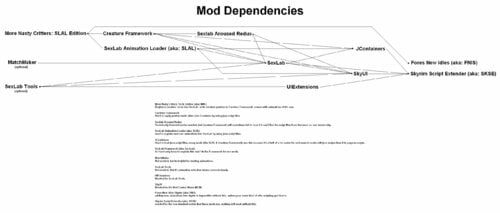
More Nasty Critters Special/Anniversary Edition View File BE ADVISED: some sack of shit is using my name to re-post mods on other websites, this person is NOT me. DO NOT DOWNLOAD ANYTHING FROM THOSE OTHER SITES. I ONLY UPLOAD TO LOVERSLAB. THIS VERSION IS FOR SKYRIM SPECIAL, VR & ANNIVERSARY EDITIONS ONLY go here for Skyrim Legendary Edition: https://www.loverslab.com/files/file/4130-more-nasty-critters-slal-edition/ MNC is a unified collection of the basic adult creature mods, the contents within came from multiple mod authors. this version has updated mesh files, and is using SLAL for animation control. - - - - - - - - - - - - - - - - - - - - - - - - - - - - - - - - - - - - - - - - - - - - - - - - DISCLAIMER (copied from original v9 mod page): I know its problematic to expand on the work of others or even expand upon someone elses expansion of the work of a third modder. However some of the stuff here cant be released in any other meaningful way, at least not for someone who just wants to download and have fun. If someone is offended by the stuff I put here let me know and I remove it. Its just here to give fellow players easy access to stuff thats posted all over the board, after all. original More Nasty Critters made by dentarr: http://www.loverslab.com/files/file/1140-more-nasty-critters/ - - - - - - - - - - - - - - - - - - - - - - - - - - - - - - - - - - - - - - - - - - - - - - - - The Downloads: MoreNastyCritters: the main mod, adds aroused meshes & animations for creatures + registers races into SexLab so that other SLAL Packs can use them. (note: mod does NOT have a MCM of it's own, the CF and SLAL MCMs are used to control this mod). CreatureSummoner: adds spells to summon creatures for you to play with (note: mod has a MCM). ModCompatibilityKitsForMNC: various patches for other mods. CreatureFramework: used to apply aroused meshes onto creatures (note: mod has a MCM). ExperimentalSexLabCreaturesV1-66bToSLALConversion.7z removes creature animations from sexlab and re-adds them as a SLAL Pack. - - - - - - - - - - - - - - - - - - - - - - - - - - - - - - - - - - - - - - - - - - - - - - - - Required Mods/Install Order: The full install guide (and a list of SLAL Packs) can be found here: http://www.loverslab.com/files/file/3524-sexlab-more-nasty-critters-install-guide/ that guide is mostly not suitable for SE/AE anymore due to all the updates/game versions, but the list of slal packs is mostly still valid. Mod Organizer 2 is the recommended mod manager to use: https://www.nexusmods.com/skyrimspecialedition/mods/6194/ https://www.youtube.com/watch?v=j4ZQpzf_iAE&list=PLE7DlYarj-DcLS9LyjEqOJwFUQIIQewcK also if you are installing this into SkyrimVR you should go here first: https://www.loverslab.com/topic/134393-how-to-sl-in-vr-step-by-step-tutorial/ install mods in order shown: Skyrim Script Extender (aka: SKSE) http://skse.silverlock.org/ Note: must be installed manually into your game, NOT with the mod manager Warning: pay attention to what version of Skyrim.exe/TESV.exe you have, right click on it and go to "Properties" and then go to the "Detales" tab to find your version number. DO NOT FALL FOR THE SE/AE TRAP, if your game is "up to date" then your game is using the "AE" exe even if you did not buy the pack of CrapClub mods that goes by the same name, this is why you must look at your exe version number to see what you actually have. Address Library for SKSE Plugins SE/AE https://www.nexusmods.com/skyrimspecialedition/mods/32444 Note: you most likely want the file called "1.6.x" SkyrimVR https://www.nexusmods.com/skyrimspecialedition/mods/58101 Fores New Idles in Skyrim SE (aka: FNIS) https://www.nexusmods.com/skyrimspecialedition/mods/3038 Note1: don't forget to download the "FNIS Creature Pack" Note2: don't bother trying to use Pandora/Nemishit, combat mods are not worth it, you are just going to end up playing as a stealth archer again anyways. SkyUI https://www.nexusmods.com/skyrimspecialedition/mods/12604 note: use"SkyUI_5_2_SE" the new "6" versions seem to be causing issues. UIExtensions (needed for SexLabTools lower down on this list) https://www.nexusmods.com/skyrimspecialedition/mods/17561 Papyrus Tweaks NG ( makes sexlab run faster if you turn on "Speed up native calls" ) https://www.nexusmods.com/skyrimspecialedition/mods/77779? 1.7.xxx version https://www.nexusmods.com/skyrimspecialedition/mods/190778 SexLab Framework SE (aka: SexLab....the real SexLab and not that fake P- crap) https://www.loverslab.com/files/file/20058-sexlab-se-sex-animation-framework-v165-110822/ Warning: like SKSE you need to pay attention to what version of Skyrim you have. SexLab Tools https://www.loverslab.com/files/file/10660-sexlab-tools-for-se-patched/ note: when animations are running this lets you open a selection window by pressing H on your keyboard. Sexlab Aroused Redux SSE (aka: SLAroused) https://www.loverslab.com/files/file/5482-sexlab-aroused-redux-sse-version-29/ More Nasty Critters Special Edition (aka: MNC ) (you are here) Creature Framework (aka: CF) (you are here) JContainers SE (aka: JCON, needed for both SLAL and CF.) https://www.nexusmods.com/skyrimspecialedition/mods/16495 or https://github.com/ryobg/JContainers/releases Warning1: like SKSE you need to pay attention to what version of Skyrim you have. Warning2: if SkyrimVR DO NOT USE JCon v4.1.13 only use the older v4.1.2 file. SexLab Animation Loader SSE (aka: SLAL, SLALSE) https://www.loverslab.com/files/file/5328-sexlab-animation-loader-sse/ MatchMaker https://www.loverslab.com/files/file/163-sexlab-matchmaker-updated-09172014/ NOTE: this is a LE mod and it works fine in SE/AE without any porting, form 43 esp files are safe to use in SSE. it's only mods that have meshes, animations, bsa or dll files that you need to worry about, MatchMaker has none of these. Suggested Load Order: (Skyrim and it's DLCs here) SexLab.esm SexlabAroused.esm CreatureFramework.esm (other SexLab related mod's .esm here) (All other .esm mods here) SkyUI.esp UIExtensions.esp FNIS.esp (All other .esp mods here) SexLabTools.esp MoreNastyCritters.esp CreatureSummoner.esp (if installed) SexLabMatchMaker.esp SLAnimLoader.esp (other SexLab related mod's .esp here) Warning: if you have it please load XP32/XPMSE before MNC. Do not let there skeletons overwrite MNC or your game may crash or have floating dick problems, MNC is using nodes that are sometimes not found in these skeleton mods. - - - - - - - - - - - - - - - - - - - - - - - - - - - - - - - - - - - - - - - - - - - - - - - - other Related Mods/Addons you may or may not want: SexLab Utility Plus (NOT Sexlab P+ and never Sexlab P+) https://www.loverslab.com/files/file/10316-osmelmc-mod-tweaks/ Animation Limit Crash Fix ) https://www.nexusmods.com/skyrimspecialedition/mods/31146? Warning: may not be working for AE at this time, seeing mixed reports about it. alt mod to use: Engine Fixes SE/AE https://www.nexusmods.com/skyrimspecialedition/mods/17230 VR https://www.nexusmods.com/skyrimspecialedition/mods/62089 + Memory Leak Fix for the GOG version of skyrim https://www.nexusmods.com/skyrimspecialedition/mods/169302 Animated Beast's Cocks https://www.loverslab.com/files/file/7556-animated-beasts-cocksabc-for-users-le-se/ SexLab Werewolves Redux (for using animations when in Werewolf form) https://www.loverslab.com/files/file/18014-sexlab-werewolves-redux/ Werewolf Prostitution https://www.loverslab.com/files/file/36844-werewolf-prostitution/ SexLab Dragons https://www.loverslab.com/files/file/7900-sexlab-dragons/ + animations https://www.loverslab.com/files/file/5465-horny-creatures-of-skyrim-special-edition/ https://www.loverslab.com/files/file/3999-billyys-slal-animations-2020-2-1/ SexLab Aroused Creatures https://www.loverslab.com/files/file/6022-sexlab-aroused-creatures-se-2025-04-05/ Creature Overhaul (the "CO More Creatures" file to be exact, it goes well with the SLAC mod above) https://www.loverslab.com/files/file/12760-creature-overhaul/ Bad Dog's Immersive Creatures SE (if you have "Skyrim Immersive Creatures" mod installed) https://www.loverslab.com/files/file/6663-bad-dogs-immersive-creatures-se/ Note1: a bit outdated so some creatures are not supported. Note2: DO NOT install the "BDIC Creature Framework Patch", it was made for CFv2 not CFv4, installing it will cause CFv4 to stop working. Note3: don't install the "BDIC MNC Patch", it does nothing. the file you want is "1216885848_BDICBadDogImmersiveCreaturesSE_T2.1.7z" - - - - - - - - - - - - - - - - - - - - - - - - - - - - - - - - - - - - - - - - - - - - - - - - Animation Troubleshooting: 1. if you are using a Mod Manager ( please go with Mod Organizer 2, it's highly recommended ) make sure it's installing the files to the right location and with the right load order. a good guide for using Mod Organizer 2 can be found here: https://www.youtube.com/watch?v=j4ZQpzf_iAE&list=PLE7DlYarj-DcLS9LyjEqOJwFUQIIQewcK 2. run/rerun the GenerateFNISforUsers.exe, if you don't the animations wont work/run. C:\Games\Steam\SteamApps\Common\Skyrim Special Edition\Data\tools\GenerateFNIS_for_Users\GenerateFNISforUsers.exe WARNING: Windows (Vista/7/8/10) Security may interfere with updating/overwriting the FNIS behavior files. you may not even get a error message telling you that this has happened. make sure FNIS and your mod manager (if your using one) are running with administrator privileges. NOTE: try deleting "Data\meshes\actors\character\behaviors\0_master.hkx" and re-running FNIS again, that sometimes helps. 3. when you start the game with the Skyrim Script Extender (SKSE) loader the list of installed mods wont get refreshed, so if you install a mod and just start the game with the loader any new mods you installed wont be fully activated. to fix this problem go to the skyrim launcher and click on "DATA FILES" and it will refresh the list of installed mods, you can now close the launcher and start the game with the skse loader. note: this only apply if you are not using a mod manager 4. in game you need to go inside SexLab's Mod Control Menu (MCM) and click on "install" first before you can use SexLab. 5. make sure you have "Allow Creature Animation" checked in SexLab's MCM settings. 6. turn off "Match Creature Gender" in sexlab's MCM settings, if this setting is enabled some animations won't play. 7. did you forget to install the FNIS Creature Pack? install it and rerun the GenerateFNISforUsers.exe, then do steps 5 & 8 NOTE1: if you do have the Creature Pack but some creatures are just playing idle animations during sex or not moving try clicking on "De-Install Creatures" in FNIS, after it's done running click on "Update FNIS Behavior" (doing this will delete all the creature behavior files generated by FNIS and remake new ones...that is assuming you DO have the FNIS Creature Pack installed) NOTE2: try turning on the "hkx file compatibly check" in FNIS to see if you installed the wrong version/s of any animation packs. 8. you may need to reload the animations, go to the Animation Loader's MCM and then: 8.1. click on the "Disable All" button. 8.2. click on "Rebuild Animation Registry", then Wait for the message to pop up*. 8.3. click on "Reload JSON". 8.4. click on "Enable All". 8.5. click on "Count Animations" and make sure nothing is over 1000 (the stock SexLab v1.65 animation limit), turn off some animations if they are. 8.6. click on "Register Animations", then Wait for the message to pop up*. *if you like you can press "~" on your keyboard to open the console so you can watch it Register everything, just make sure you close it before you try to click on anything. 9. if SLAL Packs are not being listed in SLAL try reinstalling/updating JContainers. https://www.nexusmods.com/skyrimspecialedition/mods/16495 10. if you are getting teleported into the air above Secunda's Kiss (giant camp at center of map) then try starting a animation in a indoor area first. it should stop happening outside after you do. 11. if all else fails, try going to sexlab's "Rebuld & Clean" menu and click on "Clean System" to reset everything to there default values. note: once done you will need to re-select any sexlab settings you changed (turn Allow Creature Animation back on), and re-register your SLAL Packs. - - - - - - - - - - - - - - - - - - - - - - - - - - - - - - - - - - - - - - - - - - - - - - - - (Human) Animation Troubleshooting: Problem1: actors standing inside each other and T pose or playing idle animations. cause1: you forgot to run FNIS after installing/removing animations. fix: run FNIS. cause2: you installed the wrong animations for the version of the game you are using. fix: remove the animation mod that is wrong and install the correct version. tip: if you don't know what mod is wrong, then turn on the hkx compatibility check in fnis. cause3: the generated 0_master.hkx may be corrupted. fix: delete the 0_master.hkx to force fnis to generate a new one instead of trying to update it. file location: Data\Meshes\actors\character\behaviors\0_master.hkx note: should be deleted from within your mod manager...but that may also depend on however fnis was setup within it. Problem2: odd behavior from sexlab (Eg: animations are not what it says are running, massive actor misalignments, or other odd shit) cause1: corrupted animaton registry/SKSE cosave. fix: go to the Animation Loader's MCM and then: 1. click on the "Disable All" button. 2. click on "Rebuild Animation Registry", then Wait for the message to pop up*. 3. click on "Reload JSON". 4. click on "Enable All". 5. click on "Count Animations" and make sure nothing is over 1000 (the stock SexLab v1.65 animation limit, yours may be different), turn off some animations if they are. 6. click on "Register Animations", then unpause and Wait. cause2: corrupted sexlab settings/scripts. fix: go to sexlab's "Rebuld & Clean" menu and click on "Clean System", then unpause and wait. note: once done you will need to re-select any sexlab settings you changed, and re-register your SLAL Packs. cause3: the generated 0_master.hkx may be corrupted...again. fix: same as last time. - - - - - - - - - - - - - - - - - - - - - - - - - - - - - - - - - - - - - - - - - - - - - - - - Creature Framework Troubleshooting: note1: don't use alt player werewolf form mods (Eg: the Player Hermaphrodite Werewolf patch) if you are playing as a vampire lord or using a creature transformation mod, due to how those mods work it will prevent CF from working on your non-werewolf creature form. CF will see you as still wearing the custom werewolf body mesh but as a different race, therefor seeing you as a unregistered race/armor combo. note2: if using SkyrimVR DO NOT USE JCon v4.1.13 only use the older v4.1.2 file. Aroused mesh not getting/staying applied during animations (a list of things to try): A. go to the Creature Framework MCM and click on "Re-register all mods", then unpause the game and Wait a Minute. B. go to the Creature Framework MCM and click on "Clear Creatures" C. go to SexLab's MCM and turn off "Automatic Free Camera" (don't know why but freecam may stop meshes from getting refreshed, especially the player's werewolf form) D. go to the Creature Framework MCM and disable "SexLab Aroused integration" E. try clicking on the uninstall button in CF's MCM, then save & quit and reload the save. (wait for Creature Framework to reinstall and register) F. click on the uninstall button in CF's MCM, then save & quit, then use a save editor to remove all of Creature Framework's scripts & forms from your save file. NOTE: you may need to save & quit again after installing to get it's MCM menu to load. also adding this to the Skyrim.ini (My Documents\My Games\Skyrim) may help CF work a bit better: [General] bPreemptivelyUnloadCells=1 Creature Framework not registering mods / is empty / stuck in a registering loop: try reinstalling JContainers or installing a older version of it. ( Warning: pay attention to what version of Skyrim.exe you have. ) https://www.nexusmods.com/skyrimspecialedition/mods/16495 or https://github.com/ryobg/JContainers/releases There was a problem if you had any Mods from CrapClub (Creation Club) installed, but that bug should be fixed in newer versions of JContainers: the problem was you had to remove them (or any other esl based mods) before you could register/reregister Creature Framework based mods into Creature Framework. (i'm just keeping this message here in case the problem comes back) - - - - - - - - - - - - - - - - - - - - - - - - - - - - - - - - - - - - - - - - - - - - - - - - List of known mods that cause Werewolf problems: One of the "Serana" mods but i can't remember the exact name, however theses esps are known to turn the female werewolf into a male: Serana.esp Valerica.esp Bijin AIO.esp load there esps before mnc's or delete the ArmorAddon ( NakedTorsoWerewolfBeast [ARMA:000CDD87] ) and any other werewolf edits from them. EasyNPC: I don't know the details of what this program it's doing, just that it's causing problems. I assume its creating the same issue as the above, and therefor has the same fix. ABC: the "MNC_ABC_Patch.esp" file found in that mod is turning the herm werewolves into male (and is also messing up the Player Hermaphrodite Werewolf patch because of it), turn off and/or delete that esp from that mod. ABC also has rogue meshes in it that are causing problems: "meshes\actors\werewolfbeast\character assets\" has random body part meshes in it, this may cause issues with mods such as "Total Werewolf Overhaul", the only thing that ABC should have in this folder are the skeleton files. ABC's version of "MaleWerewolf_1.nif" in "MoreNastyCritters\werewolf\" is causing double dick & permanent erections issues, the only thing ABC should be replacing in this folder are the "addon_penisnamehere.nif" files. SOS: double dick problems, you need to turn off werewolves under all of its mcm settings. if that fails to work then a more extreme fix can be found in the ModCompatibilityKit. One With Nature - Dynamic Animals and Creatures: it does not cover the female creatures added by mnc you need to add OWNWerewolfFaction "OWN Werewolf Faction" [FACT:xx00388B] to the female werewolf's faction, and OWNAbilityWerewolf "OWNAbilityWerewolf" [SPEL:xx04FBA9] to the female werewolf's actor effects. Bash/Smash patches: they can be known to mess up the body template flags on some creatures. Total Werewolf Overhaul (TWO): it has a patch for HCOS in it but HCOS no longer has werewolf meshes in it, so using that patch will only cause more problems. Moonlight Tales: that piece of shit is not even compatible with itself, let alone other werewolf mods. remove it and never look at it again. Growl - Werebeasts of Skyrim: this mod adds new keywords to the Werewolf & Werebear races, so the esp must be loaded after MNC to avoid problems. but this mod also makes them larger again, so you will need to edit the race's heights with xedit to make the animations line up again. - - - - - - - - - - - - - - - - - - - - - - - - - - - - - - - - - - - - - - - - - - - - - - - - FNIS Troubleshooting: "ERROR(9): Index was outside the bounds of the array" or "ERROR(2026): Too many animations": you may have Too many animation mods and/or SLAL Packs installed, use the "XXL" version of FNIS or uninstall some animations. "ERROR(76): Could not find a part of the path DebugData.txt": a Win10 update (or antivirus software) has forcibly turned on real time protection and it's stopping FNIS from generating/updating files. you need to disable real time protection before running FNIS, or add GenerateFNIS_for_Users.exe to the exclusions list (also you should probably add skse_loader.exe and TESV.exe as well) Crashing on loading save file: you have Too many animations installed, most people start crashing around 12000 to 14000. remove some animation mods to fix the problem, or try installing these mods to bypass the crashing point: https://www.loverslab.com/files/file/11208-animation-limit-crash-fix/ https://www.nexusmods.com/skyrimspecialedition/mods/17230/ - - - - - - - - - - - - - - - - - - - - - - - - - - - - - - - - - - - - - - - - - - - - - - - - Papyrus Tweaks: "NOTE: THIS MAY OR MAY NOT FULLY APPLY TO SKYRIM SPECIAL EDITION" the problem with installing script heavy mods is that the default Papyrus settings are not capable of handling the additional stress. This tweak should increase stability, and needs to be added to the Skyrim.ini file under the [Papyrus] section. Your Skyrim.ini can be found in "My Documents\My Games\Skyrim" [Papyrus] fUpdateBudgetMS=1.6 fExtraTaskletBudgetMS=1.6 fPostLoadUpdateTimeMS=1000.0 bEnableLogging=0 bEnableTrace=0 bLoadDebugInformation=0 iMaxMemoryPageSize=8192 iMinMemoryPageSize=256 iMaxAllocatedMemoryBytes=153600 note1: there is some debate on the last 3, it has been suggested that they should just be deleted from (or never entered into) the Skyrim.ini https://www.loverslab.com/topic/56084-crash-fixes/ use this mod and use there Papyrus setting suggestions: https://www.nexusmods.com/skyrimspecialedition/mods/77779? note2: you should only have logging turned on (bEnableLogging=1) if you are actively trying to find a Papyrus script based problem, the rest of the time it's just a drain on system resources and it can cause extra stress for the papyrus system, therefor if you have it on all the time it can potentially become a part of the problem your trying to fix. it only logs the scripts anyways so if you have a problem like a deleted world object or a bad navmesh the log won't say anything helpfull, you should be doing this if you have such a problem: http://www.creationkit.com/index.php?title=TES5Edit_Mod_Cleaning_Tutorial http://wiki.step-project.com/TES5Edit/TES5Edit_Cleaning_Instructions - - - - - - - - - - - - - - - - - - - - - - - - - - - - - - - - - - - - - - - - - - - - - - - - Other Notes: when you select "MNC Rescaled Meshes" for the wolves in CF's MCM it makes the wolves larger and gives them a penis that does not support ABC animations, this is intended to be used for older wolf animations. (if you have RaceMenu/NIOverride you may want to edit the MoreNastyCritters.esp to remove the object effect from the wolf armors or they may end up much bigger than 1.2) - - - - - - - - - - - - - - - - - - - - - - - - - - - - - - - - - - - - - - - - - - - - - - - - Mod Compatibility Kit index of patches: Warning: theses are ported from the LE version of the "mod compatibility kit" so some patches may be looking for the LE versions of the mod (eg: not a esl file) Bear Mods: The DovahBear (with & without Werebear form) Canine Mods: A Dogs Life Amaterasu The Great Spirit (was unnecessary, Amaterasu is/was Female, this makes her a male) garm companion GenderDogs (you don't need the original mod to use this because MNC already includes female meshes) Meeko Reborn OkamiFollower True Meeko True Wolves of Skyrim Vargr - a Draugr Hound Vigilance Reborn Zombie Dogs and Skinned Hounds- Mihail Monsters and Animals Dragon Mods: Behemoth Dragon Chaos Dragons Deadly Dragons Diverse Dragons Collection 3 V4-1-3 DurnehviirResurrected Jills of Akatosh Jormungandr Dragon Nithhogg Dragon Thanatos Dragon (note:if you are mixing dragon mods (Eg: Chaos Dragons with Deadly Dragons) you may need to edit the leveled npc lists, Eg: LCharDragonAny "0005EACF") Horse Mods (the bane of my existence): Blaze Of Eventide Convenient Horses V5 GenderHorses (you don't need the original mod to use this because MNC already includes female meshes) Horse Armors Immersive Horses Levelers Tower Realistic Primitive Horse Breeds Stendarr Rising Other Mods: Bestial Essence (may or may not work) Creature Mod - Degonians (A.K.A: a DeathClaw mod for Skyrim) Darkend Reapers The Dark Tower SkyFem Tame the Beasts of Skyrim II The Gray Cowl of Nocturnal Tumbajamba's Mounts Vilja in Skyrim Yiffy Age of Skyrim Zombies- Mihail Monsters and Animals MNC Werewolf extras: Alternative Werewolf Textures (for female/herm werewolves) Player Hermaphrodite Werewolf patch Remove Werewolves from SOS installing the patches with a Mod Manager: note from harveytherabbit: "Mod Manager (i think he meant Mod Organizer) : Install the patch in the Mod Manager interface and you will see all of them under that one install. Navigate under the respective folder title for the patch you wish to install. Keep expanding the folder hierarchy until you see that patch's 'data' folder and the Right Click and set as Data Directory. Once it shows the green text indicating it is selected as the data folder, rename the install however you want to identify it as the patch for that specific mod (ex - "MNC Patch - ModTitle") and then complete the install and enable it. Repeat these steps for each patch you need for your own mod structure." as i understand the things i've seen other people say in the past the patches need to be extracted and then recompressed into 7zip files of there own to be installed. - - - - - - - - - - - - - - - - - - - - - - - - - - - - - - - - - - - - - - - - - - - - - - - - CREDITS: note: this list of credits most likely has many errors due to the amount of crossover work that has been done. its hard to keep track of things when others are expanding upon someone else's expansion of work from a third person. AnTiWoMaAgNoT (female VampierLord mesh) Ashal (SexLab, scripting consultant) Bad Dog (mesh consultant, edited Deer/Elk penis, Steam Centurion mesh, edited sabercat penis, Dragon Priest mesh, Riekling penis?, frost giant penis) billyy (past Animations now removed, mesh & animation consultant + testing) Blaze69 (consultant for many things) blipblap (edited Hulking Draugr mesh, edited Giant body meshes, edited troll penis, Ashhopper) Chosen Clue (Ash Spawn fix) Cyndi (Benthic Lurker penis) DARKGRAY (helped with something but i can't remember what it was) Dayelyte (Animations) dentarr (original MNC mod author) Derrax (werewolf balls) diarawr (Canine penis & werewolf penis from horny dogs of skyrim) Dr Fring (female VampierLord texture) Ep1cL3w1s (Creature Framework) Flyingtoaster (Hentai Creatures) Fore (FNIS, animation consultant) FunnyBiz (Animations) Gary3 (female horse meshes) Gone (Animations, Beastiality Extras, Bear balls, Chaurus penis, spider penis, Draugr penis, Falmer penis, Gargoyle penis, Giant penis, Sabrecat penis, troll penis, VampireLord penis) h38fh2mf (did something but i can't remember what it was) jacques00 (female giant mesh, female Draugr texture) Leito86 (Creature Features, Animations, Horse penis, new bear penis, Werebear penis, Riekling penis?) llabsky (Animations) lordescobar666 (Sexlab Nude Creatures) Lost_Hawk (Female Falmer) Lugburzum (Dremora face Fix for Hentai Creatures) MadMansGun (mod maintenance, multiple edited meshes, dwarven sphere dildos, Dwarven Spider penis, Dwarven Ballista dildo, Werebear penis (based on Leito's horse penis), Frostbite Spider penis (based on Gone's Chaurus penis), Chaurus Hunter (also based on Gone's Chaurus penis), Frost Atronach, edited Dragon penis) nicholas8 (helped with race registration) Moutarde421 (female werewolf) Panicforever (Animations) PaulGreen (modifications to SLAL and enabling icewraith animation support) Pfiffy (SSE porting) ppp (helped with the Immersive Horses patch) RavenKZP (female Dog & Husky) SirNibbles (consultant, idea tester) Skullered (helped with something but i can't remember what it was) SkyMoMod (the Arch Demon in Hentai Creatures) Subject2Host (edited bear penis textures, Werebear penis based on horse penis, Rabbit penis based on skeever) Vioxsis (Goat, Horker, Hagraven, new Boar) vpoteryaev (helped with something but i can't remember what it was) Xandero (Animations) ZarthonTheVanquished (fixed some creature voice errors) Submitter MadMansGun Submitted 03/18/18 Category Framework & Resources Requirements SexLab Framework, SLAL and other things Regular Edition Compatible No Install Instructions
-
The goal of this topic is twofold. 1. A request to user to let me know of every mod/animation pack that is related to Bestiality. 2. A repository for the same information Main: These mods are primarily focused on Bestiality Bestial Essence SE: https://www.loverslab.com/files/file/10036-bestial-essence-se/ Untamed: https://www.loverslab.com/applications/core/interface/file/attachment.php?id=1265342&key=1b7ad82c9d5e99add7c21391c16960a6 More Nasty Critters Special Edition: https://www.loverslab.com/files/file/5464-more-nasty-critters-special-edition/ Horny creatures of Skyrim Special Edition: https://www.loverslab.com/files/file/5465-horny-creatures-of-skyrim-special-edition/ SexLab Beastess SE - Patched: https://www.loverslab.com/files/file/24579-sexlab-beastess-se-patched/ Bad Dog's Immersive Creatures SE: https://www.loverslab.com/files/file/6663-bad-dogs-immersive-creatures-se/ SexLab More Creatures SE: https://www.loverslab.com/files/file/6301-sexlab-more-creatures-se-2019-10-28/ Creature Overhaul: https://www.loverslab.com/files/file/12760-creature-overhaul/ Demonic Creatures: https://www.loverslab.com/files/file/15135-demonic-creatures-patch-v131-current-versionv13/ Animated Beast's Cocks(ABC): https://www.loverslab.com/files/file/7556-animated-beasts-cocksabc-for-users-le-se/ SexLab Aroused Creatures SE: https://www.loverslab.com/files/file/6022-sexlab-aroused-creatures-se-2021-05-06/ Animal Mansion Plus SE: https://www.loverslab.com/files/file/13508-animal-mansion-plus-se/ Some Animal Mansion Thing ?♀️ (for SE*) (Animal Mansion 4): https://www.loverslab.com/topic/144467-animal-mansion-4-dev-thread/ FOR THE OLD GODS : A FORSWORN STORY: https://www.loverslab.com/files/file/8092-afs_22_test1se/ Animal SOS SE: https://www.loverslab.com/topic/119300-animal-sos-se/ LV Wildlife + MNC Patch + SLAL: https://www.loverslab.com/files/file/21056-lv-wildlife-mnc-patch-slal/ SexLab Dragons V5.1: https://www.loverslab.com/files/file/7900-sexlab-dragons/ Fo4 Dogmeat Miko Replacer(Animal SOS, Baka ABC Compitable): https://www.loverslab.com/files/file/14749-fo4-dogmeat-miko-replaceranimal-sos-baka-abc-compitable/ Adventures with Balazar (Balazar's Bitch): https://www.loverslab.com/files/file/29983-adventures-with-balazar-balazars-bitch-beta/ SLAL Packs: Billyys Animations for SE: https://www.loverslab.com/files/file/5330-billyys-animations-for-se/ Psyche Animation (LE/SE): https://www.mediafire.com/file/lpnejv56vzolriy/PsycheAnimation_SE_1.2.1V.7z/file BakaFactory's SLAL Animation LE / SSE: https://www.loverslab.com/files/file/6707-bakafactorys-slal-animation-le-sse/ Anubs Animations for SE: https://www.loverslab.com/files/file/5623-anubs-animations-for-se/ Funnybizness SLAL Packs SE: https://www.loverslab.com/files/file/5716-funnybizness-slal-packs-se/ SLAL SE Animations by Sailing Rebel [SRB]: https://www.loverslab.com/files/file/6024-slal-se-animations-by-sailing-rebel-srb-2018-08-09/ Lords anims: https://www.loverslab.com/files/file/15029-lords-anims/ Sir Nibbles Anim Pack SE: https://www.loverslab.com/files/file/5710-sir-nibbles-anim-pack-se/ SLAL SH Furniture anims SE: https://www.loverslab.com/files/file/6111-slal-sh-furniture-anims-se/ Anub C (new): https://www.loverslab.com/topic/97648-anubs-animations-for-se/page/9/?tab=comments#comment-3400491 SLAL Animation Pack by Leito SE: https://www.loverslab.com/files/file/6357-slal-animation-pack-by-leito-se/ Billyy's SLAL Animations: https://www.loverslab.com/files/file/3999-billyys-slal-animations-2022-9-2/ FlufyFox SLAL Pack: https://www.loverslab.com/files/file/19463-flufyfox-slal-pack-closed-for-now/ K4 Anim Pack for SE: https://www.loverslab.com/files/file/5732-k4-anim-pack-for-se/ Non-SLAL Animations: ZAZ Animation Packs for SE: https://www.loverslab.com/files/file/5957-zaz-animation-packs-for-se/ ( LE / SE ) RIA (Random Invite Animations): https://www.loverslab.com/files/file/14274-le-se-ria-random-invite-animations/ SLAC DAR Invite Animation Packs: https://www.loverslab.com/files/file/20721-slac-dar-invite-animation-packs/ Retextures: Bear of North Baka ABC Patch: https://arca.live/b/tullius/23662460?mode=best&target=all&keyword=bear+abc&p=1 SC - Horses: https://www.patreon.com/posts/sc-horses-35289631 More Nasty Critters / Animated Beast's Cocks Fluffworks Patch: https://www.mediafire.com/file/pbslultb4gge3cz/FluffWorks_BackUp.rar/file SC HORSE REPLACER ABC PATCH[LE/SE]: https://babofactory.blogspot.com/2021/08/sc-horse-replacer-abc-patchlese.html Other: These mods either have Bestiality in them, but is not the main focus. Or blur the line of what one might consider Bestiality EstrusForSkyrimSE_VR: https://www.nexusmods.com/skyrimspecialedition/mods/12832 Sexlab Defeat SSE: https://www.loverslab.com/files/file/9152-sexlab-defeat-sse/ Sexlab Defeat Baka Edition: https://www.patreon.com/posts/sexlab-defeat-1-32912602 OsmelMC Mod Tweaks (SexLab Aroused Creatures): https://www.loverslab.com/files/file/10316-osmelmc-mod-tweaks/ Estrus Chaurus, Estrus Dwemer, Estrus Spider: https://www.loverslab.com/applications/core/interface/file/attachment.php?id=1192624 Public Whore: https://www.loverslab.com/files/file/17026-public-whore/ Thief: https://mega.nz/folder/3w5hXI4C#QHwbuhMhi7EKrDkyCoJnRA or https://drive.google.com/drive/folders/1hBSvCEOBk5hL6ve6RnGPQDgNp_2x14wU?usp=sharing SexLab Adventures SE: https://www.loverslab.com/files/file/9962-sexlab-adventures-se/ Sexlab Kidnapped Redux SE: https://www.loverslab.com/files/file/10087-sexlab-kidnapped-redux-se/ SexLab Achievement SE: https://www.loverslab.com/files/file/9916-sexlab-achievement-se/ SexLab Confabulation: https://www.loverslab.com/files/file/11867-sexlab-confabulation-september-16-2020/ The Mysterious Breeding Rooms SE Voiced: https://www.loverslab.com/files/file/19515-the-mysterious-breeding-rooms-se-voiced/ Devious Followers - Continued SE: https://www.loverslab.com/files/file/11732-devious-followers-continued-se/ Slaverun Reloaded SE Beta: https://www.loverslab.com/files/file/6104-slaverun-reloaded-se-beta/ Artic: https://www.patreon.com/posts/artic-80942816 Sexlab Survival SE 0.662 Beta: https://www.loverslab.com/files/file/15092-sexlab-survival-se/ SlaveTats All-In-One (W/Reduced Sizes) v1.1: https://www.loverslab.com/files/file/3334-slavetats-all-in-one-wreduced-sizes/ Skyrim Zoo Revamped: https://www.nexusmods.com/skyrimspecialedition/mods/43974 SL Dirty Deeds Missives: https://www.loverslab.com/files/file/23523-sl-dirty-deeds-missives/ Reward Your Followers v9b: https://www.loverslab.com/applications/core/interface/file/attachment.php?id=672844 Riding Styles 2 SE: https://www.loverslab.com/files/file/18034-riding-styles-2-se-6-13-21/ Horse Riding Styles OAR: https://www.loverslab.com/applications/core/interface/file/attachment.php?id=1805615&key=1497e4498862c10c9969491d4e63332a
-
 AAF_darthroman_creature_pack View File Latest version 1.1.5 available on my Patreon. Thank you to everyone who is willing to support my work. I'll also be posting updates here periodically. Thank you all. Discord On the eve of the game's 10th anniversary, I'm excited to present my animation pack, where you’ll find long-awaited content like Radstag animations, Radroach, and more. At the moment, each animation is a standalone looped scene and doesn't include branching stages. Possible glitches: There is possible minimal clipping, I tried to remove it as much as possible, but all this can also depend on your character settings. You can manually adjust it by going into the body morphs looksmenu and adjusting the genital sliders to your setups. Also make sure that the scale mod AAF_SCRS_from @lee3310 is installed and active, without it there will be no match. For correct animations with bloatfly update to the latest version of AAF_SCRS (I kindly ask you not to write me messages that in some scene something has popped out by 5 pixels.) in order to use the RadStag you can catch it in a cage or install this mod by eskanonen I can't say anything about compatibility with NAF, it's up to you, but there was solutions, just look on NAF pages For correct work with AAF Violate please check mod page Credits: This pack was made possible thanks to the work of many mod authors, the support of the AAF team, and many other contributors — thank you all for your work and help. Special thanks to: EgoBallistic Shadeanimator Rufgt Leito ZaZ and The ZeX Team Crazy Dagobaking IceStormNG Gray User BrainstormEpilog MaikCG lee3310 kziitd Holylokki Nharra Allnarta EngineGaming Vader666 maximusmaxy Ulfberto Indarello expired6978 Septfox SQr17 cormell eskanonen IceStormNG Maxie Straw Guest ✶Saya Scarlett ♥ Queen Succubus✶ Sorry if i forgot to mention someone. Special thanks also to the creator of the "CBBE-Futa-PonyBody-BodySlide" mod. I couldn’t find you to say thank you — thanks to your work, the Radstag has a mesh for penis. Hard requirements: ZaZ Extended Skeleton AAF Bad End Animation Pack (for particle effects!) AAF (versions tested and working 1.5.5, 1.7.2, 1.7.2.2, 1.7.4) UAP patch (for creatures genitals) LOOKSMENU (1.6.20 or 1.6.18 for game version 1.10.163) Soft Requirements: SAM (required tongue for correct animations with RadStags) Craftable Bad End Animation Pack (furniture build for some animations) Beta: Bad Ends Furniture 0.1 beta 5 (furniture build for some animations) AAF_SCRS (for correct scale) Animal Posing Framework (behaviors needed) FusionGirl Extended Facial Sculpting (for more facial controls) Bad Dragon Dildos 1.0.0 (for animations with craftable dildos) NSFW Sound Pack for sounds EAP patch need behaviors creatures to work correctly Installation: You can install the pack via mod managers or manually. Compatibility: This pack is built for Fallout 4 version 1.10.163.0. Work with NG version and AE if correctly installed all for them TFM. Body: I prefer FusionGirl (Body Gen, vagina morphs, 2 types genitals) 9.1 by @Indarello. But it's your choice Audio: Sounds are taken from @Ulfberto’s UAP pack. But this is much deeper, as it was passed down from mod to mod, thanks again to all the authors! Tongue: I used SAM tongue and maximusmaxy permission Rigs: ZaZ_AutoBounce_RIGs, Crazy_F4Animation_Rigs, my own setups Permissions: -You may use my animations in your mods, but please ask for permission first. -You may not charge for mods using my animations, except for voluntary donations. -You may not upload this mod or any mod using my animations to Nexus or Bethesda.net. Сhangelog: If you liked the mod and want to thank or support me, you can buy me a coffee on Ko-fi. https://ko-fi.com/darthroman Submitter darthroman Submitted 07/31/25 Category Framework & Resources Requirements
 -
 Compatibility Patch for Fury - Animal Taming of Skyrim & More Nasty Critters View File Strugling finding a compatibility patch for fury and mnc i decided to make it myself. You can now play as the slutty druid you ever wanted to play. The patch consist in varius thing`s like changing the skeleton to match with the one`s provided by the mod BakaFactory Animated Beast Cocks tweaked the size of the tamed creatures (i wanted to change by 2 point the inital level, instead of starting with 6 start with 8 but i dont know how to do it) added sadle bones to the montable beast so you can mount in more than one way. feel free to change anything you want. It`s my first time doing something like this so expect some bugs and stuff. Submitter Elenano27 Submitted 07/03/26 Category Adult Mods Requirements Fury - Animal Taming of Syrim, Sexlab Aroused, CreatureFramework & Sexlab Regular Edition Compatible Install Instructions Install fury and its requirement https://www.nexusmods.com/skyrimspecialedition/mods/108212 Install or Install oslaroused And it`s requirement https://www.nexusmods.com/skyrimspecialedition/mods/65454 or the one you like Obviuly Instal mnc also check the recomendation there and this one (it seems the mega link broken) i thinks that`s all you need, install my patch below those mods or at the end of your list and dont forget to run loot
 -
Demonic Creatures View File Not allowed to upload on other sites! NEVER! The mod is available, free of charge, no login required at Alternative 1: https://subscribestar.adult/glittertind unless you live in countries requiring age verification for adult content. Mod Description Text Submitter Thor2000 Submitted 11/25/2020 Category Models & Textures Requirements sexlab, more nasty critters SLAL edition, Animated Beast's Cocks (ABC) For users LE Special Edition Compatible No
-
Psyche Animation (LE/SE) (2021-12-1) View File A green hand modder of skyrim. Support You know it takes a lot of time to make animation more outstanding, sometime a little detail need to be adjusted one hour and another... I really appreciate if you support me to continue my work. https://subscribestar.adult/psycheaos https://www.patreon.com/PsycheAos Latest Version Available in Subscribestar and Patreon! Requirement SexLab Fnis SLAL Animated Beast's Cocks Animated Beast's Cocks(ABC) t.ara's mod(highly recommend) Zaz Animation Pack V8.0 plus Sexlab speed(optional) permission You can do everything by using this mod, include making video\GIF, sharing the Public Version (post a link might be better) and modifying as mod resources(Plz let me know before). If you wanna get financial income, don't forget to support me a little bit.... Thanks to: T.ara for the greatest mesh. SirNibbles for his excellent guild. factoryclose for his modder resource. MadMansGun for his incredible creatrue mod and always helping me. Q&A: Q1: What's your body Physics in that GIF? A1: CBBE-SMP+Fair Skin GT_Breat03_SMP.7z Q2: What's your enb? A2: Esc Enb. You will find that in my download page. Q3: What's your hair style? A3: https://www.nexusmods.com/skyrim/mods/88416 Q4: Can I get your face preset? A4: Be sure you are using racement instead of ECE. I have upload my preset here, you can download from the download page named "FacePreset.7z", use it as a normal mod, enter the game, press "~" then go to console, type "showracemenu", import my presets under "presets" folder, 2 ways you can import them, preset & head model, if you get wrong brown or eyes even scan the whole preset, just go my mod file, rename my texture name to your current one. Q5: Why penetration issue happen? A5: There is no absolutely right alignment due to different stature, different sos type\length, different size of body unless you use some short animations. The hotkey of sexlab and sos can relieve that issue, it never border me. I usually use 2 same tall people, also Sexlab hotkey to adjust the position lightly, it works permanently. Q6: Why my creature dick don't move? A6: Missing requirement: Animated Beast's cocks. Q7: Where I can see that previews? A7: https://redgifs.com/users/PsycheAos/collections Q8: Why PsycheHHH update so slowly? A8: Because he is hungry to death without support! Submitter PsycheHHH Submitted 01/08/2020 Category Animation Requires SLAL, Fnis, Animated Beast's Cocks Special Edition Compatible Yes
-
 Skyrim Lustful Animals Beta (AKA Futanari Animals) View File New penis and vagina for creatures, made with the intention of making futanari creatures, some features: All animals now have penis and vagina, with the exception of the chicken only having cloaca: creatures that now have penis and vagina are mudcrab and slaughterfish. All penises and vaginas are rigged, so can be used with ABC Animations, even creatures that didn't had rigs before, like the rabbit. Added collisions too, including new collision for chicken, rabbit and slaughterfish, Mudcrabs don't have animations to test. Added bodyslide files for all creatures, you now can personalize a little bit your animals, including pregnant slider for many creatures. New skeletons compatible with ABC. Fixed some collisions problems on ABC and some skeletons have been cleaned (Don't worry) Added NIPPLES to some creatures, including dogs and deer, you can edit ti on bodyslide. Fixed some UVs, Added Hard and Limp penis option, really basic for now, Some fixes that need to be made: I only added a texture for the new meshes, I will try to get more textures for more diversity. better weights and collision configurations, the hardest one are the chicken and mammoth. Add a plugin that makes possible to have both sexes spawn, like the deer. Better looking vaginas. Add anuses for male counterpart, instead of vagina. Maybe new sound. Maybe new animations. HDT Collisions instead of CBPC Add creature framework. Maybe SOS System instead of CBPC Compatibility: My mod should, and need to overwrite everything, including MNC and ABC or other creatures mods, It uses the same collisions with some fixes and teaks. My mod should be compatible with any TEXTURES MOD, no meshes mod that edit animals. This is a beta, so expect some bugs. Version 0.7 Added meshes for female variations, with placement and leveled list too, so now creatures will spawn with both, male and female. I cut the file on parts, tell me if you can install will parts, because I overcome the 250mb limit. Next update will add creature framework Submitter Spongebob Hentai Mod Submitted 04/19/2023 Category WIP / Beta Requires CBPC Regular Edition Compatible No
 -
View File This is the Creature Framework conversion from the SE Conversion Tracking thread: Thanks go to Ep1cL3w7z for allowing me to upload this for the masses, Flowers go to LazyGirl and Tasairis for editing some scripts and making this possible. This is NOT an official version! (It seems like it will be the only one thats officially availible) If you run into problems, first make sure you have the fitting JContainers version for your SKSE version. Thanks to MadMansGun there is a full installation guide here: If you still have problems visit: https://www.loverslab.com/topic/94228-sse-conversion-tracking-mar-16-rev-8/?page=25&tab=comments#comment-2182722 SKSE can be found here: http://skse.silverlock.org/ JContainers can be found here: https://www.nexusmods.com/skyrimspecialedition/mods/16495 Notes: To make MNC run with the OLD CF it is better to install CF without MNC present in your loadorder. You can test if it is working with Hentai Creatures: Spawn a Husky, target it and mark it with 'N' and check if it shows up in the CF MCM puppeteer. Submitter Pfiffy Submitted 03/18/2018 Category Regular Mods Requires Jcontainers, SKSE, Regular Edition Compatible No View File
-
 SexLab Beastess SE - Patched View File This is an all-in-one solution to fix the issues with the sabre-cat quest from SexLab Beastess - SSE Port. I pulled the patch esp from a.i.'s post from the oldrim thread. Everything else is the same, all I did was add that .esp file and thankfully everything worked perfectly. This is a full replacement, use this one instead of SexLab Beastess - SSE Port. Make sure all three plugins are enabled. Support: I claim absolutely no knowledge on the inner workings of this mod. All I did was slap other people's work together and put it in a nice, clean package for everyone. I do know that trying to uninstall this mod caused my own save file to become corrupted. So I searched for a fix instead... hence this update patch version. Luckily, I was able to recover it from a previous save (save often and in new files mod friends). Atronach Error Issue: If you can't even start the Atronach encounter (can't have sex after speaking to the creature) then the issue is *usually* that one or more of the below steps were not completed before starting: 1) Allow creature animations checked in SexLab MCM 2) Initialized Creature Framework 3) Enabled and Registered SLAL animations. 3a) This can take a long time if you have a lot of animations so go get a drink or something, do NOT leave the menu screen during this process. Prior Description (for preservation): Minor Modification Of: Submitter Discord9999 Submitted 11/19/2022 Category Adult Mods Requires SexLab Framework, Creature Framework, FNIS SSE, FNIS Creature Pack SSE, Sexlab Aroused SSE, Fuz Ro D-oh Silent Voice SSE Regular Edition Compatible No
 -
 [FO4] [AAF] Themes - VanillaSexAnimations, Kinky/Aggressive and CreatureSexAnimations View File Themes allow customisation of AAF animation Packs by adding tags to installed Animation Positions. If you do not install some Themes, there will be no tags added to any relevant animations you have installed so they should not be picked by mods using the tagging system like Violate or RSE. So if you want to install an animation pack that has a mix of Human and Creature animations, this means mods can tell the difference and only pick the ones that interest you by its settings unless you manually pick them in the AAF wizard. The minimum Theme to install is Vanilla Theme which is installed automatically in the FOMOD whether you tick any other options or not. https://bitbucket.org/dagobaking/advanced-animation-framework/wiki/Guides/WhatIsAnAAFTheme The VanillaSex, KinkySex and CreatureSex Themes are now combined in the one FOMOD and only available on Lovers Lab, the Basic Theme is only needed if you use poses. The Basic and Vanilla Sex Themes are available on Nexus but may be a version behind this for a week or so. Basic Theme - Covers one of the Pose packs. Also includes new avatars for Humans and most creatures by Polistro. VanillaSex Theme - Covers all vanilla basic sex animations, Male/Female, Male/Male, Female/Female, GangBangs. Also includes new avatars for Humans and most creatures by Polistro. KinkySexTheme - Includes Vanilla sex Theme and covers Aggressive/Rough Sex, Spanking, Bondage positions and Bondage furniture animations. Also includes new avatars for Humans and most creatures by Polistro. CreatureSex Theme - Includes Vanilla sex Theme and covers all Creature Sex Animations including Aggressive ones. Also includes new avatars for Humans and most creatures by Polistro. These theme packs contain all the parts of tagData from Halstroms_TagData.XML (APT) split into each relevant theme making APT redundant. If you have APT (Halstrom_tagData.xml) also installed it will result in double tagging some animations and probably cause weirdness or bugs. Installing all the themes is the same as having the full APT. This also includes new avatars for Humans and most creatures by Polistro most have not been tested yet. This spoiler contains links to the supported Animation mods. Let me know if I've missed any too. This spoiler contains Tagging information. File versions are by date so 180510 is 10th of May 2018, not 5th of October 2018 unless you are American Requirements: AAF obviously MCM The DLC's are currently required for only the Kinky and Creature Themes until I update the FOMOD. But it can be used without them if the following files are removed. Theme_Animations_raceData_DLCRobot.xml Theme_Animations_raceData_DLCWorkShop01.xml Theme_Animations_raceData_DLCCoast.xml Theme_Animations_raceData_DLCNukaWorld.xml Installation: 3 of the files are old versions just in case there's an issue with the latest version, the files are labelled by Date 181211.0 is 2018 December 11th version 0 The VanillaSex, KinkySex and CreatureSex Themes are combined in the one FOMOD and only available on Lovers Lab. Thanks To: F4SE people Dagobaking for his help learning how this voodoo works CGI for general help and creating the FOMOD version EgoBallistic for his patience and input to mesh this into his mods and numerous sacrificial Test Minions PERMISSIONS: No Kiddie Porn usage, I don't want to be involved in any crap that hits the fan. I DO NOT support any use of my mods for kiddie porn or adult sexual situations like child pregnancy. Otherwise do whatever you want with this except selling it, Animators are free to use it themselves to replace their templates, less work for me when updates then Submitter Halstrom Submitted 12/08/2018 Category Framework & Resources Requires AAF
 -
Version V17
3716759 downloads
BE ADVISED: some sack of shit is using my name to re-post mods on other websites, this person is NOT me. DO NOT DOWNLOAD ANYTHING FROM THOSE OTHER SITES. I ONLY UPLOAD TO LOVERSLAB. THIS VERSION IS FOR SKYRIM SPECIAL, VR & ANNIVERSARY EDITIONS ONLY go here for Skyrim Legendary Edition: https://www.loverslab.com/files/file/4130-more-nasty-critters-slal-edition/ MNC is a unified collection of the basic adult creature mods, the contents within came from multiple mod authors. this version has updated mesh files, and is using SLAL for animation control. - - - - - - - - - - - - - - - - - - - - - - - - - - - - - - - - - - - - - - - - - - - - - - - - DISCLAIMER (copied from original v9 mod page): I know its problematic to expand on the work of others or even expand upon someone elses expansion of the work of a third modder. However some of the stuff here cant be released in any other meaningful way, at least not for someone who just wants to download and have fun. If someone is offended by the stuff I put here let me know and I remove it. Its just here to give fellow players easy access to stuff thats posted all over the board, after all. original More Nasty Critters made by dentarr: http://www.loverslab.com/files/file/1140-more-nasty-critters/ - - - - - - - - - - - - - - - - - - - - - - - - - - - - - - - - - - - - - - - - - - - - - - - - The Downloads: MoreNastyCritters: the main mod, adds aroused meshes & animations for creatures + registers races into SexLab so that other SLAL Packs can use them. (note: mod does NOT have a MCM of it's own, the CF and SLAL MCMs are used to control this mod). CreatureSummoner: adds spells to summon creatures for you to play with (note: mod has a MCM). ModCompatibilityKitsForMNC: various patches for other mods. CreatureFramework: used to apply aroused meshes onto creatures (note: mod has a MCM). ExperimentalSexLabCreaturesV1-66bToSLALConversion.7z removes creature animations from sexlab and re-adds them as a SLAL Pack. - - - - - - - - - - - - - - - - - - - - - - - - - - - - - - - - - - - - - - - - - - - - - - - - Required Mods/Install Order: The full install guide (and a list of SLAL Packs) can be found here: http://www.loverslab.com/files/file/3524-sexlab-more-nasty-critters-install-guide/ that guide is mostly not suitable for SE/AE anymore due to all the updates/game versions, but the list of slal packs is mostly still valid. Mod Organizer 2 is the recommended mod manager to use: https://www.nexusmods.com/skyrimspecialedition/mods/6194/ https://www.youtube.com/watch?v=j4ZQpzf_iAE&list=PLE7DlYarj-DcLS9LyjEqOJwFUQIIQewcK also if you are installing this into SkyrimVR you should go here first: https://www.loverslab.com/topic/134393-how-to-sl-in-vr-step-by-step-tutorial/ install mods in order shown: Skyrim Script Extender (aka: SKSE) http://skse.silverlock.org/ Note: must be installed manually into your game, NOT with the mod manager Warning: pay attention to what version of Skyrim.exe/TESV.exe you have, right click on it and go to "Properties" and then go to the "Detales" tab to find your version number. DO NOT FALL FOR THE SE/AE TRAP, if your game is "up to date" then your game is using the "AE" exe even if you did not buy the pack of CrapClub mods that goes by the same name, this is why you must look at your exe version number to see what you actually have. Address Library for SKSE Plugins SE/AE https://www.nexusmods.com/skyrimspecialedition/mods/32444 Note: you most likely want the file called "1.6.x" SkyrimVR https://www.nexusmods.com/skyrimspecialedition/mods/58101 Fores New Idles in Skyrim SE (aka: FNIS) https://www.nexusmods.com/skyrimspecialedition/mods/3038 Note1: don't forget to download the "FNIS Creature Pack" Note2: don't bother trying to use Pandora/Nemishit, combat mods are not worth it, you are just going to end up playing as a stealth archer again anyways. SkyUI https://www.nexusmods.com/skyrimspecialedition/mods/12604 note: use"SkyUI_5_2_SE" the new "6" versions seem to be causing issues. UIExtensions (needed for SexLabTools lower down on this list) https://www.nexusmods.com/skyrimspecialedition/mods/17561 Papyrus Tweaks NG ( makes sexlab run faster if you turn on "Speed up native calls" ) https://www.nexusmods.com/skyrimspecialedition/mods/77779? 1.7.xxx version https://www.nexusmods.com/skyrimspecialedition/mods/190778 SexLab Framework SE (aka: SexLab....the real SexLab and not that fake P- crap) https://www.loverslab.com/files/file/20058-sexlab-se-sex-animation-framework-v165-110822/ Warning: like SKSE you need to pay attention to what version of Skyrim you have. SexLab Tools https://www.loverslab.com/files/file/10660-sexlab-tools-for-se-patched/ note: when animations are running this lets you open a selection window by pressing H on your keyboard. Sexlab Aroused Redux SSE (aka: SLAroused) https://www.loverslab.com/files/file/5482-sexlab-aroused-redux-sse-version-29/ More Nasty Critters Special Edition (aka: MNC ) (you are here) Creature Framework (aka: CF) (4.0) (you are here) or (1.0.1) https://www.loverslab.com/files/file/5462-creature-framework-se/ note: v1 uses a area effect spell (scan scripts) that is fired continuously from the player to find nearby creatures, v3 uses a quest aliases update scan to find creatures near the player. JContainers SE (aka: JCON, needed for both SLAL and CF.) https://www.nexusmods.com/skyrimspecialedition/mods/16495 or https://github.com/ryobg/JContainers/releases Warning1: like SKSE you need to pay attention to what version of Skyrim you have. Warning2: if SkyrimVR DO NOT USE JCon v4.1.13 only use the older v4.1.2 file. SexLab Animation Loader SSE (aka: SLAL, SLALSE) https://www.loverslab.com/files/file/5328-sexlab-animation-loader-sse/ MatchMaker https://www.loverslab.com/files/file/163-sexlab-matchmaker-updated-09172014/ NOTE: this is a LE mod and it works fine in SE/AE without any porting, form 43 esp files are safe to use in SSE. it's only mods that have meshes, animations, bsa or dll files that you need to worry about, MatchMaker has none of these. Suggested Load Order: (Skyrim and it's DLCs here) SexLab.esm SexlabAroused.esm CreatureFramework.esm (other SexLab related mod's .esm here) (All other .esm mods here) SkyUI.esp UIExtensions.esp FNIS.esp (All other .esp mods here) SexLabTools.esp MoreNastyCritters.esp CreatureSummoner.esp (if installed) SexLabMatchMaker.esp SLAnimLoader.esp (other SexLab related mod's .esp here) Warning: if you have it please load XP32/XPMSE before MNC. Do not let there skeletons overwrite MNC or your game may crash or have floating dick problems, MNC is using nodes that are sometimes not found in these skeleton mods. - - - - - - - - - - - - - - - - - - - - - - - - - - - - - - - - - - - - - - - - - - - - - - - - other Related Mods/Addons you may or may not want: SexLab Utility Plus (NOT Sexlab P+ and never Sexlab P+) https://www.loverslab.com/files/file/10316-osmelmc-mod-tweaks/ Animation Limit Crash Fix ) https://www.nexusmods.com/skyrimspecialedition/mods/31146? Warning: may not be working for AE at this time, seeing mixed reports about it. alt mod to use: Engine Fixes SE/AE https://www.nexusmods.com/skyrimspecialedition/mods/17230 VR https://www.nexusmods.com/skyrimspecialedition/mods/62089 + Memory Leak Fix for the GOG version of skyrim https://www.nexusmods.com/skyrimspecialedition/mods/169302 Animated Beast's Cocks https://www.loverslab.com/files/file/7556-animated-beasts-cocksabc-for-users-le-se/ SexLab Werewolves Redux (for using animations when in Werewolf form) https://www.loverslab.com/files/file/18014-sexlab-werewolves-redux/ Werewolf Prostitution https://www.loverslab.com/files/file/36844-werewolf-prostitution/ SexLab Dragons https://www.loverslab.com/files/file/7900-sexlab-dragons/ + animations https://www.loverslab.com/files/file/5465-horny-creatures-of-skyrim-special-edition/ https://www.loverslab.com/files/file/3999-billyys-slal-animations-2020-2-1/ SexLab Aroused Creatures https://www.loverslab.com/files/file/6022-sexlab-aroused-creatures-se-2025-04-05/ Creature Overhaul (the "CO More Creatures" file to be exact, it goes well with the SLAC mod above) https://www.loverslab.com/files/file/12760-creature-overhaul/ Bad Dog's Immersive Creatures SE (if you have "Skyrim Immersive Creatures" mod installed) https://www.loverslab.com/files/file/6663-bad-dogs-immersive-creatures-se/ Note1: a bit outdated so some creatures are not supported. Note2: DO NOT install the "BDIC Creature Framework Patch", it was made for CFv2 not CFv4, installing it will cause CFv4 to stop working. Note3: don't install the "BDIC MNC Patch", it does nothing. the file you want is "1216885848_BDICBadDogImmersiveCreaturesSE_T2.1.7z" - - - - - - - - - - - - - - - - - - - - - - - - - - - - - - - - - - - - - - - - - - - - - - - - Animation Troubleshooting: 1. if you are using a Mod Manager ( please go with Mod Organizer 2, it's highly recommended ) make sure it's installing the files to the right location and with the right load order. a good guide for using Mod Organizer 2 can be found here: https://www.youtube.com/watch?v=j4ZQpzf_iAE&list=PLE7DlYarj-DcLS9LyjEqOJwFUQIIQewcK 2. run/rerun the GenerateFNISforUsers.exe, if you don't the animations wont work/run. C:\Games\Steam\SteamApps\Common\Skyrim Special Edition\Data\tools\GenerateFNIS_for_Users\GenerateFNISforUsers.exe WARNING: Windows (Vista/7/8/10) Security may interfere with updating/overwriting the FNIS behavior files. you may not even get a error message telling you that this has happened. make sure FNIS and your mod manager (if your using one) are running with administrator privileges. NOTE: try deleting "Data\meshes\actors\character\behaviors\0_master.hkx" and re-running FNIS again, that sometimes helps. 3. when you start the game with the Skyrim Script Extender (SKSE) loader the list of installed mods wont get refreshed, so if you install a mod and just start the game with the loader any new mods you installed wont be fully activated. to fix this problem go to the skyrim launcher and click on "DATA FILES" and it will refresh the list of installed mods, you can now close the launcher and start the game with the skse loader. note: this only apply if you are not using a mod manager 4. in game you need to go inside SexLab's Mod Control Menu (MCM) and click on "install" first before you can use SexLab. 5. make sure you have "Allow Creature Animation" checked in SexLab's MCM settings. 6. turn off "Match Creature Gender" in sexlab's MCM settings, if this setting is enabled some animations won't play. 7. did you forget to install the FNIS Creature Pack? install it and rerun the GenerateFNISforUsers.exe, then do steps 5 & 8 NOTE1: if you do have the Creature Pack but some creatures are just playing idle animations during sex or not moving try clicking on "De-Install Creatures" in FNIS, after it's done running click on "Update FNIS Behavior" (doing this will delete all the creature behavior files generated by FNIS and remake new ones...that is assuming you DO have the FNIS Creature Pack installed) NOTE2: try turning on the "hkx file compatibly check" in FNIS to see if you installed the wrong version/s of any animation packs. 8. you may need to reload the animations, go to the Animation Loader's MCM and then: 8.1. click on the "Disable All" button. 8.2. click on "Rebuild Animation Registry", then Wait for the message to pop up*. 8.3. click on "Reload JSON". 8.4. click on "Enable All". 8.5. click on "Count Animations" and make sure nothing is over 1000 (the stock SexLab v1.65 animation limit), turn off some animations if they are. 8.6. click on "Register Animations", then Wait for the message to pop up*. *if you like you can press "~" on your keyboard to open the console so you can watch it Register everything, just make sure you close it before you try to click on anything. 9. if SLAL Packs are not being listed in SLAL try reinstalling/updating JContainers. https://www.nexusmods.com/skyrimspecialedition/mods/16495 10. if you are getting teleported into the air above Secunda's Kiss (giant camp at center of map) then try starting a animation in a indoor area first. it should stop happening outside after you do. 11. if all else fails, try going to sexlab's "Rebuld & Clean" menu and click on "Clean System" to reset everything to there default values. note: once done you will need to re-select any sexlab settings you changed (turn Allow Creature Animation back on), and re-register your SLAL Packs. - - - - - - - - - - - - - - - - - - - - - - - - - - - - - - - - - - - - - - - - - - - - - - - - (Human) Animation Troubleshooting: Problem1: actors standing inside each other and T pose or playing idle animations. cause1: you forgot to run FNIS after installing/removing animations. fix: run FNIS. cause2: you installed the wrong animations for the version of the game you are using. fix: remove the animation mod that is wrong and install the correct version. tip: if you don't know what mod is wrong, then turn on the hkx compatibility check in fnis. cause3: the generated 0_master.hkx may be corrupted. fix: delete the 0_master.hkx to force fnis to generate a new one instead of trying to update it. file location: Data\Meshes\actors\character\behaviors\0_master.hkx note: should be deleted from within your mod manager...but that may also depend on however fnis was setup within it. Problem2: odd behavior from sexlab (Eg: animations are not what it says are running, massive actor misalignments, or other odd shit) cause1: corrupted animaton registry/SKSE cosave. fix: go to the Animation Loader's MCM and then: 1. click on the "Disable All" button. 2. click on "Rebuild Animation Registry", then Wait for the message to pop up*. 3. click on "Reload JSON". 4. click on "Enable All". 5. click on "Count Animations" and make sure nothing is over 1000 (the stock SexLab v1.65 animation limit, yours may be different), turn off some animations if they are. 6. click on "Register Animations", then unpause and Wait. cause2: corrupted sexlab settings/scripts. fix: go to sexlab's "Rebuld & Clean" menu and click on "Clean System", then unpause and wait. note: once done you will need to re-select any sexlab settings you changed, and re-register your SLAL Packs. cause3: the generated 0_master.hkx may be corrupted...again. fix: same as last time. - - - - - - - - - - - - - - - - - - - - - - - - - - - - - - - - - - - - - - - - - - - - - - - - Creature Framework Troubleshooting: note1: don't use alt player werewolf form mods (Eg: the Player Hermaphrodite Werewolf patch) if you are playing as a vampire lord or using a creature transformation mod, due to how those mods work it will prevent CF from working on your non-werewolf creature form. CF will see you as still wearing the custom werewolf body mesh but as a different race, therefor seeing you as a unregistered race/armor combo. note2: if using SkyrimVR DO NOT USE JCon v4.1.13 only use the older v4.1.2 file. Aroused mesh not getting/staying applied during animations (a list of things to try): A. go to the Creature Framework MCM and click on "Re-register all mods", then unpause the game and Wait a Minute. B. go to the Creature Framework MCM and click on "Clear Creatures" C. go to SexLab's MCM and turn off "Automatic Free Camera" (don't know why but freecam may stop meshes from getting refreshed, especially the player's werewolf form) D. go to the Creature Framework MCM and disable "SexLab Aroused integration" E. try clicking on the uninstall button in CF's MCM, then save & quit and reload the save. (wait for Creature Framework to reinstall and register) F. click on the uninstall button in CF's MCM, then save & quit, then use a save editor to remove all of Creature Framework's scripts & forms from your save file. NOTE: you may need to save & quit again after installing to get it's MCM menu to load. also adding this to the Skyrim.ini (My Documents\My Games\Skyrim) may help CF work a bit better: [General] bPreemptivelyUnloadCells=1 Creature Framework not registering mods / is empty / stuck in a registering loop: try reinstalling JContainers or installing a older version of it. ( Warning: pay attention to what version of Skyrim.exe you have. ) https://www.nexusmods.com/skyrimspecialedition/mods/16495 or https://github.com/ryobg/JContainers/releases There was a problem if you had any Mods from CrapClub (Creation Club) installed, but that bug should be fixed in newer versions of JContainers: the problem was you had to remove them (or any other esl based mods) before you could register/reregister Creature Framework based mods into Creature Framework. (i'm just keeping this message here in case the problem comes back) - - - - - - - - - - - - - - - - - - - - - - - - - - - - - - - - - - - - - - - - - - - - - - - - List of known mods that cause Werewolf problems: One of the "Serana" mods but i can't remember the exact name, however theses esps are known to turn the female werewolf into a male: Serana.esp Valerica.esp Bijin AIO.esp load there esps before mnc's or delete the ArmorAddon ( NakedTorsoWerewolfBeast [ARMA:000CDD87] ) and any other werewolf edits from them. EasyNPC: I don't know the details of what this program it's doing, just that it's causing problems. I assume its creating the same issue as the above, and therefor has the same fix. ABC: the "MNC_ABC_Patch.esp" file found in that mod is turning the herm werewolves into male (and is also messing up the Player Hermaphrodite Werewolf patch because of it), turn off and/or delete that esp from that mod. ABC also has rogue meshes in it that are causing problems: "meshes\actors\werewolfbeast\character assets\" has random body part meshes in it, this may cause issues with mods such as "Total Werewolf Overhaul", the only thing that ABC should have in this folder are the skeleton files. ABC's version of "MaleWerewolf_1.nif" in "MoreNastyCritters\werewolf\" is causing double dick & permanent erections issues, the only thing ABC should be replacing in this folder are the "addon_penisnamehere.nif" files. SOS: double dick problems, you need to turn off werewolves under all of its mcm settings. if that fails to work then a more extreme fix can be found in the ModCompatibilityKit. One With Nature - Dynamic Animals and Creatures: it does not cover the female creatures added by mnc you need to add OWNWerewolfFaction "OWN Werewolf Faction" [FACT:xx00388B] to the female werewolf's faction, and OWNAbilityWerewolf "OWNAbilityWerewolf" [SPEL:xx04FBA9] to the female werewolf's actor effects. Bash/Smash patches: they can be known to mess up the body template flags on some creatures. Total Werewolf Overhaul (TWO): it has a patch for HCOS in it but HCOS no longer has werewolf meshes in it, so using that patch will only cause more problems. Moonlight Tales: that piece of shit is not even compatible with itself, let alone other werewolf mods. remove it and never look at it again. Growl - Werebeasts of Skyrim: this mod adds new keywords to the Werewolf & Werebear races, so the esp must be loaded after MNC to avoid problems. but this mod also makes them larger again, so you will need to edit the race's heights with xedit to make the animations line up again. - - - - - - - - - - - - - - - - - - - - - - - - - - - - - - - - - - - - - - - - - - - - - - - - FNIS Troubleshooting: "ERROR(9): Index was outside the bounds of the array" or "ERROR(2026): Too many animations": you may have Too many animation mods and/or SLAL Packs installed, use the "XXL" version of FNIS or uninstall some animations. "ERROR(76): Could not find a part of the path DebugData.txt": a Win10 update (or antivirus software) has forcibly turned on real time protection and it's stopping FNIS from generating/updating files. you need to disable real time protection before running FNIS, or add GenerateFNIS_for_Users.exe to the exclusions list (also you should probably add skse_loader.exe and TESV.exe as well) Crashing on loading save file: you have Too many animations installed, most people start crashing around 12000 to 14000. remove some animation mods to fix the problem, or try installing these mods to bypass the crashing point: https://www.loverslab.com/files/file/11208-animation-limit-crash-fix/ https://www.nexusmods.com/skyrimspecialedition/mods/17230/ - - - - - - - - - - - - - - - - - - - - - - - - - - - - - - - - - - - - - - - - - - - - - - - - Papyrus Tweaks: "NOTE: THIS MAY OR MAY NOT FULLY APPLY TO SKYRIM SPECIAL EDITION" the problem with installing script heavy mods is that the default Papyrus settings are not capable of handling the additional stress. This tweak should increase stability, and needs to be added to the Skyrim.ini file under the [Papyrus] section. Your Skyrim.ini can be found in "My Documents\My Games\Skyrim" [Papyrus] fUpdateBudgetMS=1.6 fExtraTaskletBudgetMS=1.6 fPostLoadUpdateTimeMS=1000.0 bEnableLogging=0 bEnableTrace=0 bLoadDebugInformation=0 iMaxMemoryPageSize=8192 iMinMemoryPageSize=256 iMaxAllocatedMemoryBytes=153600 note1: there is some debate on the last 3, it has been suggested that they should just be deleted from (or never entered into) the Skyrim.ini https://www.loverslab.com/topic/56084-crash-fixes/ use this mod and use there Papyrus setting suggestions: https://www.nexusmods.com/skyrimspecialedition/mods/77779? note2: you should only have logging turned on (bEnableLogging=1) if you are actively trying to find a Papyrus script based problem, the rest of the time it's just a drain on system resources and it can cause extra stress for the papyrus system, therefor if you have it on all the time it can potentially become a part of the problem your trying to fix. it only logs the scripts anyways so if you have a problem like a deleted world object or a bad navmesh the log won't say anything helpfull, you should be doing this if you have such a problem: http://www.creationkit.com/index.php?title=TES5Edit_Mod_Cleaning_Tutorial http://wiki.step-project.com/TES5Edit/TES5Edit_Cleaning_Instructions - - - - - - - - - - - - - - - - - - - - - - - - - - - - - - - - - - - - - - - - - - - - - - - - Other Notes: when you select "MNC Rescaled Meshes" for the wolves in CF's MCM it makes the wolves larger and gives them a penis that does not support ABC animations, this is intended to be used for older wolf animations. (if you have RaceMenu/NIOverride you may want to edit the MoreNastyCritters.esp to remove the object effect from the wolf armors or they may end up much bigger than 1.2) - - - - - - - - - - - - - - - - - - - - - - - - - - - - - - - - - - - - - - - - - - - - - - - - Mod Compatibility Kit index of patches: Warning: theses are ported from the LE version of the "mod compatibility kit" so some patches may be looking for the LE versions of the mod (eg: not a esl file) Bear Mods: The DovahBear (with & without Werebear form) Canine Mods: A Dogs Life Amaterasu The Great Spirit (was unnecessary, Amaterasu is/was Female, this makes her a male) garm companion GenderDogs (you don't need the original mod to use this because MNC already includes female meshes) Meeko Reborn OkamiFollower True Meeko True Wolves of Skyrim Vargr - a Draugr Hound Vigilance Reborn Zombie Dogs and Skinned Hounds- Mihail Monsters and Animals Dragon Mods: Behemoth Dragon Chaos Dragons Deadly Dragons Diverse Dragons Collection 3 V4-1-3 DurnehviirResurrected Jills of Akatosh Jormungandr Dragon Nithhogg Dragon Thanatos Dragon (note:if you are mixing dragon mods (Eg: Chaos Dragons with Deadly Dragons) you may need to edit the leveled npc lists, Eg: LCharDragonAny "0005EACF") Horse Mods (the bane of my existence): Blaze Of Eventide Convenient Horses V5 GenderHorses (you don't need the original mod to use this because MNC already includes female meshes) Horse Armors Immersive Horses Levelers Tower Realistic Primitive Horse Breeds Stendarr Rising Other Mods: Bestial Essence (may or may not work) Creature Mod - Degonians (A.K.A: a DeathClaw mod for Skyrim) Darkend Reapers The Dark Tower SkyFem Tame the Beasts of Skyrim II The Gray Cowl of Nocturnal Tumbajamba's Mounts Vilja in Skyrim Yiffy Age of Skyrim Zombies- Mihail Monsters and Animals MNC Werewolf extras: Alternative Werewolf Textures (for female/herm werewolves) Player Hermaphrodite Werewolf patch Remove Werewolves from SOS installing the patches with a Mod Manager: note from harveytherabbit: "Mod Manager (i think he meant Mod Organizer) : Install the patch in the Mod Manager interface and you will see all of them under that one install. Navigate under the respective folder title for the patch you wish to install. Keep expanding the folder hierarchy until you see that patch's 'data' folder and the Right Click and set as Data Directory. Once it shows the green text indicating it is selected as the data folder, rename the install however you want to identify it as the patch for that specific mod (ex - "MNC Patch - ModTitle") and then complete the install and enable it. Repeat these steps for each patch you need for your own mod structure." as i understand the things i've seen other people say in the past the patches need to be extracted and then recompressed into 7zip files of there own to be installed. - - - - - - - - - - - - - - - - - - - - - - - - - - - - - - - - - - - - - - - - - - - - - - - - CREDITS: note: this list of credits most likely has many errors due to the amount of crossover work that has been done. its hard to keep track of things when others are expanding upon someone else's expansion of work from a third person. AnTiWoMaAgNoT (female VampierLord mesh) Ashal (SexLab, scripting consultant) Bad Dog (mesh consultant, edited Deer/Elk penis, Steam Centurion mesh, edited sabercat penis, Dragon Priest mesh, Riekling penis?, frost giant penis) billyy (past Animations now removed, mesh & animation consultant + testing) Blaze69 (consultant for many things) blipblap (edited Hulking Draugr mesh, edited Giant body meshes, edited troll penis, Ashhopper) Chosen Clue (Ash Spawn fix) Cyndi (Benthic Lurker penis) DARKGRAY (helped with something but i can't remember what it was) Dayelyte (Animations) dentarr (original MNC mod author) Derrax (werewolf balls) diarawr (Canine penis & werewolf penis from horny dogs of skyrim) Dr Fring (female VampierLord texture) Ep1cL3w1s (Creature Framework) Flyingtoaster (Hentai Creatures) Fore (FNIS, animation consultant) FunnyBiz (Animations) Gary3 (female horse meshes) Gone (Animations, Beastiality Extras, Bear balls, Chaurus penis, spider penis, Draugr penis, Falmer penis, Gargoyle penis, Giant penis, Sabrecat penis, troll penis, VampireLord penis) h38fh2mf (did something but i can't remember what it was) jacques00 (female giant mesh, female Draugr texture) Leito86 (Creature Features, Animations, Horse penis, new bear penis, Werebear penis, Riekling penis?) llabsky (Animations) lordescobar666 (Sexlab Nude Creatures) Lost_Hawk (Female Falmer) Lugburzum (Dremora face Fix for Hentai Creatures) MadMansGun (mod maintenance, multiple edited meshes, dwarven sphere dildos, Dwarven Spider penis, Dwarven Ballista dildo, Werebear penis (based on Leito's horse penis), Frostbite Spider penis (based on Gone's Chaurus penis), Chaurus Hunter (also based on Gone's Chaurus penis), Frost Atronach, edited Dragon penis) nicholas8 (helped with race registration) Moutarde421 (female werewolf) Panicforever (Animations) PaulGreen (modifications to SLAL and enabling icewraith animation support) Pfiffy (SSE porting) ppp (helped with the Immersive Horses patch) RavenKZP (female Dog & Husky) SirNibbles (consultant, idea tester) Skullered (helped with something but i can't remember what it was) SkyMoMod (the Arch Demon in Hentai Creatures) Subject2Host (edited bear penis textures, Werebear penis based on horse penis, Rabbit penis based on skeever) Vioxsis (Goat, Horker, Hagraven, new Boar) vpoteryaev (helped with something but i can't remember what it was) Xandero (Animations) ZarthonTheVanquished (fixed some creature voice errors) -
SexLab More Creatures SE (2025-01-07) View File Adds more friendly domestic animals to the world of Skyrim. This places around 500 non-hostile creatures in cities, villages, farms, mills, etc, and also adds dogs to interiors like inns and Jarl halls. The primary intention is to provide more animals that will work with SexLab Aroused Creatures SE, while not introducing anything too immersion-breaking (like pet sabre cats and house-trolls). As a result, the vast majority (about 95%) of these are dogs and horses. In order to provide some variety within this restriction, the mod references the Judah dog model included in Hentai Creatures SE, so the mod will need to be installed for the model and textures (the ESP does not need to be enabled if not wanted). IMPORTANT: As of Jan 2025, Hentai Creatures has been replaced by Creature Summoner. All other versions of Hentai Creatures have been taken down. This new mod does not include the models and textures for Judah (the German Shepherd Dog) used by SLMC. If you do not have access to a copy of Hentai Creatures v1.5 or earlier, use SexLab More Creatures SE v1.02 - Non-Essential Respawning No GSD.7z to avoid invisible dogs. If you are able to install Hentai Creatures, use SexLab More Creatures SE v1.02 - Non-Essential Respawning.7z. This mod does not have any built-in SexLab functionality, nor any adult content. It is listed as both because of the partial dependency and the intended use. All animals have markers they will return to when not occupied, which should keep them from blocking traffic for too long. Most SLMC spawns use levelled lists, so horse and dog breeds will be random for the most part. The major exception is guard dogs, which are all armoured huskies. The horses in and around cities will tend to be of the appropriate breed for the location, though there is a chance for them to be another breed. Their breed can change if the cell is reset. Animals in and around major cities that are attacked during the Civil War quests should be temporarily disabled until the events are complete. Generally the placement is consistent with location, so you won't find a saddled horse near some random bridge in the middle of nowhere, only in places that someone could conceivably leave a horse saddled. You'll find armoured husky "guard dogs" in jarl's residences and occasionally at guard posts and town entrances. There are also some tame wolves in and around Jorrvaskr and some summoned dogs in and around The Mages' College. Other than those there are no saber cats, bears, werewolves or anything else that would require an "excuse" outside the story for its presence. I've avoided placing animals in locations where I know stealth is required at some time. This is an early version and a complete do-over of the original Oldrim SLMC mod, so I'd be grateful if you could provide some bug reports. In particular, we are looking for animals spawning inside walls, animals being unexpectedly aggressive, free horses (they are all supposed to be owned) and any clashes with other mods. Ideally, I'd need to know the exact location and creature(s) involved. If you find an area that you think has too many or too few animals, that would also be helpful. In the current version (v1.01 and later) the creatures are non-essential, re-spawning and PC-level calculated. Killed creatures will re-spawn after 30 in-game days without the PC visiting their location. This mod has no scripting, no models or textures and should be very safe to install and uninstall at will. Load order should not really matter, but if you see any cell being overridden, please report it. This mod has been cleaned in SSEEdit. Customisation If you want to delete SLMC spawns from a given area, the NPCs can be removed from the esp using SSEEdit. To remove everything from a cell, just delete the cell from the esp. To remove individual creatures, such as all horses from city cells, locate and expand the cell and delete only the unwanted NPC entries from that cell. Do not delete the XMarkerHeading entries in the "persistent" branches. Tip: Alt-Right-Click on the +/- next to SexLab More Creatures.esp to expand or collapse all branches. Creatures can be safely disabled in-game using the console: open the console, click on the creature, ensure that the first two digits of the ID displayed at the top of the console match the load order position of SLMC, type disable and enter. Requirements Hentai Creatures SE (the ESP does not need to be active if you do not want the summonable creatures this mod provides). See IMPORTANT note at the top of the description. Recommended Simple No More Stupid Dog (the "stupid dog" dialogue will otherwise be continuous due to the number of dogs) Quiet Dog (use the Sit version to reduce the amount of barking from all the extra dogs) Wolf Howl Fix (so that the wolves around Jorrvaskr won't be completely mute) Install Use a mod manager of choice (MO2 is recommended) Update Make a clean save to ensure changes are properly applied. Uninstall the mod, load your game and make a new save, then install the updated version. Change Log Licence This mod is released under GPLv3. Submitter Sailing Rebel Submitted 07/03/2018 Category Adult Mods Requirements Hentai Creatures SE Regular Edition Compatible No Install Instructions
-
Futa Draugr for MNC View File Replaces MNC's draugr models with futa variants. Inspired by and based on the futa draugr files shared by FauxFurry in this forum thread. Best I can tell, the meshes used in those files are modified versions of Better Shaped Female Creatures, so this mod goes very well together with that one. This mod only replaces naked/aroused meshes, not the regular ones! The mod comes in a few variants: Female to Futa replaces only the female draugr meshes with futa versions, leaving the male ones untouched. All to Futa replaces both male and female draugr meshes with futa versions. This is intended to be used together with my other mod, Male to Female Draugr Replacer. Since there is no female version of the Hulking Draugr from the Dragonborn DLC, this version uses the hevarmorf2 body for Hulking Draugr, like my replacer mod. All to PSBoss Futa replaces both male and female draugr meshes with futa versions based on PSBoss's Draugr replacer mod, and requires that mod to be installed to work correctly. Intended to be used together with Male to Female Draugr Replacer. Note: Does not include replacers for MagicDraugr and Hulking Draugr, since PSBoss's replacer mod does not replace these. There's also a bonus file (PSBoss Draugr Addons) that add replacers for MagicDraugr and HulkingDraugr, and contains both regular model and MNC model replacements for those two types. The HulkingDraugr uses the hevarmorf2 body. This can even be used without MNC if you just want the regular models replaced. Requires PSBoss's Draugr replacer mod to work correctly. Requirements: More Nasty Critters and all of its requirements. The PSBoss version and addon requires PSBoss's Draugr replacer mod. Recommended: Better Shaped Female Creatures (if you're not using the PSBoss version). Male to Female Draugr Replacer if you're using the "All to Futa" or the PSBoss version. Compatability Issues: Animated Beast Cocks is not supported. Sorry. Maybe in a future release. Known Issues: The PSBoss MagicDraugr isn't perfect. It's less visible than I'd prefer, and for some reason I can't get the MNC model to keep its hair. Q&A: Is this compatible with SE/AE? I have no idea! I'm new to making my own mods and have never touched SE/AE. This was made and tested on LE. Will you make a patch for <insert mod>? Unlikely, but if you make one and post it in the support thread, I can add it to the mod description. I found a bug! Report it in the comment section and I'll take a look. Can you make a PSBoss version that only replaces female draugr? I can, but I won't. You can very easily make this yourself by just opening up this mod and deleting the models with the male file paths. The dick on the PSBoss version doesn't match the body texture! That's not a question, but you're correct. I don't have the skills to make a custom texture for it. Color-matching it to the skin tone was already a challenge. If you don't like it, don't use it. I'm using the PSBoss version without the addon, together with Male to Female Draugr Replacer, and my Hulking Draugr are replaced by female draugr, but only outside of sex scenes? Yes, due to how that mod works, the non-MNC model will be replaced by the currently installed model in the "hevarmorf2" filepath. I recommend using my PSBoss Addon. Submitter NotAWeaboo Submitted 07/31/26 Category Models & Textures Requirements More Nasty Critters Special Edition Compatible
-
 Male to Female Draugr Replacer View File Turns all male draugr in your game into female draugr. Made to be used together with Futa Draugr for MNC, but works on its own. This mod accomplishes this by changing what models male draugr use to whichever models you have installed for female draugr. As such, this is compatible with most creature replacers I know of. Better Shaped Female Creatures is being used in the screenshots. Small things to note: Requirements: The Dragonborn DLC. That's it. Compatability Issues: Mods that care about creature gender flags. The gender flags aren't changed. Mods that edit the Draugr, MagicDragur, and HulkingDraugr races. Mods that add additional Draugr to the game. They may or may not get genderswapped depending on how that mod is constructed. Recommended Mods: Better Shaped Female Creatures OR PSBoss' Draugr Replacer - I made this mod specifically to use it together with this mod. Futa Draugr for MNC - for compatability with MNC. Q&A: Is this compatible with SE/AE? I have no idea! I've never installed SE and am new to making my own mods. It's only an esp making record edits, so if SE uses the same format for esps and the same record IDs as LE, then it should work. But I don't know! Is this compatible with MNC? Yesn't. It will function when used alongside MNC, but MNC will swap to male draugr for the aroused meshes. Unless you use my Futa Draugr for MNC mod. I found a bug! Not a question, but post it in the comments and I'll have a peek. Will you make a patch for <insert mod>? Unlikely. This is a project I essentially made for myself and am sharing because why not. If you make a patch and post it in the comments, I can add it to the mod description, though! Can you make a version that turns all female draugr into males? I can, but I won't. You're very welcome to open the esp in CK/xEdit, look at how I made this, and make your own mod, though! Submitter NotAWeaboo Submitted 07/31/26 Category Models & Textures Requirements Special Edition Compatible
 -
 FunnyBizness/Shashankie SLAL Pack SSE View File FunnyBizness's Animation Pack v25.1 – SLAL Pack by Shashankie v12.0 (SSE Conversion) Reupload / Credits Notice The original LE version of this pack was published by Shashankie back in 2017 (link below), based on animations created by FunnyBizness. That thread has been inactive for years with no further updates, so I converted the pack myself for Skyrim Special Edition and put together this updated installation guide, since parts of the original instructions (FNIS-only setup) were outdated for how most people set up their load order today. All animation credit belongs entirely to the original creator, FunnyBizness. I did not create any of the animations myself — this is purely an SE port with an updated install process. If either FunnyBizness or Shashankie wants this reupload taken down or wants to take over maintaining it, just reach out to me and I'll sort it out immediately. Original LE thread for recources: https://www.loverslab.com/files/file/2082-funnybizness-animation-resources/ Original LE thread for reference: https://www.loverslab.com/files/file/2702-funnybizness-v25-slal-pack-by-shashankie/ Not included Hang animations were left out, as they were already known to be buggy in the original release. Requirements Before installing this pack, make sure the following are already set up: SexLab Framework SexLab Animation Loader Strongly recommended: SexLab Tools Submitter XTH SSE Submitted 08/25/26 Category Adult Mods Requirements Sexlab, SexlabCreatures, SKSE, MoreNastyCritters, SexLab Animation Loader. Regular Edition Compatible Install Instructions Installation This upload only offers the FOMOD version. Install it through your mod manager (Vortex/MO2) — the FOMOD installer will let you pick and choose which parts of the pack you actually want to install, rather than dumping everything in at once. Generating behaviors (Pandora (Recommended) or FNIS) Once the pack is installed, your behavior files need to be regenerated so the game recognizes the new animations. You can use either tool: Pandora Behaviour Engine: Launch Pandora, make sure the SexLab-related patches are checked in the selection list, then run the patch process. FNIS: Run GenerateFNISforUsers as usual. Since this pack adds a large number of animations, keep an eye out for any error messages — standard FNIS tops out around 8,000 animations, so if you're already close to that limit from other mods, switch to FNISXXL, which supports up to 12,000. Either tool works fine; just make sure you actually run one of them after installing, or the new animations won't register. Final in-game step Start the game and open the MCM menu called "SL Anim Loader." From there, click enable all, then register all. Once that's done, SexLab will be able to use all the newly added animations.
 -
Version 1.0.0
1922 downloads
FunnyBizness's Animation Pack v25.1 – SLAL Pack by Shashankie v12.0 (SEE Conversion) Reupload / Credits Notice The original LE version of this pack was published by Shashankie back in 2017 (link below), based on animations created by FunnyBizness. That thread has been inactive for years with no further updates, so I converted the pack myself for Skyrim Special Edition and put together this updated installation guide, since parts of the original instructions (FNIS-only setup) were outdated for how most people set up their load order today. All animation credit belongs entirely to the original creator, FunnyBizness. I did not create any of the animations myself — this is purely an SE port with an updated install process. If either FunnyBizness or Shashankie wants this reupload taken down or wants to take over maintaining it, just reach out to me and I'll sort it out immediately. Original LE thread for recources: https://www.loverslab.com/files/file/2082-funnybizness-animation-resources/ Original LE thread for reference: https://www.loverslab.com/files/file/2702-funnybizness-v25-slal-pack-by-shashankie/ Not included Hang animations were left out, as they were already known to be buggy in the original release. Requirements Before installing this pack, make sure the following are already set up: SexLab Framework SexLab Animation Loader Strongly recommended: SexLab Tools -
Version Build 1.1
109 downloads
-Renames creature Coyote to Coyote Dog. -Adds a ballsack and sheath to coyote model :-D, no other functionality D-: -Other coyote variants should be unaffected, such as Den Mother. [Instructions] Unzip and enter folder into mod list. This mod changes the .nif of crCoyote and variants to a modifed version of the original. I am unaware of conflicts that may arise. If there are any issues with this mod, do contact me about it. -
Coyote Sheaths View File -Renames creature Coyote to Coyote Dog. -Adds a ballsack and sheath to coyote model :-D, no other functionality D-: -Other coyote variants should be unaffected, such as Den Mother. [Instructions] Unzip and enter folder into mod list. This mod changes the .nif of crCoyote and variants to a modifed version of the original. I am unaware of conflicts that may arise. If there are any issues with this mod, do contact me about it. Build 1.1 Coyote should Den Mother and Pack Alpha variants should spawn with the correct model. Submitter isYazzie Submitted 08/12/26 Category Models & Textures Requirements N/A.
-
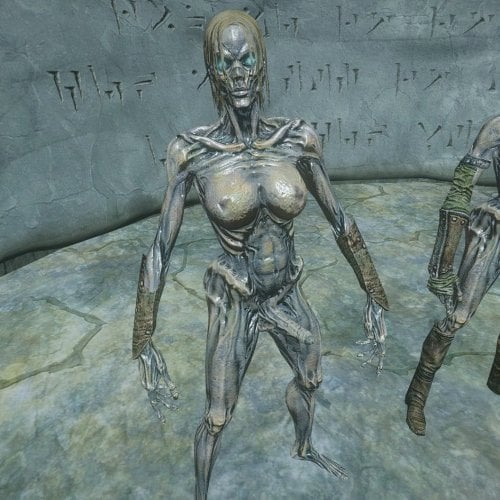
Version 1.0.0
414 downloads
Replaces MNC's draugr models with futa variants. Inspired by and based on the futa draugr files shared by FauxFurry in this forum thread. Best I can tell, the meshes used in those files are modified versions of Better Shaped Female Creatures, so this mod goes very well together with that one. This mod only replaces naked/aroused meshes, not the regular ones! The mod comes in a few variants: Female to Futa replaces only the female draugr meshes with futa versions, leaving the male ones untouched. All to Futa replaces both male and female draugr meshes with futa versions. This is intended to be used together with my other mod, Male to Female Draugr Replacer. Since there is no female version of the Hulking Draugr from the Dragonborn DLC, this version uses the hevarmorf2 body for Hulking Draugr, like my replacer mod. All to PSBoss Futa replaces both male and female draugr meshes with futa versions based on PSBoss's Draugr replacer mod, and requires that mod to be installed to work correctly. Intended to be used together with Male to Female Draugr Replacer. Note: Does not include replacers for MagicDraugr and Hulking Draugr, since PSBoss's replacer mod does not replace these. There's also a bonus file (PSBoss Draugr Addons) that add replacers for MagicDraugr and HulkingDraugr, and contains both regular model and MNC model replacements for those two types. The HulkingDraugr uses the hevarmorf2 body. This can even be used without MNC if you just want the regular models replaced. Requires PSBoss's Draugr replacer mod to work correctly. Requirements: More Nasty Critters and all of its requirements. The PSBoss version and addon requires PSBoss's Draugr replacer mod. Recommended: Better Shaped Female Creatures (if you're not using the PSBoss version). Male to Female Draugr Replacer if you're using the "All to Futa" or the PSBoss version. Compatability Issues: Animated Beast Cocks is not supported. Sorry. Maybe in a future release. Known Issues: The PSBoss MagicDraugr isn't perfect. It's less visible than I'd prefer, and for some reason I can't get the MNC model to keep its hair. Q&A: Is this compatible with SE/AE? I have no idea! I'm new to making my own mods and have never touched SE/AE. This was made and tested on LE. Will you make a patch for <insert mod>? Unlikely, but if you make one and post it in the support thread, I can add it to the mod description. I found a bug! Report it in the comment section and I'll take a look. Can you make a PSBoss version that only replaces female draugr? I can, but I won't. You can very easily make this yourself by just opening up this mod and deleting the models with the male file paths. The dick on the PSBoss version doesn't match the body texture! That's not a question, but you're correct. I don't have the skills to make a custom texture for it. Color-matching it to the skin tone was already a challenge. If you don't like it, don't use it. I'm using the PSBoss version without the addon, together with Male to Female Draugr Replacer, and my Hulking Draugr are replaced by female draugr, but only outside of sex scenes? Yes, due to how that mod works, the non-MNC model will be replaced by the currently installed model in the "hevarmorf2" filepath. I recommend using my PSBoss Addon. -
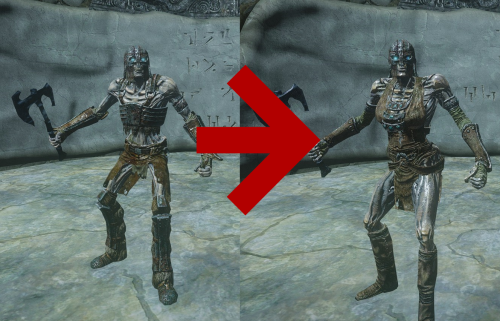
Version 1.0.0
236 downloads
Turns all male draugr in your game into female draugr. Made to be used together with Futa Draugr for MNC, but works on its own. This mod accomplishes this by changing what models male draugr use to whichever models you have installed for female draugr. As such, this is compatible with most creature replacers I know of. Better Shaped Female Creatures is being used in the screenshots. Small things to note: Requirements: The Dragonborn DLC. That's it. Compatability Issues: Mods that care about creature gender flags. The gender flags aren't changed. Mods that edit the Draugr, MagicDragur, and HulkingDraugr races. Mods that add additional Draugr to the game. They may or may not get genderswapped depending on how that mod is constructed. Recommended Mods: Better Shaped Female Creatures OR PSBoss' Draugr Replacer - I made this mod specifically to use it together with this mod. Futa Draugr for MNC - for compatability with MNC. Q&A: Is this compatible with SE/AE? I have no idea! I've never installed SE and am new to making my own mods. It's only an esp making record edits, so if SE uses the same format for esps and the same record IDs as LE, then it should work. But I don't know! Is this compatible with MNC? Yesn't. It will function when used alongside MNC, but MNC will swap to male draugr for the aroused meshes. Unless you use my Futa Draugr for MNC mod. I found a bug! Not a question, but post it in the comments and I'll have a peek. Will you make a patch for <insert mod>? Unlikely. This is a project I essentially made for myself and am sharing because why not. If you make a patch and post it in the comments, I can add it to the mod description, though! Can you make a version that turns all female draugr into males? I can, but I won't. You're very welcome to open the esp in CK/xEdit, look at how I made this, and make your own mod, though! -
Viv's Creature Cocks View File Basically replaces most of the creatures and animals meshes for the erect versions of the mod "More Nasty Critters" You can use it by itself, but I mainly did to be used with "Sexlab Light SE" since the original More Nasty Critter erect/unerect system didn't work without script extenders. To clarify. the unerect system doesn't work with this mod either! So expect to always have creatures with a permanent boner. I always wanted a working version of MNC that wouldn't require script extenders to work, so, inspired by the mod Creature Schlongs by vinfamy that he left incomplete and kind of broken, I decided to get to work and make my own full working version of the mod! Most of the creatures will have schlongs, with the exception of Wisps and Alduin, I gave him a dragoness model with full on visible pussy cause I tought it would be funny lol. Submitter DragoViva Submitted 07/20/26 Category Adult Mods Requirements None, but it's intended to be used on Sexlab Light SE Regular Edition Compatible Not Applicable Install Instructions Just drag and drop it on Mod Manager 2, or install manually like any other mod!
-
Version 1.1
961 downloads
Basically replaces most of the creatures and animals meshes for the erect versions of the mod "More Nasty Critters" You can use it by itself, but I mainly did to be used with "Sexlab Light SE" since the original More Nasty Critter erect/unerect system didn't work without script extenders. To clarify. the unerect system doesn't work with this mod either! So expect to always have creatures with a permanent boner. I always wanted a working version of MNC that wouldn't require script extenders to work, so, inspired by the mod Creature Schlongs by vinfamy that he left incomplete and kind of broken, I decided to get to work and make my own full working version of the mod! Most of the creatures will have schlongs, with the exception of Wisps and Alduin, I gave him a dragoness model with full on visible pussy cause I tought it would be funny lol. -
Version .json (espified fury only)
1136 downloads
Strugling finding a compatibility patch for fury and mnc i decided to make it myself. You can now play as the slutty druid you ever wanted to play. The patch consist in varius thing`s like changing the skeleton to match with the one`s provided by the mod BakaFactory Animated Beast Cocks tweaked the size of the tamed creatures (i wanted to change by 2 point the inital level, instead of starting with 6 start with 8 but i dont know how to do it) added sadle bones to the montable beast so you can mount in more than one way. feel free to change anything you want. It`s my first time doing something like this so expect some bugs and stuff.