Search the Community
Showing results for tags 'fnis'.
Found 12 results
-
Estrus Chaurus+ View File All credits go to the original author of this mod, Jbezorg. Since he has taken a hiatus, I will be maintaining this mod for the time being. Thanks to Min for helping to keep the Mod alive by updating it for SL1.5+ Original Mod Description by Jbezorg WHAT DOES THIS MOD DO? Chaurus spit attacks will trigger an Estrus Tentacle attack and impregnation. In roughly 3 days, they Chaurus Eggs will be expelled from the host's body. WHAT CAN YOU DO? If the skeleton supports node scaling the breasts will enlarge during that time. MCM will auto-configure Estrus Chaurus based on your skeleton and it will be available if the skeleton and body mesh supports it. If this is available, you can set how large the breasts will grow. You can set how long the impregnation will last. You can turn on / off impregnation by enabling / disabling the pregnancy option. The tentacle attack will still happen but no impregnation. You can turn on / off the chaurus eggs hatching by enabling / disabling the Chaurus Infestation option. An impregnated NPC will still lay chaurus eggs. They just will not hatch. You can choose to have some residual breast growth. Breast size is not returned fully to the original size. You can remove all impregnation effects from NPCs, Companions & the Player by enabling "Prepare for uninstall" ( this can take a few min. to run). The breast enlargement feature is very experimental. It's very likely to cause CTDs. You can disable this feature in MCM by setting breast growth to "NONE". SOME THINGS TO KEEP IN MIND Don't update to a new version without first enabling "Prepare for Uninstall" and letting it cure everyone. Estrus shout abilities AND THE ESTRUS MOD ITSELF is completely unrelated to this mod. When the pregnancy effect ends: The original breast scale is restored. The victim is removed to the Chaurus Faction ( if still in it ) The perk is removed. [*]Don't save or game wait while the Estrus Tentacle magic effect is active. You'll most likely CTD. Wait a few min. before to allow for the first NiNode update to occur. [*]Breast enlargement and pregnancy will only work on body meshes that support skeletal scaling e.g. TBBP, BBP body meshes. [*]If You don't see MCM updating, use the following console command. setstage SKI_ConfigManagerInstance 1 EC+ Version 4.390 As version 4.390 has major changes to the esp file I do not recommend trying to upgrade - a new game is required For the LE version NiOverride and XPMSE are required for pregnancy scaling to work in EC+ 4.20 onwards For the SE version SKEE and XPMSE are required for pregnancy scaling to work. Thanks to t3h0th3r for providing the updated scaling code! There are three methods by which the EC effect can be applied to the player or a follower: Chaurus spit attacks can trigger tentacle attacks - the chance of attack is configurable via the EC MCM Sexlab scenes involving a Chaurus triggered by another mod (e.g. Sexlab Defeat) EC+ scenes triggered by other mods (e.g. FMEA, Deviously Enchanted Chests, Sexlab Parasites, Deviously Cursed Loot) Chaurus Spit can also trigger Tentacle attacks on non-follower NPCs! At present NPC pregnancies will be lost if you or the NPC changes cell. Updating Updating from version 4.381 to version 4.390 requires a clean save or new game. For Modders Required Mods and Versions Legendary Edition Estrus For Skyrim V2.41r1 (Must be installed but the mod does not have to be activated) Sexlab 1.62 FNIS 6.1+ FNIS Creature Pack 6.1+ SkyUI 5.1 XPMSE 2.80+ Net Immerse Override 3.2.2+ or Racemenu 3.0+ (includes NIO) Special Edition Estrus For Skyrim SE V2.45 (Must be installed but the mod does not have to be activated) Sexlab 1.63 Beta 9+ FNIS 7.6SE + FNIS Creature Pack SE 7.6+ SkyUI 5.2SE XPMSE 4.80+ Racemenu SE 0.4.16+ (includes SKEE - required for pregnancy scaling) Known Issues None - please report any problems (or success) and I will try and sort them. Credits qotsafan for the Sexlab Inflation Framework integration cod osmelmc for the automatic EC animation registration patch Submitter Bane Master Submitted 05/03/2014 Category Combat Sex Requires SexLab , SKSE, FNIS, FNIS Creature Pack, SkyUI, Estrus For Skyrim (Assets only), NIOverrride (LE), SKEE (SE) Special Edition Compatible Yes
-
 ZaZ Animation Pack 9.2 SSE - CBBE and UUNP - by XTH SSE View File ZaZ Animation Pack 9.2 - Skyrim Special Edition conversion !!! Script fix at the very bottom !!! ================================================================ !!! READ THIS FIRST !!! The file you download here is NOT the mod. It is a small text file with the download links. ZAP is 7.0 GB (CBBE) and 8.9 GB (UUNP) - far too large to host on LoversLab, so the archives live on pixeldrain. Download the file here, open the text inside, use the link for the body version you want. Same way the original ZAP is hosted. ================================================================ !! ZaZ Animation Pack 9.2 is NOT backwards compatible and cannot be used to satisfy a dependency on any version of ZAZ 8 !! (Thanks to Talesien for pointing that out) This is not my mod. ZAP was made by ZaZ, XaZ and t.ara over more than a decade. All I did was convert version 9.2 so it runs on Skyrim SE, and fix a handful of files that were already broken in the original. The original is here and you should look at it first: https://www.loverslab.com/files/file/23102-zaz-animation-pack-zap/ WHAT THIS IS ZAP is a framework and animation package. It does nothing on its own. It is a modder's resource: furniture, restraints, animations, poses and building kits that dozens of other mods depend on. Both body versions are available, same conversion, pick one: CBBE-HDT UUNP-HDT WHAT WAS CONVERTED 2002 .hkx 32-bit packfiles, Havok tagfiles and XML -> 64-bit 6548 .nif BS 83 -> BS 100 (CBBE, 6540 in the UUNP build) .esm already shipped as Form 44 - left untouched Every hkx and nif was checked after conversion. No failures, no truncated files. WHAT WAS FIXED ON TOP Four normal maps ship as 0-byte files in the original pack: Textures\ZaZ\002Wood\BedWood01_n.dds Textures\ZaZ\002Wood\nobleBedWood01_n.dds Textures\ZaZ\018Beds\BedWood01_n.dds Textures\ZaZ\018Beds\nobleBedWood01_n.dds Empty normal maps make the wooden beds render with broken lighting. Rebuilt from the diffuse textures beside them, so the relief follows the actual wood grain instead of being flat. Same format and resolution as the originals. Three leftover 0-byte working files were removed. Nothing references them - I checked every mesh and the plugin: Leggings_Heights222222.dds, Leggings_Heights2222222.dds, ps366F.tmp LEFT AS FOUND Two meshes are in Gamebryo 20.0.0.5 (Oblivion) format and cannot be loaded by any version of Skyrim. They were already dead weight in the LE release and I left them alone rather than decide for the authors: ...\ZaZ - Clutter\...\artrapspikepit01OBLIVION.nif ...\Zaz - Prison Pack\prisoncellchains01.nif REQUIREMENTS: A behaviour engine - any one of these: FNIS SE https://www.nexusmods.com/skyrimspecialedition/mods/3038 Nemesis https://www.nexusmods.com/skyrimspecialedition/mods/60033 Pandora (Recommended) https://www.nexusmods.com/skyrimspecialedition/mods/133232 XPMSSE skeleton (or your skeleton of choice) https://www.nexusmods.com/skyrimspecialedition/mods/1988 SexLab SE - listed as a requirement by the original mod. The links in the original readme pointed at the old Skyrim LE Nexus and no longer apply. The readme inside the archive has been updated. ADULT CONTENT WARNING (from the original readme) THE ZAZ-ANIMATION-PACK IS A FULLY ADULT ORIENTED MOD. This mod may contain full nudity, BDSM, fetish and sexual content. Don't download it if that is not your taste or you are not allowed to. This is t.ara's work, not mine. The original page states that the content may not be used or redistributed without express permission. I have sent t.ara a message about this upload. She has not been active on LoversLab since September 2025 and the SSE version announced on her page has not moved since 2022, which is why this conversion exists at all. If t.ara objects, this comes down immediately - no discussion needed, just say the word. Same goes for any of the other authors in the credit list whose assets are in here. Do not make money with this content. That was t.ara's condition and it is a good one. ---------------------------------------------------------------- FIXES ---------------------------------------------------------------- Whipping Script There is a second download here, "Whipping Script Fix". It is a 22 KB patch, not another copy of the pack. Install it after ZAP 9.2 and let it overwrite, then run your behaviour engine again. It fixes the papyrus log spam from the whipping system - a property in zazWhp_NPCscript still asks for a class that was renamed away, so it never binds and the error repeats forever. Comes from the original pack and is in the LE version too. BODYSLIDE Fixed. See the separate download "BodySlide Update (CBBE)". The slidersets shipped with the CBBE slider list of the time, 55 sliders where CBBE SE has 137. The missing ones were exactly what heavy presets drive, which is why clothing didn't follow them. All 85 sets were rebuilt against CBBE Body Physics and refitted. Not perfect - a few parts are slightly stretched and some don't line up exactly. They work with modern presets now, which they didn't before. ---------------------------------------------------------------- KNOWN ISSUE - HDT CHAINS ---------------------------------------------------------------- Chains, cuff chains and the dangling jewellery don't move. They hang static instead of swinging. Inherited from the LE original. The meshes still carry the LE physics identifier "HDT Havok Path" where SSE needs "HDT Skinned Mesh Physics Object", and the physics configs are Havok packfiles from HDT-PE, which SMP can't read at all. So nothing ever gets attached. 114 meshes are affected - chains, cuffs, collars, ragdolls and the soulgem jewellery. Renaming isn't enough, every one of them needs a new SMP config, so I'm writing a tool for it. No date on that. Nothing breaks in the meantime, the items just don't swing. ZAP 9.2 SSE Whipping Script Fix.zip Submitter XTH SSE Submitted 09/01/26 Category Adult Mods Requirements A behaviour engine: FNIS/NEMESIS/PANDORA, XPMSSE skeleton, SexLab SE Regular Edition Compatible No Install Instructions Pick ONE body version, CBBE or UUNP. Do not install both. Install with Vortex or Mod Organizer 2. Activate ZaZAnimationPack.esm in your plugin list. Run your behaviour engine and let it patch. Run it again after every animation mod you add or remove. Not a light install - roughly 19 GB unpacked. Check your disk space before you start. Upgrading from the LE version: remove the old one completely first. Do not merge the two.
 -
ZazExtensionPack v1.08 SSE (FIXED) View File SSE conversion of Zaz Extension Pack v1.08. Original LE Thread: https://www.loverslab.com/files/file/3398-zazextensionpack/ The original has never been ported to Special Edition — its animations and meshes were all still in Legendary Edition format, which on SSE means T-poses and broken objects. This package fixes that. What was converted 86 animations to 64-bit Havok — every one verified individually 72 meshes from BS header 83 (LE) to 100 (SSE) Two repairs beyond the format conversion Seven animations were not binaries at all. KneelingCane_High.hkx and six others shipped as Havok XML tagfiles with a .hkx extension. The engine cannot load those — they have been broken since 2017, in the LE version too. They were converted along with the rest and now contain real hkaSplineCompressedAnimation data. Two normal maps were 0-byte files. BedWood01_n.dds and nobleBedWood01_n.dds were empty in the original, so the two wooden beds rendered with no normal map at all. Replaced with neutral tangent-space normal maps at the matching 430×176 resolution. Neither of these is a porting artifact. Both were faults in the original package that a plain format conversion would have carried straight over. Requirements Skyrim Special Edition SexLab SE — Sex Animation Framework v1.66c (SexLab.esm) Devious Devices SE (The 5.2 Version) OR Devious Devices NG — doesn't matter which, as long as you have Devious Devices - Assets.esm ZAZ Animation Packs for SE (ZaZAnimationPack.esm) Heretical Resources (11-03-2017), v1.51 (Heretical Resources.esm) A behaviour generator — Pandora, Nemesis or FNIS. Run it after installing, or everything will T-pose. (I Recommend Pandora) Notes 73 animation entries plus an Alternate Animation set (AAprefix zbx) covering movement, sneak and sprint states. The FNIS list cross-references five animations from ZaZ Animation Pack itself (ZazFurnitureExit, ZaZAPFXCII02B, ZazAPCAO001, ZazAPCAO003, ZazAPCAO016). All resolve against a standard ZAP install — verified. The ESM is still form version 43, unchanged from the original. No issues in testing, but it has not been re-saved in the Creation Kit. Do not use the forZap7AndTUFP variant of ZEP with this. That build ships no meshes or animations and requires TaraUltimateFurniturePack.esm as a master. This conversion is based on the full version. Credits zaira — Zaz Extension Pack. The artists credited in the plugin itself: d jans, darkevilhum, nosdregamon, t.ara, theFirstHeretic, Tepi, DarkAngel1265. XTH SSE — SSE conversion and repairs. I did not create this mod and claim no ownership of it. If zaira wants this taken down, say the word. Submitter XTH SSE Submitted 08/26/26 Category Adult Mods Requirements Skyrim Special Edition, SexLab SE, Devious Devices SE 5.2 or Devious Devices NG, ZAZ Animation Packs for SE, Heretical Resources, Pandora / Nemesis / FNIS Regular Edition Compatible No Install Instructions Install with a mod manager and let it overwrite older ZEP files. Then run your behaviour generator — Pandora, Nemesis or FNIS — or everything will T-pose. Load ZazExtensionPack.esm after ZaZAnimationPack.esm and Heretical Resources.esm. Do not install the forZap7AndTUFP variant alongside this one.
-
Version 1.0.1
4676 downloads
ZaZ Animation Pack 9.2 - Skyrim Special Edition conversion !!! Script fix at the very bottom !!! ================================================================ !!! READ THIS FIRST !!! The file you download here is NOT the mod. It is a small text file with the download links. ZAP is 7.0 GB (CBBE) and 8.9 GB (UUNP) - far too large to host on LoversLab, so the archives live on pixeldrain. Download the file here, open the text inside, use the link for the body version you want. Same way the original ZAP is hosted. ================================================================ !! ZaZ Animation Pack 9.2 is NOT backwards compatible and cannot be used to satisfy a dependency on any version of ZAZ 8 !! (Thanks to Talesien for pointing that out) This is not my mod. ZAP was made by ZaZ, XaZ and t.ara over more than a decade. All I did was convert version 9.2 so it runs on Skyrim SE, and fix a handful of files that were already broken in the original. The original is here and you should look at it first: https://www.loverslab.com/files/file/23102-zaz-animation-pack-zap/ WHAT THIS IS ZAP is a framework and animation package. It does nothing on its own. It is a modder's resource: furniture, restraints, animations, poses and building kits that dozens of other mods depend on. Both body versions are available, same conversion, pick one: CBBE-HDT UUNP-HDT WHAT WAS CONVERTED 2002 .hkx 32-bit packfiles, Havok tagfiles and XML -> 64-bit 6548 .nif BS 83 -> BS 100 (CBBE, 6540 in the UUNP build) .esm already shipped as Form 44 - left untouched Every hkx and nif was checked after conversion. No failures, no truncated files. WHAT WAS FIXED ON TOP Four normal maps ship as 0-byte files in the original pack: Textures\ZaZ\002Wood\BedWood01_n.dds Textures\ZaZ\002Wood\nobleBedWood01_n.dds Textures\ZaZ\018Beds\BedWood01_n.dds Textures\ZaZ\018Beds\nobleBedWood01_n.dds Empty normal maps make the wooden beds render with broken lighting. Rebuilt from the diffuse textures beside them, so the relief follows the actual wood grain instead of being flat. Same format and resolution as the originals. Three leftover 0-byte working files were removed. Nothing references them - I checked every mesh and the plugin: Leggings_Heights222222.dds, Leggings_Heights2222222.dds, ps366F.tmp LEFT AS FOUND Two meshes are in Gamebryo 20.0.0.5 (Oblivion) format and cannot be loaded by any version of Skyrim. They were already dead weight in the LE release and I left them alone rather than decide for the authors: ...\ZaZ - Clutter\...\artrapspikepit01OBLIVION.nif ...\Zaz - Prison Pack\prisoncellchains01.nif REQUIREMENTS: A behaviour engine - any one of these: FNIS SE https://www.nexusmods.com/skyrimspecialedition/mods/3038 Nemesis https://www.nexusmods.com/skyrimspecialedition/mods/60033 Pandora (Recommended) https://www.nexusmods.com/skyrimspecialedition/mods/133232 XPMSSE skeleton (or your skeleton of choice) https://www.nexusmods.com/skyrimspecialedition/mods/1988 SexLab SE - listed as a requirement by the original mod. The links in the original readme pointed at the old Skyrim LE Nexus and no longer apply. The readme inside the archive has been updated. ADULT CONTENT WARNING (from the original readme) THE ZAZ-ANIMATION-PACK IS A FULLY ADULT ORIENTED MOD. This mod may contain full nudity, BDSM, fetish and sexual content. Don't download it if that is not your taste or you are not allowed to. This is t.ara's work, not mine. The original page states that the content may not be used or redistributed without express permission. I have sent t.ara a message about this upload. She has not been active on LoversLab since September 2025 and the SSE version announced on her page has not moved since 2022, which is why this conversion exists at all. If t.ara objects, this comes down immediately - no discussion needed, just say the word. Same goes for any of the other authors in the credit list whose assets are in here. Do not make money with this content. That was t.ara's condition and it is a good one. ---------------------------------------------------------------- FIXES ---------------------------------------------------------------- Whipping Script There is a second download here, "Whipping System Fix". It is a 1 MB patch, not another copy of the pack. Install it after ZAP 9.2 and let it overwrite, then run your behaviour engine again. It fixes the papyrus log spam from the whipping system - a property in zazWhp_NPCscript still asks for a class that was renamed away, so it never binds and the error repeats forever. Comes from the original pack and is in the LE version too. BODYSLIDE Fixed. See the separate download "BodySlide Update (CBBE)". The slidersets shipped with the CBBE slider list of the time, 55 sliders where CBBE SE has 137. The missing ones were exactly what heavy presets drive, which is why clothing didn't follow them. All 85 sets were rebuilt against CBBE Body Physics and refitted. Not perfect - a few parts are slightly stretched and some don't line up exactly. They work with modern presets now, which they didn't before. ---------------------------------------------------------------- KNOWN ISSUE - HDT CHAINS ---------------------------------------------------------------- Chains, cuff chains and the dangling jewellery don't move. They hang static instead of swinging. Inherited from the LE original. The meshes still carry the LE physics identifier "HDT Havok Path" where SSE needs "HDT Skinned Mesh Physics Object", and the physics configs are Havok packfiles from HDT-PE, which SMP can't read at all. So nothing ever gets attached. 114 meshes are affected - chains, cuffs, collars, ragdolls and the soulgem jewellery. Renaming isn't enough, every one of them needs a new SMP config, so I'm writing a tool for it. No date on that. Nothing breaks in the meantime, the items just don't swing. ZAP 9.2 SSE Whipping System Fix.zip -
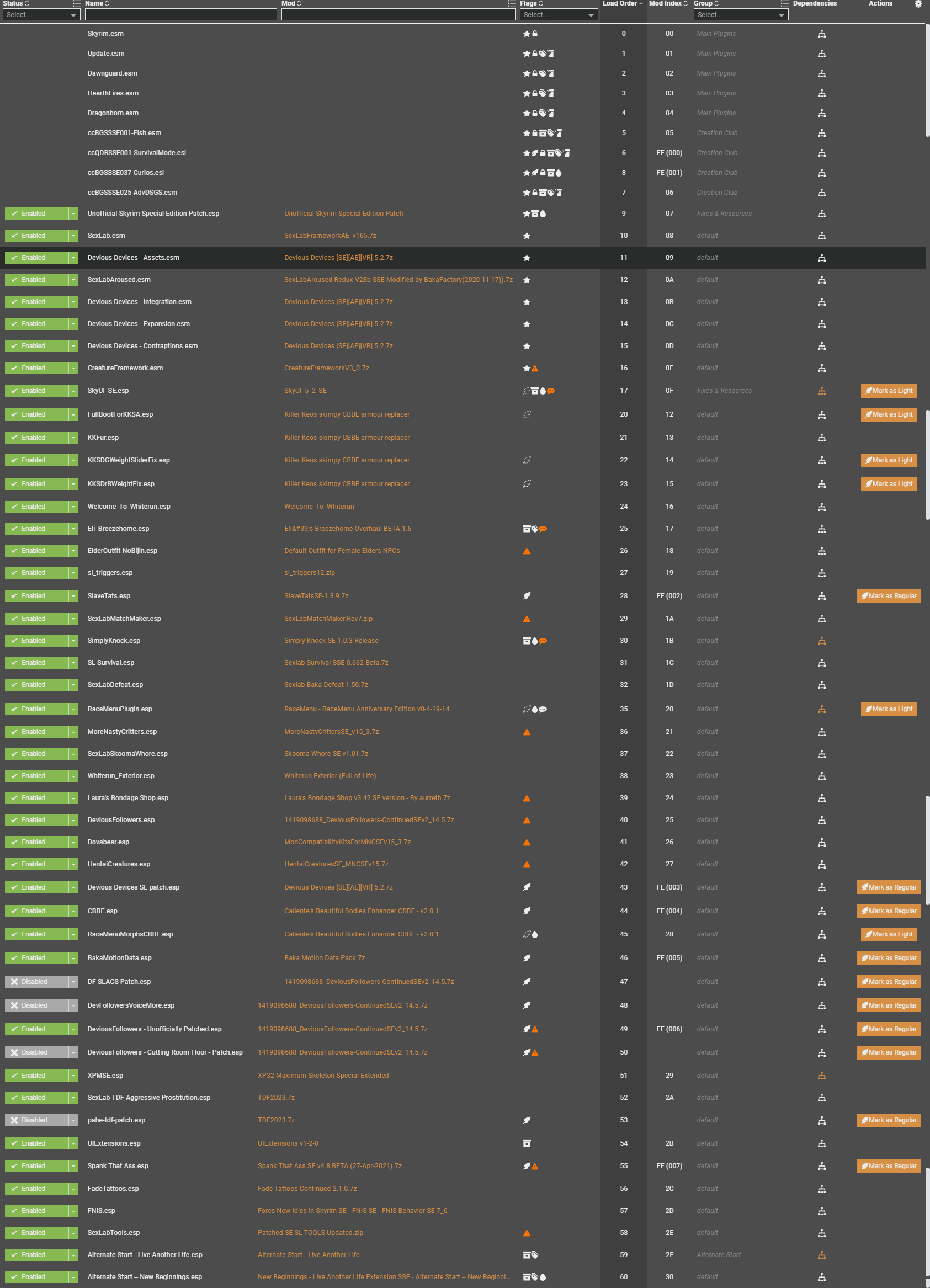
 So as title says, I'm having issues with Devious Devices! The Devices are shown on PC, but they cause no effect! Armbinders (cuffs) and the legs cuffs do not restrain my PC at all, movement still working as normal, I've run FNIS, Bodyslide, I've tried lots of things trying to make it work, but, no sucess. I got no idea whats wrong can anyone give a help? My load order (I guess), the plugins from Vortex... If other info is needed please just tell me. PS: When I first started the game and received the first Device (arms and legs cuffs) some mensage about "device settings .json" shown up and vanished along the mensages "arms cuffs", "legs cuffs" been added to inventory... I don't know if its relevant, but since that, even when I apply devices in other saves no mensage pops up... So far, only arm and legs cuffs don't seems to work, all else, gags, plugs, piercings, blindfolds, are working just fine... Can anyone help? Please?! I apologize for any miswritting...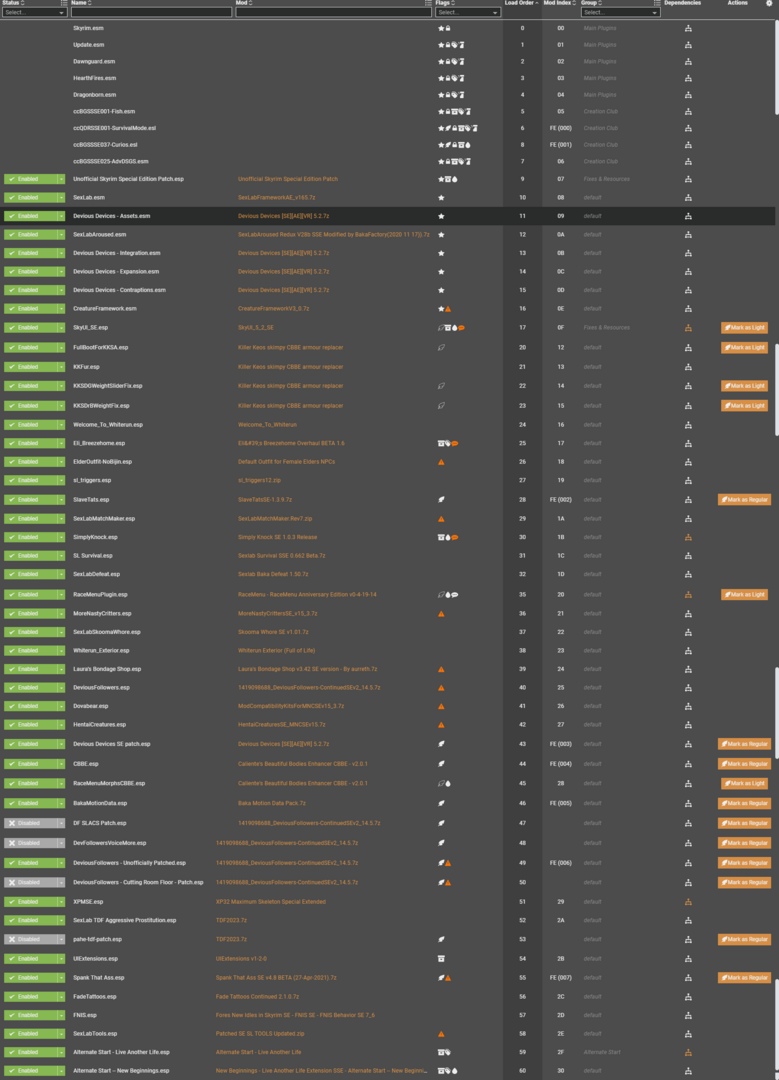
-
Version 1.0.0
1218 downloads
SSE conversion of Zaz Extension Pack v1.08. Original LE Thread: https://www.loverslab.com/files/file/3398-zazextensionpack/ The original has never been ported to Special Edition — its animations and meshes were all still in Legendary Edition format, which on SSE means T-poses and broken objects. This package fixes that. What was converted 86 animations to 64-bit Havok — every one verified individually 72 meshes from BS header 83 (LE) to 100 (SSE) Two repairs beyond the format conversion Seven animations were not binaries at all. KneelingCane_High.hkx and six others shipped as Havok XML tagfiles with a .hkx extension. The engine cannot load those — they have been broken since 2017, in the LE version too. They were converted along with the rest and now contain real hkaSplineCompressedAnimation data. Two normal maps were 0-byte files. BedWood01_n.dds and nobleBedWood01_n.dds were empty in the original, so the two wooden beds rendered with no normal map at all. Replaced with neutral tangent-space normal maps at the matching 430×176 resolution. Neither of these is a porting artifact. Both were faults in the original package that a plain format conversion would have carried straight over. Requirements Skyrim Special Edition SexLab SE — Sex Animation Framework v1.66c (SexLab.esm) Devious Devices SE (The 5.2 Version) OR Devious Devices NG (Doesn't matter as long you have the (Devious Devices - Assets.esm) ZAZ Animation Packs for SE (ZaZAnimationPack.esm) Heretical Resources (11-03-2017), v1.51 (Heretical Resources.esm) A behaviour generator — Pandora, Nemesis or FNIS. Run it after installing, or everything will T-pose. (I Recommend Pandora) Notes 73 animation entries plus an Alternate Animation set (AAprefix zbx) covering movement, sneak and sprint states. The FNIS list cross-references five animations from ZaZ Animation Pack itself (ZazFurnitureExit, ZaZAPFXCII02B, ZazAPCAO001, ZazAPCAO003, ZazAPCAO016). All resolve against a standard ZAP install — verified. The ESM is still form version 43, unchanged from the original. No issues in testing, but it has not been re-saved in the Creation Kit. Do not use the forZap7AndTUFP variant of ZEP with this. That build ships no meshes or animations and requires TaraUltimateFurniturePack.esm as a master. This conversion is based on the full version. Credits zaira — Zaz Extension Pack. The artists credited in the plugin itself: d jans, darkevilhum, nosdregamon, t.ara, theFirstHeretic, Tepi, DarkAngel1265. XTH SSE — SSE conversion and repairs. I did not create this mod and claim no ownership of it. If zaira wants this taken down, say the word. -
 XP32 Maximum Skeleton (Special) Extended - XPMS(S)E View File XPMSE\XPMSSE (also on Nexus(SK)\Nexus(SSE)) Warning: Do not delete the skeleton_female.hkx Description "XP32 Maximum Skeleton Extended" is a completely redone version of "XP32 Maximum Skeleton - XPMS" by xp32, for the "HDT Physics Extension" and "HDT Skinned Mesh Physics" and provides ingame customization features. Requirement (are installed BEFORE and nothing overwrites XPMSE) Two list of requirements for XPMSE one for people using Racemenu and one for people using Enchance Character Edit\Vanilla General: SKSE 1.7.3 or newer Fores New Idles in Skyrim 7.2 or newer RaceMenu users: RaceMenu 3.4.5 or newer Enchance Character Edit\Vanilla users: NetImmerse Override Standalone 3.4.4 or newer Installation Use a Mod Manager: Either Moder Organizer or NMM\Vortex work. Uninstallation (completely): - (RaceMenu) Set all XPMSE related sliders in RaceMenu and MCM to default - Press uninstall in your mod manager for XPMSE. Skeleton Body and Physics Support: - Breast and Butt Physics [bBP] - Tender Breast and Butt Physics [TBBP] - HDT Physics Extension [HDT-PE] - HDT Skinned Mesh Physics [HDT-SMP] Mods compatible: - Aesthetic Bolt Quiver - CITRUS - Deadly Mutilation - Dual Sheath Redux - Enderal - Flimsy Ragdolls (included in XPMSE) - HDT Dragon Tails - HDT Equipment (Well Fitted option only) - Nipple Magic (included style option and animations recommended) - Realistic Ragdolls & Force (included in XPMSE) - SAM - Shape Atlas for Men - SOS - Schlongs of Skyrim - The Joy of Perspective - UN7B Mods compatible without support: - Enchance Character Edit (Comes with it's own XPMSE skeleton) Mods completely unsupported: - HDT Equipment (everyone option), that includes mods including everyone option features in their HDT Physics extension xmls this includes: HDT equipment v0.2 everyone breast fix HDT Equipment V0.2 for Everone with Belly and Collision XPMSE Plugin XPMSE RaceMenu: - Weapon styles, moving weapons ingame - Scale\Position\Rotation sliders - Body related sliders - SOS\SAM related sliders - Female specific related sliders - Beast race specific related sliders - Third and first Person scaling - Extensible Follower Framework 4 compatible XPMSE MCM: - Weapon styles, moving weapons ingame - Iinformation tab with debug information XPMSE Weapons: Scale Module: - Fixes weapon scale problems with the game for females, thanks Bethesda, good job! - Compatible with weapon scale edits in Racemenu - Disabled withEnchance Character Edit for compatitibility reasons Style Module: - Manages styles for player and non-Player characters - Manages Arrows\Bolts, Bows\Crossbow, Greatswords\Battleaxe\Warhammer and Magic styles dynamically for fixing visual issues and seperating shared nodes - Manages animation switching for styles, such animations are Arrows Draw, Bow Equip, Idle and Attack, Greatswords\Battleaxe\Warhammer Equip and Magic Attack, Cast, Concentration, Cast, Idle, Movement and Sprint - Enchance Character Edit supported XPMSE Lib: - Adds common functions for modders to use/copy from, like skeleton checks or manipuilation Styles (Weapon Positions) List Axe: 0: Default 1: Reversed Axes by Groovtama 2: Axes on Back by Groovtama Sword: 0: Default 1: 1-Handed Swords on Back by xp32 2: SWP 1-Handed Swords on Back by Metal-Gear-Rex 3: FSM Swords turned edge up by fushimi 4: Dual Swords on left waist by Ayame 5: No More Dangling Swords by Akakus Dagger: 0: Default 1: Daggers on Back Hip by xp32 2: Daggers on the Ankles by Metal-Gear-Rex Two-Handed (Greatsword and Battleaxe\Warhammer): 0: Default 1: SWP Two-Handed Weapons on Back by Metal-Gear-Rex 2: FSM Two-Handed turned and on waist by fushimi Bow: 0: Default 1: Frostfall Bow by Chesko 2: Reversed Better Bows by Messes With Wolves 3: FSM Turn Bow by fushimi Arrow Quiver: 0: Default 1: Frostfall Quiver by Chesko 2: Frostfall Quiver by xp32 Crossbow: 0: Default 1: Frostfall Bow by Chesko Bolt Quiver: 0: Default 1: Frostfall Quiver by Chesko 2: Left Hip Bolt by xp32 3: Experimental Hip Bolt by xp32 4: Aesthetic Bolt Quiver by IsharaMeradin Magic: 0: Default 1: Nipple Magic by ElPsyCongroo Shout: 0: Default 1: Schlong Shout by ElPsyCongroo Endorse those mod authors, show your support! Modders\Animators Section New XPMSE 2.1 Rig txt and behaviour files: Resource These are compatible with the Modders Resource at XP32 Maximum Skeleton - XPMS and with Skeleton Controller Rig. Fully Backwards compatible. Do not use the Modders Resource at XP32 Maximum Skeleton - XPMS and with Skeleton Controller Rig for skinning. How 2 make tails compatible with the XPMSE tail position sliders: 1. Open the tail mesh into nifskope 2. Replace the following node names with the new ones - "NPC Pelvis [Pelv]" => "Tail" - "NPC Spine [spn0]" => "NPC Tail Spine [spn0]" - "NPC L Thigh [LThg]" => "NPC Tail L Thigh [LThg]" - "NPC R Thigh [RThg]" => "NPC Tail R Thigh [RThg]" 3. Save the tail mesh FNIS Bone numbers (this has nothing to do with the skeleton): - XPMSE HDT rig: 115 (4.51) or 126 (4.6+) Bones - XPMSE BBP rig: 129 (4.51) or 156 (4.6+) Bones - XPMS Fallback rig: 242 Bones Bone naming and prefix schema: Nodes for meshes and havok animations NPC => Mesh bones HDT Physic exclusive HDT => exclusive HDT Motion bones XPMSE feature exclusive nodes Submitter Groovtama Submitted 01/22/2014 Category HDT Physics Requires SKSE 1.7.3 or newer, Fores New Idles in Skyrim 7.2 or newer, RaceMenu 3.4.5 or newer\NetImmerse Override Standalone 3.4.4 or newer Special Edition Compatible Yes
 -
 not sure exactly whats going on here, i recently installed billyy's animations and the creature packs along with FNIS, and the creature scenes in testing worked fine, however when i went to test the human scenes the characters just stand still inside eachother while you flick through the scene, a the right points the clothes come off but its like it can't grab the animations for 2 humans but the humans are fine if its with a creature, ill attach my fnis log as well but hopefully someone here can help me understand whats going on FNIS Behavior V7.6 XXL 01/03/2026 03:30:49 Skyrim SE 64bit: 1.6.1170.0 - C:\Program Files (x86)\Steam\steamapps\common\Skyrim Special Edition\ (Steam) Skeleton(hkx) female: XPMS2HDT (126 bones) male: XPMS2HDT (126 bones) Patch: "SKELETON Arm Fix" Reading Billyy_CreatureBeasts V1.0 ... ChAnims:529 CTD:3.2% pOpt:0.7% Reading Billyy_CreatureConstructs V1.0 ... ChAnims:160 CTD:1.0% pOpt:0.2% Reading Billyy_CreatureFurniture V1.0 ... ChAnims:56 CTD:0.4% pOpt:0.1% Reading Billyy_CreatureFurnitureInvis V1.0 ... ChAnims:80 CTD:0.5% pOpt:0.1% Reading Billyy_CreatureHumanoids V1.0 ... ChAnims:600 CTD:3.6% pOpt:0.8% Reading Billyy_CreatureHumanoidsLarge V1.0 ... ChAnims:419 CTD:2.5% pOpt:0.6% Reading Billyy_CreatureInsects V1.0 ... ChAnims:321 CTD:2.0% pOpt:0.5% Reading Billyy_CreatureMisc V1.0 ... ChAnims:153 CTD:0.9% pOpt:0.2% Reading Billyy_Human V1.0 ... ChAnims:1313 CTD:8.0% pOpt:1.9% Reading Billyy_HumanDD V1.0 ... ChAnims:637 CTD:3.9% pOpt:1.0% Reading Billyy_HumanFurniture V1.0 ... ChAnims:182 CTD:1.1% pOpt:0.3% Reading Billyy_HumanFurnitureDD V1.0 ... ChAnims:80 CTD:0.5% pOpt:0.1% Reading Billyy_HumanFurnitureInvis V1.0 ... ChAnims:414 CTD:2.5% pOpt:0.6% Reading Billyy_HumanFuta V1.0 ... ChAnims:275 CTD:1.7% pOpt:0.4% Reading Billyy_HumanGangbang V1.0 ... ChAnims:401 CTD:2.3% pOpt:0.5% Reading Billyy_HumanLesbian V1.0 ... ChAnims:374 CTD:2.3% pOpt:0.5% Reading Billyy_HumanLesbianDD V1.0 ... ChAnims:140 CTD:0.9% pOpt:0.2% Reading Billyy_HumanOrgy V1.0 ... ChAnims:398 CTD:2.3% pOpt:0.5% Reading FlowerGirlsSE V3.0.2 ... ChAnims:1618 CTD:7.9% pOpt:0.0% Reading FNISBase V7.6 ... ChAnims:0 CTD:0.0% pOpt:0.0% Reading FNISCreatureVersion V7.0 ... ChAnims:0 CTD:0.0% pOpt:0.0% Reading MoreNastyCritters V1.0 ... ChAnims:291 CTD:1.8% pOpt:0.5% Reading OCR V?.? ... ChAnims:86 CTD:1.0% pOpt:0.7% Reading openani_furniture V?.? ... ChAnims:214 CTD:2.5% pOpt:1.6% Reading openani_interaction V?.? ... ChAnims:40 CTD:0.5% pOpt:0.3% Reading openani_main V?.? ... ChAnims:1248 CTD:14.3% pOpt:9.5% Reading openani_redress V?.? ... ChAnims:8 CTD:0.1% pOpt:0.1% Reading openani_solo V?.? ... ChAnims:10 CTD:0.1% pOpt:0.1% Reading SeranaHoodFixWithAnim V?.? ... ChAnims:2 CTD:0.0% pOpt:0.0% Reading SexLab V1.64 ... ChAnims:882 CTD:5.6% pOpt:1.5% Reading SexLabAP V1.64 ... ChAnims:142 CTD:0.9% pOpt:0.2% Reading SexLabAroused V2.9 ... ChAnims:5 CTD:0.1% pOpt:0.0% Reading SexLabCreature V1.64 ... ChAnims:177 CTD:1.2% pOpt:0.3% Reading XPMSE V7.2 ... ChAnims:164(164) CTD:2.2% pOpt:0.0% All Anim Lists scanned. Generating Behavior Files... Alternate Animation mods: 1 sets: 16 total groups: 30 added file slots: 170 alternate files: 164
 -
Just came back to Skyrim, using updated fnis and found a 67% to crash. And it does after about 10 minutes of play but not in a localized dwelling. FNIS Behavior V7.6 XXL 2/6/2026 1:43:04 PM Skyrim 32bit: 1.9.32.0 - Z:\mnt\SteamExt\SteamLibrary\steamapps\common\Skyrim\ (Steam) Skeleton(hkx) female: XPMS2HDT (126 bones) male: XPMS2HDT (126 bones) Patch: "GENDER Specific Animations" Patch: "SKELETON Arm Fix" Installing FNIS PCEA2 Reading BaboHorribleHarassment V5 ... ChAnims:47 CTD:0.5% pOpt:0.3% Reading dcc-soulgem-oven-000 V300 ... ChAnims:2 CTD:0.0% pOpt:0.0% Reading DD V4.0.0 ... ChAnims:740(588) CTD:13.1% pOpt:1.1% Reading DD2 V4.0.0 ... ChAnims:374(374) CTD:10.8% pOpt:0.0% NOTE: DD2 has at least one AASet definition without any animation files provided Reading DD3 V4.1.0 ... ChAnims:119(119) CTD:2.9% pOpt:0.0% Reading DDC V1.2 ... ChAnims:58 CTD:0.4% pOpt:0.2% Reading DDSL V4.0.0 ... ChAnims:410 CTD:2.8% pOpt:0.9% Reading DeviousFollowers V1.00 ... ChAnims:34(34) CTD:1.3% pOpt:0.0% Reading FNIS_PCEA2 V1.3 ... ChAnims:557(557) CTD:12.0% pOpt:0.0% Reading FNISBase V7.6 ... ChAnims:0 CTD:0.0% pOpt:0.0% Reading FNISCreatureVersion V6.1 ... ChAnims:0 CTD:0.0% pOpt:0.0% Reading HCOSBestiality V1.0 ... ChAnims:160 CTD:1.0% pOpt:0.3% Reading HCOSVore V1.0 ... ChAnims:85 CTD:0.5% pOpt:0.1% Reading MoreNastyCritters V1.0 ... ChAnims:291 CTD:1.8% pOpt:0.5% Reading PetTheFreakingDogAlready V0.5 ... ChAnims:3 CTD:0.1% pOpt:0.0% Reading PublicPlaything V?.? ... ChAnims:16 CTD:0.2% pOpt:0.1% Reading SexLab V1.62 ... ChAnims:1025 CTD:6.5% pOpt:1.7% Reading SexLabAroused V?.? ... ChAnims:5 CTD:0.1% pOpt:0.0% Reading SexLabCreature V1.61 ... ChAnims:178 CTD:1.2% pOpt:0.3% Reading SL_Survival V4.0.0 ... ChAnims:19 CTD:0.2% pOpt:0.1% Reading SRBCreatures V1.0 ... ChAnims:23 CTD:0.2% pOpt:0.0% Reading XPMSE V7.2 ... ChAnims:164(164) CTD:2.2% pOpt:0.0% Reading ZaZAnimationPack V8.00 ... ChAnims:1665 CTD:7.9% pOpt:0.1% All Anim Lists scanned. Generating Behavior Files... 1 GENDER modifications for Animations\male 1 GENDER modifications for Animations\female Alternate Animation mods: 6 sets: 75 total groups: 259 added file slots: 2523 alternate files: 1836 Create Creature Behaviors ... Reading HCOSWildlife V1.0 ... Reading MoreNastyCritters V1.0 ... Reading HCOSBestiality V1.0 ... Reading SexLabCreature V1.62 ... Reading PetTheFreakingDogAlready V0.5 ... Reading HCOSVore V1.0 ... Reading SRBCreatures V1.0 ... Reading BaboHorribleHarassmentCreature V1.0 ... 5975 animations for 23 mods successfully included (character) ChAnims: 5975 CTD:62.6% pOpt:5.7% max: 9548 LC: 16371 (max. 26162) 2030 animations for 8 mods and 38 creatures successfully included. 0 possible consistence issues Has Skyrim become unstable or am I doing something wrong?
-
I'm doing a fresh install. For the most part, everything works. But I'm getting the FNIS error for too many animations being installed even though I'm using FNIS XXL and I'm installing LESS animations than I did last time. I'm using the exact same files I installed last time because I had local hard copies. I can't figure out why FNIS XXL suddenly can't handle as many as it did before. I'm wondering if I did something wrong or if my copies glitched or something. I have the following mods installed with animations: SLALs: Most recent version of Billyy slals 2nd most recent version of Anubs animations Nibbles SLAL Bakafactory SLAL pack Sexual Vampire Feed Leito SLAL Whatever comes with the Sexlab framework Psyche Animations Poses: Goma Pero Poses GS (Gunslicer) poses Halo Poses* Shocky Posepack RZAZZ Poses RZAPO Poses Predator Pose Pack RZ Aetherial Animation poses Merga poses (Came with poser hotkeys plus) CkPk Poses (Came with poser hotkeys plus) Other Animation mods: P1 Flying ring Moonlight tales FNIS PCEA Anything that comes with FNIS Zaz (most recent version) Devious Devices V. 5.2 Estrus Let's Dance Again PND Devious Cursed Loot Display Model Toys More Nasty Critters (required mod for creature animations) And some single animation spells (Kiss any one, slap butt, etc). I want to note that in my previous install I had all of these installed without FNIS trying to stop me. And in fact I removed 2 SLAL mods from the list. I used to also have GS SLAL and FluffyFox SLAL installed as well as a sitting animation and some combat animations. Right now I can almost get all of these working, but I had to turn of Halo poses. FNIS data in spoiler.
-
 Hey, my animations used to be working, but then I installed extra animations that I found called SLAL NSAP Anub, Mitos, and Rydin. Then I use FNIS, Nemesis, and Pandora. Now my character is just standing idle during SL scene. I've been using FNIS and Nemesis for long now, and I believe Pandora shouldn't be the issue either because there are no errors or anything, all my animations working, just the SL scene animations that my character won't do anything. Thing is, my character is standing idle, but the creature SL animation works. I have 1500+ SL animations and 3750+ animations loaded by OAR
 -
so does nemesis work with the creature side of lovers lab or no i have been using fenis since i got my pc but i feel like i need an upgrade but there are still mod on this site i still wanna use