Search the Community
Showing results for tags 'sos'.
Found 14 results
-
FUTA CONTENT THREAD - Futa News and More (1/26/17 Update)
tenzan posted a topic in Skyrim Adult Mods
If you know of related mods that aren't posted here, please let me know. We're always looking for good modular armor. Futa outfits are in the 2nd post! (11/3/16 Update) Futa News - What's Coming Soon [6-18-16] Mods Schlongs and Horsecocks - Updated 8-3-16 Special Features and Accessories - Updated 1-26-17 Creatures and Beasts - Beast races moved here Gender/Compatibility/Misc - Updated 5-4-16 Featured Futa will be postponed til later.
-
sosae Schlongs of Skyrim AE-NG
Spongebob Hentai Mod posted a topic in Downloads - SexLab Framework SE
Schlongs of Skyrim AE-NG View File General Summary: SOS AE-NG is a new version of the SCHLONGS OF SKYRIM mod developed on CommonLibSSE-NG. This version focuses on profound structural changes to serialization and data handling, optimizing script performance by prioritizing the use of native C++ over Papyrus. Furthermore, it significantly improves compatibility with existing and future mods by implementing new features and optimized architectures within the code. The next Spoiler is in Spanish, is only the personal motive for the mod, you can translate it, mostly for laughs =================ChangeLog================= =================Known Bugs================= -The current gender schlong is retained when changing genders, but this doesn't affect anything; the actor can still use Slot52 for other armor. The only difference is that the actor appears as if they don't have a Schlong, but it's possible to change the Schlong in the MCM. =====================How to use the new SOS===================== New features: DRAWING - When an NPC loads, a draw is performed using the available addons to determine which addon that NPC can have. If the sum of all available addons is less than 100%, there is a chance of losing the draw and receiving an empty addon. This empty addon is not equipped and fixes the bug in the original SOS that added Schlong to all NPCs without considering the total probability. There are new files in Data\SKSE\Plugins\SchlongsOfSkyrim\ that will be used. 1. SOS_ConcealingArmorMods.JSON The armor pieces within these mods will have Slot 52 in addition to Slot 32. NOTE: Only armor pieces with Slot 32 will be affected. This replicates the old behavior of SOS, but without internal data, and it is applied every time the game is launched. If you want all the armor in a mod to be concealing, put it in the text on a new line, or delete mods from the list if you want all the armor to be revealing. If the document doesn't exist, it will be generated with a list of basic mods. The keyword SOS_Revealing takes precedence over the list. Let's say Skyrim.esp is in the list, and a mod adds that keyword to the iron armor. In-game, this iron armor will be revealing, not concealing. If an armor has both keywords, nothing should happen. 2. SOS_AE.ini These options define the default JSON data. "Enabled" indicates the add-on is activated, "Rank" is similar to the rank in the original SOS, and "Chance" is the probability of an NPC having it. These options define default values for the JSON generated when the game is launched for the first time after installing the mod or when a previous JSON file is deleted. This is useful if you want to change many data points with a single option, such as assigning rank 20 to everyone or changing the chance to 100. The data from the JSON can be edited in the MCM, will be saved automatically. The Gaussian Deviation makes the rank distribution a little more variable "SOS_SchlongEligibleActorMods is a Whitelist" changes how SOS_SchlongEligibleActorMods works, if is TRUE, NPCs from the mods in SOS_SchlongEligibleActorModscan have a random schlong different than NONE during random selection(still respects the probability), if is false, it works as a blacklist, the NPCs from the mods in SOS_SchlongEligibleActorModscan have NONE in schlong as default 3. SOS_AddonData.json: The addon data is saved here, so it can be loaded on new games, it can be edited with a text editor or inside the MCM, Here you can see the data for each addon, like the races, enabled, rank, probability and gender group that can use the addon(or will have it visibly) Some considerations 1- If the sum of the probabilities for a race and gender is less than 100%, there is a chance of not getting a Schlong, which fixes a previous bug in SOS SE where 10% always resulted in a Schlong. If the sum of the probabilities is greater than 100%, it is weighted. 2- Data reading is very flexible as long as letters and floating-point numbers are not used; even then, no significant errors will be observed in the game. 3- If -1 or any negative number is used for the rank, the rank distribution will be uniform. If you see this in your JSON: "undefined": [ "SPBAddonName123" It's because the gender globals within the ESP or ESL are incorrect for the SPBAddonName123 addon. This is more for debugging purposes. You can move the addon to the "female" or "male" group for it to work correctly, as long as you know which gender the addon is targeting. The absolute solution to this error is to review the globals and edit the ESP. Otherwise, addons within the "undefined" group are simply ignored, but they can be moved to one of the gender groups. 4. SOS_ARMOR_override.JSON This is a simple JSON file that stores the armors that have been modified within the MCM. The armors within this JSON will be read after each session. It's a good way to save armors with the changes you want without having to enter the MCM in each new game, or for debugging. Here's an example. where you have a key or key "modname.esp|ArmorIDEditor" = revealingbool where revealingbool has this meaning: true = Revealing false = Concealing 5. SOS_SchlongEligibleActorMods.txt Is a text document similar to SOS_ConcealingArmorMods, but it contains mods whose NPCs can have a Schlong other than NONE when the draw is done. This does not mean that NPCs not on this list cannot be eligible for a Schlong; they can have a Schlong if assigned to them in the MCM. This is done using a new special keyword called SOS_NoneDefault, which is added to these NPCs when the game is launched. In the INI, you can change if the list is a Whitelist or a Blacklist 6. Keyword SOS_NoneDefault NPCs with this keyword will have an "empty" addon assigned in the lottery or drawing; that is, they will always lose the lottery, regardless of the probability. However, they are still saved in the mod's internal data. You can add this to NPCs you don't want to have Schlong due to the drawing (Like followers or other NPCs). 7. SOS_NPC_Override.JSON: When you edit an NPC with the MCM, it's saved in a JSON file that's generated when you edit the first NPC, or the player. This JSON file is used to save NPCs if you want to keep changes in a new game, or when you want to clear the saved data of all NPCs. The NPCs saved in the JSON file will be loaded again. You can also modify data in the JSON file as you see fit. 8. Bending: The erection mechanic now works like this: Using the buttons defined in the MCM will make the Schlong go up or down. The shift modifier is no longer used. Now, the Schlong will go up or down for the actor in the Crosshair. If no one is in the Crosshair, it will be done to the player. As 2.1.0, added two more key binds to bend the player Schlong without need to don't see an npc on crosshair 9.- Custom Race Support If you have an NPC that happens to be from a custom Race and doesn't have available addons in the MCM, you have a toggle to see all available Add-ons for its gender, not its race. Be careful using this toggle, because not all add-ons have textures for other races, change addons for the custom NPC until you see one that fits you desire or looks good enough 10.- Sexlab Support, Female NPCs that win a Schlong that is not NONE will be added handled as males in Sexlab (Can be changed or confirmed in the Sexlab MCM), changing an actor or the player Schlong in the SOSAE-NG MCM will change the gender automatically in Sexlab, As version 2.1.0, added the option to disable this support 11.- Keyword SOS_Pubes Is an additional Keyword for Pubes that will not change the Sexlab Gender if assigned in the drawing or via MCM, consider that is only used in Sexlab (at least inside this mod) and that it not replace the SOS_Genitals Keyword, both should be in a pubes 11. Uninstallation or Update Within the MCM, there is now the option to uninstall the mod or prepare it for an update. This is done as follows: 1. Click the Delete button on the Debug page. 2. You will see the mods loaded by the Concealing List disappear. 3. Now save the game. It's best to do this in a location without NPCs. 4. Delete or update the mod. 5. Now load the game. Everything should now work normally. You can check the original addons compressed and added ESL flag here, as well as some mods I made, update or get from SOS, and the Double Penis Source Code for the DLL Troubleshooting: There is a log system you can check in Documents\My Games\Skyrim.INI\SKSE\SOS_AE.log, if you have a problem you can't fix, try passing this I need the old SOS No, and this version is incompatible, you should remove the old SOS and use this one instead, It Works in 1.5.97? R.- Yes it does This version of SOS doesn't have the original addons R.- Yes, i made a separate download to the original addons, now as ESL because the mod now supports it There are no addons pages in the MCM This can be happening for some reasons that are under stable: 1- The addons should load after SOS, try using LOOT, always work in these cases 2.- You installed a new addon (or deleted one) and didn't rebuild the JSON, you can do this deleting the JSON with the data or by using the MCM 3.- The ESP or ESL doesn't have the gender part correctly done, if you check the JSON you will find them in the unidentified Category in the JSON, you can fix it by moving them to the female category or renaming it, here is an example: 4.- Bad FormID in the esp, in this last case is better to pass me the name of the esp and maybe I can help, consider this as the last option if you already done the other 3 solutions I gave There are pages for the addons but I can't choose one for X actor This happens because the actor is using a Custom Race, for this to be solved, you need to toggle "Show all addons for gender" in the MCM in the NPCs page, this will show all addons regardless of gender, consider that some addons are only done to work on vanilla races, and custom races sometimes have their own custom addons for said race, so the looks of the addons depends on the addon itself, nothing can be done here respect to the looks The bend keywords don't work For the way MCM Works, you need to choose the buttons to make the bend, even if you want to use PgUp or PgDown, otherwise the buttons will not work, the same happens for player keybinds The addons fail to the floor You need a skeleton mod, like XP32 Erections work weird in X Arousal Mod or X Animation Mod These mods in general don't use any of the scripts or functions from SOS, even in the old SOS, because they only use the Animations, problems like these needs to be solved in said mods, here we only gave the resources for animations or erections X mod doesn't work (No animation or Erection only) These mods actually use functions from SOS, you can confirm it by searching on it's source files .psc the words "SOS API", "SOS_API" or "SOS_SKSE" (not SOSAE_SKSE), the only way to fix it is doing an update using the new functions, and maybe doing more work with said mods now that we have more functions to work with, If you are a user, try contacting with the mod author, if there is a negative response or the mod is abandoned, try contacting with me, I do updates for mods I use, but maybe I can help If you are a mod author, I gave information in the functions to use in SOSAE_SKSE.psc in Schlongs of Skyrim AE\Source\Scripts. Maybe I can help with new functions if it doesn't means do a huge change in the mod. If you know how to do SKSE plugins, I gave the source code for the DLL if you want to do something more technical I don't know how to add Keywords to an addon Use creation kit or Xedit, it will not break anything to the point to an CTD or a serious bug, bas keywords can only affect the equipment of addons, nothing serious Console? Read here SL Survival? Check this comment for the work: Ostim? Read about Ostim here, but in resume, I need help with it because I don't know how it works As 2.1.0, with the added back SOS Faction the gender for Ostim should work normally Sexlab P+? To have the correct Futa Gender, disable the "Force to Male" option on MCM, it will change the INI too, so the option will be keep to other play thoughts I have a bug where the camera falls to the floor on cellchanges, exit Racemenu or using Furniture or X OK this is the bug I had before doing a fresh modlsit, after doing the new mod list I can't replicate it easily, I tried many times but something seems to fix it, or I'm fixing it by not a having a certain common Mod, so if you have that bug you can help by sending your mod list, try reading the next comment I will update to see what can be causing it: I Suggest use of Pandora with Auto Skeleton Patch and to Install a basic XP32 instead of the expanded Thanks to be have been mentioned here: https://skyrimadultdiary.blog.jp/archives/5676964.html More information about pubes and KID: GITHUB Repository for latest version Submitter Spongebob Hentai Mod Submitted 01/13/26 Category WIP / Beta Requirements powerofthree's Tweaks Any Skeleton mod Sos Addons Address Library Microsoft Visual C++ Redistributable 2017 or newer Regular Edition Compatible Install Instructions Just install the mod. The only requirements are powerofthree's Tweaks and a Skeleton mod so the Schlong doesn't look weird. You need to install the Microsoft Visual C++ Redistributable, NOT VISUAL STUDIO, just install what is it this link https://aka.ms/vs/17/release/vc_redist.x64.exe If you have some problems running skyrim with my mod, try checking the DLL with this: https://github.com/lucasg/Dependencies -
If you know of related mods that aren't posted here, please let me know. We're always looking for good modular armor. Femboy outfits coming soon! Mods Femboy bodies: Coming soon More mods: coming soon too... what did you expect?
-
Schlongs of Skyrim SE View File Schlongs of Skyrim SE is a SSE port of Schlongs of Skyrim by VectorPlexus, Smurf and b3lisario. All credit goes to the original mod authors. Requirements: Skyrim SE v1.5.97 SKSE64 v2.0.17 SkyUI v5.2SE + XPMSSE v4.51 + (optional but highly recommended) Troubleshooting: Installation/updating/uninstalling is identical with the original mod. If you encounter problems, the Oldrim SoS thread has tonnes of useful info on its front page and almost all of it still applies to SoS SE. The use of Mod Organizer SE is strongly suggested, NMM (other than being superseded by Vortex and no longer supported) seems to cause more trouble than it's worth. Common issues: missing textures/missing schlong: wrong load order and/or something overwrote something it shouldn't have DLL is missing or reported to be the wrong version: mismatch between SKSE64 and SoS SE; see the requirements at the top of the page CTDs, freezes or infinite loading screens: post the Papyrus and SoS SE logs in this thread; instructions on how to get to those are on the old SoS page Accessories: VR: download and install using your favourite mod manager. HDT-SMP: HDT-SMP conversion by DykkenTomb (using collision branches by cOJzZ and Senpo) can be downloaded from the link below; install using your favourite mod manager. Schlongs_of_Skyrim_SE_HDT-SMP - v1.1.rar Textures: Tempered Skins with support for SoS SE For feature requests and development updates, see this thread. Feb. 17th 2022 Update: The requirements posted at the top are no longer valid, the mod is not actively developed anymore If anyone wishes to continue development, here is the DLL source code: SchlongsOfSkyrim_DLL_Source.zip. The following conditions must be met: Any and all derivatives of this mod/code should be kept in Lover's Lab only VectorPlexus and Smurf should always be credited for their original work Mods based on this code cannot be sold under any circumstance For Skyrim Anniversary Edition, check out this mod (thanks @chuckseven1) Submitter galgaroth Submitted 03/04/2018 Category Adult Mods Requires SKSE64, SkyUI Regular Edition Compatible No
-
 SOS Futanari CBBE Addon Patch for "The Pure" Body Texture View File DESCRIPTION This downloadable is a compatibility patch for SOS- Addon - Futanari CBBE SSE 1.1b for people using The Pure CBBE and UNP - 4K or 8K Female Skin Textures. INSTALLATION The patch utilizes FOMOD, so simply install it with a mod manager of your choice. It will prompt you to select the diffuse map option for The Pure (Default or Darker) so it can match the skin tone correctly. STEPS Install SOS- Addon - Futanari CBBE SSE first. Install this patch afterwards. This patch should always be loaded after SOS- Addon - Futanari CBBE SSE so it can replace the original files. ACKNOWLEDGEMENT This content would have never been possible if it wasn't for EvilReFlex's (futa mod author) help video on texturing SOS. This is also my first —hopefully useful— contribution on LL since I started lurking around and about in 2015. Bless the LL community for all it gives. Submitter Sezvek Submitted 05/09/2021 Category Adult Mods Requires SOS Futanari CBBE SE Regular Edition Compatible Not Applicable
 -
 Schlongs of Skyrim AE - No DLL Version View File About This File This is an update to Schlongs of Skyrim SE that works with post-AE Skyrim. I have only combined the original Schlongs of Skyrim SE version 1.1.4 with the papyrus script provided by Erstam. I then deleted the original .dll file from SOS. I was having trouble getting the SoS AE 1.0.3 mod to work and it would always not only crash my game but make my desktop unusable. So I did this instead and decided to share. Since this has the full SoS mod with the changes by Erstam minus the dll file, you should install this as a standalone version of SoS. I imagine a second install of the same files would likely generate some errors. I hope some of you find this useful. I truly appreciate all of the work everyone has done on here. The permissions and acknowledgements below are inherited from the original SoS file since this is a derivative mod. Erstam's Post Text (in case it gets deleted for any reason): Sources: Schlongs of Skyrim SE Erstam UPDATES I do not intend to update this file, but if I do, subsequent versions will be posted here. SUPPORT I offer no support or warranties. Sorry, I'm just a random who happened to want to make this more convenient for the other randoms. I have done very minimal testing and it appears to work just fine. As always, install with a mod-manager to minimize your risk. ACKNOWLEDGEMENTS Thanks to galgaroth for the SE version of SoS. We would also like to thank the following people that in someway or another, helped us developing it, just by sharing their knowledge: Fore Theru Thanks for FaerieXDecay, for providing us with beautiful screenshots! Thanks to Earrindo, Zor2k13, and XunAmarox, for fixing the SoS Light esp and meshes! Thanks to h38fh2mf and Ashal for PapyrusUtil and the provided support Thanks to jonwd7 for Brawl Bugs Patch - Plugins - Modder Resource Thanks to Shiene, Tiranno_71, Huili and forceet24 for their translations. Thanks to everyone that is helping this project to grow and took initiative to make new mods to work with Schlongs of Skyrim Also thanks to the Baraboards and Hall of Torque communities, for giving their support. Without them probably SOS would never come to exist. Thanks to all our Beta Testers, that gave us feedback and helped at detecting bugs. Thanks to the moderators at The Nexus, that helped us clarifying if the mod could be uploaded there. They proved themselves to be quite reasonable. Thanks to everyone in general, that showed interest in having a rigged and animated penis. Thanks to all the Mods and Modders that served as an inspiration in taking the male mods, one step forward. And finally ofc, thanks to Bethesda (although they should have included this feature in the game xD) PERMISSION USAGE 1. SOS and any derivative mod, should be kept in Lover's Lab only. If your mod uses any SOS asset, it should be kept in here. Such assets encompass Meshes, Textures and specific Havok files that VectorPlexus or Smurf have developed. Skeletons/Bones are an exception 2. Even in the case of posting a mod in Lover's Lab under the previous condition, those assets should always be properly credited to VectorPlexus and Smurf Submitter Discord9999 Submitted 08/21/2022 Category Adult Mods Requires Regular Edition Compatible No
 -
 SOS- Addon - Futanari CBBE SSE View File SOS- Addon - Futanari CBBE SSE DESCRIPTION: Futanari SOS SSE Addon for CBBE SE. Complete new made with 2k high resolution textures! Prebuild for Curvy CBBE or use your Bodyslide Preset to fit the Schlong to your Body. There are also custom shapes for Bodyslide! Textures looks best with: Fair Skin with goose bumps specular option and no subsurface scattering fix. Sorry no textures for argonians and khajiit (maybe later) REQUIREMENTS: Schlongs of Skyrim SE (Not needed if you use the equippable version) XP32 Maximum Skeleton Special Extended (Highly recommend to install the racemenu Plugin to change size, thickness and length) NOT REQUIRED BUT HIGHLY RECOMMENDED: BodySlide and Outfit Studio (Use your body shape presets to get the best result ingame) Q&A: How to get the equipable schlong? You can craft it at the tanning rack Can I use the Schlong as Sexlab strapon? yeahhowaboutnooo made a >patch< to use the equipable schlong as strapon . No female got the schlong. The possibility is set to 0%, if you want the schlong on all females you can change it in the MCM (Mod Config Menue) How to give a female NPC the schlong? Look at NPC ingame and mark it (default "N"), go to the "schlongs of skyrim" mcm and look if there is the name of the selected NPC and add the addon to it. Will there be a UUNP version? Nope Will there be a vanilla Skyrim version? Nope Will there be a version for vanilla skyrim? Nope and its not allowed to port it to LE! There is a visible gab to the body. The Schlong is pre build to fit to the standard CBBE SE "Curvy" Body, if you are using a other or own BodySlide Presets you need to use the same presets on the schlong. There is a visible seam to the body. The textures are made to fit to the fair skin textures (link above) and for the goose bumps option and standard subsurface scattering textures I uploaded an blender sample file and a video that shows a very easy way to make seamless textures for sos addons! Its not allowed to upload this file on other pages or using it in mod packs! Submitter EvilReFlex Submitted 12/24/2019 Category Adult Mods Requires Regular Edition Compatible No
 -
Version 2.1.2
35262 downloads
General Summary: SOS AE-NG is a new version of the SCHLONGS OF SKYRIM mod developed on CommonLibSSE-NG. This version focuses on profound structural changes to serialization and data handling, optimizing script performance by prioritizing the use of native C++ over Papyrus. Furthermore, it significantly improves compatibility with existing and future mods by implementing new features and optimized architectures within the code. The next Spoiler is in Spanish, is only the personal motive for the mod, you can translate it, mostly for laughs =================ChangeLog================= =================Known Bugs================= -The current gender schlong is retained when changing genders, but this doesn't affect anything; the actor can still use Slot52 for other armor. The only difference is that the actor appears as if they don't have a Schlong, but it's possible to change the Schlong in the MCM. =====================How to use the new SOS===================== New features: DRAWING - When an NPC loads, a draw is performed using the available addons to determine which addon that NPC can have. If the sum of all available addons is less than 100%, there is a chance of losing the draw and receiving an empty addon. This empty addon is not equipped and fixes the bug in the original SOS that added Schlong to all NPCs without considering the total probability. There are new files in Data\SKSE\Plugins\SchlongsOfSkyrim\ that will be used. 1. SOS_ConcealingArmorMods.JSON The armor pieces within these mods will have Slot 52 in addition to Slot 32. NOTE: Only armor pieces with Slot 32 will be affected. This replicates the old behavior of SOS, but without internal data, and it is applied every time the game is launched. If you want all the armor in a mod to be concealing, put it in the text on a new line, or delete mods from the list if you want all the armor to be revealing. If the document doesn't exist, it will be generated with a list of basic mods. The keyword SOS_Revealing takes precedence over the list. Let's say Skyrim.esp is in the list, and a mod adds that keyword to the iron armor. In-game, this iron armor will be revealing, not concealing. If an armor has both keywords, nothing should happen. 2. SOS_AE.ini These options define the default JSON data. "Enabled" indicates the add-on is activated, "Rank" is similar to the rank in the original SOS, and "Chance" is the probability of an NPC having it. These options define default values for the JSON generated when the game is launched for the first time after installing the mod or when a previous JSON file is deleted. This is useful if you want to change many data points with a single option, such as assigning rank 20 to everyone or changing the chance to 100. The data from the JSON can be edited in the MCM, will be saved automatically. The Gaussian Deviation makes the rank distribution a little more variable "SOS_SchlongEligibleActorMods is a Whitelist" changes how SOS_SchlongEligibleActorMods works, if is TRUE, NPCs from the mods in SOS_SchlongEligibleActorModscan have a random schlong different than NONE during random selection(still respects the probability), if is false, it works as a blacklist, the NPCs from the mods in SOS_SchlongEligibleActorModscan have NONE in schlong as default 3. SOS_AddonData.json: The addon data is saved here, so it can be loaded on new games, it can be edited with a text editor or inside the MCM, Here you can see the data for each addon, like the races, enabled, rank, probability and gender group that can use the addon(or will have it visibly) Some considerations 1- If the sum of the probabilities for a race and gender is less than 100%, there is a chance of not getting a Schlong, which fixes a previous bug in SOS SE where 10% always resulted in a Schlong. If the sum of the probabilities is greater than 100%, it is weighted. 2- Data reading is very flexible as long as letters and floating-point numbers are not used; even then, no significant errors will be observed in the game. 3- If -1 or any negative number is used for the rank, the rank distribution will be uniform. If you see this in your JSON: "undefined": [ "SPBAddonName123" It's because the gender globals within the ESP or ESL are incorrect for the SPBAddonName123 addon. This is more for debugging purposes. You can move the addon to the "female" or "male" group for it to work correctly, as long as you know which gender the addon is targeting. The absolute solution to this error is to review the globals and edit the ESP. Otherwise, addons within the "undefined" group are simply ignored, but they can be moved to one of the gender groups. 4. SOS_ARMOR_override.JSON This is a simple JSON file that stores the armors that have been modified within the MCM. The armors within this JSON will be read after each session. It's a good way to save armors with the changes you want without having to enter the MCM in each new game, or for debugging. Here's an example. where you have a key or key "modname.esp|ArmorIDEditor" = revealingbool where revealingbool has this meaning: true = Revealing false = Concealing 5. SOS_SchlongEligibleActorMods.txt Is a text document similar to SOS_ConcealingArmorMods, but it contains mods whose NPCs can have a Schlong other than NONE when the draw is done. This does not mean that NPCs not on this list cannot be eligible for a Schlong; they can have a Schlong if assigned to them in the MCM. This is done using a new special keyword called SOS_NoneDefault, which is added to these NPCs when the game is launched. In the INI, you can change if the list is a Whitelist or a Blacklist 6. Keyword SOS_NoneDefault NPCs with this keyword will have an "empty" addon assigned in the lottery or drawing; that is, they will always lose the lottery, regardless of the probability. However, they are still saved in the mod's internal data. You can add this to NPCs you don't want to have Schlong due to the drawing (Like followers or other NPCs). 7. SOS_NPC_Override.JSON: When you edit an NPC with the MCM, it's saved in a JSON file that's generated when you edit the first NPC, or the player. This JSON file is used to save NPCs if you want to keep changes in a new game, or when you want to clear the saved data of all NPCs. The NPCs saved in the JSON file will be loaded again. You can also modify data in the JSON file as you see fit. 8. Bending: The erection mechanic now works like this: Using the buttons defined in the MCM will make the Schlong go up or down. The shift modifier is no longer used. Now, the Schlong will go up or down for the actor in the Crosshair. If no one is in the Crosshair, it will be done to the player. As 2.1.0, added two more key binds to bend the player Schlong without need to don't see an npc on crosshair 9.- Custom Race Support If you have an NPC that happens to be from a custom Race and doesn't have available addons in the MCM, you have a toggle to see all available Add-ons for its gender, not its race. Be careful using this toggle, because not all add-ons have textures for other races, change addons for the custom NPC until you see one that fits you desire or looks good enough 10.- Sexlab Support, Female NPCs that win a Schlong that is not NONE will be added handled as males in Sexlab (Can be changed or confirmed in the Sexlab MCM), changing an actor or the player Schlong in the SOSAE-NG MCM will change the gender automatically in Sexlab, As version 2.1.0, added the option to disable this support 11.- Keyword SOS_Pubes Is an additional Keyword for Pubes that will not change the Sexlab Gender if assigned in the drawing or via MCM, consider that is only used in Sexlab (at least inside this mod) and that it not replace the SOS_Genitals Keyword, both should be in a pubes 11. Uninstallation or Update Within the MCM, there is now the option to uninstall the mod or prepare it for an update. This is done as follows: 1. Click the Delete button on the Debug page. 2. You will see the mods loaded by the Concealing List disappear. 3. Now save the game. It's best to do this in a location without NPCs. 4. Delete or update the mod. 5. Now load the game. Everything should now work normally. You can check the original addons compressed and added ESL flag here, as well as some mods I made, update or get from SOS, and the Double Penis Source Code for the DLL Troubleshooting: There is a log system you can check in Documents\My Games\Skyrim.INI\SKSE\SOS_AE.log, if you have a problem you can't fix, try passing this I need the old SOS No, and this version is incompatible, you should remove the old SOS and use this one instead, It Works in 1.5.97? R.- Yes it does This version of SOS doesn't have the original addons R.- Yes, i made a separate download to the original addons, now as ESL because the mod now supports it There are no addons pages in the MCM This can be happening for some reasons that are under stable: 1- The addons should load after SOS, try using LOOT, always work in these cases 2.- You installed a new addon (or deleted one) and didn't rebuild the JSON, you can do this deleting the JSON with the data or by using the MCM 3.- The ESP or ESL doesn't have the gender part correctly done, if you check the JSON you will find them in the unidentified Category in the JSON, you can fix it by moving them to the female category or renaming it, here is an example: 4.- Bad FormID in the esp, in this last case is better to pass me the name of the esp and maybe I can help, consider this as the last option if you already done the other 3 solutions I gave There are pages for the addons but I can't choose one for X actor This happens because the actor is using a Custom Race, for this to be solved, you need to toggle "Show all addons for gender" in the MCM in the NPCs page, this will show all addons regardless of gender, consider that some addons are only done to work on vanilla races, and custom races sometimes have their own custom addons for said race, so the looks of the addons depends on the addon itself, nothing can be done here respect to the looks The bend keywords don't work For the way MCM Works, you need to choose the buttons to make the bend, even if you want to use PgUp or PgDown, otherwise the buttons will not work, the same happens for player keybinds The addons fail to the floor You need a skeleton mod, like XP32 Erections work weird in X Arousal Mod or X Animation Mod These mods in general don't use any of the scripts or functions from SOS, even in the old SOS, because they only use the Animations, problems like these needs to be solved in said mods, here we only gave the resources for animations or erections X mod doesn't work (No animation or Erection only) These mods actually use functions from SOS, you can confirm it by searching on it's source files .psc the words "SOS API", "SOS_API" or "SOS_SKSE" (not SOSAE_SKSE), the only way to fix it is doing an update using the new functions, and maybe doing more work with said mods now that we have more functions to work with, If you are a user, try contacting with the mod author, if there is a negative response or the mod is abandoned, try contacting with me, I do updates for mods I use, but maybe I can help If you are a mod author, I gave information in the functions to use in SOSAE_SKSE.psc in Schlongs of Skyrim AE\Source\Scripts. Maybe I can help with new functions if it doesn't means do a huge change in the mod. If you know how to do SKSE plugins, I gave the source code for the DLL if you want to do something more technical I don't know how to add Keywords to an addon Use creation kit or Xedit, it will not break anything to the point to an CTD or a serious bug, bas keywords can only affect the equipment of addons, nothing serious Console? Read here SL Survival? Check this comment for the work: Ostim? Read about Ostim here, but in resume, I need help with it because I don't know how it works As 2.1.0, with the added back SOS Faction the gender for Ostim should work normally Sexlab P+? To have the correct Futa Gender, disable the "Force to Male" option on MCM, it will change the INI too, so the option will be keep to other play thoughts I have a bug where the camera falls to the floor on cellchanges, exit Racemenu or using Furniture or X OK this is the bug I had before doing a fresh modlsit, after doing the new mod list I can't replicate it easily, I tried many times but something seems to fix it, or I'm fixing it by not a having a certain common Mod, so if you have that bug you can help by sending your mod list, try reading the next comment I will update to see what can be causing it: I Suggest use of Pandora with Auto Skeleton Patch and to Install a basic XP32 instead of the expanded Thanks to be have been mentioned here: https://skyrimadultdiary.blog.jp/archives/5676964.html More information about pubes and KID: GITHUB Repository for latest version -
Okay, I plan to use Sexlab ̈P+ for my next plauthrough. My actual setup is : - bodies are : CBBE 3BA for the females and SOS SE/AE for males - Sexlab latest for SE/AE with some voicxepacks - a bunch of SLAL pack - SLEN mod for interacting - Fertility Mode Redux My first question : is SLEN compatible with Sexlab P+ ? Or is there an equivalent compatrible ? Second question : are voices packs available ? I'm using SOS with TRX Futa with it. Is there an equivalent to it with TNG ? My females pubes are automatically recolored to follow the hair colour.
-
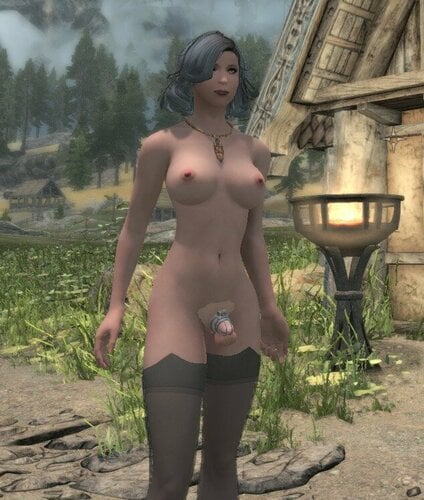
 Vivis Cockcages SE TRX CBBE - Devious Patch Vivis Cockcages SE TRX CBBE - Devious Patch About This File This is a Devious Device Patch for Vivis Cockcages SE TRX CBBE V4.1.2. It will make the cages compatible to a Devious Device Chastity. Works well with the unforgiving Devices Synthesis Patcher. I need help to make these spawn out of Devious Curses on Characters that are SOS enabled Edited 1 hour ago by b4ben_69 What's New in Version 0.9.1 Released 1 hour ago 0.9.1 - Fixed the crafting recipes. ( Thanks to Fighter12345 for this fix ) - Removed the straps from the patch because the scripts conflict with other DD Devices ( Thanks to Cybercheese for pointing this out ) 0.9 - First release
 -

The Basics of Body Slots for Skyrim
Seijin8 posted a blog entry in Body Slot Masking, SOS and making it all work.
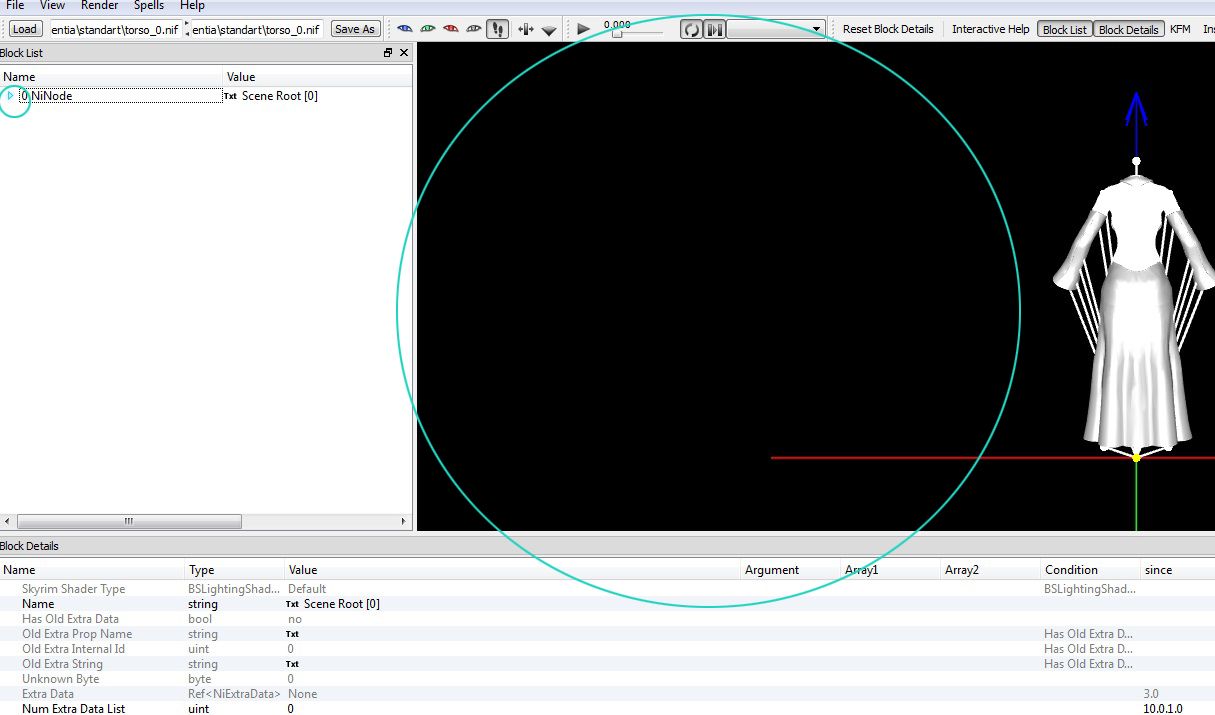
I see a lot of questions in tech support asking about how to manage body slots, items disappearing when other items are equipped, etc. This document assumes a working knowledge of basic Skyrim file manipulation and expects the reader to have either xEdit (TESVEdit, TESSEdit, etc) or the Creation Kit installed and usable. You will also need to have Nifskope installed. If you run into a term you don't understand, Google it. 1. General Information A Body Slot Mask is a number that tells the game engine how to manage equipping an object (clothing/armor within this document) and how to display this object visually in the game. Every piece of gear that your character equips that is visible* in the game must have a body slot mask. This number is found in three places: ARMO -- The "armor" record (ARMO is xEdit), which represents the item in your inventory. There only needs to be one slot assigned to an ARMO. Except in rare cases, ARMO records with multiple slots assigned are just limiting your options with no attendant benefit. Note that Skyrim considers everything from a G-string to a full set of armor to be "armor". The ARMO record points to... ARMA -- The "armor addon/armature" record (ARMA in xEdit) which is the handler record for the 3D object you see in the world when equipped on your character. The ARMA must share the same base body slot as the ARMO record, but can potentially have many more as well (detailed later). The ARMA record points to... NIF -- The 3D mesh object that the character will actually equip. This object's body slot mask must not be in disagreement with the slots selected in the ARMA/ARMO records. Note that in many cases of non-standard clothing objects, there is no need to assign a mask at all. (See Dismemberment Data below for more info on this.) * Using armor addon priorities means items can be equipped but remain invisible (such as underwear under pants) More on this below. A few terms are used interchangeably here: "Body slot mask", "slot mask", "body slot" and "slot" are to be treated as identical terms in this document. "ARMA", "Armor Addon", "Armature" all refer to the same type of record in the plugin. I use ARMA preferentially. "ARMO" and "Armor" refer to the same type of record. I use ARMO preferentially. "Nif" and "mesh" refer to the same thing. A few things to clarify: An ARMO can be equipped without a slot mask. If this is done, it won't appear on the body. This could represent a magical coin, or something small and easily tucked away that wouldn't need to be visible. There is no technical limit to how many such items a character can equip at once. The only limit is how many are actually displayed on the character (using body slots). An ARMA can have as many slot masks as you want in order to hide things underneath. It uses a priority number to determine what should be displayed. If you have multiple armor pieces equipped, and all share the same slot masks, the one with the highest priority should be the one that is displayed. (See Layering Slots Using Priorities below for more.) 2. Slot Masks While there are some conventions for how to use/apply body slots, not all outfit authors use them the same way. Slots strictly defined by Bethesda: 30 -- HEAD 31 -- HAIR 32 -- BODY 33 -- HANDS (also gloves) 34 -- FOREARMS 35 -- AMULET 36 -- RING 37 -- FEET 38 -- CALVES 39 -- SHIELD (note that you can use this for clothing as well, but the game will let you "block" with it) 40 -- TAIL 41 -- LONGHAIR (that would be hidden by a helmet) 42 -- CIRCLET 43 -- EARS (that might be hidden or modified by a helmet) 50 -- DECAPITATEHEAD (literally your head if it comes flying off) 51 -- DECAPITATE (the bloody neck stump) 61 -- FX01 (used for certain magic effects that need to be equipped, like the Dragon Aspect shout) There are also a series of slots that add 100 or 200 to some of these numbers (131, 141, 241, etc.) that represent different ways for the system to handle complex interactions of the head parts. This is typically seen with head parts (long hair, for instance). The remaining numbers between 44-61 are also valid for outfit use, and should roughly follow this pattern: 44 -- Face covering over the mouth (Bethesda used this for the gag Ulfric wears in the opening cart scene, and this slot will stay with the head during decapitation) 45 -- Neck covering (collar, for instance) 46 -- Cloak or other upper body covering (many authors also use this for bras if they are separate from slot 32) 47 -- Backpack or wings 48 -- magic FX (used by Bethesda in a few places, a generic slot for clothing that could be anything) Note that many mod authors place animated effects on this slot (like cumshots) 49 -- Skirt or other lower body cover (some authors use this for underwear) 50 -- DANGEROUS TO USE -- this is sometimes used with devious devices. Note that if a character with an item on this slot is decapitated, the game usually CTDs. 51 -- DANGEROUS TO USE -- see above, same reason. Typically used for nipple piercings or pasties 52 -- Genitals or underwear. SOS established this as the slot for male genitals and underwear. 53 -- Pants or right leg 54 -- Stockings or left leg 55 -- Face covering, usually upper face (blindfold, glasses, etc.) 56 -- Torso (usually corset, sash or girdle) 57 -- Shoulders (pauldrons) 58 -- Shirt or left arm (I typically use this for tight-fitting shirts) 59 -- Loose shirt or right arm (I usually use this for sweaters, dustcloaks, anything that should visibly drape over other clothing) 60 -- Miscellaneous (like 48) 61 -- Miscellaneous (like 48 and 60, but note that the game will sometimes unequip things form this slot) All this would be fine if mod authors/outfit creators only ever wanted to place a single object in the specified area, but the moment you want things to overlap and coexist in a single space, you have to find a way to display that, and a mod author will usually just grab something at random and use that. Want to make 5 different bracelets that can all be worn together on the same arm? That's 5 body slots and you really only have 3 defined ones to use, so you'll have to borrow two others from elsewhere. This can create strange equip/unequip events with other clothing, but there are no easy ways around this. If you like mashup outfits, the closer you can stick to the list above, the easier life will be, but odd objects on outfits will always require special consideration. 3. Layering Slots Using Priorities Armor Addons/ARMA records have a value called Priority which tells the game how to resolve conflicts when multiple ARMA records are found to share a body slot. Bethesda establishes the following priority values: 0 -- Naked/Skin 5 -- Light clothing (usually slot 32) 10 -- Shoes or gloves (which will display over the forearm/calf areas of any clothing) 15 -- Some instances of heavy armor Though these are all divisible by 5, any number can work. Higher priorities block out lower priorities. Bethesda's standard left us some wiggle room to work with. A simple example of this is the Necromancer Robes as modified by the Unofficial patch. USLEEP/USSEP adds the amulet (35) slot to this outfit so that an amulet would be hidden if worn (to prevent clipping with some amulets). Using this same logic, you could easily add a large number of slots to the ARMA records for full-body robes to hide anything they should cover. This could include 35, 52, 53, 54, and 56 (amulet, underwear, pants, stockings and corsets). Using the priority numbers in the ARMA record, you can make it so that some items will hide others when they are equipped. A sample set I regularly use is: Slot 52 for underwear, priority set to 1 Slot 53 for pants, priority set to 4 Slot 54 for stockings, priority set to 1 Equipping all of these at once will display them at once, but in the case of long pants, the stockings and underwear should be completely covered up. We can get this effect by adding slot 52 and 54 to the pants' slot masks in the Armor Addon/ARMA record. Because there are multiple ARMAs sharing slot masks, the one with the highest priority will be the one that is displayed and the rest are not shown**. In this way, all of these items are equipped, but only the pants display on the character. ** Note there is a bug in the engine in regards to quicksave/quickload that can "forget" to apply priorities. If this happens, quicksave and reload and everything will remember its priorities. 4. Dismemberment Data To start with, note that Nifs do not need to have body slots at all. The choice whether or not to apply one depends on two factors: Should the object fly off during a decapitation? Is the object going to try to share space with (or might clip with) gloves, boots, or hair? If the answer to both is no, then the mesh doesn't need a body slot to function perfectly in the game and can instead be listed as a NiSkinInstance. Looking at a mesh (.nif file) in nifskope, each "part" of the mesh will have a NiTriShape. Within each NiTriShape will be a few blocks, but the ones we are concerned about now are either: BSDismemberSkinInstance, which uses a partitioning system that can subdivide each triangle in the mesh with a different body slot. This lets the system know how to handle the object in the case of a dismemberment event. NiSkinInstance, which is a non-specific "skin" item that should be ignored by dismemberment. In the Fallout games, this data is critically important for knowing how to deform the body during any number of dismemberment events. Skyrim only has a single case of dismemberment, and that is beheading. Accordingly, the only slots that need to be properly defined in a Skyrim armor mesh are those related to beheading: slots 30, 31, 41, 42, 43, 44, 50, and 51. Anything else can safely use the less intrusive NiSkinInstance. An advantage of using NiSkinInstance is that it removes the need to further adjust the object. For instance, you might use the same mesh for items on slots 35 and 45 (both neck covering/collars), using NiSkinInstance, two different slot ARMO/ARMA records can look at the same nif and still display correctly. Note that BSDismemberSkinInstance partitions can be manipulated with Outfit Studio and allow for single objects to selectively turn on/off some parts when interacting with other objects. Vanilla armors use this with slots 34 and 38, reducing or eliminating clipping with boots and bracers/gloves. This system only works when the boots/gloves are fitted to all be calf-high for instance (as all vanilla armor/gear is), and that system generally fails when mixed with modded outfits that don't follow those standards. 5. SOS and Slot 52 Schlongs of Skyrim (SOS) defined the genitals as body slot 52. As parts of SOS's mechanics, it will use a script to "schlongify" items on slot 32 that do not have the "SOS_Revealing" keyword. When SOS does this, an item in the inventory on slot 32 might also have slot 52 listed. Personally, I don't care for this since it will automatically unequip any underwear or other item on slot 52. To avoid this effect, you could do the following: On the ARMO record for the armor, add the SOS_Revealing keyword. This tells SOS to leave the armor alone. On the ARMA record for the armor, add slot 52 to the slots and make sure the priority is at least 1 (for normal clothing, this should probably be a priority of 5). After this, the armor will no longer be affected by SOS's schlongification script. (Of course, you can always just delete the script. I personally use this to let SOS show me which armors I haven't fully "reconditioned" since I add Frostfall data and other keywords/slots as well.) 6. General Examples Some examples of things you can do that make sense (but may have game considerations): The vanilla Novice Hood has both slot 31 and 42 on the ARMO record, so it auto-unequips a circlet if worn. I usually patch this to remove slot 42 from the ARMO record, but then you get clipping if both are worn, so you also want to change the ARMA record for the hood to mask slot 42. The vanilla hood has a priority of 10 while vanilla circlets have a priority of 8, so this should work without issue. This potentially allows for an extra enchantment to be available to a character, so there are potential game balance changes with this. Vanilla Steel Plate armor could have its ARMA records adjusted to include slots 35, 52, 53, 54 and 56. Possibly also slot 49 (usually skirts, though some authors use this for underwear). Since slot 52 is blocked now, there's no need for SOS to ever touch it, so you can patch the ARMO to include the SOS_Revealing keyword, so SOS leaves it be. If you hate yourself and want a forever project to drive you nuts, you can separate the vanilla slot 33 & 34 objects so that bracers can be worn along with gloves. That will require tweaks to the ARMA, ARMO and all related NIFs, potentially adding/removing hands to some items. Some pieces of the game engine don't recognize this correctly (such as armor recommendations), but nothing game-breaking. Only do this if you have way too much time on your hands. Pencil skirts and hobble skirts can mask out slot 52 in the ARMA record since the knees can't part enough to see anything there anyway. If you are concerned about super-enchantment game balance issues, it is probably a good idea to add the "MagicDisallowEnchanting" keyword to non-standard item ARMO records. Keep in mind that many of these oddball items can't be enchanted anyway, but this just keeps them off the list of enchantable objects in the Enchanting Table menu. -
Figured I should probably finally put this blog to use and catalogue some of the mods & edits I've released for easier access, starting with my schlong edits: (Texture requirements: ERF Horse Penis Redux for the base, Horny Dragons for the dragon schlongs, MoreNastyCritters for the canine ones) ERF Horse Penis Redux SSE Canine Mashup 1.1.7z ERF Horse Penis Redux SSE Canine Mashup ANATOMICALLY ACCURATE 1.1.7z ERF Horse Penis Redux SSE Dragon Mashup v2.1 Double Vertical.zip ERF Horse Penis Redux SSE Dragon Mashup v2.1 Yakub Weights.7z ERF Horse Penis Redux SSE 1.4 w UUNP LE Sliders Double.7z ERF Horse Penis Redux SSE 1.4 w UUNP LE Sliders.7z
-
Version 0.9.1
1950 downloads
This is a Devious Device Patch for Vivis Cockcages SE TRX CBBE V4.1.2. It will make the cages compatible to a Devious Device Chastity. Works well with the unforgiving Devices Synthesis Patcher. I need help to make these spawn out of Devious Curses on Characters that are SOS enabled -
 Hi, I am wondering if any mod like this exists for SE? So My issue is I am using COCO Body with SOS (SOS also has Baka SMP Patch) CBPC isn't working for me and I think this might be because of SMP SOS. SMP works but it sometimes makes the coochie go crazy.
.thumb.png.f1c6c7a86f8dae621394c83b95881b95.png)