Select a subcategory to view available files.
Files From Subcategories
-
AAF Informer (Beta)
By Dlinny_Lag
AAF Informer is the F4SE plugin to simplify obtaining of AAF scenes information in Papyrus scripts.
AAF Informer consist of 3 parts:
- AAFInformer.dll - F4SE plugin
- AAFCollector.exe - service executable to parse AAF XML files
- Info.pex/Info.psc - Papyrus script to access AAFInformer.dll API
How it works:
At the game start up AAFCollector.exe is started to parse AAF XML files. When it finishes all collected information memorised in F4SE plugin and later this information can be accessed via API calls from Papyrus script.
Following information is available:
- For scenes (actually, positions in AAF terminology) that you can see in AAF UI - see SceneInfo structure in Info.psc
- For scene participant(s) - see ActorInfo in Info.psc
Most information is obtained from tags defined by animation authors or by themes. Themes are essential to get information from AAF scenes. Without themes installed, most likely your script will not receive usefull information.
Tags that defines types of actors (like F_F or F_M) are ignored. Actor types retrieved from animation definitions.
Tags that defines furniture are ignored. Furniture information retrived from positionData XMLs
Note: animation author's XML files and themes XML files contains a lot of mistakes. Fixing them is out of scope of this tool, but I hope all mistakes will be elimenated sooner or later.
To simplify mistakes detection usefull logs could be found in %userprofile%\documents\My Games\Fallout4\F4SE\AAFInformer.log
Also this log contains error messages generated by AAFCollector.exe
Implementation details:
What tags are supported? All tags falls into several categories:
How values are applied to actors?
Example of script
Known issues:
1. Some positions contains location attribute that has multiple furniture groups separated by comma. Such locations are handled, but I can't test it as such position does not appear AAF UI. Probably defining multiple furniture groups is invalid location definition, but without original AAF source code it hard to say definitely.
2. I had no chances to test AAF sex overriding with keywords. So not sure is it even working.
3. With current system of tags it is not possible to recognize how actors are contacted with each other, so all contacts for actors with index greater than 0 are applied to actor with index 0. So scenes like "BP70 Lesbian Threesome..." might have irrelevant contact information. See below.
Next steps:
- try to introduce new tags system to allow definition of actors contacts exacly. This plugin will be updated on succees.
- try to introduce new tags system to allow definition of Held/Love/Dom/Stim values for each actor. This plugin will be updated on succees.
- try to introduce new tags system to allow definition of actor position for actors with index greater than 0. This plugin will be updated on succees.
New system to define contacts beween actors in scenes.
Sample file with contacts that handles tentacles made by Snapdragon_
Feel free to request new features.
5662 downloads
Updated
-
Perverted mechanics
By Samhsay
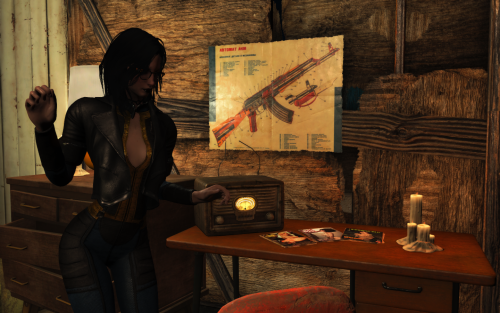
This mod is a synthesis of several ideas taken from this forum and slightly reworked.
Main features:
- Covering animation when naked
- Arousal from being naked
- Addition/removal of perks from the Provocative Perks mod. Adds when player gets status "slut". Perks are related to dominance and submission parameters.
- Auto-masturbation for sluts and drunk girl.
- Debuff (blur) from strong arousal
AUTO MASTURBATION
It has two operating options.
1. Automatic masturbation with a timer. Depends on the heroine's intoxication, her depravity, and the presence of people around.
2. Activation via wait animations. This also depends on intoxication, depravity, and the presence of spectators, but is somewhat more immersive. You'll need to find a secluded spot for a few seconds of wait (2-3 seconds) before a sequence of animations begins, leading to an AAF scene.
PERKS
I added PVPK perks based on dominance/submissiveness, injuries, and intoxication.
- life Of The Party gets slut or drunk girl
- Tentacles will harass traumatized girl
- Exhibitionist Streak demands that рукщшту spend time naked in a crowded place
- To obtain Dubcon Enthusiast the heroine needs to be raped many times.
- To earn the Town Bicycle achievement, the heroine must sleep with a large number of settlers.
They are currently fixed at the values of Sexual Attributes. But I want to make them upgradeable in some other way. For example, for a dubcon, experience a forced orgasm N times. For a psychosexual, kill N enemies with arousal >90. And so on.
AROUSAL
The mod adds certain effects to the heroine's appearance and behavior. It also adds audio and visual effects at high levels of arousal. Additionally, at a medium level of arousal, it is possible to use an immersive idle animation that transitions into an AAF solo scene.
KNOWN ISSUES
- Covering Animations Conflicts with the More Ways of Washing Mod. I haven't encountered any issues with other washing mods (CWSS and BYOP). Apparently, this is because MWoW is the only one that uses IDLE, while the others focus on furniture animations.
- When drawing a weapon while IDLE, the weapon draw animation may play twice. I know the reason and I am thinking about a solution.
- Currently, animations can trigger while in WORKSHOP and WORKBENCH. I've already figured out what to do with this and will fix it in the next version.
- T-pose when exiting IDLE directly into a sprint. This will also be fixed in the next update.
- There's some confusion with the cover animations. I don't know what could be causing this yet. A temporary solution is to switch between different combinations in the MCM when the heroine is clothed and when she's undressed. But I'm still thinking of moving some of the conditions from FO4Edit to the scripts.
HARD REQUIRES
Installed AAF
SAKR
Patched clothes. I use Rubber Duck's SAKR Repo and make own patches with his Rubber Duck's SAKR/RCP Gen 0.9.0. But sometimes you have to use FO4Edit for adding keywords to OMODs. You can also use Skimpy Armour Keyword Archive
Sex Attributes
Provocative perks
SOFT REQUIRES
Devious devices for Chastity belt
NSFW Sounds for some perks
Animated tentacles for perk (mega)
Pervert for some perks
Perverted electrics I created it to control arousal in this mod. The blur and sounds from high arousal will make combat impossible.
And i recommend to install all soft requires of Provocative Perks.
Scripted Face Tints and Captive Tattoos for drooling
COMPABILITY
This may cause issues when used with other animation-based mods, such as Smokeable Cigars, More Ways of Washing, and Advanced Needs. I'll try to make compatibility patches, but I can't promise they'll be perfect.
The Arosual blush code is identical to the blush component of this mod, so it is recommended to disable it. However, there won't be any serious conflict between them—though the blush might appear more intense due to the overlapping layers.The Arosual blush code is identical to the blush component of this mod, so it is recommended to disable it. However, there won't be any serious conflict between them. Though the blush might appear more intense due to the overlapping layers.
I also received a question about the Kziitd toolset. I have it installed after my mod and haven't encountered any issues. The only thing is a couple of seconds of jaw flickering if you equip a gag while an active mouth morph is in use.I also received a question about the Kziitd toolset. I have it installed after my mod and haven't encountered any issues. The only thing is a couple of seconds of jaw flickering if you equip a gag while an active mouth morph is in use.
Supported mods:
Smokeable Cigars - Cigarettes - Joints - With HardCore Auto Save
CREDITS
I used animations created by @kziitd, @RohZima and timanca. And I used parts of code written by @riveth Thank you.
10345 downloads
Updated
-
Transfer Settlements - Sanctuary Hills - The Heart of the Commonwealth
By msmfoster
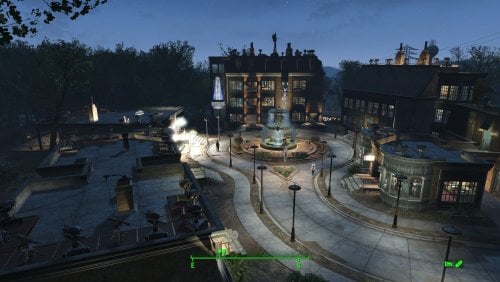
Sanctuary Hills has been completely razed and rebuilt into a thriving post-war style metropolis. This blueprint replaces the dilapidated ruins with high-density structures including a four-story hotel, a state-of-the-art hospital, dedicated shops, and a fortified children's park.
Details of the Build Four-story Hyperion Hotel with pool area, working elevator, dedicated gym, and a mixture of suites and communal sleeping areas. Three-story hospital with working elevator, three surgical bays, bathrooms, and a recovery ward. Single-level Siren’s Song pub with stage for a Singing Settler. Includes easy roof access. Two-level General Store with storage, front counter, workshops. Includes easy roof access. Anne Hargrave’s clothing shop with fitting rooms and extensive display space. Smiling Larry's weapons and armour store using Better Armory Mod for intricate displays. Barber shop with multiple chairs and lingerie displays. Multi-purpose workshop / classroom combination. Includes easy roof access. Jetty with two usable buildings (laundromat and storage). Bunker near the bridge with holding facilities. A greenhouse for increased food production. Fully recreated player home featuring a working kitchen, child’s room, master bedroom, bathroom, and laundry room. Several bunk houses, most with two or three bathrooms, small kitchens, gym equipment, and bunks. The approach to Vault 111 flattened into a children’s park with retaining wall and bubble-turret defence. The iconic central tree now hosts a working fountain. Note. Version 1.1.0 of this build has close to 9.4K pieces. While it imported cleanly for me that may not be the case for older systems. Key Statistics 80+ bunks 330+ food 2675+ defence 840+ power 150+ water All Tier-3 stores (Medical, Restaurant, Clothing, General, Weapons, Armour) Dedicated gym area Vault-Tec drink dispensers, slot machines, and phoropter. Fully working sinks, showers, and fridges Power routed through conduits to minimise visible wiring Every building has independent generators, ensuring a single generator failure never disables turrets Cat, dog, and child included Visual glitches are minimal and vary heavily based on mod load. Outward-facing windows on most homes were deliberately removed to reduce glitches. Requirements Downloadable Content Contraptions Workshop Vault-Tec Workshop Wasteland Workshop Automatron Far Harbour Enclave Remnants Modern Furniture Workshop Pack (Optional) Home Decor Workshop Pack (Optional) Arcade Workshop Pack (Optional) Coffee and Donuts Workshop Pack (Optional) Virtual Workshop: Desert Island (Optional) Virtual Workshop: GNR Plaza (Optional) Bunker Home Pack (Optional) Hard Requirements Transfer Settlements. To import this blueprint. Scrap Everything or an equivalent. To clear out the area as per Setup Instructions. Homemaker. Primary build components for most of the settlement, decorations, furniture, and miscellaneous objects. Settlement Objects Expansion Pack. Fusion generators, railings, pool, foundation liners, cooking station, and water pumps. Note. Transfer Settlements will not add items if the mods are missing. The following are not required but will remove associated elements. Soft Requirements Craftable Working Sinks and Showers Redux. Working sinks and showers. Erotic Art. Frames and pictures used throughout. Working Fridges. Simple mod that adds working fridges, ice machines, and vending machines. Working Washer and Dryer (Immersive Laundry). Player functional laundry machines and dryers with sound effects. Singing Settler. Stage and performer in the pub and some flooring. Advanced Bubble Turret Set (Realistic No Power version). Bubble turrets for defence along the outer edge of the playground. Nice to Have Armour and Weapon Keywords Community Resource. Additional types of workshops, namely power armour. Videos of the Wasteland. Working televisions and projectors. Invisible Furniture. Adds invisible markers that Dogmeat and settlers can use for basic actions. Better Armory Mod. Great mod for creating an armoury and displaying associated weapons. Gruffydd's Signs and Posters. Billboards and signs Crazy Sex Animations. Invisible mats that make settlers happy through masturbation, done without using the Advanced Animation Framework, and additionally places assignable gurneys that increase happiness. Sex Toys of the Commonwealth. Adds the random placement of sex toys throughout. Torture Devices. Addition of associated torture devices. TRX Trixter Statues Collection. Sexualised Skyrim statues that work well with the theme of this place. Family Planning Enhanced or Family Planning Enhanced Redux. Will import an assignable child into the settlement. Unrelated But Useful Place Everywhere. Allows you to make minor adjustments if necessary. Armour Rack Female Mannequin Fix. Fixes the armour rack to support alternate bodies like Fusion Girl. The Sanctuary Bridge. Replaces the wooden bridge with a concrete variant. Setup Clearing the area is relatively straightforward, but it will take a while. Clear out Sanctuary Hills of trash, brush, trees, and structures. The exceptions to the above are: The hedge on the outside perimeter. The seawall from the outer edge of the settlement to the pillar furthest from the bridge. The remaining area is rubble and can be cleared. The road, sidewalks, and driveways. You can remove the bricks leading up to the homes. The Sanctuary sign by the bridge. Shaun's crib. Move it onto the road and place it back later. The end effect is a large empty area, which will be resolved once the blueprint gets imported. Build a Transfer Settlements console from Power > Miscellaneous anywhere on the road. I prefer to place it nearer to the cul-de-sac as you can see the larger structures take shape. Note. Import should be done with Workshop Mode enabled. Blueprints Sanctuary is a massive build with over 8500 pieces, and this can complicate the import process. As a result there are two options for import: Single Import File. (All Versions) Features the full settlement with every piece. You will likely get prompted that a piece or two were missed during the import, but the process is done in one sweep. This is the recommended method unless your system cannot handle it all in one go. Import Pack. (Version 1.0.0) Sanctuary has been separated into three files with a focus to build required items before dropping in the structural elements. With this process you will end up with a lot of floating elements until you are done. Part 1. Includes all of the mods except for Homemaker and Far Harbour. This will setup and connect the whole power grid. Part 2. Includes only Homemaker and Far Harbour elements which will add the structures. Note. Using the pack means leaving the area long enough for the cells to settle (Transfer Settlements recommends 24 in-game hours) before moving forward with the next Part. After Blueprint Import Confirm that all power has been restored as expected. Most lamps will not be light, simply select them in workshop mode to light them up. Sometimes the pool and fountain will be missing water pieces. Just add the items to complete the look after the site is stable. Move Shaun's crib back into his bedroom. Notes on Imports Transfer Settlements recommends leaving the area after import and not return for 1-2 game days. However, I found that saving on site always crashes the game. The easiest way to get away and save is to coc GraygardenExt from the console. Wait a couple of minutes before heading into Graygarden Homestead across the road. Once inside wait an additional few minutes before saving. I recommend that you import/export Blueprints using Stable defaults. Using other methods has caused ladders, walls, and flooring to appear without collision. In many cases the collision effects are found elsewhere leading to interesting behaviours among the NPC population, and leading to a snap back effect as you push through an area and are forced back by the invisible wall. Note. This blueprint was tested with Transfer Settlements working under Stable. Lastly Import wired power connections should always be selected as part of the import process. It will reliably re-connect all wired connections. This saves you the trouble of linking up floors, turrets, and in some cases re-establish connections for hidden or buried runs. Notes on Power and Performance These blueprints utilize ambient fill lighting to provide a pervasive glow. I use Naked Bulbs to create a lived-in atmosphere for statues, fountains, and roof voids. Warning for Dynamic Lighting Users If you use mods that turn all lights into dynamic, shadow-casting sources, the sheer number of these bulbs will severely cripple your framerate. I strongly recommend using the Transfer Settlements Blueprint Editor to strip out all instances of 306F1 before importing. Optimization for Complex Builds: Because of the heavy use of conduits to reduce visible power lines, these settlements have high object counts. To steps below may improve performance. Enable Faux Power in the Workshop Framework's workbench settings. Use the Transfer Settlements Blueprint Editor to strip all conduits from the .json file. This can reduce build complexity by up to 40% without losing the overall aesthetic of the settlement. Note. I cannot guarantee the above will work. A Special Thanks To Thank you to Caladon for creating the template that makes blueprints installable. Updates Version 1.1.0 Removed the requirement for Erotic Art Extended and optimised for use with my Classic Erotic Art Retexture. Closed up the fourth floor of the Hotel and turned into a utility area. Added warehouse floor underlays for the Hotel's first and second floor. Properly doubled-walled bathrooms within the hotel. Switched the ceiling in homes to warehouse floors. Cleaner look and feel and easier snap. Switch barn for the roof underlay for homes from 0.5x0.5 pieces to 0.5x1 and 1x1 warehouse pieces. Reduced global item count as a result. Redid all of the home roofs for better alignment. Added small flourishes for better conduit routing, and a larger one the Sole Survivor's home. Added a rug for an additional doctor as well as the phoropter. Makes the hospital feel properly staffed for a settlement of this size. Walled in the second level of the general store. Added a Slocum's Joe by the bridge, tightening defences along the waterfront. Added a patio behind the Sole Survivor's home. Added arcades to the laundromat. Adjust plants, switching to razorgrain fields in some areas. Added some AE lighting and SOE light sources to brighten certain areas. Version 1.0.1 Closed up the roof of the Hospital. This effectively provides a third level dedicated for power generations. Fixed and closed up the second level of the general store. Made a little lounge in addition to crafting workbenches. Fixed up several conduit rungs. This could leave to interruptions in power due to snapping order. Fixed up water features at the pool and fountain. Switched the ceiling in homes to warehouse floors. Cleaner look and feel and easier snap. Added Immersive Laundry. Doubled up vendors at the pub and general store. Makes these locations feel properly staffed for a settlement of this size.
969 downloads
Updated
-
Problems of Survivor
By DSHV
Warning: Disgusting, sexist, humiliating and violent content!
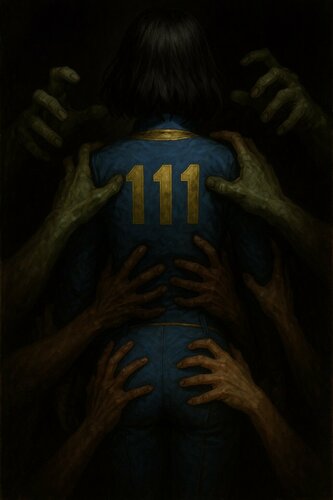
Fallout 4's version of my Skyrim mod Troubles of Heroine. Adds NPCs, quests and events to make life for a woman in a post-apocalypse world more cruel and degrading.
The mod includes hard choices on a universal scale and supports zero kill walkthroughs.
There is the hidden parameter - Your Dignity, which changes as you communicate with Brutus or Xana. To unlock its full potential - use the code: set aaayourdignity to 100. To check it - find the Wise Toilet in Diamond City, near the destroyed van. In dialogues, if you don't have a required perk or SPECIAL, you won't see the option. In the non-XDI version, some options are hidden by other options.
Males have less content than females - some will be missed and some will be completely inaccessible. To play female content for a male, use code: set AAAiamsissy to 1 (AAANWiamsissy for Nuka-World and AAAFHiamsissy for Far Harbor add-ons).
The AAAPOSSpecialRoom has the mod's items safe and buttons to disable/enable some content.
POSScripts - for modders only!
Lines of dialog: 20186 + 4298 + 1951.
Put this mod at the very end of your modlist!
Content:
Contents of the Nuka-World add-on:
Contents of the Far Harbor add-on:
Requirements:
Advanced Animation Framework (AAF) + animations;
Extended Dialogue Interface (optional);
Recommendations:
F4z Ro D'oh to skip dialogues;
Roleplayer's Expanded Dialogue (RED) to add more dialogues and skill checks to the vanilla game so that there is not such a big difference between the mod and base game dialogues;
Idiot Savant to Idiot Slut.
Patches:
Perks:
Troubleshooting:
Basil's Desat-English dictionary:
Future plans:
More dialogs; More quests; More situations; More followers; More filth.
Permission:
Do what you want with the mod.
173186 downloads
- followers
- encounters
- (and 4 more)
Updated
-
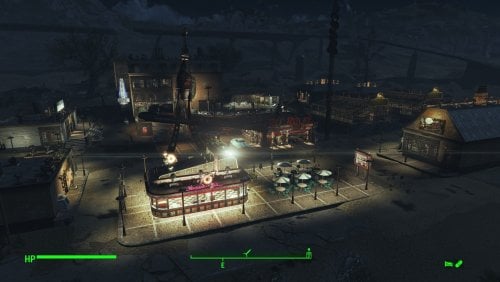
Transfer Settlements - Nuka-World Red Rocket Truck Stop and Bordello
By msmfoster
This Transfer Settlements blueprint transforms the Nuka-World Red Rocket into a sprawling, multi-functional hub. Leveraging the massive build area, this overhaul introduces a high-end diner, a multi-story hotel with a hedonistic twist, and a fortified farmers' market. The site is also protected by a massive 1600+ defense rating.
The end result is a sealed-in environment that provides high defences and food production while making use of both levels of the terminal itself. This blueprint integrates nicely with mods like Just Business, Human Resources, and Hookers of the Commonwealth - Settlement Edition, but these elements are contained within this blueprint. Details of the Build The shoulder area between the road and the Red Rocket now houses a diner. Added a strip mall complex housing a general and clothing store. Added a medical clinic featuring surgery bays, waiting area, and recovery ward. Added a four-storey hotel featuring a club, gym, entertainment rooms, and shared accommodation. Working elevator part of the build. Added an additional strip mall complex housing a laundromat, public washrooms (like a truck stop), and a barbershop. Given proximity to the hotel, the Red Rocket has become a player home. Bubble turrets are added to the canopy, as that's a known spawn point for super mutants. Added two greenhouses with a small roadside stand to act like a farmers' market. Two small farmhouses have been added at the back of the greenhouses for additional bunks. Key Statistics 50 bunks. 120+ food. 1600+ defence. 400+ power. 60 water. Tier 3 Medical, Restaurant (Diner), Clothing, General Store, and several bars. Dedicated gym area. Vault-Tec drink dispenser and slot machines. Working sinks and showers. Power mostly runs through conduits to minimise visible power lines. Cat and dog included in the build. No visual glitches observed from this build. Requirements Downloadable Content Nuka World Contraptions Workshop Vault-Tec Workshop Wasteland Workshop Far Harbour Enclave Remnants Arcade Workshop Pack (Optional) Virtual Workshops – Capital Wasteland (Optional) Coffee and Donuts Workshop Pack (Optional) Hard Requirements Transfer Settlements. To import this blueprint. Scrap Everything or an equivalent. To clear out the area as per Setup Instructions. Homemaker. Primary build components for most of the settlement, decorations, furniture, and miscellaneous objects. Settlement Objects Expansion Pack. Fusion generators, railings, pool, foundation liners, cooking station, and water pumps. Note. Transfer Settlements will not add items if the mods are missing. The following are not required but will remove associated elements. Soft Requirements Craftable Working Sinks and Showers Redux. Working sinks and showers. Erotic Art. Frames and pictures used throughout. Working Fridges. Simple mod that adds working fridges, ice machines, and vending machines. Working Washer and Dryer (Immersive Laundry). Player functional laundry machines and dryers with sound effects. Singing Settler. Stage and performer in the pub and some flooring. Alex Stripper Pole. Adds assignable stripper poles. Advanced Bubble Turret Set (Realistic No Power version). Bubble turrets for defence along the outer edge of the playground. Nice to Have Armour and Weapon Keywords Community Resource. Additional types of workshops, namely power armour. Videos of the Wasteland. Working televisions and projectors. Invisible Furniture. Adds invisible markers that Dogmeat and settlers can use for basic actions. Gruffydd's Signs and Posters. Billboards and signs TRX Trixter Statues Collection. Sexualised Skyrim statues that work well with the theme of this place. Companion Ivy. If you have Ivy as a companion, one of her broadcast towers will be added in an out-of-the-way area. Crazy Sex Animations. Invisible mats that make settlers happy through masturbation, done without using the [Advanced Animation Framework](https://www.loverslab.com/files/file/5584-advanced-animation-framework/), and additionally places assignable gurneys that increase happiness. Sex Toys of the Commonwealth. Adds the random placement of sex toys throughout. Torture Devices. Addition of associated torture devices. Unrelated But Useful Place Everywhere. Allows you to make minor adjustments if necessary. Armour Rack Female Mannequin Fix. Fixes the armour rack to support alternate bodies like Fusion Girl. Setup Setup in this case is a straightforward process: Clean out the area of clutter, trash, cars, brush, and plants. Remove the sidewalks around the Red Rocket as these will be replaced. Remove the cement curbs surrounding the gas station sign. Ensure you keep the Red Rocket itself intact, while scrapping all content inside. Note. It is faster and safer to scrap within the Red Rocket if you disable it temporarily. Simply get the reference id and REFID.Disable followed by REFID.Enable when done. Build a Transfer Settlements console from Power > Miscellaneous on the road by the Red Rocket gas price sign. Note. Import should be done with Workshop Mode enabled. Tasks After Import Confirm that all power has been restored as expected. Most lamps will not be lit, simply select them in workshop mode to light them up. Notes on Imports Transfer Settlements recommends leaving the area after import and not return for 1-2 game days. However, I found that saving on site always crashes the game. The easiest way to get away and save is to coc Vault111Ext from the console. Wait a couple of minutes before heading into the vault. Once you arrive at the bottom it is safe to save. I recommend that you import/export Blueprints using Stable defaults. Using other methods has caused ladders, walls, and flooring to appear without collision. In many cases the collision effects are found elsewhere leading to interesting behaviours among the NPC population, and leading to a snap back effect as you push through an area and are forced back by the invisible wall. Note. This blueprint was tested with Transfer Settlements working under Stable. Lastly Import wired power connections should always be selected as part of the import process. It will reliably re-connect all wired connections. This saves you the trouble of linking up floors, turrets, and in some cases re-establish connections for hidden or buried runs. Notes on Power and Performance These blueprints utilize ambient fill lighting to provide a pervasive glow. I use Naked Bulbs to create a lived-in atmosphere for statues, fountains, and roof voids. Warning for Dynamic Lighting Users If you use mods that turn all lights into dynamic, shadow-casting sources, the sheer number of these bulbs will severely cripple your framerate. I strongly recommend using the Transfer Settlements Blueprint Editor to strip out all instances of 306F1 before importing. Optimization for Complex Builds: Because of the heavy use of conduits to reduce visible power lines, these settlements have high object counts. The steps below may improve performance. Enable Faux Power in the Workshop Framework's workbench settings. Use the Transfer Settlements Blueprint Editor to strip all conduits from the .json file. This can reduce build complexity by up to 40% without losing the overall aesthetic of the settlement. Note. I cannot guarantee the above will work. A Special Thanks To Thank you to Caladon for creating the template that makes blueprints installable. Updates Version 1.0.2 Optimized Erotic Art to work with my Classic Erotic Art Retexture. Added a switch to turn on and off the settlement beacon above the Red Rocket without having to clip. Adjusted power distribution around the diner. Diner is now a Slocum's Joe with space for three attendants. Added AE lighting in a few locations. Added arcade machines in the Laundromat. Doubled the ceilings within the hotels for a consistent look. Used SOE lighting to increase ambient lighting. Added idles using Invisible Furniture. Version 1.0.1 Switched to Immersive Laundry. Did more work on the Red Rocket, lighthouse doors fit the aesthetics better, and Warehouse Electric Door was added to replace the missing garage door.
395 downloads
Updated
-
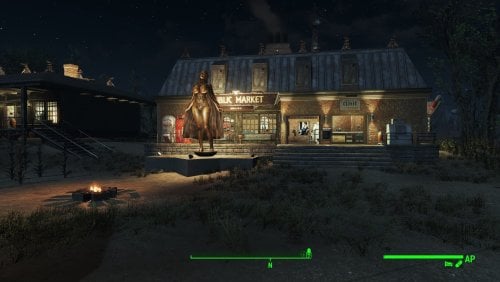
Transfer Settlements - Sunshine Tidings Luxury Cabins and Resort
By msmfoster
A Transfer Settlements blueprint that re-imagines Sunshine Tidings. While maintaining the overall footprint, it redoes the cabins to make settler and player travel easier and increase the amount of bunks available. The site mimics resorts that were popular during the fifties and sixties. Details on this build: Replaces every cabin with a similarly themed home. Each includes a washroom, kitchen, fireplace, and counter. Every home is individually powered but linked together. This would permit their turrets to engage enemies even if linking power lines are damaged. Replaces the food hall with a larger facility that houses stores and a dedicated medical clinic. Replaces the bathroom with a dedicated gym. To make things easier in the demolitions phase, workshop building is redone using standard components and flooring, making the doors functional. Every outside building has turrets on the roof, creating an all-around perimeter to fend off attacks. Settlement Features 24 bunks. 125+ food. 850+ defences. 360 power. 60 water. Tier 3 Medical, Restaurant, Clothing, and General Store. Dedicated gym area. Vault-Tec drink dispenser and slot machines. Working sinks and showers. Power mostly runs through conduits to minimise visible power lines. Cat and dog included in the build. No visual glitches observed from this build. Requirements Downloadable Content Contraptions Workshop Vault-Tec Workshop Wasteland Workshop Far Harbour Home Decor Workshop Pack (Optional) Arcade Workshop Pack (Optional) Virtual Workshops – Capital Wasteland (Optional) Hard Requirements Transfer Settlements. To import this blueprint. Scrap Everything or an equivalent. To clear out the area as per Setup Instructions. Homemaker. Primary build components for most of the settlement, decorations, furniture, and miscellaneous objects. Settlement Objects Expansion Pack. Fusion generators, railings, pools, foundation liners, cooking station, and water pumps. Note. Transfer Settlements will not add items if the mods are missing. Mods listed below are not required but will remove associated elements. Soft Requirements Craftable Working Sinks and Showers Redux. Working sinks and showers. Erotic Art. Frames and pictures used throughout. Working Fridges. Simple mod that adds working fridges, ice machines, and vending machines. Working Washer and Dryer (Immersive Laundry). Player functional laundry machines and dryers with sound effects. Singing Settler. Additional flooring in the settlement. Nice to Have Armour and Weapon Keywords Community Resource. Additional types of workshops, namely power armour. Videos of the Wasteland. Working televisions and projectors. PsBoss Statues from Skyrim. Skyrim styled statues for aesthetics. Invisible Furniture. Adds invisible markers that are used as idles for settlers and pets. Gruffydd's Signs and Posters. Billboards and signs. Crazy Sex Animations. Invisible mats that make settlers happy through masturbation, done without using the Advanced Animation Framework, and additionally places assignable gurneys that increase happiness. Sex Toys of the Commonwealth. Adds the random placement of sex toys throughout. Bad Dragon Dildos. Adds more extreme dildos throughout. Unrelated But Useful Place Everywhere. Allows you to make minor adjustments if necessary. Armour Rack Female Mannequin Fix. Fixes the armour rack to support alternate bodies like Fusion Girl. Setup Clearing the area is relatively straightforward. Remove all the cabins and their contents, along with the dining hall, workshop area, bathroom, and outhouses. For aesthetics, maintain the grain silos. Note. If you are not interested in maintaining the grain silos this settlement is an ideal candidate for the ScrapAll command. Build a Transfer Settlements console from Power > Miscellaneous on the path leading into the area by the dining hall. Note. Import should be done with Workshop Mode enabled. Tasks After Import No additional requirements other than to confirm that all power has been restored as expected. Notes on Imports Transfer Settlements recommends leaving the area after import and to not return for 1-2 game days. However, I found that saving on site always crashes the game. The easiest way to get away and save is to coc Vault111Ext from the console. Wait a couple of minutes before heading into the vault. Once you arrive at the bottom it is safe to save. I recommend that you import/export Blueprints using Stable defaults. Using other methods has caused ladders, walls, and flooring to appear without collision. In many cases the collision effects are found elsewhere leading to interesting behaviours among the NPC population, and leading to a snap back effect as you push through an area and are forced back by the invisible wall. Note. This blueprint was tested with Transfer Settlements working under Stable. Lastly Import wired power connections should always be selected as part of the import process. It will reliably re-connect all wired connections. This saves you the trouble of linking up floors, turrets, and in some cases re-establish connections for hidden or buried runs. Notes on Power and Performance These blueprints utilize ambient fill lighting to provide a pervasive glow. I use Naked Bulbs to create a lived-in atmosphere for statues, fountains, and roof voids. Warning for Dynamic Lighting Users If you use mods that turn all lights into dynamic, shadow-casting sources, the sheer number of these bulbs will severely cripple your framerate. I strongly recommend using the Transfer Settlements Blueprint Editor to strip out all instances of 306F1 before importing. Optimization for Complex Builds: Because of the heavy use of conduits to reduce visible power lines, these settlements have high object counts. The steps below may improve performance. Enable Faux Power in the Workshop Framework's workbench settings. Use the Transfer Settlements Blueprint Editor to strip all conduits from the .json file. This can reduce build complexity by up to 40% without losing the overall aesthetic of the settlement. Note. I cannot guarantee the above will work. A Special Thanks To Thank you to Caladon for creating the template that makes blueprints installable. Updates Version 1.0.2 Optimized Erotic Art to work with my Classic Erotic Art Retexture. Added a switch to turn on and off the Settlement Beacon from the medical clinic without having to get on the roof. Switched the ceiling for warehouse floors for consistency. Doubled the walls in the main structure for consistency. Medical centre now includes a surgical bay. Added arcades to the laundromat. Version 1.0.1 Added a laundromat with washers and dryers from Immersive Laundry. Replaced the warehouse doors with powered variants. Added a Skyrim statue of Mara as a showcase before entering the shops.
289 downloads
Updated
-
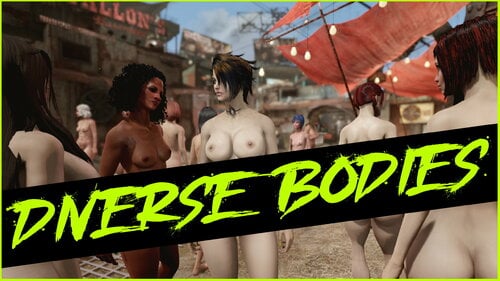
Diverse Bodies Redux
By Evi1Panda
This is redux of my old mod Diverse Bodies.
If you really want to, but don't understand anything...
Requirements
Game version 1.10.163.x (not NG)
F4SE
LooksMenu exactly official 1_6_20 version, not any forks
Newest C++ VC Redist
optionally More Pubic Hair Overlays
optionally Fuzz - Bodyhair overlays - BT
optionally any your hair, tattoos, nails mods.
First of all: this is a kind of framework that does NOTHING on its own. In other words, in order for your game to start delighting you with a variety of characters, you need:
In order to see different bodies in clothes, you need the body slides to be tied to your clothes. This functionality is provided by bodies such as CBBE, Fusion Girl, TWB, 3BBB, BodyTalk, and so on. The mod itself does not have any binding or dependence on the body you use, but you will need presets specifically for your body type. In addition, clothing must have slides “bound” to the slides of your body type. The standard practice is to do this using Bodyslide & Outfit Studio, and many clothes already have such bindings to popular body types freely available as part of a clothing mod or as separate modifications. For more information on how to do this yourself, see the Bodyslide & Outfit Studio mod page.
In order to apply tattoos, hair, and nails, you will need various mods and presets. I have attached what I have managed to do for my own use, but it is important to understand that in order for all of this to take off, support from the modding community is needed. How convenient it will ultimately be depends on how many ready-made presets with descriptions there will be and how much modders will get involved in the process, because I certainly can't do it alone.
I use CBBE and BodyTalk in my game. I'm not saying that CBBE is better or worse than Fusion Girl/TWB and other mods — it just happened that way historically, and it's too difficult for me to redo everything now.
To help you understand how it works, I have written a guide in Russian and English.
MANUAL IN RUSSIAN | MANUAL IN ENGLISH
FEATURES
Applying presets from the Looks Menu (json) randomly or deliberately to different game characters.
Additionally: applying presets for Bodyslide (xml) in terms of body morphing.
A system of conditions that allows you to finely tune the rules for applying various presets or groups of presets.
Separate application of morphing for bodies, body hair, tattoos, nails, and heads. This allows you to achieve random and planned results.
WARNINGS:
Presets that were provided with previous versions will not work in version 2.4.0+.
Uncompatible with all mods that replaces face meshes to HiPoly. In my tests, any version of these mods completely broke the physics of clothing and hair. I do not recommend using them.
Available sources
>>> CPP SOURCES <<<
If you'd like to support the ongoing development, you can donate here. It's never required but always deeply appreciated!
5916 downloads
Updated
-
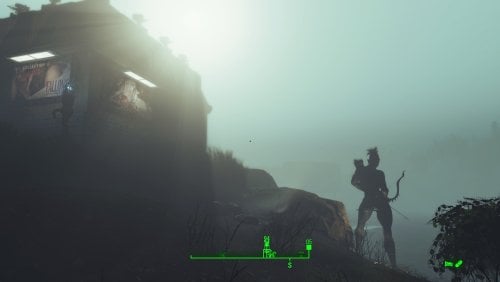
Transfer Settlements - Longfellow Estates at Archers Point
By msmfoster
Transforms Longfellow's rugged island into a premier seaside locale. Featuring the iconic Lynn Woods Tower as a historic lighthouse and a fully refurbished boardwalk, this build offers a stark, brightly-lit contrast to the gloom of the Fog. The build is dotted with nude elven archer statues, hence Archers Point.
Details on this build: Added the Lynn Woods Tower as a historic lighthouse on the rocks. Lit and visible from afar, even in fog. Replaced the boardwalk with a functional version which now leads straight to the beach. Added gift shop housing general/clothing store and gym. Added dedicated medical facility with surgical bays. Replaced the Longfellow's Cabin with a combination bar and workshops. Longfellow can now enjoy a cold one any time of the day. Added bunkhouses throughout. The two by perimeter serve as weapon platforms for fog threats. Wrought iron fence beach-to-beach. Bubble turrets on concrete posts defend openings/outer areas. Large pump house with windows located along the shore. Windows and lights make it clearly visible to those huddling for warmth at Far Harbour. Added beach side decor: Lifeguard shack, seaside bar, parasols, and deck chairs. Placed several large Skyrim statues of nude elf archers throughout. Radiators/power lines run underground in key areas for remote lighting without view obstruction. Every building has independent power. Settlement Features 32 bunks. 100+ food. 1125+ defences. 420 power. 120 water. Tier 3 Medical, Restaurant, Clothing, and General Store. Dedicated gym area. Vault-Tec drink dispenser and slot machines. Working sinks and showers. Power mostly runs through conduits to minimise visible power lines. Cat and dog included in the build. No visual glitches observed from this build. Requirements Downloadable Content Far Harbour Contraptions Workshop Vault-Tec Workshop Wasteland Workshop Modern Furniture Workshop Pack (Optional) Home Decor Workshop Pack (Optional) Arcade Workshop Pack (Optional) Nuka-Cola Collector Workshop (Optional) Virtual Workshops – Capital Wasteland (Optional) Hard Requirements Transfer Settlements. To import this blueprint. Scrap Everything or an equivalent. To clear out the area as per Setup Instructions. Homemaker. Primary build components for most of the settlement, decorations, furniture, and miscellaneous objects. Settlement Objects Expansion Pack. Fusion generators, railings, pools, foundation liners, cooking station, and water pumps. Beach Workshop. Core elements related to making this a viable beach side resort. Note. Transfer Settlements will not add items if the mods are missing. Mods listed below are not required but will remove associated elements. Soft Requirements Craftable Working Sinks and Showers Redux. Working sinks and showers. Erotic Art. Frames and pictures used throughout. Advanced Bubble Turret Set (Realistic No Power version). Additional defensive capability around the fence line. Working Fridges. Simple mod that adds working fridges, ice machines, and vending machines. Working Washer and Dryer (Immersive Laundry). Player functional laundry machines and dryers with sound effects. Nice to Have Armour and Weapon Keywords Community Resource. Additional types of workshops, namely power armour. Videos of the Wasteland. Working televisions and projectors. Invisible Furniture. Adds invisible markers that are used as idles for settlers and pets. TRX Trixter Statues Collection. Skyrim styled statues for aesthetics. Gruffydd's Signs and Posters. Billboards and signs. Crazy Sex Animations. Invisible mats that make settlers happy through masturbation, done without using the Advanced Animation Framework, and additionally places assignable gurneys that increase happiness. Sex Toys of the Commonwealth. Adds the random placement of sex toys throughout. Bad Dragon Dildos. Adds more extreme dildos throughout. Unrelated But Useful Place Everywhere. Allows you to make minor adjustments if necessary. Armour Rack Female Mannequin Fix. Fixes the armour rack to support alternate bodies like Fusion Girl. Setup Clearing the area can be done quickly. Still, save often just in case you scrap a cliff or dirt terrain that may lead to visual glitches. Be sure to maintain cliffs and dirt mounds to avoid visual glitches. Clear trees from the line drawn by the tree trunk that has fallen over the path leading into the settlement all the way back to the end of the point. Note. Visual glitches have been noted when scrapping terrain near the path leading to Longfellow's cabin. Build a Transfer Settlements console from Power > Miscellaneous on the rocks in front of Longfellow's Cabin. Note. Import should be done with Workshop Mode enabled. Tasks After Import No additional requirements other than to confirm that all power has been restored as expected. Want to have permanent bikini-clad settlers hanging around the beach? Do the following: Position yourself at a prime location by the beach. E.g., fire pit. From the console type: Player.PlaceAtMe 20593 5 This will spawn five settlers. Want to change a NPC? From the console select the NPC and type: recycleactor Using something like Crazy's Multi-tool, strip the NPC, and open their inventory to add in appropriate clothing. Additionally you can do it from the console. Repeat the above for more settlers using the idles. Notes on Imports Transfer Settlements recommends leaving the area after import and to not return for 1-2 game days. However, I found that saving on site always crashes the game. The easiest way to get away and save is to coc Vault111Ext from the console. Wait a couple of minutes before heading into the vault. Once you arrive at the bottom it is safe to save. I recommend that you import/export Blueprints using Stable defaults. Using other methods has caused ladders, walls, and flooring to appear without collision. In many cases the collision effects are found elsewhere leading to interesting behaviours among the NPC population, and leading to a snap back effect as you push through an area and are forced back by the invisible wall. Note. This blueprint was tested with Transfer Settlements working under Stable. Lastly Import wired power connections should always be selected as part of the import process. It will reliably re-connect all wired connections. This saves you the trouble of linking up floors, turrets, and in some cases re-establish connections for hidden or buried runs. Notes on Power and Performance These blueprints utilize ambient fill lighting to provide a pervasive glow. I use Naked Bulbs to create a lived-in atmosphere for statues, fountains, and roof voids. Warning for Dynamic Lighting Users If you use mods that turn all lights into dynamic, shadow-casting sources, the sheer number of these bulbs will severely cripple your framerate. I strongly recommend using the Transfer Settlements Blueprint Editor to strip out all instances of 306F1 before importing. Optimization for Complex Builds: Because of the heavy use of conduits to reduce visible power lines, these settlements have high object counts. The steps below may improve performance. Enable Faux Power in the Workshop Framework's workbench settings. Use the Transfer Settlements Blueprint Editor to strip all conduits from the .json file. This can reduce build complexity by up to 40% without losing the overall aesthetic of the settlement. Note. I cannot guarantee the above will work. A Special Thanks To Thank you to Caladon for creating the template that makes blueprints installable. Updates Version 2.0.0 Complete rebuild of the design. Improved NavMesh for the wooden path Optimized Erotic Art to go with my Classic Erotic Art Retexture. Increased size of the Shamrock Pub, which allows for a player home on the second level. Added some Anniversary Edition lighting and furniture in some spots. Version 1.0.0 Initial release of this build.
107 downloads
Updated
-

Nuka Ride: 7.1.4 traduccion a español
es una traducción en proceso si ves algún error en la traducción es porque pues estoy traduciendo esto yo solo . _. y pues son muchos diálogos e,e y los problemas de luz y mas huevadas. :3 en fin disfruta o yo que se XD
descargar el mod original bla bla bla bla bla ya me voy a mimir bye
33 downloads
Submitted
-
Commonwealth Slavers - Female Protagonist Patch-0.5.3.zip
By MegaRayRat
Commonwealth Slavers - Female Protagonist Patch-0.5.3.zip
made for Commonwealth Slavers 2.9.2
For normal female protagonist(non-futa), fusion girl body don't normally spread lips apart. Randomly gay animations recalled. It's really weired to see Nora and Morphy sucks Gristle's dick together on the campsite and other FMM animations in gay pose. This patch solved problems above.
I made this patch using the matched UAP-improved animations instead of the CS's for scenes in quests and avoid gay threesome at certain scenes.
Requirements:
(UAP) Ultimate AAF Patch v2.6.64-1 (EAP) Extended AAF Patch v1.11 Commonwealth Slavers v2.9.2120 downloads
- commonwealth slavers
- patch
- (and 1 more)
Submitted
-
Pickman's Whisper
By Oohtre
Pickman’s Whisper
Continue Pickman’s legacy. Pick up the instrument of his art—his gift—and hear the voice of the blade turn the wasteland into your canvas, painted with the blood of anonymous NPCs that, all of a sudden, catch your eye. You know them. You even name them, because you know them like an old friend. Why do they not seem to know their own name? Is it because they are arrogant? Well, you’ll teach them the cost of their hubris. Haughty bitches. Why won’t the voices stop?
Pickman's Whisper is a serial killer simulator. Not for the weak of mind or easily offended. It pairs well with Necromantic.
This mod is under active development.
Restrictions
The mod requires an unmodified Pickman's Blade to function.
Features
Older Versions
452 downloads
Updated
-
A-Body V2 WIP Release
By Allnarta
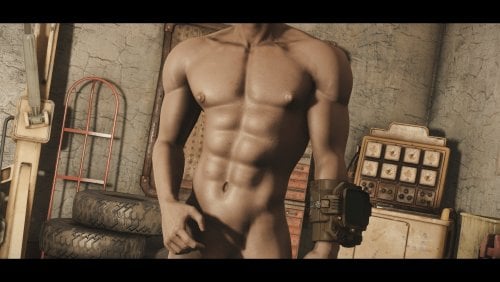
MOD FINALLY GOT OFFICIAL UPDATE ON NEXUSMODS. FROM NOW ON I WILL ONLY UPDATE IT THERE AND WILL LEAVE THIS FILE JUST IN CASE.
https://www.nexusmods.com/fallout4/mods/66788
5866 downloads
Updated
-
Triggerwoman - Brothel in London
By Plite
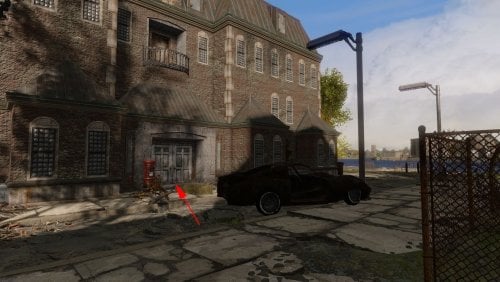
This is a patch for the Triggerwoman mod, which moves the brothel "Secrets of Chestnut Hill" from Commonwealth to London. The brothel workers had to urgently flee to London, fleeing the massacre, due to the fact that one of their prostitutes killed a Diamond City security guard. Now the brothel is located near Lewisham Dock, and is called "Secrets of London Ruins". If you have "Fallout: London" installed, your heroine has the opportunity to earn tickets at the very beginning of the game. And there are grocery stores there. And your heroine can live there, because there is a personal bed for her.
The English and Russian versions of the patch are presented here.
Important note:
This place is a good home for the player, combined with work. There is a bed in the brothel where your heroine can sleep, as well as vendors from whom she can buy food. There are many mods that add a home for the player, but Triggerwoman is the only mod that allows you to work from home without going outside. In order to start working there, you just need to talk to Ruby, whom you will meet as soon as you enter the brothel.
Well, since the "Secrets of London Ruins" are secret, it doesn't have a marker on the map. So you need to look for a brothel here:
The initial dialogue with Ruby corresponds to the location of the brothel. Also in the dialogues, the money that the heroine receives is called what they are called in London - tickets.
Requirements:
Fallout: London - necessarily, hard requirement (this patch was tested in Fallout: London v1.03).
Triggerwoman - necessarily, hard requirement.
Recommendation:
If you want to add a doctor to the brothel, and you want vendors to sell not only food, but also weapons, then I recommend additionally installing my "Triggerwoman Alive or Brothel is Best Home" patch.
Load order:
Triggerwoman.esp (the main file of the Triggerwoman mod)
TriggerwomanFurniturePatch.esp (if you downloaded this patch from here and installed it)
TriggerwomanContraceptivesFromSellersPatch.esp (if you downloaded this patch from here, and you also have the mod Family Planning Enhanced v2.710 and you have installed both of them)
TriggerWomanLondonPatch.esp (the patch from this page)
Thanks:
TeamFOLON for creating Fallout: London
Heinzelman for creating the Triggerwoman
ElminsterAU for creating xEdit and keeping it updated through years
31 downloads
- triggerwoman
- brothel
- (and 2 more)
Updated
-
morphs Additional sliders for Fusion Girl v1.89
By DragAndPlace
==== WHAT'S THIS? ====
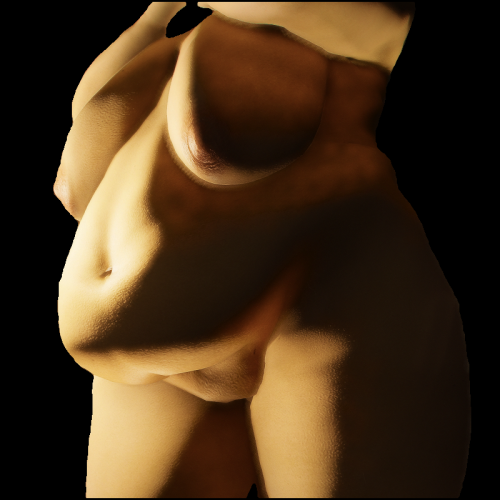
These are sliders to add to Fusion Girl on Outfit Studio. Any suggestions on what to port next or a new slider to be created are welcome!
==== HOW TO USE ====
These are sliders to be imported to Fusion Girl 1.89. You can either use the .tri file or the .obj's individually as follows:
- Using the .tri file:
* Open the 'FusionGirl-Nude' project on Outfit Studio.
* Look into the 'Sliders' dropdown and then 'Import', then select 'Import TRI morphs'.
* You will be shown dialogue with an extensive list of sliders. Do not forget to check 'Merge sliders' and click 'Ok'.
- Using the .OBJ's:
* Open the 'FusionGirl-Nude' project.
* Go to the 'Sliders' dropdown menu and select 'New Slider'.
* You will be prompted to name it. You could name it anything, but I recommend naming the slider the same as the .OBJ you will be importing. Refer to the list at the end of section
* On the bottom right, where all the sliders are listed, search for the slider you just created and click on the pencil icon to its left.
* Look into the 'Sliders' dropdown again and select 'Import' -> 'Import to active slider' -> 'Import OBJ...'
* Do it for any sliders you want to add.
Now you will have the sliders for the naked body. If you want to use it on outfits, load the FusionGirl project and then conform the pieces.
The added sliders are:
- BBW
- BellyDiameterIn
- BellyDiameterOut
- BellyFatty
- BellyLineaAlba Depth
- BellyLineaAlba Under
- BellyLowerFat
- BellyPotBelly
- BellyPrego
- BellyRotateUp
- BellyThicker
- BellyThinner
- BellyUnderCrease
- BellyUpperFat
- BreastImplant
- BreastImplantTypeOne
- BreastSagTypeOne
- BreastSagTypeTwo
- FUPA
- HipWider
- JaneBody
- NavelDepth
- NavelHorizontal
- NavelSize
- ThighApart
- ThighOuter
- ThighThicker
- Vulva Skin Correct
The 'Data' folder is for the sliders to show up neatly organised on BodySlide. Make it replace the original SliderCategories found in regular Fusion Girl
==== CREDITS ====
Everyone involved in BodySlide and Outfit Studio and Fusion Girl.
@Nightasy for creating JaneBod, of which some of the sliders were based on.
==== PERMISSIONS ====
Being a resource, this is of course open!
==== TOOLS USED ====
Outfit Studio
Blender
213 downloads
Updated
-
Transfer Settlements - Zimonja Broadcasting Station
By msmfoster
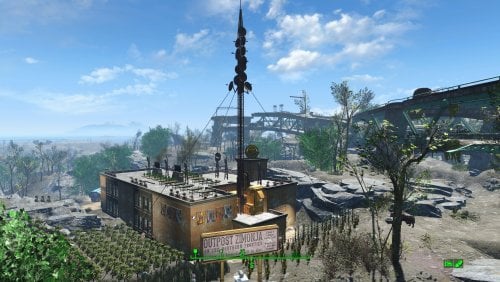
A Transfer Settlements blueprint that completely re-imagines Outpost Zimonja into a pre-war television broadcasting station. Elements of the studio and stages remain to this day. Details on this build: Two storey structure First deck: Workshop, clothing store, medical area, bathrooms, shops and lounge. Second deck: Bunks, control space, sound stages, bathrooms. Roof: Additional space for food production. Antenna is incorporated into the build, but should be rotated to align with the main structure. Antenna area on the second deck contains industrial equipment that appears like an amplifier bank. Powered turret batteries located outside the primary build area to provide additional protection. Note. If you are using Companion Ivy the antenna can be removed as it will be replace with Ivy's radio antenna. Settlement Features 30 bunks. 145+ food. 585+ defence. 200 power. 60 water. Tier 3 Medical, Restaurant, Clothing, and General Store. Dedicated gym area. Vault-Tec drink dispenser and slot machines. Working sinks and showers. Power mostly runs through conduits to minimise visible power lines. Settlers appear able to move freely, with minimal difficulties observed. Cat, and dog included in the build. No visual glitches observed from this build. Requirements Downloadable Content Contraptions Workshop Vault-Tec Workshop Wasteland Workshop Far Harbour Hard Requirements Transfer Settlements. To import this blueprint. Scrap Everything or an equivalent. To clear out the area as per Setup Instructions. Homemaker. Primary build components for most of the settlement, decorations, furniture, and miscellaneous objects. Settlement Objects Expansion Pack. Fusion generators, railings, pools, foundation liners, cooking station, and water pumps. Note. Transfer Settlements will not add items if the mods are missing. Mods listed below are not required but will remove associated elements. Soft Requirements Craftable Working Sinks and Showers Redux. Working sinks and showers. Erotic Art. Frames and pictures used throughout. Working Fridges. Simple mod that adds working fridges, ice machines, and vending machines. Working Washer and Dryer (Immersive Laundry). Player functional laundry machines and dryers with sound effects. Singing Settler. Used for the singing settler and flooring. Nice to Have Armour and Weapon Keywords Community Resource. Additional types of workshops, namely power armour. Videos of the Wasteland. Working televisions and projectors. Gruffydd's Signs and Posters. Billboards and signs. Crazy Sex Animations. Invisible mats that make settlers happy through masturbation, done without using the Advanced Animation Framework, and additionally places assignable gurneys that increase happiness. Sex Toys of the Commonwealth. Adds the random placement of sex toys throughout. Bad Dragon Dildos. Adds more extreme dildos throughout. Companion Ivy. If you happen to have Ivy as a companion, one of her broadcast towers will be added in an out of the way area.
Unrelated But Useful Place Everywhere. Allows you to make minor adjustments if necessary. Armour Rack Female Mannequin Fix. Fixes the armour rack to support alternate bodies like Fusion Girl. Setup Clearing the area is relatively straightforward. Scrap everything except for the antenna itself. Note. If you are using Companion Ivy this settlement is a great candidate for 'ScrapAll'. Build a Transfer Settlements console from Power > Miscellaneous near the rocks behind the antenna. The small patch you can easily walk over facing the overpass. Note. Import should be done with Workshop Mode enabled. Tasks After Import Confirm that all power has been restored as expected. Additionally if you want everything to look clean, do the followowing: Select the antenna. From the console: modangle z ZZ Recommend increments of 5 until for the above until you can dial it in. Adjust the above using Z or -Z until it aligns properly. Optional It is possible to move the workshop so it aligns with the settlement Do the following steps in order: Place a new workshop from Homemaker. Select the new workshop and use the following: getpos z getpos x getpos y getangle z Scrap the new workshop as it is not functional. Select the original workshop and apply the values procured: setpos x XX setpos y YY setpos z ZZ setangle x XX setangle y YY setangle z ZZ Notes on Imports Transfer Settlements recommends leaving the area after import and not return for 1-2 game days. However, I found that saving on site always crashes the game. The easiest way to get away and save is to coc Vault111Ext from the console. Wait a couple of minutes before heading into the vault. Once you arrive at the bottom it is safe to save. I recommend that you import/export Blueprints using Stable defaults. Using other methods has caused ladders, walls, and flooring to appear without collision. In many cases the collision effects are found elsewhere leading to interesting behaviours among the NPC population, and leading to a snap back effect as you push through an area and are forced back by the invisible wall. Note. This blueprint was tested with Transfer Settlements working under Stable. Lastly Import wired power connections should always be selected as part of the import process. It will reliably re-connect all wired connections. This saves you the trouble of linking up floors, turrets, and in some cases re-establish connections for hidden or buried runs. Notes on Power and Performance These blueprints utilize ambient fill lighting to provide a pervasive glow. I use Naked Bulbs to create a lived-in atmosphere for statues, fountains, and roof voids. Warning for Dynamic Lighting Users If you use mods that turn all lights into dynamic, shadow-casting sources, the sheer number of these bulbs will severely cripple your framerate. I strongly recommend using the Transfer Settlements Blueprint Editor to strip out all instances of 306F1 before importing. Optimization for Complex Builds: Because of the heavy use of conduits to reduce visible power lines, these settlements have high object counts. The steps below may improve performance. Enable Faux Power in the Workshop Framework's workbench settings. Use the Transfer Settlements Blueprint Editor to strip all conduits from the .json file. This can reduce build complexity by up to 40% without losing the overall aesthetic of the settlement. Note. I cannot guarantee the above will work. A Special Thanks To Thank you to Caladon for creating the template that makes blueprints installable. Updates Version 1.0.0 Initial release of this build.
46 downloads
Submitted
-
Transfer Settlements - The Slog Recreational Facility
By msmfoster
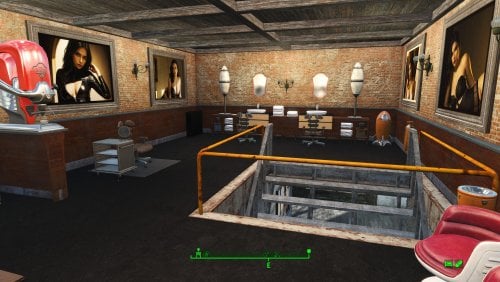
A Transfer Settlements blueprint that attaches a multi-level administrative building to the shower facilities and adds a greenhouse. The end effect increases bunk space and food production, while simultaneously increasing defensive capabilities.
Details on this build:
Main building houses shops and medical facilities with a central lounge area. Open warehouse over the settlement workshop for workbenches and additional turrets. Large greenhouse provides additional defensive capability in that area. Brick structure added to the main building. First deck: Contains washrooms, gym, and kitchen. Second deck: Contains bunks, and the third houses a barber shop. Third deck: Contains a barbershop, massage table, and spa. Easy roof access of The Slog through the administrative building.
Note. It is possible to open up a doorway between The Slog and adjoining administrative building. However, NPCs will not use it and it may cause visual glitches. Save before you scrap the wall.
Settlement Features
25 bunks. 130 food. 630+ defence. 260 power. 60+ water. Tier 3 Medical, Restaurant, Clothing, and General Store. Dedicated gym area. Vault-Tec drink dispenser and slot machines. Working sinks and showers. Power mostly runs through conduits to minimise visible power lines. Cat and dog included in the build. No visual glitches observed from this build.
Requirements
Downloadable Content
Contraptions Workshop Vault-Tec Workshop Wasteland Workshop Far Harbour
Hard Requirements
Transfer Settlements. To import this blueprint. Scrap Everything or an equivalent. To clear out the area as per Setup Instructions. Homemaker. Primary build components for most of the settlement, decorations, furniture, and miscellaneous objects. Settlement Objects Expansion Pack. Fusion generators, railings, pools, foundation liners, cooking station, and water pumps.
Note. Transfer Settlements will not add items if the mods are missing. Mods listed below are not required but will remove associated elements.
Soft Requirements
Craftable Working Sinks and Showers Redux. Working sinks and showers. Erotic Art. Frames and pictures used throughout. Working Fridges. Simple mod that adds working fridges, ice machines, and vending machines. Working Washer and Dryer (Immersive Laundry). Player functional laundry machines and dryers with sound effects. Singing Settler. Flooring for the gym and barber shop.
Nice to Have
Armour and Weapon Keywords Community Resource. Additional types of workshops, namely power armour. Videos of the Wasteland. Working televisions and projectors. Invisible Furniture. Adds invisible markers that are used as idles for settlers and pets. Gruffydd's Signs and Posters. Billboards and signs. Crazy Sex Animations. Invisible mats that make settlers happy through masturbation, done without using the Advanced Animation Framework, and additionally places assignable gurneys that increase happiness. Sex Toys of the Commonwealth. Adds the random placement of sex toys throughout.
Unrelated But Useful
Place Everywhere. Allows you to make minor adjustments if necessary. Armour Rack Female Mannequin Fix. Fixes the armour rack to support alternate bodies like Fusion Girl. Glass Roofs Stop Rain and Snow - Various Mods Patches. Stops rain and snow from going through glass roofs.
Setup
Clearing the area is relatively straightforward:
Cleanup the area removing all beds, showers, furniture and junk. The pool and surrounding areas should be clear of clutter, brush, and park elements. Remove the skylight in the main building it will be replaced with something that works.
Maintain the following:
Maintain the existing food production, since this build will simply add-on to the existing stock. The fire pit besides the boarded up door leading into Arlen's workshop.
A few elements cannot be scrapped normally, in this case you will need to do the following:
Go into the console. Select the object (E.g., Holly or Dierdre's bed). Disable MarkForDelete
Note. Disable first in case you selected the wrong object. In that case Enable will recover the object without consequence.
Build a Transfer Settlements console from Power > Miscellaneous on top of the workshop.
Note. Import should be done with Workshop Mode enabled.
Tasks After Import
No additional requirements other than confirming that all power has been restored as expected.
Notes on Imports
Transfer Settlementsrecommends leaving the area after import and to not return for 1-2 game days. However, I found that saving on site always crashes the game.
The easiest way to get away and save is to coc Vault111Ext from the console. Wait a couple of minutes before heading into the vault. Once you arrive at the bottom it is safe to save.
I recommend that you import/export Blueprints using Stable defaults. Using other methods has caused ladders, walls, and flooring to appear without collision. In many cases the collision effects are found elsewhere leading to interesting behaviours among the NPC population, and leading to a snap back effect as you push through an area and are forced back by the invisible wall.
Note. This blueprint was tested with Transfer Settlements working under Stable.
Lastly Import wired power connections should always be selected as part of the import process. It will reliably re-connect all wired connections. This saves you the trouble of linking up floors, turrets, and in some cases re-establish connections for hidden or buried runs.
Notes on Power and Performance
These blueprints utilize ambient fill lighting to provide a pervasive glow. I use Naked Bulbs to create a lived-in atmosphere for statues, fountains, and roof voids.
Warning for Dynamic Lighting Users
If you use mods that turn all lights into dynamic, shadow-casting sources, the sheer number of these bulbs will severely cripple your framerate. I strongly recommend using the Transfer Settlements Blueprint Editor to strip out all instances of 306F1 before importing.
Optimization for Complex Builds:
Because of the heavy use of conduits to reduce visible power lines, these settlements have high object counts. To steps below may improve performance.
Enable Faux Power in the Workshop Framework's workbench settings. Use the Transfer Settlements Blueprint Editor to strip all conduits from the .json file.
This can reduce build complexity by up to 40% without losing the overall aesthetic of the settlement.
Note. I cannot guarantee the above will work.
A Special Thanks To
Thank you to Caladon for creating the template that makes blueprints installable.
Updates
Version 1.0.2
Optimized Erotic Art to work with my Classic Erotic Art Retexture. Adjusted power conduits to prevent a snapping glitch from breaking power to most of the settlement. Replaced the skylight with a warehouse variant. Allows for natural light and can also block the rain (with the appropriate mod in place). Added public showers near the pool. Doubled ceiling for a consistent look and feel across my settlements. Added idles throughout.
Version 1.01
Added washers and dryers from Immersive Laundry. Increased the amount of idles found throughout. Closed off the roof access of the adminstrative building, while maintaining the same amont of turrets. Added a salon, spa, and massave parlour mix within the additional space created above.
283 downloads
Updated
-
Transfer Settlements - Oberland Station Interpretative Museum
By msmfoster
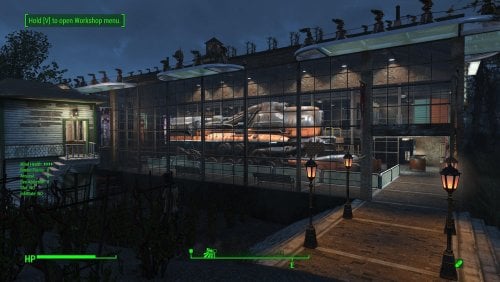
A Transfer Settlements blueprint that completely re-imagines Oberland Station into a pre-war train interpretative centre. The most notable feature is a multi-level museum with a train engine acting as the centrepiece. This build is a fusion of Homemaker brick walls with vanilla warehouse glass pieces. Details on this build: Three storey structure with a working mechanical level. First deck: Train exhibit, shops, and medical facilities. Second deck: Gym, bunks and washroom facilities. Third deck: Kitchen, bunks, and washroom facilities. Mechanical room: Working laundry, power, water, and workbenches. Repaired the roof for the switching station, while converting it into a barbershop and spa. Added a large water tower to fit in with the overall decor. Hidden radiators and wires are used to power some of the lights. Settlement Features 30 bunks. 175+ food. 630+ defence. 200 power. 90 water. Tier 3 Medical, Restaurant, Clothing, and General Store. Dedicated gym area. Vault-Tec drink dispenser and slot machines. Working sinks and showers. Power mostly runs through conduits to minimise visible power lines. Settlers appear able to move freely, with minimal difficulties observed. Cat, dog, and child included in the build. No visual glitches observed from this build. Note. Warehouse glass pieces add a reflection component that can tank your framerate when you are on the second deck. See Unrelated But Useful for more information on mods that may help. Requirements Downloadable Content Contraptions Workshop Vault-Tec Workshop Wasteland Workshop Far Harbour Creation Club: Arcade Cabinets (Optional) Creation Club: Bunker Homes Pack (Optional) Hard Requirements Transfer Settlements. To import this blueprint. Scrap Everything or an equivalent. To clear out the area as per Setup Instructions. Homemaker. Primary build components for most of the settlement, decorations, furniture, and miscellaneous objects. Settlement Objects Expansion Pack. Fusion generators, railings, pools, foundation liners, cooking station, and water pumps. Note. Transfer Settlements will not add items if the mods are missing. Mods listed below are not required but will remove associated elements. Soft Requirements Craftable Working Sinks and Showers Redux. Working sinks and showers. Erotic Art. Frames and pictures used throughout. Working Fridges. Simple mod that adds working fridges, ice machines, and vending machines. Working Washer and Dryer (Immersive Laundry). Player functional laundry machines and dryers with sound effects. Singing Settler. Used for the singing settler and flooring. Nice to Have Armour and Weapon Keywords Community Resource. Additional types of workshops, namely power armour. Videos of the Wasteland. Working televisions and projectors. Invisible Furniture. Adds invisible markers that are used as idles for settlers and pets. Gruffydd's Signs and Posters. Billboards and signs. Crazy Sex Animations. Invisible mats that make settlers happy through masturbation, done without using the Advanced Animation Framework, and additionally places assignable gurneys that increase happiness. Sex Toys of the Commonwealth. Adds the random placement of sex toys throughout. Bad Dragon Dildos. Adds more extreme dildos throughout. Companion Ivy. If you happen to have Ivy as a companion, one of her broadcast towers will be added in an out of the way area.
Unrelated But Useful Place Everywhere. Allows you to make minor adjustments if necessary. Armour Rack Female Mannequin Fix. Fixes the armour rack to support alternate bodies like Fusion Girl. Glass Roofs Stop Rain and Snow - Various Mods Patches. Stops rain and snow from going through glass roofs. Glowing Glass Fix. Changes the glass textures to reduce glare and reflection. Setup Clearing the area is relatively straightforward. Remove flora, food, garbage, rubble. Leave the following intact: The existing food production. The switching station, but clear out the inside. The train tracks. Scrapping within the switching station an be risky. To reduce the risk, you can do the following: Select the switching station to get the Reference ID (REFID). REFID.Disable Scrap without risk. REFID.Enable Build a Transfer Settlements console from Power > Miscellaneous on the tracks near the edge of the build area nearest to the switching station. Note. Import should be done with Workshop Mode enabled. Tasks After Import No additional requirements other than to confirm that all power has been restored as expected. Optional There is a brand new settlement workshop near the existing one. This serves as a reference to move the existing workshop in it's place. This is purely for aesthetics, but it does make the settlement look better. Do the following steps in order: Select the new workshop and use the following: getpos z getpos x getpos y getangle z These are the values I extracted: setpos x -45666.39 setpos y -4482.37 setpos z 1583.14 setangle x 0 setangle y 0 setangle z 0 Scrap the new workshop as it is not functional. Select the original workshop and apply the values procured: setpos x -46104 setpos y -4368.05 setpos z 1569.18 setangle x 0 setangle y 0 setangle z 184.34 Note. While the above can be a copy and paste, confirm the values and save prior to making the changes. Notes on Imports Transfer Settlements recommends leaving the area after import and not return for 1-2 game days. However, I found that saving on site always crashes the game. The easiest way to get away and save is to coc Vault111Ext from the console. Wait a couple of minutes before heading into the vault. Once you arrive at the bottom it is safe to save. I recommend that you import/export Blueprints using Stable defaults. Using other methods has caused ladders, walls, and flooring to appear without collision. In many cases the collision effects are found elsewhere leading to interesting behaviours among the NPC population, and leading to a snap back effect as you push through an area and are forced back by the invisible wall. Note. This blueprint was tested with Transfer Settlements working under Stable. Lastly Import wired power connections should always be selected as part of the import process. It will reliably re-connect all wired connections. This saves you the trouble of linking up floors, turrets, and in some cases re-establish connections for hidden or buried runs. Notes on Power and Performance These blueprints utilize ambient fill lighting to provide a pervasive glow. I use Naked Bulbs to create a lived-in atmosphere for statues, fountains, and roof voids. Warning for Dynamic Lighting Users If you use mods that turn all lights into dynamic, shadow-casting sources, the sheer number of these bulbs will severely cripple your framerate. I strongly recommend using the Transfer Settlements Blueprint Editor to strip out all instances of 306F1 before importing. Optimization for Complex Builds: Because of the heavy use of conduits to reduce visible power lines, these settlements have high object counts. To steps below may improve performance. Enable Faux Power in the Workshop Framework's workbench settings. Use the Transfer Settlements Blueprint Editor to strip all conduits from the .json file. This can reduce build complexity by up to 40% without losing the overall aesthetic of the settlement. Note. I cannot guarantee the above will work. A Special Thanks To Thank you to Caladon for creating the template that makes blueprints installable. Updates Version 1.0.1 Optimized Erotic Art for use with my Classic Erotic Art Retexture. Fixed a critical power distribution fault. One entire floor was not receiving power including the Vault-Tec Drink Dispenser. This has been corrected. Added SEO lighting sources. Added Anniversary Edition lighting and arcades. Entirely optional and works without. Version 1.0.0 Initial release of this build.
154 downloads
Updated
-
Transfer Settlements - Red Light Entertainment at the Red Rocket
By msmfoster
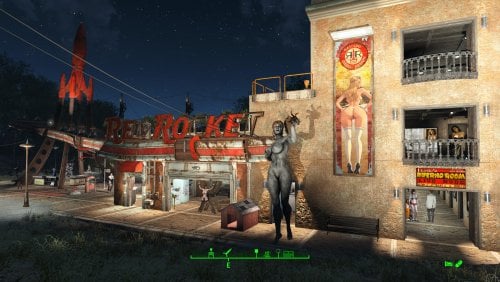
A Transfer Settlements blueprint that makes the Red Rocket the centre for red light entertainment for the Commonwealth. It creates an annex that houses stripper poles, beds, a gym, and eases access to the roof for food production.
This blueprint integrates nicely with mods like Just Business, Human Resources, and Hookers of the Commonwealth - Settlement Edition to complete the look, but they are not contained within this blueprint.
Details on this build:
Added four-storey annex to the garage. End result is a nearly seamless addition that increases usable space. First Floor: Entertainment rooms and bathrooms. Second Floor: BDSM club, gym, and bathrooms. Third Floor: Kitchenette and bunkhouse. Fourth Floor: Bunkhouse. Food production on the roof of the Red Rocket to maximise floor space for entertainment. Garage is primarily dedicated to workshops. Office area of the Red Rocket converted into a medical facility. Flooring for the area has been changed to red cobblestone pieces from Homemaker. Area for the coolant pumps houses shops, stripper poles, and a singing settler. Hidden radiators and wires are used to power some of the lights.
Settlement Features
28 bunks. 60+ food. 425+ defence. 200+ power. 30+ water. Tier 3 Medical, Restaurant, Clothing, and General Store. Dedicated gym area. Vault-Tec drink dispenser and slot machines. Working sinks and showers. Power mostly runs through conduits to minimise visible power lines. Settlers appear able to move freely, with minimal difficulties observed. Cat and dog included in the build. No visual glitches observed from this build.
Requirements
Downloadable Content
Contraptions Workshop Vault-Tec Workshop Wasteland Workshop Enclave Remnants
Hard Requirements
Transfer Settlements. To import this blueprint. Scrap Everything or an equivalent. To clear out the area as per Setup Instructions. Homemaker. Primary build components for most of the settlement, decorations, furniture, and miscellaneous objects. Settlement Objects Expansion Pack. Fusion generators, railings, pools, foundation liners, cooking station, and water pumps.
Note. Transfer Settlements will not add items if the mods are missing. Mods listed below are not required but will remove associated elements.
Soft Requirements
Craftable Working Sinks and Showers Redux. Working sinks and showers. Erotic Art. Frames and pictures used throughout. Working Fridges. Simple mod that adds working fridges, ice machines, and vending machines. Working Washer and Dryer (Immersive Laundry). Player functional laundry machines and dryers with sound effects. Singing Settler. Used for the singing settler and flooring. Stripper Pole. Adds assignable stripper poles.
Nice to Have
Armour and Weapon Keywords Community Resource. Additional types of workshops, namely power armour. Videos of the Wasteland. Working televisions and projectors. Invisible Furniture. Adds invisible markers that are used as idles for settlers and pets. Gruffydd's Signs and Posters. Billboards and signs. TRX Trixter Statues Collection. Skyrim styled statues for aesthetics. Crazy Sex Animations. Invisible mats that make settlers happy through masturbation, done without using the Advanced Animation Framework, and additionally places assignable gurneys that increase happiness. Sex Toys of the Commonwealth. Adds the random placement of sex toys throughout. Bad Dragon Dildos. Adds more extreme dildos throughout. Torture Devices. Addition of associated torture devices used for the BDSM lounge.
Unrelated But Useful
Place Everywhere. Allows you to make minor adjustments if necessary. Armour Rack Female Mannequin Fix. Fixes the armour rack to support alternate bodies like Fusion Girl.
Setup
Clearing the area is relatively straightforward. Remove brush, garbage, railings, rubble, and sidewalks from the build area. The exceptions are:
The billboard at the edge of the property and the associated hedge row. Thin out the trees to make the sign visible from both sides. The Red Rocket building itself.
Build a Transfer Settlements console from Power > Miscellaneous between the Gas Price sign and guardrail demarking the entrance.
Note. Import should be done with Workshop Mode enabled.
Tasks After Import
No additional requirements other than to confirm that all power has been restored as expected.
Optional
The workshop ends up being lower than the floor level of the motel. This can be corrected with two quick commands:
Select the lantern besides the workshop and type getpos z to get the elevation. Select the workshop itself and type setpos z <value> using the above elevation.
Notes on Imports
Transfer Settlementsrecommends leaving the area after import and to not return for 1-2 game days. However, I found that saving on site always crashes the game.
The easiest way to get away and save is to coc GraygardenExt from the console. Wait a couple of minutes before venturing into the home itself. Once inside wait a few more minutes before saving.
I recommend that you import/export Blueprints using Stable defaults. Using other methods has caused ladders, walls, and flooring to appear without collision. In many cases the collision effects are found elsewhere leading to interesting behaviours among the NPC population, and leading to a snap back effect as you push through an area and are forced back by the invisible wall.
Note. This blueprint was tested with Transfer Settlements working under Stable.
Lastly Import wired power connections should always be selected as part of the import process. It will reliably re-connect all wired connections. This saves you the trouble of linking up floors, turrets, and in some cases re-establish connections for hidden or buried runs.
Notes on Power and Performance
These blueprints utilize ambient fill lighting to provide a pervasive glow. I use Naked Bulbs to create a lived-in atmosphere for statues, fountains, and roof voids.
Warning for Dynamic Lighting Users
If you use mods that turn all lights into dynamic, shadow-casting sources, the sheer number of these bulbs will severely cripple your framerate. I strongly recommend using the Transfer Settlements Blueprint Editor to strip out all instances of 306F1 before importing.
Optimization for Complex Builds:
Because of the heavy use of conduits to reduce visible power lines, these settlements have high object counts. To steps below may improve performance.
Enable Faux Power in the Workshop Framework's workbench settings. Use the Transfer Settlements Blueprint Editor to strip all conduits from the .json file. This can reduce build complexity by up to 40% without losing the overall aesthetic of the settlement.
Note. I cannot guarantee the above will work.
A Special Thanks To
Thank you to Caladon for creating the template that makes blueprints installable.
Updates
Version 1.0.2
Removed the requirement for Erotic Art Expanded. Optimized Erotic Art for use with my Classic Erotic Art Retexture. Adjusted lighting, including the use of SOE light sources. Made adjustments to decorations.
Version 1.0.1
Adjusted power and routing. Conduits within the Red Rocket itself are hidden and smaller fusion generators removed. Added washers and dryers from Immersive Laundry. Closed up the roof, walled and patched to create a forth usable deck. Second deck converted into a club. Most of the rooms are now double walled for aesthetics. Removed requirement for Erotic Art Expanded. Removed Singing Settler lockers, reducing the number of wardrobe malfunctions. Increased the number of idles throughout. Razorgrain fields added along the edge of the settlement for increased food production.
1078 downloads
Updated
-
Captive Tattoos (LooksMenu Overlays / Facial Tattoos / Males / Females)
By JB.
Main Requirements
F4SE LooksMenu CBBE or Fusion Girl for females BodyTalk for males
FACIAL TATTOOS
There are +100 facial tattoos/scars/bruises. Compatible with facial textures in 2K and 1K (Vanilla).
Brief tutorial
Write "SLM 14" on the console. Go to "Extras", then "SlaveTattoos", and apply the tattoo you like.
(You can raise and lower the contrast of tattoos).
LOOKSMENU OVERLAYS
There are +750 overlays for women and +100 for men.
Brief tutorial
In third person, take off your clothes Write "TFC" on the console. Exit the console and you will see that you can move the camera around the character. Adjust the angle you like and write "SLM 14" on the console. Go to "Body", then "Overlays", and apply the tattoo you like. When you finish and exit LooksMenu, rewrite "TFC" on the console, to return to the usual camera.
(You can move and adjust the size of the tattoos).
Recommended Mods ✔️
Looksmenu Rotation - Essential for rotating your character and checking tattoos Looksmenu Temp Scroll -I have so many tattoos that this is essential for quickly scrolling up and down! Looks Menu Console Extend - add console command for open selected reference's looks menu Tint Fix - fixes a specific texture compatibility problem that can cause face tints not appearing, tattoos or makeup disappearing and brown or dark faces (Rusty faces)
Used Tools
Nifscope Mudbox Gimp (with Imap addon) Material Editor Bethesda Archive Extractor Creation Kit.
Resources
https://drive.google.com/file/d/1Y-eeOt_LR_pVSpAoD1tTZaXfCWo3unJc/view
444071 downloads
Updated
-
RohZima Fallout 4 Sex Animations for AAF
By RohZima
Here is my AAF sex animations pack for FO4.
Known Issues:
Sounds effects are working (breathing/slapping), no voices though. I'm not planning to do voices. No genital animations, Morphs can be triggered via xml.
Extra Info:
Install the mod just like any AAF mod.
The pack features animations with three suffix types; Tender, Rough & Bound, which tells you what type it is. Most animations take place on some piece of vanilla furniture. For bound you have to use an equip able hand cuff from a mod.
I'll attach two optional files; some equip able vanilla handcuffs, and my workstation mod that makes it easier to add the furniture I use, such as the cinder blocks. The objects are found under furniture/ExtraZ
I am an active long time modder Patreon support is deeply appreciated and is what keeps me contributing to this mod scene since 2017. Endorsements and comments etc are great too! I give a reward to patrons by releasing updates earlier on patreon - thanks to their support I have no intention to quit and a strong desire to improve and offer more content.
Current List of Animations:
Thanks:
Dago, Ulf, Kziitd, Elzee, AAF discord... Andrelo.
Goodbye:
Hope you enjoy the mod, and let me know if you find any other issues or have suggestions.
-Roh
422608 downloads
Updated
-
nsfw NSFW change Intro SPECIAL
By blabla_18
"Following total atomic annihilation, the rebuilding of this great nation of ours may fall to you. That's why we at Vault-Tec have prepared these educational material for you to better understand the seven defining attributes that make you S.P.E.C.I.A.L.."
"Regularly study your Vault-Tec provided materials to prepare for survival, and to answer the question, do you know what makes you S.P.E.C.I.A.L.?"
Today we will focus on Swallow. In this chapter we will focus on Pregnancy. Our topic today is Expansion. And now, Cum, what is it made of? Our next area of attention is Interspecies. Now, let's discuss the uses of Anal. It's time we talk about Lesbian. ____________________________________________________________________________________________________________________________
This mod replaces "S.P.E.C.I.A.L." intro videos with NSFW videos.
____________________________________________________________________________________________________________________________
How to install:
- Use "Mod Organizer 2" or "Vortex" to install the seven videos (this avoids overwriting the original videos).
That it.
Warning
There is a low chance of the videos playing. The Bethesda logo video takes priority, while the others retain that low chance of playing.
If you want to prevent the Bethesda logo video from playing (without deleting it), add this to the file in "\Documents\My Games\Fallout4\Fallout4Custom.ini":
[General]
fChancesToPlayAlternateIntro=1
____________________________________________________________________________________________________________________________
Credits:
Swallow Animation: ZMSFM
Character: Lune (Clair Obscur: expedition 33)
Duration: 36 seconds
Pregnant Animation: ZMSFM
Character: Lady Maria (Bloodborne)
Duration: 41 seconds
Expansion Animation: Vreya3D
Character: Tifa (Final Fantasy VII)
Duration: 49 seconds
Cum Animation: ZMSFM
Character: Jinx (League of Legends)
Duration: 25 seconds
Interspecies Animation: ZMSFM
Character: Hunter female (Bloodborne)
Duration: 47 seconds
Anal Animation: Idemi
Character: Maxime Caulfield (Life is strange)
Duration: 48 seconds
Lesbian Animation: Drill3D
Characters: Yuffie&Tifa (Final Fantasy VII)
Duration: 49 seconds
Thanks to them for their work; I am only reworking the video, not the animation.
____________________________________________________________________________________________________________________________
____________________________________________________________________________________________________________________________
This mod is only available here in LoversLab, if you see it outside, it is not me. I don't give my permission to post them elsewhere.
7160 downloads
- replacer
- animated sex
- (and 1 more)
Updated
-
preset Plump preset for JaneBod
By DragAndPlace
IF YOU USE FUSION GIRL, THIS MIGHT INTEREST YOU INSTEAD
==== Description ====
A preset for JaneBody that tries to depict a somewhat realistic shape taking advantage of the many sliders this body has. As some sliders are extreme, there will be clipping in armours that show a lot of skin. However, most vanilla outfits look fine.
You will find seven presets there named 'Fatty', which are the stages this preset has gone through. V7 is the one I consider finished, but the previous ones might suit some outfits better.
==== Permissions ====
Do as you please with this
88 downloads
Updated
-
Hurt Me
By D4NSUM
This is my first mod, I think it went pretty well, this is a simple script mod that applies damage overlays to player when an aggressive tagged aaf scene played through aaf api. works with NAF as long as the scene if first triggered through aaf api.
Credits:
jeffey67 for materials and textures
713 downloads
Updated
-
Hurt Me (Amputator)
By D4NSUM
My most ambitious project yet, I made a script to apply amputations to Aggressive/rough tagged AAF scenes. The defaults are 10 percent chance for amputations to occur, and if you have over 50 percent of your hp consumed by RADS you will regrow your missing limbs after 24 in game hours, I wanted to do MCM configs but it turned out to be more difficult than I could figure out. ill come back to it eventually. or if someone else knows better, have at it. PS if anyone does know how to set up MCM configs DM me and teach me pls
241 downloads
Updated
-
Soviet Sex Suits Fo4
By Voidson22222
A port of one outfit from my FNV mod. The outfit is based on inflatable latex suits.
My idea for the lore is that the Soviet Union determined the best way to build relations with the factions of post war America was trough sex and ordered their scientists to make hazmat sex suits for diplomatic missions.
1061 downloads
Updated

.thumb.gif.c49b3498f1718c2cfdc9804ffa66e8a4.gif)
(2).thumb.png.0da11e19e13f2293791783aa2a385097.png)
(3).thumb.png.33f546ef44b7cee677218b81a2e2b4a5.png)
(1)(3).thumb.png.c5a55dffa02bb4d03b365b4485792cdf.png)