
Select a subcategory to view available files.
Files From Subcategories
-
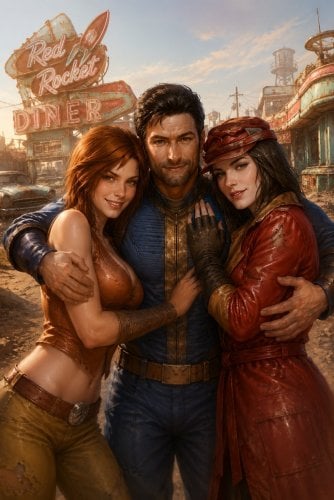
Horny Companions
By DSHV
This is a very lightweight mod that lets you have sex with your companions.
Craft a Bouquet of Affection (1 Ash Blossom, 1 Bloodleaf, and 1 Hubflower) at a chemistry station, equip it in the thrown item slot and talk to a romanced companion to unlock new explicit dialogue options. It works without romance with Cait, John Hancock, and all non-romanceable companions (Codsworth, Strong, Nick Valentine, Deacon, X6-88, and Dogmeat (you can pet him as a bonus from me). The Bouquet of Desire (3 cloth, 10+ Charisma) allows you to open the same intimate dialogue with any companion, regardless of their romance status.
If Cait is nearby, you can try convincing your companion to have a threesome with her.
Successful sex grants the Lover’s Embrace perk.
AAF is optional, but without it, there will be no animations, so what's the point?
3561 downloads
- sex
- companions
- (and 3 more)
Updated
-
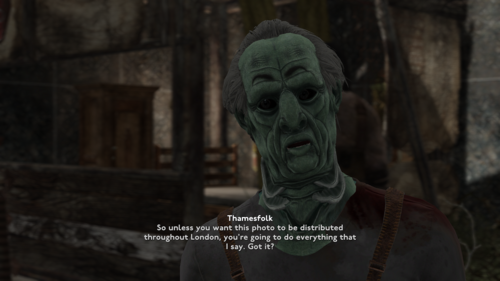
FOLON AAF Sexual Harassment patch
Just a small patch between FOLON and AAF Sexual Harassment. It is nothing much and I know that the vast majority of people here are capable of doing similar patch themselves. But it was surprising to me that nobody actually posted a compatibility patches between FOLON and AAF mods so far, despite FOLON being published a year ago. I was hoping authors of major AAF mods would do it, but some of them have not been here for a while. And I get it, everyone is trying to get on with their lives, especially with current economic situation in the world. However, FOLON is a big thing, definitely bigger than whatever the F Bethesda was trying to do in April of 2024. Therefore, I decided to make a patch for SH myself. Should an event occur where twistedtrebla will decide to make a proper patch, then I will take this one down.
Requirements: Fallout London and [AAF] Sexual Harassment v1.20.4
What changed compared to original.
Added FOLON humanoid races the list of races available to Sexual Harassment quests.
Changed some dialogue lines in quest, so they would fit in realities of London. Nothing much really, just word "caps" was replaced with "tickets", "Commonwealth" replaced with "London" and so forth.
Changed a bit quest "Pulic Service in Diamond City". In original mod when protagonist would end up being collared, her master eventually would issue a quest where she has to go to Diamond City market and service 5 people there. In this patch quest would point to Trafalgar Square in Eastminster. You just have to stand in a triangle between Edge of The World, School and Surgery, basically behind Nelson's Column.
Moved NPC Johny Hacker from DugoutInn in Diamond City to Adandoned restraunt in Lewisham. Over here https://joric.github.io/maps/fallout-london/#Abandoned_Restaurant if you don't know where it is.
Possible problems with the patch:
In original mod kids are excluded from any kind of quests and interactions of the mod. So I in similar fashion I excluded Thamesfolk kids (Folon_RACE_ThamesfolkChildRace) from quests as well. However, due to some unknown reason, FOLON team made Thamesfolk kids the same race as adult Thamesfolk (Folon_RACE_ThamesfolkRace). Which means that technically they are adults, just in 0.75 scale of adult. It is true as of 1.02 patch of FOLON and I hope it will be resolved in future. So yeah mind that, good thing there are not so many of Thamesfolk kids to begin with.
The patch is not ESL flagged, its an ESP. And I advise you against converting it to ESL. I had to remove ESL flag because it meddles with AAF Voiceover mods, there are several of those on this site. In short, the dialogue lines that i messed with are becoming mute if the patch is ESL flagged. If its a normal ESP, then everything is fine. Just place it righ under original mod.
Installation: either with a mod manager or manually
None of the stuff used in creating this patch is mine. All of the scripts which were slighly modified belong to twistedtrebla
Credits and Thanks:
FOLON team for creating Fallout London
twistedtrebla for creating AAF Sexual Harassment and making its resources available to community
ElminsterAU for creating xEdit and keeping it updated through years
570 downloads
Updated
-
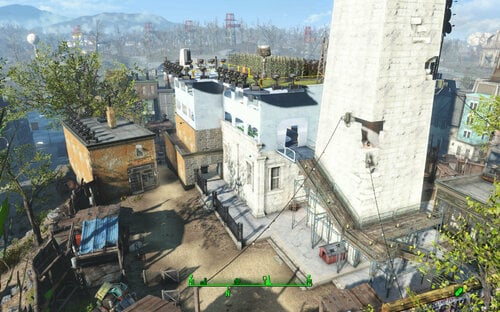
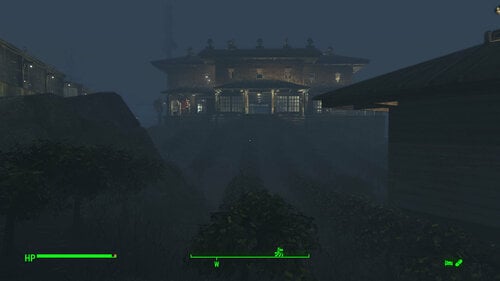
Transfer Settlements - Bunker Hill Institute Uplink Station
By msmfoster
A Transfer Settlements blueprint that aims to explain why there's a satellite structure hovering over the Bunker Hill monument. It spruces up Bunker Hill to create a more vibrant marketplace and upgrades a few key buildings. Additionally the roof area of the main building has an additional two levels of living spaces to increase population levels. Details of the Build New structure has been built above the main building. It features two levels of living spaces, with a rooftop eating area and farm. Rebuilt the scaffolding to reach a new living space. Replaced the wooden structure near the main gates (opposite Kay's stall) to create a proper medical clinic. Features two surgery bays and a waiting area. Replaced the flop house and turned it into a combination barber shop and three-unit accommodations. Gutted out the inside of the main building and fixed up the damaged walls using a mixture of brick and retaining wall elements. The main space now houses every major shop, a singing settler and two dancers. Added turrets on remaining structures to increase defence. Added a small guard shack and armoury by the main entrance. Note. This build assumes that Kessler handed you the settlement after the battle at Bunker Hill. Hence the trap door within the main structure is covered by a stage. Key Statistics 35 bunks. 100+ food. 940+ defence. 540 power. 60+ water. Tier 3 Medical, Restaurant, Clothing, General, Armour, and Weapons stores. Dedicated gym area. Vault-Tec drink dispenser and slot machines. Working sinks and showers. Power mostly runs through conduits to minimise visible power lines. Cat and dog included in the build. Note. Bunker Hill is notorious for glitches that lead to a Crash to Desktop (CTD) scenario. While this build has been stable for me in the past, some mods may make this build unstable. Requirements Downloadable Content Contraptions Workshop Vault-Tec Workshop Wasteland Workshop Far Harbour Enclave Remnants Hard Requirements Transfer Settlements. To import this blueprint. Scrap Everything or an equivalent. To clear out the area as per Setup Instructions. Homemaker. Primary build components for most of the settlement, decorations, furniture, and miscellaneous objects. Settlement Objects Expansion Pack. Fusion generators, railings, pool, foundation liners, cooking station, and water pumps. Note. Transfer Settlements will not add items if the mods are missing. The following are not required but will remove associated elements. Soft Requirements Craftable Working Sinks and Showers Redux. Working sinks and showers. Erotic Art. Frames and pictures used throughout. Working Fridges. Simple mod that adds working fridges, ice machines, and vending machines. Working Washer and Dryer (Immersive Laundry). Used for optional flooring overlay and a performing settler. Singing Settler. Player functional laundry machines and dryers with sound effects. Stripper Pole. Adds assignable stripper poles for dancers. Nice to Have Armour and Weapon Keywords Community Resource. Additional types of workshops, namely power armour. Better Armory Mod. Great mod for creating an armory and displaying associated weapons. Standing Stones from Skyrim. Skyrim styled statues for aesthetics. Gruffydd's Signs and Posters. Billboards and signs Crazy Sex Animations. Invisible mats that make settlers happy through masturbation, done without using the Advanced Animation Framework, and additionally places assignable gurneys that increase happiness. Sex Toys of the Commonwealth. Adds the random placement of sex toys throughout. Companion Ivy. If you happen to have Ivy as a companion, one of her broadcast towers will be added in an out of the way area. Unrelated But Useful Place Everywhere. Allows you to make minor adjustments if necessary. Armour Rack Female Mannequin Fix. Fixes the armour rack to support alternate bodies like Fusion Girl. Setup Clearing the area is relatively straightforward: Clear out all clutter, brush, and trash. Remove all bunks and existing stands. New elements will be added in. Store any food elements, except for one corn plant. This will keep Kessler assigned to food. Gut out the inside of the main structure, internal walls, including the makeshift roof and back walls, and a wrought iron fence. Be sure to maintain the trader stand. Scrap the elevated structure to the right facing the Bunker Hill monument. Do not clear the junk walls. Scrap the bar area/flop house. Do not remove parts of the foundations along the wall area. Scrap the bridge leading to the wall. Stairs will be added to replace this feature. A few elements cannot be scrapped normally, in this case you will need to do the following: Go into the console. Select the object (E.g., greeb on the roof). Disable MarkForDelete Note. Disable first in case you selected the wrong object. In that case Enable will recover the object without consequence. Build a Transfer Settlements console from Power > Miscellaneous in front of the statue. Note. Import should be done with Workshop Mode enabled. Tasks After Import Confirm that all power has been restored as expected. The default characters cannot be assigned to new stores by default. Select the NPC from the console and AddKeyword WorkshopAllowCommand to assign them to their newly improved spaces. Notes on Imports Transfer Settlements recommends leaving the area after import and to not return for 1-2 game days. However, I found that saving on site always crashes the game. The easiest way to get away and save is to coc Vault111Ext from the console. Wait a couple of minutes before heading into the vault. Once you arrive at the bottom it is safe to save. I recommend that you import/export Blueprints using Stable defaults. Using other methods has caused ladders, walls, and flooring to appear without collision. In many cases the collision effects are found elsewhere leading to interesting behaviours among the NPC population, and leading to a snap back effect as you push through an area and are forced back by the invisible wall. Note. This blueprint was tested with Transfer Settlements working under Stable. Lastly Import wired power connections should always be selected as part of the import process. It will reliably re-connect all wired connections. This saves you the trouble of linking up floors, turrets, and in some cases re-establish connections for hidden or buried runs. Notes on Power and Performance These blueprints utilize ambient fill lighting to provide a pervasive glow. I use Naked Bulbs to create a lived-in atmosphere for statues, fountains, and roof voids. Warning for Dynamic Lighting Users If you use mods that turn all lights into dynamic, shadow-casting sources, the sheer number of these bulbs will severely cripple your framerate. I strongly recommend using the Transfer Settlements Blueprint Editor to strip out all instances of 306F1 before importing. Optimization for Complex Builds: Because of the heavy use of conduits to reduce visible power lines, these settlements have high object counts. To steps below may improve performance. Enable Faux Power in the Workshop Framework's workbench settings. Use the Transfer Settlements Blueprint Editor to strip all conduits from the .json file. This can reduce build complexity by up to 40% without losing the overall aesthetic of the settlement. Note. I cannot guarantee the above will work. A Special Thanks To Thank you to Caladon for creating the template that makes blueprints installable. Thank you to PiCSeL for the magazine and painting retextures seen in the screenshots. Updates Version 1.0.1 Switched to Immersive Laundry. Add shower facilities in the Barbershop, which was dropped when I moved away from Bring Your Own Pool. Added a statue in the alcove on the first floor of the monument. Minor tweaks.
196 downloads
Updated
-
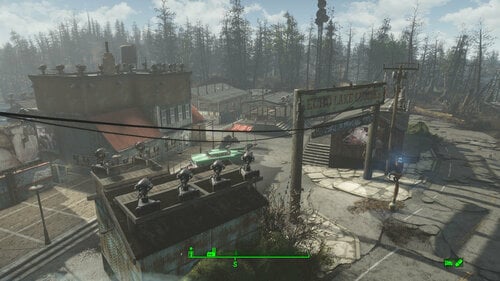
Transfer Settlements - Echo Lake Lumber Mill Redux
By msmfoster
A Transfer Settlements blueprint that transforms the dilapidated Echo Lake Lumber Mill into a viable settlement. In addition to the repairs, buildings have been added to increase defence and food production. This blueprint adds to the tourist nature of the site, which includes concession stands just outside the buildable area. Details of the Build Main building has been repaired within limits of the existing structure, maintaining the overall floorplan but transforming the attic into a usable floor. The front face of the building has been largely maintained/restored. Dedicated medical area with surgical bay and recovery ward within the main building. Added a small warehouse building that houses all workbenches. Repaired the sawmill and turned it into a gym. Added two large greenhouses in the expansive area that used to house the loading truck and wood yard. Replaced the sidewalks and added vintage cars. Replaced the barn next to the Echo Lake sign and converted the interior to a public bathroom. Added a small warehouse on the other side of the Echo Lake sign for additional turrets and defence of that area. This storage area could easily be converted into a player home. While the build looks like a working fishery and farm with tourist elements, the end effect is that the Daltons' luxury home overlooks those who work for them. That in itself is rather fitting for the site. Key Statistics 28 bunks. 150+ food. 700+ defence. 240 power. 30 water. Tier 3 Medical, Restaurant, Clothing, and General Store. Dedicated gym area. Vault-Tec drink dispenser and slot machines. Working sinks and showers. Power mostly runs through conduits to minimise visible power lines. Cat and dog included in the build. No visible glitches observed with this build. Requirements Downloadable Content Contraptions Workshop Vault-Tec Workshop Wasteland Workshop Far Harbour Enclave Remnants Hard Requirements Transfer Settlements. To import this blueprint. Scrap Everything or an equivalent. To clear out the area as per Setup Instructions. Homemaker. Primary build components for most of the settlement, decorations, furniture, and miscellaneous objects. Settlement Objects Expansion Pack. Fusion generators, railings, pool, foundation liners, cooking station, and water pumps. Note. Transfer Settlements will not add items if the mods are missing. The following are not required but will remove associated elements. Soft Requirements Craftable Working Sinks and Showers Redux. Working sinks and showers. Erotic Art. Frames and pictures used throughout. Working Fridges. Simple mod that adds working fridges, ice machines, and vending machines. Working Washer and Dryer (Immersive Laundry). Player functional laundry machines and dryers with sound effects. Nice to Have Armour and Weapon Keywords Community Resource. Additional types of workshops, namely power armour. Videos of the Wasteland. Working televisions and projectors. Standing Stones from Skyrim. Skyrim styled statues for aesthetics. Gruffydd's Signs and Posters. Billboards and signs Crazy Sex Animations. Invisible mats that make settlers happy through masturbation, done without using the Advanced Animation Framework, and additionally places assignable gurneys that increase happiness. Sex Toys of the Commonwealth. Adds the random placement of sex toys throughout. Companion Ivy. If you happen to have Ivy as a companion, one of her broadcast towers will be added in an out of the way area. Unrelated But Useful Place Everywhere. Allows you to make minor adjustments if necessary. Armour Rack Female Mannequin Fix. Fixes the armour rack to support alternate bodies like Fusion Girl. Setup Clearing the area is relatively straightforward. Clear out the area of clutter, trash, foliage, and deadfall, including the stands. For the main structure: Clean the site. Remove the entire roof structure on the attic level of the main building. Remove internal walls and railings. Remove all brickwork; it will be replaced with Homemaker variants. Remove the back walls entirely; they will be replaced with duplicated variants. Remove the walls facing the stand except for the door; they will be replaced by duplicated copies. Remove all floors, including stones. They will be replaced with Homemaker and vanilla elements. The exceptions to this are: The stairs, stairwell, and concrete steps within the main structure. The intact mid-level red roof facing the parking area. The internal wall on the lower level between the two levels of entrances. A few elements cannot be scrapped normally, in this case you will need to do the following: Go into the console. Select the object (E.g., floor pieces). Disable MarkForDelete Note. Disable first in case you selected the wrong object. In that case Enable will recover the object without consequence. Build a Transfer Settlements console from Power > Miscellaneous in between the Echo Lake sign. Note. Import should be done with Workshop Mode enabled. Tasks After Import Confirm that all power has been restored as expected. Notes on Imports Transfer Settlements recommends leaving the area after import and to not return for 1-2 game days. However, I found that saving on site always crashes the game. The easiest way to get away and save is to coc Vault111Ext from the console. Wait a couple of minutes before heading into the vault. Once you arrive at the bottom it is safe to save. I recommend that you import/export Blueprints using Stable defaults. Using other methods has caused ladders, walls, and flooring to appear without collision. In many cases the collision effects are found elsewhere leading to interesting behaviours among the NPC population, and leading to a snap back effect as you push through an area and are forced back by the invisible wall. Note. This blueprint was tested with Transfer Settlements working under Stable. Lastly Import wired power connections should always be selected as part of the import process. It will reliably re-connect all wired connections. This saves you the trouble of linking up floors, turrets, and in some cases re-establish connections for hidden or buried runs. Notes on Power and Performance These blueprints utilize ambient fill lighting to provide a pervasive glow. I use Naked Bulbs to create a lived-in atmosphere for statues, fountains, and roof voids. Warning for Dynamic Lighting Users If you use mods that turn all lights into dynamic, shadow-casting sources, the sheer number of these bulbs will severely cripple your framerate. I strongly recommend using the Transfer Settlements Blueprint Editor to strip out all instances of 306F1 before importing. Optimization for Complex Builds: Because of the heavy use of conduits to reduce visible power lines, these settlements have high object counts. To steps below may improve performance. Enable Faux Power in the Workshop Framework's workbench settings. Use the Transfer Settlements Blueprint Editor to strip all conduits from the .json file. This can reduce build complexity by up to 40% without losing the overall aesthetic of the settlement. Note. I cannot guarantee the above will work. A Special Thanks To Thank you to Caladon for creating the template that makes blueprints installable. Thank you to PiCSeL for the magazine and painting retextures seen in the screenshots. Updates Version 1.0.1 Switched to Immersive Laundry. Replaced statue with Standing Stones from Skyrim. Replaced garage doors with electric variants for a cleaner look.
182 downloads
Updated
-
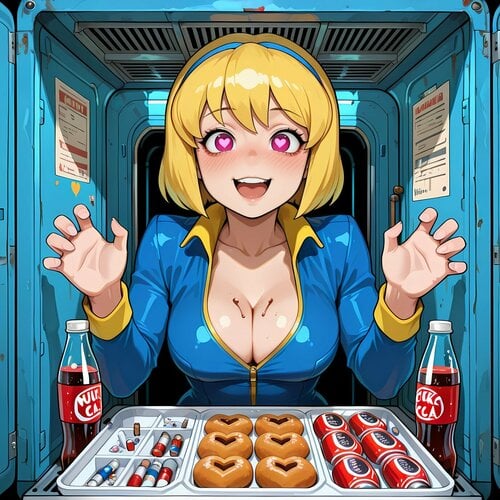
Sex Attributes Helper (now does Arousal & Willpower)
By Franco Cozzo
Ingesting, Rads, Combat, SAKR state, location + more can affect Arousal+Willpower levels.
SAKR+CSL support + Dripping/Gushing etc via Arousal value + Violate "Too Horny/Weak" Auto Surrender + Commonwealth Moisturizer (Cum) on Skin effects + Nude Modesty
(external mod/s needed (you probably have most of them already)) the only "Hard" Requirement is Sex Attributes.
Basically it breaks out the Arousal *and* Willpowers values and allows them to be modified by a heap more things (as seen in the images above and below as a wall of text).
Before you jump in
You will likely need to change sliders around to your preferences, however your playstyle will affect what you need to change, it likely is "too easy" at the current settings.
Food that adds rads will have 2 ticks, one for the food itself, and one for the radiation. Getting hit with a Radium Rifle is a similar affair, Rads + Combat arousal/willpower damage. Locations and Adrenaline and SAKR score modifiers all functioning at the same time will increase the gains/losses in each direction (unless you do an opposite), so keep all this in mind before you increase things too much.
This mod cannot "see" or change arousal gained from other mods, only what it changes itself.
List of what is available:
-All sliders can be 0'd with fair steppings (usually 0.1), so you have total control over what and what doesn't affect your pawn. Most sliders than can go negative, do, so actions can reduce arousal/willpower instead of increasing it are easy to achieve, and vice versa.
-Almost anything your character can consume, can affect their Arousal+Willpower stat, positive or negative. This is broken up into goods via formlists, zero rad food, food with rads, waters, sodas, chems, other medicines. Few certain things were ignored like the Vault 81 cure just because I don't think they matter/couldn't think of what list to put them in.
-An optional addon to add non-RobCo patcher Better Living Through Cumistry support is included (requires original mod obviously)
-Taking Rad damage can increase your characters values (direct), losing rads can decrease arousal/willpower (or vice versa, like everything)
-SAKR support so the game can detect when you are skimpy/exposed boobs/crotch, skimpy clothing has a % gain modifier, exposure gives passive gains (33% for chest exposed, 66% for crotch, 100% of passive gain rate if both). You can get the skimpy modifier at the same time as being partially nude, but when you are fully exposed the modifier stops working.
-An arousal level dripping-when-aroused type of system. Dripping, Squirting, Gushing, Cumming, Leaking Cum, CumFarting?. Modesty?? (needs mod/s below). Set your own arousal level for the effect to be equipped (its an item that gets equipped, it shouldn't get in the way).
-Cum on your skin from Commonwealth Moisturizer can change your players Arousal/Willpower.
-AAF scenes involving the player+orgasms can affect their Willpower. Arousal is already handled by Sex Attributes itself. Thanks to @Cookiemonsta234 who provided most of the code.
-When the player has an exposed top and/or bottom and the 'Covering Hands' mod is installed, the player can be combat-locked (toggle) and will cover themselves.
The options for this are as follows: Arousal Only, Semi-Nude (top or bottom missing), Nude, Semi-Nude+Arousal Rating, Fully-Nude+Arousal Rating
This can be equipped at the same time as the above animations (which only 1 will work at any given time in addition to this)
-- The mod "Perverted Mechanics" has more complete support for modesty and uses a different/conflicting animation. It is not recommended to use this covering hands support at the same time as that mod. This should not be an issue if you set the arousal value to 101 in this mod ((default)), to disable the animation being equipped from this side). That mod also has its own SAKR arousal-changing values and possibly other things that may interact here so take care to not double up to avoid problems. Both mods should operate fine with each other outside of this (I use both and recommend that for covering animations instead of this).
-Location support, so areas can alter arousal/willpower by % of what you'd be gaining (like a raider camp or a vault). It can be a little jank with updating and being accurate with what you're seeing vs where it tells you that you are. Typically needs a location change for settings to take hold. I did not manually name all these locations, they're pulling from fallout 4's base code, all I did was group them.
-Combat Arousal: on getting hit you can gain or lose arousal/willpower, depending on "what" sort of damage it was, most basic damage types covered, kills and attacks on the enemy can alter your arousal/willpower as well. Gambles and weapons have different amounts of arousal gain, amounts controllable via MCM, there is also a Maximum Arousal level which when reached you will be unable to use your weapons (of course the value can be changed).
-Your maximum arousal-to-attack limit can also trigger you to surrender to your enemies due to being too damn horny or weak willed (if you have Violate).
-Combat strip lite support : Each item stripped, add/remove X arousal/willpower
-Adrenaline ranks can affect gain/loss (survival only)
-Swimming can change your players values over time, more time spent, more effect.
-Multiplier/Gamble options exist for a heap of the sliders as well, so you could set a low value with a low chance and a large multiplier for a shock as an example
-Practically all of the basic in-game and DLC ingestible items have been listed so it should just work out of the box and not ruin anything else you have going on, plus there's an easy to use MCM. It should have robco patcher support (I created 3 extra nodes to latch onto) so anything else people want to use with it (like to add more items) should be able to use those nodes to hook onto, I dont even know if they are needed I actually don't know how to use robco, I just didn't want to create another dependency. It should work out of the box with BLTC but that is untested, as are all robco things.
The robco lists are : CustomGroup1 CustomGroup2 CustomGroup3 globals: CustomGroup1Gain CustomGroup2Gain CustomGroup3Gain
Permissions and Dev info:
Current possible known issues:
"Seems ok 2 me 4 now"
You will want to play with scoring.
The obviously required framework:
Optional but highly recommended:
SAKR for SAKR stuff
Combat Strip Lite for Combat Strip Lite Support
Better Living Through Cumistry for ingestible support
UAP for Effects when aroused |
Bad End Animation Pack (Release_BadEnd_v01_05.zip) for more effects | Possible alternates can be used with a little work for both packs
Covering Hands (Modesty TD animation edit) - may replace an existing holding-broken-arm animation
AAF Violate for "Auto-Surrender when too horny" support.
Commonwealth Moisturizer for cum hornyness/will changes
21154 downloads
- sex attributes
- arousal mods
- (and 1 more)
Updated
-
Various FO4 mods RU
By vjnmrf
Только переводы, сами моды по ссылкам ниже
Nuka Ride 6.8.6
Commonwealth Slavers 2.8.9e
Sex Attributes 2.8.0
Violate V1.60
Sex Em Up 1.19
Better Living Through Cumistry 1.09
Provocative Perks 1.11.1
Little Pawn 2.23
Triggerwoman 1.0
Эти переводы обновлять не буду
Sexual Harassment 1.20.4
Bound In Public 1.3.3
Raider Pet Tweak v0.5
Pervert – Immersive prostitution and harassment 0.1.1
13460 downloads
Updated
-
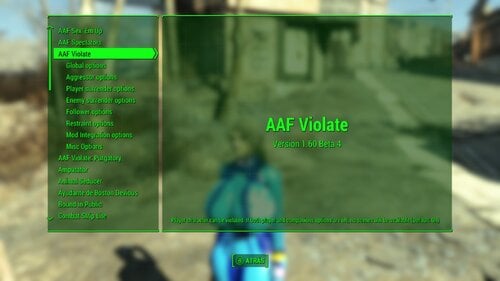
AAF_Violate_V1.61 FOMOD TRADUCCION AL ESPAÑOL
By lord mado
Buenas, una vez mas aqui con la traduccion de este increible mod.
Este mod sirve para dar etiquetas de violacion al mod AFF y a su vez te permite hacer varias cosas que van desde ser violado por NPCs hostiles o mounstros, ya sea por salud baja del jugador o por que el jugador simplemente se rindio.
Una vez los NPCs acaben de hacerte el frutifantastico te pondran dispositivos tortuosos (si es que tienes el mod instalado de dispositivos tortuosos) y un tautauje (si es que tienes instalado el mod de tatuajes despues de violacion), como recomendacion personal, no pongas en el MCM que te puedan poner mas de 3 dispositivos ya que por lo regular se ponen uno en sima de otro y esto tiende a bloquear el juego (o bueno eso pasa en mi caso).
Sumado al mod AAF Family Planning Enhanced Redux se puede conseguir una sinergia interesante al poder quedar embarazada de los NPCs hostiles.
a la vez que la violacion te causara un debuff que bajara tus estadisticas en 3 niveles (dependiendo de cuantas veces seas violado, tus estadisticas bajaran mas y la pelea contra los NPCs que te violaron o la raza del npc que te violo sera mas dificil.
Hablando un poco mas tecnico, nuevamente no pude traducir el menu de MCM, aunque mas tarde subire un archivo extra de como poner el menu en MCM en español (ojo, esto ultimo que escribo despues de descubrir como hacerlo manualmente xd)
Si desean que traduzca algun mod en especifico favor de decirmelo y con gusto lo hare gratis (ya si me quieren donar pues no les dire que no xd)
Este mod fue traducido por UNIONDOJO, y si ustedes quieren corregir los errores ya sea de coherencia o esas cosas que mencione arriba con todo el gusto pueden usar mi traduccion y modificarla.
Para que el mod funcione correctamente se necesita intalar primero el mod original el cual es:
Evidentemente con todos los requisitos que este pida, esos requisitos los puedes ver en el mod original, sin mas espero volver a verlos luego con mas mods traducidos para la comunidad y cualquier duda que pueda surgir con mucho gusto puedo ayudar a solucionarla, que tengan un exelente dia
3365 downloads
Updated
-
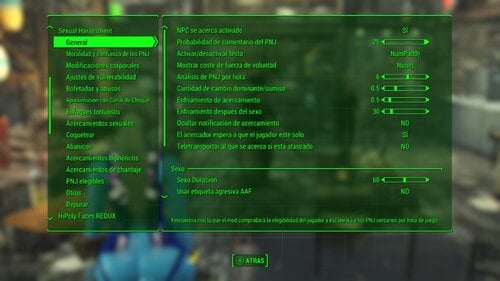
harassment SexHarassment 1.20.4 Traducción al Español, TRADUCCIÓN MEJORADA
By lord mado
Buenas, he traducido varios mods y los estare subiendo mas tarde, cabe recalcar que la traduccion fue hecha con traductores como google y deepl mas sin embargo en algunas partes que los dialogos estaban muy incoherentes ya los corregi manualmente no obstante hay cosas que se me fueron como por ejemplo "Abanico" que en realidad significa "Fan", "Gorras, Tapones, Corcholatas" que en relidad son "Chapas" pero la verdad es que por hueva no lo corregi XD
Si desean que traduzca algun mod en especifico favor de decirmelo y con gusto lo hare gratis (ya si me quieren donar pues no les dire que no xd)
Este mod fue traducido por UNIONDOJO, y si ustedes quieren corregir los errores ya sea de coherencia o esas cosas que mencione arriba con todo el gusto pueden usar mi traduccion y modificarla.
Para que el mod funcione correctamente se necesita intalar primero el mod original el cual es:
Evidentemente con todos los requisitos que este pida, esos requisitos los puedes ver en el mod original, sin mas espero volver a verlos luego con mas mods traducidos para la comunidad y cualquier duda que pueda surgir con mucho gusto puedo ayudar a solucionarla, que tengan un exelente dia
2276 downloads
Updated
-
Modern Vintage Porn for VotW
By KineKin
Context
When i looked for some nice porn to add to my Fallout via Videos of the Wasteland, i noticed that every mod i could find would either be a original vintage porn film, or some unashamed new, colorful thing. I don't like the old stuff and want the new stuff to feel a bit more grounded for my game. So i set out and made my own little thing.
What is this?
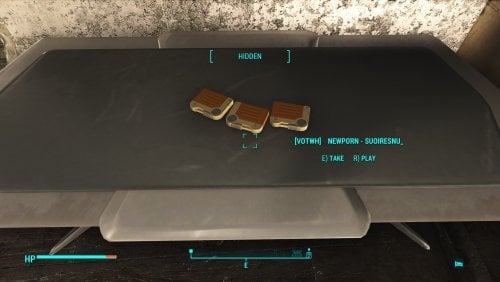
This mod adds 3 new Videos to the Videos of the wasteland holotape workbench. All are Fallout themed, and edited in a way to seem old timey by me.
The name of the holotapes include the name of the Artists, if you want to look up more
Compatibility
Compatible with everything
Bugs
Currently there are a bunch of empty Holotapes in the workbench called zautoniden that autovideo put there. You can ignore these.
Future Plans
I am planning to build upon this by adding more videos, and removing the zautoniden ones. But i don't know when i will find the time, so i wanna put the first three out there now.
If anyone know their way around Videos of the Wasteland Video creation (or autovideo), hit me up. I have questions.
And if you have cool videos that fit in this collection, link them, and i might add them.
Please tell me!
Please tell me if you like the mod. It would really mean a lot.
And if there are things I could improve you can also let me know, and maybe i can improve that.
Acknowledgments
Thank you RazorWire, Dertspovor06 and AGreatWeight for Videos of the wasteland
Thank you to TheDestroyerOfWorlds for AutoVideo.
Included videos:
The Shoop - Piper Wright Fucked After an Interview
Suoiresnu - Vault Girl
AlenAbyss - Vault Girl Standing Sex Creampied
1108 downloads
Submitted
-
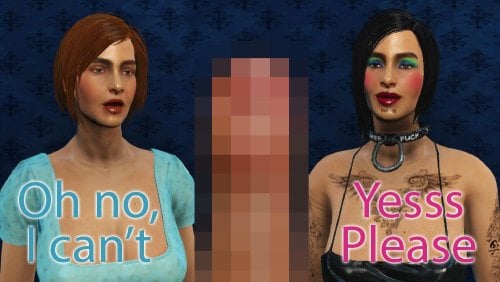
Sexual Harassment - Extended Dialogues
First of all, this mod currently in "early beta" stage, it have bugs, glitches and plushy pink rabbit (but you can't find him)
If you want a stable finished product, please wait a bit.
This mod is possible but NOT recomended for your major gameplay!
Sexual Harassment - Extended Dialogues
ESP-ESL Beta 0.1
What this mod do:
Many Player's dialogue topics was changed, depending on Sex Attributes parameters.
Sex addiction, Bohdage fetishes, Bimbo serum and other things have their own variants,
they almost don't touch outcomes, but change player's side from "Please don't touch me"
thru "Well, why not" to "Please, please, please fuck me".
Prostitute requests can be done for free as gifts for everyone or as gratitute for settlers,
max price also reduced if player have sex addiction or aroused.
Added MCM control for NPC's comments about player's boobs, butt, outfit and reputation.
You can disable "You have a great boobs" greetings, if boobs of your character is not so great
Added "Hypno master" ring and book, so you can disable approaches of random NPCs
Books can be crafted on Chem workbench or distributed by other mods or scripts
Ring can be crafted and given as gift, if you already have your Master.
Added alternative of "Fake Doctor" approach, now the "friendly" NPC gives you a bottle of wine
and then asks for "gratitude" (it still controlled by the same INT level check)
(Experimental! Still don't have all texts and possible may cause glitches)
Changed quest of Dr Neura from Sex Attributes, so you can reset your start traits
and get some other things (still not everyhing is possible)
Maybe some other things (I don't remember them all)
What this mod DON'T have (now):
Sound! This mod is not voiced and required subtitles to play.
This mod don't change scripts, it was intentionally, so no global changes in gameplay.
Fan, Collar, Butt slap and Molester approaches still not changed
but planned in next updates.
Known issues:
This is a first release, mostly as glitch finder, so any wrong or stuck dialogues and scripts
is possible, if you see them, please write about it.
Some dialogue topics still don't have full texts, only something like "Give bottle" placeholders.
I'm not from USA and don't know American "dirty" language,
so we can talk about any better variants of topics or maybe whole dialogue lines.
Wine approach and all Stereotypical Bimbo talks definitely need help.
Requirements:
Sexual Harassmet (not Plus)
Sex Attributes
MCM
All their own requirements
Possibly will be added: Real Handcuffs
Incompatibilities:
Sexual Harassment Plus
We have different ways of modding, my mod work only thru dialogues and conditions
SH+ change original scripts, but also touch some dialogues.
If you want to make a compatibility patch, feel free to do it, but it will be a long and dirty road.
Mods that add voice files required rework.
Install-Uninstall:
Better use Mod Organiser, mod can be changed and this is the best way to delete all files.
Uninstall in midgame is possible, just make shure you not save in the middle of dialogues
or before AAF scene started.
1289 downloads
Submitted
-

Leash
By Franco Cozzo
Allows you to create a virtual leash that can be carried, thrown around or given to an NPC, getting too far away from the leash will cause a shock if you are wearing a shock collar from Real Handcuffs.
-Max distance
-Chance to shock
-Stamina Only or Stamina + Damage option
-Damage+Stamina increaser/recovery options
-Time between shocks
-Grace period for being outside range
-Growing intensity shocks if outside range too long option
-Stamina-relief shock abatement option
-Collar-Free mode
-Beep frequency reducer
-Craftable Leash-Gun at the Chem Workbench
-Optional Quest Marker
-Notifier (with extra chatty debug option)
-ESL flagged
Destroy the leash (workbench or console) to disable its effect. Or maybe put it in a draw or something.
NPCs should be editable to have the Leash added to their inventory and the mod should detect it, I'm not sure how it works if they've never been loaded into the game memory before, I've only tested sending an NPC to a few settlements (including Vault 88 and above ground).
Yes, it can kill you. It should only affect the player, not NPCs.
Issues:
Do not sell the leash!
The leash isn't detected in most non-NPC containers
Untested with multiples leashes (may be exploitable/save you possibly)
The leash may slip through the ground if dropped, this depends more on the terrain mapping than the item itself.
Probably more!
Permissions:
Improve the mod (and include the source), fix the mod (and include the source), don't sell the mod (this includes farming downloads for membership (Nexus) etc).
If you're making your own mod, you're free to take whatever you want from this mod to do it, whether it is to include this inside your mod or taking chunks of the source and stripping the rest out, please just give me a shoutout or something for my own ego's sake (also DM me so I can probably use it, or post in the support to get more awareness). I didn't make this to be used as a standalone anyway, more of a resource for people to use to make other mods/improve their own.
Real Handcuffs Required
838 downloads
- bondage
- restraints
- (and 2 more)
Updated
-
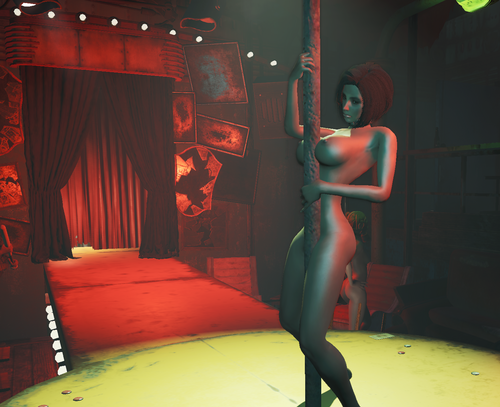
WIP BETA: Diamond City Expansion - Red Seat Slavery
By jbezorg
What started out as a personal caps drain mod ended up as this. I spent a week or so cleaning it up for LL.
I'm sure there will some things that break when others try to play through so, Beta
DO NOT UPDATE IF THIS MOD IS ACTIVE.
Known Conflicts
Any mod that edits the Diamond City cells will conflict with Diamond City Expanded unless there is a patch. If you see missing and flashing landscape and static objects, you have a conflict. You can use XEdit with your entire load order to find mods that edit Diamond City cells. I use to use Pervert and to "fix" it, I would delete the pre-combines in the mod.
Required:
Diamond City Expansion Advanced Animation Framework Real Handcuffs Kziitd Fetish Toolset Devious Devices RC9 beta ZaZOut4 Beta V.003 - There is an unfinished bad end if you get too far into debt with Red Seat District Boss Liemanto. Stripper Pole 3.2 B Includes 4 assignable Steel Poles, 1 for each of SavageCabbage's pole dancing animations. SavageCabbage's Animation Pack CWSS Redux plus DCE.esp requires CWSS. If you don't have CWSS then you don't need it. Red Seat Slavery - Stripper Poles.esp is used with Stripper Pole 3.2 B to replace the static flag poles in Diamond City Expansion
Supported:
[AAF] Sexual Harassment - If installed, you can pay off Liemanto's bodyguard, Mykola, for protection. Commonwealth Slavers or Bound in Public are necessary for the bad end.
Recommended
TSEX and TSEX Hardship Alpha Some mod that allows you to stash caps in containers. I use Greslin's Stash Those Caps. No longer available on Nexus but available on the GreslinGames Discord CWSS v4.0.1 is available at this post and here.
Integration
Bad End Purgatory - For AAF Violate to trigger Red Seat Slavery start through Bad End Purgatory, enable the copy of Bad End Purgatory that came with this mod and use these settings with the % Chance of Bad End set to your liking in AAF Violate. In AAF Violate.. Turn bad ends chance to 100%
Before Installing this mod
Make sure you have all the requirements and patches for the required mods installed Make sure they are the latest version if you already have them. This includes the optional supported mods if they are installed. Make sure they work before installing this mod. Changing the game's time scale from default ( 20 ) can mess up mods that rely on game time and this mod relies on game time
Fair warning.
Diamond City Expansion is an extensive mod covering Diamond City. Most likely it will conflict with something. Flashing geography because of conflicting pre-combines, etc.. Make sure it will work w/in your load order. DO NOT UPDATE If you've completed DCE's Grinding The Seat quest and started this mod's quests. It is possible that you can lose some of your gear permanently
How you use to complete the Diamond City Expansion quest "Grinding The Seat"
You just walked around the stripper pole in circles to have a chance to trigger a crowd response. After a certain amount of crowd reactions, the quest would be completed.
To start the "Grinding The Seat" quest. Enter the Red Seat District in Diamond City. When you enter, there's a note on the scaffolding directly to your left. Go to the strip club and ask for and accept the job. Follow Mykola to the back of the strip club where he gives you further instructions.
Now to complete the "Grinding The Seat" quest you:
Have the Player stand very close to the stripper pole and an AAF pole animation will start. Hitting the JUMP key will now have a chance to trigger a crowd response and earn extra caps. You'll hear the quest complete sound when you've completed the quest. Hitting the END ( you don't have to open the AAF menu ) key will end the AAF animation.
Once you've completed the quest:
When you exit the Red Seat District the Player be immediately shocked as a warning. As time progresses the Player will be shocked more frequently probably till dead. You are expected to earn a certain amount of caps a day while in The Red Seat District. Mykola will track you down around noon, after your shift ends, to collect the caps you earned.
Mykola has some complex dialogue options that include:
Some speech challenges will change when deep in debt. Some can result in a bad end. No, I'm not telling. To quote Sheogorath. "Why ruin the surprise" You can give a larger cut to stop Harassers while in the District. Actually it's more than you can earn w/in the District. This is a caps drain mod after all and the Player is dealing with a Mob Boss. With a speech challenge you can beg for some back. Don't do it while you deep in debt or you risk consequences.
Overall
It's a trap and a puzzle to solve. You may get the chance buy a way out after a certain amount of time. You also may get some perks.
The player is working for a Mob Boss that runs a strip club and a whore house. They're not going to let you keep a lot of caps or easily let you go. You have to find a way to remove the collar in the limited time you have outside of the Red Seat District. You keep most the caps earned outside The Red Seat District. Unless you are paying for protection and/or you go into debt.
Mykola won't unlock the collar. Not for a while anyway and the dialogue options will change over time depending on how much you go into debt.
The dialogue options will only be available when Mykola visits you around noon to collect caps. Fall too far into debt and the player will end up in a bad end.
Note:
Mykola's threat is an empty threat as long as the caps keep coming because the Player only costs the Strip Club a small corner with a dirty sleeping bag an a locker.
You will not experience a bad und until you challenge Mykola by asking to keep more of your earnings. If you are compliant and just keep handing Mykola caps you will never experience a bad end regardless of how high you debt is. Charisma will help you keep caps in this case.
You won't experience a bad end if you're earning your captors a lot of caps. Regardless of how high you debt is and Charisma score.
You can buy your freedom but the more caps you earn by dancing the more incentive the Strip Club has fore keeping the Player captive, so the cost to buying freedom is raised.
11440 downloads
Updated
-
Human Resources x Crime & Punishment - Integration Bridge
By Parley1984
Human Resources x Crime & Punishment - Integration Bridge
(Soft-Dependency Patch)
About this Patch
Have you ever wanted to seamlessly combine the intense surrender mechanics of Flashy(JoeR)'s Crime and Punishment (CAP) with the capture and enslavement system of Human Resources (HR)? This patch builds a direct, script-based bridge between both mods.
With this integration, NPCs who have surrendered via CAP's combat mechanics can now be directly captured using your HR equipment (e.g., the enslavement baton).
How it Works (The In-Game Experience)
Normally, both mods run their own independent systems for subduing enemies. This patch alters the hit-detection logic of the HR enslavement weapon.
When you strike an NPC, the script now actively checks if they are currently in a "surrendered" state triggered by CAP. If so, the NPC is smoothly processed by the Human Resources framework, just as if you had captured them through standard HR methods.
Technical Details & "Soft Dependency" Magic
One of the biggest issues with compatibility patches is the dreaded "Missing Master" CTD (Crash to Desktop) if you decide to uninstall one of the mods. This patch is built differently.
Instead of forcing a hard plugin dependency in xEdit, this patch utilizes a 100% safe, script-level "Soft Dependency" using Papyrus (Game.GetFormFromFile).
Dynamic Detection: The script dynamically searches for Flashy_CrimeAndPunishment.esp and its specific surrender keywords. No Crashes: If CAP is installed, the bridge is active. If you uninstall CAP, the Papyrus script simply returns None, bypasses the CAP checks, and your HR weapons revert to their normal vanilla behavior. No crashes, no broken save games! Initialization Check: Upon loading your game, a custom alias script will check your load order and notify you: "HR-CAP Patch: Crimes & Punishment successfully detected. Patch activated!" (Or it will warn you if CAP is missing).
Requirements
Human Resources (HR) - Hard Requirement (The patch modifies HR scripts/weapons). Crime and Punishment (CAP) - Soft Requirement (Highly recommended for the patch to actually do something, but your game won't crash if it's missing).
Installation / Uninstallation
Install via Mod Organizer 2 (MO2) or Vortex. Place the patch below both Human Resources and Crime and Punishment in your load order. Safe to install or uninstall mid-playthrough! If you remove the patch, your HR weapons will simply revert to their default, unpatched state.608 downloads
Updated
-
Stripped Surrenders
By Franco Cozzo
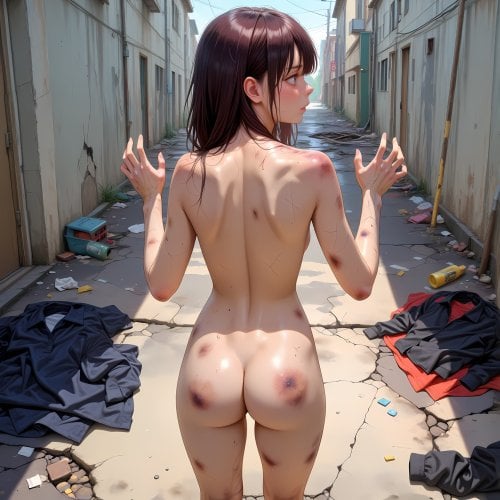
Utilising Combat Strip Lite or Skimpy Armor Keyword Resource to generate surrender events.
When your CSL or SAKR scores are at a chosen level, your character has a chance to surrender via either Sexual Harassment, Autonomy Enhanced or Violate.
Only one NPC will be fucked (unless you choose Violate), then you can run away, or kill them, whatever.
I N F O
Sexual Harassment needed a custom short Molest function built which is a little janky but at least it works. (may cause weird warping during the grope animations for non-humans or no animation for this time).
Autonomy Enhanced needs to snap to an NPC or you need to look at them. It may cause issues due to this.
Violate "just works". (should work like Violate normally does but only tested with Humans).
F E A T U R E S
-Surrender Chance (will re-roll every time the conditions are met which is every 5 seconds for distance checks and every time you are hit if you have those enabled)
-Cooldowns between surrenders/events
-Surrender Mod selector + Random (Random should still work if you are missing one of the mods)
-Distance options (for surrender + pacification)
-Optional "on hit" and "on melee hit only" during combat
-Notifier
-ESL Flagged
R E Q U I R E M E N T S all linked below
Requires Combat Strip Lite OR Skimpy Armor Keyword Resource AND at least one of the other mods (Violate, Autonomy or Harassment) to function.
You will need to make sure you have allowed the appropriate settings in the other mods MCM menus for this to work correctly (Sex Harrasment Enabled+Raiders Enabled for example).
KNOWN AND POSSIBLE ISSUES
-Choosing a mod you don't have in the MCM will probably cause issues. (Random select should be fine)
-All local NPCs/Critters in the radius will be "stupid" during the Harassment and Autonomy Scenes called by this mod.
-Only tested with all three optional mods at once, only tested with Autonomy Enhanced 2.8 (later should work as well), only tested with SexualHarassment+ (should work with the original), only tested on GOG/Oldgen version of Fallout 4
-Saving the game before the pacification has ended and loading it again is probably bad for the NPCs pacified
-And likely more!
P E R M I S S I O N S
Improve the mod (and include the source), fix the mod (and include the source), don't sell the mod (this includes farming downloads for membership (Nexus) etc).
If someone can get multiple actors working for AE and SH then please go ahead and do it.
Requires either Combat Strip Lite or Skimpy Armor Keyword Resource
And at least one of the below:
Only one of the below:
Slightly newer version in the support forum if you want to try it, if you're seeing "Violate Not Detected" this should fix that issue.
1522 downloads
Updated
-
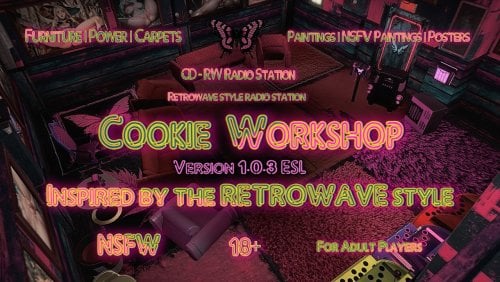
Cookie Workshop
By Cookie DLC
👋 | WELCOME ⋆.ೃ࿔🌸*:・ I present to you my first work (I'm referring to the separate workshop menu with new items).
❯❯❯❯ This mod includes some furniture (tables, chairs, sofas, armchairs, nightstands, etc.)
❯❯❯❯ Rugs (Various designs, in red and pink tones, 12 in total)
❯❯❯❯ Posters (Various sizes, with worn-out details)
❯❯❯❯ Paintings (Available in standard and adult versions, in various frames)
❯❯❯❯ Power Supply (100 kW generator and several connectors)
❯❯❯❯ The "Miscellaneous" menu contains radio receivers and amplifiers tuned to the 99.90 frequency. They play the CD-RW radio station built into this mod. To activate the radio station, you need to obtain the magazine, which is located on the workbench in the Red Rocket.
🌌 Installation: Unzip and place all contents in the Data folder, or use your favorite mod manager. The file is converted to ESL. Activate the mod and play.
You can craft a potion in the Chemistry Lab to safely remove the mod. Keep this in mind to avoid damaging your save.
☄ I'm a fan of Retrowave, Synthwave, and Retro Cyberpunk styles. I was inspired by this theme after creating the mod for the Player House. By the way, check that mod out ⤵︎
Helga HQ - Player Home (modeer Cookie - Delicious)
🏞 I finally decided to make some interior items. I might not have done too much, but I hope to continue adding new items to further expand the selection, so to speak.
(‘•.•’)? I hope you enjoy this mod. If you have any questions, please leave them in the comments; I'll try to accommodate all your suggestions or concerns.
✌︎㋡ If you liked my work, don't forget to give it a like!
♡ྀི ₊ And if you'd like to support me financially, you can do so here:
Support ( ๑ ˃̵ᴗ˂̵)و ♡
┆ ⤿ 💌 ⌗ My Discord channel. Join us, let's chat!
Thank you for your attention, ✧ *BYEEE*✧ 👋😊
960 downloads
Updated
-
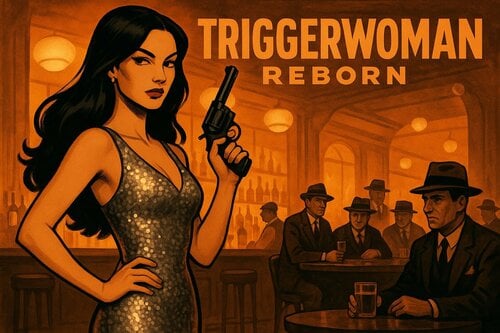
Triggerwoman Reborn
By Heinzelman
Triggerwoman Reborn
An adult mod that involves joining and working for a triggermen crew.
The Fenway Patrons:
The Old Neighborhood:
Requirements:
All DLCs
AAF and all prerequisites: look here for a very good installation Guide
My Mod has some custom XMLs for Atomic Lust and SavageCabbage Animations. So you should install these too.
Soft Compatibilites:
Easy Girl and TRS : My mod uses some outfits from them. If you dont have them, you'll get a vanilla outfit instead.
Nuka Ride : If you played it and got a new name, it will be used in my mod too.
Commonwealth Moisturizer : If installed you can use some towels or showers to remove cum.
Family Planning : With this installed, you can buy condoms and pills from Cigarette Machines in my cells. (both version of FPE should work).
Little Pawn : Some people will recognize you as Hancocks assistant if have it installed.
Personal Radio : The radio inside the Old Neighborhood Club fills the club with music. You can change the radio stations on the Radio Tuner on the pillar at the counter.
Sex Attributes : If installed, some dialog choices can in- or decrease the Player's Self Esteem and Orientation (Sub/Dom). Need to be activated in Triggerwoman Reborn MCM.
Optional Voice Files
The original Voice Files were generated entirely by AI using xVASynth and can be found in the Download Section.
There are much better Voicefiles for the NPCs created by @KinataHoru. Download them here. You still need the original one for the player voice.
General Recommendations:
As this is a beta, save often. Its also a good idea to visit DC first.
This mod is tailored to the role of a female character..
Do not use companions on the story quests. You will be teleported at some points and companions might get stuck. You will be accompanied in most of this mods story quests.
If you use CWSS, you might check this helpful post from @Krixost:
Incompatibilities
CSEP Presents All Americans 2.0 DELUXE EXPANDED EDITION - Quest Mod - It uses the same location as the Fenway Patrons.
The old Triggerwoman Mod - It has a door conflict which makes it impossible to play both mods in the same game. Luckily @Plite made a patch for it. Grab it here:
Credits:
The Artwork on this page is made by Sora AI
Thanks to:
All the great people here who shared their mods, from which I could learn a lot of things.
14882 downloads
Updated
-
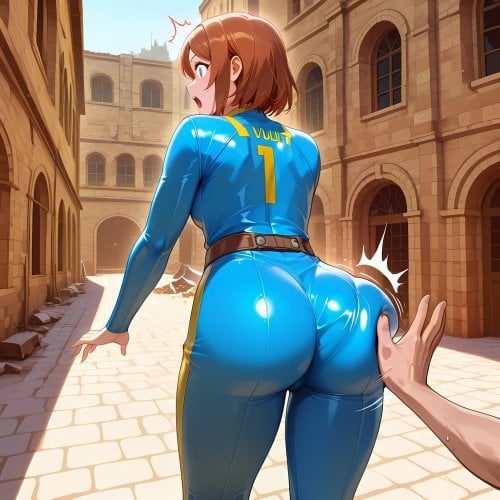
BumpStrip
By Franco Cozzo
Combining the Butt-Slap event from Sexual Harassment with a Strip Event
Amazing deep features:
- Will use Sex Harassment as its base for the strip-event (typically will unequip more than 1 item at a time)
- Optional Call to use Combat Strip Lite for the stripping events instead (so you cannot re-equip immediately after, this is the recommended way to use the mod)
- Optional Arousal gain if you have Sex Attributes installed (not hard-required for this mod, but I believe it is required for both SH versions)
- Notifier
Should work with the classic Sexual Harassment and the newer Sexual Harassment+
About Combat Strip Lite:
By default Combat Strip Lite will typically cause a knockback effect, which will cause a knockback for the player+all within a close range, so I added an optional download (CSL Edited.7z) that I personally use to solve this, note that CSL is not my mod so I cannot give any permissions from or for it. The changes for this version are as below:
- No strip-effect from Radiation Aura enemies like glowing ones and similar (possibly none from poison as well)
- No Knockback when in third-person, enemies and allies also will not be knocked back in 1st/3rd person if they are close to you.
- Only stimpaks that *you* use will let you recover
Load after Combat Strip Lite. Requires the original mod. I have only ever used the "strip" option, not the "damage armour" or the other options from CSL so I am not sure how my edits work with those modes.
Issues+Possible Issues
The same slapper cannot affect your strip status (or arousal) more than one time in a row due to how the mod is built, bouncing between two+ NPCs over and over again will work however. I don't know of any possible "clean" workarounds that wouldn't edit FPSHarassment itself.
You can use this mod without my edited version but you will likely experience the "explosion" event that occurs without it or a similar edit, which will cause your character, the butt slapper and anyone very close by to take a 0 damage knockback (default CSL behaviour).
The non-CSL stripping calls the Harassment function which is different between FPSH and FPSH+, so it may strip "too much" per slap for you on the + version.
Permissions:
Improve the mod (and include the source), fix the mod (and include the source), don't sell the mod (this includes farming downloads for membership (Nexus) etc).
You need one of the below (only tested with SH+):
You probably want :
If you want/need to restart the mod for any reason the questname is BumpStrip
stopquest Bumpstrip
resetquest Bumpstrip
startquest Bumpstrip
optionally : sqv Bumpstrip
to see if it is running.
1818 downloads
- harassment
- sakr
- (and 1 more)
Updated
-
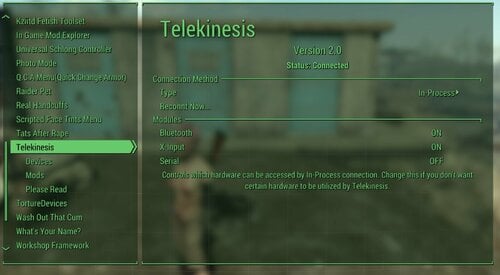
Telekinesis (Bluetooth Toy Integration for Fallout4)
By gerroth
Brings native support for naughty devices (bluetooth or others) to Fallout 4.
Some of you might already know my Bluetooth Toy Integration for Skyrim, this is finally the version for Fallout4.
This is some first preview, I wanted to release early, so you guys can test it, configuration formats etc. are not stable yet. Currently, bone tracking should work with FusionGirl, CBBE and BodyTalk and Superhero Bodies (untested). You can add support for other bodies, by replacing HumanMale/HumanFemale files in F4SE/Telekinesis/Races/ if you know the bones.
Features:
This mod controls IRL strokers, vibrator based on in-game things (DD vibrator events, AAF Animations...). It includes some sophisticated bone/mesh monitoring to move things like strokers in sync with actual mesh collisions >Demo-Video< THIS IS AND ALWAYS WILL BE EXPERIMENTAL, I DO NOT TAKE ANY RESPONSIBILITY IF YOU USE IT ON YOUR BODY Devious Devices Integration Entirely configurable through json (if animations don't work, or you want different behavior, edit the JSON actions or events)
Dependencies:
Address Library for F4SE Mod Configuraiton Menu AAF 1.7 or higher (Optional) Devious Devices (Optional)
1469 downloads
Updated
-
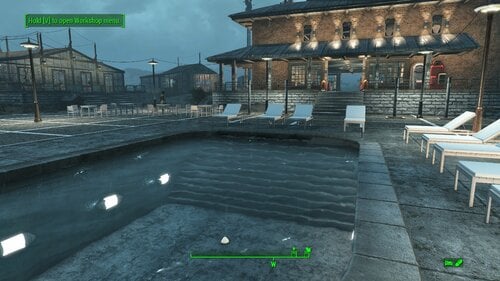
Spectacle Island Resort and Cabaret
By msmfoster
A Transfer Settlements blueprint that aims to make Spectacle Island usable and productive. It creates a series of luxury cabins, adds jetties, a greenhouse, and a central building housing shops and a cabaret-style floor that works nicely with singing settlers. This mimics the look of resorts that were popular during the fifties and sixties. Details on the changes below: Adds several cabins of various sizes with independent power and defences. Pool area with poolside bar. Large greenhouse with defences and lighting. Two-story building built on the ruins of the large house. Features a wrap-around balcony, featuring four tier 3 stores, full kitchen, and a cabaret-style club. Visitor jetty with a ferry to take people across. Large two-building jetty with a dedicated gym, storage, and docked fishing trawlers. Rebuilt shed using the existing footprint. Settlement Features 32 bunks. 160+ food. 800+ defences. 360 power. 120 water. Tier 3 Medical, Restaurant, Clothing, and General Store. Dedicated gym area. Vault-Tec drink dispenser and slot machines. Working sinks and showers. Power mostly runs through conduits to minimise visible power lines. Pool area, jetty, and greenhouse serve primarily to flatten the terrain. There is a door leading into the area under the pool area in case a settler gets lost. Settlers appear able to move freely, with some difficulty observed on the cabaret's second level. Cat and dog included in the build. No visual glitches observed from this build. Requirements Downloadable Content Contraptions Workshop Vault-Tec Workshop Wasteland Workshop Far Harbour Enclave Remnants Hard Requirements Transfer Settlements. To import this blueprint. Scrap Everything or an equivalent. To clear out the area as per Setup Instructions. Homemaker. Primary build components for most of the settlement, decorations, furniture, and miscellaneous objects. Settlement Objects Expansion Pack. Fusion generators, railings, pool, foundation liners, cooking station, and water pumps. Note. Transfer Settlements will not add items if the mods are missing. Mods listed below are not required but will remove associated elements. Soft Requirements Craftable Working Sinks and Showers Redux. Working sinks and showers. Singing Settler. Stage and performer in the pub and some flooring. Erotic Art. Frames and pictures used throughout. Working Fridges. Simple mod that adds working fridges, ice machines, and vending machines. Working Washer and Dryer (Immersive Laundry). Player functional laundry machines and dryers with sound effects.
Nice to Have Stripper Pole. Adds assignable stripper poles for the cabaret. Armour and Weapon Keywords Community Resource. Additional types of workshops, namely power armour. Videos of the Wasteland. Working televisions and projectors. Invisible Furniture. Adds invisible markers that are used as idles for settlers and pets. Gruffydd's Signs and Posters. Billboards and signs. Crazy Sex Animations. Invisible mats that make settlers happy through masturbation, done without using the Advanced Animation Framework, and additionally places assignable gurneys that increase happiness. Sex Toys of the Commonwealth. Adds the random placement of sex toys throughout. Bad Dragon Dildos. Adds more extreme dildos throughout. Companion Ivy. If you happen to have Ivy as a companion, one of her broadcast towers will be added in an out of the way area. Unrelated But Useful Place Everywhere. Allows you to make minor adjustments if necessary. Armour Rack Female Mannequin Fix. Fixes the armour rack to support alternate bodies like Fusion Girl. Setup Clearing the area is relatively straightforward. Remove brush, garbage, rubble, and buildings in the area demarcated: Starting from the boat shed and deck near the fast travel point. Ending at the red boat with a medical kit. Scrap the other boats surrounding it. Ending at the entry onto the beached container ship. To two-level hut in the wooded area along the ridge. Make sure to preserve: The boat shed itself, getting rid of the surrounding dock and deck. Preserve the concrete foundation border surrounding the shed with a greenhouse addition. The rest will be re-introduced as standard elements. Build a Transfer Settlements console from Power > Miscellaneous right in front of the greenhouse/garage combination. Note. Import should be done with Workshop Mode enabled. Tasks After Import No additional requirements other than to confirm that all power has been restored as expected. Want to have permanent bikini-clad settlers hanging around the pool? Do the following: Position yourself at a prime location by the pool. E.g., right by the showers. From the console type: Player.PlaceAtMe 20593 5 This will spawn five settlers. Want to change a NPC? From the console select the NPC and type: recycleactor Using something like Crazy's Muli-tool, strip the NPC, and open their inventory to add in appropriate clothing. Additionally you can do it from the console. Repeat the above for more settlers using the idles. The above will not increase your settler population nor effect settler happiness. Notes on Imports Transfer Settlements recommends leaving the area after import and to not return for 1-2 game days. However, I found that saving on site always crashes the game. The easiest way to get away and save is to coc Vault111Ext from the console. Wait a couple of minutes before heading into the vault. Once you arrive at the bottom it is save to save. I recommend that you import/export Blueprints using Stable defaults. Using other methods has caused ladders, walls, and flooring to appear without collision. In many cases the collision effects are found elsewhere leading to interesting behaviours among the NPC population, and leading to a snap back effect as you push through an area and are forced back by the invisible wall. Note. This blueprint was tested with Transfer Settlements working under Stable. Lastly Import wired power connections should always be selected as part of the import process. It will reliably re-connect all wired connections. This saves you the trouble of linking up floors, turrets, and in some cases re-establish connections for hidden or buried runs. A Special Thanks To Thank you to Caladon for creating the template that makes blueprints installable. Thank you to PiCSeL for the magazine and painting retextures seen in the screenshots. Updates Version 1.0.2 Boats are now properly imported. Added warehouse floor on the first floor of the cabaret. Version 1.0.1 Added an electric door for the garage attached to the greenhouse. Repaired the electrical systems within the bunk houses. Fixed cases where imports could break the power distribution entirely. Added immersive laundry. Boats are now part of the blueprint. They no longer need to be preserved and placed after import.546 downloads
Updated
-
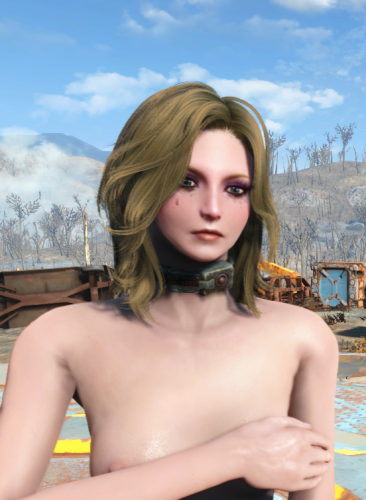
Perverted Electrics
By Samhsay
This is a small add-on for Real Handcuffs. It allows you to reduce sexual arousal with electric shocks. Each shock slightly reduces dominance, and the submissive character will become aroused by the shocks. The reverse mechanic is also available. Electric shocks to NPCs increase dominance and arouse the dominant character.
HARD REQUIRES
Real Handcuffa
Sex Attributes
SOFT REQUIRES
Scripted Face Tints
KNOWN ISSUES
It seems that sometimes a hit applies the effect multiple times, which can cause a stat spike. I recommend setting the Dominance change values very low. Otherwise, one hit can make you a slave.
FUTURE PLANS
In the future, I want to add reactions from others to the heroine's sadism or masochism. But to do that, I need to understand how the dialogue works. I think I need to look at the Sexual Harassment code. There was a reaction to Devious Devices.
1076 downloads
Updated
-
Fusion girl's non realistic skin
By kziitd
Personal taste of fusion girl skin
All the textures (_d) have been color adjusted, so I don't think it is suitable for other matching, unless you are familiar with the image software, you can try to unify the hue yourself
The head is 1K and the body 4K
-------------
Thanks to the author of fusion girl
Zaz and TheBottomhoodofSteel
Thanks to all the authors of skin mod I downloaded
I can't remember which ones I used to color and modify, so I'm sorry.
--------------
For the sake of simplicity
Download the latest version directly to replace all
162505 downloads
Updated
-
Comic Crafting (for PiCSeL's Standalone/Spicy Periodicals)
By Franco Cozzo
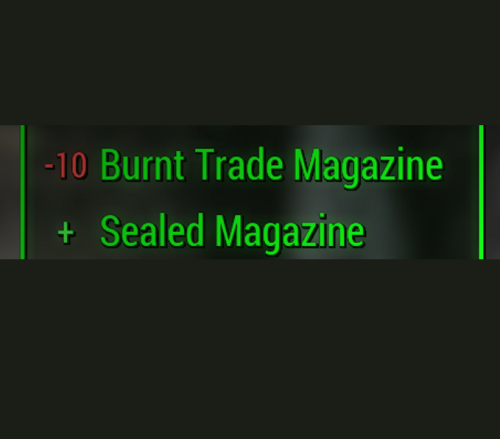
Allows you to turn Burned Grognak/Manta-Man/Unstoppables comics or Burned Trade/Lifestytle/Fashion magazines into a random comic from PiCSeL's Standalone Custom Magazines and/or Picsel's Spicy Periodicals at any Chemistry Workbench so now you have a reason to collect/hold onto them (outside of them being worth 1 cap and weighing nothing).
Simple mod, you craft an Aid item at the Chem Workbench, then you "consume" the item and it gives you a random Picsel comic/mag.
Two versions for each, requiring either 4 or 10 of the same burned magazine/comic to make a new one. Both versions are in their respective zip files, use only one at a time (4 or 10, you can use both crafting mods at the same time). The magazine you get is random from the mod, it doesn't matter what you used to make it. All are esl-flagged.
10 seems to make the most sense thematically, but 4 makes the most sense for rarity/fun balance (I play with SKK loot reduction so they're all much less common for me). I found while testing if you use the created item too fast it seems to fail to work, or at last fail to show on the screen, so while you can create them in stacks, try not to "consume" them rapidly in succession.
Standalone Custom Magazines category is "Magazine Crafting 1"
Spicy Periodicals category is "Magazine Crafting 2"
Standalone Custom Magazines uses : ComicCrafting(PicSels)v2.7z
Spicy Periodicals uses : PicselsSpicyPeriodicalsCraft.7z
Permissions:
Do what you want with it, just no Nexus. I'll probably keep this updated if I'm still playing Fallout 4 and the two mods get updated otherwise I won't care anyway.
Obviously requires their base mods:
If you want to test it without trying to find the burned magazines:
Do " player.additem 00132974 10 ", where 00132974 is the item you want to add and 10 is the amount
00132974 (Manta-Man)
00132977 (Grognak)
00132979 (Unstoppables)
0019569E (trade)
0019569F (lifestyle)
001956A0 (fashion)
515 downloads
Updated
-
Picsel's Spicy Periodicals
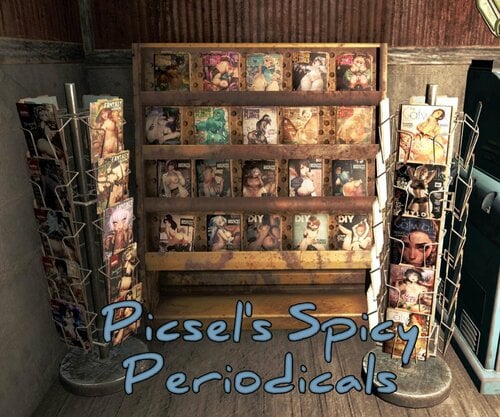
By spicydoritos
A collection of new adult magazines, dynamically placed into the game world.
Picsel’s Spicy Periodicals
In the world this mod represents, our sporadic moral discomfort with sexualized advertising would seem hilariously antiquated. Nora’s society had long since progressed the trend to its obvious conclusion. Coupled with the tacit approval of a government desperate for future soldiers, advertising and erotica became essentially synonymous. From suggestive poses, to explicit nudity, to outright intercourse, a flood of indecent marketing fueled the era’s consumer frenzy. No surprise that even publishers of ostensibly non-sexual magazines should succumb to the trend. For a culture so awash in salacious imagery, the merest whiff of prudishness might tar an otherwise upstanding corporation as communist sympathizers.
Main Features
This mod adds over 270 brand new, adult-themed magazines to the Commonwealth. These aren’t intended to be porno mags. Rather, most are everyday hobby, lifestyle, and fantasy periodicals with explicit cover art and themes. All covers were crafted exclusively for this mod by the brilliant @picsel, whose other work may be familiar to LL users already.
You can find the magazines in one of two ways: in containers via script-injected leveled lists, or dynamically placed in the open world as you explore. MCM settings let you adjust the drop rates for both methods. No cells were edited in the making of this mod. No vanilla records were overwritten. Cross-mod compatibility should be nearly universal. Last but not least, the plugin is esl-flagged for ease of inclusion in mod-heavy game profiles.
The Magazines
Q&A
Modder Notes
Hard Requirements
-Vanilla Fallout 4
-MCM
Thanks and Credits
All thanks go to @picsel, co-author of the mod and creator of all magazine covers contained herein. If you like this style of content, I heartily recommend his array of other magazine replacers.
Permissions
Feel free to re-post, re-host, patch, translate, and/or incorporate any portion of this mod (including scripts, plugin, and visual assets) into your own mods as long as the result is freely available and not paywalled. Just give credit back to the authors and the original LL post. No support offered for sites outside of LL.
26288 downloads
Updated
-
Transfer Settlements - Dalton Fisheries and Farm
By msmfoster
A Transfer Settlements blueprint that raises Dalton Farm to the level one would expect of a family that owned most of the island. The site is transformed into a blend of commercial and tourist elements yielding high defence, population, and food generation.
Details of the Build Two-storey home built atop the cliffs overlooking the water. This provides medical facilities, a gym, and houses a club featuring a singing settler. Small galley-style kitchen in the main home. The dilapidated homes near the road have been replaced with viable commercial spaces: a general store/clothing shop combination and a dedicated barber shop. This is also conveniently right by the default fast travel point. The rocky area by the road skirting the buildable area now fits two inline greenhouses. The beach area now supports an expanded dock area with three long shacks for bunks. Bathroom facilities on the jetty for settlers. The outside looks like a fishing shack, but inside Institute wall and floor pieces are used to create a sterile look. Cobblestone floor pieces have been added over the rocky area bordering the beach. This provides additional pathing for the settlers to make their way back and forth. While the build looks like a working fishery and farm with tourist elements, the end effect is that the Daltons' luxury home overlooks those who work for them. That in itself is rather fitting for the site. Key Statistics 38 bunks. 125+ food. 750 defence. 300 power. 60 water. Tier 3 Medical, Restaurant, Clothing, and General Store. Dedicated gym area. Vault-Tec drink dispenser and slot machines. Working sinks and showers. Power mostly runs through conduits to minimise visible power lines. Cat and dog included in the build. No visible glitches observed with this build. Requirements Downloadable Content Contraptions Workshop Vault-Tec Workshop Wasteland Workshop Far Harbour Enclave Remnants Hard Requirements Transfer Settlements. To import this blueprint. Scrap Everything or an equivalent. To clear out the area as per Setup Instructions. Homemaker. Primary build components for most of the settlement, decorations, furniture, and miscellaneous objects. Settlement Objects Expansion Pack. Fusion generators, railings, pool, foundation liners, cooking station, and water pumps. Note. Transfer Settlements will not add items if the mods are missing. The following are not required but will remove associated elements. Soft Requirements Craftable Working Sinks and Showers Redux. Working sinks and showers. Erotic Art. Frames and pictures used throughout. Working Fridges. Simple mod that adds working fridges, ice machines, and vending machines. Working Washer and Dryer (Immersive Laundry). Player functional laundry machines and dryers with sound effects. Singing Settler. Stage and performer in the pub and some flooring. Nice to Have Armour and Weapon Keywords Community Resource. Additional types of workshops, namely power armour. Videos of the Wasteland. Working televisions and projectors. Invisible Furniture. Adds invisible markers that Dogmeat and settlers can use for basic actions. Gruffydd's Signs and Posters. Billboards and signs Crazy Sex Animations. Invisible mats that make settlers happy through masturbation, done without using the Advanced Animation Framework, and additionally places assignable gurneys that increase happiness. Sex Toys of the Commonwealth. Adds the random placement of sex toys throughout. Companion Ivy. If you happen to have Ivy as a companion, one of her broadcast towers will be added in an out of the way area. Unrelated But Useful Place Everywhere. Allows you to make minor adjustments if necessary. Armour Rack Female Mannequin Fix. Fixes the armour rack to support alternate bodies like Fusion Girl. Setup Clearing the area is relatively straightforward. Remove clutter, trash, foliage, and deadfall. Be careful when clearing out rocks along the beach; when removing a cluster near the radioactive barnacles, there's an off-coloured rock that is actually part of the supporting cliff the house will be built upon. Note There are several radioactive barnacle traps on the beach with two being located at the end of the existing dock by the settlement workshop. Sometimes the effects will not dissipate and harm settlers. To stop this from happening, scrap them entirely, and be sure to be on god mode while doing so. A few elements cannot be scrapped normally, in this case you will need to do the following: Go into the console. Select the object (E.g., fringes, trunking). Disable MarkForDelete Note. Disable first in case you selected the wrong object. In that case Enable will recover the object without consequence. Build a Transfer Settlements console from Power > Miscellaneous in front of the settlement workshop. Note. Import should be done with Workshop Mode enabled. Tasks After Import Confirm that all power has been restored as expected. Notes on Imports Transfer Settlements recommends leaving the area after import and to not return for 1-2 game days. However, I found that saving on site always crashes the game. The easiest way to get away and save is to coc Vault111Ext from the console. Wait a couple of minutes before heading into the vault. Once you arrive at the bottom it is safe to save. I recommend that you import/export Blueprints using Stable defaults. Using other methods has caused ladders, walls, and flooring to appear without collision. In many cases the collision effects are found elsewhere leading to interesting behaviours among the NPC population, and leading to a snap back effect as you push through an area and are forced back by the invisible wall. Note. This blueprint was tested with Transfer Settlements working under Stable. Lastly Import wired power connections should always be selected as part of the import process. It will reliably re-connect all wired connections. This saves you the trouble of linking up floors, turrets, and in some cases re-establish connections for hidden or buried runs. Notes on Power and Performance These blueprints utilize ambient fill lighting to provide a pervasive glow. I use Naked Bulbs to create a lived-in atmosphere for statues, fountains, and roof voids. Warning for Dynamic Lighting Users If you use mods that turn all lights into dynamic, shadow-casting sources, the sheer number of these bulbs will severely cripple your framerate. I strongly recommend using the Transfer Settlements Blueprint Editor to strip out all instances of 306F1 before importing. Optimization for Complex Builds: Because of the heavy use of conduits to reduce visible power lines, these settlements have high object counts. To steps below may improve performance. Enable Faux Power in the Workshop Framework's workbench settings. Use the Transfer Settlements Blueprint Editor to strip all conduits from the .json file. This can reduce build complexity by up to 40% without losing the overall aesthetic of the settlement. Note. I cannot guarantee the above will work. A Special Thanks To Thank you to Caladon for creating the template that makes blueprints installable. Thank you to PiCSeL for the magazine and painting retextures seen in the screenshots. Updates Version 1.0.1 Switched to Immersive Laundry. Added a fishing vessel at the end of the jetty. Removed trading post.221 downloads
- transfer settlements
- far harbour
- (and 1 more)
Updated
-
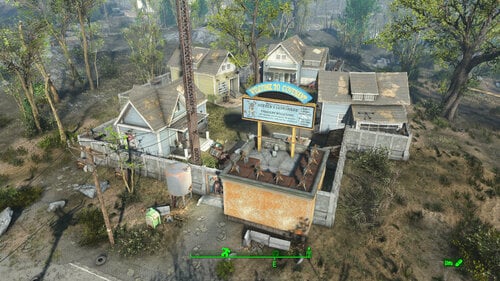
Transfer Settlements - Covenant Build-a-Home
By msmfoster
A Transfer Settlements blueprint that preserves most of Covenant while increasing defence, space utilisation, and adds a washroom facility. The concept is that Covenant once served as show homes for a local builder. This explains the high density of houses, proximity to roads, and the fence. Details on this build: Three homes have been converted to maximise bunk utilisation. General store building now supports a tier 3 Restaurant, General Store, and Medical. Guard area and section of the wall removed to create washroom facilities. Sharp increase in turret stands for an all-around defensive. Addition of a clothing and armour store under the balconies. The weapons store is located outside by the main bunkhouse. Power poles are maintained due to inability to scrap associated lines. Power between buildings routes using them to maintain the look and feel. Dedicated picnic area for settlers to lounge. Settlement Features 20 bunks. 70+ food. 365+ defences. 180 power. 30 water. Tier 3 Medical, Restaurant, Clothing, Armour, Weapons, and General Store. Dedicated gym nook. Vault-Tec drink dispenser and slot machines. Working sinks and showers. Power mostly runs through conduits to minimise visible power lines. Cat and dog included in the build. May be mild glitching when entering and leaving the bathroom. Requirements Downloadable Content Far Harbour Contraptions Workshop Vault-Tec Workshop Wasteland Workshop Enclave Remnants Hard Requirements Transfer Settlements. To import this blueprint. Scrap Everything or an equivalent. To clear out the area as per Setup Instructions. Homemaker. Primary build components for most of the settlement, decorations, furniture, and miscellaneous objects. Settlement Objects Expansion Pack. Fusion generators, railings, pools, foundation liners, cooking station, and water pumps. Note. Transfer Settlements will not add items if the mods are missing. Mods listed below are not required but will remove associated elements. Soft Requirements Craftable Working Sinks and Showers Redux. Working sinks and showers. Erotic Art. Frames and pictures used throughout. Working Fridges. Simple mod that adds working fridges, ice machines, and vending machines. Working Washer and Dryer (Immersive Laundry). Player functional laundry machines and dryers with sound effects. Nice to Have Videos of the Wasteland. Working televisions and projectors. Invisible Furniture. Adds invisible markers that are used as idles for settlers and pets. Gruffydd's Signs and Posters. Billboards and signs. Crazy Sex Animations. Invisible mats that make settlers happy through masturbation, done without using the Advanced Animation Framework, and additionally places assignable gurneys that increase happiness. Sex Toys of the Commonwealth. Adds the random placement of sex toys throughout. Bad Dragon Dildos. Adds more extreme dildos throughout. Unrelated But Useful Place Everywhere. Allows you to make minor adjustments if necessary. Armour Rack Female Mannequin Fix. Fixes the armour rack to support alternate bodies like Fusion Girl. Setup Clearing the area is relatively straightforward. Clear the homes of furniture and fixtures with exception of long bar and smaller variant facing the wall. See section below to clear out the terminal. Remove the white picket fence, clutter, and hedge within the compound. See section below to clear out the turret stands. Remove the guard area and single section of wall behind it. * Remove the Covenant sign, as a new one will be built above the washrooms. Clear out the outer perimeter of trash. Make sure to keep the following: The large tree in the centre of the compound. The power poles and lines. If you have Companion Ivy installed remove the one closest to the Covenant sign. A few elements cannot be scrapped normally, in this case you will need to do the following: Go into the console. Select the object (E.g., fringes, trunking). Disable MarkForDelete Note. Disable first in case you selected the wrong object. In that case Enable will recover the object without consequence. Build a Transfer Settlements console from Power > Miscellaneous in front of the largest tree. Note. Import should be done with Workshop Mode enabled. Tasks After Import No additional requirements other than to confirm that all power has been restored as expected. Notes on Imports Transfer Settlements recommends leaving the area after import and to not return for 1-2 game days. However, I found that saving on site always crashes the game. The easiest way to get away and save is to coc Vault111Ext from the console. Wait a couple of minutes before heading into the vault. Once you arrive at the bottom it is safe to save. I recommend that you import/export Blueprints using Stable defaults. Using other methods has caused ladders, walls, and flooring to appear without collision. In many cases the collision effects are found elsewhere leading to interesting behaviours among the NPC population, and leading to a snap back effect as you push through an area and are forced back by the invisible wall. Note. This blueprint was tested with Transfer Settlements working under Stable. Lastly Import wired power connections should always be selected as part of the import process. It will reliably re-connect all wired connections. This saves you the trouble of linking up floors, turrets, and in some cases re-establish connections for hidden or buried runs. Notes on Power and Performance These blueprints utilize ambient fill lighting to provide a pervasive glow. I use Naked Bulbs to create a lived-in atmosphere for statues, fountains, and roof voids. Warning for Dynamic Lighting Users If you use mods that turn all lights into dynamic, shadow-casting sources, the sheer number of these bulbs will severely cripple your framerate. I strongly recommend using the Transfer Settlements Blueprint Editor to strip out all instances of 306F1 before importing. Optimization for Complex Builds: Because of the heavy use of conduits to reduce visible power lines, these settlements have high object counts. To steps below may improve performance. Enable Faux Power in the Workshop Framework's workbench settings. Use the Transfer Settlements Blueprint Editor to strip all conduits from the .json file. This can reduce build complexity by up to 40% without losing the overall aesthetic of the settlement. Note. I cannot guarantee the above will work. A Special Thanks To Thank you to Caladon for creating the template that makes blueprints installable. Thank you to PiCSeL for the magazine and painting retextures seen in the screenshots. Updates Version 1.0.1 Added washer and dryer from Immersive Laundry. Ensured turret stands were all from homemaker for easier import.211 downloads
Updated
![More information about "[竹记翻译]Christianity Mod基督教"](https://static.loverslab.com/screenshots/monthly_2026_10/OIP-C.thumb.webp.db3e5c8067e16ca816e84a3263cc4f6b.webp)
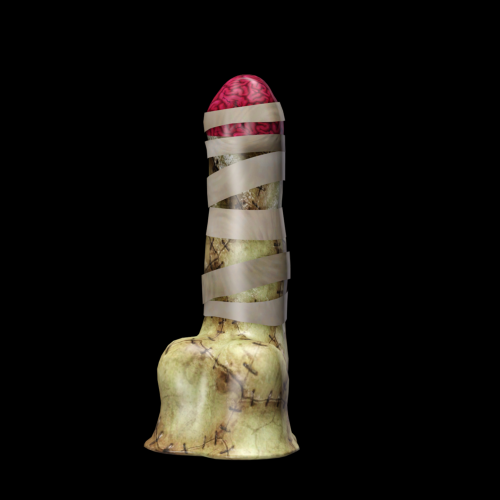
![More information about "[XCL] [0.25.9] Beyond Bliss Club"](https://static.loverslab.com/screenshots/monthly_2026_10/BeyondBlissClubicon.thumb.webp.d51d5506137df9470baea16fa9db14bb.webp)

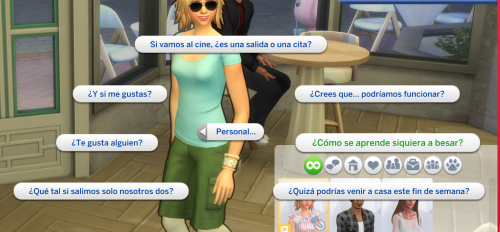
![More information about "[XCL] [0.25.9] Palais Royale"](https://static.loverslab.com/screenshots/monthly_2026_08/Screenshot2026-08-2721_28_29.thumb.png.cb7226b03283653c53cf0071d230d011.png)
![More information about "HL_Maids — Maid Career [18+]"](https://static.loverslab.com/screenshots/monthly_2026_06/1.thumb.jpeg.48cdd3c1ce270cb8330c3bbb42dc0d53.jpeg)
![More information about "[竹记翻译]Sketchy全家桶"](https://static.loverslab.com/screenshots/monthly_2026_08/goldforfavors.thumb.png.1d17609bf4b01fc6fd382ff9b5cae597.png)