

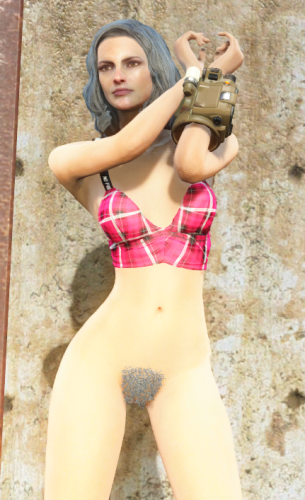
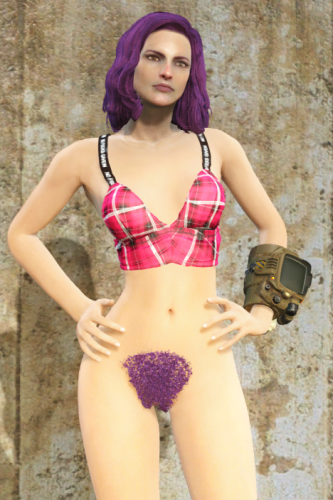
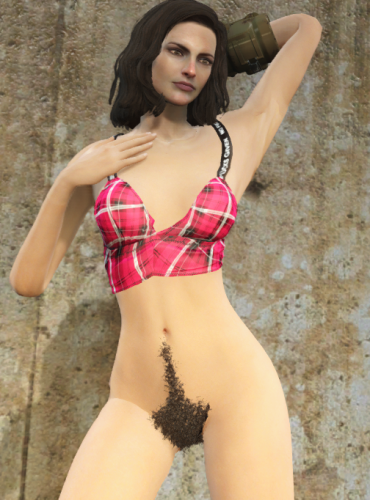
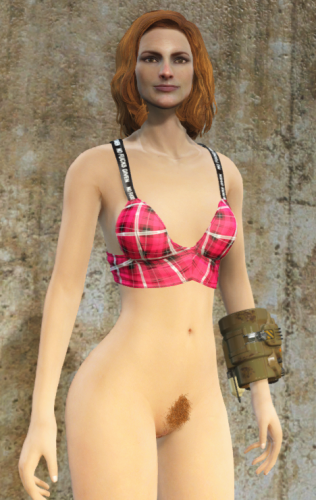
About This File
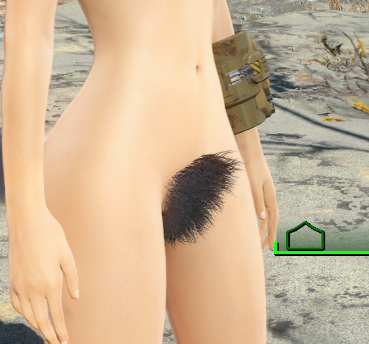
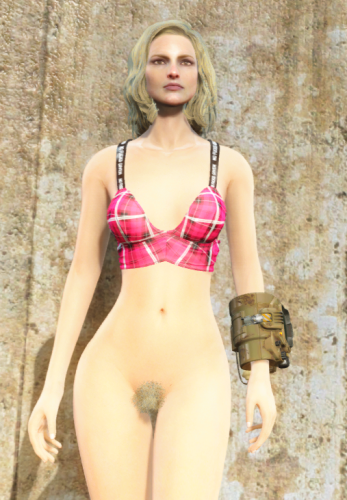
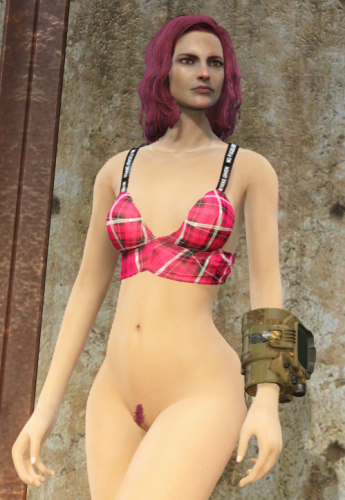
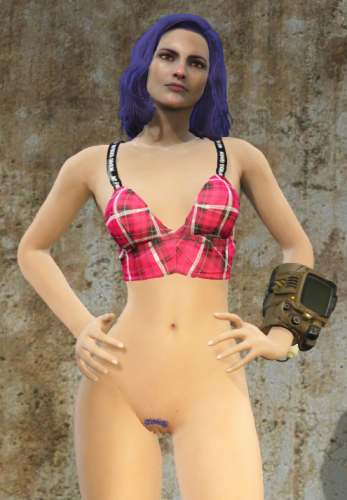
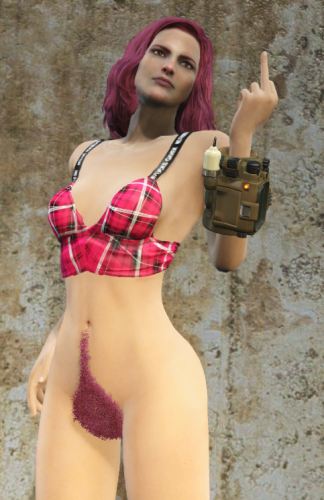
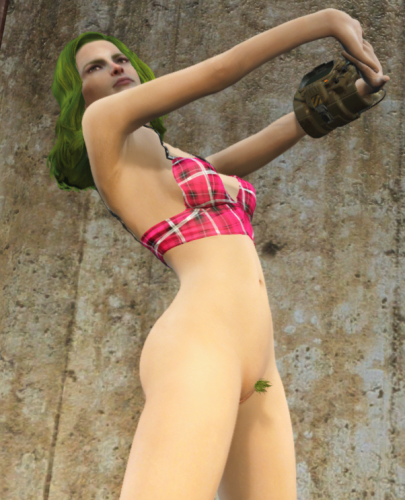
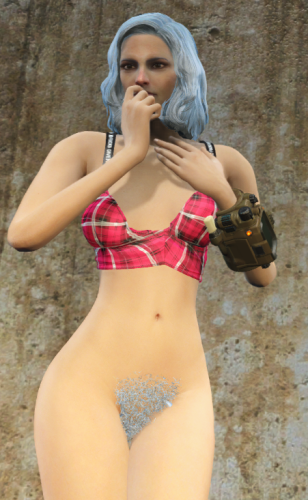
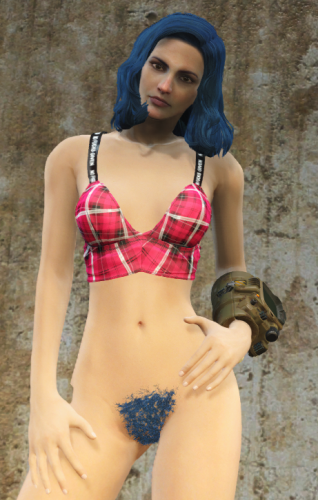
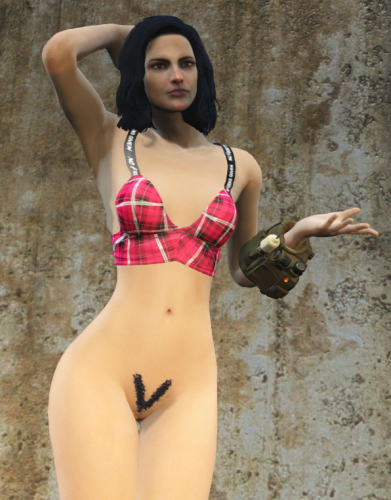
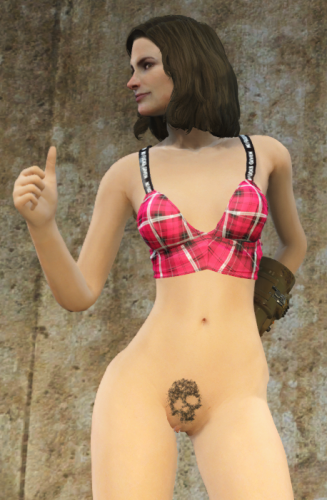
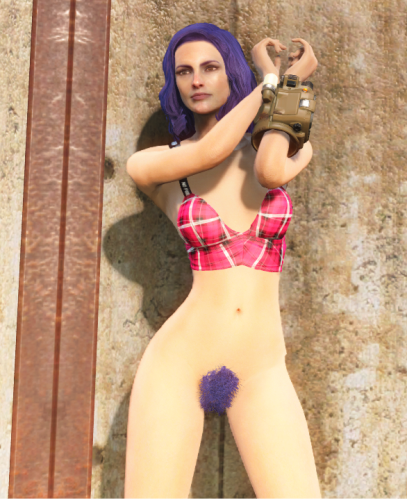
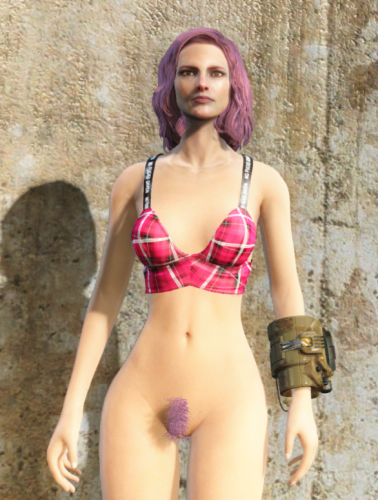
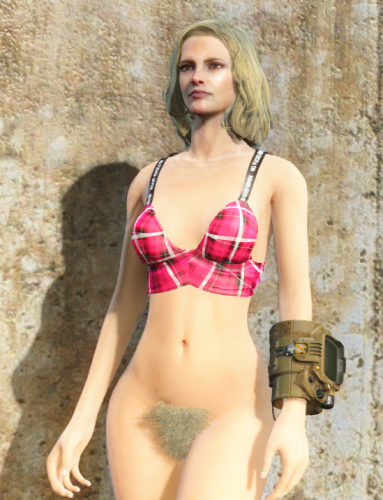
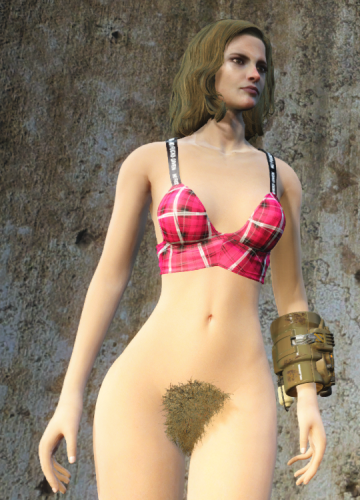
Muff Fluff - Dynamic 3D Pubic & Armpit Hair for Fallout 4
For Fusion Girl or CBBE
Also With or Without Creation Club requirement.
ONLY DOWNLOAD ONE VERSION OF THE MOD FROM THE MEGA LINK
Ever notice that every woman in the Commonwealth seems to have unlimited access to razors or waxing, despite those luxuries being gone for 200 years?
Muff Fluff fixes that.
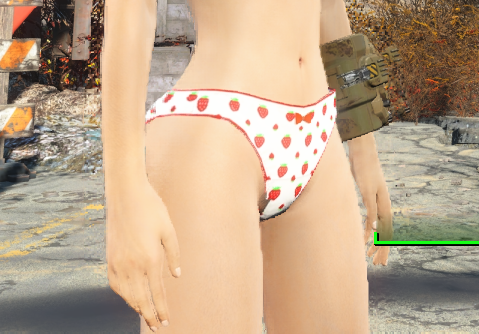
This mod adds dynamic pubic hair to the female player and NPCs. Hair appears when the relevant area is exposed and disappears when it's covered by clothing. Everything happens automatically during gameplay.
No baked-in NPC edits. No manually patching hundreds of NPCs. No separate versions of the same character.
Strip someone down and the hair appears.
Put their clothes back on and it disappears.
Simple.
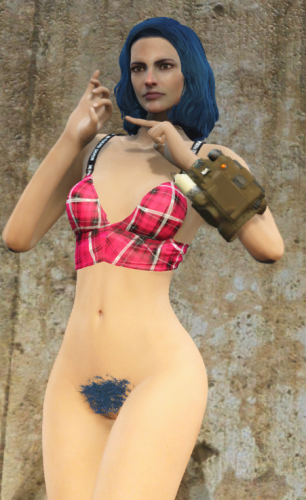
Because the hair is implemented through HeadParts Extended, it automatically matches the actor's hair color.
The curtains match the drapes every time.
Tested and fully compatible with AAF animations without any weird stretching or distortion.
*****This is Developed for OLD GEN. This was developed for the Fusion Girl Body.*****
*****At least one user has said he's running AE and it works perfectly for him. Take that for what its worth.*****
*****Make sure you have all requirements.*****
*****Might require a new save, probably at least a new cell to get the scanning to work.*****
*****Make sure you build the meshes in BodySlide after installing*****
*****Creation Club Content is Optional*****
*****Now With Hotkeys!!*****
Updating From an Older Muff Fluff Version
Version 2.0 is designed to update existing saves. A new game is not required.
Install the new version directly over the previous version and overwrite the old files.
Do not uninstall Muff Fluff, just load and save without it, and then reinstall.
As always, make a backup save before updating a scripted mod.
What's Different in 2.1?
Basically, I added customizable hotkeys so you can change the pubic hair style or armpit hair style of an NPC without going into the MCM. Just put them under your crosshair and hit the hotkey.
What's Different in 2.0?
The underlying system has been completely rewritten.
Previous versions periodically scanned loaded NPCs and used body slots to determine whether hair should be visible.
That system is gone.
Muff Fluff is now event-driven. NPCs react only when relevant clothing is equipped or removed.
There is:
- No recurring NPC scan
- No constant polling
- No processing weapon equips as clothing changes
- No requirement to hijack body slots 39 or 53 for Muff Fluff
This should greatly reduce unnecessary Papyrus activity and clothing conflicts.
There may still be a brief 1-2 second delay when clothing is changed while Fallout updates the actor. Sorry. It was the necessary trade-off to a hopefully much more lightweight mod with fewer performance stutters.
Scroll Down for Patches to common clothing mods. If you want to make a patch for a mod that isn't here yet, just send me the .esp or post it in the support forum.
Features:
Player
The player can use MCM to:
- Enable or disable pubic hair
- Select from multiple pubic hair styles or no style at all
- Enable or disable armpit hair
- Select from multiple armpit hair styles or no style at all
Hair visibility updates automatically based on equipment.
NPCs
Female NPCs receive randomized pubic hair and armpit styles through SPID.
Each NPC keeps the style assigned to them.
Hair appears when exposed and disappears when covered.
The MCM also allows you to point at an NPC and change their pubic hair and armpit hair style.
Male NPCs can receive armpit hair. - Be sure to build the armpit hair meshes on the male body in Body Slide.
Changes are applied immediately.
How It Works
The mod uses HeadParts Extended to add body hair as headparts rather than body overlays.
Because the pubic hair is set up as HeadParts instead of a typical armor mesh, the hair color of the actors hair will automatically match the color of their pubes. In other words, the curtains match the drapes every time.
Visibility is controlled by keywords.
Making Outfits Compatible
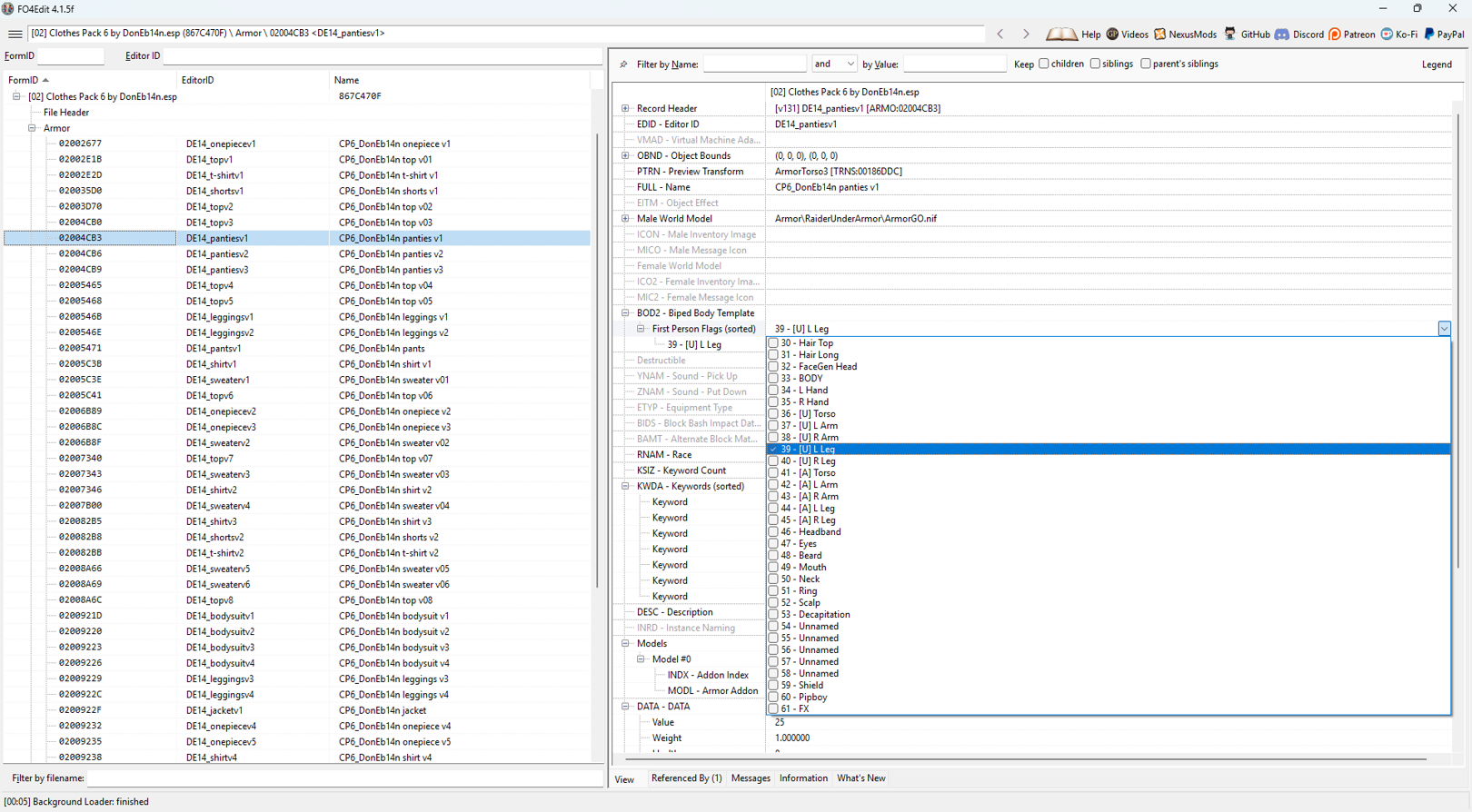
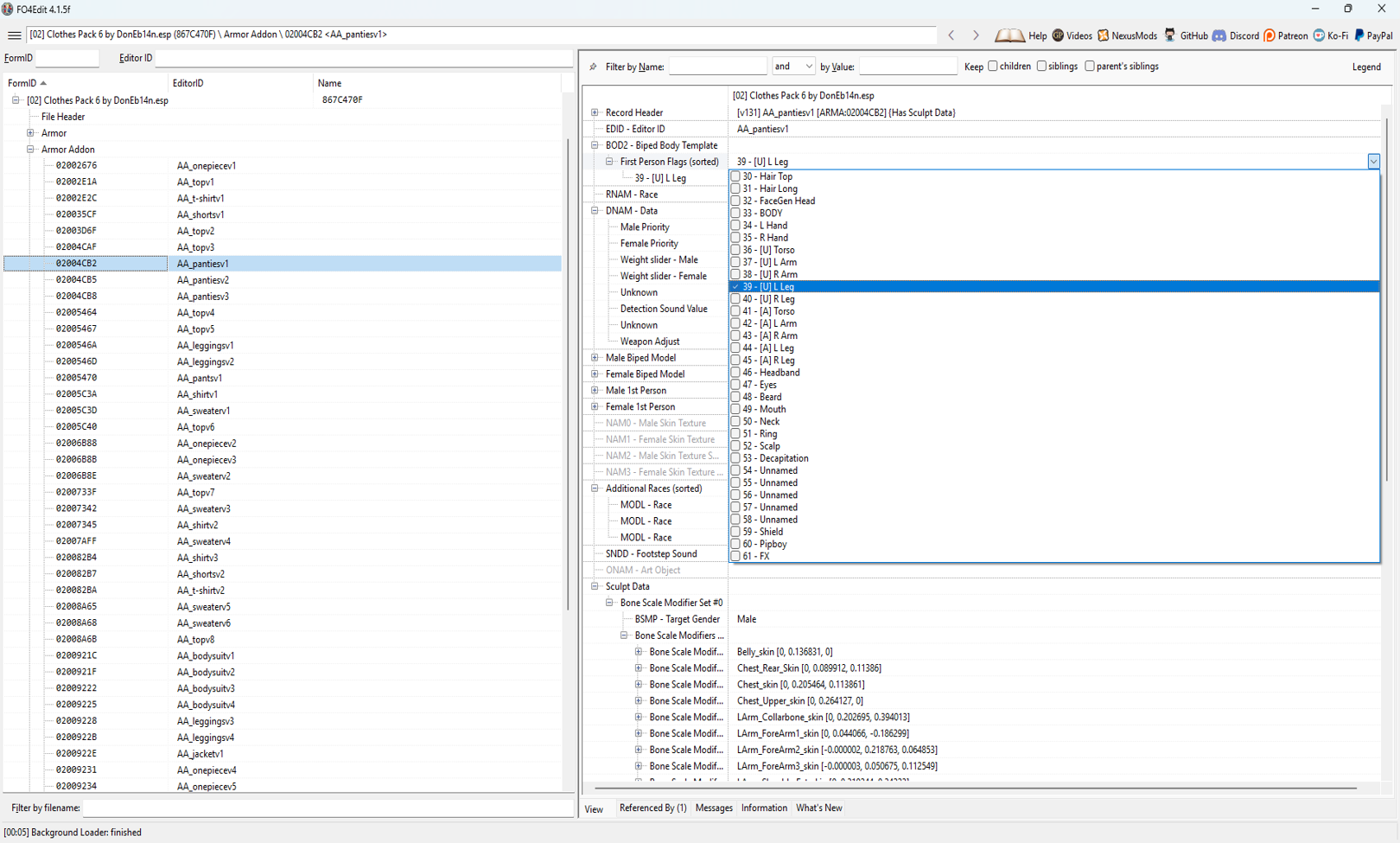
The pubic hair is tied to underwear type clothing items. But any item of clothing or armor can be modified to allow for the pubes to appear and disappear as intended.
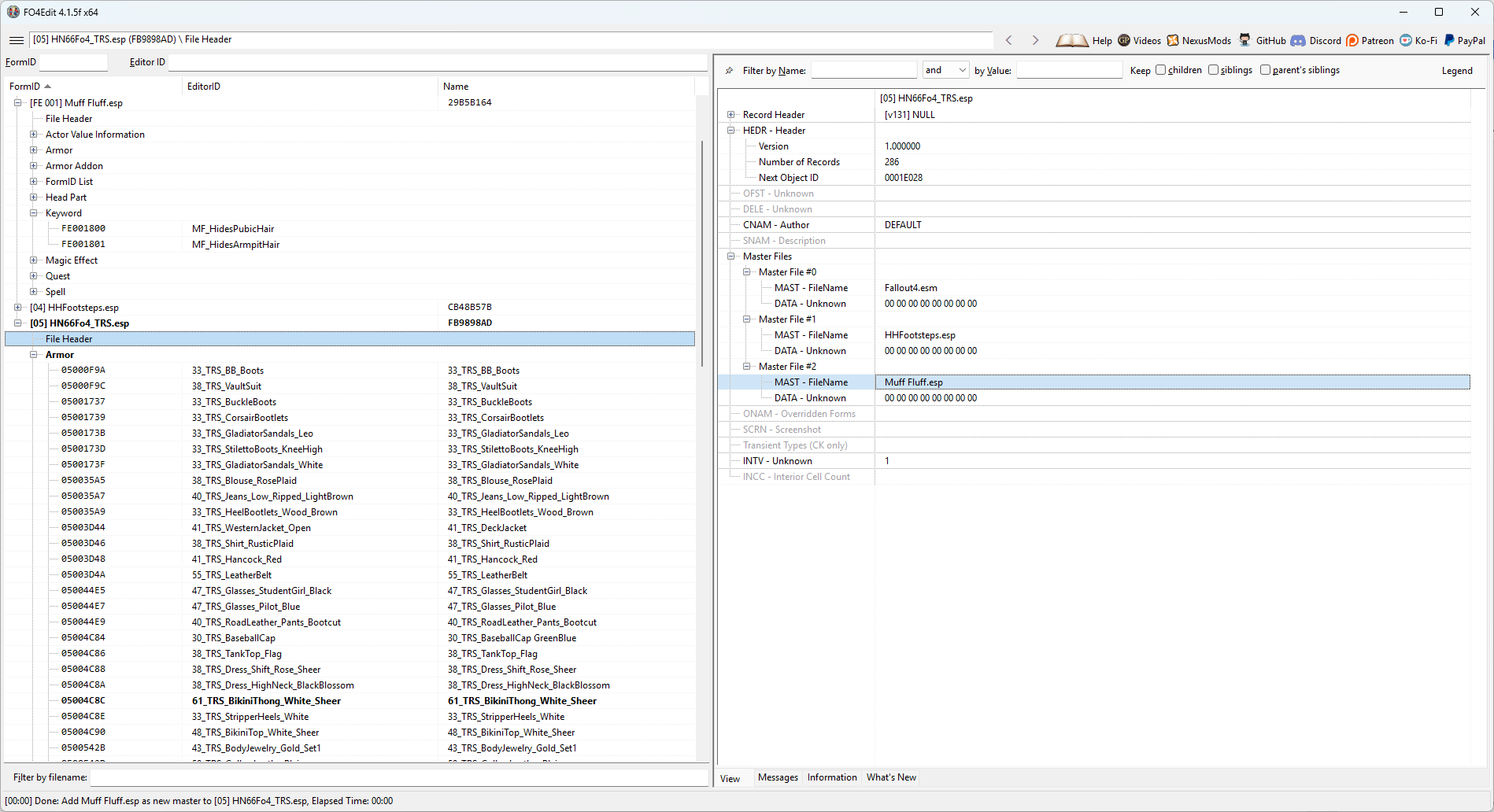
The compatibility work is done through armor slots. So yes, you’re going to have to use xEdit to make changes to the ARMO records. It’s stupid easy
First , Right click on the name of the plugin and select 'Add Masters' Then select Muff Fluff to add this mod as a Master file. (unavoidable, but it's ok)
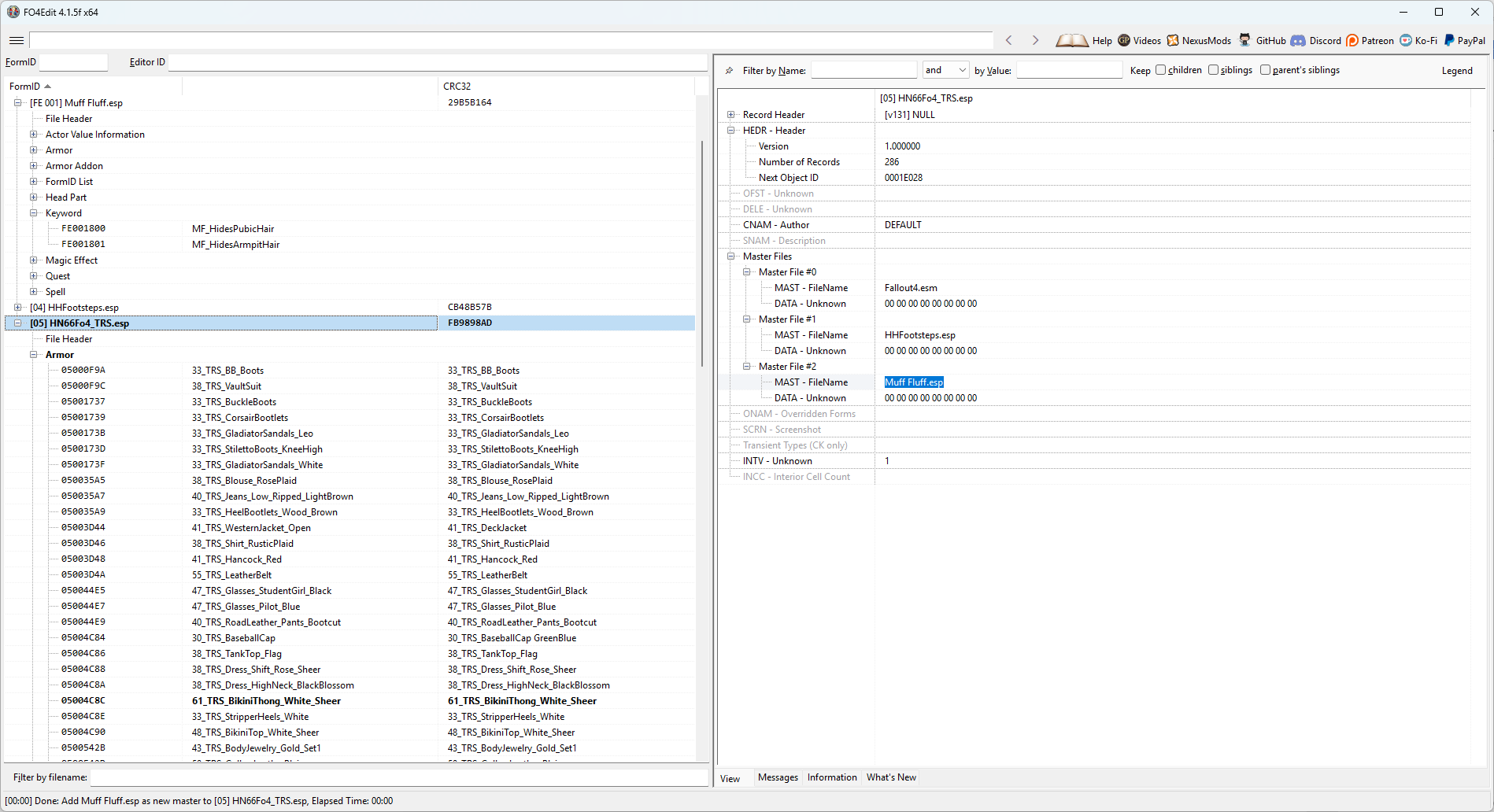
Then, Open the Keywords record in MuffFluff.esp. Then open the Armor records for your mod in xEdit.
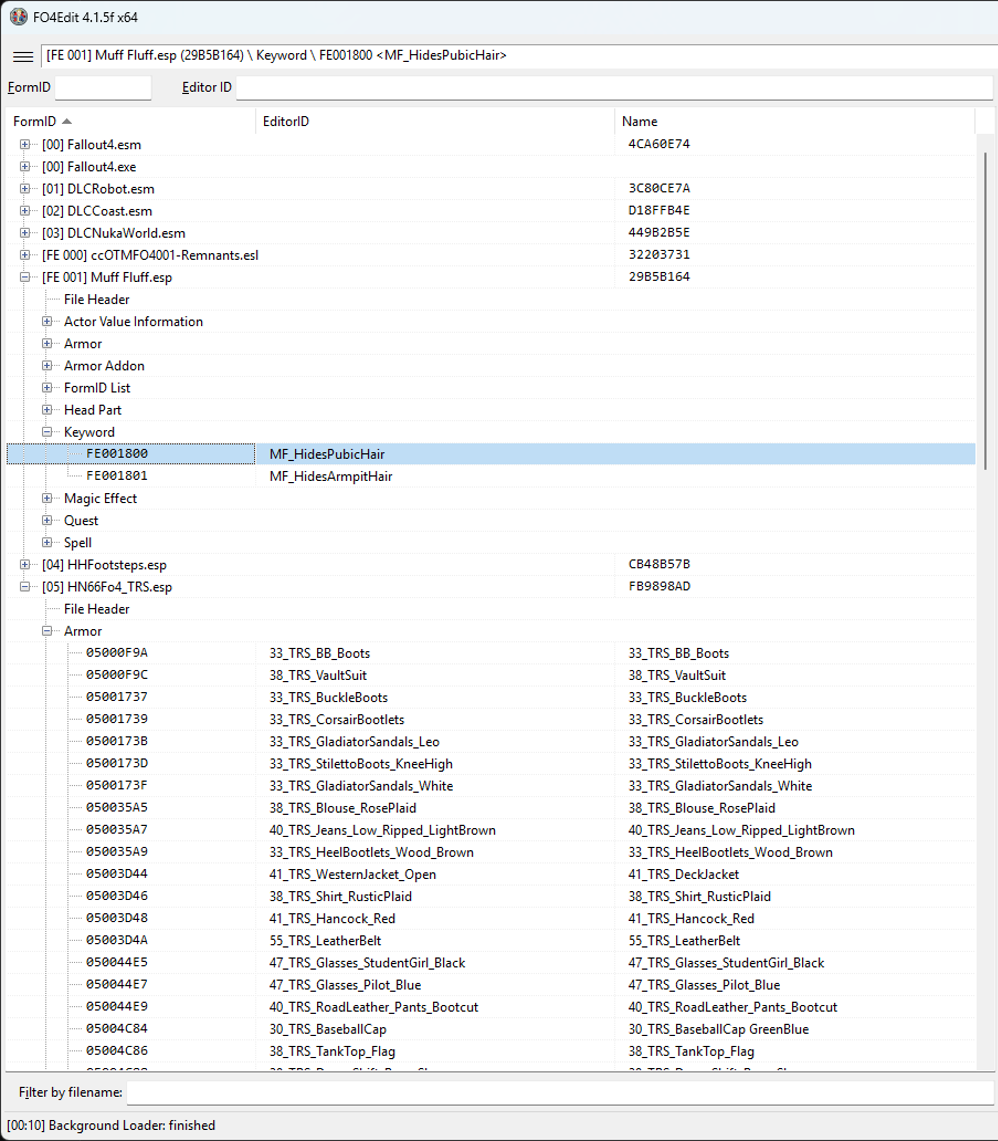
Copy the Keyword you want to add to the outfit - either Pubic Hair or Armpit Hair
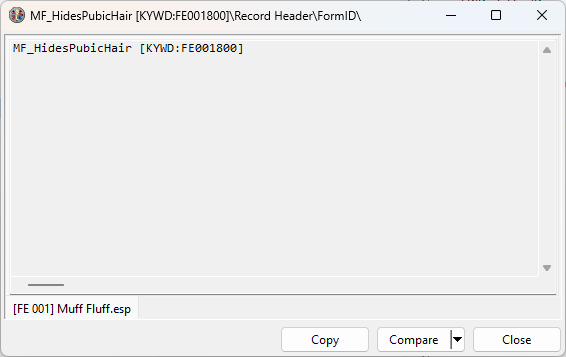
Navigate to: the ARMO record for the clothing item you want to modify. Go to the KWDA - Keywords line, right click, and select 'Add'
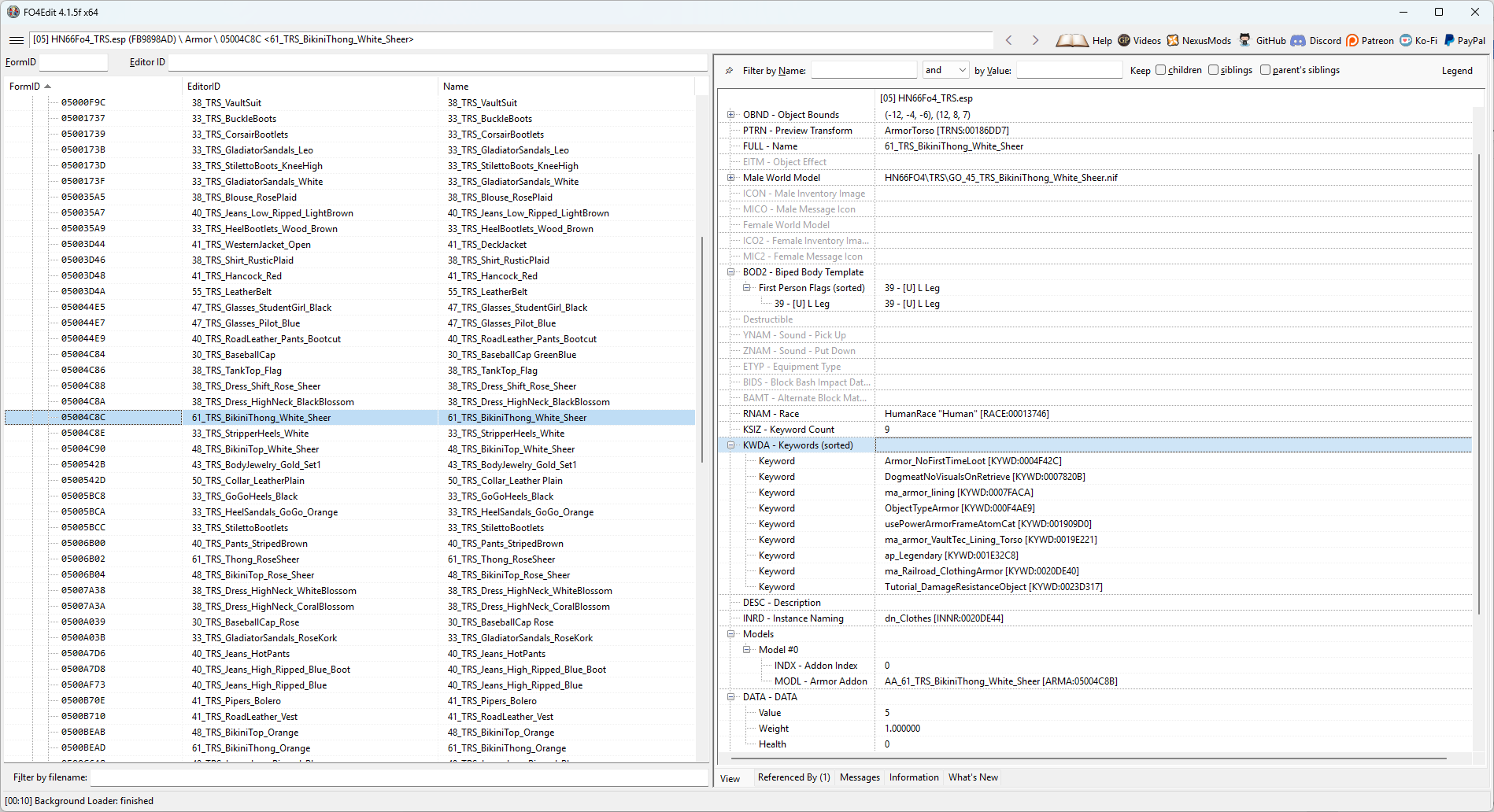
In the Null Reference slot, double click and then hit Ctrl+V to paste the Keyword record into the empty Keyword slot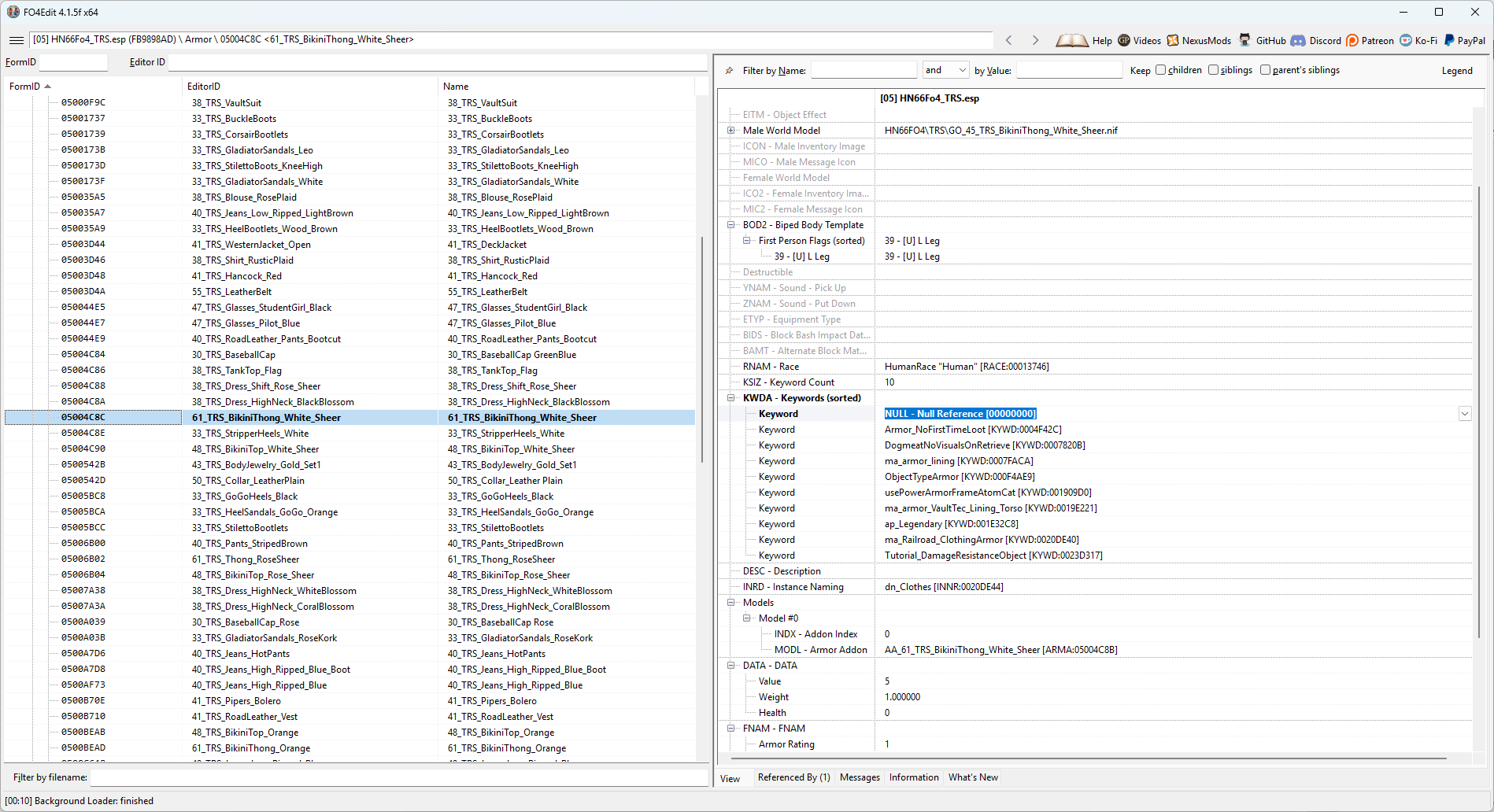
You should see the Keyword added to the Armor item in the Keywords spot.
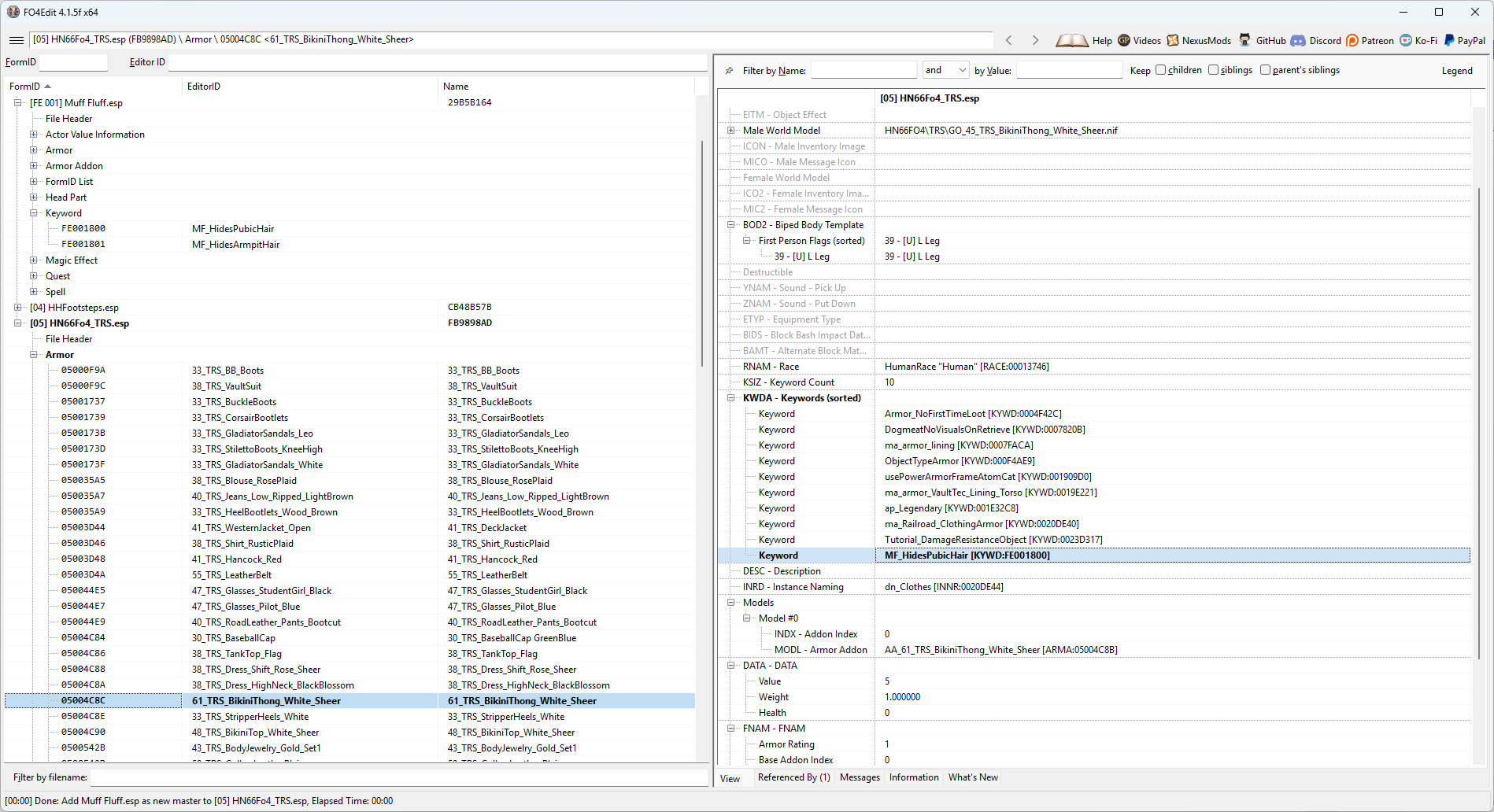
That's all that's required.
No other scripting on your part.
Just proper keyword usage depending on the style of clothing you're using.
General rule of thumb is this:
If the item covers the groin, add:
MF_HidesPubicHair
If it covers the armpits, add:
MF_HidesArmpitHair
If it covers both:
Add both.
That's it.
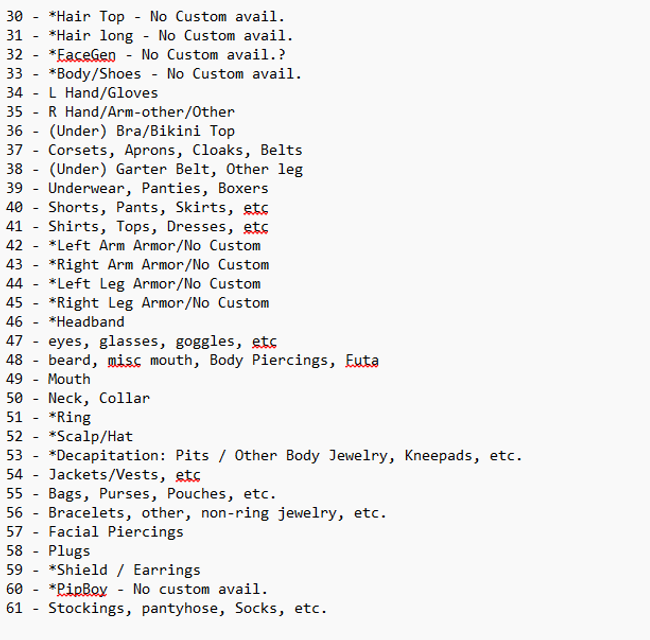
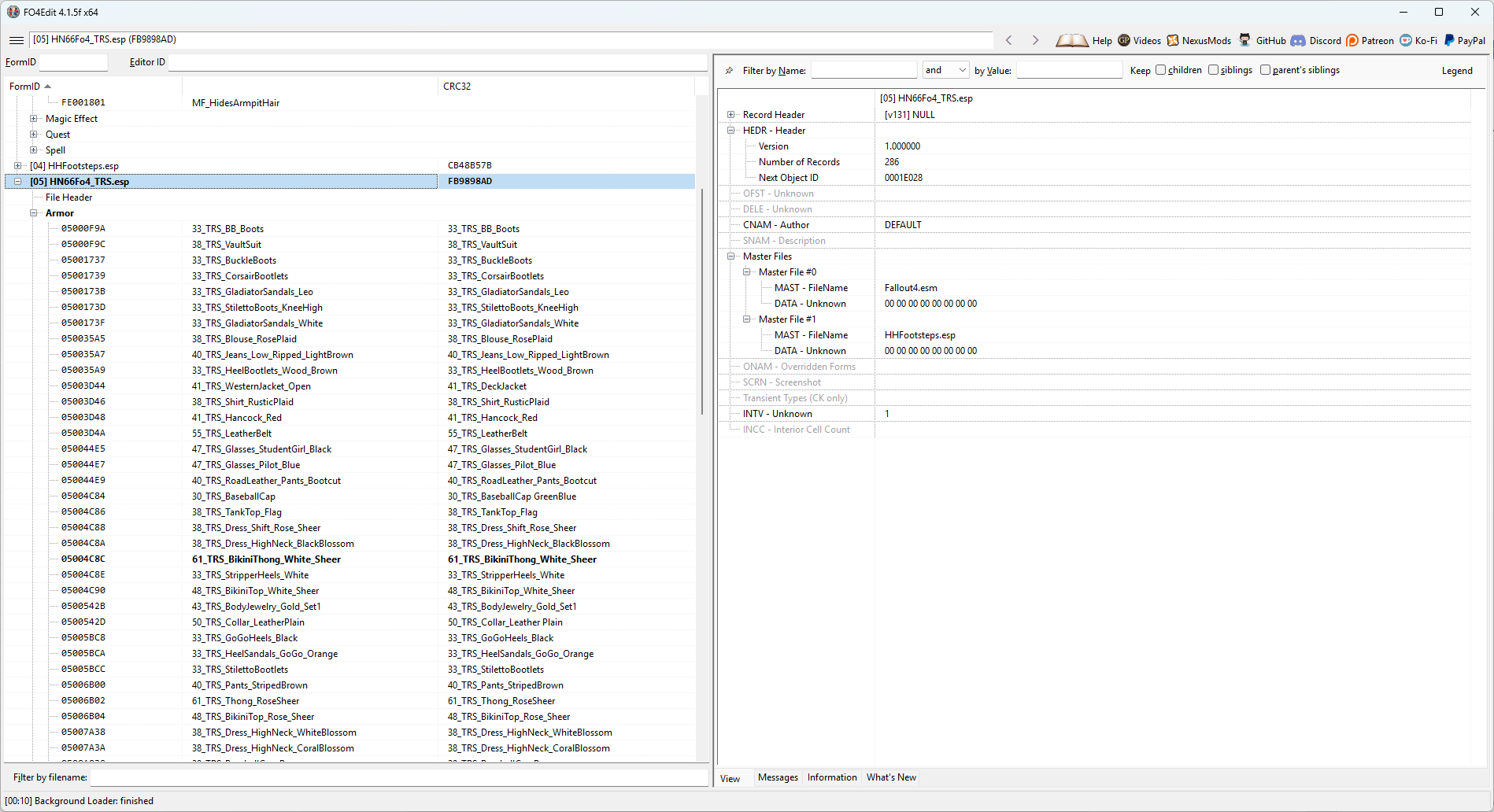
To save you some time, I've added some .esps below for some popular clothing mods that I've already updated with my own personalized body slot assignment system. I created this because there's no universal formula for mod creators to assign body slots to clothing items, which makes for a lot of overlaps. This system allows for a much broader amount of clothing items that can be worn at once. If you want to use it, cool. If not, cool. But each of the .esp files in the Patch section have been modified to add slot 39 to the outfits it should be added to for this mod. Hope they help.
___________________________________________________________________________________________________________________________________________________________________________________
Patches
DonEb14n
Clothes Pack v2.0 by DonEb14n.esp
Clothes Pack 2 by DonEb14n.esp
Clothes Pack 3 by DonEb14n.esp
Clothes Pack 4 by DonEb14n.esp
Clothes Pack 5 by DonEb14n.esp
Clothes Pack 6 by DonEb14n.esp
Dikr -
Dickyftw
DeserterX
HN66
Nezzar
Ousnius
Kharneth1
Osare
The Dude Abides:
Derpsdale
VTAW
Squirrel97
VtawWardrobe5 Previews HO3.esp
VtawWardrobe6 Previews HO3.esp
VtawWardrobe7 Previews HO3.esp
VtawWardrobe8 Previews HO3.esp
VtawWardrobe9 Previews HO3.esp
VTAW Wardrobe Crafting by themodleyfool
UNKUT
Master Tailor patches
Master Balance for DonEb14n by Nachomastero
Master Balance for VTAW by Nachomastero
Requirements
Compatibility
Because Muff Fluff uses headparts, it can conflict with mods that dynamically modify NPC headparts or rebuild faces at runtime.
One known example is Diverse Bodies Redux.
The mod will still function, but NPC appearance mods that alter headparts may occasionally overwrite each other depending on load order and timing.
Performance
Hopefully Fixed. Please report any problems.
Credits
A massive thank you to @Vioxsis for creating the meshes and figuring out that using headparts allows for color changing hair meshes, and for giving me permission to use her mod assets in this mod. Here’s her original mod:
Another massive thank you to @lee3310. His Head Parts Extended mod made this entire approach possible. Also for his help testing and confirming that what I wanted to do with the NPCs would actually work.
Finally, a massive thank you to @donnerwetter for creating the armpit hair meshes for Skyrim. I asked her for permission to use her assets but she hasn't been on LL since January 2025. 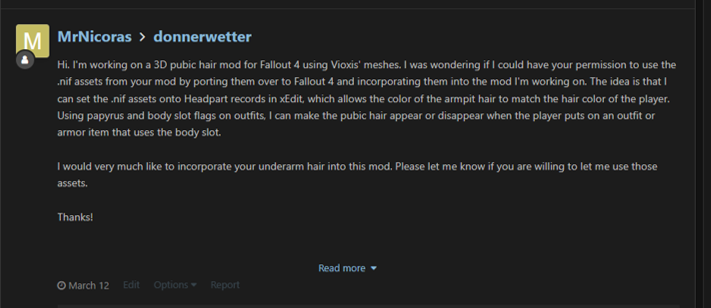
I can't reach her on X and don't know of any other way to reach her. If she has a problem wity my porting her mod assets to Fallout 4 and using the .nif files in this mod, then I'll take it down and reload without them. I hope she doesn't mind, and i hope she's out there living her best life. Check out her original mod for Skyrim here: https://www.loverslab.com/topic/189235-dws-3d-underarm-hair-for-3ba/
Armpit Hair
The armpit meshes still aren't perfect.
They can stretch in extreme poses and could use better positioning and bone weights. Normal gameplay should generally look fine.
If you're good at working with .nif files or Outfit Studio and want to improve them, go nuts.
Permissions:
I do this for fun, so please feel free to use anything from this mod in your own projects. You have my permission to do whatever you want with this mod that doesn't involve paid work. Just give credit where credit is due.
If anyone is talented at creating .nif files, and wants to make leg hair meshes, it would be an easy matter to update the mod to include script logic for that mesh also.
Fallout 4 Body Slot Index.txt Clothes Pack 5 by DonEb14n.esp Clothes Pack 6 by DonEb14n.esp TERAPunk.esp
Edited by MrNicoras
What's New in Version 2.1
Released
What's New in Version 2.1
-
Added optional, user-configurable hotkeys for NPC body hair.
- Cycle the pubic hair style of the female NPC under the crosshair.
- Cycle the armpit hair style of the female NPC under the crosshair.
- Hotkeys are unbound by default and must be assigned through the Muff Fluff NPC MCM page.
- Pubic hair cycles through styles 1–18 and wraps back to 1.
- Armpit hair cycles through styles 1–5 and wraps back to 1.
- Existing MCM sliders remain available for anyone who does not want to use hotkeys.
-
Fixed an issue where NPCs could have a valid Muff Fluff style assigned but their hair HeadPart would not be restored after loading a save.
- This could cause an NPC to remain hairless after clothing was removed until the player manually changed their style in MCM.
- Muff Fluff now performs a one-time reconciliation of loaded managed NPCs after loading a save so their stored style and visible HeadPart remain synchronized.
- Added missing vanilla outfits and configured them to be compatible with Muff Fluff.
- No new game should be required when updating from Muff Fluff 2.0.