Select a subcategory to view available files.
Files From Subcategories
-
Mutated Mandy
By Tcat5051
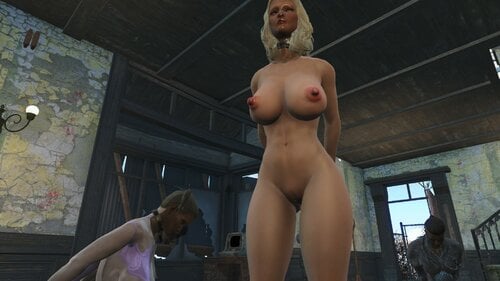
Greetings All , Now added Mutated Mandy and the downsized version 3.5 "Even More" This update is the smallest chest size, almost normal but she is called mutated for a reason, I now consider this mod open source free to all . This is just a body preset that can also be used as a general female body re-placer, it is a NSFW ( Adult ) of my version of a female body that has absorbed a few two many rads, if you object to adult content please skip this mod . I make no claim to any expertise as a modeler ,I made this for myself and decided to share it ,
its a NSFW mod meant for Adults.
This is Mutated Mandy , she is a CBBE\VaginaMorphsPhysics\ Preset body re-placer for body-slide . she has XXX large Super Nips , cameltoe and and ahhumm ,another feature ,I use her as a general body replacement as I just like the way she looks in game , also no clothing , have been unable to get my outfit studio working so if someone can make some clothing for her , like to see them .
Like to find someone that can turn this into an NPC or Companion ,
It uses whatever skintone you are using . This is as far as I am going with this project anyone who wants to take it up go ahead .
Some say the nips and butt are a bit much , I say its a radiation mutation and looks great in the game hahah !
Features over enhanced female anatomy , The goal was to make it easy to see in the game and I certainly did that , no issues or errors so far and I have been running this mod about 4 months,changes seem to appear on all of the body sizes maintaining the variety in body shop but you might try going to a zero slide after a time if not to keep the variety , requires body shop and may require extended slides) Have been using CBP Physics for Fallout 4. but have tested it with others with no issues.
( More Eye Candy than a Strip Club ! )
no known conflicts, problems or bugs at this time .
For those who haven't done this before you need Bodyshop then go to :
? Drive , Program Files (x86) , steam , steamapps , common , Fallout 4 , Data , Tools , BodySlide , SliderPresets
and add the file . Then open your BodySlide , check the drop down list ( Outfit/Body ) for CBBE , I use CBBEVaginaMorphPhysics ( for bounce ) Load the Preset ( milkcow ) check the preview , click Build and Done !
milkcow2.0B.xml
2591 downloads
Updated
-
FO4 Amputator
By JB.
FALLOUT 4 AMPUTATOR
The mod is up for adoption
It has the basic script functions, meshes, textures, materials and currently works for the player. It also works for the npc but it is not a supported feature because right now the mod does not track the npcs, only the player.
I put it in adoption because my scripting knowledge is very basic.
It comes with MCM so you can use all its functions.
It works for CBBE and FG. It can also work for men but the meshes must be realigned in bodyslide (I already left the meshes for men, only that someone must align them in bodyslide).
It has soft compatibility with AAF -for the doppelganger-.
To amputate npcs:
Right now you can only heal yourself using the MCM.
Hard Requirements:
F4SE
HYDRA F4SE
MCM
Zex Skeleton with Screen Archer support! ❗
Meshes:
TheKite (right arm armband)
DoctorKeiko (left arm armband)
Karna5 (alternative meshes)
For modders.
;------------------------------------------------------------------------------------------------- ;----------------------- THIRD PARTY API ---------------------------------------- ;------------------------------------------------------------------------------------------------- Function Test() Amputator:AmputatorMainScript AmputatorScript AmputatorScript = Game.GetFormFromFile(0x00000F99, "Amputator_FO4.esp") as Amputator:AmputatorMainScript Var[] AkArgs = new Var[1] AkArgs[0] = PlayerREF AmputatorScript.CallFunction("AmputateRightArm", akArgs) ;AmputatorScript.CallFunction("AmputateRightArm",akArgs) ;AmputatorScript.CallFunction("AmputateBothArms",akArgs) ;AmputatorScript.CallFunction("ResetLimbs",akArgs) EndFunction
It has two custom event where it basically notifies that the amputation global has changed.
Function LoadAmputator() AmputatorScript = Game.GetFormFromFile(0x00000F99, "Amputator_FO4.esp") as Amputator:AmputatorMainScript If AmputatorScript RegisterForCustomEvent(AmputatorScript, "OnAmputationEvent") RegisterForCustomEvent(AmputatorScript, "OnLegsAmputationEvent") EndIf EndFunction Event Amputator:AmputatorMainScript.OnAmputationEvent(Amputator:AmputatorMainScript akSender, Var[] akArgs) Int Armstatus = akArgs[0] as Int ;0= Not amputated ;1= left arm amputated ;2= amputated right arm ;3=both arms amputated EndEvent Event Amputator:AmputatorMainScript.OnLegsAmputationEvent(Amputator:AmputatorMainScript akSender, Var[] akArgs) Int Legstatus = akArgs[0] as Int ;0 = no legs amputation ;1 = legs amputation EndEvent
39274 downloads
Updated
-
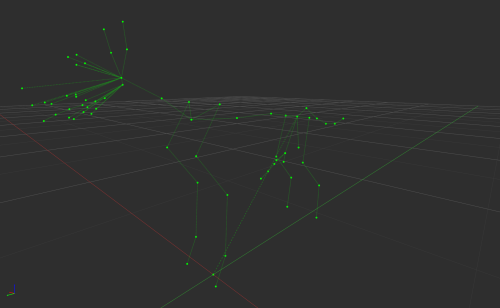
Extended Creature Skeletons
By sXEEL
Working extended creature skeletons. Artists can now create full-fledged animations featuring creatures. Still, skinning of the models is required for in-game use.
Currently, these are only available for the dog and feral ghoul. I also can't guarantee that your game won't have any bugs like model freezes, etc.
You can use these developments in your projects as you wish.
1122 downloads
Updated
-
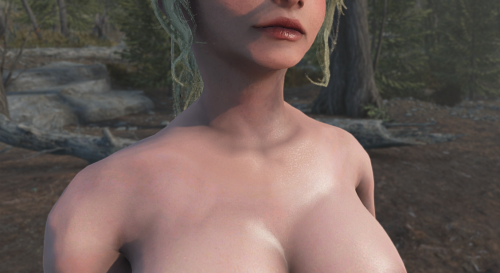
Fusion Girl & Cridowskin - Neck Seam Fix
ALL CREDITS GO TO THE ORIGINAL AUTHORS
By default, the beloved Fusion Girl comes with a harsh neck seam, which directly comes from the normals (perceived smoothness) created when separating body pieces to work with Bethesda's "magic". Some skinning issues are annoyingly hard to avoid but the meshes and textures do change a lot in favor of consistent visuals.
This mod tries to fix it, along with introducing some changes to textures based on the awesome Cridowskin - made for CBBE, which I've adapted to work on FG (IMO the mod that's the most fitting to the original artstyle of the game).
So here's what's changed regarding both mods.
Fusion Girl:
- normals (model seams) around the BaseFemaleHead.nif and FemaleheadRear.nif edited for perfect smoothness
- UV's on the BaseFemaleHead.nif edited to work in tandem with my Get Dirty textures properly
- material on FemaleheadRear.nif swapped to the proper "femalerear" one (comes with the main body material by default)
Cridowskin:
- includes the basic body, face, neck and hands textures (4k and 2k) for the "basehumanfemale" model
- Diffuse, Specular and Normal maps edited to mitigate any remaining seam issues by baking-in some noise in Blender
- introduced a little more visible "bumps" on the pubic hair normalmaps from Cridow
- slightly more reddish soles
- [smooth body + pubic hair + sweat/wetness + 2k face] combo set as default (sorry, guys, it's a post-apo world after all)
DISCLAIMER: I'm renouncing the creative rights to any of the edits I made - the files used as a base belong to the original mod authors.
Instructions:
- Install Fusion Girl, then Cridowskin with all their requirements (including a working 2k Faces setup)
- Put this mod below to overwrite the head models and base female textures (loose files always take priority)
2021 downloads
Updated
-
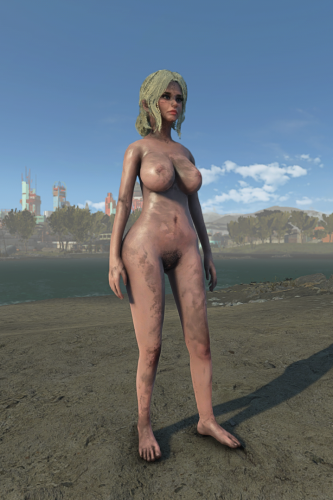
Get Dirty - Texture Overhaul for Fusion Girl
ALL CREDITS GO TO THE ORIGINAL AUTHORS
I found the textures that come with Get Dirty to be incompatible with the way Fusion Girl is set up.
I've remade these from scratch, this time being aware of the body seams and the fact the effect shader reuses the same texture on body, face and hands models.
It was necessary to also change the UV mapping of the face model borders (works best with a custom female player texture set) so proper replacements are provided.
Technically you can use any other FG assets combined with my dirt overlays for GD alone, but it's likely you'll get more a more pronounced neck seam, along with a foot stamp on the character's forehead, lol (can be hidden with proper hair, though). I recommend getting the whole package working together.
For all the foot fetishists, the dirt on the soles appears first with only some slight darker spots on knees and elbows. So, go barefoot if you fancy. Second and third level are progressively more harsh.
The screenshots present the last stage.
Disclaimer: The additional body textures are designed for 2k Faces and use Cridow's body textures as a base. All the credit for these assets goes to them and the textures might change slightly if necessary, but right now I'm renouncing the creative rights to all the edits/corrections I made.
Instructions:
- install Fusion Girl and Get Dirty and all requirements
- install Cridowskin with 2k Face and a full 2k Face setup
- install files in any order in your mod organizer (or replace manually), but overwriting Get Dirty (and any body mods if using the complete package)
1169 downloads
Submitted
-
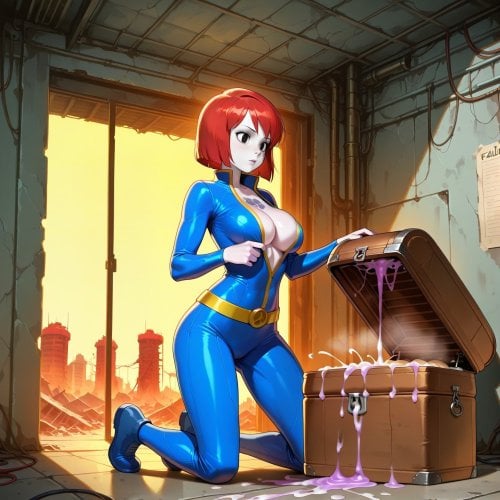
Wicked Effects (Alpha)
By Franco Cozzo
This is a "Trap Mod" (classic trap, not modern), sort of like Deviously Cursed Wasteland/DD Enchantings. Except instead of spawning restraints, it will cause an effect. Effects can be caused by quick-looting or opening a container and looting (where the game pauses) or just from picking up anything loose in the world (read Known Issues for more haha.....).
For an absolutely "just ruin my characters life" experience. Typically everything has a good/bad option, chance and value that can be changed in MCM (except "what" is seen as good or bad). Your SAKR state/rating can influence the rate of effects occuring, being in combat can stop, lower or increase the odds.
Possibile Effects:
Sex Attributes: Willpower, Arousal, Reputation, Trauma, Orientation (Sub/Dom)
Sex Harassment: NPC spawning + approaches, Photo generation, Hypnosis level
Others: CombatStripLite: Single Stack Healed/Damaged, Full unequip/Heall All limbs 1 point ("locked" items like DD/KFT aren't unequipped), TatsAfterRape: Random Tattoo Applied (no rape needed), Luck and Intelligence Modifiers.
When an effect occurs, you will get a notification (if enabled) and the screen will shake (if enabled).
"Soft" Requirements:
Sex Attributes
Sex Harassment
CombatStripLite
Skimpy Armor Keyword Resource
TatsAfterRape
The mod doesn't "need" the above mods to load but I don't know why you'd bother to use it without at least Harassment or Attributes. If you cannot/do not use SAKR, you may need to change the MCM settings related to it, I haven't tested without it but setting both sliders to 1 should be enough for "no change". The mod also assumes you have all the soft requirements, if you are missing any, set their chance value to 0 in the MCM or you will have more failed rolls than usual.
Playstyle ideas:
Random sexlife : All sliders at high odds, High Chance Rate, Low Timer
Surprise!: Low chances, all effects up at high levels, High Timer
Pickup Punishment: Low timer, high chances, bad effects
Spoiled Cheater: Only good effects enabled
Naughty Combat: Low general chance Rate, Extremely-High Chance in Combat, Low Timer
Technicalities:
Should be safe to remove mid-game, would be fine to add mid-game, has an MCM with many values to configure like all my things. If you have settings disabled/changed in Harassment/Attributes then parts of this mod may not work as intended, namely if you have Approaches disabled in Harassment, you should disable the chance of this mod spawning NPCs for Harassment. If you don't want any specific effect to be able to happen, set that value to 0.
It should work between saves (two versions so far....) if it doesnt work you can try:
stopquest wickedpotionsquest
resetquest wickedpotionsquest
startquest wickedpotionsquest
in the console and it should work again
Otherwise removing the mod from your list, loading the game without it, save the game, add the mod back to your list, play the game. should hopefully work.
The basic roll works like this (after the initial pick-up roll wins):
1. Is it going to be Good or Bad ?
2. What will the Potency/Strength be if it has any?*
3. Sex Attributes or Harassment or Other?
4. What part of that group wins ?
5. Give player their "prize"
Examples : Good Roll Wins, It's an Attribute Roll, It is willpower, Max. Players Willpower is now 100 (assuming Max is set to 100 in MCM)
Bad Roll Wins, It's Harassment, It is Sex Photos, 5 lewd photos are now distributed across the wastes.
*if something doesn't have a potency it still is rolled for and mentioned in the notifier, potency only currently affects Attributes effects.
Known issues/things to consider:
-Loose item/World pickups has few restraints, it may fire when you didn't pick up anything. It's better in more recent versions.
-NPC approaches should work most times, spawned NPCs have a higher chance of not approaching but it's much better than earlier versions.
-If the cooldown timer is too low, you can/will get multiple effects from the same container. A minimum cooldown of 0.5 seconds exists between effects in the MCM, you really shouldn't set it below that (even .5 is super low), at 0 you can/will have stacks being rolled against and picking up a big stack like 100 5mm ammo could overload the engine and CTD, if you *really* want to try it you can.
-On full strip, the Pipboy is requipped immediately after, even if you didn't have one equipped before. This mod is using unequipall which as far as I can see is the "cleanest" way to strip the player quickly without building a long script and brining in more bugs, it shouldn't be able to touch KFT or DD since they resist that command as well.
-Some of the Attributes stats really aren't meant to be played around with a lot (paraphrasing the developers words), and this mod plays around with them a lot. I'd imagine the current hypno level is also not meant to be played with a lot, but it's a videogame at the end of the day, and games are for playing.
-This mod was made for and tested on oldgen Fallout 4 (like my others), I don't know if it works on the newer ones and if it doesn't I can't help.
-Bone healing may or may not be fixed
A failed event will notify "A sigh of relief...", it shouldn't be too common
Beta version 0.0.5d in the comments section for CSL bruising/unequipall "fix", I haven't playtested it.
2000 downloads
- sexual harassment
- sex attributes
- (and 1 more)
Updated
-

Bunch of Main Menu replacers
By Franco Cozzo
Just a few main menu replacers I knocked up since I was getting tired of the ones I already had and wanted some more in rotation. All grabbed from danbooru.
Requirements: RandomMainMenu and the Bink2 Video Codec Upgrade, without the codec update it will just be a black video.
https://www.nexusmods.com/fallout4/mods/74187?tab=description
https://www.nexusmods.com/fallout4/mods/89478?tab=description
If you dont want to use RMM for some reason, rename the video to MainMenuLoop.bk2 and the music to mus_maintheme.xwm for the one you want to use.
If you dont want the sound effects just dont copy/extract the "music" folder/files or delete them if they're already extracted.
The first bunch uploaded is available as a single download in the comments. (its 1.1mb over the max upload for the files section)
I use "Rad Video Tools" (free) > Select Your Video(s) > Bink It! > select Bink 2 (*not* HDR) > Untick "Compress Audio at the bottom" > Bink (Right Hand Side) or Batch (if doing multiples) **
For Audio I open the video in Audacity (needs a plugin, it should tell you what and how to get it) and Export the audio as .wav, then use "Skyrim Audio Converter" from Nexus to convert to .xwm
Make sure the files you create have a similar naming scheme as this mod and others using RMM, or RMM will not see them.
**In RadVideoTools You may need to tick "Click for alpha plane options", then choose option 1 or 2, sometimes the video can be washed out. I used option 2 for these even though it said they didn't exist, it stopped the effect
7418 downloads
Updated
-
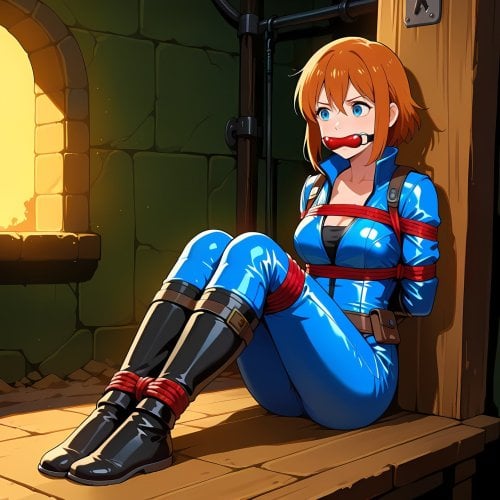
Bound by Greed - A KFT Trap Mod
By Franco Cozzo
-Chance for Multiple KFT equips-on item loot roll (containers)
-Chance to find KFT keys on corpses/in containers (can increase when wearing KFT) + Chance to lose them on KFT equips (from this mod)
-Gear typically is "upgraded" to the next tier (Tape>Rope>Leather>Metal) if you re-roll the same category
-Can do Arms, Legs, Gags, Yokes, Frogties and Harnesses/Corsets/Stockings as group options. I do not recommend using Frogties at the same time as any others. Harnesses sometimes will overwrite Arms / FrogTies. None of this should matter unless you're wearing devices a lot of the time or set a high Min/Max Multiple.
-Optional Fade In/Out
-Added some "sense" making items to the formlists for escape, let me know if theres any that should be added (Scalpels, Saws, Deathclaw Hand, Institute TriTool, Dinner Knives and some others)
-Lowered caps value of KFT keys
-Notifier + Full reset function (You will likely need this)
-SAKR Support but not required (nudity/sakr score can affect the roll chance)
-This mod does not do Devious Devices
Things to know:
-Consider this an alpha / testing version. There will likely be issues.
-The mod will "track" what was already equipped (by the mod itself) so it can handle the upgrading, I'm sure there's a better system that can be used. Sometimes a roll will say it has equipped something, but it didn't actually equip it, the mod will still think the item was equipped so the next time you re-roll, it will give a higher tier unless this mods reset is applied, you likely will want to use KFTs own remove all devices option from the MCM at the same time. (or just try escape them like normal)
-The mod does not know what KFT you already have equipped if it came from other sources, but it can probably override it.
-KFT applied manually/from other sources is not "seen" by this mod for the scoring, but it may be replaced.
-Harness/corset's can sometimes overwrite arms, Yokes and Arms will conflict, Frogties can conflict with arms and legs. I have protections in place to stop them from fighting too much but due to the occasional failed item you may just have lower level items and then no "upgrades".
-The full reset will reset the internal "what is equipped" system and the rest of the mod, it will not unequip/unlock you, you need to use KFTs MCM page for that.
Permissions: Make the mod better, no seriously if you want to do anything to make this better please do it for the sake of everyone.
Thanks to everyone who worked on making Kziitd Fetish Toolset, it's an awesome mod that deserves more attention.
Requires a working version of:
Kziitd Fetish Toolset
Slightly newer version in the support forum if you want to try it.
1130 downloads
Updated
-

Hot Rodder Magazine - Immersively Perverted Retextures Project
By NismoMan
What?
Just another retexture of the Hot Rodder Magazine, part of the IPRP "Immersively Perverted Retextures Project".
Features
Lore-friendly-ish Retextures of Hot Rodder Magazines. 2k, BC7 compression Immersively Perverted (TM)
Installation instructions
Use a Mod Manager.
Or Drag and drop the content into the game's Data directory
Requirements
No requirements.
Conflicts
Other texture mods that cover the magazine might overwrite this mod, Make sure this mod overwrites all other retextures.
Credits
Bethesda
Worn Magazine Resource Files by Carreau (Very helpful, used these as base and edited them as needed)
ComfyUI
Adobe Photoshop
602 downloads
- texture
- not safe for work
- (and 4 more)
Submitted
-
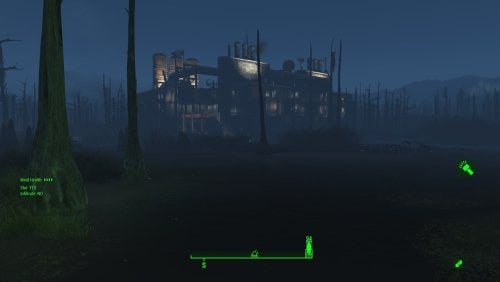
Transfer Settlements - Murkwater Oil - Pipeline Monitoring Station
By msmfoster
Murkwater Oil - Pipeline Monitoring Station
Murkwater Construction has been re-imagined into an oil pipeline monitoring facility. Given that most of it is swampland, the facility was built on stilts to maintain operations through the apocalypse.
Details on this build:
Created a multi-level coherent structure that incorporates BOS and pre-war industrial pieces to create the illusion of this being a viable facility the settlers found and adapted for use. First deck: Large tailing pond used to grow nearly 60 food in tarberries, additional planters for varied food, dedicated shops and medical facilities. Second deck: Catwalks over the industrial site, bathroom, gym, and bunk room. Third deck: Workshops, monitoring station, power generation. Piping, silos and industrial equipment, and Istacks added to fit in with the theme of Murkwater Oil.
Note. Warehouse glass pieces have a reflection component that may tank your framerate within the industrial area. See Unrelated But Useful for more information on mods that may help.
Settlement Features
32 bunks. 130+ food. 675+ defense. 280 power. 120 water. Tier 3 Medical, Restaurant, Clothing, and General Store. Dedicated gym area. Vault-Tec drink dispenser and slot machines. Working sinks and showers. Power mostly runs through conduits to minimise visible power lines. Cat and dog included in the build. No visual glitches observed from this build.
Note. Tailing pond may not animate as expected. I've seen some cases where the settlers to to ground level to reach the tarberries instead of floor level. An option to avoid this at import is to filter out the Tarberries (001D1A, 001D1C) and Lake Water (000D9C, 03DE49) from the blueprint and place Homemaker planter tables and food.
Requirements
Downloadable Content
Contraptions Workshop Vault-Tec Workshop Wasteland Workshop Far Harbour Automatron
Hard Requirements
Transfer Settlements. To import this blueprint. Scrap Everything or an equivalent. To clear out the area as per Setup Instructions. Settlement Objects Expansion Pack. Primary build components for most of the settlement. Fusion generators, railings, pools, foundation liners, cooking station, and water pumps. Homemaker. Mostly used for decorations, furniture, and miscellaneous objects. Advanced Bubble Turret Set (Realistic No Power version). Sole defensive capability for the settlement itself.
Note. Transfer Settlements will not add items if the mods are missing. Mods listed below are not required but will remove associated elements.
Soft Requirements
Craftable Working Sinks and Showers Redux. Working sinks and showers. Erotic Art. Frames and pictures used throughout. Working Fridges. Simple mod that adds working fridges, ice machines, and vending machines. Working Washer and Dryer (Immersive Laundry). Player functional laundry machines and dryers with sound effects. Singing Settler. Used for some of the flooring.
Nice to Have
Armour and Weapon Keywords Community Resource. Additional types of workshops, namely power armour. Videos of the Wasteland. Working televisions and projectors. Invisible Furniture. Adds invisible markers that are used as idles for settlers and pets. Gruffydd's Signs and Posters. Billboards and signs. Crazy Sex Animations. Invisible mats that make settlers happy through masturbation, done without using the Advanced Animation Framework, and additionally places assignable gurneys that increase happiness. Sex Toys of the Commonwealth. Adds the random placement of sex toys throughout. Bad Dragon Dildos. Adds more extreme dildos throughout. Companion Ivy. If you happen to have Ivy as a companion, one of her broadcast towers will be added in an out of the way area.
Unrelated But Useful
Place Everywhere. Allows you to make minor adjustments if necessary. Armour Rack Female Mannequin Fix. Fixes the armour rack to support alternate bodies like Fusion Girl. Glass Roofs Stop Rain and Snow - Various Mods Patches. Stops rain and snow from going through glass roofs. Glowing Glass Fix. Changes the glass textures to reduce glare and reflection.
Setup
Clearing the area is straightforward, remove everything. In fact, this is one of the few settlements where ScrapAll works.
Some of the foliage cannot be easily scrapped. To remove it using the console:
Select the offending brush, tree, or bumper of a wrecked truck . Disable MarkForDelete
Note. Disable first in case you selected the wrong object. If that happens Enable will recover the object.
Build a Transfer Settlements console from Power > Miscellaneous in front of the settlement workbench.
Note. Import should be done with Workshop Mode enabled.
Tasks After Import
No additional requirements other than confirming that all power has been restored as expected.
Notes on Imports
Transfer Settlements recommends leaving the area after import and to not return for 1-2 game days. However, I found that saving on site always crashes the game. The easiest way to get away and save is to coc Vault111Ext from the console. Wait a couple of minutes before heading into the vault. Once you arrive at the bottom it is safe to save.
I recommend you import/export Blueprints using Stable defaults. Using other methods has caused ladders, walls, and flooring to appear without collision. In many cases the collision effects are found elsewhere leading to interesting behaviours among the NPC population, and leading to a snap back effect as you push through an area and are forced back by the invisible wall.
Note. This blueprint was tested with Transfer Settlements working under Stable.
Lastly Import wired power connections should always be selected as part of the import process. It will reliably re-connect all wired connections. This saves you the trouble of linking up floors, turrets, and in some cases re-establish connections for hidden or buried runs.
Notes on Power and Performance
These blueprints utilize ambient fill lighting to provide a pervasive glow. I use Naked Bulbs to create a lived-in atmosphere for statues, fountains, and roof voids.
Warning for Dynamic Lighting Users
If you use mods that turn all lights into dynamic, shadow-casting sources, the sheer number of these bulbs will severely cripple your framerate. I strongly recommend using the Transfer Settlements Blueprint Editor to strip out all instances of 306F1 before importing.
Optimization for Complex Builds:
Because of the heavy use of conduits to reduce visible power lines, these settlements have high object counts. To steps below may improve performance.
Enable Faux Power in the Workshop Framework's workbench settings. Use the Transfer Settlements Blueprint Editor to strip all conduits from the .json file.
This can reduce build complexity by up to 40% without losing the overall aesthetic of the settlement.
Note. I cannot guarantee the above will work.
A Special Thanks To
Thank you to Caladon for creating the template that makes blueprints installable.
Thank you to PiCSeL for the magazine and painting retextures seen in the screenshots.
Updates
Version 1.0.0
Initial release of this build.
103 downloads
Submitted
-
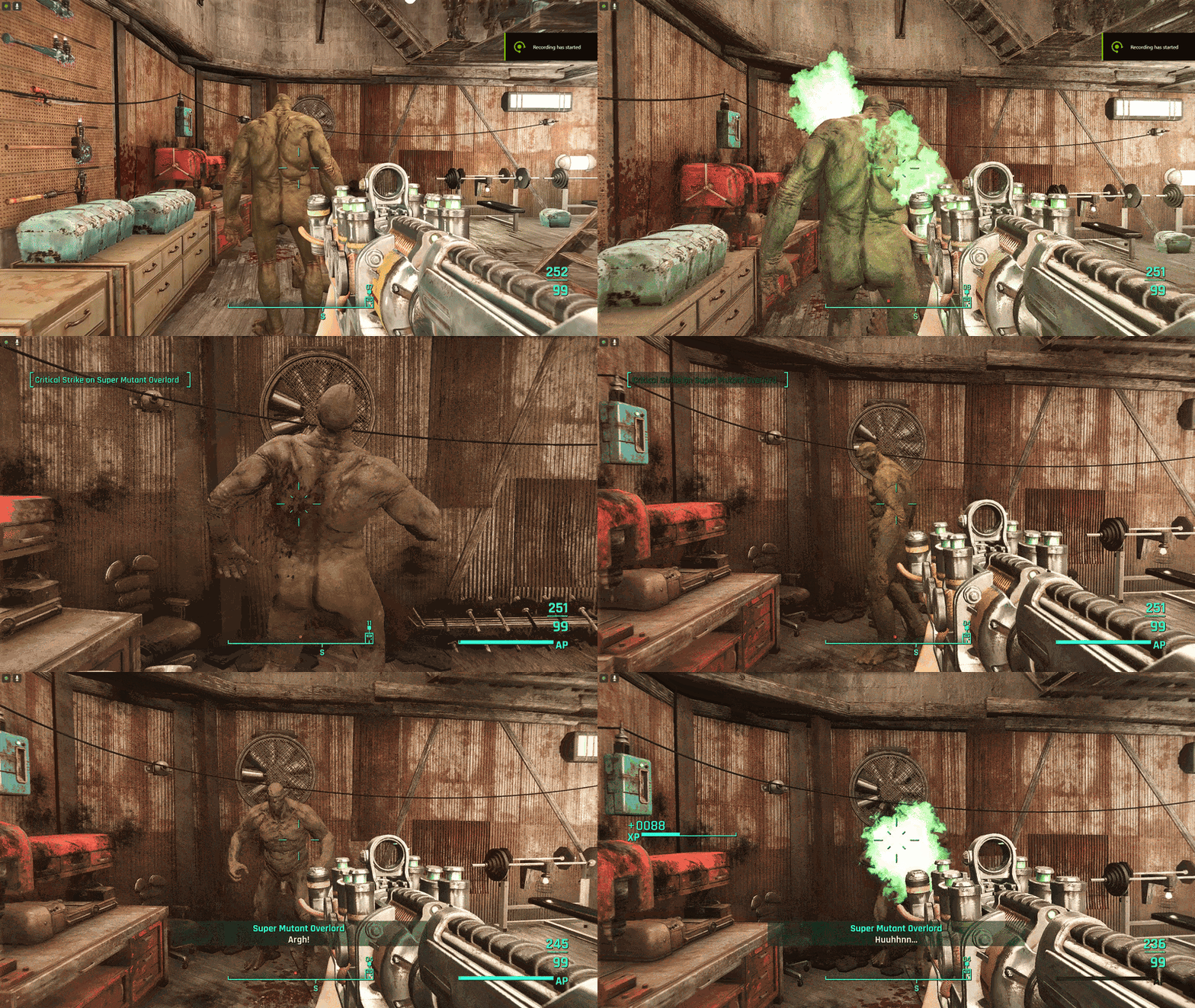
ZeX - Supermutant Skeletal fixes (V2)
Description
Years ago I made a first version of this mod that attempted to fix the issue of Supermutants not being able to ragdoll completely with Leito's supermutant skeleton for Creature animations. It worked for some people but not consistently for everyone. I was cleaning out old files and found some notes I saved on updating this but it went nowhere and got buried in my backups. I dug it out and figured out the where the issue lied (Explanative spoiler for those who want to read it below) and fixed the issue. So now you can have creature anims and dead supermutants.
Installation instructions
Uninstall any super mutant assets from UAP (including the ESP that disables dismemberment) before installing these.
credits
enginegaming for testing
1477 downloads
Submitted
-

La Coiffe Magazine - Immersively Perverted Retextures Project
By NismoMan
An Immersively Perverted (TM) retexture of the La Coiffe Magazines with optional Plugins that add the missing issues back into the game.
Why?
The IPRP "Immersively Perverted Retextures Project" is my attempt to bring some explicit "materials" to the wasteland while keeping the original context intact... sort of... maybe?
While there are tens if not hundreds of texture replacers out there, I haven't found a mod that REALLY balances out the lore with improvised Adult reinterpretations and so I decided to create my own. I've had a previous pack released long ago (What, 7/8 years ago maybe?) that tried to do the same thing to a degree but I've ran into all sort of issues with gathering permissions from artists and what not and I didn't go further since.
The art here is locally generated and I'm happy to say I managed to tune in exactly what I wanted before sending them all to Photoshop and overhauled them into what they are now. Overall, I'm pretty satisfied with the results.
Also, I'm sad to say that I have recently discovered that a good chunk of the magazines I'm working on were cut from the game itself. I'm ashamed that I haven't noticed this sooner... 7+ years wondering why I haven't seen Anchorage in any of my playthroughs >>
But I digress; I couldn't find a mod that simply put back the cut magazines into the game, many either come bundled with stuff I don't want/need or they just don't do what I wanted and so I created a couple of optional Plugins using the CK to do just that.
Anyways, the IPRP will hopefully expand to cover other magazines and even brandings and billboards but I won't do time promises since I'm dealing with so many things IRL right now.
Enjoy!
Features
Lore-friendly-ish Retextures of La Coiffe Magazines. Restored the cut issues of La Coiffe (Issues 3, 4 and 5) The restored magazines DO NOT have any functional perks / hairstyles attached to them. Other modders are welcome to create patches to add perks and/or other effects or even hairstyles. All Plugins are ESL flagged ESPs.
FOMOD Options:
Vanilla: Retextures for the Base Game Content; Issue 1 & 2. Full: All Retextures + Plugin that adds the missing content to the world. (Check the spoiler below if you want to know where to find them) Basic: All Retextures + Plugin that makes it possible to acquire the missing content through console or mods. Textures Only: All the textures sans the plugin for those with mods that already add the missing content into the game.
Installation instructions
Use a Mod Manager.
Requirements
No requirements.
Conflicts
Other texture mods that cover La Coiffe might overwrite this mod, Make sure this mod overwrites all other retextures. Using the ESP that adds the magazines into the world might conflict with location overhauls and other cell edits. If this is the case, just let other mods load after this one, or use the other optional no cell edits plugin.
Restored Content Locations (for people using the optional plugin)
Credits
Bethesda
Worn Magazine Resource Files by Carreau (Very helpful, used these as base and edited them as needed)
ComfyUI
Fomod Creation Tool by Wenderer
Adobe Photoshop
814 downloads
Submitted
-

ZeX In-Game Sliders
By vaultbait
LooksMenu slider support for ZeX Skeleton body replacers (BodyTalk and Fusion Girl).
This is a replacement for the LooksMenu slider data files for BodyTalk and Fusion Girl from the old ZBG mod, with the knowledge and permission of its prior maintainer who had no desire to continue shouldering the support burden for it. File names from the original have been reused to make it clear you shouldn't install both ZBG and ZIGS together. It is safe to uninstall ZBG and install ZIGS within an existing save.
Unlike ZBG, this mod does not include any BodyGen configuration. Users who want to use LooksMenu's BodyGen feature can still create their own configs (see the LooksMenu mod page for instructions) or use a mod containing some (e.g. Random Overlay Framework).
Do not bother the skeleton or body replacer maintainers with issues related to LooksMenu sliders, but feel free to ask questions in the ZIGS support topic here on LL or ping me (vaultbait) in the ZeX Discord.
Many thanks to @ZaZ, @TheBottomhoodofSteel, and everyone else who has contributed to the success of the ZeX Skeleton and BodyTalk/Fusion Girl bodies. Your tireless efforts are appreciated!
53524 downloads
Updated
-
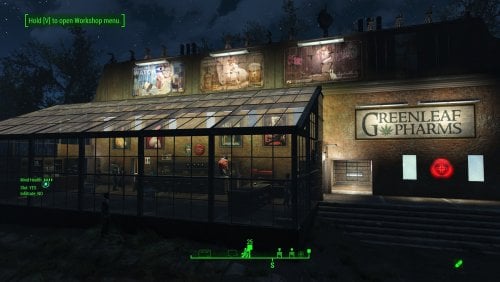
Transfer Settlements - Greenleaf Pharms (Greentop Nursery)
By msmfoster
Greentop Nursery has been re-imagined into a Greenleaf growing operation, dispensary, and associated headquarters. This build works around the visual glitches caused by the scrapped home by working around it entirely. The area plagued with visual glitches is now a warehouse that sees little to no traffic.
Details on this build:
Removed the home to create a cohesive brick and warehouse glass structure. First deck: Dispensary area featuring all shops, large warehouse, laundromat, and medical clinic. Second deck: Washrooms, kitchenette, bunks, and gym. Third deck: Washrooms, bunks, and employee break area. Greenhouse has been repaired, extended, with a visible warehouse floor. Warehouse annex to the greenhouse, that functions as a workshop, and two levels of turrets on the roof. Warehouse electric doors have been added for the greenhouse and annex. Underground radiators are used to hide much of the cabling.
Note. Warehouse glass pieces have a reflection component that may tank framerate when you are in the dispensary. See Unrelated But Useful for more information on mods that may help.
Settlement Features
32 bunks. 150+ food. 680+ defense. 240 power. 60 water. Tier 3 Medical, Restaurant, Clothing, and General Store. Dedicated gym area. Vault-Tec drink dispenser and slot machines. Working sinks and showers. Power mostly runs through conduits to minimise visible power lines. Power switch on the third deck will turn on and off the settlement beacon to save players from having to tcl onto the roof. Cat, dog, and child included in the build.
Requirements
Downloadable Content
Contraptions Workshop Vault-Tec Workshop Wasteland Workshop Far Harbour
Hard Requirements
Transfer Settlements. To import this blueprint. Scrap Everything or an equivalent. To clear out the area as per Setup Instructions. Homemaker. Primary build components for most of the settlement, decorations, furniture, and miscellaneous objects. Settlement Objects Expansion Pack. Fusion generators, railings, pools, foundation liners, cooking station, and water pumps.
Note. Transfer Settlements will not add items if the mods are missing. Mods listed below are not required but will remove associated elements.
Soft Requirements
Craftable Working Sinks and Showers Redux. Working sinks and showers. Erotic Art. Frames and pictures used throughout. Working Fridges. Simple mod that adds working fridges, ice machines, and vending machines. Working Washer and Dryer (Immersive Laundry). Player functional laundry machines and dryers with sound effects. Singing Settler. Used for some of the flooring.
Nice to Have
Armour and Weapon Keywords Community Resource. Additional types of workshops, namely power armour. Videos of the Wasteland. Working televisions and projectors. Invisible Furniture. Adds invisible markers that are used as idles for settlers and pets. Gruffydd's Signs and Posters. Billboards and signs. Crazy Sex Animations. Invisible mats that make settlers happy through masturbation, done without using the Advanced Animation Framework, and additionally places assignable gurneys that increase happiness. Sex Toys of the Commonwealth. Adds the random placement of sex toys throughout. Bad Dragon Dildos. Adds more extreme dildos throughout. Family Planning Enhanced or Family Planning Enhanced Redux. Will import an assignable child into the settlement.
Unrelated But Useful
Place Everywhere. Allows you to make minor adjustments if necessary. Armour Rack Female Mannequin Fix. Fixes the armour rack to support alternate bodies like Fusion Girl. Glass Roofs Stop Rain and Snow - Various Mods Patches. Stops rain and snow from going through glass roofs. Glowing Glass Fix. Changes the glass textures to reduce glare and reflection.
Setup
Clearing the area is relatively straightforward. Remove the greenhouse, home and associated shack.
Maintain the following:
The internal components of the greenhouse. Existing support pylons and spray lines. Maintain just enough of the mutfruit plants to keep the settlers assigned.
Some of the foliage cannot be easily scrapped.
Select the offending brush, tree, or bumper of a wrecked truck. Disable MarkForDelete
Note. Disable first in case you selected the wrong object. If that happens Enable will recover the object.
Build a Transfer Settlements console from Power > Miscellaneous down the hill near where the fire pit was, where caravans come in.
Note. Import should be done with Workshop Mode enabled.
Tasks After Import
No additional requirements other than to confirm that all power has been restored as expected.
Note. The electric garage door for the warehouse is not wired in. It is purely decorative because an operational door would make the visual glitches worse.
Optional
The workshop ends up being lower than the floor level of the motel. This can be corrected with two quick commands:
Select the lantern besides the workshop and type getpos z to get the elevation. Select the workshop itself and type setpos z <value> using the above elevation.
Notes on Imports
Transfer Settlements recommends leaving the area after import and to not return for 1-2 game days. However, I found that saving on site always crashes the game.
The easiest way to get away and save is to coc Vault111Ext from the console. Wait a couple of minutes before heading into the vault. Once you arrive at the bottom it is safe to save.
I recommend you import/export Blueprints using Stable defaults. Using other methods has caused ladders, walls, and flooring to appear without collision. In many cases the collision effects are found elsewhere leading to interesting behaviours among the NPC population, and leading to a snap back effect as you push through an area and are forced back by the invisible wall.
Note. This blueprint was tested with Transfer Settlements working under Stable.
Lastly Import wired power connections should always be selected as part of the import process. It will reliably re-connect all wired connections. This saves you the trouble of linking up floors, turrets, and in some cases re-establish connections for hidden or buried runs.
Notes on Power and Performance
These blueprints utilize ambient fill lighting to provide a pervasive glow. I use Naked Bulbs to create a lived-in atmosphere for statues, fountains, and roof voids.
Warning for Dynamic Lighting Users
If you use mods that turn all lights into dynamic, shadow-casting sources, the sheer number of these bulbs will severely cripple your framerate. I strongly recommend using the Transfer Settlements Blueprint Editor to strip out all instances of 306F1 before importing.
Optimization for Complex Builds:
Because of the heavy use of conduits to reduce visible power lines, these settlements have high object counts. To steps below may improve performance.
Enable Faux Power in the Workshop Framework's workbench settings. Use the Transfer Settlements Blueprint Editor to strip all conduits from the .json file.
This can reduce build complexity by up to 40% without losing the overall aesthetic of the settlement.
Note. I cannot guarantee the above will work.
A Special Thanks To
Thank you to Caladon for creating the template that makes blueprints installable.
Thank you to PiCSeL for the magazine and painting retextures seen in the screenshots.
Updates
Version 1.0.0
Initial release of this build.
150 downloads
Submitted
-
CWSS Intelligent Undress 1.0 and GetDirty patch
By naaitsab
This mod aims to fix the compatibility issue with CWSS and a number of Loverslab mods. It replaces the built-in (un)dressing system of CWSS for a custom one. It prevents flickering, log spam and/or quest related issues with mods like Commonwealth Slavers. Depending on what item is worn.
Note that only items used in the ‘Base Object Swapper’ mod linked below have been patched currently. As are the CWSS items used by Nuka Ride and CS. Urinal excluded.
As CWSS provides no script sources and perk overrides scripts don’t work on CWSS furniture, this hacky method is the most resource friendly way I could think of. It required a file to be manually 'patched' using the new scripts. Feel free to add more patched CWSS furniture in the support thread of this mod.
Currently it supports the following mods:
-Devious Devices RC9
-Real Handcuffs
-Kziitd Fetish Toolset
-Nuka Ride
-Commonwealth Slavers
Highly recommended:
Universal Working Bathroom Fixtures (CWSS) - Base Object Swapper
Wash Out That Cum - with CWSS Patch
Get Dirty.
Use the attached patch that disables all (un)dress events from this mod. As it’s not patched to use the similar system as 'CWSS Intelligent Undress' and is redundant when both mods are used. (And auto-undressing when swimming is just daft right). It also disabled the messagebox when loading the mod the first time. As this can cause the opening scene on a new game to hang.
Settings
You can adjust the following settings to your liking using the console. The default values are shown.
set ICWSS_Enabled to 1
0 for disable or 1 to enable the mod
set ICWSS_RedressDelay to 0.1
amount in seconds to wait to redress
set ICWSS_ToiletUndress to 1
0 for disable removing an item worn on the body slot at a toilet or 1 to enable
1161 downloads
- devious devices
- realhandcuffs
- (and 2 more)
Submitted
-
Updated
-
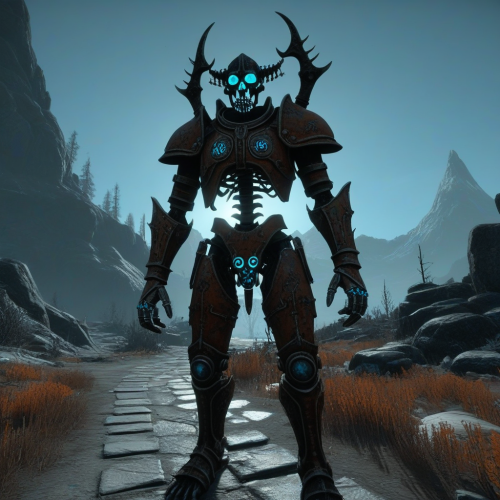
Bidirectional animation converter between Skyrim and Fallout 4
By dagobaking
## IMPORTANT: Respect Animation Authors
**DO NOT use this tool to republish someone else's animations without their explicit permission.**
This means nowhere — not on LoversLab, Nexus, sites in any language, Google Drive, MEGA, Discord servers, or anywhere else. If the original animator did not give you permission to convert and redistribute their work, then don't. It doesn't matter if you converted the format — the creative work is theirs, not yours.
If someone is found republishing others' work without permission, I will take this tool down and only share future improvements privately. Don't be that person.
**If you want to convert someone's animations for personal use, go ahead. If you want to publish a converted pack, get the author's permission first.**
### Skyrim to FO4 Converter
- Full spline decompression and re-compression pipeline
- 62-bone skeleton remapping (XPMSE to ZeX Extended)
- Rest-pose correction with custom idle pose support (`rotation_base = custom`)
- Handles Skyrim LE tagfile XML and SE binary HKX (auto-detected)
- Per-chain rotation amplitude adjustment
- Worldspace position offset for actor alignment
- Blender Control-Rig import via JSON export
- Batch pipeline with ESP and AAF XML generation
### FO4 to Skyrim Converter (Beta)
- Reverse retargeting from FO4 skeleton back to Skyrim XPMSE
- Outputs Skyrim LE tagfile XML (usable as .hkx directly)
- Batch mode with FNIS list file generation
- Not yet tested in-game — roundtrip verification passes (most bones 0.00° error)
### General
- `convertToFO4.bat` and `convertToSkyrim.bat` — drag-and-drop batch wrappers
- Annotation tracks preserved from source animations
598 downloads
Updated
-
AuctionHouse - Fallout 4
By Wolfe6900
The Fallout version of Simple Slavery.
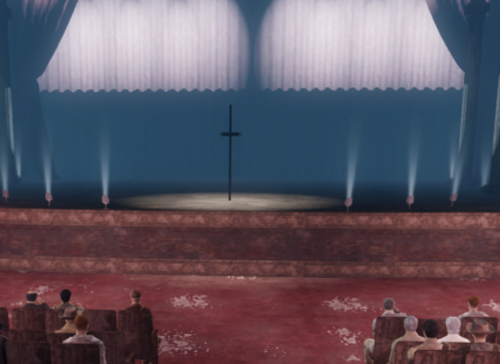
What this mod does:
-Allows the player to be sold into slavery. Currently, it has just 1 outcome. The player goes through an auction, then obtains a male follower. Once the male follower dies, the quest is complete. This can be done on an infinite repeat.
- To get there, you will need to 'coc AuctionHouse'
Requirements:
- None, other than the base game.
Future Plans:
- Link this mod to other mods like Commonwealth Slavers, Raider Pet and etc. for additional outcomes.
- Link this mod to defeat mods, allowing the player to be sent to the Auction House upon defeat.
3433 downloads
Updated
-
Porno lightbox
By vjnmrf
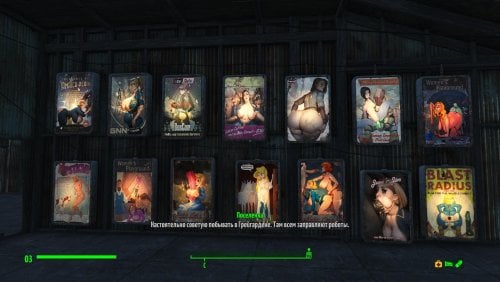
Retexture of lightboxes to suit my taste. They are also made to emit energy (if anyone doesn't know, there will be lights glowing next to them, jukeboxes playing, etc.)
Added a version with darker and dirtier textures at half the resolution.
2291 downloads
Updated
-

load screen ❤️🔥 Tasty Cookie - Full HD/2K/4K Load Screen ❤️🔥
By Cookie DLC
Hi all!
A simple loading screen substitute, without fanaticism (‿ˠ‿) Ɑ͞ ̶͞ ̶͞ ̶͞ لں͞ 😏
I made it for myself and thought I’d post it here. I want to see if such content is worth bothering with at all. Write what you think about this. All the best!
❥ If you liked my work, don't forget to like it!
┆ ⤿ 💌 ⌗ My Discord channel. Join us, let's chat!
❥ And if you'd like to support me financially, you can do so here: ♡ SUPPORT COOKIE ♡
❥ You can listen to my music on my YouTube channel, covering Fallout and more!
💖💗🥰💞 Thank you all for your attention, and goodbye!
1233 downloads
Updated
-
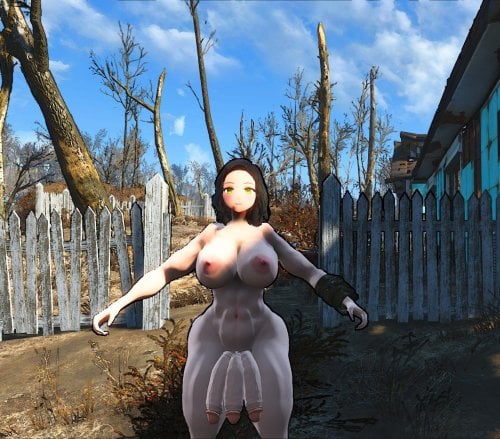
BagOfDicks (anime textures)
By G04X
Assuming you use AnimeRace:
A little texture mod for BagOfDIcks by Mauler158:
For:
Recolor CBBE Skin for AnimeRace by opparco: https://www.nexusmods.com/fallout4/mods/38702
or
My Little Nanako by monoa: https://www.nexusmods.com/fallout4/mods/49813
Please choose one or the other since they have different shades and download the original mod and it should work.
Trying to learn modding, so far, good on textures, that's about it.
Any problems, bugs, or ideas, let me know, no promise that I'll do them or ever get to them, but its better then not asking at all.
131 downloads
Submitted
-
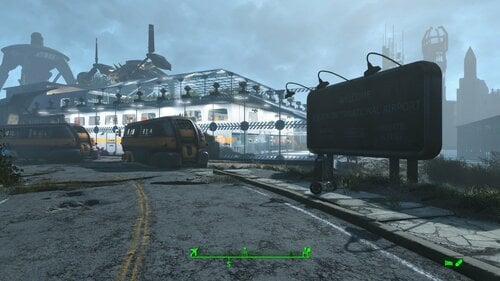
Transfer Settlements - Boston Airport Institute Research Station
By msmfoster
A Transfer Settlements blueprint that aims to make the Boston Airport a viable settlement while working within its confines. This build makes use of Institute and glass build elements from the Settlement Objects Expansion Pack. From the sky, this build looks surprisingly like a modern aircraft terminal annex.
The end result is a sealed-in environment that provides high defences and food production while making use of both levels of the terminal itself. This blueprint integrates nicely with mods like Just Business, Human Resources, and Hookers of the Commonwealth - Settlement Edition, but these elements are contained within this blueprint.
Details on this build:
One level dedicated to medical, shops, restaurant, and entertainment facilities. The latter serves as a cabaret. One level dedicated to living and office spaces. One level serving as a greenhouse, gym, and conference room. The entire outer perimeter uses glass walls to create a sealed and defensible environment. The entire perimeter is lined with turrets.
Settlement Features
32 bunks. 130+ food. 800+ defence. 360 power. 120 water. Tier 3 Medical, Restaurant, Clothing, and General Store. Dedicated gym area. Vault-Tec drink dispenser and slot machines. Working sinks and showers. Power mostly runs through conduits to minimise visible power lines. The player can move freely, but settlers show minimal inclination to move around. Cat and dog included in the build. No visual glitches observed from this build. Creates an interesting result when the player sides against the Brotherhood of Steel as the settlement itself will engage them once the player nears the site. This also happens for the Railroad in Rockets' Red Glare as the vertibird approaches the Prydwen.
Requirements
Downloadable Content
Contraptions Workshop Vault-Tec Workshop Wasteland Workshop Far Harbour Enclave Remnants
Hard Requirements
Transfer Settlements. To import this blueprint. Scrap Everything or an equivalent. To clear out the area as per Setup Instructions. Settlement Objects Expansion Pack. Primary build components for most of the settlement. Fusion generators, railings, pools, foundation liners, cooking station, and water pumps. Homemaker. Mostly used for decorations, furniture, and miscellaneous objects.
Note. Transfer Settlements will not add items if the mods are missing. Mods listed below are not required but will remove associated elements.
Soft Requirements
Craftable Working Sinks and Showers Redux. Working sinks and showers. Erotic Art. Frames and pictures used throughout. Working Fridges. Simple mod that adds working fridges, ice machines, and vending machines. Working Washer and Dryer (Immersive Laundry). Player functional laundry machines and dryers with sound effects. Singing Settler. Used for some of the flooring. Stripper Pole. Adds assignable stripper poles.
Nice to Have
Armour and Weapon Keywords Community Resource. Additional types of workshops, namely power armour. Videos of the Wasteland. Working televisions and projectors. Crazy Sex Animations. Invisible mats that make settlers happy through masturbation, done without using the Advanced Animation Framework, and additionally places assignable gurneys that increase happiness. Sex Toys of the Commonwealth. Adds the random placement of sex toys throughout. Bad Dragon Dildos. Adds more extreme dildos throughout.
Unrelated But Useful
Place Everywhere. Allows you to make minor adjustments if necessary. Armour Rack Female Mannequin Fix. Fixes the armour rack to support alternate bodies like Fusion Girl. Glass Roofs Stop Rain and Snow - Various Mods Patches. Stops rain and snow from going through glass roofs.
Setup
Clearing the area is relatively straightforward.
Remove all clutter with exception of the floor and walls. This includes pictures, furniture, plants near the perimeter on both the main floor and the second level. Remove the two damaged support columns on both sides of the workshop.
Build a Transfer Settlements console from Power > Miscellaneous in front of the door to the left when facing the workshop.
Note. Import should be done with Workshop Mode enabled.
Tasks After Import
Confirm that all power has been restored as expected. Most lamps will not be light, simply select them in workshop mode to light them up.
Notes on Imports
Transfer Settlements recommends leaving the area after import and to not return for 1-2 game days. However, I found that saving on site always crashes the game.
The easiest way to get away and save is to coc Vault111Ext from the console. Wait a couple of minutes before heading into the vault. Once you arrive at the bottom it is safe to save.
I recommend you import/export Blueprints using Stable defaults. Using other methods has caused ladders, walls, and flooring to appear without collision. In many cases the collision effects are found elsewhere leading to interesting behaviours among the NPC population, and leading to a snap back effect as you push through an area and are forced back by the invisible wall.
Note. This blueprint was tested with Transfer Settlements working under Stable.
Lastly Import wired power connections should always be selected as part of the import process. It will reliably re-connect all wired connections. This saves you the trouble of linking up floors, turrets, and in some cases re-establish connections for hidden or buried runs.
Notes on Power and Performance
These blueprints utilize ambient fill lighting to provide a pervasive glow. I use Naked Bulbs to create a lived-in atmosphere for statues, fountains, and roof voids.
Warning for Dynamic Lighting Users
If you use mods that turn all lights into dynamic, shadow-casting sources, the sheer number of these bulbs will severely cripple your framerate. I strongly recommend using the Transfer Settlements Blueprint Editor to strip out all instances of 306F1 before importing.
Optimization for Complex Builds:
Because of the heavy use of conduits to reduce visible power lines, these settlements have high object counts. To steps below may improve performance.
Enable Faux Power in the Workshop Framework's workbench settings. Use the Transfer Settlements Blueprint Editor to strip all conduits from the .json file.
This can reduce build complexity by up to 40% without losing the overall aesthetic of the settlement.
Note. I cannot guarantee the above will work.
A Special Thanks To
Thank you to Caladon for creating the template that makes blueprints installable.
Thank you to PiCSeL for the magazine and painting retextures seen in the screenshots.
Updates
Version 1.0.1
Switched to Immersive Laundry. Removed requirements for Erotic Art Expanded. Adjusted positions of the merchants. Minor power changes. Made changes arrangements within the laundry room.
190 downloads
Updated
-
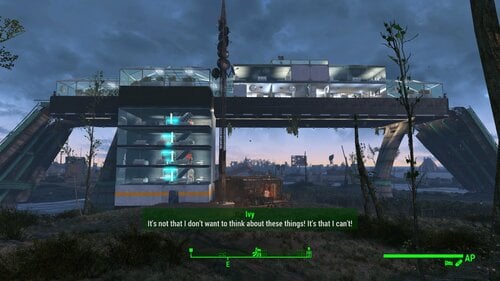
Transfer Settlements - Finch Farm Institute Surveillance Station
By msmfoster
A Transfer Settlements blueprint that answers the question on how a family of farmers can survive with The Forged, Gunners, and Super Mutants as neighbours. This build specifically makes use of the overpass going over the property to create a multi-level Institute fortress that observes the Commonwealth as their experiments carry on below.
Details on this build:
Features an extensive greenhouse for high production. Supports all major stores that bring happiness. Mix of living and work spaces. Settlers can exist almost exclusively within the fortress without venturing down. Forward and aft turret batteries can engage Gunners and Super Mutants. Useful when the colony goes to war with either side due to the player getting too close to the property line and triggering an engagement. Thirty settlers armed with Institute weapons will clear out Revere Station in no time.
Settlement Features
31 bunks. 150+ food. 900 defence. 420 power. 63 water. Tier 3 Medical, Restaurant, Clothing, and General Store. Dedicated gym area. Vault-Tec drink dispenser and slot machines. Working sinks and showers. Power mostly runs through conduits to minimise visible power lines. Settlers occasionally fall through the floors but can move throughout. Cat and dog included in the build. No visual glitches observed from this build.
Requirements
Downloadable Content
Contraptions Workshop Vault-Tec Workshop Wasteland Workshop Automatron
Hard Requirements
Transfer Settlements. To import this blueprint. Scrap Everything or an equivalent. To clear out the area as per Setup Instructions. Homemaker. Primary build components for most of the settlement, decorations, furniture, and miscellaneous objects. Settlement Objects Expansion Pack. Fusion generators, railings, pools, foundation liners, cooking station, and water pumps.
Note. Transfer Settlements will not add items if the mods are missing. Mods listed below are not required but will remove associated elements.
Soft Requirements
Craftable Working Sinks and Showers Redux. Working sinks and showers. Erotic Art. Frames and pictures used throughout. Working Fridges. Simple mod that adds working fridges, ice machines, and vending machines. Working Washer and Dryer (Immersive Laundry). Player functional laundry machines and dryers with sound effects. Singing Settler. Used for additional flooring.
Nice to Have
Armour and Weapon Keywords Community Resource. Additional types of workshops, namely power armour. Videos of the Wasteland. Working televisions and projectors. Crazy Sex Animations. Invisible mats that make settlers happy through masturbation, done without using the Advanced Animation Framework, and additionally places assignable gurneys that increase happiness. Sex Toys of the Commonwealth. Adds the random placement of sex toys throughout. Bad Dragon Dildos. Adds more extreme dildos throughout. Companion Ivy. If you happen to have Ivy as a companion, one of her broadcast towers will be added in an out of the way area.
Unrelated But Useful
Place Everywhere. Allows you to make minor adjustments if necessary. Armour Rack Female Mannequin Fix. Fixes the armour rack to support alternate bodies like Fusion Girl. Glass Roofs Stop Rain and Snow - Various Mods Patches. Stops rain and snow from going through glass roofs.
Setup
Clearing the area is relatively straightforward. Clear the area of clutter and trash, especially the large mound by the home. Feel free to tidy up the home itself, but nothing changes inside. The overall goal is to create the illusion that the Finches live below doing their thing while a community thrives above providing defence as necessary.
Clear up the overpass of clutter and vines. Those hanging below can stay since they are often a pain to scrap (see below). Be careful when working this area, it's easy to fall through.
For items that are hard or impossible to scrap do the following:
Select the vines. Disable MarkForDelete
Note. Disable first in case you selected the wrong object. If that happens Enable will recover the object.
Build a Transfer Settlements console from Power > Miscellaneous on the roof of the Finch home.
Note. Import should be done with Workshop Mode enabled.
Tasks After Import
Confirm all power has been restored.
Notes on Imports
Transfer Settlements recommends leaving the area after import and to not return for 1-2 game days. However, I found that saving on site always crashes the game.
The easiest way to get away and save is to coc Vault111Ext from the console. Wait a couple of minutes before heading into the vault. Once you arrive at the bottom it is safe to save.
I recommend that you import/export Blueprints using Stable defaults. Using other methods has caused ladders, walls, and flooring to appear without collision. In many cases the collision effects are found elsewhere leading to interesting behaviours among the NPC population, and leading to a snap back effect as you push through an area and are forced back by the invisible wall.
Note. This blueprint was tested with Transfer Settlements working under Stable.
Lastly Import wired power connections should always be selected as part of the import process. It will reliably re-connect all wired connections. This saves you the trouble of linking up floors, turrets, and in some cases re-establish connections for hidden or buried runs.
Notes on Power and Performance
These blueprints utilize ambient fill lighting to provide a pervasive glow. I use Naked Bulbs to create a lived-in atmosphere for statues, fountains, and roof voids.
Warning for Dynamic Lighting Users
If you use mods that turn all lights into dynamic, shadow-casting sources, the sheer number of these bulbs will severely cripple your framerate. I strongly recommend using the Transfer Settlements Blueprint Editor to strip out all instances of 306F1 before importing.
Optimization for Complex Builds:
Because of the heavy use of conduits to reduce visible power lines, these settlements have high object counts. To steps below may improve performance.
Enable Faux Power in the Workshop Framework's workbench settings. Use the Transfer Settlements Blueprint Editor to strip all conduits from the .json file.
This can reduce build complexity by up to 40% without losing the overall aesthetic of the settlement.
Note. I cannot guarantee the above will work.
A Special Thanks To
Thank you to Caladon for creating the template that makes blueprints installable.
Thank you to PiCSeL for the magazine and painting retextures seen in the screenshots.
Updates
Version 1.0.1
Added support for Immersive Laundry. Removed Fresh Carrots Planters for regular variant. The former cannot be used for crating of recipes and drugs. Added stairs on the top level, enables the player to walk on and off the glass roofs.
248 downloads
Updated
-
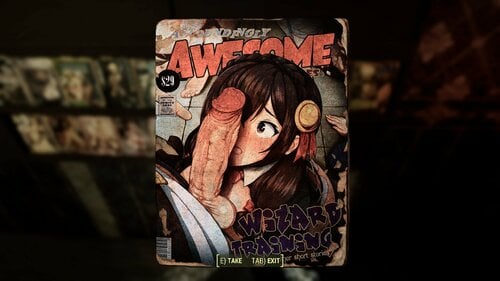
magazines PiCSeL's vanilla magazines hentai retexture 2K
By picsel
DLC MAGAZINES ADDED (finally).
separate archive, loose files
My own retexture of vanilla Fallout 4 magazines.
Based heavily on Hananahs Adult Magazines.
His magazines were not lewd enough for my taste.
Hope you guys like it too.
It is 2k now!
Not an upscale, actual high quality images used. Loose files.
Do not forget to download separate DLC archive, if you are planning to collect DLC magazines too. It's not included in any other archives.
1k loose files link is still available in "download" section.
COMPATIBILITY
Compatible with ANYTHING. It is just a retexture, without scripts
How to get the most from this mod?
Mod will work out of the box, no other action required.
Make sure to download Restored Taboo Tattoos mod. Bethesda forgot to put some of the vanilla magazines into the game world. The mod fixes that.
MY MAGAZINE MODS
126 vanilla magazines + 6 restored + 404 from various mods
Ultimate 536 magazines bundle, all in one style, for a devoted lewd pictures collector.
Vanilla magazines retexture (all vanilla magazines + 6 restored Taboo Tattoos)
Missing magazines retexture (+10 magazines with perks)
Wasteland Imports magazines retexture (+14 magazines, consumable, +1 magazine with perk)
Strong Legs magazine retexture (+5 magazines with carryweight perk)
Retexture of Ketaros' New Magazines (+91 magazines, with perks)
SS2 Wasteland Venturers icecream magazines (+8 magazines, allow to cook icecream)
Backpack of the Commonwealth magazines retexture (+5 new magazines, each allows to craft a backpack)
Retexture of Fahrenheit1984's XXX magazines (+73 magazines, no perks)
Erotic Art Magazines retexture (+44 magazines, allow to build erotic poster at your settlement)
Hentai retexture of Companion Ivy magazines (+73 magazines, no perks, added to the world via object swapper and leveled lists)
PiCSeL's Standalone Custom Magazines 1.0.0 (+80 magazines, no perks, added via leveled lists, standalone)
Collab
A collaboration project - standalone magazines
Complimentary mods
Maximum Chance & Less Rotation for Skill Magazine Loading Screens (loading screens will show only magazines, for you to enjoy while waiting)
Wall Mounted Magazine Shelf (better way to store and display your magazines)
Also, my attempt at retexturing billboards and posters in a lewd way:
38873 downloads
- collectibles
- comics
- (and 7 more)
Updated
-
Transfer Settlements - Tenpines Bluff HalluciGen Experimental Crop Facility
By msmfoster
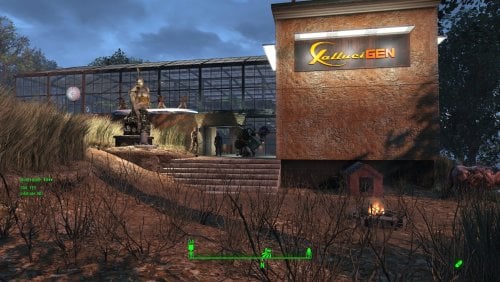
A Transfer Settlements blueprint that completely re-imagines Tenpines Bluff as an experimental crops facility by HalluciGen. Most of the usable space fused into a single coherent structure of Homemaker brick walls with vanilla warehouse glass pieces. Details on this build: Two floor structure (with a courtyard) that uses most of the build space for the settlement. First floor: Stores, bunks, bathrooms, laundromat, workshops, and medical facilities. Second floor: Gym and over one hundred greenhouse tables. Courtyard: Bar, singing settler, slot machines, and drink dispensers. Combination of brick walls and warehouse glass walls, creates an expansive space that still feels like you are outside. Entire second level, except for the gym, is enclosed in glass. Hidden radiators and wires are used to power some of the lights. Settlement Features 31 bunks. 175+ food. 715+ defence. 300+ power. 60 water. Tier 3 Medical, Restaurant, Clothing, and General Store. Dedicated gym area. Vault-Tec drink dispenser and slot machines. Working sinks and showers. Power mostly runs through conduits to minimise visible power lines. Settlers appear able to move freely, with minimal difficulties observed. Cat, dog, and child included in the build. No visual glitches observed from this build. Note. Warehouse glass pieces add a reflection component that can tank your framerate when you are on the second deck. See Unrelated But Useful for more information on mods that may help. Requirements Downloadable Content Contraptions Workshop Vault-Tec Workshop Wasteland Workshop Far Harbour Hard Requirements Transfer Settlements. To import this blueprint. Scrap Everything or an equivalent. To clear out the area as per Setup Instructions. Homemaker. Primary build components for most of the settlement, decorations, furniture, and miscellaneous objects. Settlement Objects Expansion Pack. Fusion generators, railings, pools, foundation liners, cooking station, and water pumps. Note. Transfer Settlements will not add items if the mods are missing. Mods listed below are not required but will remove associated elements. Soft Requirements Craftable Working Sinks and Showers Redux. Working sinks and showers. Erotic Art. Frames and pictures used throughout. Working Fridges. Simple mod that adds working fridges, ice machines, and vending machines. Working Washer and Dryer (Immersive Laundry). Player functional laundry machines and dryers with sound effects. Singing Settler. Used for the singing settler and flooring. Nice to Have Armour and Weapon Keywords Community Resource. Additional types of workshops, namely power armour. Videos of the Wasteland. Working televisions and projectors. Invisible Furniture. Adds invisible markers that are used as idles for settlers and pets. Standing Stones from Skyrim. Skyrim styled statues for aesthetics. Gruffydd's Signs and Posters. Billboards and signs. Crazy Sex Animations. Invisible mats that make settlers happy through masturbation, done without using the Advanced Animation Framework, and additionally places assignable gurneys that increase happiness. Sex Toys of the Commonwealth. Adds the random placement of sex toys throughout. Bad Dragon Dildos. Adds more extreme dildos throughout. Companion Ivy. If you happen to have Ivy as a companion, one of her broadcast towers will be added in an out of the way area. Family Planning Enhanced or Family Planning Enhanced Redux. Will import an assignable child into the settlement.
Unrelated But Useful Place Everywhere. Allows you to make minor adjustments if necessary. Armour Rack Female Mannequin Fix. Fixes the armour rack to support alternate bodies like Fusion Girl. Glass Roofs Stop Rain and Snow - Various Mods Patches. Stops rain and snow from going through glass roofs. Glowing Glass Fix. Changes the glass textures to reduce glare and reflection. Setup Clearing the area is relatively straightforward. Remove flora, food, garbage, rubble, the destroyed home and shack. You will be required to scrap some trees beyond the build area in addition to the unscrapable tree within. For these you will need to do the following. Select the tree. Disable MarkForDelete Note. Disable first in case you selected the wrong object. If that happens Enable will recover the object. Build a Transfer Settlements console from Power > Miscellaneous in the corner where the food workshop was located. Note. Import should be done with Workshop Mode enabled. Tasks After Import Because you cleared all food prior to the blueprint import, you'll need to re-assign the settlers already there. Additionally, confirm all power has been restored. Optional There is a brand new settlement workshop near the existing one. This serves as a reference to move the existing workshop in it's place. This is purely for aesthetics, but it does make the settlement look better. Do the following steps in order: Select the new workshop and use the following: getpos z getpos x getpos y getangle z These are the values I extracted: setpos x -22190.01 setpos y 89346.05 setpos z 6138.54 setangle x 0 setangle y 0 setangle z 171.89 Scrap the new workshop as it is not functional. Select the original workshop and apply the values procured: setpos x -22185.38 setpos y 89303.74 setpos z 6159.34 setangle x 0 setangle y 0 setangle z 181.06 Note. While the above can be a copy and paste, confirm the values and save prior to making the changes. Notes on Imports Transfer Settlements recommends leaving the area after import and to not return for 1-2 game days. However, I found that saving on site always crashes the game. The easiest way to get away and save is to coc Vault111Ext from the console. Wait a couple of minutes before heading into the vault. Once you arrive at the bottom it is safe to save. I recommend that you import/export Blueprints using Stable defaults. Using other methods has caused ladders, walls, and flooring to appear without collision. In many cases the collision effects are found elsewhere leading to interesting behaviours among the NPC population, and leading to a snap back effect as you push through an area and are forced back by the invisible wall. Note. This blueprint was tested with Transfer Settlements working under Stable. Lastly Import wired power connections should always be selected as part of the import process. It will reliably re-connect all wired connections. This saves you the trouble of linking up floors, turrets, and in some cases re-establish connections for hidden or buried runs. Notes on Power and Performance These blueprints utilize ambient fill lighting to provide a pervasive glow. I use Naked Bulbs to create a lived-in atmosphere for statues, fountains, and roof voids. Warning for Dynamic Lighting Users If you use mods that turn all lights into dynamic, shadow-casting sources, the sheer number of these bulbs will severely cripple your framerate. I strongly recommend using the Transfer Settlements Blueprint Editor to strip out all instances of 306F1 before importing. Optimization for Complex Builds: Because of the heavy use of conduits to reduce visible power lines, these settlements have high object counts. To steps below may improve performance. Enable Faux Power in the Workshop Framework's workbench settings. Use the Transfer Settlements Blueprint Editor to strip all conduits from the .json file. This can reduce build complexity by up to 40% without losing the overall aesthetic of the settlement. Note. I cannot guarantee the above will work. A Special Thanks To Thank you to Caladon for creating the template that makes blueprints installable. Thank you to PiCSeL for the magazine and painting retextures seen in the screenshots. Updates Version 1.0.0 Initial release of this build.138 downloads
Submitted




![More information about "Oniki's Kinky World Build 454 v1.0.0 - LoversLab Edition [BiterBit's QoL]"](https://static.loverslab.com/screenshots/monthly_2026_03/S3_2F7D0004_00000000_EBF9372AFF28D610_i_welcome_kinkyworldIMAGcopyLLe.png.0afce9e1b887c3fe92bcab1899388acb.thumb.webp.ae2f07901c16554cc27a6b220b298155.webp)