Select a subcategory to view available files.
Files From Subcategories
-
Hurt Me
By D4NSUM
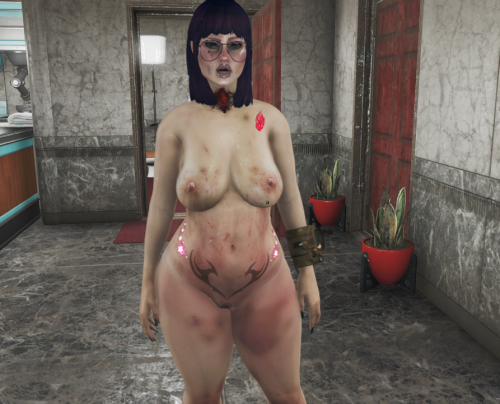
This is my first mod, I think it went pretty well, this is a simple script mod that applies damage overlays to player when an aggressive tagged aaf scene played through aaf api. works with NAF as long as the scene if first triggered through aaf api.
Credits:
jeffey67 for materials and textures
718 downloads
Updated
-
Hurt Me (Amputator)
By D4NSUM
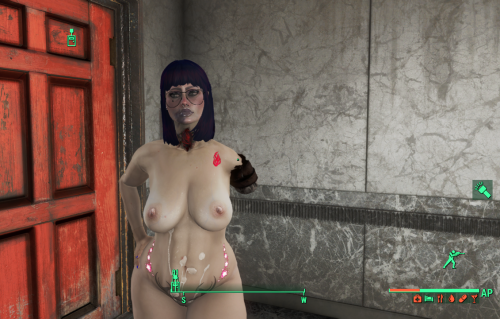
My most ambitious project yet, I made a script to apply amputations to Aggressive/rough tagged AAF scenes. The defaults are 10 percent chance for amputations to occur, and if you have over 50 percent of your hp consumed by RADS you will regrow your missing limbs after 24 in game hours, I wanted to do MCM configs but it turned out to be more difficult than I could figure out. ill come back to it eventually. or if someone else knows better, have at it. PS if anyone does know how to set up MCM configs DM me and teach me pls
242 downloads
Updated
-
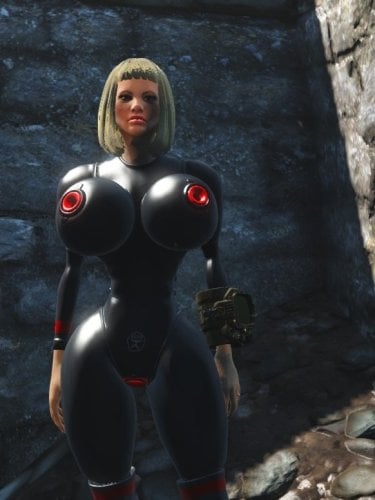
Soviet Sex Suits Fo4
By Voidson22222
A port of one outfit from my FNV mod. The outfit is based on inflatable latex suits.
My idea for the lore is that the Soviet Union determined the best way to build relations with the factions of post war America was trough sex and ordered their scientists to make hazmat sex suits for diplomatic missions.
1061 downloads
Updated
-
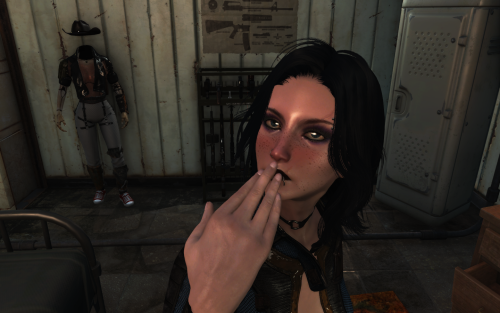
Aroused blush
By Samhsay
The mod adds three levels of blushing based on arousal. It is based on SexAttributes parameters. This works with both 1K and 2K face textures.
REQUIREMENTS
AAF Things
Sex Attributes
PROBLEMS
I have the feeling that the textures are being applied just a tiny bit lower than they should be.I have the feeling that the textures are being applied just a tiny bit lower than they should be.
FOR MODDERS
1218 downloads
Updated
-
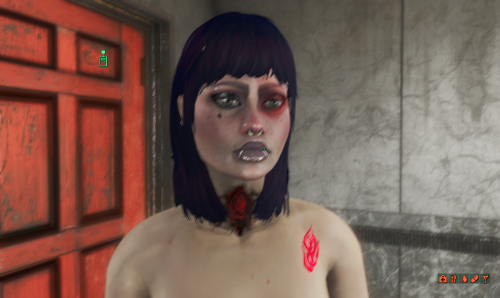
Hurt Me (SFT)
By D4NSUM
Same as my hurt me mod but for the face, uses scripted face tints to apply damage face details during aggressive and rough tagged animations
310 downloads
Submitted
-
Submitted
-
patch AAF: SavageCabbage Animations Rescaling
By lee3310
This is a scaling patch for AAF scenes
Some animation packs don't use the same scale for the human race, like "My Animation Pack" which was made with the assumption that all female NPCs are scaled to 0.98 (with the exception of some unique NPCs, it's true) and others used different scales per race, like "Gray User" who clearly didn't use 1.0 as Mirelurk scale in his animations.
Add to that the fact that members of the same race can spawn with different scale (like dogs, Mirelurks, Feral ghouls and bloadtflies...) and you find yourself facing a dilemma: enabling AAF rescaling in "AAF_settings.ini" to align most of the animations ? or disabling it and only have some of the them aligned.
This little patch was conceived to avoid having to make a choice (eventually).
V2.2.0:
You only need this version from now on, regardless of the AAF version used (pre/pos 1.0), but you have to restart the quest once using console cmd or holotape. I also added a check update routine so this is the last time a manual restart is needed.
Since 2.0.0:
Shivering bug:
A couple of users (me included) noticed that the PC starts shivering when some positions are played (savageCabbage's, mostly), It's a bug caused by changing the Player scale (to a value other than 1.0 according to my testing). I didn't dig deep enough to get to the root cause of the problem, but as a workaround (starting from V2), I shifted the scale offset to the NPC instead. So PC = 0.98, NPC = 1.0 become PC = 1.0, NPC = 1.02. The scale change is unnoticeable and anims are still aligned properly (no more shivering). I will try to find a better solution in the future. In 2.1.0: New informations about the cause of the bug was discovered thank to @Holylokki. AAF disables player collision before playing idles. Any scale change made to the PC after that, will cause it to shake during scenes. Since we still can't get the tags earlier, this mod will now enable the collision prior to changing player scale and set it back afterward. Report Any problem related to this bug or player position during scene.
Disable Rescaling:
If you made a custom position that recuire manual scale handling and you don't want this mod to interfere with it, add "NoScale" to the list of tags in the positionDATA xml.
OnAnimationChange:
I reenabled this event because someone asked for it, it will only fire if the position is not "NPC controlled" to avoid unnecessary computing if the position played is a tree (event fires each time tree advance to next stage). For technical reasons (AAF doesn't report "tags" and "isNPCControlled" bool in the same events) it doesn't work as intended if multiple scenes are running at the same time.
There are Four Files (versions) in the download section (all plugins are ESL flagged): (deprecated)
AAF_SCRS_F: for gendered Male:Female xmls (no FF, MM), it will scale any female in the scene to 0.98 and males to 1.0 if the position played is one of SC's, otherwise 1.0:1.0 (like AAF rescaling). AAF_SCRS: compatible with any configuration (MF, FF, MM), it will scale the receiver (first actor) to 0.98 and all the others to 1.0 if the position played is one of SC's, otherwise 1.0 for all actors so don't forget to select the receiver first when starting a scene with AAF wizard if you install this version. AAF_SCRS_Cr/AAF_SCRS_Cr_F: Same as AAF_SCRS/AAF_SCRS_F but if the actor race is listed in the override list (SCRS_RaceScaleList) he will get scaled to the specified scale for that race (see description below).
Actors will get rescaled on position change too, so you can safely switch between SC and no-SC positions on the fly ( @spicydoritos thanks for the reminder).
Disabling AAF "scale_actors_for_animations" setting is highly recommended but not mandatory (not just in "AAF_settings.ini" but in any ini file in AAF folder with higher priority: for exemple: "rxl_bp70_settings.ini". @Snapdragon_ thank you for pointing that out)
Since 1.1.0:
Thanks to @spicydoritos who discovered the correct scale for Mirelurks and Bloatflies, i added support for them and decided to give the user more freedom. Now you can add your own scale for any race you want (vanilla, DLC, or modded) by editing a single property in Ck:
1. Open SCRS_Quest, go to script/property, select SCRS_RaceScaleList and clic Add:
2. In the new window, select "RaceID" and add the race you want (use filter to find the race ID):
3. Select "RaceScale" and enter the correct scale for the selected race (e.g 0.85):
4. Finally, hit ok until you close all the windows and save your plugin.
So now you don't have to wait for an update if you find a race that is not properly scaled in animations (don't forget to send me the correct scale with screenshots if you want it to be part of future updates).
I also added a Holotape craftable at any Chemistry station under "Utility" (see screenshots) that lets you enable/disable SCRS scaling. You should be able to "safely" uninstall this mod at any time (stop the script in holotape or console first) but there is absolutely no need to (just stop it in holotape if you don't want to use it anymore).
Disclaimer:
This patch works as intended on Humans/Ghouls/(Super Mutants and dogs too but not tested extensively) but not Feral Ghouls. From what i gathered, feral ghouls don't have a consistant scale (1.0 e.g) like other races, some FG animations will aligne perfectly with 1.01:0.98 ratio, others with 0.96:0.98... . So unless someone can provide a list with "position IDs" and corresponding "FG scales", i can't do anything about it. But this patch is still relevant in this case: it will lock the scale for you to 1.0 for all feral ghouls so you can effectively use "SAM" or xml to manually align actors for each position individually.
1.1.0 This mod doesn't have any DLC dependency, so if you want to add a scale for a DLC race (or mod added race) don't forget to load the appropriate plugin in CK when editing "SCRS_RaceScaleList".
Credits and acknowledgement:
@SavageCabbage For the excellent Animation Pack.
@dagobaking For AAF (this mod wouldn't be possible without AAF_API).
@EngineGaming For testing, feedback and screenshots.
@spicydoritos For testing, feedback, general support and "Mirelurks","Bloatflies" scales.
@wilmo For testing and feedback.
@EgoBallistic For help (not just with this mod) and general support.
@Snapdragon_ For help and general support.
@niston: for helping me with the scaling script and general support.
@Holylokki For bug report, test and suggestions.
AAF Discord team: for their assistance and support.
97694 downloads
Updated
-
Female Genitals Morph Control with Key
By TobiR999
this Mod requires
FusionGirl-VagAnusMod
FusiongGirl 1.80 or above for the textures
1.10.163 + F4SE 0.6.23 or higher
ZaZ Extended Skeleton
ZeX In-Game Sliders
fallout4 bodyslide to create the body
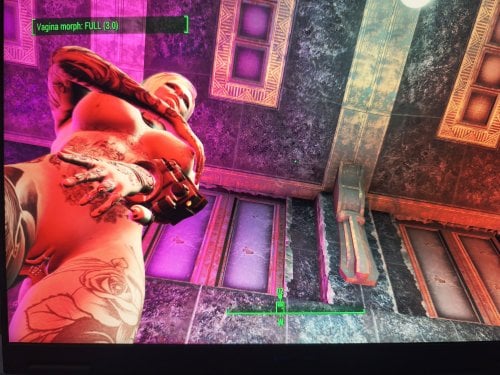
what does it
it opens the vagina with Key T and the anus with Key Y and closes them
The F4SE (Fallout 4 Script Extender) hex key codes (DirectX scan codes) for T and Y are 0x54 for T and 0x59 for Y.
so now you can use all sex animation mods no matter if they have
animated vagina or anus, so no more dicks hitting against closed
doors.
I havent tested if it works with CBBE only FusionGirl-VagAnusMod
my thanks go to DeepSeek AI & ChatGPT I never made a scripted mod its my first one
if you use MO2 you have to create a mod folder an put it below ZeX In-Game Sliders because it adds slider for vagina and anus penetrate
For Modders who ever likes to use this mod and to modify it or whatever can do with it, just do it! Its public opensource for everyone to use and intigrate!
it took me 3 days with AI to create it without knowledge 😄
Cant believe I made it, well it was teamwork!
For people who never tried it, just try use AI, I hope that AI gets better for us common people to create more mods and stuff!
627 downloads
Updated
-
TobiR999 Tattoos
By TobiR999
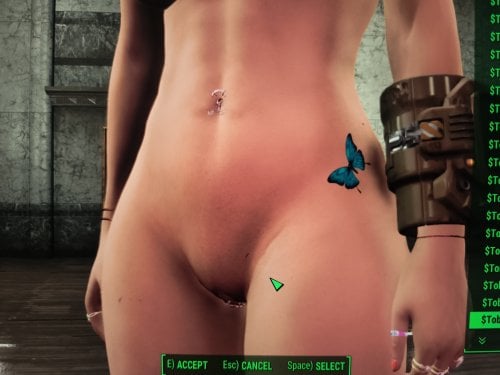
Tattoos for FG body 8K
Fusion Girl with the 8K body texture because the tattoos are also 8K
created with the help of AI because I was too lazzy writing this all by myself Deepseek 100%
but you need Material Editor and you have to create .BGEM files yourself https://www.nexusmods.com/fallout4/mods/3635
overlays.json
[
{
"id": "TobiR999_A1",
"name": "$TobiR999_A1",
"slots": [{"slot": 3, "material": "overlays\\TobiR999\\A1.BGEM"}],
"playable": true,
"transformable": true,
"sort": 1,
"gender": 1
},
{
"id": "TobiR999_A2",
"name": "$TobiR999_A2",
"slots": [{"slot": 3, "material": "overlays\\TobiR999\\A2.BGEM"}],
"playable": true,
"transformable": true,
"sort": 2,
"gender": 1
},
{
"id": "TobiR999_A3",
"name": "$TobiR999_A3",
"slots": [{"slot": 3, "material": "overlays\\TobiR999\\A3.BGEM"}],
"playable": true,
"transformable": true,
"sort": 3,
"gender": 1
},
{
"id": "TobiR999_A4",
"name": "$TobiR999_A4",
"slots": [{"slot": 3, "material": "overlays\\TobiR999\\A4.BGEM"}],
"playable": true,
"transformable": true,
"sort": 4,
"gender": 1
},
{
"id": "TobiR999_A5",
"name": "$TobiR999_A5",
"slots": [{"slot": 3, "material": "overlays\\TobiR999\\A5.BGEM"}],
"playable": true,
"transformable": true,
"sort": 5,
"gender": 1
},
{
"id": "TobiR999_A6",
"name": "$TobiR999_A6",
"slots": [{"slot": 3, "material": "overlays\\TobiR999\\A6.BGEM"}],
"playable": true,
"transformable": true,
"sort": 6,
"gender": 1
},
{
"id": "TobiR999_A7",
"name": "$TobiR999_A7",
"slots": [{"slot": 3, "material": "overlays\\TobiR999\\A7.BGEM"}],
"playable": true,
"transformable": true,
"sort": 7,
"gender": 1
},
{
"id": "TobiR999_A8",
"name": "$TobiR999_A8",
"slots": [{"slot": 3, "material": "overlays\\TobiR999\\A8.BGEM"}],
"playable": true,
"transformable": true,
"sort": 8,
"gender": 1
},
{
"id": "TobiR999_A9",
"name": "$TobiR999_A9",
"slots": [{"slot": 3, "material": "overlays\\TobiR999\\A9.BGEM"}],
"playable": true,
"transformable": true,
"sort": 9,
"gender": 1
},
{
"id": "TobiR999_A10",
"name": "$TobiR999_A10",
"slots": [{"slot": 3, "material": "overlays\\TobiR999\\A10.BGEM"}],
"playable": true,
"transformable": true,
"sort": 10,
"gender": 1
},
{
"id": "TobiR999_A11",
"name": "$TobiR999_A11",
"slots": [{"slot": 3, "material": "overlays\\TobiR999\\A11.BGEM"}],
"playable": true,
"transformable": true,
"sort": 11,
"gender": 1
},
{
"id": "TobiR999_A12",
"name": "$TobiR999_A12",
"slots": [{"slot": 3, "material": "overlays\\TobiR999\\A12.BGEM"}],
"playable": true,
"transformable": true,
"sort": 12,
"gender": 1
},
{
"id": "TobiR999_A13",
"name": "$TobiR999_A13",
"slots": [{"slot": 3, "material": "overlays\\TobiR999\\A13.BGEM"}],
"playable": true,
"transformable": true,
"sort": 13,
"gender": 1
},
{
"id": "TobiR999_A14",
"name": "$TobiR999_A14",
"slots": [{"slot": 3, "material": "overlays\\TobiR999\\A14.BGEM"}],
"playable": true,
"transformable": true,
"sort": 14,
"gender": 1
},
{
"id": "TobiR999_A15",
"name": "$TobiR999_A15",
"slots": [{"slot": 3, "material": "overlays\\TobiR999\\A15.BGEM"}],
"playable": true,
"transformable": true,
"sort": 15,
"gender": 1
},
{
"id": "TobiR999_A16",
"name": "$TobiR999_A16",
"slots": [{"slot": 3, "material": "overlays\\TobiR999\\A16.BGEM"}],
"playable": true,
"transformable": true,
"sort": 16,
"gender": 1
},
{
"id": "TobiR999_A17",
"name": "$TobiR999_A17",
"slots": [{"slot": 3, "material": "overlays\\TobiR999\\A17.BGEM"}],
"playable": true,
"transformable": true,
"sort": 17,
"gender": 1
},
{
"id": "TobiR999_A18",
"name": "$TobiR999_A18",
"slots": [{"slot": 3, "material": "overlays\\TobiR999\\A18.BGEM"}],
"playable": true,
"transformable": true,
"sort": 18,
"gender": 1
},
{
"id": "TobiR999_A19",
"name": "$TobiR999_A19",
"slots": [{"slot": 3, "material": "overlays\\TobiR999\\A19.BGEM"}],
"playable": true,
"transformable": true,
"sort": 19,
"gender": 1
},
{
"id": "TobiR999_A20",
"name": "$TobiR999_A20",
"slots": [{"slot": 3, "material": "overlays\\TobiR999\\A20.BGEM"}],
"playable": true,
"transformable": true,
"sort": 20,
"gender": 1
},
{
"id": "TobiR999_A21",
"name": "$TobiR999_A21",
"slots": [{"slot": 3, "material": "overlays\\TobiR999\\A21.BGEM"}],
"playable": true,
"transformable": true,
"sort": 21,
"gender": 1
},
{
"id": "TobiR999_A22",
"name": "$TobiR999_A22",
"slots": [{"slot": 3, "material": "overlays\\TobiR999\\A22.BGEM"}],
"playable": true,
"transformable": true,
"sort": 22,
"gender": 1
},
{
"id": "TobiR999_A23",
"name": "$TobiR999_A23",
"slots": [{"slot": 3, "material": "overlays\\TobiR999\\A23.BGEM"}],
"playable": true,
"transformable": true,
"sort": 23,
"gender": 1
},
{
"id": "TobiR999_A24",
"name": "$TobiR999_A24",
"slots": [{"slot": 3, "material": "overlays\\TobiR999\\A24.BGEM"}],
"playable": true,
"transformable": true,
"sort": 24,
"gender": 1
},
{
"id": "TobiR999_A25",
"name": "$TobiR999_A25",
"slots": [{"slot": 3, "material": "overlays\\TobiR999\\A25.BGEM"}],
"playable": true,
"transformable": true,
"sort": 25,
"gender": 1
},
{
"id": "TobiR999_A26",
"name": "$TobiR999_A26",
"slots": [{"slot": 3, "material": "overlays\\TobiR999\\A26.BGEM"}],
"playable": true,
"transformable": true,
"sort": 26,
"gender": 1
},
{
"id": "TobiR999_A27",
"name": "$TobiR999_A27",
"slots": [{"slot": 3, "material": "overlays\\TobiR999\\A27.BGEM"}],
"playable": true,
"transformable": true,
"sort": 27,
"gender": 1
},
{
"id": "TobiR999_A28",
"name": "$TobiR999_A28",
"slots": [{"slot": 3, "material": "overlays\\TobiR999\\A28.BGEM"}],
"playable": true,
"transformable": true,
"sort": 28,
"gender": 1
},
{
"id": "TobiR999_A29",
"name": "$TobiR999_A29",
"slots": [{"slot": 3, "material": "overlays\\TobiR999\\A29.BGEM"}],
"playable": true,
"transformable": true,
"sort": 29,
"gender": 1
},
{
"id": "TobiR999_A30",
"name": "$TobiR999_A30",
"slots": [{"slot": 3, "material": "overlays\\TobiR999\\A30.BGEM"}],
"playable": true,
"transformable": true,
"sort": 30,
"gender": 1
},
{
"id": "TobiR999_A31",
"name": "$TobiR999_A31",
"slots": [{"slot": 3, "material": "overlays\\TobiR999\\A31.BGEM"}],
"playable": true,
"transformable": true,
"sort": 31,
"gender": 1
},
{
"id": "TobiR999_A32",
"name": "$TobiR999_A32",
"slots": [{"slot": 3, "material": "overlays\\TobiR999\\A32.BGEM"}],
"playable": true,
"transformable": true,
"sort": 32,
"gender": 1
},
{
"id": "TobiR999_A33",
"name": "$TobiR999_A33",
"slots": [{"slot": 3, "material": "overlays\\TobiR999\\A33.BGEM"}],
"playable": true,
"transformable": true,
"sort": 33,
"gender": 1
},
{
"id": "TobiR999_A34",
"name": "$TobiR999_A34",
"slots": [{"slot": 3, "material": "overlays\\TobiR999\\A34.BGEM"}],
"playable": true,
"transformable": true,
"sort": 34,
"gender": 1
},
{
"id": "TobiR999_A35",
"name": "$TobiR999_A35",
"slots": [{"slot": 3, "material": "overlays\\TobiR999\\A35.BGEM"}],
"playable": true,
"transformable": true,
"sort": 35,
"gender": 1
}
]
TobiR999Overlays_en.txt
$TobiR999_A1 A1
$TobiR999_A2 A2
$TobiR999_A3 A3
$TobiR999_A4 A4
$TobiR999_A5 A5
$TobiR999_A6 A6
$TobiR999_A7 A7
$TobiR999_A8 A8
$TobiR999_A9 A9
$TobiR999_A10 A10
$TobiR999_A11 A11
$TobiR999_A12 A12
$TobiR999_A13 A13
$TobiR999_A14 A14
$TobiR999_A15 A15
$TobiR999_A16 A16
$TobiR999_A17 A17
$TobiR999_A18 A18
$TobiR999_A19 A19
$TobiR999_A20 A20
$TobiR999_A21 A21
$TobiR999_A22 A22
$TobiR999_A23 A23
$TobiR999_A24 A24
$TobiR999_A25 A25
$TobiR999_A26 A26
$TobiR999_A27 A27
$TobiR999_A28 A28
$TobiR999_A29 A29
$TobiR999_A30 A30
$TobiR999_A31 A31
$TobiR999_A32 A32
$TobiR999_A33 A33
$TobiR999_A34 A34
$TobiR999_A35 A35
169 downloads
Submitted
-
Transfer Settlements - Warwick Homestead and Corporate Headquarters
By msmfoster
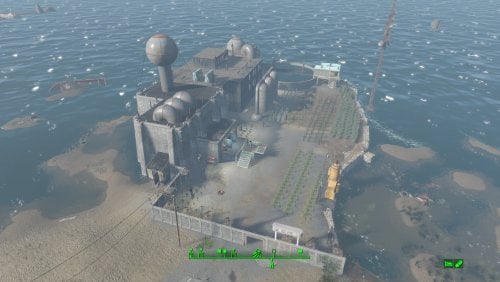
A Transfer Settlements blueprint that leverages ideas from the in-game Weston Water Treatment. It expands the Nut Island Sewage Treatment Plant to include a corporate headquarters over one of the purification tanks. This new build uses the Brotherhood of Steel build items from Settlement Objects Expansion Pack. The end effect is a new structure that fit in nicely within the existing decor. Details on this build: Replaced the catwalks linking the buildings. Cleaned out the main pump house to hold shops and medical facilities. Cleaned out the blue outbuilding to make it a workshop. Cleaned out the secondary pump house to hold slot machines and a barber shop. Added a headquarters building over the tank between the two pump houses housing bunks, gym, and kitchen. Added a Covenant wall with turrets along the perimeter. Settlement Features 26 bunks. 145+ food. 440+ defences. 200 power. 60 water. Tier 3 Medical, Restaurant, Clothing, and General Store. Dedicated gym area. Vault-Tec drink dispenser and slot machines. Working sinks and showers. Power mostly runs through conduits to minimise visible power lines. Cat and dog included in the build. No visual glitches observed from this build. Settlers can move freely through the new build but appear to have some trouble with the original buildings. Requirements Downloadable Content Contraptions Workshop Vault-Tec Workshop Wasteland Workshop Far Harbour Hard Requirements Transfer Settlements. To import this blueprint. Scrap Everything or an equivalent. To clear out the area as per Setup Instructions. Settlement Objects Expansion Pack. Primary build components for most of the settlement. Fusion generators, railings, pools, foundation liners, cooking station, and water pumps. Homemaker. Decorations, furniture, and miscellaneous objects. Note. Transfer Settlements will not add items if the mods are missing. Mods listed below are not required but will remove associated elements. Soft Requirements Craftable Working Sinks and Showers Redux. Working sinks and showers. Erotic Art. Frames and pictures used throughout. Working Fridges. Simple mod that adds working fridges, ice machines, and vending machines. Working Washer and Dryer (Immersive Laundry). Player functional laundry machines and dryers with sound effects. Nice to Have Armour and Weapon Keywords Community Resource. Additional types of workshops, namely power armour. Videos of the Wasteland. Working televisions and projectors. Invisible Furniture. Adds invisible markers that are used as idles for settlers and pets. Standing Stones from Skyrim. Skyrim styled statues for aesthetics. Gruffydd's Signs and Posters. Billboards and signs. Crazy Sex Animations. Invisible mats that make settlers happy through masturbation, done without using the Advanced Animation Framework, and additionally places assignable gurneys that increase happiness. Sex Toys of the Commonwealth. Adds the random placement of sex toys throughout. Bad Dragon Dildos. Adds more extreme dildos throughout. Companion Ivy. If you happen to have Ivy as a companion, one of her broadcast towers will be added in an out of the way area. Unrelated But Useful Place Everywhere. Allows you to make minor adjustments if necessary. Armour Rack Female Mannequin Fix. Fixes the armour rack to support alternate bodies like Fusion Girl. Setup Clearing the area is relatively straightforward. Clear out the pump houses and blue out-building. Focus on clutter and furniture but keep the industrial elements and piping in place. The only exceptions are the large pieces of equipment by the kitchen table. Maintain the contents of the small warehouse structure by the workshop. It will remain outside of the perimeter and is used for an Atom Cats side quest. Clean up the grounds of clutter, removing the fire pit, sitting positions, and fencing. Build a Transfer Settlements console from Power > Miscellaneous facing the workshop. Note. Import should be done with Workshop Mode enabled. Tasks After Import No additional requirements other than to confirm that all power has been restored as expected. Notes on Imports Transfer Settlements recommends leaving the area after import and to not return for 1-2 game days. However, I found that saving on site always crashes the game. The easiest way to get away and save is to coc Vault111Ext from the console. Wait a couple of minutes before heading into the vault. Once you arrive at the bottom it is safe to save. I recommend that you import/export Blueprints using Stable defaults. Using other methods has caused ladders, walls, and flooring to appear without collision. In many cases the collision effects are found elsewhere leading to interesting behaviours among the NPC population, and leading to a snap back effect as you push through an area and are forced back by the invisible wall. Note. This blueprint was tested with Transfer Settlements working under Stable. Lastly Import wired power connections should always be selected as part of the import process. It will reliably re-connect all wired connections. This saves you the trouble of linking up floors, turrets, and in some cases re-establish connections for hidden or buried runs. Notes on Power and Performance These blueprints utilize ambient fill lighting to provide a pervasive glow. I use Naked Bulbs to create a lived-in atmosphere for statues, fountains, and roof voids. Warning for Dynamic Lighting Users If you use mods that turn all lights into dynamic, shadow-casting sources, the sheer number of these bulbs will severely cripple your framerate. I strongly recommend using the Transfer Settlements Blueprint Editor to strip out all instances of 306F1 before importing. Optimization for Complex Builds: Because of the heavy use of conduits to reduce visible power lines, these settlements have high object counts. To steps below may improve performance. Enable Faux Power in the Workshop Framework's workbench settings. Use the Transfer Settlements Blueprint Editor to strip all conduits from the .json file. This can reduce build complexity by up to 40% without losing the overall aesthetic of the settlement. Note. I cannot guarantee the above will work. A Special Thanks To Thank you to Caladon for creating the template that makes blueprints installable. Updates Version 1.0.1
Adjusted Erotic Art to work with my Classic Erotic Art Retexture. Adjusted power distribution, should import cleanly every time while reducing clutter. Removed the caravan stop, these do not import cleanly anyway. Adjusted decorations throughout. Added a series of idles for use. Version 1.0.0
Initial release of this build.185 downloads
Updated
-
Transfer Settlements - Somerville Place a Farming Community
By msmfoster
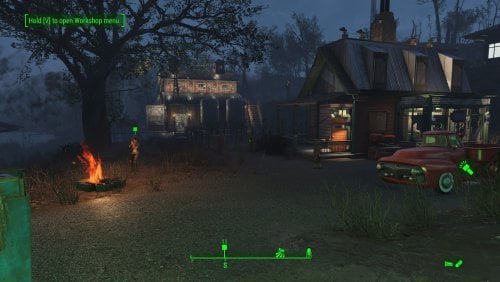
Somerville Place is defined not only by its convenient location near the Glowing Sea and a Gunner vault, but also by its unforgiving terrain and the lone Destroyed Home structure. This blueprint builds on that to create an expansive, thriving farming community. The added barn, homes, and structures form a layered defense strong enough to make even a legendary alpha deathclaw will think twice. Details on this build: Repaired the destroyed home to house the diner, general store, and clothing store. Created an elevated area with retaining walls for access to four bunkhouses. Added a large two-level barn: ground floor used as gym, upper level serves as a workshop. Placed two large cisterns beside the barn to conceal water generators while preserving the farm aesthetic. Dedicated medical facility with surgical bays. Dedicated laundromat that also houses the barbershop. Added a large bunkhouse nearer to the water to fully enclose the settlement. Every structure equipped with independent power. Double-flooring used throughout to reduce settler fall-through issues. Settlement Features 30 bunks. 140+ food. 860+ defences. 420 power. 63 water. Tier 3 Medical, Restaurant, Clothing, and General Store. Dedicated gym area. Vault-Tec drink dispenser and slot machines. Working sinks and showers. Power mostly runs through conduits to minimise visible power lines. Cat and dog included in the build. No visual glitches observed from this build. Requirements Downloadable Content Contraptions Workshop Vault-Tec Workshop Wasteland Workshop Far Harbour Hard Requirements Transfer Settlements. To import this blueprint. Scrap Everything or an equivalent. To clear out the area as per Setup Instructions. Homemaker. Primary build components for most of the settlement, decorations, furniture, and miscellaneous objects. Settlement Objects Expansion Pack. Fusion generators, railings, pools, foundation liners, cooking station, and water pumps. Note. Transfer Settlements will not add items if the mods are missing. Mods listed below are not required but will remove associated elements. Soft Requirements Craftable Working Sinks and Showers Redux. Working sinks and showers. Erotic Art. Frames and pictures used throughout. Working Fridges. Simple mod that adds working fridges, ice machines, and vending machines. Working Washer and Dryer (Immersive Laundry). Player functional laundry machines and dryers with sound effects. Nice to Have Armour and Weapon Keywords Community Resource. Additional types of workshops, namely power armour. Videos of the Wasteland. Working televisions and projectors. Invisible Furniture. Adds invisible markers that are used as idles for settlers and pets. Standing Stones from Skyrim. Skyrim styled statues for aesthetics. Gruffydd's Signs and Posters. Billboards and signs. Crazy Sex Animations. Invisible mats that make settlers happy through masturbation, done without using the Advanced Animation Framework, and additionally places assignable gurneys that increase happiness. Sex Toys of the Commonwealth. Adds the random placement of sex toys throughout. Bad Dragon Dildos. Adds more extreme dildos throughout. Companion Ivy. If you happen to have Ivy as a companion, one of her broadcast towers will be added in an out of the way area. Unrelated But Useful Place Everywhere. Allows you to make minor adjustments if necessary. Armour Rack Female Mannequin Fix. Fixes the armour rack to support alternate bodies like Fusion Girl. Setup Clearing the area can be done quickly. Still, save often just in case scrap the destroyed home. Be sure to maintain: Destroyed home, but toss the contents. Existing food plants and surrounding fence. Tree with swing. Water pump. Fire pit. Note. To make scraping less risky around the Damaged Home consider using Disable during the scrap and Enable when done. Be sure to note the home's Reference ID in case you click on another object by mistake. Build a Transfer Settlements console from Power > Miscellaneous facing the workshop. Note. Import should be done with Workshop Mode enabled. Tasks After Import No additional requirements other than to confirm that all power has been restored as expected. Notes on Imports Transfer Settlements recommends leaving the area after import and to not return for 1-2 game days. However, I found that saving on site always crashes the game. The easiest way to get away and save is to coc Vault111Ext from the console. Wait a couple of minutes before heading into the vault. Once you arrive at the bottom it is safe to save. I recommend that you import/export Blueprints using Stable defaults. Using other methods has caused ladders, walls, and flooring to appear without collision. In many cases the collision effects are found elsewhere leading to interesting behaviours among the NPC population, and leading to a snap back effect as you push through an area and are forced back by the invisible wall. Note. This blueprint was tested with Transfer Settlements working under Stable. Lastly Import wired power connections should always be selected as part of the import process. It will reliably re-connect all wired connections. This saves you the trouble of linking up floors, turrets, and in some cases re-establish connections for hidden or buried runs. Notes on Power and Performance These blueprints utilize ambient fill lighting to provide a pervasive glow. I use Naked Bulbs to create a lived-in atmosphere for statues, fountains, and roof voids. Warning for Dynamic Lighting Users If you use mods that turn all lights into dynamic, shadow-casting sources, the sheer number of these bulbs will severely cripple your framerate. I strongly recommend using the Transfer Settlements Blueprint Editor to strip out all instances of 306F1 before importing. Optimization for Complex Builds: Because of the heavy use of conduits to reduce visible power lines, these settlements have high object counts. To steps below may improve performance. Enable Faux Power in the Workshop Framework's workbench settings. Use the Transfer Settlements Blueprint Editor to strip all conduits from the .json file. This can reduce build complexity by up to 40% without losing the overall aesthetic of the settlement. Note. I cannot guarantee the above will work. A Special Thanks To Thank you to Caladon for creating the template that makes blueprints installable. Updates Version 1.0.1 Adjusted Erotic Art to work with my Classic Erotic Art Retexture. Used SOE lighting sources for a few locations to enhance clarity. Version 1.0.0 Initial release of this build.158 downloads
Updated
-
Transfer Settlements - Croup Manor Redux
By msmfoster
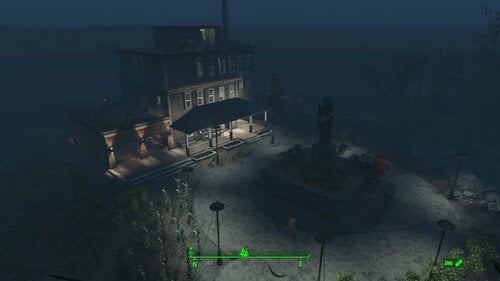
A Transfer Settlements blueprint that aims to repair Croup Manor making every level viable. This focuses on a high settler count that fits within the manor itself and a high food production. Details on the changes below: Damaged walls are replaced by intact duplicates. Replaces the floors and roof with Homemaker pieces. Removes the carport and replaces it with a two-door garage with an electric door. Replaces the deck overhang. Extends the roof onto the third deck balcony to add living space. Removes internal walls to allow for more efficient spacing. Maintains the existing stairwells for pathing. Settlement Features 21 bunks. 99+ food. 415+ defence. 200 power. 60 water. Tier 3 Medical, Restaurant, Clothing, and General Store. Dedicated medical area. Gym area. Vault-Tec drink dispenser and slot machines. Working sinks and showers. Power mostly runs through conduits to minimise visible power lines. Cat and dog included in the build. No visual glitches observed from this build. Requirements Downloadable Content Contraptions Workshop Vault-Tec Workshop Wasteland Workshop Far Harbour Hard Requirements Transfer Settlements. To import this blueprint. Scrap Everything or an equivalent. To clear out the area as per Setup Instructions. Homemaker. Primary build components for most of the settlement, decorations, furniture, and miscellaneous objects. Settlement Objects Expansion Pack. Fusion generators, railings, pool, foundation liners, cooking station, and water pumps. Note. Transfer Settlements will not add items if the mods are missing. Mods listed below are not required but will remove associated elements. Soft Requirements Craftable Working Sinks and Showers Redux. Working sinks and showers. Erotic Art. Frames and pictures used throughout. Working Fridges. Simple mod that adds working fridges, ice machines, and vending machines. Working Washer and Dryer (Immersive Laundry). Player functional laundry machines and dryers with sound effects. Nice to Have Armour and Weapon Keywords Community Resource. Additional types of workshops, namely power armour. Videos of the Wasteland. Working televisions and projectors. Invisible Furniture. Adds invisible markers that are used as idles for settlers and pets. Crazy Sex Animations. Invisible mats that make settlers happy through masturbation, done without using the Advanced Animation Framework, and additionally places assignable gurneys that increase happiness. Sex Toys of the Commonwealth. Adds the random placement of sex toys throughout. Bad Dragon Dildos. Adds more extreme dildos throughout. Unrelated But Useful Place Everywhere. Allows you to make minor adjustments if necessary. Armour Rack Female Mannequin Fix. Fixes the armour rack to support alternate bodies like Fusion Girl.
Setup Clearing the area can be relatively quick. Still, save often just in case you accidentally scrap something important like stairwells, and cliffside. Gut the main home with exception of the stairwells, and intact walls. Start from the third floor and remove the roof, accoutrements, garbage, and clutter. Remove all internal walls, floors, and damaged exterior walls. Remove the carport, storage above the workshop, and pavement in the carport area. Remove deadfall, trees, dead leaves. Leave scaffolding leading to the statue intact. Remove the door leading into the carport. Build a Transfer Settlements console from Power > Miscellaneous anywhere on the road. I prefer to place it nearer to the cul-de-sac as you can see the larger structures take shape. Note. Import should be done with Workshop Mode enabled. Tasks After Import No additional requirements other than to confirm that all power has been restored as expected. Notes on Imports Transfer Settlements recommends leaving the area after import and to not return for 1-2 game days. However, I found that saving on site always crashes the game. The easiest way to get away and save is to coc Vault111Ext from the console. Wait a couple of minutes before heading into the vault. Once you arrive at the bottom it is safe to save. I recommend that you import/export Blueprints using Stable defaults. Using other methods has caused ladders, walls, and flooring to appear without collision. In many cases the collision effects are found elsewhere leading to interesting behaviours among the NPC population, and leading to a snap back effect as you push through an area and are forced back by the invisible wall. Note. This blueprint was tested with Transfer Settlements working under Stable. Lastly Import wired power connections should always be selected as part of the import process. It will reliably re-connect all wired connections. This saves you the trouble of linking up floors, turrets, and in some cases re-establish connections for hidden or buried runs. A Special Thanks To Thank you to Caladon for creating the template that makes blueprints installable. Updates Version 2.0.1
Adjusted Erotic Art to work with my Classic Erotic Art Retexture. Doubled up ceilings for a consistent look between settlements. Switch for settlement beacon added to the third floor. Turn off beacon without clipping to the roof. Version 2.0.0
Complete rebuild of the settlement with a focus duplication and precise placement of pieces by copying existing geometry.
259 downloads
Updated
-
Transfer Settlements - Boylston Club Coastal Cottage
By msmfoster
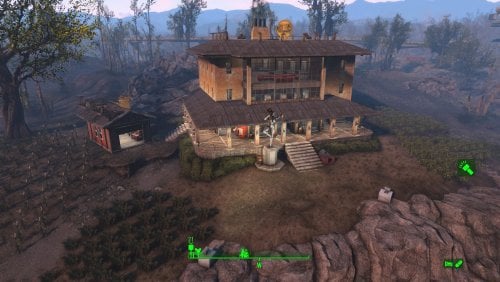
A Coastal Cottage that lives up to its name: A rebuilt three-storey cottage with basement and fixed garage, that offers commanding views of the fish plant and mirelurk queen spawn points. Meets the goal of building within the existing template without sacrificing food production.
Details on this build: Removed existing cottage and cleaned out the sinkhole. Created a three-storey cottage with large observation area. First deck: shops, bar, and medical facilities. Second deck: bunks, washrooms, gym, and barber shop. Third deck: bunks, and washrooms. Basement: power, water, and laundry. Repaired garage serving as a workshop. Added large Skyrim statue near entrance as showpiece. Discounting rooftop turret lines, only one visible power cable from the exterior. Radiators/conduits routed below surface for lighting without marring views. Settlement Features 28 bunks. 170+ food. 525+ defense. 200 power. 60 water. Tier 3 Medical, Restaurant, Clothing, and General Store. Dedicated gym area. Vault-Tec drink dispenser and slot machines. Working sinks and showers. Power mostly runs through conduits to minimise visible power lines. Cat and dog included in the build. No visual glitches observed from this build. Requirements Downloadable Content Contraptions Workshop Vault-Tec Workshop Wasteland Workshop Far Harbour Enclave Remnants Hard Requirements Transfer Settlements. To import this blueprint. Scrap Everything or an equivalent. To clear out the area as per Setup Instructions. Homemaker. Primary build components for most of the settlement, decorations, furniture, and miscellaneous objects. Settlement Objects Expansion Pack. Fusion generators, railings, pools, foundation liners, cooking station, and water pumps. Note. Transfer Settlements will not add items if the mods are missing. Mods listed below are not required but will remove associated elements. Soft Requirements Craftable Working Sinks and Showers Redux. Working sinks and showers. Advanced Bubble Turret Set (Realistic No Power version). Bubble turrets in the basement and roof outcroppings. Erotic Art. Frames and pictures used throughout. Working Fridges. Simple mod that adds working fridges, ice machines, and vending machines. Working Washer and Dryer (Immersive Laundry). Player functional laundry machines and dryers with sound effects. Singing Settler. Used for flooring in the gym and barber shop. Nice to Have Armour and Weapon Keywords Community Resource. Additional types of workshops, namely power armour. Videos of the Wasteland. Working televisions and projectors. Invisible Furniture. Adds invisible markers that are used as idles for settlers and pets. Gruffydd's Signs and Posters. Billboards and signs. TRX Trixter Statues Collection. Skyrim styled statues for aesthetics. Crazy Sex Animations. Invisible mats that make settlers happy through masturbation, done without using the Advanced Animation Framework, and additionally places assignable gurneys that increase happiness. Sex Toys of the Commonwealth. Adds the random placement of sex toys throughout. Bad Dragon Dildos. Adds more extreme dildos throughout. Unrelated But Useful Place Everywhere. Allows you to make minor adjustments if necessary. Armour Rack Female Mannequin Fix. Fixes the armour rack to support alternate bodies like Fusion Girl. Setup Clearing the area is relatively straightforward: Remove the existing cottage and clutter found throughout the build area. Remove the damaged roof for the garage and the clutter within. Do not remove the garage itself. Remove all clutter within the sinkhole itself. This significantly expands the usable space. A few elements cannot be scrapped normally, in this case you will need to do the following: Go into the console. Select the object (E.g., ivy or wood plank). Disable MarkForDelete Note. Disable first in case you selected the wrong object. In that case Enable will recover the object without consequence. Build a Transfer Settlements console from Power > Miscellaneous facing the workshop. Note. Import should be done with Workshop Mode enabled. Tasks After Import No additional requirements other than to confirm that all power has been restored as expected. Notes on Power and Performance These blueprints utilize ambient fill lighting to provide a pervasive glow. I use Naked Bulbs to create a lived-in atmosphere for statues, fountains, and roof voids. Warning for Dynamic Lighting Users If you use mods that turn all lights into dynamic, shadow-casting sources, the sheer number of these bulbs will severely cripple your framerate. I strongly recommend using the Transfer Settlements Blueprint Editor to strip out all instances of 306F1 before importing. Optimization for Complex Builds: Because of the heavy use of conduits to reduce visible power lines, these settlements have high object counts. To steps below may improve performance. Enable Faux Power in the Workshop Framework's workbench settings. Use the Transfer Settlements Blueprint Editor to strip all conduits from the .json file. This can reduce build complexity by up to 40% without losing the overall aesthetic of the settlement. Note. I cannot guarantee the above will work. Notes on Imports Transfer Settlements recommends leaving the area after import and to not return for 1-2 game days. However, I found that saving on site always crashes the game. The easiest way to get away and save is to coc Vault111Ext from the console. Wait a couple of minutes before heading into the vault. Once you arrive at the bottom it is safe to save. I recommend that you import/export Blueprints using Stable defaults. Using other methods has caused ladders, walls, and flooring to appear without collision. In many cases the collision effects are found elsewhere leading to interesting behaviours among the NPC population, and leading to a snap back effect as you push through an area and are forced back by the invisible wall. Note. This blueprint was tested with Transfer Settlements working under Stable. Lastly Import wired power connections should always be selected as part of the import process. It will reliably re-connect all wired connections. This saves you the trouble of linking up floors, turrets, and in some cases re-establish connections for hidden or buried runs. A Special Thanks To Thank you to Caladon for creating the template that makes blueprints installable. Updates Version 1.0.1
Adjusted Erotic Art to work with my Classic Erotic Art Retexture. Re-built the roof to better align it. Switch for settlement beacon added to the third floor. Turn off beacon without clipping to the roof. Version 1.0.0 Initial release of this build.
148 downloads
Updated
-
Skimpy Armor Keyword Resource REDUX
By Evi1Panda
📄Please note: This mod is a fork and development of the original Skimpy Armor Keyword Resource mod by @twistedtrebla. Before diving into the detailed description, I’d like to thank the author for the SAKR idea and for his wonderful mods!
⚙️Requirements
OldGen game (1.10.163). F4SE (OG ver) CommonLibF4 (OG ver) Optionally but recommended:
FO4Edit M8r98a4f2's Complex Item Sorter for using clothes autopatcher.
💥Motivation
I’m a big believer in natural, seamless gameplay where mechanics emerge organically from the player’s actions — without any “magic buttons”. Pressing a hotkey to “activate slut mode” or “switch to hunter mode” completely shatters immersion and turns role-playing into a clunky simulator full of toggles. What I loved about the original SAKR idea was treating the degree of clothing exposure as a quantifiable stat. This lets modders tie it directly into dialogues, quests, perks, spells, and effects. NPCs can react to your outfit automatically — no manual switches required.
☕ Why even bother with this?
On its own, it doesn't do much. Like any framework, it first needs to be supported by modders (who need to make patches for clothing and mods that will use it).
🎯 For modders:
Use the new ActorValue ClothesExposureValue in your quests, dialogues, perks, spells, MGEFs, conditions, etc. Build mechanics that depend on how revealing (or conservative) the character’s outfit is.
🎯 For players:
Eventually you’ll get natural, immersive reactions: NPCs responding to your outfit, your character reacting to others, or even NPCs reacting to each other. Things flow smoothly without breaking gameplay — e.g., to earn caps as a prostitute, you just dress like one… no magic button needed.
🤪 In simple terms:
This is a powerful concept, but scaling it globally is tough. For everything to shine, two things must happen:
Modders need to patch armors/clothing with exposure keywords. Modders need to create content that actually reads and reacts to ClothesExposureValue. The possibilities are endless: perks that get stronger the more exposed you are, dialogues unlocked only when dressed provocatively enough, raunchy NPC chit-chat, enemy behavior (raiders might let a scantily-clad “working girl” into their camp instead of shooting on sight), companion reactions (e.g., Ivy refusing anything with low exposure), and so on. The only real limit is modder creativity and adoption.
⭕Main issues with the original mod:
Only supported female player characters (and only the player). No easy way to use it in other mods without heavy Papyrus wrappers. Couldn’t track exposure on NPCs. Hard-coded keywords — impossible to expand or tweak without recompiling. Not an ESL-flagged plugin.
✅ What’s been improved / added in this REDUX fork:
Plugin converted to ESL — doesn’t eat into your precious 255 plugin limit. Core logic ported to C++ (F4SE plugin) — nice performance and deeper engine integration. New ActorValue ClothesExposureValue added to all actors (player + every NPC). Value auto-updates on cell load / equip change. Fully usable in perks, dialogue conditions, magic effects, quests — zero Papyrus scripts needed. Track changes via the event OnExposeValueChange(Actor akActor, int aiValue). Full male support — added matching _MALE keyword sets; exposure now works for any gender. JSON-based configuration — all keywords, categories, and exposure levels are loaded from an external JSON file. Add new keywords, tweak values, or override logic without touching the plugin or recompiling anything.
🧐 How it works (simple explanation)
Every actor now has a hidden stat similar to Strength or Agility — ClothesExposureValue — that measures how revealing their current outfit is. Everything happens under the hood: the value updates automatically when gear changes. Modders can read it anytime (via conditions or scripts), and listen for updates via the event. For players, it’s simple: dress skimpy (or modest) depending on what you want to achieve in-game.
🤖Description of the mechanics of calculating exposure
⚠️Clothing patching
Instead of RobCo patchers that are difficult to control, Complex Sorter from M8r is used. But you can use RobCo if you like it more.
Ready-made plugins for Complex Sorter are provided, which add the necessary keywords to popular clothing from well-known mods.
If desired, you can easily supplement or modify the patches for your build.
Complex Sorter rules are used to automatically add keywords to items from popular mods. Ready-made plugins are included in the archive. They work as follows:
find items by name, EditorID, or other criteria; add the corresponding SAKR keywords. have fallback for every A-Torso and U-Torso armor - if there is no specific rules then add fullTop and fullBottom keywords.
If you want to add support for other clothing, edit the Complex Sorter rules or create your own patch in xEdit
@KinataHoru has made a great web tool that will make creating patches even easier!
С++ source code is here
If you'd like to support the ongoing development, you can donate here. It's never required but always deeply appreciated!
2209 downloads
Updated
-

sylveonXpenny by smugbluefaun VoTW(videos of the wasteland)
By sip tin can
an addon holotape for the mod videos of the wasteland a 10 minute video of sylveon x penny by smugbluefaun requirements is videos of the wasteland i was too lazy when making this so it only works on the TVs it wont work on the other screens so no big screen making videos for videos of the wasteland is quite easy although time consuming so if youre unhappy with this just go make your own it takes about an hour to make the first time and 20 minutes or so the second time there is a tutorial video on how to do so on the videos of the wasteland nexusmods page it should work fine just extract the files into the corresponding folders
510 downloads
Submitted
-
[Beta] Barbarous Continent
By DæmonEyes
Adult Themes
Consensual Sex, Non-consensual Sex, Humiliation, Mind Control, Watersports, Creature, Slave, Bondage, Domination, Submission, Pet-play
Description
A new island has been found off the coast and you are given the opportunity to investigate. A short intro quest will take you to the island. To start the quest there is a poster in diamond city next to the guy who sells baseball bats. Content is designed around dialogue where your choices will affect your characters invisible profile which tracks submissiveness/dominance/pervertedness etc. This profile will unlock/block/or change content that your character has access too in the future. This is a work in progress so many choices may lead to dead ends for now.
Requirements
Advanced Animation Framework (Use this Guide)
All DLC's (requirement for some of the other dependencies)
Torture Devices
Devious Devices
F4z Ro D'oh (Makes unvoiced npc's lip sync to their dialogue and allows it to be skipped)
List of Events
Frequently Asked Questions
Suggestions: These aren't mandatory they are just for your convenience if you want.
Q: My character is in a scene and is stuck in place jittering or moving very slowly.
A:
Zoom into first person and your characters movements should become more fluid.
Q: My character controls are disabled even though they shouldn't be, what can I do?
A:
Type in console DumpInputEnableLayers, one of those layers should have bctfunctions associated with it
so maybe something like
layer 0 (something ...)
layer 1 (bctfunctions ...
type resetinputenablelayer 1 in console
type setplayeraidriven 0
If you are in the middle of a scene and your character is stuck/bugged, you can use the above code to restore your controls, move to a better position, and then type
disableplayercontrols
setplayeraidriven 1
to continue the scene
Q: Will there be bodyslide support for the outfits?
A: At some point ya but its something I'll have to figure out how to do. The outfits all come from here Clothing Conversions though and they have all that set up. So you could download that and you would be able to build the outfits however you like and the ones in my mod would change as well because I use the same file paths. There's also a file to add physics to the outfits.
Support My Work
If you enjoy my work and want to support me in my modding endeavors consider supporting me at Patreon.
Credits
Bumex for outfits
SunJeong for poses
dagobaking for AAF
CPU for scripting help
Changelog
38423 downloads
Updated
-
Necromantic
By Oohtre
Necromantic
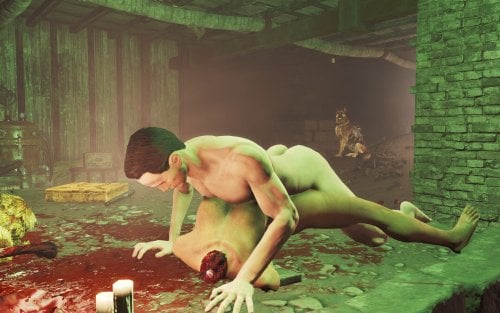
A necrophilia mod for Fallout 4 (AAF). Align yourself to a dead female NPC and run a one-player scene — only you are animated. The corpse is never reanimated, never added to AAF, and gore remains.
Overview
Necromantic lets you run a 1-actor AAF scene while aligned to a corpse. The body is treated as a prop for placement and aftermath only — the animation is the player’s only, wrapped as custom 1P AAF positions.
Features
Hotkey N — start / cancel a scene (MCM-configurable) Aim at a dead woman nearby, or stand facing her in range Hotkey position picker — curated 1P male-idle wrappers of BP70 ground anims (Missionary is the default and most tested). Doggy, Prone Bone, Romantic Missionary, Pit Doggy, Spooning, Lotus, Cowgirl, and similar options use the same start path and should also work; alignment may need a nudge per pose Can be extended to use other animations that aren't BP70 Optional cum aftermath via AAF overlay sets when CumOverlays is present Corpse Craving — after two finished scenes, a craving meter unlocks (time + seeing dead women nearby; stronger if undressed). High craving applies AGI −1 / CHA −1 until you finish another Necromantic scene Witness insult lines (editable text file) Full MCM: scene, alignment, craving, witnesses, debug
Requirements
Fallout 4 + F4SE Advanced Animation Framework (AAF.esm) At least one AAF sex animation pack — the game needs real idle animations to play. Shipped defaults use BP70; any other pack works but needs a short setup (docs/ADD_ANIMATION_PACK) Garden of Eden Papyrus Script Extender (targeting / nearest-dead scan) Body stack (for AAF) — pick one: Fusion Girl + BodyTalk (what BP70 targets), or CBBE (+ Animated Fannies if you use that path). Necromantic does not depend on these plugins directly, but scenes will look wrong or break without a supported body.
Highly Recommended
Graf's Fusion Girl Reduced CumOverlays — for Belly (etc.) aftermath overlays Collect Bodies — haul corpses into interiors A multi-follower / companion framework if you prefer “alive → private interior → aftermath” play BP70 sex animations 2.8 (rxl_bp70_animations.esp + its AAF data / meshes); If nothing else it is currently supported out of the box. Pickman's Whisper My other mod
Known limits
How to add new animation packs
Prior releases
Quick start
Load a save — you should see a ready toast (hotkey N) Get a dead woman into an interior Optionally change position using U or P. Aim at her and press N Press N again to cancel Open MCM → Necromantic for positions, craving sliders, and debug checks.
Permissions
Ask before redistributing or porting. Do not upload this mod’s files to other sites without permission.
Built on AAF and BP70 — their licenses / permissions still apply to those assets.
Feedback, bug reports, and load-order notes welcome in the thread.
2162 downloads
- necrophilia
- fallout4
- (and 3 more)
Updated
-
pubic hair MuffFluff 3D Pubic Hair
By MrNicoras
Muff Fluff - Dynamic 3D Pubic & Armpit Hair for Fallout 4
For Fusion Girl or CBBE
Also With or Without Creation Club requirement.
ONLY DOWNLOAD ONE VERSION OF THE MOD FROM THE MEGA LINK
Ever notice that every woman in the Commonwealth seems to have unlimited access to razors or waxing, despite those luxuries being gone for 200 years?
Muff Fluff fixes that.
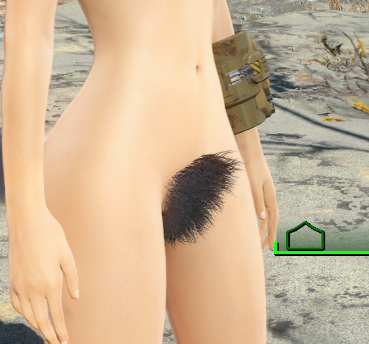
This mod adds dynamic pubic hair to the female player and NPCs. Hair appears when the relevant area is exposed and disappears when it's covered by clothing. Everything happens automatically during gameplay.
No baked-in NPC edits. No manually patching hundreds of NPCs. No separate versions of the same character.
Strip someone down and the hair appears.
Put their clothes back on and it disappears.
Simple.
Because the hair is implemented through HeadParts Extended, it automatically matches the actor's hair color.
The curtains match the drapes every time.
Tested and fully compatible with AAF animations without any weird stretching or distortion.
*****This is Developed for OLD GEN. This was developed for the Fusion Girl Body.*****
*****At least one user has said he's running AE and it works perfectly for him. Take that for what its worth.*****
*****Make sure you have all requirements.*****
*****Might require a new save, probably at least a new cell to get the scanning to work.*****
*****Make sure you build the meshes in BodySlide after installing*****
*****Creation Club Content is Optional*****
*****Now With Hotkeys!!*****
Updating From an Older Muff Fluff Version
Version 2.0 is designed to update existing saves. A new game is not required.
Install the new version directly over the previous version and overwrite the old files.
Do not uninstall Muff Fluff, just load and save without it, and then reinstall.
As always, make a backup save before updating a scripted mod.
MEGA LINK FOR ALL VERSIONS
What's Different in 2.1?
Basically, I added customizable hotkeys so you can change the pubic hair style or armpit hair style of an NPC without going into the MCM. Just put them under your crosshair and hit the hotkey.
What's Different in 2.0?
The underlying system has been completely rewritten.
Previous versions periodically scanned loaded NPCs and used body slots to determine whether hair should be visible.
That system is gone.
Muff Fluff is now event-driven. NPCs react only when relevant clothing is equipped or removed.
There is:
No recurring NPC scan No constant polling No processing weapon equips as clothing changes No requirement to hijack body slots 39 or 53 for Muff Fluff This should greatly reduce unnecessary Papyrus activity and clothing conflicts.
There may still be a brief 1-2 second delay when clothing is changed while Fallout updates the actor. Sorry. It was the necessary trade-off to a hopefully much more lightweight mod with fewer performance stutters.
Scroll Down for Patches to common clothing mods. If you want to make a patch for a mod that isn't here yet, just send me the .esp or post it in the support forum.
Features:
Player
The player can use MCM to:
Enable or disable pubic hair Select from multiple pubic hair styles or no style at all Enable or disable armpit hair Select from multiple armpit hair styles or no style at all
Hair visibility updates automatically based on equipment.
NPCs
Female NPCs receive randomized pubic hair and armpit styles through SPID.
Each NPC keeps the style assigned to them.
Hair appears when exposed and disappears when covered.
The MCM also allows you to point at an NPC and change their pubic hair and armpit hair style.
Male NPCs can receive armpit hair. - Be sure to build the armpit hair meshes on the male body in Body Slide.
Changes are applied immediately.
How It Works
The mod uses HeadParts Extended to add body hair as headparts rather than body overlays.
Because the pubic hair is set up as HeadParts instead of a typical armor mesh, the hair color of the actors hair will automatically match the color of their pubes. In other words, the curtains match the drapes every time.
Visibility is controlled by keywords.
Making Outfits Compatible
The pubic hair is tied to underwear type clothing items. But any item of clothing or armor can be modified to allow for the pubes to appear and disappear as intended.
The compatibility work is done through armor slots. So yes, you’re going to have to use xEdit to make changes to the ARMO records. It’s stupid easy
First , Right click on the name of the plugin and select 'Add Masters' Then select Muff Fluff to add this mod as a Master file. (unavoidable, but it's ok)
Then, Open the Keywords record in MuffFluff.esp. Then open the Armor records for your mod in xEdit.
Copy the Keyword you want to add to the outfit - either Pubic Hair or Armpit Hair
Navigate to: the ARMO record for the clothing item you want to modify. Go to the KWDA - Keywords line, right click, and select 'Add'
In the Null Reference slot, double click and then hit Ctrl+V to paste the Keyword record into the empty Keyword slot
You should see the Keyword added to the Armor item in the Keywords spot.
That's all that's required.
No other scripting on your part.
Just proper keyword usage depending on the style of clothing you're using.
General rule of thumb is this:
If the item covers the groin, add:
MF_HidesPubicHair
If it covers the armpits, add:
MF_HidesArmpitHair
If it covers both:
Add both.
That's it.
To save you some time, I've added some .esps below for some popular clothing mods that I've already updated with my own personalized body slot assignment system. I created this because there's no universal formula for mod creators to assign body slots to clothing items, which makes for a lot of overlaps. This system allows for a much broader amount of clothing items that can be worn at once. If you want to use it, cool. If not, cool. But each of the .esp files in the Patch section have been modified to add slot 39 to the outfits it should be added to for this mod. Hope they help.
___________________________________________________________________________________________________________________________________________________________________________________
Patches
DonEb14n
Clothes Pack v2.0 by DonEb14n.esp
Clothes Pack 2 by DonEb14n.esp
Clothes Pack 3 by DonEb14n.esp
Clothes Pack 4 by DonEb14n.esp
Clothes Pack 5 by DonEb14n.esp
Clothes Pack 6 by DonEb14n.esp
Collection of tops v2.0.esp
Dikr -
Absolutely Skimpy Attire
ASA.esp
Dickyftw
Dicky's Pinup Outfit
Dickys Pinup Outfit.esp
DeserterX
DX_NaughtySecretary.esp
DX_Pornstar_Fashion.esp
HN66
HN66Fo4_EasyGirl_BS.esp
HN66Fo4_TRS.esp
Nezzar
NezzarUltimateCollection.esp
Ousnius
Lacy Underwear.esp
Sporty Underwear.esp
Kharneth1
Venus Nine Baseball Uniform
Venus_Nine_FG.esp
Stylish Bloomer
Stylish_Bloomer_FG.esp
Osare
OsareUndies.esp
The Dude Abides:
tdaFO4 Vanilla.esp
Derpsdale
TERAPunk.esp
FrenchMaidFO4-CBBE.esp
VTAW
VtawUtilityPack1.esp
VtawWardrobe1.esp
VtawWardrobe2.esp
Vtawleatherdress.esp
VtawWardrobe4.esp
VtawWardrobe5.esp
VtawWardrobe5 HeelSound.esp
VtawWardrobe6.esp
VtawWardrobe6 HeelSound.esp
VtawWardrobe7.esp
VtawWardrobe7 HeelSound.esp
VtawWardrobe8.esp
VtawWardrobe8 HeelSound.esp
VtawWardrobe9.esp
VtawWardrobe9 HeelSound.esp
VtawWardrobe10.esp
VtawWardrobe10HeelSounds.esp
VtawAsari.esp
VtawGothicDressNe.esp
Squirrel97
VtawWardrobe5 Previews HO3.esp
VtawWardrobe6 Previews HO3.esp
VtawWardrobe7 Previews HO3.esp
VtawWardrobe8 Previews HO3.esp
VtawWardrobe9 Previews HO3.esp
VTAW Wardrobe Crafting by themodleyfool
VtawUtilityPack1Crafting.esp
VtawWardrobe4Crafting.esp
VtawWardrobe5Crafting.esp
VtawWardrobe6Crafting.esp
VtawWardrobe7Crafting.esp
VtawWardrobe8Crafting.esp
VtawWardrobe9Crafting1.esp
VtawWardrobe9Crafting2.esp
VtawWardrobe10Crafting1.esp
VtawWardrobe10Crafting2.esp
UNKUT
K-Girl outfits.esp
kziitd
Outfit Of Hookers.esp
Master Tailor patches
Master Balance for DonEb14n by Nachomastero
Mbalance_CP1v2DonEb14n.esp
Mbalance_CP2Doneb14n.esp
Mbalance_CP3DonEb14n.esp
Mbalance_CP4DonEb14n.esp
Mbalance_CP5DonEb14n.esp
Mbalance_CP6DonEb14n.esp
Mbalance_CoTv2.0.esp
Master Balance for VTAW by Nachomastero
Mbalance_Vtawleatherdress.esp
Mbalance_VtawUtilityPack1.esp
Mbalance_VtawWardrobe1.esp
Mbalance_VtawWardrobe2.esp
Mbalance_VtawWardrobe4.esp
Mbalance_VtawWardrobe5.esp
Mbalance_VtawWardrobe6.esp
Mbalance_VtawWardrobe7.esp
Mbalance_VtawWardrobe8.esp
Requirements
F4SE SUP F4SE Head Parts Extended Spell Perk Item Distributor
Compatibility
Because Muff Fluff uses headparts, it can conflict with mods that dynamically modify NPC headparts or rebuild faces at runtime.
One known example is Diverse Bodies Redux.
The mod will still function, but NPC appearance mods that alter headparts may occasionally overwrite each other depending on load order and timing.
Performance
Hopefully Fixed. Please report any problems.
Credits
A massive thank you to @Vioxsis for creating the meshes and figuring out that using headparts allows for color changing hair meshes, and for giving me permission to use her mod assets in this mod. Here’s her original mod:
Another massive thank you to @lee3310. His Head Parts Extended mod made this entire approach possible. Also for his help testing and confirming that what I wanted to do with the NPCs would actually work.
Finally, a massive thank you to @donnerwetter for creating the armpit hair meshes for Skyrim. I asked her for permission to use her assets but she hasn't been on LL since January 2025.
I can't reach her on X and don't know of any other way to reach her. If she has a problem wity my porting her mod assets to Fallout 4 and using the .nif files in this mod, then I'll take it down and reload without them. I hope she doesn't mind, and i hope she's out there living her best life. Check out her original mod for Skyrim here: https://www.loverslab.com/topic/189235-dws-3d-underarm-hair-for-3ba/
Armpit Hair
The armpit meshes still aren't perfect.
They can stretch in extreme poses and could use better positioning and bone weights. Normal gameplay should generally look fine.
If you're good at working with .nif files or Outfit Studio and want to improve them, go nuts.
Permissions:
I do this for fun, so please feel free to use anything from this mod in your own projects. You have my permission to do whatever you want with this mod that doesn't involve paid work. Just give credit where credit is due.
If anyone is talented at creating .nif files, and wants to make leg hair meshes, it would be an easy matter to update the mod to include script logic for that mesh also.
Fallout 4 Body Slot Index.txt Clothes Pack 5 by DonEb14n.esp Clothes Pack 6 by DonEb14n.esp TERAPunk.esp
1603 downloads
- bodyhair
- fusion girl
- (and 1 more)
Updated
-
overlay LooksMenu Tanline Overlays
By DragAndPlace
Description
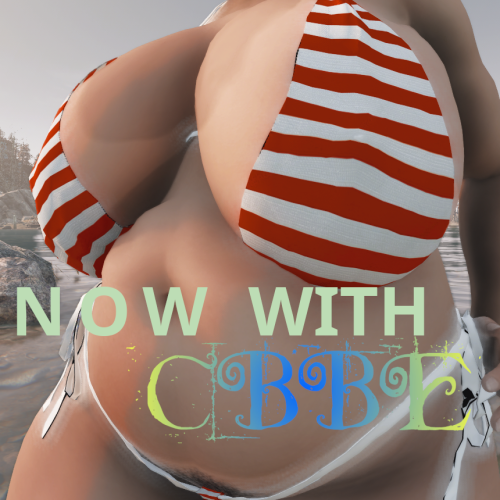
This mod adds 3 LooksMenu overlays for men and 4 for women for you to add. At first, their intensity is very little and are hardly visible on darker skins. Worry not, you can pile them up by adding them multiple times via LooksMenu to get a greater effect. Mix and match!
They work for BodyTalk, CBBE (as well as TWB and likely Fusion Girl) and JaneBod (and its extended version, of course).
There's two versions of this file: one with loose files and one packed. I highly recommend the latter due to a vastly reduced file size. Unless you use JaneBod, download the cbbe-* package.
Credits
Monno for creating the bikini some overlays were based on and aubrii for porting it to FO4. DemiDemonArt for BodyTalk v4 and its outfits. Caliente for creating CBBE. Nightasy for creating JaneBod. dup3w4sh1ngt0n for creating Vanilla Wares, from which I based the underwear overlays.
Permissions
Feel free to use any part of this mod for whatever purpose! Credits, of course, would be appreciated; but not needed.
Tools used
GIMP Blender Material Editor by Ousnius586 downloads
Updated
-
overlay LooksMenu Breast Vein Overlays
By DragAndPlace
Description
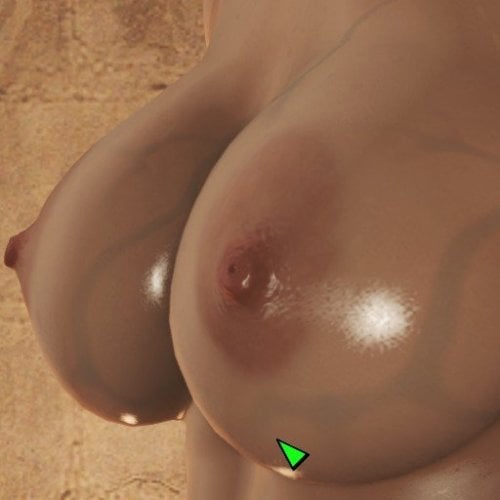
At last, some LooksMenu overlays for JaneBody as I couldn't find any. This is a simple, sloppy port of pema123's breast veins overlays made for Skyrim.
Currently, you have six options, where there's two variants of each pattern.
There's a loose version and a bsa-packed version. I recommend using the latter as it is much smaller in file size.
Don't forget to activate the plugin JBOverlays.esp!
Credits
pema123 for creating the original textures and having open file permissions
krisser143 for "How to make LooksMenu body overlays" tutorial
Tools used
GIMP
Material Editor by Ousnius
1439 downloads
Updated
-
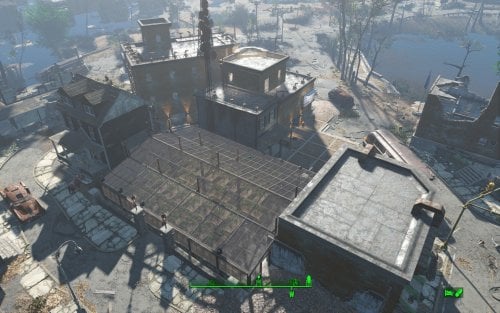
Transfer Settlements - Jamaica Plain Victory Garden and Home
By msmfoster
A Transfer Settlements blueprint that aims to make Jamaica Plain usable while working within the confines of the space. While it would be nice to remove the damaged buildings and abandoned home to create a coherent design, it tends to cause visual glitches that ruin the experience. Details on this build: Repaired the brick structure making both levels usable, and added an additional display area for clothing advertisements. Repaired the wall on the second level of the home linking to the second level of the brick building, the latter of which houses the medical facilities. Cleared out the parking area and turned it into a greenhouse. This permits high food production and supports turrets for additional security. The empty space between the liveable buildings and retaining walls now supports a three-storey brick structure. This addition supports shops, bunks, bathrooms, and a kitchen. Replaced the damaged roads and sidewalks surrounding the liveable buildings with cobblestone pieces. Note. A third level was added to the brick building but it is purely decorative. There are no stairs leading to it and it is generally only accessible through jumping off the addition's roof. Settlement Features 18 bunks. 70+ food. 525+ defence. 180 power. 60 water. Tier 3 Medical, Restaurant, Clothing, and General Store. Vault-Tec drink dispenser and slot machines. Working sinks and showers. Power mostly runs through conduits to minimise visible power lines. Settlers appear able to move freely, with minimal difficulties observed. Cat, dog, and child included in the build. No visual glitches observed from this build. Note. Warehouse glass pieces add a reflection component that can tank your framerate when you are on the second deck. See Unrelated But Useful for more information on mods that may help. Requirements Downloadable Content Contraptions Workshop Vault-Tec Workshop Wasteland Workshop Far Harbour Mid-Century Modern Furniture Set (Optional) Virtual Workshop – Desert Island (Optional) Hard Requirements Transfer Settlements. To import this blueprint. Scrap Everything or an equivalent. To clear out the area as per Setup Instructions. Homemaker. Primary build components for most of the settlement, decorations, furniture, and miscellaneous objects. Settlement Objects Expansion Pack. Fusion generators, railings, pools, foundation liners, cooking station, and water pumps. Note. Transfer Settlements will not add items if the mods are missing. Mods listed below are not required but will remove associated elements. Soft Requirements Craftable Working Sinks and Showers Redux. Working sinks and showers. Erotic Art. Frames and pictures used throughout. Working Fridges. Simple mod that adds working fridges, ice machines, and vending machines. Working Washer and Dryer (Immersive Laundry). Player functional laundry machines and dryers with sound effects. Advanced Bubble Turret Set (Realistic No Power version). Unobtrusive defensive elements used along the greenhouses' outside-facing walls. Nice to Have Armour and Weapon Keywords Community Resource. Additional types of workshops, namely power armour. Videos of the Wasteland. Working televisions and projectors. Gruffydd's Signs and Posters. Billboards and signs. Crazy Sex Animations. Invisible mats that make settlers happy through masturbation, done without using the Advanced Animation Framework, and additionally places assignable gurneys that increase happiness. Sex Toys of the Commonwealth. Adds the random placement of sex toys throughout. Bad Dragon Dildos. Adds more extreme dildos throughout. Companion Ivy. If you happen to have Ivy as a companion, one of her broadcast towers will be added in an out of the way area.
Unrelated But Useful Place Everywhere. Allows you to make minor adjustments if necessary. Armour Rack Female Mannequin Fix. Fixes the armour rack to support alternate bodies like Fusion Girl. Setup Clearing the area is relatively straightforward Clear out all clutter, brush, and trash. Remove all walls within the brick structure except for the angled one. The rest will be replaced for consistency. Remove the damaged wall on the first and second level of the wooden home. Remove the sidewalks and roads in the area surrounding wooden home. Anything below the parking lot retaining walls should be scrapped. Beyond the retaining walls there's a large tree, remove it. In the parking area the retaining wall bends in. Remove those bends along with the associated concrete posts. To remove the tree, do the following: Select the tree. Disable MarkForDelete Note. Disable first in case you selected the wrong object. If that happens Enable will recover the object. Build a Transfer Settlements console from Power > Miscellaneous on the roof of the boarded up home. Note. Import should be done with Workshop Mode enabled. Tasks After Import Confirm all power has been restored. Notes on Imports Transfer Settlements recommends leaving the area after import and to not return for 1-2 game days. However, I found that saving on site always crashes the game. The easiest way to get away and save is to coc Vault111Ext from the console. Wait a couple of minutes before heading into the vault. Once you arrive at the bottom it is safe to save. I recommend that you import/export Blueprints using Stable defaults. Using other methods has caused ladders, walls, and flooring to appear without collision. In many cases the collision effects are found elsewhere leading to interesting behaviours among the NPC population, and leading to a snap back effect as you push through an area and are forced back by the invisible wall. Note. This blueprint was tested with Transfer Settlements working under Stable. Lastly Import wired power connections should always be selected as part of the import process. It will reliably re-connect all wired connections. This saves you the trouble of linking up floors, turrets, and in some cases re-establish connections for hidden or buried runs. Notes on Power and Performance These blueprints utilize ambient fill lighting to provide a pervasive glow. I use Naked Bulbs to create a lived-in atmosphere for statues, fountains, and roof voids. Warning for Dynamic Lighting Users If you use mods that turn all lights into dynamic, shadow-casting sources, the sheer number of these bulbs will severely cripple your framerate. I strongly recommend using the Transfer Settlements Blueprint Editor to strip out all instances of 306F1 before importing. Optimization for Complex Builds: Because of the heavy use of conduits to reduce visible power lines, these settlements have high object counts. To steps below may improve performance. Enable Faux Power in the Workshop Framework's workbench settings. Use the Transfer Settlements Blueprint Editor to strip all conduits from the .json file. This can reduce build complexity by up to 40% without losing the overall aesthetic of the settlement. Note. I cannot guarantee the above will work. A Special Thanks To Thank you to Caladon for creating the template that makes blueprints installable. Updates Version 1.0.2
Adjusted Erotic Art to work with my Classic Erotic Art Retexture. Double up ceiling for consistency. Added public showers with appropriate signage. Adjustments to decorates and lighting. Fixed two potential failure points in power distribution. Results in a cleaner look and feel. Version 1.0.1 Switched to Immersive Laundry. Cloned wall to repair damaged wall on first level of wooden home. Fixed up the retaining wall leading into the parking area.
280 downloads
Updated
-
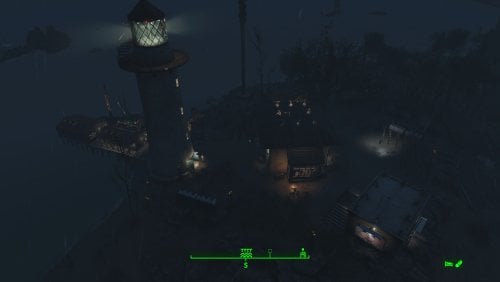
Transfer Settlements - Kingsport Lighthouse and Visitor Centre
By msmfoster
Kingsport Lighthouse is transformed into a functional lighthouse-and-visitor-centre settlement that preserves its isolated coastal charm while supporting high settler count and food production. The main home serves as the shop hub, the dock as bunkhouses, and an outbuilding provides visitor bathroom facilities. Details Repaired roof and expanded second level of the main home. Removed damaged dock sections, extended the dock, and added a fishing shack. Added outbuilding on the rocks for visitor washroom facilities. Cleaned up the lighthouse interior for sleeping accommodations and electric lighting. Placed a pallet in the docked fishing vessel for two extra bunks. Added a large Skyrim statue near the waterline (may explain the shipwrecks in the area). Settlement Features 24 bunks. 100+ food. 485 defences. 260 power. 60 water. Tier 3 Medical, Restaurant, Clothing, and General Store. Dedicated gym area. Vault-Tec drink dispenser and slot machines. Working sinks and showers. Settlers can move throughout and even make use of the beds inside the lighthouse. Power mostly runs through conduits to minimise visible power lines. Cat and dog included in the build. No visual glitches observed from this build. Requirements Downloadable Content Contraptions Workshop Vault-Tec Workshop Wasteland Workshop Far Harbour Hard Requirements Transfer Settlements. To import this blueprint. Scrap Everything or an equivalent. To clear out the area as per Setup Instructions. Homemaker. Primary build components for most of the settlement, decorations, furniture, and miscellaneous objects. Settlement Objects Expansion Pack. Fusion generators, railings, pool, foundation liners, cooking station, and water pumps. Note. Transfer Settlements will not add items if the mods are missing. Mods listed below are not required but will remove associated elements. Soft Requirements Craftable Working Sinks and Showers Redux. Working sinks and showers. PsBoss Statues from Skyrim. Skyrim styled statues for aesthetics. Advanced Bubble Turret Set (Realistic No Power version). Used within the main structure and lighthouse in case of respawns. Erotic Art. Frames and pictures used throughout. Working Fridges. Simple mod that adds working fridges, ice machines, and vending machines. Nice to Have Armour and Weapon Keywords Community Resource. Additional types of workshops, namely power armour. Videos of the Wasteland. Working televisions and projectors. Invisible Furniture. Adds invisible markers that are used as idles for settlers and pets. Gruffydd's Signs and Posters. Billboards and signs. Crazy Sex Animations. Invisible mats that make settlers happy through masturbation, done without using the Advanced Animation Framework, and additionally places assignable gurneys that increase happiness. Sex Toys of the Commonwealth. Adds the random placement of sex toys throughout. Bad Dragon Dildos. Adds more extreme dildos throughout. Companion Ivy. If you happen to have Ivy as a companion, one of her broadcast towers will be added in an out of the way area. Unrelated But Useful Place Everywhere. Allows you to make minor adjustments if necessary. Armour Rack Female Mannequin Fix. Fixes the armour rack to support alternate bodies like Fusion Girl. Setup Clearing the area can be quick. Still, save often just in case you accidentally scrap something important like the main home. Clear out the main home entirely of clutter and furniture. Additionally remove the damaged roof, and damaged wall leading to the narrow end. Clear out the contents of the fishing shack, and damaged portion of the dock. This includes the barrels and wooden frame. Remove the clutter, including rocks and shrubs from the surrounding area, including the red truck and the road beneath it. Be sure to maintain the rock face for the various cliffs. Move the large tree near the home. Push it beyond the boundaries of the build area using Place Everywhere. If you are running Universal Craftable Working Sinks and Showers, you will not be able to scrap the tub. From the console: Select the tub. Disable MarkForDelete Note. Disable first in case you selected the wrong object. In that case Enable will recover the object. Build a Transfer Settlements console from Power > Miscellaneous on the road leading into the settlement at the edge of the build area. Note. Import should be done with Workshop Mode enabled. Tasks After Import No additional requirements other than to confirm that all power has been restored as expected. Notes on Imports Transfer Settlements recommends leaving the area after import and to not return for 1-2 game days. However, I found that saving on site always crashes the game. The easiest way to get away and save is to coc Vault111Ext from the console. Wait a couple of minutes before heading into the vault. Once you arrive at the bottom it is safe to save. I recommend that you import/export Blueprints using Stable defaults. Using other methods has caused ladders, walls, and flooring to appear without collision. In many cases the collision effects are found elsewhere leading to interesting behaviours among the NPC population, and leading to a snap back effect as you push through an area and are forced back by the invisible wall. Note. This blueprint was tested with Transfer Settlements working under Stable. Lastly Import wired power connections should always be selected as part of the import process. It will reliably re-connect all wired connections. This saves you the trouble of linking up floors, turrets, and in some cases re-establish connections for hidden or buried runs. Notes on Power and Performance These blueprints utilize ambient fill lighting to provide a pervasive glow. I use Naked Bulbs to create a lived-in atmosphere for statues, fountains, and roof voids. Warning for Dynamic Lighting Users If you use mods that turn all lights into dynamic, shadow-casting sources, the sheer number of these bulbs will severely cripple your framerate. I strongly recommend using the Transfer Settlements Blueprint Editor to strip out all instances of 306F1 before importing. Optimization for Complex Builds: Because of the heavy use of conduits to reduce visible power lines, these settlements have high object counts. To steps below may improve performance. Enable Faux Power in the Workshop Framework's workbench settings. Use the Transfer Settlements Blueprint Editor to strip all conduits from the .json file. This can reduce build complexity by up to 40% without losing the overall aesthetic of the settlement. Note. I cannot guarantee the above will work. A Special Thanks To Thank you to Caladon for creating the template that makes blueprints installable. Updates Version 1.0.2 Adjusted Erotic Art to work with my Classic Erotic Art Retexture. Double-up ceiling for a consistent look across my settlements. Added a tree to account for an idle that cannot be removed. Replaced the roof so it aligns properly. Added a power switch to power on and off the recruiting beacon without going to the roof. Cleaned up lighting using SOE light sources. Version 1.0.1 Added a Skyrim statue on the cliff near the water line. Adjusted the wiring for the lighthouse. Much of it is now hidden for a cleaner look.
238 downloads
Updated
-
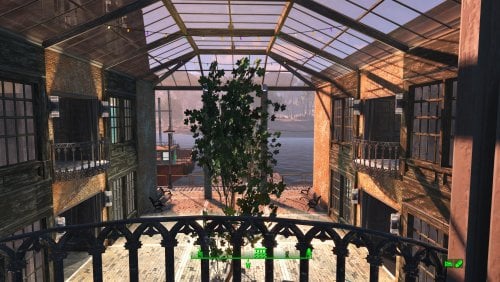
Transfer Settlements - Egret Yacht Squadron
By msmfoster
Egret Tours Marina reimagined as a fancy yacht squadron. A single large structure houses stores, medical facilities, and a club. Wasteland elegance amid the ruins.
Details on this build: Removed derelict buildings, workshop, warehouse/boat launch; replaced with large coherent structure. First level: shops, club, kitchen, medical, pump room, enclosed courtyard. Second level: bunks, washrooms, greenhouse. Third level: large workshop area, rooftop garden. Converted diner to barbershop. Converted boat shed to gym, and clipped in a warehouse electric door. Floated fishing trawler that is ready in all respects to go to sea. Replaced boat launch retaining walls for a consistent facade. Added large Skyrim statue near entrance as showpiece. Note. Warehouse glass pieces add a reflection component that may tank your framerate when you are in the courtyard or greenhouse area. See Unrelated But Useful for more information on mods that may help. Settlement Features 28 bunks. 115+ food. 470+ defense. 240 power. 60 water. Tier 3 Medical, Restaurant, Clothing, and General Store. Dedicated gym area. Vault-Tec drink dispenser and slot machines. Working sinks and showers. Power mostly runs through conduits to minimise visible power lines. Cat and dog included in the build. No visual glitches observed from this build other than at a distance when the entire structure has not yet loaded. Requirements Downloadable Content Contraptions Workshop Vault-Tec Workshop Wasteland Workshop Far Harbour Enclave Remnants (Turrets) Halloween (Optional) Coffee and Donuts Workshop Pack (Optional) Hard Requirements Transfer Settlements. To import this blueprint. Scrap Everything or an equivalent. To clear out the area as per Setup Instructions. Homemaker. Primary build components for most of the settlement, decorations, furniture, and miscellaneous objects. Settlement Objects Expansion Pack. Fusion generators, railings, pools, foundation liners, cooking station, and water pumps. Note. Transfer Settlements will not add items if the mods are missing. Mods listed below are not required but will remove associated elements. Soft Requirements Craftable Working Sinks and Showers Redux. Working sinks and showers. Erotic Art. Frames and pictures used throughout. Working Fridges. Simple mod that adds working fridges, ice machines, and vending machines. Working Washer and Dryer (Immersive Laundry). Player functional laundry machines and dryers with sound effects. Singing Settler. Stage and performer in the pub and some flooring. Nice to Have Armour and Weapon Keywords Community Resource. Additional types of workshops, namely power armour. Videos of the Wasteland. Working televisions and projectors. Invisible Furniture. Adds invisible markers that are used as idles for settlers and pets. Standing Stones from Skyrim. Skyrim styled statues for aesthetics. Gruffydd's Signs and Posters. Billboards and signs. Crazy Sex Animations. Invisible mats that make settlers happy through masturbation, done without using the Advanced Animation Framework, and additionally places assignable gurneys that increase happiness. Sex Toys of the Commonwealth. Adds the random placement of sex toys throughout. Bad Dragon Dildos. Adds more extreme dildos throughout. Unrelated But Useful Place Everywhere. Allows you to make minor adjustments if necessary. Armour Rack Female Mannequin Fix. Fixes the armour rack to support alternate bodies like Fusion Girl. Glass Roofs Stop Rain and Snow - Various Mods Patches. Stops rain and snow from going through glass roofs. Glowing Glass Fix. Changes the glass textures to reduce glare and reflection. Setup Clearing the area is relatively straightforward. Remove the warehouse, sidewalks, and outbuildings. Remove the upper retaining walls entirely including the railings. Maintain the following: Docks and stairs that transition to the upper retaining wall. Diner and refueling station (remove the sliding panels blocking two windows). Boat shed, but clear out it's contents. Power pole by the warehouse. Clear out the remaining clutter, including junk cars. Build a Transfer Settlements console from Power > Miscellaneous facing on the road coming into Egret Tours Marina facing the bridge. Note. Import should be done with Workshop Mode enabled. Tasks After Import No additional requirements other than to confirm that all power has been restored as expected. Notes on Imports Transfer Settlements recommends leaving the area after import and do not return for 1-2 game days. However, I found that saving on site always crashes the game. The easiest way to get away and save is to coc Vault111Ext from the console. Wait a couple of minutes before heading into the vault. Once you arrive at the bottom it is safe to save. I recommend that you import/export Blueprints using Stable defaults. Using other methods has caused ladders, walls, and flooring to appear without collision. In many cases the collision effects are found elsewhere leading to interesting behaviours among the NPC population, and leading to a snap back effect as you push through an area and are forced back by the invisible wall. Note. This blueprint was tested with Transfer Settlements working under Stable. Lastly Import wired power connections should always be selected as part of the import process. It will reliably re-connect all wired connections. This saves you the trouble of linking up floors, turrets, and in some cases re-establish connections for hidden or buried runs. Notes on Power and Performance These blueprints utilize ambient fill lighting to provide a pervasive glow. I use Naked Bulbs to create a lived-in atmosphere for statues, fountains, and roof voids. Warning for Dynamic Lighting Users If you use mods that turn all lights into dynamic, shadow-casting sources, the sheer number of these bulbs will severely cripple your framerate. I strongly recommend using the Transfer Settlements Blueprint Editor to strip out all instances of 306F1 before importing. Optimization for Complex Builds: Because of the heavy use of conduits to reduce visible power lines, these settlements have high object counts. To steps below may improve performance. Enable Faux Power in the Workshop Framework's workbench settings. Use the Transfer Settlements Blueprint Editor to strip all conduits from the .json file. This can reduce build complexity by up to 40% without losing the overall aesthetic of the settlement. Note. I cannot guarantee the above will work. A Special Thanks To Thank you to Caladon for creating the template that makes blueprints installable. Updates Version 1.0.2
Adjusted Erotic Art to work with my Classic Erotic Art Retexture. Double up ceiling for consistency. Blueprint now includes the entire retaining wall sets to make it easier to scrap. Re-added idle animations. Version 1.0.1
Duplicated boat for precise placement during import. Duplicated and replaced retaining walls to create unified facade. Added pier surface to the top boardwalk to improve navmesh. Added a statue at the entrance along with additional lighting. Added Immersive Laundry. Removed Singing Settler lockers to avoid frequent wardrobe malfunctions. Replaced sliding panels within the diner with window duplicates. Clipped in a warehouse electric garage door for the boat shed. Closed up and repaired the third deck for a cleaner look.
225 downloads
Updated
-
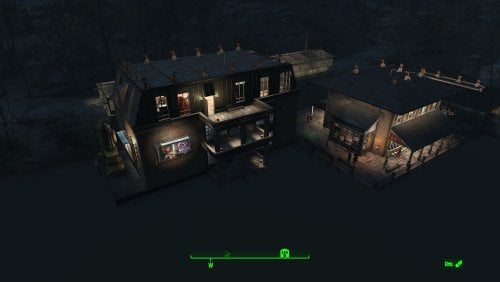
Transfer Settlements - Taffington Boathouse Restored and Expanded
By msmfoster
Taffington Boat House is an interesting location that could have easily been great had they increased the build area. This Transfer Settlements blueprint uses the existing space to: Expand the boardwalk. Fix up the existing building including the roof and overhangs. The main structure now houses shops and medical facilities, including a surgical area. Adds another bunkhouse with a laundry area, working bathroom, and a large space for workshops. Moves the boathouse slightly to accommodate the roof repair. Adds two greenhouses over the road. Note. For some easy experience points, get the attention of the bloodbugs and stingwings nearby and draw to the settlement's defences. Settlement Features 23 bunks. 110+ food. 485 defence. 260 power. 60 water. Tier 3 Medical, Restaurant, Clothing, and General Store. Dedicated gym area. Vault-Tec drink dispenser and slot machines. Working sinks and showers. Settlers appear able to move throughout but occasionally get stuck in the original home. Power mostly runs through conduits and under the boardwalk to minimise visible power lines. Cat and dog included in the build. No visual glitches observed from this build. Requirements Downloadable Content Contraptions Workshop Vault-Tec Workshop Wasteland Workshop Far Harbour Mid-Century Modern Furniture Set (Optional) Virtual Workshop – GNR Plaza (Optional) Hard Requirements Transfer Settlements. To import this blueprint. Scrap Everything or an equivalent. To clear out the area as per Setup Instructions. Homemaker. Primary build components for most of the settlement, decorations, furniture, and miscellaneous objects. Settlement Objects Expansion Pack. Fusion generators, railings, pool, foundation liners, cooking station, and water pumps. Note. Transfer Settlements will not add items if the mods are missing. Mods listed below are not required but will remove associated elements. Soft Requirements Craftable Working Sinks and Showers Redux. Working sinks and showers. Advanced Bubble Turret Set (Realistic No Power version). Unobtrusive defensive element used along the greenhouses' outside-facing walls and inside the main structure in case creatures respawn. Erotic Art. Frames and pictures used throughout. Working Fridges. Simple mod that adds working fridges, ice machines, and vending machines. Working Washer and Dryer (Immersive Laundry). Player functional laundry machines and dryers with sound effects. Nice to Have Armour and Weapon Keywords Community Resource. Additional types of workshops, namely power armour. Videos of the Wasteland. Working televisions and projectors. Invisible Furniture. Adds invisible markers that are used as idles for settlers and pets. Gruffydd's Signs and Posters. Billboards and signs. Crazy Sex Animations. Invisible mats that make settlers happy through masturbation, done without using the Advanced Animation Framework, and additionally places assignable gurneys that increase happiness. Sex Toys of the Commonwealth. Adds the random placement of sex toys throughout. Bad Dragon Dildos. Adds more extreme dildos throughout. Companion Ivy. If you happen to have Ivy as a companion, one of her broadcast towers will be added in an out of the way area. Unrelated But Useful Place Everywhere. Allows you to make minor adjustments if necessary. Armour Rack Female Mannequin Fix. Fixes the armour rack to support alternate bodies like Fusion Girl. Setup Clearing the area can be done quickly. Save often just in case you accidentally scrap something important like a wall. Clear out the boathouse completely. Remove the damaged part of the roof and overhangs of the main home, remove the tub, and bathroom walls. Remove the boardwalk entirely, including pylons and posts. Clear the area of clutter and junk. If you are running Universal Craftable Working Sinks and Showers, you will not be able to scrap the tub. From the console: Select the tub. Disable MarkForDelete Note. Disable first in case you selected the wrong object. In that case Enable will recover the object. Build a Transfer Settlements console from Power > Miscellaneous near the edge of the build area on the road near the boat ramp. Note. Import should be done with Workshop Mode enabled. Tasks After Import No additional requirements other than to confirm that all power has been restored as expected. You may need to adjust the glass in the windows for the bunkhouse. Just move them forward or back a bit until you have the desired effect. Glass also prevents the player from accidentally going through the window. Notes on Imports Transfer Settlements recommends leaving the area after import and to not return for 1-2 game days. However, I found that saving on site always crashes the game. The easiest way to get away and save is to coc Vault111Ext from the console. Wait a couple of minutes before heading into the vault. Once you arrive at the bottom it is save to save. I recommend that you import/export Blueprints using Stable defaults. Using other methods has caused ladders, walls, and flooring to appear without collision. In many cases the collision effects are found elsewhere leading to interesting behaviours among the NPC population, and leading to a snap back effect as you push through an area and are forced back by the invisible wall. Note. This blueprint was tested with Transfer Settlements working under Stable. Lastly Import wired power connections should always be selected as part of the import process. It will reliably re-connect all wired connections. This saves you the trouble of linking up floors, turrets, and in some cases re-establish connections for hidden or buried runs. A Special Thanks To Thank you to Caladon for creating the template that makes blueprints installable. Updates Version 1.0.3 Adjusted Erotic Art to work with my Classic Erotic Art Retexture. Closed up the attic Added some Anniversary Edition lighting (Optional) Version 1.0.2 Properly duplicated pylons and posts. Version 1.0.1 Electric doors were attached to workshop. Replaced washers and dryers with those from Immersive Laundry. Pylons and supports are now duplicated and pre-placed. Gas light added atop the pylons to more closely match the original look and feel.324 downloads
- transfer settlements
- taffington
- (and 1 more)
Updated
-

SMP Head
By Allnarta
Description
Simple as that, this is male head meshes with SMP support. There are two versions: vanilla and A-Human race.
To actually have effect, body that support SMP and has proper penis/hands/anything collisions has to be used.
Head mesh versions avaible:
-Vanilla
-A-Human race
-Ace Male Race
At this point A-Body V2 Alpha has SMP support.
Keep in mind that results may be not perfect because of mouth/penis positioning has to be very precise for it to look fancy. Use SAM and experiment with Jaw morphs and character's facegen for best results.
Requirements
-F4 FSMP
-(Optional) A-Human race - only for A-Human race version.
-(Optional) Ace male Race - only for Ace Male Race version. Please note that Ace has very different mouth position and very different morphs that are inconsistent for proper penetration, so results will not be perfect.
Credits
Jarari for F4 FSMP.
Predator-RJ for otiginal Skyrim SMP head, which I used as inspiration (and honestly borrowed some XML values from).
1301 downloads
Updated