Select a subcategory to view available files.
Files From Subcategories
-
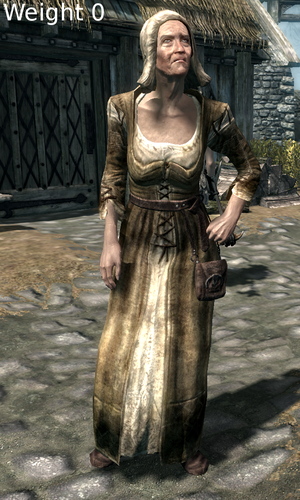
Old Femele Preset for Bodyslide nude and clothes
By noreg
Ever got disgusted by grannies with hot as fuck dibella like bodies?
I'm a fan of good looking female bodies but grannies should look like grannies.
So i made this preset for body diversion mods like Unique Bodies by Race.
The breasts are heavily pulled down by gravity, the clothes-preset gives a push-up-effect.
1312 downloads
Updated
-
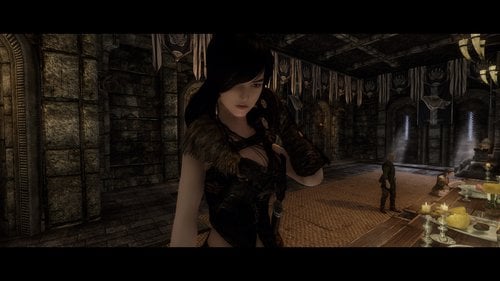
Miyu the Shieldmaiden
Miyu - the Shieldmaiden
She is a character based on myself. Miyu is good in Two-Handed and One-Handed (specially Dualwield). A bit of magic is known to her too.
Miyu was born in Dawnstar, has a younger sister and an older brother. She went off to Whiterun to join the Companions after many years of training.
You find her in Jorrvaskr. She is essential and you're able to marry her.
Equipment: Steel Armor, Greatsword, Battleaxe
Perks: Fighting Stance, Champions Stance, Hack and Slash, Bladesman, Limbsplitter, Deep Wounds, Devastating Blow, Deadly Bash, Tower of Strength, Barbarian, Armsman, Dual Flurry, Dual Savagery, Bone Breaker, Agile Defender, Deft Movement, Juggernaut, Stealth, Augmented Flames, Intense Flames
Spells: Flames, Healing, Firebolt, Flame Cloak
Mainstats: Two-Handed, One-Handed, Heavy Armor, Light Armor
A big thank you to all my testers <3
Credits:
Eyes: Eyes of Aber by Aberin
Skin: Elegant Beauty Skin UNP-UUNP by Asteria Starfall
Brows: Brows by Hvergelmir
The Ningheim Race by Seren4XX HelloSanta Urshi and co
Hair: SG Hair Pack 268
RaceMenu by Expired
Body type: DIMONIZED UNP female body by dimon99
2531 downloads
Submitted
-
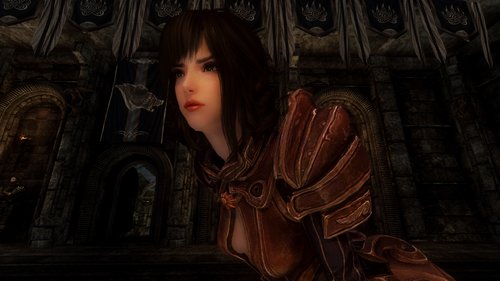
Chiasa Silverstorm
Chiasa Silverstorm
"Lilithya saved my life and shared her name with me..."
Background:[/b]
Chiasa is a young girl from Riften, and former member of the Thieves Guild. Chiasa got caught in Windhelm, robbing a home.
Only because of Lilithya Silverstorm, she was spared of hard consequences. Chiasa cut her ties to the Guild and went back to Windhelm, thanking the woman who helped her. Chiasa became Lilithyas bodyguard, as thanks for her devotion, Lilithya gave her the name Silverstorm too.
Chiasa now roams Skyrim, searching for a cure for Lilithyas vampirism.
Combat:
Chiasa wears mostly Heavy Armor, but she can use Light Armor too. She usually fights with a Sword and Shield, but is good at Two-Handed battle too.
Spells: Ebonyflesh, Healing
Perks: Fighting Stance, Bladesman, Hack and Slash, Savage Strike, Matching Set, Magic Resistance, Regeneration, Respite, Recorvery, Barbarian, Shield Wall, Unhindered
Mainstats: One-Handed, Heavy Armor, Light Armor, Block
Misc:
Chiasa can be found in Riften, mostly next to the Blacksmith. She levels with the Player till LVL 150. Chiasa is marriageable.
Credits:
Eyes: The Eyes of Beauty by Gabriel Mailhot as LogRaam
Skin: PureSkinTexture by Anini n Regenbot03
Brows: Brows by Hvergelmir
The Ningheim Race by Seren4XX HelloSanta Urshi and co
Hair: SG Hair 268 by Hello Santa
RaceMenu by Expired
Bodytype: DIMONIZED UNP female body by dimon99
Armor: TERA Armors Collection for Skyrim - Male and UNP female by asianboy345
Weapon and Shield: TERA Weapons Collection for Skyrim by Iromizu
Make A Follower Workshop MAFKit 2017 by Ashes2Asherz
Other Silverstorm Followers:
Lilithya Silverstorm
Mynitha Silverstorm2432 downloads
Updated
-
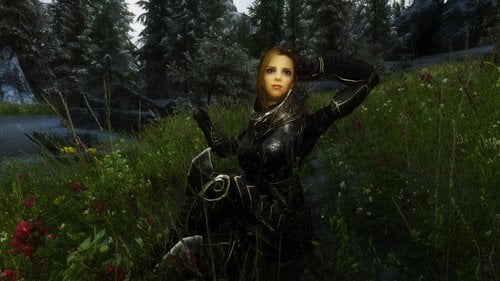
Liliaya Spelliare
Liliaya Spelliare - Spellblade Follower
Equipment: Elven Armor
Weapon: Elven Sword
Perks: Armsman, Bladesman, Augmented Flames, Instense FLames, Destruction Dual Casting, Impact, Rune Master, Master of Mind, Quiet Casting, Kindred Mage, Animage, Hypnotic Gaze, Aspect of Terror, Rage, Respite, Regeneration, Recovery, Avoid Death
Skills: Call to Arms, Close Wounds, Courage, Fast Healing, Fire Bolt, Fire Rune, Fire Storm, Fire Cloak, Fury, Heal Other, Incenirate
Mainstats: One-Handed,Destruction, Illusion
Can be found: Markarth, Understone Keep in the War room (caution: the door need to be unlocked)
Credits:
Eyes: The Eyes of Beauty by Gabriel Mailhot as LogRaam
Skin: Leyenda Skin by HeroedeLeyenda
Brows: Brows by Hvergelmir
Hair: SG Hair Pack 268
RaceMenu by Expired
Bodytype: DIMONIZED UNP female body by dimon99980 downloads
Submitted
-
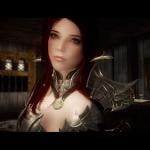
Lilithya Silverstorm
Background:
Lilithya is grew up with her younger Sister in Markarth, after her mother left both alone. Her father also left the family, joining the Stormcloaks. Lilithya took care of her younger sibling, till her sister decided to go to Solitude, to her mother and join the Imperial Legion.
After the departure of her younger Sister she decides to find her father, finally get answers why he left them.
One Night her younger sister went out on a walk through Markarth, when she gets attacked by a Vampire. Lilithya interfered but contracted herself with Sanguinare Vampiris but wasn't really able to get herself cured. So she transfromed into a Vampire, but refuses to drink blood. She has a magical necklace which prevent her looking like a vampire.
In her Inventory is a little Diary with some backstory. Not much. I'm working at her own little questline, but I'm new to this and need some time.
I'll update her when I'm finished.
Equipment:
Armor: Vampire Leather Armor
Weapons: Glass Bow and Glass Daggers, Crossbow
Spells: Healing, Healing Hands, Invisibility, Vampire Cloak, Vampiric Drain,
Perks: Armsman (20), Assassins Blade, Avoid Death, Backstab, Bladesman, Bullseye, Concentrated Poison, Critical Shot, Deadly Aim, Deft Movement, Dual FLurry, Muffled Movement, Poisoned, Quick Shot, Range of Movement, Steady Hand, Stealth (80), Wind Walker, Light Foot
Mainstats: Stealth, One-Handed, Light Armor, Archery
Misc.:
She can be found in the Palace of the Kings in Windhelm. Lilithya levels with the player till Lv 150.
She ist not marriageable, actually everyone can take her as a follower.
With her Questline only Stormcloaks are able to have her as follower, Imperial players she will tell to leave her alone.
If you find bugs, please tell me so I can look over her. I hope someone likes her.
Credits:
Eyes: The Eyes of Beauty by Gabriel Mailhot as LogRaam
Skin: PureSkinTexture by Anini n Regenbot03
Brows: Brows by Hvergelmir
The Ningheim Race by Seren4XX HelloSanta Urshi and co
Hair: KS Hairdos - Renewal by Kalilies Stealthic Khaos and Shocky
RaceMenu by Expired
Bodytype: DIMONIZED UNP female body by dimon99
Armor: Another Vampire Leather Armor by Ravendier
Make A Follower Workshop MAFKit 2017 by Ashes2Asherz
4695 downloads
Updated
-
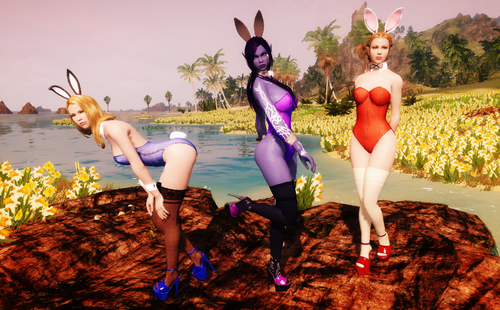
Nadriel's Bunny Girl Outfit, Converted to Skyrim (CBBE/UUNP HDT and nonHDT)
By MrEsturk
NEW UPDATES! A UUNP CONVERSION PATCH AS WELL AS A CHRISTMAS THEMED PATCH FOR ALL YOU NAUGHTY HOLIDAY BUNNY NEEDS!
This is a conversion of Nadriel's Bunny Girl Outfit from Fallout4. It has been converted to the CBBE HDT body, but also includes a nonHDT version option. It includes full Bodyslide support for the HDT and nonHDT version. Intended for females, but can also be worn by males in case you want to play a crossdresser/transgender/Rocky Horror enthusiast.
The outfit is broken into four parts: Leotard (body slot), Ears (circlet slot), cuffs and collar (gloves slot), and tail (tail slot). Heels and stockings are not included. You can get the heels/stocking featured in my screenshots here.
The leotard has a normal and t-back version, as well as nine color options. The cuffs and tail both have two color options. There are four ear variations.
REQUIREMENTS:
- Caliente's Beautiful Bodies (the only thing needed for the nonHDT version)
- SKSE (For HDT version)
- XPMSE (For HDT version)
- HDT PE (For HDT version)
INSTALLATION:
Just open the file with 7-zip, drag its contents into your Skyrim folder, and follow the normal procedures for enabling a new mod.
WHERE TO FIND THE OUTFIT IN GAME:
You can craft no stat clothing versions of all the outfit parts at any forge/anvil out of leather strips. Additionally you can also convert the following pieces of armor into equivalent bunny girl items that have identical stats at a forge/anvil in case you want to prance around in a bunny costume with decent stats:
- Adept Mage Hood and Master Mage Robe
- Glass Helmet, Cuirass (Armor), and Gauntlet
- Daedric Helmet, Cuirass (Armor), and Gauntlet
FAQ:
Where are the heels/stockings/fishnets from the original Fallout 4 version?:
Unfortunately there were several issues with them. For starters Nadriel borrowed them from two other modders with permission, which I also would have had to track down and get permission to use. Also the heels used a nonHDT based system that left them with badly squished feet. The best that could be done in Fallout 4, since there is no HDT system in that game yet, but in Skyrim they would just look ugly and dated. And finally even in Fallout 4 I had trouble getting them to work without noticeable clipping issues, so I decide to axe them in this conversion. But don't worry: Skyrim has a ton of heels, stockings, and other footwear to work with in their place.
I suppose if enough people bug me about it I'll look into at least getting permission to convert the male version of the heels since there are no real male heel options yet as far as I know.
Will this work with my beast race character / custom beast race character?:
It should as far as I know. However there may be clipping issues with the bunny ears depending on the head shape and equipping the bunny tail will override your race's default tail (but the bunny tail has no stats, so no reason to wear it if you don't want to).
The alternate colors of the leotard don't appear in the forge's crafting list. What gives?:
In order to cut down on menu clutter the alternate colors of many of bunny girl outfit parts only show up if you have the crafting mats for them. Get the proper crafting mats and they will pop up. The alternate colors use the same mats as the default color.
Can you, or can I, convert this costume to *insert bodytype I like*?:
I won't be converting it to any other body type. But if you want to convert it to another Skyrim body type I see no harm, so long as you credit Nadriel for creating it.
Will convert this other Fallout 4 costume I really like?:
Sadly probably not unless I think the outfit is REALLY awesome. Converting costumes from Fallout 4 to Skyrim is a migraine. Dealing with Skyrim Creation Kit's very buggy handling of recognizing a new outfits body weight slider and layering is even more of a migraine. Some things you really only want to suffer once.
Where is the nonHDT version of the Cufflinks in Bodyslide?:
The cufflinks & collar don't use any HDT physics by default, so only one version was needed. Just use the normal version.
This stupid bunny costume is unrealistic and impractical!:
Nonsense. Ancient warriors used to wear bunny leotards into the battlefield all the time. King Henry VIII wore a hot pink one with seven inch fetish heels during his attempted conquests of northern France. Its in the history books.
Credits:
Nadriel - Created the outfit
MrEsturk - Ported the outfit to Skyrim with Nadriel's permission. Also created the purple leotard color and black large bunny ears color.
Backsteppo - Created the Santa Hat Models and Textures.
OTHER MODS BY ME:
Equippable Dogmeat Skins for Fallout 4: Allows you to alter Dogmeat's breed in game through craftable alternate skins you can equip on him. Want Dogmeat to be a husky for one of your characters? Want him to be a golden labrador for your other character? And you also want him to be a mongrel hound for yet another character you play? Don't want to go through messy manual file switching every time you want to change him? Then this is the mod for you.
11288 downloads
- bunny
- bunny girl
- (and 1 more)
Updated
-
.thumb.jpg.05e8f7371a2b53dc23d6a33e93e0c863.jpg)
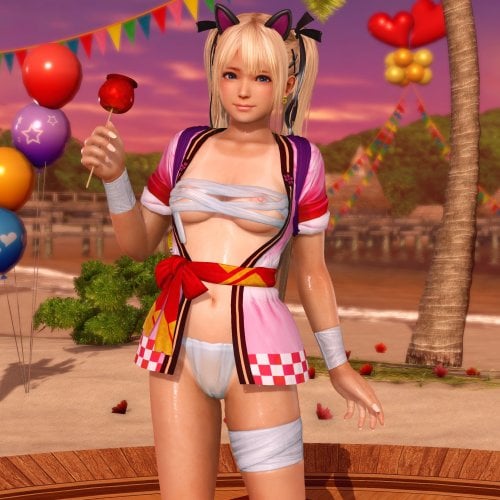
Honoka Maid Outfit
By rhino_4
Honoka Maid costume
Dead or Alive 5 Last Round
Property of Tecmo/Team Ninja
All credits go to the original creator and owner of the model: Tecmo/Team Ninja
Model extracted by Zareef @ https://zareef.deviantart.com
Imported into skyrim by myself
Please do not upload anywhere other than loverslab.com
Outfit uses NIO for the heels. The body is fitted to UUNP HDT standard but bodyslide files are not included at this time. Minor clipping and warping of the outfit may occur.
8803 downloads
Submitted
-
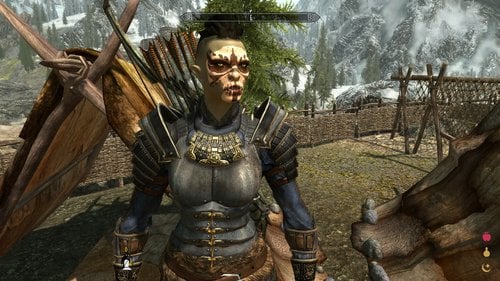
Gharzal
By RavinBeast
5a3dbdc947c40_GharzalFollower.zip
Before We Go Any Further I Have To Apologize For My Typing, I'm Blind In My Left Eye And Capitalizing The 1st Letter Of Each Word Seams Help Me Read My Own Typing.
Now That's Out The Way, On To The Good Stuff
Introduction:
This Is Gharzal An Orc Archer Follower I Originally Made For Myself But Thought Others May Enjoy Her Since There's A Distinct Lack Of Orc Follower Mods Out Their.
Location:
You Can Find Her At The Braidwood Inn In Kynesgrove, You'll Have To Give Her Some Alchohol Before She'll Agree To Follow You Though
Technical Sidenotes:
She'll Use Whatever Body Textures You Have Installed, However I Think She Looks Best With Pride Of Valhalla Skin Textures (It's What I Personally Use And What Was Used In The Screenshots) Other Then That She's Completely Vanilla
https://www.nexusmods.com/skyrim/mods/72586
123 downloads
Updated
-
![More information about "PSQ Transformpackage [Fomod]"](https://static.loverslab.com/screenshots/thumb-9a4ea53a605b941de19f939d4a5a5c94-b.png)
PSQ Transformpackage [Fomod]
By ЯEZУ
Transformpackage for
PlayerSuccubusQuest
Works with PSQ3.2.8a
-Please read the whole post-
Installation / Description:
New Fomod installer for easier installation + some customizability!
Small FAQ:
Q: My dick is not showing!
Q: My armor is not showing!
A: If you use Schlongs of Skyrim you need to set the succubusarmor as revealing - a new savegame might fix things, too.
Q: The tattoos are not working!
A: You need to apply them through RaceMenu.
Q: How can I use my own meshes and textures?
A: You can either do it manually by replacing the files in the psq humanbody/succubusbody folders or use the batch files included in this pack (recommended).
Requires:
HDT Physics Extension
PSQ and its requirements
Mods used:
Alduin Wings Evil Retexture
Animated Dragon Wings
Astaroth Horns Redone
b3lisario's Schlong for females
EvilReFlex's Horse Penis
EvilReFlex's old Transformpack
EvilReFlex's Schlong Retextures
NMM Installer Tutorial
Fair Skin Complexion
Tribal Body Tattoos
111629 downloads
Updated
-
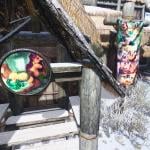
Glev's Sexy Skyrim
By Glev
This is a mod that aims to make Skyrim a much sexier place. I accomplish this by adding/replacing textures around skyrim with more sexy theme. Some examples of how this is done is replacing the Signs & Banners textures for a much more adult theme. Most of the art I use is hentai related but could be expanded to say screenshots at a later time. This mod contains Futa and Beastality content.
Installing:
Download the newest GlevSexySkyrim from the download section and install using Mod Organizer or NMM and just select which pieces of the mod you want using the FOMod Installer
Want to install manually check this link for separate downloads of each of the parts of the mod: https://mega.nz/#F!tk9zQR5C!GMp8Jxx1pTU9WRCLRBHWlw
Updating:
Uninstall old version, then install new version and overwrite.
Future Plans:
-add sexy textures like banners/paintings to Animal Mansion Plus (currently in development)
-create sexy textures for some player homes: suggestions welcome
-fixing the last few signs
-creating a beast only and futa only version of Sexy Signs
AVAILABLE MOD OPTIONS:
Glev's Sexy Signs: UPDATED
Replaces most of the Signs in skyrim to a adult theme.
SCREENSHOTS BELOW: FUTA AND BEAST CONTENT
Glev's Sexy Banners: UPDATED
Replaces the in game banners for an adult version.
SCREENSHOTS BELOW: FUTA AND BEAST CONTENT
Glevs Sexy Shields
Replaces the emblems on the shields the guards use to an adult theme. The textures match the banners for each town when paired with Glev's Sexy Banners V2
SCREENSHOTS BELOW: FUTA AND BEAST CONTENT
Glev's Sexy Coin
Replaces the in game coin to an adult coin.
SCREENSHOTS BELOW: FUTA AND BEAST CONTENT
Glev's Sexy Adventure Tent: NEW
This mod adds many sexy paintings and banner to the portable player home Skrim Adventure Tent. The original mod gives the player a Summon Tent spell when used creates a portable tent, when you walk into the tent you are telelported to an interior cell where you can deposit your items. I use this mod because its a small cell and can make loading a script heavy game easy. Idea for mod came from Yuni https://www.loverslab.com/user/5998-yuni/
REQUIRES: http://www.nexusmods.com/skyrim/mods/15272/?
VERSIONS AND SCREENSHOTS BELOW
Change Log:
33962 downloads
- hentai
- Bestiality
- (and 2 more)
Updated
-
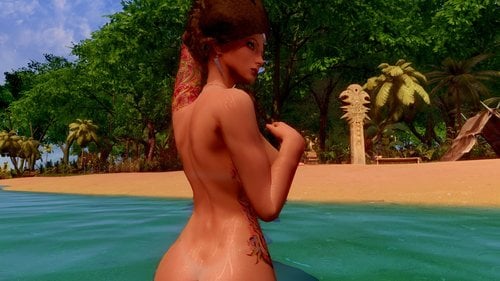
Bikini Tan Lines (UNP) for Slavetats
Since the hateful summer is comming to the South, I was looking for a bikini tan line, but those available for UNP are kinda weird, so I decided to create a new one based on Sunburn for CBBE that is more like the brazilian bikinis.
It may look weird on oversized bodies. Made using UNPC/7B as base.
You can edit the opacity using Racemenu.
The character from screenshots: Nexus gallery / Flickr / Tumblr
2510 downloads
Updated
-
My Racemenu presets
By Kpnut
These are the racemenu presets for my three characters Storm, Cris and Claire. I'm uploading them here partly because I feel some of you might want them and partly because I want them backed up somewhere other than my external HDD in case something catastrophic happens to that particular HDD.
Update: added my ningheim character Hilda and my Tania project character Tania to the file
Update 2: Added my Valkyrie character Mist to the file.
Update 3: Added Ash, my redguard to the file
Anyway the file has all three presets in it already and to install you simply go into; Skyrim/data/SKSE/plugins/Chargen/presets
As for the requirements you need the following:
Racemenu (obviously) Epic Elves (for Cris) Lunari (for Storm) Nephilim (for Claire) Ningheim (for Hilda) Tania Project (for Tania) Valkyrie Race (for Mist) Apachii Skyhair (for Storm's hair) SG hair pack (for Ash, Hilda's and Cris' hair) KS Hairdos (for Tania's hair) SG texture pack (for Claire's skin texture) Fair Skin Complexion (for Ash, Mist and Tania's skin textures)
To get them looking exactly how they do in my game is simple for Cris and Storm and a bit more involved for Claire. For Cris and Storm you simply need to drop the files into your presets folder and ensure you have the required mods for both of them. As for Claire you need to install the SG texture pack directly into the nephilim textures directory (should be this: Skyrim/Data/Textures/nephilim/body.)
As for permissions; don't upload them anywhere else, don't claim them as your own. If you want to turn them into companions and release them tell me first, I'm unlikely to say no as I can't do it myself (I just can't wrap my head around Skyrim modding) and if you decide to take screenshots with them (I don't know if this has ever happened but it might) again don't claim them as your own and any images with sex in them don't do anything too kinky (bestiality is a no go but BDSM is fine and also no rape)
credits;
expired6978 for racemenu
zzjay for the epic elves race
bhaktisean for the Lunari race
JetSteele for the Nephilim
hellosanta for the SG skin textures
apachii for apachii skyhair
1928 downloads
Updated
-
Gotha Rensa - CBBE - HDT - BodySlide
By Alunder
Gotha Rensa - CBBE - HDT - BodySlide - by Ninirim and ReGenBot03
Reference: tistory.com
Blog: Ninirim Blog
Retouched; Latest Update: 12/29/2016
Intro:
* All BodySlide Updated.
* Several corrections on the meshes and bone structure.
* Adjusted all parts of the armor, imported updated cbbe shape, upgraded bones, major corrections attached to the breasts, butt, hip, thighs and belly. Also corrected the high heels and feet. I had to edit practically all parts and all bones manually, in addition I redesigned the heels, vertex by vertex to align it properly.
* Added gnd files for all set.
* High Heels automatically adjusted with the NiOverride High Heels, that is, you do not need the High Heel System, but if you have, no problem.
[Pack]
* Cuirass, gloves, heels, skirt, stocking and helmet.
* 4x Colors; [White - Original] [black Gold] [Red Gold] [Nature]
* Totalizing: 24 Outfits.
* Craftable, Refineable & Enchanted.
* [Light Version] - [Daedric Rating]
* Book Restricion to save the forge.
Preview
Ninirim is no longer making mod's, but he still owns a gallery with beautiful pictures. I left the source as a reference if anyone is interested in viewing his work.
Despite the laborious process of conversion I have no connection with the creativity behind this wonderful work, so all the credits reserved to Ninirim. I just convert or fix things and I accept your thanks, have a good game!
Info/Tips
The correct one would be the heel being together with the stocking, but due to the stocking being customized for high heel I let the heel separate, just like the original mod. Then you will notice when removing the heel a small collision from the stocking with the ground, but this is normal, because of the high heels and at least you can use separate heels and also others heels of size (8.0) in that stocking.
Note. I intend later to update all my conversions with the NiOverride High Heels which is more practical, not that it is much better than the old High Heels System, because I never had problems with it, but this new system as I said before is more practical to configure.
Where to find?
Found in Riverwood, inside - Alvor and Sigrid's House, near the fire.
See the last images if you can not find it.
Required Mods
The Body
Caliente's Beautiful Bodies Edition - CBBE - by Ousnius Jeir and Caliente
BodySlide 2
BodySlide and Outfit Studio by Ousnius and Caliente
The Skeleton
XP32 Maximum Skeleton Extended - XPMSE by Groovtama
It is extremely important that you use a skeleton to make the body look better and smoother curves, already I recommend this skeleton. If you do not use this or another skeleton I can not guarantee the functionality of this mod or a body similar to the pictures, because the design of the meshes were made through this skeleton.
HDT Physics Extension
HDT Physics Extensions by HydrogensaysHDT
BodySlide Outfit 2
Check if all the mod's are properly installed including optional files from BodySlide Outfit 2.
Racemenu Morphs for CBBE.
Pre-built CBBE HDT + Morphs or Pre-build CBBE + Morphs.
Open BodySlide Outfit.
Load armor through the group.
Select the "Build Morphs".
Press the "Batch Build".
Select all parts of the armor and press "Build".
All Right!
Vídeo by
Kshahdoo/TornFlesh
Installation Tips: Read only if you are experiencing difficulties and need help with the installation process.
Complete installation of all mod's: Not necessarily in that order at some points, but following that way you will not have problems.
6816 downloads
Updated
-
Broken Angel - Elysium - Priest Warrior Armor's by JackGa
By Alunder
Elysium Clothes
Priest Warrior Armor
Broken Angel Armor
by Jackga
Previous Version:
Elysium - Mama Armor
Priest Warrior Armor and Holy Weapon
Broken Angel Armor
Retouched; Latest Update: 28/03/2017
Preview
I noticed there are some JackGa works here in the forum, however these ones I've been working on for some time too, to be exact at the end of the last year to complete my collection. From now on all the credits reserved to Jackga and the respective sources that I will leave at the bottom of the page.
All three versions are fully updated with the latest CBBE body format including HDT effects. I also carefully edited the bones to give better support to poses and animations. Below is the attachment of the latest updates:
Note License released by Jackga, however do not reupload these files on the Nexus site.
Intro:
* CBBE + HDT.
* Full BodySlide support for the three sets.
* Updated the CBBE body shape, including detailed editing of all bones.
* Several corrections in the meshes of the sets.
* Added a few derivations for the three sets as a new helmet in the Priest Warrior Armor edition; New model of clothes and veil of Elysium Clothes and also new style of wings in the version of Broken Angel Armor.
* Shared group: BAA - EC - PWA [HDT]
* Merged esp file.
* Standalone - [Daedric Rating]
* Has book restriction to save the forge.
[New] [update] * Small correction on the panties; just BodySlide files, install after the main file.
Where to find the book: Riverwood - Hod and Gerdur's House; On the counter, check the latest pictures.
[Pack]
* Elysium Clothes: 2x Clothes, Bracers, Boots, Skirt, 2x Mask, 2x Veil.
* Priest Warrior Armor: Armor - Boots - Gauntlets - 2x Helmets - Mace - Shield.
* Broken Angel Armor: Armor, Boots - Gauntlets - Top - 2x Wings - Sword [One Handed] - Shield.
Mod option to acquire all sets:
AddItemMenu - Ultimate Mod Explorer by towawot
Required Mods
The Body
Caliente's Beautiful Bodies Edition - CBBE - by Ousnius Jeir and Caliente
BodySlide 2
BodySlide and Outfit Studio by Ousnius and Caliente
The Skeleton
XP32 Maximum Skeleton Extended - XPMSE by Groovtama
It is extremely important that you use a skeleton to make the body look better and smoother curves, already I recommend this skeleton. If you do not use this or another skeleton I can not guarantee the functionality of this mod or a body similar to the pictures, because the design of the meshes were made through this skeleton.
HDT Physics Extension
HDT Physics Extensions by HydrogensaysHDT
BodySlide Outfit 2
Check if all the mod's are properly installed including optional files from BodySlide Outfit 2.
Racemenu Morphs for CBBE.
Pre-built CBBE HDT + Morphs or Pre-build CBBE + Morphs.
Open BodySlide Outfit.
Load armor through the group.
Select the "Build Morphs".
Press the "Batch Build".
Select all parts of the armor and press "Build".
All Right!
Final Note
I would also like to point out that sometimes this is not an easy job to do and not everyone likes to do it. Some authors prefer to leave their masterpieces free for others to improve, that is, these authors prefer to create, than they sometimes get stuck in a single rework. I've already talked to some authors who have given me this point of view.
The fundamental question in my case, It's the opposite, because I like to rework on a ready project, repair, improve and even add something.
So emphasizing the process is not easy either in the conversion process or the creation process, because various programs and tools are used in the creation and development process.
Thank you guys and have a good game!
Installation Tips: Read only if you are experiencing difficulties and need help with the installation process.
Complete installation of all mod's: Not necessarily in that order at some points, but following that way you will not have problems.
7626 downloads
Updated
-
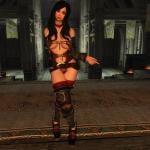
Dancing Shadow Rose - CBBE - HDT - BodySlide - Zaps by Woodsnow
By Alunder
Dancing Shadow Rose - CBBE - HDT - BodySlide - Zaps by Woodsnow
Previous Version: ShadowRose Armor - Bombshell / Cleavage BBP (Optimized) by Jordick & IDZERONO
Reference: Link: 3DMGAME Link 2: Eiheispot1.blog.gc2.com
Retouched; Latest Update: 27/03/2017
Preview
Hello guys I'd like to introduce them to a mod that I've been working on at the end of last year at the request of a friend. He sent me many mod's to do a rework and I agreed to help him. Consider a great retouching, and quite large. The mod is not mine and the credits go to Woodsnow for the first rough of the conversion. This mod is found in the Chinese community, but hard to find good sources for download, some can be found here in the forum, but are outdated, I talked to the author sunhawken informing about this update and he liked the idea. Have fun!
Intro:
[New] * Added automatic adjustment through Nioverride High Heels. Just download the optional file and install over the main version.
* All BodySlide Updated; Full BodySlide Support.
* Add Full Zap Slider Support for all parts of the set.
* Several corrections on the meshes and bone structure.
* Added gnd files for all set.
* Moved the gloves of the main armor for a separate slot aiming for the full bonus of the set.
* Added New Style E [White & Black].
* Fixed first person view for all set.
* Fixed possible mismatch of colors in the hands of gloves A when re-equipped.
* Fixed small clipping in gloves D.
[Pack]
* 4 Cuirass + 7 Alternative Colors.
* 4 Gauntlets + 5 Alternative Colors.
* 4 Boots + 5 Alternatives Colors.
* Totalizing: 29 Parts.
* Craftable, Refineable & Enchanted.
* [Light Version] - [Daedric Rating]
* Book Restricion to save the forge. See below where to find or check the latest images.
Book - Where to find?
Found inside the Temple of Kynareth in the room right on the table.
Notes/Tips
* The armor B has a skirt with a very thin layer that can cause clippings in some animations such as walking and running, if that upsets you, use the zap slider to remove the skirt.
* The armor D also has a skirt so if you use a very heavy preset and cause clippings in walking or running animations, you can choose to remove the outer layer of the skirt through the zap sliders.
* The circlet has an insignificant difference compared to color; Silver and Bronze, maybe will be more noticeable depending on your settings and ENB.
Or use this mod to get the set:
AddItemMenu - Ultimate Mod Explorer by towawot
Important: You need HDT High Heels plugin installed and in the Load Order to prevent CTD's.
(Or)
Install the optional NiOverride High Heels file.
Required Mods
The Body
Caliente's Beautiful Bodies Edition - CBBE - by Ousnius Jeir and Caliente
BodySlide 2
BodySlide and Outfit Studio by Ousnius and Caliente
The Skeleton
XP32 Maximum Skeleton Extended - XPMSE by Groovtama
It is extremely important that you use a skeleton to make the body look better and smoother curves, already I recommend this skeleton. If you do not use this or another skeleton I can not guarantee the functionality of this mod or a body similar to the pictures, because the design of the meshes were made through this skeleton.
HDT Physics Extension
HDT Physics Extensions by HydrogensaysHDT
HDT High Heels System
HDT HighHeels System by hydrogensayshdt
BodySlide Outfit 2
Check if all the mod's are properly installed including optional files from BodySlide Outfit 2.
Racemenu Morphs for CBBE.
Pre-built CBBE HDT + Morphs or Pre-build CBBE + Morphs.
Open BodySlide Outfit.
Load armor through the group.
Select the "Build Morphs".
Press the "Batch Build".
Select all parts of the armor and press "Build".
All Right!
Installation Tips: Read only if you are experiencing difficulties and need help with the installation process.
Complete installation of all mod's: Not necessarily in that order at some points, but following that way you will not have problems.
Special Thanks/Credits
woodsnow the original author.
sunhawken, Jordick and IDZERONO for the BBP reference.
Ousnius, Jeir and Caliente for the BodySlide Outfit 2.
HydrogensaysHDT for the HDT Physics.
XP32 & Groovtama for the skeleton reference.
Bethesda for the game.
Autodesk 3DS Max.
Nifskope.
Skyrim Creation Kit.
Tes5Edit.
Loverslab to host the files.
8534 downloads
Updated
-
Helena Succubus - CBBE - HDT - Bodyslide
By Alunder
Helena Succubus - CBBE - HDT - BodySlide
Reference: Helena Succubus by Gutris1
Preview
This is my last conversion, all the others I've shared so far have been practically finalized since last year, in case I was just waiting for the right moment to have the right authorization and be able to share it with you here at LL. This last one was at the request of a friend "Ztron5", by the way I have authorization through him by Gutris1 to convert and upload this outfit.
I've separated all parts for the differsivity, corset, necklace, earring, horn and even the wing I was able to create an alternative version through autodesk and making some adjustments in the textures, it's beautiful. Just emphasizing that this conversion gave me the usual work, despite my experience with every conversion I always learn something new, so guys have a great game!
Intro:
Conversion of UNPB TBBP for CBBE + HDT + BodySlide.
* CBBE + HDT.
* Full BodySlide Support.
* Added a second corset without the wings.
* Added gnd files for all set.
* High Heels automatically adjusted with the NiOverride High Heels, that is, you do not need the High Heel System, but if you have, no problem.
[Pack]
* [2x Corset] [Necklace] [Horn] [Earrings] [sleeves] [stockings and Heels]
* Craftable, Refineable & Enchanted.
* [Light Version] - [Daedric Rating] - [No Restriction]
Or use this mod to get the set:
AddItemMenu - Ultimate Mod Explorer by towawot
Required Mods
The Body
Caliente's Beautiful Bodies Edition - CBBE - by Ousnius Jeir and Caliente
BodySlide 2
BodySlide and Outfit Studio by Ousnius and Caliente
The Skeleton
XP32 Maximum Skeleton Extended - XPMSE by Groovtama
It is extremely important that you use a skeleton to make the body look better and smoother curves, already I recommend this skeleton. If you do not use this or another skeleton I can not guarantee the functionality of this mod or a body similar to the pictures, because the design of the meshes were made through this skeleton.
HDT Physics Extension
HDT Physics Extensions by HydrogensaysHDT
BodySlide Outfit 2
Check if all the mod's are properly installed including optional files from BodySlide Outfit 2.
Racemenu Morphs for CBBE.
Pre-built CBBE HDT + Morphs or Pre-build CBBE + Morphs.
Open BodySlide Outfit.
Load armor through the group.
Select the "Build Morphs".
Press the "Batch Build".
Select all parts of the armor and press "Build".
All Right!
Installation Tips: Read only if you are experiencing difficulties and need help with the installation process.
Complete installation of all mod's: Not necessarily in that order at some points, but following that way you will not have problems.
8580 downloads
Updated
-
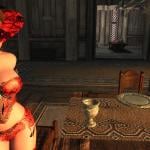
Pure Elegance Outfit CBBE HDT BodySlide By Nokou
By Alunder
Pure Elegance Outfit CBBE HDT BodySlide By Nokou
Previous Version: v.1.1 BBP - 29 Aug 2015
Link: http://www.loverslab.com/topic/51828-pure-elegance-cbbe-bbp/
Updated to HDT v.1.2: 11/21/2016
Preview
Hello community, this is my first official contribution topic and I hope everyone appreciates it. I talked to Nokou recently asking for permission to post this update. It's been a few months since I made this retouch at the request of a friend. It did some work, but in the end everything was in order. In fact the mod was already in CBBE, so consider this package an update. I will put here an external link of my MEGA account, because the forum has a size limit. I hope you guys like it, right now all the credits destined to Nokou the original author of the mod.
Intro:
[New] [Optional] Added automatic adjustment through Nioverride High Heels. Just download the optional file and install over the main version.
[New] [update] Small correction on the sleeves; just BodySlide files, install after the main file.
v.1.2
* Adjusted the BodySlide bringing the parts of the outfit closer to the character.
* All bone structure is updated.
* Corrected the texture of some parts of the set relating to specular and transparency.
* Changed the .esp file of the mod due to the need to make adjustments.
Pack:
* 4 Elementary Katanas; "Adjusted physical damage and enchants. Added swords without enchants".
* 8 sets being 4 dresses and 4 new derivatives. "Removed enchants to improve immersion, so you can use your own enchants".
* Refineable & Enchanted - [Light Version] - [Daedric Rating]
However you can edit in SCK according to your need.
Where to find? [Whiterun - Warmaidens]
* Has Book Restriction. Under the counter, there is a chest with the whole set and the book, then just give a "disable" command in the box.
Or use this mod to get the set:
AddItemMenu - Ultimate Mod Explorer by towawot
Important: You need HDT High Heels plugin installed and in the Load Order to prevent CTD's.
(Or)
Install the optional NiOverride High Heels file.
Required Mods
The Body
Caliente's Beautiful Bodies Edition - CBBE - by Ousnius Jeir and Caliente
BodySlide 2
BodySlide and Outfit Studio by Ousnius and Caliente
The Skeleton
XP32 Maximum Skeleton Extended - XPMSE by Groovtama
It is extremely important that you use a skeleton to make the body look better and smoother curves, already I recommend this skeleton. If you do not use this or another skeleton I can not guarantee the functionality of this mod or a body similar to the pictures, because the design of the meshes were made through this skeleton.
HDT Physics Extension
HDT Physics Extensions by HydrogensaysHDT
HDT High Heels System
HDT HighHeels System by hydrogensayshdt
BodySlide Outfit 2
Check if all the mod's are properly installed including optional files from BodySlide Outfit 2.
Racemenu Morphs for CBBE.
Pre-built CBBE HDT + Morphs or Pre-build CBBE + Morphs.
Open BodySlide Outfit.
Load armor through the group.
Select the "Build Morphs".
Press the "Batch Build".
Select all parts of the armor and press "Build".
All Right!
Installation Tips: Read only if you are experiencing difficulties and need help with the installation process.
Complete installation of all mod's: Not necessarily in that order at some points, but following that way you will not have problems.
Special Thanks/Credits
Nokou the original author, many thanks and congrats.
Ousnius, Jeir and Caliente for the BodySlide Outfit 2.
HydrogensaysHDT for the HDT Physics.
XP32 & Groovtama for the skeleton reference.
Bethesda for the game.
Autodesk 3DS Max.
Nifskope.
Skyrim Creation Kit.
Tes5Edit.
Loverslab to host the files.
12900 downloads
Updated
-
Free Death Camera
By gp160
This plugin is originally uploaded to nexusmods but apparantly their antivirus dosen't like it so it gets blocked everytime I upload an update. Therefore I decide to move it here and see how thing goes.
This mod allows you to move the camera freely in TFC mode when player character is dead|knocked down|paralyzed. So you can take better screenshots and watch your follower fighting your enemies. Use mouse to rotate and use WSAD/mouse wheel to translate camera. Press Alt to accelerate. You can control whether to allow rotating camera after death(without tfc) by changing UseThirdPersonMode in the ini file. If you are using game controller, change NoRunDLL in ini to 1.
Update: Now you can rotate camera with UseThirdPersonMode=0, which works better with death animations.
Note that you should put this mod into 'unmanaged mode' or install manually if you are using mod organizer that messes with game load path or you'll get rundll32 can't find dll error.
To test, try the following commands in turn
1:
player.kill
2.
player.setav paralysis 1
player.pushactoraway player 0
player.setunconscious 1
3490 downloads
Updated
-
Maya 2016 Nif Plugin (for easy animation)
By Guest
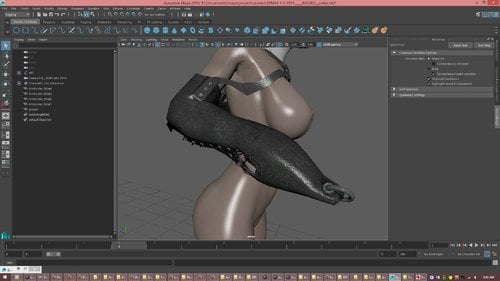
I recompiled the Maya 2016 nif plugin by Alecu (full credit to him) so that it can be used to create Skyrim animations. Using Maya with this plugin is the simplest, fastest, and easiest way to create Skyrim animations (in my opinion).
(the flexible armbinder from the screenshots is also included in the maya save file below, for those curious)
--------------------
FILES INCLUDED IN THIS MOD
1) Maya Plugin + hotkeys and settings.zip
This includes not only the fixed NIF plugin, but also all of my settings and hotkeys. Unless you already have maya 2016 installed and fully customized to your liking, I would use this.
2) Maya 2016 Nif Plugin__2.3__(fixed).zip
If you have maya 2016 installed and customized, then is the fixed version of Alecu's Maya 2016 nif plugin and nothing else.
3) XPMSE 3-0 2014_____RIGGED.zip
A fully rigged Skyrim Skeleton (see screenshots) ready for Skyrim animation. As a bonus, the Skeleton is equiped with a flexible armbinder (which I am planning on releasing in a few days).
4) Some Vanilla Skyrim Animations.zip
Some Vanilla Skyrim Animations (in KF format) to play around with if you are new to animating. (these are also the animations I will be using for the flexible armbinder, if you want to make your own versions)
-------------------------------
INSTALLATION (both version of pluging above)
1) Install Maya 2016 on your computer (you're on your own for this step)
2) Copy the Maya2016 folder into your Autodesk folder (where maya installs itself).
3) Copy the maya folder into your Documents folder.
----------------------------------------------------------------------------------------------------------------------------
INSTRUCTIONS FOR IMPORTING SKYRIM ANIMATIONS
1) Open Maya 2016
2) Press F1 (my hotkey for "open scene") (if hotkeys aren't working, see troubleshooting section below)
3) Make sure file format is set to netImmerse (See Image below). (If "NetImmerse Format" doesn't appear as an option, see troubleshooting section below to make sure maya has loaded the plugin)
4) Navigate to and open "XPMSE 3-0 2014_____RIGGED.mb" (the fully rigged sceleton)
5) Press F3 (my hotkey for "import...")
6) Choose and open a Skyrim KF file (If you did not download the pluging with my hotkeys and settings, then you will need to configure the plugin now. Use the attached screenshots for reference)
[The animation is now loaded. Play around with it, do some edits, have fun. Once you are done, follow the instruction to export the animation back.]
--------------------------
INSTRUCTIONS FOR EXPORTING SKYRIM ANIMATIONS
1) Hit Alt-x (my hotkey to select all the needed bones for export)
2) Press F6 (my hotkey for "Export Selection")
3) Choose where to save the animation and press enter.
[Congratulation! You have now imported and exported a Skyrim animation.]
----------------
CREATING ANIMATIONS FROM SCRATCH USING MAYA'S BUILT IN RIG
1) Open "XPMSE 3-0 2014_____RIGGED.mb" again.
2) Press Alt-h (my hotkey for "HumanIK")
2) Press x (my hotkey for to turn off/on the rig)
[Now use the rig to create your animation and then follow the export instruction above to export it. For new animators, I will be creating a beginner tutorial for Skyrim animation later on when I have time (working on flexible armbinder now). For now, try playing around with maya (it is fairly easy to figure out on your own)]
----------------
FOR EXPERIENCED ANIMATORS
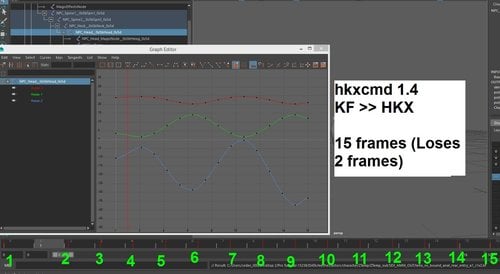
1) Make sure you use my recompiled version of HKXCMD when exporting animations back to Skyrim's HKX format. Otherwise your animations will be missing two frames and about 2% of your animation data (HKXCMD version 1.4's exportKF is bugged). My recompiled version keeps all frames and about ~99.8% of the data (the .2% is unavoidable HKX compression loss).
2) To more easily Edit existing Skyrim animations, type "hikBakeToControlRig 0" (after importing the animation) in the lower left corner (where it says "MEL"). This will "bake" the animation into the control Rig, allowing for easy editing.
------------------------
That is all I can think of for now. I will be traveling this week, but I will try answering questions when I can.
--------------------------------------------------------------------------------------
TROUBLESHOOTING
GETTING HOTKEYS TO WORK
MAKE SURE MAYA HAS LOADED PLUGIN
1769 downloads
Updated
-

SexLab Solutions LE v5.0.7 - German
By T4y
Informationen
____________________
Weitere Übersetzungen von Svorge für SKYRIM findest du: HIER
Weitere Übersetzungen von mir für Loverslab fndest du: HIER
Bitte vergiss nicht die Übersetzung zu bewerten und ein Kommentar zu schreiben!
Solltest du eine Frage haben, scheue dich nicht sie in die Kommentare zu schreiben.
Danke und viel Spaß beim Modden
Installation
____________________
1. Original-Mod: HIER
2. Wenn der Mod zusätzlich noch andere Mods benötigt, müssen diese auch installiert werden.
Die Informationen dazu stehen auf der Original-Mod Seite. Für gewöhnlich gibt es dort einen Bereich: Requirements.
3. Meine Übersetzung herunterladen und installieren.
Dafür gibt es zwei Möglichkeiten: Du kannst oben rechts auf den Link DOWNLOAD (NMM) klicken oder die Datei über DOWNLOAD (MANUAL) manuell herunterladen. Lädst du sie manuell herunter musst du sie noch per Drag&Drop in deinen Mod-Manager ziehen und aktivieren.
Solltest du Probleme mit der Installation oder Bedienung der Internetseite haben, gibt es hier ein tolles Tutorial auf Youtube:
Tipp: Ich empfehle nach der Installation LOOT drüber laufen zu lassen, um die Ladereihenfolge zu optimieren.
Kontakt
____________________
Ich:
Loverslab
Svorge:
Steam
Nexus Forum
Credits
____________________
Vielen Dank an Svorge für die Hilfe und das Design
Vielen Dank an den Orginal-Mod Autor für diesen großartigen Mod! Vergiss nicht auch ihm ein ENDORSEMENT zu geben!
Vielen Dank an mcguffin für die Bereitstellung des Übersetzungstools: sseTranslator
Vielen Dank an das Team von nexusmods.com
Vielen Dank an das Team von Bethesda
1583 downloads
Updated
-
HKXCMD 1.5
By Guest
This is an updated version of figment's HKXCMD (link below). Hopefully animators will find it useful.
https://www.nexusmods.com/skyrim/mods/1797
I fixed HKXCMD so that it properly export KF files into HKX (see pictures).
3247 downloads
Submitted
-
Absolute Necro
By Nimuraa
Absolute Necro
A mod that bring love in the afterlife ... sort of
New in Release 1.93 : Tokens & Shake
- Ernst’s skull is no more. If you still have one, well keep it, it can be a good paperweight. Tokens replace it. Once dead, you must use a Token to call a Necroist. Every call consumes one token, so be careful with them. You'll start with 5 and to get some, you need to earn them by having sex with a dead body. You have a spell for that in the healing tab. Every necro gives you one Token. If you don't have enough Token .... too bad for you: better never be in this situation.
- When your body is necroed, a special link is made with it, and you may fell something. (If you play with a pad, it may shake during necro on your body)
- A workaround HDT hairs problem is added: your dead body may have a vanilla haircut. This option is selected in the MCM menu. Use it only if you have this issue.
Now, your underground prison full of slaves may be of a great utility. Attacking a Forsworn camp can have a purpose now. Someone may ask if the dragonborn is still a savior ;)
What is it?
This is the rework of my mod. The original one was too cinematic oriented, and probably not fun to play.
The work is in progress, but I have something I want to share. The resurrection thru necro is now generic, and can be used outside the mod. This is the first thing I have worked on for the V2. So, I decide to share it.
Disclaimer: this is just the power part, you can test it easily, just die in fight, and it’ll pop up, there is no explanation of how and why ... everything’ll be revealed in the mod to come.
How to use:
easy die in fight. You may have tokens in your inventory, use it, and you’ll be noticed if someone hear your call, or if nobody is coming. The NPC which answer your call will follow you. Lead him to your body. You must repeat this a given number of time to revive (set in the MCM Setup panel). After using the Token, if you don’t want to be helped by the NPC that come, just say him “Booo”, it’ll flee. You need to perform some necros while alive to gains Tokens.
There is a spell to earn Tokens. Select a dead body and cast it. It may behave differently if your character is a man or woman:
- Man: standard Necro scene
- Woman: your target will be resurrected, and it’ll have sex with your character.
Limitations:
- as a ghost, you may not be able to pass a door, or use anything.
- Necro power only come if you die from a fight. Upon not honorable death (falling , drowning) you'll die
- There is no marker for your body (it’s wanted) so be very careful to find it back: if you die in the wilderness, you may need to go to the nearest town to seek help.
Bugs and other:
- There is a trigger area for your body, if your body move after your death, you may have to lead your savior to the original position of your body
- It’s highly not compatible with Mods that use combat bleed out (DAYMOL, Defeat …) so better disactivate them before activating the power. Make sure you are flagged as "Essential" in the MCM. If not, just disactivate the power, close the menu, and activate it again.
- Currently the Token selects the closest NPC, so if you want a specific NPC, move close to him
Advices:
- Don’t die attacking guards, even if you die in the process, they may still try to send you to jails
- As a ghost, NPC may try to attack you anyway if you directly go to them. Instead try to use the skull far from them.
- If you are about to die, try to move out from the place where your aggressors stay, it’ll be easier for you to revive
- If you say “booo” he may try to attack you, even if you are a ghost. He may also try to attack your savior
- to manage your follower, and his/her essential flag (if he/she’s essential, he/she won’t die), it’s recommended to use a Mod like UFO to manage follower’s flags.
- There is no Token protection or warning, if you die while not having enough Token, you'll be screwed. No token will be given except for the 5 on a new game: you must earn them
Requirements
Strong Requirement:
- SexLab V 1.62 (and all his requirements, including SKSE)
- Enable creature framework to have the creature option working
- Fuz Ro Dho
Must have / Highly recommended
- SLAL
- FunyBizznes SLAL package since there is a lot of Neco anims
- More Nasty Critters: SLAL Edition
- UFO to manage essential flag on follower
Mods that are not compatible
- HDT hairs are not compatible, there is a workaround in the MCM menu, but better not use a HDT haircut with this mod
11272 downloads
Updated
-
Scottish Basket Hilt Broadswords II
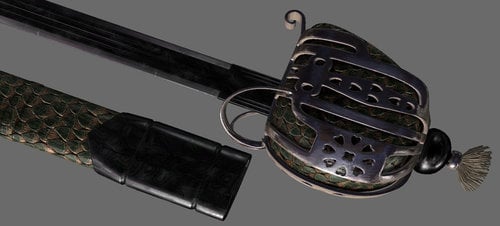
Version 2 of the World-Renowned Scottish Basket Hilt Broadswords! Now available in almost every metal in the game. All swords are done in 2K textures with remarkable depth. See for yourself in the pictures. The ones with the gray background are from 3DS Max where they were created. The game shots are lower screen resolution.
As with the previous version, the blades’ design was inspired by the Cold Steel Scottish Broadsword:
So, what is the story of these swords and their history in Tamriel you ask?
In Tamriel, Basket Hilt Broadswords originated in the Colovian Highlands. The Nord smiths there used their incredible skills to combine metals and techniques from other cultures with traditional Nord crafting practices to create a sword almost on par with Akavari katanas.
While Nords typically favor heavy two-handed weapons, the steep, often rocky terrain of the Colovian Highlands creates the need for a quality one-handed weapon. This enables the user to better keep their footing and not have to over-commit on a swing of their weapon. The Basket Hilt Broadsword is lighter weight and stronger than a traditional sword of the same material and is so well balanced that the wielder is faster and lighter on their feet as well.
As word of the revolt against the Empire and the Thalmor in Skyrim spread, Nord smiths began manufacturing and selling more of the swords to their brothers in Skyrim. Sometimes even smuggling them in with Khajitt caravans. Rumor has it they’ve even trained some of the smiths in Skyrim in the art of crafting their remarkable blades.
My attempt at adding a bit of lore to the blades done, lets get to the details. First, the mod was rebuilt from the ground up. Swords include the following metals; Rusty Iron, Iron, Steel, Silver, Orcish, Dwarven, Nordic, Skyforge Steel, Glass, Stalhrim, Ebony, Daedric, and Dragon Bone.
The Skyforge Steel sword in particular is a masterpiece. It has a Damascus steel finish and looks like dark steel at first, but at some angles you get a sort of deep purple reflection. The whole sword slightly changes at different angles from slight hints of color to the way the pattern looks. The scabbard is dragon scale as well. Vioxsis did some truly amazing work there.
All swords are fully craftable, temperable, and enchantable. They have also had ALL vanilla magic variants created for them (even the silent moons option for iron and steel variants) and added to leveled lists for merchants, townsfolk, encounters, and treasure chests. Anywhere there’s a chance of a vanilla sword, there’s a chance of these swords. They will appear a bit less often than vanilla swords however, as they’re supposed to be a little on the rare side.
Stats-wise,the swords are typically one point lighter, and do one point more damage than their vanilla counterparts. They also have a speed rating of 1.15, which puts them dead in the middle of swords and daggers. Lastly they have a 5% higher chance than normal to critical hit as well. The aim here was to add weapons that were of exceptional quality to the game but still remain relatively balanced.
Cost vs a vanilla sword is about 30% higher (give or take). Unlike the vanilla weapons, I also adjusted the value of magical ones up a little over the mundane versions. If it’s enchanted, it has to be worth more right?
Lastly, as an added bonus that came about creating the Silver variant, the vanilla silver swords are now craftable and temperable. They’ll be under the Misc category at the forge. I also tried to get them to occasionally pop in vendor and loot lists. It always bothered me that they only showed in the hands of Werewolf hunters.
If you have a mod that does more extensive stuff with Silver Weapons, just put it below this one in your load order and the other mod should take priority.
220 downloads
Submitted
-
Daedric Museum of Artifacts
By Enter_77
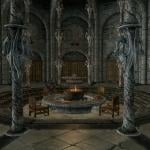
Description Adds a museum east of Falkreath near the Skyrim-Cyrodiil border gate dedicated to the Daedra. Inside, you'll find a safe place to store and display your accumulated Daedric artifacts. There are also other Daedric-related displays and Daedric items to purchase.
NOTE - NPCs are unvoiced. All subtitles will need to be enabled.
Museum Rooms Lobby
Serves as a gateway to the rest of the museum Museum of Artifacts
Display/storage area for all unique Daedric artifacts Daedric shrines that can be activated to give you unique blessings NPC that gives you hints as to where Daedric quests may be started Museum of Lords
Mannequin displays of the live Daedric Lords featured throughout the game Museum of Daedra
Mannequin displays of the live Daedra featured throughout the game Atronach Forge with already available Sigil Stone. NPC trainer/vendor that specializes in Conjuration and sells Daedria conjuration spell tomes, scrolls, and staves. Also sells special Atronach Forge Recipe book containing all 34 recipes in the game. Museum of Relics
Preset displays of miscellaneous Daedric items seen and acquired throughout the game NPC vendor that sells Daedric clothing NPC smith trainer/vendor that sells Daedric weapons & armor Crafting & enchanting center Library
Contains all of Skyrim's Daedra-related books Book shelves are safe for storage and an ideal place for players to place their own books in an organized manner
Mirrors AFK Mods Assimilation Lab Dark Creations Mod DB Nexus Mods Steam TES Alliance
Versions for Other The Elder Scrolls Games
The Elder Scrolls IV: Oblivion
The Elder Scrolls V: Skyrim - Special Edition438 downloads
Updated
-
![More information about "Wolfclub [20171120 Alpha]"](https://static.loverslab.com/screenshots/monthly_2017_11/5a15fba0acaa7_enb2017_11_2023_32_12_89.thumb.jpg.d1a3ac1cf98b8b4dc0b026e7b0da96bc.jpg)
Wolfclub [20171120 Alpha]
By pchs
Wolfclub (in Cragslane Cavern)
version 20171128 Alpha
Clean save required!
-------------------------------------------------------------------------------------------------------------------------
Alpha version intended to be tested by LL community. Relevant feedback appreciated.
-------------------------------------------------------------------------------------------------------------------------
Introduction & Foreword
----------------------------------
Long: The world of Skyrim has taken a dark turn. The lasting civil war causes citizens of Tamriel to embrace their darkest fantasies and the chaos gives them the opportunity to do so. Victims are those who are weak - as in any war, mostly the poor and women. Violence and terror is upon Skyrim. The wealthy and powerful become even more wealthy and powerful, slavery, being illegal so far, has become a regular sight. There are places where one can buy a strong man to plow his fields or even a young girl to warm his bed. And there are establishments where even worse things are done.. such as the "club" in Cragslane cavern. Nowadays nobody cares about wolf fighting to death in a pit. Darker times bring darker deeds and as always, there are people who take the opportunity to exploit the weak and helpless. Another entertainment has taken place in the dark corners of the Cragslane's pits.. Will you fall into its depths?
Short: This mod is another player-slavery questline, with about 1-2 game hours. Player can get enslaved, forced to work in the club on various taks, while all the time there are secret ways to escape.
What is there to do?
-----------------------------
You can act as either a customer of the club, enjoying the entertainment...or, you can get yourself to trouble by mouthspeaking or letting someone else know you are without resources. In that case, you'll visit the club too, but in different position..
The enslavement part of mod is intended to play from female perspective, the visitor part for both. No additional male support planned. If you are playing male, you probably should disable Wolfclub option in DAYMOYL.
Requirements & Credits
--------------------
Hard requirements (mod dependencies):
SexLab - Ashal
Death Alternative - BralorMarr
Zaz Animation Pack V7.0 - ZaZ & XaZ
zdd.esp version D - nooblet123
Namira's Goat - tengma
Namira's Skyrim + Decorations
Heretical Resources - Haeretic
Immersive Plugs *MOD UPDATED!
ZazExtensionPack - zaira
TaraUltimateFurniturePack - t.ara
Amputator Framework - Haeretic
Beautiful Corpses - machompchomp for conversion to Skyrim, unknown chinese author for the original Oblivion mod
I'll Take The Display Model - darkconsole
Soft requirements - optional but strongly recommended mods
you will still be able to play Wolfclub without these, but not having some of these mods may lead to Wolfclub not working as intended, so install them!
Obscure Patches - Wolfclub - skyrimII
Simple Slavery - jfraser (required for possibility of being sold out if too many punishments)
SD+ - jbezorg & skyrimII (required for possibility of being enslaved by Darren after he gets you out)
Skooma Whore - Guffel (Skooma is forced upon player on many events throughout the mod)
Realistic Needs and Diseases - perseid9 (adds immersion and motivation for PC to serve the customers)
Namira's Goat (Cosmetic Update) - KM100z (repairs and tweaks some of the original mod's features)
Immersive Plugs HDT patch - jacques00 (adds HDT to carrot and lantern plugs)
Deadly Traps and Curses - Delzaron (provides furo bath amputated limbs healing functionality)
Wolfclub Bellystretcher CBBE HDT BodySlide - Gedion (available in this mods download; adds BodySlideable belly stretcher)
Features & Functions
------------------------------
To Do
-----------------
Known issues
-----------------
Modders
-----------
Changelog
--------------
103767 downloads
- player enslavement
- slavery
- (and 6 more)
Updated

![More information about "HL_PornStar — Adult Film Career [18+]"](https://static.loverslab.com/screenshots/monthly_2026_08/PornstarLogo.thumb.png.3f9b6ccf3fff7e3e52f829c2784f8643.png)
![More information about "HL_Maids — Maid Career [18+]"](https://static.loverslab.com/screenshots/monthly_2026_06/1.thumb.jpeg.48cdd3c1ce270cb8330c3bbb42dc0d53.jpeg)