Select a subcategory to view available files.
Files From Subcategories
-

Cute Succubus
By nokou
another succubus outfit Seriously!!.. "No wait this is much cuter."
alright then.. so what do I get?
The Outfit,Cloak a Headband and a overpowered staff
No body slide as I don't know how to do it... if you want to do it be my guest.
This mod requires: a CBBE Body, sorry one size only. (No other mods Required)
So... How do i get it?
Craft in any forge. and can be upgraded.
Please note: different poses may cause tears or rips on various parts of the outfit
Legal Shit..
Do what you want with this mod as long as you credit me.
Keep your modded version private or share it on this site only.
No repacks to other websites but Links from Loverslab (here) are ok.
Original picture/idea found on the web.
Nokou 2017
5097 downloads
Updated
-

Vindicta Armor CBBE HDT- UUNP BodySlide HDT
By Devengel
UPDATE
Added : CBBE HDT VERSION
ADDED : UUNP HDT BODYSLIDE VERSION
U need morph the Vindicta Armor Nif AND the Vindicta Shoes
Hello Everyone
This is my New Armor UUNP : Vindicta
This is a "Beta" Version, I should fix some bug soon
For add this armor to your inventory just use commands
help Vindicta
Look ItemID
player.additem XXXXX 1
XXXXX = ITEMID
Or use AdditemMenu MOD
REQUIERED : HDT HIGH HEELS
HIGHTY RECOMMANDED : TBBP ANIMATION
6965 downloads
Updated
-
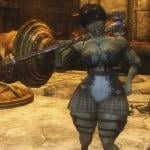
Of Goblins and Men: Engi (RaceMenu Preset)
By shidoni
RaceMenu http://www.nexusmods...yrim/mods/29624
XPMSE http://www.loverslab...uld be.)
Demoniac Textures https://www.nexusmods.com/skyrim/mods/70834/?
SG Hair Pack 350 https://mega.nz/#!ac4zRZ5J!Cuo6FAHh7JROq4jow6fN8XUh1yLTw_zW7KfrthvX7aA
The eyes of beauty http://www.nexusmods...im/mods/13722/?
Brows http://www.nexusmods...yrim/mods/30411
Freckle Mania 2 https://www.nexusmods.com/skyrim/mods/86208/?
NMM: load it up and let the installer do the work Manual: Place The chosen preset in Skyrim>Data>SKSE>Plugins>CharGen>Presets
The ENB used in the screenshots is
Reallike Enb
Do not use my work in Paid Mods!
Mods are free and should remain free, for now and ever!
Many thanks to the maker of the bodyslide Preset: Slash197
Another thanks to Logomakr for quickly making the headers and subheaders.
1478 downloads
Updated
-
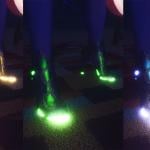
Black Leather Bootie Colored
By Melodic
Use Additemmenu to add or type "help bootie" in console
Required:
XPMSE - https://www.loverslab.com/files/file/676-xp32-maximum-skeleton-extended-xpmse/
NetImmerse Override - https://www.nexusmods.com/skyrim/mods/37481/?
NiOverride High Heels - NIOVHH Fixes - https://www.nexusmods.com/skyrim/mods/70581/?
1061 downloads
Updated
-
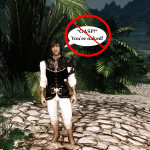
No naked comments from NPCs
By MrEsturk
This mod simply removes the random comments NPCs make about the player if he/she is naked.
As someone currently doing a Devious Devices/Devious Cursed Loot playthrough it seemed a bit odd that the NPCs were constantly acting shocked at my player being naked. As if the sight of a nude slave girl would be all that unusual in the twisted version of Skyrim those fetish mods create (especially being so many of those same NPCs will happily encourage the situation a moment later when spoken to...). So I made this quick mod to shut them up.
INSTALLATION:
Just install which ever version of the ESP file you prefer in Skyrim's /Data folder. You only need one. The versions are:
- All: The NPCs will not make vanilla comments about either gender player being naked.
- Female: The NPCs will not make vanilla comments about a female player being naked.
- Male: The NPCs will not make vanilla comments about a male player being naked.
WILL IT WORK WITH SKYRIM SPECIAL EDITION?:
I haven't tested that, but unless they replaced the original dialog quest object for naked comments I can't see why it wouldn't.
CREDITS:
Just me. This is a very simple mod that only took about 5 minutes to create
4840 downloads
- No Nude Comments
- No Naked Comments
- (and 2 more)
Updated
-
ME3 Reckoner Knight Armor CBBE HDT
By DD
Only BS files
Done in a hurry, probably i won't update this ever again
413 downloads
Submitted
-
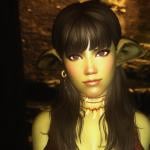
Goblinette (And more)
By shidoni
From the dark depths of Mundus comes a race of rather unique origins.
Some claim they were descendants of the Orsimer, others says that they came from within the mountains.
They are...
Goblins
Feel free to use the presets for whatever you desire.
Requirements:
All presets are made with the Breton race (tested).
RaceMenu http://www.nexusmods...yrim/mods/29624
XPMSE http://www.loverslab.com/files/file/676-xp32-maximum-skeleton-extended-xpmse/ (Preferably the latest, so bodyscales are as they should be.)
FairSkinComplexion http://www.nexusmods...yrim/mods/51602 (all optional files needed) Except for Zala*
KS Haiirdos Renewal http://www.nexusmods...yrim/mods/68311
Natural Eyes http://www.nexusmods...kyrim/mods/3589
The eyes of beauty http://www.nexusmods...im/mods/13722/?
Brows http://www.nexusmods...yrim/mods/30411
Better Female Eyebrows http://www.nexusmods.com/skyrim/mods/50302
Witcher 3 eyes: http://www.nexusmods.com/skyrim/mods/79622/?
Freckle Mania: http://www.nexusmods.com/skyrim/mods/52841/?
Optional:Ravens Warpaint 11-13: http://www.nexusmods.com/skyrim/mods/45641/? (Only used for Gashin)
SG Female Textures Renewal http://www.nexusmods.com/skyrim/mods/35267/? (Only for Zala)
I Added a Bodyslide preset (uunp) to the downloads, so you too can get the same body as what i'm using.
Many thanks to the maker of that Preset: Slash197
Place The preset in Skyrim>Data>SKSE>Plugins>CharGen>Presets
Place the Head sculpt file in Skyrim>Data>SKSE>Plugins>CharGen
Or
Simply use NMM or any mod organizer.
The ENB used in the screenshots is Reallike Enb
What's your is mine and what's mine is yours.
4720 downloads
Updated
-
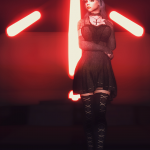
Osare GothicLolita - 7B Bombshell
By guk
Osare GothicLolita - 7B Bombshell
Required:
Osare GothicLolita - UNP by anano
UNP Compatible Textures
SeveNBase Bombshell NUDE more BOUNCE by Sevennity
Recommended:
UUNP Bodyslide - UUNP Hands and Feet (partial outfit only, untested)
Info:
This is anano's original Outfit morphed to 7B Bombshell via Outfit Studio, so not an actual conversion.
The original also has some crazy clipping, mostly on the gloves and upper arms. Not much to do about that.
Please report if this works with SE as well.
Credits:
anano - original outfit
Ousnius - Bodyslide
1443 downloads
- Osare GothicLolita
- 7B Bombshell
- (and 4 more)
Updated
-
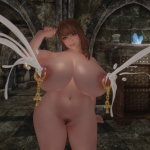
opparco Body and Accessories
By opparco
This is my customized body based on CBBE HDT, have huge nipples, butts, belly to become pregnant, include ankh HDT piercings, milk splay accessories (lactation).
## Prerequisites
HDT Physics Extensions
URL: https://www.nexusmods.com/skyrim/mods/53996/?
## Recommanded
This body is high poly, replace skeleton, so should apply only player (or favorite follower) as custom race.
in my environment, player character race is Custom Nord.
Custom Races
URL: https://www.nexusmods.com/skyrim/mods/8720/?
Racial Compatibility - compatibility with other mods improved
URL: https://www.nexusmods.com/skyrim/mods/24898/?
## Restriction
Must be body weight 1.
## Features
meshes femalebody_1.nif - high poly, peak nipples, improve Belly weight
- CBBE HDT
- high poly body (by blender subsurf modifier)
- peak nipples (by blender)
- default body have narrow Belly weight. so too pointy when become pregnant. so improved it.
belly to become pregnant
meshes femalebody_0.nif
- equals to femalebody_1.nif
- must be body weight 1
textures
- Fair Skin Complexion for CBBE
- nipples from Leyenda Skin (optional)
To switch nipples texture, execute nip-leyenda.bat
To undo, execute nip-opparco.bat
nipples from Leyenda Skin (optional)
skeleton_female.nif - HDT, scale some nodes
- XPMSE 3.94 HDT
- scale some nodes
- breasts scale can change from 1.50 to 1.01 (optional)
To switch breasts scale, execute rig-breast-101.bat
To undo, execute rig-breast-150.bat
of course, can use RaceMenu Skeleton Sliders.
opparco's BodySlide Preset
- inspired by Wench Body and BBW Preset
## Accessories for opparco's body
Oppai Ankh (nip)
- based on ankh piercing by AH1. i attached HDT to ankh mesh.
Oppai Ankh Milk Spray (nip)
- Ankh HDT piercing with milk spray
Oppai Ankh Milk Clogged (nip)
- Ankh HDT piercing with milk clogged
## Original Works and Credits
Ankh meshes and textures
AH1 Piercings SevenBase-MoreBounceBBP
URL: https://www.nexusmods.com/skyrim/mods/54503/?
Milk meshes and textures
3DCG mods XPC05101.zip
Author: http://www.pixiv.net/member.php?id=2287823
opparco accessories.esp, BodySlide Preset, .nif and HDT setup
Author: opparco (me)
--
opparco
9673 downloads
Updated
-

Riverwood Respite Playerhome +Bathing area
We're Officially out of beta!....Although i'm by no means finished! Thank you all for your support!
Nexus link for endorsement:
https://www.nexusmods.com/skyrim/mods/86962/?tab=3&navtag=%2Fskyrim%2Fajax%2Fmodimages%2F%3Fuser%3D2%26id%3D86962
Hello Please Endorse If you like the mod!
Riverwood Respite Is a very cosy Player home that acts as both a functioning player home and also the Ideal Practical "Respite" for your Dragonborn, the home features many things things that will appeal to just about everybody! ...from a beautiful bathing area to a prison....and much more to come!
Location: opposite the Riverwood Wood mill.
features:
Bathing area Dungeon (Not shown in screenshots atm) Alchemy/enchanting area Crafting area
To do:
Childrens bedrooms Adjust lighting Add more clutter/decoration Add more furnishings to exterior
Incompatibility
ETAC (Patch In the works)
Am I still working on this Project?....YES
(I will alter this when I finish working on this mod)
Screenshot credits:
Brandiibuck
ista3
665 downloads
- house
- playerhome
- (and 2 more)
Updated
-
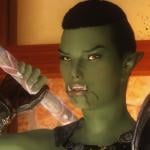
We <3 Orsimer
By shidoni
From all races that inhabit Mundus, none so batllehardened as the Orsimer.
Feel free to use the presets for whatever you desire.
Requirements:
All presets are made with the Orc race (tested).
RaceMenu http://www.nexusmods...yrim/mods/29624
FairSkinComplexion http://www.nexusmods...yrim/mods/51602 (all optional files needed)
RANs type-C Headmesh http://www.nexusmods...rim/mods/7127/? (not needed for Tzuzan and Hilte)
KS Haiirdos Renewal http://www.nexusmods...yrim/mods/68311
SG hair pack 350 https://mega.nz/#!ac4zRZ5J!Cuo6FAHh7JROq4jow6fN8XUh1yLTw_zW7KfrthvX7aA (only used for the Shinx preset)
Natural Eyes http://www.nexusmods...kyrim/mods/3589
The eyes of beauty http://www.nexusmods...im/mods/13722/?
Brows http://www.nexusmods...yrim/mods/30411
Frecklemania http://www.nexusmods...im/mods/52841/?
83Willows whiter teeth http://www.nexusmods.com/skyrim/mods/11371/? (This is optional, removes the yellow teeth of the orcs)
Cross Racial Features http://www.nexusmods.com/skyrim/mods/43525/?
Place The chosen preset in Skyrim>Data>SKSE>Plugins>CharGen>Presets
Place the Head sculpt files in Skyrim>Data>SKSE>Plugins>CharGen
The ENB used in the screenshots is Reallike Enb
What's your is mine and what's mine is yours.
891 downloads
Updated
-

Darksouls 3 Firekeeper set UUNP + esp tweaks
By squart2203
Source from here (original source here. chinese site though, don't get lost).
edit 4: sorry guys, my bad. found some time to sit down and look through things again since Nini's patreon is back. So everything is fine and i'm just an asshole that jumped the gun.
- now uses NIO High heels, so go grab it. (Original uses HDT High Heels)
- removed High Heels Sound .esm requirement. (Original had the requirement for no apparent reason, not to mention the shoes are just a foot wrap, doesn't make sense)
- added weight slider support
- lower cloak zap
- full dress version with body zap. still looks kinda horrible though
(thanks for the feedback guys, despite how rubbish it turned out)
a couple notes:
- nails are still missing their textures
- i tried to smooth out the weight paints, to no avail
- better alternatives 1 : Xuniana's Firekeeper Cloak. UUNP conversion for that here.
- better alternatives 2 : Ninirim's
bitten off more than i can chew, lesson learned. but at least i tried, for the best ds3 waifu!
3756 downloads
Updated
-

My Cutie
preset for Racemenu
race- Nord and Imperial
mods:
Hair - KsHairdos
Brows - Brows
Eyes - TheEyesOfBeauty
Body - 7B Bombshell Uunp
Body textures - Demoniac
.jslot copy in:
Data\Skse\Plugins\Chargen\Preset
2579 downloads
Updated
-
Apropos Edit
By Vauria
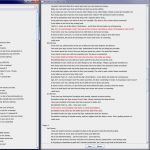
A Database editor for gooser's Apropos mod, powered by Java Swing and Google's JSON parser, GSON. Apropos relies on a folder structured database of JSON formatted text files, with one file for each stage of an animation. This usually means you need a minimum of four files open to browse or edit the lines for an animation or position, and it can be very easy to make mistakes that leave unparseable JSON.
As such, the aim when creating this editor was to provide a single application that makes browsing and editing an Apropos Database easier, faster, and more approachable.
Requirements:
Apropos. This editor isn't good for much else.
Java SE Runtime Environment 8. Can be ported to Java 7 on request, but I do make use of some of 8's features. Not to mention that you should always use the latest release
Current Features:
1.0
Select any database folder on your computer. Browse through the list of automatically fetched Actor Combinations. Display an entire position's file's, divided and indented by stage and perspective. Edit any opened line simply by double clicking and typing away. Add new lines, and duplicate or remove existing lines with the right click menu. Wipe entire sections or stages if you wish to start over. Write button to commit all your changes in perfect JSON to be immediately available in game. Simulate Apropos on a set of files by replacing {TAGS} with randomly chosen synonyms and highlight one line from each section to form a set that could have been chosen in game. Open scenes in new windows to make it easier to look for inspiration for new files. Lines in new windows are fully editable, so if you spot a mistake while working on a file in the main window, you can edit and commit the changes from the external window. Copy an existing position's lines to a new position provided by name, automatically renaming the files to match the new position name and loading the new files into the main window. Unify Formatting across the entire database to match the format outputted by the editor, fixing any mixed tabs and spaces or redundant newlines. Will report any JSON Errors in the databases files. Quick descriptions for each button are given with tooltips by hovering over the (?) symbol. Program will remember it's position and size onscreen when closed, as well as any database locations you've added and the actor names chosen for simulation to be re-loaded when you next open it. If a chosen folder has a listing in the UniqueAnimations list, the Unique position will be auto-selected. Window is fully resizable, so make it as big or small as you want. Minimising the main window will minimise every open sub window, and re-maximising any window will bring every window back up.
1.1
Copy an existing position's lines and add them to the matching sections in another existing position. Hotkeys for navigating the application faster, visible by hovering over each button. Add new Stages or remove existing ones. Copy lines, perspectives and stages around in the open position. Positions combo-box will only contain available positions. Rape checkbox will auto-select based on available files.
1.2a2
Check a file for duplicate lines left by typo-corrections or mergeing files, then choose which lines, if any, you want to discard with a click of the 'Resolve Conflicts' button. Automatically convert between 1st and 2nd Person when using the copy to options in a perspective's right click menu. Get color coded warnings that scale from Yellow (Possible) to Red (Certain) based on probability that the line is long enough to get cut off in-game.
1.2a3
Update Available Notification in the header when a new release is made on GitHub. Copy and Paste options in right click menu on stage and perspective headers to convert to and from JSON using the system's clipboard. You can now copy lines between windows or even just outside the program. New Hotkey (F5) that re-selects the loaded animation in the drop-down boxes, in case you want to reload it or just forgot what was loaded.
1.2a4
Word Wrapping for each line of text Tabs for each file opened in the main window. Close with CTRL + W, Cycle through with CTRL + TAB and CTRL + SHIFT + TAB. Update Available Notification in a new Tab with Download button for the new release. Synoynms Viewer to display the contents of the three Synonyms files. Progress Bar in the bottom left will update during long tasks and display current tasks the editor is working on or has completed. Alphabetical Line Sorting for Unify Formatting function, to aid with merging databases. Shortened Filenames in Drop Down boxes and Tabs to free up space for text. Unix Support, becuase why not.
Installation and Quickstart Guide:
Download the .zip attached here or just the .jar from the Latest Release on GitHub. Extract the .zip, discarding the sources if you don't care about them. Place the .jar in the /Apropos/ directory, so in the same folder /db/ folder is in. Launch the jar by double clicking, or with command line "java -jar Apropos_Edit-1.0.1.jar". Select "<other>" from the combo-box to the right of "Apropos \db\ Location" Select the db folder that should be right in front of you, otherwise navigate to the database you want to open. Select a folder from the combo-box below Animation Options, a position from the box below that, and whether or not you want the Rape files. Load! Right click on lines for options like Clear, Remove or Duplicate, Double Click to edit, escape/click somewhere else to cancel, enter to save the new line. Click the write button to save your changes!
Hotkeys
CTRL + W - Close Tab or Window if no Tabs Open CTRL + O - Open Selected Animation CTRL + SHIFT + O - Open Selected Animation in New Window CTRL + S - Save (Previously Write) your changes CTRL + N - Copy Selected Animation to new position CTRL + SHIFT + N - Copy Selected Animation and append it to an Existing Animation CTRL + R - Simulate (Run) the lines, opening the names dialog CTRL + SHIFT + R - Simulate (Run) the lines, skipping the names dialog CTRL + TAB - Cycle to the next tab to the right CTRL + SHIFT + TAB - Cycle to the next tab to the left ALT + F - Select the Folder combo-box ALT + P - Select the Positions combo-box ALT + R - Select the Rape checkbox F5 - Select the open animation in the Folder and Position combo-boxes
Planned Features:
Best way to keep up with planned features is to check the Open Enhancements on the Issue Tracker, where you can also suggest new features and be automatically notified when those features are worked on or completed.
Planned for the next release (1.2): Progress [ ||||||||||||| ]
(T) Making simulation pick a single arousal and wear and tear level for the entire simulation, optionally configured. (T) Wordwrap on the description lines and their attached editors. (T) Support for Editing the various Synonyms files. (T) Regex powered entire database search, like grep but won't require you to navigate to each file, find the line, edit it correctly, etc. Would display every matching line for every animation in the entire database. (T) List Broken Synonyms - Will scan the database for any lines that have {TAGS} that don't have any entries in Synonyms.txt or other synonym files, displaying the lines so you can fix the tags manually. Will find any typos in tags or tags from files that may have come from other databases without the synonyms entries to match. (T) Suggest Synonyms - Will scan the database for any words that also exist under a Synonym tag, so you can add new tags to the Synonyms file and then retroactively replace words the tag produces in existing lines. (T) Fuzzy Line comparison to see if two lines may be duplicates of eachother, where perhaps one may have a fixed typo instead. (T) Copy to Existing Position will check for duplicates before completing the insert, since many files in Apropos share lines between them. (T) Check existing file for duplicates, so you can clean up existing files - especially the larger ones. (T) Warning when line may be too long to display in game, scaling from unlikely to certain based on longest and shortest possible combination of synonyms (T) Button to select the currently open animation in the dropdown boxes. (T) Perspective Shifting when copying between perspectives. (T) Perspective/Stage copy/paste using system clipboard, to allow moving lines between windows and exporting to/importing from other text editors
Future Plans
(T) Fix Comma Errors - Will scan for JSON Validation errors in your database and automatically attempt to fix them by manually reading and rewriting the file. (T) Support for Themes, to copy animations and synonyms between, adjust weighting, simulate with a given theme, etc. (T) Support for Keyboard only navigation, so between lines, between animations and between databases. (T) Load recently displayed lines from the Apropos logs for quick editing. (T) Will only happen if I can find any existing libraries that support the process, but potentially, maybe, actually displaying the animation (or at least a few frames from it) while you work on lines for it. Ideally at least looking like Leito's Animation Previews. I don't have much hope for this one, but can't deny it would be sweet. If anyone has any ideas, even a non-java workflow, I'd love to hear it. Potential alternative would just be very dedicated screenshotting, I guess.
Known Issues (GitHub Tracker):
(T) Writes use Unix Line Endings instead of Windows CRLF. You will not be able to open the files in Notepad.exe after writing or unifying formatting, but any text editor worth using will handle it fine. Also of note, written lines will have the opening brace on the same line as the key, instead of on a newline as it is written in the current database downloads. If you aren't a fan of the One True Brace Style, I'm afraid I don't have an easy way to fix this. Could be done if it really bothers people, but it would add a fair bit of computation to every write. (T) Synonyms Editor will throw lots of errors if you try to right click in it, since I reused basically all the code for the main window. A proper editor for those files is coming soon.
Reporting Issues or Suggesting Features:
If you find an issue that isn't listed above or have an idea for a feature that isn't currently planned, please tell me about it either in the Support Topic or on the Issue Tracker.
If the issue involved an exception, please include the StackTrace and any steps required to reproduce the error. If the program didn't display the stacktrace, open command line, CD to the .jar's location, and execute it with "java -jar Apropos_Edit-1.0.1.jar >> output.txt". Perform any steps you need to get to the error, then edit the application, and find the output.txt file that will be in the same directory as the .jar. Attach that to any post or issue you make.
Source:
The entire project is open source, and the included source zip is an importable Eclipse Project. Source files, commit log and release history is available on GitHub. If you're interested in contributing, feel free to fork and send a pull request.
Credits:
gooser for his work on the Apropos mod which is this program's sole reason for existing.
Google and the 41 Contributors who made gson.
Atlassian and the 16 Contributors who made commonmark-java.
James McMinn for his EditableJLabel that provided the base implementation for the editable fields I use for every line.
4182 downloads
Updated
-

Patched Dwavern Bikini Replacer (7B) (CBBE) (UUNP) (Dwarven Bikini Replacer)
By Sindrigosa
ADD THIS FILE TO THE NMM OR JUST USE THIS LINK FROM NM (https://www.nexusmods.com/skyrim/mods/86816/?)
This is a very slightly edited version of the Dwarven bikini made by Nisetanaka it replaces the bikini E from the TAWOBA (https://www.nexusmods.com/skyrim/mods/83383/?)
Full credit to Nisetanaka as they provided the textures and meshes to there own mod as listed above
if you want the edited and the non edited version download Nises Dwarven Bikini Armour Replacer (https://www.nexusmods.com/skyrim/mods/76214/?)
Also please check out the Tumblrs of both mine and Nisetanaka
https://sindrigosa.tumblr.com/
https://nisetanaka.tumblr.com/
2039 downloads
Updated
-

SexAnimal2.2b-German Translation
By T4y
Informationen
____________________
Eine aktuellere Mod gibt es: HIER
Weitere Übersetzungen von Svorge findest du: HIER
Weitere Übersetzungen von Svorge für SKYRIM findest du: HIER
Weitere Übersetzungen von mir für Loverslab fndest du: HIER
Bitte vergiss nicht die Übersetzung zu bewerten und ein Kommentar zu schreiben!
Solltest du eine Frage haben, scheue dich nicht sie in die Kommentare zu schreiben.
Danke und viel Spaß beim Modden
Installation
____________________
1. Original-Mod herunterladen und installieren: HIER
2. Wenn der Mod zusätzlich noch andere Mods benötigt, müssen diese auch installiert werden.
Die Informationen dazu stehen auf der Original-Mod Seite. Für gewöhnlich gibt es dort einen Bereich: Requirements.
3. Meine Übersetzung herunterladen und installieren.
Dafür gibt es zwei Möglichkeiten: Du kannst oben rechts auf den Link DOWNLOAD (NMM) klicken oder die Datei über DOWNLOAD (MANUAL) manuell herunterladen. Lädst du sie manuell herunter musst du sie noch per Drag&Drop in deinen Mod-Manager ziehen und aktivieren.
Solltest du Probleme mit der Installation oder Bedienung der Internetseite haben, gibt es hier ein tolles Tutorial auf Youtube:
Tipp: Ich empfehle nach der Installation LOOT drüber laufen zu lassen, um die Ladereihenfolge zu optimieren.
Kontakt
____________________
Ich:
Loverslab
Svorge:
Steam
Nexus Forum
Credits
____________________
Vielen Dank an Svorge für die Hilfe und das Design
Vielen Dank an den Orginal-Mod Autor für diesen großartigen Mod! Vergiss nicht auch ihm ein ENDORSEMENT zu geben!
Vielen Dank an mcguffin für die Bereitstellung des Übersetzungstools: sseTranslator
Vielen Dank an das Team von nexusmods.com
Vielen Dank an das Team von Bethesda
544 downloads
Updated
-

SexLab Position Selector 1.0 - German
By T4y
Informationen
____________________
Weitere Übersetzungen von Svorge findest du: HIER
Weitere Übersetzungen von Svorge für SKYRIM findest du: HIER
Weitere Übersetzungen von mir für Loverslab fndest du: HIER
Bitte vergiss nicht die Übersetzung zu bewerten und ein Kommentar zu schreiben!
Solltest du eine Frage haben, scheue dich nicht sie in die Kommentare zu schreiben.
Danke und viel Spaß beim Modden
Installation
____________________
1. Original-Mod herunterladen und installieren: HIER
2. Wenn der Mod zusätzlich noch andere Mods benötigt, müssen diese auch installiert werden.
Die Informationen dazu stehen auf der Original-Mod Seite. Für gewöhnlich gibt es dort einen Bereich: Requirements.
3. Meine Übersetzung herunterladen und installieren.
Dafür gibt es zwei Möglichkeiten: Du kannst oben rechts auf den Link DOWNLOAD (NMM) klicken oder die Datei über DOWNLOAD (MANUAL) manuell herunterladen. Lädst du sie manuell herunter musst du sie noch per Drag&Drop in deinen Mod-Manager ziehen und aktivieren.
Solltest du Probleme mit der Installation oder Bedienung der Internetseite haben, gibt es hier ein tolles Tutorial auf Youtube:
Tipp: Ich empfehle nach der Installation LOOT drüber laufen zu lassen, um die Ladereihenfolge zu optimieren.
Kontakt
____________________
Ich:
Loverslab
Svorge:
Steam
Nexus Forum
Credits
____________________
Vielen Dank an Svorge für die Hilfe und das Design
Vielen Dank an den Orginal-Mod Autor für diesen großartigen Mod! Vergiss nicht auch ihm ein ENDORSEMENT zu geben!
Vielen Dank an mcguffin für die Bereitstellung des Übersetzungstools: sseTranslator
Vielen Dank an das Team von nexusmods.com
Vielen Dank an das Team von Bethesda714 downloads
Updated
-

SpectatorCrowdsUltra 0.91b (FULL) - German Translation
By T4y
Informationen
____________________
Weitere Übersetzungen von Svorge findest du: HIER
Weitere Übersetzungen von Svorge für SKYRIM findest du: HIER
Weitere Übersetzungen von mir für Loverslab fndest du: HIER
Bitte vergiss nicht die Übersetzung zu bewerten und ein Kommentar zu schreiben!
Solltest du eine Frage haben, scheue dich nicht sie in die Kommentare zu schreiben.
Danke und viel Spaß beim Modden
Installation
____________________
1. Original-Mod herunterladen und installieren: HIER
2. Wenn der Mod zusätzlich noch andere Mods benötigt, müssen diese auch installiert werden.
Die Informationen dazu stehen auf der Original-Mod Seite. Für gewöhnlich gibt es dort einen Bereich: Requirements.
3. Meine Übersetzung herunterladen und installieren.
Dafür gibt es zwei Möglichkeiten: Du kannst oben rechts auf den Link DOWNLOAD (NMM) klicken oder die Datei über DOWNLOAD (MANUAL) manuell herunterladen. Lädst du sie manuell herunter musst du sie noch per Drag&Drop in deinen Mod-Manager ziehen und aktivieren.
Solltest du Probleme mit der Installation oder Bedienung der Internetseite haben, gibt es hier ein tolles Tutorial auf Youtube:
Tipp: Ich empfehle nach der Installation LOOT drüber laufen zu lassen, um die Ladereihenfolge zu optimieren.
Kontakt
____________________
Ich:
Loverslab
Svorge:
Steam
Nexus Forum
Credits
____________________
Vielen Dank an Svorge für die Hilfe und das Design
Vielen Dank an den Orginal-Mod Autor für diesen großartigen Mod! Vergiss nicht auch ihm ein ENDORSEMENT zu geben!
Vielen Dank an mcguffin für die Bereitstellung des Übersetzungstools: sseTranslator
Vielen Dank an das Team von nexusmods.com
Vielen Dank an das Team von Bethesda
542 downloads
Updated
-

SexLabAroused (Redux)_V28b - German Translation
By T4y
Informationen
____________________
Weitere Übersetzungen von Svorge findest du: HIER
Weitere Übersetzungen von Svorge für SKYRIM findest du: HIER
Weitere Übersetzungen von mir für Loverslab fndest du: HIER
Bitte vergiss nicht die Übersetzung zu bewerten und ein Kommentar zu schreiben!
Solltest du eine Frage haben, scheue dich nicht sie in die Kommentare zu schreiben.
Danke und viel Spaß beim Modden
Installation
____________________
1. Original-Mod herunterladen und installieren: HIER
2. Wenn der Mod zusätzlich noch andere Mods benötigt, müssen diese auch installiert werden.
Die Informationen dazu stehen auf der Original-Mod Seite. Für gewöhnlich gibt es dort einen Bereich: Requirements.
3. Meine Übersetzung herunterladen und installieren.
Dafür gibt es zwei Möglichkeiten: Du kannst oben rechts auf den Link DOWNLOAD (NMM) klicken oder die Datei über DOWNLOAD (MANUAL) manuell herunterladen. Lädst du sie manuell herunter musst du sie noch per Drag&Drop in deinen Mod-Manager ziehen und aktivieren.
Solltest du Probleme mit der Installation oder Bedienung der Internetseite haben, gibt es hier ein tolles Tutorial auf Youtube:
Tipp: Ich empfehle nach der Installation LOOT drüber laufen zu lassen, um die Ladereihenfolge zu optimieren.
Kontakt
____________________
Ich:
Loverslab
Svorge:
Steam
Nexus Forum
Credits
____________________
Vielen Dank an Svorge für die Hilfe und das Design
Vielen Dank an den Orginal-Mod Autor für diesen großartigen Mod! Vergiss nicht auch ihm ein ENDORSEMENT zu geben!
Vielen Dank an mcguffin für die Bereitstellung des Übersetzungstools: sseTranslator
Vielen Dank an das Team von nexusmods.com
Vielen Dank an das Team von Bethesda
1842 downloads
Updated
-

Raven Beak Prison Remastered-1.22 - German Translation
By T4y
Informationen
____________________
Weitere Übersetzungen von Svorge findest du: HIER
Weitere Übersetzungen von Svorge für SKYRIM findest du: HIER
Weitere Übersetzungen von mir für Loverslab fndest du: HIER
Bitte vergiss nicht die Übersetzung zu bewerten und ein Kommentar zu schreiben!
Solltest du eine Frage haben, scheue dich nicht sie in die Kommentare zu schreiben.
Danke und viel Spaß beim Modden
Installation
____________________
1. Original-Mod herunterladen und installieren: HIER
2. Wenn der Mod zusätzlich noch andere Mods benötigt, müssen diese auch installiert werden.
Die Informationen dazu stehen auf der Original-Mod Seite. Für gewöhnlich gibt es dort einen Bereich: Requirements.
3. Meine Übersetzung herunterladen und installieren.
Dafür gibt es zwei Möglichkeiten: Du kannst oben rechts auf den Link DOWNLOAD (NMM) klicken oder die Datei über DOWNLOAD (MANUAL) manuell herunterladen. Lädst du sie manuell herunter musst du sie noch per Drag&Drop in deinen Mod-Manager ziehen und aktivieren.
Solltest du Probleme mit der Installation oder Bedienung der Internetseite haben, gibt es hier ein tolles Tutorial auf Youtube:
Tipp: Ich empfehle nach der Installation LOOT drüber laufen zu lassen, um die Ladereihenfolge zu optimieren.
Kontakt
____________________
Ich:
Loverslab
Svorge:
Steam
Nexus Forum
Credits
____________________
Vielen Dank an Svorge für die Hilfe und das Design
Vielen Dank an den Orginal-Mod Autor für diesen großartigen Mod! Vergiss nicht auch ihm ein ENDORSEMENT zu geben!
Vielen Dank an mcguffin für die Bereitstellung des Übersetzungstools: sseTranslator
Vielen Dank an das Team von nexusmods.com
Vielen Dank an das Team von Bethesda
282 downloads
Updated
-

WICO - HDT Collision for Pussy, Ass, Boobs Tutorial
By T4y
1. WICO install (NUDE UNP) (http://www.nexusmods.com/skyrim/mods/84898/?)
2. HDT install (http://www.nexusmods.com/skyrim/mods/53996/?)
3. Bodyslide install (+ UUNP, RACE MENU) (http://www.nexusmods.com/skyrim/mods/49015/?)
4. Open Bodyslide (common\Skyrim\Data\CalienteTools\BodySlide)
5. Select Outfit/Body = Unified UNP Special
6. Present: UUNP - UNP
7. Press Build
8. Install the Files from this Mod, works better for me (Creatures and Normal Natural Jiggle, all Standard)
http://www.loverslab.com/files/file/2431-naturalistic-hdt-356-beast-hdt-051/
--- You dont need the Files from the Download Area anymore. Use Step 8 instead.
Have fun.
Note:
11.1 Collision More Nasty Creature = Requierd More Nasty Critters
11.2 Collision SOS Av Smurf = Requierd SOS Av Smurf
11.3 Collision Strapon = Requierd SexLab
I DO NOT OWN THE FILES!
THEY ARE PART OF THIS MOD = http://www.loverslab.com/files/file/2476-all-in-one-hdt-animated-pussy/ (without the Body and Stuff, for easy use)
Thank HeroedeLeyenda
Informationen
____________________
Deutsche Übersetzungen von Svorge findest du: HIER
Deutsche Übersetzungen von Svorge für SKYRIM findest du: HIER
Deutsche Übersetzungen von mir für Loverslab fndest du: HIER
Bitte vergiss nicht dem Tutorial eine Bewertung zu geben und ein Kommentar zu schreiben!
Solltest du eine Frage haben, scheue dich nicht sie in die Kommentare zu schreiben.
Danke und viel Spaß beim Modden
Solltest du Probleme mit der Installation oder Bedienung der Internetseite haben, gibt es hier ein tolles Tutorial auf Youtube:
Tipp: Ich empfehle nach der Installation LOOT drüber laufen zu lassen, um die Ladereihenfolge zu optimieren.
Kontakt
____________________
Ich:
Loverslab
Svorge:
Steam
Nexus Forum
Credits
____________________
Vielen Dank an Svorge für die Hilfe und das Design
Vielen Dank an den Orginal-Mod Autor für diesen großartigen Mod! Vergiss nicht auch ihm ein ENDORSEMENT zu geben!
Vielen Dank an mcguffin für die Bereitstellung des Übersetzungstools: sseTranslator
Vielen Dank an das Team von nexusmods.com
Vielen Dank an das Team von Bethesda
5223 downloads
Updated
-

SexLab_PaySexCrime_1.4.0_German Translation
By T4y
Informationen
____________________
Weitere Übersetzungen von Svorge findest du: HIER
Weitere Übersetzungen von Svorge für SKYRIM findest du: HIER
Weitere Übersetzungen von mir für Loverslab fndest du: HIER
Bitte vergiss nicht die Übersetzung zu bewerten und ein Kommentar zu schreiben!
Solltest du eine Frage haben, scheue dich nicht sie in die Kommentare zu schreiben.
Danke und viel Spaß beim Modden
Installation
____________________
1. Original-Mod herunterladen und installieren: HIER
2. Wenn der Mod zusätzlich noch andere Mods benötigt, müssen diese auch installiert werden.
Die Informationen dazu stehen auf der Original-Mod Seite. Für gewöhnlich gibt es dort einen Bereich: Requirements.
3. Meine Übersetzung herunterladen und installieren.
Dafür gibt es zwei Möglichkeiten: Du kannst oben rechts auf den Link DOWNLOAD (NMM) klicken oder die Datei über DOWNLOAD (MANUAL) manuell herunterladen. Lädst du sie manuell herunter musst du sie noch per Drag&Drop in deinen Mod-Manager ziehen und aktivieren.
Solltest du Probleme mit der Installation oder Bedienung der Internetseite haben, gibt es hier ein tolles Tutorial auf Youtube:
Tipp: Ich empfehle nach der Installation LOOT drüber laufen zu lassen, um die Ladereihenfolge zu optimieren.
Kontakt
____________________
Ich:
Loverslab
Svorge:
Steam
Nexus Forum
Credits
____________________
Vielen Dank an Svorge für die Hilfe und das Design
Vielen Dank an den Orginal-Mod Autor für diesen großartigen Mod! Vergiss nicht auch ihm ein ENDORSEMENT zu geben!
Vielen Dank an mcguffin für die Bereitstellung des Übersetzungstools: sseTranslator
Vielen Dank an das Team von nexusmods.com
Vielen Dank an das Team von Bethesda395 downloads
Updated
-

SexLabSexBounty v1.3 _ German Translation
By T4y
Informationen
____________________
Weitere Übersetzungen von Svorge findest du: HIER
Weitere Übersetzungen von Svorge für SKYRIM findest du: HIER
Weitere Übersetzungen von mir für Loverslab fndest du: HIER
Bitte vergiss nicht die Übersetzung zu bewerten und ein Kommentar zu schreiben!
Solltest du eine Frage haben, scheue dich nicht sie in die Kommentare zu schreiben.
Danke und viel Spaß beim Modden
Installation
____________________
1. Original-Mod herunterladen und installieren: HIER
2. Wenn der Mod zusätzlich noch andere Mods benötigt, müssen diese auch installiert werden.
Die Informationen dazu stehen auf der Original-Mod Seite. Für gewöhnlich gibt es dort einen Bereich: Requirements.
3. Meine Übersetzung herunterladen und installieren.
Dafür gibt es zwei Möglichkeiten: Du kannst oben rechts auf den Link DOWNLOAD (NMM) klicken oder die Datei über DOWNLOAD (MANUAL) manuell herunterladen. Lädst du sie manuell herunter musst du sie noch per Drag&Drop in deinen Mod-Manager ziehen und aktivieren.
Solltest du Probleme mit der Installation oder Bedienung der Internetseite haben, gibt es hier ein tolles Tutorial auf Youtube:
Tipp: Ich empfehle nach der Installation LOOT drüber laufen zu lassen, um die Ladereihenfolge zu optimieren.
Kontakt
____________________
Ich:
Loverslab
Svorge:
Steam
Nexus Forum
Credits
____________________
Vielen Dank an Svorge für die Hilfe und das Design
Vielen Dank an den Orginal-Mod Autor für diesen großartigen Mod! Vergiss nicht auch ihm ein ENDORSEMENT zu geben!
Vielen Dank an mcguffin für die Bereitstellung des Übersetzungstools: sseTranslator
Vielen Dank an das Team von nexusmods.com
Vielen Dank an das Team von Bethesda
417 downloads
Updated
-

Hentai Creatures - German Translation
By T4y
Informationen
____________________
Weitere Übersetzungen von Svorge findest du: HIER
Weitere Übersetzungen von Svorge für SKYRIM findest du: HIER
Weitere Übersetzungen von mir für Loverslab fndest du: HIER
Bitte vergiss nicht die Übersetzung zu bewerten und ein Kommentar zu schreiben!
Solltest du eine Frage haben, scheue dich nicht sie in die Kommentare zu schreiben.
Danke und viel Spaß beim Modden
Installation
____________________
1. Original-Mod herunterladen und installieren: HIER
Hentai Creatures ist dort enthalten.
2. Wenn der Mod zusätzlich noch andere Mods benötigt, müssen diese auch installiert werden.
Die Informationen dazu stehen auf der Original-Mod Seite. Für gewöhnlich gibt es dort einen Bereich: Requirements.
3. Meine Übersetzung herunterladen und installieren.
Dafür gibt es zwei Möglichkeiten: Du kannst oben rechts auf den Link DOWNLOAD (NMM) klicken oder die Datei über DOWNLOAD (MANUAL) manuell herunterladen. Lädst du sie manuell herunter musst du sie noch per Drag&Drop in deinen Mod-Manager ziehen und aktivieren.
Solltest du Probleme mit der Installation oder Bedienung der Internetseite haben, gibt es hier ein tolles Tutorial auf Youtube:
Tipp: Ich empfehle nach der Installation LOOT drüber laufen zu lassen, um die Ladereihenfolge zu optimieren.
Kontakt
____________________
Ich:
Loverslab
Svorge:
Steam
Nexus Forum
Credits
____________________
Vielen Dank an Svorge für die Hilfe und das Design
Vielen Dank an den Orginal-Mod Autor für diesen großartigen Mod! Vergiss nicht auch ihm ein ENDORSEMENT zu geben!
Vielen Dank an mcguffin für die Bereitstellung des Übersetzungstools: sseTranslator
Vielen Dank an das Team von nexusmods.com
Vielen Dank an das Team von Bethesda
1196 downloads
Updated
-

Immersive Monster Girls German Translation
By T4y
Informationen
____________________
Weitere Übersetzungen von Svorge findest du: HIER
Weitere Übersetzungen von Svorge für SKYRIM findest du: HIER
Weitere Übersetzungen von mir für Loverslab fndest du: HIER
Bitte vergiss nicht die Übersetzung zu bewerten und ein Kommentar zu schreiben!
Solltest du eine Frage haben, scheue dich nicht sie in die Kommentare zu schreiben.
Danke und viel Spaß beim Modden
Installation
____________________
1. Original-Mod herunterladen und installieren: HIER
2. Wenn der Mod zusätzlich noch andere Mods benötigt, müssen diese auch installiert werden.
Die Informationen dazu stehen auf der Original-Mod Seite. Für gewöhnlich gibt es dort einen Bereich: Requirements.
3. Meine Übersetzung herunterladen und installieren.
Dafür gibt es zwei Möglichkeiten: Du kannst oben rechts auf den Link DOWNLOAD (NMM) klicken oder die Datei über DOWNLOAD (MANUAL) manuell herunterladen. Lädst du sie manuell herunter musst du sie noch per Drag&Drop in deinen Mod-Manager ziehen und aktivieren.
Solltest du Probleme mit der Installation oder Bedienung der Internetseite haben, gibt es hier ein tolles Tutorial auf Youtube:
Tipp: Ich empfehle nach der Installation LOOT drüber laufen zu lassen, um die Ladereihenfolge zu optimieren.
Kontakt
____________________
Ich:
Loverslab
Svorge:
Steam
Nexus Forum
Credits
____________________
Vielen Dank an Svorge für die Hilfe und das Design
Vielen Dank an den Orginal-Mod Autor für diesen großartigen Mod! Vergiss nicht auch ihm ein ENDORSEMENT zu geben!
Vielen Dank an mcguffin für die Bereitstellung des Übersetzungstools: sseTranslator
Vielen Dank an das Team von nexusmods.com
Vielen Dank an das Team von Bethesda
276 downloads
Updated

![More information about "[XCL] [0.25.9] Bar Girl - Megan Rain (+Anal)"](https://static.loverslab.com/screenshots/monthly_2026_10/loverslab_icon6.thumb.jpg.b57d47afdd2b3b0dbba6556e271fd57f.jpg)