Select a subcategory to view available files.
Files From Subcategories
-
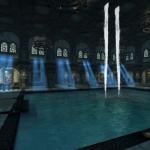
Solitude Men's Club
By Guest ffabris
Solitude Men's Club
NOTE: I consider this mod completed. I have no plans to make further changes, other than fixing any bugs which may be reported.
Backstory
The Solitude Men's Club was founded by King Mantiarco, husband of Potema. While outwardly, he was a devoted husband, in reality he preferred the company of other men. And so he created a place where he, and others like him, could meet and enjoy one another's company. In order to maintain discretion for all involved, the place had a very modest entryway, with no signage, leading most to believe that it was a wine cellar, or something similar.
On his death, he was unable to provide for the upkeep of the club, so in order to keep running, the club had to start changing membership fees. And this allowed it to survive. The club still exists, with the same nondescript entrace on a side alleyway. But inside, a lavish setting makes men of all backgrounds welcome, and allows them to freely express their sexuality.
NOTE: I consider this mod completed. I have no plans to make further changes, other than fixing any bugs which may be reported.
What This Is
This mod adds a club in Solitude. The entrance is located on the slope leading to the Blue Palace, on the right. The doorway faces the side door of Erikur's house. You enter the foyer of the club, and will not be able to go further until you purchase membership, which has a one time cost of 500 septims.
Once you have joined, you gain access to the club proper, where naked men lounge around, enjoying the pool, and the food available - and one another's company and bodies. Optionally, (male) vanilla NPCs can also visit the club.
Some time after joining (2-5 days), the courier will deliver an invitation to assume the role of club manager. If you accept, this gives you a small room to call you own, with a double bed, and basic storage for clothing, etc. You also get access to the basement, which has all crafting equipment, as well as a dungeon area with animals for a different kind of "play".
The MCM
This mod has an MCM which allows you to configure a variety of options. Most become available only when you join the club, or later become the manager, as applicable.
After initially installing the mod, start Skyrim, open the MCM then close it again, and wait for SkyUI to say that it has registered the new menu. Then open the MCM again, and scroll down to Solitude Men's Club.
Add-Ons
As of version 1.3, Solitude Men's Club can have (optional) add-on mods. These are essentially other clubs which use the resources within SMC, and make use of the membership/manager system, and random sex with NPCs, etc. The MCM controls functions at these other clubs as well. Eg, number of bathers setting applies to all. Naturally, settings which don't apply are ignored.
Windhelm Men's Club: located outside the city proper, between Brandy-Mug and Hlaalu Farms. You won't have access to the baths unless you are a member of the SMC; once you become manager, you are able to use the bed in the upper section (inn) of the Windhelm club. No animals here, but there are up to 12 bathers available, and vanilla NPCs can visit (both are set via MCM). Riften Men's Club: Located beyond the south gate of Riften, just before Snow-Shod Farm. Unlike the Windhelm club, this has a very short introductory quest, which starts at the Solitude club. Once you have become manager, the quest kicks off. The Riften club has animals available (optional, via MCM), but here they are "basic": dogs, huskies, horses, bears.
Note: Add-ons cannot be used by themselves; they require that Solitude Men's Club be loaded, as they use resources and scripts from that mod.
Men's Clubs Merged
If you want all three clubs in a single mod, then get Men's Clubs Merged instead of the 3 separate ones. I've done minimal testing of this, so hopefully it works. The file is hosted on DropBox, due to its size; use the Mirrors link on the d/l page.
Required
This mod requires all the ones below - along with their requirements.
Unofficial Skyrim Legendary Edition Patch SkyUI KS Hairdos Renewal NOS Pierced Ears SexLab SexLab Aroused Redux
Recommended
CoP Solitude CoP Windhelm Plastered Farmhouses Grimoas Almighty Talos Statue Replacer SkyHunks Sexlab Eager NPCs More Nasty Critters
Conflicts
Anything that changes the earthworks on the right side of the hill leading to the Blue Palace (next to Erikur's house, side door). Legacy of the Dragonborn definitely conflicts, for example, as does Solitude Public Bathhouse. It also won't work with OpenCities, as that moves Solitude into the Tamriel worldspace.
For the Windhelm club, anything which edits the space between Brandy-Mug and Hlaalu Farms.
For the Riften club, anything which edits the space that the club occupies, ie, between Riften south gate and Snow-Shod Farm, on the side of the lake.
Updating
Since most updates make changes to scripts which are likely in your save, you will either need to start a new game, or clean your save. To update mid-game:
If your character is in the club or any cell chanegd by the club, move it elsewhere. Be sure to empty any chests you may have filled, and to take any followers with you. Save and quit Skyrim. Remove the current version of Solitude Men's Club (SMC) from your Skyrim folder. Start Skyrim, click Ok when it says there is stuff missing. Make a new save, exit the game. Run Save Game Cleaner on that last save. Install the most recent version of SMC. Start Skyrim, load the cleaned save. You will have to start the SMC quest over.
Credits
Celtic Decor for Skyrim I by DarkRider - Original Poser/Vue artwork by me Static dishes and food resource, by Tamira New Flowers Resource, by Tamira Modder's Resource Pack, by Oaristys BookSets Resource, by Blary Insanity's Bath Towels, by InsanitySorrow Insanity's Folded Blankets, by InsanitySorrow Ready Clutter and Furnishings, by Lilith Inspired by Solitude Public Bathhouse, by Zuzmoo - from which I got the idea for this mod, plus the location for, and how to build, the entrance (Solitude Club). fishburger67 for providing the source to SexLab Aroused Redux, from which I learned how to scan a cell for NPCs.
Translations
Italian
Notes
Don't change the number of bathers while sex acts are in progress. Results are unpredictable. Instead, disable sex interaction in the MCM first, then make sure no sex is happening. Only then should you change the number of bathers.
Stealing items from inside the club, or attacking any of the club residents (attendants, bathers), will be treated as a crime. Becoming a club member will allow you to take some of the items; becoming manager will give access to more. Patience.
There is no navmesh on the stairs down to the basement - by design. This to prevent the club NPCs from wandering down there, needlessly. So followers won't be able to go there either, unless they TP to you once you're there.
The artwork on the MCM and the paintings in the club, is all my own, and thus under copyright. I do not grant permission for its use elsewhere.
Snapshots by Mylor41, used with kind permission.
NOTE: This mod is released under Creative Commons Attribution-NonCommercial-ShareAlike. In other words, feel free to make changes to the mod in any way you like, and upload the changed version. You do not need to ask permission. If you do so, you must credit me, and your version must be free. Further, you also need to credit any other mods used as resources, including those used in my original. Your own creation must in turn be released under these same conditions.
29144 downloads
Updated
-
Being a Guard
By Guest ffabris
NOTE: I consider this mod completed. I have no plans to make further changes, other than fixing any bugs which may be reported.
This is a silly, cheesy, non-immersive, sex-filled little romp for gay men. It totally breaks immersion! If that doesn't sound like your cup of tea, don't download it. I won't make it more serious; there are abundant other mods like that.
Start the quest going by speaking to any guard in Whiterun (within the city).
While I have done my best to try to not break the vanilla game, this might still happen. So I recommend this mod for those who have completed the vanilla game, or who (like me) have stopped playing it entirely.
Required
This mod requires all the ones below - along with their requirements.
Unofficial Skyrim Legendary Edition Patch SexLab SexLab Aroused Redux KS Hairdos Renewal M2M Gay Animations
"Before the Storm" must be completed, or use a mod that removes the quest, such as Skyrim Unbound. You also need to have enough male guards available. Up to 4 are needed, depending.
Recommended
Fuz Ro D-oh Silent Voice CoP Whiterun Paradise City for Vanilla Skyrim Expanded Towns and Cities Plastered Farmhouses Grimoas Almighty Talos Statue Replacer SkyHunks or Masculinized Level Lists (not both) Helmets Begone No Naked Comments My Home is Your Home and/or a follower mod
Possible Conflicts
Anything that drastically alters the interiors of the Whiterun guard barracks or jail, Riverwood Sleeping Giant Inn, the river edge between Riverwood and Half-Moon Mill, near North Shriekwind Bastion.
Translations
French - by floranais
Credits
Static dishes and food resource, by Tamira Ready Clutter and Furnishings, by Lilith
Troubleshooting
Afterword
NOTE: This mod is released under Creative Commons Attribution-NonCommercial-ShareAlike. In other words, feel free to make changes to the mod in any way you like, and upload the changed version. You do not need to ask permission. If you do so, you must credit me, and your version must be free. Further, you also need to credit any other mods used as resources, including those used in my original. Your own creation must in turn be released under these same conditions.
6507 downloads
Updated
-
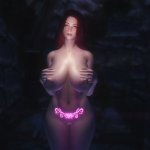
Slavetats_Womb (For UNP variants)
By Skooma1234
Slavetats on the lower abdomen area with womb/heart related shapes.
Not the best quality as the images are taken from sample images on twitter.
Install using MO.
--
This is for UNP variants. might want to edit it for CBBE users, which shouldn't be that hard for you guys.
14151 downloads
Updated
-
![More information about "Dwemer Cyborg SOS addon + Equipable Schlong [with BodySlide] [2017-02-24]"](https://static.loverslab.com/screenshots/thumb-d4e2441e8c7819fb294648fd67d6ed67-screenshot484.png)
Dwemer Cyborg SOS addon + Equipable Schlong [with BodySlide] [2017-02-24]
This is a SOS addon/craftable schlong in the style of a dwemer automaton, for your cyborg-style characters.
Available for both males and females.
--------------
ADDON VERSION:
--------------
Requirements:
Schlongs of Skyrim Full Version
The addon has an initial probability of 0% for all races.
If you want random NPCs to have this schlong, you need to set it to a higher value in the SOS MCM.
--------------
EQUIPABLE VERSION:
--------------
Requirements:
Schlongs of Skyrim Full Version
- OR -
Schlongs of Skyrim Light Version
- OR -
Shape Atlas for Men
The item is craftable at any forge, for 1 dwarven ingot + 1 refined moonstone. (No skill requirement)
Alternatively, just use AddItemMenu or the console.
The item uses equipment slot 52.
------------
BOTH VERSIONS:
------------
BodySlide Projects for fine-tuning the shape are provided.
Disclaimers:
I am by no means a 3D artist. This is just some cobbled-together dwemer clutter meshes.
The bone weights were mostly done automatically and may therefore be inaccurate. Don't go crazy with node scales, and you likely wont notice a thing.
The schlong uses the following textures:
textures\actors\dwarvenspherecenturion\DwarvenSphereCenturion.dds (& _n.dds & _m.dds)
textures\clutter\OreMoonstone01.dds (& _n.dds)
textures\cubemaps\Bronze_e.dds
textures\cubemaps\Ore_Moonstone_e.dds
textures\weapons\dwarven\DwarvenStaff.dds (& _n.dds & _m.dds)
Any texture replacers that improve these will also affect the schlong.
Made in BodySlide/OutfitStudio 4.2.3
3225 downloads
Updated
-
Aroused Nips
This is a small mod that applies BodyMorphs to characters' nipples, depending on their arousal.
The morphing is proportional to the arousal of the player or NPC in question, with no change at 0 and full effect at 100, with everything in between scaling linearly.
- Inspired by some random post I saw like half a year ago -
Requirements:
SexLab Aroused Redux v26 or later
RaceMenu/NiOverride 3.4.5 or later
BodySlide 2.8 or later
SkyUI if you want to use the MCM
BodySlide compatible Body and Armors
Important: The effect will only be visible if you have properly generated the Morphs in BodySlide for your current nude body or armor!
See: http://imgur.com/LbVn1cA
Important II: If you are using the "Crash Fixes" mod (and I honestly recommend it), you need to set "AlignHeapAllocate=1" in its ini file, or your game might crash while applying the morphs.
The strength of the morphs can be adjusted individually in an MCM, at a step rate of 0.01, so you'll be able to make exactly the nips you want. I recommend using the RaceMenu sliders for preview purposes.
This mod works purely event-based, and therefore shouldn't cause much script load.
Uninstallation:
Just remove the mod. NiOverride will automatically remove all the morphs.
27873 downloads
Updated
-
Animation-Appropriate Arousal Adjustments
This is a patch for SexLab Aroused Redux that modifies how exposure decrease after an act is determined, depending on the position of the actor in the animation that was played.
SLAR strictly expects Male-on-Female action only, and may or may not bork things in any other case. (And even then, cunnilingus doesn't always work either.)
AAAA will improve accuracy for anyone except "default" couples.
AAAA changes SLAR's behaviour to be more consistent:
- Male characters & creatures will no longer orgasm after a non-sex animation (e.g. kissing). [insert "came too early" joke here]
- Ability to orgasm is no longer linked to sex of actor, instead depends on their position in the animation. This allows for correct treatment of non-default sex and/or gender combinations.
- As a result, DD restraint belts work for all actors now. That's a good thing, probably...?
- Characters in "female" position can now orgasm from cunnilingus, 69 and lesbian animations.
More precisely:
- Actors/Creatures in "male" position can orgasm in animations with one of the following tags: Anal, Vaginal, Masturbation, Blowjob, Boobjob, Handjob, Footjob, 69.
- Actors/Creatures in "female" position can orgasm in animations with one of the following tags: Anal, Vaginal, Masturbation, Cunnilingus, Fisting, Lesbian, 69.
- Additionally, creatures can orgasm in animations tagged "Oral", as many of those lack the proper, more specific tag(s).
Current Version: 1.0.5 for SLA Redux v28b
IMPORTANT: Your version of SLAR needs to be precisely one of the specified. This mod works by directly modifiyng the base script of SLAR. It will absolutely not work with old SLA, and very likely not work with previous or future versions of SLAR. (until I update it, of course!)
This should work for all correctly tagged animations,
but I can only guarantee that it "Works On My Machine", so please tell me about your success or any weirdness you encounter while using it!
18648 downloads
Updated
-

Futanarium addon for SOS (BodySlide support)
This is a SOS addon for females based on the old Futanarium mod meshes and textures.
It is based on CBBE and includes BodySlide files for easy adaptation to other bodies.
There are versions with or without balls.
The Accessories file contains the craftable black and white lace "sleeves", as well as the magical band-aid, which will temporarily hide the schlong.
Also provided is a HDT config that will allow the schlong to collide during sex without causing self-collision.
27612 downloads
- futa
- futanarium
- (and 8 more)
Updated
-
NakedMageDiapers
By anarky98
ON HIATUS:
The primary reason I did this mod was to be able to use nerbrony's PNDiaper with NakedMage. PNDiaper is in a bit of a state of flux at the moment, so I'm putting this on hold till it's sorted out an stable again.
A patch to let DLSkyrim work with K2NakedMage. Now you can be diapered and still benefit from the ointments.
This mod removes the 'ClothesBody' tag from all the diapers. This allows you to count as naked while still wearing one, which allows K2NakedMage to work.
EDIT: Slight mistake on my part in the files. Download the biggest version.
NakedMageDiapersOnly is for Lucia1's DLSkyrim mod
NakedMageDiapersUsed is for nerfbrony's diaper mod
1601 downloads
- diaper
- naked mage
- (and 1 more)
Updated
-
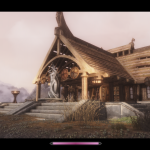
Dibella Sanctuary of Whiterun (2015-01-01)
By DeepBlueFrog
Description
"As Civil War, Slavery and Dragons are spreading across Skyrim, The Sisterhood of Dibella in Markarth is bringing much needed pleasures and beauty to all."
This is a simple add-on to turn the Luxury Suites into a fully functional extension of the Temple of Dibella in Whiterun.
Main features (for now):
- Luxury Suite NPCs are now Sisters of Dibella with various ranks
- The Sanctuary is only accessible to the player as a home after completing the Heart of Dibella quest
Install it after BBLuxurySuiteExt.esp in your load order.
It is designed to work alongside The Sisterhood of Dibella ( http://www.loverslab.com/files/file/392-the-sisterhood-of-dibella-2014-12-28/) but doesn't require it.
SexLab is required in prevision of future quests but is not used at the moment.
Requirements
- SexLab ( http://www.loverslab.com/files/file/150-skyrim-sexlab-sex-animation-framework-v159c-updated-oct-3rd/ )
- Bathing Beauties Luxury Suite ( http://www.nexusmods.com/skyrim/mods/11427/? )
Change Log
24257 downloads
Updated
-
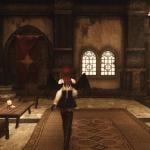
SkyrimAnother360RunAndWalk
By MaikCG
If running, then the elves are ass up, if the walk - the hypertrophied victoria secret. So I saw myself as something in between.
I do not remember where I took run animation, it was many years ago. However, it too made a little smoothed. Walk reference - Victorias High Heel walk with a less shaking ass and a bit smoothed.
In the complete set the plug-in changing speed at movement by a step, in the original painfully slowly.
https://www.youtube.com/watch?v=J7hwTsyakwY
Why run and walk should be put together?
Because the rotation type is 360 degrees (in vanilla the torso always forward), if you put just one thing, there will be an incorrect blending animation for three movements: backward / backward-left / backward-right, the body will be rotated by +/- 90 degrees relative to correct position.
3326 downloads
Updated
-
SexLab Tools v3.0
By Goubo
-------------------- What is this mod?
SexLab Tools is a simple mod that aim to give the player some tools to control a sexlab sex scene, mainly the pose & tags, using menus from the UIExtension mod.
If you have ideas about improving this mod or adding options let me know.
-------------------- Requirements
SexLab Framework by Ashal
UIExtensions by Expired
-------------------- How to use?
TOOL MENU:
You can open the tool menu by holding the Modifier key (Left shift) and pressing the Tool key (H by default) while aiming a NPC in a sex scene or when the player is involved in a sex scene.
Change stage - Opens a submenu where you can choose a stage to play for the current animation.
Disable current animation - Disable the current animation (it disables it in the SexLab MCM menu.)
Unregister animation - CURRENTLY NOT USED, meant to be used to remove manually the custom added animations from the SexLab registry, waiting for Ashal’s implementation of such feature.
Cum outside - Change the current animation by a non vaginal/anal one if needed and ends the scene.
Write tag or animation name - Opens a menu where you can write a tag or the name of an animation you want to play, if you write the name of an animation it will be added to the current set and will play it.
Change current scene tag - Opens a submenu where you will be able to choose a specific tag to change the current set of animation.
Pose selector :
You can change the pose of the current scene by pressing the Tool key (H by default) while aiming a NPC in a sex scene or when the player is involved in a sex scene.
Tool actor list key:
Press this key (H by default) to display a list of the NPCs involved in a SexLab sex scene, you can then click on the NPC name you wish to to open the pose selector.
Clicking the name while holding the modifier key will open the tool menu.
If the key is the same as the tool key the priority will be given to the player scene or your current target, otherwise it will open the list menu.
ANIMATION CREATOR:
/!\ Bug that can’t be fixed be is not that important: In the text area when you press “0” on the numpad the game takes it as “enter”, you might want to use the standard keyboard to enter zeroes.
Name:
Enter the name of the animation, once registered you will be able to see the created animation in the SexLab menu, note that creature animation will automatically have the tag of the corresponding race. (e.g. (Wolf) The name)
Race:
You can either create a human animation or use a creature race, a list of races will appear if creature is chosen.
Type:
Change the type of the animation, this can changed during the creation so you can mix aggressive/normal animations
The default duration is also affected by this, see the durations for each stage and each types in SexLab's MCM
The animation will inherit of the "Aggressive" and "DefaultAggressive" tags if the option is set to "Aggressive type" on registration
Number of actors:
Use to determine how many actor will be part of the custom animation (up to 5)
Filter:
Use a filter to sort the animations when you set a stage.
e.g. If you enter "Arrok" only Arrok animations will be displayed in the animation list.
Upercases unneeded and multiple filters is possible: e.g. "arrok,foreplay" (Separate with a comma)
Stage X: The animation for the stage of the custom animation.
Stage of the chosen animation: Self-explanatory.
Stage timer: Timer for this stage (duration), 0.0 means it will take the default timer for this animation's stage that is set in SexLab MCM menu.
Once you have set all your stages use Register to SexLab option.
To remove the created animations:
All the created animation have the tag “Custom”, you can use the unregisterer feature of the mod to unregister a particular animation by entering its name or unregister all the new animations by entering "Custom".
You can also use "Reset Animation Registry" in "Rebuild & Clean" in SexLab's MCm menu
MATCHMAKER QUEUE:
You can organize multiple SexLab scenes with this tool
Use the hotkey (disabled by default) on a NPC to register him as the receiver or as an actor of the queue.
Use the hotkey without any NPC under your crosshair to register the player, remove a NPC from the queue, modify their animation(s), begin the scene or erase the scene.
When the scene starts depending of the animation registered for the NPCs (Can be a tag, a set of animation or an animation in particular) it will start a SexLab scene with the receiver and the next NPC(s) in line, when the SexLab scene is over the next scene will start with the next NPC
- Choosing a 3p animation or a set of animations will need the two next NPC in line (4p, 3 NPCs and so on), no matter what animation is set for the next NPCs.
- Registering a NPC without a receiver and setting him a 1p animation will start a solo animation
UNREGISTERER:
Enter the name of the animation or the tag of the set of animations you wish to unregister.
Use "Reset Animation Registry" in "Rebuild & Clean" in the SexLab MCM menu to retrieve the unregistered animations.
-------------------- Credits & thanks
Ashal for creating the SexLab Framework and answering my questions about it.
Expired for his UIExtension mod.
-------------------- Change log
524701 downloads
Updated
-
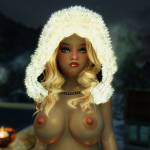
{UPDATE - 2013July29 see Change Log} Venus Body Presets for CB++
The Venus bodies are custom CBBE bodies I originally made for a planned project. I decided to include them for the "adult" Monli race.
The presets have been updated for the latest CB++ with help from Cell.
*** UPDATES ***
2013 July 29 - Repacked the Venus Body files. Now includes the Nymph Puffy nipples adjustment and the missing Thighs Plus BSD file.
*******************
What is included?
BSD files not included with CB++. Separate XML files for SLIDERGROUPS, SLIDERPRESETS, AND SLIDERSETS. None of the original Caliente and CB++ files were edited. Venus Body Presets
The Venus Bodies can be made for Normal, BBP, and TBBP bodies. Curvaceous Curvaceous 3 Curvaceous 3 - Puffy (nipples) Nymphette Venus Nymphette Nymph - Puffy (nipples) Hourglass Voluptuous 2 Voluptuous 3 Voluptuous 3 - Puffy (nipples) Plush Plush - Puffy (nipples) Some are slight variations of others such as larger breasts and/or buttocks, smaller waistline, etc.
Big thanks to Cell for helping with the update.
Installation
CB++ Main ( http://skyrim.nexusmods.com/mods/32731/? ) Choose one of DragonFly's TBBP Weighting options. Any addtional CB++ options. Venus Body folders5232 downloads
- body replacer
- cbbe
- (and 3 more)
Updated
-
{Eng Translate-PATCH} Elin Bard with the Bearserk Trio
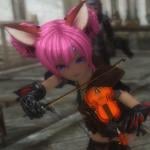
Elin Bard 3 with Bearserk, the Lute-Playing Bear Trio
by RSV
Website:
http://Casualmods.net
Available at Loverslab with permission.
DO NOT UPLOAD THIS MOD OR IT'S ASSETS TO OTHER SITES.
If you want to use the animations in your mod, please contact the author, RSV, at Casualmods.net.
================================
================================
Elin Bard 3 with Bearserk is available as an Installer that, when launched, will add the master files, plugins, and BSA files (for Elin Bard and Bearserk) then creates the behavior files or updates existing behavior files.
If you are not using any animation mods that require FNIS then the installer will simply create the behavior files. If you do have animation mods and already created the FNIS behavior files then the Elin Bard Bearserk app will update the FNIS files to include the Bard and Bearserk animations.
For this reason, please pay attention to the installation instructions provided in this post.
If you do not wish to use the installer, I have provided pre-made files in which you can install and play. However, these files can only be used if either (1) you don't use FNIS or any animations that require FNIS , or (2) use the Elin Idle animation which does use FNIS.
================================
Elin Bard
For those people not familiar with the Elin bard, she lives in the Bard's College at Solitude and her musical instrument of choice is the violin. Interact with her and she will give you a violin and bow. Play the violin near other Elins and they (most, not all) offer food and dance to your musical performance.
Version 3 introduces an all new A.I. as evident of her daily schedule.
Bearserk
What is not present with previous versions of the Elin Bard is Bearserk, the lute-playing, bear trio. They can be recruited as followers and follow most dialogue options for followers. They can play their lutes for you and if you have the violin and bow, accompany you as you play. If performing near Elins, the bears will receive honey. In combat, they use their lutes as weapons and if delivering the death blow against an enemy, will celebrate by playing "Misirlou".
Each bear can be found in these locations.
================================
UPDATES
- 2014 August 08 - English translation patch.
Filename: PATCH_English_Translations_2014Aug08.7z Translated the Bards College (name) and some Bearserk dialogue options that were still in Russian. The dialogue options will appear in English regardless because of the Elin Bard plugin, but just in case. Patch is needed for both the installer added files and the pre-made files. Just extract Bearserk.esm and Elinbard.esp and copy to your DATA folder or MO mod folder; allow overwriting of the original files.
================================
INCOMPATIBILITIES
- Elin Bard v2.2 and earlier versions.
- Earlier versions of Bearserk.
To avoid potential bugs due to old scripts from previous versions of these mods in game saves, it is best to use a clean save or utility to clean your save file when using Elin Bard v3.
Some game save script-cleaners
Save Game Script Cleaner...http://www.nexusmods.com/skyrim/mods/52363
Save Game Script Scalpel...http://www.nexusmods.com/skyrim/mods/53045
================================
REQUIREMENTS
(1) Adobe AIR...https://get.adobe.com/air/
- Required for the Elin Bard Bearserk application.
(2) Tera Elin Race (Elin 1) Main Package...http://www.loverslab.com/topic/20121-elin-voice-pack-update-tera-elin-race/
- Required for the Elin Bard.
================================
AVAILABLE FILES (All Files Located in the Forum Downloader Unless an Outside Link is Provided)
Installer
(1) ElinBardBearserkInstaller.rar
If you do not want to use the installer then I have provided some ready-to-use files. Install with mod manager or extract and copy the files to your DATA folder. FNIS not required.
Without Elin Idle Animation
(2) ElinBard_v3_withBearserk.7z
Includes the Elin Idle Animation
(3) ElinBard_v3_withBearserk_andElinIdleAnimation.7z
PATCHES
(1) PATCH_English_Translations_2014Aug08.7z
===============================
INSTALLATION
Important
Do not launch the application from Mod Organizer. The app requires access to the actual Skyrim folder to read the information stored in UPDATE.bsa and update any FNIS files. Launching the app from MO will cause errors or the app crashing during the creation/installation of the files.
Part 1 - Installing the Elin Bard Bearserk Application
Install Adobe Air. Run the ElinBardBearserk.exe to install the application. You can now run the app from the desktop icon or lauching from Start Menu. The app files are installed in "C:\ElinBardBearserkInstaller". Part 2- Preparation Before Creating the Mod Files
The Elin Bard 3 with Bearserk does not require FNIS, but if you use the FNIS Generator afterwards, the bard's and Bearserks animations will glitch or not work. You need to have any animation mod preinstalled and FNIS behavior files created/updated before using the Bard/Bearserk app.
Make a backup of any existing behavior files.
MESHES > ACTORS > CHARACTER > BEHAVIORS
MESHES > ACTORS > CHARACTER > CHARACTERS
MESHES > ACTORS > CHARACTER > CHARACTERS FEMALE
If you are using Mod Organizer, the FNIS generated files are located in the Overwrite folder. Backup the files from there.
Part 3- Creating the Mod Files
------------------------------------------------------
ATTENTION: Mod Organizer Users
Do not forget to copy any FNIS generated behavior files from the Overwrite folder and paste them in your DATA folder because during the creation process, the Bard/Bearserker app will UPDATE the FNIS files . Copy the complete MESHES folder structure, not just the HKX files.
------------------------------------------------------
Launch the Elin Bard Bearserker Installer app and you will see this window.
You can change the language to English by clicking on the "ENG" button.
Click "INSTALL" to start the file creation.
Pay attention to the progress window in the middle. When it says "Installation Complete", the Elin Bard/Bearserk mod with behavior files has been added to your DATA folder. If the progress window only says "Shortcut OK" or says anything other than "Installation Complete", that indicates it can not find UPDATE.bsa in the DATA folder, but that has only happened to me when I was creating the files using a dummy Skyrim folder and forgot to include a copy of UPDATE.bsa. Part 4- Install the Tera Elin Race (Elin 1) Main Package + Any Add-on.
Files and installation instructions on the Elin 1 post. Part 5- Done
If using Mod Organizer, package the Bearserk/Elin Bard master/plugin/bsa files and install those with MO. The created (or updated) behavior files can now be moved to MO's Overwrite folder (did you backup the existing behavior files first?) and allow overwriting.
Make a backup of the updated behavior files as a precautionary measure.
Important
If you install or uninstall any animation mods that requires FNIS Generator to update the behavior files will cause problems with Elin Bard/Bearserk. You need to do the following:
Uninstall or install the animation mod. Run FNIS Generator for Users. Run the ElinBardBearserk.exe to update the new FNIS files. ================================
LOAD ORDER
This load order includes the Tera Elin Race (Elin 1) and add-ons.
Elin Bard 3 with Bearserk files are in BLUE.
RaceCompatibility.esm
ElinRace.esm
ElinRaceTaint.esm
Bearserk.esm
ElinRaceIdle.esp
ElinRaceVoice.esp
Bearserk.esp
ElinBard.esp
SummonElinRing.esp
Elin Mannequin.esp
ElinRace Enemy NR.esp
ElinRace Enemy.esp
ElinRace NewNPC.esp
ElinRace NPC.esp
ElinRace - Use UNP BBP Body.esp
================================
KNOWN BUGS
Elin Bard
She holds the violin at the wrong end when idle (not when playing). Violin bow is held high above the violin...SOLUTION (?): probably a skeleton issue since the animations are the same as the previous Elin bards. When she goes through her routines at Solitude, she will play the violin at the Bard's College and at the marketplace. The music and violin-playing animation will loop a second time, but abruptly stop halfway She will then proceed to her other routines. Asking her to play for you when she is outside of the Bard's College will start the music, but she does not play the violin...SOLUTION: this is likely due to the previous Elin bards being sandboxed within the Bard's College and never going outdoors. If you want her to play for you and receive the violin and bow, speak with her when she is inside the Bard's College. Bearserk
The bears may freeze during combat and become unresponsive...SOLUTION: open the console, click on the bear and type DISABLE then type ENABLE. The bears will appear to slowly become invisible then reappear or stay invisible...SOLUTION: at the moment, I don't know of any solutions to stop this from happening, but if any of them stays invisible, just change cell locations to make them reappear. ================================
THOSE ARE NOT BUGS...Maybe...I guess
Elin Bard
The bard plays her violin at the Solitude marketplace and in the Bard's College (2nd-floor). Talking to her when she is playing music at those locations will disrupt the animations, but the music continues to play. So do not talk to her when she is scripted to play her violin. This does not happen when you first ask her to play for you; speaking to her again to stop will cleanly stop the animation and music. ================================
CREDITS
RSV for the Elin Bard and Bearserk...Casualmods.net
"Misirlou" by Dick Dale
"We Will Rock You" by Queen
"Siamsa" by Ronan Hardiman
================================
================================
3802 downloads
Updated
-
{ADDED - Elin (Falkreath) Housecarl Rayya} Tera Elin DLC Additions
Tera Elin Race
Hearthfires - Dawnguard - Dragonborn
Tera Elin additions for Hearthfires, Dawnguard, and Dragonborn.
UPDATE
2014March29 - Hearthfires Addition to Elin NPC Replacer.
Changed the Falkreath Housecarl, Rayya, to an Elin. Requires Elin NPC and Enemy mod preinstalled. When installing the Hearthfires Elin NPC Update, allow overwriting of ElinRace NPC plugin. Requires Hearthfires. SCREENSHOT Look for the file, ElinRace NPC - Added Hearthfires Housecarl.7z.
2014Jan02 - Lakeview Manor Extended Elin NPC Replacers v2.
Replaces the male npcs from the Lakeview Manor Extended mod. Includes the female replacers from version 1. Some (male) names have been changed. Install this (version 2) or install version 1 (female-only replacers), but not both.
2013Dec18 - Serana Replacer.
Early release of Elin Serana. Future updates, if any, will be included with the completed Dawnguard Elin NPC. She does not share the same body as your Elin only the face and hand textures. There will be a slight tint difference between her face and what parts of her body that is exposed. Screenshots. Look for file, "2013Dec18_Dawnguard_ElinSerana.7z".
2013Dec12 - Lakeview Manor Extended Elin NPC Replacers.
Check out the Hearthfires Additions section for more details.
2013Dec05 - Remade the Elin Mannequins. There are now two options:
Option #1 - Skyrim + DLC - No Hearthfires Homes. Mannequin replacers for all player homes that are included with Skyrim and Dragonborn, but not the Hearthfires Homes. Option #1 - Does not require any DLCs and can be used for vanilla Skyrim homes only. Option #2 - Skyrim + DLC Homes. Mannequin replacers for all player homes including the Hearthfires homes.
2013Dec03 - Finished the replacers for Hearthfires. Any new additions will be released once I'm done with the replacers for Dawnguard and Dragonborn.
~~~~~~~~~~~~
HEARTHFIRES
~~~~~~~~~~~~
Elin npc replacers for Lakeview Manor Extended by Ac3s
Ac3s has given me permission to edit the npcs from his Lakeview Extended - Hearthfires mod. Replaces the female npcs only. I might replace the males also, but only if there are enough feedback requesting it. SCREENSHOT.
CREDIT: Ac3s for
Lakeview Extended.
REQUIREMENTS: Lakeview Extended v3.13 (my mod only contains the edited plugin).
Ac3s made two types: (1) with npcs, and (2) without npcs (labeled "No NPC"). You need the one with npcs.
INSTALLATION
Install Lakeview Extended v3.13 (npc version). Pay close attention to Ac3s' installation instructions. Basically, you need to be done building Lakeview Manor before installing Lakeview Extended. Install my Elin NPC for Lakeview Extended. Move the plugin with the other Elin plugins. Make sure any Elin body replacer plugins are loaded after the Lakeview Extended plugin.
Lakeview Extended Elin NPC v2 (replaces both male and female npcs)
Screenshot Only Shows the Male NPC Replacers
Either install version 1 or version 2, but not both. Requirements the same as for version 1 (read instructions above). Download "Hearthfires-Lakeview Manor Extended-Elin NPC Complete.7z".
Lakeview Extended Elin NPC v1 (female-only replacers)
Download "Hearthfires-Lakeview Manor Extended-Elin NPC.7z".
Orphans
Elin Orphan Replacers.
Option #1 = Replacers for Lucia and Sophie. Option #2 = Replaces all 4 orphans. The boys Alesan and Blaise are now Alessandra and Bella. Both use the female child voice. Since the "boy" Elin orphans use the female child voice, certain unique dialogues for the boys will not play. The reason is those unique dialogues were only done for the Male Child voice. The orphans share the same body as your Elin. There is no way to give them their own separate bodies without it affecting your Elin and other Elin npcs.
IMPORTANT: Allessandra and Bella will not speak certain dialogues, particularly when they explain what happened to their parents and their current situations. These dialogues were made in the MaleChild voice only so when changing their voices to FemaleChild, those dialogues will not play.
Subtitles will still work. Dialogue options will still work.
Once you receive the option to adopt them, they will now speak, but in the FemaleChild voice.
Mannequins for Skyrim and DLCs
Elin Mannequins
Skyrim homes. Hearthfire homes. May not work with all mods that adds new mannequins to player homes or mannequins in custom player homes. I have not tested all of them and don't have the time or patience. If you found one that is compatible, let me know and I'll add them to a list of compatible mods.
********************
SCREENSHOTS
********************
INSTALLATION
RequirEments
Elin Race Main Pack v1.4
Optional
Option-New Elin Bodies-BBP-TBBP v2 Option-CBBE New Body Texture Pack v2 Option-UNP New Body Texture Pack v2
All of these files and more can be found in my other post, "Tera Elin Race".
http://www.loverslab.com/files/file/301-tera-elin-race/
NOTE: The Elin Main Pack includes a default body and textures. This is why the New Elin Body pack is optional. However, the default body is a custom body not related to any of the known body replacers.
You can still use most armors/clothes, but expect hand and foot seams.
NOTE 2: You can try out the other optional mods from the Tera Elin Race set, they will not have any affect on the DLC additions with the exception of any new texture options.
~~~~~~~~~~~~
DAWNGUARD
~~~~~~~~~~~~
Serana
Look for file, "2013Dec18_Dawnguard_ElinSerana.7z" Serana does not use a body mesh, rather her clothes/body model is only used. What body you install for your Elin will have no affect on her (that I know of right now). Future updates will be include with the full Dawnguard Elin NPC.
~~~~~~~~~~~~
DRAGONBORN
~~~~~~~~~~~~
Elin Mannequins
Works with Skyrim homes. Does not work with Hearthfires home (built homes). May not work with all mods that adds new mannequins to player homes or mannequins in custom player homes. If you found one that is compatible, let me know and I'll add them to a list of compatible mods.
********************
SCREENSHOTS
********************
INSTALLATION
RequirEments
Elin Race Main Pack v1.4
Optional
Option-New Elin Bodies-BBP-TBBP v2 Option-CBBE New Body Texture Pack v2 Option-UNP New Body Texture Pack v2
All of these files and more can be found in my other post, "Tera Elin Race".
http://www.loverslab.com/files/file/301-tera-elin-race/
NOTE: The Elin Main Pack includes a default body and textures. This is why the New Elin Body pack is optional. However, the default body is a custom body not related to any of the known body replacers.
You can still use most armors/clothes, but expect hand and foot seams.
18791 downloads
Updated
-
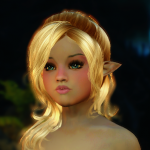
{UPDATE - 2014 July 06} Teen Monli Race
Little Monli Race
A mysterious race only known for their small size, youthful appearance, and amazingly fast reflexes.
The little Monli race has been upgraded to teens. The changes are as follows:
Teen scaling at x0.97 CBBE - TBBP nude bodies: Natural Slim and Natural Plump. UNP Unified nude body (TBBP compatible). 2 head mesh options: round-face and oval-face. Screenshots added.
What has not changed:
Original Monli nude, CBBE and UNP textures. Original Hi-res tintmasks and Cute Designs face tattoos. Edited XPMS Extended for the Monli race (with permission from Groovtama and xp32). CME integration file (.ini) to make the Monli compatible with the CME morphs. Dawnguard Crossbow Bolt quiver fix. I suggest first trying the fix available from XPMS Extended. Bolt quiver fix for the Dread Crossbow mod.
What was added:
HDT Physics Extension v14-28 by HydrogensaysHDT
UPDATE
(2014 July 06)
- Changed female scaling to x0.95.
- Edited the CBBE bodies to now use the Monli textures.
******* Required and Recommended Mods with Installation Order *******
REQUIRED MODS
1- Install First.
SKSE for Skyrim v1.9
http://skse.silverlock.org/
2- Install Second
Enhanced Character Edit with Character Making Extender OR Race Menu
ECE
http://skyrim.nexusmods.com/mods/12951
RaceMenu
http://www.nexusmods.com/skyrim/mods/29624
3- Install Third
Little Teen Monli Race
- contains configuration files that will overwrite one or more ECE configuration files.
4- Install Fourth
- CBBE Texture Pack
LINK
OR
- UNP Texture Pack
LINK
RECOMMENDED MODS
1- Install Fourth
Grootama's XPMS Extended
- contains configuration files that will overwrite one or more ECE configuration files.
2- Install Fifth
Dual Sheath Redux
http://skyrim.nexusmods.com/mods/34155
IMPORTANT: DSR uses BOSS to sort the load order before creating a Dual Sheath Redux Patch. If you wish to use Dual Sheath Redux, you will also need to install the latest version of BOSS.
https://code.google.com/p/better-oblivion-sorting-software/
Some people may have issues with BOSS ruining their load order and causing problems with their game. If it's possible, make a copy of the load order (as a TXT file) and if you think BOSS' rearranging of the load order is causing problems for you, after finishing making the DSR patch, compare the load order with the list (TXT file) and make the necessary changes. So far, I have not experienced any issues relating to BOSS.
3- Install Sixth
Chesko's Belt-Fastened Quivers 1.2 Release -ANIMATIONS ONLY-
http://skyrim.nexusmods.com/mods/35717
4- Enhanced 3rd Person Camera (no installation order necessary)
http://skyrim.nexusmods.com/mods/29990/
I recommend this if you need to make adjustments to the 3rd-person camera. Thank to Dinosaurus for recommending this.
Requires SKSE and SkyUI.
5- Customizable Camera (no installation order necessary)
http://skyrim.nexusmods.com/mods/37347//?
An alternative to Enhanced 3rd Person Camera. The interface is simpler and does not offer options to edit the camera for different events, but if you prefer something straightforward and simple, try out Customizable Camera. Read the mod description page, Camera entries in Skyrim.ini is not required. Thanks to Spicycat for suggesting this one.
Requires SKSE and SkyUI
OPTIONAL
Fox Shop with Merged Armors by Smokermegadrive.
http://www.loverslab.com/topic/29836-foxmerged-2/
*** CREDITS ***
86492 downloads
Updated
-
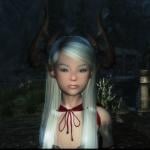
*Update-2016 September 29-New Horns + Screenshots* Tera Castanic Races
Tera Castanic Race
Clever and skilled, Castanics are also opportunistic and hot-tempered. Never forgeting a friend and never abandoning an ally, they're also notoriously quick-tempered and have a tendency to decapitate first and accept apologies second. The Castanic are famous for the skill of its artisans and crafters. They are also adept merchants, cunning negotiators who love the interplay of bargaining, and strive to come out on top in every deal.
ABOUT
I have made the race playable WITHOUT being dependant on RaceMenu or ECE. This means the Castanics are compatible with either RaceMenu or ECE if you choose to use those.
CHARACTER CUSTOMIZATOIN MENU ("SHOWRACEMENU")
Castanic Horns and Custom Complexion and Warpaint Textures
PRESETS
I have made presets for both RaceMenu and ECE, all are included with the main files.
SCREENSHOTS
IMPORTANT
The first preset is male (applies to adult and teen) and the second preset is female (applies to adult and child). If you are using ECE, the first pop-up window that only shows 3 preset selections will contain the Castanic presets.
UPDATES
2016 September 29
UPDATE - Added Screenshots of the horns both new and old.
http://www.loverslab.com/topic/59491-update-2016-september-29-new-horns-tera-castanic-races/?p=1502584
FILE
- 2016Sep29_MAIN_UPDATE_v1.0 to v1.1.7z
REQUIREMENT
- 2016Sep26_MAIN_TeraCastanicRace_v1.0_NFS.7
3 new horns for females + 2 new horns for males. Main pack v1.0 required. The update only adds the new horns + edited master file. Thanks to Lady Horus for allowing me to include the new horns. Horns are from her Tera Armor collection.
2016 September 26
Uploaded a new main package that does not use a FOMOD script. Removed the previous pack that did used an installer script and showed an error when installing with NMM or MO.
If you manually install your mods or use Mod Organizer which will ignore the error message (personal experience),
- You do not necessarily need to update to the script-less pack.
If you use Nexus Mod Manager or, in your situation, Mod Organizer does not install the files,
- Install the new "NFS" (No FOMOD Scripts) version of the Castanic main pack.
2016 July 07
Castanic race main pack upgraded to v1.0. Contains the custom hairs compatibility patch (plugin). No other changes.
FILES and INSTALLATION
GENERAL:
SKSE 1.7.3 or newer...http://skse.silverlock.org/ Realistic Ragdolls and Force 1.9 or newer...http://skyrim.nexusmods.com/mods/601 FNIS 6.1 or newer...http://www.nexusmods.com/skyrim/mods/11811/? XPMS Extended (latest version)...http://www.loverslab.com/topic/25971-xp32-maximum-skeleton-extended/
FOR RACEMENU USERS:
RaceMenu 3.4.5 or newer...http://www.nexusmods.com/skyrim/mods/29624/?
FOR ENHANCED CHARACTER EDIT USERS:
ECE 1.4 or newer...http://www.nexusmods.com/skyrim/mods/12951/? ECE Enhancer 1.4.5 or newer...http://www.nexusmods.com/skyrim/mods/35713/? NetImmerse Override 3.4.4 or newer...http://www.nexusmods.com/skyrim/mods/37481/?
CASTANIC RACE: MAIN FILES
*NEW* 2016July05_MAIN_TeraCastanicRace_v1.0.7z *NEW* 2016Sep26_MAIN_TeraCastanicRace_v1.0_NFS.7z *NEW* 2016Sep29_MAIN_UPDATE_v1.0 to v1.1.7z
CASTANIC RACE: OPTIONAL MASTER REPLACER BOOSTED RACE POWERS
2016March19_MAIN OPTION_TeraCastanicRace_BoostedRacePowers.7z
CASTANIC RACE: OPTION- BODYSLIDE PRESET
Bodyslide2 and Outfit Studio...http://www.nexusmods.com/skyrim/mods/49015/? Castanic Female Child Body Presets for CBBE and UUNP...2013March19_OPTION_BodyslidePreset_CastanicFemaleChild_v1.7z
Install Bodyslide2.
Extract 2013March19_OPTION_BodyslidePreset_CastanicFemaleChild_v1.7z.
Copy CalienteTools folder from the Castanic Preset and merge with CalienteTools where bodyslide is installed.
PERMISSIONS
You cannot upload all or the horns to other sites that forbid the use and sharing of ripped contents, especially from Tera Online.
*HINT*
Nexus Mods and Steam Workshop
If the site allows it then give me and the other authors credit.
You can use the Castanic horns in your own mod, just give credit. If you want to use the tribal scars, complexion replacers, and/or warpaints then you will need to ask the author of those mods if they have not already expressly given permission.
CREDIT
Castanic race and Tera are the property of BlueHole Studios.
The Castanic horn meshes and textures are from the MMO Tera Online and property of BlueHole Studios.
<New Castanic Horns> <v1.1 Update>
LadyHorus' Tera Armor for UUNP Female and Vanilla Male...http://www.nexusmods.com/skyrim/mods/79020/?
<BODIES>
Better Males by Chris57...http://www.nexusmods.com/skyrim/mods/2488
Dream Girls Body by Petrovich...http://www.nexusmods.com/skyrim/mods/41443
Bodyslide2-Outfit Studio by Caliente and Cell...http://www.nexusmods.com/skyrim/mods/49015/?
<TEXTURES>
Better Males by Chris57...http://www.nexusmods.com/skyrim/mods/2488
+ textures from Melon Followers by Mali0723...http://www.nexusmods.com/skyrim/users/3833852/?tb=mods&pUp=1
- Melon Follower's textures is a modified version of Soft Touch Male Face Skin by Seongukh...http://blog.naver.com/seongukh/130143336775
- Soft Touch Male Face is a modified version of Genox Face and Younger Face by MrLenski
Pretty Face (Males) by TKTK1...http://www.nexusmods.com/skyrim/mods/7887
Fair Skin Complexion by HHaleyy...http://www.nexusmods.com/skyrim/mods/51602/?
+ Adorable Face by Lumination...http://www.nexusmods.com/skyrim/mods/61178
XCE Scarface by Xenius...http://www.nexusmods.com/skyrim/mods/24600
Cute Designs by Cos76...http://www.nexusmods.com/skyrim/mods/24154/?
The Neith Team Warpaints Set by Elaneith...http://www.nexusmods.com/skyrim/mods/54118/?
9213 downloads
- teracastanics
- race
- (and 3 more)
Updated
-

{UPDATE-2017 May 08} Tera Elin Race 2
Tera Elin Race 2
================================================
================================================
*** The Elin Race does not work with Sexlab. This is not a bug or compatibility issue, the race is not suppose to work with SL. I do not have a fix for this and I will not create a fix. ***
================================================
================================================
The Elin race now features ECE-CME morphs not available with the previous versions. This addresses some requests to make a less anime-looking Elin while still providing options for those people who prefer the uber kawaii appearance of the previous Elin versions.
Some key features offered by some of the new sliders. See SCREENS.
Tera Elin race 2 is completely compatible with Tera Elin race 1 and will not overwrite any files or conflict. Both share the same race Powers and Abilities. However, Elin 2 is standalone so that means the Elin 1 add-ons (NPCs, summon ring, followers, enhancements, and fixes) still requires the Elin 1 main files. Elin 2 will eventually have her own add-ons.
It is important to emphasize that Elin 2 uses her own CME morphs and requires Enhanced Character Edit.
================================================
================================================
IMPORTANT - Regarding Required Files
I have updated the information regarding required files for use with Elin Race 2.
Enhanced Character Edit is required for the EXTRA MORPHS that adds new face and head customizations.
RaceMenu is compatible with the race, but does not feature the extra customization sliders. Adding the extra morphs require some scripting to add them to RaceMenu's menu. Other than that, you can use Elin Race 2 with RaceMenu.
RaceMenu v3 is not compatible in any way with ECE. If using both, you will have problems with the Elin sliders not appearing or getting swapped (i.e. Nose slider changes the ears, etc.).
================================================
================================================
Other Elin Mods
Recommended Mods
MFG Console by Kapaer (adds eye blinking and face expressions/phonemes/modifiers)
http://www.nexusmods.com/skyrim/mods/44596/?
UPDATE
I have found the source that prevented the animations from functioning. A patch has been uploaded.
Tera Elin 2 has been translated and available at these sites.
中国
by a1126429003
http://www.star01.net/post/170382
================================================
================================================
UPDATES (see CHANGE LOG for additional information)
*2017 May 08 - Custom Elin 2 Vioce Pack.
FILENAME: OPTION_TeraElinRace_Voice_Complete_v2-20170508.7z
Now includes custom, English voices for the Dawnguard and Dragonborn shout. Non-shout voices are still Japanese. Changed the way the game makes the Elin race (only) use the voice pack. (MUST REMOVE THE ORIGINAL PLUGIN AND SCRIPTS). INSTRUCTIONS.
*2017 January 02 - Re-uploaded All Files.
I don't know what happened, but any files that were downloaded prior to today would be empty archives (0kb).
*2016 December 26 - Added NetImmerse Override to the List of Required Mods.
Forgot to include NetImmerse Override (NiOverride) to the Requirements list when using XPMSE + ECE. Should fix any issues with weapon and Elin headparts scaling. Not needed is using XPMSE + RaceMenu.
*2016 October 26 - (#1) No Installer Script version of the main pack and color-match main pack.
*** FILE ***
*2016Oct26_MAIN_TeraElin2_v3_NoInstallScripts.7z
*2016Oct26_MAIN_TeraElin2_v3_ColorMatch_NoInstallScripts.7z
If you do not have problems installing the original main packages that use installer scripts then you do not need these scriptless packs.
(#2) Optional patch to make Elin 2 adults in scaling.
*** FILE ***
*OPTION_Adult Scaling_TeraElinRace2_v3.7z
Makes the Elins adult in scaling (0.95x) Only contains the Tera Elin 2 master file. Requires one of the Tera Elin 2 main packs. When installing, allow overwriting of 'TeraElinRace.esm'. Screenshot.
*2016 August 17 - Elin Bodyslide Presets and Outfit Studio Conversion Templates.
*** FILE ***
*2015Nov22_ElinBodyPresets_and_ConversionTemplates_for_ElinRace1-6.7z
This is the Bodyslide Presets and Outfit Studio Conversion Templates I uploaded for Elin (1) race. I have been told it works well with Elin 2. If you are having issues with removing the bikini underwear from the default Elin 2 body then use the Elin Bodyslide preset to create a replacer. Only create a UUNP body since Elin 2 only uses UNP textures. Additional information and installation instructions located in this post...http://www.loverslab.com/topic/33294-update-2016-august-10-fnis-patch-for-elin-dance-animation-tera-elin-race-2/?p=1646949
Presets
UUNP Elin (flat-chest)
UUNP Elin Curvy (with breasts)
CBBE Elin
CBBE Elin Curvy
BBP, TBBP, and HDT
Conversion Templates
UUNP/UNP to Elin
CBBE to Elin
7Base to Elin
*2016 August 10 - Patch to Fix the Tera Elin Dance Idle Animation When Using FNIS v6.x.
*** FILE ***
*2016Aug10_PATCH_FNIS_6x_TeraElinDanceAnimation.7z
Info and installation instructions provided in the CHANGE LOG post. http://www.loverslab.com/topic/33294-update-2016-august-10-fnis-patch-for-elin-dance-animation-tera-elin-race-2/?p=835025
PREVIOUS UPDATES
================================================
================================================
Files Available (as of 2015 March 08)
These files can be downloaded from LoversLab.
MAIN RACE FILES (updated 2015 December 22)
2015Dec22_MAIN_TeraElin2_v3.7z
2015Dec22_MAIN_TeraElin2_ColorMatchEdition_v3.7z
PATCHES
2016Aug10_PATCH_FNIS_6x_TeraElinDanceAnimation.7z
OPTIONS - TEXTURES
OPTION_BEAUTYQUE_TeraElin2_v1.0 -2014Jun26.7z
OPTIONS - ANIMATIONS
OPTION-ANIMATION-Elin Dance Idle_v1-20150308.7z
OPTION-ANIMATIONS_TeraElinRace2_IdleAnimation-v1-0-20141218.7z
OPTIONS - HAIRS - HDT
OPTION-HDT-HS Compatible_TeraElin2_AIOHairs_v1-1-20150309.7z (for Elin 2 v2.x and latest ONLY)
OPTION_HDT_TeraElin2_AIOHairs v1.1-2014Sep05.7z
OPTIONS - VOICE REPLACERS
OPTION_VOICE REPLACER_JP_TeraElinRace2_v1.0 -2014Jun29.7z
*** English voice pack is now included with the v2.x main packages ***
OPTIONS - FIX KIT
2015Dec22_TeraElin2_NPC Creation Fix Kit_v1-0.7z
OPTIONS - OTHER
Enhanced 3rd Person Camera-29990-v0-9.rar
OPTION-TeraElinRace2-HeadwearSliders_Accessories Pack.7z
______________________________________
These files need to be downloaded offsite.
OPTIONS - HAIRS - non-HDT
Tera Elin 2 v1.x AIO Hair Pack - Master+Single BSA (MEGA)
Tera Elin 2 v2.x AIO Hair Pack - Headwear Slider Compatible - Master+Loose Files (MEGA) (for Elin 2 v2.x ONLY)
Contains assets from these hairs + files that enable the Elin to use these hairs. These do no contain the full, original hair mods and so will not work with other races.
================================================
================================================
KNOWN BUGS and SOLUTIONS
================================================
================================================
Mods - Required Mods - Installation Order All files are available from the Forum Downloader unless an outside link is provided.
INSTALL STEP 1
REQUIRED - 3rd Party Mods
SKSE (download link) SkyUI (download link) ECE (download link) XPMS EXTENDED v2.44 or latest (LINK) (the XPMSE files that come with the race packs are only the skeletons). NetImmerse Override v3.4.4 or latest (download link). Not Required if using RaceMenu instead of ECE. Enhanced 3rdPerson Camera (download link). FNIS (fnis generator for users) (only if using the Tera Elin 2 Idle Animations and Dance Idle Animations)
INSTALL STEP 2
REQUIRED - Elin 2 Main Package
Each pack contains HDT ears and tails and adds manipulation sliders for the ears, hairs, and various headwear and accessories. Headwear and accessories MUST be edited to use those sliders. They can still be used if not edited, but they will not be adjustable via the associated sliders.
Choose only 1 of the new main packages according to what features you want. 2015Dec22_MAIN_TeraElin2_v3.7z 2015Dec22_MAIN_TeraElin2_ColorMatchEdition_v3.7z
INSTALL STEP 3
OPTIONS - If there are more than 1 version of a particular option then choose only 1.
Elin Beautyque (Appearance Enhancements - Texture Replacers). Elin 2 Voice Replacer (Japanese shouts). Elin 2 (English) Voice Replacer is included with Tera Elin 2 v2.x. All-In-One Hair Pack (new Hair Manipulation sliders compatible). All-In-One HDT Hair Pack (now compatible with Elin 2 v2.x Headwear sliders). Tera Elin 2 Idle animation. Tera Elin 2 Dance Idle animation. Elin 2 NPC Creation Fix Kit.
================================================
================================================
HOW TO...
1) Remove the Bikini from the Body Meshes.
================================================
================================================
CREDITS
MAIN
Elin Race 2 is based on the DerivedElin race with assets from Elin 1
2ch Community
XPMS Extended by Groovtama
http://www.loverslab.com/topic/25971-xp32-maximum-skeleton-extended/
ANIMATION
Elin Dance - Original by Bluhole Studios
Elin Dance - MMD by Kanahitou
Conversion by RSV
http://casualmods.net
HAIRS
Apachii SkyHairs by Apachii
http://www.nexusmods.com/skyrim/mods/10168/?
Lovely Hair Styles (lite version) by zn00p
http://www.nexusmods.com/skyrim/mods/7403/?
Oblivian Hairs by Radioragae
http://skyrim.nexusmods.com/mods/18110
(removed from nexus)
Morten Hairs by MortenHoward
http://www.loverslab.com/topic/9898-sharing-my-ports/
Hair Mods by zzJay
http://www.loverslab.com/topic/10943-zzshop/
Inphy, JHairs, and random Sims Hairs by ???
HDT PHYSICS EXTENSION
HDT Physics Extension by HydrogensaysHDT
http://www.loverslab.com/topic/25501-hdt-news-and-info-latest-v1428-stable-10-24/
HDT Elin Ears and Tails by Deadzone45
Author of the HDT Wearable Tails
HDT HAIRS
Edits + HDT v14-28 updates to DOA hairs/Numenume/Merida/Marie Rose/xp32 Azar long Ponytail by Daiemonic
http://www.loverslab.com/topic/27122-hdt-collisions-hair-physics-now-with-belly-support-updated-just-another-hdt-xml-file/
Merida HDT Hairs by Yoo
http://www.nexusmods.com/skyrim/mods/52516
Marie Rose HDT Hairs by MortredL
http://bbs.3dmgame.com/forum.php?mod=viewthread&tid=4337255&page=1#pid112436409
BB's Hair Physics Project by bbdlqek1
http://www.nexusmods.com/skyrim/mods/57538
Female Hairstyles with Physics by Fuse00
http://www.nexusmods.com/skyrim/mods/57179
Numenume Hairs by Numenume
HDT versions by ???
DOA Hairs by ???
MFG Console by Kapaer
http://www.nexusmods.com/skyrim/mods/44596
152407 downloads
Updated
-
![More information about "[Update - 2017Nov04] Tera Elin HDT Ears-n-Tails with Painted Lady Re Compatibility"](https://static.loverslab.com/screenshots/thumb-1e306ee14d2428aeae20f947e25bc9d6-thumb.png)
[Update - 2017Nov04] Tera Elin HDT Ears-n-Tails with Painted Lady Re Compatibility
Tera Elin HDT Ears and Tails
also
Tera Elin HDT Ears and Tails - Painted Lady Redone Edition
<{===========================================}>
!Do not upload to Nexus or Bethesda.net!
<{===========================================}>
UPDATES
*** 2017_November_04 ***
I mistakenly included some animations when packaging the Painted Lady Compatibility files. They were for my own use and not needed for these mods. Uploaded a separate package without the animations. Elin_HDT_Ears-n-Tails_forPaintedLadyRedone_v1-1.7z
If you are want to continue using the animations from version 1.0 then no further actions are needed. Alternatively, you can install your own and overwrite the animations files.
<{===========================================}>
The Basic Edition
These are HDT ears and tails from the Tera Elin race and Tera Elin 2 race mods now playable for Skyrim's races (sorry, no beast races). They are selected from the FACIAL HAIRS slider in racemenu (the console command, NOT the mod) and works independently of RaceMenu (the mod) and Enhanced Character Edit, but are compatible with them.
The Painted Lady Redone Edition
This is the Basic edition made compatible with the Painted Lady Redone Color-Matching 3D Pubic Hairs. Each Elin ears/tail set are paired up with 4 of the 3D pubic hair options. This means as you select an ears/tail set you cycle through each of the pubic hairs.
The FACIAL HAIRS slider is renamed "ADDITIONAL HAIRS".
Color-Matching Option
This contains optional meshes and textures that allow the Elin ears/tails match color with the main hair. Requires the Basic Edition main files or the Painted Lady Edition main files.
<{===========================================}>
Screenshots
HDT Elin Ears and Tails
[screenshots are in the same order as they appear when selecting them]
<{===========================================}>
Files - MAIN (choose only one)
1. [basic Edition]
Elin_HDT_Ears-n-Tails.7z
2. [Painted Lady Redone Compatible]
Elin_HDT_Ears-n-Tails_forPaintedLadyRedone.7z
3. [Painted Lady Redone Compatible] [Does not contain any animations that if mistakenly included with version 1-0]
Elin_HDT_Ears-n-Tails_forPaintedLadyRedone_v1-1.7z
Files - OPTIONS
Elin_ColorMatching_Option.7z
<{===========================================}>
Installation
IMPORTANT
The HDT ears and tails comes with the Elin race's own modified, XPMS Extended skeleton. If you have XPMSE installed then the Elin skeleton will need to overwrite it or else the ears will float and the tails will stick out in odd places or the worst is your game might crash.
I have not tested this with every mod under the sun that comes with or requires XPMS Extended and I do not plan on doing so. Also I do not plan on fixing any mods that anyone verifies or perceives as broken when using the Elin ears/tails.
[basic Edition]
Requirements: None
HDT Physics Extension is included.
Simply install with a mod manager of your choice or, if installing manually, extract the archive and copy/paste the folders and plugin to your Skyrim Data folder.
*** Remember to allow the included skeleton to overwrite any other skeleton you are using, even if it's the vanilla skeleton. ***
[Painted Lady Redone Edition]
Requirements:
Painted Lady Redone (Skyrim Legendary Edition). Bodyslide/Outfit Studio. [CBBE] Lush Painted Lady Redone Mesh Bodyslide by samisme74. [uUNP] Slash197 UUNP Conversions. HDT Physics Extension is included.
Install 1st: Painted Lady Redone.
Install 2nd: Tera Elin HDT Ears and Tails for Painted Lady Redone.
There is nothing to overwrite. Correction, the Elin skeleton is included so it needs to overwrite any other skeleton you are using; XPMSE, vanilla, custom, etc.
The Painted Lady uses a Master while the Elin ears/tails uses a plugin that will make changes to the pubic hair formlists so that they will appear simultaneously with the ear/tail sets.
You can use the CBBE or UUNP bodyslide presets to create pubic meshes that will appear correctly on the body. The meshes are located in....
Meshes > Actors > Character > Character Assets
<{========== <> ==========}>
[Option - Color-Matching Ears and Tails]
Requirements:
Main files (either Basic Edition or Painted Lady Redone Edition).
Install and allow overwriting of the ear and tail meshes and textures
<{===========================================}>
CREDITS
BlueHole Studios
2ch Community/Himika
Deadzone45
Samisme74
Slash197
Caliente and Ousnius
DorkDiva, NuclearSatan, and Vioxis
7552 downloads
Updated
-
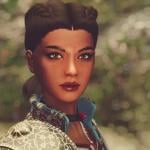
stephierawx Aaliyah Follower
By ★Foxxx★
Description
This mod add to your game new lovely Redguard girl named Aaliyah. I, and Aaliyah creator Stephie Rawx, we decided to upload her here, I hope that LoversLab community will welcome her warmly
Profile
Name: Aaliyah
Race: Redguard
Outfit: Ciri Outfit
Weapon: Scimitar
Skills: Light Armor, Dual Wielding
Location: Jarl’s Longhouse - Falkreath
Essential/Marriable
Level: 10-100
Body: 4K/UNP
Requirements
Only Skyrim
Instalation
Download and install (via any Mod Manager or manually copy ESP/extracted files into your “DATA” folder)
Permission
You are not allowed to upload this file to other sites under any circumstances
Credits
Aaliyah preset - Stephie Rawx
RaceMenu - Expired
SRG Female Textures - Seren4XX
KS Hairdos - Renewal - Kalilies Stealthic Khaos and Shocky
Improved Eyes Skyrim - missjennabee and Nazenn
Maevan2’s eye brows - Maevan2
Witcher 3 Female Armors - zzjay & CDprojektRED
Skyrim - Bethesda
Creation Kit - Bethesda
Enjoy!
1458 downloads
Updated
-
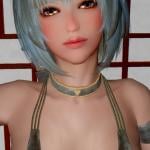
pajiman Zun Follower (Character created by Pajiman)
By ★Foxxx★
Description
This mod add to your game new girl - Zun, character created by Pajiman. With about 100 presets created by Pajiman I decided on her, enjoy! Screenshots on the download page, credits list and other info in the archive (readme.txt)
Profile
Name: Zun
Race: Nord
Armor: Barbarian Explorer
Weapon: 2H Katana
Skills: Light Armor, 2H Weapons
Location: Silver-Blood Inn - Markarth
Essential/Marriable
Level: 10-100
Body: 4K/7B
Requirements
Skyrim
XP32 Maximum Skeleton Extended
Instalation
Download and install (via any Mod Manager or manually copy ESP/extracted files into your “DATA” folder)
Permission
You are not allowed to upload this file to other sites under any circumstances
Enjoy!
1935 downloads
Updated
-
nisetanaka Nisetanaka' Follower Onna
By ★Foxxx★
A few days ago I created a new follower based on Nisetanaka' presets (no 35) After receiving permission from kofman77 I decided to share / upload my mod here, enjoy! Screenshots on the download page, full list of credits in the archive (readme.txt)
Profile
Name: 女 (Onna)
Race: Nord
Skills: Light Armor, 2H Weapons
Location: Nightgate Inn
Essential/Marriable
Level: 10-100
Body: 7BO
Requirements
Skyrim
XP32 Maximum Skeleton Extended
Not required, but highly recommended
aMidianBorn Hide and Studded Hide
Credits
nisetanaka for his presets, skin, body and armor. Most of the stuff is here
Please do not upload this mod to other sites, especially nexus.com
Enjoy!
6494 downloads
Updated
-

nisetanaka Nisetanaka' Follower Ayla
By ★Foxxx★
My second follower mod based on Nisetanaka' presets (no 1) Ayla, elf girl, her location is the same as Onna Enjoy! Screenshots on the download page, credits (readme.txt)
Profile
Name: Ayla
Race: Nord
Skills: Heavy Armor, 2H Weapons
Location: Nightgate Inn
Essential/Marriable
Level: 10-100
Body: 7BO
Requirements
Skyrim
XP32 Maximum Skeleton Extended
RaceMenu or NetImmerse Override
Not required, but highly recommended
aMidianBorn Steel Armor
Credits
nisetanaka & kofman77
Please do not upload this mod to other sites, especially nexus.com
Enjoy!
4608 downloads
Updated
-
serana NSerana
By ★Foxxx★
NSerana
This mod change Serana's default appearance
Face is based on nise preset no 10, with small changes (vampire eyes and fangs)
Requirements: Dawnguard DLC and HDT Physics Extensions
Download one version (UNP/UNPB/7B) and install manually or via any mod manager
Please do not upload this mod to other sites, especially nexus.com
Screenshots on the download page
Credits
nisetanaka - face preset
Enhanced Character Edit - ECE team
RaceMenu - Expired
KS Hairdos - Renewal - Kalilies Stealthic Khaos and Shocky
BVFE - Better Vampire Fangs and Eyes - Aipex8
SG Female Eyebrows - Hello Santa
Fair Skin Complexion - HHaleyy
Demoniac- High Quality Glossy Female Body Texture - Regenbot03
Skyrim - Bethesda
Creation Kit - Bethesda
Enjoy!
3237 downloads
Updated
-
follower Selina Vampire Follower
By ★Foxxx★
Selina Vampire Follower
Standalone (non-replacer) version of my previous mod NSerana
Profile
Name: Selina
Race: Nord
Outfit: Vampire leather armor
Skills: Light armor, One handed, Destruction, Alteration
Location: Moorside Inn - Morthal
Essential/Marriable
Level: 10-100
Body: 4K/7B
Screenshots on the download page
Requirements
Skyrim
HDT Physics Extensions
Instalation
Download and install (via any Mod Manager or manually copy ESP/extracted files into your “DATA” folder)
Please do not upload this mod to other sites, especially nexus.com
Credits
nisetanaka - face preset
Enhanced Character Edit - ECE team
RaceMenu - Expired
KS Hairdos - Renewal - Kalilies Stealthic Khaos and Shocky
BVFE - Better Vampire Fangs and Eyes - Aipex8
SG Female Eyebrows - Hello Santa
Fair Skin Complexion - HHaleyy
Demoniac- High Quality Glossy Female Body Texture - Regenbot03
Vampire leather armor set - RavenDier
Skyrim - Bethesda
Creation Kit - Bethesda
Enjoy!
4421 downloads
Updated
-
nisetanaka The Amazing World of Bikini Armor LiTE
By ★Foxxx★
The Amazing World of Bikini Armor LiTE
Description
This is a lite version of
The Amazing World of Bikini Armor
no book/cell/navmeshes/npc/worldspace edits, plugin contains only essential data
no ITM's, vanilla edits
all armor parts are fully converted into light variant
you can easy create (and temper) any armor part in the forge, no perk required
alot of fixes compared to the original plugin
removed unused meshes and textures
based on the latest version
compatible with Bodyslide*
added missing armor parts (Hide bikini), not available in the main version*
*(read below)
Bonus
This version contains five removed armor parts (Hide bikini)
Hide Thigh III
Hide Leggince
Hide Knee Pad
Hide Tools
Bear Trap
These parts come from Karyud armor pack
Requirements
Dawnguard DLC
XP32 Maximum Skeleton Extended
RaceMenu or NetImmerse Override
Installation
This is a standalone mod, contains all required files
Before installation please remove the main version
Meshes are converted to work with SevenBase Bombshell body
If you use other body, you can download UUNP or CBBE Bodyslide files and convert meshes to fit your favorite body (Bodyslide files are avaible here, in the "Miscellaneous" section)
UUNP Bodyslide files for Karyud armor are avaible here
In Bodyslide convert:
WTF Hide Knee
WTF Hide Leggy
WTF Hide Tassets
WTF Hide Tools
Credits
nisetanaka kofman77 Diablio
Permission
Please do not upload this mod to other sites, especially to the Nexus
Thank you4386 downloads
Updated
.thumb.png.faf8b06e8c988828761c7a761ffc938b.png)
![More information about "[PalCinema - mod] Lights: Animation Pack"](https://static.loverslab.com/screenshots/monthly_2026_10/A_LightsAnimPakForPalCinema.thumb.gif.8fe6f7ba965942947f9b00954426e83b.gif)