Other
Skyrim mods that don't fit in any of the existing categories
259 files
-
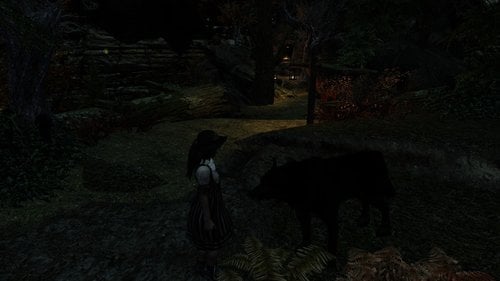
Dovahkin's Wolf Pack Den
Do you like caves and love to live in them, but also like luxury as well? Do you like cave home mods but wish you could take your family to live there? Do you play a beastess, or do you use untamed? Then this mod might just be for you.
Dovahkin's Wolf Pack Den
This is a player home that is in a cave and is located just outside of Riverwood on the south side. Faendal is your next-door neighbor. This player home works with Hearthfire Multiple Adoptions and has 6 beds for the young ones. There is also a follower barracks with 5 beds for them there. You have a nice front yard sharing space with the Riverwood community. Future updates planned will bring the Riverwood community to your doorstep campfire for some socializing. Already, any children from Riverwood might join in on a game of hide and seek with your kids. If you play a beastess roll or use the Untamed mod like I do, then this would also be a wonderful home for you and your pack. I already have a start with 3 essential and named wolves living within the cave that are friends to the dragonborn. On top of these three wolves, there is a 4th black wolf that is an actual follower with the Female Young Eager voice type, and if you really get into your beastess or untamed rolls, you can even marry her. An observatory deck with a nice sized pool made from the remnants of an old Snow Elf ruin sits atop the mountain home overlooking Bleak Falls Burrow, Riverwood, even Whiterun and Dragonsreach can be easily viewed from the serene location.
This is still a work in progress and is considered to be in Beta. More features are planned in the future such as Alternate Start scenario, etc... There are still landscape work that needs to be done. I plan to move one of the trails leading down to the Riverwood gate just slightly to please the NPCs but re-navmeshing it afterwards takes time. I decided to release a version of it now for testing and advice. Or so people can just have fun with it like it is. It is already a pretty cool place. I used some resources from the Celestial Eden Mod on the Nexus, 3 statues from JackGA, and a custom Dibella Statue from the Dibellan Sisterhood mod. This would also be a pretty cool home for a Dovahkin who is a part of the Dibellan Sisterhood.
Unfortunately for some, this requires all DLCs. I used assets from all DLCs. Especially Hearthfire, as this home is Hearthfire Multiple Adoption friendly. You will need to cast the Bless Home spell on the master bed. It also works with Spouses Enhanced available here on Loverslab, but is not required. Just cast the Lover's Sanctuary spell on the master bed after using the Bless Home spell. You shouldn't even need to use the MCM option to add the bed to Sexlab.
Have fun and let me know what you think. This has been a learning project as not only is this my first home mod, but also Hearthfire Multiple Adoption friendly. It created some challenges. Even following the directions. First times are always mysterious.
Caution: This is being placed as "Non-adult" but beware, even though the vanilla Dibella statue is already partially nude, the one from the Dibellan Sisterhood that I used in the décor of this mod is more detailed. Still, I could see a whole lot more if I went down here to the local museum and shoved my way through all of the school kids that are there on a field trip.
1139 downloads
Updated
-
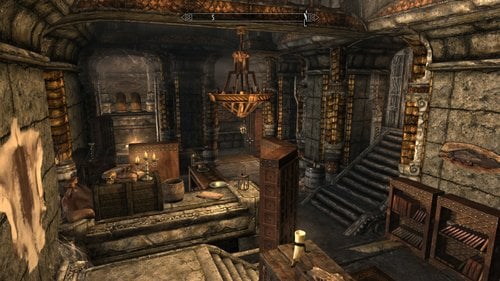
Skyrim Bookstores
Adds Book Stores to the major towns. Something I missed seeing from Oblivion and Morrowind was finding bookstores in the various towns. Each bookstore sells the Cheap and Common book set, so do not expect skill books or anything potentially borked, only for roleplay value. The owners are highly paranoid of thieves, so very few books are on display
This mod also adds skill magazines similar to the ones you would see from Fallout.
Hope you enjoy.
What is added:
-5 bookstores, one in each of the major towns
-Skill magazine for each of the skills, duration 5 hours.
Known bugs:
None at this time
Known incompatibilities:
-Thievery Overhaul - Download the Shenk Overhaul version and use this instead of the normal version.
Additional credit:
Adventure Time Journyman of Ooo - skill magazines idea
karrakaz - bug fixes and suggestions
Shadow_Dragyn - Whiterun Owner name change suggestion
Revision History:
v5(current):
-Fixed Markarth Book Store navigation errors and store behavior.
-Added gold to each of the owners, now you can actually sell to them.
-Fixed Solitude Book Store navigation errors and store behavior.
v4:
-Added skill magazines:
Insights into The Best Defense - Heavy Armor
The Potent Editions - Alchemy
Daily Manipulation - Alteration
Tips on Daedric Creations - Conjuration
Snippets on Tricking The Eye - Illusion
Poke-and-Prod Weekly - One-Handed
Healer's Digest - Restoration
The Daily Block - Block
Shadows Hide You Chronicles - Sneak
The Morning Berserker - Two-Handed
Horse Salesman Pitch Daily - Barter (Speechcraft)
Methods of Brute Magicka - Destruction
Practice on Embedding Magicka - Enchanting
Security Edge Daily - Lockpicking
The Hunting Enthusiast - Marksman
The Apprentice Journey - Smithing
Smooth Moves Practice - Pickpocket
Talking Weekly - Persuasion (Speechcraft)
Swift Dodging Chronicles - Light Armor
v3:
- Interiors have Navmeshes
- Stores will now lock
- Solitude location is different, more believable
- Whiterun owner's last name is now more realistic
- Riften owner has a husband now
- Solitude/Markarth owners have daughters now
- Each interior was redone to look more like a bookstore
v2:
-Fixed face bugs
v1:
-The initial release
Notes:
If you want to make your own variation, you are free to do so. It would be nice to credit me in your variation if you use this as your base.
Special Edition Note:
This mod hasn't been ported over yet. I want to overhaul the mod before releasing it over on Special Edition.
245 downloads
- book stores
- npcs
- (and 3 more)
Updated
-
Alex's Guardian Stones Overhaul
By Guest
Hello being tired of Nexusmods ive decided to upload on here instead so im sharing stuff ive made for myself initially.
This mod here adds Archery to the Warrior Stone, Onehanded to the Thief Stone and Alchemy to the Mage stone. Additionally, there are versions available in which instead of 20% faster skill leveling, its 50% and 100%.
To install, you can use Nexus Mod Manager or install manually.
Also works in Special Edition. No scripts in here so you wont have any issues uninstalling/reinstalling/changing versions.
134 downloads
Submitted
-
jh_people2.esp USLEEP patch
By valcon767
This is a patch to NPC 85 (jh_people2.esp) to make it more compatible with USLEEP.
This fixes packages, crime factions, vendor problems, and possibly some other minor issues.
Basically i got sick of having to carry over the USLEEP fixes to NPC85 every time i made a merge patch, so i tried to "fix" NPC85 itself to
be compatible with USLEEP.
Using TES5Edit i adjusted NPC85 to match USLEEP in regards to factions, packages, vendor keywords, scripts (room rental, vendor, and dead body cleanup).
I think i got all of those type changes that USLEEP made to the same npcs that NPC85 overhauled the looks on (i may have missed something).
it needs USLEEP and NPC 85 of course.
Install NPC 85 first then just overwrite the esp with this one.
If i missed something, changed something i should not have you can either drop me a note, or just adjust it yourself.
Credits - The USLEEP team and the creators of NPC 85
Permissions - follower permissions of USLEEP, and NPC 85 for their assets, for my modified esp do what you want with it.
you must have the original mod NPC 85, and USLEEP for this to do anything at all.
edit begins
original mod link redirects to link that was here previously.
original mod is the one this is for.
due to operator making a dumb mistake (copying the page i was redirected to instead of my bookmarked site) i caused some confusion.
i am SORRY for the confusion
this is for the orginal mod (which i cannot access anymore ...for some reason my bookmark takes me to the Intergration version which is NOT the version i made this for)
please accept my apologies for the confusion and if you are using the Integration version do not use this patch.
the file has not changed just some edits to the main page
465 downloads
Updated
-

Skyrim Suspense Soundtrack
By ciathyza
Skyrim Suspense Soundtrack
Short Description
Adds a collection of suspense- and ambient music from three other games: Vampire - The Masquerade: Bloodlines, Nightmare Creatures, and Tomb Raider Legend.
Detailed Description
This mod adds 21 new and immersive ambient music tracks to the city music, castles, and dungeons. The tracks where picked from three other games: Vampire The Masquerade: Bloodlines, Nightmare Creatures, and Tomb Raider Legend. This music adds to the original music. If you use the excellent Additional Music Project mod I've included an ESP that will add to the AMP music.
The following music tracks are included:
Dungeons, Caves, Forts, Ice Dungeons
AmbienceCreepy01 (Vampire - The Masquerade: Bloodlines)
AmbienceCreepy02 (Vampire - The Masquerade: Bloodlines)
AmbienceCreepy03 (Vampire - The Masquerade: Bloodlines)
AmbienceCreepy04 (Vampire - The Masquerade: Bloodlines)
AmbienceCrypt (Vampire - The Masquerade: Bloodlines)
AmbienceDangerousPlaces (Vampire - The Masquerade: Bloodlines)
AmbienceDisturbedAndTwisted (Vampire - The Masquerade: Bloodlines)
CombatDisturbedAndTwisted (Vampire - The Masquerade: Bloodlines)
AmbienceGothik01 (Nightmare Creatures)
AmbienceGothik02 (Nightmare Creatures)
AmbienceGothik03 (Nightmare Creatures)
AmbienceGothik04 (Nightmare Creatures)
AmbienceGothik05 (Nightmare Creatures)
Castles
AmbienceJapanDeep (Tomb Raider Legend)
AmbienceJapan02 (Tomb Raider Legend)
AmbienceJapan03 (Tomb Raider Legend)
Towns, Temples, Houses, etc.
AmbienceManor01 (Tomb Raider Legend)
AmbienceManor02 (Tomb Raider Legend)
AmbienceJapan01 (Tomb Raider Legend)
AmbienceJapan03 (Tomb Raider Legend)
Combat
CombatJapan01 (Tomb Raider Legend)
Boss Combat
CombatJapan02 (Tomb Raider Legend)
Compability
The mod is compatible with any mods that don't modify the above mentioned Music Type entries. If you use the Additional Music Project mod please use the included SkyrimSuspenseSoundtrackAMP.esp instead of SkyrimSuspenseSoundtrack.esp. Put SkyrimSuspenseSoundtrackAMP.esp after AdditionalMusicProject.esp in your load order.
Additional Music Project: https://www.nexusmods.com/skyrim/mods/28951
Disclaimer
To my best knowledge all included music is free for distribution. Please contact me if you have objection about the used music.
Music Credits
Vampire - The Masquerade: Bloodlines OST: Rik W. Schaffer
Nightmare Creatures: Frédéric Motte
Tomb Raider Legend: Troels Brun Folmann
575 downloads
- music
- soundtrack
- (and 3 more)
Submitted
-
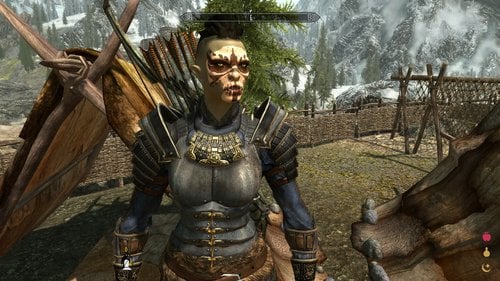
Gharzal
By RavinBeast
5a3dbdc947c40_GharzalFollower.zip
Before We Go Any Further I Have To Apologize For My Typing, I'm Blind In My Left Eye And Capitalizing The 1st Letter Of Each Word Seams Help Me Read My Own Typing.
Now That's Out The Way, On To The Good Stuff
Introduction:
This Is Gharzal An Orc Archer Follower I Originally Made For Myself But Thought Others May Enjoy Her Since There's A Distinct Lack Of Orc Follower Mods Out Their.
Location:
You Can Find Her At The Braidwood Inn In Kynesgrove, You'll Have To Give Her Some Alchohol Before She'll Agree To Follow You Though
Technical Sidenotes:
She'll Use Whatever Body Textures You Have Installed, However I Think She Looks Best With Pride Of Valhalla Skin Textures (It's What I Personally Use And What Was Used In The Screenshots) Other Then That She's Completely Vanilla
https://www.nexusmods.com/skyrim/mods/72586
123 downloads
Updated
-
Free Death Camera
By gp160
This plugin is originally uploaded to nexusmods but apparantly their antivirus dosen't like it so it gets blocked everytime I upload an update. Therefore I decide to move it here and see how thing goes.
This mod allows you to move the camera freely in TFC mode when player character is dead|knocked down|paralyzed. So you can take better screenshots and watch your follower fighting your enemies. Use mouse to rotate and use WSAD/mouse wheel to translate camera. Press Alt to accelerate. You can control whether to allow rotating camera after death(without tfc) by changing UseThirdPersonMode in the ini file. If you are using game controller, change NoRunDLL in ini to 1.
Update: Now you can rotate camera with UseThirdPersonMode=0, which works better with death animations.
Note that you should put this mod into 'unmanaged mode' or install manually if you are using mod organizer that messes with game load path or you'll get rundll32 can't find dll error.
To test, try the following commands in turn
1:
player.kill
2.
player.setav paralysis 1
player.pushactoraway player 0
player.setunconscious 1
3479 downloads
Updated
-
Daedric Museum of Artifacts
By Enter_77
Description Adds a museum east of Falkreath near the Skyrim-Cyrodiil border gate dedicated to the Daedra. Inside, you'll find a safe place to store and display your accumulated Daedric artifacts. There are also other Daedric-related displays and Daedric items to purchase.
NOTE - NPCs are unvoiced. All subtitles will need to be enabled.
Museum Rooms Lobby
Serves as a gateway to the rest of the museum Museum of Artifacts
Display/storage area for all unique Daedric artifacts Daedric shrines that can be activated to give you unique blessings NPC that gives you hints as to where Daedric quests may be started Museum of Lords
Mannequin displays of the live Daedric Lords featured throughout the game Museum of Daedra
Mannequin displays of the live Daedra featured throughout the game Atronach Forge with already available Sigil Stone. NPC trainer/vendor that specializes in Conjuration and sells Daedria conjuration spell tomes, scrolls, and staves. Also sells special Atronach Forge Recipe book containing all 34 recipes in the game. Museum of Relics
Preset displays of miscellaneous Daedric items seen and acquired throughout the game NPC vendor that sells Daedric clothing NPC smith trainer/vendor that sells Daedric weapons & armor Crafting & enchanting center Library
Contains all of Skyrim's Daedra-related books Book shelves are safe for storage and an ideal place for players to place their own books in an organized manner
Mirrors AFK Mods Assimilation Lab Dark Creations Mod DB Nexus Mods Steam TES Alliance
Versions for Other The Elder Scrolls Games
The Elder Scrolls IV: Oblivion
The Elder Scrolls V: Skyrim - Special Edition438 downloads
Updated
-
Slower Levelling and Skill Learning V1.00 (20150806)
By Slorm
Like many players I've never been happy with how fast my character levels up. There are mods which address this like Community Uncapper but I wanted something much simpler which just applied a percentage slowdown across all skills and was easy to use
So basically, this mod slows down the rate at which you learn all skills so that you will level up more slowly.
It works by applying an effect to the player character which will slow down the learning rate by a set percentage. There are five spells that can be used set at 10%, 20%, 30% 40% and 50%. You can use more than one if you really want to slow down your levelling, as the percentages are calculated sequentially you can never go over 100%.
As it just applies a spell effect it is perfectly safe to install and uninstall, there are no scripts to worry about.
Install using a Mod Manager or just drop the plugin into Skyrim/Data folder if you prefer to manually install.
To Use:
Go to console and type "help slower" (without quotes) which will give a list of the five spells.
Slower Skill Learning 10%
Slower Skill Learning 20%
Slower Skill Learning 30%
Slower Skill Learning 40%
Slower Skill Learning 50%
Then type player.addspell xxxxxxxx (where xxxxxxxx is the spell ID (the number in front of the spell name)) and you will see a message in the top left of your screen to say it's been applied and it will also appear in your Effects menu
To remove the effect simply type player.removespell xxxxxxxx and it will be gone and you will learn at the normal speed again.
If there's enough interest in this I may look at adding a menu with toggles but it's pretty simple to use as it is.
Caveats:
If you use other mods that alter the learning rate like SLA or RND those effects will also be applied so can make levelling slower still.
Credits:
Many thanks to fishburger67 for pointing me in the right direction as to how to make this and to stobor for answering my noob questions
Permissions:
Do not upload this mod to Steam. This mod may not be used or incorporated as part of any other "for profit" or "paid for" mod.
319 downloads
- skill points
- skill levels
- (and 2 more)
Updated
-

Riverwood Respite Playerhome +Bathing area
We're Officially out of beta!....Although i'm by no means finished! Thank you all for your support!
Nexus link for endorsement:
https://www.nexusmods.com/skyrim/mods/86962/?tab=3&navtag=%2Fskyrim%2Fajax%2Fmodimages%2F%3Fuser%3D2%26id%3D86962
Hello Please Endorse If you like the mod!
Riverwood Respite Is a very cosy Player home that acts as both a functioning player home and also the Ideal Practical "Respite" for your Dragonborn, the home features many things things that will appeal to just about everybody! ...from a beautiful bathing area to a prison....and much more to come!
Location: opposite the Riverwood Wood mill.
features:
Bathing area Dungeon (Not shown in screenshots atm) Alchemy/enchanting area Crafting area
To do:
Childrens bedrooms Adjust lighting Add more clutter/decoration Add more furnishings to exterior
Incompatibility
ETAC (Patch In the works)
Am I still working on this Project?....YES
(I will alter this when I finish working on this mod)
Screenshot credits:
Brandiibuck
ista3
665 downloads
- house
- playerhome
- (and 2 more)
Updated
-
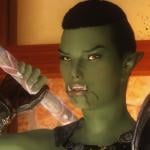
We <3 Orsimer
By shidoni
From all races that inhabit Mundus, none so batllehardened as the Orsimer.
Feel free to use the presets for whatever you desire.
Requirements:
All presets are made with the Orc race (tested).
RaceMenu http://www.nexusmods...yrim/mods/29624
FairSkinComplexion http://www.nexusmods...yrim/mods/51602 (all optional files needed)
RANs type-C Headmesh http://www.nexusmods...rim/mods/7127/? (not needed for Tzuzan and Hilte)
KS Haiirdos Renewal http://www.nexusmods...yrim/mods/68311
SG hair pack 350 https://mega.nz/#!ac4zRZ5J!Cuo6FAHh7JROq4jow6fN8XUh1yLTw_zW7KfrthvX7aA (only used for the Shinx preset)
Natural Eyes http://www.nexusmods...kyrim/mods/3589
The eyes of beauty http://www.nexusmods...im/mods/13722/?
Brows http://www.nexusmods...yrim/mods/30411
Frecklemania http://www.nexusmods...im/mods/52841/?
83Willows whiter teeth http://www.nexusmods.com/skyrim/mods/11371/? (This is optional, removes the yellow teeth of the orcs)
Cross Racial Features http://www.nexusmods.com/skyrim/mods/43525/?
Place The chosen preset in Skyrim>Data>SKSE>Plugins>CharGen>Presets
Place the Head sculpt files in Skyrim>Data>SKSE>Plugins>CharGen
The ENB used in the screenshots is Reallike Enb
What's your is mine and what's mine is yours.
891 downloads
Updated
-
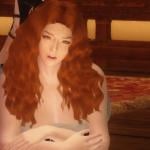
We <3 Redheads
By shidoni
I always had a thing for girls with hair red as fire, a rare natural colour that indicates warmth and a strong will.
Feel free to use the presets for whatever you desire.
Requirements:
All presets are made with the Nord race (tested).
RaceMenu http://www.nexusmods...yrim/mods/29624
FairSkinComplexion http://www.nexusmods...yrim/mods/51602 (all optional files needed)
RANs type-C Headmesh http://www.nexusmods.com/skyrim/mods/7127/? (Not used for Redhead Amazon-elf)
KS Haiirdos Renewal http://www.nexusmods...yrim/mods/68311 Used for all presets!
Natural Eyes http://www.nexusmods...kyrim/mods/3589
The eyes of beauty http://www.nexusmods.com/skyrim/mods/13722/?
Brows http://www.nexusmods...yrim/mods/30411
Frecklemania http://www.nexusmods...im/mods/52841/?
Notice: Dragonslayer Rosalinde has unique requirements (less and different requirements), read the Requirements.txt included in her archive!
Place The chosen preset in Skyrim>Data>SKSE>Plugins>CharGen>Presets
Place the Head sculpt files in Skyrim>Data>SKSE>Plugins>CharGen
The ENB used in the screenshots is Reallike Enb
What's your is mine and what's mine is yours.
5309 downloads
Updated
-
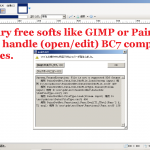
From BC7 to uncompressed 8.8.8.8 ARGB .bat for texconv
By y_sengaku
This very small .bat file is for converting BC7 (optimized for Skyrim SE as well as FO4, but not compatible with Skyrim LE) format .dds file
to uncompressed 8.8.8.8 ARGB, which is compatible for Skyrim LE, by Texconv .
Thus, you can relatively easily back-port some Skyrim SSE exclusive textures in BC7 format to LE without relying on Intel Photoshop plug-in (as well as Photoshop).
How to use:
Download Texconv.exe from its Github and this .bat file, and put both files in the same directory. BE SURE to backup the BC7 or other format texture files you intend to convert. Drag & Drop (2) into this .bat file. Texconv.exe will overwrite the original file with 8.8.8.8 ARGB uncompressed one.
279 downloads
Submitted
-
Alluring Main menu replacer
Hey!
this is my first attempt to create some main menu's for Skyrim currently there are only 5, if all goes well them more will come in the future. if you experience any problems please let me know...
Note: this mod also removes the main menu and loading screen fog, personally i think this looks much better but if you disagree remove the file called "intmenufogparticles" in the meshes folder.
Requests
If you have any requests for a an image you would like me to convert into a main-menu please let me know(Preferably from my own image share area)...but that's not required for example anime/video games...under no circumstance will I convert somebody else's screenshots into a Skyrim main menu whether in be from Skyrim or fallout....really any Bethesda game. thank you for reading have a good day!
Number of menus: 5
747 downloads
Updated
-
A Skyrim Patch - for Object Placement
By mineme
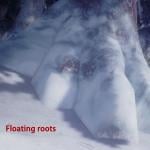
A tiny patch to fix the immersion of the Skyrim’s wilds
E.g. there has been models floating/cracking above the earth in Tamriel remind you that you are encountering with digital modelling. This patch tends to resolve them to pull you back to the game world and perceiving the better solid ground and vivid objects. It also fixes the popular Fenn’s Gulch Mine glitch that bringing multiple followers in would cause the extremely fuzzy/dark interior.
Dawnguard is required now.
Created by mineme
358 downloads
Updated
-
Inconsequential NPCs BOTI matters for Windhelm Guards
By Nepro
Small tweak to Inconsequential NPCs. Completing Blood on the Ice quest matters for Windhelm Guards. They won't stop you at the gate anymore if you complete the quest. Full vanilla voiceover supported.
Requirement:
Inconsequential NPCs
Recommended if your player is a Khajiit:
Khajiit Speak
Recommended:
Blood on the Ice Redux - so you can save Susana the Wicked. Highly recommended if you use Radiant Prostitution one more girl for pleasures to buy and watch.
Installation:
Use only one plugin! Provided a separate plugin for Khajiit Speak.
Uninstallation: Should be safe to remove the plugins once you complete the Blood on the Ice quest and gain entry to the city after speaking with a Gate Guard. Not tested though.
122 downloads
Submitted
-
Upgrade Your Gear
By pepertje
If you're anything like me, you like the way some weapons and armors look and use them despite their stats being utterly inferior compared to higher tier, but ultimately ugly gear.
That is a trouble of the past! Now, you can head to any forge in Skyrim and upgrade your gear to adopt stats of higher tiers while retaining your favorite look.
This actually adds in new entries of every piece of equipment, so modded armor isn't taken into the list. Come to think of it, unique stuff isn't on it either. Just the basic stuff. Here's a list:
Weapon sets
Armor sets
IMPORTANT: You can only UPGRADE equipment. There is no way to revert the process. Once upgraded, you cannot upgrade it further. You can only upgrade from the vanilla item.
REQUIREMENTS
BASE MODULE
This file requires Skyrim and all of its official DLC.
I do, however, strongly recommend using this alongside Improved Smithing so that iron, fur and leather armors etc. still benifit from smithing perks.
CROSSBOWS N' LONGSWORDS
This module requires BOTH Lost LongSwords by MrBrownstone and Crossbows Revamped by ciedeeh and DJjojo.
This basically allows you to give these weapons the same treatment.
443 downloads
Updated
-

We <3 Ebony
By shidoni
For those who require some darker chocolat.
V2 new: For those who require some Tribal beauty.
Feel free to use the presets for whatever you desire.
Requirements:
All presets are made with the Redguard race (tested).
Please, do read the declaration within the .rar file before use.
RaceMenu http://www.nexusmods...yrim/mods/29624
FairSkinComplexion http://www.nexusmods...yrim/mods/51602 (all optional files needed)
RANs type-C Headmesh http://www.nexusmods...rim/mods/7127/?
KS Haiirdos Renewal http://www.nexusmods...yrim/mods/68311
ApachiiSkyHairFemale_v_1_5 http://www.nexusmods.com/skyrim/mods/10168/?
Natural Eyes http://www.nexusmods...kyrim/mods/3589
The eyes of beauty http://www.nexusmods...im/mods/13722/?
Brows http://www.nexusmods...yrim/mods/30411
New requirements (Only used in the Tribal presets):
Nouks hairstyles - Dreadlocks http://www.nexusmods.com/skyrim/mods/26689/? (only used for Shaman)
ApachiiSkyHairFemale_v_1_5 (Only used for White Warrior)
Ravens Warpaint (Pack 1-6; 11-13) http://www.nexusmods.com/skyrim/mods/45641/?
The Silna Preset is MO/NMM Compatible.
Place The chosen preset in Skyrim>Data>SKSE>Plugins>CharGen>Presets
The ENB used in the screenshots is Reallike Enb
What's your is mine and what's mine is yours.
3697 downloads
Updated
-
vlkAdjustPosition
By vpoteryaev
This is a very simple mod that allows you to adjust PC position in some situations like:
1. ScreenShots while posing
2. PC is involved in Non-SexLab animations (like 0Sex/Osa etc...) and you want to tweak PC position without using scaling.
3. Something else...
Usage:
Activate vlkAdjustPos.esp, launch game, save and exit. After second launch functionality will be available
By default 'movement' keys are: '6' Key (not on NumLock) moves PC forward X axis, '7' - Y, '8' - Z. With 'Left Shift' pressed - movement is backward.
If 'Left Alt' pressed and any 'movement' key PC will return to default/original position
For such simple functionality i don't see any reason to create MCM-menu, so you can redefine movement keys in 'SKSE\Plugins\StorageUtilData\vlkAdjust\Settings.json'
Requirements:
PapyrusUtil,
RaceMenu (or maybe something else that contains NiOverride SKSE plugin)
Kind Regards
248 downloads
Submitted
-

NetImmerse Override Cleaner (SKSE Co-Save Cleaner Utility)
A lightweight utility capable of deleting NetImmerse Override data from SKSE co-save files, thus decreasing both the sizes of those files and Skyrim save and load times.
Description. What kind of NIOverride data is stored in SKSE co-save file
Any NetImmerse Override modifications are saved directly to the SKSE co-save file every time one saves their game. Of course, NIOverride does nothing on its own and the amount and kind of data stored in SKSE save file is closely linked to the mods using NetImmerse Override.
RaceMenu is the most popular mod which utilizes NIOverride. In fact, NIOverride was designed by expired6978 specifically for RaceMenu to extend its capabilities. RaceMenu uses SKSE co-save files to store the overlays, expression definitions and all non-vanilla sliders settings and colours of your character or any NPCs edited directly by other mods.
XP32 Maximum Skeleton Extended (XPMSE) is yet another known mod which uses NIOverride to store all weapon styles, positions, rotations and scales in SKSE save file.
The NIOverride modifications mentioned above can be applied not only to your character, but also to any other NPC in game. Some of RaceMenu and most of XPMSE sliders can by accessed by Tattoo menu provided by Extensible Follower Framework (EFF). SlaveTats also allows you to manually apply overlays on NPCs.
All right, so why can SKSE co-save grow to such a tremendous size since any NIOverride modifications seem to be controlled by the user?
Firstly, it's because not all data stored in a save comes directly from the user. XPMSE itself needs to keep the skeletons data of the NPCs encountered during play through, from "at least 15 to 25 cells" (according to Groovtama, the creator of XPMSE; see this post). That data, however, is very lightweight and, although it may significantly increase the size of the save in the end, it should not be considered a bloat.
Secondly, it's due to the fact that the data may actually come from user when they decide to use entirely optional features of some popular mods, for example, XPMSE's weapon style randomiser. This feature does greatly improve Skyrim's immersion but it takes a toll on the final size of SKSE co-save because it needs to store the styles of all the NPCs you have encountered. Of course, the more NPCs you add to your game, the more data will be produced.
Moreover, the more mods that can alter NPC's appearance without your supervision you have (for example, Blush When Aroused with enabled NPCs option), then again, the more data will have to be kept in the SKSE save.
Side effects of too large SKSE co-save file
As far as my game and experience are concerned, a large SKSE co-save has the the significant influence on duration of Skyrim saving and loading process (about 2 seconds longer with 1 MB SKSE save file than with 20 KB file, on SSD). It neither destabilises Skyrim nor it causes it to crash more often. More data in SKSE save file simply means any IO operations will last longer.
The remedy
NetImmerse Override Cleaner will help you to reduce the size of your SKSE co-save files by deleting either all of the NIOverride data or the data of characters you do not wish to keep (see Excluded Actors for more info).
Keep in mind that data you delete will eventually come back and your save's size will grow once more after you play long enough and re-encounter some of the NPCs.
That is why it is recommended to clean your SKSE co-save files on regular basis, for example, when you begin to feel that it takes more and more time to save the game.
Using the tool
It's very straightforward. There are only two buttons, which is shown in the screenshots. The one button is for loading a desired SKSE co-save file and the second one is for cleaning and saving the file. A backup of original file is created automatically (with .bak extension).
Excluded actors list
You may enter here the reference IDs (refID) of all characters whose data you wish to preserve. Any characters who are not included in this list will have their NetImmerse Override data erased. See Description for more info about data that is stored by NIOverride in saves.
If this list is empty, the entire NetImmerse Override section will be deleted from SKSE co-save file.
Therefore, it is always recommended to keep at least your character's RefID (00000014). Otherwise the only way to preserve your character's data is by saving preset in RaceMenu BEFORE cleaning process and loading it AFTERWARDS.
This feature might be useful if you have a fixed number of NPCs manually edited by mods like EFF, SlaveTats, etc. and you really don't want to lose these NPCs' appearances.
IDs may be separated by a comma, space or new line. Actors whose IDs were not found in the SKSE save file will be omitted.
Ignoring mods load order
ID of every Skyrim object is strictly connected to the position of that object's parent plugin (ESP/ESM) in the mod load order. While the inner ID (the second, third and fourth byte) is always the same and unique within one plugin, its very first byte (the first two digits) indicates what is the position of the mod in the load order. So, for example, if you have a NPC defined by a mod which is sixth in the order and that NPC's ID is 010203, its in-game ID will be 06010203. If you move the mod to the tenth position, the next time you load the game the object's ID will be 0A010203.
This may be problematic if you, let's assume, want to create a rich list of excluded NPCs but you play different characters with different mods or have just sorted the mods with LOOT and some of the mods positions have changed. In order to make sure than the one particular actor is always preserved during cleaning, you would have to change their ID accordingly to the new position of the actor's parent plugin.
However, if you check the Ignore mods load order checkbox, the first byte of every excluded actor will be omitted. Therefore, there is a theoretical chance of more than one actor being excluded, but it's very unlikely to happen.
Note that you still must enter a valid 4 bytes long (8 digits) number. The first byte can be any, though (ex: 00).
Forewarned is forearmed
VirusTotal scan VirusTotal scan as a proof of my heart being in the right place:
1.0 1.1
Permissions
You are allowed to upload this tool to the other sites (except for Nexus mods), as long as you mention me as the author AND provide the users of those sites with a link to the most up-to-date version of the tool and its description (which, for the time being, shall be here on LoversLab).
13147 downloads
Updated
-
Placeholders
By valcon767
Please READ entire OP before downloading
this file (containing 3 ESM and 6 ESP files) was uploaded for people who do not have (or cannot use for some reason) the CK
the files contain a single renamed iron dagger (just a renamed form in CK, which will not show up in game) that changes NO stats.
as most who play modded games know removing a mod midgame is bad for 3 reasons (possibly more that I don't know offhand):
1 - the (generally) self clearing error of missing ESM/ESP notice.
2 - left over information that can be baked in the save game (you can sometimes clean it out by "cleaning" the save game).
3 - the fact that it changes the load order of all mods after its position in your load order (which can possibly break mods).
and adding a mod midgame has the problem of number 3 above as well.
the only sure SOLUTION to these problems is start a new game.
this mod's ESM/ESP files provides a WORKAROUND for the problem listed as #3 above.
you WILL still have problems #1 and #2 to deal with regardless of using this mod or not.
by placing the ESM (or more likely ESP) file in the same position as a removed mod it will prevent mods after it in load order from having their load order position changed.
by proper placement (when starting a new game) it can do the same for a mod that is to be added later that for some reason cannot be added at a new game start.
(an example would be the Helgen mod that specifically tells you not to activate the mod until you reach a certain point in your game.)
if you are starting a new game and know ahead of time you will be adding a mod later you can place one of the ESM/ESP files in the correct spot to later
swap with the mod that will take that spot in your load order and thereby keep other mods coming later in the load order from having their load order position
changed.
example - you are starting a new game and know you will be adding a mod later at load order position 47 (normally this would mean all mods after that position
would have their load order positions changed when the mod is added) , you can use one of the included ESM/ESP files (placed manually) in that
position (number 47 in example), then when the time is right to add the preferred mod to your game you can switch the placeholder.esm/esp file with
the correct mods esm/esp file, preventing all the following mods from having their load order position changed. you will still get a missing esp/esm
error (which should be cleared by simply making a new save game at this point). the advantage is not changing all following mods load order positions.
using one of these esm/esp files in this manner can be used as a workaround to prevent load order position changes for mods after a mod is removed midgame.
on a new game it can "reserve" a load order position for a mod that will be added later in a game, providing you know beforehand that you will be adding a mod
and exactly what position it will be in.
the included esm/esp files make NO changes to actual stuff in the game at all {with the exception of adding a single renamed (form name only) iron dagger,
which will not show up in the game at all (unless you use console commands or something like the Add Item Menu mod)}, and should leave no trace when
removed mid game (in testing I have yet to find a trace left behind, but it is possible under certain circumstances, I think).
under most circumstances this mod (the 3 ESM and 6 ESP versions included) are NOT worth using, but for the 2 specific circumstance stated above they can
provide a workaround for 1 of the 3 main problems with adding or removing a mod midgame.
anyone who can use the CK can make their own version to do the same thing in under a minute (after the CK loads).
the only reason I uploaded my personal version is for those who cannot use the CK for some reason.
hopefully this will help someone somewhere at some time or another.
permissions - do whatever you want with the files included at all (just give credit if you use it somewhere else please).
SSE compatible - I have no clue (I don't have SSE to check)
if any Moderator feels this mod should not be here (for any reason at all) just delete it.
80 downloads
Updated
-
Dark Souls Combat v1.5.3
Before we begin, if you do not have at least consistently 40 FPS, this mod is not for you. A high framerate is required to keep up with the scripting demand of this mod.
Dark Souls Combat is a mod for Skyrim meant to bring core elements of the combat system of the Soulsborne series (the Souls series and Bloodborne) to Skyrim. Previous work has focused primarily on the numerical aspect of this series' combat system - stamina regeneration or damage, for example - or has been stunted by a lack tools to manipulate the animation engine at the time of their development. Dark Souls Combat is meant to focus on delivering improvements in terms of new and appreciably apparent mechanics from the Soulsborne series that have not been attempted yet or attempted with this sort of depth. This mod is designed for combat to be played in third person.
Courtesy of er hong. A demonstration of some parries and ripostes (as they occur in v1.5+) is shown at 1:26.
Courtesy of Shinji72. A review of the features of this mod.
Courtesy of theDeModcracy. Features multiple mods, but has a review of the features of this mod at 5:00.
Five of the most fundamental mechanics from this series are brought to Skyrim:
Poise System
This entire mod was built off of my Poise System mod (effectively, this mod renders Poise System obsolete). The poise system of that mod is largely left intact with some minor improvements.
This mod's poise system is primarily based on the rules governing the poise system of Dark Souls, with some differences to better suit the already-present mechanics of Skyrim. Poise is calculated as the total weight of worn items, except for shields and weapons if equipped. Poise is damaged when one is hit by an unblocked weapon, unarmed attack, or arrow or bolt; magic does not damage poise. Power attacks will do more poise damage than regular attacks, by default. Poise damage from weapons is based on their weight. This is all configurable in the MCM.
Once an attack causes one's poise to reach 0, a stagger will ensue. Subsequent hits may cause subsequent staggers - a stunlock. The maximum stunlock combo can also be configured. Over time, if one is not hit, poise can recover; the amount and update time is also configurable. The poise feature can be disabled by setting the poise damage multiplier options in the MCM to 0.
The poise system extends to other NPCs in addition to the player, and to creatures as well.
Critical Hits
If, during the beginning of an attack, an actor is hit with a shield or weapon bash attack, the actor will enter a parried state, indicated by a downed animation. During this temporary state, on the next hit, the actor will take double damage, in the style of Bloodborne. If that hit strikes their front, a riposte animation will play. Ripostes are deadly; they can do large amounts of damage. Using the power of Fore's New Idles in Skyrim (FNIS), we can integrate killmove animations that won't automatically kill. In this way, it is possible to execute a riposte animation that does massive damage to NPCs, but does not outright kill them. The damage dealt is configurable in the MCM. It is calculated based on the executor's One-Handed or Two-Handed skill, depending on the weapon used for the riposte. Though now disabled by default, ripostes to creatures are not supported by this feature; they will automatically kill. Parries and ripostes may be executed by all NPCs.
When an actor is struck in the back with a power attack, the actor will also enter a downed state, in the style of Bloodborne. In this state, the first strike against the actor will also do double damage. If the actor is an NPC and the strike hits their back, a backstab animation will play, killing them. Backstabs can be initiated and executed by NPCs also.
Roll Mechanics
Using the power of FNIS, we can bring an equally powerful roll/dodge system to Skyrim. Previous work on dodge mechanics has relied on developer animation events, restricting both the animation itself as well as the time for dodging. Dark Souls Combat brings a roll system that is meant to complement the poise system. Roll weight is considered equal to the player's poise, in addition to any weapons, shields or torches that may be equipped. Roll weight is divided into three categories: fast, medium, and fat. The fast roll weight affords a greater invincibility time (time in which the player cannot be struck by any hit, as a method of simulating the dodging of an attack) as well as fast speed of rolling. The fat roll weight allows a much smaller amount of invincibility time and longer times to roll. Note that the invincibility time is not the entire duration of the roll animation. The medium roll weight lies somewhere in between. Roll weight thresholds are based on maximum stamina. The threshold for mid-rolling is by default maximum stamina divided by 4; the threshold for fast-rolling is half of that. Rolling can only occur if your weapons or magic are out. Rolling/dodging will prevent a poise break, but only fast rolling/dodging can escape a poise break stagger. In the style of Dark Souls 2, rolling can cancel a attack if it is executed early in the attack animation. Rolling can also break out of poise breaks. A poise break can be broken out of towards the end of the stagger. The window for this decreases with increasing roll weight. By default, 50% of the stagger must play before a fast-roll can break out, 65% for a mid-roll, and 80% for a fat-roll.
Rolling is four-directional. Quickly pressing and releasing the roll key (by default LAlt, the default sprint key; configurable in the MCM) while moving a certain direction initiates a roll in approximately that direction (forward, backward, left, or right). Pressing and releasing the roll key while standing still results in a backstep. In the style of Dark Souls, backsteps afford no invincibility time. The rolling feature also supports gamepad-users, such as myself. Remember to customize your roll key for gamepad! Rolling can be disabled by setting the Roll Key in the MCM to a key you will not use.
Stamina Usage
Normal attacks now require stamina and attempts to swing a weapon with no stamina will stagger. The stamina consumed is a function of the today weight of items equipped in either hand. This applies to bows as well. Stamina does not regenerate while performing most weapon combat actions. There is also a delay on stamina regeneration after rolling and bashing, and critical hits will fail when Stamina is 0. This helps prevent the infinite roll- and bash-spamming that was previous possible. To balance this, stamina regeneration is increased by default for the player. You will notice your stamina usage to be very similar to what you would see in a Souls game. This entire feature can be enabled or disabled and customized in the MCM.
Counter Damage
While attacking, enemies will take 50% more damage when struck by the player. In the same vein, while the player is attacking, he will take 50% more damage as well. This is known as counter attacks in Dark Souls. While I really do hate features that are solely based on numbers and add nothing in the way of visible mechanics, the above is only half of this feature. Dark Souls 2 added a second dimension to counter damage compared to its predecessor: a counter also will do more poise damage to an opponent. In that style, this mod allows counter attacks to deal 50% more damage to poise. This is of course a comparatively minor feature, but one worth mention nonetheless.
Requirements
SKSE 1.06.15 or later
FNIS 5.5 or later
SkyUI 4.0 or later (optional for mod configuration)
Installation
Install the above requirements.
Install this mod's files from the download package. The ESM version is recommended for users.
Generate behavior files with FNIS, using its Generate FNIS for Users.
Enter the game, and optionally configure this mod at that time.
Remember that this mod is meant to be played in third person. The roll mechanics do not work otherwise.
"Updating" from Poise System
Use the "Uninstall" option in the MCM menu.
Save, then uninstall the mod.
Reload the game with the save and wait for the Poise System MCM to disappear.
Save again.
Follow the Installation instructions above.
Adding Sounds to the Experience
Certain combat sounds can be played while performing certain actions in this mod. All sound files played should be located in Data\Sound\fx\BB_DSC
You can add sounds that will play during a Fast Roll, a Medium Roll, a Fat Roll, a Parry land, and a Backstab initiation. Remember to convert them to XWM files using a program such as MultiXWM.
Fast Roll: Data\Sound\fx\BB_DSC\LightRoll.xwm
Medium Roll: Data\Sound\fx\BB_DSC\MedRoll.xwm
Fat Roll: Data\Sound\fx\BB_DSC\HeavyRoll.xwm
Parry land: Data\Sound\fx\BB_DSC\ParryLand.xwm
Backstab initiation: Data\Sound\fx\BB_DSC\BackstabLand.xwm
This is entirely optional; you may wish to add sounds for all of these events, some of them, or none of them. Note that there are direct audio extracts from Dark Souls on the internet, if that is what you are looking for.
Updating
Uninstall the previous version.
Install the new version.
Re-run (regenerate behavior files with) FNIS.
Enter the game and select in the MCM the "Reset" option, under the "Uninstall" page.
Uninstallation
In-game, select the "Uninstall" option, under the "Uninstall" page.
Uninstall the mod.
Rerun FNIS.
Installation (for Roll-Only version)
If a Full version is currently installed, perform an uninstallation procedure as described above.
Install the Roll-Only version following the steps described above for the Full package as well.
Updating to ESM versions
If an ESP version is currently installed (this includes all versions prior to v1.4.3 as well as the v1.4.3 ESP versions), perform an uninstallation procedure as described above.
Install the one of the ESM versions following the steps described above.
Thanks
egocarib, for a fundamental component of the script used for the poise system
Fore for giving me suggestions on working with some of the newer aspects of FNIS
canderes and Reena, for guiding me through editing animations
WorshipTheSatan and urielmanx7, for invaluable testing and suggestions
GIF images made with ezgif.com
Bugs/Other Issues
First and foremost, this mod does use running scripts, necessary for the poise element of this mod. There are certainly mods out there much more script intensive than this, so on the grand scale, it's not that bad. The fact is that if you really want to change the way your game is played, you need a healthy dose of scripts!
There may be animation issues. It happens; sometimes, and I'm sure you've seen this in un-modded Skyrim, you may see some NPC or creature animating strangely, and it can happen from this mod too. The most common issue (which is actually not common at all) may occur after a roll/dodge. The player character may finish the dodge with their weapons/magic still out but not in the normal combat stance, but rather appearing in a non-combat stance. This can be easily fixed by rolling/dodging again, or by entering first person, unreadying and then readying your weapons/magic again, then re-entering third person. The same issue can occur after a riposte. NPCs may also suffer from this after being downed for a riposte or backstab. However, this is uncommon, but of course a natural side effect of making ambitious leaps with animations.
Depending on how many scripts are already running, staggers from the poise system may be slightly delayed by a split second. In the same vein, rolls may be less responsive, especially if magic is equipped.
The stamina usage feature does not affect the dual-wield normal attack yet.
Version History
v1.0:
- Initial release.
v1.1:
- Added a bit to the backstab and riposte scripts to help to reduce the likelihood of a victim not drawing their weapons. Not something you can fix entirely, but this will help a little.
v1.2:
- Further edits to help decrease the likelihood of borked combat stances from NPCs in the backstab and riposte scripts.
- Decreased the length of the parry window against NPCs.
- Fixed a part of the poise/roll mechanics script that was generating many repeated errors.
v1.3:
- Backsteps are now considerably faster at all roll weights. Previously, there was no advantage to backstep over backward rolling.
- Rolling/backstepping can cancel attacks if they are executed early in the swing (prior to the "preHitFrame").
- Weapons, shields are torches that are equipped now also count towards the roll weight.
- Counter damage feature added.
- Roll Feature-only version added
v1.4:
- MCM option-set roll thresholds removed; replaced with a formula based on maximum stamina.
- Ability of fast-roll to automatically break out of staggers removed; replaced with specific timings to roll out.
v1.4.1:
- Allowed rolling earlier after the swing of an attack, immediately after the HitFrame animevent.
- Set Actors or Races with the ImmuneParalysis to have virtually infinite poise. I felt that if the developers didn't feel it was appropriate to paralyze these Actors and Races (or perhaps didn't even include the data necessary to properly do so), it would be hazardous to allow staggering, even if it was not necessarily game-breaking. Notable races include the Wisps, Magic Anomalies, and Werewolves (since that playstyle would include having no intrinsic poise yet requiring close combat this change makes sense).
v1.4.2:
- Improved rolling feature. Previously, spamming the roll key would actually cause significant script delays; this has been mitigated, though it is still not a good idea to try to spam the button. A sort of queuing feature has been added so that a roll can flow nicely into another roll if you tap the button towards the end of the first animation.
v1.4.3:
- Edits from v1.4.2 added into the main packages.
- .esm version added. .esm (master plugins) are believed to exhibit better script performance than .esp.
v1.5:
- Ripostes on humanoids no longer force the riposted actor into a ragdolled state afterwards. The bug where riposted NPCs cannot attack afterwards is largely resolved.
- Stamina use on attacks that previously required no stamina, and stamina regeneration delay during attacks, bashes, and rolls. This prevents the infinite roll-spamming that was possible previously. It also punishes bash-spamming with a larger stamina regeneration delay. Normal attacks with 0 stamina will stagger the player.
- New MCM options added to customize stamina usage.
- By default creature ripostes are disabled. There is a new MCM option to enable/disable this.
v1.5.1:
- Stamina cost for attacks now calculated as intended.
- Ripostes and backstabs will fail if stamina is 0.
v1.5.2:
- Script optimizations based on the suggestions and advice of Borgut1337, FBplus, and WorshipTheSatan. This version features much greater stability than previous versions, but much more work potentially remains.
- Option to disable rolling entirely added to MCM.
- Creatures no longer have a delayed death when they have been parried but subsequently killed normally, while the Creature Riposte option is disabled.
- Creatures not explicitly supported by the mod's poise feature have poise automatically calculated based on maximum health and stamina.
v1.5.3:
- Weight calculations for rolling weight class and stamina consumption on attack were not being run as intended due to changes made in v1.5.2. This has been corrected.
- Further script optimizations for improved stability.
Permissions
Please do not reupload, make a derivative work, or use assets from this mod without my permission.
33495 downloads
- dark souls
- combat
- (and 5 more)
Updated
-
MyTPC - My Toggle Player Camera
By demack
IT'S BACK!
Rewritten the script and removed the other camera stuff.
This is a new file!
MyTPC is a camera mod I made mostly for Sexlab back when free camera in Sexlab crashed a lot.
The current state of the game has made free camera a bit more useful but this mod has its merits since most importantly the facial animations are possible with the NPC and player since the camera is still attached to the player.
The functions are basic move the camera +/- 600 units in x,y with a zoom from - 2000 to 1000 which is considerable distance. it is sort of a cheat since moving the camera can activate things and access things not normally available.
This allows you to zoom in on the scene. This mod is absolutely a must for scaled down characters!
The function to set the speed of the camera and increments for precise placement. with 0.005 precision.
default key to activate the toggle is scroll lock - can be configured in MCM
default keys to move the camera are arrow keys - can be configured in MCM
in process is a better system with toggle being in combat also.
to install:
remove old customizable camera install MyTPC with NMM and your good as gold.
delete old files manually
data/customizable camera.esp
data/scripts/customizablecamera.pex
data/scripts/source/customizablecamera.psc
to remove this mod
use NMM
data/mytpc.esp
data/scripts/mytpc.pex
data/scripts/source/mytpc.psc
7221 downloads
Updated
-
SkyHunks
By Guest ffabris
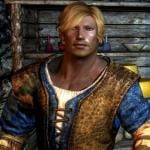
SkyHunks - NPC Replacer
This mod changes the appearance of many Skyrim NPCs. The aim is to make them look a bit better ("better" is, of course, a matter of personal taste). A few female NPCs are also "converted" to male (the female housecarls). No stats were changed, no clothing, nothing else - except that I made Ralof and Hadvar potential followers and marryable. Do not attempt to get them to follow you, or marry them, before the civil war is complete, or your game will likely break!
This mod also includes the functionality of Masculinized Level Lists. This means that generic NPCs such as guards, soldiers, bandits, etc, will now all be male, and you don't need that mod if you use this.
Snapshots by Mylor41, used with kind permission.
(Body used: SOS. Featured image: Solaf.)
Who is included
Housecarls:
Agris Calder Gregor Iona => Ian Jordis Lydia => Lukas Rayya => Thassad Valdimar
Hirelings:
Erik Belrand Marcurio Stenvar Vorstag
Other:
Requirements
All DLCs USLEEP Apachii Hair - Full and Male KS Hairdos Renewal The USLEEP version requires (of course) USLEEP
Recommended
Open Face Guard Helmets ... or ... Helmets Begone (from my Misc Patches)
Installation
NOTE: Files are now hosted on Dropbox, due to their size.
If you use other NPC overhauls/replacers, and want this to take precedence, place it lower in your load order. Also, if your other replacers are supplied loose, then you'll want the loose version of this, overwriting any existing files, or you'll get grey face.
Do not install this into a game in progress, or you are likely to get grey faces and/or neck seams on the changed NPCs. Similarly, updating the mod in a game in progress will result in some of the NPCs often looking ... very strange. See here for neck seam tips.
Can You Remove....?
Yes I could, but if I start doing that, soon there will be no end of customized versions. But, you can do it yourself, it isn't difficult!
Get TES5Edit and install it. Download and install the loose version of this mod Start TES5Edit. When the list of mods opens, rt-click -> Select none. Then scroll till you find SkyHunks, put a checkmark beside it, click ok. Wait for everything to load. Click the + next to SkyHunks to expand it, then click Non-Player Character. Find the NPC(s) you want to remove. Make note of the form number to the left of the name (eg, Ahtar is 0001325F) Right click -> Remove. Confirm that you want to. Once you have removed all you want, close TES5Edit, and confirm you want to save changes. Navigate to your Skyrim install. ../Data/Meshes/actors/character/facegendata/facegeom/skyrim.esm - delete the NIF files with the same name as the form number you noted. ../Data/Meshes/actors/character/facegendata/facetint/skyrim.esm - delete the dds and tga files with the same name as the form number you noted. Done. If you had already "met" the character in-game, you'll likely end up with grey-face so you'll have to start a new game.
Change Log
1.0 - Initial release 1.1 - Fixed Lukas' voice ... duhhh 1.2 - Fixed grey face for Heathfires housecarls; fixed opposite gender anims for a couple of housecarls. 1.3 - Added all the male guards. Surprisingly few of them, so I added a few more, for more variety. 1.4 New NPCs: Arnbjorn, Banning, Bolund, Brynjolf, Captain Aldis, Delvin Mallory, Dirge, Falk Firebeard, Garvey, Gorm, Harrald, Klimmek, Maul, Mercer Frey, Nazir, Onmund, Orgnar, Proventus Avenicci, Saerlund, Sigurd, Thonnir, Vekel
Tweaked skin tone for Ulfberth. 1.5 New NPCs: Jervar, Idolaf Battleborn, Hrongar, Balgruuf, Angrenor Once-Honored, Oengul War-Anvil, Rolff Stone-Fist, Orthus Endario
Tweaked Omnund, Solaf; Removed the guards added in 1.3, since they broke Masculinized Level Lists. 1.6: New NPCs: Erikur, Kust, Jorleif, Galmar Stone-Fist, Lortheim, Jod, Horik Halfhand, Captain Wayfinder, Thoring, Siddgeir
Tweaked: Bolund, Benor 2.0 Tweaked Jon Battle-Born, Sigurd.
New NPCs: Ataf, Beirand, Briehl, Dagur, Gloth, Heimvar, Mikael, Severio Pelagia.
Added more "template" imperial and stormcloak solders for more variety.
Now incorporates the functionality of Masculinized Level Lists, so you don't need that mod if you use this. 2.1 New NPCs: Hod, Lod, Tsun, Sven, Alvor. Plus there were several guards who have unique faces rather than using the templated guards I had already done, so I did those I found. 2.2 New NPC, GuardSolitudeImperialDayMaleGuard, which I overlooked last time (at least two instances of this NPC can be found at Solitude).
More tweaks to: Ralof, Hadvar, Bolund, Mikael, Solaf 2.2 (2016-09-12) Uploaded a version for USLEEP users (SkyHunks_2.2_USLEEP.rar). Requires USLEEP. Install on top of one of the regular versions of 2.2, as only the ESP is included in the download. 2.3 - now requires USLEEP.
Added Sinmir (and removed his helmet), Imperial and Nord road couriers, carriage drivers, Brunwulf, Calixto, Tulvur, Torsten, Torbjorn, Ranmir, Phinis, Sergius, Korir, Kraldar, Fihada, Jawanan, Cedran, Thonar, Thongvor, Yngvar, Ogmund, Hreinn, Hogni 2017-03-16 - updated download links.
Final Note
If lore friendliness is important to you, you probably won't like this, since the KS styles aren't "lore friendly".
NOTE: This mod is released under Creative Commons Attribution-NonCommercial-ShareAlike. In other words, feel free to make changes to the mod in any way you like, and upload the changed version. You do not need to ask permission. If you do so, you must credit me, and your version must be free. Further, you also need to credit any other mods used as resources, including those used in my original. Your own creation must in turn be released under these same conditions.
15644 downloads
Updated
-
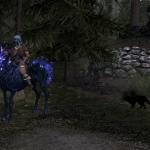
Uni_Skeleton Mount
By Treguld
You will need Dawnguard for this mod to work proper.
After learning how to attach a penis on any critter, Using "How to Dick with NifSkope". I tried the method to attach a horn to Vanilla Skyrim horses and Dawnguad's skeleton horse.
Marrow can be found behind the Hall of The Dead in Falkreath.
Files are loose so you will need to manually put them in place. Just go to C: Program Files (x86)\ steam\ common\ skyrim\data. Into data drop the texture, mesh, and mod. You should be good to go.
With the exception of the horn all resources are from Dawnguard. The horn came off of a unicorn resource I've had for years.
112 downloads
Submitted
![More information about "[HOI4] Hearts of Desire"](https://static.loverslab.com/screenshots/monthly_2026_07/Capturadetela2026-07-22022411.thumb.jpg.69e131d41ec9c2d7e58f356137b22135.jpg)

![More information about "+JP: [HOI4] Hearts of Desire /[HOI4] Hearts of Desire 日本語化ファイル"](https://static.loverslab.com/screenshots/monthly_2026_01/2026-01-04162052.thumb.png.00ea34e0dc09e26a31e0e52185ee7638.png)
![More information about "[OzziSim] Lap Dance Anywhere"](https://static.loverslab.com/screenshots/monthly_2026_09/ChatGPTImage202692115_56_03.thumb.png.41c85f4e7f274f60e96172332b1d0d48.png)