Search the Community
Showing results for tags 'skse'.
Found 19 results
-
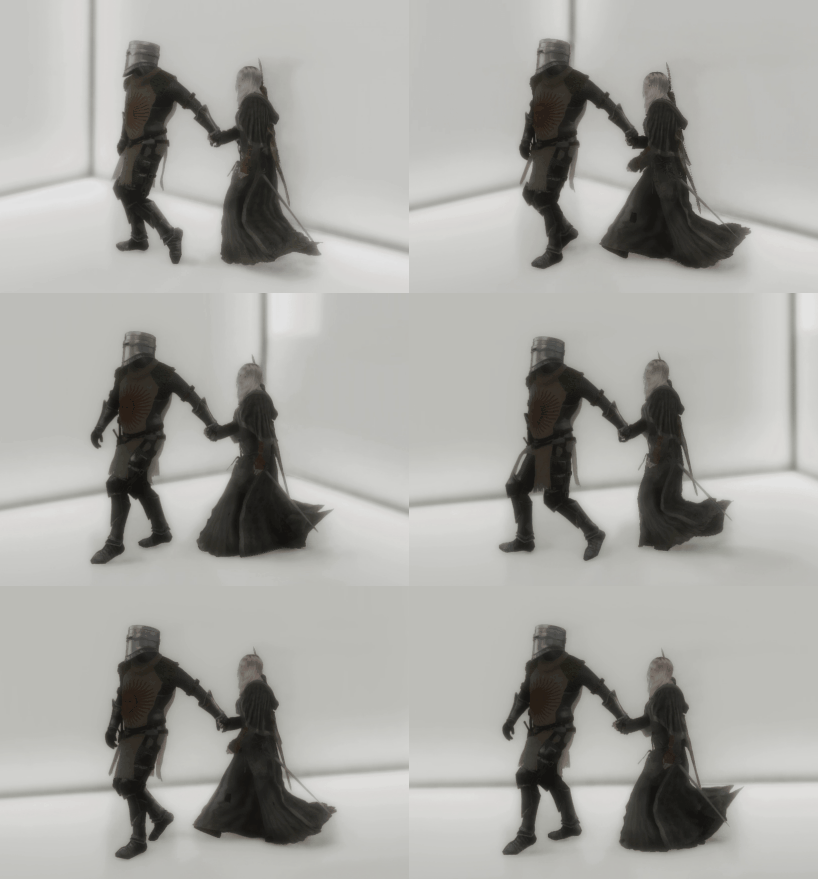
 View File TETHER - Hand-Holding for Followers An SKSE plugin for Skyrim SE / AE that implements continuous follower hand-holding: a hand connection that survives walking, running, and terrain movement without breaking. Built on a combination of a Havok ball-and-socket constraint and kinematic position control. ━━━━━━━━━━━━━━━━━━━━━━━━━━━━━━━ ■ On AI use ━━━━━━━━━━━━━━━━━━━━━━━━━━━━━━━ Most of this plugin's code was generated by Claude Code (Anthropic). The author (KEI997) handled: - Spec decisions, prioritization, trade-off calls - In-game testing and bug reports - Pointing the AI at specific reference mod sources ("read this, use as reference") - Reviewing and accepting/rejecting generated code - SSEEdit ESP construction, Papyrus compilation, OAR animation authoring All reference sources the AI read are publicly-licensed. Per-feature attribution is listed in the GitHub README: https://github.com/Kei-BWV997/TETHER If any listed author objects to their source being used this way, please contact and I will rework the affected feature or adjust the credit. ━━━━━━━━━━━━━━━━━━━━━━━━━━━━━━━ ■ Features ━━━━━━━━━━━━━━━━━━━━━━━━━━━━━━━ - One hotkey to engage / release the hand-hold (default H, works with both keyboard and Xbox controller) - While tethered, hands are physically bound via a Havok ball-and-socket constraint (the palms actually stay stuck together, not just visually near each other) - The follower is kept directly behind the player via KeepOffsetFromActor - While tethered, the player's max movement speed scales with distance to the follower — try to sprint away and you'll automatically be slowed down to a speed the follower can match (natural since you're literally holding their hand) - Custom OAR conditions let you swap in dedicated tether animations ━━━━━━━━━━━━━━━━━━━━━━━━━━━━━━━ ■ Animation status in v1.0.0 ━━━━━━━━━━━━━━━━━━━━━━━━━━━━━━━ Only ONE pattern currently has an authored motion: player-male (the puller). The other three folders (player-female, follower-male, follower-female) exist as empty structure — they contain only the OAR config.json, no .hkx files. Actors matching those conditions will just play vanilla locomotion while tethered. The plugin ships this structure so users can drop their own .hkx into the correct folder to enable that pattern, or wait for future updates / a community animation pack. ━━━━━━━━━━━━━━━━━━━━━━━━━━━━━━━ ■ Known issues ━━━━━━━━━━━━━━━━━━━━━━━━━━━━━━━ - Sometimes on engage, the follower doesn't start moving to the tether position. Workaround: release, walk a few steps away, then re-engage. Cause not yet identified. - Third-person only (no first-person support) - One active tether at a time (no multi-follower) - Doesn't work while a weapon is drawn (deliberate — releases on draw) - Very rare CTD possible if an actor's state changes at an unfortunate moment (auto-release handles the common cases: cell change, save load, weapon drawn, etc., but edge cases remain) ━━━━━━━━━━━━━━━━━━━━━━━━━━━━━━━ ■ MCM options ━━━━━━━━━━━━━━━━━━━━━━━━━━━━━━━ - Toggle key rebind (keyboard + gamepad) - Follower offset position, Follow / Catchup radius - Elastic tether curve (ideal/slack distance, speed multipliers at both ends) - Follower speed boost while tethered - Palm attachment offset - Auto-release toggles (on weapon drawn / on combat start / on extreme distance) - R key resets a single option; "Reset All Settings" button ━━━━━━━━━━━━━━━━━━━━━━━━━━━━━━━ ■ Source code / technical details ━━━━━━━━━━━━━━━━━━━━━━━━━━━━━━━ Open source under MIT license: https://github.com/Kei-BWV997/TETHER The GitHub README covers: - Per-feature reference-source table (which mods were used for which techniques) - Technical details of each feature (hook sites, Papyrus APIs called, state machine) - License and third-party file handling Bug reports and pull requests are welcome via GitHub Issues. ━━━━━━━━━━━━━━━━━━━━━━━━━━━━━━━ ■ About the author ━━━━━━━━━━━━━━━━━━━━━━━━━━━━━━━ I'm normally an OStim animator, active on the OStim Community Discord. If you want to chat about this mod, request features, or just say hi — come by: [https://discord.gg/ostim] (TETHER is not an adult mod, but I develop from that community and that's where I hang out.) Submitter KEI997 Submitted 08/13/26 Category Regular Mods Requirements [Required] - Skyrim SE / AE (1.6.11xx recommended) - SKSE64 / SKSE-AE - Address Library for SKSE Plugins (AE version) - SkyUI 5.2 SE - Open Animation Replacer 3.0 or later - powerofthree's Tweaks (EditorID preservation — without it, the MCM values won't reach the plugin) [Strongly recommended] - Keep Up! Follower Locomotion Fix (TESFAN) — fixes an engine bug where followers get stuck on stairs or complex terrain. TETHER works without it, but this significantly reduces the "follower left behind" problem. [Confirmed compatible] - FOMS (Follower Organized Management System) - True Directional Movement Regular Edition Compatible No Install Instructions 1. Install all Requirements first 2. Install the TETHER zip via your mod manager (MO2 / Vortex) and enable it 3. Make sure TETHER.esp is enabled in your load order 4. Launch the game, load a save 5. Confirm "TETHER" appears in the MCM list ■ In-game usage - With your weapon sheathed - Look directly at your follower - Press the hotkey (default H, rebindable in MCM) to hold hands - Same hotkey releases - Drawing a weapon automatically releases ■ Verifying it loaded correctly On a clean launch, Documents\My Games\Skyrim Special Edition\SKSE\TETHER.log should contain lines like: TETHER v1-0-0-0 TETHER loaded OAR condition register (TETHER_IsTetheredPlayer): OK OAR condition register (TETHER_IsTetheredFollower): OK Settings::Load: 16/16 globals bound from TETHER.esp kDataLoaded: TETHER ready If you see "Settings::Load: 0/16", the plugin can't read EditorIDs. Make sure powerofthree's Tweaks is installed and TETHER.esp is enabled. ■ Uninstalling Release the tether (make sure you're not currently holding hands), save the game, then disable the mod. This avoids leaving any Havok state in the save.
 -
Estrus Chaurus+ View File All credits go to the original author of this mod, Jbezorg. Since he has taken a hiatus, I will be maintaining this mod for the time being. Thanks to Min for helping to keep the Mod alive by updating it for SL1.5+ Original Mod Description by Jbezorg WHAT DOES THIS MOD DO? Chaurus spit attacks will trigger an Estrus Tentacle attack and impregnation. In roughly 3 days, they Chaurus Eggs will be expelled from the host's body. WHAT CAN YOU DO? If the skeleton supports node scaling the breasts will enlarge during that time. MCM will auto-configure Estrus Chaurus based on your skeleton and it will be available if the skeleton and body mesh supports it. If this is available, you can set how large the breasts will grow. You can set how long the impregnation will last. You can turn on / off impregnation by enabling / disabling the pregnancy option. The tentacle attack will still happen but no impregnation. You can turn on / off the chaurus eggs hatching by enabling / disabling the Chaurus Infestation option. An impregnated NPC will still lay chaurus eggs. They just will not hatch. You can choose to have some residual breast growth. Breast size is not returned fully to the original size. You can remove all impregnation effects from NPCs, Companions & the Player by enabling "Prepare for uninstall" ( this can take a few min. to run). The breast enlargement feature is very experimental. It's very likely to cause CTDs. You can disable this feature in MCM by setting breast growth to "NONE". SOME THINGS TO KEEP IN MIND Don't update to a new version without first enabling "Prepare for Uninstall" and letting it cure everyone. Estrus shout abilities AND THE ESTRUS MOD ITSELF is completely unrelated to this mod. When the pregnancy effect ends: The original breast scale is restored. The victim is removed to the Chaurus Faction ( if still in it ) The perk is removed. [*]Don't save or game wait while the Estrus Tentacle magic effect is active. You'll most likely CTD. Wait a few min. before to allow for the first NiNode update to occur. [*]Breast enlargement and pregnancy will only work on body meshes that support skeletal scaling e.g. TBBP, BBP body meshes. [*]If You don't see MCM updating, use the following console command. setstage SKI_ConfigManagerInstance 1 EC+ Version 4.390 As version 4.390 has major changes to the esp file I do not recommend trying to upgrade - a new game is required For the LE version NiOverride and XPMSE are required for pregnancy scaling to work in EC+ 4.20 onwards For the SE version SKEE and XPMSE are required for pregnancy scaling to work. Thanks to t3h0th3r for providing the updated scaling code! There are three methods by which the EC effect can be applied to the player or a follower: Chaurus spit attacks can trigger tentacle attacks - the chance of attack is configurable via the EC MCM Sexlab scenes involving a Chaurus triggered by another mod (e.g. Sexlab Defeat) EC+ scenes triggered by other mods (e.g. FMEA, Deviously Enchanted Chests, Sexlab Parasites, Deviously Cursed Loot) Chaurus Spit can also trigger Tentacle attacks on non-follower NPCs! At present NPC pregnancies will be lost if you or the NPC changes cell. Updating Updating from version 4.381 to version 4.390 requires a clean save or new game. For Modders Required Mods and Versions Legendary Edition Estrus For Skyrim V2.41r1 (Must be installed but the mod does not have to be activated) Sexlab 1.62 FNIS 6.1+ FNIS Creature Pack 6.1+ SkyUI 5.1 XPMSE 2.80+ Net Immerse Override 3.2.2+ or Racemenu 3.0+ (includes NIO) Special Edition Estrus For Skyrim SE V2.45 (Must be installed but the mod does not have to be activated) Sexlab 1.63 Beta 9+ FNIS 7.6SE + FNIS Creature Pack SE 7.6+ SkyUI 5.2SE XPMSE 4.80+ Racemenu SE 0.4.16+ (includes SKEE - required for pregnancy scaling) Known Issues None - please report any problems (or success) and I will try and sort them. Credits qotsafan for the Sexlab Inflation Framework integration cod osmelmc for the automatic EC animation registration patch Submitter Bane Master Submitted 05/03/2014 Category Combat Sex Requires SexLab , SKSE, FNIS, FNIS Creature Pack, SkyUI, Estrus For Skyrim (Assets only), NIOverrride (LE), SKEE (SE) Special Edition Compatible Yes
-
 Stable Captives - For Diary of mine 1.3.0 / SE_AE View File Stable Captives is now released in its first official version. This mod was inspired by BaF (Build a Follower). This mod is being developed based on the latest version of DoM, and was created solely to fix the naked bandit bug in DoM/PAH/HSH/AYGAS. (It cannot be used with PAHE alone.) It supports not only bandits, but all hostile spawning NPCs, including Forsworn. **Existing unique NPCs in Tamriel are not affected by this mod and are never stored in slave slots. This mod targets only spawned hostile NPCs, such as bandits. In MO2’s mod order, this mod must be placed below DoM so that it overwrites DoM’s files. In MO2's right-side ESP/ESL load order, if an NPC replacer or custom NPC mod is placed below DoM, it may be a good precaution to place Stable Captives below that NPC mod as well, so that Stable Captives overwrites it. If any issues occur, try this load order. Auction Slaves — Bandit ActorBase slaves obtained through AYGAS and HSH auctions are also handled by this mod. In AYGAS, the transfer process begins after the dialogue ends. HSH uses slightly more complex code, so there may occasionally be a delay and the slave may be registered again, but there is no need to worry. Just wait and the process will complete. 1. Required Steps After Updating the Mod 2. MCM 3. Mechanism The mechanism used to prevent naked bandit NPCs is relatively simple. Player + DoM knocks down a bandit → DoM duplicates the bandit and enslaves the duplicate, while the original is marked for deletion → Stable Captives mod captures the duplicated bandit in a unique ActorBase slot → Stable Captives loads all information for that NPC, including its FaceGen data → The loaded slave data is treated as a unique NPC → The slot is saved and locked → DoM resumes full management of the NPC stored in the locked slot. 4. Slot Cycling + Cleanup and Management Let me emphasize this once again: Please keep in mind that the Reset feature could corrupt every save file containing existing slaves. **More precisely, only save files that are currently using this mod and still have slaves occupying slots.** Please verify it thoroughly multiple times and proceed with extreme caution. A detailed mod manual is also included. No further features are planned for the mod, but bug fixes and discussion will continue. Optional MOD - Slave salon (BETA) Update Logs- 1.1.9 (Underground Salon) - 0.1.0 1.2.0 & (Underground Salon) - 0.1.1 1.2.1 - 1.2.2 1.3.0 Submitter Thrallmaster Submitted 08/04/26 Category Adult Mods Requirements Diary of mine, PAH-Home Sweet Home, PAH-And you Get a Slave!, Paradise Halls Enhanced (pahe) Special Edition (optional) Regular Edition Compatible Install Instructions
 -
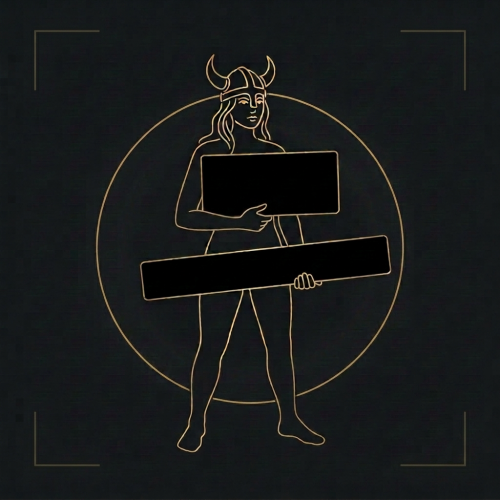
View File Streamer Mode Your monitor stays normal. OBS gets a censored picture. Skyrim Streamer Mode watches the game and tells OBS where to cover a body. Black rectangles over the pelvis and chest, or a black screen for menus and load screens. Your own screen is never modified — only the picture you send to Twitch/Kick/etc. Features Your monitor stays untouched — censoring only happens in a separate OBS feed.Frame-exact. Rectangles are built inside the game before OBS sees the picture, so they never lag behind a fast camera turn.Black, blur, pixelate or your own image — chosen separately for bodies and for the whole frame.Follows the body — rotation and lean, with its own size and All/Female/Male filter for pelvis, chest and extra zones.Scenes — frameworks for adult content are detected automatically, and scenes are censored at the appropriate moment. Creatures — 27 kinds, each with its own choice of rectangle.Anything else — look at it, press a key, it is covered. Installation Install the main file with Mod Organizer 2 or Vortex.Enable the mod and tick SkyrimStreamerMode.esp on the Plugins tab.Launch through SKSE, load a save, then Pause → Mod Configuration → Skyrim Streamer Mode. The recommended way: OBS plugin Install the optional download "OBS plugin" (manual install into your OBS folder), then in the scene you stream to Twitch/Kick/etc. add the source "Skyrim (StreamerMode)". Why this one: It is exact. The picture is censored inside the game, frame by frame, before OBS ever receives it. No catching up, no lag behind a fast camera turn.That feed physically cannot contain an uncovered frame — the raw pixels are not in that scene at all.Blur, pixelate or custom image instead of black boxes, if you prefer that look. The simple way: browser overlay No extra install: keep your normal Game Capture and add a Browser Source above it: URL: http://127.0.0.1:8765/Width / Height: your canvas size, e.g. 1920 × 1080 Read this before using the overlay. It draws on top of OBS's own capture, so it is always a step behind the game: during a fast camera spin or a sprint the rectangles can lag by a frame, and the raw picture is still in the scene underneath them. If you use the overlay, make the rectangles noticeably bigger (MCM → Rectangles → Width / Height) and keep "Motion margin" above zero. Trading a slightly larger black box for a safety margin is the whole point. (There are also auxiliary URL's, such as http://127.0.0.1:8765/debug or http://127.0.0.1:8765/state. Port can be reconfigured in MCM.) Settings (MCM) People — who gets covered, and what counts as undressedRectangles — size, position, rotation and All/Female/Male filter for pelvis, chest and extra-bone rectangles (chest defaults to Female)Creatures — 27 kinds, each with its own choice of rectangleObjects — non-actor objects and anything another mod addsMenus & scenes — optional black screen per menu, automatic SexLab/ OStim detection, and enlarged rectangles / whole-frame scene behaviorHotkeys — every binding in one place: the full-frame key, the mark-object key and the show-rules key. With modifiers.OBS connection — the browser overlay and the OBS-plugin options. Network and privacy The overlay mode runs a tiny web server on 127.0.0.1 only (your own machine, port configurable). It serves the rectangle positions to your browser source. Nothing is sent anywhere, there is no telemetry, no auto-update, no account. Nexus - Streamer mode at Skyrim Special Edition Nexus - Mods and Community Submitter xiqima Submitted 08/23/26 Category Regular Mods Requirements Skyrim Script Extender (SKSE64) Address Library for SKSE Plugins SkyUI and MCM Helper for the in-game settings menu Regular Edition Compatible Install Instructions
-
Version 2.3.0
130 downloads
Your monitor stays normal. OBS gets a censored picture. Skyrim Streamer Mode watches the game and tells OBS where to cover a body. Black rectangles over the pelvis and chest, or a black screen for menus and load screens. Your own screen is never modified — only the picture you send to Twitch/Kick/etc. Features Your monitor stays untouched — censoring only happens in a separate OBS feed.Frame-exact. Rectangles are built inside the game before OBS sees the picture, so they never lag behind a fast camera turn.Black, blur, pixelate or your own image — chosen separately for bodies and for the whole frame.Follows the body — rotation and lean, with its own size and All/Female/Male filter for pelvis, chest and extra zones.Scenes — frameworks for adult content are detected automatically, and scenes are censored at the appropriate moment. Creatures — 27 kinds, each with its own choice of rectangle.Anything else — look at it, press a key, it is covered. Installation Install the main file with Mod Organizer 2 or Vortex.Enable the mod and tick SkyrimStreamerMode.esp on the Plugins tab.Launch through SKSE, load a save, then Pause → Mod Configuration → Skyrim Streamer Mode. The recommended way: OBS plugin Install the optional download "OBS plugin" (manual install into your OBS folder), then in the scene you stream to Twitch/Kick/etc. add the source "Skyrim (StreamerMode)". Why this one: It is exact. The picture is censored inside the game, frame by frame, before OBS ever receives it. No catching up, no lag behind a fast camera turn.That feed physically cannot contain an uncovered frame — the raw pixels are not in that scene at all.Blur, pixelate or custom image instead of black boxes, if you prefer that look. The simple way: browser overlay No extra install: keep your normal Game Capture and add a Browser Source above it: URL: http://127.0.0.1:8765/Width / Height: your canvas size, e.g. 1920 × 1080 Read this before using the overlay. It draws on top of OBS's own capture, so it is always a step behind the game: during a fast camera spin or a sprint the rectangles can lag by a frame, and the raw picture is still in the scene underneath them. If you use the overlay, make the rectangles noticeably bigger (MCM → Rectangles → Width / Height) and keep "Motion margin" above zero. Trading a slightly larger black box for a safety margin is the whole point. (There are also auxiliary URL's, such as http://127.0.0.1:8765/debug or http://127.0.0.1:8765/state. Port can be reconfigured in MCM.) Settings (MCM) People — who gets covered, and what counts as undressedRectangles — size, position, rotation and All/Female/Male filter for pelvis, chest and extra-bone rectangles (chest defaults to Female)Creatures — 27 kinds, each with its own choice of rectangleObjects — non-actor objects and anything another mod addsMenus & scenes — optional black screen per menu, automatic SexLab/ OStim detection, and enlarged rectangles / whole-frame scene behaviorHotkeys — every binding in one place: the full-frame key, the mark-object key and the show-rules key. With modifiers.OBS connection — the browser overlay and the OBS-plugin options. Network and privacy The overlay mode runs a tiny web server on 127.0.0.1 only (your own machine, port configurable). It serves the rectangle positions to your browser source. Nothing is sent anywhere, there is no telemetry, no auto-update, no account. Nexus - Streamer mode at Skyrim Special Edition Nexus - Mods and Community -

Version 1.0.0
150 downloads
XTH Perk Points - Always at Maximum Keeps your perk points permanently topped up. Spend as many as you like, and a few seconds later you have a full pool again. Why not simply "thousands of points"? Because Skyrim cannot store them. The perk point counter is a single byte in the save file - anything above 255 physically does not fit, and Game.SetPerkPoints(5000) is truncated. That is a limit of the game's save format, not of SKSE and not of this mod. Every mod promising you thousands of points runs into the same wall. So this mod takes the other route: instead of one huge number, it refills continuously. Every three seconds it checks whether the counter has dropped below 255 and tops it back up. The practical result is the same as an unlimited pool - buy a perk, and moments later the point is back. The notification appears once per session. After that it works silently. Requirements SKSE64 Nothing else. No SkyUI, no MCM, no other dependency. Skyrim Special Edition / Anniversary Edition only. The plugin is saved in form version 44 and will not load correctly in Legendary Edition. Installation Install with your mod managerEnable the pluginLoad a save and wait about two seconds Compatibility Works with every perk overhaul - Ordinator, Vokrii, SPERG, Adamant and the rest. The mod only writes the point counter and never touches perks, perk trees, skills or levels. The plugin contains exactly one record of its own (a quest) and overrides nothing from the vanilla game or from any other mod. Its only master is Skyrim.esm. It is 267 bytes. Uninstall Disable the plugin. Points you already have stay - they are an ordinary game value, not a script variable. No cleaning, no save scrubbing. Configuration Two values at the top of the included source file: ZIEL = 255 the target, higher has no effect TAKT = 3.0 check interval in seconds Recompile with the Creation Kit's Papyrus compiler after changing them. How it works A Start Game Enabled quest runs a script that polls with RegisterForSingleUpdate and calls the SKSE functions Game.GetPerkPoints and Game.SetPerkPoints. No memory patching, no Cheat Engine, no console batch files, no level manipulation. Full source is included. Permissions Do what you want with it. Credit is appreciated but not required. -
 View File XTH Perk Points - Always at Maximum XTH Perk Points - Always at Maximum Keeps your perk points permanently topped up. Spend as many as you like, and a few seconds later you have a full pool again. Why not simply "thousands of points"? Because Skyrim cannot store them. The perk point counter is a single byte in the save file - anything above 255 physically does not fit, and Game.SetPerkPoints(5000) is truncated. That is a limit of the game's save format, not of SKSE and not of this mod. Every mod promising you thousands of points runs into the same wall. So this mod takes the other route: instead of one huge number, it refills continuously. Every three seconds it checks whether the counter has dropped below 255 and tops it back up. The practical result is the same as an unlimited pool - buy a perk, and moments later the point is back. The notification appears once per session. After that it works silently. Requirements SKSE64 Nothing else. No SkyUI, no MCM, no other dependency. Skyrim Special Edition / Anniversary Edition only. The plugin is saved in form version 44 and will not load correctly in Legendary Edition. Installation Install with your mod managerEnable the pluginLoad a save and wait about two seconds Compatibility Works with every perk overhaul - Ordinator, Vokrii, SPERG, Adamant and the rest. The mod only writes the point counter and never touches perks, perk trees, skills or levels. The plugin contains exactly one record of its own (a quest) and overrides nothing from the vanilla game or from any other mod. Its only master is Skyrim.esm. It is 267 bytes. Uninstall Disable the plugin. Points you already have stay - they are an ordinary game value, not a script variable. No cleaning, no save scrubbing. Configuration Two values at the top of the included source file: ZIEL = 255 the target, higher has no effect TAKT = 3.0 check interval in seconds Recompile with the Creation Kit's Papyrus compiler after changing them. How it works A Start Game Enabled quest runs a script that polls with RegisterForSingleUpdate and calls the SKSE functions Game.GetPerkPoints and Game.SetPerkPoints. No memory patching, no Cheat Engine, no console batch files, no level manipulation. Full source is included. Permissions Do what you want with it. Credit is appreciated but not required. Submitter XTH SSE Submitted 08/30/26 Category Regular Mods Requirements SKSE64 Regular Edition Compatible Not Applicable Install Instructions Installation Install with your mod manager Enable the plugin Load a save and wait about two seconds Uninstall Disable the plugin. Points you already have stay - they are an ordinary game value, not a script variable. No cleaning, no save scrubbing.
 -
Version 1.1.0
3875 downloads
An SKSE plugin for Skyrim SE / AE that implements continuous follower hand-holding: a hand connection that survives walking, running, and terrain movement without breaking. Built on a combination of a Havok ball-and-socket constraint and kinematic position control. ━━━━━━━━━━━━━━━━━━━━━━━━━━━━━━━ ■ On AI use ━━━━━━━━━━━━━━━━━━━━━━━━━━━━━━━ Most of this plugin's code was generated by Claude Code (Anthropic). The author (KEI997) handled: - Spec decisions, prioritization, trade-off calls - In-game testing and bug reports - Pointing the AI at specific reference mod sources ("read this, use as reference") - Reviewing and accepting/rejecting generated code - SSEEdit ESP construction, Papyrus compilation, OAR animation authoring All reference sources the AI read are publicly-licensed. Per-feature attribution is listed in the GitHub README: https://github.com/Kei-BWV997/TETHER If any listed author objects to their source being used this way, please contact and I will rework the affected feature or adjust the credit. ━━━━━━━━━━━━━━━━━━━━━━━━━━━━━━━ ■ Features ━━━━━━━━━━━━━━━━━━━━━━━━━━━━━━━ - One hotkey to engage / release the hand-hold (default H, works with both keyboard and Xbox controller) - While tethered, hands are physically bound via a Havok ball-and-socket constraint (the palms actually stay stuck together, not just visually near each other) - The follower is kept directly behind the player via KeepOffsetFromActor - While tethered, the player's max movement speed scales with distance to the follower — try to sprint away and you'll automatically be slowed down to a speed the follower can match (natural since you're literally holding their hand) - Custom OAR conditions let you swap in dedicated tether animations ━━━━━━━━━━━━━━━━━━━━━━━━━━━━━━━ ■ Animation status in v1.0.0 ━━━━━━━━━━━━━━━━━━━━━━━━━━━━━━━ Only ONE pattern currently has an authored motion: player-male (the puller). The other three folders (player-female, follower-male, follower-female) exist as empty structure — they contain only the OAR config.json, no .hkx files. Actors matching those conditions will just play vanilla locomotion while tethered. The plugin ships this structure so users can drop their own .hkx into the correct folder to enable that pattern, or wait for future updates / a community animation pack. ━━━━━━━━━━━━━━━━━━━━━━━━━━━━━━━ ■ Known issues ━━━━━━━━━━━━━━━━━━━━━━━━━━━━━━━ - Sometimes on engage, the follower doesn't start moving to the tether position. Workaround: release, walk a few steps away, then re-engage. Cause not yet identified. - Third-person only (no first-person support) - One active tether at a time (no multi-follower) - Doesn't work while a weapon is drawn (deliberate — releases on draw) - Very rare CTD possible if an actor's state changes at an unfortunate moment (auto-release handles the common cases: cell change, save load, weapon drawn, etc., but edge cases remain) ━━━━━━━━━━━━━━━━━━━━━━━━━━━━━━━ ■ MCM options ━━━━━━━━━━━━━━━━━━━━━━━━━━━━━━━ - Toggle key rebind (keyboard + gamepad) - Follower offset position, Follow / Catchup radius - Elastic tether curve (ideal/slack distance, speed multipliers at both ends) - Follower speed boost while tethered - Palm attachment offset - Auto-release toggles (on weapon drawn / on combat start / on extreme distance) - R key resets a single option; "Reset All Settings" button ━━━━━━━━━━━━━━━━━━━━━━━━━━━━━━━ ■ Source code / technical details ━━━━━━━━━━━━━━━━━━━━━━━━━━━━━━━ Open source under MIT license: https://github.com/Kei-BWV997/TETHER The GitHub README covers: - Per-feature reference-source table (which mods were used for which techniques) - Technical details of each feature (hook sites, Papyrus APIs called, state machine) - License and third-party file handling Bug reports and pull requests are welcome via GitHub Issues. ━━━━━━━━━━━━━━━━━━━━━━━━━━━━━━━ ■ About the author ━━━━━━━━━━━━━━━━━━━━━━━━━━━━━━━ I'm normally an OStim animator, active on the OStim Community Discord. If you want to chat about this mod, request features, or just say hi — come by: [https://discord.gg/ostim] (TETHER is not an adult mod, but I develop from that community and that's where I hang out.) -
2133 downloads
Stable Captives is now released in its first official version. This mod was inspired by BaF (Build a Follower). This mod is being developed based on the latest version of DoM, and was created solely to fix the naked bandit bug in DoM/PAH/HSH/AYGAS. (It cannot be used with PAHE alone.) It supports not only bandits, but all hostile spawning NPCs, including Forsworn. **Existing unique NPCs in Tamriel are not affected by this mod and are never stored in slave slots. This mod targets only spawned hostile NPCs, such as bandits. In MO2’s mod order, this mod must be placed below DoM so that it overwrites DoM’s files. In MO2's right-side ESP/ESL load order, if an NPC replacer or custom NPC mod is placed below DoM, it may be a good precaution to place Stable Captives below that NPC mod as well, so that Stable Captives overwrites it. If any issues occur, try this load order. 1. MCM 2. Mechanism The mechanism used to prevent naked bandit NPCs is relatively simple. Player + DoM knocks down a bandit → DoM duplicates the bandit and enslaves the duplicate, while the original is marked for deletion → Stable Captives mod captures the duplicated bandit in a unique ActorBase slot → Stable Captives loads all information for that NPC, including its FaceGen data → The loaded slave data is treated as a unique NPC → The slot is saved and locked → DoM resumes full management of the NPC stored in the locked slot. 3. Slot Cycling + Cleanup and Management Let me emphasize this once again: Please keep in mind that the Reset feature could corrupt every save file containing existing slaves. **More precisely, only save files that are currently using this mod and still have slaves occupying slots.** Please verify it thoroughly multiple times and proceed with extreme caution. A detailed mod manual is also included. No further features are planned for the mod, but bug fixes and discussion will continue. Update Logs- 1.1.8 -
Getting this error: [skyrimse]: cannot call the member function GetKeywords alone or on a type, must call it on a variablePapyrus. When trying to run this line of code: Keyword[] kws = Armor.GetKeywords() It's confusing because I'm pretty sure I am calling it on a variable.
-
 TLDR: I need a script that hooks into any time the engine calls the OnObjectEquipped event so I can call a function when it does, but I'm not really a programmer so I don't know how. Best I've managed was a papyrus script that still required the script to be connected to the actor either directly or through a ReferenceAlias, and I need it to be able to fire without having to attach a copy of the script to every actor in the game. It's my understanding that SKSE allows for engine independent scripts to run?
 -
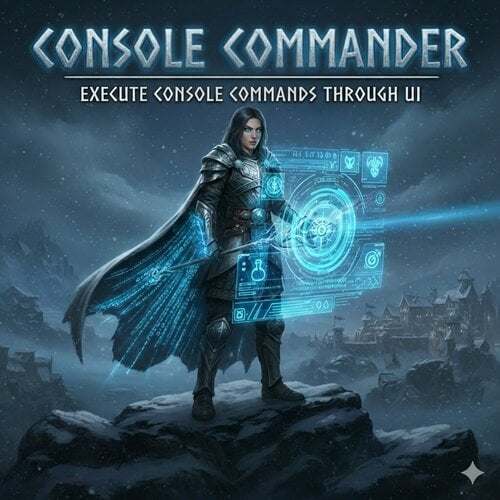
 View File Console Commander - Add and Execute Console Commands Through UI - SKSE Menu Framework A lightweight SKSE plugin that lets you add, save, search, and execute console commands directly from the SKSE Menu Framework without keyboard. No more typing long commands manually! Console Commander is a SKSE plugin that lets you add, save, search, and execute console commands directly from the SKSE Menu Framework without keyboard. Endorse if you like it. Features Console Commander 1.2.5 -> Default key for SKSE Menu Framework is F1 -> Config and Commands are saved in ConsoleCommander.ini [Data\SKSE\Plugins\ConsoleCommander.ini] -> Add console commands and control 'console close' behavior -> Reload config instantly Console Commander 2.1.2 -> [New] Added custom tooltip function for additional information (Optional: Hover over Execute) -> Format: Name|ConsoleCommand|CloseConsole (1=yes, 0=no)|Tooltip (optional) -> Example: Add Gold - 100|Player.additem f 100|1|Adds 100 gold to player inventory -> [New] Added custom ini support. Modders can now add custom ini with console commands. -> Custom ini is saved in: Data\SKSE\Plugins\ConsoleCommander\ConsoleCommander_*.ini -> Add ConsoleCommander_[name].ini in ConsoleCommander folder with the commands. it will scan add the command in the UI. -> Format: ConsoleCommander_QAR.ini [ConsoleCommands] Quick Armor Rebalance|QAR|0|Open Quick Armor Rebalance UI -> Custom Commands will appear after user added commands in the Custom Commands tab. -> If no Custom Commands are present or all hidden, Custom Commands tab will not show up in UI. -> User can Hide/Unhide Custom Commands. A button 'Show Hidded/Hide Hidden' has been added to Show/Hide Hidden Commands. (Applicable for Custom Commands) Console Commander 2.2.2 -> [New] Added support for execution of multiple commands at once. ->Separate multiple commands by adding , (comma) to execute the commands in sequence. ->Format: Name|Command1,Command2,Command4,Command4|CloseConsole (1=yes, 0=no)|Tooltip (optional) Console Commander 2.3.0 -> [New] Added support for execution of commands with custom variable input when executing command. ->An option to add a command as variable command has been added in the 'Add Command' ->In the console command box: input a command without the last value. [Ex: player.additem f] it will add [#] to recognize the variable as variable command. ->Format: Name|Command [#]|CloseConsole (1=yes, 0=no)|Tooltip (optional) ->A popup will show up and ask for specific value before executing. Video Demonstration (Old) Console Command Showcase Source Code: Github Requirements - SKSE Menu Framework (required) - Kill Caps Lock NG (Optional)[Strongly Recommend][It keeps caps lock off only in console] Installation 1. Make sure SKSE Menu Framework is installed and working 2. Download and install the mod. How to use 1. Open SKSE Menu Framework (default key: F1 or whatever you set) 2. Go to "Console Commander" 3. Click "Add Command" → enter name and console command → Add 4. Select a command → click "Execute" 5. (Optional) Edit Data\SKSE\Plugins\ConsoleCommander.ini manually and click "Reload Config" Notes: - It simulates keyboard key input to execute command so don't press any keys when executing the console command. - If Caps Lock behaves strangely in console → install Kill Caps Lock NG (optional) - Tested on Skyrim AE v1.6.1170 and v1.6.353. Confirmed to work on v1.5.97. Should work on all versions of Skyrim SE/AE. - ini file will be created after adding a command. or use the provided ini below. ConsoleCommander.ini config: ; Console Commander Config [Delays] ; in ms EscDelay=100 ; Delay to close SKSE Menu framework after executing OpenConsoleDelay=200 ; Delay to open console after SKSE Menu framework is closed TypingStartDelay=150 ; Delay before start typing CharDelay=30 ; Typing Speed EnterDelay=200 ; Delay to press enter after typing. CloseConsoleDelay=50 ; Delay after entering command to close console. [ConsoleCommands] ; Format: ; Format: Name|ConsoleCommand|CloseConsole (1=yes, 0=no)|Tooltip (optional) Example: Add Gold - 100|Player.additem f 100|1|Adds 100 gold to player inventory For multi command execution Format: Name|Command1,Command2,Command4,Command4|CloseConsole (1=yes, 0=no)|Tooltip (optional) For custom variable command execution Format: Name|Command(without value) [#]|CloseConsole (1=yes, 0=no)|Tooltip (optional) Example: Add Gold|player.additem f [#]|1|Adds x gold amout of gold in player inventory Console Commander - Default ini.zip Console Commander - Faster Execution ini.zip Optional Custom Command Opens 'Quick Armor Rebalance (QAR)' Menu Requirement Quick Armor Rebalance (QAR) https://www.nexusmods.com/skyrimspecialedition/mods/127967 Console Commander - QAR ini.zip Uninstallation Disable/remove the mod in your mod manager. Bug Reports If you encounter issues, please report them through Github or support. Include 'ConsoleCommander.log' from Documents, description of the bug and steps to reproduce it. Credits * Mrowrpurr - for her amazing SKSE tutorials in YT (Skyrim Scripting) * SkyrimThiago - for SKSE Menu Framework * QTR-Modding - for SKSE Menu Framework 3 Example Template Permissions This project is licensed under the MIT License. You are not allowed to use this mod in any mods/files/modlists that are being sold for money. Enjoy faster console command execution! Check out my other mods! Execute Hotkeys - Without Keyboard Through UI - SKSE Menu Framework Simple Text Viewer - Create Open Edit Delete Text Files In-Game - SKSE Menu Framework Submitter Edzio Submitted 02/19/26 Category Regular Mods Requirements SKSE Menu Framework Kill Caps Lock NG (Optional)[Strongly Recommend] Regular Edition Compatible No Install Instructions
 -
Version 2.3.0
900 downloads
A lightweight SKSE plugin that lets you add, save, search, and execute console commands directly from the SKSE Menu Framework without keyboard. No more typing long commands manually! Console Commander is a SKSE plugin that lets you add, save, search, and execute console commands directly from the SKSE Menu Framework without keyboard. Endorse if you like it. Features Console Commander 1.2.5 -> Default key for SKSE Menu Framework is F1 -> Config and Commands are saved in ConsoleCommander.ini [Data\SKSE\Plugins\ConsoleCommander.ini] -> Add console commands and control 'console close' behavior -> Reload config instantly Console Commander 2.1.2 -> [New] Added custom tooltip function for additional information (Optional: Hover over Execute) -> Format: Name|ConsoleCommand|CloseConsole (1=yes, 0=no)|Tooltip (optional) -> Example: Add Gold - 100|Player.additem f 100|1|Adds 100 gold to player inventory -> [New] Added custom ini support. Modders can now add custom ini with console commands. -> Custom ini is saved in: Data\SKSE\Plugins\ConsoleCommander\ConsoleCommander_*.ini -> Add ConsoleCommander_[name].ini in ConsoleCommander folder with the commands. it will scan add the command in the UI. -> Format: ConsoleCommander_QAR.ini [ConsoleCommands] Quick Armor Rebalance|QAR|0|Open Quick Armor Rebalance UI -> Custom Commands will appear after user added commands in the Custom Commands tab. -> If no Custom Commands are present or all hidden, Custom Commands tab will not show up in UI. -> User can Hide/Unhide Custom Commands. A button 'Show Hidded/Hide Hidden' has been added to Show/Hide Hidden Commands. (Applicable for Custom Commands) Console Commander 2.2.2 -> [New] Added support for execution of multiple commands at once. ->Separate multiple commands by adding , (comma) to execute the commands in sequence. ->Format: Name|Command1,Command2,Command4,Command4|CloseConsole (1=yes, 0=no)|Tooltip (optional) Console Commander 2.3.0 -> [New] Added support for execution of commands with custom variable input when executing command. ->An option to add a command as variable command has been added in the 'Add Command' ->In the console command box: input a command without the last value. [Ex: player.additem f] it will add [#] to recognize the variable as variable command. ->Format: Name|Command [#]|CloseConsole (1=yes, 0=no)|Tooltip (optional) ->A popup will show up and ask for specific value before executing. Video Demonstration (Old) Console Command Showcase Source Code: Github Requirements - SKSE Menu Framework (required) - Kill Caps Lock NG (Optional)[Strongly Recommend][It keeps caps lock off only in console] Installation 1. Make sure SKSE Menu Framework is installed and working 2. Download and install the mod. How to use 1. Open SKSE Menu Framework (default key: F1 or whatever you set) 2. Go to "Console Commander" 3. Click "Add Command" → enter name and console command → Add 4. Select a command → click "Execute" 5. (Optional) Edit Data\SKSE\Plugins\ConsoleCommander.ini manually and click "Reload Config" Notes: - It simulates keyboard key input to execute command so don't press any keys when executing the console command. - If Caps Lock behaves strangely in console → install Kill Caps Lock NG (optional) - Tested on Skyrim AE v1.6.1170 and v1.6.353. Confirmed to work on v1.5.97. Should work on all versions of Skyrim SE/AE. - ini file will be created after adding a command. or use the provided ini below. ConsoleCommander.ini config: ; Console Commander Config [Delays] ; in ms EscDelay=100 ; Delay to close SKSE Menu framework after executing OpenConsoleDelay=200 ; Delay to open console after SKSE Menu framework is closed TypingStartDelay=150 ; Delay before start typing CharDelay=30 ; Typing Speed EnterDelay=200 ; Delay to press enter after typing. CloseConsoleDelay=50 ; Delay after entering command to close console. [ConsoleCommands] ; Format: ; Format: Name|ConsoleCommand|CloseConsole (1=yes, 0=no)|Tooltip (optional) Example: Add Gold - 100|Player.additem f 100|1|Adds 100 gold to player inventory For multi command execution Format: Name|Command1,Command2,Command4,Command4|CloseConsole (1=yes, 0=no)|Tooltip (optional) For custom variable command execution Format: Name|Command(without value) [#]|CloseConsole (1=yes, 0=no)|Tooltip (optional) Example: Add Gold|player.additem f [#]|1|Adds x gold amout of gold in player inventory Console Commander - Default ini.zip Console Commander - Faster Execution ini.zip Optional Custom Command Opens 'Quick Armor Rebalance (QAR)' Menu Requirement Quick Armor Rebalance (QAR) https://www.nexusmods.com/skyrimspecialedition/mods/127967 Console Commander - QAR ini.zip Uninstallation Disable/remove the mod in your mod manager. Bug Reports If you encounter issues, please report them through Github or support. Include 'ConsoleCommander.log' from Documents, description of the bug and steps to reproduce it. Credits * Mrowrpurr - for her amazing SKSE tutorials in YT (Skyrim Scripting) * SkyrimThiago - for SKSE Menu Framework * QTR-Modding - for SKSE Menu Framework 3 Example Template Permissions This project is licensed under the MIT License. You are not allowed to use this mod in any mods/files/modlists that are being sold for money. Enjoy faster console command execution! Check out my other mods! Execute Hotkeys - Without Keyboard Through UI - SKSE Menu Framework Simple Text Viewer - Create Open Edit Delete Text Files In-Game - SKSE Menu Framework -
View File Execute Hotkeys - Without Keyboard Through UI - SKSE Menu Framework Execute key or key combo through UI without keyboard to launch your mods or MCM hotkeys. You don't need to remember all the key combo anymore. Add hotkeys with the name to the list to execute without keyboard. We've all been there. Setting endless hotkeys for our favorite mods just to forget what it was. Now, with the help of Execute Hotkeys, you don't need to remember the hotkeys anymore. Just add the key or key combo to the list and execute it through UI to launch your mod MCM hotkey. After adding and selecting a hotkey from the list, SKSE Menu Framework will close and execute the key combo. F1 hotkey is all you need to remember now. Tested on Skyrim AE v1.6.1170 and v1.6.353. Confirmed to work on v1.6.640 Video Demonstration: Youtube Execute Hotkeys v1.1.0 Execute Hotkeys v1.2.1 Features: * Execute key or key combo through UI with the press of a button without using keyboard. * New: Ability to hold down hotkeys * New: Ability to search for saved hotkeys * Add, remove, and manage hotkeys in SKSE Menu framework in Execute Hotkeys section. * Configuration is saved in `ExecuteHotkeys.ini`. It will be created when a hotkey is added. * You can use the UI or edit the ini to add hotkeys. Format(v1.2): Name|DxCode|LCtrl|LAlt|LShift|RCtrl|RAlt|RShift|IsPress(1=Press/0=Hold)|HoldMs * Use DXScanCodes listed here. Do not use invalid DXScanCodes in ExecuteHotkeys.ini. Only Keyboard DXScanCodes supported. Edit: Mouse keys support added. * Since SKSE Menu Framework supports controller. You can technically use controller to execute Keyboard shortcut. (Testing needed) Inspiration: I can't remember 20+ key combos for the mods I use. Source Code Bug Reports If you encounter issues, please report them in github. Include 'ExecuteHotkeys.log' from Documents, description of the bug and steps to reproduce it. Compatibility No compatibility issues. Permissions This project is licensed under the MIT License. You are not allowed to use this mod in any mods/files/modlists that are being sold for money. Enjoy executing hotkeys without keyboard. Submitter Edzio Submitted 01/26/2026 Category Regular Mods Requirements SKSE Menu Framework Regular Edition Compatible No Install Instructions * Install SKSE Menu Framework and their dependencies * Install this mod through your mod manager.
-
Version 1.0.0
94 downloads
Simple Text Viewer is an in-game text file viewer/editor for Skyrim SE / AE with the help of SKSE Menu Framework. Features * Browse text files from SimpleTextViewer folder (Location: SKSE\Plugins\SimpleTextViewer) * Open and edit files in-game thanks to SKSE Menu Framework * Edit and Save changes * Create new text files * Rename existing files * Delete text files Tested on Skyrim AE v1.6.1170 and v1.6.353 Supported File Types * .txt, .ini, .json, .log, .md, .xml, .yaml, .yml, .toml, .csv, .psc Usage 1. Open the 'Simple Text Viewer' menu from SKSE Menu Framework 2. Browse files in the Notes tab 3. Click a file to open it in the viewer/editor 4. Edit text freely 5. Use the 'File → Save' menu to save the file Notes * Maximum size for text files is 1MB for stability reasons. It should be more than enough for simple notes. * Files larger than '1 MB' will display a warning in editor. It will not view all the contents. * Do not save files larger than '1 MB' or you will lose contents of the file. * Unsupported files are ignored/hidden * Supports All standard ASCII characters. Does not support Non-ASCII / extended Unicode. Compatibility It only works on the 'SimpleTextViewer' folder. So, no compatibility issues. Bug Reports If you encounter issues, please report them in github. Include 'SimpleTextViewer.log' from Documents and description of the Bug and steps to reproduce it. Source Code Permissions This project is licensed under the MIT License. You are not allowed to use this mod in any mods/files/modlists that are being sold for money. Enjoy viewing/editing your notes without leaving Skyrim -
Simple Text Viewer - Create Open Edit Delete Text Files In-Game - SKSE Menu Framework View File Simple Text Viewer is an in-game text file viewer/editor for Skyrim SE / AE with the help of SKSE Menu Framework. Features * Browse text files from SimpleTextViewer folder (Location: SKSE\Plugins\SimpleTextViewer) * Open and edit files in-game thanks to SKSE Menu Framework * Edit and Save changes * Create new text files * Rename existing files * Delete text files Tested on Skyrim AE v1.6.1170 and v1.6.353 Supported File Types * .txt, .ini, .json, .log, .md, .xml, .yaml, .yml, .toml, .csv, .psc Usage 1. Open the 'Simple Text Viewer' menu from SKSE Menu Framework 2. Browse files in the Notes tab 3. Click a file to open it in the viewer/editor 4. Edit text freely 5. Use the 'File → Save' menu to save the file Notes * Maximum size for text files is 1MB for stability reasons. It should be more than enough for simple notes. * Files larger than '1 MB' will display a warning in editor. It will not view all the contents. * Do not save files larger than '1 MB' or you will lose contents of the file. * Unsupported files are ignored/hidden * Supports All standard ASCII characters. Does not support Non-ASCII / extended Unicode. Compatibility It only works on the 'SimpleTextViewer' folder. So, no compatibility issues. Bug Reports If you encounter issues, please report them in github. Include 'SimpleTextViewer.log' from Documents and description of the Bug and steps to reproduce it. Source Code Permissions This project is licensed under the MIT License. You are not allowed to use this mod in any mods/files/modlists that are being sold for money. Enjoy viewing/editing your notes without leaving Skyrim Submitter Edzio Submitted 01/27/2026 Category Regular Mods Requirements SKSE Menu Framework Regular Edition Compatible No Install Instructions * Install SKSE Menu Framework and their dependencies * Install this mod through your mod manager.
-
Version 1.2.1
190 downloads
Execute key or key combo through UI without keyboard to launch your mods or MCM hotkeys. You don't need to remember all the key combo anymore. Add hotkeys with the name to the list to execute without keyboard. We've all been there. Setting endless hotkeys for our favorite mods just to forget what it was. Now, with the help of Execute Hotkeys, you don't need to remember the hotkeys anymore. Just add the key or key combo to the list and execute it through UI to launch your mod or MCM hotkey. After adding and selecting a hotkey from the list, SKSE Menu Framework will close and execute the key combo. F1 hotkey is all you need to remember now. Tested on Skyrim AE v1.6.1170 and v1.6.353. Confirmed to work on v1.6.640 Video Demonstration: Youtube Execute Hotkeys v1.1.0 Execute Hotkeys v1.2.1 Features: * Execute key or key combo through UI with the press of a button without using keyboard. * New: Ability to hold down hotkeys * New: Ability to search for saved hotkeys * Add, remove, and manage hotkeys in SKSE Menu framework in Execute Hotkeys section. * Configuration is saved in `ExecuteHotkeys.ini`. It will be created when a hotkey is added. * You can use the UI or edit the ini to add hotkeys. Format(v1.2): Name|DxCode|LCtrl|LAlt|LShift|RCtrl|RAlt|RShift|IsPress(1=Press/0=Hold)|HoldMs * Use DXScanCodes listed here. Do not use invalid DXScanCodes in ExecuteHotkeys.ini. Only Keyboard DXScanCodes supported. Edit: Mouse keys support added. * Since SKSE Menu Framework supports controller. You can technically use controller to execute Keyboard shortcut. (Testing needed) Inspiration: I can't remember 20+ key combos for the mods I use. Source Code Bug Reports If you encounter issues, please report them in github. Include 'ExecuteHotkeys.log' from Documents, description of the bug and steps to reproduce it. Compatibility No compatibility issues. Permissions This project is licensed under the MIT License. You are not allowed to use this mod in any mods/files/modlists that are being sold for money. Enjoy executing hotkeys without keyboard. -
.thumb.png.26fdd61598fb1a9ea1dff7bde41675b5.png)
Skyrim Sentinel [BETA]
Somnacyl posted a topic in Downloads - Skyrim: Special Edition Non Adult Mods
Skyrim Sentinel Supply Chain Security for SKSE Plugins TL;DR: Know exactly what's in your load order. Sentinel verifies SKSE plugin hashes against a community-curated database of official releases. 🟢 Verified | 🟡 Unknown. Portable, offline-capable, open source. What is this? Know your DLLs. Every SKSE plugin in your load order is a compiled binary you're trusting to run on your machine. Sentinel gives you visibility into that trust. It scans your mods folder, generates SHA-256 hashes, and checks them against a community-curated database of official releases. Think of it as a provenance checker—answering: "Is this the exact file the author published?" Other modding communities (Minecraft, Factorio) have dealt with supply-chain compromises. This tool exists so Skyrim modders don't have to learn that lesson the hard way. 🟡 Most Plugins Will Show as "Unknown" — That's Expected Unknown does NOT mean unsafe. It simply means the plugin isn't in our database yet. Sentinel currently covers ~100 popular SKSE plugins (Engine Fixes, RaceMenu, po3 Tweaks, etc.). Adult-specific plugins from LL are underrepresented—we're building that coverage with your help. This is a community project. The database grows as people contribute verified hashes. Scan your MO2/Vortex mods folderVerify against 100+ curated plugins🟢 Verified | 🟡 UnknownClick to copy hashes, export unknowns for submissionWorks offline with cached database Download ⬇️ Download SkyrimSentinel.exe (v0.1.0-beta) Just download and run — no Python or installation needed. 📖 How to Use Download and run SkyrimSentinel.exe Click Browse and select your mods folder Click Scan Review results — green means verified! 🤝 Help Build the Trust Registry See unknown plugins? You can fix that. Click Export Unknown after scanning Add the mod name + Nexus/LL link to the JSON Drop it in this thread or open a GitHub PR Every submission helps the next person. We're building the definitive integrity database for SKSE plugins—together. ⚠️ Antivirus False Positives Some AV tools may flag SkyrimSentinel.exe. This is a false positive—extremely common with Python apps packaged as .exe files. PyInstaller bundles Python into a single executable, which looks "packed" to heuristic scanners. This is a well-documented issue affecting thousands of legitimate apps. See also: StackOverflow discussion. The code is 100% open source—review it yourself, or run from source. VirusTotal Analysis: View Full Report Roadmap More LL-specific plugins (SexLab, OStim, DD, etc.)🔴 Revoked status for known-bad hashesMigration to Nuitka (fewer AV false positives)Auto-update for databaseDirect hash submission from the app Requirements Windows 10/11 That's it. Source Code Fully open source: GitHub Repository About Me I started modding Skyrim in 2017—struggling to run Dual Sheath Redux on a low-end rig. Since then I've moved into Cybersecurity and Software Engineering (currently in university). I built Sentinel because I love this community and want to see it stay resilient. Other ecosystems have learned hard lessons about supply-chain security. My goal is to give Skyrim modders the tools to stay ahead—without adding friction to the chaos that makes this place great. Discord: Lullavy | GitHub: Lullacy Looking for Collaborators I'd appreciate suggestions and collaborators to help with: Threat modeling for Sentinel — identifying attack vectors and edge cases Algorithm development & optimization for traversing/walking the folder structure on the client side If you have experience in security research or performance optimization, I'd love to hear from you! A Note on Development I used GitHub Copilot as a development aid. All AI-generated code was reviewed and verified before inclusion. The architecture and security model are my own. Questions? Feedback? Hashes to submit? Post below! 👇 -
Skyrim Sentinel Supply Chain Security for SKSE Plugins TL;DR: Know exactly what's in your load order. Sentinel verifies SKSE plugin hashes against a community-curated database of official releases. 🟢 Verified | 🟡 Unknown. Portable, offline-capable, open source. What is this? Know your DLLs. Every SKSE plugin in your load order is a compiled binary you're trusting to run on your machine. Sentinel gives you visibility into that trust. It scans your mods folder, generates SHA-256 hashes, and checks them against a community-curated database of official releases. Think of it as a provenance checker—answering: "Is this the exact file the author published?" Other modding communities (Minecraft, Factorio) have dealt with supply-chain compromises. This tool exists so Skyrim modders don't have to learn that lesson the hard way. 🟡 Most Plugins Will Show as "Unknown" — That's Expected Unknown does NOT mean unsafe. It simply means the plugin isn't in our database yet. Sentinel currently covers ~100 popular SKSE plugins (Engine Fixes, RaceMenu, po3 Tweaks, etc.). Adult-specific plugins from LL are underrepresented—we're building that coverage with your help. This is a community project. The database grows as people contribute verified hashes. Scan your MO2/Vortex mods folderVerify against 100+ curated plugins🟢 Verified | 🟡 UnknownClick to copy hashes, export unknowns for submissionWorks offline with cached database Download ⬇️ Download SkyrimSentinel.exe (v0.1.0-beta) Just download and run — no Python or installation needed. 📖 How to Use Download and run SkyrimSentinel.exe Click Browse and select your mods folder Click Scan Review results — green means verified! 🤝 Help Build the Trust Registry See unknown plugins? You can fix that. Click Export Unknown after scanning Add the mod name + Nexus/LL link to the JSON Drop it in this thread or open a GitHub PR Every submission helps the next person. We're building the definitive integrity database for SKSE plugins—together. ⚠️ Antivirus False Positives Some AV tools may flag SkyrimSentinel.exe. This is a false positive—extremely common with Python apps packaged as .exe files. PyInstaller bundles Python into a single executable, which looks "packed" to heuristic scanners. This is a well-documented issue affecting thousands of legitimate apps. See also: StackOverflow discussion. The code is 100% open source—review it yourself, or run from source. VirusTotal Analysis: View Full Report Roadmap More LL-specific plugins (SexLab, OStim, DD, etc.)🔴 Revoked status for known-bad hashesMigration to Nuitka (fewer AV false positives)Auto-update for databaseDirect hash submission from the app Requirements Windows 10/11 That's it. Source Code Fully open source: GitHub Repository About Me I started modding Skyrim in 2017—struggling to run Dual Sheath Redux on a low-end rig. Since then I've moved into Cybersecurity and Software Engineering (currently in university). I built Sentinel because I love this community and want to see it stay resilient. Other ecosystems have learned hard lessons about supply-chain security. My goal is to give Skyrim modders the tools to stay ahead—without adding friction to the chaos that makes this place great. Discord: Lullavy | GitHub: Lullacy Looking for Collaborators I'd appreciate suggestions and collaborators to help with: Threat modeling for Sentinel — identifying attack vectors and edge cases Algorithm development & optimization for traversing/walking the folder structure on the client side If you have experience in security research or performance optimization, I'd love to hear from you! A Note on Development I used GitHub Copilot as a development aid. All AI-generated code was reviewed and verified before inclusion. The architecture and security model are my own. Questions? Feedback? Hashes to submit? Post below! 👇