Select a subcategory to view available files.
Files From Subcategories
-

Elin Custom Voice Followers 1.1 (Aug 19 2015)
By Mud
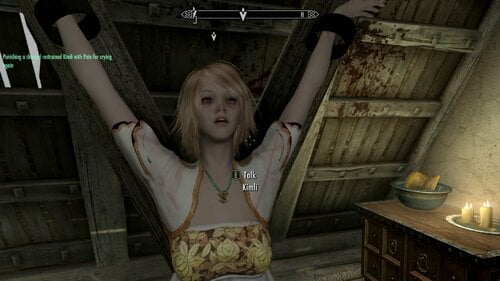
So for a while now, I’ve been working on a set of custom-voiced Elin race followers originally intended for my own use, with lines ripped from other games or recorded from games. However, since there’s quite a dearth of followers for said race, I figured I might as well share the file with anyone interested in using them. It’s been a long road trying to flesh them out as much as I can with limited and borrowed assets, but here they are, finally complete! They’re not really Elins, though – they use their own custom race rather than the normal Elin race, so that they can use unique assets without overwriting the default ones, though they still have many dependencies on the original files for assets they didn’t need to make unique. Also, they’re bigger than the normal Elins, and I’m not just talking about their height, if you understand my meaning. If you catch my drift. If you pick up what I’m laying down.
I’m saying they’ve got large breasts.
Well, most of them do, anyway. Neptune doesn’t.
This does, however, mean they are not currently compatible with the Elin idle animation mod that gives the race its own swaying idle, so they will use the same idle as every other female character. An optional file is provided in the downloads that will set them to use the Elin vampire race instead so that they can use the idle animation mod, but the plugin’s largely untested beyond making sure they actually work, and this might cause conflicts if you also use the Elin race and become a vampire, or have Elin vampire NPCs somewhere in your game. Their size scale will be changed, and the ESP also removes the undead keyword from the race so that they won’t be affected by any Turn Undead effects despite not actually being undead.
I’d say it’s a worthy risk to take for the sake of cuteness, though.
- All of them are located in the Temple of Kynareth, Whiterun.
- You can recruit multiple followers with these girls even without a follower overhaul mod, as they use their own follower system. They’re not tested with AFT, but EFF can force recruit them and let them use its features just fine. You just might have some weirdness left after dismissing them that might require resetting EFF to get them to follow you again and remove residual effects.
- They will steal for you, but will not attack innocent people. This is for no reason other than the fact that I had a buttload of “No” responses for every character and nowhere to use them. You’re going to need to strangle Nazeem with your own hands.
- They have plenty of custom dialogue for combat and such, but don’t expect anything too fancy here. Idle lines are limited and they can’t exactly be made quest aware with so little to work with. Plus I have virtually no experience working with scripts so I couldn’t even do such a thing if I had the perfect voice clips.
REQUIREMENTS:
Dawnguard
Elin Race Mod: (http://www.loverslab.com/topic/20121-2014dec09-easy-to-install-starter-packs-tera-elin-race/) Make sure you get v1.4.1, either from the downloads section or the update log.
HDT Physics Extension (Not strictly required, but I can’t guarantee their included outfits and body shape will look any good at all without physics acting on them)
Followers use UUNP Bodyslide body and outfits, so you’ll need UNP outfits if you want to dress them in anything else.
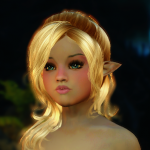
ARCHER FOLLOWER NEPTUNE:
HEALER FOLLOWER COMPA:
THIEF FOLLOWER LILY:
BERSERKER FOLLOWER VIVI:
KNOWN ISSUES:
- Neptune, Compa, and Lily can't close their eyes all the way when blinking. Nothing I can do about that right now, the Elin race's eyelid doesn't match the mesh for the wide-eyed shapes.
- Like other NPCs with custom voiced dialogue, you need to save and load your game at least once after installing the mod for them to be able to speak.
- Neptune's dress looks a little funky in-game. Will probably redo that at some point.
- Crossbow bolt quivers float off to the side of the followers’ hips due to having no fully up-to-date XPMSE skeleton for the Elin race yet. This can be fixed in-game using RaceMenu and EFF, by force-recruiting them and changing their quiver position in EFF’s Tattoos menu. Might get around to updating the skeleton sometime.
- Compa’s spell will sometimes ignore friendly targets for no reason, as can be seen in her preview video. I don’t know what causes this, so if anyone has any insight to share it’d be appreciated. But from what I understand even the vanilla Grand Healing spell can sometimes weird out like this.
- Compa’s healing is not tested at higher levels, as I have not had time to actually play the game in quite a while.
- Due to the unique head meshes and textures used by the Elin race, they have an unavoidable neck seam. I adjusted the color of their face texture to match the included Fair Skin Complexion texture as best as I can, but it still leaves a seam that can range from unnoticeable to obvious depending on the available lighting. For this reason every follower has something on to disguise the seam, either Neptune and Compa’s full clothing or Lily and Vivi’s scarves.
- Neptune and Compa do have repeating idle dialogue. They’re set to only say them once every 12 hours, but I don’t know if that’s often enough to get annoying. Feedback appreciated.
- Some dialogues are of noticeably different clarity and quality. Most of them shouldn’t be too jarring but some might have slipped through.
- Locational change dialogue when going outside may play even when travelling across the world.
- Their world interaction dialogue (“I have a bad feeling about this”, etc.) will stop playing if you recruit a follower with a vanilla voice alongside them. If I understand the Story Manager right, the vanilla world interaction dialogue takes precedence over theirs, and changing the order of the events in the Story Manager appears to cause a dirty edit so I’m not sure if I want to mess with that.
- I wasn't able to figure out how to make them respond when casting beneficial spells on them. If anyone has insight to share on this or the previous point, it'd be appreciated.
CREDITS:
Race assets:
- Bluehole Studios and En Masse Entertainment for creating Tera Online and the Elins.
- The original authors of the Elin race mod for making all subsequent work possible.
- The 2ch community for their contributions to improving the Elin race mod.
- PsychoMachina for his tireless work updating and improving the Elin race mod and assembling its files in one place for us to use, and providing assistance with all things Elin.
Character assets:
- The voices of Neptune and Compa are owned by Idea Factory, Compile Heart, and NISA for the purpose of copyright.
- The voices of Estelle and Rita used for Lily and Vivi are owned by Namco Bandai Inc. and Tales Studio for the purpose of copyright.
- HHaleyy for Fair Skin Complexion UNP version (http://www.nexusmods.com/skyrim/mods/51602/?)
- Apachii’s ApachiiSkyHair for the ApachiiSkyHair Human06 hair used for Neptune. (http://www.nexusmods.com/skyrim/mods/10168/?)
- Skysims, Newsea, and Zzjay for the Jasmine hair used for Compa and the Evergreen hair used for Lily and Vivi.
- ky0suke for editing a RaceMenu-capable version of XPMSE for use with the Elin race
- Tsunako, artist for Hyperdimension Neptunia for the artwork from which Neptune and Compa’s eye textures are created
- DeviantArt user Saler1 for Lily’s eye texture (http://saler1.deviantart.com/art/MMD-Anime-Eye-download-497922479
- DeviantArt user Amy-ChanNyah for Vivi’s eye texture (http://amy-channyah.deviantart.com/art/MMD-NJXA-3-eye-texture-DL-498895637)
Armor assets:
- The Bodyslide/Outfit Studio team for creating the program, which has been indispensable in creating custom outfits to my liking (http://www.nexusmods.com/skyrim/mods/49015/?)
- BringtheNoise for Unified UNP (http://www.loverslab.com/topic/38362-project-unified-unp/)
- Justice123 for Far East Christmas used in Neptune’s dress (http://www.nexusmods.com/skyrim/mods/28900/?)
- Anano for Osare Gothic Lolita, Osare Kneesocks, Osare Panty, Osare Muffler, and Amiella Outfit used in Neptune and Compa’s outfits (http://www.nexusmods.com/skyrim/users/3496215/?tb=mods&pUp=1)
- Fox6000 for his Fox armor sets, with pieces used for Neptune’s and Compa’s outfits
- Lostdaywalker for UNP Winter Sweaters, used in Compa’s outfit (http://www.loverslab.com/topic/19630-ldws-crimson-closet-for-unp-slim-unp-unp-and-unpb/)
- Kurese and Nausicaa for the Lingerie Set’s stockings used in Compa’s outfit (http://www.nexusmods.com/skyrim/mods/28714/?)
- LadyHorus for her Guild Wars 2 conversions for Skyrim, with the Illusionist set used as Lily’s outfit (http://www.loverslab.com/files/file/1138-guild-wars-2-armor-conversions/)
- Samisme74 for the LUSH Gear SexyWaif set’s stockings and boots, used in Compa’s, Lily’s, and Vivi’s outfits (http://www.loverslab.com/topic/40842-lush-gear-sexywaif-clothing-set-bodyslide-cbbe-hdt/)
- The original authors of the Fire Butterfly, Biker Jacket, and Microbikini mods used in Vivi’s outfit
Other:
- Matthiaswagg for her guide on making followers with a custom recruitment system (http://skyrimmw.weeb...odding-tutorial)
- Deck16 for his guide on giving NPCs custom voices (http://deck16.net/po...n-skyrim-part-1)
If I’ve forgotten anything, please let me know! I am just a mess at keeping things organized, so maybe a file got left out or I missed a credit? At any rate, I hope these are to your liking!
3667 downloads
Updated
-
Nightwalk7: Tyrie Follower
By nightwalk7
[PLEASE DOWNLOAD VERSION 1.2]
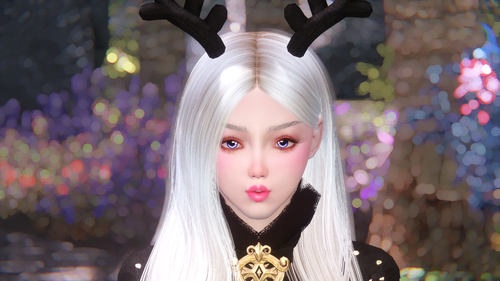
Name: Tyrie
Location: Riften Bee & Bard
Class: Spellsword (semi-powerful)
Height & Weight: 1m7, 100
Body: UUNP
My FlickR: https://www.flickr.com/photos/133704419@N05/
TumblR: https://www.tumblr.com/blog/nightwalk7
2029 downloads
Updated
-
MOAC 0.6.0 Alpha
By Hollow_Fang
Formally mod named Alan's BBP Armor Pack 2.2 armor Stats & Requiremnts With AOM rebalanced
Massive changes
Everything changed!!
Required now
Dragonborn
dawnguard
Hdthighheel
aom
heel Sounds
Merged
TERAArmors.esm
BBP_ArmorPack.esp
BBP_ArmorPack2.esp
Luxury Collection.esp
Tera Armor Level List.esp
tailoring.esp
AS of current 1/10/2018
Change log for 0.60.0
Loom used for clothing and cloth crafting
Use the dyelab to make dyes and pigments
Use spinwheel to make cloths and linens
use Font of Transmutation to convert the Dye's to other dye colors as well as convert the linien's to other colors.
MOAC
the idea was to take the amors from BBP armor pack and give them stats and recipes that need more than ignots !
this has since evolved to a system of crafting and changes to BBP armor and luxery to a full clothing crafting system
I plan to make a system that can be built on and added to by other modders
Changes the stats of the armours from Alan's BBP Armor Pack 2.2 from one iron ingot to varying different requirements as seen in the Examples shown in the image's total number of items changed is near or over 100 changes
Art Of Magika is required for pigments linens and dye's along with glue they can be crafted in the Whiterun Mages map area to the far right of wall.
Many items from bbp pack now have skill requirements
Be sure to back up original BBP_ArmorPack1 and BBP_ArmorPack2.esp
To my knowledge you will only need to enable in the mod list BBP_ArmorPack.esp not BBP_ArmorPack2.esp.
*Both files should be enabled
Also some things have been transferred to different crafting stations mostly forge and tanning rack.
None are in the grind stone or the smithing table or the smelter (that would be dumb)
Some items like the aldruin full armour sets are enchanted to be used as a set while alone works fine. The set works as I believe it is up to 50% + / - 20% of fire resistance.
Still to do:
Find a way to merge mod Esp into 1 .Esp with out Ck crashing
I hope to acquire a Spinning wheeling is animated that is made as a crafting point to create linen's only -
Create Sub crafting category's such as:Silver,Elegant,Mystic,Legendary (all smithing perks would be needed)and add some of the armors to small quests
Credit to Alan of ARROW&KNEE MOD TEAM for orignal BBP Armor pack
Credit to Zonzai and Kalell and UKC for The Art of Magicka
3971 downloads
Updated
-
TinyTimAndFriends
From the author who brought you Agatha Mother of Wisps marriable wisp follower, I present to you...
Tiny Tim & Friends
Featuring:
Tiny Tim
Race: Giant (scaled down but still taller than human races)
Voice: MaleOrc (and will even send word to orc strongholds that you are trustworthy, LOL)
Marriable: Yes
Combat Skills: Stomp, and includes a PLAYABLE giant club. The only way to get one for yourself though at this point in time is through console command or the additem mod that I believe is still available on the nexus.
Can go through doors? Yes
Location: Down hill from Lakeview Manor on the trail by the lake where the horseback hunter usually patrols
WolfRad the Rad Wolf
Race: Wolf race as Ice Wolf
Voice: MaleArgonian
Marriable: Yes
Combat Skills: Icewolf
Can go through doors? Yes
Location: Up on the snowy hill at Lakeview Manor overlooking Pinewatch
Alduette
Race: Dragon (scaled down, see pictures)
Voice: FemaleSultry
Marriable: Yes
Combat Skills: Tail, bite, frostbreath, dragon flight.
Can go through doors? No, not without the use of AFT's tweak command "Summon" Didn't want the full scale dragons following their prey into their tiny little homes. That would be the result if I set it up for her to follow through doors.
Location: Perched on a rock on the left hand side of the trail as you are coming upon the northern entrance to Helgen.
Requirements: Skyrim.esm
I am also uploading an optional esp that will make some minor changes to the wolf cave around the bend from Lakeview manor. Changes have cleaned up the place and added a giant's campfire, and a scaled up hay bed. Pretty much just for cosmetics that works with MHIYH if you want to provide a place for the giant to call home. The chest has been moved and semi-underground next to the hay bed. See pictures. The wolves will have to be cleared out and will still be set to respawn but nothing a giant can't handle.
Requirements for optional file:
Skyrim.esm
Update.esm
Hearthfire.esm
The optional file will conflict with any mod that changes this same location.
With my experiences testing this out, it works well with the Aroused Creatures mod, Lover's Victim mod(even though Lover's Victim is only programmed to work on humans unless you have the Dogs N Horses add-on, the human voices I guess makes them part of the action there, Spouses Enhanced if you marry one of them. Also, this works well if you use the CCAS mod using an alternate start where you have been a slave of the giants for years and grew to enjoy it even though something was calling you away from the camp, or a wolf bitch, etc... Feel free to try it out. I am just learning new things. This is a whole new world for me. Just finished completing a personal quest follower mod for my personal spouse of choice. A fellow succubus modeled after the likes of my real-life gf. This has been a fun ride. I am finally getting my Skyrim tailored to my liking a little at a time by doing little learning projects like this. And I feel obligated to share some of these as I go. So keep in mind that I am very amateur and also looking for as much advice as possible. I love the knowledge and skill that floats around here on LoversLab. You guys know your stuff and have been a big help and or influence. Thank you!
192 downloads
Updated
-
Nightwalk7: Hollie Follower
By nightwalk7
This mod once posted & removed from Nexus Mod because someone claim my mod use assets/related/similar to RRC Mercy Follower
And i no longer share my mod to that website again, because of their ridiculous action. Just like what they do to many good modders out there, takedown things without ask creators provide proof to show rights to their creatives
If you dont like my mod, Back button alway ready. But if you do, thank you and enjoy!
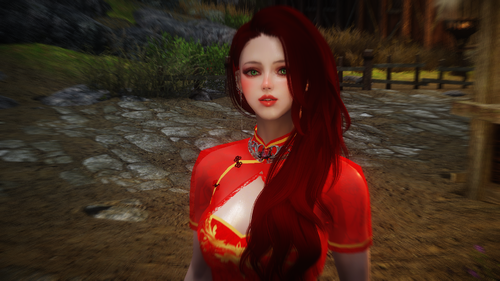
Name: Hollie Tran
Body: HDT CBBE
Height & Weight: 1m68 - 100
Location: Jorsvaak - Whiterun
Class: Spellsword (Onehanded - Conjurer) , semi-powerful
My FlickR: https://www.flickr.com/photos/133704419@N05/
TumblR: https://www.tumblr.com/blog/nightwalk7
2288 downloads
Updated
-
Bookyloo
By geck91111119
Because the producer can not speak English, it becomes a sentence through translation.
Please understand that it may become a sentence which does not pass partly.
What's this
It is a greatsword motif of Japanese mascot character Lookyloo, a company named Sanrio
How to use
It is the same as normal MOD. I think that the place where I was at was Riverwood's Delfin home.
If not, please get it on the console.
I Love Lookykoo
https://www.sanrio.co.jp/character/lookyloo/
WHAT CAN YOU SEE ?
35 downloads
- fancy
- greatsword
- (and 3 more)
Submitted
-

follower Olivia Custom Voiced Follower UNP HDT
By ★Foxxx★
Olivia Custom Voiced Follower UNP HDT
Description
This mod add to your game a teenage girl named Olivia
Face is based on this ECE preset
I do not use ECE, so I recreated this face in RaceMenu
Olivia use custom teenage voice type, the same as popular mod Sassy Teen Girls
You can find her in Proudspire Manor (Solitude)
Requirements
XP32 Maximum Skeleton Extended
HDT Physics Extensions
Not required, but highly recommended
aMidianBorn Hide and Studded Hide
Credits
HHaleyy -
Fair Skin Complexion
triptherift - Teenage Female Voice Type
nisetanaka - The Amazing World of Bikini Armor
Please do not upload this mod to other sites
7908 downloads
Updated
-
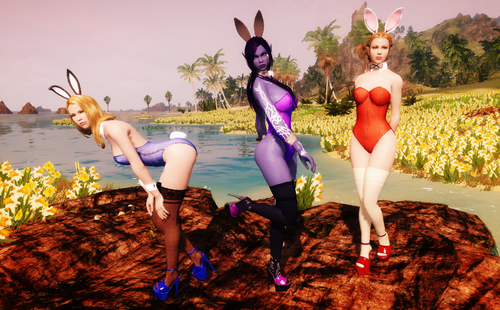
Nadriel's Bunny Girl Outfit, Converted to Skyrim (CBBE/UUNP HDT and nonHDT)
By MrEsturk
NEW UPDATES! A UUNP CONVERSION PATCH AS WELL AS A CHRISTMAS THEMED PATCH FOR ALL YOU NAUGHTY HOLIDAY BUNNY NEEDS!
This is a conversion of Nadriel's Bunny Girl Outfit from Fallout4. It has been converted to the CBBE HDT body, but also includes a nonHDT version option. It includes full Bodyslide support for the HDT and nonHDT version. Intended for females, but can also be worn by males in case you want to play a crossdresser/transgender/Rocky Horror enthusiast.
The outfit is broken into four parts: Leotard (body slot), Ears (circlet slot), cuffs and collar (gloves slot), and tail (tail slot). Heels and stockings are not included. You can get the heels/stocking featured in my screenshots here.
The leotard has a normal and t-back version, as well as nine color options. The cuffs and tail both have two color options. There are four ear variations.
REQUIREMENTS:
- Caliente's Beautiful Bodies (the only thing needed for the nonHDT version)
- SKSE (For HDT version)
- XPMSE (For HDT version)
- HDT PE (For HDT version)
INSTALLATION:
Just open the file with 7-zip, drag its contents into your Skyrim folder, and follow the normal procedures for enabling a new mod.
WHERE TO FIND THE OUTFIT IN GAME:
You can craft no stat clothing versions of all the outfit parts at any forge/anvil out of leather strips. Additionally you can also convert the following pieces of armor into equivalent bunny girl items that have identical stats at a forge/anvil in case you want to prance around in a bunny costume with decent stats:
- Adept Mage Hood and Master Mage Robe
- Glass Helmet, Cuirass (Armor), and Gauntlet
- Daedric Helmet, Cuirass (Armor), and Gauntlet
FAQ:
Where are the heels/stockings/fishnets from the original Fallout 4 version?:
Unfortunately there were several issues with them. For starters Nadriel borrowed them from two other modders with permission, which I also would have had to track down and get permission to use. Also the heels used a nonHDT based system that left them with badly squished feet. The best that could be done in Fallout 4, since there is no HDT system in that game yet, but in Skyrim they would just look ugly and dated. And finally even in Fallout 4 I had trouble getting them to work without noticeable clipping issues, so I decide to axe them in this conversion. But don't worry: Skyrim has a ton of heels, stockings, and other footwear to work with in their place.
I suppose if enough people bug me about it I'll look into at least getting permission to convert the male version of the heels since there are no real male heel options yet as far as I know.
Will this work with my beast race character / custom beast race character?:
It should as far as I know. However there may be clipping issues with the bunny ears depending on the head shape and equipping the bunny tail will override your race's default tail (but the bunny tail has no stats, so no reason to wear it if you don't want to).
The alternate colors of the leotard don't appear in the forge's crafting list. What gives?:
In order to cut down on menu clutter the alternate colors of many of bunny girl outfit parts only show up if you have the crafting mats for them. Get the proper crafting mats and they will pop up. The alternate colors use the same mats as the default color.
Can you, or can I, convert this costume to *insert bodytype I like*?:
I won't be converting it to any other body type. But if you want to convert it to another Skyrim body type I see no harm, so long as you credit Nadriel for creating it.
Will convert this other Fallout 4 costume I really like?:
Sadly probably not unless I think the outfit is REALLY awesome. Converting costumes from Fallout 4 to Skyrim is a migraine. Dealing with Skyrim Creation Kit's very buggy handling of recognizing a new outfits body weight slider and layering is even more of a migraine. Some things you really only want to suffer once.
Where is the nonHDT version of the Cufflinks in Bodyslide?:
The cufflinks & collar don't use any HDT physics by default, so only one version was needed. Just use the normal version.
This stupid bunny costume is unrealistic and impractical!:
Nonsense. Ancient warriors used to wear bunny leotards into the battlefield all the time. King Henry VIII wore a hot pink one with seven inch fetish heels during his attempted conquests of northern France. Its in the history books.
Credits:
Nadriel - Created the outfit
MrEsturk - Ported the outfit to Skyrim with Nadriel's permission. Also created the purple leotard color and black large bunny ears color.
Backsteppo - Created the Santa Hat Models and Textures.
OTHER MODS BY ME:
Equippable Dogmeat Skins for Fallout 4: Allows you to alter Dogmeat's breed in game through craftable alternate skins you can equip on him. Want Dogmeat to be a husky for one of your characters? Want him to be a golden labrador for your other character? And you also want him to be a mongrel hound for yet another character you play? Don't want to go through messy manual file switching every time you want to change him? Then this is the mod for you.
11287 downloads
- bunny
- bunny girl
- (and 1 more)
Updated
-
Gharzal
By RavinBeast
5a3dbdc947c40_GharzalFollower.zip
Before We Go Any Further I Have To Apologize For My Typing, I'm Blind In My Left Eye And Capitalizing The 1st Letter Of Each Word Seams Help Me Read My Own Typing.
Now That's Out The Way, On To The Good Stuff
Introduction:
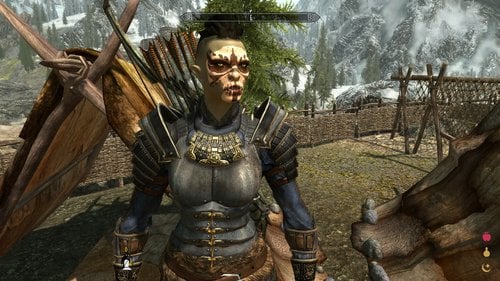
This Is Gharzal An Orc Archer Follower I Originally Made For Myself But Thought Others May Enjoy Her Since There's A Distinct Lack Of Orc Follower Mods Out Their.
Location:
You Can Find Her At The Braidwood Inn In Kynesgrove, You'll Have To Give Her Some Alchohol Before She'll Agree To Follow You Though
Technical Sidenotes:
She'll Use Whatever Body Textures You Have Installed, However I Think She Looks Best With Pride Of Valhalla Skin Textures (It's What I Personally Use And What Was Used In The Screenshots) Other Then That She's Completely Vanilla
https://www.nexusmods.com/skyrim/mods/72586
123 downloads
Updated
-
My Racemenu presets
By Kpnut
These are the racemenu presets for my three characters Storm, Cris and Claire. I'm uploading them here partly because I feel some of you might want them and partly because I want them backed up somewhere other than my external HDD in case something catastrophic happens to that particular HDD.
Update: added my ningheim character Hilda and my Tania project character Tania to the file
Update 2: Added my Valkyrie character Mist to the file.
Update 3: Added Ash, my redguard to the file
Anyway the file has all three presets in it already and to install you simply go into; Skyrim/data/SKSE/plugins/Chargen/presets
As for the requirements you need the following:
Racemenu (obviously) Epic Elves (for Cris) Lunari (for Storm) Nephilim (for Claire) Ningheim (for Hilda) Tania Project (for Tania) Valkyrie Race (for Mist) Apachii Skyhair (for Storm's hair) SG hair pack (for Ash, Hilda's and Cris' hair) KS Hairdos (for Tania's hair) SG texture pack (for Claire's skin texture) Fair Skin Complexion (for Ash, Mist and Tania's skin textures)
To get them looking exactly how they do in my game is simple for Cris and Storm and a bit more involved for Claire. For Cris and Storm you simply need to drop the files into your presets folder and ensure you have the required mods for both of them. As for Claire you need to install the SG texture pack directly into the nephilim textures directory (should be this: Skyrim/Data/Textures/nephilim/body.)
As for permissions; don't upload them anywhere else, don't claim them as your own. If you want to turn them into companions and release them tell me first, I'm unlikely to say no as I can't do it myself (I just can't wrap my head around Skyrim modding) and if you decide to take screenshots with them (I don't know if this has ever happened but it might) again don't claim them as your own and any images with sex in them don't do anything too kinky (bestiality is a no go but BDSM is fine and also no rape)
credits;
expired6978 for racemenu
zzjay for the epic elves race
bhaktisean for the Lunari race
JetSteele for the Nephilim
hellosanta for the SG skin textures
apachii for apachii skyhair
1928 downloads
Updated
-
Free Death Camera
By gp160
This plugin is originally uploaded to nexusmods but apparantly their antivirus dosen't like it so it gets blocked everytime I upload an update. Therefore I decide to move it here and see how thing goes.
This mod allows you to move the camera freely in TFC mode when player character is dead|knocked down|paralyzed. So you can take better screenshots and watch your follower fighting your enemies. Use mouse to rotate and use WSAD/mouse wheel to translate camera. Press Alt to accelerate. You can control whether to allow rotating camera after death(without tfc) by changing UseThirdPersonMode in the ini file. If you are using game controller, change NoRunDLL in ini to 1.
Update: Now you can rotate camera with UseThirdPersonMode=0, which works better with death animations.
Note that you should put this mod into 'unmanaged mode' or install manually if you are using mod organizer that messes with game load path or you'll get rundll32 can't find dll error.
To test, try the following commands in turn
1:
player.kill
2.
player.setav paralysis 1
player.pushactoraway player 0
player.setunconscious 1
3488 downloads
Updated
-
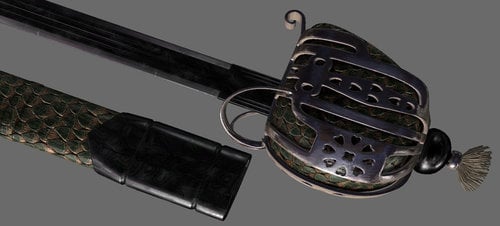
Scottish Basket Hilt Broadswords II
Version 2 of the World-Renowned Scottish Basket Hilt Broadswords! Now available in almost every metal in the game. All swords are done in 2K textures with remarkable depth. See for yourself in the pictures. The ones with the gray background are from 3DS Max where they were created. The game shots are lower screen resolution.
As with the previous version, the blades’ design was inspired by the Cold Steel Scottish Broadsword:
So, what is the story of these swords and their history in Tamriel you ask?
In Tamriel, Basket Hilt Broadswords originated in the Colovian Highlands. The Nord smiths there used their incredible skills to combine metals and techniques from other cultures with traditional Nord crafting practices to create a sword almost on par with Akavari katanas.
While Nords typically favor heavy two-handed weapons, the steep, often rocky terrain of the Colovian Highlands creates the need for a quality one-handed weapon. This enables the user to better keep their footing and not have to over-commit on a swing of their weapon. The Basket Hilt Broadsword is lighter weight and stronger than a traditional sword of the same material and is so well balanced that the wielder is faster and lighter on their feet as well.
As word of the revolt against the Empire and the Thalmor in Skyrim spread, Nord smiths began manufacturing and selling more of the swords to their brothers in Skyrim. Sometimes even smuggling them in with Khajitt caravans. Rumor has it they’ve even trained some of the smiths in Skyrim in the art of crafting their remarkable blades.
My attempt at adding a bit of lore to the blades done, lets get to the details. First, the mod was rebuilt from the ground up. Swords include the following metals; Rusty Iron, Iron, Steel, Silver, Orcish, Dwarven, Nordic, Skyforge Steel, Glass, Stalhrim, Ebony, Daedric, and Dragon Bone.
The Skyforge Steel sword in particular is a masterpiece. It has a Damascus steel finish and looks like dark steel at first, but at some angles you get a sort of deep purple reflection. The whole sword slightly changes at different angles from slight hints of color to the way the pattern looks. The scabbard is dragon scale as well. Vioxsis did some truly amazing work there.
All swords are fully craftable, temperable, and enchantable. They have also had ALL vanilla magic variants created for them (even the silent moons option for iron and steel variants) and added to leveled lists for merchants, townsfolk, encounters, and treasure chests. Anywhere there’s a chance of a vanilla sword, there’s a chance of these swords. They will appear a bit less often than vanilla swords however, as they’re supposed to be a little on the rare side.
Stats-wise,the swords are typically one point lighter, and do one point more damage than their vanilla counterparts. They also have a speed rating of 1.15, which puts them dead in the middle of swords and daggers. Lastly they have a 5% higher chance than normal to critical hit as well. The aim here was to add weapons that were of exceptional quality to the game but still remain relatively balanced.
Cost vs a vanilla sword is about 30% higher (give or take). Unlike the vanilla weapons, I also adjusted the value of magical ones up a little over the mundane versions. If it’s enchanted, it has to be worth more right?
Lastly, as an added bonus that came about creating the Silver variant, the vanilla silver swords are now craftable and temperable. They’ll be under the Misc category at the forge. I also tried to get them to occasionally pop in vendor and loot lists. It always bothered me that they only showed in the hands of Werewolf hunters.
If you have a mod that does more extensive stuff with Silver Weapons, just put it below this one in your load order and the other mod should take priority.
220 downloads
Submitted
-
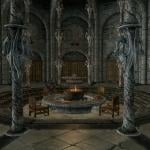
Daedric Museum of Artifacts
By Enter_77
Description Adds a museum east of Falkreath near the Skyrim-Cyrodiil border gate dedicated to the Daedra. Inside, you'll find a safe place to store and display your accumulated Daedric artifacts. There are also other Daedric-related displays and Daedric items to purchase.
NOTE - NPCs are unvoiced. All subtitles will need to be enabled.
Museum Rooms Lobby
Serves as a gateway to the rest of the museum Museum of Artifacts
Display/storage area for all unique Daedric artifacts Daedric shrines that can be activated to give you unique blessings NPC that gives you hints as to where Daedric quests may be started Museum of Lords
Mannequin displays of the live Daedric Lords featured throughout the game Museum of Daedra
Mannequin displays of the live Daedra featured throughout the game Atronach Forge with already available Sigil Stone. NPC trainer/vendor that specializes in Conjuration and sells Daedria conjuration spell tomes, scrolls, and staves. Also sells special Atronach Forge Recipe book containing all 34 recipes in the game. Museum of Relics
Preset displays of miscellaneous Daedric items seen and acquired throughout the game NPC vendor that sells Daedric clothing NPC smith trainer/vendor that sells Daedric weapons & armor Crafting & enchanting center Library
Contains all of Skyrim's Daedra-related books Book shelves are safe for storage and an ideal place for players to place their own books in an organized manner
Mirrors AFK Mods Assimilation Lab Dark Creations Mod DB Nexus Mods Steam TES Alliance
Versions for Other The Elder Scrolls Games
The Elder Scrolls IV: Oblivion
The Elder Scrolls V: Skyrim - Special Edition438 downloads
Updated
-
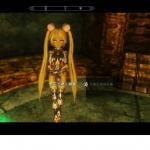
Replace monsters with Elin Race
By whitecode
First I would like to clarify that I did not make this mod, all the credits goes to the original author Ithildin
All i did was to translate the original Chinese mod to english
This is a mod I found long time ago on 3dm, as the name suggests it replaces most of the monsters in Skyrim with Elins
The list includes:
Spriggans
Dremoras
Giants (and mammoths)
Dwarven Robots
Trolls
Atronachs
Skeletons
Dragon Priests
Hagravens (Glenwitch excluded)
Werewolf (form)
Most of the Draugrs
Most of the Falmers
Each one is separate, so you can choice the ones you like
It does not include:
Wolfs
Dragons
other Wildlifes etc
Please don't mind the Chinese on the Screenshot, I have fully translated the mod into English
If you have any problem with face textures, use Creation kit and export the Facegens
If you have CTDs when entering the Dwemer Ruins, please follow the Elin NPC n Followers Creation Fix Kit on: http://www.loverslab.com/topic/20121-2017-feb-22-elin-voice-complete-fixed-tera-elin-race/
If there are missing names for the Falmer Elins please let me know
Requirements:
Dawnguard
Dragonborn
Tera Elin Race
http://www.loverslab.com/topic/20121-2017-feb-22-elin-voice-complete-fixed-tera-elin-race/
Mikuhair.esm
http://www.loverslab...ttach_id=356543
or you can simply use WB to turn the original esp to esm
1202 downloads
Updated
-
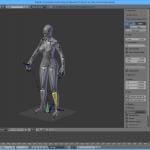
Skyrim nif-data anim utils
By vpoteryaev
First of all. Great thanks to all 2.49 NifTools creators!!! They did a GREAT job, but for too old version of Blender.
Time to go further? I'll try.
Requires:
Blender 2.7+ (I'm using 2.78)
Pyffi 2.2.3 and nifxml-0.7.1.0 from https://github.com/niftools
Works ONLY with SKYRIM's nif-kf files.
Works with humans and creatures ones (if they have 'NPC Root [Root]' NiNode as reference point - seems all they have).
We have enough good looking armors (really?), but lack of good animations. This tool IS NOT for creating/editing armors, my goal - animations.
Functionality:
Import bodies and skeletons '.nif' files. Export .kf-file for futher hkxcmd convertation to hkx. You may save skeleton's .nif file from Blender with unchecking 'create .kf', but I didn't see any reason and it will be unusable.
Installation:
Goto Blender's 'File->User Preferences->Install From File" and so on...
Usage and Tips.
IMPORT
'File->Import->Skyrim nif-format Data (.nif)'
About importing body nothing to say, just select .nif, import.
1.1 After import select attached to imported body Armature and delete it. A skeleton (except XPMSE) can be imported without ANY preparations, i.e. as is (only scaling female's 'NPC L Hand [LHnd]' and 'NPC R Hand [RHnd]' to 1.0 have to be done). Non-standard scaled skeletons have to be prepared to 1.0 scaling or in-game you can get twice scaling. Due to a HUGE amount of bones in XPMSE skeleton is used it causes pyffi's scripts to raise an Exception while exporting '.kf', but import OK. So you have to delete with NifScope all unused branches, like ArmLeftDismember, LowBodyEviserate,... etc, all CME NiNodes nodes too. It will not affect on animations but will help you also do not mess with huge amout of bones in Blender and speed up the convertation.
Note: I do not plan to modify pyffi's code to eliminate crash!!! At least, you have to reduce XPMSE skeleton's nodes amount only once and re-use it. Note about attaching MESHES to skeleton.
3.1 With body selected, go to modifiers. Add Armature deform modifier and change 'object' property to imported skeleton. And repeat for other parts: feet, ...etc.
3.2 Any 'Vertex Groups' that exist in body but absent in skeleton may be deleted (SPB_32_BODY, SPB_33_HANDS and so on)
ANIMATION:
Major difference from 2.49 NifTools:
Instead of old NifTool's logic with using F-Curves (or IPO in 2.49 terms), current scripts in 'POSE' mode moves through ALL bones and FRAMES with reading real matrixes and offsets of bone's position.
So with creating just a pose, you don't need to insert keyframes at all.
Why logic was changed?
If using constraints all affected by constraint bones DON'T have F-Curves (only constraint itself has), also they pose_bone's 'matrix_base' and 'location' properties stay unaffected.
Now you can implement ANY constraints for creating completely functional rigs, especially with implementing 'Inverse Kinematics' constraint.
Any rotations are allowed for any bone via constraints.
But there is a limitation in changing location:
At first, any location change (except ROOT bones) will deform body. For example, moving 'L Thigh' left/right/up/... will make from your character a cripple. If you want to move bone anyway, move it directly, but not via constraint. Or while export dialogue add to the field 'Moved bones' ones that scripts will recognize as allowed to be moved by constraints and calculate they offsets. By default only 'NPC Root [Root]' and 'NPC COM [COM ]' are allowed. Use ',' as separator. I added this field only for creature's skeletons, because they don't have 'NPC COM [COM ]' node, but they have 'Canine_COM", for example.
Don't care about added by you bones: Controllers, Drivers, Targets... Anyway hkxcmd will just ignore them while convertation.
BUT NEVER RENAME IMPORTED BONES.
Accepted ONLY 'LocRot' keyframes and they 'Visual' variants.
Scaling are not implemented at all. I don't see any reason to do it.
EXPORT:
'File->Export->Skyrim nif-format Data (.nif)'
Armature must to be selected and active.
Simpliest but slow export method: Frame-by-frame. This mode not require additional preparations after creating animation. All frames and all bones are scanned and resulting .kf can have a huge size. About 'Moved bones' field, see ANIMATION' section. Fast 'F-Curve' method only for those who is familiar with Blender. Only real keyframes are exported to .kf, so before export you have to create 'Visual' keyframes for bones that not rotated directly by you, but with constraints.
UPDATE/UPGRADE:
Sometimes with upgrading to new version I have to change format of stored data. I'll try when able to give user an ability to update without loosing all work that have been done.
Select armature in 'object' or 'pose' mode, in Properties Panel goto Armature (to be more precisely in ObjectData Space).
At buttom of all panels you'll see 'io_nifdata' panel with 'update .blend file' button.
Click on it. But anyway, before upgrading make a copy of your file. And if something with old but updated work goes wrong, rollback,
restore file and finish your work using previous version of scripts.
PLANNED:
1. Nothing at current moment as I'm not playing Skyrim until....
CHANGES:
22 Nov 2017 v1.00 beta
- just reuploaded as zip-archive with proper folder location for being recognized by Blender.
- also for those who having troubles with installing Pyffi and Nifxml in description added steps for installation
09 May 2017 v1.00 beta
- Added patch from post
- Added option from post
- Added .kf animation import. see post for how-to
08 March 2017 v0.10beta
- Added. Import meshes
- From archive removed examples .blend files. With importing meshes added functionality i see no reason for them.
12 Feb 2017 v0.05beta:
- Added. Direct reading of F-Curve data. See this post.
11 Feb 2017 v0.04:
- Changed. Sequence of exporting bones is going from root to children. As result it's easy to find in exported .kf desired node for check/edit...
- Added. Bone priorities management. See EXPORT section.
- Instead of store data in textblocks of Blender file (which can be accidentally corrupted) all internal data are stored in properties of objects.
- Added. Update functional. Because data is moved, use UPDATE ability. See UPDATE section.
10 Feb 2017 v0.03:
- Fix. 'Import/Export scale correction' different from 1.0 settings don't causes error. Now editing F-Curves in 'Graph Editior' may be more comfortable.
09 Feb 2017 v0.02:
- Allowed to implement constraints for bones and create completely functional rigs. See ANIMATION section.
- Changed (is it really necessary?). With extracting vanilla Skyrim .hkx-es to .kf, user_version is dispayed as 11, i.e. 11/83, not 12/83 as for .nifs, so now 11/83 is used.
- Changed (is it really necessary?). With same tries in NiControllerSequence->Controlled Blocks->[block]->priority I always got 0, but NifTools means 26 as default. 0 now used.
Again and again, sorry for my English.
Kind Regards
1260 downloads
Updated
-
Anime Race Custom Voiced Neptunia Followers
By Mud
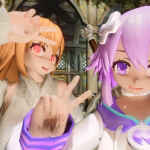
With the advent of the MMD Anime Race comes anime followers! I've converted my Neptune and Compa followers from my old Elin Race followers mod, using voice clips taken from the Hyperdimension Neptunia series of games, with added voice lines, new assets, and bug fixes! In addition, the mod is fully standalone, with its assets separate from the main MMD race. If you wish to preview their voice lines, please take a listen to the videos under their sections in the Elin Follower link above.
Requirements:
Dawnguard
HDT Physics Extension
Technical:
Both followers are located at the Temple of Kynareth in Whiterun. They are essential, and can be recruited together, with just a handful of voice lines that only play if the other is tagging along with you at the same time. They use a custom UUNP preset for their bodies and outfits, along with a modified XPMSE skeleton, modified Anime Race skin texture, and the normal maps for body and hands from Fair Skin Complexion. As with any mod featuring NPCs with custom voices, you must save and reload on first load in order for them to start speaking. Because of the Anime race's unique head shape, most helmets and head accessories will not fit on them out of the box, so they are best paired with invisible headgear mods, like this one! Follower overhauls such as EFF may be able to be used on them for features such as outfit changing, but with limitations. Do not attempt to force recruit them while they are already following you, and Compa will not use her healing spell as long as she is under EFF's system instead of the default recruitment, so dismiss her from EFF's system whenever you're done futzing about with whatever it is you needed to do.
This mod is not compatible with my previous Elin Follower mod. A handful of things, such as the followers' recruitment scripts and two of the followers themselves still share IDs with the old versions, since I'm not comfortable mucking about too much with things like scripts.
Archer Follower Neptune:
Healer Follower Compa:
Miscellaneous/Known Issues:
- Certain Anime Race facial expressions look really funky if used on an NPC. I should have taken care of most of them, but if anyone finds a voice line that still tries to use an expression like Puzzled, please let me know so I can change it.
- The other two followers in the Elin version, Lily and Vivi, are not in this one. I don't know if they'll make a return at this time, at least not before other morph options are available for the main Anime Race. Recipes for their old equipment have been dummied out as their assets are not included in this mod, but I've not tested it to see if it works so please let me know if you're seeing recipes for meshless items at the forge when carrying around pieces of light armor.
- Dialogue that was intended to play expressing exhaustion when leaving a dungeon did not work as desired, instead causing the old followers to complain about being tired all the time when travelling around and crossing outdoor cell boundaries. This version has a new set of conditions but I have not had a chance to see if they work.
- Vanilla world interaction dialogue appears to take precedence over Neptune and Compa's if they are recruited alongside vanilla voice type followers.
Credits:
- Shangus5759 for creating the MMD Anime Race, and Speaker60 for his contributions to the race's assets and assistance with the followers
- Idea Factory and Compile Heart are the owners of Neptune, Compa, and all ripped game assets for the purpose of copyright
- HHaleyy for Fair Skin Complexion's normal maps
- Random Talking Bush from The Models Resource for ripping the original Neptune model
- BadNewsGoodNewsandFauxNews from GameMaps for converting the Neptune model to Skyrim's format
- Atreyatan from LL for assisting with mesh woes
- The Bodyslide team for making Outfit Studio, which lets even a clueless schmoe like me make shitty conversions
- Anano for Osare Kneesocks, Osare Panty, and Amiella Outfit used in outfits and world models
- Fox6000 for bracers taken from two of his outfits
- Lostdaywalker for his Winter Sweater, used in Compa's outfit
- KURESE and Nausicaa for the stockings used in Compa's outfit
- Hepsy for the original meshes for the Neptune's stockings and underwear, Halofarm for converting them to Skyrim in Aether Suite
- Matthiaswagg for her guide on making followers with a custom recruitment system (http://skyrimmw.weeb...odding-tutorial)
- Deck16 for his guide on giving NPCs custom voices (http://deck16.net/po...n-skyrim-part-1)
3053 downloads
Updated
-
no more females walking like "machines". "NMFWLM"
By sbire
no more females walking like "machines". "NMFWLM"
VANILLA -> NMFWLM_vanilla.esp version: 2 (2012-12-12)
list of edited NPCs -> vanilla
You have to activate that mod BEFORE you've met the edited NPCs.
HEARTHFIRE -> NMFWLM_hearthfire.esp version: 1 (2012-12-06)
list of edited NPCs -> hearthfire
You have to activate that mod BEFORE you've met the edited NPCs.
DAWNGUARD -> NMFWLM_dawnguard.esp version: 1 (2012-12-06)
list of edited NPCs -> dawnguard
ATTENTION: You have to activate the Dawnguard version BEFORE you start the Dawnguard Questline!
DRAGONBORN -> NMFWLM_dragonborn.esp version: 1 (2013-02-06)
list of edited NPCs -> dragonborn
ATTENTION: You have to activate the Dragonborn version BEFORE you start the Dragonborn Questline!
LEGENDARY EDITION -> NMFWLM_legendary_edition.esp version: 1 (2015-01-05) (merged esp with TES5Edit)
list of edited NPCs -> legendary edition
You have to activate that mod BEFORE you've met the edited NPCs.
ATTENTION: You have to activate the LEGENDARY EDITION version BEFORE you start the Dawnguard Questline!
ATTENTION: You have to activate the LEGENDARY EDITION version BEFORE you start the Dragonborn Questline!
FALSKAAR -> NMFWLM_falskaar.esp version: 1 (2014-04-05)
list of edited NPCs -> falskaar v1.1.2
ATTENTION: You have to activate the Falskaar version BEFORE you start the Falskaar Questline!
BEWARE OF THE LOAD ORDER!!!
i think it will be good to load this mod as soon as possible.
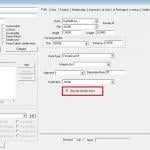
i've disabled at the females the option "Opposite Gender Anims" from the Tab "Traits" at the actors menu from the creation kit.
how to use: for vanilla use vanilla, for dawnguard use vanilla + dawnguard and so on.
sample before;Jenassa -> male walking style
sample after;Jenassa -> FEMALE walking style
sample of female walking style; showcasing: Iona, Lydia (legs right; Jordis))
sample of female walking style; showcasing: Jordis
if you decide to use one of those .esp and you find some female, which are walking like a man, most of them are warriors like soldiers, mercs, bandits or unique npcs. please feel free and report them here at this thread.
there's a possibility of some random generated female npc spawn, like guards or orcs, which are still walking using male animations, because they are random generated by using a male template. i think a sharp sword or using the console cmd "disable", if you prefer the "clean way", should solve that problem.
TROUBLESHOOTING:
RELEASE: IMPORTANT NOTE!
CHANGELOG (2015-01-09)
special service:
NMFWLM_editedNPC.xlsx.zip version: 4 (2014-04-05)
vanilla_strings.zip
dawnguard_strings.zip
hearthfire_strings.zip
dragonborn_strings.zip
8629 downloads
Updated
-
Slower Levelling and Skill Learning V1.00 (20150806)
By Slorm
Like many players I've never been happy with how fast my character levels up. There are mods which address this like Community Uncapper but I wanted something much simpler which just applied a percentage slowdown across all skills and was easy to use
So basically, this mod slows down the rate at which you learn all skills so that you will level up more slowly.
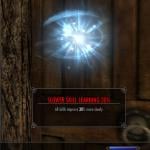
It works by applying an effect to the player character which will slow down the learning rate by a set percentage. There are five spells that can be used set at 10%, 20%, 30% 40% and 50%. You can use more than one if you really want to slow down your levelling, as the percentages are calculated sequentially you can never go over 100%.
As it just applies a spell effect it is perfectly safe to install and uninstall, there are no scripts to worry about.
Install using a Mod Manager or just drop the plugin into Skyrim/Data folder if you prefer to manually install.
To Use:
Go to console and type "help slower" (without quotes) which will give a list of the five spells.
Slower Skill Learning 10%
Slower Skill Learning 20%
Slower Skill Learning 30%
Slower Skill Learning 40%
Slower Skill Learning 50%
Then type player.addspell xxxxxxxx (where xxxxxxxx is the spell ID (the number in front of the spell name)) and you will see a message in the top left of your screen to say it's been applied and it will also appear in your Effects menu
To remove the effect simply type player.removespell xxxxxxxx and it will be gone and you will learn at the normal speed again.
If there's enough interest in this I may look at adding a menu with toggles but it's pretty simple to use as it is.
Caveats:
If you use other mods that alter the learning rate like SLA or RND those effects will also be applied so can make levelling slower still.
Credits:
Many thanks to fishburger67 for pointing me in the right direction as to how to make this and to stobor for answering my noob questions
Permissions:
Do not upload this mod to Steam. This mod may not be used or incorporated as part of any other "for profit" or "paid for" mod.
319 downloads
- skill points
- skill levels
- (and 2 more)
Updated
-
Wabbajack Bow
By Inte
Description
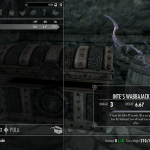
In this mod you get a wabbajack bow. An arrow from this bow will result in an unpredictable effect. Basically, on a successful hit your target will be teleported out and something else will be teleported in its place for one minute, at the end of which the original target will be teleported back.
What gets teleported back to your is randomised and sometimes it is more powerful than what you teleported out. So, yeah...
I added a bunch more NPC to the list of replacements than Sheogorath had.
You can find this bow in the courtyard of the Blue Palace in a boss chest.
Now go out there and make Sheogorath proud and don’t get stepped on.
Future Plans
Make it shoot DD and armbinders on NPC’s
Get different textures for the bow.
Requirements
None
Installation
1. I recommend using NMM for an easy install/uninstall. It does not replace anything vanilla.
2. If manual installation is your thing add the following files in their corresponding locations.
\Data\Scripts\Source\InteWabbajackEffectSCRIPT.psc \Data\Scripts\Source\InteTransmogrifyAnimal.psc \Data\Scripts\Source\InteAshPile.psc \Data\Scripts\InteWabbajackEffectSCRIPT.pex \Data\Scripts\InteTransmogrifyAnimal.pex \Data\Scripts\InteAshPile.psx \Data\Wabbajack Bow.esp Uninstallation
1. Use NMM ... yes.
2. If manual uninstall, remove the following,
\Data\Scripts\Source\InteWabbajackEffectSCRIPT.psc \Data\Scripts\Source\InteTransmogrifyAnimal.psc \Data\Scripts\Source\InteAshPile.psc \Data\Scripts\InteWabbajackEffectSCRIPT.pex \Data\Scripts\InteTransmogrifyAnimal.pex \Data\Scripts\InteAshPile.psx \Data\Wabbajack Bow.esp Update Log
641 downloads
Updated
-
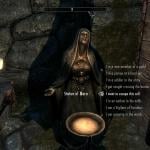
Escape the Cell - Live Another Life and Skyrim Unbound Mini addons
By jfraser
Version 7.0 - Non Dragonborn storyline expanded (almost done!)
Mod Description
I enjoy Live Another Life and Skyrim Unbound, but after talking to the statue and then activating the bed or pressing "begin", it always feels a little jarring to just suddenly be standing somewhere with no real context.
That's where this mod comes in. It will add a very simple story to each of the scenarios and, for the LAL stories, find a way to point you in the direction of Helgen (where you otherwise have no contextual reason to visit except for LAL's generic "you heard rumors about Helgen").
The other thing that I felt was needed was a storyline that gave the player a reason to start the main quest, so now all beginnings will start a short quest that will lead you to Bleak Falls.
New in version 5.xx - An epic* NON-Dragonborn storyline! Once you get to the cabin where your parents are supposed to be, you will have the choice between continuing the Vanilla storyline or beginning a new quest that assumes you wouldn't know a Dragon shout from a peal of thunder.
The scenarios that have something at this point:
Altered Beginning (and any other version of the Vanilla start)
- All versions of the Vanilla start. (Note: the EtC quest giver is down the road where the paths from Helgen's front gate and the path to the cave meet. This is to ensure compatibility with mods that start you in Helgen versus those that have you go through the cave.
LIve Another LIfe
- "I want to escape this cell"
- "I've Been Shipwrecked!" -To start the quest on this option, escape the boat. There is another survivor on one of the ice flows on the far side of the nearest iceberg. Find him and talk to him.
- "I was attacked and left for dead!" (Gate to Morrowind location)
- "I was attacked and left for dead!" (Steamcrag location)
- "I am a warlock's thrall" - warning: this one might be immersion breaking for some. Following fanuilh1's fantastic idea, this one is a "pulled from the real world" scenario. Also, it contains bad language.
- "I am a vampire in a secluded lair"
- The Bee and Barb Inn - Speak to Mianne
- "I own property in one of the Holds" (Shoal's Rest Farm)
- "I own property in one of the Holds" (All player homes)
Skyrim Unbound
- The Burned Cabin under the "Wilderness" tab. If you want the shortcut to the non-Dragonborn storyline, use this beginning.
- The Bee and Barb Inn - Speak to Mianne
_____________________________________________________________________________________________
Anyway, that's it. Just a little extra story to go along with one of the options in LAL and SU.
This doesn't require Live Another Life or Skyrim Unbound anything else. It does not use anything from LAL or Skyrim Unbound. If you download it without either, all the npc's will be there. This just adds a pinch of flavor to one of the choices.
If you do not see the "escape from this cell" option, you probably need to update your LaL.
* Getting more epic by the day!
Full Changelog:
10316 downloads
- live another life
- prison
- (and 2 more)
Updated
-
SkyrimAnother360RunAndWalk
By MaikCG
If running, then the elves are ass up, if the walk - the hypertrophied victoria secret. So I saw myself as something in between.
I do not remember where I took run animation, it was many years ago. However, it too made a little smoothed. Walk reference - Victorias High Heel walk with a less shaking ass and a bit smoothed.
In the complete set the plug-in changing speed at movement by a step, in the original painfully slowly.
https://www.youtube.com/watch?v=J7hwTsyakwY
Why run and walk should be put together?
Because the rotation type is 360 degrees (in vanilla the torso always forward), if you put just one thing, there will be an incorrect blending animation for three movements: backward / backward-left / backward-right, the body will be rotated by +/- 90 degrees relative to correct position.
3326 downloads
Updated
-
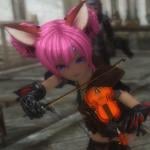
{Eng Translate-PATCH} Elin Bard with the Bearserk Trio
Elin Bard 3 with Bearserk, the Lute-Playing Bear Trio
by RSV
Website:
http://Casualmods.net
Available at Loverslab with permission.
DO NOT UPLOAD THIS MOD OR IT'S ASSETS TO OTHER SITES.
If you want to use the animations in your mod, please contact the author, RSV, at Casualmods.net.
================================
================================
Elin Bard 3 with Bearserk is available as an Installer that, when launched, will add the master files, plugins, and BSA files (for Elin Bard and Bearserk) then creates the behavior files or updates existing behavior files.
If you are not using any animation mods that require FNIS then the installer will simply create the behavior files. If you do have animation mods and already created the FNIS behavior files then the Elin Bard Bearserk app will update the FNIS files to include the Bard and Bearserk animations.
For this reason, please pay attention to the installation instructions provided in this post.
If you do not wish to use the installer, I have provided pre-made files in which you can install and play. However, these files can only be used if either (1) you don't use FNIS or any animations that require FNIS , or (2) use the Elin Idle animation which does use FNIS.
================================
Elin Bard
For those people not familiar with the Elin bard, she lives in the Bard's College at Solitude and her musical instrument of choice is the violin. Interact with her and she will give you a violin and bow. Play the violin near other Elins and they (most, not all) offer food and dance to your musical performance.
Version 3 introduces an all new A.I. as evident of her daily schedule.
Bearserk
What is not present with previous versions of the Elin Bard is Bearserk, the lute-playing, bear trio. They can be recruited as followers and follow most dialogue options for followers. They can play their lutes for you and if you have the violin and bow, accompany you as you play. If performing near Elins, the bears will receive honey. In combat, they use their lutes as weapons and if delivering the death blow against an enemy, will celebrate by playing "Misirlou".
Each bear can be found in these locations.
================================
UPDATES
- 2014 August 08 - English translation patch.
Filename: PATCH_English_Translations_2014Aug08.7z Translated the Bards College (name) and some Bearserk dialogue options that were still in Russian. The dialogue options will appear in English regardless because of the Elin Bard plugin, but just in case. Patch is needed for both the installer added files and the pre-made files. Just extract Bearserk.esm and Elinbard.esp and copy to your DATA folder or MO mod folder; allow overwriting of the original files.
================================
INCOMPATIBILITIES
- Elin Bard v2.2 and earlier versions.
- Earlier versions of Bearserk.
To avoid potential bugs due to old scripts from previous versions of these mods in game saves, it is best to use a clean save or utility to clean your save file when using Elin Bard v3.
Some game save script-cleaners
Save Game Script Cleaner...http://www.nexusmods.com/skyrim/mods/52363
Save Game Script Scalpel...http://www.nexusmods.com/skyrim/mods/53045
================================
REQUIREMENTS
(1) Adobe AIR...https://get.adobe.com/air/
- Required for the Elin Bard Bearserk application.
(2) Tera Elin Race (Elin 1) Main Package...http://www.loverslab.com/topic/20121-elin-voice-pack-update-tera-elin-race/
- Required for the Elin Bard.
================================
AVAILABLE FILES (All Files Located in the Forum Downloader Unless an Outside Link is Provided)
Installer
(1) ElinBardBearserkInstaller.rar
If you do not want to use the installer then I have provided some ready-to-use files. Install with mod manager or extract and copy the files to your DATA folder. FNIS not required.
Without Elin Idle Animation
(2) ElinBard_v3_withBearserk.7z
Includes the Elin Idle Animation
(3) ElinBard_v3_withBearserk_andElinIdleAnimation.7z
PATCHES
(1) PATCH_English_Translations_2014Aug08.7z
===============================
INSTALLATION
Important
Do not launch the application from Mod Organizer. The app requires access to the actual Skyrim folder to read the information stored in UPDATE.bsa and update any FNIS files. Launching the app from MO will cause errors or the app crashing during the creation/installation of the files.
Part 1 - Installing the Elin Bard Bearserk Application
Install Adobe Air. Run the ElinBardBearserk.exe to install the application. You can now run the app from the desktop icon or lauching from Start Menu. The app files are installed in "C:\ElinBardBearserkInstaller". Part 2- Preparation Before Creating the Mod Files
The Elin Bard 3 with Bearserk does not require FNIS, but if you use the FNIS Generator afterwards, the bard's and Bearserks animations will glitch or not work. You need to have any animation mod preinstalled and FNIS behavior files created/updated before using the Bard/Bearserk app.
Make a backup of any existing behavior files.
MESHES > ACTORS > CHARACTER > BEHAVIORS
MESHES > ACTORS > CHARACTER > CHARACTERS
MESHES > ACTORS > CHARACTER > CHARACTERS FEMALE
If you are using Mod Organizer, the FNIS generated files are located in the Overwrite folder. Backup the files from there.
Part 3- Creating the Mod Files
------------------------------------------------------
ATTENTION: Mod Organizer Users
Do not forget to copy any FNIS generated behavior files from the Overwrite folder and paste them in your DATA folder because during the creation process, the Bard/Bearserker app will UPDATE the FNIS files . Copy the complete MESHES folder structure, not just the HKX files.
------------------------------------------------------
Launch the Elin Bard Bearserker Installer app and you will see this window.
You can change the language to English by clicking on the "ENG" button.
Click "INSTALL" to start the file creation.
Pay attention to the progress window in the middle. When it says "Installation Complete", the Elin Bard/Bearserk mod with behavior files has been added to your DATA folder. If the progress window only says "Shortcut OK" or says anything other than "Installation Complete", that indicates it can not find UPDATE.bsa in the DATA folder, but that has only happened to me when I was creating the files using a dummy Skyrim folder and forgot to include a copy of UPDATE.bsa. Part 4- Install the Tera Elin Race (Elin 1) Main Package + Any Add-on.
Files and installation instructions on the Elin 1 post. Part 5- Done
If using Mod Organizer, package the Bearserk/Elin Bard master/plugin/bsa files and install those with MO. The created (or updated) behavior files can now be moved to MO's Overwrite folder (did you backup the existing behavior files first?) and allow overwriting.
Make a backup of the updated behavior files as a precautionary measure.
Important
If you install or uninstall any animation mods that requires FNIS Generator to update the behavior files will cause problems with Elin Bard/Bearserk. You need to do the following:
Uninstall or install the animation mod. Run FNIS Generator for Users. Run the ElinBardBearserk.exe to update the new FNIS files. ================================
LOAD ORDER
This load order includes the Tera Elin Race (Elin 1) and add-ons.
Elin Bard 3 with Bearserk files are in BLUE.
RaceCompatibility.esm
ElinRace.esm
ElinRaceTaint.esm
Bearserk.esm
ElinRaceIdle.esp
ElinRaceVoice.esp
Bearserk.esp
ElinBard.esp
SummonElinRing.esp
Elin Mannequin.esp
ElinRace Enemy NR.esp
ElinRace Enemy.esp
ElinRace NewNPC.esp
ElinRace NPC.esp
ElinRace - Use UNP BBP Body.esp
================================
KNOWN BUGS
Elin Bard
She holds the violin at the wrong end when idle (not when playing). Violin bow is held high above the violin...SOLUTION (?): probably a skeleton issue since the animations are the same as the previous Elin bards. When she goes through her routines at Solitude, she will play the violin at the Bard's College and at the marketplace. The music and violin-playing animation will loop a second time, but abruptly stop halfway She will then proceed to her other routines. Asking her to play for you when she is outside of the Bard's College will start the music, but she does not play the violin...SOLUTION: this is likely due to the previous Elin bards being sandboxed within the Bard's College and never going outdoors. If you want her to play for you and receive the violin and bow, speak with her when she is inside the Bard's College. Bearserk
The bears may freeze during combat and become unresponsive...SOLUTION: open the console, click on the bear and type DISABLE then type ENABLE. The bears will appear to slowly become invisible then reappear or stay invisible...SOLUTION: at the moment, I don't know of any solutions to stop this from happening, but if any of them stays invisible, just change cell locations to make them reappear. ================================
THOSE ARE NOT BUGS...Maybe...I guess
Elin Bard
The bard plays her violin at the Solitude marketplace and in the Bard's College (2nd-floor). Talking to her when she is playing music at those locations will disrupt the animations, but the music continues to play. So do not talk to her when she is scripted to play her violin. This does not happen when you first ask her to play for you; speaking to her again to stop will cleanly stop the animation and music. ================================
CREDITS
RSV for the Elin Bard and Bearserk...Casualmods.net
"Misirlou" by Dick Dale
"We Will Rock You" by Queen
"Siamsa" by Ronan Hardiman
================================
================================
3801 downloads
Updated
-
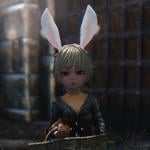
{ADDED - Elin (Falkreath) Housecarl Rayya} Tera Elin DLC Additions
Tera Elin Race
Hearthfires - Dawnguard - Dragonborn
Tera Elin additions for Hearthfires, Dawnguard, and Dragonborn.
UPDATE
2014March29 - Hearthfires Addition to Elin NPC Replacer.
Changed the Falkreath Housecarl, Rayya, to an Elin. Requires Elin NPC and Enemy mod preinstalled. When installing the Hearthfires Elin NPC Update, allow overwriting of ElinRace NPC plugin. Requires Hearthfires. SCREENSHOT Look for the file, ElinRace NPC - Added Hearthfires Housecarl.7z.
2014Jan02 - Lakeview Manor Extended Elin NPC Replacers v2.
Replaces the male npcs from the Lakeview Manor Extended mod. Includes the female replacers from version 1. Some (male) names have been changed. Install this (version 2) or install version 1 (female-only replacers), but not both.
2013Dec18 - Serana Replacer.
Early release of Elin Serana. Future updates, if any, will be included with the completed Dawnguard Elin NPC. She does not share the same body as your Elin only the face and hand textures. There will be a slight tint difference between her face and what parts of her body that is exposed. Screenshots. Look for file, "2013Dec18_Dawnguard_ElinSerana.7z".
2013Dec12 - Lakeview Manor Extended Elin NPC Replacers.
Check out the Hearthfires Additions section for more details.
2013Dec05 - Remade the Elin Mannequins. There are now two options:
Option #1 - Skyrim + DLC - No Hearthfires Homes. Mannequin replacers for all player homes that are included with Skyrim and Dragonborn, but not the Hearthfires Homes. Option #1 - Does not require any DLCs and can be used for vanilla Skyrim homes only. Option #2 - Skyrim + DLC Homes. Mannequin replacers for all player homes including the Hearthfires homes.
2013Dec03 - Finished the replacers for Hearthfires. Any new additions will be released once I'm done with the replacers for Dawnguard and Dragonborn.
~~~~~~~~~~~~
HEARTHFIRES
~~~~~~~~~~~~
Elin npc replacers for Lakeview Manor Extended by Ac3s
Ac3s has given me permission to edit the npcs from his Lakeview Extended - Hearthfires mod. Replaces the female npcs only. I might replace the males also, but only if there are enough feedback requesting it. SCREENSHOT.
CREDIT: Ac3s for
Lakeview Extended.
REQUIREMENTS: Lakeview Extended v3.13 (my mod only contains the edited plugin).
Ac3s made two types: (1) with npcs, and (2) without npcs (labeled "No NPC"). You need the one with npcs.
INSTALLATION
Install Lakeview Extended v3.13 (npc version). Pay close attention to Ac3s' installation instructions. Basically, you need to be done building Lakeview Manor before installing Lakeview Extended. Install my Elin NPC for Lakeview Extended. Move the plugin with the other Elin plugins. Make sure any Elin body replacer plugins are loaded after the Lakeview Extended plugin.
Lakeview Extended Elin NPC v2 (replaces both male and female npcs)
Screenshot Only Shows the Male NPC Replacers
Either install version 1 or version 2, but not both. Requirements the same as for version 1 (read instructions above). Download "Hearthfires-Lakeview Manor Extended-Elin NPC Complete.7z".
Lakeview Extended Elin NPC v1 (female-only replacers)
Download "Hearthfires-Lakeview Manor Extended-Elin NPC.7z".
Orphans
Elin Orphan Replacers.
Option #1 = Replacers for Lucia and Sophie. Option #2 = Replaces all 4 orphans. The boys Alesan and Blaise are now Alessandra and Bella. Both use the female child voice. Since the "boy" Elin orphans use the female child voice, certain unique dialogues for the boys will not play. The reason is those unique dialogues were only done for the Male Child voice. The orphans share the same body as your Elin. There is no way to give them their own separate bodies without it affecting your Elin and other Elin npcs.
IMPORTANT: Allessandra and Bella will not speak certain dialogues, particularly when they explain what happened to their parents and their current situations. These dialogues were made in the MaleChild voice only so when changing their voices to FemaleChild, those dialogues will not play.
Subtitles will still work. Dialogue options will still work.
Once you receive the option to adopt them, they will now speak, but in the FemaleChild voice.
Mannequins for Skyrim and DLCs
Elin Mannequins
Skyrim homes. Hearthfire homes. May not work with all mods that adds new mannequins to player homes or mannequins in custom player homes. I have not tested all of them and don't have the time or patience. If you found one that is compatible, let me know and I'll add them to a list of compatible mods.
********************
SCREENSHOTS
********************
INSTALLATION
RequirEments
Elin Race Main Pack v1.4
Optional
Option-New Elin Bodies-BBP-TBBP v2 Option-CBBE New Body Texture Pack v2 Option-UNP New Body Texture Pack v2
All of these files and more can be found in my other post, "Tera Elin Race".
http://www.loverslab.com/files/file/301-tera-elin-race/
NOTE: The Elin Main Pack includes a default body and textures. This is why the New Elin Body pack is optional. However, the default body is a custom body not related to any of the known body replacers.
You can still use most armors/clothes, but expect hand and foot seams.
NOTE 2: You can try out the other optional mods from the Tera Elin Race set, they will not have any affect on the DLC additions with the exception of any new texture options.
~~~~~~~~~~~~
DAWNGUARD
~~~~~~~~~~~~
Serana
Look for file, "2013Dec18_Dawnguard_ElinSerana.7z" Serana does not use a body mesh, rather her clothes/body model is only used. What body you install for your Elin will have no affect on her (that I know of right now). Future updates will be include with the full Dawnguard Elin NPC.
~~~~~~~~~~~~
DRAGONBORN
~~~~~~~~~~~~
Elin Mannequins
Works with Skyrim homes. Does not work with Hearthfires home (built homes). May not work with all mods that adds new mannequins to player homes or mannequins in custom player homes. If you found one that is compatible, let me know and I'll add them to a list of compatible mods.
********************
SCREENSHOTS
********************
INSTALLATION
RequirEments
Elin Race Main Pack v1.4
Optional
Option-New Elin Bodies-BBP-TBBP v2 Option-CBBE New Body Texture Pack v2 Option-UNP New Body Texture Pack v2
All of these files and more can be found in my other post, "Tera Elin Race".
http://www.loverslab.com/files/file/301-tera-elin-race/
NOTE: The Elin Main Pack includes a default body and textures. This is why the New Elin Body pack is optional. However, the default body is a custom body not related to any of the known body replacers.
You can still use most armors/clothes, but expect hand and foot seams.
18787 downloads
Updated
-
{UPDATE - 2014 July 06} Teen Monli Race
Little Monli Race
A mysterious race only known for their small size, youthful appearance, and amazingly fast reflexes.
The little Monli race has been upgraded to teens. The changes are as follows:
Teen scaling at x0.97 CBBE - TBBP nude bodies: Natural Slim and Natural Plump. UNP Unified nude body (TBBP compatible). 2 head mesh options: round-face and oval-face. Screenshots added.
What has not changed:
Original Monli nude, CBBE and UNP textures. Original Hi-res tintmasks and Cute Designs face tattoos. Edited XPMS Extended for the Monli race (with permission from Groovtama and xp32). CME integration file (.ini) to make the Monli compatible with the CME morphs. Dawnguard Crossbow Bolt quiver fix. I suggest first trying the fix available from XPMS Extended. Bolt quiver fix for the Dread Crossbow mod.
What was added:
HDT Physics Extension v14-28 by HydrogensaysHDT
UPDATE
(2014 July 06)
- Changed female scaling to x0.95.
- Edited the CBBE bodies to now use the Monli textures.
******* Required and Recommended Mods with Installation Order *******
REQUIRED MODS
1- Install First.
SKSE for Skyrim v1.9
http://skse.silverlock.org/
2- Install Second
Enhanced Character Edit with Character Making Extender OR Race Menu
ECE
http://skyrim.nexusmods.com/mods/12951
RaceMenu
http://www.nexusmods.com/skyrim/mods/29624
3- Install Third
Little Teen Monli Race
- contains configuration files that will overwrite one or more ECE configuration files.
4- Install Fourth
- CBBE Texture Pack
LINK
OR
- UNP Texture Pack
LINK
RECOMMENDED MODS
1- Install Fourth
Grootama's XPMS Extended
- contains configuration files that will overwrite one or more ECE configuration files.
2- Install Fifth
Dual Sheath Redux
http://skyrim.nexusmods.com/mods/34155
IMPORTANT: DSR uses BOSS to sort the load order before creating a Dual Sheath Redux Patch. If you wish to use Dual Sheath Redux, you will also need to install the latest version of BOSS.
https://code.google.com/p/better-oblivion-sorting-software/
Some people may have issues with BOSS ruining their load order and causing problems with their game. If it's possible, make a copy of the load order (as a TXT file) and if you think BOSS' rearranging of the load order is causing problems for you, after finishing making the DSR patch, compare the load order with the list (TXT file) and make the necessary changes. So far, I have not experienced any issues relating to BOSS.
3- Install Sixth
Chesko's Belt-Fastened Quivers 1.2 Release -ANIMATIONS ONLY-
http://skyrim.nexusmods.com/mods/35717
4- Enhanced 3rd Person Camera (no installation order necessary)
http://skyrim.nexusmods.com/mods/29990/
I recommend this if you need to make adjustments to the 3rd-person camera. Thank to Dinosaurus for recommending this.
Requires SKSE and SkyUI.
5- Customizable Camera (no installation order necessary)
http://skyrim.nexusmods.com/mods/37347//?
An alternative to Enhanced 3rd Person Camera. The interface is simpler and does not offer options to edit the camera for different events, but if you prefer something straightforward and simple, try out Customizable Camera. Read the mod description page, Camera entries in Skyrim.ini is not required. Thanks to Spicycat for suggesting this one.
Requires SKSE and SkyUI
OPTIONAL
Fox Shop with Merged Armors by Smokermegadrive.
http://www.loverslab.com/topic/29836-foxmerged-2/
*** CREDITS ***
86486 downloads
Updated
-
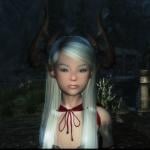
*Update-2016 September 29-New Horns + Screenshots* Tera Castanic Races
Tera Castanic Race
Clever and skilled, Castanics are also opportunistic and hot-tempered. Never forgeting a friend and never abandoning an ally, they're also notoriously quick-tempered and have a tendency to decapitate first and accept apologies second. The Castanic are famous for the skill of its artisans and crafters. They are also adept merchants, cunning negotiators who love the interplay of bargaining, and strive to come out on top in every deal.
ABOUT
I have made the race playable WITHOUT being dependant on RaceMenu or ECE. This means the Castanics are compatible with either RaceMenu or ECE if you choose to use those.
CHARACTER CUSTOMIZATOIN MENU ("SHOWRACEMENU")
Castanic Horns and Custom Complexion and Warpaint Textures
PRESETS
I have made presets for both RaceMenu and ECE, all are included with the main files.
SCREENSHOTS
IMPORTANT
The first preset is male (applies to adult and teen) and the second preset is female (applies to adult and child). If you are using ECE, the first pop-up window that only shows 3 preset selections will contain the Castanic presets.
UPDATES
2016 September 29
UPDATE - Added Screenshots of the horns both new and old.
http://www.loverslab.com/topic/59491-update-2016-september-29-new-horns-tera-castanic-races/?p=1502584
FILE
- 2016Sep29_MAIN_UPDATE_v1.0 to v1.1.7z
REQUIREMENT
- 2016Sep26_MAIN_TeraCastanicRace_v1.0_NFS.7
3 new horns for females + 2 new horns for males. Main pack v1.0 required. The update only adds the new horns + edited master file. Thanks to Lady Horus for allowing me to include the new horns. Horns are from her Tera Armor collection.
2016 September 26
Uploaded a new main package that does not use a FOMOD script. Removed the previous pack that did used an installer script and showed an error when installing with NMM or MO.
If you manually install your mods or use Mod Organizer which will ignore the error message (personal experience),
- You do not necessarily need to update to the script-less pack.
If you use Nexus Mod Manager or, in your situation, Mod Organizer does not install the files,
- Install the new "NFS" (No FOMOD Scripts) version of the Castanic main pack.
2016 July 07
Castanic race main pack upgraded to v1.0. Contains the custom hairs compatibility patch (plugin). No other changes.
FILES and INSTALLATION
GENERAL:
SKSE 1.7.3 or newer...http://skse.silverlock.org/ Realistic Ragdolls and Force 1.9 or newer...http://skyrim.nexusmods.com/mods/601 FNIS 6.1 or newer...http://www.nexusmods.com/skyrim/mods/11811/? XPMS Extended (latest version)...http://www.loverslab.com/topic/25971-xp32-maximum-skeleton-extended/
FOR RACEMENU USERS:
RaceMenu 3.4.5 or newer...http://www.nexusmods.com/skyrim/mods/29624/?
FOR ENHANCED CHARACTER EDIT USERS:
ECE 1.4 or newer...http://www.nexusmods.com/skyrim/mods/12951/? ECE Enhancer 1.4.5 or newer...http://www.nexusmods.com/skyrim/mods/35713/? NetImmerse Override 3.4.4 or newer...http://www.nexusmods.com/skyrim/mods/37481/?
CASTANIC RACE: MAIN FILES
*NEW* 2016July05_MAIN_TeraCastanicRace_v1.0.7z *NEW* 2016Sep26_MAIN_TeraCastanicRace_v1.0_NFS.7z *NEW* 2016Sep29_MAIN_UPDATE_v1.0 to v1.1.7z
CASTANIC RACE: OPTIONAL MASTER REPLACER BOOSTED RACE POWERS
2016March19_MAIN OPTION_TeraCastanicRace_BoostedRacePowers.7z
CASTANIC RACE: OPTION- BODYSLIDE PRESET
Bodyslide2 and Outfit Studio...http://www.nexusmods.com/skyrim/mods/49015/? Castanic Female Child Body Presets for CBBE and UUNP...2013March19_OPTION_BodyslidePreset_CastanicFemaleChild_v1.7z
Install Bodyslide2.
Extract 2013March19_OPTION_BodyslidePreset_CastanicFemaleChild_v1.7z.
Copy CalienteTools folder from the Castanic Preset and merge with CalienteTools where bodyslide is installed.
PERMISSIONS
You cannot upload all or the horns to other sites that forbid the use and sharing of ripped contents, especially from Tera Online.
*HINT*
Nexus Mods and Steam Workshop
If the site allows it then give me and the other authors credit.
You can use the Castanic horns in your own mod, just give credit. If you want to use the tribal scars, complexion replacers, and/or warpaints then you will need to ask the author of those mods if they have not already expressly given permission.
CREDIT
Castanic race and Tera are the property of BlueHole Studios.
The Castanic horn meshes and textures are from the MMO Tera Online and property of BlueHole Studios.
<New Castanic Horns> <v1.1 Update>
LadyHorus' Tera Armor for UUNP Female and Vanilla Male...http://www.nexusmods.com/skyrim/mods/79020/?
<BODIES>
Better Males by Chris57...http://www.nexusmods.com/skyrim/mods/2488
Dream Girls Body by Petrovich...http://www.nexusmods.com/skyrim/mods/41443
Bodyslide2-Outfit Studio by Caliente and Cell...http://www.nexusmods.com/skyrim/mods/49015/?
<TEXTURES>
Better Males by Chris57...http://www.nexusmods.com/skyrim/mods/2488
+ textures from Melon Followers by Mali0723...http://www.nexusmods.com/skyrim/users/3833852/?tb=mods&pUp=1
- Melon Follower's textures is a modified version of Soft Touch Male Face Skin by Seongukh...http://blog.naver.com/seongukh/130143336775
- Soft Touch Male Face is a modified version of Genox Face and Younger Face by MrLenski
Pretty Face (Males) by TKTK1...http://www.nexusmods.com/skyrim/mods/7887
Fair Skin Complexion by HHaleyy...http://www.nexusmods.com/skyrim/mods/51602/?
+ Adorable Face by Lumination...http://www.nexusmods.com/skyrim/mods/61178
XCE Scarface by Xenius...http://www.nexusmods.com/skyrim/mods/24600
Cute Designs by Cos76...http://www.nexusmods.com/skyrim/mods/24154/?
The Neith Team Warpaints Set by Elaneith...http://www.nexusmods.com/skyrim/mods/54118/?
9208 downloads
- teracastanics
- race
- (and 3 more)
Updated
![More information about "[XCL] EASY SALES !!! - A sales cheat mod"](https://static.loverslab.com/screenshots/monthly_2026_10/Breaking-Bad-money-nap-meme-6-3583251892.thumb.jpg.aad64969705614bba4e9834ed8f04670.jpg)
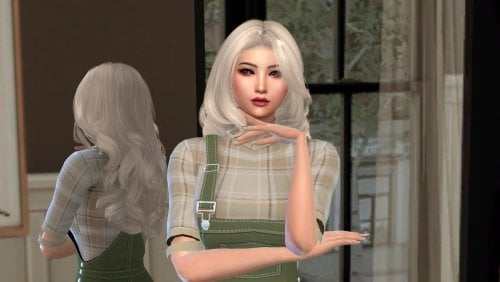
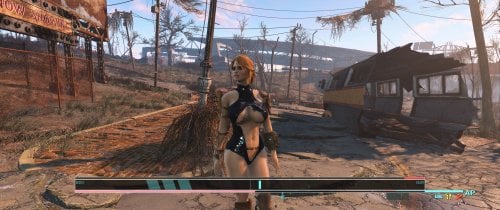
![More information about "[XCL] [0.25.9] InstaGirl Laboratory"](https://static.loverslab.com/screenshots/monthly_2025_06/ForDiscord.thumb.jpg.fbfa501d8fb756f46cc9d28cf123b424.jpg)