
Select a subcategory to view available files.
Files From Subcategories
-
Moamer RaceMenu Preset
This preset is based on one created by Shidoni but modified by me. Thanks again to Shidoni for creating the original and helping me locate the necessary files to attempt this.
Made using High Elf race.
ENB used is RealLike
Requirements- Also in text file
Apachii Sky Hair
Brows
Rans Type C
The Witcher 3 Eyes
Cross Racial Facial Features
Fair Skin Complexion
Install all recommended options
Etherial Elves Overhaul
May need to install additional patches for compatability with dlcs
Racemenu
176 downloads
Updated
-
Nercis Racemenu Presets
By Nercis
My character presets for racemenu.
Grelga, Lucinda, Arnora, Misty and Siggy.
-----
They are all Nord females.
Grelga is basically a younger Mjoll the Lioness.
Lucinda was designed to be a vampire.
Arnora and Misty are meant to look like sisters.
Siggy was designed to look like a young adventurer.
-----
Requirements:
Racemenu
Recommended:
Women of Skyrim
Natural Eyes
Covereyes
KS Hairdos - Renewal
-----
Installation:
(I have included both the .jslot files for the presets folder, .nif and .dds files for the CharGen folder)
Download and extract the .nif and .dds files to Skyrim/Data/SKSE/Plugins/CharGen.
Extract the .jslot files to Skyrim/Data/SKSE/Plugins/CharGen/Presets.
-----
NOTE! Different Skin textures and head meshes etc may change how your character will look like.
-----
Permission: I would appreciate if you didn't upload this anywhere else! But other than that, feel free to use my presets as a template for your own creations.
-----
Credits:
Racemenu By Expired
Women of Skyrim By zzjay
Natural Eyes By nevenbridge81
Covereyes By mrLenski
KS Hairdos By Kalilies
969 downloads
Updated
-
aMidianBorn Book of Silence patches - Armors
By jhkhry
I have hidden these files from Skyrim Nexus to the request of the mod authors because they have deemed it inappropriate for it to be on Skyrim Nexus. They have revoked their permissions but have kindly allowed me to upload it in more private forums like LL.
Upcoming patches:
Nexus User-nisetanaka's Bikini series
Check out Nisetanaka's new mod, a compilation of his previous works and new ones for leather and hide with a slight promise of an orcish and elven bikini of his making:
The Amazing World of Bikini Armor
I will now switch on planning to create the AMB patch on this new compilation and giving it a CCOR Breakdown recipes and toggles and Frostfall WEAR system default values for compatibility. No ETA at the moment as I wait for the mod to be in a more stable version according to kofman.
I've been allowed to host these AMB patches back on Nexus please check them out thank you!:
Elvenia - AMB Description Page from Nexus:
Ebokini - AMB Description Page from Nexus:
2686 downloads
Updated
-
Latina High Elf RaceMenu Preset
This preset is based on one created by Shidoni but modified by me. The original can be seen in his My used RaceMenu presets forum. This is my first upload so please keep that in mind. I do plan on creating and releasing more presets.
Made using High Elf Race.
ENB used is RealLike
Requirements Also in Text file
KS hairdoes
Brows
Ran's Type C
Beautiful Freak's Warpaint
Fair Skin Complexion
Select the Recommended options in main download
Get the Extra downloads from mod page as well, choose Tanned option
Cross racial facial features
Etheral Elves Overhaul
may need additional patches for compatibility with dlcs
RaceMenu
Adorable Face
Read the textfile for all necessary links
Drop Data folder in your Skyrim folder
230 downloads
Updated
-
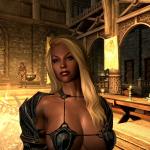
Talore Nord preset
By lilfam
First file I've ever uploaded to any mod site so please excuse me.
Nord Race
Requirments
Racemenu (duh) Rutah Tattoos (optional/if you want the abdomen tats) Brows Ks Hairdos Eyes of Beauty Demoniac Textures (if you want what's in the screenshots)
Permissions
Feel free to change hair, skin tone, remove tattoos, whatever just don't post this as you're own if you do change something as I put a few hours into this.
I plan to also upload these files to the nexus so do not re-upload please! I don't mean to sound like I have a stick in my butt, but I worked on this for a good bit and I'm very possessive .
If anyone wants to make a follower please message me so I can try to be of help, but please don't make a follower with out letting me know or at least giving me cred (Talore would make an excellent follower I'm sure, but alas, I'm too lazy to learn how to make followers).
Send screenshots if you'd like!
Enjoy, pm me with issues/suggestions!
940 downloads
Updated
-

My used RaceMenu presets
By shidoni
The presets i used after creating a whole TF sequence and a few random presets, i'm planning on adding more presets in the nearby future.
Feel free to use the presets for whatever you desire.
Requirements:
All presets are made with the Breton race, except for the ebony preset. (which is redguard)
RaceMenu http://www.nexusmods.com/skyrim/mods/29624
FairSkinComplexion http://www.nexusmods.com/skyrim/mods/51602
(all optional files needed)
KS Haiirdos Renewal http://www.nexusmods.com/skyrim/mods/68311
( i chose the second option)
Natural Eyes http://www.nexusmods.com/skyrim/mods/3589
Brows http://www.nexusmods.com/skyrim/mods/30411
NBScars http://www.nexusmods.com/skyrim/mods/49279
(optional)
The Eyes Of Beauty http://www.nexusmods.com/skyrim/mods/13722
Frecklemania http://www.nexusmods.com/skyrim/mods/52841/?
*Ashoka Tano's hair http://www.nexusmods.com/skyrim/mods/74350/?
*Ghost in the shell hair and clothes http://www.nexusmods.com/skyrim/mods/72870/?
**Adorable Face.
*: These requirements are only truely required when you desire to use the Ashoka tano and Mokoto presets, these are often unique hairstyles/assets that are not directly included in the other requirements.
**. This requirement is only for Galadriel, Mint and the AlohaMer. Some requirements may be different, so do read the requirements list in the archive.
Most new presets all have a .txt file with a list of all requirements. Do read this .txt !
Place The presets in Skyrim>Data>SKSE>Plugins>CharGen>Presets
The ENB used in the screenshots is Reallike Enb
What's your is mine and what's mine is yours.
4437 downloads
Updated
-
Dark Souls Combat v1.5.3
Before we begin, if you do not have at least consistently 40 FPS, this mod is not for you. A high framerate is required to keep up with the scripting demand of this mod.
Dark Souls Combat is a mod for Skyrim meant to bring core elements of the combat system of the Soulsborne series (the Souls series and Bloodborne) to Skyrim. Previous work has focused primarily on the numerical aspect of this series' combat system - stamina regeneration or damage, for example - or has been stunted by a lack tools to manipulate the animation engine at the time of their development. Dark Souls Combat is meant to focus on delivering improvements in terms of new and appreciably apparent mechanics from the Soulsborne series that have not been attempted yet or attempted with this sort of depth. This mod is designed for combat to be played in third person.
Courtesy of er hong. A demonstration of some parries and ripostes (as they occur in v1.5+) is shown at 1:26.
Courtesy of Shinji72. A review of the features of this mod.
Courtesy of theDeModcracy. Features multiple mods, but has a review of the features of this mod at 5:00.
Five of the most fundamental mechanics from this series are brought to Skyrim:
Poise System
This entire mod was built off of my Poise System mod (effectively, this mod renders Poise System obsolete). The poise system of that mod is largely left intact with some minor improvements.
This mod's poise system is primarily based on the rules governing the poise system of Dark Souls, with some differences to better suit the already-present mechanics of Skyrim. Poise is calculated as the total weight of worn items, except for shields and weapons if equipped. Poise is damaged when one is hit by an unblocked weapon, unarmed attack, or arrow or bolt; magic does not damage poise. Power attacks will do more poise damage than regular attacks, by default. Poise damage from weapons is based on their weight. This is all configurable in the MCM.
Once an attack causes one's poise to reach 0, a stagger will ensue. Subsequent hits may cause subsequent staggers - a stunlock. The maximum stunlock combo can also be configured. Over time, if one is not hit, poise can recover; the amount and update time is also configurable. The poise feature can be disabled by setting the poise damage multiplier options in the MCM to 0.
The poise system extends to other NPCs in addition to the player, and to creatures as well.
Critical Hits
If, during the beginning of an attack, an actor is hit with a shield or weapon bash attack, the actor will enter a parried state, indicated by a downed animation. During this temporary state, on the next hit, the actor will take double damage, in the style of Bloodborne. If that hit strikes their front, a riposte animation will play. Ripostes are deadly; they can do large amounts of damage. Using the power of Fore's New Idles in Skyrim (FNIS), we can integrate killmove animations that won't automatically kill. In this way, it is possible to execute a riposte animation that does massive damage to NPCs, but does not outright kill them. The damage dealt is configurable in the MCM. It is calculated based on the executor's One-Handed or Two-Handed skill, depending on the weapon used for the riposte. Though now disabled by default, ripostes to creatures are not supported by this feature; they will automatically kill. Parries and ripostes may be executed by all NPCs.
When an actor is struck in the back with a power attack, the actor will also enter a downed state, in the style of Bloodborne. In this state, the first strike against the actor will also do double damage. If the actor is an NPC and the strike hits their back, a backstab animation will play, killing them. Backstabs can be initiated and executed by NPCs also.
Roll Mechanics
Using the power of FNIS, we can bring an equally powerful roll/dodge system to Skyrim. Previous work on dodge mechanics has relied on developer animation events, restricting both the animation itself as well as the time for dodging. Dark Souls Combat brings a roll system that is meant to complement the poise system. Roll weight is considered equal to the player's poise, in addition to any weapons, shields or torches that may be equipped. Roll weight is divided into three categories: fast, medium, and fat. The fast roll weight affords a greater invincibility time (time in which the player cannot be struck by any hit, as a method of simulating the dodging of an attack) as well as fast speed of rolling. The fat roll weight allows a much smaller amount of invincibility time and longer times to roll. Note that the invincibility time is not the entire duration of the roll animation. The medium roll weight lies somewhere in between. Roll weight thresholds are based on maximum stamina. The threshold for mid-rolling is by default maximum stamina divided by 4; the threshold for fast-rolling is half of that. Rolling can only occur if your weapons or magic are out. Rolling/dodging will prevent a poise break, but only fast rolling/dodging can escape a poise break stagger. In the style of Dark Souls 2, rolling can cancel a attack if it is executed early in the attack animation. Rolling can also break out of poise breaks. A poise break can be broken out of towards the end of the stagger. The window for this decreases with increasing roll weight. By default, 50% of the stagger must play before a fast-roll can break out, 65% for a mid-roll, and 80% for a fat-roll.
Rolling is four-directional. Quickly pressing and releasing the roll key (by default LAlt, the default sprint key; configurable in the MCM) while moving a certain direction initiates a roll in approximately that direction (forward, backward, left, or right). Pressing and releasing the roll key while standing still results in a backstep. In the style of Dark Souls, backsteps afford no invincibility time. The rolling feature also supports gamepad-users, such as myself. Remember to customize your roll key for gamepad! Rolling can be disabled by setting the Roll Key in the MCM to a key you will not use.
Stamina Usage
Normal attacks now require stamina and attempts to swing a weapon with no stamina will stagger. The stamina consumed is a function of the today weight of items equipped in either hand. This applies to bows as well. Stamina does not regenerate while performing most weapon combat actions. There is also a delay on stamina regeneration after rolling and bashing, and critical hits will fail when Stamina is 0. This helps prevent the infinite roll- and bash-spamming that was previous possible. To balance this, stamina regeneration is increased by default for the player. You will notice your stamina usage to be very similar to what you would see in a Souls game. This entire feature can be enabled or disabled and customized in the MCM.
Counter Damage
While attacking, enemies will take 50% more damage when struck by the player. In the same vein, while the player is attacking, he will take 50% more damage as well. This is known as counter attacks in Dark Souls. While I really do hate features that are solely based on numbers and add nothing in the way of visible mechanics, the above is only half of this feature. Dark Souls 2 added a second dimension to counter damage compared to its predecessor: a counter also will do more poise damage to an opponent. In that style, this mod allows counter attacks to deal 50% more damage to poise. This is of course a comparatively minor feature, but one worth mention nonetheless.
Requirements
SKSE 1.06.15 or later
FNIS 5.5 or later
SkyUI 4.0 or later (optional for mod configuration)
Installation
Install the above requirements.
Install this mod's files from the download package. The ESM version is recommended for users.
Generate behavior files with FNIS, using its Generate FNIS for Users.
Enter the game, and optionally configure this mod at that time.
Remember that this mod is meant to be played in third person. The roll mechanics do not work otherwise.
"Updating" from Poise System
Use the "Uninstall" option in the MCM menu.
Save, then uninstall the mod.
Reload the game with the save and wait for the Poise System MCM to disappear.
Save again.
Follow the Installation instructions above.
Adding Sounds to the Experience
Certain combat sounds can be played while performing certain actions in this mod. All sound files played should be located in Data\Sound\fx\BB_DSC
You can add sounds that will play during a Fast Roll, a Medium Roll, a Fat Roll, a Parry land, and a Backstab initiation. Remember to convert them to XWM files using a program such as MultiXWM.
Fast Roll: Data\Sound\fx\BB_DSC\LightRoll.xwm
Medium Roll: Data\Sound\fx\BB_DSC\MedRoll.xwm
Fat Roll: Data\Sound\fx\BB_DSC\HeavyRoll.xwm
Parry land: Data\Sound\fx\BB_DSC\ParryLand.xwm
Backstab initiation: Data\Sound\fx\BB_DSC\BackstabLand.xwm
This is entirely optional; you may wish to add sounds for all of these events, some of them, or none of them. Note that there are direct audio extracts from Dark Souls on the internet, if that is what you are looking for.
Updating
Uninstall the previous version.
Install the new version.
Re-run (regenerate behavior files with) FNIS.
Enter the game and select in the MCM the "Reset" option, under the "Uninstall" page.
Uninstallation
In-game, select the "Uninstall" option, under the "Uninstall" page.
Uninstall the mod.
Rerun FNIS.
Installation (for Roll-Only version)
If a Full version is currently installed, perform an uninstallation procedure as described above.
Install the Roll-Only version following the steps described above for the Full package as well.
Updating to ESM versions
If an ESP version is currently installed (this includes all versions prior to v1.4.3 as well as the v1.4.3 ESP versions), perform an uninstallation procedure as described above.
Install the one of the ESM versions following the steps described above.
Thanks
egocarib, for a fundamental component of the script used for the poise system
Fore for giving me suggestions on working with some of the newer aspects of FNIS
canderes and Reena, for guiding me through editing animations
WorshipTheSatan and urielmanx7, for invaluable testing and suggestions
GIF images made with ezgif.com
Bugs/Other Issues
First and foremost, this mod does use running scripts, necessary for the poise element of this mod. There are certainly mods out there much more script intensive than this, so on the grand scale, it's not that bad. The fact is that if you really want to change the way your game is played, you need a healthy dose of scripts!
There may be animation issues. It happens; sometimes, and I'm sure you've seen this in un-modded Skyrim, you may see some NPC or creature animating strangely, and it can happen from this mod too. The most common issue (which is actually not common at all) may occur after a roll/dodge. The player character may finish the dodge with their weapons/magic still out but not in the normal combat stance, but rather appearing in a non-combat stance. This can be easily fixed by rolling/dodging again, or by entering first person, unreadying and then readying your weapons/magic again, then re-entering third person. The same issue can occur after a riposte. NPCs may also suffer from this after being downed for a riposte or backstab. However, this is uncommon, but of course a natural side effect of making ambitious leaps with animations.
Depending on how many scripts are already running, staggers from the poise system may be slightly delayed by a split second. In the same vein, rolls may be less responsive, especially if magic is equipped.
The stamina usage feature does not affect the dual-wield normal attack yet.
Version History
v1.0:
- Initial release.
v1.1:
- Added a bit to the backstab and riposte scripts to help to reduce the likelihood of a victim not drawing their weapons. Not something you can fix entirely, but this will help a little.
v1.2:
- Further edits to help decrease the likelihood of borked combat stances from NPCs in the backstab and riposte scripts.
- Decreased the length of the parry window against NPCs.
- Fixed a part of the poise/roll mechanics script that was generating many repeated errors.
v1.3:
- Backsteps are now considerably faster at all roll weights. Previously, there was no advantage to backstep over backward rolling.
- Rolling/backstepping can cancel attacks if they are executed early in the swing (prior to the "preHitFrame").
- Weapons, shields are torches that are equipped now also count towards the roll weight.
- Counter damage feature added.
- Roll Feature-only version added
v1.4:
- MCM option-set roll thresholds removed; replaced with a formula based on maximum stamina.
- Ability of fast-roll to automatically break out of staggers removed; replaced with specific timings to roll out.
v1.4.1:
- Allowed rolling earlier after the swing of an attack, immediately after the HitFrame animevent.
- Set Actors or Races with the ImmuneParalysis to have virtually infinite poise. I felt that if the developers didn't feel it was appropriate to paralyze these Actors and Races (or perhaps didn't even include the data necessary to properly do so), it would be hazardous to allow staggering, even if it was not necessarily game-breaking. Notable races include the Wisps, Magic Anomalies, and Werewolves (since that playstyle would include having no intrinsic poise yet requiring close combat this change makes sense).
v1.4.2:
- Improved rolling feature. Previously, spamming the roll key would actually cause significant script delays; this has been mitigated, though it is still not a good idea to try to spam the button. A sort of queuing feature has been added so that a roll can flow nicely into another roll if you tap the button towards the end of the first animation.
v1.4.3:
- Edits from v1.4.2 added into the main packages.
- .esm version added. .esm (master plugins) are believed to exhibit better script performance than .esp.
v1.5:
- Ripostes on humanoids no longer force the riposted actor into a ragdolled state afterwards. The bug where riposted NPCs cannot attack afterwards is largely resolved.
- Stamina use on attacks that previously required no stamina, and stamina regeneration delay during attacks, bashes, and rolls. This prevents the infinite roll-spamming that was possible previously. It also punishes bash-spamming with a larger stamina regeneration delay. Normal attacks with 0 stamina will stagger the player.
- New MCM options added to customize stamina usage.
- By default creature ripostes are disabled. There is a new MCM option to enable/disable this.
v1.5.1:
- Stamina cost for attacks now calculated as intended.
- Ripostes and backstabs will fail if stamina is 0.
v1.5.2:
- Script optimizations based on the suggestions and advice of Borgut1337, FBplus, and WorshipTheSatan. This version features much greater stability than previous versions, but much more work potentially remains.
- Option to disable rolling entirely added to MCM.
- Creatures no longer have a delayed death when they have been parried but subsequently killed normally, while the Creature Riposte option is disabled.
- Creatures not explicitly supported by the mod's poise feature have poise automatically calculated based on maximum health and stamina.
v1.5.3:
- Weight calculations for rolling weight class and stamina consumption on attack were not being run as intended due to changes made in v1.5.2. This has been corrected.
- Further script optimizations for improved stability.
Permissions
Please do not reupload, make a derivative work, or use assets from this mod without my permission.
33496 downloads
- dark souls
- combat
- (and 5 more)
Updated
-
MyTPC - My Toggle Player Camera
By demack
IT'S BACK!
Rewritten the script and removed the other camera stuff.
This is a new file!
MyTPC is a camera mod I made mostly for Sexlab back when free camera in Sexlab crashed a lot.
The current state of the game has made free camera a bit more useful but this mod has its merits since most importantly the facial animations are possible with the NPC and player since the camera is still attached to the player.
The functions are basic move the camera +/- 600 units in x,y with a zoom from - 2000 to 1000 which is considerable distance. it is sort of a cheat since moving the camera can activate things and access things not normally available.
This allows you to zoom in on the scene. This mod is absolutely a must for scaled down characters!
The function to set the speed of the camera and increments for precise placement. with 0.005 precision.
default key to activate the toggle is scroll lock - can be configured in MCM
default keys to move the camera are arrow keys - can be configured in MCM
in process is a better system with toggle being in combat also.
to install:
remove old customizable camera install MyTPC with NMM and your good as gold.
delete old files manually
data/customizable camera.esp
data/scripts/customizablecamera.pex
data/scripts/source/customizablecamera.psc
to remove this mod
use NMM
data/mytpc.esp
data/scripts/mytpc.pex
data/scripts/source/mytpc.psc
7237 downloads
Updated
-
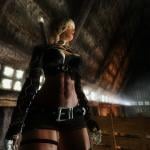
Erinna - Nord Barbarian Follower
By mfeile1974
Erinna
~She's Itching For A Fight~
Name; Erinna
Race: Nord Based - Custom Race
Voice: Female Nord
Marriageable: Yes
Height: .96
Weight: 85
Skin: The Pure (8K/4K)
Body: Custom UUNP
Location: Rorikstead - Frost Fruit Inn
Armor: LadyHorus' TERA Armor - Rogue
Weapons: Nicoroshi Creations (Bow of the Drow w/ Ebony Arrows & Talon of Akatosh)
Class: Combat Barbarian
Style: Custom
ENB: Vividian
Tested with AFT & EFF
Levels with player. Nord traits/bonuses.
Skill bonuses: Sneak, Light Armor, Restoration, Archery, Block, One & Two Handed
Perks: One & Two Handed, Dual Wield, Block, Archery, Light Armor
HDT Compatible Skeleton such as XPMSE
HDT Physics
The Pure is a extremely high quality skin consisting of 4K & 8K textures.
Some lower end systems won't be able to handle without issues.
Manual or your favorite mod manager
Manual or your favorite mod manager
sfeile
LadyHorus' TERA Armor for UUNP and Vanilla Male
Nicoroshi Creations
Bodyslide
Racemenu
Pure Skin
Fair Skin
The Eyes of Beauty
SG Hairs (Google is your friend)
High Resolution Scars
Empyrean Warpaints
YevMods - Makeup Pack
Better Makeup for SKSE
RANs Eye Reflection Extender
Seductive Lips HD
Smile in HD
*If I forgot anyone, please kindly remind me*
This follower is the combination of the work of others, please seek their permissions in addition to mine.
1310 downloads
Updated
-
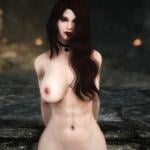
PillowFun's Wren
By mfeile1974
Wren
Based on PillowFun's Character on their
Tumblr & Flickr Account
Permission granted for follower creation by PillowFun
Name: Wren
Race: Breton/Vampire Hybrid
Voice: Female Sultry
Marriageable: Yes
Height: 1.00
Weight: 20
Body: HDT & Non-HDT UUNP/CBBE
Skin: Demoniac (2k & 4k options)
Armor: Witcher 3 Yennefer DLC Option (doubled armor rating)
*No Armor Versions she will be naked*
*Tattoo is currently only on the UUNP 2k Version*
Weapons: Ebony Dagger & Her Hands
Location: Whiterun - Hall of the Dead
Class: Combat Mage Necro
Style: Human Magic (think Serana)
Levels with player.
Skills bonuses/Perk trees: Conjuration, Destruction, Restoration, Illusion, Sneak, Light Armor
Tested with EFF & AFT
ENBs Pictured: SnapDragon, Vividan, & RealVision
Armor Version
Dawnguard
HDT Physics
HDT Compatible Skeleton such as XPMSE
HDT Body Type
Dawnguard
HDT Physics
HDT Compatible Skeleton such as XPMSE
Non-HDT - No Armor Versions
Dawnguard
Facelight
Are You There
Fix Lip Sync
XPMSE
Some ENBs may show slight skin discoloration between body and head
Armor may clip during some poses/animations
Manual or your favorite mod manager
Manual or your favorite mod manager
thedoodlebob
sfeile
Gunzle
Bethesda Mod Creation Collective
Dragonstar99
thedoodlebob
Pillow Fun Tumblr
Pillow Fun Flickr
Witcher 3 Yennefer and Triss Armors
Demoniac Skin
Bodyslide
Racemenu
Linds Human Eyes
Maevan2's Eye Brows
KS Hairdos - Renewal
Smile in HD
Stoja's Warpaints
The Coenaculi
Bethesda
*If I forgot anyone; please kindly remind me. Thank You*
This follower is the combination of the work of others. Please obtain their permissions in addition to mine.
3765 downloads
Updated
-
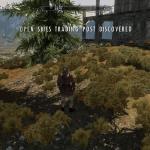
OpenSkiesTradingPost_09062014
No longer abandoned. If anyone decided to try to pick up the project, you have permission to continue, as the direction we each will take with it will likely be completely different. Just please give your project a new name. Thanks.
Welcome to Open Skies Trading Post.
This is a player home turned business property. The goal is to make the player the crafter/vendor, and let Skyrim buy from the player.
Near future plans
-Possibly make the player buy the property from the Jarl
-Navmesh the perimiter of the building to keep followers from getting stuck against the outside walls
-Investigate cloning NPCs and generating generic NPCs
-Write quests and dialogue
-Remove the supplies from the outside chests
Two people have offered to help get some of these plans accomplished. We will see if they even have the time. If not, then this may be a long time in coming.
There isn't much to say other than check out my blog that better states my goal with OSTP.
Have fun, folks.
http://www.loverslab.com/blog/152-gitchegumees-development-blog/
251 downloads
Updated
-
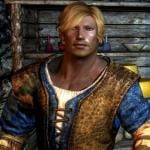
SkyHunks
By Guest ffabris
SkyHunks - NPC Replacer
This mod changes the appearance of many Skyrim NPCs. The aim is to make them look a bit better ("better" is, of course, a matter of personal taste). A few female NPCs are also "converted" to male (the female housecarls). No stats were changed, no clothing, nothing else - except that I made Ralof and Hadvar potential followers and marryable. Do not attempt to get them to follow you, or marry them, before the civil war is complete, or your game will likely break!
This mod also includes the functionality of Masculinized Level Lists. This means that generic NPCs such as guards, soldiers, bandits, etc, will now all be male, and you don't need that mod if you use this.
Snapshots by Mylor41, used with kind permission.
(Body used: SOS. Featured image: Solaf.)
Who is included
Housecarls:
Agris Calder Gregor Iona => Ian Jordis Lydia => Lukas Rayya => Thassad Valdimar
Hirelings:
Erik Belrand Marcurio Stenvar Vorstag
Other:
Requirements
All DLCs USLEEP Apachii Hair - Full and Male KS Hairdos Renewal The USLEEP version requires (of course) USLEEP
Recommended
Open Face Guard Helmets ... or ... Helmets Begone (from my Misc Patches)
Installation
NOTE: Files are now hosted on Dropbox, due to their size.
If you use other NPC overhauls/replacers, and want this to take precedence, place it lower in your load order. Also, if your other replacers are supplied loose, then you'll want the loose version of this, overwriting any existing files, or you'll get grey face.
Do not install this into a game in progress, or you are likely to get grey faces and/or neck seams on the changed NPCs. Similarly, updating the mod in a game in progress will result in some of the NPCs often looking ... very strange. See here for neck seam tips.
Can You Remove....?
Yes I could, but if I start doing that, soon there will be no end of customized versions. But, you can do it yourself, it isn't difficult!
Get TES5Edit and install it. Download and install the loose version of this mod Start TES5Edit. When the list of mods opens, rt-click -> Select none. Then scroll till you find SkyHunks, put a checkmark beside it, click ok. Wait for everything to load. Click the + next to SkyHunks to expand it, then click Non-Player Character. Find the NPC(s) you want to remove. Make note of the form number to the left of the name (eg, Ahtar is 0001325F) Right click -> Remove. Confirm that you want to. Once you have removed all you want, close TES5Edit, and confirm you want to save changes. Navigate to your Skyrim install. ../Data/Meshes/actors/character/facegendata/facegeom/skyrim.esm - delete the NIF files with the same name as the form number you noted. ../Data/Meshes/actors/character/facegendata/facetint/skyrim.esm - delete the dds and tga files with the same name as the form number you noted. Done. If you had already "met" the character in-game, you'll likely end up with grey-face so you'll have to start a new game.
Change Log
1.0 - Initial release 1.1 - Fixed Lukas' voice ... duhhh 1.2 - Fixed grey face for Heathfires housecarls; fixed opposite gender anims for a couple of housecarls. 1.3 - Added all the male guards. Surprisingly few of them, so I added a few more, for more variety. 1.4 New NPCs: Arnbjorn, Banning, Bolund, Brynjolf, Captain Aldis, Delvin Mallory, Dirge, Falk Firebeard, Garvey, Gorm, Harrald, Klimmek, Maul, Mercer Frey, Nazir, Onmund, Orgnar, Proventus Avenicci, Saerlund, Sigurd, Thonnir, Vekel
Tweaked skin tone for Ulfberth. 1.5 New NPCs: Jervar, Idolaf Battleborn, Hrongar, Balgruuf, Angrenor Once-Honored, Oengul War-Anvil, Rolff Stone-Fist, Orthus Endario
Tweaked Omnund, Solaf; Removed the guards added in 1.3, since they broke Masculinized Level Lists. 1.6: New NPCs: Erikur, Kust, Jorleif, Galmar Stone-Fist, Lortheim, Jod, Horik Halfhand, Captain Wayfinder, Thoring, Siddgeir
Tweaked: Bolund, Benor 2.0 Tweaked Jon Battle-Born, Sigurd.
New NPCs: Ataf, Beirand, Briehl, Dagur, Gloth, Heimvar, Mikael, Severio Pelagia.
Added more "template" imperial and stormcloak solders for more variety.
Now incorporates the functionality of Masculinized Level Lists, so you don't need that mod if you use this. 2.1 New NPCs: Hod, Lod, Tsun, Sven, Alvor. Plus there were several guards who have unique faces rather than using the templated guards I had already done, so I did those I found. 2.2 New NPC, GuardSolitudeImperialDayMaleGuard, which I overlooked last time (at least two instances of this NPC can be found at Solitude).
More tweaks to: Ralof, Hadvar, Bolund, Mikael, Solaf 2.2 (2016-09-12) Uploaded a version for USLEEP users (SkyHunks_2.2_USLEEP.rar). Requires USLEEP. Install on top of one of the regular versions of 2.2, as only the ESP is included in the download. 2.3 - now requires USLEEP.
Added Sinmir (and removed his helmet), Imperial and Nord road couriers, carriage drivers, Brunwulf, Calixto, Tulvur, Torsten, Torbjorn, Ranmir, Phinis, Sergius, Korir, Kraldar, Fihada, Jawanan, Cedran, Thonar, Thongvor, Yngvar, Ogmund, Hreinn, Hogni 2017-03-16 - updated download links.
Final Note
If lore friendliness is important to you, you probably won't like this, since the KS styles aren't "lore friendly".
NOTE: This mod is released under Creative Commons Attribution-NonCommercial-ShareAlike. In other words, feel free to make changes to the mod in any way you like, and upload the changed version. You do not need to ask permission. If you do so, you must credit me, and your version must be free. Further, you also need to credit any other mods used as resources, including those used in my original. Your own creation must in turn be released under these same conditions.
15654 downloads
Updated
-
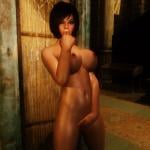
Imperial Prisoner
Preset Face and Body for Racemenu
mods:
Racemenu Morph for uunp
body - UN7B Uunp
hair - SGHairPackAIO
brows - Maevan2EyeBrows
eyes - Improved Eyes Skyrim
body textures - Demoniac: FairMatureSkin
Glossy
Unp default (non sporty)
Makeup, Teeth, FsHead
.jslot copy in :
Data\SKSE\Plugins\Chargen\Presets
2607 downloads
Updated
-
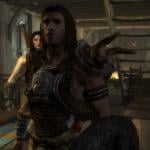
Conan the Barbarian_1982_Arnie RaceMenu preset by gamer2736
By Adventurion
:: Conan the Barbarian_1982_Arnie RaceMenu preset by gamer2736 ::
---------------------------------------------------------------------------------------------------------------------------------------------------------------------------------------------------------------------------
“Hither came Conan, the Cimmerian, black-haired, sullen-eyed, sword in hand, a thief, a reaver, a slayer, with gigantic melancholies and gigantic mirth, to tread the jeweled thrones of the Earth under his sandaled feet.”
--------------------------------------------------------------------------------------------------------------------------------------------------------------------------------------------
Description:
A big, big Hello guys !!!!
This is my first mod, ever ! So, please be gentle with me .
I'm a huge fan of the 1982 Conan the Barbarian movie, and i was thinking just how perfect Skyrim would be for Conan ! I've tried to create Conan's look as closely as possible.This is a .jslot preset file for RaceMenu 3.4.5 and above. Feel free to edit it as you would like. Kindly credit the mod authors i've mentioned in the credits list. It would be nice if you credit me too ....
Thank you for using my mod !
------------------------------------------------------------------------------------------------------------------------------------------------------------------------------------------------------------------------------------------------------------------------
Installation:
Use NMM or MO. I would recommend you use MO, as it is so convenient. Also, any changes you make in Racemenu and save as a preset can be easily converted into an archive from the "overwrite" section the next time you launch MO.
Manual Install :
Place file in Skyrim -> Data -> SKSE -> Plugins -> CharGen -> Presets
How to use:
1) Select Nord as race.
2) Go to the preset tab and load preset (F9 usually) .Select "Conan the Barbarian_1982_Arnie preset.json"
If you are using this on an existing character type "showracemenu" in the console and follow the steps mentioned above.
Uninstallation:
Just uninstall in NMM or, uncheck in MO.
------------------------------------------------------------------------------------------------------------------------------------------------------------------------------------------------------------------------------------------------------------------------
Body mod used in the pictures: SOS [Lite]
Texture mod used in the pictures: Fine Face Textures for Men by urshi [Variant 2.0a]
-------------------------------------------------------------------------------------------------------------------------------------------------------------------------------------------------------------------------------------------------------------------------
Credits :
RaceMenu by Expired [http://www.nexusmods.com/skyrim/mods/29624/?]
Arnold Schwarzenegger -1- Conan The Real Barbarian by Lobotomia2040 [http://www.nexusmods.com/skyrim/mods/5137/?]
Fine Face Textures for Men by urshi [http://www.nexusmods.com/skyrim/mods/27815/?]
--------------------------------------------------------------------------------------------------------------------------------------------------------------------------------------------------------------------------------------------------------------------------
Acknowledgements :
I would like to express my deep gratitude to the Skyrim modding community for all the stunning work you guys do ! Without you, Skyrim would not have been the "Alternate world" i transcend into ...
I am in absolute awe of LoversLab and the Geniuses here ! The passion, innovation and inspiration you guys bring is simply too good to be true ! For someone who doesn't know the ABC's of modding, I have been able to post my first-ever mod. That of my all-time favorite fantasy character. I can't thank everyone at LL enough for bringing pure magic into my life !
Bethesda, for giving us the Awe-inspiring game, and then, giving us Modding Tools to bring our creations into that world !
-------------------------------------------------------------------------------------------------------------------------------------------------------------------------------------------------------------------------------------------------------------------------
228 downloads
Updated
-
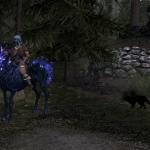
Uni_Skeleton Mount
By Treguld
You will need Dawnguard for this mod to work proper.
After learning how to attach a penis on any critter, Using "How to Dick with NifSkope". I tried the method to attach a horn to Vanilla Skyrim horses and Dawnguad's skeleton horse.
Marrow can be found behind the Hall of The Dead in Falkreath.
Files are loose so you will need to manually put them in place. Just go to C: Program Files (x86)\ steam\ common\ skyrim\data. Into data drop the texture, mesh, and mod. You should be good to go.
With the exception of the horn all resources are from Dawnguard. The horn came off of a unicorn resource I've had for years.
112 downloads
Submitted
-
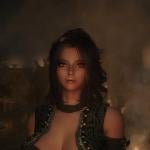
Sorbi - Dual Wield Follower
By mfeile1974
Since being orphaned at an early age, Sorbi has traveled Skyrim in a mission to educate and discover herself.
Rumors exist saying she was trained in the art of combat by the Forsworn and in the art of seduction and fashion by the women of
ill repute across Skyrim.
The only thing known for sure is that she travels with two short swords passed down to her from mystery family members.
She now trains at the Whiterun-Skyforge while waiting for the mysterious Dragonborn to approach her in hopes they they
may learn from each other.
Name: Sorbi
Race: Custom Nord
Voice: Female Young Eager
Marriageable: Yes
Weight: 66
Height: 1.01
Body: Custom CBBE & UUNP (SeveNBase Preset)
Skin: Optimized Fair Skin
Armor: Edhildils Helgenrogue (Some pieces enchanted)
Weapons: Two Fenrir Short Swords (Upgradeable with Ingots in inventory)
Location: Skyforge - Whiterun
Class: Custom or Vanilla Option
Style: Custom or Vanilla Option
Levels with player. Nord traits/bonuses.
Skills/Perk Trees: One Hand/Dual, Lightfoot
Spells: Main File includes scripting for health and armor
Spells: Vanilla-ish Option has healing related spells
*The Main File has custom made class/style/perks which many may find over powered*
*Vanilla-ish Options available that only has vanilla class/style/perks*
Tested with AFT, EFF, & Follower LIve Package
ENBs Pictured: Vividian & RealVision
HDT Body Versions
HDT Compatible Skeleton
HDT Physics
Non-HDT Body Versions
SeveNBase requirements of BBP/TBBP skeleton
CBBE Version has no known requirements
Modified Skeleton such as XPMSE
Facelight
Are You There
Fix Lip Sync
Some ENBs may show slight skin discoloration between body and head
Armor may clip during some poses/animations
Manual or your favorite mod manager
Manual or your favorite mod manager
sfeile
Skyrim Mods & Modders
Children of Akatosh
Bethesda Mod Creation Collective
Skyrim Mods Follower Hoarders
bard66
Dragonstar99
The World of RipX
The New World of Skyrim YouTube Channel
Q: Why do you make so many followers?
A: I'm a follower hoarder/addict; since there is no Followers Anon I only have Nexus.
Q: What is the difference by the Main & Vanilla-ish Versions?
A: Mainly scripting. Vanilla-ish contains no scripting
A: Vanilla-ish also has less perks and speed.
A: Vanilla-ish uses vanilla class/style. Nothing custom.
Q: Is she over powered?
A: Yep, she sure is. I created her that way.
A: She was designed for those higher level players,
playing on advanced difficulty levels.
Q: Will you release the Racemenu preset?
A: My apologies, I no longer release my personal presets.
Q: What armor can be put on the UUNP version?
A: SeveNBase armors will work just fine with Vermith.
A: Sorbi's body is just a tweaked SeveNBase preset.
Q: Do you take requests, suggestions, complaints?
A: I'm open to all requests, suggestions, and feedback as long as they are polite.
Edhildils Helgenrogue Armor
Fenrir Blades
Elewin Jewelry
Fair Skin
CBBE
Bodyslide
Racemenu
True Eyes
Maevan2 Eyebrows
SG Hairs (Google is your friend)
Succubus Preset (Initial Inspiration)
2k Lip Tints
RANs Eye Reflection Extender
Smile in HD
YevMods - Makeup Pack
Bethesda
Nif Merge
Nif Skope
TES5Edit
*If I forgot anyone; please kindly remind me. Thank You*
**A Big Shout Out to all members of Skyrim Mods & Modders Facebook group for their support & feedback
through the creation of Sorbi**
This follower is the combination of the work of others. Please obtain their permissions in addition to mine.
4029 downloads
Updated
-
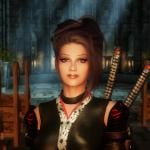
Pantea - Imperial Cleric Follower
By mfeile1974
Name: Pantea
Race: Custom Imperial
Voice: Female Sultry
Marriageable: Yes
Height: 1.00
Weight: 64
Body: UUNP(SevenBase Preset) & Custom CBBE
Skin: Optimized Fair Skin
Armor: Emfy Cleric
Weapon: Emfy Mace (Right Hand) & Alteration/Restoration Spells (Left Hand)
Location: Solitude - Temple of the Divines
Class: Spellsword
Style: Boss One Hand
Levels with player. Imperial traits/bonuses.
Skills/Perk Trees: One Hand, Restoration, Alteration, Heavy Armor
Spells: Restoration & Alteration Focused
Tested with AFT & EFF
ENBs pictured: Vividian & RealVision
HDT/Armor Versions
HDT Compatible Skeleton
HDT Physics
Non HDT/No Armor Versions
None Known At This Time
Modified Skeleton such as XPMSE
Facelight
Are You There
Fix Lip Sync
Some ENBs may show slight skin discoloration between body and head
Armor may clip during some poses/animations
Manual or your favorite mod manager
Manual or your favorite mod manager
sfeile
Skyrim Mods & Modders
Children of Akatosh
Bethesda Mod Creation Collective
Skyrim Mods Follower Hoarders
Q: Will you release the Racemenu preset?
A: My apologies, I no longer release my personal presets.
Q: What armor can be put on the UUNP version?
A: SeveNBase armors will work just fine with Vermith.
A: Pantea's body is just a tweaked SeveNBase preset.
Q: What are the other armors pictured in screenshots?
A: Leather Robe & Sorakage
Emfy Cleric Robes
Fair Skin
CBBE
Bodyslide
Racemenu
True Eyes
True Brows
The Coenaculi
KS Hairdos - Renewal
2k Lip Tints
RANs Eye Reflection Extender
Smile in HD
YevMods - Makeup Pack
Bethesda
Nif Merge
Nif Skope
TES5Edit
*If I forgot anyone; please kindly remind me. Thank You*
This follower is the combination of the work of others. Please obtain their permissions in addition to mine.
1776 downloads
Updated
-
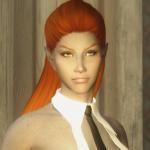
We <3 Dunmer
By shidoni
Tamriel has many races willing to put a dagger between your shoulders, none as keen as the inhabitants of the ashes wastes of Morrowind.
Feel free to use the presets for whatever you desire.
Requirements:
All presets are made with the Dark Elf/ Dunmer race (tested).
RaceMenu http://www.nexusmods...yrim/mods/29624
FairSkinComplexion http://www.nexusmods...yrim/mods/51602 (all optional files needed)
RANs type-C Headmesh http://www.nexusmods...rim/mods/7127/?
KS Haiirdos Renewal http://www.nexusmods...yrim/mods/68311
SG hair pack 350 https://mega.nz/#!ac...w_zW7KfrthvX7aA
Natural Eyes http://www.nexusmods...kyrim/mods/3589
The eyes of beauty & Special elves edition http://www.nexusmods...im/mods/13722/?
Brows http://www.nexusmods...yrim/mods/30411
Frecklemania http://www.nexusmods...im/mods/52841/?
Cross Racial Features http://www.nexusmods...im/mods/43525/?
Place The chosen preset in Skyrim>Data>SKSE>Plugins>CharGen>Presets
Place the Head sculpt files in Skyrim>Data>SKSE>Plugins>CharGen
The ENB used in the screenshots is Reallike Enb
What's your is mine and what's mine is yours.
524 downloads
Updated
-
![More information about "[DEM] Necrotica"](https://static.loverslab.com/screenshots/thumb-93932058eef50d637d9b6e330587994e-aveed1.jpg)
[DEM] Necrotica
By avebrave
This file is hidden from the public because of bad experiences wich I already explained on my blog. If you want access to it send a pm.
First this mod is created for the Demonica [Lilith/Eve] race, if you don't use this race, this mod isn't for you...if you don' t convert it yourself.
Requirements
Demonica 2.1.1
Description
add a craftable necromancer styled dress to the game with shoes, cape, gloves, stocking hood and two dresses (long and short skirt), you can find them in the forge under 'Demonica-Lilith'.
there are two versions one with Corundum, Amethyst, dark bones and purple design
and one with Gold, Emerald, light bones and green design.
Update 1.0
Add a Hood for each color version. Also add a option to craft that hard-to-find poison. Craftable now at the cooking pot.
Update 2.0
Add Eve Body Version.
Update 2.1
updated metal and gem versions, add new jewelry Full description for version 2.1
Versions
There are two different versions:
DEM Necrotica.esp, the normal version DEM NecroticaSkyRe.esp, for Skyrim Redone users Only use one esp at the same time! Do I really have to say this?
The Skyrim Redone version requires T3nd0s Skyrim Redone
this version mark the cape, gloves and dress as Dreamclothes, also change the crafting requirements for the dress.
To craft them you need the Weaving Mill perk (smithing) and materials from the Harvest perk (conjuration).
Details
Cape use slot 44
Stocking use slot 46
Known Issues or Bugs
The long skirt got some clipping during walk animations specially in the lower part of the skirt. Thats because the demonica skeleton don't support long skirts. Using the stockings at the same time make it less irritating. If that is not your cup of tea, don't drink it, or use the mini dress. the stockings use the demonica highheel system, so if you only equip them without shoes it looks a little irritating, cause the character walks tiptoe (the other option was to have the lower part clip trough the foot and ground)
Optional Downloads
Modders Resources to recolor the colored parts of the dress (if you prefer another color then the puple and green version) 4k texture pack, oh yeah, for the bones and dress textures (the bone were scaled down to 2k the dress is not scaled it just looks more 'coarse' or 'rough', don't know whats the right word to explain it, just see pic below, 2k left 4k right)
Credits
Krista for creating Demonica [Lilith] and Lady Victoria Secret
GSBmodders for creating Demonika HGEC
BayouBilly for creating Yggdrasill
Alecu for creating Elegant Dress
Licensing/Legal
You must contact me and obtain my permission before re-packaging any part of
this mod.
2705 downloads
Updated
-
![More information about "[DEM] Cosmetic"](https://static.loverslab.com/screenshots/thumb-5b65822f0e789db03041fba4b51a7acc-aveed1.jpg)
[DEM] Cosmetic
By avebrave
This file is hidden from the public because of bad experiences wich I already explained on my blog. If you want access to it send a pm.
This mod is created for the Demonica race, if you don't use this race, this mod isn't for you...if you don' t convert it yourself.
I shared some cosmetic mods like tattoos and eye textures, but all are hidden somewere in topics, hard to find though. So I decide to combine them here.
Recommendation
Adalinda's Blog wonderfull Makeup and Tattoo options for Demonica
Eye Resource
filename: EyeResource_V1.1
Requirements
Demonica 1.6.1 or Demonica 2.1
Description
add 9 new eye texture versions for Demonica Race
Known Issues or Bugs
none
Maori Tattoos
filename: Maori Tattoo for Lilith
Requirements
Demonica 1.6.1 or Demonica 2.1
Description
replaces the Demonica [Lilith] skin textures with Maori styled Body tattoo textures, regular and wet textures available.
Known Issues or Bugs
every mod that edit the body textures for Lilith
Credits
Krista for creating Demonica
Licensing/Legal
You must contact me and obtain my permission before re-packaging any part of
this mod.
1033 downloads
Updated
-
Ave's Ash'Abah Weapons
By avebrave
This file is hidden from the public because of bad experiences wich I already explained on my blog. If you want access to it send a pm.
This mod is for User that don't have the Demonica Mod but want to use the Weapon, Arrows and Bolts of my [DEM] Ave's Ash'Abah mod.
Requirements:
TES V: Skyrim v1.9 or higher DLC: Dawnguard (optional MOD: Skyrim Redone)
Description:
This mod is for users that don't have the Demonica Mod, but want to use the Weapons of my Ash'Abah Armor mod.
It contains a Weapon Set in 3 different color types (ebony, steel and quicksilver (nordic)):
Scimitar (1h sword) Dagger Arrows Bolts
Crafting Details:
after Ancient Technology Quest: enchanted Bolts (fire, frost and shock for all material versions)
File Versions:
There are two different file versions:
regular version Skyrim Redone version
Only use one version at the same time!
Regular Version
regular Skyrim armor/damage values, use this version if you don't have Skyrim Redone.
upgradable Arrows/Bolts
Note: you need 10 arrows/bolts which you want to upgrade in your inventory to see the option in the forge menu!
Lightsource Arrow/Bolt - Alchemy >= 25 (steel only) Enchanted Arrow/Bolt (fire, frost and shock) - Enchanting >= 50 (Arrow) / after Ancient Technology Quest (Bolts)
Skyrim Redone Version
skyrim redone damage values the Sword is a scimitar the dagger is still a dagger the arrows and bolts need a longer description:
There are many different options for arrows and bolts in skyrim redone, so I adjust my arrows/bolts to give them more impression. Like adding little alchemy bottles to the arrowhead, add a rope to the quiver and so on. All of them are available for all 3 quiver colores.
special Arrows/Bolts
Rope Arrow/Bolt - Thief’s Toolbox I, Sneak Tree (steel weapon material) Noisemaker Arrow/Bolt - Thief’s Toolbox I, Sneak Tree (orichalcum weapon material) Lightsource Arrow/Bolt - Thief’s Toolbox I, Sneak Tree (steel weapon material) Oil Arrow/Bolt - Thief’s Toolbox II, Sneak Tree (steel weapon material)
upgradable Arrows/Bolts
Note: you need 10 arrows/bolts which you want to upgrade in your inventory to see the option in the forge menu! (made this because if you can craft them all, you're going to have a overload in the forge menu)
these versions are available for all material types (steel, orichalcum, ebony and daedric)
Explosive Arrow/Bolt - Fuse Perk, Alchemy Tree Timebomb Arrow/Bolt - Advanced Explosives, Alchemy Tree Enchanted Arrow/Bolt (fire, frost and shock) - Elemental Bombard I, Enchanting Tree Neuralgia Arrow/Bolt - Elemental Bombard II, Enchanting Tree Barbed Arrow/Bolt - Advanced Missilecraft II, Marksman Tree (Bolts), Blacksmith III, Smithing Tree (Arrows) special enchanted 'dwemer' Bolts craftable after the Ancient Technology Quest at the dawnguard forge.
Incompatibility
[DEM] Ave's Ash'Abah 2.0
Credits
jojjo for creating Drake Knight Armor
Stroti for creating Strotis usable alchemy clutter
Walx for creating RealSwords Dunmer
Momber for beta testing all that stuff.
the entire modding community for being awesome.
Licensing/Legal
You must contact me and obtain my permission before re-packaging any part of
this mod.
434 downloads
Updated
-
![More information about "[DEM] Warpaints"](https://static.loverslab.com/screenshots/thumb-442cdc2f802aba521ca4542aa17fd4ec-aveed1.jpg)
[DEM] Warpaints
By avebrave
This file is hidden from the public because of bad experiences wich I already explained on my blog. If you want access to it send a pm.
First this mod is created for the Demonica [Lilith] race, if you don't use this race, this mod isn't for you...if you don' t convert it yourself.
Requirements
Demonica [Lilith] 1.6.1
Skyrim Script Extender (SKSE) 1.6.6+
Recommendation
XCE - Warpaint and Dirt
Description
add most of the vanilla Warpaints to the Demonica Race, 59 Warpaints in the 23 regular vanilla colores.
Also 8 custom made Warpaints. Just look at the screen.
Installation
because these are high resolution textures, you need SKSE and a ini edit:
find your SKSE.ini in the SKSE folder. (if there is none, create one) add these lines to it:
Bodypaints:
Since there will probably never be an option to make bodypaints easy to use for Demonica, I'm going to share some resource files. Use gimp, photoshop or whatever to add them to your skin textures
Forsworn Bodypaint (4 Options) Woodelf Bodypaint (1 Option)
Known Issues or Bugs
does not work for vampire race (only regular and HH), because CK doesn't let me copy them without CTD, and because I did not play a vampire I decide not to add all these warpaints with all color variations again. maybe incompatible with mods that edit demonica race
Credits
Krista for creating Demonica [Lilith]
Momber for creating Maori Moko Warpaint
Xenius for creating XCE - Warpaint and Dirt
Licensing/Legal
The content of this mod is open source and can be used freely on the following conditions:
Credit everyone I gave credits Notify Xenius and me Skyrim only
1081 downloads
Updated
-
![More information about "[DEM] Ave's Ash'Abah"](https://static.loverslab.com/screenshots/thumb-acfe7e1261d88b272e448affdb015e17-aveed1.jpg)
[DEM] Ave's Ash'Abah
By avebrave
This file is hidden from the public because of bad experiences wich I already explained on my blog. If you want access to it send a pm.
First this mod is created for the Demonica [Lilith] race, if you don't use this race, this mod isn't for you...if you don' t convert it yourself.
Update News Version 2.0:
remodel everything for Eve body (every item can be used with Eve and Lilith) add clothing addons for the cold regions of Skyrim (hood, cuirass) add some special arrows for the regular version optimized textures and meshes fixed some bolt CTD bugs add 100% cooler footstep sounds
Requirements
Demonica 2.1.1
(optional Skyrim Redone)
Description
This Armor is designed for a dual wield/archer character and can be used no matter at wich level your character is.
The Weapons can be upgraded to new more powerfull versions (steel, orichalcum, ebony, daedric) as well as the arrows.
Ash'abah Lore information
It contins Armor/Weapon Set in 3 different color typs (ebony, steel and quicksilver (nordic)):
Scimitar (1h sword) Dagger Arrows Armor, split in several parts (heavy and light armor version for each color) bolts
Crafting Details
no perk: Boots, pants, belt and cape steel: Cuirass, steel arrows & weapons Orcish: Arm Protector, orichalcum arrows & weapons Ebony: Leg Protector, ebony arrows & weapons Daedric: Pauldrons, daedric arrows & weapons after Ancient Technology Quest: enchanted Bolts (fire, frost and shock for all material versions)
File Versions:
There are two different file versions:
regular version Skyrim Redone version
Only use one version at the same time!
Regular Version
regular Skyrim armor/damage values, use this version if you don't have Skyrim Redone.
upgradable Arrows/Bolts
Note: you need 10 arrows/bolts which you want to upgrade in your inventory to see the option in the forge menu!
Lightsource Arrow/Bolt - Alchemy >= 25 (steel only) Enchanted Arrow/Bolt (fire, frost and shock) - Enchanting >= 50 (Arrow) / after Ancient Technology Quest (Bolts)
Skyrim Redone Version
use skyrim redone armor and damage values clothing parts (boots, belt, pants, cape, corset) are dreamclothes the Sword is a scimitar the dagger is still a dagger the arrows and bolts need a longer description:
There are many different options for arrows and bolts in skyrim redone, so I adjust my arrows/bolts to give them more impression. Like adding little alchemy bottles to the arrowhead, add a rope to the quiver and so on. All of them are available for all 3 quiver colores.
special Arrows/Bolts
Rope Arrow/Bolt - Thief’s Toolbox I, Sneak Tree (steel weapon material) Noisemaker Arrow/Bolt - Thief’s Toolbox I, Sneak Tree (orichalcum weapon material Lightsource Arrow/Bolt - Thief’s Toolbox I, Sneak Tree (steel weapon material) Oil Arrow/Bolt - Thief’s Toolbox II, Sneak Tree (steel weapon material)
upgradable Arrows/Bolts
you need to have 10 arrows/bolts which you want to upgrade in your inventory to see the option in the forge menu! (made this because if you can craft them all, you're going to have a overload in the forge menu)
these versions are available for all material types (steel, orichalcum, ebony and daedric)
Explosive Arrow/Bolt - Fuse Perk, Alchemy Tree Timebomb Arrow/Bolt - Advanced Explosives, Alchemy Tree Enchanted Arrow/Bolt (fire, frost and shock) - Elemental Bombard I, Enchanting Tree Neuralgia Arrow/Bolt - Elemental Bombard II, Enchanting Tree Barbed Arrow/Bolt - Advanced Missilecraft II, Marksman Tree (Bolts), Blacksmith III, Smithing Tree (Arrows) special enchanted 'dwemer' Bolts craftable after the Ancient Technology Quest at the dawnguard forge.
Optional Downloads
Horse Armor for Convenient Horses (just a resource file, you need to rename the nif files in order to use it for Convenient Horses)
Incompatibility
snow...just don't use this armor in the snow...you will freeze to death...unless you use some magic... people that whine when they see some skin
Known Issues or Bugs
sword clip through the arrows, like every sword/arrow compination I ever used for demonica... no boot ground/inventory mesh
Credits
GSBmodders for creating Vampirella jojjo for creating Drake Knight Armor Krista for creating Demonica kurese for creating R18PN 04 Stroti for creating Strotis usable alchemy clutter Min for creating DD (used for footstep sounds) Walx for creating RealSwords Dunmer the entire modding community for being awesome.
Licensing/Legal
You must contact me and obtain my permission before re-packaging any part of
this mod.
2391 downloads
Updated
-
![More information about "[DEM] Ave's Jewelery"](https://static.loverslab.com/screenshots/thumb-dd79482edc2c720c301caa35ee5501db-aveed1.jpg)
[DEM] Ave's Jewelery
By avebrave
This file is hidden from the public because of bad experiences wich I already explained on my blog. If you want access to it send a pm.
First this mod is created for the Demonica [Lilith] race, if you don't use this race, this mod isn't for you...if you don' t convert it yourself.
Requirements
Demonica 2.1 ( english translation by Vlad[T] )
Description
add severel craftable Jewelery to the game, you can find them in the forge under 'Jewel'
there are 4 Amulets, 6 Earrings, 16 Navel Pircing, 5 right Ring, 6 left Ring and 4 Necklace Models in 7 different materials (Corundum/Amethyst - Ebony/Diamond - Gold/Emerald - Steel/Garnet - Quicksilver/Sapphire - Silver/Ruby - Iron/Soulgem(aka fancy purple))
There are also some unique Jewelry, Moon-and-Star-Set (details under Update 1.3), Heart-Set (Update 1.4) and Dibella-Set (Update 1.8)
Update 1.0
add 4 Rings models (right hand, ring finger)
Update 1.1
add 4 Rings models (left hand, middle finger), 3 Necklace 1 Earring and 1 Amulet
Update 1.2
add 2 new metal/gem versions: Ebony/Diamond and Steel/Garnet, why? Just wait for my next armor mod . Also include the extra metal and gem options in the main version (with TextureSets in the CK, so thoese of you that want to create some other versions e.g. Silver/Ruby or whatever have lesser work to do) .
Update 1.3
2 new Rings (one left, one right) for all materials craftable Jewelry Set inspired by the Moon-and-Star Ring from Morrowind, it contains: an Amulet, Earrings, Navel Pircing, right Ring and a Neclace. Moon-and-Star artifact Ring (right index finger) with a special enchantment (inspired by the original Moon-and-Star and Skyrim Redone) it can be found in a special chest somewhere in the aetherium forge.
Update 1.4
Add Heart Set, it contains Amulet, Earrings, Navel Pircing and Neclace:
Update 1.5
Add 1pair of Earrings, 3 Navel Pircings and 1 Tiara in the 'regular' 4 materials (Corundum/Amethyst - Ebony/Diamond - Gold/Emerald - Steel/Garnet) replaced the iron texture (no anymore looking more like dirt)
Update 1.6
new material version: Quicksilver/Sapphire
Update 1.7
new Navel pircing, Neclace and Earrings
Update 1.8
Dibella Set, Amulet, Earrings and Navel Pircing. Craftable when you are a Agent of Dibella (Amulet has the same enchantment as the vanilla Amulet of Dibella, the other items are unenchanted)
4 new Navel Pircings, and 2 new material versions, Silver/Ruby and Iron/Soulgem Fragment (SoulGemPiece001, I add a option to 'recraft' other Soulgem Fragments if they are in inventory)
Update 1.9
converted every Ring, Amulet and Navel Pircing to Eva Body (Demonica 2.1 Vampire Body) converting the Neclaces dosn't make sence since the work that I have to do is imo to muchif I compare it to the improvement that converted Neclaces would have. add one more ring (left hand) as alibi
Update 2.0
Ring (right hand) for Dibella Set 4 new Earring Models = 28 new Earrings
Update 2.1
Mara Set, Amulet, Earrings, Navel Pircing and Ring (right hand). Craftable when you are a Agent of Mara (Amulet has the same enchantment as the vanilla Amulet of Mara, the other items are unenchanted) Julianos Set, Amulet, Earrings, Navel Pircing and Ring (right hand). Amulet has the same enchantment as the vanilla Amulet of Julianos, the other items are unenchanted.
Details
Amulet use Slot 35(Amulet)
Earring use Slot 43(Ear)
Navel Pircing use Slot 36(Ring)
Right Ring use Slot 57
Left Ring use Slot 58
Moon-and-Star artifact use Slot 59
Necklace use Slot 47
Incompatibility
Maybe Slot 57 and 58 is used by some mod I don't know, I checked every Demonica Mod I got, to find not used slots or slots that are used for rings (Slot 36 was always used for Navel Pircing). So if you know more, let me know.
They are maybe in use 57 (Handbags / thing bags) 58 (mask / scarf) 59 (cuff), it is like allways, make your decisions.
Demonica Corset Body causes clippings with the Amulets
Known Issues or Bugs
the rings are not visible in 1st person. I did not change that with the mod, because I didn't want a dirty edit in it (e.g. other language versions)
To change that open the creation kit with demonica.esm
open the Demonica Race (character - race - DemonicaRace) navigate to Body Data on the right side there is 'first person' add 57, 58 and 59 repeat that with DemonicaRaceVampire, DemonicaHHRace and DemonicaHHRaceVampire save
Credits
Krista for creating Demonica [Lilith] and Jewerly Collection, wich is partly used here.
What can you do?
This is simple, make more metal gem options avalible. I gave you everything to create this on your own. This is really simple, all you need is a bit of time. If you want a tutorial, I can write one but I only make it on request, it take time and if nobody need one or read it its wasted time imo.
I simply don't have the time to do every possible variation, to create a new version of one item need lets say 2 minutes, so to create all variations it will need:
2 minutes x 11 (metals) x 6 (gems) = 132 minutes x 27 (diffrent models atm) = 3564 minutes ( ~ 60 hours) without different leather options for the amulets.
If you want to share it here, I have only 3 'rules':
keep the file name structure:
don't use fantasy values for the items, there is a system behind it:
make all models for your variation
2523 downloads
Updated
-
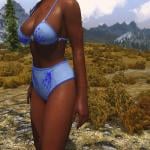
CBBE underwear classic brief style
By KappaLima
Hey!
Do you like those classic big underwear in the old catalogue?
If you do, then this mod might interests you.
This mod has been in my personal use for some time.
I made some change to caliente underwear style 2 in blender and made the panties look more like the classic ones.
And now I converted into Outfit Studio Project so it can be used in Bodyslide to create non-nude CBBE body with a new classic underwear style!
How to use:
Make sure your CBBE HDT Body is working Copy the bodyslide data into respective folders Use bodyslide to build the new body Enjoy!
Requirements:
CBBE
http://www.nexusmods.com/skyrim/mods/2666/
Bodyslide
http://www.nexusmods.com/skyrim/mods/49015/
SKSE HDT plugin
http://www.nexusmods.com/skyrim/mods/53996/
XPMSE
http://www.loverslab.com/files/file/676-xp32-maximum-skeleton-extended-xpmse/
Credits:
authors of CBBE for the original mesh
Limitation:
Animations with big movements may make the underwear clip into the body shape.
I think this is because I did not add new vertices but just moved the old vertices, so the skin mesh sometimes penetrates the cloth mesh.
If anyone knows how to fix this in blender please share your idea.
Future Plan:
Maybe zap options but for now I think it is not too hard to remove unwanted objects in nifskope.
PS:
first time uploading something, let me know if I missed anything
Screenshot textures:
CBBE CalUndies Monthly Retextures September
http://www.nexusmods.com/skyrim/mods/2666/
(in download > optional files)
Skin Texture
http://www.loverslab.com/files/file/835-skintextures/
368 downloads
Updated
![More information about "[XCL] EASY SALES !!! - A sales cheat mod"](https://static.loverslab.com/screenshots/monthly_2026_10/Breaking-Bad-money-nap-meme-6-3583251892.thumb.jpg.aad64969705614bba4e9834ed8f04670.jpg)
![More information about "[XCL] [0.25.9] InstaGirl Laboratory"](https://static.loverslab.com/screenshots/monthly_2025_06/ForDiscord.thumb.jpg.fbfa501d8fb756f46cc9d28cf123b424.jpg)