Select a subcategory to view available files.
Files From Subcategories
-
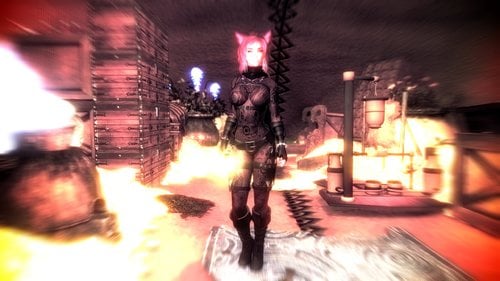
PeroPeroArmorPack3 Black Widow CBBE Bodyslide
By MaikCG
CBBE bodyslide for Black Widow Armor.
You need download mod before http://gomaperopero.tumblr.com/post/172619525105/peroperoarmorpack3-for-7bo
Also. Since I added a bodislide for hands and boots, you need to turn on weight support for the model in ESP. I attached my esp for example. Сan use it if you understand Russian ?
7505 downloads
Submitted
-
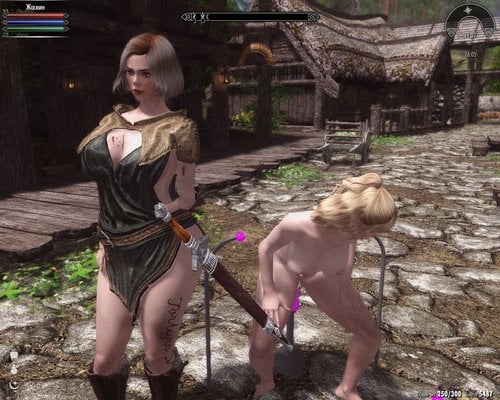
Remodeled Armor for Cosio Bodyslide HDT
By CooneyBoy
Hello to all!
To get started, install CLAMS OF SKYRIM PROJECT Inni Outie HDT Vagina 4.7 from scivirus
and all its dependencies , then Remodeled Armor for CBBE Bodyslide HDT https://www.nexusmods.com/skyrim/mods/25259?tab=files.
Select the preset body of Cosio or CosioHD in the Body slide and make the Butch Build set by CT77. Wait for the end.
Unzip and copy the Nude_Remodeled_Armor_for_Cosio_Bodyslide_HDT or Full_Remodeled_Armor_for_Cosio_Bodyslide_HDT file, then run the Body slide and make a Butch Build of installed CosioHD CT77 or CosioHD CT77 Full. Wait until the end .
Please support me. I live in Ukraine in the city of Mariupol.
PATREON PATREON
Requires:
1.CLAMS OF SKYRIM PROJECT Inni Outie HDT Vagina 4.7
2.Remodeled Armor for CBBE Bodyslide HDT- https://www.nexusmods.com/skyrim/mods/25259?tab=files
CT77HalfHDT are not implemented.
Thanks for attention
13849 downloads
Updated
-
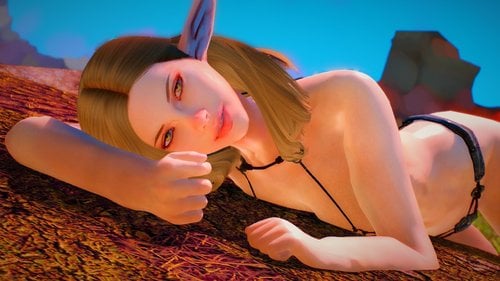
PatchedAIO (7B) (CBBE) (UNP) (UUNP)
By Sindrigosa
PatchedAIO
Hello in this mod i have taken a few pieces out of the TAWOBA mod from Nisetanaka. Don't worry i haven't removed entire armours i have only tweaked them
and because it is applied like a patch its called Patched. I have combined my other mods to make it a All In One project however if i was to expand this mod i would still make separate releases and then update this mod to include it.
Easier download link to nexus:
https://www.nexusmods.com/skyrim/mods/94270/?
Requirements:
https://www.nexusmods.com/skyrim/mods/83383
Feel free to tell me if it doesn't work i had a few problems with my other mods and they still dont work for some people.
also if you like my characters you can go to
https://twitter.com/Sindrigosa1
https://ello.co/sindrigosa
I release content there daily/weekly/monthly
and if you like Nisetanakas stuff then go to
https://nisetanaka.tumblr.com/1323 downloads
Updated
-
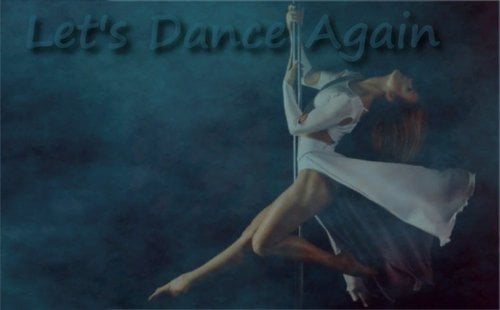
Let's dance again
By Andy14
Description
Let's dance again is a dance mod for Skyrim.
Useless but very fun.
Based on the Mod Dance Toghether. Do not worry, it's not a copy, it's completely rebuilt.
Let's dance again is standalone, means it is compatible with DanceTogether - see note.
Both mods can therefore be used simultaneously.
Why did I create the mod?
Because I was tired of replacing the animations and music in Dance Together.
RealClone is a bad boy - he has done too many dances.
I will not make videos of the dances.
On the YouTube channel of RealClone you can find the new dances. Almost all are included.
If a dance is missing, I probably did not see it - or it was not good for my ears.
I also have to test and 5.3 hours are a long time ... and my ears have to endure that.
This "dance" is not included.
1. Because it is not really a "dance"
2. Because I want to use it for the tutorial. From A-Z
Yes I write a tutorial on how to add dances etc.
For this I take this "dance".
Tutorial is coming soon.
Tutorial is done
Features
- 96 dances with 5.3 hours music are included
- support for max. 256 animations/dances (could be increased without much effort)
- support for max. 12 dancer inclusive the player
- create your clone as dancer (with your outfit) - see note 2
- 3 formation lists for customize + default formation (as backup)
- remove weapons, arrows, shields and torches if you wish
- define your hotkeys for volume, dance cancel or free cam (is used during the dance!)
- compatible with Dance Together (see note)
- support for expressions, free cam, 8 animated cameras (see note), toggle AI, Menu, Mod notifiaction and collision
- of course Google English ??
Install (manual)
Unpack the Archiv. It's a 7-zip file.
Copy all folders and files in Data of the Mod to your Skyrim\Data directory.
See note!
Run FNIS for User
Start the Skyrim launcher and open Data files.
Scroll down and check, if the Let's dance again.esp is activated.
Close the Data files and Skyrim Launcher and Start Skyrim with the SKSE Lauchner.
In game (not main menu) wait for a message like " MCM registerd 1 new Mod"
Open the MCM of Let's dance again and enable the Mod. All Spells now available.
Have fun...
Uninstall (manual)
In game open the MCM of Let's dance again and disable the Mod.
Save and close the Game.
Deactivate the Let's dance again.esp in Data files (skyrim launcher)
Delete all folders and files installed by the mod.
Run FNIS for User.
Note:
If you already use DanceTogether AND have special camera animations installed,
then do not install the following folder and the files contained in the folder:
Meshes\actors\character\ _1stperson
This is unfortunately a shared resource.
Note 2:
If you have a HDT hairstyle, the clone will not be displayed.
Reason - NPC's do not support HDT hairstyles!
Wigs, clothes etc. are no problems. If so - the problem is in the HDT XML. No matter if SMP or PE
Requirements
SKSE 1.7.3 Papyrus Util FNIS (6.2 or newer) SkyUI (4.1 or newer)
Credits:
SKSE Team - SKSE fore - FNIS SkyUI Team- SkyUI exiledviper and meh321 - Papyrus Util frankc4 on 3dm for Dance Together realclone for all new dances, support and test PeterForFun for support, ideas and test Myself, for stupidity of so much work (i need only 20 dances)
Permission:
You can NOT take money for the mod - no matter how.
You should pay attention to the credits and not offer as your work.
That's all.
23501 downloads
- dance
- animations
- (and 2 more)
Updated
-
Light Tintmasks
By namiichan
This is a compilation of a few different tintmasks with some edits made to them. These are a little wonky when using pretty face's headmesh, they don't fit right. Citrus and vanilla are fine from what I tested. The files go into Data/Textures/Actors/Characters/Character Assets/Tintmasks
Credits:
Pure Skin by regenbot and anini https://www.nexusmods.com/skyrim/mods/73853
Fair Skin Complexion https://www.nexusmods.com/skyrim/mods/51602?tab=description
Hermes Makeup http://krishunadan.tistory.com/entry/스카이림-모드-에르메스-화장팩여자-화장
139 downloads
Submitted
-
![More information about "BookTxtAPI - Write In Books, Read the Output! [Experimental/Modders Resource]"](https://static.loverslab.com/screenshots/monthly_2018_11/booktextapi.thumb.PNG.e71e11085bd11d7e233701f496ca51df.PNG)
BookTxtAPI - Write In Books, Read the Output! [Experimental/Modders Resource]
By SewerRats
BookTxtAPI::Read,Write,Books
WHAT IS THIS FOR?
BookTxtAPI, quite simply, allows the user (or modder) to write into books, and for modders to receive the written content and do something with it.
REQUIRES
SKSE.
DEVELOPMENT CONSIDERATIONS
This is an experimental plugin. To our understanding, it is stable and robust. However, you should be prepared for unexpected behavior and even a rare crash. There is no defined character limit. The user can type until the SKSE plugin runs out of memory, which probably wouldn't even stand a chance of happening until 10,000+ characters. When more then one page of content is entered, each character returns it back to the first page. This makes multi-page entry technically possible, but impractical.
INTEGRATION
1) Attach the included script BookTxtAPI.pex to books you would like to use for text entry. Notes are supported as well. Input is sent to the ModEvent (step 3) when the book is closed. Book Input support all alphanumeric characters (A-Z,0-9) and some special characters (!,@,#,$,%,&,*,(,),:,',-,_) plus comma.
2) Set the properties for BookTxtAPI.pex. These properties change the book's behavior:
DisableResetOnClose_ThisBook Set to TRUE if you would like to retain the written content after the book is closed. EnablePickUp_ThisBook (EXPERIMENTAL) Allows book to be picked up. You cannot write into books within your inventory. SkipIntroPage_ThisBook Skip the intro (creation kit default) text and load right into any custom text. DisableUserWrite_ThisBook Disables user's ability to write in the book. Used if you would like to dynamically create books but not allow theuser to write in them (ex, wanted posters) 3) (OPTIONAL) Set the book's text via script:
Book Text can either be entered in papyrus prior to opening the book, or by the user. In a script that will fire before the book is opened, write:
;PROPERTIES BookTxtAPI Property API Auto ;CODE Function FiresBeforeBookOpened() API.SetTextByObjectReference("Hello, World") EndFunction Set the property BookTxtAPI to the ObjectReference of the book you would like to modify.
4) Catch events by using our ModEvents:
Registration: ; on each game load RegisterForModEvent("BookTxtAPI_TextEntered", "BookResult") ; catch book text Event: Event BookResult(Form sender,string BookText) ; catch book text ;form sender is what sent the event ;booktext is the user input from the time the book was opened until it was closed and reset. EndEvent
USAGE TERMS
ANY AND ALL SOFTWARE USING THIS API MUST REQUIRE THIS PLUGIN TO BE DOWNLOADED INDEPENDENTLY FROM THIS DOWNLOAD PAGE. THE SOFTWARE MAY NOT BE INCLUDED IN A MOD PACKAGE AND DISTRIBUTED INDEPENDENTLY.
This software is licensed to you Creative Commons Attribution-NonCommercial-NoDerivatives 4.0 International.
- You may not modify (fork) the code.
- You may only use the work in a non-commercial manner, with attribution.
- Commercial uses of the work (paid mods) will be considered if we are notified and give prior approval with mutually agreed upon terms.
- We will not charge for the usage of this content, if the user is not profiting upon the distribution of this content, at any time.
93 downloads
Updated
-
Livre de sort-Nyctalopie
By Orpheaned
Bonjour à tous,
J'ai créé ce mod dans le but de rendre la Nyctalopie accessible à toutes les races de Skyrim (même celles qui sont modée)
Description:
Ce mod est dédié à tous ceux qui en ont marre de tomber dans un ravin la nuit, de se faire aplatir car il n'ont pas vu ce qu'il y avait devant eux.
Ce mod vous permet d'apprendre le sort Nyctalopie, comme les khajiits.
Et ainsi plus besoin de torche ou autres conneries qui bousille la discrétion de votre perso.
C'est compatible avec toutes les races (toutes même modée)
Cela fonctionne aussi avec les ENB. Enfin pas tous, il faut demander au créateur de l'ENB si l'effet "NightEye" est supporté.
Au fait les captures d'écran sont vielle et j'ai la flemme dans faire de nouvelles.
Detail du Mod:
Le sort est disponible en 4 versions:
Durée de 30 secondes Durée de 1 minute Durée de 10 minutes Durée de 1 heure
Il se lance avec la touche "W" comme un cri.
Vous pouvez acheter le livre auprès de marchands de Bordeciel pour le prix de: 1250 Septims
Si vous ne voulez pas payer, allez dans la console de commande et entrez: help nyctalopie
Le livre fait partie de la famille des sorts d'illusion.
Je n'ai pas rencontré de problème en jeu avec ce mod, mais contactez-moi en cas de problème.
Si mon travail vous plaît laissez-moi un petit message sur la page Nexus ou LL du Mod et n'oubliez pas de mettre un petit "j'aime" ça fait toujours plaisir.
Merci d'avoir téléchargé ce mod et de votre soutien, amusez-vous bien.
PS: ne matez pas les fesses de ma Haut-Elfe sur les captures d’écran, ça c'est mon boulot
Ce mod est une exclusivité Nexus et LL, il est donc interdit de le partager sur d'autres sites.
Remerciements:
Bethesda pour Skyrim et le Creation Kit
37 downloads
Submitted
-
traduction Vanilla Skyrim Choker & Earrings - with enchantments Version Française
By Orpheaned
Requiert le mod d'origine : Oui
Lien du mod d'origine : Vanilla Skyrim Choker & Earrings
Auteur d'origine : @Mdy et Gomaperopero
Version mod original: 1.0
Version traduite: 1.0 (FR 1.0)
Ce mod est un traduction de l'excellent travail de Mdy et Gomaperopero
Skyrim Colliers & Boucles d'oreilles Vanilla - avec enchantements
Qu'est-ce que ce mod fait:
Ce mod remplace l'ESP du mod original de Gomaperopero en ajoutant des enchantements aux bijoux.
Chaque colliers et boucle d'oreilles possèdent les mêmes enchantements que leurs équivalent Vanilla avec quelques changements.
Requis:
Vous aurez besoin du mod original
Installation:
Télécharger et installer le mod original.
Télécharger ce mod et remplacer l'original par cette version.
Changements:
Enchantements Vanilla ajoutés - Ils n'avaient aucun enchantement, donc @Mdy en à ajouté. Réduction du poids - le poids des amulettes et maintenant de 0.5 Collier nordique antique - la version Vanilla n'a pas d'enchantement, @Mdy à ajouté "EnchArmorResistMagic01" Résistance à la magie (10%) (il voulait ajouter un truc du genre "vos cris déstabilise vos ennemis plus facilement", mais il ne l'a pas trouver dans l’immédiat) Collier et boucles d'oreilles du Conseil des Anciens - identique aux versions Vanilla, pas d'enchantements mais une valeur de 1000 Septims Collier et boucles d'oreilles d'articulation - ajout de "EnchArmorArticulation05" Articulation l’objet vous donne un bonus d'Éloquence de 20%
Avertissements:
Le mod original appartient à Gomaperopero.
Assurez-vous de déséquiper les objets enchantés avant la mise à niveau ou la désinstallation. Les effets magiques peuvent rester bloqués sur votre personnage lorsque vous jouez avec des enchantements.
@Mdy n'a pas modifié les effets magiques Vanilla, donc les enchantements ne sont pas équilibrés (par exemple +10 points de vie), mais sont compatibles avec les mods qui les modifient.
Il est possible d'équiper deux fois le même effet avec un collier et des boucles d'oreilles, mais @Mdy ne sais pas comment les pourcentages seront calculés. Par exemple. Talos 2x + 20%.
Mod recommandé:
Divine Amulets and Daedric Rings - Upscaled Textures, il est compatible et viens de sortir.
Autre:
Voici une liste des bijoux étant présent dans ce mod:
Remerciements:
Mdy pour ce mod et son autorisation de partage de ma traduction.
Gomaperopero pour le version originale du mod
Ce n'est qu'une simple traduction, aucune stat ou autre a été modifié.
S'il y a une erreur de traduction, un oubli, une faute d'orthographe/de conjugaison ou tout autres problèmes, contactez-moi.
Vous aimez mon travail? Alors laissez-moi un message sur ma page LL ça fait toujours plaisir.
Merci d'avoir téléchargé ce mod, et amusez-vous bien en Bordeciel
N'oubliez pas de remercier le créateur du mod d'origine pour son travail.
Cette traduction est une exclusivité LL, partagez uniquement le lien de la page et non le mod, merci.
114 downloads
Submitted
-
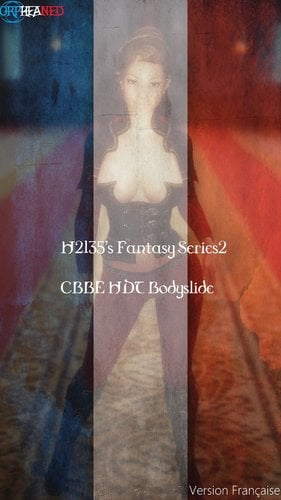
traduction H2135's Fantasy Series2 CBBE HDT Bodyslide Version française
By Orpheaned
Requiert le mod d'origine : Oui
Lien du mod d'origine : H2135's Fantasy Series2 CBBE HDT Bodyslide
Auteur d'origine : @veraly
Version mod original: 1.1.0
Version traduite: 1.1.0 (FR 1.0)
Ce mod est un traduction de l'excellent travail de veraly
H2135's Fantasy Series2 CBBE HDT Bodyslide
Description:
Ce mod ajoute:
Une armure avec 5 colorations différentes (beige caramel, rouge royal, indigo, bleu foncé et treillis onyx) Un boléros avec 3 différentes hauteurs de cols Des bottes avec 2 longueurs différentes.
Requis:
Caliente's Beautiful Bodies Edition -CBBE- HDT Physics Extensions XP32 Maximum Skeleton Extended - XPMSE RaceMenu ou NetImmerse Override
Optionnel:
BodySlide and Outfit Studio
Recommandé:
AddItemMenu - Ultimate Mod Explorer (remarque perso: je n'utilise pas ce mod et je ne rencontre aucun problème en jeu)
Comment avoir cette armure en jeu:
Vous pouvez la fabriquer à la forge ou l'ajouté à votre inventaire via la console de commande (expliquer dans le "lisez-moi)
Remerciements:
Barbara Brundon et Sarsa pour l'armure originale et les textures.
billyro pour les cubemaps.
veraly pour ce mod et son autorisation de partage de ma traduction.
Ce n'est qu'une simple traduction, aucune stat ou autre a été modifié.
S'il y a une erreur de traduction, un oubli, une faute d'orthographe/de conjugaison ou tout autres problèmes, contactez-moi.
Vous aimez mon travail? Alors laissez-moi un message sur ma page LL ça fait toujours plaisir.
Merci d'avoir téléchargé ce mod, et amusez-vous bien en Bordeciel
N'oubliez pas de remercier le créateur du mod d'origine pour son travail.
Cette traduction est une exclusivité LL, partagez uniquement le lien de la page et non le mod, merci.
166 downloads
Submitted
-
traduction The Manipulator Version Française
By Orpheaned
Requiert le mod d'origine : Oui
Lien du mod d'origine : The Manipulator
Auteur d'origine : @ffabris
Version mod original: 6.3
Version traduite: 6.3 (FR 1.0)
Ce mod est un traduction de l'excellent travail de ffabris
The Manipulator
Que fait ce mod ?
The Manipulator à commencé comme mod permettant aux joueurs de changer rapidement et facilement certaines valeurs des PNJ (PNJ essentiel, acolytes potentiels, SexLab et SexLab Aroused, etc.). L'objectif était que ce soit un mod rapide, facile à utiliser et surtout léger. Il a depuis grandi pour inclure d'autres fonctions, telles que «stocker n'importe où», marquer des endroits pour le voyage rapide plus tard, et créer un harem de PNJ.
Aucune de ces fonctions n'est "tout chantant, tout dansant". Elles sont simple, en accord avec l'objectif d'un mod léger. Ainsi, par exemple, si vous voulez gérer des PNJ, n'utilisez pas la fonctionnalité du harem, et télécharger plutôt un mod comme "My Home is Your Home", ou similaire.
Attention ! En l'utilisant cela peut casser votre jeu ! Définir un PNJ comme un disciple, ou un membre de votre harem, peut casser des quêtes. Donc, n'assignez pas de PNJ en tant qu'acolyte, mariables ou recrue dans votre harem, à moins que vous ne soyez prêt à prendre ce risque.
Veuillez signaler les bogues au thread de support, au lieu d'envoyer des MP, car vous pouvez trouver que votre question a déjà reçu une réponse - et la réponse à vos questions peut aider les autres. Merci.
Mise à jour
Vous pouvez essayer de glisser/déposer les nouveaux fichiers, mais si cela vous semble bizarre, alors nettoyer le mod comme décrit ci-dessous:
Virez les membres du harem Quittez le jeu, désactivez The Manipulator, chargez le jeu. Sauvegarder. Nettoyez votre sauvegarde avec Save Game Cleaner Installez et activez la dernière version de The Manipulator Démarrer Skyrim Chargez la sauvegarde nettoyée.
Mise à jour de 5.9 à 6.0 glisser/déposer, mais pas de promesses.
Mise à jour de 5.8 à 5.9 glisser/déposer, pas de nettoyage nécessaire.
Mise à jour vers 4.x ou 5.x nécessitera une sauvegarde propre comme décrit ci-dessus.
Comment l'utiliser
Installez le mod. Puis, une fois le MCM enregistré, ouvrez-le. Il y a plusieurs panneaux, décrits ici:
Personne(s)
Ici vous pouvez changer certaines valeurs des PNJ à la volée. Vous devez avoir un PNJ sous votre réticule, puis ouvrez le MCM. Le panneau affiche le nom du PNJ, suivi du RefID.
Voici ce que vous pouvez faire à un PNJ:
Protégé (in-tuable, sauf par vous) Essentiel (in-tuable même par vous) Acolytes potentiel (utilisez le système vanilla pour recruter en tant qu'acolyte, ou un mod) Potentiellement mariable Forcer n'importe quel PNJ à faire partie d'un harem (voir ci-dessous pour plus de détails) Vous pouvez ouvrir son inventaire pour donner/prendre des objets Déshabiller/habiller le PNJ Tuer/ressusciter Désactiver (attention vous ne pourrez pas le réactiver à partir de ce mod) RaceMenu cosmétique (voir ci-dessous) Changer de tenue En option, définissez l'orientation sexuelle SexLab Facultativement, définissez la préférence de genre SexLab Aroused et autres valeurs SLA.
Notez que les modifications sont appliquées et enregistrées dès que le MCM est fermé.
Si vous avez installé UIExtensions, vous aurez également une entrée RaceMenu dans le panneau. Cela vous permet de modifier certains aspects du PNJ, y compris les valeurs du corps (si votre squelette installé le prend en charge). Le support de tatouage nécessite probablement également des extensions de RaceMenu (The Coenaculi). Cette fenêtre RaceMenu peut également être ouverte via une touche de raccourci (définie dans le panneau Paramètres)
En bref, le menu RaceMenu vous permet de faire à un PNJ tout ce que vous pouvez faire pour votre propre personnage, moins tout ce qui pourrait altérer le visage au point que le facegendata devient invalide. Si vous n'avez pas de morphs disponibles pour vous-même, vous n'en aurez pas pour les PNJ - etc. Tout ce qui pourrait modifier le visage ne peut pas être fait. Ce n'est pas le manque de volonté ou de connaissance; simplement, le moteur de jeu ne le permet pas.
Déshabiller/habiller peut également être fait sans ouvrir le MCM, via raccourci.
Si vous souhaitez que les modifications apportées à ce panneau persistent dans un nouveau jeu, cliquez sur "Enregistrer les informations à config". Cela enregistre toutes les données du panneau dans un fichier de configuration JSON externe, à l'exception de l'état du harem, de la désactivation, de la suppression et de l'équipement forcé. Les informations enregistrées peuvent être rechargées à tout moment via Paramètres, "Charger les données PNJ".
Harem
Ce panneau contient des paramètres spécifiques aux PNJ pour les membres du harem. Avant de pouvoir ajouter quelqu'un à votre harem, vous devez définir les marqueurs de la maison et de sommeil quelque part. Les PNJ auront besoin de ceux-ci pour savoir où aller et dormir. Il y a deux marqueurs pour permettre les maisons qui se composent de plusieurs cellules. Les marqueurs sont définis dans le panneau Paramètres.
Une fois les marqueurs définis, vous pouvez ajouter à peu près n'importe qui dans Skyrim (jusqu'à 50 PNJ au total) via le panneau People. Les PNJ ajoutés de cette manière sont automatiquement définis comme des amants. Ils ne sont pas définis comme essentiels. Si vous le souhaitez, utilisez The Manipulator pour définir ceci sur eux.
Si vous ajoutez un PNJ qui est actuellement un acolyte, il sera retiré de la faction CurrentFollower.
Une fois ajouté à votre harem, le PNJ devrait se diriger vers l'endroit que vous avez marqué comme étant la maison, et y rester. Par défaut, ils dormiront entre 23 et 6, dans la cellule marquée pour dormir.
Pour retirer un PNJ de votre harem, vous pouvez sélectionner Rejeter dans le coin inférieur droit du panneau Harem. Le PNJ sera "rétrogradé" à allié, et retournera ses habitude. Si un membre du harem meurt, il/elle sera retiré de la liste interne.
Pour contrôler des PNJ spécifique dans votre harem, sélectionnez-en un dans le menu déroulant. Ensuite, vous pouvez spécifier différents lieux de résidence et de sommeil, ainsi que le sommeil diurne (9-16) au lieu du nocturne (23-6).
Cela permet également un contrôle limité de l'équipement:
Entièrement nu Défaut (la tenue que le PNJ portait avant d'être recruté) Chargé d'un mod. Les tenues sont définies dans le panneau Paramètres.
Les membres du harem peuvent aussi être mariés. Vous pouvez soit sélectionner l'option pour les marier automatiquement lors de l'ajout à votre harem, soit les épouser sélectivement une fois ajoutées. Notez que le mariage via The Manipulator utilise les factions de mariage vanilla, mais ne touche en aucune façon les quêtes de mariage vanilla. Ainsi, si vous préférez utiliser le système vanilla, ou un mod multi-mariage, The Manipulator ne sera pas en conflit. Cependant, vous aurez toujours les commentaires "Bonjour" et "Au revoir" des PNJ que vous épouserez de cette manière, puisque les fichiers texte et voix sont dupliqués à partir du jeu de la vanilla. Notez également que le dialogue vocal exprimé n'existe pas pour tous les types de voix; pour ceux qui en manquent, vous aurez plutôt des commentaires non lus. Enfin, si vous préférez ne pas avoir les voix, n'installez tout simplement pas le fichier BSA inclus.
Divorcer d'un PNJ n'a pas de pénalité. Un PNJ divorcé restera membre du harem à moins d'être renvoyé. D'un autre côté, le renvoi d'un PNJ marié du harem entraînera également un divorce.
Vous pouvez avoir un membre de harem marqué comme favori. Ce PNJ aura l'usage de n'importe quel(s) lit(s) appartenant au joueur.
Notez que les données du harem sont sauvegardées dans le fichier de configuration json. Vous pouvez télécharger ces informations sauvegardées après avoir démarré une nouvelle partie, via Charger les données du harem dans le panneau Info & Data Load.
L'ajout d'un PNJ a des réserves:
La quête du harem est hautement prioritaire. Cela signifie que presque tous les PNJ, sinon tous, peuvent maintenant être ajoutés à votre harem. Notez que les PNJ peuvent être dans une scène qui doit être complétée (quête,...) avant qu'ils ne se dirigent vers leur nouvelle maison désignée. Les PNJ que vous ajoutez à votre harem seront des alliés les uns aux autres via une faction personnalisée (The Manipulator ne gérera pas leurs relations les uns avec les autres). Si vous retirez un PNJ du harem, le statut d'allié est perdu, il est donc tout à fait possible que les autres deviennent hostiles envers lui. J'ai vu cela en testant avec des gardes aléatoires de différentes prises. L'ajout d'un PNJ à votre Harem peut casser votre jeu, utiliser le avec précaution.
Les lieux
Cela affiche des informations sur la cellule (maison, magasin, grottes, ...) actuelle dans laquelle vous vous trouvez. Le nom de la cellule, l'espace virtuel et les coordonnées de la grille (pour les cellules extérieures), l'emplacement et la propriété de l'acteur/faction, le cas échéant. Vous pouvez également marquer la cellule (s'il s'agit d'une cellule intérieure) en tant que propriété du joueur ou détenue par PlayerFaction. Vous pouvez également définir si la cellule est publique.
Sur la droite de ce panneau ce trouve les fonctions de déplacement rapide. Vous pouvez stocker jusqu'à 10 emplacements. D'abord, utilisez la liste déroulante pour sélectionner un élément de la liste. Ensuite vous pouvez:
Stockez votre position actuelle dans la liste. (Si vous avez sélectionné un emplacement déjà utilisé, les informations précédemment stockées seront supprimées et l'emplacement sera réutilisé.) Supprime la position enregistrée de la liste. Voyage rapide à la position sélectionnée (si une position a été stockée là, bien sûr)
Stockage
Ce panneau donne accès au stockage "sans conteneur". Stocker des articles via "Store", et ils seront triés en fonction de la catégorie à laquelle ils appartiennent (en utilisant les mots-clés intégrés affectés aux éléments dans le jeu). Pour accéder aux éléments, sélectionnez le type dans le MCM. Si la case est cochée, certains éléments sont stockés.
Si vous avez installé UIExtensions, vous pouvez également définir un raccourci clavier (dans le panneau Paramètres) pour un accès rapide au stockage.
Artisanat
Semblable au stockage, cela vous donne accès à des stations d'artisanat de n'importe où dans Skyrim. Si vous avez installé UIExtensions, vous pouvez également définir un raccourci clavier (dans le panneau Paramètres) pour un accès plus rapide à l'artisanat.
Friend Factions
NOTE: l'activation de l'un des paramètres de ce panneau va casser votre jeu, puisque vous ne serez plus attaqué dans les donjons, etc. Si vous êtes inquiet de la façon dont l'activation de l'une de ces factions peut interférer avec l'interaction du jeu, le mod ne fait rien si aucune des faction ici n'est activée. Tous les problèmes que vous pourriez avoir si tous sont désactivés et n'ont jamais été activés, sont donc en dehors de la portée de ce mod.
Dans une nouvelle partie, avant que quoi que ce soit puisse être fait sur ce panneau, vous devez charger les factions depuis le panneau Info & Data Load, même si vous n'avez jamais installé ce mod auparavant.
Ici, vous pouvez définir un certain nombre de factions, qui sont normalement des ennemis, pour être amis. Plus précisément, le joueur est ajouté à sa faction (par exemple, si vous activez Bandit, le mod vous ajoutera à la faction Bandit). Il définit également CurrentFollowerFaction comme un allié, de sorte que les acolytes ne soient pas attaqués.
Les orques sont un cas particulier. ils ne sont pas (normalement) des ennemis. Cependant, vous devez remplir une quête de faveur avant de pouvoir devenir un OrcFriend (à moins que votre personnage soit un Orque, bien sûr). Activer le paramètre ici évite le besoin de la quête de faveur.
Notez qu'activer toutes factions que les Vigiles de Stendarr considèrent comme des ennemis (voir spoiler ci-dessous), les amènera à vous attaquer. Pour éviter cela, vous devez également activer la faction VigilantOfStendarrFaction (c'est pourquoi elle a été incluse).
Hacks
Offre des hacks ne jeu, si vous voulez les utiliser. Tous les hacks peuvent potentiellement briser le jeu, à utiliser avec prudence, ou pas du tout.
Le côté droit contient des triches massives, que voici:
Déshabiller messager: Donne au coursier vanilla une tenue entièrement nue. Bloquer Étudiant & Adversaire: Activez ceci pour bloquer les "attaques" ennuyeuses d'étudiant et adversaire. Pas de commentaires nu: Comme son nom l'indique. Même résultat final que celui offert par ce mod, mais implémenté différemment. Aucun commentaire de chien stupide: même fonctionnalité que celle offerte par ce mod. Aucune attaque de vampire: bloque les attaques de vampires. Aucune attaque de la garde de l'aube: bloque les attaques de la garde de l'aube si vous avez ajouté les Vampires en tant que faction amie Pas de détournement A.D: Empêche certaines quêtes d'Artefact daedrique de détourner votre partie. Quêtes supportées: DA03 (Un daedra pour ami ), DA07 (les fragments du passé), DA10 (la maison des horreurs), DA14 (une nuit mémorable) NOTE: Certaines d'entre elles se déclenchent suite à un changement d'endroit et ont déjà commencé avant, vous pouvez les désactivez. DA10 est une. Obtenez les maisons: Hack pour avoir des maisons pour le joueur, et les meublent entièrement: Markarth, Solitude, Blancherive et Faillaise. Vendeaume est exclu en raison de la quête "Du sang sur la glace", tout comme les maisons d'Heathfires. Ne donne pas les huscarls. Pas de déco pour les enfants. Ne l'utilisez pas si vous jouez au jeu vanilla. Aussi c'est probablement imcompatible avec les mods qui modifient l'intérieur de ces 4 maisons. Notez également que ce paramètre ne persiste pas.
Paramètres
Ici vous pouvez paramétrer:
Touches de raccourcis: pour Déshabillage/Habillage, RaceMenu, accès au stockage. Les réglages globaux du Harem: y compris la mise en place de marqueurs de maison et de sommeil, s'ils doivent être automatiquement déshabillés, désarmés, mariés, et s'ils doivent se rendre rapidement chez eux, ou marcher. Remarque: si Désarmer est activé, toutes les armes, boucliers et bâtons des PNJ seront retirés de leur inventaire et placés dans le stockage de The Manipulator, vous pouvez récupérer les objets à partir de là, si nécessaire. Tenues: Sélectionnez un emplacement dans la liste, puis donnez un nom à la tenue, indiquez le mod qui la contient et l'ID du formulaire en hexadécimal, sans les deux premiers chiffres. (par exemple, Skyrim.esm, 0E3E66) Jusqu'à 50 tenues peuvent être définies de cette manière. Déshabillage de force brute: plutôt que de simplement enlever ce que porte un PNJ, cela change sa tenue à une ne contenant rien. Le problème est que cela menent à des réinitialisations causées par des éléments ajoutés à l'inventaire. Cependant, afin de garder ce mod léger, aucune tentative n'est faite pour se souvenir de ce que le PNJ portait, donc le système équipera un équipement aléatoire (commun).
Info et données
Ce panneau montre la version du mod, les autres mods optionnels installés, et si les marqueurs de harem ont été placés.
Aussi sur ce panneau:
Charger les données PNJ: charge toutes les données PNJ sauvegardées dans le fichier de configuration, si possible. Cela échouera clairement pour les PNJ qui étaient dans des mods qui ont été supprimés depuis que les données ont été sauvegardées. Charger les données de harem: Charge toutes les informations enregistrées pour les personnes ajoutées à votre harem lors d'une précédente partie. Les PNJ sont ajoutés au harem. Charger des données de Friend Faction: charge les relations de faction stockées.
Notez que le chargement de PNJ et de données harem peut ne pas charger les PNJ du jeu, même si les mods qu'ils définissent sont correctement installés (cela arrive quand le PNJ n'est pas défini comme persistant dans CK).
Mods requis
Skyrim Legendary Edition SkyUI Papyrus Util 3.3 ou superieur
Mods optionnels
SexLab SexLab Aroused (redux) UIExtensions RaceMenu
Remerciements:
ffabris pour ce mod et son autorisation de partage de ma traduction.
NOTE: Le Mod n'est pas traduit à 100%. Car ce n'est pas un mod que j'utilise souvent ou pas intégralement (le harem), donc si vous trouvez du texte non traduit faites une capture d’écran et envoyez la moi que je puisse mettre à jour la traduction. D'avance merci.
Ce n'est qu'une simple traduction, aucune stat ou autre a été modifié.
S'il y a une erreur de traduction, un oubli, une faute d'orthographe/de conjugaison ou tout autres problèmes, contactez-moi.
Vous aimez mon travail? Alors laissez-moi un message sur ma page LL ça fait toujours plaisir.
Merci d'avoir téléchargé ce mod, et amusez-vous bien en Bordeciel
N'oubliez pas de remercier le créateur du mod d'origine pour son travail.
Cette traduction est une exclusivité LL, partagez uniquement le lien de la page et non le mod, merci.
376 downloads
Submitted
-
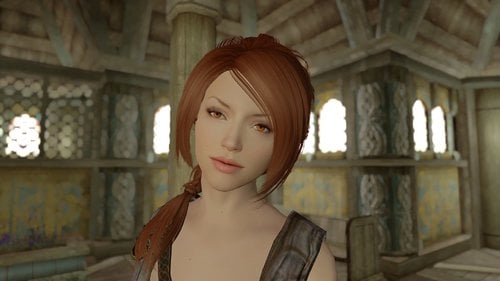
Xia - Standalone follower
By Guest
Hello,
*NOTE - re-upladed because of some issues with upload were present so this release should be fixed*
Lore
Someday I will write a fully fledged description with lore.
Reason for upload
This is a follower I was working on for some time now and decided to stop lurking and waste some server space and bandwidth
Location
You can find her in the Banared Mare in Whiterun. She is a standalone follower.
Credits
Bethesda Game Studios, Iron Galaxy, Escalation Studios (for the game)
Skyla (for a tutorial on creating the follower from scratch)
Caliente (for the CBBE body)
expired6978 (for Racemenu)
I DO NOT OWN ANY OF THE MODS/ASSETS IMPLEMENTED IN THIS MOD. ALL RIGHTS GOES TO THE RESPECTIVE CREATORS/OWNERS. ALL I DID WAS CLICK SOME BUTTONS ON THE CREATION KIT AND WASTE OXYGEN!
763 downloads
Submitted
-
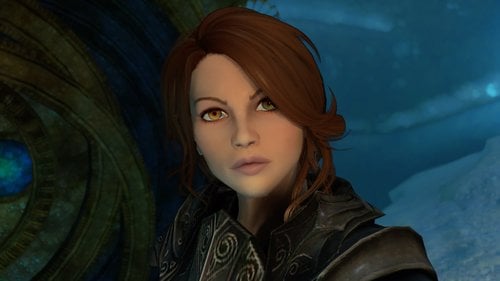
Anna - Standalone follower
By Guest
Hello,
Here is my second follower.
Location
She can be found in the BeeAndBarb in Riftin or use the console (type help anna 4 in the console and player.placeatme "id given")
Her default outfit is null so she will be naked if she doesn't have any armor given. She uses the CBBE body.
Credits
Skyla for the tutorial
Caliente for CBBE
Bethesda and Iron Galaxy Studios for the game
Loverslab for additional support
Asrock for my motherboard
Nvidia for my GPU
Kingston for my SDD and RAM
Intel for my CPU
Deepcool for my case
Acer for my monitor
Cougar for my keyboard
Razer for my mouse and headphones
Steelseries for my mousepad
Ikea for my table
Endeavor Energy for my electricity
Snooze for my bed
Sydney Water for my water
Woolworths for my food
My mum for food, shelter and bills
Without these awesome people, none of this would have been possible
411 downloads
Updated
-
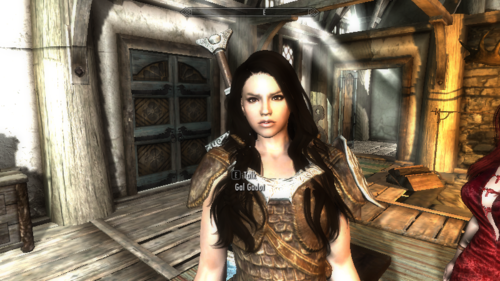
wonder woman gal gadot follower
By artie17272
Wonder Woman is a 2017 American superhero film based on the DC Comics character of the same name, distributed by Warner Bros. Pictures. It is the fourth installment in the DC Extended Universeshe is a stand alone
She is in whiterun Arcadia's Cauldron
SG Female Eyebrows by Hello Santa
https://www.nexusmods.com/skyrim/mods/35327/?
KS Hairdos – Renewal by Kalilies and Stealthic
https://www.nexusmods.com/skyrim/mods/68311/?
The Eyes Of Beauty by Gabriel Mailhot as LogRaam
https://www.nexusmods.com/skyrim/mods/13722/?
Fair Skin Complexion by HHaleyy
https://www.nexusmods.com/skyrim/mods/51602/?
RaceMenu by Expired
https://www.nexusmods.com/skyrim/mods/29624/?
NifSkope
NifMerge
Creation Kit
classic armor at https://www.nexusmods.com/skyrim/mods/25028/?
or at
wonder woman amazonian costume at...https://drive.google.com/.../1_hzMnh.../view if wonder woman amazonian costume doesn't show up in game close out hit Skyrim icon on desktop click on Options, hit advanced, set texture Quality to high and it should work fine Manage
wonder woman gal gadot racemenu preset https://www.nexusmods.com/skyrim/mods/89074
REPORT500 downloads
Updated
-
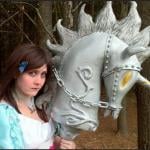
The Weapons Madness Alice
By castelix0
LA DESCRIPTION
dis juste avant: merci pour votre soutien, c'est vous qui êtes génial!
S'il vous plaît aussi lire!
"bonjour! maintenant ce mod ne sera pas aussi simple, car il va falloir que vous trouviez les bons ingrédients pour fabriquer vos armes, mais pas n'importe où, en travaillant selon votre logique, et la récompense sera là!"
you can use : https://www.nexusmods.com/skyrim/mods/64905
************************************************* *
"La valeur des dégâts de l'arme n'est pas celle montrée dans les captures d'écran, j'ai un anneau qui améliore les avantages"
************************************************* *
Pas de DLC !!!
Les taches de sang couvrent toute l'arme, si l'arme le peut, et sera recouverte de sang dans un désordre aléatoire.
Tous les modèles peuvent être fabriqués! Ne dites pas qu'ils ne peuvent pas parce que j'ai vérifié plusieurs fois.
*************************************************
Questions et informations connues
-Textures N'apparaissent pas
-Problèmes avec crafting- (corrigé)
-Peut-être des problèmes Be Havok (corrigé)
-Peut contribuer à un accident dans Skyrim v1.5 (corrigé)
-Je n'arrive pas à trouver les armes (lire, c'est amusant, et trouver les objets nécessaires)
-Textures Un peu granuleuse (Blame the Unreal Engine et est la cause des textures défectueuses)
-l'arme est si grande (pas bonne)
-L’arme est laide (C’est une machine à tuer, d’un jeu fou, elle n’a pas besoin d’être très belle)
-L'ombre / lumière peut apparaître en arrière / inversé (je l'ai vue et je suis sûre d'avoir corrigé)
-L'arme est dans mon personnage (l'arme a été conçue selon un standard et une position différente de celle du jeu d'origine, et un personnage totalement différent)
-L'arme Is OP (fixe)
-La recette est retardée (nous sommes tous fous ici)
Du sang rouge vif apparaît n'importe où sur l'arme (à dessein)
-De sang rouge vif comme un peu "pixelisé" (obtenez de nouvelles textures de sang et c'est parce que j'étire les textures de sang du jeu sur tout le pistolet)
-Hystérie semble un peu étrange à la lumière (ceci est voulu par la conception, mais seulement testé dans un éclairage réaliste et est supposé simuler l'effet de sang, mais peut sembler étrange)
**********************************************
Ce sont les armes du jeu Alice: Madness Returns, un jeu génial, tordu et très sanglant.
J'ai mis ces modèles dans le jeu parce que je ne trouvais pas où chercher, alors j'ai décidé de faire l'effort de le faire, la frustration massive et pleine de surf, tutoriel sans valeur, etc. etc. Alors oui, c'est un modèle de conversion de le jeu, pas aussi réussi que je voulais, je sais.
**********************************************
-
Hobby Horse participation ooCroftyoo modèles XNAlara et, par défaut, Max et Blender et les textures principales.
Modèles vorpal, modèle Sceptre et modèle utilisant Scythe: ooDemonBoyoo pour XNAlara et, par défaut, Max et Blender et les textures principales.
Les six armes Daedric d’origine Hobby Horse peuvent être fabriquées en forge (avantages demandés) et ne comportent aucun enchantement (les recettes sont un peu bizarres), tandis que mon arme aléatoire contient l’enchantement Molag Bal et ne peut être acquise à l’aide de divers ingrédients?, savez-vous où trouver les autres de la même manière). Non, ils ne sont nulle part dans le jeu et, à ma connaissance, ne sont vendus par aucun fournisseur.
Les Vorpals sont un style de jeu normal, la version Hysteria, le DLC de Cleaver et deux lames conceptuelles initiales offrant une expérience qui ne peut être acquise que par le biais de commandes de console. Tous les modèles, à l'exception du Cleaver, sont actuellement des épées et des poignards, ce qui signifie malheureusement qu'il s'agit de deux éléments portant le même nom. La façon de les distinguer est de savoir comment ils sont gainés, les poignards sont en or 13, l'épée pèse plus. De plus, les recettes d'artisanat sont différentes. ils ne sont nulle part dans le jeu et, à ma connaissance, ne sont vendus par aucun vendeur.
Les trois armes supplémentaires sont le sceptre de la reine de cœur, la faux du bourreau et une copie de la texture de la faux.
***********************************************
Pour ceux qui ne savent pas comment. commande²` et tapez "help [nom de l'arme de mot]", puis utilisez PageUp et PageDown pour trouver la valeur correcte et tapez player.additem [numérique] [montant], qui est ensuite ajouté à votre inventaire.
Les armes ont des valeurs de dégâts différentes, en raison de la hiérarchie du jeu, la sortie de DLC étant légèrement inférieure à la version Hysteria-mode. Les noms d'armes sont inventés, ils pourraient avoir des noms officiels, mais je ne sais pas comment changer.
***********************************************
contient actuellement
Cheval-passe-temps (niveau 1)
Peinte de rose (niveau 2)
-Ashes (Tier3)
Cheval - Blanc (Niveau 4, Non, je n'ai pas choisi White Knight)
- Nightmare (DLC)
-Hystérie (mode d'hystérie, effet vraiment cool du sang, mais les cheveux sont abîmés à cause de Blender)
-Design Nightmare (juste une texture aléatoire mélange intéressant à regarder)
(Tous sauf les vorpals de couperet ont deux modèles!)
-Lame vorpale
-Bord -Vorpal (Hystérie, oui, je viens d'ajouter la référence)
-Couteau -Vorpal (modèle préliminaire préliminaire)
-LOST Vorpal Knife (variante du modèle original)
-Vorpal Cleaver (DLC, Mon préféré: P)
-Keen (Pourrait être op)
-Sceptre de coeurs (le sceptre de la reine de coeurs)
-Last UNBIRTHDAY (la faux du bourreau est très grande)
-Le dernier train (Sythe retexturize)
-et un poignard cool qui ne doit pas être nommé parce que vous pouvez le trouver dans Whiterun
*******************************************
un peu d'aide: des vêtements sanglants: dans les camps et sombrages militaires de la Légion ou pour les plus aventureux parmi les vampires
-le chou et le lapin c'est facile, un peu de chasse!
-Les pelles dans les mines
-les livres partout, sauf à l'Académie des Bards ou des mages de la cour, à la Winterhold arcanéum
-le Wabbajack: fais la quête-oui!
Maintenant amusez-vous!
Regardez les captures d'écran, il y a beaucoup de réponses!
et désolé pour mon mauvais anglais.
http://modtype.doorblog.jp/archives/11587064.html
AVANT DE POSTER, LISEZ CECI:
-LIRE LA DESCRIPTION FREAKING. Peut-être que votre réponse est là.
-Si vous êtes irrespectueux, je ne vous aiderai pas. Et, je vais supprimer votre post. Être respectueux.
-Si votre commentaire est vraiment ennuyeux, il est signalé.
-N'attends pas de moi que je répare magiquement ton jeu de la distance. mes mods fonctionnent avec les mods compatibles listés dans la description. Je peux essayer de vous aider, mais je ne suis pas un assistant et je ne vois pas ce que vous avez fait à votre ordinateur, à votre jeu ou à votre mod, ni à la liste complète des mods que vous utilisez, et à ce que chacun d'eux fait. Et si je vous réponds, ce sera avec une désinformation absolue. Alors faites vos devoirs. Je ne vais pas vous garder.
-Les commentaires annonçant d'autres mods seront supprimés.
-Je suis un bon gars mais si vous l'êtes!
1456 downloads
- weapons-
- hobby horse
- (and 2 more)
Updated
-
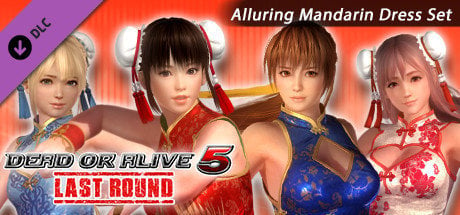
Skyrim´s DOA5 Alluring Mandarin Dresses CBBE/HDT & UUNP/HDT & SMP BodySlide & OutfitStudio
By t.ara
SKYRIM´S DOA 5 "Alluring Mandarin Dresses Set" for CBBE HDT & UUNP HDT
BODYSLIDE & OUTFITSTUDIO & RACEMENU & SMP-PE -compatible
Dear LoversLab Community!
I don´t play DOA 5 but I felt in love with the dresses, which came out in the past as an DLC-add-on for that game:
The "Alluring Mandarin Dresses"
And so I dived into the "ocean" of SMP and broken stuff, which I tried to get working for my gameplay.
After some month I felt quite well using SMP-physics ingame and I use it as a standard now. If it is used
wisely, you can enjoy SMP-items together with HDT-items side by side and without big issures. Nothing
inside of skyrim is perfect but it´s mostly an eyecandy chance, to use clothing with such a natural behavior
inside the game.
The result is this mod, which has a really fine sorted clothing for all SMP-PE and long-dress-enthusiasts.
Thanks go to:
HYDROGENSAYSHDT
CLONEREAL
LAOSIJI
CPU (for the very nice NiOverride-Guide, without him, the models would not have get heels ´n´ pumps)
If this SMP-physics would not work inside of Bodyslide, I would not spend a second to try to create clothing
like this, so my "love" for BodySlide is more important to me, then an item which works with SMP-PE.
But this is herewith all possible if you follow to some sort of rules, which I will describe here for all of you,
who like to create BodySlide SMP-PE-Clothing in future: It WORKS with all the skirt and "top"-items as well.
If you have clippings with your body-shape or if you want again to change the project file,
refer to the following steps, please:
UUNP- Versions:
1. Start Bodyslide and then Outfit-Studio
2. Load the reference-file, which you like to change and load it by "import nif" /"import outfit"
3. Click on the UNP-Body which comes with the dress and LOAD the reference (UNP HDT-body)
4. Make sure that the UNP-Body is choosen, the new incoming item is named now "refUNP" and marked in green color,
click onto the UNP-Body which came with the clothing and confirm all sliders - then you male the UNP-BODY,
which has now taken over the sliders your new reference (It will become green then)
5. DELETE the "refUNP"-body, then choose all clothing items, !! but NOT the ground- and the feet-dummies!!
then confirm again all sliders!!
6. Make your changes on the clothing (please refer to a guide for bodyslide if you are not sure how to do this).
7. Store the project: !!! Take care about the correct folders: You can make a screen copy of the original "save-project"-window
of bodyslide and keep striktly to that structure again-if there´s a mistake, you will get in troubles and the mod gets damaged.
8. Don´t change the reference-file´s nif-contence. If this is being changed once, you may get a texture-chaos inside of this mod´s items.
Why is that necessary?
This workaround (top 1-8) is taking care, that the SMP-Skeleton, which is necessary for the dresses´ physics,
is prepared for Bodyslide to become created inside the mesh-folder:
meant are the *_0.nif and the *_1.nif - data files, which are used for BodySlide to create homogen body-weighting ingame.
Outfit-Studio is loading the project always with the common BodySlide-Skeleton,
which is not working with SMP - so that´s why we have to take care, that the specific skeleton is
used for this mod. In other words: every time you are loading the project files of the three main dresses-files,
you have to take care for the above workaround to keep the mod working !
CBBE-Versions: (if you want to create a new set from the reference-files, go from step 1-4, then 5 to 8,
if you want to edit an existing project, please start at "EDIT")
1. Start Bodyslide and then Outfit-Studio
2. Load the reference-file, which you like to change and load it by "import nif" /"import outfit"
3. LOAD the reference (CBBE HDT-body)
4. The New reference-body is named "BaseShape" and is in green color. Select the CBBE body of the loaded clothing and it´s other contence but
NOT the "feet and the virtual ground!!, then confirm all sliders.
or: "EDIT" : Load the project-file of the clothing into Outfit-Studio, which you like to EDIT and go down to step 5-8 with the workaround...
5. Make your bodyslide-work and edit your shape of the clothing (look for a BodySlide Guide, please!).
6. Store the project: !!! Take care about the correct folders: You can make a screen copy of the original "save-project"-window
of bodyslide and keep striktly to that structure again-if there´s a mistake, you will get in troubles and the mod gets damaged.
7. Don´t change the reference-file´s nif-contence. If this is being changed once, you may get a texture-chaos inside of this mod´s items.
8. For normal it´s now possible to load again the project in the normal way, like with a normal item, which has no different skeleton:
Recalling a project should be working without the first 4 steps, simply load your project and edit your clothing and then store it again-this should work !
By this work-around, the clothing is stored with 2 different bodies: the cbbe and the "base shape" - body are both inside the clothing files. As the CBBE is quite "light",
this procedure is not very important to the gameplay. I did not either find an alternate for this action and it´s advantage seems to be the comfortable and common working
with Outfit-Studio: in this case the reference-files are not necessary and can be used in that case, if some trouble appears.
This mod is using the NI-Override-Heels-mod. Please download and install it for a full function for the high-heels.
This mod uses new animations for the FAN and the parasol. Please run FNIS after the installation and make sure it has installed the files correctly.
DON´T PLEASE USE THIS MOD´S ANIMATIONS ON THE HORSE AS IT CAUSES BIG NONSENCE.
THE GAME SHOULD BE BACK AFTER A TRIP THROUGH SOME "ANIMATION-BEHAVIOR-STAGES",
BUT THOSE EFFECTS ARE NOT SERIOUS AT ALL. (maybe an update can solve this in future.....by some conditions)
THE TORCH-EVENT IS ALSO NOT WORKING ON THE HORSE-BUT IT HAS NOT SUCH A MASSIVE "MESSING-UP".
This Is, What You Need:
FNIS
Ni-Override / Heels
HDT-Physics Extension
Skyrim SMP-PE-Path 0528
BodySlide & Outfit-Studio
Contence:
-Mandarin Dress "Long" in 6 versions, one as "latex-black"
-Mandarin Dress (normal length) in 9 versions, one as "latex-black" with gloves and stockings ´n´ pumps, one beggar and one barkeeper-version
-two different mask-sizes for different hairs, white and green for the "LISA"-Dress
-two pairs of fans, for the nyotengu-normal-sized-black-version and for the nyotengu-short-version, useable as single or left-and-right-hand-equipped, the right hand fan can also be used together with the torch
-a parasol, which can be used together with one fan or alone
-Mandarin Dress "Short" in 7 different styles
-hair-flowers for their suiting dresses
-wrist-decoration for their suiting dresses
ENJOY !!!
SMP-PE-Path Installation:
A) Difficult Installation (which is manually):
If you did not use SMP before, please install the file with that name by using your installer (not ideal from my Point of view) - because- (this will exchange the existing hdtPhysicsExtensionDefaultBBP.xml !!) or by manual installation: Extract in this case the packed file and put the data to it´s correct folder inside of the skyrim´s SKSE / PLUGINS - folder, where you find the hdtPhysicsExtensions. Save the old data perhaps into a little folder named: "old" and put the new files into that folder (SKSE/PLUGINS). This should be no problem and you wont damage any of existing data and you can easily return if things are totally messing up, expect against. This "extension" maybe is overwriting an edited version of the hdtPhysicsExtensionDefaultBBP.xml - file: Pay attention and save your personally used and beloved HDT-BBP-file. I personally took my edited one for slower breast-physics and I did not get into problems. I suggest to exchange the one, which comes by this pack and replace it with the one which you have used BEFORE (which came from the HDT-Physics or which has been installed by BodySlide or which you obtained from other modders).
This will keep your Breast-Butt-Physics (HDT-Physic-File which I highlighted here yellow) alive and won´t overwrite it with the one, which is coming with the SMP-PE-PATH (which has no working BBP).
After the installation of the SMP-PE-PATH, your system is ready for all the wanted mods, which do support SMP-PE and HDT and both are working from now on side by side !!
Last tip for SMP-clothing-modders:
IF you create own ***.xml-files for your own SMP-Clothing, you may keep in mind to work always with "," instead of "." between decimal-numbers (inside of the *.XML-files).
B) Easy Installation (by using your Mod-Manager)
You can surround this manual installation by using an edited version of the SMP-PE-PATH, which simply doesn´t contain the hdtPhysicsExtensionDefaultBBP.xml - file anymore. This may prevent all users, who can´t get into details like I described inside of the above SMP-PE-PATH-INSTALLATION from a Manual Installation.
I guess that all the mod-managers can install the path with this edited file: "smp-pe path 0528-without the BBP-file.rar" , which is also available inside the download-section of this mod, quite easy and without overwriting the existing BBP-file!
You are welcomed to "change" or add contence to this mod into your desired "direction"
and share it same way on LoversLab for FREE. If you sadly use partreon, I strongly suggest to
keep your hands away from this mod!
I don´t like to see this mod making money which means:
please do no upload to NEXUS or other pages, who make their indirect or direct $$$ with mods.
LoversLab is excluded, because it´s the mod´s HOMEPAGE and because it´s our "residence-platform" and
I do still believe and fully confirm with the older and healthy "model": " m o d d i n g f o r f r e e "
I globaly don´t make money with modding and because of this aspect,
I await that this mods don´t becomes otherwise a "money-machine" or somehow "patreon-used" or "sponsored".
This principle maybe keeps some mods clean from business.
vvvvvvv EDITED MESHES AND MOSTLY ALL OF THE TEXTURES BELONG TO THE DOA5 TEAM vvvvvv
6689 downloads
Updated
-
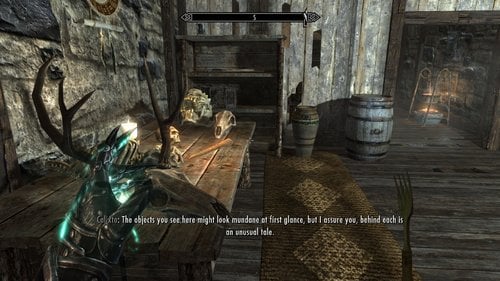
Arrow-in-the-knee and other stuff you never missed in Skyrim
By Pfiffy
Now that I became a contributer it is time to contribute something....
It has been a long time since i have been working with 3DS Max, so I decided to start with something simple.
An arrow in the knee....
For all those poor guards who used to be an adventurer like me
Ysgramor's soup spoon: It's a fork... You can use it as a dagger.
Arrow in the Shield: A little request...
Battle Brooms: Brooms and other strange forms of selfdefense...
335 downloads
Updated
-
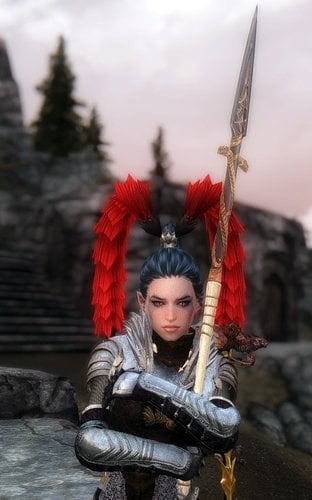
Lintra the Spearmaiden
By Sursed
I am releasing an open beta (as all my mods are ) version of Lintra the Spearmaiden follower.
Screenshots are not up to date as they do not show warpants. I will soon add face and body textures without warpaints too.
I am still looking for someone who can help me with body warpaint (I am not satisfied with what I have made).
If someone is interested, please, let me know.
If someone knows how to make the custom animation version of the mode use FNIS instead of AddAnimationTool, please let me know too.
Important:
I am going to continue to work on this mod in order to add more custom animations for Lintra and Aetis. I will give a small shield to Lintra and I will probably change Aetis' outfit (to make it look more practical). So it is unrecommended to merge this beta version into any compilation of follower mods.
Description:
It is a follower mod based on the preset of one my characters.
Lintra has a unique spear, unique armor and a living dragon on her shoulder. In combat the dragon becomes much lager and fights as a companion to the spearmaiden (not to the player). In interior cells the dragons transforms into a girl - Aetis - who uses only dragon shouts in combat. Aetis has a custom outfit as well.
Lintra can be found in Whiterun in the Warmaden's.
WHO WANTS TO INSTALL LINTRA with CUSTOM ANIMATIONS...
You should intstall and execute this Add Anim Data Tool with my Lintra.lis file (included in the archive).
AddAnimDataTool is very simple to use and very light weight.
Instructions are here:
http://gomapudding.x.fc2.com/gpt01_desc.html#usage
The main thing is to set your Skyrim data path in the [Config 01] section of the Config file
Then drop this .lis file in ANIMLIST folder.
Close ALL other open folders and execute AddAnimData as administrator.
If you do not want to bother with all that then just install the vanilla animations version.
Requirements:
HDT Physics Extentions
NiOverride (you have it if you have Racemenu)
And (recomended but not absolutely required) this (if you want the brads to work properly):
HDT Plugins 2018
Credits:
A hell lot of assets from other mods have been used in order to make this mod. I have asked all the authors of all the assets for thier permissions. If anyone of these modders does not want their assets to be used in this mod, please, let me know. I will remove them from the mod as soon as I can.
I would like to thank all the people who contributed directly or indirectly to the creation of this mod. I will soon make a full list of related authors and mods.
For now I just put here the references to the accounts of people who had REALLY helped me A LOT:
crazylion – for the spear and the bracelet, his inexhaustible patience, for his help in many aspects and readiness to help, to explain and to give advice; there are great unique models of weapons, shields and other things by crazylion here and here.
AltheaR – for the Breathing Rose, for his inexhaustible patience, for his help with animated dragon and Blender and readiness to help, to explain and to give advice;
Azazells - for his help with Aetis' transformation scripts and for the modified Lintra's boots and bothe versions of the dagger as well as for his readiness to help, to explain and to give advice;
Anton0028 - for his help with Aetis' transformation scrips and readiness to help, to explain and to give advice;
Artsick – for her help in many aspects, readiness to help, suggestions;
chickmetalhead – for thorough alphatesting;
OBSIDIANSHADE - for thorough alphatesting;
SomeDragonbornGuy - for thorough alphatesting;
The following list will be completed later:
Tean TAL - for the BDO armor pack;
Gomaperopero – for the armor I used in Aetis' outfit;
Caliente – for the fantastic Bodyslide Outfit Studio;
NickaNak - for the Animated Armoury;
LL community – for support and interest in my follower mod.
Version history:
beta 06beta – open beta initial release
beta 07beta - modified Lintra's boots;
changed Aetis's shoes;
modified (a bit) Aetis' outfit to make it compatible with the new shoes;
Aetis has now a dagger to match Lintra's spear - the default one is without the ball on the pommel;
added a ritual version of the dagger - the same as the default one but with the ball on the pommel - use AddItemMenu to get it and to give it to Aetis;
Permission:
The head meshes (Lintra and Aetis) are free to use for anyone. For the rest a permission of the authors who own the assets should be asked for.
3531 downloads
Updated
-
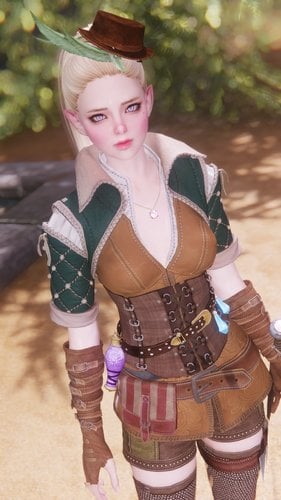
Myra the Taffy Dragon
By Sursed
It’s been a long time since I opened the WIP thread for this mod and even longer since I started working on Myra preset that was inspired by the earlier version of Ninirim’s character which I like much more than the current one.
It’s been fun to work on this follower. I admire the talents of people who contributed to the mod. It’s time to release Myra.
I am still looking for someone who can make earring for Myra (I have a picture).
If someone is interested, please, let me know.
Important:
I am going to update this mod when the unique rapier is ready. So it is unrecommended to merge this beta version into any compilation of follower mods.
Description:
It's a follower mod
Myra has a background story. It is actually more a small joke than a story. She is travelling all over Skyrim and beyond looking for… Ninirim. She has to make a delivery – a small parcel for Ninirim. To learn about it and to have some fun I invite you to read Myra’s diary (trust me, it is funny), the letter to Ninirim and all the other papers that Myra has in her inventory.
Myra also has a custom body, a custom outfit (a mash up with some retexturing made be me) and a custom weapon (for now it is a clumsy mash up of a small sword. I made as a placeholder for a unique rapier that Crazy Lion promised to create for Myra).
Myra has a unique fighting style. Well, she is just a girl and doesn’t really know any fighting technics. To be honest, she is clumsy with her weapon. But she has an ability that gives great advantage in a fight against any enemy who is not able to fly.
The mod comes in two versions: one with custom animations for the rapiers (read the installation guide for this version) and the other with the vanilla animations.
You can find Myra in Yngol Barrow
WHO WANTS TO INSTALL MYRA with CUSTOM ANIMATIONS...
You should intstall and execute this Add Anim Data Tool with my Myra.lis file (included in the archive).
AddAnimDataTool is very simple to use and very light weight.
Instructions are here:
http://gomapudding.x.fc2.com/gpt01_desc.html#usage
The main thing is to set your Skyrim data path in the [Config 01] section of the Config file
Then drop this .lis file in ANIMLIST folder.
Close ALL other open folders and execute AddAnimData as administrator.
If you do not want to bother with all that then just install the vanilla animations version.
Requirements:
HDT Physics Extentions
NiOverride (you have it if you have Racemenu)
Credits:
A lot of assets from wonderful mods created by talented modders have been used in order to give Myra her current look. Some assets were modified to better suite her (mash ups and retextures). If the authors do not want their assets to be used in this mod, please, let me know. I will remove them from the mod as soon as I can.
I would like to thank all the people who contributed directly or indirectly to the creation of this mod:
Ninirim – for inspiration, the NiniCOS body preset and body textures;
Azazells – for Myra’s unique fighting style, for his inexhaustible patience and readiness to help, he has made fantastic work!
TheFirstLadyOfHats – for the most funny and smart entries in Myra’s diary, I think, this person has a true talent of a writer;
Ravenous Jaguar – for Myra’s eyes shape;
Kalilies – for the famous KS hairdos;
Zzjay – for the Witcher 3 Female Armors;
pottoply – for the Adventurers Mashup Compilation;
Team TAL – for there convertions;
jrc0011 – for Witcher Style Sword Pack;
testiger2 – for the DovahBling Jewelry;
maks81 – for the DEM Ranger outfit;
NickaNak - for the Animated Armoury;
aluckymuse – for the “Forever Free” texture pack;
Caliente – for the fantastic Bodyslide Outfit Studio;
chickmetalhead – for thorough (as usual) alpha testing;
Aviee – for thorough alpha testing and screenshots;
rhino_4 – for alpha testing;
RiJoBa – for alpha testing;
Artsick – for support
LL community – for support and interest in my follower mod.
Version history:
beta 09beta – open beta initial release
beta 092beta – corrected wrong texture paths for the shorts and removed the slight neckseam
Permission:
The head mesh is free to use for anyone. For the rest a permission of the authors who own the assets should be asked for.
27415 downloads
Updated
-
.thumb.jpg.32a5a186eae09dc96114c2850fdded88.jpg)
Wildlings - Lite female leather mash-ups - Bodyslide
By ---nikoli
These UUNP based mash-ups use various other authors meshes, all credit goes to them...
anka01, Anonymous, Eldrid, Monno, Pareo, PeroPero, WTF, and various others that I couldn't find their names...
You might have to do some minor edits in Outfit Studio to make them conform to your particular bodytype.
These are not in-game, you'll either have to make an .esp or rename one of them to use as a replacer.
The skirt on #12 has issues... just delete it.
NEVER UPLOAD TO NEXUS
2352 downloads
Updated
-

Leveled Merchant Gold
By EinarrTheRed
Just a simple mod that adds leveled amounts of gold to the merchants in Skyrim. Yes I know there are already mods that add gold to merchants, but I could not find one that added leveled amounts so I made one. Nothing fancy about this mod, just something I wanted for my own game and thought I'd share it.
What does the mod do?
All merchants (except the Khajiit caravans) have a leveled vendor gold list in their merchant chest. This mod adds a new leveled list inside that called "EtR_LeveledVendorGoldList85". This list begins adding additional gold to the merchant chest starting when the player reaches level 5 and continues to gradually increase this thru level 120. How much depends on the type of vendor, street vendors get a small boost while general goods merchants and blacksmiths get the biggest bump. It does this by checking and adding the listed amount anywhere from 50 to 1000 times depending on the merchant. However, to make things a little more random there is a 15% chance each time it checks that it won't add that amount, which adds some variability to the exact amount the merchant will have when you visit.
The mod doesn't use any scripts, its just a basic leveled list so should have no impact on your game play other than giving merchants more gold as you level up.
How Much Gold is Added?
That's a little tricky to answer because it depends on the player's level and the type of merchant, but I'll give some examples and a more complete description in a spoiler.
A street vendor, like say Carlotta in Whiterun gets a small amount:
At player level 5 the max is 50 extra gold with an average of about 44 gold added. At player level 60 the max is 400 extra gold with an average of around 177 gold added. At player level 100 the max is 800 extra gold with an average of around 280 gold added.
For someone like Belethor in Whiterun, a general goods merchant the amount is much larger.
At player level 5 the max is 1000 extra gold with an average of around 850 gold added. At player level 60 the max is 8000 extra gold with an average 0f around 3500 gold added. At player level 100 the max is 16,000 extra gold with an average of around 6200 gold added.
Why the big difference between the max and the average at high level, its a bell curve effect.
Merchants Affected:
Apothecaries Blacksmiths Fences Innkeepers Misc (general goods) Merchants Spell vendors Street vendors
Note: Khajiit caravans are not currently affected, Bethesda didn't give them a leveled gold list in their chest and I haven't gotten around to figuring out a good way to update them that wouldn't conflict with other mods.
Installation:
Drop it in your load order and go.
Probably doesn't matter much where you put it, should be compatible with most mods adding other items (not gold) to merchants.
Will likely conflict with other mods that add gold to merchants so pick which one you want (only use one).
495 downloads
Updated
-
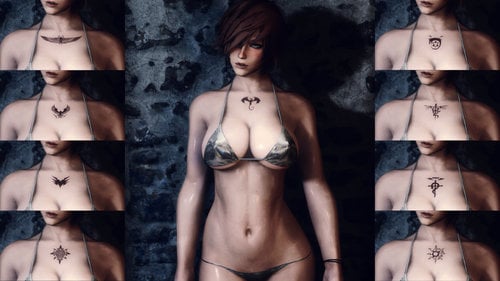
Render Tattoos v1
By Guest
Render Tattoos v1
128 different tattoos
This is my first tattoo pack and contains a total of 128 overlays for RaceMenu (all body tattoos for now)
There is also a Slavetats version available by popular request
They are designed on a UNP body mesh and should look proper on all UNP variant body types. They should also work on other body types with some distortion depending on the location of the tattoo on the body.
The resolution for each tattoo is 4096 x 4096.
I have also included a 2K resolution version for both files.
Requirements:
SKSE Racemenu or Slavetats ShowRaceMenu Precache Killer (recommended)
Installation:
Use any mod manager to place either file in your Skyrim directory In game, the tattoos will load under Body Textures within racemenu overlays Or Alternatively, will appear in Slavetats MCM menu
Tools Used:
Google to search for 90% of the source files used in this tattoo pack Photoshop to edit, morph, align and transform the tattoos for Skyrim Nvidia dds plugin for conversion of photoshop files into usable skyrim .dds texture files Race Menu Mod Maker to create the data structure, scripts and esp for this mod
67370 downloads
Updated
-
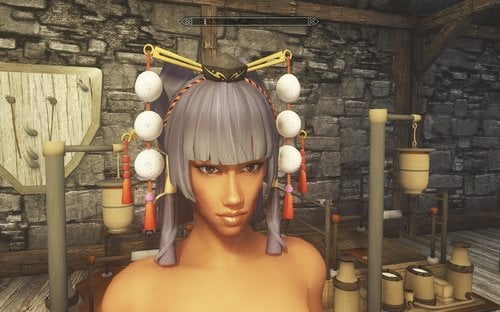
Yundao HDT Hair-88417-4-4-SMP-PE-PATH-PATCH
By t.ara
The original mod is available on Nexus and sadly "by default" it doesn´t work.
So I changed it´s SMP-PE-Path-Configurations, so that it is by patching fully working.
Reason:
I lost again lot of hours to reconfigure this hair-mod.
This patch needs only some seconds.
If you want this mod just right now,
or if it has been only particulary working,
you can simply patch the mod with this small patcher
and your new hair library is ready to go.
ALL CREDITS/RIGHTS GO TO
CLONE REAL
The original mod is on:
https://www.nexusmods.com/skyrim/mods/88416/
THIS PATCH IS CREATED FOR THE SECOND DOWNLOAD ON THAT PAGE ONLY !!!
PLEASE USE HIS OFFERED LATEST SMP PATH WHICH HE HAS GIVEN (same page).
(That smp-pe-path, I also use for all my other items)
3150 downloads
Updated
-
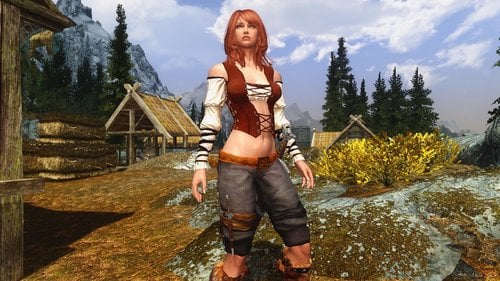
Sexy Feminine Tavern Leathers-tattler edition
By giamel
Was disabled on the nexus because a 2nd round of tattlers tattled about the title "Sexy Feminine Tavern Leathers-tattler edition" and where they sited in the nexus constitution that they were ordained to tattle as bestowed on them by the nexus constitution.
original description: Tattlers are weak, spineless parasites.
It appears a tattler complained about me using the Triss leggings in my last outfit mod and not giving credit to the Witcher 3 and the professionals at CD Product Red. I had no idea where leggings came from but I liked them.
I went back and made my own counterfeit Triss leggings from vanilla assets in Skyrim. I here by proclaim them Piss leggings. I would now like to genuflect before me, acknowledge and give thanks to myself for the Piss leggings. So, I win.
Daggers on leggings are just for looks and aren't functional CBBE HDT-PE / females only armor protection 25.(I hear you LupusHegemonia) Craftable Go grab the set just outside of Whiterun Keep. see screenshots body-slide also provided for your favorite bodytypes and conversions
Thanks to gutris1 for his mod
I altered and retextured his vest to my liking
2050 downloads
Updated
-
patch GomaPeroPero Mage Robes Replacer - Clothing and Clutter Fixes Patch
This is a simple patch which changes the variant textures for the "Journeyman" mage robes.
GomaPeroPero's Mage Robes Replacer uses the male robe textures instead of female, while the ESP for Clothing and Clutter Fixes points the female variant textures which don't load properly on Goma's meshes. This patch fixes the variant listings for CCF so they use the male textures to match Goma's meshes.
Examples:
Gallery:
Requirements:
Skyrim Legendary Edition GomaPeroPero's Mage Robes Replacer Clothing and Clutter Fixes
I may do an SE version at some point but for now this is strictly LE.
Update 2018-09-03: changed hosted images to locally uploaded since imgur seems to be broken
667 downloads
- mage robes
- gomaperopero
- (and 4 more)
Updated
-
Boss Music For Monster Hunter Monsters
By chaodyn
If you are like me and you love to play with Coda's Monster Hunter Mod, but you were disappointed that the larger monsters did not use any epic music, then this mod is for you.
I have edited the monster's in the mod to have the dragon actor type so now when you face them, dragon music will play.
But if you want the full monster hunter experience I recommend to get my personalized music dragon music mod that add's 20 monster hunter tracks as battle music for dragons, with these two mods working together, for me it just feels right.
MonsterHunterMusic
https://www.nexusmods.com/skyrim/mods...
recommended to have personalized music for a variety of tracks, or if you want have finale music try the other versions out, although the other versions only have 3 tracks and is not recommended
If you want to see it in action I made a video for it
38 downloads
Updated
![More information about "[XCL][0.25.9] Chloe's Demos"](https://static.loverslab.com/screenshots/monthly_2026_10/chloes-demos.thumb.png.9d3d54f21dc9084fdab45a703d9d9070.png)