Select a subcategory to view available files.
Files From Subcategories
-
Forest Nymphs - SSE
By Trykz
This mod started as the concept for my Wildlings race mod. But I could never get
it quite the way I really wanted it. So I stripped it down, and it ultimately
became the Wildlings race mod for Legenday Edition.
This race mod is what Wildlings was really supposed to be.
And that's where this little story begins.....
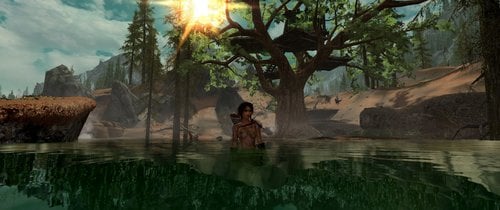
With a tree.....
But not just ANY tree. This, is a "Home Tree", as they are called by those
who dwell upon them. There are 4 Home Trees of various size scattered around
Tamriel. The one you see here is the easternmost tree, located in The Rift.
The others reside in The Reach, Eastmarch, and Hjaalmarch.
As you can see, they're as much a home as they are a part
of the natural landscape. But how did they come to be?
Well, that's a question you'll need to answer for yourself.
And here is your chance:
Forest Nymphs
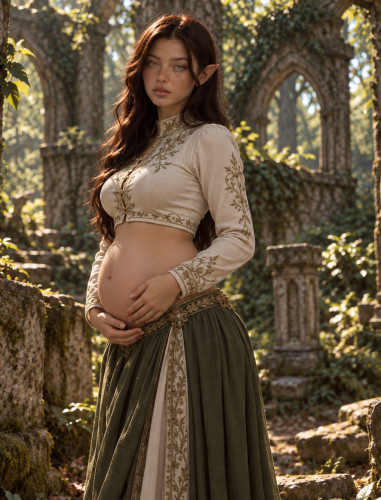
This, is a Forest Nymph. And she's as old as the tree she's sitting on.
And ONLY Forest Nymphs get 5 very special spells. 1 for each Home Tree
on Tamriel, and one for the last known Home Tree village, The Grove of the Fae.
If you think Wildlings was a challenging race to play, you
haven't seen anything yet. Because this race has fewer friends
than Wildlings do. And with the new conditioning on
certain aspects of the mod, it's exponentially more challenging.
Wildlings was mostly a sneaky fighter type race. Forest Nymphs
are more of a spellsword mixture, with a lot more magic focus
than Wildlings has. Don't get me wrong. You can still play
a sneaky fighter type character should you so choose.
However.....
This race can easily be played either way once your health
can take the punishment of a close combat style. Or, you
can play as somewhat of a druid styled character. By
somewhat I mean your list of nature bound friends is
very short. In fact, ONLY wolves, giants, and mammoths will
come to your aid in combat. EVERYTHING else will try to kill you.
I didn't simply add this race to the Werewolf faction either.
In fact, though wolves are friendly toward you, Werewolves
will try to eat you. As will bears. And sabercats. And pretty
much everything (and everyone) else. Wandering patrols
of civil war participants will attack you on sight. Revelers will
look past your misgivings if you have a drink with them ?
So why does everyone want to kill you?
Well, it's a simple story really, as written by a long
since deceased Forest Nymph elder.....
That's right. You won't be the only one of your kind.
Others have hidden throughout the world for centuries.
But every now and then, one still gets caught, and their
ears taken by hunters as trophies. Or alchemists as potion
ingredients. Or by others as simple bounties to the Thalmor.
Most remain within the relative safety of the hidden grove.
But someone must sneak into the civilized places to steal
supplies. Will it be you? Will your ears become story props
in some hunter's trophy satchel? Or a highly sought after
ingredient in an aspiring alchemists latest potion?
Or perhaps as objects to trade to the Thalmor
for some gold pieces? Or maybe you'll be
different. Maybe you'll be the champion they
tirelessly pray to Dibella to send forth.
"Three gems Dibella gifted you,
three gems for which to care,
taken when they came for you,
taken you know not where....."
This is where your journey begins.
It's a rather small quest. But if started at too low of a level, can take a REALLY long time.
In testing, I breezed through the first objective at level 5.
Though getting TO the objective is another story entirely
Completing this quest is REQUIRED to forge the crown which disguises you.
And therein lies the challenge. The first objective is easy because of the location
of the first diamond. The other two? Well, lets just say that they're deep into territory
you WILL NOT be welcome in. And no, they're not in dungeons.
Worry not, you get quite a few spells and abilities to aide in your quest
to craft the ultimate disguise.
The diamonds are marked as quest items. So SexLab mods "should" leave them alone.
However, the crown they are used to make is not. For this reason, I set the gems to respawn
to keep them available should you somehow lose the crown, so it can be reforged again.
So expect to wait for the areas they are located in to respawn before you can get them again.
Or to need the console to obtain them sooner.
I haven't tested too far into other areas, but I don't expect this mod will have
any effect on the MQ if you use an alternative start, since it doesn't interact with
the Greybeards Faction. I use Skyrim: Unbound myself, so I can start somewhere
isolated and uninhabited.
This mod CANNOT be used on a vanilla game. This mod DOES interact
with MANY other factions. Mostly in very negative ways, by setting your
starting faction as an enemy to nearly everyone (and every thing) else.
Guards, most creatures, the Civil War factions, etc..
You could try. But it will be a rather "short" play through.
The race itself is quite challenging to master. With a decent mix of
magic and non-magic abilities...
On the magic side, they get about a dozen spells which are quite powerful.
Some are for healing, and others are for combat, and some are what I call
"utility" spells. An armor spell, and a "meditation" ability to regen magicka.
Wait.... I didn't tell you? Oh... sorry. They DO NOT regenerate magicka normally.
And they get NO utility spell to absorb it from others. They HAVE to
meditate to replenish it (complete with it's own animation and effects).
--->Focus of the Grove meditation ability<---
Their health and stamina are greatly reduced, as are their respective regen rates.
But they have a significant amount of magicka. If combat depletes magicka, and
meditation (which takes about 90 seconds from 1/3 magicka) needs to be delayed until
after the fight, then you'll need to rely on your non-magic combat skills to survive.
Which brings me to:
On the non-magic side of the race, you get enhanced
sneak, one-handed, and archery skills. And one more utility
"lesser power" called "Cloak of the forest". A 90 second invisibility
that can be used to escape certain death in many instances.
Night vision, an armor buff spell, and a soul detection utility
are other pieces of your survival arsenal.
So there it is.....
What Wildlings was always meant to be. On steroids ?
Here are just a few of the mods I run to keep my game
challenging, and I HIGHLY recommend them all:
An alternate start mod, such as Skyrim Unbound or
Live Another Life
Sands of Time - Ultimate Deadly Encounters (Spartan Difficulty)
Dungeons and Dovahs
Adventurers and Travelers (for the added Robbers)
Travelers of Skyrim (for their vanilla faction interactions - enemies to this race)
More Bandit camps
Populated Civil War
Warzones - Civil Unrest
Natureborn
Ordinator
Scoped Bows - (a soft requirement for the included bow to work properly)
Wintersun - Faiths of Skyrim
Experience (to tailor the leveling rate)
and MOST importantly:
Death is Highly Overrated - allows you to respawn at the Dibella shrines on the Home Trees.
It also lets you customize many other options, such as inventory/coin loss, skill decrease penalties,
respawn stat levels, etc..
I hope you enjoy playing this as much as I do.
Be sure to download and install Aanya's FaceGenData as well so you don't get the black face bug.
Trykz
8482 downloads
Updated
-
SKYRIM SE NPC OVERHAUL Version 1.0
By t.ara
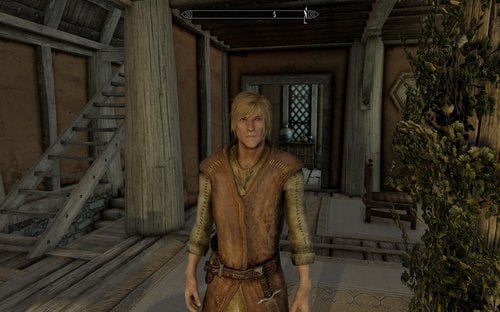
NPC Overhaul For Skyrim SE
Dear Reader!
This is the older Skyrim NPC-Overhaul in Version 1.
You need the Apachii Hair & Male & Female.
A lot of newer Overhauls I did not like, so I played with this old one for years,
now it´s also part of my SKYRIM SE - installation, because it´s the best overhaul I have seen yet.
All credits belong to Rops1981, who made this phantastic mod in the past, the original files can be visited here:
https://www.nexusmods.com/skyrim/mods/23755
881 downloads
Updated
-
SKYRIM SE MOD WHITERUN
By t.ara
SKYRIM SE "Mod Whiterun"
Dear Reader!
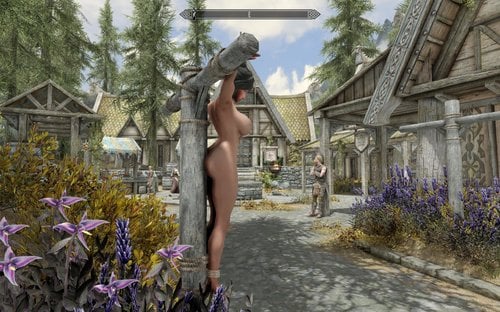
This mod adds some ZAP-furnitures to the Whiterun-Origin and to some interieur, like the Bannered Mare and the Dragonreach-Prison.
I used only the ZAP 6 / 7 related furnitures, so that the mod can be used for any Skyrim game and every version of ZAP.
This mod contains the old "mod-whiterun", which I liked mostly, from all the city-remakes, because it is not overdriving the area with clutter. This version takes no influence on the original navmesh and is slightly changed, so that the trees don´t stand blocking a walking-path. I combined the city-mod with some ZAP-furnitures: Only the player can use them, as I have seen lot of technical mistakes, while NPCs use the furnitures, instead of the player (missalignment of animations). If you want to see the NPCs using furnitures, you maybe edit the existing furnitres by creating a copy in Creation-Kit and unmark the furnitures entry, so that also NPCs can use the furniture and exchange it with the one, I put into the mod.
Inside the Whiterun´s Bannered Mare is the second "fire-place-bench" now working. This is quite more interesting and maybe also has a small positive impact on the vanilla game, because this bench is being frequented by some visitors in the evening every day.
This mod can be used for quest-mods, which use ZAP-furnitures, like the DFW (devious-framework) or / and some other mods, which can detect ZAP-furnitures.
Bottom-Note:
I do not clean mods if I do not have issures or problems with them in my gameplay.
If there is somebody, who likes to take care about this, it´s allways welcomed.
I did check out the (SSE) TESVedit and I only can give this information,
that I will never use that software on my computer.
Thank you for the hint with the navmesh,
I simply did never check out the old mod about this feature-during my gameplay,
I was quite much astonished, when I saw that inside of the Creation-Kit.
I personally made this mod to let ZAP 7 running inside of SKYRIM SE, which is "beginning to "work" somehow"!!!!
Enjoy!
28890 downloads
Updated
-
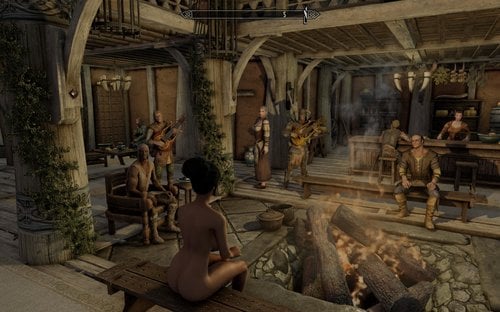
Whiterun Immersive Sexual Playground For Skyrim SE
By t.ara
Whiterun Immersive Sexual Playground For Skyrim SE
Hello, dear "Himmelsrander" ( - "liebe" Skyrimer) !
尊敬的先生/女士 !
친애하는 관계자님께 드립니다 !
...after some tests with ZAP 8 plus and Skyrim SE, I noticed some CTD, depending on different items.
Particulary items of the old ZAP 7 and so also my version can cause CTD, depending on some assets,
as soon they find their way into the item-menu, or if you come close ingame to those objects.
Anyway it´s no bad idea to upload this mod in dependence of ZAP 8 plus, so you can maybe find out,
which items don´t work and what stuff causes nonsence.
This info can be collected and maybe I can find a workaround to bring them back
alive in future. SKYRIM SE is somehow the wanted game,
but I don´t like to loose even one single assets to play with-naturally we do all miss the HDT PE for now.
The ragdoll ankle and - wrist-chain don´t work either. But I can not imagine,
that this will not come also for SKYRIM SE.
Away from that, enjoy the new Whiterun with a lot of new features for BDSM-gaming and ZAP.
I also will add the customized "NEW WHITERUN" mod, so that you can use both together.
ZAP has to be started with a NEW game, or please go back to one of the first SAVE-games to have
it registered by MCM, then it should work properly.
If you have played with the "Mod Whiterun", you can exchange that mod with this one and add the
"New Whterun"-Mod from here again. This is for gamersideal , who play with ZAP 8 plus.
Known issures:
-gibbet-lifts are invisible /don´t work
-some very few items of zap 7 and maybe v. 8 are crashing the game / causing CTD
(more screenshots will come..., please take a look in between at the Bannered Mare Mod of mine from the past.....enjoy;-)))
CREDITS:
THANK YOU for all the MODS you all have created and ported to SE in between,
thank you for all the tools and all the endless time you all spend, to let stuff like this SHINE !!!
34809 downloads
- whiterun bdsm
- whiterun zap
- (and 1 more)
Updated
-
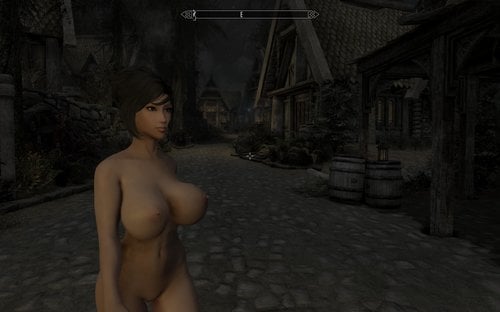
SKYRIM SE BBP PRESET (breast-butt-physics-behavior)
By t.ara
Skyrim SE - BBP - PRESET
Hello,
time to create some small stuff with a huge impact, which is maybe also interesting for YOU.
If you like more volumed breasts and want to see the volumes of your female-skyrim-character bounce within the rhythm of your walking,
running or if you like to see the breasts a little more to follow to the gravity of the gameplay, this is maybe a suiting file for you. The character will become little more "alive".
I created this file quite narrow to the EDGE, what is possible without drastically mesh-squeezing or flicker-stripes ("BBP - stripes on screen"), so this should be propperly working also for you:
I ´ll give you a short installation guide, if you did not install the needed files:
Installation:
1. Depending on the game-version you play, you have please the correct SKSE installed-I recommend to do that all manually.
2. Install the correct physics-, framework- and HDT-heels-file (is inside the pack-all credits by HYDRAGONSAYSHDT)
3. Replace the existing file inside of the SKSE folder: plugins/hdtSkinnedMeshConfigs: cbbe-tbbp.xml, rename for best your old file, so you can always easily return to the original preset
(which is not bad made !!)
4. You have to use the CBBE-physics-body inside of the BodySlide-software to get the desired effects.
5. You also need to play with the new SE xp32 skeleton by groovetama (i guess)-but I ´m sure, your installation is propper so far (maybe better than mine).
(This installation should let BBP, HDT-High-Heels and SMP work onto your SE-installation.
HDT-PE is NOT working yet.)
Enjoy!
the pics show some gameplay (whiterun at night/customized ENB with less saturation and less contrast) and also inside of the ZAP7- zbftestzone, with SMP-Hair all fine working
5083 downloads
Updated
-
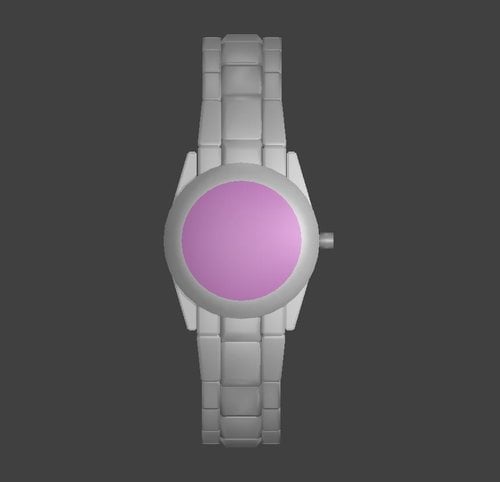
Women's Pink Wristwatch modder's resource
By Fixadent
This is a blender model and modder's resource of a popular women's wristwatch for Skyrim Special Edition.
It is not textured, but if you can texture it using the watchface from the provided photos, and then get it into the game as a wearable in-game item, then that would be absolutely fantastic!
Requires blender, nifskope, SSE creation kit, and I'm not sure what else.
39 downloads
Updated
-

Bazinga's tweaking corner (tweaking Skyrim VR since 2019)
By Bazinga
Hi, I'm back, folks.
But wait, I won't pick up updating my Oldrim mods again, sorry.
Oldrim is an instable glitchy nightmare (including physics-wise) so good riddance to that.
What I'm currently excited about is the shiny new world of Skyrim VR. ?
And to my astonishment sex mods are surprisingly far developed for that platform.
Sexlab still has to catch up but Flower Girls SE & VR is a nice light weight alternative (with Amorous Adventures support, yay) and CBPC physics are fantastic. They are easier to set up, more realistic and less buggy than HDT PE as far as I can tell.
Anyway, I still had to tweak a few minor things here and there and I figured that I could as well share what I did.
First I wasn't satisfied with the 3D vagina included in CBBE Special.
So I edited the Bodyslide source mesh for the CBBE Physics body and ... added a "love gash" by simply moving a few vertices up the z axis and copying the vagina bone weight paints from the Special body.
And surprisingly the result doesn't look half bad, certainly better than that Special body abomination with the weight paint mismatch between labia and main body mesh and the gaps between both (clearly visible on many animations).
I also readded the NPC belly weight paint that for some reason had been removed from CBBE (edit: turns out for good reason).
=>edit:
Okay, I think I managed to improve that "pussified" CBBE Physics mesh a bit more. Changed the labia and clitoris shape a little (well, as much as the limited amount of vertices in that area allowed me to without it looking too sharp and pointy afterwards, so nobody has to be scared that she got teeth down there ^^)
On top of that I spent some time trying to figure out an easy way to customize these female body textures, because I wanted them girls in Skyrim to have a pink pussy instead of the usual shades of grey.
The instructions for that are a bit more complicated and involve a tool called CompressonatorGUI and the good old TexBlend that at first refused to work with all that newfangled SSE stuff. I included them in the TexBlend download (as a text file).
==edit edit:
Upon request I did the same for the Touched by Dibella body.
Attention: The belly weight paint I added caused other issues on both bodies. Please redownload and rebuild them. The belly collisions on CBBE Physics will be a little weaker now, on TBD they are gone because there is no space for belly paint left on that body (at least not without screwing up other weight paints).
-> about that: Turns out that most of the issues with the TBD body were inherited from the original mod. I did a quick and dirty fix by simply overwriting some TBD weight paints with CBBE ones. Seems to have fixed most distortions on that body and made room for belly weight paint again. Yay!
I hope I didn't break anything with that, it was a quite drastic measure. So feedback is welcome.
Second I tweaked the collisions for CBPC (Skyrim VR) a little. Nothing major, I just wasn't satisfied with my VR hands clipping through NPC boobies all the time without colliding. Also belly collisions might be more accurate with this.
=>edit:
edited them some more ... blame my old Bluetooth dongle, I think my WMR Motion Controllers are much more precise with the new one
And third I changed some spell entries in Flower Girls because I wanted the optional Illusion school spells from that mod to cost mana ("Fornicate" reminded me of Sexlab Enchantress and I really miss that mod right now).
=>edit:
I added a custom version of that Fornicate spell so the player can target just one NPC to get some more player action.
To get that spell open the ingame console and type:
help gototown
player.addspell Spellidentificationnumber
->with "Spellidentificationnumber" meaning the number for that spell the console showed you after you typed the first line.
In my case that would be 8300080b, in yours the first 2 numbers will very likely be different.
==> edit edit:
The custom version of that Fornicate spell (player + 1 targeted NPC instead of 2 NPCs) didn't work on friendly NPCs in the previous version. I set a flag in the involved scene differently and now it works. Still no starting dialogue though, I think I have to figure out how that fricking spell is set up to fix that. Until now I just winged it without really knowing wtf I'm doing. Good approach if you are like me and your patience is limited.
Well, that's it from me. I'll see how it goes and if I find other stuff to improve then I might add it to this cozy little corner here.
Btw, if anyone knows a way to easily move actor positions in Flower Girls then please tell me, my OCD is acting up when seeing the guy fisting her belly instead of her vagina and other misalignments.
Credits:
ousnius for CBBE
theMilkDrinker for Touched by Dibella
Shizof for CBPC
Xiderpunk for Flower Girls
4585 downloads
Updated
-
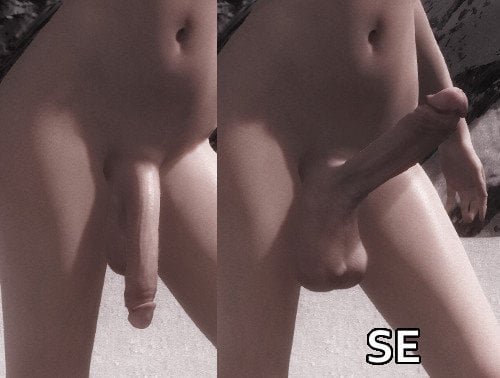
SOS - Grower Extended SE
By Holzfrau
SOS - Grower Extended SE 2.3 (2018.11.29)
This is a Special Edition conversion of SOS - Grower Extended, which is itself an update to Schlongs of Skyrim - Grower not a Shower to work with all supported SOS sliders. This plugin can use an actor's arousal level or weight to scale their genitals. Also available for Flower Girls, thanks to Xiderpunk!
Each of the sliders can be set individually, both for arousal and weight scaling - there is a threshold for each. Each arousal slider setting is what will be applied at the arousal threshold (and beyond, but default is 100); lesser arousal values will scale up to the slider value. Weight settings work the same way (although they won't really matter unless you have another mod that alters weight as you play). The scales you set in RaceMenu (if you have it) are what will be used at 0 arousal, 0 weight. Genitals will be scaled as if at full arousal during a SexLab scene, provided the actor is not in the passive position (first slot). Test sliders in the MCM allow you to see how everything will look at any arousal/weight combination. It will be shown for ten seconds once you exit back to the game. There is an option to shorten the schlong when flaccid (Shortening Factor). This works differently from the other slider settings in that it is applied at maximum at 0 arousal and has no effect above half of the arousal threshold. If you want a realistic "grower not a shower", this should be all you need. The mod now supports NPCs, but you must add each one to its tracking system. They may be added through the MCM when they are in your crosshair. Up to 10 may be added.
Requirements
SexLab 1.63+
SexLab Aroused SE
A SOS compatible skeleton, such as XPMSE
RaceMenu for SE
Recommended
Schlongs of Skyrim SE (Light version should work too but I haven't tested)
SoS RaceMenu plugin
Additional Info
Skyrim version
44428 downloads
Updated
-

SOS - Grower Extended SE - FG
By Xiderpunk
SOS - Grower Extended SE - FG 2.3 (2018.11.29)
This is a Special Edition conversion of SOS - Grower Extended, which is itself an update to Schlongs of Skyrim - Grower not a Shower to work with all supported SOS sliders. This plugin can use an actor's arousal level or weight to scale their genitals. This version is the Flower Girls Version. Sexlab Aroused version click here.
Each of the sliders can be set individually, both for arousal and weight scaling - there is a threshold for each. Each arousal slider setting is what will be applied at the arousal threshold (and beyond, but default is 100); lesser arousal values will scale up to the slider value. Weight settings work the same way (although they won't really matter unless you have another mod that alters weight as you play). The scales you set in RaceMenu (if you have it) are what will be used at 0 arousal, 0 weight. Genitals will be scaled as if at full arousal during a FlowerGirls scene, provided the actor is not in the passive position (first slot). Test sliders in the MCM allow you to see how everything will look at any arousal/weight combination. It will be shown for ten seconds once you exit back to the game. There is an option to shorten the schlong when flaccid (Shortening Factor). This works differently from the other slider settings in that it is applied at maximum at 0 arousal and has no effect above half of the arousal threshold. If you want a realistic "grower not a shower", this should be all you need. The mod now supports NPCs, but you must add each one to its tracking system. They may be added through the MCM when they are in your crosshair. Up to 10 may be added.
Requirements
FlowerGirls SE
Aroused Redux
A SOS compatible skeleton, such as XPMSSE
RaceMenu for SE
Recommended
Schlongs of Skyrim SE (Light version should work too but I haven't tested)
SoS RaceMenu plugin
Credits
Holzfrau for the main release.
14143 downloads
- sos
- flowergirls
- (and 1 more)
Submitted
-
FlowerGirls SE - Subdue
By Xiderpunk
FlowerGirls SE - Subdue
Allows the player to subdue vulnerable NPC's (ones that are sleeping, or unaware of your presence, or are knocked down/paralysed during combat). The NPC actor becomes restrained and when activated will give you a menu of options.
Strip - Strips the NPC's outfit. Inventory - Opens the NPC's inventory. Release - Free's the NPC. They will register the whole being tied-up thing as a crime and see it as an assault. So they may run away and cower and alert guards, or turn hostile. Sex - (Requires the BDSM module for FlowerGirls SE) Feed - Shown if you are a vampire. Allows you to feed from the restrained victim. Follow/Stop follow - NPC will remain restrained but follow you until you activate them again where they will stop. Kill - Will kill any non-essential NPC.
Adds a Lesser Power (Subdue Options). You can Enable/Disable Subdue at any time and restart the mod (which will gracefully clear all existing aliases).
There are up to 10 active slots for restrained NPC's. If all are filled then number 11 will replace the first NPC (the existing NPC in that 'slot' will be freed).
This mod is very similar to Abduction, in fact it is inspired by it. It does however operate quite differently under the surface. It does not have all the features of Abduction. So for additional functionality you might wish to use Abduction instead. I would not recommend running both side-by-side.
NPC's are not cloned.. they are literally kept exactly as they are. Therefore please consider if your target is a quest related NPC before you decide to subdue them. Whilst the NPC is restrained, they will be immortal and followers etc should not even attempt to attack them. Once freed they will likely alert followers depending on their response (if they become hostile).
This mod is very light and simple. It is intended for capturing the usual bandits/mages/witches/warlocks you find in dungeons across Skyrim and then using the follow function you can bring them back to your player home if you desire. Ask them to stop follow and then will remain in your home restrained. There are no known bugs or issues when used in this way. If you go restraining important unique NPC's then you do so at the risk of breaking main quest-lines and so forth.
Installation:
FlowerGirls SE - Subdue is a very small esp file, it has no dependencies outside of the FlowerGirls SE.esm and FlowerGirls SE - BDSM.esm files, so as long as it is below those in your load order you should be good to go.
Note: When you first install this mod, subdue will be disabled by default. Simply go to your lesser powers and run the options spell with the Z key. You can then enable this here.
FAQ:
Will this be expanded on?
This mod was created by me on request some months ago as an example, that someone else was going to release and work with. Unfortunately, I believe that individual is no longer active in the community, therefore I figured I would upload myself. I do not intend to expand on this or take this any further, as some might know, personally I do not use/enjoy or even like non-consensual stuff (I won't go into why). If someone wished to do so, then this has absolutely open permissions to do as you will with it.
Why only 10 slots?
The reason is simply one of performance. Each slot is an alias held on a quest, when the alias is filled it is changing the 'persistence' of the actor in effect. This simply means that actor is held in memory continuously, no matter if you are not in the same cell. Any running scripts on that actor from other mods etc are therefore also potentially loaded. Therefore, personally I won't use mods which have 100+ alias slots for anything. Subdue is very kind to performance as it stands, the scripts applied to the restrained actors are minimal and really only act on the action such as 'strip' 'release' and so on. In normal game-play.. they are not doing any polling or anything like that.
Skyrim VR compatible?
Yes, this is fully functional on SkyrimVR.
Known Issues (Not bugs):
Restrained NPC's whilst following you will lose their wrist bindings, despite still wearing cuffs. This is due to animations. There is no running or sprint animation for hands bound, so it uses the normal run/sprint animations when it needs to. The only known solution to this is for someone to create the required animations, then they should automatically be used instead.
A captured NPC can prevent quests that require a dungeon to be absolutely cleared from completing/advancing. In the default game you generally don't have to kill all NPC's in a dungeon for it to hold up quests. However some mod added quests may essentially hold a 'bodycount' where they are waiting to advance based on whether all the npc's are dead. Just be aware of that when capturing NPC's from mod added dungeons, if a quest is not advancing, then using the kill option on the captured NPC should resolve that.
Requirements:
Requires FlowerGirls SE main mod.
Requires FlowerGirls SE - BDSM
55774 downloads
- flowergirls
- non-consensual
- (and 1 more)
Updated
-
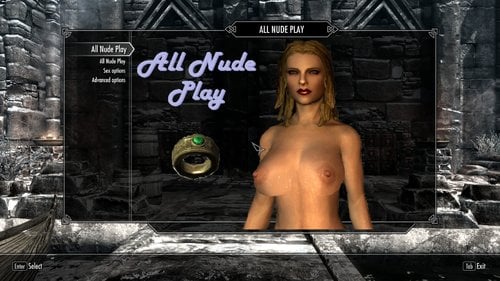
All Nude Play
By Pfiffy
CPU asked my to convert and upload this, so here we go. Thanks go to CPU.
For information:
6302 downloads
Updated
-
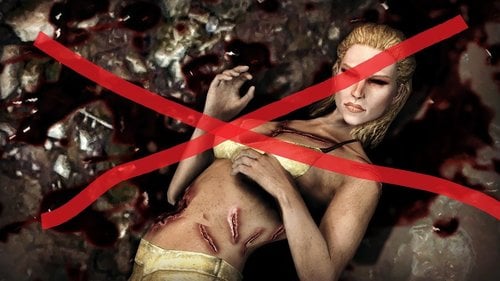
Susanna Corpse Replacer
A mod to replace Suzanna the wicked's corpse.
You ever notice how despite being murdered and cut up Susanna's killer decides to take the time to put some underwear on her corpse before leaving it in an alley? Yeah, none of that. This mod alters the NPC records of the two corpses (as well as the sacrifice in solsteim), to use your default, and thus nude, body mesh. It redirects the textures to a folder in the mod which you can replace yourself if you have better guro textures for her.
I tried to get her head to also display abuse but sadly I couldn't find a way, despite altering the npc records to give her a new head texture. If anyone knows how to do this let me know and I'll update this.
What does this do?
Changes the Susanna the wicked (and sacrifice) corpse so it uses the nice body mesh you have installed instead of the ugly vanilla body. NOTE: this does not change her face, this merely changes her body, the corpse will always use the face of whatever normal Susanna uses. I didn't remake the facemesh to avoid conflicts with npc overhaul mods. If you want the face I have there you'll need the Bijin mods.
Requirements:
None - Just the vanilla files. Skyrim version needs to be 1.5 or later
Conflicts:
Probably none, this only touches the data for the Corpses which isn't going to be affected by NPC overhauls unless they specifically target her corpse.
The plugin is an ESL so it won't increase your plugin count.
Credits:
Thanks to @Daguy, his textures are the ones provided in the mod. Mod for them found here.
28772 downloads
- necrophilia
- npc replacer
- (and 3 more)
Updated
-
Submitted
-
MyTCP_SE
By demack
Rewritten the script and removed the other camera stuff. This is a new file! Complied for SE.
MyTPC is a camera mod I made mostly for Sexlab back when free camera in Sexlab crashed a lot.
The current state of the game has made free camera a bit more useful but this mod has its merits since most importantly the facial animations are possible with the NPC and player since the camera is still attached to the player.
The functions are basic move the camera +/- 1000 units in x, y with a zoom from - 2000 to 1000 which is considerable distance. it is sort of a cheat since moving the camera can activate things and access things not normally available.
This allows you to zoom in on the scene. This mod is absolutely a must for scaled down characters!
The function to set the speed of the camera and increments for precise placement with 0.005 precision
default key to activate the toggle is scroll lock - can be configured in MCM
default keys to move the camera are arrow keys - can be configured in MCM
in process is a better system with toggle being in combat also.
to install.
remove old customizable camera install MyTPC with mod manager and your good as gold.
Remove other camera mods.
extract My_TPC_SE.7z in root directory
to remove this mod
use mod manager
manually delete the following
data/MyTPC.esp
data/scripts/MyTPC.pex
data/scripts/source/MyTPC.psc
6404 downloads
Updated
-
![More information about "[GR] Merida Hair HDT SMP Wig Revival"](https://static.loverslab.com/screenshots/monthly_2019_01/ezgif.com-optimize.thumb.gif.bc06ba46504b5eb1f2e6cbe428fd98b8.gif)
[GR] Merida Hair HDT SMP Wig Revival
By Gromilla
Hello friends.
I was going to post this mod for a long time, waiting for the author's permission, but after 3 months I did not receive an answer to any letters. Therefore, I decided all the same to lay out my adaptation to this wonderful mod for your judgment.
The author of the mod is @Yoo and I hope that he will appreciate my work. I am grateful to him for creating such an unusual haircut and you can give all respects and gratitude to him. Original mod.
This is a standalone mod, includes 8 different hairstyles: long and short, and 4 hair colors - blond, red, brunette, black.
Can be acquired with AddItemMenu or using the console command "help merida" and "player.additem XXXXXXXX 1" without quotes.
Strong Requires: HDT SMP core files (hdtSSEFramework, hdtSSEPhysics).
Possible issues:
- hair trembling - is difficult to solve due to the limitations of collision physics and the design of the hairstyle itself.
- spots on the hair (especially blond color) - this is due to the design of the hair (flat springs) that are rendered with lighting on both sides. Depending on the lighting varies.
Special thanks:
@Yoo - author of Merida Hair HDT
RequiemWings - the man who helped me in a difficult moment and thanks to him I was able to continue working on this mod (?)
authors of programs without which this would be impossible (NIFScope, MeshRigger, OutfitStudio, Blender, and some for Windows:) ).
In the attachment there are several options for textures.
Merida_alt_textures1k.7z
MeridaHair_Optional Textures2K.7z
Original Textures 1k.7z
3619 downloads
Updated
-
Succubus Heart SE 4.5 German - Deutsch
By Unrobed
This is just a german translation of Succubus Heart SE 4.5
You find the english original here:
Permission given by Spirit_Shard via PM .
Es handelt sich hier um eine deutsche Übersetzung der Mod Succubus Heart SE 4.5 von Spirit_Shard. Die original Mod wird weiterhin benötig da meine Übersetzung nur die ESP und einzelne Teile beinhaltet.
Diese mal habe ich die komplette Mod inkl. MCM Menu übersetzt also solltet Ihr im Spiel keinen Englischen Text mehr sehen!
Installation
1. Ladet euch die original mod HIER und installiert sie + alle Mods die benötigt werden
2. Ladet euch meine Übersetzung runter und überschreibt die original Mod
Verbesserungsvorschläge und Anregungen sind immer herzlich willkommen!
CREDITS
Spirit_Shard für die tolle Arbeit an seinem original Mod https://www.loverslab.com/files/file/6350-succubus-
418 downloads
Updated
-

SexLab Special Edition - Deutsche Übersetzungen für ein paar Mods
By T4y
Hi,
hier ein paar Übersetzungen für einige der bekannten SexLab Mods für die Skyrim Special Edition.
SexLab Defeat 20-12-18 German.zip
SexLab Aroused SS ELoose-29 German.zip
More Nasty Critters_v11_4CSE_Test GERMANesp.zip
More Werewolves-1-2-0 Standalone Version - German.zip
Viel Spaß, bitte bewerten.
1250 downloads
Submitted
-
Morrowind Dwemer Resources
By Enter_77
Original | Special Edition
Morrowind Dwemer Resources is a conversion of David Brasher's Dwemer Ruins modders resource for The Elder Scrolls IV: Oblivion. It brings The Elder Scrolls III: Morrowind-style Dwemer architecture and dungeon tilesets to Skyrim.
What has and hasn't been ported
Almost all of the original models from the TES4 modders resource have been ported.
Those that couldn't be converted to work properly in the TES5 engine have been excluded, including the NPC dwarven constructs.
All but one piece of clutter has been excluded in favor of redirecting modders to download InsanitySorrow's Dwemer Clutter resource, which contains higher quality models and textures.
Additional modders resource recommendations
For more classic Dwemer resources, the following mods are available:
Insanity's Dwemer Clutter Insanity's Dwemer Weapons Lore Weapon Expansion* (includes TES3 dwarven dagger) Old Dwarven Katana and Daito*
* = requires author's permission to use in mods
TES5 - Original & Special Edition Compatibility
This resource's assets are only compatible with TES5 - Special Edition. The included plug-ins intended only for reference have been saved in the SSE Creation Kit and may not load properly in the original Creation Kit.
Mods that use this resource pack
If you want your mod added to this list, you may post a comment or send a PM to Enter_77.
Maids II: Deception Mhulchazn - Morrowind Dwemer Home Morrowind Dwemer Resources - Skyrim Textures
Credits
AlpineYJ
LOD models David Brasher
Dwemer Ruins (original model and texture source) Enter_77
Model conversion and resource compilation for TESV InsanitySorrow
Insanity's Dwemer Clutter (high resolution textures used to replace David Brasher's where applicable)
Permissions
This mod's resources may be distributed & uploaded without explicit permission from the mod author(s) as long as the original author(s) are credited. They may not, however, be included in a mod intended to be monetized.
Mirrors
AFK Mods Nexus Mods
173 downloads
Updated
-

Crential Ero Poser SE
By Daymarr
Crential Ero Poser SE
A pose mod featuring 325 unique poses for many type of screenarchery scenarios .
- Credits -
Crential for giving me permission to share this with you guys!
Original link here
Please don't bother Crential via his own page about this SSE port!
20143 downloads
Updated
-
PSQ PlayerSuccubusQuest for Sexlab for SE
By ojanen
Description
This is the SE version of PSQ.
Please wait for detailed explanation. It is roughly the same as LE.
54466 downloads
Submitted
-
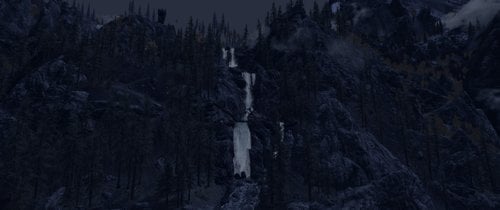
Amol Overlook
By Trykz
I wanted to get a custom house mod yesterday.
So, I went over to Nexus to have a look. I found
dozens. But none quite fit the bill. I didn't need a
mansion. Nor did I want a simple tent. No, I wanted
a house. The kind of house that says:
"An explorer/adventurer lives here"
I found a few. But they came with stuff I didn't want.
Or need. I definitely didn't need anything with a dozen
dependencies to handle stuff like sorting, or adoption, or
Hearthfires compatibility.
So I found a few of these as well. They were "almost" perfect.
By "almost", I mean they weren't quite where I wanted to live.
A spot that shows the adventurer's spirit of exploration.
With natural beauty beyond compare.
Skyrim is chock full of beautiful places. Especially near any
of it's waterfalls. A few were kind of okay, but I wanted something
very specific.
So I built it.
In EXACTLY the place I wanted to live.
So here we are:
Amol Overlook
The name says it all. Overlooking Fort Amol, with a
majestic view of the sulphur springs, this modest little
adventurer's shack sits mid-way up one of Skyrim's
most beautiful waterfalls. It's not near it. It's not behind it.
No, it's directly ON it.
Now there's a few things you should know:
This area has NO NAVMESH. So needless to say, it's not follower friendly.
At least not yet. Navmesh is in the works for the entire area from the
edge of the path to Ivarstead, down the stone stairs, and all around the shack.
But for now, I hope you'll enjoy it until I update it sometime soon.
Trykz
345 downloads
Submitted
-
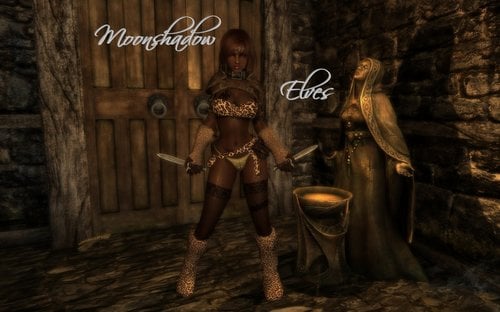
Moonshadow Elves - SSE
By Trykz
Having spent quite a while modding FO4, I decided to take a short break from that
to re-release this, converted for SSE. After a good many years since I released this for
Legacy Edition (2012), and quite a few requests via PM, I felt it was time to start
converting some of my Skyrim LE races to SE. Having said that:
A LOT has changed. After considering a fair amount of feedback from over the years, I
figured it was time to start considering some of the suggestions I've received, and start
making considerable changes. As many of you may recall, this race essentially revolved
around the assassination arts. And since that has always been the core of the race as
far back as the original Oblivion mod, I didn't see fit to deviate far from that core.
However, with the advent of countless mods lending to Skyrim's level of challenge, it
was painfully obvious in my early testing with mods like Sands of Time, Dungeons and Dovahs,
and even some milder ones like Beyond Skyrim - Bruma, and The GreyCowl of Nocturnal, that
a serious revamp was needed.
For me, the enjoyment of playing Skyrim was always about seeing how far I could
push a character, while ratcheting up the difficulty with mods. And over the years, I
built every one of my mods with that in mind.
Keep it challenging, but not so difficult that it became frustrating.
Because in the end, it still has to be fun.
So that's how I went into revamping this for SSE.
First, the Moonshadow Blossom effect is no more. Instead, it has been
replaced with a new lesser power called "Vanish". Vanish lets you completely
disappear. At will...... well, almost. So what do I mean by "almost"? Well,
that means it has a few "restrictions":
1) It can only be used at night.
2) It will only work if you're wearing
a very special mask.
Sounds simple, right?
Well, not so fast there, Pumpkin.....
The mask makes you HATED. By almost EVERYONE.
You also get another lesser power called
Lunar Vision, which allows you to see living
beings in the dark, and a racial power called
Moonshield, which greatly reduces incoming
physical damage for 10 minutes, once per night.
Moonshield has the SAME restrictions, but
Lunar Vision can be used anytime, with or without your mask.
And hey, you also get 3 other pieces of free clothing..... all pictured
above. The torso is BodySlide capable, so you can adjust it to your
preferred CBBE shape. And yes, it's also physics compatible.
And each piece is pre-enchanted with all the killing spree
enchantments you'll ever need.
But oh, those don't work either without the mask, or during daylight hours:
6am - 7pm
You also CANNOT disenchant them. Why? Because they are a gift to
you from an ancient assassin who was locked away in the abandoned prison
near Fort Amol. So guess where you need to go to acquire this
legendary assassin's kit? If you know this dungeon well, you're already
aware of the possibility of reaching the chest without a fight
And it doesn't stop there. You get free weapons too!
A scoped bow, and a pair of daggers. Unenchanted, so
you can add whatever enchantments you prefer.
Needless to say, this race is HELLA over-powered in a vanilla game.
But with nothing more than SoT on Spartan level difficulty, it is
supremely challenging. Add in D&D, and you're in for a
challenge beyond your wildest expectations.
Especially with only 50 health, stamina, and magicka
Technical info:
Included in the download is a converted version of my
CRB master file. CRB contains things essential to all of my
custom races. Head meshes, race records, and on
occasion, custom parts.
The standalone bodies are currently NOT in use. I left
them in the archive as placeholders for future intentions,
which I'm currently planning.
Finally, the requirements:
Dawnguard DLC
Dragonborn DLC
RaceCompatibility by TMPheonix
Enjoy!
-----------------------------------------------------------------------------------
Oh..... and a little birdie told me that Wildlings may be coming by New Years day
Trykz
2479 downloads
Submitted
-
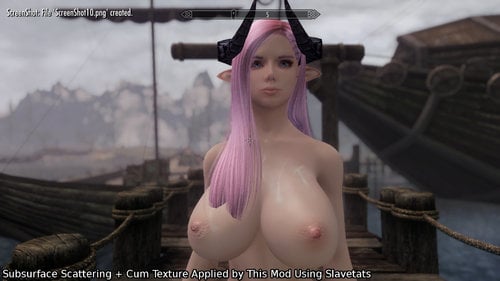
Subsurface Scattering Workaround for SexLab Cum
By bowman8
Just a small workaround for SexLab's cum effects breaking Subsurface Scattering ENB settings in Skyrim SE.
Screenshots taken using default Sexlab cum textures.
NOTE: As of the latest release of ENB v0368, this mod is no longer needed. Only use it if you're planning to use an older ENB version.
Requirements:
SexLab SE(I've one tested it with v1.63 BETA 4, but it should be compatible with BETA 5 and older versions).
Slavetats SE port and its requirements.
How does it work?
It works by applying cum textures through Slavetats instead of SexLab's cum EffectShaders.
This mod includes a modified version of sslActorCumEffect script that checks for a specific keyword added to SexLab's cum magic effects by this mod's esp, and applies the texture corresponding to it.
The textures use overlay slot 3 by default, you can change that in \textures\actors\character\slavetats\SexlabCum.json, just edit every occurrence of "slot":"3" field to whatever other slot you want.
If you have custom cum replacer textures you'll want to copy them over to \textures\actors\character\slavetats\SexlabCum, and overwrite the files in that folder.
It works on the player character and NPCs. If you feel like the texture got stuck on you or a NPC, you can easily remove it through Slavetats MCM or wait until the character with the stuck texture gets jizzed on again.
From my testing, it works with every SexLab cum related function, so this should be compatible with any mod using such functions.
The Drawback
Racemenu SE(and by extension Slavetats) doesn't support face overlays yet, so you can't actually get jizz on your or a NPC's face. I'll make sure to update this mod whenever Racemenu SE adds support for face overlays.
2453 downloads
Updated
-
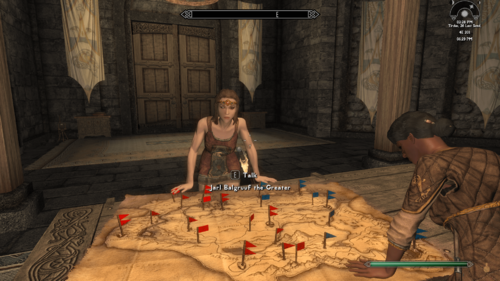
SkyFem - All NPCs Now Female (Special Edition)
By Guest
What this mod does:
To quote Corsec:
Features:
THE easiest method to make an all lesbian/futanari world with a heavily modded Skyrim. Supports all major extensions to Skyrim, like Falskaar, Wyrmstooth, Bruma, etc. Also supports all major Sexlab mods, like SOS, More Nasty Critters, etc. Also works with unlevellers like Requiem, OMEGA, etc. Also supports for custom races of NPCs. Super fast and lightweight.
Please read:
Prerequisites:
Install xEdit: https://github.com/TES5Edit/TES5Edit/releases
Installation:
Install SkyFem - All NPCs Now Female v4.0.0.zip as a regular mod in Mod Organizer 2 (MO2). The SkyFem NPC.esp plugin should go to the END of the mod list. Yes, it should be after the Bashed Patch, Smash Patch, zPatch, DynDOLOD, etc, any other patch that do anything. The idea is that if you have a stable mod list, then this will just change the visuals of the NPC's to female. Download the file SkyFem - Scripts v4.0.4.zip and extract the scripts to the xEdit Edit Scripts folder. Run SSEEdit and right click on SkyFem NPC.esp and select "Add Masters...". Select all plugins and click OK. Right click on SkyFem NPC.esp and select "Apply Script...". In the drop down menu, select SkyFem - Patcher and let the script run.... This will take a small amount of time ~10 mins. If SkyFem NPC.esp is not in the last position, this script will abort. There will now be a folder called DummyOutput in the overwrite directory of MO2. Move the contents of the DummyFolder to the SkyFem NPC SE mod folder.
(Exact same instructions work for the legendary edition of Skyrim, but use the legendary edition file in the first step)
Updating your modlist and regenerating the patch:
The patcher is incremental and supports mod updates.
Anytime you update/add a mod in your load order. You can just re-run the patcher and it will automatically add new NPCs that were not there previously, while keeping the others with the same look.
If one of your mods is updating an NPC, say by giving them better AI/changing their combat tactics, giving them new items, SkyFem patcher takes care of that as well and keeps their feminized appearance while updating everything else.
Uninstalling a mod and regenerating the patch (Advanced):
[TODO: better uninstalling, maybe write a script?]
Before uninstalling/deleting, manually find conflicts with SkyFem NPC.esp and remove them. Then re-run the patcher.
Custom NPC Editor (WITHOUT CK):
If the NPC's assigned randomly are not upto your liking, now you can edit them manually using the SECOND script provided.
To edit the NPCs manually just run the second script on SkyFem NPC.esp BUT you need to change the names of the NPCs in the script to your liking...
It is super easy as you only need to change the editor IDs of npc1 and npc2.
Discussion and help:
Compatibility:
This is an automated version of SkyFem by Corsec and will automatically feminize your Skyrim world and patch your mod list for you. Should be compatible with most mod guides, I have verified compatibility with Lexy's LOTD SE guide (which is one of the largest and most complicated guides that exist right now) and have not experienced any crashes. It is super compatible with all mods and very very easy to install. Most of my support is going to be for the Skyrim Special Edition as a lot of the mods have already been ported and the mod list that I am following (Lexy's LOTD) hasn't crashed in over 100 hours. BUT almost all the instructions also work for the Skyrim Legendary Edition. Expected patching time ~10-15 mins, if you are new to xEdit. HIGHLY RECOMMENDED to start a new game for full immersion and proper NPC facegen support. This mod has 0 footprint and 0 scripts so it is SUPER lightweight.
Bugs:
There is a small neck gap on some feminized NPCs.... Start this mod on a new game. This is the best way to fix this problem. More info: This is a known bug related to modifying NPC's mid game - Fixing it if you are irritated (warning, it is not easily possible). Please report more bugs and I'll try to get rid of them as fast and easily as possible.
Credits:
Corsec, for SkyFem his mod, which I took inspiration from. xEdit team, which made this mod possible. Bethesda, for being a constant fuck up and mess of bugs and also for this game.69634 downloads
- futanari
- world changer
- (and 6 more)
Updated
-
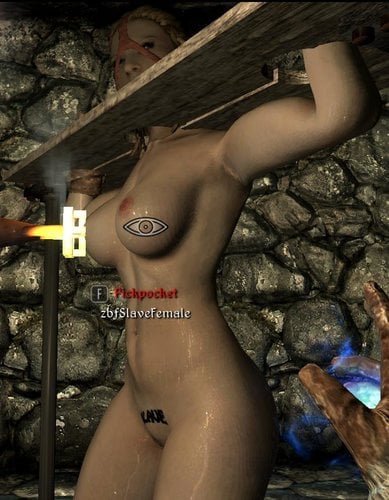
Branding Device Of Doom SE
By nooblet123
you need SE versions of the requirements except deadly mutilation, for which you only need the sounds
Zaz Animation Pack SE ,
SKSE,
Sexlab Framework SE,
Deadly Mutilation by Lamer1000 and others http://www.nexusmods.com/skyrim/mods/34917 <<<< you don't need to enable deadlymutilation.esp, just copy the mod (sounds) into \data
SlaveTats SE
to go to the branding dungeon type in the console
coc xxbrandingdungeon
-----------
aaaaand this is where you become a lab rat since i only tested this 0.53 SE version in the branding dungeon.
to teleport the device to you type
set xxBDODTeleportToPC to 1
You need to be standing on even terrain
Example of how to use it in a mod: read their code related to bdod lol. http://www.loverslab.com/files/file/2338-slaverun-reloaded-10sep-2016/ http://www.loverslab.com/files/file/2928-shout-like-a-virgin/
only use the teleportable device in a mod
18364 downloads
- slavetats
- lore-friendly
- (and 3 more)
Submitted
-converted-downscale.net(1).thumb.webp.f75cfc75dd5aaef40b41df538b3b674a.webp)

.thumb.png.fced9012efc82e589977bf7e896d4a12.png)