Select a subcategory to view available files.
Files From Subcategories
-
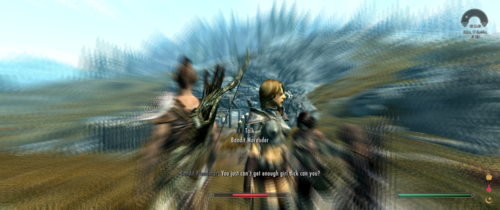
Futa Edition Sexlab Defeat Addon SE
By nomkaz
Futa Edition Sexlab Defeat Addon SE
I did NOT create this mod. That honor belongs to the Talented -Caden-
I only converted it for Skyrim Special Edition, and have shared it with you with their permission.
If you enjoy this mod, click on the link and give -Caden- some love, and check out their other mods!
The following copied from the original LE page:
-----------------------------------------------------------------------
Futa Edition Sexlab Defeat "Add-on"
I take no credit for the making of the mod SL Defeat, all of the amazing work for SL Defeat was done by Goubo
Description
(This is a requested dialog mod) This is a dialog Add-on for SL Defeat that adds dialog for people playing thier game with all the females as futa or shemales. This does NOT add cocks to the females in the game, the dialog in this assumes you have already done that.
The reason I uploaded this to its own page is so I didnt have to repeatedly answer the questions after people got confused from multiple different files on the original page
Installation
Since this is technically not a Add-on, but an overwrite instead, it will not add a additional ESP file to your game
SL Defeat SE and its requirements
If you enjoy my conversion work and would like to toss a coin to my coffee fund, you can visit my Patreon ~ Nomkaz
18266 downloads
Updated
-

Clone Conjuration SE
By nomkaz
Clone Conjuration SE
I did NOT create this mod. That honor belongs to the Talented -Caden-
I only converted it for Skyrim Special Edition, and have shared it with you with their permission.
If you enjoy this mod, click on the link and give -Caden- some love, and check out their other mods!
The following copied from the original LE page:
-----------------------------------------------------------------------
Clone Conjuration
Description
2.0 Adds a spell called Conjure ????, this spell is fun but a gamble, when you cast you might conjure a giant, or a rabbit, goat, horse, ect, but you also might get Ulfric, a greybeard or a mudcrab :)) It chooses from over 30 different NPCs/creatures when cast and still NO scripts
A simple mod with NO Scripts that allows you to conjure a clone of your PC. Court Wizards have it for sale on occasion, bandit mages will sometimes drop it, or if your impatient it is on the table in Dragonreach with all the food, in the room with the cooking spit (both Spells are found here)
No this does not clone your armor, your clone will be using your spells and shouts, also has a Dawnbreaker sword clone for backup ( no It will not break quest)
Installation
Unpack and drop into your data folder or use mod manager of your choice
Choose Male PC version if you play as a Male and vise versa (2 esp's is for male/female voice, nothing else, is better than using a unneeded script)
INCOMPATIBLE WITH HDT HAIR
NO OTHER INCOMPATIBILITIES
Is in my mod Skyrim Unhinged, but is still compatible, this is here for those that are having a hard time to get it in Skyrim Unhinged, or those who are just Impatient
If you enjoy my conversion work and would like to toss a coin to my coffee fund, you can visit my Patreon ~ Nomkaz
1499 downloads
Updated
-

Devious Devices Helpers SE
By nomkaz
Devious Devices Helpers SE
I DID NOT create this mod, nor do I claim any ownership of it or it's resources, or dependencies.
I merely converted this mod to Skyrim Special Edition for my personal use,
and decided to ask @TurboNerdfor permission to upload my conversion of his hard work.
If you like his mod, go to the original Oldrim Page and let him know!
Description copied from the original oldrim download page by TurboNerd:
About This File
Followers help you out of and in to devious devices.
Upgrading from versions prior to 1.04: A clean save is required.
Motivation and Concept:
While playing with Deviously Cursed Loot and other Devious Devices mods, I found that my character being tied up and helpless was amusing for about five minutes. I also found that NPC's could be tragically stupid when it came to restraints. For example, when my character was doing the key fumble thing to remove "Paw Bondage Mittens" the follower would stand there, with his free hands at his side saying "Let's not waste time.", "Let's get going." and, dumbest of all, "We've stopped, what is it?". So I decided to start on a mod.
First; followers would get smarter about removing debilitating restraints. While the normal thing would be for the player to ask to have her hands freed and then free herself from any blindfold and gag, what happens when the wrist restraint is not removable because it either requires a special key, is time locked or a quest item? I wanted the follower to be able to assist with blindfolds and gags too.
Second; a follower would, in a reasonably safe location, offer to help the player character have some fun by tying her up for a while. When they are done having fun (after no more that five minutes real time), the follower would untie her, put the toys away and go off to hack and slay. Related to this would be reluctance to remove restraints in "safe" areas.
I have decided to release this mod because the removal of "Can you help me?" from DDi 4.0 has left a vacuum for dungeon divers.
What this mod does:
Device unlocking:
Any items tagged "Heavy Bondage", bondage mittens, blindfolds, gags, restrictive corsets, and chastity bras can be removed by either a blacksmith or a follower subject to certain conditions.
Neither the blacksmith or the follower will attempt to remove items tagged as quest items or block generic so as not to break other mods.
A blacksmith will always charge a fee. A blacksmith will use a key if the player has one, but will fall back to hammer, cold chisel and anvil otherwise. Any device which is cut off is destroyed and your character can't play with it any more.
A follower will not charge a fee, but if the device requires a key then the player or follower should have that key. If the correct type and number of keys is not available, and the device can possibly be cut, the follower will attempt to cut the device. This uses the same base chances of success as DDi, but uses it's own success chance modifier in it's own MCM (after all it's the follower, not the player doing the cutting). Again, any device which is cut off is destroyed and your character can't play with it any more. Whether the follower will cut a device is controlled by a MCM setting.
If the follower decides it's "play time" (see below) the follower will be reluctant to remove a device when asked. This reluctance can be overcome by being insistent. The places where this can happen are selectable in the MCM menu. Available locations are inhabited areas, dwellings, stores, player homes and cleared dungeons. (The follower will always cooperate in a dungeon or the wilds.) How often the follower is reluctant and for how long are controlled by MCM settings. The defaults are that the follower will become reluctant to remove devices once every one to two game days and will persist in his or her reluctance for 1/2 to 2 game hours. These times can be adjusted in the MCM.
Play time:
The play time system runs in a cycle:
Adventuring and work time: The follower does not want to tie up the player and will willingly remove devices. Lasts one to two in-game days by default, but is adjustable in the MCM.
Ready for Play time: The follower wants to tie up the player but has not done so yet. Usually this is because the player is in a location where being tied is not allowed. When the player enters an eligible location the follower will force greet the player and ask to tie her up. Ends with the beginning of play time.
Play time: Starts when the follower ties up the player or the player, after asking to remove a device, is persuaded to continue wearing it by the follower. The follower will borrow the player's devious keys. By default play time lasts 1/2 to 2 in-game hours, but can be adjusted in the MCM. If the player asks for a device to be removed the follower will attempt to persuade the player to continue wearing a device during play time.
Willing to untie: Begins with the ending of play time. The follower will force-greet the player, announce that play time is over and offer to remove all the devices added by the follower at the beginning of play time. If the player consents then all keys are returned and all devices locked on by the follower are removed. Once the player is free it's adventuring and work time again. The player may, through dialogue extend the play time.
In order not to delay the game any more than the player wants, all bondage is fully consensual by the player. When the follower asks to tie up the player, the player may allow it, hesitate, refuse, or ask the follower to wait two minutes. If the player hesitates the follower will make a feeble attempt to persuade the player. The player may end play time early by asking to be untied.
The follower will only approach the player for "play time" when in eligible locations such as Player homes. When in the wilds or a dungeon the follower will not ask to tie up the player and will always cooperate in the removal of devices.
The eligible locations currently include Player homes, Stores, Inns, Dwellings, and Inhabited areas. Dungeons, Forts and other locations tagged "LocTypeClearable" may be eligible after they have been cleared. The categories Player homes, Stores, Inns, Dwellings, Inhabited outdoor areas and Cleared Locations can each be enabled or disabled in the MCM options.
As a blatant exception to the consensual bondage philosophy there is an MCM option (all the way at the bottom) called "Bondage lover" which defaults off.
When off (default), any and all bondage is fully consensual as described above.
When on, indicates that the player loves bondage and will not refuse to be tied up or ask to be untied early. The dialogue options like "Can you help me out?" and "I'm not in the mood." are not present when the follower wants to tie up the player or during "play time". Also, if the player walks away from the tie-up dialogue the follower will tie her up anyway.
The disruption to game progression that this causes has two adjustable mitigations: The follower will only ask in eligible locations and the "play time" can be kept short. This is adjusted in the MCM.
The player may start play time early by saying "I think it's time to relax for a while." or "I feel like being tied up." which will lead to the follower tying up the player.
Requirements: links provided below
The most current version of Devious Devices SE
And their requirements.
Devious Devices SE All-In-One installer
Known issues:
Some custom devices from other mods may not work and generate errors.
There are some items from other mods which the follower should be able to remove, but won't. This is due to the item being tagged with block generic.
The lock jam state, time lock state and cool-downs are not respected. This is actually symmetric since none of these apply to the player removing devices from a NPC.
Slaves acquired with Paradise Halls Enhanced will not function properly as "followers" with this mod.
Acknowledgement:
The code which ties up the player is taken, with minor changes, from Deviously Cursed Loot by Kimy.
The users for their ideas and bug reports.
Permissions:
This is a Lovers' Lab exclusive. Do not upload it anywhere else.
You may not use any part of this in a for-profit project. Tips are fine provided they are voluntary.
This is an open source project. You may use my code in your own project but if you do then your project must be open source too and you must allow others to use it in a similar manner.
If you publish a "fork" of this project with similar functionality, please make sure that no one is confused about which is which.
What's New in Version 1.04.8
Released May 5
Fix: No explanation was given for failure when attempting to remove high security armbinder without enough keys.
Fix: The "no items locked without key" option wasn't checked for "always gag" rule.
Thanks:
@TurboNerd for allowing me to share this conversion with all of you!
If you enjoy my conversion work and would like to toss a coin to my coffee fund, you can visit my Patreon ~ Nomkaz
56626 downloads
Updated
-
SexLab Sex with Thieves SE
By nomkaz
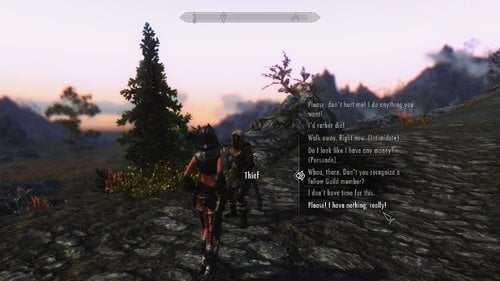
SexLab Sex with Thieves SE
I did NOT create this mod. That honor belongs to the Talented Guffel
I only converted it for Skyrim Special Edition, and have shared it with you with their permission.
If you enjoy this mod, click on the link and give Guffel some love, and check out their other mods!
The following copied from the original LE page:
-----------------------------------------------------------------------
Description:
I made this mod to fill in a gap that bothered me for some time now. With the different existing mods you can have sex with nearly everyone/thing, be enslaved or raped. But these random thief stick up´s are nearly not covered by any mod. Never is a thief interested in the player´s body.
I think it would be very convenient for the thief to rob and rape the young elf girl waking alone through the wilderness... and now he does
This Mod changes the dialog of the generic thief encounter. The player has the new option to resolve the mugging with sex (i.e. being raped).
Additionally the former option to simply pay the thief 200 gold now also triggers an aggressive sex animation (if you submit, then completely).
The other options (intimidate, persuade, fight or being recognized as Thief Guild Member/Nightingale) still exist untouched.
Also if you are wearing the Thief Guild/Nightingale armor the thieves still only help you.
Requirements:
SexLab Framework and its prerequisites.
Installation:
Use Mod Organizer 2 or Vortex
Very likely any other mod that alters the thief encounters.
Permission:
I included the source scripts in the download so anyone who want to use them can do so or any new modder can take a look how i did it (it´s very simple, but maybe good for getting started).
Credits:
Ashal for his awesome SexLab Framework
If you enjoy my conversion work and would like to toss a coin to my coffee fund, you can visit my Patreon ~ Nomkaz
41423 downloads
Updated
-
SexLab SexLife SE
By nomkaz
SexLab SexLife SE
I did NOT create this mod, I merely converted Dooge's mod for Skyrim Special Edition, and shared it according to the open permissions they gave on the original download page. I CANNOT give any perms not specified on the original upload page for this mod. If you wish to alter, edit, or otherwise make changes and upload them anywhere, please refer to the permissions (if given on upload page) by the Original Author or contact them directly.
If you enjoy this mod, go to the Author’s page and give Dooge some love!
The following is copied and edited for SE links from the Original Download Page:
--------------------------------------------------------------------------
About This File
Major: YOU is removed altogether.
"Enormous amount of banter precedes any coitus maximus" - Dooge
Mod that defines all NPCs to have sexual preferences, and allows them to engage in sexual activities accordingly. When aroused, they will make sex oriented chatter to each other and try to match up for sex. It is also possible to create preset files that define what attributes each NPC have, this functionality can cover any other mod. Attributes can also be edited from the MCM menu.
The mod is NPC-NPC.
Accronyms: Sexlife is SLSL. Non-player character is NPC. Player character is PC.
Preference types (called attributes)
These affect who tries to sleep with who, who will sleep with who, and most of all, what sort of dialogue they make.
Dominant - Behaves dominant and aggressive
Excluded - Can not participate in sex, can not be raped, can not even be talked with.
Faithful - Agrees to sex only with lover, can get raped. If single, acts conservative, not into flings.
Golddigger - Thoughts orbit around wealth.
Racist - Initiates and agrees only to same-race sex. Speaks hateful and hurtful things.
Rapist - May rape when refused sex, speaks creepy stuff.
Sizequeen - Prefers larger than average dick size on partner. Higher libido than average.
Submissive - Pushover and a whimp.
Victim - Can not refuse sex when approached. Distilled version of submissive.
Prostitution - Has no moral issues about buying or selling sex.
Hard dependencies
Sexlab Framework SE Sexlab Aroused Redux SE Fuz Ro D-oh SE
Optional dependencies
SOS SE devious Devices AIO SE, Devious Devices For Him
Recommended
Silent bards (oldrim version works in SE as it's only voice files)or similar. SLSL adds lot of dialogue that is displayed with subtitles only.
Installation on a new game
For default start, install only after Helgen (Helgen-start is very scripted and bad/difficult for mods) Preferably after other mods have installed At peaceful location, indoors perhaps Make a save game before Add mod and load the previous save After installation, wait 2 minutes in real life without doing anything in game Lot of notifications appear, later the MCM appear, only after that you are good to do stuff. First to do could be to make a new save. If you do not see them stuff after 2 minutes, you most likely will not see them later either. Restart your game and load the save and try again.
Installation on an existing game, updating
Go to peaceful location, disable SLSL, and save game Quit, remove SLSL mod If you have made your own .json preset files for NPC attributes, copy them somewhere else. If this line makes no sense, ignore it. Perhaps cleaning the save Start game, load, wait real life time 2 minutes Save game Quit Install new version Start game, load, wait real life time 2 minutes
Known issues and tips
Help to make mods compatible with each other. Read this short post. If you want to adjust properties for lot of actors quickly read this post At the moment , comma, is hardcoded as part of the debug system. Will remove it later. Do not change or click anything under "Locked actors"
Testimonials
Click - Click - Click - Click - Click -
Say nice things. Rate mod. Wow so thanksful, much grapetude, nom
Credits
iacex111 for coining SLSL acronym, testing, thread maintenance and excel sheet to make external attribute files luffyboy for organizing collection and conversion of lot of data for attribute assignment for all NPCs y_sengaku for huge amount of work contributing to npc attribute assignment, lots of playtesting with excellent bug reports judgement16 for many things in many areas ffabris for many good points made along the way Sutha for Logo Many old forum faces for answering scripting questions
Actors with predefined properties (y_sengaku, iacex111, luffyboy)
- All vanilla Actors have been predefined
- Atvir Dres: The Last Prince of Tear: http://www.nexusmods.com/skyrim/mods/19348/
- (Updated Version)http://www.nexusmods.com/skyrim/mods/51915/
- Aurora Village (working confirmed in v 1.5.2/ Real Shelter Ver.): http://www.nexusmods.com/skyrim/mods/41852/
- Beyond Reach (v 3.52): http://www.nexusmods.com/skyrim/mods/48467/
- Blood of the Nord (v 1.01): http://www.nexusmods.com/skyrim/mods/72817/
- Camp Argentum (working confirmed in friendly ver.): http://www.nexusmods.com/skyrim/mods/72685/
- Camp Varglya (working confirmed in friendly ver.): http://www.nexusmods.com/skyrim/mods/72805/
- Carry on Skyrim: Professor Benjamin Doon (v 2.2): http://www.nexusmods.com/skyrim/mods/53557/
- Companion Valfar (v 1.4): http://www.nexusmods.com/skyrim/mods/25360/
- Darkwater Crossing (v 1.0.5): http://www.nexusmods.com/skyrim/mods/67305/
- Edward Teach aka Blackbeard the Pirate (v 1.9.1): http://www.nexusmods.com/skyrim/mods/41311/
- The Forgotten City (v 1.5.0): http://www.nexusmods.com/skyrim/mods/70219/
- Helgen Reborn (v 105.3): http://www.nexusmods.com/skyrim/mods/35841/
- Kynesgrove (v 1.1.4): http://www.nexusmods.com/skyrim/mods/67181/
- Old Hroldan Ruins (Extended Ver. 2.6): http://www.nexusmods.com/skyrim/mods/66578/
- Immersive Idiots - Roderick Redbeard (v 1.03): http://www.nexusmods.com/skyrim/mods/61441/
- Shor's Stone (v 1.0.2): http://www.nexusmods.com/skyrim/mods/70751/
If you enjoy my conversion work and would like to toss a coin to my coffee fund, you can visit my Patreon ~ Nomkaz
121357 downloads
Updated
-
Skooma Whore Add-On SE
By nomkaz
Skooma Whore Add-On SE
I did NOT create this mod, I merely converted Caden's mod for Skyrim Special Edition, and shared it according to the open permissions they gave me. I CANNOT give any perms not specified on the original upload page for this mod. If you wish to alter, edit, or otherwise make changes and upload them anywhere, please refer to the permissions (if given on upload page) by the Original Author or contact them directly.
If you enjoy this mod, go to the Author’s page and give -Caden- some love!
The following is copied and edited for SE links from the Original Download Page:
--------------------------------------------------------------------------
Skooma Whore Add-on SE
About this File:
This is a simple change to Skooma Whore that changes the clients to actual NPCs instead of the generics. This will not add another esp file, this will overwrite the original Skooma Whore file you have installed,
Installation:
Simple, Install Skooma Whore 1.0, then drop this , click yes to all and let it overwrite
Thanks to Guffel for Skooma Whore and Ashal for Sexlab
Enjoy
A few other word to save you from commenting nonsense:
No these are not original NPCs used, they are copied without scripts, AI packages, so no it will not break quest ( It is literally impossible for the NPCs I use to break quest)
If one of the NPCs that show up is "dead" in your play thru, that is your issue not mine. I will not make a change to fit your play through.
If you enjoy my conversion work and would like to toss a coin to my coffee fund, you can visit my Patreon ~ Nomkaz
15059 downloads
Updated
-
Naked Dungeons SE
By nomkaz
Naked Dungeons SE
I did NOT create this mod, I merely converted Galahad_69's mod for Skyrim Special Edition, and shared it according to the open permissions they gave on the original download page. I CANNOT give any perms not specified on the original upload page for this mod. If you wish to alter, edit, or otherwise make changes and upload them anywhere, please refer to the permissions (if given on upload page) by the Original Author or contact them directly. This mod should be considered a placeholder for when/if the original author decides to take control of it.
If you enjoy this mod, go to the Author’s page and give Galahad_69 some love!
The following is copied and edited for SE links from the Original Download Page:
And an EXTRA SPECIAL THANKS to Komotor for allowing me to include his RoseButt V2.1 Anims that I converted to the downloads for your convenience!
--------------------------------------------------------------------------
Tired of being capable of rushing through every single dungeon of Skyrim with no difficulties whatsoever, killing any enemies in your way single-handedly thanks to your kick-ass weapons and fancy armor? Here is the solution:
Rumours has it that some (or all) dungeon entrances are cursed with an inescapable magical trap, which forces you to leave almost all your equipment outside. To make things worse, the curse is permanent, resulting in a self-recharging trap, therefore it works on every single living being trying to enter the dungeon, so you cannot have very high expectations about easy looting from slain enemies and other dead bodies. This means that you must fight yourself through with whatever weapons and armor you can find inside, or rely on your magical abilities.
There is no need to worry about your precious gear being lost for good, however, for it is kept safely in a package outside (in front of the dungeon entrance), so you can recover it any time from there, the only thing is that you have no way to get them though he entrance.
INSTALLATION:
Copy the contents of the archive into your Skyrim folder.
IMPORTANT:
IF YOU INSTALL THE MOD OVER A PREVIOUS VERSION, AND YOU HAPPEN TO HAVE ANY LOOSE NAKED DUNGEONS SCRIPTS FILES IN THE [Skyrim]\Data\scripts FOLDER, THEN IT IS IMPERATIVE TO DELETE ALL OF THE LOOSE SCRIPT FILES LEFT FROM THE PREVIOUS VERSION OF THE MOD AFTER THE INSTALLATION, OTHERWISE THE MOD WILL NOT WORK CORRECTLY!
(Note: all script files have an "ndun_" prefix in their file name.)
TIP: You may clean your Data folder from the unnecessary files by running the included "Naked_Dungeons_clean.bat" file from the Skyrim folder.
IMPORTANT:
The mod is NOT enabled by default, you need to enable it manually after the istallation via the MCM (Naked Dungeons -> Debug -> Enable mod).
If you install this version over a previous one, then a clean save is STRONGLY recommended beforehand:
REQUIREMENTS:
SKSE 64 (http://skse.silverlock.org/) SkyUI SE XPMSE: XP32 Maximum Skeleton Extended SE SexLab Framework SE SexLab Aroused Redux SE Zaz Animation Pack 8.0 Plus SE Devious Devices SE All-In-One Installer ...and their individual dependencies
Soft dependencies:
Rosebutt by komotor SE Available in the downloads section- RECOMMENDED if you wish to see Naked Dungeon's Anal Gaping function working in high resolution (the low resolution version meshes are already included in the Naked Dungeons.bsa with the permission of komotor, the creator of the meshes. mzinWaterUtil (https://www.nexusmods.com/skyrim/mods/68254) SlaveTats SEwith SlaveTats Cane Marks (https://www.loverslab.com/files/file/2917-slavetats-cane-marks/)
Recommended:
Komotor's Animations (http://www.loverslab.com/files/file/2897-slal-komotors-animations/) - (not necessary for Naked Dungeons, but contains high quality animations that are well worth downloading)
HOW IT WORKS:
TROUBLESHOOTING:
If you happen to encounter any problems with the mod (e.g. traps not triggering when you think they should), first make sure to enable the debug mode in the MCM (Naked Dungeons -> Debug -> Show debug messages; it is no longer enabled by default) and see if any messages appear on entering or exiting dungeons. If there are no messages at all, make sure the mod is enabled (MCM: Naked Dungeons -> Debug -> Enable mod), or try to disable and re-enable it.
TIP:
If your character is a "sneaky archer" type, then it may be rather difficult to fight without your usual weapons. This is why the bound weapon spells are given to the player if you enable the mod with the "Show debug messages" option also enabled.
CREDITS:
The author wishes to thank
komotor (http://komotor.tumblr.com/mods) for the anal gaping meshes and textures CGi for the mod organizer friendly version and also for the German translation zeldashu for the Chinese translation donttouchmethere for the extensive beta testing and many other LoversLab users for all their good ideas and suggestions
If you enjoy my conversion work and would like to toss a coin to my coffee fund, you can visit my Patreon ~ Nomkaz
20792 downloads
Updated
-
SexLab Privacy SE
By nomkaz
SexLab Privacy SE
I did NOT create this mod. That honor belongs to the Talented Vinfamy
I only converted it for Skyrim Special Edition, and have shared it with you with their permission.
If you enjoy this mod, click on the link and give Vinfamy some love, and check out their other mods!
The following copied from the original LE page:
-----------------------------------------------------------------------
About This File
Update 22 Nov 19: All my mods for Skyrim, Skyrim SE and Fallout 4 are up for adoptions. All their source code is included in the download packages and can be used in whatever way any other modders see fit - no need to ask me for permission. I have retired from Bethesda games' modding to focus on my own indie game project LifePlay (check it out here, it's an life simulation RPG on Unreal Engine. It's also moddable and open-source, and completely free.).
-----------------------------------------------------
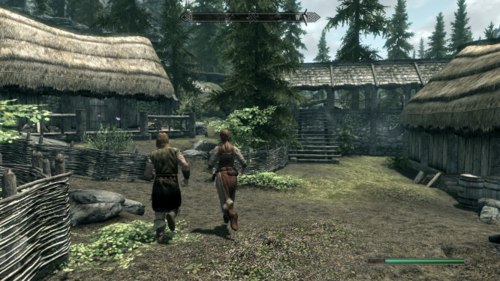
Imagine Carlotta blowing Brenuin in the middle of Whiterun market right in front of her daughter - with half of her body clipping through the vegetable stall - Not really realistic, right?
This SexLab addon solves that problem and immersifies your sexual Skyrim experience by making sure that the player and NPCs will intelligently find a private spot hidden from view to do the deed, rather than doing it right there and then. It also has the added bonus of vastly reducing furniture clipping issues. It works for both PC-NPC, NPC-NPC interactions and group sex.
At this point, it works for all vanilla cities and towns: Whiterun, Solitude, Markarth, Windhelm, Falkreath, Winterhold, Morthal, Dawnstar, Riverwood, Shor's Stone, Karthwasten, Dragon Bridge, Ivarstead and Rorikstead. I might add DLC and other locations in later updates. Outdoors, NPCs will hide behind walls, houses and trees. Indoors, they will always use beds.
Normal Version vs Immersive Version?
In both version, by default, the PC/ NPCs will try to run to the hidden spot. However, for faster gameplay, the Normal Version still uses teleportation if they get stuck or take too long to get there.
The Immersive version eliminates virtually all teleportation for maximum realism - you will now be able to stalk all NPC-NPC interactions all the way. However, PC/NPCs will sometimes take a pretty long time to get there. For the Immersive version to work, you need to leave "Disable Starting Teleport" in SexLab MCM ticked.
I highly recommend the Normal Version at this moment, it works almost perfectly. The Immersive version is still a WIP. It works well for PC-NPC stuff but very buggy for NPC-NPC.
Requirements:
SexLab Framework
Any mod to trigger sex, see recommended below
Installation:
Install manually or with mod managers like any other mod. Make sure Privacy overwrites SexLab Framework in MO and is below SL in the load order.
For NPC-NPC function to work, you have to go to SexLab MCM menu and change 'NPC use Beds' to 'Always'
Compatibility:
Works with all SexLab mods that can use beds (i.e. most of them, as bed use is a SexLab default script)
Recommended:
Sexlab Pleasure SE
Sex Finder SE - make sure you're still able to witness all NPC-NPC action, although you can easily just catch two NPCs running away suspiciously and follow them like a paparazzi .
Random Sex Mod SE
Sexlife SE - a more immersive version of Random Sex Mod
SexLab Eager NPCs SE
SexLab MatchMaker SE
Scent of Sex SE
If you enjoy my conversion work and would like to toss a coin to my coffee fund, you can visit my Patreon ~ Nomkaz
82625 downloads
Updated
-

Deviously Enslaved Continued SE
By nomkaz
Deviously Enslaved Continued SE
I did NOT create this mod. That honor belongs to the Talented Verstort
I only converted it for Skyrim Special Edition, and have shared it with you with
based on my interpretation of their permissions on the Adoption Info page.
If you enjoy this mod, click on the link and give Verstort some love, and check out their other mods!
The following copied from the original LE page:
-----------------------------------------------------------------------
This mod is up for adoption.
13.20 probably benefits from save cleaning or new save if updating. I think the only real downside is papyrus spam, which you can probably ignore
13.14.X+ Does not require DDI 4.0 yet, The changes I have made are for compatibility but do not require the upgrade yet, you can keep using 3.3 and DEC should still work.
Tattoos and masters you can get sent too are all hard coded. If you find a tattoo that does not get detected TELL ME because I don't play with them all and need to know which ones are not being detected correctly.
If you have any ideas for additional SD masters to get sent to, there are only a few requirements I have: The NPC must be found in an area that has at least one bed and 2 additional interactive items (enchantment tables, cooking fires, tables to eat at, ect) so that they have slightly interesting day-to-day activities. Must be a vanilla NPC, might make an exception for DLC If the NPC is interesting enough, or their area is interesting, I'm willing to add Mod and DLC specific NPCs. Cages or good lighting are a plus. Female masters and civilians are currently rare in the list.
Description/summary:
Deviously enslaved was originally created to make the world react to the player while the player was wearing slave gear and other DD/Zap Bondage gear. If the player is found wearing such gear, they may be approached (out of combat) by the population of skyrim for free sex or acquired as a new slave.
This mod only handles approach by non-combat NPCs, in towns and on the road for instance, this is not a combat or defeat mod and should not conflict with mods that offer such functionality
13.0 added some follower interaction, so you can get Cursed loot-esque item finding in the world, some sex, even some bdsm with your followers. Still being worked on.
Overview of changes since Chase's last 1.04 release:
Better control over when the player is attack-able through MCM options More slavery outcomes: Instead of just the original SD and Maria eden, several mods have been added as possible outcomes Follower interaction beyond the regular outcomes Better integration with modern DD/Slavery mods, Requiring less user intervention and less DE interruption Better detection of NPC slaves in the world, leading to less awkward interaction from "unavailable" NPCs Optimizations: DEC should be faster and lighter that DE, so users with weaker computers may be able to play it where previously could not.
Frequently Asked Questions:
What happens if I don't have any optional mods?
No enslavement, only sex and item adding. While DEC doesn't require any specific optional mod to work, DEC does not provide any player slavery itself, piggybacking on the available slavery provided by optional mods instead. Without at least one optional mod DEC does not make use of slavery.
There are options in my menu for mods that are greyed out, what mod am I missing?
Not all greyed out items are because mods are missing, some are greyed out because they don't work yet and I haven't gotten around to adding them to the mod yet.
What do I need to do when updating from a previous version?
Depends on the update, the larger the update the more likely a save cleaning is required, or a new save. Save tool and fallrim tools both work pretty well with Deviously enslaved to clean old versions off of a save; The only times save cleaning doesn't fix a broken DEC install is when stack dumps have ruined many other mods and the save is unsalvagable anyway. It is also recommended to manually reset mods detection in the debug menu, if it isn't set to auto-reset.
Why should I use this instead of Cursed loot?
Feel free to use it with Cursed Loot. Cursed loot provides many similar features, but does not handle enslavement, only sex and item adding (5.0). Cursed loot doesn't allow for male playing either, although I don't focus on dual gender usage, it remains available in DEC.
Do I need the original mod (Deviously enslaved)?
No, DEC is standalone, and does not require the original Deviously enslaved at all.
Is this mod lighter than the original Deviously Enslaved?
Efforts have been made to make it lighter on the papyrus script engine, a lot lighter, but it is still a script heavy mod and shouldn't be combined with too many other script heavy mods. There are a few ways to reduce the load DEC uses:
Increase the time between approach attempts by increasing "Event interval" in the MCM menu to a larger number
Increase the cooldown between attacks
Turning off Slavetats detection
Turning off Alternate Chest slot detection
Leaving arousal detection on faction instead of function
Limiting how many items you wear and carry with you in your inventory
Turn off follower finds items in chest feature, heavier than it looks
Reduce the number of mods DEC looks for, but that's silly
Can you explain the Vulnerability system?
The vulnerability system needs an overhaul. There are 5 levels of player vulnerability (0-4) are described as such:
0: not vulnerable at all, except if you set it in the MCM menu 1: wearing collar or naked 2: wearing the following while naked: harness, collar, piercings, semen. without naked requirement: slaveboots, gag, blindfold 3: wearing armbinder, sitting in zaz bondage furniture 4: 1 lvl 3 items and one lvl 2 item or 3 lvl 2 items, with some exceptions You can now set the individual levels of all items that are detected as vulnerable directly in the MCM
There is no difference with chance to get approached for the different vulnerabilities, any vulnerability over 0 leads to you being approached (sex) at the same chance, but you can set in the MCM menu what levels you want to get approached for enslavement (maybe sex is lvl 1, but you're not enslaveable until your hands are tied (lvl3) and you can't fight back, for instance)
The Sexlab Fame system mod can add +1 to vulnerability with the MCM settings as well, along with the night setting.
last updated: 11/2018
How do I save clean?
Fallrim tools seems to work perfectly with DEC. You can also try using Save tool if you aren't using the mod crash fixes. For fallrim tools "Resaver": * Make a new hard save for cleaning, I recommend the player being inside not surrounded by NPCs or too many objects * Open the save you just made in resaver. * add "crde" to the top left filter box, or select Deviously enslaved.esp in the mod filter box * right click "Scripts(#number)" and select "Delete elements(#number)" * repeat for "Script instances" * Inside of the "Clean" menu in the top left, select "Remove unattached instances" * Inside of the "Clean" menu in the top left, select "Remove undefined elements" * save your changes OR: * Make a hard save with DEC already uninstalled * open the save in resaver * Inside of the "Clean" menu in the top left, select "Remove unattached instances" * Inside of the "Clean" menu in the top left, select "Remove undefined elements" * save your changes
For save tool:
* Make a hard save * Load the save in savetool.exe * Go to "Mod editor" and check deviouslyenslaved.esp on the list * Hit both delete forms and delete scripts on the right side, * go back to the main page and hit "FixScriptInstances" and "Fix all #" <- for good measure * save your changes
OR:
* Make a hard save with DEC already uninstalled * Load the save in savetool.exe * go back to the main page and hit "FixScriptInstances" and "Fix all #" * save your changes
Throwing in a "fix broken inactives" might be a good idea too, after everything else, in the past it would cause more problems then solve, but that seems to have been fixed.
If Save cleaning doesn't refresh DEC's MCM, manually search for "crde" in save tools left script search,and delete all scripts that show up with that name, that has fixed that odd bug for me in the past.
I'm not an expert with using save tool, but this works really well for DE and DEC. The only part of your save that isn't cleaned are the crde StorageUtil variables, which are only used as time stamps currently anyway, so it shouldn't matter if they are left over
What is "Armbinder conversation" and why does it never seem to activate?
Chase put that in, and never finished it. I never got around to finishing it because I wasn't sure until recently what it was supposed to be. Right now it does nothing.
What is Morality?
Morality is an actor value found in the vanilla game. In the actual game, it is used to determine what crimes a person is willing to commit in aiding his allies and friends. See here: http://www.uesp.net/wiki/Skyrim:Morality#Morality
Not a perfect correlation with is willing to enslave someone they meet in the world but was the closest thing the game had to such a system. If there was a better system I would consider implementing it.
Why are you still using "CRDE" as an identifier and "deviouslyenslaved.esp" instead of changing them to something more accurately named?
Lazy.
DEC doesn't work, what's wrong?
Make sure you have all the hard requirements, DDx and UIExtensions are NOT optional. Double check that the mod is not working by enabling DEBUG through the MCM menu (ON by default), setting it to console so it doesn't spam your notifications (ON by default), and open the console and check if you get CRDE debug output every 8-15 seconds. The game must be moving for those 8-15 seconds (out of console/ui)
Common reasons DEC is working but you aren't being approached:
NPCs don't have high enough arousal, lower the threshold or find some way to warm them up
NPCs have too high of morality, lower the threshold in the options or change the character morality through console
NPC is wearing slave gear (Zaz/DD) or is in a faction that marks them a slave.
You have a quest active that DEC uses to check if the player is busy, finish the quest
Those weren't the issue! AND/OR you cannot see debug info in the console
Describe what is wrong as best you can, and include a papyrus log (with debug messages turned ON) in the support thread and I'll see if I can figure out why it doesn't work for you. Some issues, especially if the mod stops working and will not print error messages, requires a save game be given to me so I can inspect the mod state in Fallrim tools. If you think this data is too sensitive you can post it to me in a private message, but please post issues in the support thread first as other users might have similar issues or have already found solutions.
Mods that DEC connects with (slavery):
SD+ Maria Eden (1.19 and 1.24 mostly work) Cursed loot Simple slavery Devious Cidhna Wolfclub (old) Slaverun and Slaverun Reloaded S_L_U_T_S Isle of Mara Tweaked
The rest of the mods, and how/why they connect with DEC are explained in the second post on the forum.
Incompatible mods:
Currently, the only mod I recommend users not use in combination with DEC is Sky Slavery, which adds male slaves around skyrim. I cannot find a way to detect that they are slaves, so there is no way to stop them from attacking the player, and some of them were bugged out and could not interact with last time I tried the mod.
* Mia's Lair: I think I got all incompatibilities with Mia's lair sorted out, but you might still get a stack dump during the interrogation part, because I haven't added location based detection for that part yet. Everything after that is smooth, and you shouldn't need to turn DEC off, if you have reason to believe otherwise tell me. * Submit: Once in awhile, a user shows up saying they think Submit breaks the mod. I don't even know if or which submit variant is still being maintained, and I'm not going to test them all. I'm going to assume the issue was misattributed to something else until a user gives me a replicatable case with a specific Submit version, but be aware that there might be a real issue here. * Maria's Eden +2.0: Local enslave works, but not Khajit (Defeat), although that might fix itself if the problem was on ME's end. Some mods, for whatever reason, create template NPCs that have the wrong gender assigned to them. DEC uses ActorReference.GetActorBase().getSex() to get gender, you can fix this by changing DEC over to using sexlab gender instea of base game gender, then setting the gender of the NPC through sexlab's MCM interface, can't fix otherwise. * Traps, Pitfalls and Dangerious Things: I never got a response back from Jim about how to get the two mods to detect one another, he seems MIA. For now this mod is on my list too As a reminder: if DEC is getting in the way of a mod/quest/scene you can turn it off temporarily in the MCM settings
TODO: Find a good image to use for mod icon
TODO: Find someone who wants to write dialogue
TODO: Figure out minimum requirements for mod versions
TODO: Find out why every time I edit this page paragraphs get extra new lines
Permissions:
DEC is now licensed as GNU Public License v3.0, which means it is opensource but you cannot fork the project without keeping it opensource (which for a buggy, poorly documented language/VM like skyrim, I feel open source is a huge benefit to the community). General code in the mod is free to copy for your own projects.
Thanks to:
Chase Roxand, the original author, for doing the hardest part Zippy for being a bro The authors of Sexlab, Devious devices and ZAP for providing the necessary framework The authors of LoversLab mods for freely providing their code source for code discovery and providing their assistance where available simplefries for pointing out that I was an idiot Firescrat for tracking down and fixing quite a few bugs. Legume for putting up with my bullshit Hexbolt8 for digging in the mod far enough to notice some dialogue was quietly broken and alerting me Everyone else who has helped me when I couldn't figure out the solution to a problem myself
Old support thread for Deviously Enslaved (Chase Roxand): http://www.loverslab.com/topic/40916-deviously-enslaved-v104-1715/page-47
Old DE download page: http://www.loverslab.com/files/file/1602-deviously-enslaved-v104-1715/
Less important details about the mod have been moved to the second post of the support thread to keep this page to a reasonable size
If you enjoy my conversion work and would like to toss a coin to my coffee fund, you can visit my Patreon ~ Nomkaz
47381 downloads
Updated
-

Sexlab Approach Redux for HIM SE
By nomkaz
Sexlab Approach Redux for HIM SE
I did NOT create this mod. That honor belongs to the Talented -Caden-
I only converted it for Skyrim Special Edition, and have shared it with you with their permission.
If you enjoy this mod, click on the link and give -Caden- some love, and check out their other mods!
The following copied from the original LE page:
-----------------------------------------------------------------------
Sexlab Approach Redux For the Male PC
Very simple esp that changes the conditions and dialog in BakaFactory's Sexlab Approach Redux to work for those playing as a Male character
To install you will need:
Sexlab Approach Redux: No SE version yet :(
and all of its requirements
Then drop this file into your data folder and click "Yes to All" when asked to overwrite
If you enjoy my conversion work and would like to toss a coin to my coffee fund, you can visit my Patreon ~ Nomkaz
8998 downloads
Updated
-

Run Dragonborn RUUUN! SE
By nomkaz
Run Dragonborn RUUUN! SE
I did NOT create this mod. That honor belongs to the Talented -Caden-
I only converted it for use with Skyrim SPeical Edition, and have shared it with you with their permission.
If you enjoy this mod, click on the link and give -Caden- some love, and check out their other mods!
The following copied from the original LE page:
---------------------------------------------------------------------
(Read change Log for info on the New updates Choose between Mages Delight or 11-19-2019)
(With Optional 3x Leveling file) The 3x Leveling is for you, the Dragonborn to level up 3 times faster..(this will not make playing RunDBRun any easier thou) (Sometimes Running means Surviving)
Mods that go well with RunDBRunn: Sexlab Defeat SE Death Alternative - Your Money or Your Life SE Deadly Dragons SE !!!!Read the description!!!!
(Skyrim's difficulty system was made the quickest and laziest way possible, as you increase your difficulty in game, all that really happens is your weapons do less damage, and the enemies does 2x damage(actually enemy stats do not change thru the vanilla system), RunDBRunnn allows your weapons and armor to use the damage/protection the weapons/armor stats show(on Adept difficulty), while increase the enemy levels to "legendary" status!
Description:
With this mod, the enemies do not scale, they are already at the level they will always be at whether it is level 10, level 130 or level 500, so you will meet enemies with this mod early in the game that you cannot beat yet,
( this mod doesnt hold your hand and make it easier for you just because your a lower level) which in my opinion adds a better feel to the game
( why should every enemy get stronger just because your character did? That seems like a flawed design in the game to me, ,so now if your level 80 that level 10 bandit will still be a level 10 bandit, but the level 250 bandit will still be a level 250 bandit, whether you are level 1 or level 100!
Every group of bandits will be random, EXAMPLE: in a group of four there could be a level 10, level 50, level 30, and level 200, so just because the first shot with an arrow did a one shot kill on that enemy, does not mean its now ok to rush in "swords a blazing"!
0 scripts, can install and uninstall at any time
Werewolves will appear now and then when least expected
Giants have up to 15,000 hp
Most Enemies have just as much, if not more stamina then you, so they can chase you down
Un-leveler, yes you can now meet an enemy that is level 100 at level 1 (ebony warrior is no longer the only badass in Skyirm
bandits carry more than garbage weapons, the can be found with glass bows, ebony great swords and more, right from the start, killing them and taking them from them will be awhole other thing
Think you are the only mage that can use spells like firestorm, blizzard, and lightning storm? (shakes head) not anymore! (Higher level enemy mages)
a few bandits can shout
This goes beyond bandits, drauger, spiders, the days of one hit kills on a giant are over
most enemies do not level up with the PC, they are already at that level, ranging from level 10 to level 500 (higher ranked enemies)
no more running head on into a bandit camp without consequences
Now mods like SUBMIT, DEFEAT, DEATH ALTERNATIVE, will always matter
has you get to higher levels , much harder enemies will appear
not all enemies are tough, some are still weak bitches
Did not touch the vampires in Dawnguard due to killing the NPCs in Towns, there are Dawnguard mods out there that will alter that
Did not touch dragons...that's what the mod Deadly Dragons is for
Should be compatible with everything, only thing altered is encBandit01Template and similar files
Optional 3x leveling file is also script free Recommended to use LOOT to sort load order, but if you do not use LOOT then RunnDBRunn esp and Leveling3x esp need to be low in the load order but if you use the mod ORDINATOR, both esps should be right above that in your load order
Reasons for this mod:
As already stated, Death Alt and other mods now are always in play, no matter how strong the Dragonborn gets You need to learn to make stronger Armor you will need stronger weapons sometimes, you get beat down in defeat or DA, you will have to find a more strategic way to get to the one who robbed you Shield's now become important along with wards you now have a challenge when you going on a radiant quest to retrieve a stupid amulet sometimes you really do have to run!
If you enjoy my conversion work and would like to toss a coin to my coffee fund, you can visit my Patreon ~ Nomkaz
1925 downloads
Updated
-

A New Sisterhood (Sisterhood of Mara) SE
By nomkaz
About This File
I DID NOT create this mod, nor do I claim any ownership of it or it's resources, or dependencies.
I merely converted this mod to Skyrim Special Edition for my personal use, and decided to ask
@DMoney1331 for permission to upload my conversion of his hard work. He has also offered to
forward update/upgrades for this mod so I can add them to the SSE conversion. I am simply curating
the SSE version on his behalf, and if he decides that he wants to maintain it himself I will take this
down to avoid having he same mod uploaded twice for Special Edition.
Dependencies:
SexLab.esm
SexLabAroused.esm
ZazAnimationPack.esm
Devious Devices - Assets.esm
Devious Devices - Integration.esm
Devious Devices - Expansion.esm
CreatureFramework.esm
Mod Description copied from original page:
About This File
Description:
This mod seeks to expand on the Sisterhood of Dibella questline, centering on the temple of Mara. The temple of Dibella enjoys newfound wealth and prestige, its influence felt throughout the province. But this newfound prosperity is driven by a dark submission to the will of a Daedric Lord. Blissfully unaware of this truth, the temple of Mara calls on its sisters for aid. Their influence wanes, much as the Dibellans' once did. They forget their ancient responsibilities, and the temptations lurking beneath their feet. Seeing an opportunity, the sybil and her champion infiltrate the temple, intent on both reclaiming an ancient sanguinian site and corrupting another goddess into their lords' service. After all, why have one goddess when you can make it a threesome?
Current Features:
A new area beneath the temple of mara, to be customized and adjusted as the questline proceeds
Planned Features:
A full questline continuing the corruption ending of Deep Blue Frog's sisterhood of Dibella
An expanded clergy of mara distributed around skyrim
Full Sexlab Integration
Notes:
I am using this mod as much to teach myself the process of mod creation as anything else. As such, release schedules will depend heavily on how quickly I am able to figure out the various features of the creation kit. Any feedback and advice is extremely welcome.
Acknowledgements:
@DeepBlueFrog - for letting me expand on their work and giving some great advice on how to get this process moving.
Special Thanks From nomkaz:
@DMoney1331 for allowing me to share this Skyrim Special Edition Conversion with you.
If you enjoy my conversion work and would like to toss a coin to my coffee fund, you can visit my Patreon ~ Nomkaz
18248 downloads
Updated
-
Namira's Skyrim + Decorations SE
By nomkaz
Namira's Skyrim + Decorations SE
I did NOT create this mod, I merely converted Pchs's mod for Skyrim Special Edition, and shared it according to the open permissions they gave me. I CANNOT give any perms not specified on the original upload page for this mod. If you wish to alter, edit, or otherwise make changes and upload them anywhere, please refer to the permissions (if given on upload page) by the Original Author or contact them directly. This mod should be considered a placeholder for when/if the original author decides to take control of it.
If you enjoy this mod, go to the Author’s page and give Pchs some love!
The following is copied and edited for SE links from the Original Download Page:
--------------------------------------------------------------------------
Namira's Skyrim
20170418
What does it do?
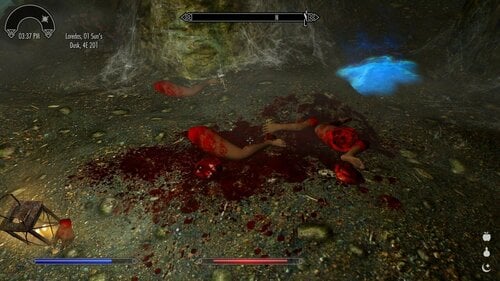
This mod swaps all human bones placed all over skyrim for some of the bodypart items from Namira's Goat mod. You won't see any more placed bones, but girly bodyparts instead. This mod is probably considered gore, so beware those who are not into it.
Additionaly the Decorations plugin adds several wallmounts (the same as the wallmounted wolfs, goats, cats, etc.) but with various bodyparts (breasts, vaginas, penises, uterus). It also replaces vanilla placements of such wallmounts (i believe that mostly wolfs and bears) with some of the mentioned assets.
Further development?
I plan to do the same swap for food all over Skyrim - replace it with grilled girls.
Want to help?
Create more meshes of similar nature. It's not my area of expertise, but I can surely utilize them.
Requirements
Namira's Goat
Schlongs of Skyrim SE (for Decorations - texture of a penis)
Schlongs of Skyrim Leito Addon (for Decorations - textures)
Credits
Namira's Goat by tengma for the precise meshes and overall idea
b3elisario for SoS
Leito86 for SoS addon
What's New in Version 20170710
Released July 10, 2017
20170710 Added "Decorations" - wallmounted bodyparts. Check requirements! 20170418 Initial release. If you enjoy my conversion work and would like to toss a coin to my coffee fund, you can visit my Patreon ~ Nomkaz8489 downloads
Updated
-
Loansharks of Skyrim SE
By nomkaz
Loansharks of Skyrim SE
I did NOT create this mod, I merely converted Pchs's mod for Skyrim Special Edition, and shared it according to the open permissions they gave me. I CANNOT give any perms not specified on the original upload page for this mod. If you wish to alter, edit, or otherwise make changes and upload them anywhere, please refer to the permissions (if given on upload page) by the Original Author or contact them directly. This mod should be considered a placeholder for when/if the original author decides to take control of it.
If you enjoy this mod, go to the Author’s page and give Pchs some love!
The following is copied and edited for SE links from the Original Download Page:
--------------------------------------------------------------------------
Loansharks of Skyrim
20160407 Beta
Please test it, if no further bugs will be confirmed, I will release it from beta and upload final version. Report bugs only if you have started from a clean save (otherwise some globals might not be upadated and dialogue/values could be wrong/empty).
Why this?
I've always wondered why there's no way to borrow money in vanilla Skyrim. There are nice mods around the internets that do much more than this, but.. Let's say they lack the proper consequences!
What does this do?
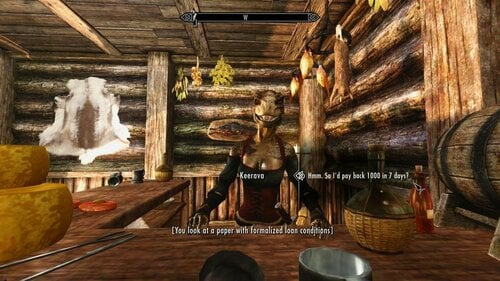
This small mod enables all inkeepers (no DLC inkeepers, though) to lend you 500 or 1000 gold for a week any amount of gold for any period for any price (interest) you set up in the MCM menu. They will charge you twice the appropriate interest and if you don't pay back the debt in due time, you will be sold as a slave.
Requirements
SexLab SE- for (partially) paying the debt with sex services to the creditor
Simple Slavery SE- actually if you don't have it installed, the mod will work, except nothing will happen if you miss the time to pay the debt
Credits
jfraser for Simple Slavery and his very easy way to connect with other mods!
Ashal for the awesome SexLab!
Future development
I don't have much ambitions to develop this mod further. I intend to fix major bugs and move on. postponed as long as this mod's development is bringing me fun
Change Log
Hide contents
20160407 Beta
- fix: end options
1) enslave (default - Simple Slavery)
2) bounty (vanilla bounty)
3) random choice for both (select both in MCM)
- fix: incorrect display of debt value in MCM, some dialogue
20151013 Beta
- new: MCM menu customizable rewards for sex
- new: MCM menu current loan info
- new: partial repayment option & you can also choose to pay 10 % of that partial repayment for prolonging payment term by 10 %
- some additional polishing
20151012 Beta
- new: MCM menu with customization (Debt value, Debt length, Debt interest multiplier)
- new: pay back with sex
20151011 Alpha
- initial upload for community testing
If you enjoy my conversion work and would like to toss a coin to my coffee fund, you can visit my Patreon ~ Nomkaz
11338 downloads
Updated
-
Sex Slaves for Vanilla Bandit Camps SE
By nomkaz
Sex Slaves for Vanilla Bandit Camps SE
I did NOT create this mod, I merely converted PCHS' mod for Skyrim Special Edition, and shared it according to the open permissions they gave me. I CANNOT give any perms not specified on the original upload page for this mod. If you wish to alter, edit, or otherwise make changes and upload them anywhere, please refer to the permissions (if given on upload page) by the Original Author or contact them directly. This mod should be considered a placeholder for when/if the original author decides to take control of it.
If you enjoy this mod, go to the Author’s page and give PCHS some love!
The following is copied and edited for SE links from the Original Download Page:
--------------------------------------------------------------------------
What does this mod do?
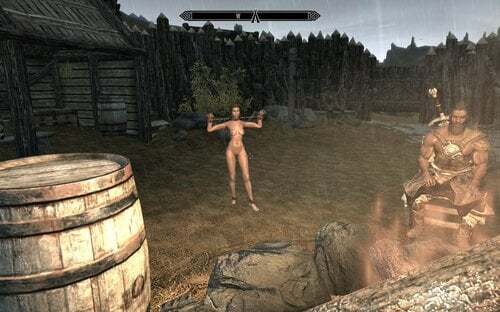
It adds one or more female slaves to each bandit camp listed bellow. It requires original mod also listed bellow.
You can talk to such slave while given two options - to use her (...), or free her (sort of - gets removed from the banditfriendfaction and flee AI package gets set - for now).
Mod requirements & Credits
SexLab SE - by Ashal
ZaZ Animation Pack V7 or V8 SE - by xaz, ZaZ Chris
Modified camps
Hide contents BilegulchMine
pchsSlave019 - worker (forge)
pchsSlave007 - lying
pchsSlave002
BrokenHelmHollow
pchsSlave020 - furniture (rack)
BrokenOarGrotto
pchsSlave003
pchsSlave018 - lying (bed)
pchsSlave021 - worker (forge)
CrackedTuskKeep
pchsSlave004
pchsSlave022 - idle (post)
CragslaneCavern
* reserved for special content *
EmberShardMine
pchsSlave023 - idle (post)
pchsSlave024 - lying (bedroll)
pchsSlave025 - worker (forge)
FaldarsTooth
pchsSlave029 - lying (bedroll, tent)
pchsSlave005
pchsSlave026 - idle (post)
pchsSlave027 - dead (table)
pchsSlave028 - furniture (rack)
pchsSlave006
pchsSlave028 - servant
FortFellhammer
pchsSlave014 - standing (yoke)
FourSkullLookout
pchsSlave008
FrostmereCrypt
* none *
GallowsRock
pchsSlave009
pchsSlave017 - standing (yoke)
HaltedStreamCamp
pchsSlave030 - worker (tanning rack)
pchsSlave031 - worker (forge)
KnifepointRidge
pchsSlave011
pchsSlave034 - furniture (xcross)
pchsSlave033 - worker (forge)
pchsSlave010
pchsSlave032 - servant
LostKnifeHideout
pchsSlave012
pchsSlave013
pchsSlave035 - servant
pchsSlave036 - dead
pchsSlave037 - dead
Mistwatch
pchsSlave016
pchsSlave015
pchsSlave017 - lying (bedroll)
added some ZaZ furniture and toys for SD+ immersion
Nilheim
pchsSlave040
Orotheim
pchsSlave041 - worker (cooking)
pchsSlave042 - standing (yoke)
RedoransRetreat
pchsSlave043 - lying (bedroll)
pchsSlave044 - worker (cooking)
RiftWatchtower
pchsSlave038 - furniture (xcross)
RobbersGorge
pchsSlave045 - idle (post)
pchsSlave046 - furniture (pillory)
pchsSlave047 - lying (bed)
Bthalft
pchsSlave048
SilentMoonsCamp
pchsSlave049 - worker (forge)
pchsSlave050
SnowpointBeacon
* none *
StonyCreekCave
pchsSlave051 - dead
pchsSlave052
SwindlersDen
pchsSlave053 - servant
pchsSlave054 - furniture (xcross)
pchsSlave055
TrevasWatch
pchsSlave056 - furniture (xcross)
pchsSlave057 - servant
pchsSlave058
pchsSlave059 - worker (cooking)
pchsSlave060 - servant
Ustengrav
* none *
UtteringHills
pchsSlave061 - servant
ValtheimTowers
pchsSlave062
pchsSlave063 - lying (bed)
pchsSlave064 - furniture (wheel)
WhiteRiverWatch
pchsSlave065
pchsSlave066 - dead (hanging cage corpse replacer)
WreckOfTheWinterWar
pchsSlave067
pchsSlave068
Other features
MCM menu - for now contains only check if the quest for dialogue is started
Bugs
None reported yet - though I expect NPC placing issues (like slaves outside cages or tents).
Grey face bug - shouldn't occur as I supply the mod with facegen generated data.
Future development
- explore scripting options for bandits to actually have sex with slaves (if not too script heavy or complicated? - I want this to be rather light mod, for my PC is already almost blowing up)
- add Cragslane Cavern - Kennel Club (slaves forced to be used as kennel/wolf sluts - optional addon for this mod)
If you enjoy my conversion work and would like to toss a coin to my coffee fund, you can visit my Patreon ~ Nomkaz
43968 downloads
Updated
-
SL Drunk (MCM + NPC asks for sex) SE
By nomkaz
SL Drunk (MCM + NPC asks for sex) SE
I did NOT create this mod. That honor belongs to the Talented Vinfamy
I only converted it for Skyrim Special Edition, and have shared it with you with their permission.
UPDATE: I changed the download to the Oldrim/LE ESP which is in Form 43 and added an ESL flagged version. I'm getting notifications that for some reason, dialogue gets broken when the ESP is converted to Form 44, but offering a From 44 version, and added an ESL flagged version, if you're brave.
If you enjoy this mod, click on the link and give Vinfamy some love, and check out their other mods!
The following copied from the original LE page:
-----------------------------------------------------------------------
MCM options to disable drunk visual effect, stumbling animation, change timeout between approaches and set forced chance. NPC will now approach asking for sex directly.
Drink to make friends and get laid. Drink too quickly and get wild or get taken advantage of.
Suitable for characters of all gender orientations. Dominant or submissive.
Click "Follow this file" above to keep up-to-date with the latest releases.
To begin the fun, just use any alcoholic item. Or choose the “Have a drink on me” dialogue with a drink in your inventory. As long as alcohol is in your system, NPCs will also approach you to share a drink with them. Any location would work, both the best are taverns (obviously!), Jorrvaskr, guardhouses, etc
Socialise
Chatting with NPCs over a drink has a chance (depending on your Speech skill) to improve your relationship, which in turns allows you to take certain items from the NPC’s home, receive gifts and advance towards the Thane’s quests. You can even drink your way to a potential follower’s allegiance/ a potential spouse’s heart.
Pick Up Girls/ Boys Or Be Picked Up
You can be cheeky and ask for sex while sharing a drink with a NPC. Chance of success depends on your existing relationship, the NPC’s morality and how drunk he/ she is.
NPCs will now also approach you asking for sex directly
Get Drunk
Drinking too much in quick succession, either from your inventory or through a NPC’s invitation, will result in you getting drunk. The alcohol’s value will determine its strength. Your vision will blur; your movement will be affected, and:
While in conversation with NPCs, you will always act flirty and no longer behave properly. Male NPCs might take advantage of you. You might violate nearby female NPCs
To move while stumbling, you may need to ‘jump forward’ first (Space + W).
Easiest way to get out of your drunkenness is to sleep for a few hours.
Requirement
SexLab Framework – that’s it! This will remain the only hard dependency.
Installation
With Mod Organizer or extract content into Data folder.
I recommend NOT upgrading from version to version, but if you do, then at least use Save Cleaner .
Possible Future Content
Various blackout scenarios “The Hangover”-style quests for the morning after NPC vs NPC/ group sex / orgy Drugs/ spiked drinks Optional integration into SexLab Kidnapped SEand its wide range of scenarios, which include optional bestiality and devious stuffs Optional picking of drunk and sleep animations from FunnyBiz Other optional integration: SlaveTats, SkoomaWhore, etc The great suggestions from this thread YOUR suggestions, please comment below. Thanks for everyone’s suggestions so far, please do keep them coming by replying below.
Translations:
Spanish by Gothuska
If you enjoy my conversion work and would like to toss a coin to my coffee fund, you can visit my Patreon ~ Nomkaz
30284 downloads
Updated
-
bodyslide 3BA Bodyslides for Devious Devices 4.3 AIO.
By Grummkol
Bodyslides for the current Devious Devices SE Beta (4.3) and the 3BBB Amazing body.
Requirements:
Devious Devices SE Beta 4.3 and all it's requirements.
3BBB Amazing body
Bodyslide and Outfit Studio
Make sure that you choose the CBBE option for the bodyslides during the Devious Devices installation as only the armour that required updating for the new bones was changed.
Instructions:
Install with favourite mod manager
If you use one preset for your body.
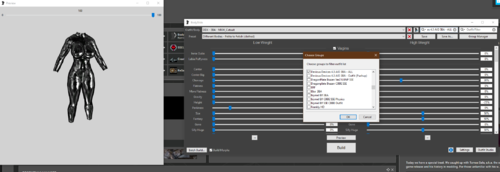
1. In bodyslide batch build the "Devious Devices 4.3 AIO 3BA - ALL" group
This also includes the CBBE parts where a conversion was not necessary (boots, armbinder, collars, gloves etc). No other groups should need to be built in bodyslide
If you use two presets, one for naked, the other for outfit/pushup,
1. Batch build the naked preset with "Devious Devices 4.3 AIO 3BA - ALL" as above.
2. Change to your outfit preset and batch build "Devious Devices 4.3 AIO 3BA - Outfit (Pushup)" group , overwriting.
Todo:
Short Term
Some items still need converting (the yoke being one).
Fix any weight or clipping issues reported (for clipping let me know the model and the preset you are using)
Long Term
I'm not happy with some of the straight jacket weighting so might redo those. Done in release 1.0.1
Add More Sliders for Feet to the DD shoe and boots items
Credits:
Kimy and the DD team without who these wouldn't exist.
Acro748 for the 3BBB Amazing body
Ousnius and Caliente for giving us the tools to be such complete perverts.
Pfiffy for all of his conversion work. The SE scene wouldn't be where it is without it. (just don't mention SetVehicleFixPlugin.dll)
The LL community. You're all a bunch of wrong-uns and the main reason I'm still playing this damn game.
31759 downloads
Updated
-
Fill Her Up SE - controller CTD fix
By Herowynne
Fill Her Up SE has the same problem as Devious Devices such that CTDs can occur when using a controller due to Papyrus script code like the following:
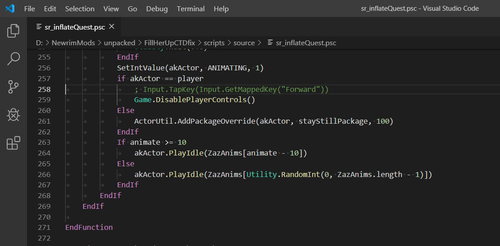
Input.TapKey(Input.GetMappedKey("Forward"))
When using a controller on Skyrim SE, the GetMappedKey function can return an invalid value, which in turn causes a CTD when the invalid value is passed to the TapKey function.
The CTDs can occur when using the Expel Cum hotkey, or when periodic expel cum events occur. Both cases flow through the same line of code in Fill Her Up SE, so this fix covers both cases.
UUNP Version
This fix is intended for use with the UUNP version of Fill Her Up SE. I have only tested this fix with the UUNP version of Fill Her Up SE.
This fix includes an edited Papyrus source script file "scripts/source/sr_inflateQuest.psc" and a compiled file "scripts/sr_inflateQuest.pex".
The script used an obsolete SexLab function AccessPosition that no longer exists in SexLab.
In order to compile the script, I had to comment out the use of the cumSpot variable and comment out the call to the obsolete SexLab function AccessPosition.
In order to fix the CTD when using a controller, I commented out the line Input.TapKey(Input.GetMappedKey("Forward"))
CBBE Version
@Yinkle is maintaining the CBBE version of Fill Her Up SE. According to @Yinkle, this fix is also available in the CBBE version of Fill Her Up SE found here.
3467 downloads
Updated
-
Dint999's BDO Weenie Looney SMP 3BA
By em486
This is converting Dint999's Weenie Looney from LE to SE and hdt-pe to hdt-smp.
This file's body is CBBE and provide 3BBB amazing body.
Also, CBBE Uniboob patch applied.
Change Log
1.01 Retextureing Black and Yellow and make texure set by 피니(PiniPini)
Troubleshooting
SMP skirt will be overlapped(cuz hard to convert its physics, it is my out of power)
if you wear bootsstocking with stocking, you can see very tiny ankle line
Requirement
CBBE
3BBB Advanced(3BA; if you want to use 3BBB bodyslide, latest is best)
Bodyslide
HDT-SMP
CBPC Physics
Credit
BDO Weenie Looney by Dint999(Baseauth)
5516 downloads
Updated
-
sound fx Soulsborne Sound FX SSE
By ryonalice
modder:
ryonalice Aeloyis
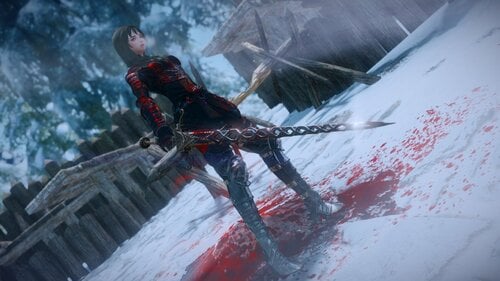
This mod makes skyrim combat sounds like Dark Souls and Bloodborne This file contains compatible patches with other mods. If you don't know what it is, delet patches, otherwise you will not be able to enter the game. CREDITS/PERMISSIONS
FromSoftware for sound effect - Allowed to use for non commercial purposes12747 downloads
Updated
-
Team TAL's BDOR Hamshin SMP 3BA
By em486
This is converting Team TAL's BDOR Hamshin from LE to SE and hdt-pe to hdt-smp.
This file's body is CBBE and provide 3BBB amazing body.
Also, CBBE Uniboob patch applied.
FOMOD will give you chance to choose color of armour.
Change Log
Not yet
Troubleshooting
Not yet
Requirement
CBBE
3BBB Advanced(3BA; if you want to use 3BBB bodyslide, latest is best)
Bodyslide
HDT-SMP
CBPC Physics
Credit
DM BDOR Hamshin by Team TAL
170185 downloads
Updated
-
My ChainMail CBBE-3BBB with physics
By Psycho_Bill
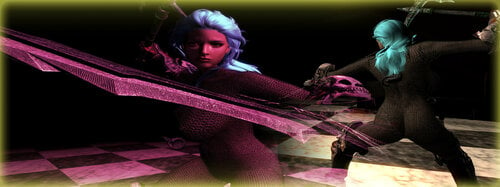
A new light and clothy chainmail body armor. wear as a body suit or sections with other armors. CBBE and 3BBB
NEW file, MyChainMail Ra... it was built to better fit other Remodeled armor mods like Remodeled Armors by ChronoTrigger77 and TAWoB by Nisetanaka
though there might be some slight clipping as i did not go through 200+ armors and test. sorry, my ADHD would have takin over and... ...OH LOOK, another mod to convert!!!
Guess i should mention this has Physics... all the lovely bouncing parts one could handle.
I have been self learning 3ds Max and took the model base of CBBE removed everything from it and recreated a body suit from it. Rebuilt the UV maps and the vertices so its not as heavy.
Sense doing this i had a hard time getting the weight painting so there are some minor clipping in certain animations, that being said if one uses "Female Cat Crawl" as the sneak animation then the wearer looks as if they have a minor case of Elephantiasis... ...crotch is grossly enlarged
Ousnius has alowed me permission to upload, i felt that sense i used the CBBE nif to start my creation then i should ask.
There are two versions of body suits one is light armor and the other is non armor for mages as well as the sectional pieces. All can be made with no perks at any forge, just look for "ChainMail"
Body Suit obviously uses the 32 slot
High Pants uses Biped 60
Left Arm uses Biped 58
Right Arm uses Biped 59
Low Top uses Biped 46
Mid uses Biped 47
Pants uses Biped 53 and rope is 60 for HP replacement
Top uses Biped 45
Some mixes will of course clip sense MyChainMail was not made for "any" specific armor mods
so one could just remove a section like here
or open the chainmail section up in BodySlide and lower a slider. One could also open in OutFit Studio and adjust for a better fit.
If anyone could get the painting better than please do and i will give credit for it.
Thank yous:
Aers for taking the big step at taking over SMP (has nothing to do with this mod but i just like thanking him for taking on SMP)
I really wanna thank ChronoTrigger77 for teaching me some of the tricks and how-to's with armor modding and for letting me help with the rebuild of Remodeled Armor for SSE.
Groovtama: for Skeletons..
Caliente & Ousnius: CBBE and BodySlide...
Acro748 for the awesome 3BBB bodies.
Please check out my other pointless mods:
Legend Of Andromeda CBBE special with BodySlide:
Andromeda is NOW in CBBE with her very own BodySlide files. This is just an addon so you MUST download the original then allow this to overwrite.
Legend of 1001 Nights CBBE Special with BodySlide:
"A tale based on Arabian Nights comes to Skyrim" and NOW with CBBE and BodySlide.
Chakaru's 1001 Nights CBBE BodySlide and Physics:
This is a conversion of Chakaru's Oblivion 1001 Nights to SSE with CBBE BodySlide and physics
Pandorable's Heroines CBBE with BodySlide and phyics:
Here are the CBBE and BodySlide files for Pandorable's Heroines.
Pandorable's Lady Arkay CBBE BodySlide with physics:
Here are the CBBE and BodySlide files for Pandorable's Lady Arkay
Pandorables Dhaunayne Aundae with CBBE BodySlide and physics:
Here are the CBBE and BodySlide files for Pandorable's Dhaunayne
VampireLord ReVamped:
Changes the male or female Vampire Lord to use the players body aswell as a bit of a twist to the armor...
CBBE with BodySlide files and physics
Draugrs Revised:
Here is BodySlide files of the Draugr Race... ...females of course... PLUS breast and butt physics
Wisp Mother Revised:
This is just a BodySlide files of Wisp Mother and a few pervy tweaks to the cloth.
Girl's Heavy Armors SE CBBE BodySlide:
Rebuilt the BodySlide files and added physics.
Hermaeus Mora Priestess Armor:
Ported and built BodySlide files.
Mannequins Revamped:
changed the look and the bodys aswell as BodySlide
No Same Race:
a separate BodySlide for all races... ..of females
Flame Atronach Revised:
just tweaked the ingame files a bit and created a BodySlide for her
Ebony Valkyrie Armor Realistic Bounce CBBE add-on:
this was a fix and a physics manipulation i had done
2187 downloads
Submitted
-
Black Kitty Outfit - CBBE Bodysilde SE
By Warlock3000
Meow.
Clothing craftable at a tanning rack.
Included items:
- Top (body slot)
- Shorts (slot 52)
Circlet slot variants:
- Mask
- Ears
- Mask + ears
1135 downloads
Submitted
-
NiNode Updater / Botox invisiblity and hair fix
WHAT
This mod applies the SKSE QueueNiNodeUpdate on female NPCs.
WHY
It seems to fix the problems with Botox NPCs turning invisible or having hair parts misplaced on their body. See attached images for examples.
HOW
Automatically - Every female NPC in the cell is refreshed at the interval set in the MCM.
Manually - Pressing the assigned hotkey will refresh the currently targeted NPC. If none is selected everyone in the cell is processed.
PERFORMANCE
In automatic mode the NPCs are only processed once per cell-visit by the help of custom factions.
Aliases are used instead of a cloak effect to apply the scripts (as for why see here).
Notes
While made and tested for the Botox mod in mind it should work on any other NPC suffering the same problem.
The "Mod Active" toggle in the MCM only applies to the automatic scanner. The hotkey will always work.
This will not fix Botox NPCs causing CTD, that's because of the broken or missing meshes in certain releases.
Mod was tested with the hdt-tweak, see image below. Depending on your system that, this mod or both together might be necessary.
562 downloads
Updated
-

Pocket Cole
By fantasy19
My first new mod coming back to modding 2020.
Recommended to reinstall the required follower (Cole) if you had the mod.
If not, install install the follower mod first.
Make sure this mod's esp is below the follower's esp in load order.
Q: What does this mod do?
A: It revamps Cole. Start by finding the book at Whiterun catacombs. The rest are meant to be figured out.
Q: Elaborate more?
A: DROP THE BASS
Comment if any issues.
1481 downloads
Updated
![More information about "[ASOTA OFFICIAL] Ruth Outfit"](https://static.loverslab.com/screenshots/monthly_2026_10/3pose.thumb.png.1ea9e7936dbec909ac0d0ba52f4e6729.png)
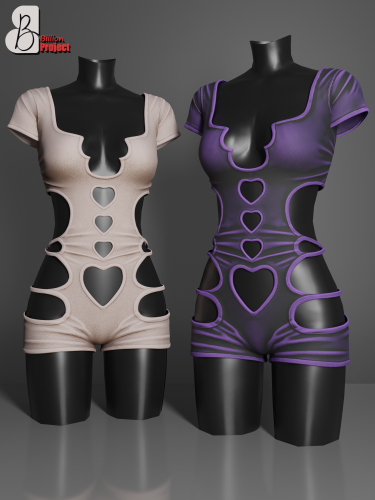
![More information about "Dina & Nina Caliente makeover [REMAKE]"](https://static.loverslab.com/screenshots/monthly_2026_10/2026-10-06_15-12-06-613_WWOOALITTLELIFE.thumb.jpg.e098dfa312e6ec66d2edcf22476ee79a.jpg)