Select a subcategory to view available files.
Files From Subcategories
-
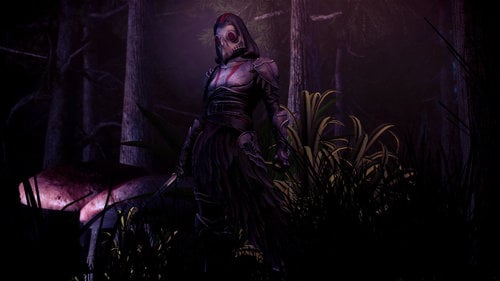
plague bearer smite Izanami Plague Bearer
By Outlawer
added plague bearer armor from smite izanami's skin Plague bearer
I just liked the armor design and was working
it is female only armor
got a 4 part of armor
main armor(upper + lower)
hood
plague mask
glove
It's not necessary, support bodyslide
thoes armor each got a enchanted effect
main armor(boethiah's cloack same as ebony chainmail)
plague mask(resist poison)
glove(incrase fist damage)
if you don't like enchant version
replace attached esp from 'Non ench esp'
2484 downloads
Submitted
-
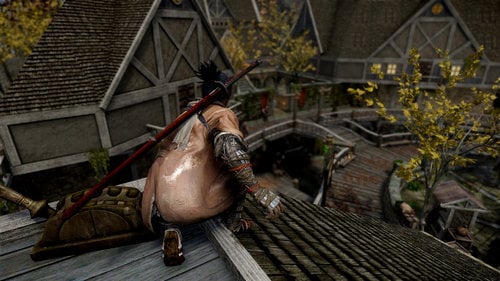
from software Sekiro: Shadow Die twice Sekiro Armor
By Outlawer
added Sekiro armor
from Sekiro :Shadow Die twice
well maybe it is still got a weird stretch problem
but i did as i can as possible
unfortunately it is 1 set or armor
that mean not seperated part of armor
support male and female both
but not a support weight morph
honestly not a complated
Still need more work
when after i finished other stuff
3765 downloads
Submitted
-
Sir Nibbles Anim Pack SE
By Pfiffy
These is the SLAL Animation Packs by Sir Nibbles converted to SE
Thanks and Flowers go to Sir Nibbles foe creating thess anims and allowing me to share my conversion with you.
https://www.loverslab.com/files/file/2585-nibbles-animations/
He has just started a patreon account, so if you want to pay tribute to his work:
https://www.patreon.com/NibblesAnimations (just a warning though, I don't offer anything extra if you donate; all my stuff will be released free without delay here on Loverslab)
311837 downloads
Updated
-
Completed Main- Dawnguard and Dragonborn Save Games.
By blake55017
These are just some save files that I use to test my own personal mods.
Thought I would put them up here in case someone else would find them as useful.
Adds several Skyrim LE save games from around the whiterun area.
Imperial Side
All of the DLC's have been completed with the exception of hearthfires.
(hearthfires included, no houses built or kids adopted)
Start Locations included:
Bannered Mare
Breezehome
Dragonsreach
Dragonsreach Great Porch
Drunken Huntsman
Hall of the Dead
Marketplace
Married to sylgja, she is at home in Shor's stone.
These are also good for testing mods, especially throughout various Whiterun locations.
The re-occurring side quest for the dark brotherhood is active.
Several broken quests were completed using the console commands.
No Mods, ENBs or SKSE type stuff were used in creating these saves.
Is not be compatible with Skyrim old
Should be able to use without any DLCs. (Not Tested)
Cleaned and scanned
359 downloads
Submitted
-
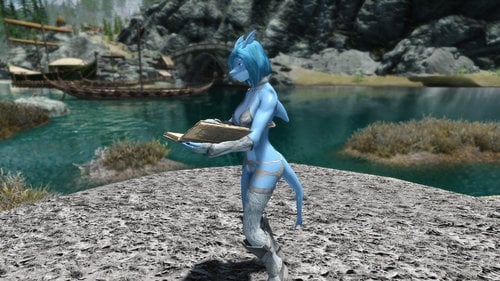
The Selachii - Shark Race - (UNOFFICIAL) SSE Port
By war11010
The Selachii - Shark Race SSE
Important!!!
This port is done by me, Blaze69 (Mod Author) is not responsible for, and won't be providing any support for this port. Until he creates the official port. If you need help with something from this port, ask me in a PM or in my support section!!
UPDATES
- Fixed CBBE Hand Seams (Download Hotfix File And Ovewrite)
- Fixed CBBE Digitigrade Feet Ankle Seams (Download Hotfix File And Overwrite)
-----------------------------------------------------------------------------------------------------------------------------------------------------------------------------------------
Short Description (Read Original Mod Page For Full Description):
With the permission of Blaze69, heres my port of his shark race!
The mod adds a custom playable shark race to skyrim special edition. Fully animated head-parts and vampire support.
- I have ported the BD sheath for SOS and it is functional with SOS SE.
- I have ported the replacer for the follower Recorder SE.
- I have ported the CBBE Patch, as well as fixed the missing textures on the hips I was experiencing.
- I have ported the Digitigrade feet patch and fixed the textures to work with CBBE version. (Download the CBBE Patch for Digi Feet version of the CBBE patch if your using these feet with CBBE Body, otherwise your feet will have mismatched textures)
-----------------------------------------------------------------------------------------------------------------------------------------------------------------------------------------
Requirements (For the Main Mod):
- SKSE64
- XPMSE SE
- RaceCompatibility SE
- Schlongs of Skyirm SE
- UNP Body SE
Requirements (For Race Menu Morphs):
- Racemenu SE
Requirements (For CBBE Patches):
- CBBE SE
Requirements (For the Sheaths):
- Bad Dogs Hoodie Schlongs SE
-----------------------------------------------------------------------------------------------------------------------------------------------------------------------------------------
Install Order:
For UNP Version (With Human Feet)
1. Shark Race UNP
2. Any other Optional Port
For UNP Version (With Digitigrade Feet)
1. Shark Race UNP
2. Shark Race Digitigrade feet
3. Any other Optional Port
For CBBE Version (With Human Feet)
1. Shark Race UNP
2. Shark Race CBBE Patch
3. Any other optional port
For CBBE Version (With Digitigrade Feet)
1. Shark Race UNP
2. Shark Race Digitigrade Feet
2. Shark Race CBBE Patch for Digi Feet
3. Any other Optional Port
** Say Yes To Overwrite If asked while installing in order **
-----------------------------------------------------------------------------------------------------------------------------------------------------------------------------------------
Known Bugs:
- Hand Seam in CBBE Version (Would require CBBE hand Meshes to Fix) FIXED (3.50) - Download Hotfix and Overwrite
- Foot Seam In CBBE Version (Would Require CBBE Foot Meshes to Fix) FIXED (3.50) - Download Hotfix and Overwrite
- HDT Hairs Do Not Work
-----------------------------------------------------------------------------------------------------------------------------------------------------------------------------------------
Permissions:
- Blaze69 Has Given Me Permission To Post My Port.
- You do not have permission to repost this anywhere without Blaze69's, And My Consent.
-----------------------------------------------------------------------------------------------------------------------------------------------------------------------------------------
Special Thanks To:
Blaze69: For the creation of this amazing mod, and allowing me to share my port! Go show him some love and follow him! All credit goes to him.
-----------------------------------------------------------------------------------------------------------------------------------------------------------------------------------------
ORIGINAL MOD (Credit For This Mod Goes To Him)
Additional Credits To The Following Contributors with the original mod:
V3.22 CREDITS
NightroModzz for the awesome new heads!
Kuroyami for several major contributions to the mod.
BadDog for lots of stuff, including beast schlongs.
MadMansGun for the animated load screens, and other stuff.
KrittaKitty for the (unreleased) Lykaios Race assets.
GuruSR for the bite attack upgraded script.
VectorPlexus, Smurf and others for SOS - Schlongs of Skyrim.
AyyRofLmao for the original Sharkmer Race
HHaleyy for Fair Skin Complexion V8.0
dimon99, Phygit, and thepal for DIMONIZED UNP Female Body
Groovtama for XPMSE
Caliente, Ousnius and others for Bodyslide and the UUNP Special body.
Kalilies and the rest of the authors of KS Hairdos - Renewal
ScrollTron1c and the authors of the original resources for FAMOUS - Fitness And Muscle Options Utility Suite
Mandragorasprouts for Vitruvia - Skin texture overhaul.
EvilReFlex for helping with texturing, as well as for Textures for "SOS schlong for females" and SoS - Schlong for Females BodySlide.
Derok for Argonian Reptilian Feet, and for Better Claws and Gauntlets alongside Didact2401.
blabba for CITRUS Heads.
Calyps for some of the hair styles.
Nuska for some of the hair styles.
Apachii for ApachiiSkyHair, for some of the hair styles.
nevenbridge81 for Natural Eyes.
tiwa44 for UNP Spice Gear.
TheCoach for TCf - Vanilla Skyrim Bodyslided ( UUNP HDT ).
theincrediblenick for Fingerless Gloves Rebalanced.
atomec for Blades Hakama.
roland113 for Predators - The Lost Tribes.
SirNibbles for Retexture Blades Hakama.
BlackWolf24 for Argonians Enhanced.
62106 downloads
Updated
-
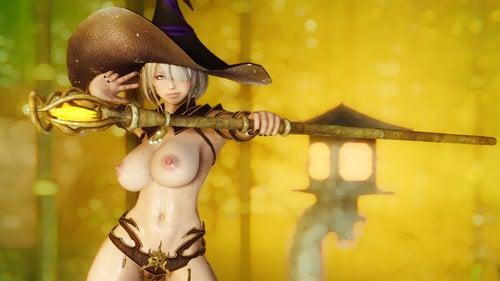
GomaPero Poses SE
By Daymarr
GomaPero Poses SE
A pose mod featuring 1134 (29 animated) unique poses for many type of screenarchery scenarios .
- Credits -
GomaPeroPero for the screenshots and giving me permission to share this with you guys!
Please don't bother GomaPeroPero via his own page about this SSE port!
127795 downloads
Updated
-
Dwemermatron SE
By Holzfrau
Dwemermatron SE 1.3 (2019.08.14)
A customizable follower mod for Dwarven Modular Automaton in the vein of Fallout 4: Automatron. The Khajiit merchant Ri'saad now sells a Dwemer Control Rod that will start the quest to acquire your own Dwemer automaton!
Constructing and upgrading your follower is done at a new Dwemer workshop, located in the mountain pass above Windhelm. There is a short dungeon to complete before you can activate the follower. Instead of using dialogue like normal Skyrim followers, the follower construct is controlled using the Dwemer Control Rod, which creates a popup box that lets you select your command. This includes all the standard follower commands, although you may only trade if the follower is close to you. Additional automatons will awaken throughout Skyrim once you complete the follower. When you have the follower with you, they will randomly attack you in the wilderness. Otherwise, you may find them aimlessly attacking local wildlife. They can also rarely be found in dwemer dungeons. Schematics for additional components for your follower are found on enemy automatons. Simply loot their dead bodies and you will acquire any unowned schematics automatically. (The script that does this is a little pokey, nothing I can really do to fix it.)
Requirements
Dwarven Modular Automaton (assets only, you don't need to have the plugin activated)
SKSE 64
Compatibility
Compatible with Amazing Follower Tweaks, Extensible Follower Framework, and Nether's Follower Framework. Partially compatible with Ultimate Follower Overhaul; but the follower can't be dismissed properly.
Known Issues
The follower construct doesn't have an activation prompt during the quest to complete its construction. Whenever the quest marker is pointing at it, you need to activate it. The follower starts out with empty body and feet slots. Any armor you give it for these slots may become equipped, resulting in those parts of its body disappearing. This issue will no longer occur once you upgrade its core and lower components. Amazing Follower Tweaks - 'Wait' command doesn't seem to do anything. You can still make the follower wait somewhere by using the 'Do something' command instead.
Other Versions
Nexus Mods download
2587 downloads
Updated
-
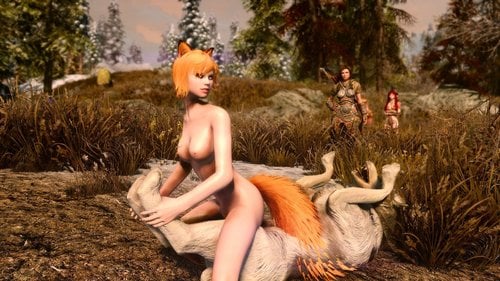
SexLab Beastess - SSE Port
By war11010
I ported this mod about a month ago. But I decided that tonight I'm going to release most of my ported mods so heres this one.
SexLab Beastess for skyrim special edition.
Every option in the MCM menu is working EXCEPT one.
DO NOT TICK: HDT Vamp box
Every other option is working fully and optimised for SSE
REQUIREMENTS:
- Sexlab Framework SSE
- FNIS SSE
- FNIS Creature pack SSE
- Sexlab Aroused SSE
- Fuz Ro D-oh Silent voice SSE
HOW TO INSTALL:
1. Install ALL requirements! IN ORDER!!
2. It is VERY important NOT to tick the following box during the installation! It is not converted.
- DO NOT TICK: HDT Vamp box
3. Be SURE to RUN FNIS!!!
4. Enjoy
For those of you getting "failed to install" or "unable to install" do the following. (Requires WinRaR)
1. Unzip the mod
2. Go into the unzipped folder and highlight all files
3. Right click and choose "Add to Archive"
4. Name the file whatever
5. Check the box under "Archive Format" that says "ZIP"
6. Press okay.
7. Install with NMM
If That Doesn't Work.
- Check to make sure that you have enough memory on your hard drive. NMM requires a large amount to install a mod. More than the mod itself is.
For Anyone Having The Issue of No Interaction For One of The Quests/Beasts:
Problem: The Plugin has not loaded properly or been overwritten.
Fix: Place SexLab Beastess.esp at the bottom of your load order, and any optional plugins below it.
ORIGINAL MOD (OLDRIM):
95978 downloads
- creatures
- beastiality
- (and 2 more)
Updated
-
SexLab Deadly Drain - SSE Port
By war11010
Here's my port of SexLab Deadly drain for Skyrim Special Edition.
Everything is working just like the original.
REQUIREMENTS:
- SexLab Framework SSE
- Racemenu SSE
ENABLE:
Use the MCM menu to give yourself the powers.
SEE ORIGINAL PAGE FOR FULL DESCRIPTION. ALL CREDIT GOES TO Etheri. All I did was port
ORIGINAL MOD (OLDRIM)
29097 downloads
Submitted
-
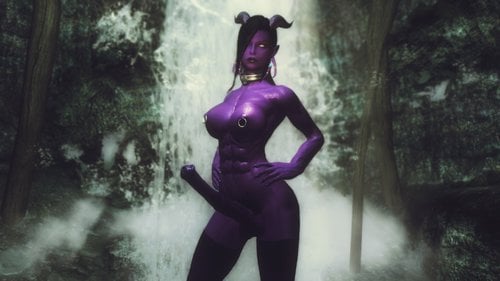
SOS Equipable Horse Cocks - SSE Port
By war11010
Here's my port of Equippable Horse Cocks by Etheri. All credit goes to them.
- Multiple colors with body tint version
- Works with Racemenu Genital sliders
- Works with SOS SE
Requirements:
- SOS Special edition
- CBBE or UNP
And all of their requirements.
How to Get:
Use the in-game esp browser or search "horse cock" in console
ORIGINAL MOD, ALL CREDIT GOES TO THEM, ALL I DID WAS PORT
25918 downloads
Submitted
-
Sexlab sex slaves SSE 6.3a Translation ITALIAN by OrsoNero76
By orsonero76
Ciao a tutti ho rispolverato la mia vecchia traduzione di sex slaves per skyrim di molti anni fa e devo dire che il carissimo fishburger67 da allora ha aggiunto un sacco di cose in più e perciò per me un sacco di testi da tradurre.
Mi sembrava doveroso tradurre una mod così incredibile anche per skyrim SSE.
Vi ricordo che la mod originale è di fishburger67 e va scaricata ed installata con tutti i suoi files che trovate qui :
poi sovrascrivete con il mio files tradotto.
Ancora un grazie a fishburger67 e a tutti gli altri modder per le loro splendide creazioni.
184 downloads
Submitted
-
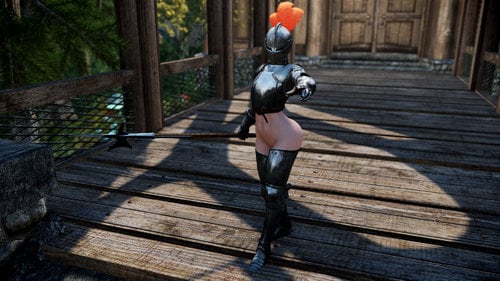
bottomless SE Kardia of Rhodes Armor
By Outlawer
Hi guys
I'm a huge fan of Nisetaka's art especially Kardia of Rhodes
Already made LE version preety long ago
I was not satisfied so i Started rework of SE version
Some of old part will replace and enhanced
trying to make more similar Original artwork
and i mashup with maid clothes
called maid armor
and i trying make them to Semicustomize
not a full of suit
cos i love customize
Include Bodyslide data
without armet model
Base body is CBBE Special
that mean support HDT vargina
You can only got a item with console
highly recommend AdditemMenu Aka AIM
this time slavetat will work
--------------------------------------------------------------------------------------------------------
Credit
/Team TAL
some of asset, and cubemap
/Nisetanaka
Original artwork and Bikini guard asset
/Backsteppo
French maid asset author
/Annao
osare Maid Clothes asset auhor
-------------------------------------------------------------------------------------------------------------
25302 downloads
- cbbe se
- plate armor
- (and 2 more)
Updated
-
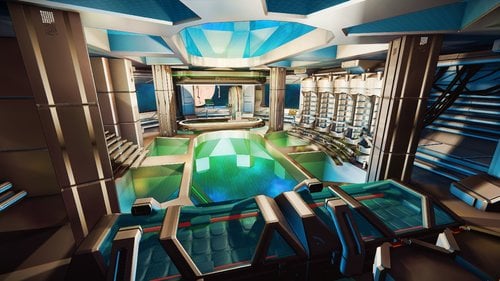
GomaPeroLand SE
By Daymarr
GomaPeroLand SE
A beach resort location for Skyrim SE
- Where to enter -
A door on the ground located in Riverwood
- Credits -
GomaPeroPero for the permission to share this with you guys!
Please don't bother GomaPeroPero via his own page about this SSE port!
137852 downloads
Updated
-
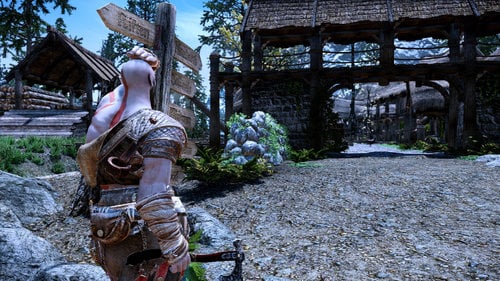
God of wars 4 Kratos Armor SSE
By Outlawer
Kratos Armor from God of wars 4
Support 1st model and Weight morph
female and male both
Support Bodyslide
Female only
Male support SOS
Part of 3 armor
1 body
2 arm(bandage, forearm guard)
1 legs
Base config from hide armor you can easily change with SSEdit or Cktool
any feeback or bug report
always welcome
You can only got a item with console
highly recommend AdditemMenu Aka AIM
4417 downloads
Submitted
-
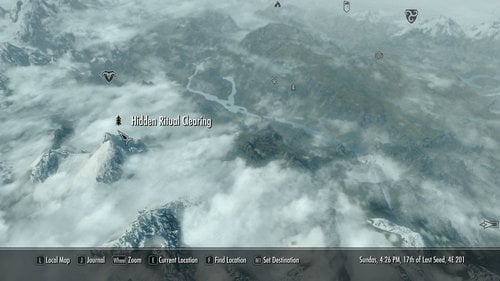
Hagraven Ritual SE
By nomkaz
Nomkaz Presents: Delzaron's Hagraven Ritual
I did NOT create this mod. @Delzaron is owed that honor.
They left pretty much open permissions on the original mod page so I am sharing my Skyrim Special Edition conversion with you all.
*All photos from Delzaron's upload page.
The following is copied from Delzaron's "Hagraven Ritual for LE" Page
About This File
HAGRAVEN RITUAL (ex Delta Moire commission mod)
Did you remember the shamanic ceremony, in AFS ?
Find a circle of shamans and hagravens in the Reach, and convince help to grant you the blssing of the Old Gods.
Fully repeatible.
How the mod works :
- talk to an innkeeper to start it
- Talk to the olest MaidenRaven.
- follow the instructions.
The Blessing will cose you 1000 golds, or a sacrifice... one sacrifice is provided for free in the mod (a former test NPC), you'll need to provie more if you wish further blessings.
You can be spectator, participant... your follower can also participate, or being sacrificed.
This mod is presented "as it". I don't plan to update it, I have so much to do...
Want to support me? Visit my Patreon ! https://www.patreon.com/Delzaron
Permissions :
You're allowed to use this mod code as you want. You're not allowed to upload this mod on another platform. Assets belongs to their original authors.
8764 downloads
- beastialty
- adult
- (and 2 more)
Updated
-
SexLab Enchantress SE
By Liuli
SexLab Enchantress SE
What does this mod do?
SexLab Enchantress modifies the Vanilla Skyrim spells from the Illusion magic school so they would trigger sex scenes. This mod's aim is to do this without breaking Role Playing Immersion and maintaining Vanilla's Game Balance. The spells will still only affect creatures of limited levels (Calm affects up to level 9 for example), and with the illusion tree perks you can increase the levels your spells will affect (Dual-cast Calm with all Illusion perks taken will affect creatures up to level 59, just like in normal Skyrim). The spells will affect all beasts and creatures supported by SexLab, though you need to take the Master of the Mind perk to affect Draugr.
What are the new spell effects?
Calm - Your calmed target will have sex with you if no other targets are attacking you. Other calmed targets will patiently wait for the sex to end, with the durations of their calm effects refreshed on climax. If the sex lasted at least 30 seconds the Calm's effect duration will double. If it lasted for 60 or more seconds the duration will double again, to 120 seconds. Sex will only start with beasts and low intelligence creatures by default (can be toggled in the MCM. It's creatures only by default because there's enough good mods out there to provide sex with playable races like SexLab Romance and Radiant prostitution. Also the spells affecting playable races being AoE only gives the mod a more "chaotic magic" feel). Pacify - Same as Calm, except it affects playable races as well, and might get your character into a threesome or gangbang scene with the targets caught in it's area of effect. Harmony - Same as Pacify, except it could trigger a full orgy with up to nine characters involved. Call to Arms - If used on a target you've had enchanted sex with, that target will become your temporary enchanted follower for 10 minutes. Only happens if you don't have a follower with you already. Frenzy - If you travel with a follower, the targets of this spell will attempt to ravage them, perhaps dragging them into a gangbang. Fear - Dismisses enchanted followers. They will make their way back home, unhostile for 30~60 seconds. Animal Allegiance Shout - If you shout all three words of Animal Allegiance, one of the animals hit by the shout will have sex with you, and become your temporary animal follower afterwords. Duration depends on how long the sex lasted, with a maximum of 4 minutes for 60 seconds of sex. Only grants you the animal as a temporary follower if no other animals follow you at the time. Command Animal Racial Ability - Wood Elves using their Command Animal racial ability could enchant an animal follower in the same way Animal Allegiance works. Only available once per day just like in Vanilla Skyrim, of course. Also only grants you the animal as a temporary follower if no other animals follow you at the time.
Did I just get a rested buff after sex?
Having enchanted sex with certain creatures for more than 30 seconds will give you a special rested buff. None of the +% Skill experience parts of the buffs stack with one another, or with the normal Rested buff from vanilla. The possible rested buffs are:
Beast Lover's Comfort - Your skills advance +5% more quickly and you receive +10% disease resistance for 8 hours. Insect Lover's Comfort - Your skills advance +5% more quickly and you receive +10% poison resistance for 8 hours. Monster Lover's Comfort - Your skills advance +5% more quickly and you receive +10 Stamina for 8 hours. Necrophile's Comfort - Your skills advance +5% more quickly and you receive +5% frost resistance. Sanguine's Favor - Your skills advance +15% more quickly. Triggered by taking part in a 9 people orgy with the Harmony spell.
Why do the spells have target level limits?
My aim with the mod is to spice up the vanilla Illusion tree, but keeping Skyrim still playable as a game. This means more challenge in lower levels, more powerful abilities later on. I've been very careful to avoid giving spells more power than they have in Vanilla Skyrim. Call to Arms and Harmony are very costly mana sinks which require unlocking illusion tree perks so their effects are much stronger. By the time a player can use Call to Arms or gets the third word of the Animal Allegiance shout, getting the target as a follower will not be any more powerful than travelling with a follower of your choosing. The one ability that gets much more powerful is Wood Elf's Command Animal racial ability, but it's only useable once per day and isn't as powerful as Orc's and Argonian's racial abilities anyway.
How do I install this Mod?
You can use a mod organizer or alternatively unpack the 7z file and drag the contents of either the '01 English' or the '01 German' folder into your ...\Skyrim\Data\ folder.
How do I uninstall this Mod or upgrade from an older version?
Make sure you don't have any of the mod's rested buffs active in magic effects (Beast Lover's Comfort, etc) and that there aren't any NPCs under your Enchantress spell effects. If in doubt wait 8 in-game hours. Save your game. If you wish to uninstall the mod open the MCM afterwords, check Uninstall SexLab Enchantress, close the MCM, save, quit the game, and delete SexLab Enchantress.esp from your data folder.
Known Issues:
The threesome animation 'Arrok Devil's Threeway' is bugged in SexLab Framework - it will act oddly but only for the first time it plays. For some mods this means on the first time this animation is played your character will be thrown to the sky, then teleported back to the sex scene. For Enchantress it means the NPCs will be thrown to the sky.
There's two ways to deal with this: The first is to disable Arrok Devil's Threeway animation. The second is to activate Arrok Devil's Threeway with a different SexLab mod like Matchmaker... After the first time the animation plays, it will work fine with Enchantress as well. The issue seems to be caused by this specific animation's first time positions setup being screwed up.
Possible Conflicting Mods:
The 'SexLab Stop Combat' mod seems to break most of Enchantress' spells.
The 'Automatic Variants' line of mods might cause Enchantress' spells not to work on some of the creatures it replaces.
Version 2.4 is compatible with most other spell mods. It might or might not be compatible with SkyRe (Skyrim Redone), I'm getting conflicting reports about this, use Enchantress with SkyRe at your own risk.
It also might conflict with Dragon Shout mods that modify the Animal Allegiance shout. If you are using one and know the third word of Animal Allegiance, open the MCM and choose the Disable Animal Allegiance Shout option to avoid any issues.
Big thanks to:
CGi for creating an NMM/MO installer and for the german translation.
Ashal for creating the SexLab Framework and SexLab MatchMaker.
Someone92 for creating SexLab Zzz, a great tool for learning how to create SexLab mods.
jbezorg and h38fh2mf for script advice.
sillybear for reminding me to repackage Enchantress as an SE port.
74147 downloads
- sexlab
- enchantress
- (and 7 more)
Submitted
-
Sexlab Eager NPC's SE (SLEN)
By Pfiffy
Here it is, finally: My conversion of Eager NPCs for SE. Not with the permission of the original author Beamer Miasma, but 'legalized' by CPU.
If Beamer disagrees with porting and uploading it I will take it down. But until now he didn't read/answer my PM and so the mod seems to be abandoned. I have tested early all features including the Dibella refuge quest, and the Sex parties and everything is working fine here. So have fun.
Thanks and flowers go to Beamer:
For questions see his thread.
771021 downloads
Updated
-
SLAL Animation Pack by Leito SE
By Pfiffy
Here comes my conversion of Leito's SLAL Pack for SE.
As usual for thos who can't, who are too afrait or just too lazy....
990032 downloads
Updated
-
K4 Anim Pack for SE
By Pfiffy
The K4 Animations by Kur4n ported to SE with permission from th autor.
Flowers and thangs go to Kurg4n: www.loverslab.com/topic/69716-k4-animations-slal-package/
Another Release in the 'for those who can't, are too scared or to lazy' series.
285580 downloads
Updated
-
Funnybizness SLAL Packs SE
By Pfiffy
This is the SLAL Animation Packs by FunnyBizness converted to SE
Thanks and Flowers go to FunnyBizness and Shaahanki for creating thess anims and allowing me to share my conversion with you.
https://www.loverslab.com/files/file/2702-funnybizness-v25-slal-pack-by-shashankie/
https://www.loverslab.com/files/file/4471-funnybizness-armbinder-creatures-slal-pack/
501908 downloads
Updated
-
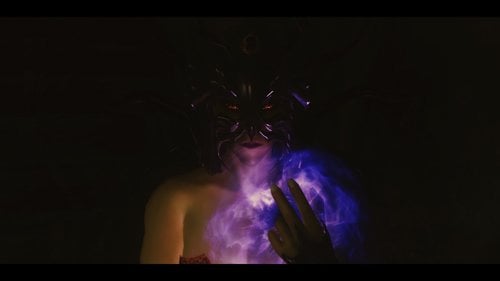
FROM THE DEEPS (for SSE)
By Delzaron
FROM THE DEEPS (REDONE) : A Lovecraftian adventure for Skyrim.
Want to support me? Visit my Patreon ! https://www.patreon.com/Delzaron
A big thanks to Roselove and Pffify, who made that conversion !
The mod is a conversion of From The deeps sor vanilla skyrim.
https://www.loverslab.com/files/file/1792-from-the-deeps/
The first point
A lovecraft like story, with a large Inquiry part, and two way to finish it : joining the cult, or destroying it. A way lead to player enslavement (simple slavery connected !), the other to freaky scenes. English written mod, but Mixbutterdog made a patch in japanese ! Female players designed mod, but version 2.3 discrimine player sex, and FTD is now playable with male characters.
Dependendies :
SexLab Dragonborn ZAZ
Soft requirement :
XPMS skeleton (for the sex scene with parasite armor). More Nasty critters (sex scene with Lurkers and seekers) Simple Slavery (for player sell as slave) TID (player can be sold to TID slavers if TID was not beginned)
Incompatible :
Maria Eden (some dialogues line of that mods overcome FTD ones).
Collaborations :
Pepertje (co author, dialogues fixer, screenshots) and Japanese version. Aqqh for script trick and collaboration. Alpha and Beta testers for their time, advices and critics. Xluxlu for music. Mixbutterdog for scripts, fixes, and Japanese version Fasterflight225
for the Radiant cultist quest Patch !
Permissions :
Use the mod assets as you want. You're not allowed to upload that mod in other places than LL or Nexus, whitout the authors permission.
Credits :
Added a patch for "Radiant Cultist Quest" credits to @Fasterflight225
Current release : 2.6 (2.52 still available, with the japanese version, thanks to MixButterdog)
Mod description (Thanks to Long John) :
A series of disappearances of women from Solitude and across Haafingar. All the while there is a strange fog which never lifts the North Coast. To begin with it was just the peasant women who disappeared. Now however a noble woman has disappeared her family has applied political pressure to the Jarl and her court. This pressure has resulted in the launch of an investigation into the disappearances. As part of the investigation the Dragonborn is called in.... to enquiring in the Skyrim most isolated city : Insmouth.
Will you be able to find the reason for the disappearances, or become the next victim?
Play the adventure to find out...
Or, in video (thanks to Shinjy72) :
How to enter into Insmouth ?
Talk to Knyva, the gate keeper, and pay 200 gold.
- Part 1 : Enquiry.
aFTD0Starter : dialogues for Innkeepers about the disapearances near Solitude. Done. aFTD1Begin : Hired by the blue palace stewart (Falk Firebeard), you will be send to Insmouth, a city on the North Coast, in Pale Hold. Find Zadok Allenith and Susana. Done. aFTD1Enquiry ; Made an enquiry in Insmouth, and try to discover the truth. Done. aFTD1Infiltration ; Infiltrate the temple. Done.
- Part 2 : Facing the truth.
aFTD2Ceremony : Assist to the strangiest ceremony you ever seen... Done. aFTD2Dream : Your mind submerged by the voices of the Deeps, made the strangiest dream you ever made. Done. aFTD2End : Understand all the awful truth. Meet Mankara... and made your choice.Done.
- Part 3 : Serving the plan.
aFTD3Begin : Rally the cult, made your oaths, and proove your value. Done. aFTD3Corruption : Serve the cult and corrupt some Solitude and DawnStar officials. Done. aFTD3Insmouth : Enslave Susana, and find some imperial and thalmors spies... the last one is needed for the ceremony.Done. Available in FTDredone 0.4. aFTD3LordDeeps : The final quest of the cult path. Done.
- part 4 : Alone in the dark.
Dont rally the cult, be punished, and come back for your vengeance !
aFTD4Begin : be a slave, and be sold. Done. aFTD4End2 : Take your revenge on the cult of the Lord of the Deeps. Done.
- side and radiant quests :
aFTDDialogues . just for a little immersion. Hostel owner, and gate keeper. a Dialogue for Lurka (opening cell gates). AFTDWhoreDialogues : Insmouth is a harbor. Harbor means prostitutes. aFTDInsmouthControler : Manage the cult progresson in Insmouth : objects, NPC.
Locations :
Insmouth : a city on the North Coast, not far from Dawnstar (Made by using Solitude buildings, and the harbor part of the city of Trade mod, but with modifications). Done. Insmouth interiors : interiors cells for Insmouth. Houses, store, stock, Inn, hostel... Done. Temple of the Deeps : The temple of the cult. Connected to lot of parts of Insmouth. Done. Ryelh : A very litle part of the city of Ryelh, in Apocrypha. Where the slaves breeds more Deeps inhabitants. Need to be redone. Done.
Factions :
Dagon : Lurkers, seekers, Deeps inhabitants (Raelek, Mankara, Khrushu, Harshulku...). I will try to made a special race for them... Cultists : some Insmouth NPC. Dagon Slave : Slaves used by cultists or for breeding. Slave : enslaved NPC, restrained and ready to sell. Whore : Insmouth prostitutes. Susana friends : the Investiguator faction... you and Susana the whore.
Permissions :
You're allowed to use this mod code as you want. You're not allowed to upload this mod on another platform. Assets belongs to their original authors.
Ressources and other mods used :
- Comvex Hermaus Mora Armor : http://www.nexusmods.com/skyrim/mods/58062/?
- DixiePig for the tentacle armor.
- PS1 games Doom I and Nightmare creatures I for musics.
58384 downloads
Updated
-
SLAL SH Furniture anims SE
By Pfiffy
A nice little pack for horse lovers, with permission from the author
Thanks and Flowers go to SpaceHams3r
106808 downloads
Updated
-
SL MasteMike Animation Testpack SE
By Pfiffy
This my conversion of MasterMike's TestPack to Se with permission of the author for those who can't, ar3e to scared or to lazy to convert animpacks on their own.
Thanks and Flowers go to MasterMike8800
https://www.loverslab.com/topic/63196-slmastermike-testpack-animations/
122303 downloads
Updated
-
Znaroks SLAL Animations for SE
By Pfiffy
Znarok asked me if I could upload a conversion of the Znarok SLAL Pack 3.0, so here we go...
Thanks and Flowers go to Znarok: https://www.loverslab.com/files/file/3975-znaroks-animations-with-slal-pack/
Another file for those who can't, who are too scared or too lazy to do it themself.
Check the Authors post for Updates:
https://www.loverslab.com/files/file/3975-znaroks-animations-with-slal-pack/?do=download&r=662875&confirm=1&t=1&csrfKey=c50a3e14d7bd60e57bb3af73d20c1b1f
99680 downloads
Updated
-
MilkySLAL for SE
By Pfiffy
By request:
Here are the Milky animations by MilkyTabboo ported to SE, with permission of the author.
Thanks and Flowers go to MilkyTabboo :
If you want to give support:
https://www.patreon.com/milkytabbo
207739 downloads
Updated