Select a subcategory to view available files.
Files From Subcategories
-
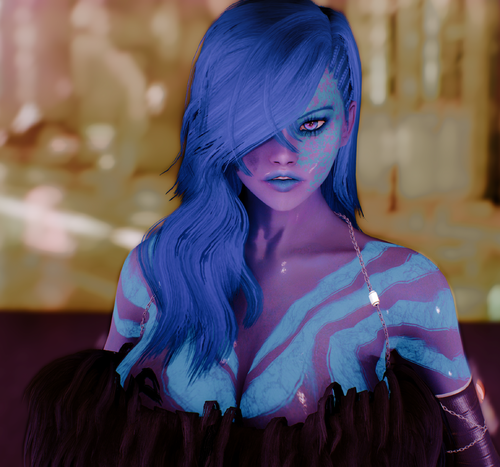
Lady Elvira 2020 Follower by Engeljess23
By engeljess23
info:Standalone Follower
(files Meshes,Textures,Bodyslide,Preset)
NexusMods Requirements Skyrim Legendary Edition
Mikan Eyes Eyes (Elvira RM Preset) XP32 Maximum Skeleton - XPMS Body Physics (follower)
Off-site Requirements Skyrim Special Edition
Recommand (Follower)
(no must have for this mod but for body effect etc)
XP32 for HDT Working (all my followers)
HDTHighHeel(for Boots)
-------------------------------------------------------------------------------------------------------------------
♥Requirements (For Elvira2020 Presets♥
Hair - Holiday Gift Hairdos by summerdew
Eyes - MikanEyes by nerune
-------------------------------------------------------------------------------------------------------------------
Info From Follower
She is Standalone She is Essential She is Immortal You can she Marriage She Leveling with you -------------------------------------------------------------------------------------------------------------------
She Have Full-Armor& Body-Full-UUNP-HDT
Standard 4k + Armor 4k (body,Hands,Feet,face)
-------------------------------------------------------------------------------------------------------------------
Install Manuell or ModManager
steamapps\common\Skyrim\Data
-------------------------------------------------------------------------------------------------------------------
Install Manuell
Optional-1k,2k ,4K Body Skin Textures (From NexusMods Site Download)
SteamLibrary\steamapps\common\Skyrim\Data\textures\Engel\Lady Elvira\Body
-2K - Armor (From NexusMods Site Download)
Skyrim\Data\textures\Engel\Lady Elvira\Armor
-Elvira 2020 Bodyslide Presets
Skyrim\Data\CalienteTools\BodySlide
-Elvira 2020 Presets File For Racemenu
SteamLibrary\steamapps\common\Skyrim\Data\SKSE\Plugins\CharGen\Presets
-------------------------------------------------------------------------------------------------------------------
Location: Nightgate Inn,West of Forsaken Cave
please Open ^Console and
give Help Lady Elvira When you have Player.Placeatme ...(NPC NUMBER)
---------------------------------------------------------------------------------------------------------------
Downloads Manuell
-------------------------------------------------------------
For Skyrim Legendary Edition
Lady Elvira Follower CBBE BODY
Lady Elvira Follower UUNP HDT BODY
-------------------------------------------------------------
For Skyrim Special Edition
Lady Elvira Follower CBBE Body
Lady Elvira Follower UUNP HDT Body
---------------------------------------------------------------------------------------------------------------
Thank you for Downloading And Have fun Please Testing and give me you
Feedback and/or Send me PM or Join my Discord Server For Problems etc..
------------------ Credits----------------------------------------------------------------------------------------
Hair - Holiday Gift Hairdos by summerdew Body textures - The Pure by Anini n Regenbot03 Body (UUNP)Meshes with Bodyslide Eyes - MikanEyes by nerune Original Armors- by Melodic <Shadow Walker>
1726 downloads
Updated
-
.thumb.png.da3599a4fb360212ec8425ddbcdfc624.png)
follower Lady Sola Follower CBBE & UUNP HDT by Engeljess23
By engeljess23
NexusMods Requirements Skyrim Legendary Edition
HDT HighHeels System for Sola follower Armors-Boots testing KS Hairdos - Renewal for Sola Preset-Hairs RaceMenu For the Presets from Sola The Eyes Of Beauty for Sola Preset-EYES XP32 Maximum Skeleton - XPMS Sola Follower mod
---------------------------------------------------
NexusMods Requirements Skyrim Special Edition
CBPC - Physics with Collisions for SSE and VR Needed for collisions HDT-SMP (Skinned Mesh Physics) Needed for breast physics RaceMenu Only needed if using the optional chargen preset onder Optional Files XP32 Maximum Skeleton Special Extended - XPMSSE Needed for skeleton
Standalone Follower
(files Meshes,Textures,RM Preset)
Requirements (Follower)
Skyrim(the Game)
------------------------------------------------
Requirements (For Sola Presets)
Hair - KS Hairdos
Eyes - The Eyes Of Beauty
-------------------------------------------------
Recommand (Follower)
(no must have for this mod but for body effect etc)
-XP32 for HDT Working (all my followers)
-HDTHighHeel (for Boots)
-------------------------------------------------
Info:
She is Standalone
She is Essential
She is Immortal
You can she Marriage
She Leveling with you
--------------------------------------------------
Install Manuell
Sola Presets File For Racemenu
SteamLibrary\steamapps\common\Skyrim\Data\SKSE\Plugins\CharGen\Presets
---------------------------------------------------
Location: Vilemyr INN, Ivarstead
please Open ^Console and give Help Sola
When you have Player.Placeatme ...(NPC NUMBER)
--------------------------------------------------
Install Manuell or ModManager
steamapps\common\Skyrim\Data
---------------------------------------------------
Patreon
--------------------------------------------------
Thank you for Downloading And Have fun Please Testing and give me you
Feedback and/or Send me PM or Join my Discord Server For Problems etc..
--------------------------------------------------
Credits
Hair -Ks Hairdos by Kalilies and Stealthic
Body textures - The Pure by Anini n Regenbot03
Body Meshes with Bodyslide and Outfitstudio by
Ousnius and Caliente
Eyes - The Eyes Of Beauty by Gabriel Mailhot as LogRaam
Original Armors X Fighters by Melodic
1434 downloads
Submitted
-
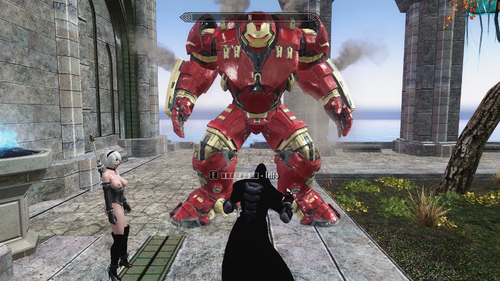
HULKBUSTER
By lordarked
upload with autorization of creator all credits to creator ,spellbook to call this big follower,smash anithing XD
233 downloads
Submitted
-
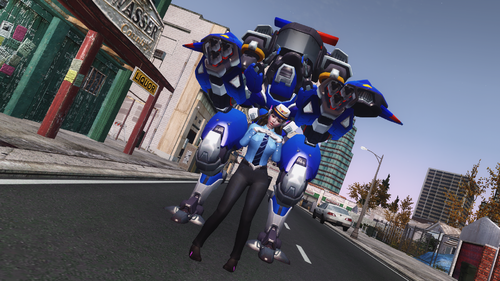
D.VA OVERWATCH +PLUS
By lordarked
this dva have a cbbe body ,you can find on bannemare,whiterun, on the folder you will find 1 files dva follower and dva stuff this last contains suits weapons and his mech they also are horses, you can summon on command console type "mech" if you wanna more stuff visit my tweeter
download link
1346 downloads
Updated
-
Submitted
-
Wait... I know you.
Fix for the guards dialolgue when playing a female and having a bounty between 101 and 1000 gold.
749 downloads
Submitted
-
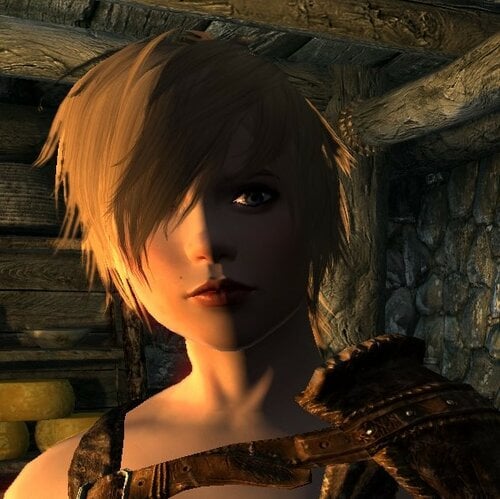
Follower Zora CBBE HDT
By laniko
Hi!
Meet Zora, a female ranger available at the Drunken Huntsman in Whiterun.
Details:
Combat Ranger
Protected
Marriage candidate
Nord
Weight 100
Levels up to 99
Specialties:
One Handed
Block
Marksman
Light Armor
Sneak
Credits:
Fair Skin Complexion for CBBE v10.0 Optimized-51602-10-0 -HHaleyy
Mai Follower-105680-1-0-1606666855 -KJBKBK
TexBlend -Caliente
KS Hairdos Renewal -Kalilies and Stealthic
Freckle Mania -tetrodoxin
Zora CBBE HDT 20210516.7z
162 downloads
Updated
-
Submitted
-
Nessie - The Tale of 350
Nessie - The Tale of 350
by Arron Dominion
Mod Trailer
Short Description:
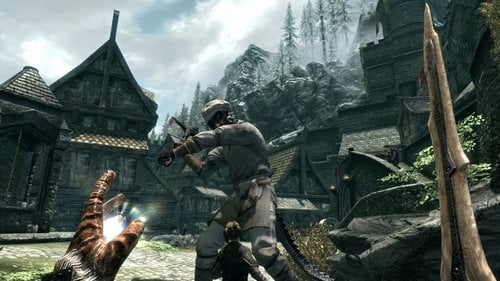
Need a little more adventure in your life? Do you want to know about the story of a Nord named Kenny, and how he was heckled by an Argonian named Nessie? Look no further! This mod offers a short quest in which an Argonian asks for 350 gold, and the player was warned by a Nord named Kenny. After the conclusion of your adventure, you can hear the tale from a traveling bard. And it all starts in Whiterun.
Detailed Description:
This mod is a lore-friendly parody mod based off of South Park's Lochness Monster joke. Playing the role of the Lochness Monster is an Argonian named Nessie. Nessie has been bugging a Nord named Kenny for 350 gold at every turn. It is now the player's turn to be harassed. You start out near the well in Whiterun. You encounter Nessie for the first time in Whiterun. Where you see Nessie next depends on what cities you go to 24hrs+ after the first meeting.
Eventually, depending on your decisions, you will fight Nessie. This fight can occur in any of the 5 main towns, depending on the choices you have made. Remember the rules of three.
Features:
-A quest
-Some humor!
-Your choices drive the quest's direction
-A traveling bard to tell your tale, with a random chance for where he will show up
Bard's Schedule:
Monday -
Markarth
Karthwasten
Old Hroldan
Rorikstead
Tuesday -
Dragon Bridge
Solitude Inn
Solitude Bard’s College
Morthal
Wednesday -
Dawnstar
Winterhold
Thursday -
Nightgate Inn
Windhelm (one of two taverns)
Kynesgrove
Friday -
Riften
Ivarstead
Shor’s Stone
Saturday -
Falkreath
Sunday -
Whiterun (one of two taverns)
Riverwood
For a mod review, check out Chaos Hellfire's review:
https://youtu.be/IZE79WHd4ek?t=9m4s
Installation Instructions:
-Find your Data folder
-Place the files within the zip into your Data folder.
Changelog:
V1:
-The initial release
Known Bugs:
None at this time
Known Quirks:
-When you are near the Whiterun well for the first time, I highly recommend not having auto-run enabled. You will keep running without the ability to stop.
-The cities will fight Nessie with you. There is a probable chance of some citizens being killed by Nessie depending on your time of day
-Nessie can be large, so think about that when you are fighting Nessie
Note:
If you are wanting to translate this mod into another language, feel free to message me.
Starring:
Alex Cain - Nessie's Voice
PyroToaster - Kenny's Voice
Herr Yuri - Wolfgar's Voice
DarkVirus - Mannril's Voice
Crimson Phoenix - Crulek's Voice
Credits:
Audacity
Windows Movie Maker
Bethesda - Skyrim and Creation Kit
jacobmathiassen - Male crying and weeping -
https://www.freesound.org/people/jacobmathiassen/sounds/25
4869/
Bard Song Instrument Recording -
http://www.jsayles.com/familypages/earlymusic.htm
Trailer Music - http://www.bensound.com/royalty-free-music/cinematic/2
Special Thanks:
Skinnytecboy - Support
Epoch Sanctum - Support, and Resources
Armstrong Security Solutions - Support, Resources, and Voice
Work
Herr Yuri, Crimson Phoenix, DarkVirus, PyroToaster, and
Alex Cain - For the Voice Work
Phantastic Networks - Support on Re-Release
Very Special Thanks -
For the encouragement, and support during this
mod's production:
VS
104 downloads
Updated
-
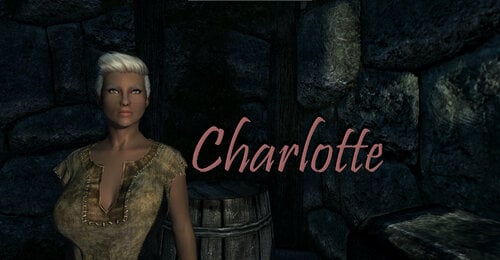
Charlotte Stealth Archer.7z
By laniko
I've spent a good bit of my new-found spare time revisiting Skyrim. I remember complaining about the shortage of stealth followers, so I shut my mouth and made my own. There are 2 versions of Charlotte. Install only one! This version is a stealth archer. Other than HDT, she is standalone.
Levels with the player up to level 100
Breton
CBBE based body
CBBE textures
Female sultry voice
Any crime
Can marry
Weight 100
Located in The Bannered Mare in Whiterun
Marksman, 1 handed, light armor, and sneak perks
She keeps her melee weapon equipped after engaging in melee combat. If you take her weapon from her (even if you give it right back) she'll re-equip her bow.
She won't equip mod armor. She'll equip mod gloves, boots, and helms with no trouble. But not the armor.
77 downloads
Updated
-
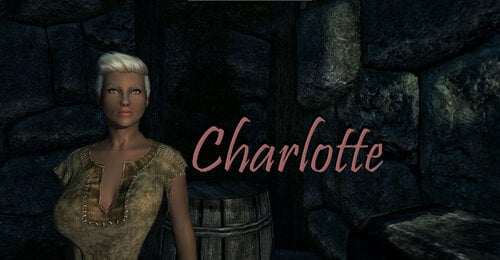
Charlotte Stealth SpellSword.7z
By laniko
I've spent a good bit of my new-found spare time revisiting Skyrim. I remember complaining about the shortage of stealth followers, so I shut my mouth and made my own. There are 2 versions of Charlotte. Install only one! This version is a stealth spellsword. Other than HDT, she is standalone.
Levels with the player up to level 100
Breton
CBBE based body
CBBE textures
Female sultry voice
Any crime
Can marry
Weight 100
Located in The Bannered Mare in Whiterun
Destruction, 1 handed, light armor, sneak perks
She won't equip mod armor. She'll equip mod gloves, boots, and helms with no trouble. But not the armor.
64 downloads
Updated
-
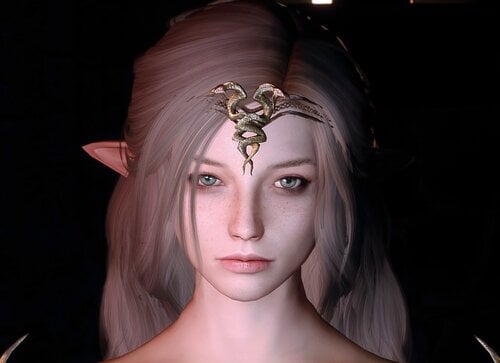
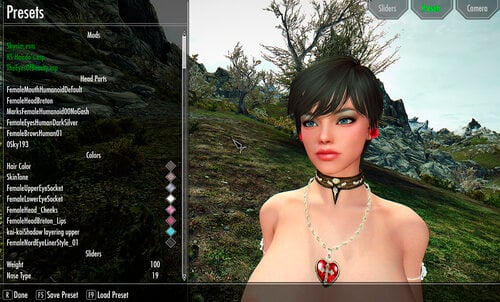
ElfNord Preset SE
By blaksohn
The mods I use for the exact character in the screenshots are:
-KS Hairs
-Eyes of Beauty
-SG Female Eyebrows
-Bijin Skin
Do whatever you want with this, tweak it, reupload it, idc. Would love to see screenshots if u have any tho
1246 downloads
Updated
-
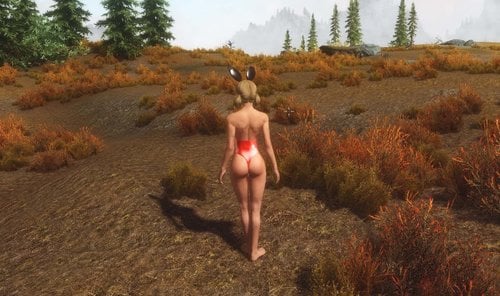
Nadriel's Bunny Girl Outfit Latex edition - CBBE - UUNP
By naaitsab
Based on MrEsturk conversion of Nadriel's Fallout 4 bunny mod. Now with Nadriel's Latex addon added to the Skyrim conversion. Merged with MrEsturk's Xmas addon.
Mod only adds the shiny things to the female outfit, that took enough time already. There are also no armored variants, because I don't like to have armored clothing as it's silly. And it's very repetitive work to create them.
New items:
Normal and T-Body
-Black
-Green
-Blue
-Red
-Gold
-Yellow
-White
-Purple
-Pink
Latex ears:
-Long black
-Medium
-Short
To get the items use the great AddItemMenu or search for 'latex' in the console. Might do a 'crafting' update later but don't think that many people forge mod items.
NIF's are built on CBBE Curvy but CBBE Bodyslide files are there. If somebody wants to convert the UNPB sliders and NIF I will add them as a seperate download.
If you wan't the vainy look of the ears back replace the DDS files with the one from the 'vains' folder.
PSD source files are attached as a seperate download.
For the original colors and extensive mod description see the original mod page:
Known issues:
-Normal body has some artifacts under the breast cups. This seems to be a BS/NIF issue. As I have no experience with either I can't fix this. Issue is also available on the original
conversion.
-Colors can be a bit off. Due to different ENB's and settings the colors may vary greatly due to the usage of glossy material. Can't do much about that. Might upload a tweaked version if I find something that is more like DD Ebonite in consistency.
Permissions:
All credits go to Nadriel for his work and MrEsturk for the conversion to Skyrim.
Do what you want with the mod as long as you list al the creators.
If MrEsturk returns from modding hiatus and want's to merge this "patch" (or take it down) it's his choice. The merge will be preferable but I will respect a takedown.
P.S.
I'm in no way a texture or mesh expert but the result is good enough that I wanted it to share with the community. Please don't expect A-grade top-of-the line conversions.
Any help, tweaks or constructive feedback is welcome in the file thread of course.
Added UUNP Bodyslide files, as I don't use UUNP I haven't tested these.
2244 downloads
Updated
-
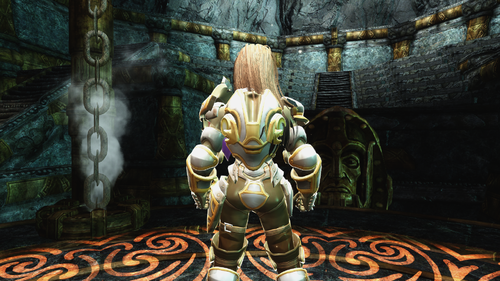
"overwatch" Briggitte solar armor
By lordarked
i am no the creator i just post here with the autorization of autor i am asked to publish here
294 downloads
Submitted
-
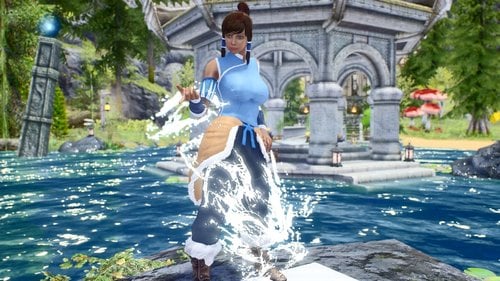
outfits Legendary Avatar: Korra outfits_LE
By RomeoZero
Author Notes
This is a first mod I made (for myself) as a fan of Avatar Korra, but fans asked me non-stop to share it with them.
It took me long to reconvert it from custom files to xpmse unpb variant.
It might be no lore friendly, but Skyrim northern environments kind of suits it
INFORMATION
A set of 2 outfits awaits you, with a sexy swimsuit bonus FX items like Fire, Water and Earth bend for photo shoots! Contains 4 wigs - season 1\2 + Jinora and Opal hair variants Contains a Chargen face preset file for Racemenu head import. Big background photo wall item [ in misc items tab ] for creation scenery, any 1024x512+ landscape textures can be assigned to it in NIF INSTALLATION
Manual ~ Drop bsa archive and meshes folder to your Skyrim Data\ If you need to extract BSA archive ~ use BAE tool Uninstall~ delete bsa archive, delete the folder in meshes[textures]\romeozero\Avatar Korra HOW TO GET
~ AddItemMenu mod.~ console “help Korra” outfits are creatable or in vendor store
there will be 2 effects "earthbendFX" and "Photo wall"
in a "Misc" menu, they are droppable objects, for posing mods and making Screenshots
Requirements
XMPSE skeleton
HDT
outfits can use CBBE\UNP textures
but the swimsuit body mesh is unp\7b
Credits :
variable folks for creativity and inspiration
Michael Dante DiMartino Bryan Konietzko Permissions:
Loverslab exclusive content, do not modify\share to other sites, you must ask the author first,
also, hit "I love it baby " (thumb icon) if you love this content.
12503 downloads
Updated
-
![More information about "[LE]PowerSweetSet Xing BHUNP 3BB"](https://static.loverslab.com/screenshots/monthly_2021_04/1.thumb.png.c1a6c121b3416d894729aca3481eb2c5.png)
[LE]PowerSweetSet Xing BHUNP 3BB
Skyrim 2021-04-18 19-07-49.mp4 Need to Know: 6 colors and all have Hight poly for photo and Low poly version for gaming ,
you can choose it
Transparent model version you can choose it by use Bodyslide
Use Patch if you want to remove particle effect
PowerSwordEffect.nif - NifSkope 2.0 Dev 7 2021-03-24 23-54-32.mp4769 downloads
Submitted
-
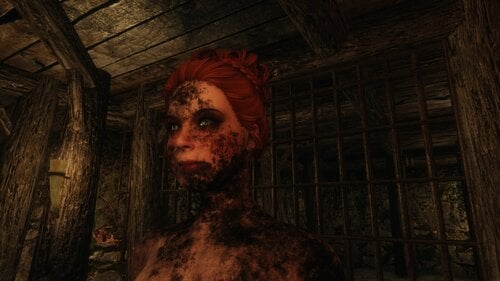
DirtMania for Bathing in Skyrim
By Nymra
This contains 4 full Sets of Textures for Bathing in Skyrim. It is already organized for use.
Comes in 4K, 2K and 1K
IMPORTANT:
The textures are not mine. I just merged them in Photoshop to fit the requirements of Bathing in Skyrim (added feet and neck dirt to the body textures).
They are from this mod on Nexus and somehow escaped my attention for almost 3 years (!!!!).
Freckle Mania 2
The mod author has written this in in the permissions.
Hard Requirements:
Bathing in Skyrim
Bathing Tweak by monoman1 (important, without this the textures will not show up)
Texture Sizes
I uploaded 4K (tested)
2K (untested)
1K (untested)
Please report any issues.
I seem to not be able to use cathedral yet... it wont convert the textures.
maybe the dont need to? no idea. just new to that.
So for now, dunno if this works on SSE without further conversion work by the user. Plz update me. Thx.
Future Plans
I want to further improve these by adjusting them better for the body parts they are on. I think they were never really meant to be shown in full nude.
I also want to add more smaller dirt parts on the areas that are not covered to make them look more realistic. Possibly even merge them with existing dirt mods and more cool dirt textures from the interwebs.
Credits
tetrodoxin for making these awesome dirt textures - really nice to have some updates
1163 downloads
Updated
-
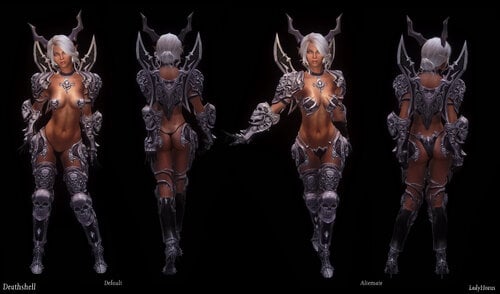
uunp LadyHorus TERA Armor for UUNP Females and Vanilla Males (ver 2.9, 4-9-2021)
By Lady Horus
~ Armor and Accessories from TERA for UUNP female and Vanilla Male bodies ~
IF YOU ARE INSTALLING FOR SKYRIM SPECIAL EDITION, PLEASE USE THESE INSTRUCTIONS
Update Notes 4-9-21: Major Update Added! Please see links under "Downloads" section of this description. Please note that this update includes edits to existing textures and armor models, and will need to overwrite previous versions in your load order (this includes any texture mods made for this mod).
Details section is fully edited. I moved some information (Old HDT PE versions, their requirements and a separate post for FAQ) to different forum posts (links are provided).
4-10-21: Added missing screenshots.
Welcome to the mod, "LadyHorus' TERA Armor for UUNP Females and Vanilla Males".
This mod was originally largely inspired by Asianboy345's TERA Collection, and created to add even more conversions of the armor from TERA to Skyrim!
With that said, though, all armors in my mod are new conversions straight from TERA, I did not use anyone elses' previous work.
Every armor has been converted with care, especially in the case of UUNP. As of version 2.10, I opted only to support certain body morphs since doing the original 40+ was quite a lot of work. I tried to focus on those that were not only requested but also which tend to be most popular. All of the basic sliders (for example breast, arms, legs etc) are all supported. For a full list of the supported bodytypes please see the following spoiler:
Supported Bodies in Bodyslide:
Since this keeps coming up, I'm going to reiterate that yes, this does support pregnancy. It also has belly node weighting for belly physics. Please be aware however that I have not tested it beyond the sliders in Bodyslide, so it may have less than desirable results in-game using other mods that utilize pregnancy and that sort of thing. This is not something I ever intended to use so I don't plan to make any further adjustments to it.
BBP and cloth physics: In addition to Breast and Butt bounce support, there is also HDT SMP support for many armors which have flowing cloth physics. Please see the requirements/installation section for important info on what you'll need. As of version 2.5 HDT PE is no longer being supported, since the new SMP version uses different cloth bones/properties. HOWEVER, if you want to run it with only HDT PE that is possible, it just means not using any armor that uses new cloth physics bones. So no capes, skirts, loincloths etc. Only use form-fitting outfits like Deathshell, Viridinium (female), Abyss, Twisted, etc). Alternatively I have a separate download for xmls which can be used with a dual HDT PE and SMP setup for those who only want SMP to control cloth physics but the rest (breast/butt/belly) with HDT PE.
High heels in this mod also will change character height thanks to NiO High Heels! Please see the requirements section for more info.
Overall I did my best to make each armor look good with every setting and body type. Enjoy!
Currently there are 30 Heavy, 24 Light, 16 Robe armors (including some retextures and variants).
My original plan when I first started this mod had been to convert all Heavy armor I liked, then move on to the other types. So that is why there is mostly Heavy for the time being. I'm working on adding more Light armor and Robes in future updates (and don't worry, I'm not done adding Heavy sets either).
All armor sets require their respective Blacksmithing skill to craft. Accessories do not require any crafting skill. Alternatively, you can spawn a chest ("LadyHorus' Tera Chest") which includes everything in this mod (instructions are listed under the FAQ).
Armor Listing in the Spoiler (Newly Added Armors are marked with Orange). Some armor names/material values have changed as of version 2.5 to better match with Asianboy's Tera mod just for the sake of keeping things simple. I'm not planning to convert all of the same armors as those found in his mod, but for the ones which are essentailly "doubles" I thought keeping the names/materials the same would make things a bit easier.
If you're using the old version of the mod for Dream Girl, you cannot use both simultaneously as they will overwrite each other. You must uninstall the Dream Girl version entirely before installing this version.
This mod is a completely separate mod from other authors' TERA mods! Therefore it should work alongside them and/or without them just fine.
The Castanic Horns in this mod use slot 57, which means that any mod that has items that occupy this slot will conflict!
Compatibility has been added for the following mods:
Stealth Skills Rebalanced
Any gloves that are fingerless should not hinder lockpicking or pickpocketing with this mod installed! Also, any dark outfits (like the Rogue outfit) should benefit from the dark clothing perks.
All of these are required, and remember to also have everything these require to work as well! Check their individual pages for that info.
For version 2.5 and above:
Please note that this version no longer supports HDT PE cloth physics! However, it is possible to run my mod with only HDT PE, just do not use any armors which add new cloth physics or it may either not work or crash your game. It's possible to run both SMP and HDT PE side-by-side, and this will require the optional file "LadyHorus TERA SMP xmls for dual HDT PE and SMP setups". In short, SMP and HDT PE cannot control the same physics bones at the same time without some issues (for obvious reasons). Only have one or the other apply to breast/butt/belly and other body physics, not both. If you want to set up this way you will need to read the necessary tutorials/documentation on it as I'm not here to help you set this up.
• SKSE: Skyrim Script Extender
• HDT SMP version 0730 (can be found for download here under "optional files", or I have hosted a mirror here). It is REQUIRED to update to this version, as this is what my mod was built upon. The download includes HDT PE, the HDT Physics Extensions files can be deleted if you only plan to run SMP. If you do run both HDT PE and SMP together, it will be necessary to download the xmls for my mod which do not include BBP support (so that SMP and HDT PE are not trying to control the same physics bones for breast/butt at the same time). This download can be found under Optional Downloads below. Please don't try running my mod with previous versions of SMP as the physics on my mod will not work as intended. If there are newer versions of SMP I'm unaware of them at the moment, so I cannot guarantee my mod will work with new versions (if any exist).
• Please read and follow the instructions on this All-In-One to get SMP running for your specific setup. Please note however that the files from this All-In-One are at this point a bit outdated. While they will work, the physics will not interact properly with the updated version of SMP. So I recommend using the following files from CBBE below. Other useful documentation on SMP can be found here as well. A simple to understand tutorial can also be found here for those who might need it.
• For breast and butt physics I personally use the settings from Caliente's CBBE for SSE which you can find under optional files here ("CBBE SMP Config v1.0.6") (CBBE and SSE are obviously not required as these are settings which only pertain to SMP). To get these to apply to UUNP, a line will have to be added to the defaultBBPs.xml file located in the SKSE/plugins/hdtSkinnedMeshPhysics directory:
<map shape="UUNP" file="SKSE\Plugins\hdtSkinnedMeshConfigs\CBBE.xml"/> HOWEVER. If you run a dual HDT PE setup (and HDT PE controls breast/butt/belly physics via the hdtPhysicsExtensionsDefaultBBP.xml) DO NOT use the files from CBBE SMP listed here as it will conflict. You don't want SMP and HDT PE controlling the same physics bones at the same time as this will obviously cause issues.
• XP32 Maximum Skeleton Extended - XPMSE by Groovtama: This skeleton is now required for this mod, NO EXCEPTIONS! This is what adds the required bones for TBBP physics to work.
• NiOverride High Heels: Every female high heels set makes use of height changes provided by the mod NiOverride High Heels. However, it is not required that you have NiOHeels installed, just understand that without it, heels will sink underground!
• Bodyslide: UUNP makes use of Bodyslide in order to adjust female body settings. By default there are no female meshes in the Skyrim mesh directory, you MUST generate them using Bodyslide. Use Bodyslide to make the female body you'd like to use and generate your own female armors!
- Additional Note: For some armors I included "collision" meshes which are basically blank meshes meant to act as something for the physics to interact with. So your previews may look something like this. Don't worry, it is working as intended and will look as it should once in-game.
For versions 2.0 to 2.10:
Requirements Listed Here
Main Files, Version 2.9 with SMP (current):
Mega.nz:
LadyHorus TERA Armor for UUNP Females and Vanilla Males v2.9 HDT SMP
Update Files for Version 2.5 to Version 2.9:
Mega.nz:
LadyHorus TERA Armor for UUNP Females and Vanilla Males v2.9 HDT SMP Update File
Optional Files:
Mega.nz:
LadyHorus TERA Castanic Horns Standalone v2.05
(Please note this does not include the two new horn sets yet, I will update this at a later time)
Mega.nz
LadyHorus TERA SMP xmls for dual HDT PE and SMP setups
(no SMP BBP support, but SMP still controls cloth physics. This is for a dual setup where HDT PE controls Breast/Butt/Belly physics)
Old Versions (SMP):
Old Versions HDT PE
Please Click Here for OLD versions downloads listing.
(IF YOU ARE INSTALLING FOR SKYRIM SPECIAL EDITION, PLEASE USE THESE INSTRUCTIONS)
Installation instructions below in the spoiler, PLEASE READ AND FOLLOW before asking for help:
Manual:
• Delete all files included in this mod. This should include the following:
Skyrim\Data\CalienteTools\Bodyslide\ShapeData\Horus ...
Skyrim\Data\CalienteTools\Bodyslide\SliderGroups\LadyHorus Tera UUNP.xml
Skyrim\Data\CalienteTools\Bodyslide\SliderSets\LadyHorus TERA xxx.osp (all files that begin with "LadyHorus TERA")
Skyrim\Data\Meshes\Horus ...
Skyrim\Data\Textures\Horus ...
Skyrim\Data\Textures\cubemaps\amidianborn_chitin_e_ebony.dds
Skyrim\Data\Textures\cubemaps\LHTeraxxx.dds
Skyrim\Data\LadyHorus_TERA.esp
Mod Organizer:
• Deactivate the esp and files in your manager of choice. Delete my mod from your mod listing in your mod manager if you want it completely uninstalled and are not planning on installing again. If you aren't sure, you can always deactivate it in the left pane by unchecking it on the checklist. This will keep the files but they are not active in your virtual file system created by MO.
• All clothing, armors and accessories are from the MMORPG TERA: The Exiled Realm of Arborea, property of BlueHole Studios and En Masse Entertainment. I do not claim any of it, only that I took the time and energy to extract and convert all content within this mod for use in Skyrim.
• Bare feet mesh (for high heels) is from Charming High Heels, and is by ChronoTrigger77: Remodeled Armor for CBBE Bodyslide and TBBP HDT
• Bare feet mesh (for high heels such as the gold heels from the Cheongsam outfit) are from Elewin Pumps.
• UUNP is from Bodyslide (obviously), and all credits for it go to them!
• The "chitin_e_ebony" cubemap used on some armors is from Ebony Retextures by CaBaL120.
• New cubemaps in version 2.9 are by Humus, with some coming from Humus Cubemaps on Nexus. Others were edited by me.
Please DO NOT reupload elsewhere! DO NOT upload to Nexus or Steam! If you wish to post about it on another site or blog, link to this page only. Don't reupload it! Don't claim it as your own conversion work either, please. If you want to host a mirror for the sake of having a backup that is fine too, though I would like to be aware of the locations if possible.
Generally speaking, I'm okay with my mod's assets being used for Follower mods as long as credit is given to me for the armor (or accessories) conversion that you've used, and a link is provided to this page.
If you'd like to do translations to other languages that is fine too, as long as my mod is still required to use it (ie, you only provide a translated esp).
Generally I'm a pretty easy going person, so don't be afraid to ask if you have questions. ^-^
Thank you for respecting my wishes.
• 3D Studio Max 2012
• NifSkope
• Notepad+ +
• Photoshop CS6
• Bodyslide: Outfit Studio
• Umodel (for extracting TERA models)
• Creation Kit
Many special thanks to a great inspiration and teacher, Nightasy. If not for his tutorials none of this would have been possible!
Asianboy345 - For his encouragement and help learning the nuances of how he worked on his mod.
Arjuna76 - For encouraging me to do UUNP conversions! I've learned a lot in the process.
Ousnius - For help when I had questions regarding Bodyslide and NiO High Heels! Very appreciated!
And of course, to Bethesda for creating Skyrim, and Bluehole Studios for creating Tera! Two great games that I love to play.
A FULL FAQ CAN BE VIEWED HERE.
49824 downloads
- tera online
- the exiled realm
- (and 8 more)
Updated
-
Folkvangr Grass and landscape overhaul LE port 0.1.0.1.0.1.01.0.0.1
if any TOA is broken, please warn me before any radical action is taken, i am reasonable and i respect the modding cummunity.
Tested and working on skyrim LE latest patch with Unofficial patches installed.
Can be used together with other grass mods, must be put lowest in load order.
IMPORTANT NOTE :
Please manually delete these 4 files in your Folkvangr\meshes\landscape\grass :
Bush_Heather_01
Bush_Heather_02
Bush_Heather_03
Bush_Heather_04
in some cases installing the conversion i've provided together with dyndolod and some other grass mods can cause a very incredibly UGLY ASS BROWN SHRUB/BUSH to appear in some parts of skyrim. deleting these 4 files will get rid of it.
606 downloads
Updated
-
HuossaDraco
By grawi
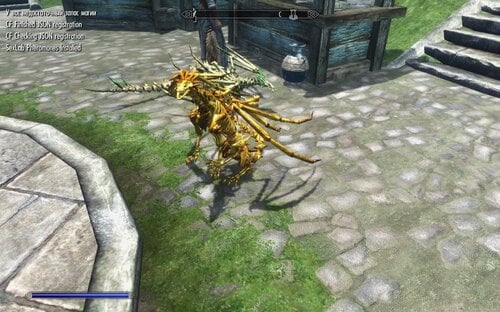
Кому-то не хватает костей, познакомлю с маленьким драконом очень страшным и опасным)))
так же как и остальные моды - можешь использовать как хочешь,
модель я взял из игры dragon's prophet.
вы можете редактировать и добавлять в свои сборки
HuossaDraco> Humus ossa Draco> Ground Skeleton Dragon ( Swe-DivX )
356 downloads
Updated
-
NanaKochan Race for Skyrim LE
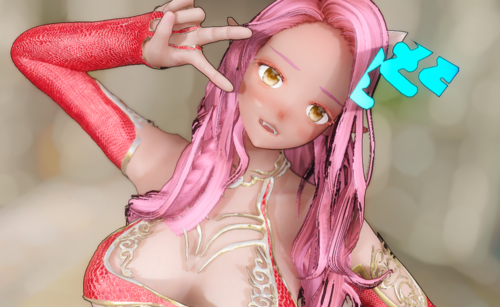
Not lore at all's Nanakochan are invade to skyrim (NanaKochan Racefor Skyrim LE v0.6 Alpha)
SE version goes here
Original Mod Page from FO4
Cause English is not my mother language ,so i'm not good at English. forgive me if my wrong words offend to you
Requirements:
RaceMenu
Race Compatibility
There is still no much slider can adjust so , I suggest you can watch the preview video first ,which can help you know which slider can adjust
and also very welcome to take pictures to me
Description:
This is FO4’s popular anime race, port and remake to the Skyrim
This is pre-launch test v0.6 version and not yet been completed,
and hiyokomod does not seem to be active on the Nexus anymore,
As a result, there is still no response to the permission letter which I send it more than a month ago,
so I will wait until update to version 1.0 than release to the Nexus
The original author is hiyokomod
and I used its model as a base. re-created a lot of expressions according to my own opinion.
And after continuous failure and improvement
I combine the advantages of customization and playability
which is the sixth edition head model published
Since I am not a 3d professional and my PS technology is as bad as shit...
Originally I wanted to learn how to make a race from scratch
So I’ve been thinking about it more than one year ago, and it’s until nearly three months that I started to get results.(special thanks boombox keep remind me do it ,haha
Since the basic texture and model adjustments of the sixth edition are almost done by me
So there must be some imperfections, please point out that if I have the ability to complete it will be updated in the future
Optional body:
Optional CBBE and UUNP
Using the traditional TBBP body, you can replace the model yourself in the Meshes\Xing\NanaRace\Body path
Compatibility:
If you have other independent races installed
this the way to compatible with RM slider
You need to open the following file and copy its content and paste it into the file you want to save:
(1)
interface\translations\racemenu_english.txt
:
$NanaKochan_ElfEar1Elf EarType1
........................and other prefix is $NanaKochan
(2)
Meshes\actors\character\facegenmorphs\racemenu.esp\races.ini
:
NanaRace = sliders\Nana.ini
NanaRaceVampire = sliders\Nana.ini
Nanakochan uses Fair skin, if you need to change it to other skins,
I have included Psd files that can be modified, Modresource.7z
just change the layer to the head and normal maps of the skin you want
it can quickly change
Known issues:
1. After the be a vampire, if you enter showracemenu, it will immediately CTD
And there will be a problem with the different eye color with two eyes
2. There are still slight seams and color different issues.
If Enb has an option border, you will vaguely see black strokes.
Expected updates:
SMP physical hairstyle,
compressed textures,
Support for ECE
,More extra expression bubble sliders, more customizable sliders
more and better eye skin textures
,and maybe add more presets
Special thanks:
Yu5h1 technical support
Boombox worked with me on the problem of Normal maps
Ayakaze's commentary on how to avoid independent race conflicts
Blyatman's early normal map drawing
Jiang's test CBBE
Perture's 3dsmax script
Expired6978 and TMPhoenix
on How to make an independent race document
HHaley's fair skin
OutfitStudio by Ousnius
Spongeman131's How to add slider to Racemenu
And all my sponsors, they allow me to delay the production of costume mods,
so that I can research mods in different fields, and still continue to sponsor and support me
2129 downloads
Updated
-
Pandora Vellucci - Standalone Follower
By The Gauntman
Description
Hello, everyone. This mod will add to your game my bounty hunter character Pandora Vellucci. She appeared in my first picture story I put up on the LoversLab, and in other forms so far. She is in a bit of trouble with the Whiterun guards, and is found in the guard barracks to the left when you enter Whiterun. With her weapons and horse confiscated, she could use your help. Give her a ranged weapon and she will not let you down. Thanks to the LoversLab community for making this mod possible.
Requirements
XP32 Maximum Skeleton Extended
Installation
Download and install (via any Mod Manager or manually copy ESP/extracted files into your “DATA” folder)
Permission
Please do not upload this file to other sites, thank you.
Credits
RaceMenu – Expired
Women of Skyrim female face textures- zzjay
KS Hairdos - Renewal - Kalilies Stealthic Khaos and Shocky
Natural Eyes – nevenbridge
CBBE Manga Body and Rogue Armor conversion- Ledo4ek
Skyrim - Bethesda
Creation Kit - Bethesda
Have Fun!
3833 downloads
Updated
-
Focus Pokus
By Corsayr
Focus Pokus by Corsayr!
(Okay @Monoman1 did like most of it. ?)
Focus Pokus adds a spell that tracks various armor slots (configurable in the MCM) and depending on what you are wearing in that slot (also configurable in the MCM) increases your MagickaRateMult and thus increases your magicka regeneration.
?Why would I want that? (You ask)
I'm glad you asked!
What it can also do is set that MagickaRateMult to 0 as default this will make it so that you have no natural magical regeneration, and will require some outside assistance to regen magicka. So if you as a mage are wearing cloth items in the tracked slots, the mod checks the number of slots filled VS the number of slots tracked and provides a global rating. Based on that percentage it triggers magicka regen
Changed to this in 1.3 from 25/50/75/100
20% filled slots = 20% Magicka regen.
So if you track 5 slots
1 slot = 20% regen
2 slots = 40% regen
3 slots = 60% regen
4 slots = 80% regen
5 slots = 100% regen
as an example.
Obviously the more slots tracked the more items that have to be worn to achieve the percentage thresholds. But the magicka regen is always at the 25, 50, 75, and 100 percent. (So to get 50% regen when tracking 12 slots you need to be wearing valid items in 6 of those slots.)
? I'm still not getting, why would I want this (You ask)
Well, it's simple, the mod is basically designed to work with mods that damage or destroy your armor like Loot and Degradation, Mortal Weapons and Armor, Bikini Armor - Break, Equipment Durability System, etc, etc.
So as you become more naked, and un-able to equip armor in those spots you become more helpless. (less magicka regen)
That's right! This is just another perv mod in disguise! ? Designed to make your poor magic character vulnerable when naked so she has to scrounge for any scrap of clothing to put on so she can use her boom magic! ?
? Is it for LE or SE (You ask)
That's a great question! you are so smart! The answer is BOTH! Doesn't matter it can be installed without conversion into either platform. (You will get a File 43 error in SE on the esp, but just ignore it, if you are here on LoversLab and using SE you probably already have a thousand File 43 errors already. What's one more? ?)
Recommended Mod(s)
Obviously as mentioned before this whole thing works better and is more meaningful if your gear can be lost, stolen, or damaged in someway. So any mod that does that (I already mentioned a few)
I like Widget mod for monitoring your Magicka Regen this mod is actually a corner stone of a larger magicka philosophy that a characters magicka regen shouldn't be something that happens without outside intervention. So knowing what your regen is at all times is helpful.
Widget Mod LE or Widget Mod SE has an attributes widget that is helpful for that. Although it tracks the less useful MagickaRate stat and not the MagickaRateMult stat. This can be fixed by replacing the script pex in widget mod with this
WM_AttributeCountQuestScript.7z
This script was made for me by @Blackbird Wanderer to change the Attributes widget in Widget mod to track MagickaRateMult. Just put that in the Widget Mod Scripts folder and allow it to overwrite (SE or LE doesn't matter works on both)
Anyway, I am sure there is stuff I am missing, but I can always add more info later.
For now I leave you with
Special Thanks!
@Monoman1 For basically making this mod (He made me do the spell myself so I'd learn, but the Scripts, the MCM, the FOMOD... all him) ?
@Ashal for LoversLab and bringing us all together here to digitally beat our favorite games into the games we actually want. ?
@Blackbird Wanderer for the Widget Mod Script and for being an inspiration for me ?
521 downloads
Updated
-
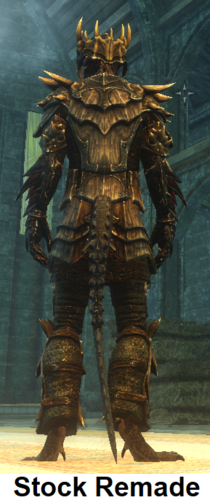
Tail Standing Idle Replacement
By MadMansGun
Stock Remade Tail idle: a replacement for the original mt_idle animation without the odd twist in it.
SexLab Tail idle: a edited mt_idle that moves the tail aside in an attempt to redue the "Tail Impalment Syndrome" problem in animations that lack matching files for the tails.......
....in other words all of them except for MNC, Sailing Rebel's, and my own. (stares angrily at the other animators with spite and hatred)
2795 downloads
Updated
-
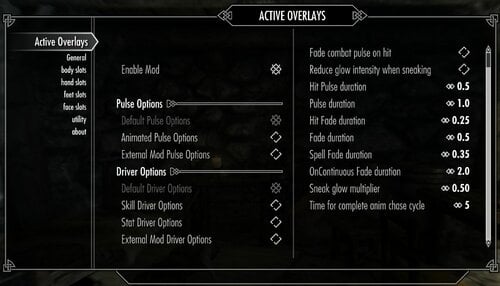
Active Overlays
By iamzip
Upgrading to v0.3 requires a clean save.
Description:
This mod uses scripts to actively change racemenu overlay colors based on conditions and colors set in the MCM. Currently only supports the player character.
There are two main conditions, driver and pulse. The driver of a slot indicates what is being looked at and scripts calculate the appropriate color based on the driver and color limits set in the MCM. The pulse of a slot indicates a condition that triggers the pulse color to be applied and then fade the slot back to its calculated current color once that condition is no longer met. The mod comes with several baked in setting for each, as well as the recently added method for plugins to add more.
Each area has its own page, body, hands, feet, and face. On each page you can select which slot number you are defining. For the slot to be fully defined you'll need to select a few options. First you'll need to tick the enable slot button. Then you need to select your pulse and drive conditions, details about the options are below. Next you define the driver minimum and maximum. These two numbers define the lower and upper limits for the calculation of the current color. For example if the driver is set to Destruction and your minimum is 25, maximum 75 and current skill level is 50 then the color of the slot, both tint and glow, will be set to half way between the min and max colors. If the skill level is at or below 25 then the slot color is set to the minimum, if the skill level is at or above 75 then the slot color is set to the maximum. Finally you need to set the minimum and maximum colors. For each condition, minimum, maximum, and pulse, you'll need to define the tint color and alpha level and the glow color and alpha level. The default colors are black and alpha 0.0, which will leave the slot hidden. In order to have a color show up the alpha will need to be greater than 0. The colors can be defined in three ways, you can select the color from the color menu, you can define the colors in racemenu and use the collect slot colors button (this will pull the tint color and alpha as well as the glow color and alpha currently set for the slot), or, with excessive color mode on, you can define the RGB for each color with the sliders.
Warning: there is currently no restore previous color button so if you turn off the mod after colors have been changed they will remain at their current colors, you'll have to redo any overlay colors via racemenu at that point. Also, this being my first attempt at scripting, use at your own risk.
Updating:
This new version requires a clean save as well as some editing to avoid any known issues. I recommend the save settings function in the utilities page before updating.
1 - Turn the mod off in the MCM and wait a couple minutes then make a new save.
2 - Exit the game, uninstall active overlays.
3 - Load the game with the save you just made, then create a new save, then exit the game.
4 - Open the latest save with a save cleaner, search for scripts and script instances starting with "zao" and delete all that come up. Save and exit.
5 - Install the latest version of active overlays.
6 - Open the game and load your cleaned save.
Details:
MCM general options:
Enable mod: does what it says, if this is off then nothing happens. Turn off this option and exit the MCM to remove all spells before uninstalling. Pulse options: these options create the list of pulse options that show up for each slot. Default includes No Pulse, OnLevelUp, OnSkillUp, OnCombat, OnHit, OnSpell, OnContinuous. The animated pulse options are experimental and include OnAnimCastLH, OnAnimCastRH, OnAnimLoopPulse, OnAnimLoopDriver. The external option will add pulse options from other plugins if any are available. More details below. Driver options: these options create the list of driver options that show up for each slot. Default includes Character Level, damageresist, magicresist, game time increasing, game time decreasing. Skills includes all 18 base game skills. Stats includes health, magicka, stamina. External drivers will add driver options from other plugins if any are available. More details below.
Pulse options:
These are global settings that affect all slots that have relevant pulse options selected.
"Fade combat pulse on hit": all slots set to OnCombat will drop to the current color then fade back to the pulse color when hit, uses the same timing as OnHit. the "current" color refers to the slot color calculated based on the slot's driver. "Reduce glow intensity when sneaking": this option will change the glow alpha value of all slots by the multiplier on entering sneak mode and return them to normal on exiting sneak mode. "Hit Pulse duration": the duration that the pulse color lasts before fading for all hit events. if the fade combat pulse option is selected this timer is also used for the current color duration. "Pulse duration": the duration that the pulse color lasts before fading for any momentary (usually event driven) pulse options, eg. OnSkillUp. "Hit Fade duration": approximate time it takes for fading between pulse and current colors for on hit events. The way the script works this is the target time but could take longer depending on script load. This is also used to fade back to the pulse color for the fade on combat option above. "Fade duration": the approximate time it takes for fading between pulse and current colors for most other pulse events. "Spell Fade duration": the approximate time it takes for fading between pulse and current colors for spell pulse options. Here because some spell animations are longer or shorter than others. "OnContinuous Fade duration": the approximate time for a fade cycle for OnContinuous pulse option. Due to this one being a continuous cycle the fade timer is separate to allow for longer full cycles. "Sneak glow multiplier": if the "Reduce glow intensity when sneaking" option is active, this number is multiplied with the glow alpha to reduce the intensity when sneaking. "Time for complete anim chase cycle": the approximate time it takes for a complete animation cycle.
Pulse details:
"OnLevelUp"
The slots that pulse on level up are triggered by the level up event, which triggers after the level up menu is exited.
"OnSkillUp"
The slots that pulse on skill level up will trigger any time the skill level up event fires and the slot is driven by the skill that leveled up.
"OnCombat"
The slots that pulse on combat will set color to pulse when weapons / spells are readied, or if the player enters combat.
"OnHit"
The slots that pulse on hit will apply the pulse color and fade back each time an onhit event fires. the script is set up to handle multiple rapid consecutive hits.
- "OnSpell"
The slots that pulse on spell cast will fade up and remain at the pulse color while the spell is held then fade back once the spell is cast or otherwise is no longer held. the script also accounts for ritual spells by using a different fade time.
- Left hand only: restricts the pulse to only trigger if the spell is cast from the left hand.
- Right hand only: restricts the pulse to only trigger if the spell is cast from the right hand.
- Skill driver magic school: restricts the pulse to only trigger if the slot's driver is a magic school skill and the spell cast is from that school.
"OnContinuous"
Slots that use this pulse continuously fade between the pulse and current colors. the fade is continuously updating so the color adjusts as the current color gets updated by the driver.
"OnAnimCastLH" & "OnAnimCastRh"
Left hand an right hand versions of animated on spell. This pulse requires 1 body slot and 1 hand slot. If you forget to set up both the script will select an available slot and set it up for you. Each version, as indicated in the name, only triggers when a spell is cast by the corresponding hand. The animation will overwrite the textures in the slots used and drivers are disabled. Allows for external texture sets / animations to be used. Please keep in mind that these animated pulse options are very experimental and may cause issues such as getting stuck or other odd behavior.
"OnAnimLoopPulse" & "OnAnimLoopDriver"
Plays a looping animation which can be selected and allows for external texture sets / animations. Allows for multiple slots to be picked, creating a trailing effect. The pulse version disables drivers and only uses the pulse color(s). The driver version continuously updates the color(s) based on the driver selected. Each slot using these will have their textures overwritten. As with the spell animation, this is very experimental and can get stuck or out of sync. If something breaks it is recommended to go into the MCM and exit, or save and re-load, as this will force the mod to reload all spell effects.
Also please note that all anim types included in the base mod are based on UNP / default male body, other body types might experience issues.
If you have SexLab / SLSO:
"OnOrgasm": Triggers a pulse event when the orgasm event is sent. The code can handle restarting if multiple events are sent by SLSO in rapid succession. "OnSex": Fades up to pulse colors at the start of the scene and fades down at the end.
Driver details:
All drivers have 2 common options, hide below minimum and hide above maximum. These do as you'd expect, if a slot's driver is below the selected minimum or above the selected maximum, respectively, then the alpha for tint and glow for that slot are set to 0.0 until the driver comes back in range.
"Character Level": uses the character level number and the minimum and maximum limits set in the MCM to calculate the current color based on the defined min and max colors. "damageresist" and "magicresist": uses the armor level and magic resist value, respectively, as the driver value. "game time increasing" or "game time decreasing": increases or decreases the driver value for the slot based on the selected time interval in game hours by the selected increment value. the script polls every game hour and checks against each slot's selected interval before updating. allows for direct setting of the driver in case you want to start somewhere other than zero. - "Add to counter when hit": if selected each time the character is hit the driver counter is increased by 1. the script attempts to filter out the multi hit issue from enchanted weapons.
- "Time interval for slot": the time interval in game hours between updates.
- "Amount to add or remove per interval": as stated, the amount by which the driver value is adjusted on update.
- "Set driver value directly": does what it says.
Skills: uses the value of the skill selected as the driver and calculates the color based on the min and max settings selected. health, magicka, stamina: uses the value of the selected stat as the driver, continuously updates rapidly when below 100% and when levels are changing.
- "only active in combat": hides the slot when not in combat.
- "only active out of combat": hides the slot while in combat.
- "use percentage not magnitude": uses the stat percentage instead of the full magnitude. also reduces and limits the maximum possible driver max to 100.
If you have SexLab / Aroused:
"Arousal": Driver tracks arousal and updates slots accordingly. Driver maximums above 100 won't be reached. "SL partner": Driver tracks sex partners that are human, creature, or the difference between those. These stats are tracked internally or can be pulled straight from SexLab. "Enjoyment": Driver tracks enjoyment variable during sex scenes, hides the slot once the scene ends. From what I can tell the variable doesn't go above 120 but I'm not sure. "SL stats": Tracks the 3 default SexLab stats directly from SexLab on the scene ending event.
External pulse and drivers:
This version now allows for plugins to use this MCM to offer pulse and driver options not hard coded into the base mod. To facilitate this, and because of how hard a time I had compiling things with frostfall scripts, I've separated the frostfall exposure driver into its own plugin. I've also included an example plugin, zao moon and star, that shows how to use the system. This plugin offers two drivers and one pulse option.
"OnFullMoon": Fades up to and maintains pulse color at the first day of the full moons and fades back down to current once the moon phase changes. This script uses the method of calculating the moon phase described in the creation kit wiki so if something in your LO plays with the length or start of moon phases then this might de-sync. "day time" / "night time": Both drivers monitor the time of day and increase the driver value as time passes through the day / night. The cut is 6am/pm. For example the night time driver starts at 0 at 6pm and increases to 600 at midnight, then decreases back to 0 at 6am, remaining there until the next 6pm.
Info for merging plugins:
If you decide to merge plugins for this mod you will also need to change the json files for each plugin merged. First you need to change the "modname" variable of each file to point to the name of the merge plugin. Then you also need to update the form information for all spells in each plugin's json file. I haven't tried converting to ESL yet so I'm not certain how easy that is to do here, but as long as the json file correctly points to the spells added then it should work, in theory.
For modders:
For adding animation sets:
Requirements:
SkyUI
RaceMenu
PapyrusUtil
FISS - technically optional
I've also built in compatibility for some mods found on LL.
Warning:
Conflicts with any other mod that plays with overlay colors, like RaceMenu - Animated Overlays. This mod can be made to play nice with that one by leaving any slots controlled by Animated Overlays deactivated in this mod. The same goes for any other mods that adjust color or alpha of an overlay slot.
Known Bugs:
For some reason the color swatch doesn't always recognize certain values from the blue color component slider, but the slot color definition works anyway, no idea why this sometimes happens. There are certain occasions where the pulse function will miss a condition, such as pulling out and putting away a weapon several times too rapidly. To fix this simply cycle through weapon out / away giving a second pause after each action. If you are casting spells in rapid succession the script monitoring that may miss a trigger and you might end up holding a spell without the pulse active. To fix this put the spell away or finish casting, the script should catch the next iteration.
Thanks to Hawk9969 and Monoman1 for their scripts and help, and AthenaESIV for beta testing. And I'm not sure who all else, I dug through so many scripts trying to figure out what I was doing.
5482 downloads
- color change
- racemenu
- (and 1 more)
Updated

![More information about "Deutsche Übersetzung von Home Lacter's HL_Maids — Maid Career [18+] 0.2.5"](https://static.loverslab.com/screenshots/monthly_2026_07/Screenshot2026-07-04214549.thumb.png.a894f372997932221ab22e5998ecdbae.png)