Adult Mods
These Skyrim: Special Edition mods are of an adult nature.
1966 files
-
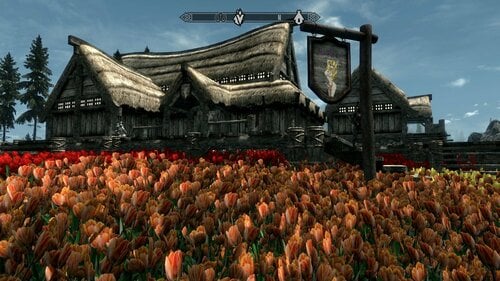
Her Boner's - A Transsexual Inn... - SE
By nehaberlan
First of all,
Please do not compare this project with great mods like The Animal Mansion, CPU's Cum Shot Brothel , migal's Bathing Beauties. or Beefcake Luxury Suite (BBLS) , Andragon's Underground Bathhouse and Paradise Valley , and/or any other best inns, taverns, bards, followers...
I just tried to do what I could.
It's an inn next to Whiterun...
Walk-through:
After you start the game and go outside, a courier gives the "Her Boner's" brochure.
Read it.
Then, select the quest. So, "Her Boner's" becomes targeted.
In the map, select Her Boner's.
Fast Travel...
Go in...
Mission accomplished.
Here you are...
You can download it from MEGA or MediaFire:
Her Boner's - SE.7z
You can download it from MEGA. Here is the link:
https://mega.nz/file/egsmVRzD#j4SC7jmd_4XIGO9MmCv-AXRHW7osMkzI6E0jxHgjFFU
or
from MediaFire:
https://www.mediafire.com/file/mu9wd724bnslqto/Her+Boner's+-+SE.7z/file
The Requirements:
SexLab SE - Sex Animation Framework v1.66
https://www.loverslab.com/files/file/20058-sexlab-se-sex-animation-framework-v166-12052023/
Sexlab Aroused Redux SSE
https://www.loverslab.com/files/file/5482-sexlab-aroused-redux-sse-version-29/
Schlongs of Skyrim SE
https://www.loverslab.com/files/file/5355-schlongs-of-skyrim-se/
RaceMenu
https://www.nexusmods.com/skyrimspecialedition/mods/19080
RaceMenu High Heels (Height Fixes)
https://www.nexusmods.com/skyrimspecialedition/mods/18045
Fores New Idles in Skyrim SE - FNIS SE
https://www.nexusmods.com/skyrimspecialedition/mods/3038
Highly Recommended. Really...
Papyrus Tweaks NG
Don't ask me why we have to use this "Papyrus Tweaks NG" mod/tool.
I had some problems about latency.
From the Technical Support, someone suggested me to use this tool.
Another one told me to make this setting on PapyrusTweaks.ini:
iMaxOpsPerFrame = 1500
Suggested mods:
To remove the barking sound, this mod worked for me:
Quiet Dog
Quiet Dog - Complete Silence
No Dogs are Stupid
No Dogs Are Stupid standalone
OR
No More Stupid Dog Comments
To avoid cacophony of bards' songs and the Inn's songs that play together at the same time, you need a mod like "To avoid cacophony of bards' songs and the Inn's songs that play together at the same time, you need a mod something like "Silence The Bards".
https://www.nexusmods.com/skyrim/mods/17514
Unfortunately, there isn't any alternative in SE for that mod.
So, I converted that mod's files.
In the downloads, you'll see two files.
Their names are:
Silence The Bards - Instruments -SE.7z
Silence The Bards - Voices - SE.7z
You can install them manually, or via your mod manager.
By this mod, you'll never hear again the bards' voice while they're singing, and won't hear their instruments' sound while they'll be playing.
I didn't checked if my SE conversion really works, or not.
I hope it does.
I hope that someone make a better silent bards mod in future.
[TRX] Statues:
There are there versions:
[TRX] Statues - 1K - SE.7z
[TRX] Statues - 2K - SE.7z
[TRX] Statues - 4K - SE.7z
If you have latency, slow motion like performance when you' re in the Her Boner's, one of the reason might be High-Poly Textures of "TRX - Statues" that have 4K.
For that reason, I created 2K and 1K version .dds textures versions.
I added 4K version also, if you decide to use original version.
Installation:
You just install by using your mod manager and overwrite the older files.
If you want to install them manually, just drag/drop in their folders.
Requirements:
SexLab SE - Sex Animation Framework v1.66, Sexlab Aroused Redux SSE, Schlongs of Skyrim SE, RaceMenu, RaceMenu High Heels (Height Fixes) , FNIS SE
Please, don't forget to install the requirements of the requirements.
PS: After installing Her Boner's - SE, Run FNIS. It'll see the animations of the Her Boner's.
It's important.
Incompatibility:
360 Pack for the Female Player V7.2
It's an option file for FNIS Sexy Move SE.
BHUNP Vaginaless Body has "anus" meshes and textures. It causes stretch bug during running/walking backward, forward, to the right or left. It's a common problem of the original BHUNP mod. I don't know why.
The best thing to do is just uninstalling or deactivate it while using BHUNP/BHUNP Vaginaless Body.
If you know any other alternative for 360 pack, please let me know. I'll appreciate that.
Warning:
Aubrey Kate's & Casey Kisses' original and new faces:
At the beginning, both of them had only their original faces.
Then, a friend made an alternative, secondary, new faces for them.
I made some modifications on them.
When you install Aubrey Kate and/or Casey Kisses, you'll have their original face version.
If you want to try/use their new face, install "Aubrey Kate - New Face.7z" and/or "Casey Kisses - New Face.7z" file(s).
You can use your mod manager e.g. MO, Vortex, or NMM.
Just "overwrite" the original files.
If you prefer to install it manually, just replace the "Original Face.7z" files by the new ones.
Aubrey Kate - Original Face.7z
Casey Kisses - Original Face.7z
Credits & Thanks:
------------------------------------------------------
Some notes:
5243 downloads
- transsexual
- experimental
- (and 18 more)
Updated
-
TS Followers SE...
By nehaberlan
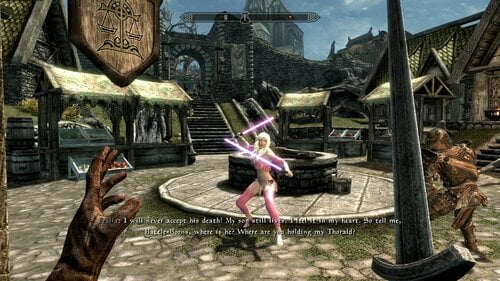
This is conversion of TS Followers from LE to SE.
There are five transsexual pornstars, and one imaginary character based Transsexual Followers...
They are at The Bannered Mare , or at The Drunken Huntsman, in Whiterun.
The Requirements:
SexLab SE - Sex Animation Framework v1.66
Sexlab Aroused Redux SSE
Schlongs of Skyrim SE
RaceMenu
RaceMenu High Heels (Height Fixes)
Incompatibility:
360 Pack for the Female Player V7.2
It's an option file for FNIS Sexy Move SE
BHUNP Vaginaless Body has "anus" meshes and textures. It causes stretch bug during running/walking backward, forward, to the right or left. It's a common problem of the original BHUNP mod. I don't know why.
The best thing to do is just uninstalling or deactivate it while using BHUNP/BHUNP Vaginaless Body.
If you know any other alternative for 360 pack, please let me know. I'll appreciate that.
Warning:
A Small note about the follower(s):
Aubrey Kate's & Casey Kisses' original and new faces:
At the beginning, both of them had only their original faces.
Then, a friend made an alternative, secondary, new faces for them.
I made some modifications on them.
When you install Aubrey Kate and/or Casey Kisses, you'll have their original face version.
If you want to try/use their new face, install "Aubrey Kate - New Face - 2023.12.11 - SE.7z" or "Casey Kisses - 2024.01.19 - New Face - SE.7z" file.
You can use your mod manager e.g. MO, Vortex, or NMM.
Just "overwrite" the original files.
If you prefer to install it manually, just replace the older files by the new ones.
If you decide to use original face again, you can install "Aubrey Kate - Original Face - 2023.12.11 - SE.7z" or "Casey Kisses - 2024.01.19 - Original Face - SE.7z" file, and overwrite the new faces' files.
PS: I just updated Casey Kisses main file and her faces files, and new files has "2024.01.19"
in their titles. I noticed a bug on the "Casey_Kisses_TS_Follower.esp" file.
I corrected it.
Sarina Valentina's Light Saber:
Thanks & Credits:
Please, do not hesitate if you have any questions/suggestions...
-------------------------
Have Fun...
& & & ...
Nehaberlan...
-------------------------
5571 downloads
Updated
-
Cozy Inn... - W.I.P. - SE
By nehaberlan
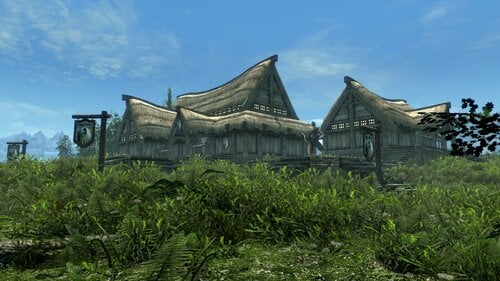
Cozy Inn...
Discover the excitement!!!
The Special Girls with full of surprises,
Just for your special desires!!!
Expect the Unexpected in
"Cozy Inn"...
...next to Whiterun...
------------------------------
You can download it from these links:
Cozy Inn - SE - 1.0.4.7z
7.07 GB
MEGA:
https://mega.nz/file/ewcEQI5R#9GYvOTrtoiR0u3ee2LU3ScKMxr3RKCd70BdbKfIf6v4
MediaFire:
https://www.mediafire.com/file/zqjsr4aoy1llfeg/Cozy_Inn_-_SE_-_1.0.4.7z/file
No-Videos Version:
Cozy Inn - No Videos - SE - 1.0.4.7z
1.10 GB
If you don't want the original version that has videos for a reason, you can use this version.
The only differences are there are no option to select the pictures to watch porn clips and there are no videos at all.
All the rest are same.
If you had the original version before, then you've decided No-Videos version, first of all you have to UNINSTALL the original version.
You can download it from MEGA or MediaFire:
MEGA:
https://mega.nz/file/eodySYKQ#TT29q1Sj4c6FVO5_e8CBVpMKan3TG2wcnVb8tfy1Ug0
MediaFire:
https://www.mediafire.com/file/01bll5gpxh6r79p/Cozy_Inn_-_No_Videos_-_SE_-_1.0.4.7z/file
------------------------------
Walk-through:
After you start the game and go outside, a courier gives the "Cozy Inn" brochure.
Read it.
Then, select the quest. So, "Cozy Inn" becomes targeted.
In the map, select "Cozy Inn".
Fast Travel...
Go in...
Mission accomplished.
Here you are...
------------------------------
First of all,
Please do not compare this project with great mods like The Animal Mansion
migal's Bathing Beauties or Beefcake Luxury Suite (BBLS)
Andragon's Underground Bathhouse and Paradise Valley
and/or any other best inns, taverns, bards, followers...
I just tried to do what I could do.
It's an inn next to Whiterun...
It's an experimental project...
For some people, this project might be "unacceptable, intolerable, nauseous, perverted, taboo, fetish, extreme".
Cozy Inn is not for them.
------------------------------
The Requirements:
Suggested mods:
Credits & Thanks:
Some Notes:
Some Infos, Some Bugs, Some Solutions...
Questions & Answers...
Please do not hesitate to ask me if you have any questions, opinions, or suggestions.
PS: Please, do not ask me "unrelated" questions. My knowledge about Skyrim/SexLab/NifSkope/GIMP/Creation Kit/BodySlide/Outfit Studio and other mods is really limited.
When you have a different kind of problems, please prefer making a Google Search, and/or ask to the "Technical Support".
If you ask me questions that I have no idea, I would just say: "I don't know. Sorry...".
If you make any modification, alter this project, then you get any problem(s) like CTD, I won't take any responsibility, don't ask for my help.
Have Fun...
& & & ...
Thanks,
Nehaberlan...
873 downloads
- porn scenes
- porn magazines
- (and 20 more)
Updated
-
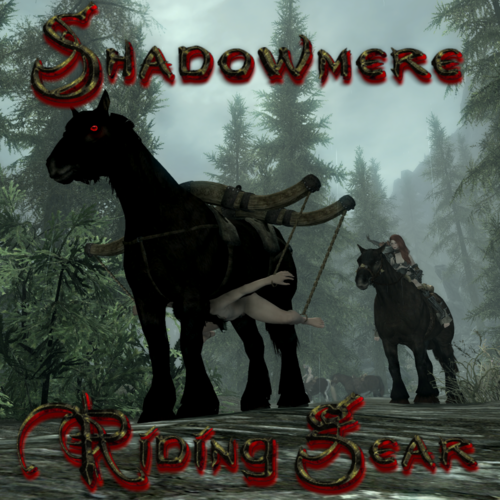
Shadowmere Riding Gear
By Vyru
This is a simplified version of the amazing Riding Styles 2 SE that only applies to Shadowmere and uses only one of it's animations (face down) and instead of a mcm, spells and menu based commands it just replaces the vanilla riding animation for player character only.
Why not just using the original mod?
1. I'm playing with a controller so i don't have much options for button mapping.
2. While the menu commands work like a charm (but i can't use them due to reason number 1) the spell for some reason causes my follower not to mount at all. I'm using Simple Horse SE, maybe if you're using something like Convenient Horses it works, i don't know about that.
If you're a mouse & keyboard user and don't mind an extra click to mount up i recommend using the original mod as it comes with a lot of cool features this version is missing.
Why only Shadowmere?
1. Because it's a unique horse and since my PC is submissive using mods like Submissive Lola and other player slave stuff i don't want followers to use the animations.
2. @Hero357159 made a OAR Version which mine is based on but with that one all horses have the vanilla saddle replaced with the riding gear which looks silly.
Requirements:
OAR and it's requirements
FNIS (Don't forget to run it)
SexLab More Nasty Critters Always Erect SE (Optional but recommended)
Version 1.5 Update:
Other horses can now be used with the regular riding animation.
Credits and thanks:
For the meshes and animations created and owned by @fingerscrossed the author of Riding Styles 2 SE and his permission to release this as a standalone file.
@sblichking for the updated OAR Script for Version 1.5
2393 downloads
Updated
-
SexLab Aroused Followers 1.1.0 SE RU
By vjnmrf
Конверсия в СЕ и перевод SexLab Aroused Followers
"Этот мод заставляет ваших спутников брать с вас плату за свои услуги. По мере того, как они будут следовать за вами, долги будут расти. Спутники ожидают, что им заплатят золотом или другими способами. Невыполнение этого требования приведет к последствиям."
В МСМ переведены только пояснения, ибо в противном случае эта сволочь ломается и не отображает статистику спутника.
Также, судя по комментариям, мод не особо жалует неванильных спутников, а из фреймворков признает только НАФ.
Проверил на Фендале - долг растет, выплачивается (в том числе и сексом), после превышения лимита начинаются наезды.
Оригинал, разумеется, не требуется, ибо он для ЛЕ.
172 downloads
Submitted
-
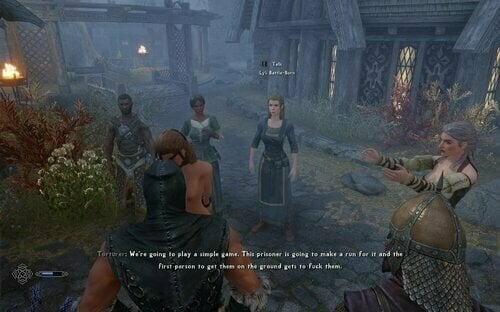
Prison Alternative POP Addon
By Thoraag
Picking this up after the great ponzipyramid left us RIP. I want to continue this mod with the other events he listed, and perhaps some more of my own, though this will be taking a backburner to my LMAO - Tolls and Crimes mod, as that is my priority.
There were a lot of things left completely broken with the most recent Prison Alternative updates, as a bunch of functions and parameters that were used by this were no longer apart of Prison Alternative, leaving this in not the best state.
I have cleaned those up for the most part, though there are still some issues, the pillory event for instance seems to mostly work, but its not ideal and needs a major rework. I plan on rebuilding that using DD contraptions at some point, once I have a better handle on those - Prison Alternative no longer requires ZAZ, so I feel like I should go towards that since I find it superior.
From the original mod page:
This add-on aims to bring Prison Overhaul Patched (POP) style events to Prison Alternative. This is very much a work-in-progress so install at your own risk.
Events
Visitor Event Pillory Event (Whiterun only) Parade Event (Whiterun only) Public Whore Release Event Compatibility
Should work with all SE versions. Based on preliminary testing, it may work on LE, post in the thread if something breaks.
Requirements
Hard:
Prison Alternative SkyUI Sexlab PapyrusUtil Soft:
Public Whore (for the release outcome) Practical Restraints (for the parade event) SlaveTats (for tattoos during events) and Tramp Stamps (for the default tattoos) ZAZ - will eventually be removed. If you don't use this, I think it will still work, but turn off the pillory event. Recommended:
Spectator Crowds Ultra Edition (for crowds during events) and Crowd Control (if you only want crowds during this mod's events) ZAP 8.0+ Faster in and out of Furnitures Fix (for what it says on the tin) ZAP - No Collision Furnitures (for better camera movement) Sexlab P+ (for faster furniture sex alignment) Installation
Install as you would any other mod, preferably with a mod manager If you are installing this mid-game, run clear registry, then register events in the Prison Alternative MCM but as stated in PA's description this is risky Ensure you run Register Animations in the ZAP MCM If you're getting mismatched animations, disable the ZAP Sexlab filter Future Plans
Visitor Event Extension Follower handling Multiple randomized visitor(s) Visitor gender choice Parade Event Cage Event Rent-A-Prisoner Event Tattoo Release Event Credits
Pamatronic for Prison Alternative Inte and XaZ for Prison Overhaul Patched Ponzipyramid for building the bulk of this and so many other awesome mods, pour one out for our homie.6210 downloads
Submitted
-
SL Survival SE Bikini Breakdown for TAWOBA Remastered
By Herowynne
This mod provides updated SL Survival 0.685 Bikini Breakdown JSON files to work with TAWOBA Remastered 6.1 for Skyrim SE/AE.
After installing this mod, make sure that it overrides the 49 JSON files in the SL Survival folder:
SKSE\Plugins\StorageUtilData\SL Survival\BikBreak\BuiltIn
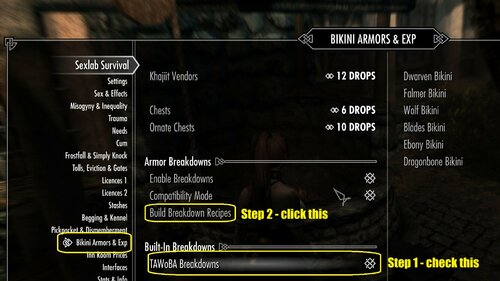
In game, go to the SL Survival MCM page for "Bikini Armors & Exp" and scroll down to the "Built-In Breakdowns" section.
Make sure that the "TAWoBA Breakdowns" checkbox is checked.
Then select the "Build Breakdown Recipes" item in the section above.
For testing, this mod includes a Skyrim console command bat file that will give all the supported armor items to your player character.
In game, open the console and enter: bat bikbreak
This mod only covers single-slot armor items from TAWOBA Remastered 6.1. Items that use multiple body slots are not listed in the JSON files.
For reference, this mod includes a delimited file "TAWOBA-esp.txt" that was generated from the TAWOBA Remastered ESP file.
The delimited file "TAWOBA-esp.txt" lists all armor items from TAWOBA Remastered 6.1 and indicates which body slots each armor item uses.
You can use this information to edit this mod's JSON files if you want to change which bikini armor items can be produced when breaking down vanilla armor items.
887 downloads
Submitted
-
Simple Player Prostitution
By mort65
You can earn gold in the temple of Dibella or Taverns as a prostitute, after asking for work or renting a room and getting permission from Innkeepers. You can also earn gold everywhere as a dibellan or a beggar. The payment that you could receive increases based on your Speech skill. You could contract STD while working, which are like Vanilla diseases, but only healers (Alchemy shop owners and some other NPCs) could cure them. In the first stage of STDs, they could be cured by using potion for minor STD. You can receive perk points from the MCM menu for achievements. Based on the settings, NPCs may give you Dibellan marks that could be offered in the temple of Dibella to get rewards: (Attributes, Skill levels, Perk points, Carry weight, DD key). NPCs may approach PC at selected intervals on the MCM or while begging, asking for service. Rejecting them based on MCM setting and/or QTE result may lead to getting Bounty, Rape, Assault, Theft, Locking DD items, Slavery or getting killed. Once you meet the requirements to become a Dibel, you can ask two Dibella priestesses to help the temple with repeatable prostitution tasks and receive customizable rewards. As a Dibellan you can also borrow gold with interest from the temple, and if you don't pay them back, you will receive bounty or possibly be sent into Slavery. Followers can be pimped out to NPCs to earn gold.
OStim Standalone must be updated If using version 7.3.3
Update from versions older than 1.1.3 requires a new game/clean save.
Requirements:
SKSE SkyUI Fuz Ro D-oh Flower Girls or SexLab SE or OStim Standalone with Animation mods. Backported Extended ESL Support If your Game Version is Older than 1.6.1130
Optional Requirements:
Flash Games - Struggling QTE PapyrusUtil SE for saving/loading MCM settings and user data, forcing NPCs packages, … SkyPatcher required for editing level lists and the compatibility patches. Powerofthree's Papyrus Extender for adding keywords from the MCM menu, … Scrab's Papyrus Extender or Pyramid Utils for checking inventory items, … Licenses - Player Oppression When the options enabled on both mods, you need to buy a license, otherwise NPCs may report you. Simple Slavery Plus Plus for send to slavery option. Devious Devices NG NPCs may equip DD Items on player based on the MCM settings. SLSF RELOADED Whore fame in SLSFR is affected by SPP and NPC approach only happens if it reached the selected value on the MCM. OSL Aroused/Sl Aroused Redux NPCs only approach or accept offer if their arousal is reached the selected amount. Sexlab Horrible Harassment Expansion It will be used for rape if installed. SexLab Separate Orgasm SE If the orgasm options are enabled, NPCs refuse to pay or may punish the player if they don't have an orgasm.
The licenses patch is no longer required unless you want to turn off dialogue options when the PC has no license instead of NPCs reporting to the guards.
Recommended Mods:
Populated Cities Towns Villages SE Edition Adds more NPCs to cities. Lively Inns and Taverns SE Adds more NPCs to inns.
Compatible mods:
Mods that add inns where you can rent a room like the default game are automatically compatible. Inns and Taverns SE for example. The Rift's Rest, The Naked Dragon and The Nasty Pine are compatible if SkyPatcher installed. For others, you can add a keyword to an NPC or a location from the debug page on MCM menu. Without the keywords, you can still work as prostitute everywhere but will get paid using beggar payment settings.
Incompatibilities:
Changing Timescale will affect NPC approach interval.
Voice patches:
Older versions are on GitHub
MCM Settings (v1.6.2)
Version History:
Credit & Thanks:
@gargamel9 for writing most of the Inn quest's dialogues
@Nuascura & @Radish Cat for their Voice Patches
Permissions:
This mod is intended for personal use only and must not be sold or distributed for profit. Additionally, it should not be uploaded to any other website without the explicit permission of the mod creator.
82869 downloads
- flowergirls
- prostitue
- (and 2 more)
Updated
-
Vivi's Cockcages SE - CBBE TRX Futanari
By Inquizit0r
Description
Original mod Vivi's Cockcages converted for Skyrim Special Edition, for use with CBBE-based body and TRX - Futanari Addon*, added Bodyslide support, including sliders for various presets & different weights, added few customization options and some other things.
*TRX Futanari Addon download has been changed and is no longer available on LL, instead can be found on discord server, here is the post.
Requirements
-Skyrim Special Edition (built on 1.5.97, but should work on higher versions, as long other required mods supports the versions) (LE is NOT supported, use LE version instead on Vivi's download page)
-(optional/mandatory) Backported Extended ESL Support (Not sure if this is necessary or not, does not hurt to have it though?)
-Caliente's Beautiful Bodies Enhancer (CBBE) based body (also tested on CBBE 3BA) (and its requirements)
-(optional) Bodyslide and Outfit Studio
-TRX - Futanari Addon (and its requirements such as Fair Skin Complexion, or other compatible textures for the schlong) (Built on TRX Futanari Addon version 1.2.4) (due to files being removed from LL, link was changed to open the discord invite link where you can access the file)
-(optional) AddItemMenu or QUI to get the items in-game (alternatively, cages are craftable, but straps are not)
Word of advice before you install
Information relevant for those who currently have Vivi's original mod installed.
If you already have the mod installed from Vivi's downloads page (any version) and you are not planning on starting a new game, I highly recommend that you do NOT disable the original mod (because disabling mods mid-playthrough is dangerous for your savegame). You can keep the original mod and also install my conversion, they can coexist without any issues (plugins are named differently), however, make sure my mod overwrites the original (mainly because of meshes folder). Also, before installing, make sure no characters have any cages currently equipped (and/or the strap), save, quit, then install.
Installation
Download the mod (Vivi's original mod is not required), install using mod manager of your choice, I use Mod Organizer 2, enable the mod, make sure that Fair Skin complexion overwrites CBBE (or 3BA, or other body), then TRX Futanari addon, then this file. (Optional) Open Bodyslide, select your preset, search for "Vivi" and use "Batch build" function (alternatively, have a look at the possible individual slider options for the schlongs & cages, features listed below). Run the game, use AddItemMenu/console/QUI, get yourself those shiny cages and have fun!
(optional) Feel free to report issues, but before doing so, read my notes below, there are some known issues.
(Note) The "No physics" version requires main file.
New Features
-Optimized for SSE (plugin Form 44), including meshes and ESL flagged .esp (does not count towards regular plugin limit)
-Bodyslide compatible with added weight sliders for greater customization, works with many bodyslide presets and sliders! (not all though, see notes)
-Built for CBBE based bodies (such as 3BA, but there are some minor issues, see notes)
-Renamed all cages and elastic strap for better consistency
-Elastic strap works with all metal cages (excluding leather cage) (each cage has its own individual strap)
-Strap slot changed from 61 to 49 (panties slot)
-Certain transparent cages were given an option to change type of ring, you can now choose to have either original (Steel ring and plastic cage) or have it replaced entirely out of plastic! (lock excluded ofc)
-Eligible Micro series cages now have a ZAP slider to add/remove the catheter (as in picture), cages that have in the name "Catheter" does not have this option
-Mini Cage now has a catheter! Also with toggle option
(Recommended: When using catheters, use the slider "SOS - Urethra Penetration 1" for best effect)
-Some of the original (but not all) SOS sliders works, some cages even have the foreskin "Cut/uncut" option (excluding classic and cobra)
-Now with optional file to disable scrotum physics
Notes
Bunch of stuff that you should be aware of before using this mod, as this conversion is far from perfect and there certainly are some issues that will likely not be solved, before posting any problems and needing to troubleshoot, please, read the text below. If someone wants to fix any of those and share it with everyone, by me guest, let me know.
-Physics are not very good (I tried to retain the original), but since I am not good with this matter, I left it as-is. The physics is only related to ballsack, as it quite often can go through the cage rings or other parts. Most notably problematic are the Micro SuperFlat series, because of this, I have added options with disabled physics. Up to you.
-Physics have resulted in catastrophic results when used alongside with SurverX Floppy settings - ballsack is almost permanently going through all rings of all the cages (or use the "No Physics" version alongside with the Floppy settings, the physics are only disabled when cages are equipped)
-Sliders that exceeds values of regular 100% (or negative values) can result in unwanted clipping
-Some sliders do not work with the mod (most notably sliders that do not work well with base TRX Futa addon itself, for example, preset "CBBE Fetish Enhanced" and others like this will result in the schlong being not attached to the body, or some unwanted seams)
-Cage MicroSuperFlat is most problematic from most perspectives, not only physics, but also sliders, sometimes, the body texture might go through schlong's texture, happens at high slider values)
-Male characters not supported (this was a conversion meant for CBBE TRX Futa addon, male bodies are by default LE mod supported, I did not make any changes in this, just optimized meshes to prevent crashing/other issues)
-Beast races untested (should work? If someone can try and let me know, I will change this text)
-Leather cages (cut and uncut) are basically the same thing, one just has default maxed "UNCUT" value
-As mentioned above, leather cages do not have a compatible elastic strap
-SOS sliders works for the most part, but are not optimized if you max all of them out at once, clipping and issues are guaranteed to occur, adjust the sliders carefully
-Pregnancy Belly slider is not supported
Planned
-Probably necessary fixes, and also maybe will convert Vivi's thong & schlong accessories
-Alternative file that will remove physics completely (currently only MicroSuperFlat has the option) Added
-Add some screenshots to the showcase? I'm not very good with making good screenshots, if you want to have your screenshots featured, let me know
Credits
@Vivi - Author of the original mod
@TRX_Trixter - Author of the TRX Futanari addon
Thanks to both for their permission to let me make this conversion possible
Special Thanks
Smooth Brush in Outfit Studio - hard carry, MVP, wouldn't be possible to make the conversion without it
Changelog
May 11th 2025 - Version 4.1.2 Fixed weight sliders for Racemenu
May 9th 2025 - Version 4.1.1 added optional file for disabled physics
May 8th 2025 - Version 4.1.1 Initial Release
9065 downloads
Updated
-
Simple Player Prostitution Voice Pack
By Radish Cat
Simply some XVASynth3 voice files for Simple Player Prostitution SE by @mort65.
Voices wont be perfect, if you find anything particularly painful to hear or missing though let me know and I can look into it.
Requires:
9100 downloads
Updated
-

Unique Sissy Vanilla Armor
By Vyru
Downloading custom armor sets is fun and all but playing a Femboy with the Unique Character Mod and therefore not being able to craft vanilla armor fitting my body feels like something is missing... that's where this Mod comes in.
Craftable Sissy Armor versions added:
Iron
Banded Iron
Steel
Steel Plate
Elven
Dwarven
Orcish
Ebony
Daedric
Dragonplate
Version 1.0.2 update: Prisoner Clothes added to the large sack right at the entrance of Cidhna Mine
Version 1.5 Final Update:
Dark Brotherhood Robes added to a chest at the entrance area of the sanctuary
Thieves Guild Armor added to a chest in the big room in the Ratway right outside the Ragged Flagon
⚠️ Warning ⚠️
For some reason even though the 7z folder contains the meshes (total size 13mb as you can see here) after downloading the folder is only 3kb and contains nothing but the esp... I'll put the meshes folder here for everyone running into the same problem:
Meshes.7z
Requirements:
CBBE
CBBE 3BA
Devil's Daedra Armor (Only Textures required)
BD's Armor and Clothes Replacer (Only Textures required)
Argonian Shin Guards (Only Textures required)
Notes:
- The armors are (obviously) revealing, don't forget to set them revealing in SOS MCM
- Most sets (except Steel) come with barefoot Legguards, if you don't like them just use the Boots of the original vanilla sets
- Some sets come with Gloves except Dwarven and Dragonplate because the BD's Armor mod didn't have them, again just use the original vanilla ones
- No helmets added, use original vanilla ones if you want them
- Heavy arnor weight is slightly reduced (Cuirass by 3-5 and Gloves/Boots by 1-2) because you're a weak little sissy 🫢
- The Chastity Cage on the screenshots is NOT part of the armors, if you want it download: TRX Cock Cages and if you want Devious Addons - TRX's Cock Cage
Version 1.5 Final
- Plugin now ESL flagged
- Dark Brotherhood and Thieves Guild Armors added
Version 1.0.2
- Added prisoner clothes
Version 1.0.1
- Added barefoot footstep sounds
964 downloads
Updated
-
Devious Interests Addon Femboy Edition
By Vyru
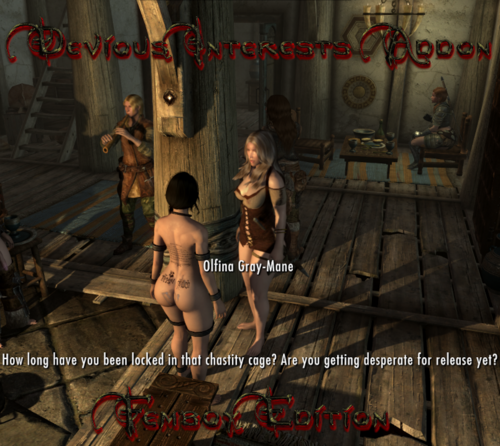
This is a addon for Devious Interests SE that changes dialogue to match a Femboy Player Character with Sexlab gender set to female. So... why not setting gender to male? Simply because i'm wearing Devious Addons - TRX's Cock Cage most of the time and want to make sure i'm always in the passive position in animations. Since all my female npc's are set to be Futa in SOS settings and set to always take the male position in animations using SLEN, i don't have any animations with "vaginal" tag registered, only oral and anal. The problem with that setup is, while you can simply use Pronouns to get npc's to recognize your vanilla gender as male, most LL mods are using your Sexlab gender or just have their dialogue written for a female PC.
Requirements:
Devious Interests SE
xEdit
FO4Edit - Plugins JSON Import and Export (It's made for FO4 but works for Skyrim too)
Installation:
You will have to run a script in xEdit to import the dialogue because i do not have permission to just upload a edited Devious Interests ESP. Just follow these simple steps:
1. Download FO4Edit - Plugins JSON Import and Export and place the scripts in the xEdit "Edit Scripts" folder
2. Download the .json file and place it in your xEdit folder where the .exe is
3. Run xEdit and right click Devious Interests then click Apply Script and chose JPImportFiltered
4. Click ok to run the script and let it do it's job, once it's finished click the top left hamburger menu and click save.
5. Download the Voice Files and put the "Sound" folder in your "Data" folder.
Special thanks to:
@Taki17 for the awesome mod!
880 downloads
Updated
-
Spectator Crowds Addon Sissy Edition
By Vyru
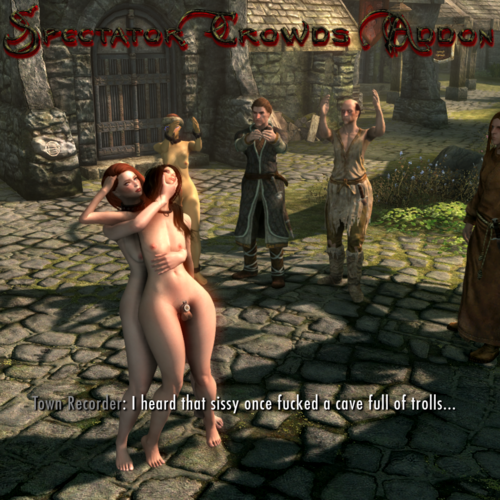
This is a addon for Spectator Crowds Ultra Edition that changes dialogue to match a Femboy Player Character with Sexlab gender set to female. If your Sexlab gender is set male you don't need this. So... why not setting gender to male? Simply because i'm wearing Devious Addons - TRX's Cock Cage most of the time and want to make sure i'm always in the passive position in animations. Since all my female npc's are set to be Futa in SOS settings and set to always take the male position in animations using SLEN, i don't have any animations with "vaginal" tag registered, only oral and anal. The problem with that setup is, while you can simply use Pronouns to get npc's to recognize your vanilla gender as male, mods like Spectator Crowds are using your Sexlab gender.
Dialogue changes made:
- All lines containing "Her" are changed to "Him" / "His" (Except the ones spectators talking about wishing their wife would do certain things)
- All lines containing "She" are changed to "He"
- All lines containing "Girl" or "Woman" are changed to "Sissy" or "Slut"
- All lines containing "Tits" are changed to "Nipples" - if it was something like "look at her big tits" i removed the "big" aswell
- All lines containing "Pussy" are changed to "Ass" or "Clitty" depending which one makes more sense
Lines not changed:
Everything about impregnating that doesn't really make sense but it would just be too much work, sorry about that.
Requirements:
Spectator Crowds Ultra Edition
xEdit
FO4Edit - Plugins JSON Import and Export (It's made for FO4 but works for Skyrim too)
Installation:
You will have to run a script in xEdit to import the dialogue because i do not have permission to just upload a edited Spectator Crowds ESP. Just follow these simple steps:
1. Download FO4Edit - Plugins JSON Import and Export and place the scripts in the xEdit "Edit Scripts" folder
2. Download the .json file and place it in your xEdit folder where the .exe is
3. Run xEdit and right click Spectator Crowds then click Apply Script and chose JPImportFiltered
4. Click ok to run the script and let it do it's job, once it's finished click the top left hamburger menu and click save. When everything is done you should get this message:
5. Download the Voice Files and put the "Sound" folder in your "Data" folder.
Sidenote:
I noticed i missed one line where spectators react to PC masturbating but generating the Voicefiles took 7 hours so i won't run xVaSynth again for now... maybe sometime.
713 downloads
Updated
-

Futa Banners
By Vyru
Replaces City (and some other) Banners with new ones. The Mod is inspired by PyGee333's Porny Banners, check that out too if you're not into Futas.
Most Banners are Futa themed, some Femboy.
Some previews:
I didn't really like how the whiterun and winterhold ones turned out so i replaced them in v 1.0.1
Replacement previews:
1857 downloads
Updated
-
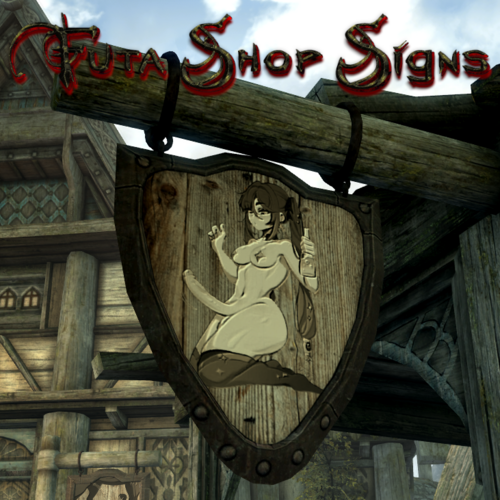
Futa Shop Signs
By Vyru
Replaces most shop / inn signs with new ones. The mod is inspired by PyGee333's Porny Signs.
Most signs are Futa themed, some Femboy.
If you like them check out Futa Banners too.
2011 downloads
Updated
-
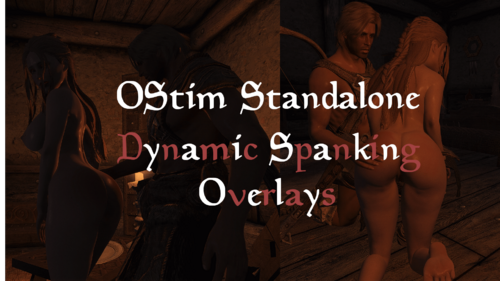
OStim Standalone - Dynamic Spanking Overlays
By TheBloodWyrm
The mod you've all been waiting for! XD
Jokes aside, this is a VERY BASIC mod at this stage. It uses your 1st & 2nd body overlay slots for the left & right butt spank overlays respectively.
I thought I would upload it in the meantime for anyone who wants to use it, and I'll be developing it further over time.
Table Of Contents:
Overview Requirements Optional Files Recommended Features Frequently Asked Questions (FAQ) (Load Order, NPC/Follower support, ESL) Mod's Used
Overview
As mentioned above, currently this will use your 1st and 2nd body overlay slots for a left & right butt cheek spank overlay.
1st body slot = left butt cheek spank overlay
2nd body slot = right butt cheek spank overlay
Set the opacity/alpha of those overlays to 0 to begin with, and they will be increased during Ostim spanking scenes.
Basically you can choose whatever overlay you want, and in an OStim scene with spanking, it'll increase the opacity of those overlays.
Requirements
OStim Standalone - Advanced Adult Animation Framework RaceMenu SkyUI - for Mod Configuration Menu (MCM)
Optional Files
Billyy's animations for Ostim Standalone - Spanking Scene Adjustments.rar FOR VERSION 2.1.0 ONLY. A patch will be provided for their latest version soon
For Billyy's animations for Ostim Standalone
Adjusts their spanking scenes to LEFT, RIGHT, or IDLE spanking scenes
Nibbles' animations for Ostim Standalone - Spanking Scene Adjustments.rar For version 2.2.0. Hasn't been tested on older versions.
For Nibbles' animations for Ostim Standalone
Adjusts their CHAIR spanking scenes to LEFT, RIGHT, or IDLE spanking scenes.
Open Animations Romance and Erotica - Spanking Scene Adjustments.rar
For version 1.52.1. Hasn't been tested on older versions.
Load after Open Animations Romance and Erotica (OARE). Adjusts their spanking animations to LEFT spanking designated animations.
Lovemaking Compendium for OStim Standalone - Spanking Scene Adjustments.rar
Should work on v1.13/1.13.17 and newer. Tested on 1.14 as well.
For Lovemaking Compendium for OStim Standalone
Recommended
RaceMenu Overlays Body Blushing - Racemenu Overlays - 3BA - CBBE - BHUNP - I'm using their "ass" & "BONUS" butt overlays. Additional Spanking Animations Open Animations Romance and Erotica for OStim Standalone (OARE) - see below for note about sounds Lovemaking Compendium for OStim Standalone Billyy's animations for Ostim Standalone Nibbles' animations for Ostim Standalone Other Mods (mods I recommend using along this mod) Ostim Standalone Sound Overhaul - includes nice spank sounds if I'm not mistaken among many other great
sounds. Note that they don't always play for all animations, such as OARE's spanking animations. According to the author this is because of a change to OStim Standalone and they'll need to edit their hkx animation files to update the annotations which apparently isn't a simple task. Female Moan Voicesets For Ostim Standalone - Also get the patch from the above mod if you use this. Lots of great
sounds/voices to choose from, and like the mod above, will play moans during spanking animations. Beach Body - Skin Tanning and Paling and Overlay Fading - Another mod of mine that you may like for immersion. Also you can easily change the opacity of your RaceMenu overlays in the MCM settings without having to enter RaceMenu. Advanced Users (mods that don't add overlays to RaceMenu. If you know what you're doing, you could use the overlays from these mods: Spanked pack for Slavetats on LoversLab
Features
The overlays will be increased during Ostim spanking scenes
The opacity of your 1st RaceMenu body slot (LEFT BUTT) & 2nd body slot (RIGHT BUTT) will be increased during OStim spanking scenes.
Of course this depends if the scene has distinguished between a left and right butt spanking. I've provided optional files to patch some scenes from some mods. Please ensure they are loaded after the mods they change.Also, please be aware that they may need to be updated after the affected mod updates. I'll do my best to keep the files updated. All you'll have to do is ensure the "name" inside the scene JSON contains "left", "right", or "idle".
Regarding scene names that contain "IDLE" (i.e. no actual spanking happening in the scene), which many do, this is used so that it won't increase the opacity of any overlays.
Eventually you'll be able to configure the RaceMenu overlays used in the MCM.
Also, Opacity/alpha is between 0-100. The overlays will increase by 10 points for each animation. In the future this will be able to be configured in the MCM.
The overlays will slowly fade away overtime
That's right. Currently it's 0.1 every 5 seconds. In the future this will be able to be configured in the MCM.
If you use my Beach Body - Skin Tanning and Paling and Overlay Fading mod, disable the 1st & 2nd body overlays, so that it doesn't also decrease the overlay opacities. Or don't, if you want/need that any reason. You can also use the Beach Body mod to easily change the alpha/opacity of the overlays without having to go into RaceMenu. Helpful if one of the overlays increases its opacity when it shouldn't have e.g. due to a OStim scene not having distinguished between a left, right, or idle spanking animation. Note that if an overlay is disabled in Beach Body, it'll show the alpha/opacity as 0, which it shouldn't actually do and may be a bug that I'll need to fix.
Frequently Asked Questions (FAQ)
What's with the name?
I couldn't think of anything better at the time and ... HAHAHA
(Now better thanks to Tiress! xD That's what you get for creating a mod at 5am in the morning o.0)
Eventually this mod may become a Sex Markings mod and cover all kinds of markings instead of just butt spank overlays.
Load Order?
After Ostim Standalone & RaceMenu. If you use any of the optional files, they will need to be loaded after the mods they affect.
How to enable the mod?
Go to Mod Configuration Menu (MCM) -> OStim Standalone - Dynamic Spanking -> Settings -> Enable
NPC/Follower support?
Not at the moment, sorry :'(. Player only.
Some Ostim scenes don't distinguish between a left & right butt spank
Some OStim scenes don't distinguish between a left & right butt spank (at least in the scene name which we're using, which I think is better),so they will need to be updated. I'm providing a few modified scene files as optional files. Load those after the affected mods. Note that when Ostim Standalone / other Ostim mods/animation mods update, those scene files may need to be updated. I'll try to keep updated files available, and I'm sure other users will help with that, until we find a better way if there is one.
If you encounter any animations which don't increase the correct overlay, please provide a screenshot of the animation in use (with the menu open so it shows the animation info)
I don't have a separate overlay for left & right butt spanks
If you don't have a separate overlay for the left & right butt cheek that's okay, just use the 1st body overlay. Set the 2nd body overlay to "default"/"default.dds" as currently the mod will try to use it if not.
ESL Flagged?
Not yet. Once it's finished it will be.
How much do the overlays increase in opacity during ostim scenes?
Opacity/alpha is between 0-100. It will increase by 10 points for each animation. In the future this will be able to be configured in the MCM.
How accurate is the application (i.e. the timing)?
Depending on the animation, it may increase the opacity slightly before it's supposed to. Over time this may be able to be improved.
The overlays aren't increasing or decreasing in opacity
If the overlays aren't increasing in opacity, then it may be because the animation isn't a spanking animation or it hasn't been marked as a spanking animation correctly (as far as our mod is concerned). Please see "Some Ostim scenes don't distinguish between a left & right butt spank" above.
If however it definitely is a spanking animation and it should be increasing the opacity, then try refreshing the mod by going to Mod Configuration Menu (MCM) -> OStim Standalone - Dynamic Spanking -> Settings -> Disable and then Enable the mod to refresh it.
Mod's used in the screenshots?
See the bottom of my Beach Body - Skin Tanning and Paling and Overlay Fading for many of them.
Some not listed there that I'm currently using are:
Your Nord Friend's Hot Mom - Highpoly Nord Preset Milfactory - Critical Mass - BHUNP Bodyslide Preset Body Blushing - Racemenu Overlays - 3BA - CBBE - BHUNP Ostim Standalone Sound Overhaul - includes nice spank sounds if I'm not mistaken among many other great sounds. Note that they don't always play for all animations, such as OARE. According to the OARE author it sounds like this is because of a change to Ostim Standalone and they'll need to edit their hkx animation files to update the annotations which apparently isn't a simple task. Female Moan Voicesets For Ostim Standalone - Also get the patch from the above mod if you use this. Lots of great sounds/voices to choose from, and like the mod above, will play moans during spanking animations. Pandorable's NPCs - males 3 - For Cosnach shown in the screenshots. I use all of Pandorable's NPC mods ^^ Please check them out!
2642 downloads
- ostim
- ostim standalone
- (and 9 more)
Updated
-
Dirt and Blood - OCum Ascended Patch
By TheBloodWyrm
Washing will now remove OCum Ascended overlays. ESL Flagged
Requirements
Dirt and Blood - Dynamic Visual Effects OCum Ascended
Optional Files
DNB - OCumA - DNBE Animations Only Patch This is a patch for the "DnB animation patch" main file (1st file) of the Dirt and Blood (Expanded) animation patch mod. If you use that mod file, this will allow you to use those new animations and still have the cum removed. It doesn't work with the other file or with Dirt and Blood (Expanded) yet. Video demonstration here. Doesn't require the main file. Load it after all of the other mods.
Load Order
Load after Dirt & Blood and OCum Ascended.
Recommended
Mods I personally use & recommend using alongside Dirt & Blood and this mod:
Dirt and Blood - Seamless Soap Texture SE by Xtudo Dirt and Blood HD Retexture Dirt and Blood - Bathing in Skyrim - (Mostly) Seamless Dirt Retexture
Planned
A version that works with the other files of Dirt and Blood (Expanded) A custom version without the vanilla animations at the start and end, and custom sounds to match the animation.
Video Demonstrations
Main Mod (Dirt and Blood - OCum Ascended Patch):
Optional Mod (DNB - OCumA - DNBE Animations Only Patch):
Mods used in Screenshots/Videos
RaceMenu Preset - Modified version of Vex a shortstack high poly goblin preset (Breton) Skin - BnP - Female Skin Main Files -> BnP female skin 4k (CBBE Player and Replacer) (1.7 Young, Moles, Big Boobs, Soft, Default Spec, Moles, Makeup, Natural Vagina, no fix) Old Files -> BnP female skin 8k (CBBE) (Pubeless, Moles, Default). This does overwrite the 4k version for the player, but those are the settings I've historically used. Also, I keep the 4k version as it does overwrite some default CBBE/3BA hand, old, and astrid textures. Hair - "Luanda" from "[Dint999] BDOR Hairs SSE 0.18" (Patreon) Eyebrows - Koralina's Eyebrows for High Poly Head (f07) Makeup Lamenthia's Marks of Beauty Female Makeup Suite Even More Makeup by Koralina - ESL Extended Makeup and Features MintChoco Tintmask Eyes - Kala's Eyes - Improved BodySlide Preset - Modified version of Temptations - 3BA 3BBB CBBE SSE Bodyslide Preset (0.5 weight) Body Hair - Nordic Warmaiden Body Hair (customized) ENB - Modified Azurite Horizons ENB (v4.0n) ReShade - Modified ReShade (AMD FidelityFX, DPX, LumaSharpen, Tint, Vibrance) Jorrvaskr Interior - JK's Jorrvaskr Interior Lighting - Lux Clutter - Skyland Bits and Bobs - A Clutter Overhaul Architecture & Landscapes - Skyland AIO ENB Dynamic Cubemaps - ENB Dynamic Cubemaps
Credits
jayserpa - Dirt & Blood Aietos - OCum Ascended. I used their "Reset Actor" code to remove the cum overlays. VersuchDrei - Ostim Standalone1896 downloads
- dirt and blood
- ocum ascended
- (and 9 more)
Updated
-

SeranaXXX a.k.a. 'Serana Vamp' Follower - SE
By nehaberlan
It's based on Excelsior2000's 'Seraphina Follower'.
She's in the 'Hall of the Dead' at Whiterun.
It's an experimental project...
-----------------------------
Outfits & Screenshots:
The Requirements:
SexLab SE - Sex Animation Framework v1.66b
RaceMenu
RaceMenu High Heels (Height Fixes)
PS: Please, do not forget add the requirements of the required mods.
I used "Nude HDT-SMP" version of UNP Blessed Body SE.
I checked the bouncing FX on her via CBPC - Physics with Collisions for SSE and VR.
It seems that it works.
I had some problems with HDT-SMP (Skinned Mesh Physics).
So, I uninstalled it.
Some Notes:
Thanks & Credits...
Editings that I've made:
Please, the modders forgive me because I did several modifications on their mods.
Please do not hesitate to ask me if you have any questions, opinions, or suggestions.
PS: Please, do not ask me "unrelated" questions. My knowledge about Skyrim/SexLab/NifSkope/GIMP/Creation Kit/BodySlide/Outfit Studio and other mods is really limited.
When you have a different kind of problems, please prefer making a Google Search, and/or ask to the "Technical Support".
If you ask me questions that I have no idea, I would just say: "I don't know. Sorry...".
If you make any modification, alter this project(s), then you get any problem(s) like CTD, I won't take any responsibility, don't ask for my help.
Have Fun...
& & & ...
Thanks,
Nehaberlan...
1340 downloads
Updated
-
Toys Workshop PL
By bosa2012
Potrzebujesz oryginalnej wersji moda
Nadpisz oryginał
Dziekuje
112 downloads
Updated
-
Shout Like a Virgin Evolved PL
By bosa2012
Do działania potrzebujesz oryginalnego moda
nadpisz tłumaczeniem
Dziękuje
114 downloads
Updated
-
Nimorphus - Inflation Framework
This mod is specifically for the NEFARAM Wabbajack mod list. However, it can be dropped in any mod list as long as you adjust the scripts of a mod you want to communicate with Nimorphus.
If you have a mod request that you'd like Nimorphus to communicate with, please link me the mod and when I make time.I'll work on it.
SPECIAL THANKS:
Skyrim Scripting YouTube channel! ❤️
DVA - Dynamic Vampire Appearance - I totally ripped the debugging function and adapted to mine. Thank you!
Hard Requirements: JContainers, SkyUI
Soft Requirements: Baka Fill Her Up, Milk Mod Economy, Transformative Elixirs
This mod heavily uses JContainers. I'm new to scripting and this was easier than using the basic methods from Papyrus.
This mod is completely body agnostic. It doesn't care what body type (CBBE, UNP, etc). Actors and their morphIDs are created when the mod requesting the modification sends my mod the event at the bottom. If your body type has those morphIDs it will update properly. If they don't, it's tracked regardless and nothing happens.
I recommend a new game OR revert all body changes in your save, drop mine in, and re-add them manually or just start fresh. Remember, if a mod doesn't send the event at the bottom, my mod will do nothing with it and you will have competing morphs.
There are 6 pages in the MCM
Main = Thank you and let me know if you have issues. You can turn debugging on if you want, but be warned it gets messy.
Registered Actors = All actors modified are registered here (As long as the mod modifying the body sends the event to Nimorphus)
Mod Influence = Toggles for each mod. You can uncheck to make all body mods not affect any actors
Morph Range = All morph ranges are set from -1 to 1. You are free to adjust these.
ModsPerMorphPercentage = Each morph ID has the mods affecting it listed under, you are free to change these values.
I DO need to work on pagination as this list will eventually be too long.
Morph Exchange = Under construction. Maybe never.
This mod does not listen for SLIF events. Mods that need to send morph changes NEED to use mine. Again, you can send me a link and request a script modification to work with THis one.
Outside of the NEFARAM mod list: Add the below into the mod. That's it!
13037 downloads
Updated
-
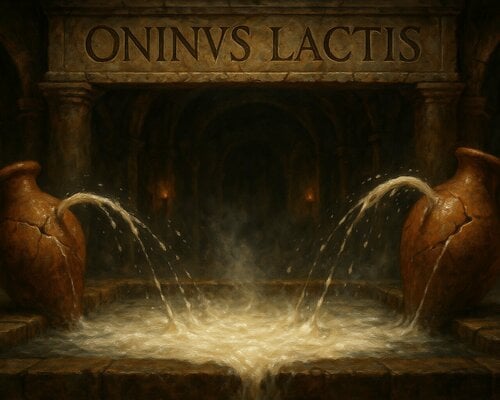
Oninus Lactis NG
By stnfnk
A simple framework for lactating/nipple squirt visual effects. Supports individual player and NPC effect offset and scaling.
[Original Mod]
Requirements
Skyrim: Special Edition (1.5.39+) or VR [SKSE64] [PapyrusUtil SE v3.9+] [CBBE 3BA (3BBB)] (or UNP) [XPMSSE] Compatible Mods
Dripping When Aroused NG Soul Gem Oven 4: Integration Fork Features
Updated, enhanced, and localized Sex framework independent Alternative equipment slot installation option (for compatibility with DD, OBody, OCum Ascended meshes, jewelry, etc.) Customizable player and NPC nipple squirt offset and scaling. (Optional) CBBE nipple leak overlay. UNP-B replacement included. For mod authors: Public API to integrate the effect into other mods. Standalone mode
Press "K" with no NPC under the crosshair to toggle the effect on/off for the player. Press "K" key to toggle the effect on/off for any female NPC under the crosshair. Supports up to 20 simultaneous effects. Installation
Install with your favorite mod manager (developed and tested with MO2).
Uninstall
Click the uninstall option in the MCM menu. This will stop all running effects, delete all stored actor settings, and prepare the mod for removal.
After clicking the option you need to exit MCM, then save and exit the game. Deactivate the Lactis mod and restart the game again. Load your save, play for a little while, change cell, save and exit game again.
When using standalone mode (key K) on various NPCs, don't save or travel. Leaving cells and saving/reloading save games may cause issues with save game bloat.
MCM settings export
The MCM setting can be exported to and imported from a file. Choose the option "Export MCM settings" in the MCM menu and find the file in your Data folder at 'SKSE/Plugins/Lactis/MCM_Settings.json'.
Choose "Import MCM settings" to import from the file at the location mentioned above.
Note that NPC offsets are NOT exported for now. This feature will be added in a future release.
Physics
Developed and works best with CBPC. With SMP nipple offset is somewhat off/delayed.
Technical details
This mod was developed using XPMSSE and the 3BA body. It was tested by a BHUNP user who confirmed that this works, too.
Known issues
Particles look weird from some angles. When using SMP nipple offset is somehow delayed (CBPC works better) During OStim scenes: Flickering face effects when using face lights. Affects player and NPCs. MCM configuration
Use MCM to configure nipple offset and scale for the player and NPCs. You can enable a debug axis to make this step easier. Use other parameters to adjust effect if desired.
The standalone nipple squirt effect can be toggled on/off via the key "K" (can be configured via MCM). This works for up to 10 NPCS and the player actor. The effect can be toggled on/off at any time even when your character or the NPC is not naked.
Settings page
Toggle nipple squirt key - remaps toggle nipples squirting on a target actor or the player (Default K). Player Nipple Offset for the nipple squirt emitter origin. Adjust to match the player's body. Enable nipple squirt even when actor is not naked. This might help with revealing armors/clothing. Enable nipple leak (CBBE EffectShader) overlay texture which simulates nipple leak. A UNP-B replacement texture is also included. Enable debug axis for nipple offset adjustments. Applies to player and NPCs. Global emitter scale for left and right emitters. Applies to player and NPCs. Actor offsets page
Select actor under crosshair or from *Stored actor offset* Configure the offset and scale, all changes are automatically saved. You have to exit MCM and re-toggle the effect to have the new values applied. Thanks & asset contributors
Thanks to Orbus Ninus for the original mod.
Uses some textures from
https://www.loverslab.com/topic/98782-sexlab-hentai-pregnancy-special-edition/ with permission.
15514 downloads
Submitted
-
Player gets Necro'd (SLPGN)
By FoxinTale
This is, as the title suggests...when the player character dies, there is a configurable chance that they will be necro'd by the nearby NPCs.
I am not the original mod creator, and I cannot find who it was as it seems to have been deleted to give credit to. If anyone knows who, (or you are the author reading this) please do let me know and I will add credit.
In the original posts comment thread, another user made a scanning "variant" which made the mod not a run once event, and it would loop endlessly. Again, I don't know the creator of this "variant". This version of the mod is based upon the scanning variant and I do not take credit for the original mod, nor the scanning. I only take credit for the things I implemented /changed and nothing more.
Anyways, with that out of the way, one may be wondering what's different about this one? I changed and added quite a few things.
If the first version number changes (2.x.x -->3.x.x) a new game is required. Otherwise, you can easily update mod versions mid game.
What I changed / added:
Now, here is a to do list of things I would like to add, or I have planned to add. (Italics = in progress, Underline = under investigation for how to do)
I am not sure I am able to do everything on the above list, but I will gladly accept help/advice from people who know more about scripting than I do on anything
listed on the to do list, or even if you have your own suggestions. Those are welcome too. Any ideas used/implemented will be credited, and especially any assistance/ additional script writing.
See the below spoiler if you wish to help or read my thoughts on how some of these may be done.
Development:
Known Issues:
Necro and animations when the player gets decapitated are just...broken as hell. If FHU compatibility is enabled, when killed surrounding enemies may be hostile during the deflation. You have god mode during this "process" to prevent dying, but this is a known issue. If the fade out/in option is enabled, it doesn't always work. Like sometimes it does, but when it doesn't it fades back in too early.
Compatibility:
Death alternative mods, yes. The majority of those listen for the "OnBleedout" event, not the "OnDying" which this one does. SL Defeat is included in the "yes, it works". Wet and cold. Please do not use an ESL converted variant of it... This is not supported. Game Versions. This was made in SE, but it'll work just fine in LE and AE provided you have the requirements. Race mods: Tested with Crimes Against Nature races (with extended skeleton), FemBoy and two custom races I made myself.
Requirements:
Script Extender (LE, SE, AE) SexLab Framework SE / AE , LE (and its requirements) SkyUI (For MCM) SE , LE PapyrusUtil: SE/AE
Recommended mods in addition to this (These are not requirements, just suggestions):
Death Cam Options Death Expressions for SSE PostMortem TFC. LE Link, SSE Link List of SLAL animation packs SexLab Light Me Up : SE , LE
Changelog:
Old versions (if you need them, for whatever reason) can be found here on google drive.
Enjoy the fun, and please report any issues encountered.
16575 downloads
Updated
-
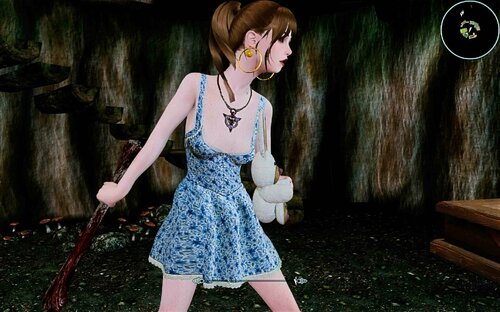
Raper's Bone
By Tlam99
complete rework of the Defeat Debug Mace.
Thats the reason, esp name is different than mod name. I left old reference in, so safe to update.
(MO2 install, move mod left side below old mod, activate new mod, deactivate old mod)
There are 3 different weapons in there.
Player Mace (75% chance critical hit, player only)
NPC mace
This weapons can be used by Player and NPC.
AND
the final result, Raper's Bone, Player only.
(The other weapons are development steps, but can be used on your own risk)
This weapons hooks into Defeat (Banemaster version), You need Defeat Bane as Master !
It is non hostile and triggers and Defeat knock down, rape scene. After the scene the normal Defeat options will be available.
(tie up etc.)
It works on more or less everything (see Jarl Elisif) AND does not count as crime.
Strongly recommend, if you give a mace to a follower, only ONE mace per follower group.
Follower count should be higher than hostiles.
Use on your own risk, if you ignore the recommended conditions.
Weapon kmace craftable smelter iron ingot, leather strip, the bone a dragon bone and leather strip. (as far I remember)
517 downloads
Submitted
-
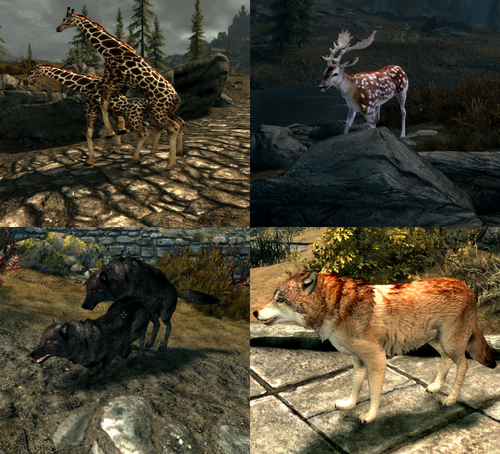
creature LV Wildlife + MNC Patch + SLAL
By BetLV
Ever thought that Skyrim is lacking in the creature and animal department? Do you care for new creature types? Is the amount of animations available never too high? If you've found yourself thinking these questions then my mod may be of use!
This mod comes in 4 parts - a Safe-for-work base mod, a MNC patch and some spiffy new SLAL with new creature types, and some various esps. There's a patch for CACO, and you can also find a Sexlab More Creatures edition I modified to suit this mod.
If you wish to play with these downloads, a new savegame is required. Upgrading procedures may require a new game too, depending on how creatures are adjusted. If you don't need or want the nsfw aspects, download the base mod "LVWildlifeV1.x", without the MNC in name. Things will be less tricky to upgrade if you only have the sfw base mod.
New creatures with full MNC support - Quick list
Aardwolf
Striped, Spotted and Brown Hyenas
Snow Sheep (gender dimorphic too)
Okapi
Fallow Deer
Gazelle
Zebra
White Tailed Deer
Painted Wild Dog
African Lion
Ringtailed Lemur
Wolf overhaul - this has many wolf variants and the stronger 'alphas'. Other wolf replacers will not be compatible.
New creatures with TBA or partial support
Turkey Vulture and Eagle
Brown Bat
Lynx
Hammerhead Shark
Alligator Gar
Saltwater Crocodile
Giraffe
Swans and Ducks
Pygmy and regular Hippos
White Rhinoceros
No plans on support yet
Great Blue Heron
Dynamic Animation Replacer is required in order to see the new bat and bird of prey animations. These are outside of SLAL and are in the base mod. These animations are very heavily work-in-progress.
Extra base mod info:
New fish to catch as custom ingredients, a handful of extra ingredients, pelts and meat dropped by some of the new creatures. Leveled list edits to animals will not be compatible without some work. CACO patch is available.
Some SFX support for select animals.
Detailed list on creature support, lot of reading:
Patch info:
Must override More Nasty Critters, depends on its files. Also relies on ABC but needs to overwrite if necessary. This mod needs to overwrite Sexlab animation loader if you generate animations in SLAnims with this installed.
SLAL info:
Animations for new creature types - Giraffes and Waterfowl plus some extras on occasion:
MxM Waterfowl Duo (anal)
MxF Waterfowl Duo (vaginal)
M Humanoid on F Waterfowl (vaginal)
MxF Giraffe Duo (vaginal)
M Giraffe on M Humanoid (oral)
MxF Deer Duo (vaginal)
Plans and ideas:
To do list:
Note: This mod is not tested on AE but these files alone seem to be in the clear for AE. There is currently no backport for LE.
If you have any questions, bugs to report, and so on let me know. This mod is far from complete and comprehensive and is subject to updates.
File credits:
Robobirdie for New Creatures Skyrim Resources, New Foods, Bones
MihailMods for Giraffes
Public Domain model ports from ZT2 mods - ZTABC Team, JimmyzHoopz, Aurora Designs, Zerosvalmont, Stewe90, Hendrix, Nessich, Ron, CrookedJaw, Tamara Henson, Zebrasorus, AccrusedSun, Lgcfm, etc
Animations by me
Creature junk from More Nasty Critters, ABC, etc.
Extra creature junk modeled by me
Bat model and texture by me
MMG for MNC
Bakafactory for ABC
Sketchfab for animal skull models (currently wolf only) https://sketchfab.com/3d-models/lowpoly-animal-skulls-1-2938b8237531482d9750ce2717fbe099
30085 downloads
- animal
- morenastycritters
- (and 28 more)
Updated
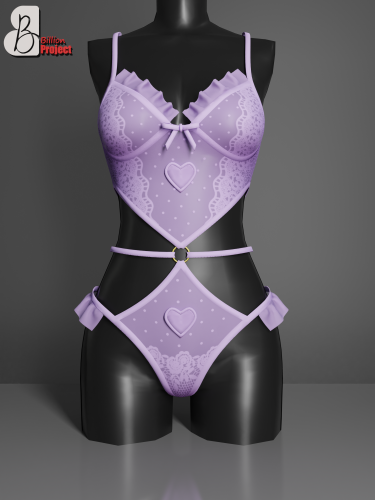
![More information about "[ASOTA OFFICIAL] Eggy Bodysuit"](https://static.loverslab.com/screenshots/monthly_2026_10/2pose.thumb.png.24a1ddbac29928db80195a746d9652bb.png)

![More information about "Negotiator Lite [The Sims 4]"](https://static.loverslab.com/screenshots/monthly_2026_10/COVER.thumb.jpg.604e6d25f4af98d2dd80e9bfd920ec19.jpg)
![More information about "[XCL] [0.25.9+] Cheat Menu"](https://static.loverslab.com/screenshots/monthly_2026_10/1.thumb.png.95996de74a5d2e203f6defb3f9145841.png)