
Search the Community
Showing results for tags 'esl'.
Found 5 results
-
 Dynamic Body Hair Overlays View File Additional Screenshots (due to the (i think) well known issue with getting file screenshots in the desired order): Before & After example MCM Settings Player - Body Overlay Settings Player - Enabled Body Overlay Settings Import/Export Settings Table of Contents Requirements Optional Files Recommended Features Planned Features Video Demonstration Mod Setup Frequently Asked Questions (FAQ) and Common Issues Translation Authors Mods used in Screenshots/Videos Credits & Supporters Requirements JContainers RaceMenu SkyUI (for Mod Configuration Menu) Backported Extended ESL Support (Optional) (Only if your Skyrim version is older than 1.6.1130) Open Animation Replacer (Optional) (If you want your custom animation(s) to play while shaving). The mod doesn't come with any animations at the moment. You'll need to add your own. See optional files below. Main File It's the one called "Dynamic Body Hair Overlays.rar" Optional Files Dynamic Body Hair Overlays - X Seconds Shaving Sound: Different lengths for the shaving sound. The one in the main file is 5 seconds long. I've provided versions for 10, 15, 20, 25, 30, 35, and 37 (original file length) seconds. Dynamic Body Hair Overlays - Your Custom Shaving Sound Use this to add your own custom sound so that it doesn't get overwritten in future updates. You just need to overwrite the "shaving.wav" file. The name cannot change at the moment. Dynamic Body Hair Overlays - Your Custom Shaving Animations For Open Animation Replacer. Use this to add your own animation that will play when shaving (male or female). Your "hkx" file needs to go in the "_variants_mt_idle" folder in the "male" & "female" folders. You can name your hkx files anything you want. You can also add as many animations as you want and they will play randomly. Recommended Nordic Warmaiden Body Hair (armpit, back, belly, & pubic/butt hair) Pubes Forever SSE (pubic hair) Features Growing Hair - Your body hair overlays will increase in opacity based on the settings. Shaveable Hair - Press the key in the settings and your body hair overlays will have their opacities decreased based on the settings. Planned Features (Planned) Shaving animation(s) - However I don't know how to make animations yet (something I want to learn how to do), so unless there are any out there I'm unaware of, or if someone else can make any, they might not be added for a while. I was thinking of an animation where the character uses the "scissors" from https://elderscrolls.fandom.com/wiki/Embalming_Tool#Trivia (Planned) Shaving happens instantly (noticeable only if Fade to Black is disabled). I plan to improve this in the future. (Planned) Face, hand, feet body overlay support. This means beards could be supported in the future assuming they are added as racemenu overlays. I'm not aware if such overlays exist at the moment. (Planned) NPC/Follower support (Maybe) Ability to change from one overlay to another after the opacity has reached a certain value. At the moment we're just increasing/decreasing each overlay. (Maybe) Related to the above, being able to fine tune what is shaved when shaving. Currently, when shaving, it'll decrease all of the enabled opacities to their minimum opacity in the settings. Please submit your own ideas and I will consider them! Video Demonstration Mod Setup 1/ Add Body Overlays in RaceMenu (If you already have the body overlays you want to use you can skip this part and go to 2/) Add some body overlays to your character in RaceMenu (tip: type the tilde (~) key to access the Console, then type showracemenu, then go to the "Body Paint" tab and add some overlays. Once done, save your character). If the Body Paint tab is empty, or to change the amount of paints/overlays you can use, you'll need to edit the "skee64.ini" file provided by RaceMenu. I recommend making a copy of this file, and adding it to a new empty mod in your load order (ensuring it loads after RaceMenu), and then making your changes to that file. In the "skee64.ini" file, find these lines: [Overlays/Body] ; "Body [Ovl#]" and "Body [SOvl#]"; Determines how many body overlays there should be The default should be 6. To change the number of allowed overlays, change "iNumOverlays" to something else, e.g. iNumOverlays=10 or iNumOverlays=20 2/ Go to Mod Configuration Menu (MCM) -> Dynamic Body Hair Overlays 3/ Click the "Player - Body Overlays" page and make sure your overlays appear. If they don't, double check they were added in RaceMenu. If it still doesn't show, please open a bug report. You can ignore the greyed out overlays that say "default.dds". Those arejust overlays in RaceMenu that haven't been customized. Click the empty box next to the overlay names to enable them. You can alsomanually change their current opacities on the right side of the page. 4/ Go to the "Player - Enabled Body Overlays". Here you will be able to tweak enabled body overlays further. You can set the minimum & maximum amount that the overlays can increase in opacity during each update, as well as the minimum and maximum opacity. 5/ Go to the "Settings" page and change them to your liking. When you're finished be sure to enable the mod! 6/ Once you're happy with the settings, I recommend going to the "Import/Export" page, and exporting your settings. Your exported settings can be found at "Documents\My Games\Skyrim Special Edition\JCUser\Dynamic Body Hair Overlays\settings.json". I recommend manually backing up this file as well. 7/ If you ever add or remove any overlays in RaceMenu, please make sure you go into the "Player - Body Overlays" & "Player - Enabled Body Overlays" mod pages to make sure everything looks correct. 8/ If you change sex or preset, see 7/ 9/ Enjoy! Frequently Asked Questions (FAQ) and Common Issues Please see Frequently Asked Questions (FAQ) and Common Issues Translation Authors Translation files can be found in the mod's folder at "Interface\Translations" I think I've added all the languages that are supported by the game, so please let me know if one is missing. If you're a translator, feel free to translate the mod, and you caneven upload your translation as your own mod (requiring this mod). I'll include the translation in a future update, credit you, and link to your mod. Your mod's translation will take priority. Mod's used in the Screenshots/Videos See the bottom of my Beach Body - Skin Tanning and Paling and Overlay Fading & OStim Standalone - Dynamic Spanking Overlays mods for details. Mods used for the Orc in the first few screenshots: UBE 2.0 -- Ultimate Body Enhancer 2.0 Yuriko - UBE RaceMenu Preset Perfectly Peach - UBE Bodyslide Preset - Thicc Hourglass Nordic Warmaiden Body Hair - UBE (UBE Discord) Zhizhen Female Skin - UBE Hexed Poses (main screenshot and before & after screenshots) Please let me know if I missed anything or if you'd like to know what something is. Credits Skyrim Script Extender (SKSE64) RaceMenu SkyUI JContainers Nordic Warmaiden Body Hair - I use this one a lot Creation Kit Platform Extended for Skyrim SSEEdit Scissors Sound Supporters Thank you to all my supporters! Gold Members JR2992 Submitter RaddusX Submitted 07/25/25 Category Adult Mods Requirements See description. Regular Edition Compatible No Install Instructions
 -
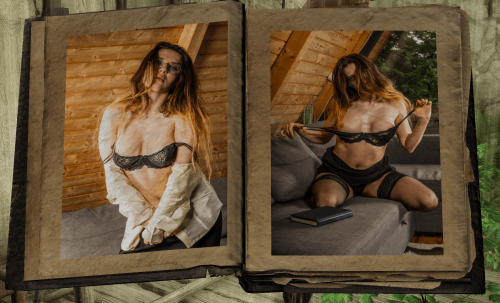
 AVRealErotica - Forbidden Portfolio Vol. 1 - NSFW Picture Book View File AVRealErotica – Forbidden Portfolio Vol. 1 is a free, standalone 20-page NSFW picture book for Skyrim Special Edition and Anniversary Edition. This volume presents an original photographic set progressing from glamour and topless photography to explicit adult content. FEATURES • 20 individually designed pages • Original adult photography by me • Craftable at any Tanning Rack for 1 Leather • Lightweight ESP-ESL flagged • No scripts, quests, cell edits or leveled list changes • No SKSE or SexLab required HOW TO OBTAIN Visit any Tanning Rack with 1 Leather and craft: AVRealErotica – Forbidden Portfolio Vol. 1 ADULT CONTENT AND RIGHTS Adults only 18+. All depicted models are verified adults. All photographs are original created by me; productions published with the appropriate rights and releases. All photographic material is © AVRealErotica. Do not reupload, redistribute, modify, sell or include these assets in another project without explicit written permission. Feedback, screenshots and reviews are welcome. If you have any issues or questions, feel free to address them. More original photography and 4K productions on my https://avrealerotica.com Submitter AvRealErotica Submitted 08/15/26 Category Adult Mods Requirements Skyrim Special Edition or Anniversary Edition. No SKSE, SexLab or other mods are required. Regular Edition Compatible No Install Instructions Install the archive using Mod Organizer 2, Vortex or another compatible mod manager. Enable the mod and AVRE_ForbiddenPortfolio.esp. Visit any Tanning Rack with 1 Leather to craft the book.
 -
Version 1.0.0
309 downloads
AVRealErotica – Forbidden Portfolio Vol. 1 is a free, standalone 20-page NSFW picture book for Skyrim Special Edition and Anniversary Edition. This volume presents an original photographic set progressing from glamour and topless photography to explicit adult content. FEATURES • 20 individually designed pages • Original adult photography by me • Craftable at any Tanning Rack for 1 Leather • Lightweight ESP-ESL flagged • No scripts, quests, cell edits or leveled list changes • No SKSE or SexLab required HOW TO OBTAIN Visit any Tanning Rack with 1 Leather and craft: AVRealErotica – Forbidden Portfolio Vol. 1 ADULT CONTENT AND RIGHTS Adults only 18+. All depicted models are verified adults. All photographs are original created by me; productions published with the appropriate rights and releases. All photographic material is © AVRealErotica. Do not reupload, redistribute, modify, sell or include these assets in another project without explicit written permission. Feedback, screenshots and reviews are welcome. If you have any issues or questions, feel free to address them. More original photography and 4K productions on my https://avrealerotica.com -
 Basic Prostitution for NPC View File Sets selection of Vanilla and mod NPC as prostitutes with varying prices. Lightweight and highly configurable. Works with Sexlab and Ostim Standalone. ESL. An optional SPID file will set all mod added followers as prostitutes, except followers added to a blacklist. Optionally, you can get also get buffs (enabled by default), or debuffs (disabled by default) from your visits. After a long day of cave crawling or dungeon delving, an adventurer wishes nothing more than to wind down with a bottle of wine and a wench. Basic Prostitution makes it easy to find a working lady, either from Vanilla NPC, or from the many, many, many mods that place pretty people around the settlements of Skyrim. If you have coin, you can buy what you want! You want to hire a couple of tavern wenches and have a threesome? Done. You want to donate to a Priestess of Dibella and share her with your follower? Of course. Give a bottle of skooma to a beggar and get a blowjob? I question the wisdom in that, but sure. Prices and payment form differ between NPC. For most, gold is preferred, with amounts varying from Very Low (25 by default) to Very High (500 by default). Some you can convince with skooma, some which only need a Few (1 by default), others take Many bottles (3 by default). And finally, if you find a friendly creature of the night, you can buy their affection for some Potion of Blood (1 by default). Mod workings Basic Prostitution uses factions to set up which NPC work as prostitutes, and what their price is. These factions can be assigned with SPID to any NPC in game. A SPID ini file is included in the download, which assigns a bunch of Vanilla NPC, as well as some existing mods. Prostitutes will have a new dialogue option where you can inquire about hiring them. This opening dialogue differs a bit between prostitute types, a Priestess of Dibella differs from a street whore. After the opening, you get some dialogue choices. You get to see their price, or prices if they have multiple payment types. There is an option to polity leave without hiring them. Finally, there is an option to tell them you will never hire them. This last option will block this NPC from Basic Prostitution dialogue. This option can be reversed through using the console (see debug section). If you decide to hire them, you'll pay them immediately. You get the option to start sex immediately, go find a better location, or go and find another person. The NPC will follow you until they've done their job. You can have up to 4 NPC hired at the same time. If you want to start sex with them, speak to any of them. If you just want to watch, that is also an option. Speaking with a friend, follower, or lover allows you to either share the hired prostitutes with them, or gift them and let your friend have some fun. Your relationshiprank must be at least 3 with your friend. The sex framework does not allow more than 5 NPC in a sex scene. So if you want a follower to join you, you can have at most 3 NPC hired. Afterwards, the hired NPC will return to their routine. And a tip for those looking for a five fingered discount. The gold paid is transferred to their inventory. Skooma and Potions of Blood are as well, but the NPC won't wait to use those. Default assignment and faction This section quickly goes over the factions, and which NPC is selected for which faction. Now, is this selection perfectly lore friendly and immersive? Not really, Bethesda didn't make a bunch of NPC obvious whores. But I did try to keep it believable. I'm open to suggestions on improving the default distribution. Very Low Price Faction: BP_ProstituteVeryLow default price: 30 septims Beggars are in this category. The truly destitute who need every bit of coin they can get. Low Price Faction: BP_ProstituteLow default price: 60 septims This group contains mostly people with a poorer profession living in the poorer holds. For example, there are several miners who live alone in Dawnstar, Shor's Stone, and Kynesgrove. Medium Price Faction: BP_ProstituteMid default price: 120 septims This price level is where you find professionals like tavern wenches, castle maids, a couple of bards, and Haelga. High Price Faction: BP_ProstituteHigh default price: 250 septims Not many can ask this much for loving. Only high class courtesans and bards in the wealthier settlements can. Very High Price Faction: BP_ProstituteVeryHigh default price: 500 septims Reserved for the best paid lovers in Skyrim. Such as the leader of the Temple of Dibella, or the Madam of a high class brothel. Priestess of Dibella Faction: BP_ProstitutePriestess default price: 200 septims The priestesses of Dibella don't charge money for sex, they ask "offerings" for "lessons of the Godess". In practice, it ends up being the same thing. The default price is above those of tavern wenches, but below courtesans, making them still expensive for common folk, but not completely out of reach. An NPC can have multiple price factions, the actual price charged will be the cheapest. The Priestess price is always overwritten if there's conflict. For example, Hamal is both Very High and Priestess, she will charge 500, but still get the Priestess flavor dialogue. Skooma Few Faction: BP_ProstituteSkoomaFew default amount: 1 skooma Some can be bought with just a tiny bit of skooma. This include addicts like Niluva and Wujeeta, as well as some beggars. Skooma Many Faction: BP_ProstituteSkoomaMany default amount: 3 skooma Just because someone likes skooma, doesn't mean they'll get down for just a single bottle. But if someone brings a lot of it, they'll be convinced. This group are middle class or wealthy addicts. For example, the vanilla Drifa has some suspicious dialogue, which I interpret as her being a sweet tooth. Blood Faction: BP_ProstituteBlood default amount: 1 Potion of Blood Non aggressive vampires aren't easy to find in Vanilla, but there are a couple in castle Volkihar. Buffs and debuffs (optional) Having sex with a prostitute can give you a buff from the relaxation, or you can get a disease. By default the buffs are enabled and the diseases are disabled. Check the configuration section on how to change this. Buffs There are 2 types of buffs, which each come in 3 levels of power. Which level of power you get depends on how much money you spend. Having an orgy with 4 tavern wenches can give the same bonus as hiring a world class lady. Skooma and Potions of Blood will also contribute, at a rate of twice their base price (other mods altering the price will be considered). The amount of coin needed per level of buff can be changed in the config file. Higher level buffs will overwrite lower level ones of the same type. If you use the hiree yourself, you will get a speech buff. The weakest level gives you +10 speech for 30 min, the middle level gives +10 speech for 60 min, and the highest level gives +15 speech for 60 min. These are real time minutes, not in game minutes. This buff stacks with other speech buffs, like Gift of Charity and the Dibella altar. If instead you allow your follower to have some fun, you will get a barter buff, a percentage bonus to prices. The weakest level gives +5% for 30min, the middle level gives +5% for 60 min. and the highest level gives +10% for 60 min. Again real time minutes. This buff stacks with other barter buffs, like the blessing of Zenithar and the hoods of the Thieves Guild. If you share the hiree(s) with your friend, you will get both bonuses, but the amount spend is divided between both bonuses. The default thresholds are: Low bonus: 10 septims Mid bonus: 90 septims High bonus: 370 septims So for example, using default values: Hiring a beggar (very low price) for 30 septims gives you a low bonus. Hiring a beggar and a Hydra slave (low price) at the same time will give you the mid speech bonus. The company of a tavern wench (mid price, 120 septims) will give you the mid speech bonus, but if you share her with your follower, you'll get the low speech and low barter bonus (60 each). Debuffs By default, debuffs are turned off. You must turn them on in the config file to experience them. Some prostitutes might be cheap, but is it really smart to take them? There is a chance your visit will result in an unwanted consequence, in the form of a disease. Different price classes come with different risks. The default values will only take effect once you turn on the option for debuffs. By default the cheapest options come with the worst odds. There are 6 diseases you can contract from a normal prostitute: Ataxia, Brain Rot, Droops, Rattles, Rockjoint, and Witbane, each with a 1/6 chance to be selected. Bone Break Fever is a vanilla disease that is not included, for what are obvious reasons I think. Droops is a special case, when it is selected, there is only 5% chance you will actually catch it, making this a very rare condition. This also means that even if you set the chance of selecting a disease to 100%, it will still be possible to not catch anything. The price categories are: Very Cheap (Very Low price and Few skooma, basicaly beggars), Cheap (Low price), Average (Mid price and Many skooma, so tavern wenches and addicts who still have some money), and Expensive (High and Very High price, so courtesans). Priestesses of Dibella currently don't have a chance to pass on a disease unless they are in a different faction as well. The lowest faction determines the chance. If you hire multiple, the chances are added together. Vampires are different. There is only one disease you can get from them: Sanguinare Vampiris. This will overwrite the other options for that NPC. Chances will stack if you hire multiple vampires. The default chances per NPC, assuming you turn the option on, are: Vampire: 20% Very Cheap prostitute: 10%, Cheap prostitute: 5%, Average prostitute: 3%, Expensive prostitute: 1% Chances can be changed in the config. Mods Supported These are the mods that are currently included in the default ini files. It is not required to have them, SPID will simply skip instructions for what is not installed. Immersive Wenches: All unique wenches are set to Mid Price, like vanilla wenches. The vampire wenches in that mod will accept Blood. Hydra's Slave Girls: the slaves are set to Low Price, and the NPCs named Skooma Slut will accept the smaller amount of Skooma. Hot Chicks have Hot Sisters: Varies from NPC to NPC. Those that like skooma will accept it, the vamps will take blood, and some ask for money ranging from Low to High. I didn't assign all of them to a faction. Sisterhood of Dibella: the travelling priestesses are added to the Priestess faction Mara's Embrace Riften brothel: The three prostitutes are added to Mid Price faction. This mod already had a third party plugin for sexlab or Ostim, that one is no longer required if you have Basic Prostitution. The advantage of Basic Prostitution is that it allows configuring the price, and hiring multiple at the same time. Crimson Corner Solitude Bordello: The three prostitutes are added to High Price faction, and the Madam to the Very High Price faction. This mod already had a third party plugin for sexlab or Ostim, that one is no longer required if you have Basic Prostitution. The advantage of Basic Prostitution is that it allows configuring the price, hiring multiple at the same time, and the Madam as hireable. Full ini file: You'll notice that there are a lot of comments in that file (lines starting with a semicolon ; ). Because ini files can lose their comments and reorder the command lines, a backup txt file with the original values is included in the download. Mod Followers optional SPID ini In the downloads you'll find an optional SPID file that selects all mod added followers and adds them to a prostitute faction. Followers can be added to a blacklist so that this file will skip them. The idea behind this is the opposite of the basic ini file. The basic ini file selects specific NPC to add (a whitelist), the optional ini selects a lot of NPC with the option to exclude NPC (a blacklist). This is convenient if you have a lot of simple follower mods and want to integrate them all at once. The Mod Followers ini will add all selected followers to the mid price faction, vampires are added to the blood faction, and living followers are added to the skooma faction. Full optional SPID ini: Modifying the SPID ini First of all, when modifying or creating ini rules, it's good practice to make your ini file in a separate mod folder that overwrites the default. That way, if you ever update the mod, you don't accidentally lose your hard work. In the ini files, there are several command lines marked optional that are disabled by default. You can activate them by removing the semicolon ; in front of the line. There are a couple of reasons why these optional lines weren't included. Some of them use a very wide filter and can affect NPC from other mods, possibly giving a NPC unintended dialogue options. And some of these use random chance to select some NPC out of a large collection, which might not appeal to all players. The choice is yours. SPID basics Adding new NPC from Vanilla If you want to add a vanilla NPC to the ini, the easiest method is using their full name. For example, if you want Lami to be Low Price prostitute, the line would be: Faction = BP_ProstituteLow|Lami Note that we don't have to write all those | if we don't want to use further filters If you want the Solitude court to be a bit more fun, you can use these lines. Note that you must use the full name: Adding new NPC from mods Using the name of the NPC also works with mod added NPC, but it's generally more precise to specify the mod's name as well (with esp/esl/esm extention). This is very simple if you're one of those follower mods that only adds a single NPC, I'll use the Joylie follower by CarolineKoralina here. Adding her to mid price: Faction = BP_ProstituteMid||CK_Joylie_Follower.esp We didn't even need to specify Joylie's name, the line above affect every NPC in that mod and Joylie is the only one. We still needed both |. Same logic if you want to add every NPC from a follower pack, like TrustyPilot's follower pack: Faction = BP_ProstituteMid||TrustyHPFollowerPack.esp If you want more precision, you can add names. We'll make Rhaiella and Klarissa from that same TrustyPilot pack also accept skooma. Faction = BP_ProstituteMid|Rhaiella, Klarissa |TrustyHPFollowerPack.esp Note that if you use both lines, Rhaiella and Klarissa will have both the gold price and the skooma price factions. This will not result in problems. Adding new NPC from mods If you use factions or outfits, you can make a line that will apply a factions to many NPC at once, possibly over multiple mods. There are some examples of this in the optional lines in the default setup, such as: Faction = BP_ProstituteMid||ClothesTavernWenchOutfit Which makes every NPC wearing the tavern wench outfit automatically a mid price prostitute. You can combine this with percentage chances, say you want farmers to have a 30% chance to be low price prostitutes. We filter for farmer outfits. Faction = BP_ProstituteLow||FarmClothesOutfit01,FarmClothesOutfit01WithHat, FarmClothesOutfit02, FarmClothesOutfit02Variant, FarmClothesOutfit02WithHat||||30 (there are more farmers outfits, but I stopped here for brevity) Maybe you want to do this, but only apply it to female NPC. This works for female miners that are also unique: Faction = BP_ProstituteLow||MinerClothesOutfit01, MinerClothesOutfit01WithGloves, MinerClothesOutfit02, MinerClothesOutfit03||F/U||30 Working with chances Maybe you want only a part of the possible NPC to get a certain faction. SPID accepts a percentage chance. Say you want farmers to have a 30% chance to be low price prostitutes. We filter for farmer outfits. Faction = BP_ProstituteLow||FarmClothesOutfit01,FarmClothesOutfit01WithHat, FarmClothesOutfit02, FarmClothesOutfit02Variant, FarmClothesOutfit02WithHat||||30 (there are more farmers outfits, but I stopped here for brevity) Maybe you want to do this, but only apply it to female NPC. This works for female miners that are also unique: Faction = BP_ProstituteLow||MinerClothesOutfit01, MinerClothesOutfit01WithGloves, MinerClothesOutfit02, MinerClothesOutfit03||F/U||30 Configuration, prices and framework In SKSE/Plugins/StorageUtilData/BasicProstitution you will find a config.json file that holds several settings. You can open and edit the json file with Notepad, an internet brower, or other applications (I use Notepad++). This is the default configuration: "prefer ostim over sexlab" is only important if you have both Ostim and Sexlab installed. If the setting is 1, it will choose Ostim, if it is 0, it will choose Sexlab. If you only have a single framework installed, this setting does nothing as Basic Prostitution will use the installed version. The prices and amounts allow you to set how much the factions above will charge. The values must be whole numbers. "can the player get buffs" is 1 if you want buffs from hiring, and 0 if you don't. The "spent coin" options let you configure how much coin you must have spent on the prostitutes(s), you'll get the highest possible buff. Consumables (skooma and blood) are counted as being worth twice their base price. "can the player get debuffs" refers to getting diseases from prostitutes. If it is 0, all other chances are ignored and you'll never catch something. Set to 1 to enable this feature. The various percentage chances are checked per prostitute you hired, so hiring multiple does increase your chance of catching something. Vampires are NPC with the vanilla Vampire keyword. Very cheap prostitutes are those from the Very Low price or Few skooma factions, cheap is from the Low price faction, average is from the Mid price or Many skooma faction, and expensive is from the High price or Very High price factions. Only change the numbers, don't change the text or delete any comma's. Debug and console commands If for some reason, the mod is acting weirdly, there is a console command to reset its variables: setstage BP_BasicProstitutionQuest 1 This will clean all NPC from the hired roster, clear the aliases, recheck the configuration and the framework, and rewrite the global values. setstage BP_BasicProstitutionQuest 10 This will fully reset the quest, forcing it to restart. If you quickly want to add a NPC to one of the factions described above, select them in the console and: AddToFaction factionname 0 So for example, if you want an NPC to be a mid price prostitute, the command would be AddToFaction BP_ProstituteMid 0 Quickly removing a NPC from a specific faction works similar except you type -1 instead of 0 AddToFaction factionname -1 If you accidentality blocked an NPC, you can remove the block with AddToFaction BP_Ignore -1 Changing the price values through console The proper method to change the settings is by editing the config json out of game, but it is possible to change everything in game with the console if you have a need for it. Intended for advanced users. Each of the configuration settings is stored in a global value, those being: You can change a global variable with the set _ to console command, for example set BP_PricePriestess to 69 Changes the amount of gold needed to pay a Priestess of Dibella to 69 septims. If you don't have PapyrusUtil installed, this is the only method to change the settings. If you do have PapyrusUtil installed, you must use the console command setstage BP_BasicProstitutionQuest 2 To save your changes to the config file. Submitter a_random_user Submitted 07/29/26 Category Adult Mods Requirements Sexlab or Ostim, SPID, PapyrusUtil, Fuz Ro D-oh Regular Edition Compatible No Install Instructions Downloads Basic Prostitution for NPC: the main file, always needed Basic Prostitution Mod Followers SPID: optional, requires the main file. Integrate follower NPC from other mods with Basic Prostitution. See the description for exact details. Requirements Sexlab or Ostim Standalone. If you have both installed, you can select which one is preferred in the config file. Spell Perk Item Distributor (SPID): needed to distribute the factions to NPC. Alternatives like Skypatcher are possible, but no default distribution file exist at this moment. PapyrusUtil SE - Modders Scripting Utility Functions: used to read the config file and a hard requirement for Ostim. If you use Sexlab, the mod can work without this and will use the values stored in the Global value of the esl file. Fuz Ro D-oh: for the silent voices Backported Extended ESL Support (B.E.E.S.): for people who use a Skyrim version that is older than 1.6.1130 Mod support The included SPID ini file includes support for the following mods: Immersive Wenches Hydra's Slave Girls Hot Chicks have Hot Sisters (a nexus version also exist, but the loverslab version is better) Sisterhood of Dibella Mara's Embrace - Riften Brothel (Basic Prostitution replaces the existing Sexlab or Ostim patch for this mod) Crimson Corner - Solitude Bordello (Basic Prostitution replaces the existing Sexlab or Ostim patch for this mod) The optional SPID file offers wide support to all follower mods that aren't in the above list. If you use special followers, it's best to exclude those in the file.
 -
Version 1.1.2
1969 downloads
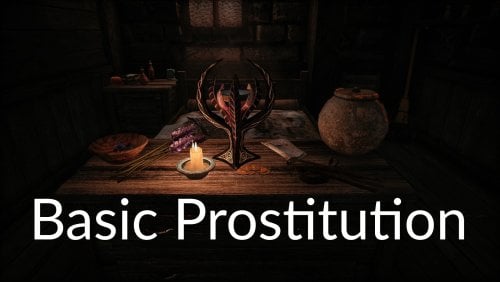
Sets selection of Vanilla and mod NPC as prostitutes with varying prices. Lightweight and highly configurable. Works with Sexlab and Ostim Standalone. ESL. An optional SPID file will set all mod added followers as prostitutes, except followers added to a blacklist. Optionally, you can get also get buffs (enabled by default), or debuffs (disabled by default) from your visits. After a long day of cave crawling or dungeon delving, an adventurer wishes nothing more than to wind down with a bottle of wine and a wench. Basic Prostitution makes it easy to find a working lady, either from Vanilla NPC, or from the many, many, many mods that place pretty people around the settlements of Skyrim. If you have coin, you can buy what you want! You want to hire a couple of tavern wenches and have a threesome? Done. You want to donate to a Priestess of Dibella and share her with your follower? Of course. Give a bottle of skooma to a beggar and get a blowjob? I question the wisdom in that, but sure. Prices and payment form differ between NPC. For most, gold is preferred, with amounts varying from Very Low (25 by default) to Very High (500 by default). Some you can convince with skooma, some which only need a Few (1 by default), others take Many bottles (3 by default). And finally, if you find a friendly creature of the night, you can buy their affection for some Potion of Blood (1 by default). Mod workings Basic Prostitution uses factions to set up which NPC work as prostitutes, and what their price is. These factions can be assigned with SPID to any NPC in game. A SPID ini file is included in the download, which assigns a bunch of Vanilla NPC, as well as some existing mods. Prostitutes will have a new dialogue option where you can inquire about hiring them. This opening dialogue differs a bit between prostitute types, a Priestess of Dibella differs from a street whore. After the opening, you get some dialogue choices. You get to see their price, or prices if they have multiple payment types. There is an option to polity leave without hiring them. Finally, there is an option to tell them you will never hire them. This last option will block this NPC from Basic Prostitution dialogue. This option can be reversed through using the console (see debug section). If you decide to hire them, you'll pay them immediately. You get the option to start sex immediately, go find a better location, or go and find another person. The NPC will follow you until they've done their job. You can have up to 4 NPC hired at the same time. If you want to start sex with them, speak to any of them. If you just want to watch, that is also an option. Speaking with a friend, follower, or lover allows you to either share the hired prostitutes with them, or gift them and let your friend have some fun. Your relationshiprank must be at least 3 with your friend. The sex framework does not allow more than 5 NPC in a sex scene. So if you want a follower to join you, you can have at most 3 NPC hired. Afterwards, the hired NPC will return to their routine. And a tip for those looking for a five fingered discount. The gold paid is transferred to their inventory. Skooma and Potions of Blood are as well, but the NPC won't wait to use those. Default assignment and faction This section quickly goes over the factions, and which NPC is selected for which faction. Now, is this selection perfectly lore friendly and immersive? Not really, Bethesda didn't make a bunch of NPC obvious whores. But I did try to keep it believable. I'm open to suggestions on improving the default distribution. Very Low Price Faction: BP_ProstituteVeryLow default price: 30 septims Beggars are in this category. The truly destitute who need every bit of coin they can get. Low Price Faction: BP_ProstituteLow default price: 60 septims This group contains mostly people with a poorer profession living in the poorer holds. For example, there are several miners who live alone in Dawnstar, Shor's Stone, and Kynesgrove. Medium Price Faction: BP_ProstituteMid default price: 120 septims This price level is where you find professionals like tavern wenches, castle maids, a couple of bards, and Haelga. High Price Faction: BP_ProstituteHigh default price: 250 septims Not many can ask this much for loving. Only high class courtesans and bards in the wealthier settlements can. Very High Price Faction: BP_ProstituteVeryHigh default price: 500 septims Reserved for the best paid lovers in Skyrim. Such as the leader of the Temple of Dibella, or the Madam of a high class brothel. Priestess of Dibella Faction: BP_ProstitutePriestess default price: 200 septims The priestesses of Dibella don't charge money for sex, they ask "offerings" for "lessons of the Godess". In practice, it ends up being the same thing. The default price is above those of tavern wenches, but below courtesans, making them still expensive for common folk, but not completely out of reach. An NPC can have multiple price factions, the actual price charged will be the cheapest. The Priestess price is always overwritten if there's conflict. For example, Hamal is both Very High and Priestess, she will charge 500, but still get the Priestess flavor dialogue. Skooma Few Faction: BP_ProstituteSkoomaFew default amount: 1 skooma Some can be bought with just a tiny bit of skooma. This include addicts like Niluva and Wujeeta, as well as some beggars. Skooma Many Faction: BP_ProstituteSkoomaMany default amount: 3 skooma Just because someone likes skooma, doesn't mean they'll get down for just a single bottle. But if someone brings a lot of it, they'll be convinced. This group are middle class or wealthy addicts. For example, the vanilla Drifa has some suspicious dialogue, which I interpret as her being a sweet tooth. Blood Faction: BP_ProstituteBlood default amount: 1 Potion of Blood Non aggressive vampires aren't easy to find in Vanilla, but there are a couple in castle Volkihar. Buffs and debuffs (optional) Having sex with a prostitute can give you a buff from the relaxation, or you can get a disease. By default the buffs are enabled and the diseases are disabled. Check the configuration section on how to change this. Buffs There are 2 types of buffs, which each come in 3 levels of power. Which level of power you get depends on how much money you spend. Having an orgy with 4 tavern wenches can give the same bonus as hiring a world class lady. Skooma and Potions of Blood will also contribute, at a rate of twice their base price (other mods altering the price will be considered). The amount of coin needed per level of buff can be changed in the config file. Higher level buffs will overwrite lower level ones of the same type. If you use the hiree yourself, you will get a speech buff. The weakest level gives you +10 speech for 30 min, the middle level gives +10 speech for 60 min, and the highest level gives +15 speech for 60 min. These are real time minutes, not in game minutes. This buff stacks with other speech buffs, like Gift of Charity and the Dibella altar. If instead you allow your follower to have some fun, you will get a barter buff, a percentage bonus to prices. The weakest level gives +5% for 30min, the middle level gives +5% for 60 min. and the highest level gives +10% for 60 min. Again real time minutes. This buff stacks with other barter buffs, like the blessing of Zenithar and the hoods of the Thieves Guild. If you share the hiree(s) with your friend, you will get both bonuses, but the amount spend is divided between both bonuses. The default thresholds are: Low bonus: 10 septims Mid bonus: 90 septims High bonus: 370 septims So for example, using default values: Hiring a beggar (very low price) for 30 septims gives you a low bonus. Hiring a beggar and a Hydra slave (low price) at the same time will give you the mid speech bonus. The company of a tavern wench (mid price, 120 septims) will give you the mid speech bonus, but if you share her with your follower, you'll get the low speech and low barter bonus (60 each). Debuffs By default, debuffs are turned off. You must turn them on in the config file to experience them. Some prostitutes might be cheap, but is it really smart to take them? There is a chance your visit will result in an unwanted consequence, in the form of a disease. Different price classes come with different risks. The default values will only take effect once you turn on the option for debuffs. By default the cheapest options come with the worst odds. There are 6 diseases you can contract from a normal prostitute: Ataxia, Brain Rot, Droops, Rattles, Rockjoint, and Witbane, each with a 1/6 chance to be selected. Bone Break Fever is a vanilla disease that is not included, for what are obvious reasons I think. Droops is a special case, when it is selected, there is only 5% chance you will actually catch it, making this a very rare condition. This also means that even if you set the chance of selecting a disease to 100%, it will still be possible to not catch anything. The price categories are: Very Cheap (Very Low price and Few skooma, basicaly beggars), Cheap (Low price), Average (Mid price and Many skooma, so tavern wenches and addicts who still have some money), and Expensive (High and Very High price, so courtesans). Priestesses of Dibella currently don't have a chance to pass on a disease unless they are in a different faction as well. The lowest faction determines the chance. If you hire multiple, the chances are added together. Vampires are different. There is only one disease you can get from them: Sanguinare Vampiris. This will overwrite the other options for that NPC. Chances will stack if you hire multiple vampires. The default chances per NPC, assuming you turn the option on, are: Vampire: 20% Very Cheap prostitute: 10%, Cheap prostitute: 5%, Average prostitute: 3%, Expensive prostitute: 1% Chances can be changed in the config. Mods Supported These are the mods that are currently included in the default ini files. It is not required to have them, SPID will simply skip instructions for what is not installed. Immersive Wenches: All unique wenches are set to Mid Price, like vanilla wenches. The vampire wenches in that mod will accept Blood. Hydra's Slave Girls: the slaves are set to Low Price, and the NPCs named Skooma Slut will accept the smaller amount of Skooma. Hot Chicks have Hot Sisters: Varies from NPC to NPC. Those that like skooma will accept it, the vamps will take blood, and some ask for money ranging from Low to High. I didn't assign all of them to a faction. Sisterhood of Dibella: the travelling priestesses are added to the Priestess faction Mara's Embrace Riften brothel: The three prostitutes are added to Mid Price faction. This mod already had a third party plugin for sexlab or Ostim, that one is no longer required if you have Basic Prostitution. The advantage of Basic Prostitution is that it allows configuring the price, and hiring multiple at the same time. Crimson Corner Solitude Bordello: The three prostitutes are added to High Price faction, and the Madam to the Very High Price faction. This mod already had a third party plugin for sexlab or Ostim, that one is no longer required if you have Basic Prostitution. The advantage of Basic Prostitution is that it allows configuring the price, hiring multiple at the same time, and the Madam as hireable. Full ini file: You'll notice that there are a lot of comments in that file (lines starting with a semicolon ; ). Because ini files can lose their comments and reorder the command lines, a backup txt file with the original values is included in the download. Mod Followers optional SPID ini In the downloads you'll find an optional SPID file that selects all mod added followers and adds them to a prostitute faction. Followers can be added to a blacklist so that this file will skip them. The idea behind this is the opposite of the basic ini file. The basic ini file selects specific NPC to add (a whitelist), the optional ini selects a lot of NPC with the option to exclude NPC (a blacklist). This is convenient if you have a lot of simple follower mods and want to integrate them all at once. The Mod Followers ini will add all selected followers to the mid price faction, vampires are added to the blood faction, and living followers are added to the skooma faction. Full optional SPID ini: Modifying the SPID ini First of all, when modifying or creating ini rules, it's good practice to make your ini file in a separate mod folder that overwrites the default. That way, if you ever update the mod, you don't accidentally lose your hard work. In the ini files, there are several command lines marked optional that are disabled by default. You can activate them by removing the semicolon ; in front of the line. There are a couple of reasons why these optional lines weren't included. Some of them use a very wide filter and can affect NPC from other mods, possibly giving a NPC unintended dialogue options. And some of these use random chance to select some NPC out of a large collection, which might not appeal to all players. The choice is yours. SPID basics Adding new NPC from Vanilla If you want to add a vanilla NPC to the ini, the easiest method is using their full name. For example, if you want Lami to be Low Price prostitute, the line would be: Faction = BP_ProstituteLow|Lami Note that we don't have to write all those | if we don't want to use further filters If you want the Solitude court to be a bit more fun, you can use these lines. Note that you must use the full name: Adding new NPC from mods Using the name of the NPC also works with mod added NPC, but it's generally more precise to specify the mod's name as well (with esp/esl/esm extention). This is very simple if you're one of those follower mods that only adds a single NPC, I'll use the Joylie follower by CarolineKoralina here. Adding her to mid price: Faction = BP_ProstituteMid||CK_Joylie_Follower.esp We didn't even need to specify Joylie's name, the line above affect every NPC in that mod and Joylie is the only one. We still needed both |. Same logic if you want to add every NPC from a follower pack, like TrustyPilot's follower pack: Faction = BP_ProstituteMid||TrustyHPFollowerPack.esp If you want more precision, you can add names. We'll make Rhaiella and Klarissa from that same TrustyPilot pack also accept skooma. Faction = BP_ProstituteMid|Rhaiella, Klarissa |TrustyHPFollowerPack.esp Note that if you use both lines, Rhaiella and Klarissa will have both the gold price and the skooma price factions. This will not result in problems. Adding new NPC from mods If you use factions or outfits, you can make a line that will apply a factions to many NPC at once, possibly over multiple mods. There are some examples of this in the optional lines in the default setup, such as: Faction = BP_ProstituteMid||ClothesTavernWenchOutfit Which makes every NPC wearing the tavern wench outfit automatically a mid price prostitute. You can combine this with percentage chances, say you want farmers to have a 30% chance to be low price prostitutes. We filter for farmer outfits. Faction = BP_ProstituteLow||FarmClothesOutfit01,FarmClothesOutfit01WithHat, FarmClothesOutfit02, FarmClothesOutfit02Variant, FarmClothesOutfit02WithHat||||30 (there are more farmers outfits, but I stopped here for brevity) Maybe you want to do this, but only apply it to female NPC. This works for female miners that are also unique: Faction = BP_ProstituteLow||MinerClothesOutfit01, MinerClothesOutfit01WithGloves, MinerClothesOutfit02, MinerClothesOutfit03||F/U||30 Working with chances Maybe you want only a part of the possible NPC to get a certain faction. SPID accepts a percentage chance. Say you want farmers to have a 30% chance to be low price prostitutes. We filter for farmer outfits. Faction = BP_ProstituteLow||FarmClothesOutfit01,FarmClothesOutfit01WithHat, FarmClothesOutfit02, FarmClothesOutfit02Variant, FarmClothesOutfit02WithHat||||30 (there are more farmers outfits, but I stopped here for brevity) Maybe you want to do this, but only apply it to female NPC. This works for female miners that are also unique: Faction = BP_ProstituteLow||MinerClothesOutfit01, MinerClothesOutfit01WithGloves, MinerClothesOutfit02, MinerClothesOutfit03||F/U||30 Configuration, prices and framework In SKSE/Plugins/StorageUtilData/BasicProstitution you will find a config.json file that holds several settings. You can open and edit the json file with Notepad, an internet brower, or other applications (I use Notepad++). This is the default configuration: "prefer ostim over sexlab" is only important if you have both Ostim and Sexlab installed. If the setting is 1, it will choose Ostim, if it is 0, it will choose Sexlab. If you only have a single framework installed, this setting does nothing as Basic Prostitution will use the installed version. If you want Sexlab to use tags set in this file, set "sexlab uses custom settings and tags" to 1. In the string section, you can set all tags you want sexlab to use when selecting an animation. Tags must be seperated by a comma , and use an or logic. For example, if you set "sexlab will use these animation tags if custom settings is on" : "vaginal,oral", the selected scene will have a vaginal tag or an oral tag or both. Similarly, you can set multiple blocked tags seperated by a , . Sexlab will select a scene that does not use any of the blocked tags. Do not select the "aggressive" tag here or Sexlab will complain. Use the "sexlab can use aggressive animations if custom settings is on" setting to block aggressive tags. Setting the "show insufficient money dialogue option" to 0 will hide the dialogue options telling you that you don't have enough money to select that option. The prices and amounts allow you to set how much the factions above will charge. The values must be whole numbers. "can the player get buffs" is 1 if you want buffs from hiring, and 0 if you don't. The "spent coin" options let you configure how much coin you must have spent on the prostitutes(s), you'll get the highest possible buff. Consumables (skooma and blood) are counted as being worth twice their base price. "can the player get debuffs" refers to getting diseases from prostitutes. If it is 0, all other chances are ignored and you'll never catch something. Set to 1 to enable this feature. The various percentage chances are checked per prostitute you hired, so hiring multiple does increase your chance of catching something. Vampires are NPC with the vanilla Vampire keyword. Very cheap prostitutes are those from the Very Low price or Few skooma factions, cheap is from the Low price faction, average is from the Mid price or Many skooma faction, and expensive is from the High price or Very High price factions. Only change the numbers, don't change the text or delete any comma's. Debug and console commands If for some reason, the mod is acting weirdly, there is a console command to reset its variables: setstage BP_BasicProstitutionQuest 1 This will clean all NPC from the hired roster, clear the aliases, recheck the configuration and the framework, and rewrite the global values. setstage BP_BasicProstitutionQuest 10 This will fully reset the quest, forcing it to restart. If you quickly want to add a NPC to one of the factions described above, select them in the console and: AddToFaction factionname 0 So for example, if you want an NPC to be a mid price prostitute, the command would be AddToFaction BP_ProstituteMid 0 Quickly removing a NPC from a specific faction works similar except you type -1 instead of 0 AddToFaction factionname -1 If you accidentality blocked an NPC, you can remove the block with AddToFaction BP_Ignore -1 Changing the price values through console The proper method to change the settings is by editing the config json out of game, but it is possible to change everything in game with the console if you have a need for it. Intended for advanced users. Each of the configuration settings is stored in a global value, those being: You can change a global variable with the set _ to console command, for example set BP_PricePriestess to 69 Changes the amount of gold needed to pay a Priestess of Dibella to 69 septims. If you don't have PapyrusUtil installed, this is the only method to change the settings. If you do have PapyrusUtil installed, you must use the console command setstage BP_BasicProstitutionQuest 2 To save your changes to the config file.