Adult Mods
These Skyrim: Special Edition mods are of an adult nature.
1968 files
-
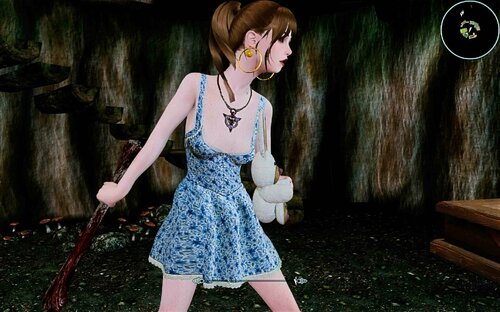
Raper's Bone
By Tlam99
complete rework of the Defeat Debug Mace.
Thats the reason, esp name is different than mod name. I left old reference in, so safe to update.
(MO2 install, move mod left side below old mod, activate new mod, deactivate old mod)
There are 3 different weapons in there.
Player Mace (75% chance critical hit, player only)
NPC mace
This weapons can be used by Player and NPC.
AND
the final result, Raper's Bone, Player only.
(The other weapons are development steps, but can be used on your own risk)
This weapons hooks into Defeat (Banemaster version), You need Defeat Bane as Master !
It is non hostile and triggers and Defeat knock down, rape scene. After the scene the normal Defeat options will be available.
(tie up etc.)
It works on more or less everything (see Jarl Elisif) AND does not count as crime.
Strongly recommend, if you give a mace to a follower, only ONE mace per follower group.
Follower count should be higher than hostiles.
Use on your own risk, if you ignore the recommended conditions.
Weapon kmace craftable smelter iron ingot, leather strip, the bone a dragon bone and leather strip. (as far I remember)
517 downloads
Submitted
-
creature LV Wildlife + MNC Patch + SLAL
By BetLV
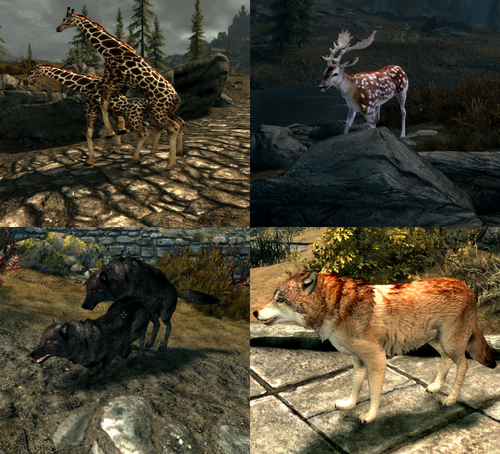
Ever thought that Skyrim is lacking in the creature and animal department? Do you care for new creature types? Is the amount of animations available never too high? If you've found yourself thinking these questions then my mod may be of use!
This mod comes in 4 parts - a Safe-for-work base mod, a MNC patch and some spiffy new SLAL with new creature types, and some various esps. There's a patch for CACO, and you can also find a Sexlab More Creatures edition I modified to suit this mod.
If you wish to play with these downloads, a new savegame is required. Upgrading procedures may require a new game too, depending on how creatures are adjusted. If you don't need or want the nsfw aspects, download the base mod "LVWildlifeV1.x", without the MNC in name. Things will be less tricky to upgrade if you only have the sfw base mod.
New creatures with full MNC support - Quick list
Aardwolf
Striped, Spotted and Brown Hyenas
Snow Sheep (gender dimorphic too)
Okapi
Fallow Deer
Gazelle
Zebra
White Tailed Deer
Painted Wild Dog
African Lion
Ringtailed Lemur
Wolf overhaul - this has many wolf variants and the stronger 'alphas'. Other wolf replacers will not be compatible.
New creatures with TBA or partial support
Turkey Vulture and Eagle
Brown Bat
Lynx
Hammerhead Shark
Alligator Gar
Saltwater Crocodile
Giraffe
Swans and Ducks
Pygmy and regular Hippos
White Rhinoceros
No plans on support yet
Great Blue Heron
Dynamic Animation Replacer is required in order to see the new bat and bird of prey animations. These are outside of SLAL and are in the base mod. These animations are very heavily work-in-progress.
Extra base mod info:
New fish to catch as custom ingredients, a handful of extra ingredients, pelts and meat dropped by some of the new creatures. Leveled list edits to animals will not be compatible without some work. CACO patch is available.
Some SFX support for select animals.
Detailed list on creature support, lot of reading:
Patch info:
Must override More Nasty Critters, depends on its files. Also relies on ABC but needs to overwrite if necessary. This mod needs to overwrite Sexlab animation loader if you generate animations in SLAnims with this installed.
SLAL info:
Animations for new creature types - Giraffes and Waterfowl plus some extras on occasion:
MxM Waterfowl Duo (anal)
MxF Waterfowl Duo (vaginal)
M Humanoid on F Waterfowl (vaginal)
MxF Giraffe Duo (vaginal)
M Giraffe on M Humanoid (oral)
MxF Deer Duo (vaginal)
Plans and ideas:
To do list:
Note: This mod is not tested on AE but these files alone seem to be in the clear for AE. There is currently no backport for LE.
If you have any questions, bugs to report, and so on let me know. This mod is far from complete and comprehensive and is subject to updates.
File credits:
Robobirdie for New Creatures Skyrim Resources, New Foods, Bones
MihailMods for Giraffes
Public Domain model ports from ZT2 mods - ZTABC Team, JimmyzHoopz, Aurora Designs, Zerosvalmont, Stewe90, Hendrix, Nessich, Ron, CrookedJaw, Tamara Henson, Zebrasorus, AccrusedSun, Lgcfm, etc
Animations by me
Creature junk from More Nasty Critters, ABC, etc.
Extra creature junk modeled by me
Bat model and texture by me
MMG for MNC
Bakafactory for ABC
Sketchfab for animal skull models (currently wolf only) https://sketchfab.com/3d-models/lowpoly-animal-skulls-1-2938b8237531482d9750ce2717fbe099
30092 downloads
- animal
- morenastycritters
- (and 28 more)
Updated
-
Devious Brothels - Main Rus
By SsergioA
Это перевод одного из файлов мода
Здесь основной (переведён esp), но он полный и оригинал не нужен. Однако требуются Коварные Бордели - OAR и Коварные Бордели - xVAsynth со страницы оригинала. Требования и описание там же.
Оцените!
НЕ СКАЧИВАЙТЕ ВЕРСИЮ "Коварные бордели Рус.7z", В НЕЙ ПЕРЕВОД НЕ РАБОТАЕТ!!!
234 downloads
Updated
-
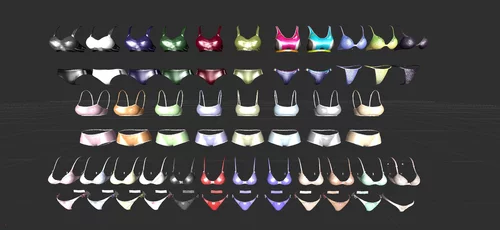
Remodel Armor AIO and Underwear 3BA HDT for Devious Device SE
this just adds body slider for Remodel Armor AIO and Underwear
Requirements and its Requirements
the mods is big and requires you to download all of his required files to work correctly.
bug fixes
let me know if I missed anything or if something isn't working correctly.
do to the amount of items in this mod please list the item name and the problem with it
*clothing name
*problem
*photos if you want but not required
Credit, Support and Thanks...
Skimpy Clothing And Armor Including Underwear Division:
Remodeled Armor for CBBE Bodyslide HDT by ChronoTrigger77
HDT CBBE for A Little Sexy Apparel Replacer by Dollvahkiin
CBBE HDT Spice Gear by sgtmcbiscuits
CBBE HDT Minidresses by sgtmcbiscuits
Seraphine Armor - CBBEv3 - UNP by jmenaru
Demon Hunter Armor - CBBEv3 and UNP by jmenaru
Demon Hunter Armor V2- CBBEv3 and UNP by jmenaru
Special Underwear Division:
Bikini Armor by nisetanaka
amk Border Lace Lingerie CBBEv3M and UNP by amesake
Osare Panty CBBE TBBP with Bodyslide by Sylis
Lingerie Set - CBBE - HDT - BodySlide by Alunder
Layer Bikini - UNP and CBBE by Anano
Vtaw Wardrobe 5 - CBBE SE - CBBE SMP - CBBE 3BA - BodySlide by ousnius
TES Arena Bikini - CBBE Bodyslide by Sandaron
Draugr, Stalhrim, Dragon Scale Bikini by Koffman77
Vintage Underwear CBBE 3BA BHUNP by KappaLima
Nezzar's Ult Lingerie Collection 2.0 - CBBE-TBD-BHUNP SE by Daymarr
GTA6 Bikini 3BA BHUNP by farlibarcai
Replacer and Addon Outfit and Boots Division:
Daedric female armor replacer by MaikCG
HDT High Heeled Boots by lyliths
CBBE HDT Conversion of Killerkeo's skimpy armor replacer by strikegio
Ashara's Romantic outfit CBBEHDT conversion by strikegio
Ashara Imperial Outfit CBBE Conversion by FraWolfHD
Elder Outfit Overhaul by Shadohz
Retexture Outfit Division:
Mage Outfit Texture Overhaul - Schools of Magic by Alexandriel
Dragonborn Mages Robes Retexture Pack by Rafuel
Realistic Transparent Glass Armors Weapons v3 - VANILLA UNP CBBE - optional textures by Cabal120 by mikegemini
Body and Tool Division:
BodySlide and Outfit Studio by Caliente
Caliente's Beautiful Bodies Edition -CBBE- by Caliente
Devious Device Division:
Devious Devices (Assets) 3.0e by Zadil
Devious Devices - Integration V4.3a by Min
creator of the replacer
Remodel Armor AIO and Underwear CBBE HDT for Devious Device by black714
637 downloads
- devious device
- skimpy
- (and 10 more)
Updated
-
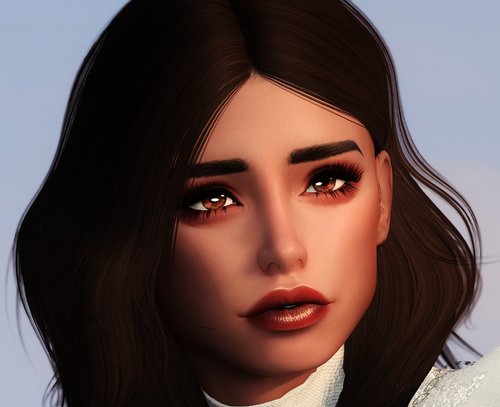
Bof's Babes n Bimbos - Racemenu Presets
By H Bof
A collection of racemenu presets inspired by the fantastic Bimbos of Skyrim mod as well as normal presets for regular play.
2.0 IS A MAJOR UPDATE! PLEASE DOUBLE CHECK THE REQUIREMENTS, SOME HAVE BEEN ADDED AND SOME HAVE BEEN REMOVED.
I'm one of the people who can spend hours in character creators and every time one of my PC's succumbs to the curse I like to make a "bimbofied" preset of them which is what you will find in this mod.
If you don't use Bimbos of Skyrim there are still normal presets included for just a regular playthrough. That being said, Bimbos of Skyrim is not a hard requirement for these presets, they're just inspired by it and a bimbofication theme. So if you want to run around looking like a bimbo without BoS you can do that too.
Each preset has 3 variations:
Normal/not a bimbo Bimbofied with makeup from makeup mods applied through racemenu rather than yps or Bimbos of Skyrim Bimbofied with no makeup built in to allow yps or Bimbos of Skyrim tats/overlays to be used instead - These ones still have contour, highlights, blush, etc. from other mods so you still need all the requirements, but eyes and mouth makeup is removed for yps/BoS to handle
There are currently 12 characters with 3 variations each for a total of 36 presets included. Screenshots in the spoilers below:
INTSALLATION
Use your mod organizer of choice or manually drop the files into your data folder, I will not support any issues with manual installation. DON'T FORGET TO LOAD SCULPTS IN RACEMENU Most of the human presets are made as Imperials since that's what I usually play, if you want to load them on a different race you may have to reload the sculpts or reapply high poly head after loading the preset on your desired race. To do this, go to the Head tab in Racemenu and set the Face Part slider to 3. You should be able to load elf presets onto non-elf races by doing this (and vice-versa) but you may get mixed results. Sometimes loading the sculpts causes they eyeballs to pop out way too far. I'm not sure what causes this and it seems to be random for me. If this happens just clear the sculpt/reload the preset until it works correctly or manually adjust the Eyeball Depth slider in Racemenu to look right.
FOR LE USERS
I have not used LE in years so I can't personally be of much help to get these presets working there, but please see these two posts from @BIGJacob and @Balgin. Many thanks to them! BigJacob's post Balgin's post Remember to get the LE versions of all the requirements! The ones linked here are for SE/AE.
OPTIONAL DOWNLOAD
BBnB Hair jsons for yps 1.4 - My custom "bimbo-ish" hairs that I added to the classic length section for use with Bimbos of Skyrim for a little more variety. A few hairs got entered wrong so they won't show up and some may belong in different categories than I put them in on accident. I added so many I couldn't find which ones and I might fix this in the future if I can track them down. All hairs are either braids, ponytails, or standard hairstyles (I like to change hair a lot on the fly in game so some that should probably be perms are still standard just so I can use yps shampoo to get them). Most of the hairs are not actually classic length, they vary quite a lot I just added them if I could see a bimbo with that hair style. As of v1.3.1 I have begun to add them to perms and standard so that you can still get perm fashion bonuses and use these hairs as well. After all I feel like a magically corrupted and beautified bimbo should be able to get her hair to look as beautiful as she wants no matter what MODS WITH ADDED HAIRS - You don't need all of them if you don't want them, yps will detect which ones you have installed. KS Hair KS Hair SMP EVG Modular Hair - I also recommend this patch, it makes some slight adjustments to the meshes and alters them so they have a more accurate color to other hair packs with yps colors Great Moder's Hair SMP HG Hairdos 2 Tullius Hair SMP 3 - This pack is huge so there will be even more included from this pack in the future that I haven't gotten to yet - I am currently in the process of updating to Anniversary Edition and by doing so found that this mod/link has been taken down. I don't know why but I found these links (meshes | textures) to the original google drive download. If anyone has a problem with me providing it or knows why it was removed let me know.
REQUIREMENTS
High Poly Head - Google Drive mirror link. I think the official site has been nonfunctional for some time. Fair Skin - You can probably use whatever skin mod you prefer, but there might be minor differences if you do. KS Hair Female Makeup Suite The Eyes of Beauty Improved Eyes of Skyrim Koralina Makeup Tweaks Even More Makeup by Koralina Hverg's Eyebrows High Poly Head Patch for Hverg's Eyebrows Expressive Facegen Morphs
PARTIAL REQUIREMENTS:
Goam's Elven Ears - For Emerane, Iona, Galesse, Narelae, and Eciphe presets. Nothing bad will happen if you don't have it, you'll just have to use human ears or vanilla elf ears instead in racemenu. If any of the non-elf presets load with Goam ears, adjust the Facial Hair slider in the Hair tab of Racemenu to remove them. Bimbos of Skyrim - Most of the makeup versions of the bimbo presets come with BoS eyeliner. Nothing bad will happen if you don't have it, but those overlays will be missing. Either they will just not be there, or it will cause you to have a purple face. If that happens you just need to set the overlay to default in the Face Overlay tab in Racemenu YPS Immersive Fashion - Required for my optional hair jsons to actually do anything.
HIGHLY RECOMMENDED:
Facelight Plus - A must-have in all of my playthroughs High Poly Head SMP - REALLY put those bimbo lips to work! Also includes additional lip sliders to get thicker bimbo lips much easier than the many sliders that I fiddle with. These sliders may cause extreme results when combined with my bimbo presets that already have thick lips so I HIGHLY recommend messing around with them yourself to get a good balance, it's worth it. I will likely make an addon in the future that integrates these sliders into my presets. Conditional Expressions Extended - Most of my presets have slightly parted lips. When combined with this mod it gives them a much more natural resting position in my opinion. If you don't like the parted lips and don't want this mod, you can adjust the FV slider in the Expressions tab of Racemenu to easily close them. Proteus - Can be used to apply the presets to other NPCs. I personally use it to apply them to various BoS NPCs
FUTURE PLANS
More presets! Ideally at least one for each non-beast race, likely more. Less likely but would like to look into: Making presets into followers, I have 0 experience in doing this so no promises Patch to replace BoS NPC's heads with the presets, again 0 experience so no promises If anyone would like to do either of these before I get around to it (if I ever do) don't hesitate to ask!
Acknowledgements
@jib_buttkiss For the fantastic work on Bimbos of Skyrim, I certainly wouldn't have made these without it
@emily1673 For the fantastic work on yps and inspiring me to get a little more creative with character customization
@ebbluminous For help with cleaning out jsons/making me aware that I even could clean them in earlier versions
Feel free to post your screenshots I'd love to see them!
8965 downloads
Updated
-
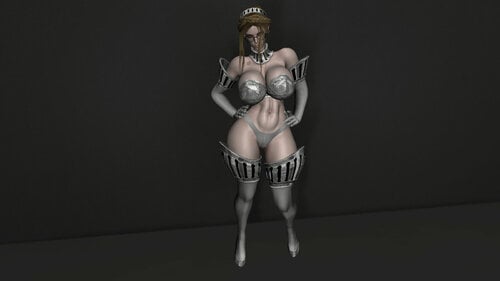
UBE SE 2.0 Mitsuru Battle Panties
By Aequus
UBE 2.0 Bodyslide conversion of Mitsuru Battle Panties by Melodic. Standalone, do not require original.
New update has 2 more color options (blue and white) and 2 new pieces of armor (a bra with smaller boob cup and new body armor).
Many thanks to Vyce for providing edited meshes and alternative textures.
Requirements:
UBE 2.0 aka Bungalow Body and Face replacer
Bodyslide and Outfit Studio
XP32 Maximum Skeleton Special Edition
Heels Sound (optional, look for it in downloads section)
How to obtain:
You can craft it at smithing forge or use AddItemMenu, Simple Mod Item Spawner, etc
Credits:
Melodic for creating this armor
Vyce for providing edited meshes and new textures
796 downloads
Updated
-
TrollsSpeak
By Tlam99
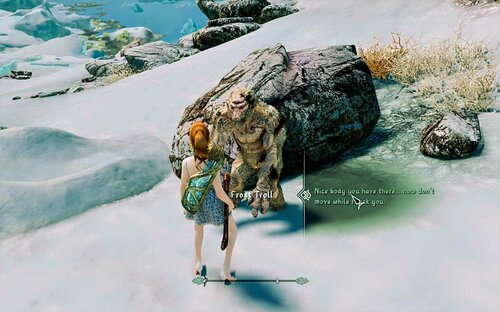
Trolls Speak.
Integrated into lots of SL triggers mods.
See pictures for 2 examples
1. Knockout and Surrender (NX mod, I use an older version, but assume the latest version will work, too)
2. SL Horrible Harrassment ext. Drawback here, no struggle animation for Troll, but after that the scene triggers.
It needs Karlossos the Riekling as Master (like all those speak ability mods I made)
Romance of NPC (Flowergirls) integrated, see under my downloads to get the integration.
500 downloads
Submitted
-
Voice Packs
By Vyru
Created this page by request so @Seeker999 can add a link to the Voicepacks in the List.
Packs available:
Dark Arena SSE 1.43fix
Devious Bandit Overhaul 0.2.0
2603 downloads
Updated
-
[Modders Resource / User Utility] Automatic futanari schlongification ability
By poptart150
What is this?
This mod is intended as a modder's resource for the purpose of automatically schlongifying femboy and futanari NPCs. I made this because a lot of the futanari follower mods require the user to go into the SOS mod config menu and add the schlong themselves. This mod will allow the author to have the game automatically detect a usable schlong and have the game add it without the user needing to do anything.
I made it because I simply want to offer better tools for futa and femboy mods, and I want to see them improve.
(I used this follower as an example, she is from The goth femboy twins mod
This mod also has some utility functions. It gives the player 2 lesser powers:
Gift of Futanari - Target a female NPC and it will add the schlongify ability to them, attempting to schlong them
Set Schlong Size - Allows you to change the schlong size of the target NPC or unschlong them
Requirements:
Schlongs of Skyrim
At least one of the following futa addons:
- Futanari CBBE
- Futanari TRX Addon
- ERF Highpoly
- Horse Penis Redux
How to use for mod authors - New Method:
Option 1 - Using Spell Perk Item Distributor, add the keyword ActorTypeFutanari to whichever npcs you want using a custom SPID ini file.
Option 2 - You could also add the keyword directly into their NPC record in creation kit or xEdit.
If the user has Spell Perk Item Distributor installed with the AutoFutanari_DISTR, the NPCs with the keyword will be schlonged. But you would have to distribute this mod as a resource / soft requirement. Feel free to do so, or edit and redistribute.
How to use for mod authors (Old Method) :
1. Open this mod in xEdit along with your futanari follower mod. Make sure this mod loads after your follower mod.
2. In AutoFutanari.esp , find the magic effect "00FutanariEffect" . Right click and copy it as a new record into your follower mod. Save your follower mod.
3. In either Creation Kit or xEdit, create a new spell entry. Make it constant effect, target self, and ability type. Make sure it uses the magic effect that you copied in step 2.
4. In your NPC record in either Creation Kit or xEdit, add the new ability to them under the "spells" section of the actor window.
(You could also directly copy the spell entry for the passive ability, but xEdit might try to force you to parent this mod if you do that. But if you know what you're doing and can do this, it will save you some time.)
When you distribute your mod, make sure to include the AutoFutanariScript.pex in your mod (and the associated .psc if you want to keep it easy to edit.)
Extra note for mod authors: The spell magnitude sets the schlong size. If magnitude is 0 or null, it defaults to size 4. Otherwise, magnitude = size. You can create copies of the spell with the magnitude that you want.
If you're adding the "Schlonged" ability to someone via a script, make sure you use AddSpell and not Cast . This is basically a passive ability, not a casted spell.
Please, feel free to use the scripts and stuff in this mod to your heart's content! Edit and redistribute any way you like. I simply just want to see better implementation for femboy, futa, and trap followers.
How to use for general users:
This will give you some basic schlongifying functions. You can use these if you want to schlongify a female NPC easily. Gift of futanari will try to schlong any female NPC that you point it at. Set Schlong size can be used as a utility for users to change size between 1 and 9, or remove schlong, without having to visit the SOS mod config menu.
Please note, the schlong resize will not work if you use the SOS Racemenu plugin. This is a restriction by the SOS mod, so it's not something I can change.
Additional schlong plugin support:
I am willing to add in more schlongs, but you are also free to edit the scripts to your heart's content. The script you will need to edit in order to add in new schlong plugins is AutoFutanariScript. Specifically, the bit at line 72. I left some comments in the script to help with this.
(You will need sexlab's scripts and schlongs of skyrim scripts in order to compile the script.)
I wanted to find BakaFactory's schlongs plugin but the patreon page was down. If anyone has any schlong addons they'd like to see supported, let me know & I can add it eventually.
Additional Information:
The pecking order for choosing a schlong is:
1. Futanari CBBE
2. Futanari TRX Addon
3. ERF Highpoly
4. Horse Penis Redux
The scripts are set up in such a way that the esp file does not require sexlab, schlongs of skyrim, or any other thing except skyrim.esm. But it will not do anything unless a person has SOS installed.
I hope everyone enjoys this and finds it useful.
855 downloads
Updated
-
fnis xml name changers for ostim\ocreatures (BETA)
By akameskyrim
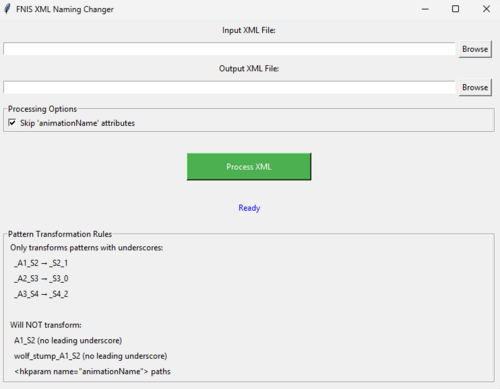
so after trying convert anubs animations i kept getting the error (2012) and after searching allot i found that those animation were problamtic and couldnt even generate fnis modders behavor file so i made a tool that does that without needing to use fnis for modders at all this tool change the index
here you can find a tutorial and what it actuly does
this tool fix this without needing to use fnis for modders at all
this tool make problamtic animations to work and convert fully for ocreatures
first you will need to convert the orginal behavor files that are located in (actors\character\behaviors) (this need for every creaturue not just character behavoirs) to xml using hkxtool this located in my zip file then you will need to use my tool to change the animations names (the tool changes only the animations name while still keeping the animations dir ) then generate the behavors xml and than use (hkxtool and select to skyrim se) and convert it to hkx file and then change the names to the orginal bhavor file example (FNIS_Anubs Creature 2_Behavior_converted.hkx) will be (FNIS_Anubs Creature 2_Behavior.hkx) and replace it with the orginal (then run pandora and done) no need to use fnis at all this way will fix the (2012) error in fnis is a work around to do what fnis does but better
first install the animations you want to convert then run pandora generate the files (then disable the main mod animations)
and then follow my tutorial ((no need to rerun pandora)
((((((you will need to disable to converted mod before running pandora
when installing new animations and when it finish enable the converted mod )))))))
1- use my other tools to convert animations for fnis_animlist.txt
then use my other tool to generate the jsons file (without those this tool is useless)
2 step convert the orginal behavors file that are located in actors\character\behaviors for every folder not just that folder to xml
then use this tool followed the tuto above
4 step (have fun )
(AND AGAIN BIG THANKS TOO @J0suk3_)
( I MANGED TO FULLY CONVERT ANUBS ANIMATIONS FOR OCREATURES I WILL RELEASED WHEN I GET PERMISSION)
172 downloads
Updated
-
Sexy Adventures
By Teutonic
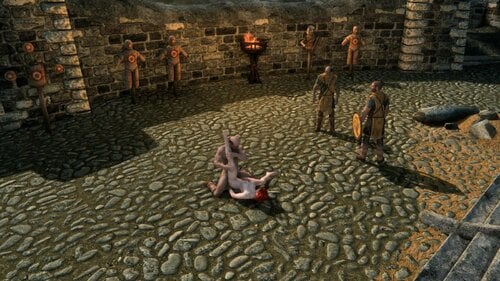
Adds a variety of features intended for female adventurers. Highly customizable.
This is a continuation of Sexlab Adventures.
Crime Laws (turned off by default)
Includes multiple additional crimes, such as public nudity, casting magic or wearing armor. If caught, you will receive a bounty. MCM options include:
Which offenses are considered crimes, how high the bounty is and other parameters on a per-hold basis Who can report you and how often on a global basis Crimes can be set freely, randomized within customizable parameters at will or in semi-regular intervals or be kept at their default values.
Gang Rape (turned off by default)
Whenever certain requirements are fulfilled, you can be gangraped on the spot by NPCs in the vicinity. Nearby NPCs can also join an ongoing gangrape, even if they were not part of it initially. If enabled, assailants will pursue you before initiating the gangrape, allowing you to escape. MCM options include:
The exact requirements (e.g. nudity, arousal, being unarmed, being restrained and many more) Who can assault you (males, females and/or creatures with valid SexLab animations) Whether to allow threesomes and which animations to use How many assailants may participate and how many times a particular assailant may rape you Follower support: They may assault you as well, protect you or be assaulted alongside you
Sleep Creep (turned on by default)
Sleeping in a city can result in men taking advantage of you, leaving their cum on your body or stealing from you. MCM options include:
The chance for abuse or theft, including modifiers for being naked, aroused or drunk How often abuse may occur during a single event, the value of items stolen and which items may be stolen
If Love Sickness is installed, Love Sickness may result from sleep creep. If Fertility Mode is installed, a pregnancy may result from sleep creep.
Supported Mods that unlock more features
Devious Devices Follower mods (Detect followers from these mods) Nether's Follower Framework or NFF Amazing Follower Tweaks or AFT or Immersive AFT Extensible Follower Framework or EFF UFO - Ultimate Follower Overhaul Fertility Mode Love Sickness Sexlab Skooma Whore (Detect being drugged) Sexlab Survival: (Having licenses prevents bounties from being triggered for appropriate crimes.) Survival mods (Detect being drunk and/or drugged) Complete Alchemy and Cooking Overhaul iNeeds - Food Water and Sleep Realistic Needs and Diseases (or variants, such as this one.) SunHelm Survival and Needs Gourmet - A Cooking Overhaul Last Seed Avanced Nudity Detection version 0.4 or higher (Adds alternative ways to detect nudity and skimpy clothing and adds additional crime laws and gangrape requirements.)
Installing updates
To install updates, simply remove the old files and install the new ones. Save-cleaning is not required unless it says so in the patch notes.
Switching from Sexlab Adventures to Sexy Adventures
SexLab Adventures and Sexy Adventures are separate mods that do not interfere with each other. They can therefore be installed at the same time. You should, however, not turn on overlapping features, i.e. Gangrape, Crime laws and Sleep Creep, in both mods. Do note that SexLab Adventures does have some additional features that you may want to keep using. In any case, you do not need to uninstall SexLab Adventures and/or clean your save. Just turn it off.
Contributions
NymphoElf made contributions to enable support for Avanced Nudity Detection.
Troubleshooting
Feel free to post any issues you experience in the support thread. Enabling debug messages (which are printed to the console) in the MCM might help diagnose the cause of problems.
License
This mod is published under an MIT license. The license document is included.
97567 downloads
Updated
-
slal2ostim converter for OCreatures
By akameskyrim
SLAL to OStim Animation Converter FOR (OCreatures - Ostim Creature Extension )
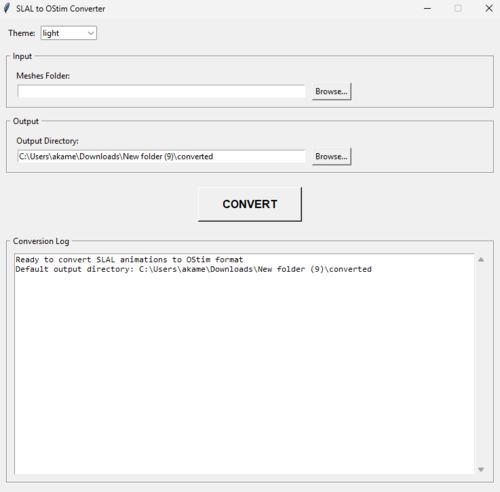
A streamlined tool for converting SLAL animation packs to OStim/OCreatures format
How It Works:
Select your meshes
select the output click CONVERT
copy the meshes folder to the mod replace or overwrite and done
Use fnis for modders to generate the bhavor files and put it in (animationmodname\meshes\actors\(creature name)\behaviors)
sometimes is not needed to copy since it fnis rewrite the hkx autoamticly but just keep that in mind
sometimes the hkx is converting but not changing the xml to hkx this also fnis error not the tool go to where you have set youre fnis output from mo2 look for name.xml and use this tool to convert it to hkx https://www.nexusmods.com/skyrimspecialedition/mods/128839?tab=files
use the json generator tool found here
and done
Requirements:
Features:
🛠️ Automatic Conversion - Transforms SLAL animation lists to OStim-compatible format with proper event naming
📁 Batch Processing - Convert individual files or entire folders of animations at once
🔄 Accurate Transformations:
Converts _A1_ → _S#_1 (female animations)
Converts _A2_ → _S#_0 (male animations)
Converts _A3_ → _S#_2 (additional actors)
Preserves original .hkx filenames
🖥️ User-Friendly GUI:
Simple file/folder selection
Progress tracking
Detailed conversion log
✅ Validation - Maintains proper OStim syntax including -Tn flag requirement
I HAVE NOTICED SOME ANIMATIONS FNISGENERATORFORMODDERS DOESNT CONVERT THE ANIMATION AND GIVE ME 2012 ERRORS BUT THAT NOT ERROR FROM MY TOOL BUT IN THE MAIN ANIMATIONS MODS FOR ANUBS I COULDNT MAKE AN CONVO BUT FLUFFYFOX I COULD IT IF SOMEONE KNOWS MORE ABOUT IT PLEASE TELL ME (AGAIN THIS NOT MY TOOL ERROR I CHECKED WITH UNCHANGED FNIS_LIST AND THE MAIN FILES IT WAS SAME ERROR)
please read the docx file in the ocreatures file
Python 3.6+ (no additional dependencies)
Windows/macOS/Linux compatible
Perfect For:
Modders converting existing SLAL packs to OStim
Creators porting animations to OCreatures framework
Anyone who wants to save hours of manual file editing
Installation:
Download the Python script
Run with python SLAL2OStim_Converter.py
No installation required
Note: Always back up your original files before conversion.
____________________________________________________________________
Thanks to @J0suk3_ for making his mod and helping me to make this tool
1838 downloads
Updated
-
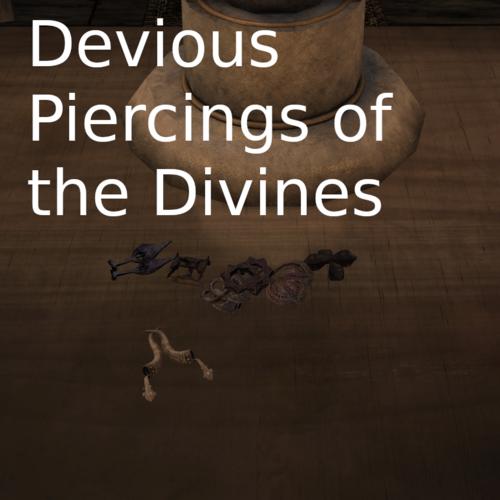
Devious Piercings of the Divines - (Now with More UBE *Gasp*)
By Ondine.
Piercings of the Divines are now devious...
Piercings of the Divines - Devious
This will simply turn Piercings of the Divines into devious devices. does not touch vanilla amulets
Piercings of the Divines - Devious Replacer
optional file that replaces the vanilla religious amulets with their devious piercing counterpart
Requires Piercings of the Divines - Devious File Been playing for a while and so far no issues, if you see any however let me know. Amulet names have been replaced with "Symbol of" to make it ambiguous and a bit more "immersive" if you find them on a male npc includes a KID file to add Aroused keywords to vanilla replacers
Slot 51 Versions
Switches slot to use 51 which is what DD uses for nipple piercings Includes fixed nifs for both 3BA and BHUNP (Must rebuild in bodyslide!)
UBE Patch
Conversion for UBE for Piercings of the Divines, technically doesnt require anything else Be sure to build in bodyslide based on if you are using slot 51 or not Requires ADM ADM (only available from UBE Discord server): https://discord.com/invite/V7fQdK6Uwx -> agree to the server rules -> Armory Data Manipulator
Requires:
Piercings of the Divines
and
Devious Devices
Recommended:
OSL Keywords (KID) - Armor Mods Patch Hub: Adds aroused framework keywords via KID
Also, thanks to @dieer who made Devious Devices - Ayleid Piercings Patch from which this mod was inspired. def check it out if you haven't.
9664 downloads
Updated
-
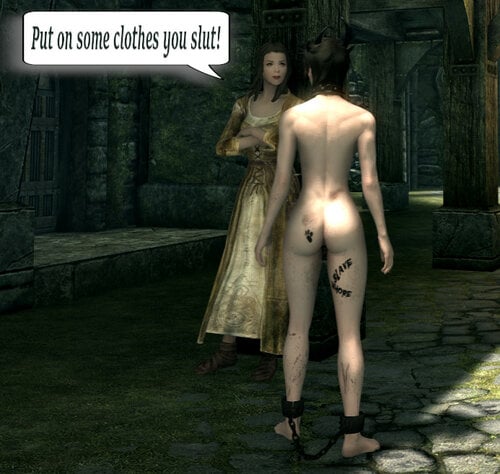
Naked Comments Overhaul Femboy Edition
By Vyru
What does it do?
Changes most of the random commentaries people give you when you run arround naked, to some more humiliating ones for all the submissive little sissy boys pretending to be adventurers in skyrim
Changed Voice Types:
FemaleCommander
FemaleCommoner
FemaleCondescending
FemaleDarkElf
FemaleElfHaughty
FemaleEvenToned
FemaleNord
FemaleOrc
FemaleYoungEager
MaleBrute
MaleCommander
MaleCommoner
MaleCommonerAccented
MaleCondescending
MaleDarkElf
MaleEvenToned
MaleEvenTonedAccented
MaleNord
MaleOrc
MaleSlyCynical
MaleSoldier
MaleYoungEager
Unchanged Voices:
Children and Elders, i don't hope anyone want to hear any sexualized lines from them. And 2-3 other voicetypes, i don't remember wich ones, that already had some humiliating lines.
Recommended mods:
My follower dialogue overhaul: Follower For Femboys
Submissive Lola or some other player slave mod since people sometimes refer to you as slave or mention your owner in the comments.
2952 downloads
- femboy
- humiliation
- (and 5 more)
Updated
-
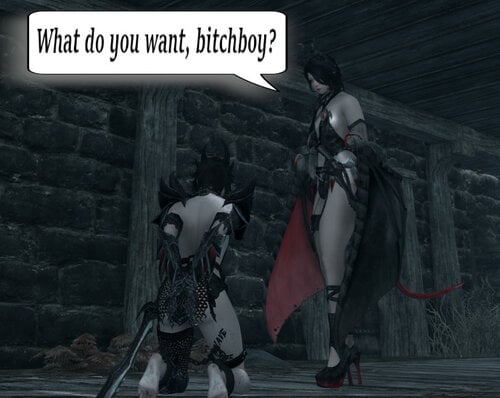
Follower For Femboys
By Vyru
What is it?
Just a little follower generic dialogue overhaul for kinky submissive little femboy sluts. Overrides only some generic responses like command, trade, wait etc. and greetings. It always felt like the vanilla follower dialogue is way too nice and should be more humiliating.
Supported Voicetypes:
FemaleCommander
FemaleCondescending
FemaleDarkElf
FemaleEvenToned
FemaleYoungEager
MaleBrute
MaleDarkElf
MaleDrunk
MaleEvenToned
MaleEvenTonedAccented
MaleNord
MaleYoungEager
The quality of the individual voicetypes also varies. My main focus was FemaleCommander and FemaleEvenToned since that's the ones my 2 followers are using, so these definitly sound best. FemaleYoungEager and MaleBrute also turned out pretty good and natural sounding. Some are not too great like FemaleCondescending. MaleNord also sounds kinda ridiculous sometimes. You just have to try arround...
Note for female player characters:
MaleEvenTonedAccented, FemaleConscending, FemaleEvenToned, FemaleYoungEager, MaleEvenToned and MaleYoungEager are not using the "bitchboy" line nor anything else refering to them as male in case you wish to use the mod with one of these voicetypes.
2823 downloads
Updated
-
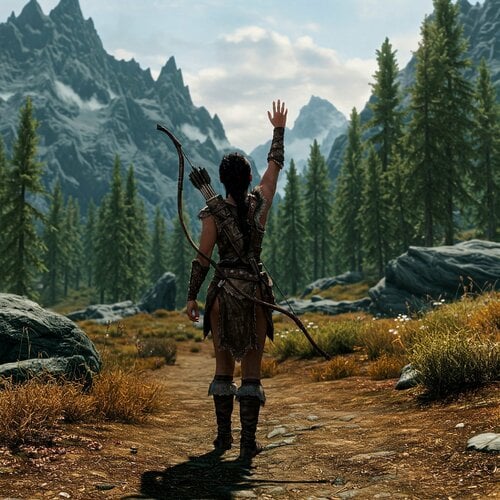
ZAZ NG Voice Pack 1.0
By IdosheJungo
Hi All,
Here's the start of my new NG Voice Packs.
This one is for Zaz, it was made using 8+ but should work with any version.
They're all packed away in a bsa using an empty esl plugin so they won't take up space in your load order!
My Patreon!! Thanks for taking a look.
I'm also open to any requests so keep them coming!!
Installation Instructions Special Edition/Anniversary Edition
Download and install Zaz (and it's requirements). Download and install this mod. Enjoy!
Installation Instructions Legendary Edition
Download and install Zaz (and it's requirements). Download and install the loose version. Enjoy!
Thanks again peeps!!
After a long time working and trying different TTS models and training various things and learning python I'm happy with the outputs I'm getting, but if any issues are found, just let me know and it should be a quick fix. It's only up from here!!!!
Male Example Female Example
4370 downloads
Submitted
-
blush for Erins
blush when aroused for Erin race.
requirements
or
https://www.nexusmods.com/skyrimspecialedition/mods/131525
not really important but the base mod coloring is a bit yellow so youll need to fix it in the mod menu just remove the green RGB coloring be carful trying to add to NPCs
529 downloads
- blushing
- blush when aroused
- (and 4 more)
Updated
-
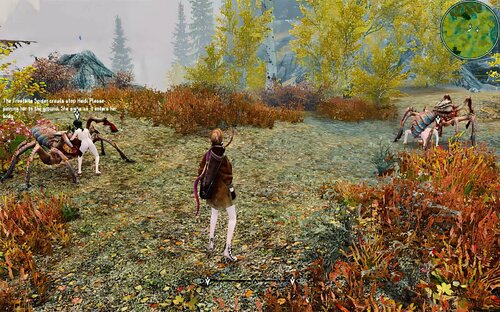
God of Love
By Tlam99
This is a reupload of a mod I deleted.
One of the most powerfull weapons I ever made.
Improved, new effects.
What it does.
It's a bow, Amor's bow.
If you hit anything crawling, the arousal in a radius of ca. 10m of the victim will slowly increase (including player)
The arousal of the victim will explode.
Hostile will no more attack you, they love you.
You can speak to the victim, even to animal creatures (if you succeed to reach him before they start to show you their love)
All this last 5min.
Craft the bow 1 filled grand soulgem, 1 ale, 1 moonstone ingot at crafting smithing forge.
Craft the arrows (0 damage) 1 ale, 1 iron ingot, 1 firewood on a forge.
Use THIS arrows (god of love) to avoid killing the victim
I reworked this one, as it fits quite well into the setup "avoid killing your enemies"
Picture, if you hate spiders, stay back and let your followers do the job.
798 downloads
Updated
-
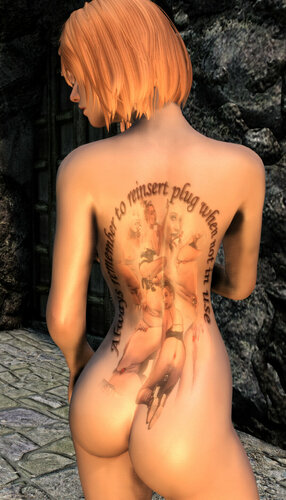
Auds Anal AcroTats
By audhol
Made as a request by @belegost and taking far tooooo long to finish Uncle Aud presents 5 rather large and detailed tattoo's on the theme of anal sex.
Can all be used at the same time if y'all really wanna cover the whole body.
Requires
Slavetats
1086 downloads
Submitted
-
YPS for Erins
a conversation for YPS to erins race.
requirements
or
https://www.nexusmods.com/skyrimspecialedition/mods/131525
important
this will replace normal race makeup making it misaligned
162 downloads
Updated
-
Sexy Standing Stones Improved RU|EN
By vjnmrf
Mods are made for SE 1597. How it works on AE, I have not checked and do not plan to.
Version 2 English translation from Psyq only esp and scripts - download Russian versions and replace
All changes compared to the original Sexy Standing Stones.
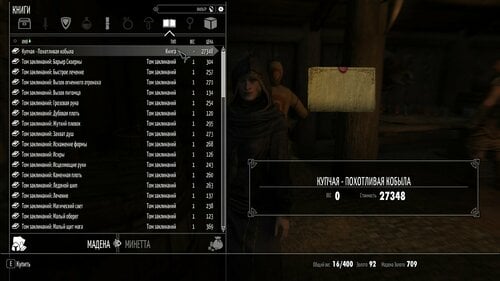
Pictures have been added to the book.
Added belt lanterns and a guide for creating them. They are being crafted in the forge (the book must be in the inventory)
An adaptation of the Sabu comic about giants to the realities of Sky has been added.
11 volumes of the autobiography of the archaeologist have been added, on whose behalf most of the other books were written. Frost's Identity Papers has also been changed.
Added several books based on the Oblivion mod - LoversBitch Gone Wild
Everything can be bought from 7 blacksmiths and a Drunken Hunter.
The original is not required.
________________________________
Patch for SSSI 2.0 and Pride of the Niben - Sailable Ship Home
Patch 2.0 (most likely final)
Completes the story of the archaeologist and justifies the appearance of the ship in Dawnstar
Changes the method of buying a ship - read the announcement on the post near the gangway (in the original, many courier never brought the letter, and then the game started to crash)
Checked = Madena sells the deed already at the first level of the character, but just in case, added the keyword "scroll" to it
Changes in the interior:
Added a cabinet with all the books from SSSI (most of them were removed from sale) and a porn magazine based on another mod for Obla
added a ship's log, the map was replaced with a map of Nirn, other interior improvements
All paintings were replaced with porn about horses
Added a ship's dog
a name and different flags were added to the ship.
English esp in archive
__________________________________________________________________________________
Версия 2 скорее всего последняя, ибо эта графомания мне что-то поднадоела(пусть ей клованы с АТ занимаются)
Все изменения по сравнению с оригиналом Sexy Standing Stones.
В книгу добавлены картинки.
Добавлены поясные фонари и руководство по их созданию. Крафтятся в кузне (книга должна быть в инвентаре)
Добавлена адаптация комикса Sabu о великанах к реалиям Ская.
Добавлено 11 томов автобиографии археологини от лица которой написано большинство прочих книги. Также изменена родословная Мороза.
Добавлено несколько книг по мотивам мода для Облы LoversBitch Gone Wild
Все можно купить у 7 кузнецов и в Пьяном охотнике.
Оригинал не требуется.
________________________________
Патч для SSSI 2.0 и Pride of the Niben - Sailable Ship Home (перевод мода в архиве)
Патч 2.0 (скорее всего окончательный)
Завершает историю археологини и обосновывает появление корабля в Данстаре
Меняет способ покупки корабля - читать объявление на столбе у трапа (в оригинале у многих курьер письмо так и не приносил, а после игра начинала вылетать)
Проверил = Мадена продает купчую уже на первом уровне персонажа, но на всякий случай добавил к ней ключевое слово "свиток"
Изменения в интерьере:
Добавлен шкаф со всеми книгами из SSSI (большая их часть убрана из продажи) и порножурнал по мотивам еще одного мода для Облы
добавлен судовой журнал, карта заменена на карту Нирна, другие улучшения интерьера
Все картины заменены на порнуху про лошадок
Добавлен корабельный пес
кораблю добавлено название и разные флаги.
Фикс убирает флаги, висящие в воздухе когда корабля нет на стоянке
5995 downloads
Updated
-
1000+ CBBE 3BA Presets for OBody
By Triberzis
A Collection of 1069 CBBE 3BA Body Presets for OBody from 252 Mod Authors. All Presets have been re-named and categorised.
Re-Upload from Nexus
All Presets have been renamed for ease of access of finding in OBody UI Menu
As follows: Mod Author (Category) Name of Preset
Requirements:
- OBody Next Generation - Set it up properly in Bodyslide
- CBBE 3BA
Install Instructions:
- Install Requirements and Mod
- Batch Build everything in Bodyslide
Thanks to all Mod Authors who Contributed
Like my work?
Consider supporting me on Patreon where I post many exclusive mods
1400+ CBBE 3BA Presets for OBody
1100+ CBBE 3BA Presets for OBody Realistic Edition
100+ UBE Body Presets for OBody
90+ HIMBO Body Presets for OBody
5250 downloads
Updated
-
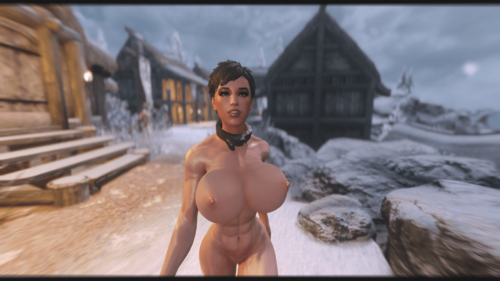
Slavegirl Botox
By J.Azure
No one had posted a botox patch for the Slave Girls mod by Hydragorgon (not that I could find anyway) so I made one. If I did something wrong by posting this, let me know and I'll take it down.
Requirements:
Slave Girls -
Botox - https://www.nexusmods.com/skyrimspecialedition/mods/20967
And that should be it! ❤️
1321 downloads
- hydra
- slavegirls
- (and 1 more)
Submitted
-
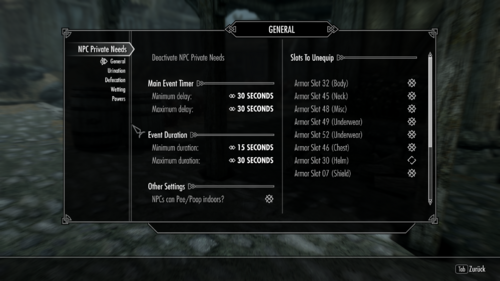
NPC Private Needs 1.3-conversion for Skyrim SE
By Poolner
Hello everyone,
It was frustrating me that there was no converted version of NPC Private Needs 1.3 by Slayster For Special Edition.
You can find the original here:
That's why I made a convention. I haven't changed anything in the file "NPCPrivateNeedsSSE.esp". However, I only extracted the bsa file "NPCPrivateNeeds.bsa." Therefore, Skyrim SSE is now starting.
Features have not changed:
When activated this mod causes NPCs to urinate and defecate at random intervals. They can also wet themselves.
All timers, chances, animations, locations & more are all configurable via a SkyUI Mod Configuation Menu.
By default it will ignore followers but this option can be toggled.
It will detect if you have SexLab installed and ignore any NPCs in the SexLabAnimating faction.
Also included are Powers for your character which can be used to make an NPC pee/poop/wet on command.
If you want your character to take care of their needs as well then check out the original mod "Private Needs" by richard19840706
-> for Skyrim SE converted Mod you can find here:
Despite the title of the mod (which is based on the original) NPCs do not currently take care of their needs in private. At the moment they will just go where ever they are standing. Running to a private location is something I hope to add in the future.
Installation (with CBBE/CBBE 3BA) - worked for me
1.) SKSE
https://skse.silverlock.org/
2.) RaceMenu
https://www.nexusmods.com/skyrimspecialedition/mods/19080
3.) CBBE
https://www.nexusmods.com/skyrimspecialedition/mods/198
4.) XP32 Maximum Skeleton Special Extended
https://www.nexusmods.com/skyrimspecialedition/mods/1988
5.) CBPC
https://www.nexusmods.com/skyrimspecialedition/mods/21224
6.) Body Slide and Outfit Studio
https://www.nexusmods.com/skyrimspecialedition/mods/201
7.) ZAZ-Animation Pack + CBBE HDT V.8+SEREV 3
8.) SexLab Framework AE v. 166b
9.)FNIS Behavior SE
https://www.nexusmods.com/skyrimspecialedition/mods/3038
10.) NPC Privat Needs 1.3 SSE
11. run: SteamLibrary\steamapps\common\Skyrim Special Edition\Data\tools\GenerateFNIS_for_Users\GenerateFNISforUsers.exe
to install the new animations
-> Start the game and have fun.
1144 downloads
Submitted
-
Submitted
.thumb.png.32055e8e6505389eec67bbb9169d251d.png)
![More information about "[XCL] [0.25.9+] Cheat Menu"](https://static.loverslab.com/screenshots/monthly_2026_10/1.thumb.png.95996de74a5d2e203f6defb3f9145841.png)
.thumb.png.8f79f465d3d836910726af539c085dca.png)