Select a subcategory to view available files.
Files From Subcategories
-

pregnancy Estrus Chaurus Spider Addon /╲/\( •̀ ω •́ )/\╱\
By Ed86
GitHub:EC V4.xx, ES V3.94, ES V4.xx
If you like my mods, you can support me on Subscribestar
Required Mods
Estrus Chaurus+ v4.xx and everything Estrus Chaurus requires
You must put this mod after Estrus Chaurus
If you use Devious Devices, install:
Devious Devices - Integration ES DDI Patch
You must put this mod after Estrus Chaurus+ in your load order
Description
Estrus Chaurus but with Spiders, because everyone loves spiders! /╲/\╭(ರರ⌓ರರ)╮/\╱\
This mod is an addon, so it is compatible with EC+ v4.31 and, maybe, future versions.
There are four methods by which the ES effect can be applied to the player or a follower:
Spider spit attacks can trigger tentacle attacks - the chance of attack is configurable via the ES MCM(disabled by default as its unimmersive) Spider spit attacks can trigger paralyze attacks - the chance of attack is configurable via the ES MCM Sexlab scenes involving a Spider triggered by another mod Sexlab scenes involving a Spider Penis from SexLab Parasites - Kyne's Blessing ES+ scenes triggered by other mods through mod events
Updating from version less than 4.21r1 to version 4.xx requires a clean save or new game.
For Modders
Known Issues
Mod is partially not compatible with Arachnophobia, since both mods edit spider poison spit spell, you'll need to place ES after Arachnophobia or remove spider poison spit edit from Arachnophobia if you want ES tentacle/paralyze effects to work, impregnation through sex will still work.
There seems a problem with sexlab 1.6x spider animations, ES tries to fix it, by resetting spiders after SL scene.
Credits
Ed86 =D
Bane Master
Jbezorg
Tokinklownz420
472806 downloads
Updated
-
pregnancy Estrus Chaurus Dwemer Addon
By Ed86
GitHub:EC V4.xx, ED V4.xx
If you like my mods, you can support me on Subscribestar
Required Mods
Estrus Chaurus+ v4.xx and everything Estrus Chaurus requires
Optional (Sexlab animations for dwemer automatons sexing through sexlab):
SexLab Animation Loader
SLAL_Billyy_Creature2
or other animation pack that adds dwarwen animations
You must put this mod after Estrus Chaurus
If you use Devious Devices, install:
Devious Devices - Integration ED DDI Patch
You must put this mod after Estrus Chaurus+ in your load order
Notes(TODO n STUFF):
Consider mod Alpha Early Access Beta, so make backup saves.
Hatchery is not implemented as automatons are mechanical and dont really grow up, so im not sure how to handle it
Only machine attacks were tested as im not sure how to install SLAL and all that fancy stuff
As dragonborn, you can eat birthed dwemer spheres, dont forget to pour some dwemer oil for better taste. LOL
wait for someone to make mcm picture with dwemer sphere racing and spiders hanging from top and sides, cuz why not xD
Description
Estrus Chaurus but with Dwarwen automatons, because everyone loves steampunk tech!
This mod is an addon, so it is compatible with EC+ v4.31 and, maybe, future versions.
There are four methods by which the ED effect can be applied to the player or a follower:
Dwarwen attacks can trigger machine attack - the chance of attack is configurable via the MCM Dwarwen attacks can trigger paralyze attack - the chance of attack is configurable via the MCM(disabled by default as it needs SLAL and animation pack installed) Sexlab scenes involving a Dwaren Spiders, Spheres, Balistas, Centurions ED+ scenes triggered by other mods through mod events
Known Issues
Mod will conflict with other mods that modify:
ShockDamageFFAimedDwarvenSpider - Lightning Bolt
crDwarvenSteamBreath - Steam breath
Credits
Ed86 =D
Bane Master
Jbezorg
Tokinklownz420
46323 downloads
Updated
-
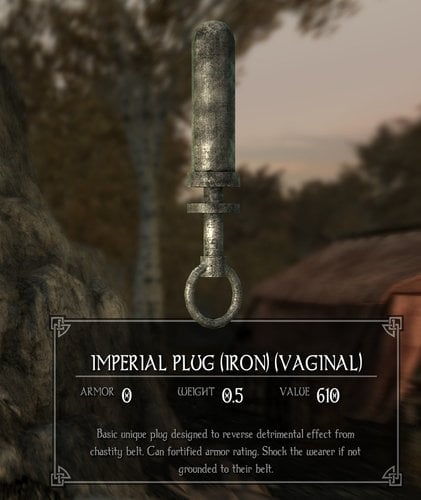
devious device Harder Devious Regulation
By Black714
Civil War "Devious Regulation" Now Requires to Wear a Plug.
Background:
Because Many Female Soldier Break The Chastity Regulation, They Assume Plugged a Dildo can Reduced that Problem, also it's Helpful to Motivate them. From Now on, Female Soldier Must Wear It Without Excuses. More Easily Punishment. See Description Below.
Installation:
Need Original Devious Regulation Mods by Srende. Replace with Devious Regulation Fix. Fix Some Bug and Add Support for Devious Integration 4.3 and 5 Version.
Harder Devious Regulation Version 1.12:
Getting Punish by (Rikke, Tullius, and Galmar) if:
Not wearing a Regulation Plug. How You Can Remove it? Wearing Another Plug. Can Replace it without Remove the Belt? Carry A Master Key. They Think You Want To Escape! Not Wearing A Vibrating Plug or Collar After First Punishment. (1.08 Version) They Noticed You After You Get a Punishment! Must Wearing a Vibrating Plug After Reach Praefect or Bone-Breaker Rank (Version 1.10). Get Promoted also Get an Upgrade for The Plug Too... Quaestor Rank for (Imperial Legion) . Ice-Veins Rank for (StormCloak).
Devious Regulation Equipment Have Good Enchantment.
Also side effect if Not Worn Correctly (Without Plug or Chastity Belt).
For Collar: Both Punishment Collar can Shock player if Not Wearing a Regulation Plug or Belt (Damage Stamina and Magicka). Padded Collar Still Allowed You to Carry a Regulation Key. Padded Collar Still Allowed you to Wearing Non-Vibrating Plug. Posture Collar Will Punish You if Carry a Regulation Key. Posture Collar Must Pairing with Vibrating Plug (Normal for Strong Plug). Posture Collar Have a Greater Damage than Padded Collar. Only Posture Collar Can Handle Strong Punishment Plug Effect. For Chastity Belt : Reduced Player Carry Weight if not Pairing With Regulation Plug. Belt can Increase Player Carry Weight. Stronger The Plug will Give a Greater Effect. For Plug: Iron and Primitive plug (Basic Plug) also need wearing a correct belt (Regulation Belt). Regular Punishment Plug Still Allow You Not to Wearing a Collar. Strong Punishment Plug Can Handled Only by Posture Collar. For NPC: Separate Slot with Player (can't be looting). No Effect to Reduced Over Chastity and Plug in Area.
Available for Armor and Non-Armor version.
Belt and Collar have armor bonus. Work with Heavy, Light armor Perk. Also Mage Armor Bonus Perk.
All NPC Chastity Belt Now Separated With Player That Wearing, And Unplayable. Avoid Stacking.
Regulation Belt and Plug Only Find Inside Castle Dour or Palace of The King.
I Removed CWRS Version Because CWO Redux is Already Launched. I Will Move It Into Another Page.
Originally Devious Device Regulation Created by Serende.
Thanks for all modder who created the best mods for Skyrim.
9170 downloads
- devious regulation
- quests
- (and 5 more)
Updated
-
Alternate Start - Devious AIO
By Black714
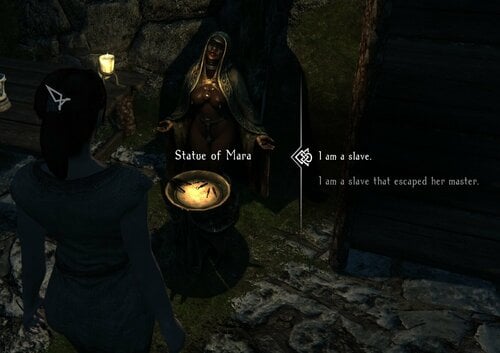
Alternate Start Always With Chastity Belt and Plug!
Simple Description:
3 combination mods into 1 Esp file.
Alternate Start - Live Another Life by Arthmoor. ImmerSlave by arbiter. Live Another Life - Live a Deviant Life by Aelie.
Try To Delete Loose Script (Pervious Version) Inside The Folder To Avoid Conflict With Another Mods.
It Can Cause CTD After Upgrade, Try Re-Enable The Mods After Disable It.
Reason:
Spend 3 esp slot since Skyrim only allowed 250 mods max. only for alternate start? Like both Aelie and arbiter mods and want to use it all? Like using Devious mods for alternate start but sometimes player can avoid being belted? Have a good chose, why must select a bad one? Such "I wear nothing... My friend took me home.... No Crime.... Anyway I have Proudspire Manor!"? (You Can Do It In 1.02 Anyway) ?
So... this mod remove an unbelted option. Player will forced to wear chastity belt it since the beginning!
Explanation:
Arthmoor, Aelie, and arbiter file already combined. it's already include here.
Single Esp File just Replace an original file.
See screenshot for more details.
8830 downloads
- alternate start
- immersiveslave
- (and 1 more)
Updated
-
FlowerGirls Necro
FlowerGirls Necro Animation Fix Revived NPC.7z
Adds 589 Funnybizness necro related animations to the FlowerGirls framework. This is the first animation pack for FlowerGirls, proving that it is a viable, lightweight alternative to SL.
Requires:
FlowerGirls BDSM Framework by Xider, FlowerGirls Subdue, FNIS and FlowerGirls for Legendary Edition from the Nexus by namtar.
Does not require SKSE or SkyUI.
This mod is still a WIP - positioning and sound effects can be tweaked in the script files. Use the provided source scripts in the "Projects" folder if you would like to polish this mod and upload it to Loverslab.
Permissions: Anyone can download this mod, tweak it and reupload it onto LL, as long as the original authors are credited.
Credits:
Xiderpunk for the original FlowerGirls mod and highly detailed script examples.
namtar55 for maintaining and working on the backported version of FlowerGirls.
Funnybizness for the brutal animations. Stay brutal!
Erstam for working on FlowerGirls in Xider's absence, and for providing crucial modding advice.
Helied for solving a scripting problem that had me lost, frustrated and despairing for months on end.
Projects.7z
2607 downloads
Updated
-
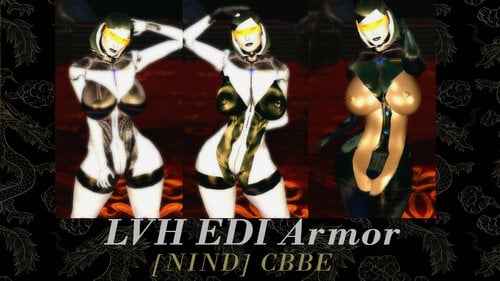
EDI Player Model CBBE
twitter.com/NIND_CBBE_LE
======================
Original outfit by LordVandheer:
Changes Made:
-Optional XXX armors
Install/Uninstall:
=======================
Use the usual methods by either a mod manager or manual install.
Acquisition:
=======================
Using AIM search for "EDI"
Credit to LordVandheer for the Outfit.
877 downloads
Submitted
-
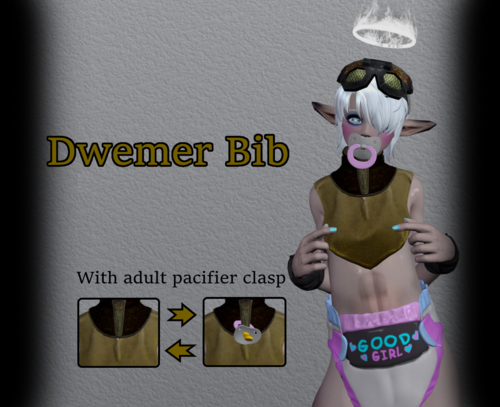
Dwemer Bib
By dibz666
Dwemer Bib
With adult pacifier clasp
This mod adds an adult bib with a dwemer theme for the ABDL community, This bib is meant to go with the mod "Good Girl Adult Pacifiers"...
--------------------------------------------------------------------------------------------------------------------------------------------------------------------------
Debby Evolent is an ABDL enthusiast as She's worn diapers Her whole life & when She found Herself in Skyrim during the 4th era
She decided to make a bib for clipping Her pacifier to, She modeled it after the themes of the dwemer ruins around Tamriel...
Once She felt She had studied the ruins enough She created these adult bibs for Herself & Her lover Miss.Kitty.
----------------------------------------------------------------------------------------------------------------------------------
There are 3 versions of the "dwemer bib"
1.The "main" version has bodyslide support for all users to enjoy their preferred body type.
2.Debby's bib is shaped specifically for "Debby Evolent's" body preset.
3.Kitty's bib is shaped specifically for "Miss.Kitty's" body preset.
The "clipable" adult pacifiers can be found here.
---------------------------------------------------------------------------------------------------------------------------------------------------
Credit goes to nisekoflio / nisetanaka & to Regrese / FONV for the original textures & models used in the creation of this mod.
https://www.nexusmods.com/skyrim/users/1575830?tab=user+files - https://www.nexusmods.com/skyrim/users/2281134?tab=user+files
--------------------------------------------------------------------------------------------------------------------------------------------------
REQUIRMENT for bib collar textures.
https://www.nexusmods.com/skyrim/mods/76214
-------------------------------------------------------------------------------------------------------------------------------------------
Everyone enjoy ^^
263 downloads
Updated
-
Infiltration and Assassination
By jfraser
Psst. You! Yeah, you! The one skulking about! Rumor has it that you want a little more from your assassin quests than "find a person and stab them." Well, I know just the person you should speak with.
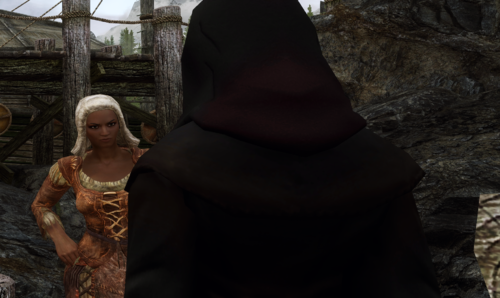
Head to Riften. The Bee and Barb. Find a woman named Silk. She'll be dressed as a tavern wench but don't be fooled - she's killed more people than Alduin himself. Ask this "wench" for a Midnight Dagger and she'll know I sent you.
What's New (Version 1.2 (28 Feb 2021)
A new beginning! Begin your career with a small killing in Riften before getting your next assignment.
Welcome to Infiltration and Assassination
This is an assassination quest mod. It has nothing at all to do with the Assassin's Guild or questline (don't tell them - I don't need Astrid hassling me right now).
Here's how it works:
You will talk to your handler, whose name (as far you you know) is Silk, and who will be able to find around Skyrim wearing various disguises as she blends in with the rest of the people. She will give you the name of a mark and the general area where they can be found. At that point, it's up to you to find them, discover the best way to go about getting them alone, and kill them.
Some of the clients will want the kills to look like an accident. Some will want it to be clear that the mark was murdered. Some will want your mark to die in very specific ways.
Along the path you will need to talk to people to find clues, such as where your marks usually hang out and what kinds of people they may like to have around (or definitely would not be around). Follow the clues to get close enough to your mark to do the deed.
How to begin
Go to the Bee and Barb in Riften and ask Silk for a Midnight Dagger. Then follow the clues.
Listen to the clients' requests and be rewarded. Go against their wishes and you may find yourself on the other end of the assassination equation.
Note for SE users: Apparently this works with SE as is, although there may be extra quest markers.
Complete change log
2501 downloads
Updated
-
Active Overlays
By iamzip
Upgrading to v0.3 requires a clean save.
Description:
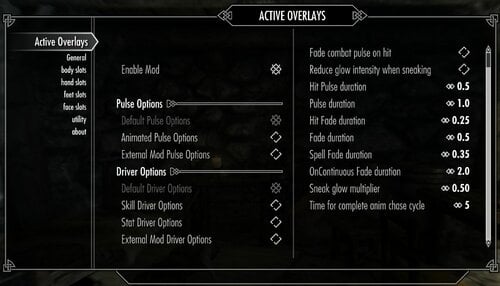
This mod uses scripts to actively change racemenu overlay colors based on conditions and colors set in the MCM. Currently only supports the player character.
There are two main conditions, driver and pulse. The driver of a slot indicates what is being looked at and scripts calculate the appropriate color based on the driver and color limits set in the MCM. The pulse of a slot indicates a condition that triggers the pulse color to be applied and then fade the slot back to its calculated current color once that condition is no longer met. The mod comes with several baked in setting for each, as well as the recently added method for plugins to add more.
Each area has its own page, body, hands, feet, and face. On each page you can select which slot number you are defining. For the slot to be fully defined you'll need to select a few options. First you'll need to tick the enable slot button. Then you need to select your pulse and drive conditions, details about the options are below. Next you define the driver minimum and maximum. These two numbers define the lower and upper limits for the calculation of the current color. For example if the driver is set to Destruction and your minimum is 25, maximum 75 and current skill level is 50 then the color of the slot, both tint and glow, will be set to half way between the min and max colors. If the skill level is at or below 25 then the slot color is set to the minimum, if the skill level is at or above 75 then the slot color is set to the maximum. Finally you need to set the minimum and maximum colors. For each condition, minimum, maximum, and pulse, you'll need to define the tint color and alpha level and the glow color and alpha level. The default colors are black and alpha 0.0, which will leave the slot hidden. In order to have a color show up the alpha will need to be greater than 0. The colors can be defined in three ways, you can select the color from the color menu, you can define the colors in racemenu and use the collect slot colors button (this will pull the tint color and alpha as well as the glow color and alpha currently set for the slot), or, with excessive color mode on, you can define the RGB for each color with the sliders.
Warning: there is currently no restore previous color button so if you turn off the mod after colors have been changed they will remain at their current colors, you'll have to redo any overlay colors via racemenu at that point. Also, this being my first attempt at scripting, use at your own risk.
Updating:
This new version requires a clean save as well as some editing to avoid any known issues. I recommend the save settings function in the utilities page before updating.
1 - Turn the mod off in the MCM and wait a couple minutes then make a new save.
2 - Exit the game, uninstall active overlays.
3 - Load the game with the save you just made, then create a new save, then exit the game.
4 - Open the latest save with a save cleaner, search for scripts and script instances starting with "zao" and delete all that come up. Save and exit.
5 - Install the latest version of active overlays.
6 - Open the game and load your cleaned save.
Details:
MCM general options:
Enable mod: does what it says, if this is off then nothing happens. Turn off this option and exit the MCM to remove all spells before uninstalling. Pulse options: these options create the list of pulse options that show up for each slot. Default includes No Pulse, OnLevelUp, OnSkillUp, OnCombat, OnHit, OnSpell, OnContinuous. The animated pulse options are experimental and include OnAnimCastLH, OnAnimCastRH, OnAnimLoopPulse, OnAnimLoopDriver. The external option will add pulse options from other plugins if any are available. More details below. Driver options: these options create the list of driver options that show up for each slot. Default includes Character Level, damageresist, magicresist, game time increasing, game time decreasing. Skills includes all 18 base game skills. Stats includes health, magicka, stamina. External drivers will add driver options from other plugins if any are available. More details below.
Pulse options:
These are global settings that affect all slots that have relevant pulse options selected.
"Fade combat pulse on hit": all slots set to OnCombat will drop to the current color then fade back to the pulse color when hit, uses the same timing as OnHit. the "current" color refers to the slot color calculated based on the slot's driver. "Reduce glow intensity when sneaking": this option will change the glow alpha value of all slots by the multiplier on entering sneak mode and return them to normal on exiting sneak mode. "Hit Pulse duration": the duration that the pulse color lasts before fading for all hit events. if the fade combat pulse option is selected this timer is also used for the current color duration. "Pulse duration": the duration that the pulse color lasts before fading for any momentary (usually event driven) pulse options, eg. OnSkillUp. "Hit Fade duration": approximate time it takes for fading between pulse and current colors for on hit events. The way the script works this is the target time but could take longer depending on script load. This is also used to fade back to the pulse color for the fade on combat option above. "Fade duration": the approximate time it takes for fading between pulse and current colors for most other pulse events. "Spell Fade duration": the approximate time it takes for fading between pulse and current colors for spell pulse options. Here because some spell animations are longer or shorter than others. "OnContinuous Fade duration": the approximate time for a fade cycle for OnContinuous pulse option. Due to this one being a continuous cycle the fade timer is separate to allow for longer full cycles. "Sneak glow multiplier": if the "Reduce glow intensity when sneaking" option is active, this number is multiplied with the glow alpha to reduce the intensity when sneaking. "Time for complete anim chase cycle": the approximate time it takes for a complete animation cycle.
Pulse details:
"OnLevelUp"
The slots that pulse on level up are triggered by the level up event, which triggers after the level up menu is exited.
"OnSkillUp"
The slots that pulse on skill level up will trigger any time the skill level up event fires and the slot is driven by the skill that leveled up.
"OnCombat"
The slots that pulse on combat will set color to pulse when weapons / spells are readied, or if the player enters combat.
"OnHit"
The slots that pulse on hit will apply the pulse color and fade back each time an onhit event fires. the script is set up to handle multiple rapid consecutive hits.
- "OnSpell"
The slots that pulse on spell cast will fade up and remain at the pulse color while the spell is held then fade back once the spell is cast or otherwise is no longer held. the script also accounts for ritual spells by using a different fade time.
- Left hand only: restricts the pulse to only trigger if the spell is cast from the left hand.
- Right hand only: restricts the pulse to only trigger if the spell is cast from the right hand.
- Skill driver magic school: restricts the pulse to only trigger if the slot's driver is a magic school skill and the spell cast is from that school.
"OnContinuous"
Slots that use this pulse continuously fade between the pulse and current colors. the fade is continuously updating so the color adjusts as the current color gets updated by the driver.
"OnAnimCastLH" & "OnAnimCastRh"
Left hand an right hand versions of animated on spell. This pulse requires 1 body slot and 1 hand slot. If you forget to set up both the script will select an available slot and set it up for you. Each version, as indicated in the name, only triggers when a spell is cast by the corresponding hand. The animation will overwrite the textures in the slots used and drivers are disabled. Allows for external texture sets / animations to be used. Please keep in mind that these animated pulse options are very experimental and may cause issues such as getting stuck or other odd behavior.
"OnAnimLoopPulse" & "OnAnimLoopDriver"
Plays a looping animation which can be selected and allows for external texture sets / animations. Allows for multiple slots to be picked, creating a trailing effect. The pulse version disables drivers and only uses the pulse color(s). The driver version continuously updates the color(s) based on the driver selected. Each slot using these will have their textures overwritten. As with the spell animation, this is very experimental and can get stuck or out of sync. If something breaks it is recommended to go into the MCM and exit, or save and re-load, as this will force the mod to reload all spell effects.
Also please note that all anim types included in the base mod are based on UNP / default male body, other body types might experience issues.
If you have SexLab / SLSO:
"OnOrgasm": Triggers a pulse event when the orgasm event is sent. The code can handle restarting if multiple events are sent by SLSO in rapid succession. "OnSex": Fades up to pulse colors at the start of the scene and fades down at the end.
Driver details:
All drivers have 2 common options, hide below minimum and hide above maximum. These do as you'd expect, if a slot's driver is below the selected minimum or above the selected maximum, respectively, then the alpha for tint and glow for that slot are set to 0.0 until the driver comes back in range.
"Character Level": uses the character level number and the minimum and maximum limits set in the MCM to calculate the current color based on the defined min and max colors. "damageresist" and "magicresist": uses the armor level and magic resist value, respectively, as the driver value. "game time increasing" or "game time decreasing": increases or decreases the driver value for the slot based on the selected time interval in game hours by the selected increment value. the script polls every game hour and checks against each slot's selected interval before updating. allows for direct setting of the driver in case you want to start somewhere other than zero. - "Add to counter when hit": if selected each time the character is hit the driver counter is increased by 1. the script attempts to filter out the multi hit issue from enchanted weapons.
- "Time interval for slot": the time interval in game hours between updates.
- "Amount to add or remove per interval": as stated, the amount by which the driver value is adjusted on update.
- "Set driver value directly": does what it says.
Skills: uses the value of the skill selected as the driver and calculates the color based on the min and max settings selected. health, magicka, stamina: uses the value of the selected stat as the driver, continuously updates rapidly when below 100% and when levels are changing.
- "only active in combat": hides the slot when not in combat.
- "only active out of combat": hides the slot while in combat.
- "use percentage not magnitude": uses the stat percentage instead of the full magnitude. also reduces and limits the maximum possible driver max to 100.
If you have SexLab / Aroused:
"Arousal": Driver tracks arousal and updates slots accordingly. Driver maximums above 100 won't be reached. "SL partner": Driver tracks sex partners that are human, creature, or the difference between those. These stats are tracked internally or can be pulled straight from SexLab. "Enjoyment": Driver tracks enjoyment variable during sex scenes, hides the slot once the scene ends. From what I can tell the variable doesn't go above 120 but I'm not sure. "SL stats": Tracks the 3 default SexLab stats directly from SexLab on the scene ending event.
External pulse and drivers:
This version now allows for plugins to use this MCM to offer pulse and driver options not hard coded into the base mod. To facilitate this, and because of how hard a time I had compiling things with frostfall scripts, I've separated the frostfall exposure driver into its own plugin. I've also included an example plugin, zao moon and star, that shows how to use the system. This plugin offers two drivers and one pulse option.
"OnFullMoon": Fades up to and maintains pulse color at the first day of the full moons and fades back down to current once the moon phase changes. This script uses the method of calculating the moon phase described in the creation kit wiki so if something in your LO plays with the length or start of moon phases then this might de-sync. "day time" / "night time": Both drivers monitor the time of day and increase the driver value as time passes through the day / night. The cut is 6am/pm. For example the night time driver starts at 0 at 6pm and increases to 600 at midnight, then decreases back to 0 at 6am, remaining there until the next 6pm.
Info for merging plugins:
If you decide to merge plugins for this mod you will also need to change the json files for each plugin merged. First you need to change the "modname" variable of each file to point to the name of the merge plugin. Then you also need to update the form information for all spells in each plugin's json file. I haven't tried converting to ESL yet so I'm not certain how easy that is to do here, but as long as the json file correctly points to the spells added then it should work, in theory.
For modders:
For adding animation sets:
Requirements:
SkyUI
RaceMenu
PapyrusUtil
FISS - technically optional
I've also built in compatibility for some mods found on LL.
Warning:
Conflicts with any other mod that plays with overlay colors, like RaceMenu - Animated Overlays. This mod can be made to play nice with that one by leaving any slots controlled by Animated Overlays deactivated in this mod. The same goes for any other mods that adjust color or alpha of an overlay slot.
Known Bugs:
For some reason the color swatch doesn't always recognize certain values from the blue color component slider, but the slot color definition works anyway, no idea why this sometimes happens. There are certain occasions where the pulse function will miss a condition, such as pulling out and putting away a weapon several times too rapidly. To fix this simply cycle through weapon out / away giving a second pause after each action. If you are casting spells in rapid succession the script monitoring that may miss a trigger and you might end up holding a spell without the pulse active. To fix this put the spell away or finish casting, the script should catch the next iteration.
Thanks to Hawk9969 and Monoman1 for their scripts and help, and AthenaESIV for beta testing. And I'm not sure who all else, I dug through so many scripts trying to figure out what I was doing.
5499 downloads
- color change
- racemenu
- (and 1 more)
Updated
-
Devious Regulation V Pet Project
By Black714
The Bridge Between 2 Srende Mods.
Continue An Oath Even She Wearing A Pet Chastity Belt. Without Get Regulation Punished.
Background:
Can't Continue "Civil War" Quest Because Wearing Pet Chastity Belt? Can't Have Chaste Life Because "Civil War" Quest Not Done Yet? Love Both Srende Mods, But Conflict Each Other Because Long Term Belting?
What The Mods To Do?
Add Keyword for Regulation Chastity Belt and Pet Plug Both Fraction, So They Can Recognize As "Devious Regulation" Belt. Add Dialog In First Time, When Player Taking An Oath. (Allowance About Chaste Life). No More Waiting Each Other. "Between Marriage and Civil War Quest Line"
"PetProject.Esp" File Replacer Only. No More Addition For New ESP File. Available With Armor and No Armor Verison.
Minus:
You Wil Get Punished After The Husband Take Off The Chastity Belt, And Not Take Regulation Belt Back Again. Both Side Will Will Not Punish You If You Suddenly Replace it With Pet Chastity Belt in The Middle Civil War Quest Line. Or Vice Versa.
Requirements:
Devious Regulation Pet Project Devious Regulation Fix Harder Devious Regulation
Credit:
Srende That Make An Devious Regulation and Pet Project Mods.
All Devious Modder That Make Skyrim Awesome.
469 downloads
- pet project
- devious regulation
- (and 1 more)
Updated
-
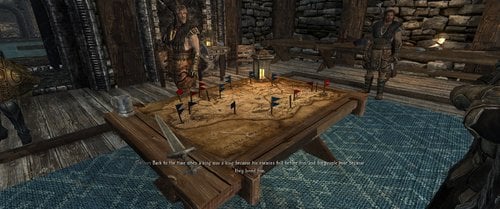
Devious Regulation Fix
By Black714
Devious Regulation Fix For Devious Device Integration Version 4 and 5.
Several Fix Serende "Devious Regulation 1.7e Version", Need All Original File, Replace with this ESP Only.
- Fix Galmar Screen When Begging (When Galmar Replace the Belt).
- Fix Plug Slot.
- Fix Plug And Chastity Belt Color (Now With Faction Color).
- Add Key On Table (With Map) in Castle Dour and Palace of King.
- Fix Chastity Belt Container Inside Palace of King.
- Fix Chastity Weight.
- Punishment Collar now unlock with Regular Restraint Key.
- Fix Several Keyword.
- Can Craft Master Key After Reading Devious Device Book.
- Disable Dialog for Change Side. (Jagged Crown Quest).
-- Same With My Devious Armor Mods, But This one no Armor Version.
8887 downloads
- devious regulation
- devious device
- (and 1 more)
Updated
-
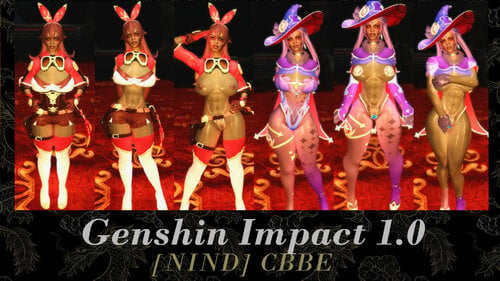
Genshin Impact 1.0 CBBE
twitter.com/NIND_CBBE_LE
======================
Original outfit by tag_tomboy
https://arca.live/b/tullius/20356343?category=의상&target=all&keyword=&p=1
Changes Made:
-Optional Slutty Zaps
-Oily Body
-translation
Install/Uninstall:
=======================
Use the usual methods by either a mod manager or manual install.
Acquisition:
=======================
Using AIM search for "Genshin"
Credit to tag_tomboy for the Outfit.
1345 downloads
- genshin impact
- nind
- (and 1 more)
Submitted
-
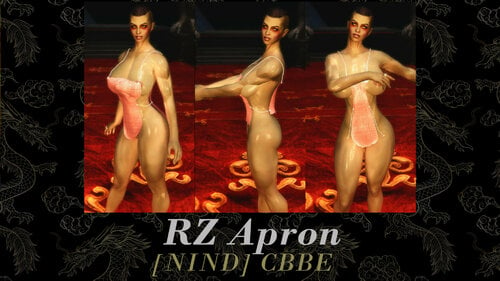
RZ Apron CBBE
twitter.com/NIND_CBBE_LE
======================
Original outfit by @RohZima
Changes Made:
-Optional Slutty Zaps
-Oily Body
Install/Uninstall:
=======================
Use the usual methods by either a mod manager or manual install.
Acquisition:
=======================
Using AIM search for "Apron"
Credit to RohZima for the Outfit.
833 downloads
Updated
-
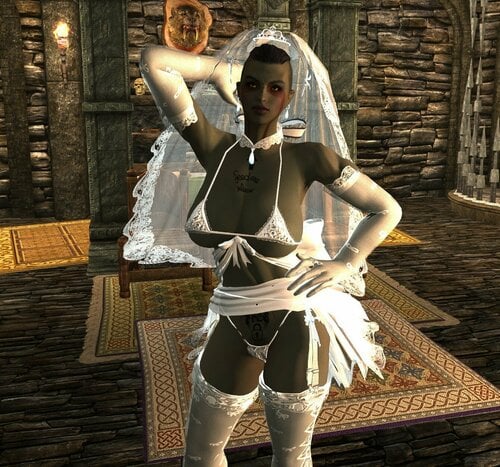
Haku Wedding Dress Bikini CBBE
Description: CBBE Haku Wedding Dress Bikini v 1.0.0
======================
CBBE Bodyslide conversion for Haku Wedding Dress Bikini:
Changes Made:
-Conversion to CBBE Bodyslide
-Added Zaps
Install/Uninstall:
=======================
Install as normal with mod manager or manually
Acquistion:
=======================
Utilize AdditemMenu and search "IcyHaku"
I am unsure who the original creator is of this mesh, but thank you.
2876 downloads
Updated
-
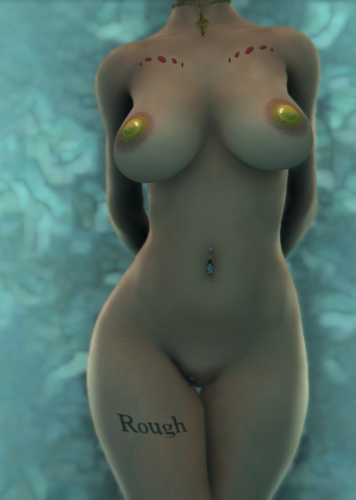
slavetats SlaveTats + RaceMenu Overlays | Anuketh Pack #2 - LE / SE
By Anuketh
This is the second pack I've done. Check the first one here. This mod works for both Legendary Edition (32 bit) and Special Edition (64 bit), but each one has sighly different requirements mentioned below. I made the first pack with a CBBE body base, this time I've used UNP body base. The mod works for both bodies, but I've added CBBE/UNP specific tattoos for a better body matching.
This pack includes the following:
50 Tattoos: Runic Tree (Back), Howling (Back), Lotus Bird (Back), World Tree (Front), Tiny Rose (Front), Neck Roses (Front), Crossed Eyes (Face), Teary Eyes (Face), Rune Arch (Face), Moon Rune (Face), Carp Fish (Back), Bear Claw (Face), Leopard Serpent Left (Left Arm), Leopard Serpent Right (Right Arm), Bush Black (Pubic), Bush Recolor (Pubic), Bird With Skull (Back), Oni Mask (Back), Spiral Triangle, Mandala (Front), Roses (Leg), Druid Moons (Face), Clown (Face), Back Cross (Back), Owl (Back), Top Web (Front), Skeleton Hands (Front), Feather (Front), Tribal Right (Right Arm) and Tribal Left (Left Arm), Slut in Training (Back), Free Property (Front), Breed Me (Pubic), Deer Love (Pubic), Spider Web UNP (Breasts), Spider Web CBBE (Breasts), Body Scales (Front), Mouth Dripping (Face), Scales (Face), Scales Alt. (Face), Make Me Gag (Back), Broken Princess (Back), Rough (Leg), Pasties UNP (Breasts), Pasties CBBE (Breasts), Neck Roses CBBE (Front), Jewels (Front), Roses CBBE (Leg), Eyeliner 1 (Face) and Eyeliner 2 (Face).
██ First version
██ Second version
██ Third version
██ Fourth version
██ Fifth version (03.02.2021) - This version includes all the previous versions. Just overwrite everything when asked.
Added new categories for the tattoos: They are divided between Anuketh v2 - General and Anuketh v2 - Slave Marks.
RACEMENU TATTOO OVERLAYS FOR LEGENDARY EDITION ADDED - Made by me based on the SE version.
RACEMENU TATTOO OVERLAYS FOR SPECIAL EDITION ADDED - Made by Testificateguy.
This mod is NOT standalone. That means that it requires other resources in order to work.
Legendary Edition users must install first:
SKSE for Legendary Edition. SkyUI. JContainers. RaceMenu (or NetImmerse Override). SlaveTats for LE.
Special Edition users must install first:
SKSE for Special Edition. SkyUI. JContainers. RaceMenu. SlaveTats for SE.
Installation (extracted from SlaveTats page):
1. Make sure you have the requirements.
2. Download SlaveTats and extract it into the Skyrim Data folder.
3. Download this mod and extract it into the Skyrim Data folder.
3. Start Skyrim. You'll have a SlaveTats menu under the SkyUI's MCM.
4. On the Setup tab, select the character you want to apply a tattoo and then click Add/remove tattoos (so the mod will register my tattoo pack).
5. On the Body/Face tabs, select a Section and then a specific Pattern of your liking.
6. Pick color, glow and gloss if you like, or leave them with their defaults colors.
7. Exit the MCM and your tattoos will appear in a moment.
SlaveTats - murfk
Testificateguy for converting the tattoos for RaceMenu.
- - - - - - - - - - - - - - - - - - - - - - - - - - - - - - -
If you have a specific request , send me a PM.
16179 downloads
Updated
-
![More information about "[NIND] CRE DT (Virgin Killer) CBBE"](https://static.loverslab.com/screenshots/monthly_2021_02/1920x1080CollageTitle.thumb.jpg.428b0d3dc63eef52b88463ff4f2b9bd8.jpg)
[NIND] CRE DT (Virgin Killer) CBBE
twitter.com/NIND_CBBE_LE
======================
A new take on the Virgin-Killer sweater by Crential
Original outfit:
https://eiheispot1.blog.fc2.com/blog-entry-695.html
Changes Made:
-Oily Body
-Zaps to make the base version more naughty if desired.
-(Disabled by default) G String
Install/Uninstall:
=======================
Use the usual methods by either a mod manager or manual install.
Acquisition:
=======================
Utilize AdditemMenu and search "DT"
Credit to Crential for the Outfit.
1004 downloads
Updated
-
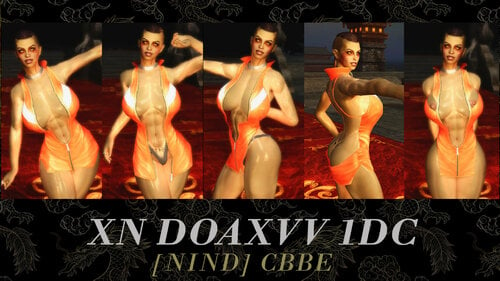
XN DOAXVV 1DC CBBE
https://twitter.com/NIND_CBBE_LE
======================
Original outfit by Xuniana
https://www.patreon.com/posts/xuniana-doaxvv-38457175
Changes Made:
-Optional Slutty Zaps
-Oily Body
Install/Uninstall:
=======================
Use the usual methods by either a mod manager or manual install.
Acquisition:
=======================
Credit to Xuniana for the Outfit.
347 downloads
Submitted
-
Dwarven Modular Automaton + Automated NPCs
By AVS
Dwarven Modular Automaton
A Robotic Body Outfit System
Lore
In the last decades of the Dwarven race, the Dwemer of Skyrim found themselves in a war. The remnants of the conquered Snow Elves revolted against the cruel masters who had blinded and enslaved them centuries before, and the Dwemer were forced to face an implacable enemy deep within the heart of their workings. Seeking a new weapon to beat back this rebellion, a certain clan of Dwarven researchers built upon earlier experiments to find a way to combine the signature achievement of the Dwarves, the Automaton, with the combat talents of the Falmer's natural enemy, the Nords.
The pinnacle of this effort was the Modular Automaton design, a model of humanoid construct featuring interchangeable body parts to allow for a wider variety of fighting styles than existing automatons were capable of, with the minds of the Dwarves' human test subjects implanted into them to take advantage of their more flexible tactical thinking. Plans were made to seize warriors from the human cities and use them as the basis for whole armies of these brass soldiers, and after using them to sweep the tunnels clean of the wretched Falmer perhaps the Dwarves would have returned them to the surface as conquerors.
Fortunately for the Nords of Skyrim the Battle of Red Mountain put an end to every Dwarven scheme. Only a few prototype production lines had been constructed before the Dwemer vanished from Nirn, with only a small number of unfortunate test subjects left behind in the empty laboratories. And perhaps due to the inclinations of the researchers behind the project every one of these test subjects was a woman. The designs for the male warriors were never produced, and only this initial 'Maiden' series was completed before the end.
No one knows where these lost projects were hidden. Few even had a hint that they ever existed. But recently, something happened to change that. The last soldiers of the Dwemer are finally seeing the light of day.
...And new ones are being built.
Design Features
The Dwarven Modular Automaton is a body-replacing outfit that can be used to turn players or NPCs into robotic constructs. It uses Skyrim's basic outfit slot system to accomplish this in the most straight-forward way possible.
Head Systems
The subject's head can be implanted onto the Automaton body directly, or further supported by a neck frame (slot 45) and enclosed within a glass dome (slot 31). Alternatively the brain itself can be removed and encased within glass or armored capsules in a replacement head structure (slot 30). It is also possible to copy the subject's mind into one of an array of crystalline matrices (slot 43) and mount that into a purpose-built frame. Faces copied from ten of the original test subjects were produced for the replacement heads, with fifty different expressions in three materials- flesh, cast brass, and stone- for one hundred and fifty available options (slot 44). A 'null' face consisting of just the eyes is also provided, along with two animal-based masks, a pair of featureless faceplates in brass and steel, and a wide array of head coverings.
Core Systems
The upper torso (slot 32) functions as the foundation of the construct, containing a Heart crystal that binds the Aetheric Body that provides motive power to the machine, the processing elements for the magi-magnetic joint system that allows the construct to exercise a wider range of motion than it would physically be able to employ, and mana storage tanks to replace the magicka pool of subject's original body. A variety of models were produced in differing armor designs and capacities.
Pelvis and Limb Types
The lower torso and hips (slot 49), arms (slot 33), and legs/feet (slot 37) are divided into three main types with two limb sub-types. Alternate versions of the pelvises are provided to allow for a degree of interchangeability between leg types, as well as legless 'unassembled' versions for decorative purposes.
Type B - Based on Nisetanaka's Dwarven Bikini Cyborg, this type's pelvis features a skeletal design for more inhuman Automatons. It comes in Model B for use with the Type B legs and Model E for use with Type E-based legs. Both versions of the original Bikini Cyborg design's legs are available, as well as a new 'short' type without the height adjustment. The 'disassembled' option lowers the character's height to the level of the Model B leg caps, allowing for legless locomotion. Several combinations of normal and weapon arms are provided. Type E - Based of Edhildil's Dwemer Cyborg sets, this type adapts the Dwarven Centurion's pelvis for a bulky, robotic design. The Model A version uses the original design's Centurion-based legs, with assorted feet provided for them. The Model E version is based on the updated design, with skeletal legs connected to a mid-thigh cap. Versions of these legs with the different foot options are available, as well as a 'disassembled' option set to the Model E height. Type G - Based on Vicn's Dwarven Gynoids, this type features a pelvis and lower torso elaborately built up into a stylized humanoid shape to pair with the original design's human-like legs on the Model A version. The various original Gynoid feet are available for use with this model, as well as a new high-heeled design built for use with either this or the Type E legs. The model B and E versions of this pelvis also feature more humanized proportions. Additional swappable armor pieces are provided for use with the Type G arms and Model A legs. Type CR - Animal-themed limbs based on the Dwemer Dog and elements from the Dwemer Steam Horse models, for use with the Model E pelvises. Come in Beast and Pony versions, and are paired with matching tails (slot 40) and animal-based masks. Type DD - Based on MaikCG's Dwarven Devious Cuirass, and arm and leg set for use with the Model E pelvises. Has a matching Core unit taken from the same design. Type HV - Based on Gigadeux's Dwarven Heavy Armor, providing a more practical humanoid design. Comes in both the normal and 'ebony' texture variants. The matching helmet has been modified with glowing eyes, and can be used in conjunction with the slot 30 head frames. Type NULL - These tokens block off the head, hand, or foot slots, allowing you to have headless or limbless automatons without the original human body parts appearing. Does not block any actions.
Weapon Systems
Invisible 'style' versions of the Dwarven one-handed weapons are provided for use with the Type B and CR weapon arms. A full set of duplicate vanilla Dwarven weapons is also available, these have had their speeds raised to simulate the physical boost provided to an Automaton.
Type XXX Body
Brass-Jointed Dolls
Lore
Years ago a mildly infamous researcher of Dwemer automatons vanished following the collapse of his dig site. As it was not uncommon for either digs into Dwarven ruins to collapse or for automaton researchers to fall victim to the subject of their studies, this event largely passed without comment. However, some concerns were raised by the contents of a damaged journal found in the burnt-out remains of his encampment. The final legible lines stated simply:
"I understand it now. It all makes sense."
"The Dwarves were perverts."
Design Features
The Type XXX Body is a collection of humanoid bodyparts mounted in mechanical fittings that utilize the Modular Automaton outfit system. These can be used to create mechanical Doll or Statue outfits, or mixed with the robotic DMA parts.
Core & Pelvis Systems
Replicating the human torso, these parts are offered in a collection of [FW] (Fixed-Weight) and Variable styles. The [FW] models are pre-built to a variety of body shapes from the UUNP family, and will display as-is regardless of the body settings of the character they are equipped to. The Variable models work with BodySlide to replicate the user's body presets, and are compatible with mods that use Bodymorphs to change body shapes. All parts are nude by default, but can be equipped with removable 'modesty plates' or bikini sets using slots 48 and 52 matched to each part. A selection of pelvises designed to work with the Type B and E legs from the robotic DMA sets are also included, while the Variable pelvises and some of the UNP sets include versions with the full Type G legs. Two '/A' model torsos are available, incorporating a breastplate for some slight additional protection.
Limb Systems
Bare and high-heeled feet are offered in both Fixed-Weight and Variable versions. The Variable type's primary feature is a Bodyslide-capable cuff at the point where the foot and body models join, allowing these to be used with regular human bodies. Variable versions of the arms are not offered due to some limitations in the way the mechanical shoulders work, so these are only available in High and Low weight versions based on the UNP preset. A variable version of the hand by itself was possible, and this is also offered for use on regular human bodies.
Materials
These bodyparts are available in four materials: D (Doll, regular flesh), S (Statue/Stone in a bright white marble), M (Metal, polished Dwarven brass), and R (Rubberized, a slightly shiny black coating). The D models will reflect the skin tone settings of the characters they are applied to, while the rest will replace them with their own surfaces. D and R models feature full Beast Race support, but S and M versions do not at this time. D, R, and S versions are available for all Core and Pelvis models, but the M material is restricted to the Variable set and the pelvises equipped with Type B or E leg adaptors, as well as a selection of chest units intended to be used with them. D and R models feature full body physics, while M and S have had their 'bounce' bones removed to reflect the more solid materials they are made with. Modesty plating matched to each bounce type are provided, but the bikini sets are restricted to the D and R models.
Head Systems
To better interact with the humanoid neck shape, new bases for the DMA head equipment had to be designed. These are included as the 'Doll Type' Heads and Neck Frame. Unlike the previous set these can not be used on their own with regular human bodies as they do not cover the gap left at the base of the neck when removing the original head. To rectify this the Doll Collar is also included; this is a copy of the neck cap from the Type XXX Cores with BodySlide capability and head weighting added, set to use slot 45. This allows it to be used as a collar on any humanoid character, as well as a base for the Doll Type heads or as a full head remover when used with the existing NULL head token. Using the character's existing head on the Type XXX bodies is also possible, as the built-in neck caps fully cover the seam. If further separation is desired the Doll Type Neck Frame can be used, or a slightly modified copy of the Dwarven Bikini Collar III is available for a more streamlined look.
Extras
Some additional parts developed during the process of building the Type XXX Bodies:
Horror heads, a selection of replacement heads built with the Skull clutter model. The skull has been reshaped to fit into most headgear. Offered in Brass, Rubber, Stone, and the original bone textures. Also includes a pair of robotic eyes that can be placed into the empty sockets. Can be used in conjunction with the PK faceplates, but not the Subject faces. Model MC Cores, robotic chests with humanoid breasts mounted on them. Offered as a Variable type and a fixed-weight 'expanded' shape both with and without a 'milking' apparatus, in material types D and R. Phalluses, a collection of snap-on tools for various sorts of hard work. Set to slot 51, and can be used with both the Type XXX and the robotic pelvises. Pedestals, non-humanoid pelvis units for characters that don't need to get around very much. Intended for use with other mods that can force a fixed pose onto a character. Wigs, a large assortment of hairdos sourced from the Apachii, KS, and Holiday hair set mods. Also come in stone and brass versions.
Full Ground Model Support
All body parts can be dropped into the game world.
Automated NPCs
The Experiment Is Still Running
Lore
Rumor speaks of strange happenings south of Old Hroldan, of Dwemer constructs with the faces of women being seen roaming the back-country at the foot of the mountains. What their purpose is or where they came from no one can say, but a witness swears that he recognized one of them...
Design Features
The Automated are a large group of characters that have been rebuilt with Modular Automaton parts by a mysterious Dwarven machine. Trapped for centuries within the halls of their Facility, they have only recently regained access to the outside world.
Specifications
Functionally, the Automated are normal NPCs that have been physically rebuilt for the DMA system. Their head meshes have been modified to produce a 'mask' effect, and their default 'nude' bodies have been replaced with versions of the Doll Type head frames set to slot 59, maintaining their robotic forms even if stripped of their DMA bodyparts. A subset of the group is set up as a new Automated-specific race with null head and mouth meshes, which allows them to use the head-replacing slot 30 head frames and mask parts without coming into conflict with those meshes, as is sometimes the case when using them with Vanilla races.
Roles
Dozens of Automated have been produced by the Machine over the centuries. Many of them are willing to explore the outside world with you as your followers, and have a variety of skill sets to use in battle. Others have gone rogue and can be found in various places outside of the Facility, where they may object to your presence should you intrude upon them. Between these two groups are a number of neutral citizens who don't really care about you either way. One thing all Automated share, however, is a programmed-in hatred of the Falmer.
The Facility
The Automated call these ancient Dwarven chambers home, and have done their best to maintain them. They may serve as a convenient base for your adventures, with a teleportation system that allows you to instantly return to them from anywhere. Physical access is more treacherous, with the only routes being a one-way drop in or a long struggle through a nearby Falmer-infested cave. The drop is probably easier. This entrance isn't marked, but if you look around the top of the cliff behind the Dibella shrine you're sure to find it.
Character Parts
Several variant body parts with the intent for use with specific Automated characters have been grouped as 'DMN' parts. These include but are not limited to burned, muscular, patchwork, and icy skin variants of specific parts, weighted but not Variable versions of the D2 and MC torsos built to the UNPB body type with matching chest coverings, and a set of modified 'clothed' bodies. Also included is the XV series of faces, built from Vanilla meshes, consisting of many faces also used for the Automated along with a selection of notable Vanilla NPCs.
Quest
This mod does not have a quest. There is an implied storyline, largely spelled out in a series of journals that can be found in the Researcher's bookcase, but no actual quest elements or objectives exist. The Automated serve mainly as a showcase for the DMA system and a source of followers. No expansion upon that is planned at this time.
*Experimental* Automated Player Option
An optional file is available to download which will replace the default female head mesh and face textures with ones modified to display the mask effect, which will then apply that effect to the player. Used in conjunction with an appropriate head frame and DMA body parts, this will give a female player character the same appearance as an Automated. Non-Automated NPCs with properly generated FaceGen meshes will not display these changes, but ones lacking a FaceGen, who can be identified by the 'grey face' bug they will also be displaying, will have their heads rendered as a face floating in mid-air over their body. This initial experiment consists of the Vanilla head mesh paired with a modified copy of the Fair Skin face texture, but other variants may be considered if there is demand for them.
Installation and Use
Due to the increasing scale of the mod eclipsing LL's upload limits, the full download has been consolidated to one file and moved off-site. Download the text file and use the link within it to access the full file on Mega. Install as normal from there.
Pre-generated versions of the Variable models built with my personal moderately customized UNPB-based preset are included to avoid the 'invisible body' issue. Please remember to run these parts in BodySlide to conform them to your own preset. They can be found in the 'DMA - BodySlide Parts UUNP' group.
Some texture paths are reused from Dwarven Cyborg Collection and SeXtreme Loading Screens, so you may be prompted to overwrite some files if those mods are installed. A change was made to the statue texture, please allow this to overwrite to get the brighter white marble color. Otherwise the textures are unchanged.
XPMSE is required as some parts of its extended bone set are utilized. Racemenu is required for the NiOverride height system.
Examples of (probably) all of the items added by this mod can be found in respawning containers within the Facility. In-game crafting is not provided, for various reasons. Can be searched for in the console under 'DMA', but the number of results absolutely will exceed the console's backscroll. Use of AddItemMenu is advised.
For the SE version, the appropriate versions of those mods will be required instead: XPMSSE, Racemenu SE, AddItemMenu SE
To change an existing character into an Automaton, a Core Unit must first be equipped to replace their original body. From there the pelvis and limbs can be added. Floating hands and feet will be visible until parts using those slots are equipped. Parts are not intended for use without a Core equipped, and will look messy if used so. Head elements, however, can be used independently from the body system if desired, although the masks are intended to be used only with the replacement head units and will look even more messy without them.
'NoStrip' keywords are applied to all primary body parts, while 'AlwaysStrip' is applied to the modesty plating and bikini sets for proper functioning during scenes. The 'SoS Revealing' keyword is applied to all torsos to allow for proper use of the slot 52 parts.
Sure-To-Be-Asked Questions
SE version? Yes, with thanks to Holzfrau for the conversion. Only covers the first release version of the mod at present. Updated version TBD.
What body does it use? As a complete body replacer, Dwarven Modular Automaton is effectively body-agnostic and can be used with any installed body type. The Type XXX bodies do complicate this a bit, however. While they are built using the UUNP HTD and Special body meshes, their textures have been re-pathed to an isolated location which will allow them to be used independently of the user's installed body texture, side-stepping the main point of conflict between the UUNP and CBBE bodies. The Fixed-Weight models should be usable by anyone right out of the box, but the Variable sets are currently only built using the UUNP sliders which may cause some issues for CBBE users.
Can they put some clothes on? A qualified No. For the Fixed-Weight Type XXX models it's mostly impossible, as the game treats them as outfits themselves and not bodies. The result of this is that any clothing applied to them will be conformed to the character's original body shape, not the shape of the Fixed-Weight part. The Variable models do conform to the character's original body shape, so they are capable of some clothing use. However this is complicated by three things: First, slot 32 must be occupied by a DMA core for the system to work, so normal outfits are unusable. A top that uses an alternate slot such as the cyborg-use Dwarven Bikinis must be used instead. Second, several bones were removed from the upper torsos to avoid clipping and distortion on the mechanical parts, which also results in clothing that expects those bones to still be there to potentially clip through the body in various ways. The removal of the bounce effects from the M and S versions causes and even more extreme version of this problem. Third, The various mechanical parts and gaps added into the body severely limit the number of clothing designs that could be used without having bits of machinery clipping though them or shoulder straps hanging in mid-air. Designs that can account for all that are hard to come by.
Male versions? Due to the mods the majority of parts were sourced from being female-only, male-use options are not provided.
Known Issues
There is a known major conflict with an element of Devious Devices that may result in the Pelvises appearing to vanish or fail to equip. This is caused by DD's 'Device Hider' function, a feature that is intended to remove the model of a device from the character to prevent it from clipping through when the character is also wearing 'normal' clothing, which it broadly assigns as anything using slot 32. Unfortunately this function is turned on in DD by default, and given the large number of slots DD uses this tends to play havoc with other multi-slot outfits. The specific conflict with the Pelvises is that they use slot 49, which is also used by DD's chastity belts. My personal recommendation is to turn the Hider off entirely unless it's a feature that you actively use. To do so, go into DD's MCM and open the 'Devices Underneath' tabs, then find any entry that has a slot assigned and change it to 'None'. This seems to turn itself back on when starting a new game, so check it after exiting Helgen or the Live Another Life cell. An additional conflict with Devious Devices is possible in the case of the Automated-specific head frames. The default version of these used as the 'nude body' of most Automated is set to slot 59, which is also used by DD's arm cuffs. As such anything that force-equips arm cuffs may displace the head frame, leaving the Automated's face floating over their body. Alternate versions of the head frames set to slot 50 are included that can be used if needed. The theory here is that the DMA arms aren't particularly compatible with arm cuffs anyway, while the vaginal piercings on slot 50 might see some use with the Type XXX pelvises, but really DD just uses so many slots that it's impossible not to run into it somewhere. Updating the mod mid-save can cause a minor but irritating error with the SoS 'revealing' system. A keyword was added to all DMA torsos to mark them as 'revealing' by default in order to insure that they would work with the slot 52 modesty options, but evidently the SoS system only registers the presence of that keyword when an item is first encountered during a game. If it has already seen an item prior to the keyword being added and has it marked as 'concealing', it will continue to treat it as such. The problem with this is that the pre-set outfits on most of the Automated include a slot 52 element, and if SoS thinks that their torso should be 'concealing' it will displace either the slot 52 element or the torso piece. While the former isn't that big of a deal, unfortunately it usually seems to do the latter instead. So if the first time you encounter an Automated they're just head and limbs floating around an empty space, this is probably the cause of it. Bodyslide support is offered with the Variable models, but results are not guaranteed. The mechanical parts involved only offer so much flexibility, and more extreme presets are highly likely to experience issues with scraps of skin mesh clipping through or distortion of the mechanisms. Beast Race support has been added, but it has some limits. Khajiit and Argonian head shapes are difficult to make masks of, so they do not have the full Automated effect at this time. It is recommended to use them with the D2 torsos due to the complications caused by their necks. When using the R bodies, the texture on the character's original tail does not change. The R tails are provided to rectify this. Please also note that the majority of parts use the Feminine series of Beast textures. Feel free to swap them out for your preferred texture sets. The D models do conform to the character's skin tint settings, but they use an isolated copy of the Fair Skin texture set which may result in the colors not matching well between the D model's skin and the character's original head should it be retained due to differences between how the texture mods parse the tint. In addition to this the flesh versions of the SeXtreme masks do not color match to the character's skin tint at all, as they are built in a completely different way from the Vanilla Skyrim faces. New faces matched to the preset skin tints are planned, release TBD. Skyrim seems to have some limitations on overlays applied to the skin textures that may affect the Type XXX bodies. Tattoo-style overlays appear to only be applied to parts on the main body, hand, and foot slots (32, 33, 37), and as such do not appear on the Type XXX pelvises or upper arms, which use slots 49 and 34 respectively. Bloodspray decals also appear to pool on the upper torso and hands. The Stone pelvises have noticeable texture seams at the hips; this is due to replacing the skin texture with a solid 'block' texture that is not mapped specifically to the skin mesh. Customized skin textures would have to be created to rectify this, which is a bit outside of my skill set. The Type XXX arms are internally split into two pieces using slots 33 and 34 due to the hand and arm textures being in different files, and Skyrim refusing to apply two different skin textures to different meshes on the same model. As a result of this, the Type XXX arms are not compatible with the Type G forearm armor, which also uses slot 34. Neither can be changed to a different slot, as models not using slots 33 or 34 do not show up in first-person view. The Type XXX Pelvises include a vagina model, primarily for anatomical correctness. Unfortunately the collisions or some other element needed to maintain the functional animations appear to have been lost at some point in the build process, and I'm afraid I don't know enough about how they work to restore them. While they are not hard requirements, it is recommended to have all the standard DLC installed as some parts do source their textures from them. Parts were arranged to minimize clipping and distortion, but all possible poses or animation sets could not be accounted for. Some oddness may occur in more extreme positions. The Facility is very overstuffed with NPCs and decorations. Weaker systems may have some difficulty with it. Follower pathing in the lower area of Gloomreach is screwy. Something prevents them from entering properly into the lowest part of the second cave and causes them to run off trying to find another route, leaving you behind. The teleportation spell to return to the Facility has been inconsistent about moving followers. In testing it has not been depositing them at the landing point with the player, as intended. Instead they enter the cell via a physical entrance and run over, or sometimes get lost. I'm unsure why this is happening, as I used the same teleportation script in a different mod years ago and never had any similar problems with it. I intend to try an fix this in the future, but recommend using a follower tracking mod in the meantime just in case. (And in general, they're useful.) Some changes were made to the Dibella shrine south of Old Hroldan. These may conflict with other mods that change this area, particularly any that add a statue to the plinth. Don't enter the Cistern. It's not done yet. In the least. The Pony mask is malfunctioning in the SE conversion. Cause unknown at this time.
Credits
Face models sourced from azmodan22's
SeXtreme Loading Screens
Limb elements sourced from
The Amazing World of Bikini Armour!
Edhildils Dwemer Cyborg BBP
Edhildils DMRA Store
Vicn Creature Pack
Gynoid credits:
Enhanced Character Edit by ECE Team
DIMONIZED UNP female body by dimon99
Hair packs of TES IV Oblivion for Female Only by Radioragae
REN
Peggy
NewSea
SKS
Dwemer Dog Follower
Dwemer Steam Horse
Dwarven Devious Cuirass
Girl's Heavy Armors
Armor sourced from
UNP Spice Gear Collection
Remodeled Armor
Sexy Vanilla Female Armor
BD UUNP Dragonborn Armor Replacer
Peacekeeper Armour
Type XXX meshes and textures
BodySlide and Outfit Studio
Fair Skin Complexion
Feminine Beast Races
Additional elements from
Clockwork (Clockwork Castle)
Nova Catsuit
Dwemer Over Technology Resources
Ghogiels Brain Remastered
Static Mesh Improvement Mod
DG High Heels
Skyrim Strap Ons
Sexy Nixy & Sexy Dwemmy
With special thanks to Holzfrau
...And viewers like you
19698 downloads
Updated
-
M2M Animations for SLAL
Please read Tweens' Terms of Use (modified) before downloading this archive.
This mod is a SLAL collection of animations from Tweens' M2M Animations. The animations were made for male/male usage, but can also be utilized by any characters with schlongs, i.e. it is suitable for use in gay, dickgirl, and femdom (strap-on) contexts though positional adjustments through SexLab are necessary for the latter two. Please note there are issues with timing in this SLAL pack not present in the original, hence Tweens' original decision to not utilize the SLAL framework and create a standalone mod. This collection is for individuals who would not be bothered by this problem. If this timing issue is unacceptable, please consider using M2M Animations instead. For previews of the animations, refer to the original mod's page (videos are male on male).
Animation List:
Solo Masturbation Duo Masturbation Standing BJ 69 3Way 4Way Duo Masturbation Deux Power Driver Face-down Fuck Aggressive Face-down Deep Kiss Laying BJ Muscle Worship Standing Jerk-Off Standing Jerk-Off Variation 1 Standing Jerk-Off Variation 2 Laying Jerk-Off Laying Jerk-Off Variation 1 Laying Jerk-Off Variation 2 Laying BJ 3Way Laying Pushups 3Way Laying Poke 3Way Standing BJ 3Way Cowboy Missionary Cock Milker Smooch 4 Way BJ Quick Suck-1,2,3 Leg Up Fuck Aggressive Face Fuck Aggressive KO 3Way Foreplay: 1) Kissing1
2) Kissing 2
3) Admire
4) Butt Check
5) Neck Kiss
6) Hand Trace
REQUIREMENTS
SexLab - Sex Animation Framework SexLab Animation Loader The above's requirements.
INSTALLATION
Install and enable. Run FNIS for Users. Register and enable the animations in SLAL's MCM.
Terms of Use
Credits
Tweens for creating these animations and allowing the creation of this SLAL pack.
© TweensAnimations
------------------------By clicking on the download link, you are agreeing to abide by the Terms of Use Contract-------------
244879 downloads
Updated
-
Collygon's Poser LE
By AltNameByeee
Collygon's Poser
Collygon's Poser contains a series of poses and animations designed for the Skyrim Storyteller, but not limited to them. Use them in any way you would like!
Includes:
1. 45 Animations
2. 360 Poses
3. Unique Objects
a. Wooden Dice
b. Empty Potion Glasses(Lesser, Greater, and Extreme)
d. Droppable Blood Effect Tiles
Requirements:
1. Skyrim (Duh)
2. FNIS (http://www.nexusmods.com/skyrim/mods/11811/?)
Installation:
1. Unzip and drop into your Skyrim Data folder or use a mod manager of your choice.
2. Run FNIS for Users.
a. If you're using Nexus MM or a manual install, this tool will be located in Skyrim/Data/tools/GenerateFNIS_for_Users
b. If you are using Mod Organiser, make sure you run Generate FNIS for Users from the MO tools menu.
3. Go in game, pose your character, and shoot away!
Updating:
1. Uninstall your previous version of Collygon's Poser and then follow the installation steps above.
Uninstalling:
1. Deactivate the .esp in the mod manager of your choice. If you are running a manual installation, remove all the files from my mod out of your data folder.
a. FOR MANUAL USERS! DO NOT, I repeat, DO NOT delete the files in "scripts" and "source" if you ARE using other pose mods in your game. Simply delete all
OTHER files besides the ones inside "scripts" and "source".
2. Rerun "FNIS for Users" and you are good to go!
Compatibility:
Should be compatible with anything and everything.
FAQ:
Q: How do I pose my character or an NPC?
A: When you load the game, rings called "zz Colly's ___" will show up in your inventory. One selects the pose, the other
makes the PC perform the selected idle. To pose an NPC, use the same selection ring, but use the power inside your magic menu
and use it on the chosen NPC.
Q: How do I "unpose" my character or NPC?
A: Easy! Simply use the ring on your character again to return and exit the pose, jump, or just use the power again on the posed NPC to return them to normal as well.
Q: All my characters are stuck in T poses? What gives, yo?
A: Did you run FNIS for users?
Q: There is a TON of clipping in your poses! My girl's gigantic ___________ are cutting right through the arms/legs!
A: I personally use UNP, so all of my poses were tested with that body in mind. If you want them aligned perfectly, you will have to use the same body.
Otherwise, you will have to use NiOverride Pose Adjustments (http://sesamin.tumblr.com/post/161312728101/nioverride-pose-adjustments-ver-01) to position the body as
best you can. Keep in mind that it will not look perfect, but it is the best you got. Furthermore, though I have not personally tested this, this mod probably
will NOT work with my animations. Feel free to try it out, but it will either make the animations look really fucked up or it won't affect them at all and rather
Pose Adjustments won't work. Use at your own risk.
Q: Why aren't your paired poses aligned correctly?
A: As stated above, I use UNP, so paired poses are designed around that. Clipping and proper alignment will work as long as you
use the same body (90% of the time). However, other factors could come into play. For example, Skyrim's races have varying heights and sizes. This
will cause problems if the two characters you are using are different races. The most extreme case would be a High Elf to a Breton. Because their
heights are so different, the paired pose probably won't align perfectly. My recommendation would be to be creative with camera angles and use \tc
(a command in the console. Open it with the ~ key) to control the NPC and tcl (another console command) to disable clipping, allowing the characters
to move into one another freely.
Q: Why do the armpits look so stupid?
A: Skyrim's armpit meshes suck. Poses that extend the arms a lot tend to stretch out the mesh and make it look funny; nothing I can do about it.
Q: My weapon/shield moved when I used a pose! Is that normal?
A: Yes, some poses feature alternate weapon/shield/magic node placements. These node placements were tested with the following
vanilla items: Imperial Shield, Steel Sword, and Ebony Blade.
Other Specific Tested Poses:
Colly's Poser 1, Pose #18: Tested and designed around petting a vanilla wolf below the scruff of the neck and over the back. Confirmed to fit smoothly with "True Wolves of Skyrim"
Colly's Poser 1, Pose #28-#31: Tested using the vanilla Staff of Magnus. Doubtful that other staffs will yield noticeably different results, but just in case, I am telling you here.
Colly's Poser 1, Pose #53: Tested using SOS light. Any other pen!s meshes/sizes will most likely result in clipping with the magic node.
Colly's Poser 1, Pose #70: Designed for use with a helmet; was specifically tested with the Imperial Light Helm.
Colly's Poser 2, Pose #27-#36: Tested with the vanilla alteration staff design; should function identically with all other staves.
Colly's Poser 2, Pose #75: Tested with the vanilla steel sword; other swords may not align the same way.
Colly's Poser 3, Pose #34, #35, and #38: Designed to be used with warhammers. Will not properly align with greatswords.
Colly's Poser 3, Pose #81: Designed to be used with a greatsword equipped.
Colly's Poser 4, Pose #37-45: These poses are designed to fit the vanilla horse model. Clips with certain saddles.
Colly's Poser 4, Pose #46-47: These poses are aligned to fit the character onto the mast of the vanilla skyrim ship, such as the Dainty Sload.
Colly's Poser 5, Crossbow Poses: The crossbow bolt will not align with the crossbow. This is because of how Skyrim weights the bolt and the crossbow. I recommend using Jaxonz to position the bolt in the correct spot if you need it.
Colly's Poser 5, Archery Poses: Similar to the crossbow poses, the arrow will not be inn the bow, nor will the string be drawn.
Q: Oh, so the above is intentional. Then why is my shield/weapon/spell not aligned properly?
A: As stated above, I tested these poses with the Imperial Shield, Steel Sword, and Ebony Blade. Other items may not align the same way,
especially ones from other mods. If you still want the weapon placed correctly, do so manually with Jaxonz Positioner.
http://www.nexusmods.com/skyrim/mods/52583/? A fantastic mod, especially for screenarchery. All credit to Jaxon.
Q: I want to take a screenshot of an animation, but the character keeps moving! How do I pause the animation?
A: You cannot directly "pause" the animation, however you can turn off an NPC's AI processing in the console. Don't worry, this is absolutely safe. Open the console with ~
(it should be just below the Esc key). Then select the NPC with your mouse and type "tai" (no quotations). To freeze your player character, just open the console at the
point you want the animation at and enter free fly cam with "tfc 1" (again, no quotations)(This can also be used to freeze an NPC). To unfreeze you either exit free fly cam
with "tfc 0" or reenable AI processing by typing "tai" again.
Q: How do I get the custom items?
A: Collygon's Poser currently has the following extra items:
Empty Potions (Help "Empty Potions")
Note: I made empty potion variants for the health and magicka potion meshes (lesser, greater, and extreme). In addition to the new textures and transparency,
each potion also has an "uncapped" variant. This is simply the same empty potion NIF, but without the cap in the lid. Use it however you like!
Wooden Dice (Help "Wooden Dice")
Blood Tiles (Help "CP5-Blood Tile")
To get these items in game, type what you see above (what is in the parentheses) into the console them add them to your inventory with: player.additem xxxxxxx #,
where xxxxxxx represents the displayed ID and # is the desired amount of them you want added to your inventory.
Q: Are there any reference shots that I can use while in game?
A: Yes! You can find them inside the Data folder in a file titled: "Collygon's Poser Reference shots"
Q: Will you make a Skyrim SE version?
A: Yes! Get it here: https://www.loverslab.com/files/file/16435-collygons-poser-sse/
Credits and Thanks:
Bethesda for Skyrim
Blender for the fantastic program
Animation Tools N3. This mod wouldn't exist without it. (http://www.nexusmods.com/skyrim/mods/34671/?)
Blazingsai; Helped with early beta testing. (http://blazingsai.tumblr.com/)
KaosWulf; Actually sat down with me for over an hour to help me decipher why the rings were not working. Huge thanks. (http://kaos-wulf.tumblr.com/)
YuiH; Offered a lot of advice and resources when I was first learning Blender. (https://www.flickr.com/photos/145710284@N04)
Tex; Helped with beta testing. (http://texnsfw.tumblr.com/)
ther1pper; Actually gave me a lot of ideas for poses, whether intentionally or not, and helped with beta testing. (http://ther1pper.tumblr.com/)
Alter Native; Was very helpful in the late stages of beta testing. (http://www.loverslab.com/blog/659-of-blood-and-pleasure/)
Tirloque; Helped with beta testing. (http://www.loverslab.com/blog/526-chronicles-of-mereth/)
Tinaa Slobodnik; Beta testing (https://twitter.com/tinaask24)
Devianna; Special Edition Testing (https://www.loverslab.com/blogs/blog/1120-skyrims-misadventures/)
Daymarr; Previous SSE conversions, before I learned to do them myself.
Everyone who reads my stories; Thanks for all the support! I have learned so much since I first started in October 2016, I couldn't have made it without you guys.
1792 downloads
Submitted
-
Attack on Titan CBBE
twitter.com/NIND_CBBE_LE
======================
A slutty rendition of the uniform worn by the Scouting Corps in Attack on Titan
Original outfit:
https://www.nexusmods.com/skyrim/mods/39230
Changes Made:
-Oily Body
Install/Uninstall:
=======================
Use the usual methods by either a mod manager or manual install.
Acquisition:
=======================
Utilize AdditemMenu and search "DF"
Credit to dongfengr1 for the Outfit.
352 downloads
- attack on titan
- nind
- (and 1 more)
Updated
-
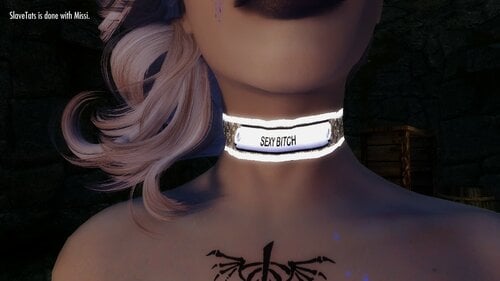
slavetats Custom Collars and Stuff for Slavetats
By nokturnihs
Version. 1.0 - Uploaded 2/19/2021
Ever Wanted to have your own custom-made collar for bling or name recognition? You like watching code geeks try and make custom texture files? Want your owner's name branded on your ass for the world to see? Well, if you said yes to any of these you might be in luck!
This is a TOOL for generating custom slavetats - specifically at the time of writing - collars and ownership stamps.
This uses SLAVETATS - and you gotta install it or you're wasting your time.
This also uses Imagemagick and windows .bat files - they're all pretty tame though so no worries - For those of you worried though I uploaded a version without the imagemagick standalone included - just grab the portable for you and unzip it into the ImageMagick Directory inside the main tool folder (Custom Collars for SlaveTats)
The tool lives inside Skyrim\data\Custom Collars for SlaveTats\ - that's where the magic(k) happens.
I've included some basic templates and you should have some pre-generated stuff to give you a basic idea of it. I did NOT include any strange fonts (just bauhaus and arial) - but a quick google search should give you font selection up the butt. Just put the .ttf files in the \font\ directory. Same with templates - though you'll have to make those on your own or get one of the amazing artists who live here (on LL) to make you one! My artistic talents are limited sadly.
NOTE on the Stamps - I wouldn't go too crazy - Master/Mistress/(blank) or all caps versions of these and their first name - it's pretty cramped in the box and you might have the bottom right corner cut off anyway - I did at some body weights. I -think- it's how the meshing works with sections (???) - if someone wants to provide a better template I'll happily tweak settings or you can too - font size and general positions can easily be edited in the .bat files. Same with resolutions. I went with stuff I used as templates to get my resolutions so the stamp is a little low-res but... next time....
POSSIBLE UPDATES:
- Support for generating name-based slavetat entries inside Custom Collars sections
- Walls of Text Tattoo generation???
- Better ideas than I'm currently having that you present to me.
- Better artwork/templates you submit to me.
- World Peace and World War coming together to make kittens.... literal kittens.
Laters!
-Nok-
Below is the readme - pasted here for easy access to ya'll
Enjoy!
Special Thanks to Nilead for granting permissions to use their amazing collar texture setting this up!
----
Hey Kids, So I've tried to make this as simple to use as possible!
Step 1: preparing these tools
a) edit config\skyrim_path.txt to your skyrim installation directory. DO NOT Include the final backslash.
Step 2: setup your collar the way you want
a) inside config\collar\ you'll see the several files. those control your collar settings.
b) name.txt sets the name - don't use non-letter symbols (!#@$%^&*'") - spaces are fine though. just edit and save
c) color.txt sets the FONT color for your collar - you can use words like black, white, red, etc. Will add RGB support someday (maybe)
d) style.txt is the template you want to use found in .\template\ - I provided several for you to choose from of varied quality (mostly low) - make sure to include .png
Step 3: setting up your property stamp the way you want
a) inside config\stamp\ you'll see the several files. those control your stamp settings.
b) name.txt sets the name OF YOUR OWNER- don't use non-letter symbols (!#@$%^&*'") - spaces are fine though. just edit and save
c) honorific.txt sets the honorific of your owner (Master/Mistress) - or blank if you like.
d) color.txt sets the FONT color for your stamp - you can use words like black, white, red, etc. Will add RGB support someday (maybe)
e) style.txt is the template you want to use found in .\template\ - I provided a white and black template for this.
Step 4: Run those batch files
a) Simply run the Custom Collars generator.bat to create a custom collar.
b) Run property-tag generator.bat to create a custom ownership stamp
NOTE: These will create PREVIEW files for you to look at your work (the stamp isn't rotated for the preview but should look right on the ass)
Step 5: Launch skyrim
Step 6: To apply the collar go into the slavetats menu and under FACE, find customcollars and the default's what you want (name collar) - color as desired.
Step 7: To apply the ownership stamp on your character's right ass cheek in the slavetats menu under BODY you'll see customcollars and apply the default. color as desired.
That's it!
Special Thanks to: Nilead - Much better artist than I am and provided a foundation for getting the png files to line up with the amazing collar in Nilead's Slavetats pack!
NOTES:
- I don't use Special Edition and won't support it - you're on your own on that one.
- I'm no graphics artist - anyone who wants to submit templates would be appreciated by myself and anyone using this tool - I'll link them in or add them to the DL's if ya want.
- This uses ImageMagick's portable library for x64 windows. I don't support that. If you don't trust my download simply download the Portable ImageMagick library and put it in the ImageMagick Folder
- Don't RE-UPLOAD or post this elsewhere without permissions - I also see the license boilerplate below regarding ImageMagick
ImageMagick: https://imagemagick.org
Copyright [2021] [-Nokturnihs-]
Licensed under the ImageMagick License (the "License"); you may not use
this file except in compliance with the License. You may obtain a copy
of the License at
https://imagemagick.org/script/license.php
Unless required by applicable law or agreed to in writing, software
distributed under the License is distributed on an "AS IS" BASIS, WITHOUT
WARRANTIES OR CONDITIONS OF ANY KIND, either express or implied. See the
License for the specific language governing permissions and limitations
under the License.
1462 downloads
Submitted
-
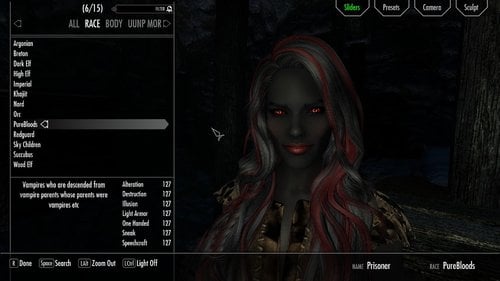
Pure blooded vampires oblivion style
This mod is in an as is state since i no longer play le skyrim
well I've been playing oblivion again as a vampire and noticed skyrim has a distinct lack of pure sexy (OP) grey skinned vampire races (vampire races reloaded, xenius vampires, etc) so i made my own. Now these mofos are OP and they are mainly intended for a female playthrough although you could play a male
anyway they have high starting stats and a racial called purest blood also a secret perk in the readme
(they didn't really need it as OP as they were already) DID I MENTION THEY'RE OP?
they were made with sacrosanct in mind
but there is an optional dawnguard only version in the zip incase you don't use sacrosanct
BTW if you have blue skin at race menu keep calm and tweak the skintone slider til you get your desired result screenshots are just an example of what can be achieved
also i recommend Skytweak by Grimy Bunyip incase the attributes roll over into the negatives since the buffs are so high
credits
Pure skin texture by Anini n Regenbot03
Healthy Feet Female feet - RP's Feet for Skyrim - UNPB UUNP CBBE BY redp
xp32 maximum skeleton extended by groovtama
1308 downloads
Updated
-
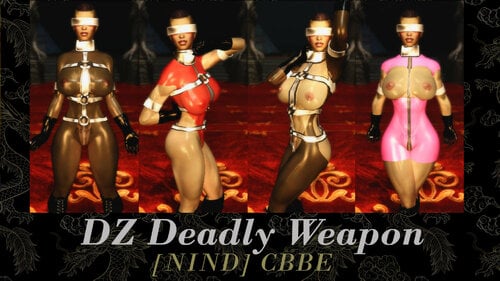
Deadly Weapon Outfit CBBE
twitter.com/NIND_CBBE_LE
======================
This is a light armor based on the outfit worn in the scene "Deadly Weapon" from rubberdoll.net.
https://nsfwmods.com/files/file/126-unpb-deadly-weapon-outfit/
Changes Made:
-Oily Body
-Transparent Bodysuits Added
-Slutty Zaps Added
Install/Uninstall:
=======================
Use the usual methods by either a mod manager or manual install.
Acquisition:
=======================
Utilize AdditemMenu and search "Deadly"
Credits:
DoubleZero for making the original mod
716 downloads
- nind
- doublezero
- (and 1 more)
Submitted
-
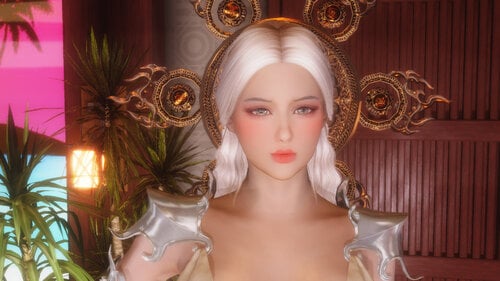
Megan Follower by nightwalk7
By nightwalk7
This is a gift for Lunar New Year 2021 for everyone still playing Skyrim LE. She using UUNP body as default. If you want her as extreme SMP body or UUNP 3BB body just pm me.
Megan using 4k textures so for good PC only
Info:
Name: Megan
H & W: 172cm, 62kg
Body: Venus type, D cup
Class: Sorceress (Healing, Lightning spells, reanimate)
Location: Temple Of Kynareth (Whiterun)
Enjoy
If you like watching Skyrim dance videos, please visit my Youtube channel here:
1022 downloads
Submitted
![More information about "✦ 𝐌𝐈𝐓𝐒𝐔𝐍𝐎𝐈𝐑 🎀 [SFW] Clothing & Accessories ✦"](https://static.loverslab.com/screenshots/monthly_2026_10/sfw2.thumb.gif.47e4c9f26405cddabb0277070bd33148.gif)