Search the Community
Showing results for tags 'ae'.
Found 11 results
-
sosae Schlongs of Skyrim AE-NG
Spongebob Hentai Mod posted a topic in Downloads - SexLab Framework SE
Schlongs of Skyrim AE-NG View File General Summary: SOS AE-NG is a new version of the SCHLONGS OF SKYRIM mod developed on CommonLibSSE-NG. This version focuses on profound structural changes to serialization and data handling, optimizing script performance by prioritizing the use of native C++ over Papyrus. Furthermore, it significantly improves compatibility with existing and future mods by implementing new features and optimized architectures within the code. The next Spoiler is in Spanish, is only the personal motive for the mod, you can translate it, mostly for laughs =====================How to use the new SOS===================== New features: DRAWING - When an NPC loads, a draw is performed using the available addons to determine which addon that NPC will receive. For males, addon distribution has been updated to guarantee a 100% chance of receiving an addon, using relative scaling. Female distribution logic remains unchanged. If the sum of all available addons is less than 100% (primarily relevant for females), there is still a chance of losing the draw and receiving an empty addon. This empty addon is not equipped and fixes the original SOS bug that forced a Schlong onto every NPC without respecting the total probability. There are new files in Data\SKSE\Plugins\SchlongsOfSkyrim\ that will be used. 1. SOS_ConcealingArmorMods.JSON Armor pieces from mods listed in this file will have Slot 52 added in addition to Slot 32. NOTE: Only armor pieces that already use Slot 32 will be affected. This replicates the old SOS behavior, but without relying on internal data, and it is applied every time the game is launched. If you want all armor from a specific mod to be concealing, add the mod’s filename on a new line in the list. Remove a mod from the list if you want its armor to remain revealing by default. If the document does not exist, it will be automatically generated with a basic list of common mods. The keyword SOS_Revealing takes precedence over the list. For example, if Skyrim.esm is present in the list and another mod adds the SOS_Revealing keyword to Iron Armor, that armor will be treated as revealing in-game rather than concealing. If an armor piece has both SOS_Revealing and SOS_Concealing keywords, neither effect should apply. 2. SOS_AE.ini These options define the default values used when generating the JSON data. - **Enabled**: Indicates whether the addon is active. - **Rank**: Equivalent to the rank system from the original SOS. - **Chance**: The probability that an NPC will receive this addon. These options set the default values for the JSON that is generated the first time the game is launched after installing the mod, or whenever a previous JSON file is deleted. This is useful if you want to apply bulk changes with a single setting — for example, assigning Rank 20 to every addon or setting Chance to 100. JSON data can also be edited directly in the MCM and will be saved automatically. Gaussian Deviation introduces a small amount of variability to the rank distribution. **SOS_SchlongEligibleActorMods is a Whitelist**: - When set to **true**, NPCs belonging to mods listed in SOS_SchlongEligibleActorMods can receive a random Schlong other than NONE during random selection (probability is still respected). - When set to **false**, the list functions as a Blacklist: NPCs from those mods will default to having no Schlong (NONE). 3. SOS_AddonData.json: This file stores all addon data so it can be loaded in new games. It can be edited with a text editor or directly inside the MCM. Here you can view and modify the data for each addon, including supported races, enabled status, rank, probability, and the gender group that can use (or will visibly receive) the addon. Some considerations: 1. For males, addon distribution has been updated to always guarantee a 100% chance of receiving an addon, using relative (weighted) scaling based on the configured probabilities. Female distribution logic remains unchanged: if the sum of probabilities for a given race and gender is less than 100%, there is still a chance the NPC will not receive a Schlong. This fixes a previous bug in SOS SE where even a 10% chance always resulted in a Schlong. If the sum of probabilities exceeds 100%, the values are weighted proportionally. 2. Data reading is very flexible as long as letters and floating-point numbers are avoided. Even if minor formatting issues exist, they generally do not cause significant errors in-game. 3. If -1 (or any negative number) is used for the rank, the rank distribution will be uniform. If you see something like this in your JSON: "undefined": [ "SPBAddonName123" ] It means the gender globals inside the ESP/ESL for the addon “SPBAddonName123” are incorrect. This entry is mainly for debugging purposes. You can manually move the addon into the “female” or “male” group so it works correctly, provided you know which gender the addon is intended for. The proper long-term solution is to review and fix the globals in the ESP. Addons left in the “undefined” group are simply ignored, but they can be moved into the appropriate gender group if needed. 4. SOS_ARMOR_override.JSON This is a simple JSON file that stores the armors that have been modified within the MCM. The armors within this JSON will be read after each session. It's a good way to save armors with the changes you want without having to enter the MCM in each new game, or for debugging. Here's an example. where you have a key or key "modname.esp|ArmorIDEditor" = revealingbool where revealingbool has this meaning: true = Revealing false = Concealing 5. SOS_SchlongEligibleActorMods.txt This is a text document similar to SOS_ConcealingArmorMods.txt. It lists mods whose NPCs are eligible to receive a Schlong other than NONE during the random draw. NPCs from mods that are not on this list can still receive a Schlong if it is manually assigned to them through the MCM. Eligibility is handled using a special keyword called SOS_NoneDefault, which is automatically added to the relevant NPCs when the game is launched. In the INI you can choose whether this list functions as a Whitelist or a Blacklist. 6. Keyword SOS_NoneDefault NPCs with this keyword will have an "empty" addon assigned in the lottery or drawing; that is, they will always lose the lottery, regardless of the probability. However, they are still saved in the mod's internal data. You can add this to NPCs you don't want to have Schlong due to the drawing (Like followers or other NPCs). 7. SOS_NPC_Override.JSON When you edit an NPC (or the player) through the MCM, the changes are saved to this JSON file. The file is created the first time you edit an NPC or the player. This JSON is used to preserve NPC modifications across new games or after clearing all saved NPC data. Any NPCs stored in the file will be automatically reloaded. You can also edit the data directly in the JSON file if desired. 8. Bending: The erection (bending) mechanic works as follows: Using the keys defined in the MCM will raise or lower the Schlong. The Shift modifier is no longer required. There are now four dedicated keybinds: - Two keys control the Schlong of the actor currently in the crosshair. - Two keys control the player’s Schlong directly, without needing an empty crosshair. 9.- Custom Race Support If you have an NPC from a custom race that has no available addons shown in the MCM, there is a toggle that lets you view all addons available for its gender, ignoring the race restriction. Use this option carefully: not every addon includes textures for every race. Cycle through the available addons for the custom NPC until you find one that fits properly or looks acceptable. 10.- Sexlab Support, Female NPCs that receive a Schlong other than NONE are automatically treated as male in SexLab (this can still be changed or confirmed in the SexLab MCM). Changing an actor’s or the player’s Schlong in the SOS AE NG MCM will also update the gender in SexLab automatically. This SexLab integration can be disabled in the MCM if desired. Note for SexLab P+: To use the Futanari gender, set the related toggle to OFF. 11.- Keyword SOS_Pubes SOS_Pubes is an additional keyword intended for pubic hair addons. Addons that use this keyword will not change the actor’s SexLab gender when assigned through the random draw or the MCM. Note that this keyword is only relevant for SexLab integration (within this mod) and does not replace SOS_Genitals. Both keywords should be present on a pubes addon. 12.- Keyword SOS_Underwear Any armor that has the SOS_Underwear keyword will automatically hide the equipped addon (Schlong). When the armor is removed, the addon is restored (if there is nothing on the slot52 and there is no other SOS_Underwear equipped). This allows any piece of armor to function as underwear without conflicting with Slot 52 items. I suggest use this mod to distribute SOS_Underwear KW to armors based on their EditorID or Full name instead of patching one by one 13. Remove Item on Slot52: Added option to remove underwear or bikini bottom or Skirt from NPC to show the Schlong, is on MCM 14. Uninstallation or Update Within the MCM there is now an option to uninstall the mod or prepare it for an update. Follow these steps: 1. Go to the Debug page and click the Delete button. 2. You will see the mods loaded from the Concealing List disappear. 3. Save the game (preferably in a location with no NPCs present). 4. Delete or update the mod. 5. Load the game. Everything should now work normally. You can check the original addons compressed and added ESL flag here, as well as some mods I made, update or get from SOS, and the Double Penis Troubleshooting: There is a log system you can check in Documents\My Games\Skyrim Special Edition\SKSE\SOS_AE.log if you have a problem you can't fix, try passing this I need the old SOS? No, and this version is incompatible, you should remove the old SOS and use this one instead, It Works in 1.5.97? R.- Yes it does This version of SOS doesn't have the original addons R.- Yes, i made a separate download to the original addons, now as ESL because the mod now supports it There are no addons pages in the MCM This can be happening for some reasons that are under stable: 1- The addons should load after SOS, try using LOOT, always work in these cases 2.- You installed a new addon (or deleted one) and didn't rebuild the JSON, you can do this deleting the JSON with the data or by using the MCM 3.- The ESP or ESL doesn't have the gender part correctly done, if you check the JSON you will find them in the unidentified Category in the JSON, you can fix it by moving them to the female category or renaming it, here is an example: 4.- Bad FormID in the esp, in this last case is better to pass me the name of the esp and maybe I can help, consider this as the last option if you already done the other 3 solutions I gave There are pages for the addons but I can't choose one for X actor This occurs because the actor is using a custom race. To resolve it, enable the “Show all addons for gender” toggle on the NPCs page in the MCM. This will display every available addon for that gender, ignoring race restrictions. Keep in mind that some addons are designed only for vanilla races, while certain custom races have their own dedicated addons. The final appearance depends entirely on the addon itself; nothing can be done within this mod to alter how an addon looks on a given race. The bend keywords don't work Due to how the MCM works, you must manually assign the bend keys before they will function — even if you want to use the default Page Up / Page Down keys. There are four keybinds in total (two for the actor in the crosshair and two for the player). None of them will work until they have been assigned in the MCM. The addons fail to the floor You need a skeleton mod, like XP32 Erections work weird in X Arousal Mod or X Animation Mod These mods generally do not rely on any of the scripts or functions from SOS (this was also true with the original SOS), as they only use the animations. Issues of this kind need to be resolved within those mods themselves. This mod only provides the necessary resources for animations and erections. X mod doesn't work (No animation or Erection only) These mods actually use functions from SOS. You can confirm this by searching their source files (.psc) for terms such as “SOS API”, “SOS_API”, or “SOS_SKSE” (note: not SOSAE_SKSE). The only proper way to fix compatibility is for the mod to be updated to use the new functions. In some cases additional work may be required, especially now that more functions are available. If you are a user: Try contacting the mod author. If you receive no response or the mod is abandoned, feel free to contact me. I sometimes update mods I use myself, and I may be able to help. If you are a mod author: Documentation for the new functions can be found in SOSAE_SKSE.psc, located in Schlongs of Skyrim AE\Source\Scripts. I may also be able to assist with new functions if the required changes are not too extensive. If you know how to create SKSE plugins: The full source code for the DLL is provided if you wish to implement more technical solutions. I don't know how to add Keywords to an addon You can safely use the Creation Kit or SSEEdit for this. Adding or removing keywords will not cause CTDs or serious bugs — keywords only affect how addons are equipped and have no other significant impact. I have a bug where the camera falls to the floor on cell changes, exit Racemenu or using Furniture or X OK this is the bug I had before doing a fresh modlsit, after doing the new mod list I can't replicate it easily, I tried many times but something seems to fix it, or I'm fixing it by not a having a certain common Mod, so if you have that bug you can help by sending your mod list, try reading the next comment I will update to see what can be causing it: I Suggest use of Pandora with Auto Skeleton Patch and to Install a basic XP32 instead of the expanded More information about pubes and KID: GITHUB Repository for latest version Submitter Spongebob Hentai Mod Submitted 01/13/26 Category WIP / Beta Requirements powerofthree's Tweaks Any Skeleton mod Sos Addons Address Library Microsoft Visual C++ Redistributable 2017 or newer Regular Edition Compatible Install Instructions Just install the mod. The only requirements are powerofthree's Tweaks and a Skeleton mod so the Schlong doesn't look weird. You need to install the Microsoft Visual C++ Redistributable, NOT VISUAL STUDIO, just install what is it this link https://aka.ms/vs/17/release/vc_redist.x64.exe If you have some problems running skyrim with my mod, try checking the DLL with this: https://github.com/lucasg/Dependencies -
SMP Head HPH or UBE View File Mod adds custom SMP bones for the Lips, Cheeks, Nose and Throat with collisions. only works on the Female Player, DOES NOT WORK For NPCs or Followers OUT OF THE BOX, if want on them and they alredy use HP head or UBE, you can transfer the SMP to them, read more below. You need SMP working and active SMP mods as well configured things to interact with the head, EX: TNG/SOS with SMP collisions, or TNG and Himbo with SMP collisions, same for creatures, etc... FSMP has a option to disable wig SMP hairs if a SMP hairs id detected, but that usually disables this mod instead, uncheck that option in the old MCM or SKSE menu for FSMP. Mod HARD REQUIREMENT !!! SMP FIXES!!! and also latest/compatible FSMP version for SMP FIXES for better collisions! Normal "USE" just install the mod, and let it replace ANYTHING if asked, you dont need to "Build" the head in BodySlide, there is one alredy made with the Neck fix applied. In FSMP menu, uncheck the disable wig SMP if normal hair equiped. Animations need to be properly aligned but PPA should improve a lot on it also, my mod cant do miracles in game, so use the Sex lab hot keys to align your character properly to the have best results, im combinatio with PPA. Highly recommended !!! and i made some sliders (HPH and UBE) so the "Throat" has a bulge when penetrated, since the SMP collisions need a very good alingment, the sliders will work 100% of the time, and the SMP will be more a addition/fail safe to them if necessary, all will will work with the included config override for PPA (Latest version 0.32 +) Mod depends on you having SMP working (FSMP) SOS with SMP collisions, TNG, or Himbo, or similar, installed for SMP, with collisions "built" for SMP! TNG Newer Versions has NO collisions, HIMBO needs the SMP patch avaliable on its OWN page, since this i have made my own patch for TNG, and also a better SMP for Himbo avaliable below: -Newer TNG mod no longer has "virtual collisions" or collision XMLs, it seems to expect the body you use to have it installed, or another mod, TNG is low poly, so my patch uses the original mesh collision, about Himbo I ended up editing the physics XML of since the original is full of strange things, configurations for unused bones, wrong values too, so I edited and improved it, install it like any other mod and let it replace the two requested XMLs File for this is the Below "TNG_HIMBO_SMP_XMLs" New better edited 2025 version - TNG_Himbo_SMP_XMLs.7z SOS has a "official" patch for SMP on its own page, that DOES NOT WORK!!! as far as I know only the patch made by BakaFactory works correctly, that is avaliable below: --SOS SMP patch by Bakafactory posted by GusCrow. if you dont HAVE the collisions working the LIPS/Mouth PART WILL NOT WORK!!! SO MAKE SURE YOU HAVE COLLISIONS WORKING!!! If you use/like the bimbos of skyrim mod, and wants the Botox bimbo sliders being used by it with the corruption increases, USE the AWESOME Bimbo lips mod!!! Added Bottox sliders to Race Menu. New Sliders are on the "Mouth" categorie tab: -Bottox Lips ( normal Inflated/Filled Look) -Bottox Lips Bimbo (Inflated/Filled Look) -Bottox Lips Bimbo 2 (Extreme Inflated/Filled Look) -Bottox Cheeks (Inflated/Filled Look) -Bottox Chin (Inflated/Filled Look) -Bottox Mewing (Definition of the Jaw line, and under chin/jaw shape) -Nostrils cavity (makes the nostrils have a cavity) -Bottox FuckDoll Lips (Makes the lips have a "O" fuller look) -Bottox Countour (Makes the lips have a better outline) -Remove Inner lips (Removes the "Loose" problematic inner mouth part in HPH or reduce them for UBE, so you have better SMP collisions) RECOMENDED TO USE! see first gifs about it. They are intended to 1.0 max in value, but you can pass above it. Gif - https://gifyu.com/image/bbrwW if you do want to "Build" the head in Bodyslide with the Uv strech fix slider or some other one Make sure you have the LATEST "Outfit studio and Bodyslide VERSION", if you DONT HAVE THE LATEST ONE, Uncheck the "Build morphs" option in there for this Build, the mod already has the configuration for morphs not to be created, but Outdated Bodyslide and outfit studio will not follow the new rule. About Sliders You can Build the base Head in Body slide with some edits/Fixes, one of them is the Uv strech fix by Veracruze on Nexus (added here as requested) also added some that i made and where my own personal edits, take in mind if you build it with the edits, they will be "Loaded" in you character as soon as you load the save, so unless you want it, use them in Race menu as decribed above. By default the "neck seam fix" is alredy at 100%, there is a mod on nexus that does the same thing to the original HP head, i didnt use the mod, i made my own fix in blender, as i alredy did with some of my presets over the years, so "THIS FIX here" is made by me, but if you want the fix to the original HP head, with no SMP you can use the nexus one (Mod link) About NPC/Followers Optional File is a VIDEO on how to Transfer the SMP from this HP head (UBE will be the same), to other HP heads NPCs or followers, it is pretty simple as the video shows -Warning- If you EXPORT a Sculpt From Race Menu with this mod installed, the exported nif will have the custom SMP bones, so if you dont want them, disable the mod, export your sculpt, then enable it again, same for presets. UPDATING THE MOD!!! SIMPLE, REMOVE OLD VERSION AND INSTALL NEW VERSION!!!! Some people for a UNKNOW reasons dont uninstall the old versions (why???), that is bad..... and if you have a very old version from this mod, it can have a old "DLL" in the plugins folder that is not necessary anymore because of SMP fixes, so unninstall old versions PLEASE!!! or if you installed the DLL manually remove it manually also, since it is not needed anymore.... the DLL would be in the skse plugins folder with the name of "FaceMorphUpdater.DLL" you should delete that!!!!! ------Advises/edits/patches by the community friends posted on the support comments!!! thanks!!!-------- -Old DLL Plugin by "Asdt123123", thanks a lot for that at the time it worked pretty good! but now he made SMP fixes above and it is better, so you should use that, since is a HARD requirement for this mod! -Old Scripts for SL_Triggers by "Satanfist", and "The DragonWhore" and "Judge007" they where trying to fix the old SMP bug, but not necessary ANYMORE, use SMP fixes! -About WIND if you dont like the Wind making the mouth jiggle, follow the instructions found here by "iroha" TNG/TRX SMP patch by "unkown2155271" with the old collisions meshes. (you Dont need it if using mine from above, and i recomend using mine) -Patch for RSV - High Poly Head.esp, just let it overwrite both RSV and High Poly Head SMP by (MeciasBald) - HERE Credits: -Uv Strech fix by Veracruze, i added the same slider here as requested, credits to the slider are all to the original autor and mod - Original Mod (Not needed) MOD IS LOVERS LAB EXCLUSIVE!!! Dont post, or repost on other sites... I honestly didn't know or think that this mod would be included for use in collections or mod lists, and therefore I didn't knew that by replacing the download file, I was breaking those lists. Future updates will be new files, and the old ones will be kept for download. Submitter Predator-RJ Submitted 10/15/24 Category Adult Mods Requirements High Poly Head or UBE - FSMP - SMP Fixes - Active SMP collisions for anything you want to interact Regular Edition Compatible Yes Install Instructions
-
SL Dirty Deeds Missives View File Adds 15 repeatable quests involving performing casual sex for gold. Find them at Missives boards! Each has four lines of Synthetic Voiced dialogue, and a letter written in the style of that character or faction. It's casual, flavourful, and about as "lore friendly" as a SexLab mod can be. Requirements Core Mods Missives (Download) - Of course, you'll need Missives to get the actual Missive Boards used to find the Deeds in this mod. SexLab Framework (Download) - Also has its own requirements. In the in-game MCM for SexLab, there are some very useful Debug features. Make use of them! This will help you figure out what is going on. Once you've enabled Debug, Press '~' to open the console. Replacing Boards for Missives (Download) - Changes Missives boards to a 'porn' styled one. Also adds several new locations, like Ivarstead, Rorikstead, Kynesgrove, etc. New to SexLab? Mods you may Need Rewards: Gold, Dragon Souls, Items You can earn both gold and Dragon Souls and some items by completing 'Dirty Deeds'. Gold is determined by the Deed, as well as by your Sex Skills and Speechcraft. Dragon Souls are awarded based on the overview quest, which tracks one-time completion of all Deeds. Some Deeds give you items instead of gold. (Such as Falmer, who reward you with a Black Soul Gem.) Dirty Deeds Creature Deeds Expansion 1 (More Deeds) Expansion 2 (Followers) *Last Updated February 2024 - Patron Only* Gold Calculation Compatibility Allow other mods to overwrite this one. I edited some Races to turn on 'Dialogue with Player', such as WolfRace, GiantRace, TrollRace, FalmerRace. This will not conflict with mods that change the meshes of those NPCs, since Race is a different record from Actor. Any new creatures which uses those same Races will also get the dialogues and be available for the Creature Deeds. I've made a few, non-essential changes to NPCs to allow them to partake in Dirty Deeds. This includes adding Factions to NPCs who should have that faction, and changing AI Packages to make an NPC (Stands-In-Shallows) available at night. These are very few in number, and there shouldn't be much that conflicts. It's possible that if you use a different Temple of Kynareth overhaul than JK's, you may have trouble getting to the cabinet with the Dirty Deeds. I'd recommend using 'tcl' in console to move through the floor, then take out whatever letters you want. For those who don't use Missives (Version 1.2.0) Recommended Animations Recommended Other Mods Tips & Support I've created a Patreon at https://www.patreon.com/questwave where you can tip or support me! I'm hugely appreciative of any support as I'm just beginning my work on SexLab. Submitter QuestWave Submitted 08/26/2022 Category Quests Requires SexLab Framework; Missives Regular Edition Compatible
-
Version 3.1.0
41296 downloads
General Summary: SOS AE-NG is a new version of the SCHLONGS OF SKYRIM mod developed on CommonLibSSE-NG. This version focuses on profound structural changes to serialization and data handling, optimizing script performance by prioritizing the use of native C++ over Papyrus. Furthermore, it significantly improves compatibility with existing and future mods by implementing new features and optimized architectures within the code. The next Spoiler is in Spanish, is only the personal motive for the mod, you can translate it, mostly for laughs =================ChangeLog================= =====================How to use the new SOS===================== New features: DRAWING - When an NPC loads, a draw is performed using the available addons to determine which addon that NPC will receive. For males, addon distribution has been updated to guarantee a 100% chance of receiving an addon, using relative scaling. Female distribution logic remains unchanged. If the sum of all available addons is less than 100% (primarily relevant for females), there is still a chance of losing the draw and receiving an empty addon. This empty addon is not equipped and fixes the original SOS bug that forced a Schlong onto every NPC without respecting the total probability. There are new files in Data\SKSE\Plugins\SchlongsOfSkyrim\ that will be used. 1. SOS_ConcealingArmorMods.JSON Armor pieces from mods listed in this file will have Slot 52 added in addition to Slot 32. NOTE: Only armor pieces that already use Slot 32 will be affected. This replicates the old SOS behavior, but without relying on internal data, and it is applied every time the game is launched. If you want all armor from a specific mod to be concealing, add the mod’s filename on a new line in the list. Remove a mod from the list if you want its armor to remain revealing by default. If the document does not exist, it will be automatically generated with a basic list of common mods. The keyword SOS_Revealing takes precedence over the list. For example, if Skyrim.esm is present in the list and another mod adds the SOS_Revealing keyword to Iron Armor, that armor will be treated as revealing in-game rather than concealing. If an armor piece has both SOS_Revealing and SOS_Concealing keywords, neither effect should apply. 2. SOS_AE.ini These options define the default values used when generating the JSON data. - **Enabled**: Indicates whether the addon is active. - **Rank**: Equivalent to the rank system from the original SOS. - **Chance**: The probability that an NPC will receive this addon. These options set the default values for the JSON that is generated the first time the game is launched after installing the mod, or whenever a previous JSON file is deleted. This is useful if you want to apply bulk changes with a single setting — for example, assigning Rank 20 to every addon or setting Chance to 100. JSON data can also be edited directly in the MCM and will be saved automatically. Gaussian Deviation introduces a small amount of variability to the rank distribution. **SOS_SchlongEligibleActorMods is a Whitelist**: - When set to **true**, NPCs belonging to mods listed in SOS_SchlongEligibleActorMods can receive a random Schlong other than NONE during random selection (probability is still respected). - When set to **false**, the list functions as a Blacklist: NPCs from those mods will default to having no Schlong (NONE). 3. SOS_AddonData.json: This file stores all addon data so it can be loaded in new games. It can be edited with a text editor or directly inside the MCM. Here you can view and modify the data for each addon, including supported races, enabled status, rank, probability, and the gender group that can use (or will visibly receive) the addon. Some considerations: 1. For males, addon distribution has been updated to always guarantee a 100% chance of receiving an addon, using relative (weighted) scaling based on the configured probabilities. Female distribution logic remains unchanged: if the sum of probabilities for a given race and gender is less than 100%, there is still a chance the NPC will not receive a Schlong. This fixes a previous bug in SOS SE where even a 10% chance always resulted in a Schlong. If the sum of probabilities exceeds 100%, the values are weighted proportionally. 2. Data reading is very flexible as long as letters and floating-point numbers are avoided. Even if minor formatting issues exist, they generally do not cause significant errors in-game. 3. If -1 (or any negative number) is used for the rank, the rank distribution will be uniform. If you see something like this in your JSON: "undefined": [ "SPBAddonName123" ] It means the gender globals inside the ESP/ESL for the addon “SPBAddonName123” are incorrect. This entry is mainly for debugging purposes. You can manually move the addon into the “female” or “male” group so it works correctly, provided you know which gender the addon is intended for. The proper long-term solution is to review and fix the globals in the ESP. Addons left in the “undefined” group are simply ignored, but they can be moved into the appropriate gender group if needed. 4. SOS_ARMOR_override.JSON This is a simple JSON file that stores the armors that have been modified within the MCM. The armors within this JSON will be read after each session. It's a good way to save armors with the changes you want without having to enter the MCM in each new game, or for debugging. Here's an example. where you have a key or key "modname.esp|ArmorIDEditor" = revealingbool where revealingbool has this meaning: true = Revealing false = Concealing 5. SOS_SchlongEligibleActorMods.txt This is a text document similar to SOS_ConcealingArmorMods.txt. It lists mods whose NPCs are eligible to receive a Schlong other than NONE during the random draw. NPCs from mods that are not on this list can still receive a Schlong if it is manually assigned to them through the MCM. Eligibility is handled using a special keyword called SOS_NoneDefault, which is automatically added to the relevant NPCs when the game is launched. In the INI you can choose whether this list functions as a Whitelist or a Blacklist. 6. Keyword SOS_NoneDefault NPCs with this keyword will have an "empty" addon assigned in the lottery or drawing; that is, they will always lose the lottery, regardless of the probability. However, they are still saved in the mod's internal data. You can add this to NPCs you don't want to have Schlong due to the drawing (Like followers or other NPCs). 7. SOS_NPC_Override.JSON When you edit an NPC (or the player) through the MCM, the changes are saved to this JSON file. The file is created the first time you edit an NPC or the player. This JSON is used to preserve NPC modifications across new games or after clearing all saved NPC data. Any NPCs stored in the file will be automatically reloaded. You can also edit the data directly in the JSON file if desired. 8. Bending: The erection (bending) mechanic works as follows: Using the keys defined in the MCM will raise or lower the Schlong. The Shift modifier is no longer required. There are now four dedicated keybinds: - Two keys control the Schlong of the actor currently in the crosshair. - Two keys control the player’s Schlong directly, without needing an empty crosshair. 9.- Custom Race Support If you have an NPC from a custom race that has no available addons shown in the MCM, there is a toggle that lets you view all addons available for its gender, ignoring the race restriction. Use this option carefully: not every addon includes textures for every race. Cycle through the available addons for the custom NPC until you find one that fits properly or looks acceptable. 10.- Sexlab Support, Female NPCs that receive a Schlong other than NONE are automatically treated as male in SexLab (this can still be changed or confirmed in the SexLab MCM). Changing an actor’s or the player’s Schlong in the SOS AE NG MCM will also update the gender in SexLab automatically. This SexLab integration can be disabled in the MCM if desired. Note for SexLab P+: To use the Futanari gender, set the related toggle to OFF. 11.- Keyword SOS_Pubes SOS_Pubes is an additional keyword intended for pubic hair addons. Addons that use this keyword will not change the actor’s SexLab gender when assigned through the random draw or the MCM. Note that this keyword is only relevant for SexLab integration (within this mod) and does not replace SOS_Genitals. Both keywords should be present on a pubes addon. 12.- Keyword SOS_Underwear Any armor that has the SOS_Underwear keyword will automatically hide the equipped addon (Schlong). When the armor is removed, the addon is restored (if there is nothing on the slot52 and there is no other SOS_Underwear equipped). This allows any piece of armor to function as underwear without conflicting with Slot 52 items. I suggest use this mod to distribute SOS_Underwear KW to armors based on their EditorID or Full name instead of patching one by one 13. Remove Item on Slot52: Added option to remove underwear or bikini bottom or Skirt from NPC to show the Schlong, is on MCM 14. Uninstallation or Update Within the MCM there is now an option to uninstall the mod or prepare it for an update. Follow these steps: 1. Go to the Debug page and click the Delete button. 2. You will see the mods loaded from the Concealing List disappear. 3. Save the game (preferably in a location with no NPCs present). 4. Delete or update the mod. 5. Load the game. Everything should now work normally. You can check the original addons compressed and added ESL flag here, as well as some mods I made, update or get from SOS, and the Double Penis Troubleshooting: There is a log system you can check in Documents\My Games\Skyrim Special Edition\SKSE\SOS_AE.log if you have a problem you can't fix, try passing this I need the old SOS? No, and this version is incompatible, you should remove the old SOS and use this one instead, It Works in 1.5.97? R.- Yes it does This version of SOS doesn't have the original addons R.- Yes, i made a separate download to the original addons, now as ESL because the mod now supports it There are no addons pages in the MCM This can be happening for some reasons that are under stable: 1- The addons should load after SOS, try using LOOT, always work in these cases 2.- You installed a new addon (or deleted one) and didn't rebuild the JSON, you can do this deleting the JSON with the data or by using the MCM 3.- The ESP or ESL doesn't have the gender part correctly done, if you check the JSON you will find them in the unidentified Category in the JSON, you can fix it by moving them to the female category or renaming it, here is an example: 4.- Bad FormID in the esp, in this last case is better to pass me the name of the esp and maybe I can help, consider this as the last option if you already done the other 3 solutions I gave There are pages for the addons but I can't choose one for X actor This occurs because the actor is using a custom race. To resolve it, enable the “Show all addons for gender” toggle on the NPCs page in the MCM. This will display every available addon for that gender, ignoring race restrictions. Keep in mind that some addons are designed only for vanilla races, while certain custom races have their own dedicated addons. The final appearance depends entirely on the addon itself; nothing can be done within this mod to alter how an addon looks on a given race. The bend keywords don't work Due to how the MCM works, you must manually assign the bend keys before they will function — even if you want to use the default Page Up / Page Down keys. There are four keybinds in total (two for the actor in the crosshair and two for the player). None of them will work until they have been assigned in the MCM. The addons fail to the floor You need a skeleton mod, like XP32 Erections work weird in X Arousal Mod or X Animation Mod These mods generally do not rely on any of the scripts or functions from SOS (this was also true with the original SOS), as they only use the animations. Issues of this kind need to be resolved within those mods themselves. This mod only provides the necessary resources for animations and erections. X mod doesn't work (No animation or Erection only) These mods actually use functions from SOS. You can confirm this by searching their source files (.psc) for terms such as “SOS API”, “SOS_API”, or “SOS_SKSE” (note: not SOSAE_SKSE). The only proper way to fix compatibility is for the mod to be updated to use the new functions. In some cases additional work may be required, especially now that more functions are available. If you are a user: Try contacting the mod author. If you receive no response or the mod is abandoned, feel free to contact me. I sometimes update mods I use myself, and I may be able to help. If you are a mod author: Documentation for the new functions can be found in SOSAE_SKSE.psc, located in Schlongs of Skyrim AE\Source\Scripts. I may also be able to assist with new functions if the required changes are not too extensive. If you know how to create SKSE plugins: The full source code for the DLL is provided if you wish to implement more technical solutions. I don't know how to add Keywords to an addon You can safely use the Creation Kit or SSEEdit for this. Adding or removing keywords will not cause CTDs or serious bugs — keywords only affect how addons are equipped and have no other significant impact. I have a bug where the camera falls to the floor on cell changes, exit Racemenu or using Furniture or X OK this is the bug I had before doing a fresh modlsit, after doing the new mod list I can't replicate it easily, I tried many times but something seems to fix it, or I'm fixing it by not a having a certain common Mod, so if you have that bug you can help by sending your mod list, try reading the next comment I will update to see what can be causing it: I Suggest use of Pandora with Auto Skeleton Patch and to Install a basic XP32 instead of the expanded More information about pubes and KID: GITHUB Repository for latest version -
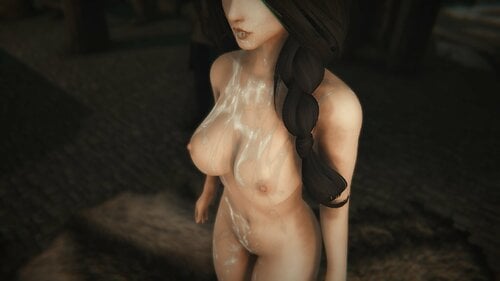
SLACS 2 + SCO ( Cum Overlays ) View File SLACS 2 is an add-on for SexLab, a middle ground between the older SLACS (SexLab Advanced Cum Stages) and the heavier SCO (Sexlab - Cum Overlays). It applies cum textures through the RaceMenu overlay system. Cum is cleaned based on the timer set in SexLab, when the character swims, or during rain. You get 6 cum layers for nearly every zone, and when the limit is reached, it starts overwriting already used slots. SLACS 2 uses 21 RaceMenu slots: Vaginal (Body): 6 slots (41-46) Anal (Body): 6 slots (47-52) Oral (Face): 6 slots (41-46) Breast (Body, chest): 6 slots (53-58) Hand (Hands): 2 slots (41-42) Foot (Feet): 2 slots (41-42) Legs (Body): 2 slots (59-60) Requirements: SexLab v1.66b or SLP+ RaceMenu SkyUI Installation: Install like a regular mod. You need to increase the number of layers in RaceMenu and enable overlays for NPCs. Edit the following in MO - RaceMenu\Data\SKSE\Plugins\skee64.ini Steam - C:\Program Files (x86)\Steam\steamapps\common\Skyrim Special Edition\Data\SKSE\Plugins\skee64.ini [Overlays] bPlayerOnly=0 ; Default[1] bImmediateFace=1 ; Default[0] [Overlays/Body] ; "Body [Ovl#]" and "Body [SOvl#]" iNumOverlays=27 ; Default[6] iSpellOverlays=1 ; Default[1] [Overlays/Hands] ; "Hands [Ovl#]" and "Hands [SOvl#]" iNumOverlays=9 ; Default[3] iSpellOverlays=1 ; Default[1] [Overlays/Feet] ; "Feet [Ovl#]" and "Feet [SOvl#]" iNumOverlays=9 ; Default[3] iSpellOverlays=1 ; Default[1] [Overlays/Face] ; "Face [Ovl#]" and "Face [SOvl#]" iNumOverlays=13 ; Default[3] iSpellOverlays=1 ; Default[1] You can set the starting slot in MCM. Remember: there are 20 slots for Body, 6 for Head, 2 for Hand, and 2 for Feet. (If you set the starting slot for Body to 10 in MCM, you need to set iNumOverlays=30.) ------------------------------------------------------------------------------- Functions requiring testing: Sperm effects on clothing, shaders. Can be disabled in MCM. Experimental feature. Auto-linking to UBE 2.0 -- Ultimate Body Enhancer 2.0. Experimental Auto-linking to Bathing in Skyrim - Renewed. Experimental Auto-link to Dirt and Blood - Dynamic Visual Effects. Experimental Normal maps (False volume and gloss effect). Use with ENB. To remove the effect, remove all textures with the _n prefix. ------------------------------------------------------------------------------ P.S. I made simple test textures, not like those in SLACS Plus. I need to test the plugin before working on texturing. For coffee - boosty Submitter CoverOne Submitted 10/17/2025 Category Sex Effects Requirements Regular Edition Compatible Install Instructions
-
 Here is the updated SOS to run with AE, binaries was built for 1.5.97, 1.6.353, 1.6.629, 1.6.640 and 1.6.659-gog. The main benefit is the fix for CTD when load order changes, a bug present since original SOS for SE. I'm including the files for users to download and overwrite the original SOS dll, just download the right file for your version and install using mod manager. There are no changes in code except related to SKSE plugin data, and some "includes" fixed. No antivirus false positives (except for one, that is the same for the original SOS SE), tested on virustotal.com. The structure of the project changed, it's a bit easier to build without copy parts of skse, or without change the source code to build for a different version of skse. Users with the version from chuckseven1 will have to do a clean save, this version uses the original SOS SE 1.1.4 source code. I don't have time to maintain, so a developer with skills to build a c++ program is needed here. All the credits goes to the original SOS developers. REQUIRES THE ORIGINAL MOD: If you have problems, follow the steps in MCM to safely remove SoS from your game, then use the clean-save procedure from this link: Guide:Troubleshooting - Step Mods | Change The Game (stepmodifications.org). When you are sure SoS was completely removed from your save, you can try reenable the mod. Always install the original SOS linked above, then overwrite the old DLL with this mod. Below the instructions FOR DEVELOPERS to build the dll: SchlongsOfSkyrim_1_1_5-DLL-1_6_353.7z SchlongsOfSkyrim_1_1_5-DLL-1_6_629.7z SchlongsOfSkyrim_1_1_5-DLL-1_6_640.7z SchlongsOfSkyrim_1_1_5-DLL-1_6_659gog.7z SchlongsOfSkyrim-1.1.5-AE-dllsource.zip All the credits goes to the original authors. SchlongsOfSkyrim_1_1_5-DLL-1.5.97.zip SchlongsOfSkyrim_1_1_5-DLL-1_6_1130.zip SchlongsOfSkyrim_1_1_5-DLL-1_6_1170.zip SchlongsOfSkyrim_1_1_5-DLL-1_6_1179-20240326.zip
 -
Hi, I've heavily modded my Skyrim AE, but I keep crashing to desktop during dialogue. It's not guaranteed, but it is pretty common. It can crash when I exit dialogue, exit the barter menu, and when the npc is speaking. If anyone is able to understand crash logs, and give me some pointers on what might be causing it, I would appreciate the help! Crash Log - Crash Log - Pastebin.com Load Order - Load Order - Pastebin.com
-
 So I have been playing a modded run for a while now, the game works mostly fine everywhere, I have been to cities like whiterun, windhelm, dawnstar, even completed the full dawnguard dlc with almost no issues (there was a weird ctd happening at random at soul cairn but i could navigate through quick saving and got out so as annoying as it was i don't plan on going back in there), but then i got in markarth because of simple slavery into public whore, at first it was fine but then during the quest game just freezes, so i got into a building and got stuck there because as soon as I got out, game would freeze immediately with no time to do anything, so i went back to a save during the simple slavery trial, and instead of markarth the quest sent me to whiterun and everything worked fine, I wanted to progress in the dark brotherhood quest so I went to windhelm to talk to the aretino kid, and then into riften, everything was fine until i got inside riften (i wasnt there before so i used carriages to get there), while getting inside riften the game froze again without loading anything so black screen, I have no idea really what to do to make it stop, I'm guessing it probably has something to do with interesting npcs or smth idk Here is the entire plugin list from mod organizer since game didn't CTD the crash logger didn't proc and so i don't even know what could have been the issue, but papyrus logs in my games->sse->logs->script->papyrus.0.log show this: I don't know if it is relevant or not but I'm doing what I can. I also tried toggling off ai with "tai" thinking it could be something about their ais but did not work if its somewhat relevant, my specs are RTX 3060 Ryzen 5 9600x 32gb ddr5 ram EDIT: If someone has this bug, i don't really know if your error is going to be the same as mine, but, my issue was a conflict between "A - IMMORTAN - Complete base game and dlcs - FINAL" and "Botox for MEN", freezes stopped once I disabled either one of them
 -
As the title says. Which version has the best compatibility with the various SL and DD mods in 2026? I have been using a downgraded version of SE since AE was released but had to reboot my computer. I was wondering if I should make the switch to AE 1.6.1170, as my redownloaded Skyrim has a hard time downgrading to 1.5.97 or is SE still the most compatible with LL mods?
-
so does nemesis work with the creature side of lovers lab or no i have been using fenis since i got my pc but i feel like i need an upgrade but there are still mod on this site i still wanna use
-
Version 0.79.5
43319 downloads
SLACS 2 is an add-on for SexLab, a middle ground between the older SLACS (SexLab Advanced Cum Stages) and the heavier SCO (Sexlab - Cum Overlays). It applies cum textures through the RaceMenu overlay system. Cum is cleaned based on the timer set in SexLab, when the character swims, or during rain. You get 6 cum layers for nearly every zone, and when the limit is reached, it starts overwriting already used slots. SLACS 2 uses 21 RaceMenu slots: Vaginal (Body): 6 slots (41-46) Anal (Body): 6 slots (47-52) Oral (Face): 6 slots (41-46) Breast (Body, chest): 6 slots (53-58) Hand (Hands): 2 slots (41-42) Foot (Feet): 2 slots (41-42) Legs (Body): 2 slots (59-60) Requirements: SexLab v1.66b or SLP+ RaceMenu SkyUI Installation: Install like a regular mod. You need to increase the number of layers in RaceMenu and enable overlays for NPCs. Edit the following in MO - RaceMenu\Data\SKSE\Plugins\skee64.ini Steam - C:\Program Files (x86)\Steam\steamapps\common\Skyrim Special Edition\Data\SKSE\Plugins\skee64.ini [Overlays] bPlayerOnly=0 ; Default[1] bImmediateFace=1 ; Default[0] [Overlays/Body] ; "Body [Ovl#]" and "Body [SOvl#]" iNumOverlays=27 ; Default[6] iSpellOverlays=1 ; Default[1] [Overlays/Hands] ; "Hands [Ovl#]" and "Hands [SOvl#]" iNumOverlays=9 ; Default[3] iSpellOverlays=1 ; Default[1] [Overlays/Feet] ; "Feet [Ovl#]" and "Feet [SOvl#]" iNumOverlays=9 ; Default[3] iSpellOverlays=1 ; Default[1] [Overlays/Face] ; "Face [Ovl#]" and "Face [SOvl#]" iNumOverlays=13 ; Default[3] iSpellOverlays=1 ; Default[1] You can set the starting slot in MCM. Remember: there are 20 slots for Body, 6 for Head, 2 for Hand, and 2 for Feet. (If you set the starting slot for Body to 10 in MCM, you need to set iNumOverlays=30.) ------------------------------------------------------------------------------- Functions requiring testing: Sperm effects on clothing, shaders. Can be disabled in MCM. Experimental feature. Auto-linking to UBE 2.0 -- Ultimate Body Enhancer 2.0. Experimental Auto-linking to Bathing in Skyrim - Renewed. Experimental Auto-link to Dirt and Blood - Dynamic Visual Effects. Experimental Normal maps (False volume and gloss effect). Use with ENB. To remove the effect, remove all textures with the _n prefix. ------------------------------------------------------------------------------ P.S. I made simple test textures, not like those in SLACS Plus. I need to test the plugin before working on texturing. For coffee - boosty