Search the Community
Showing results for tags 'skyrimse'.
-
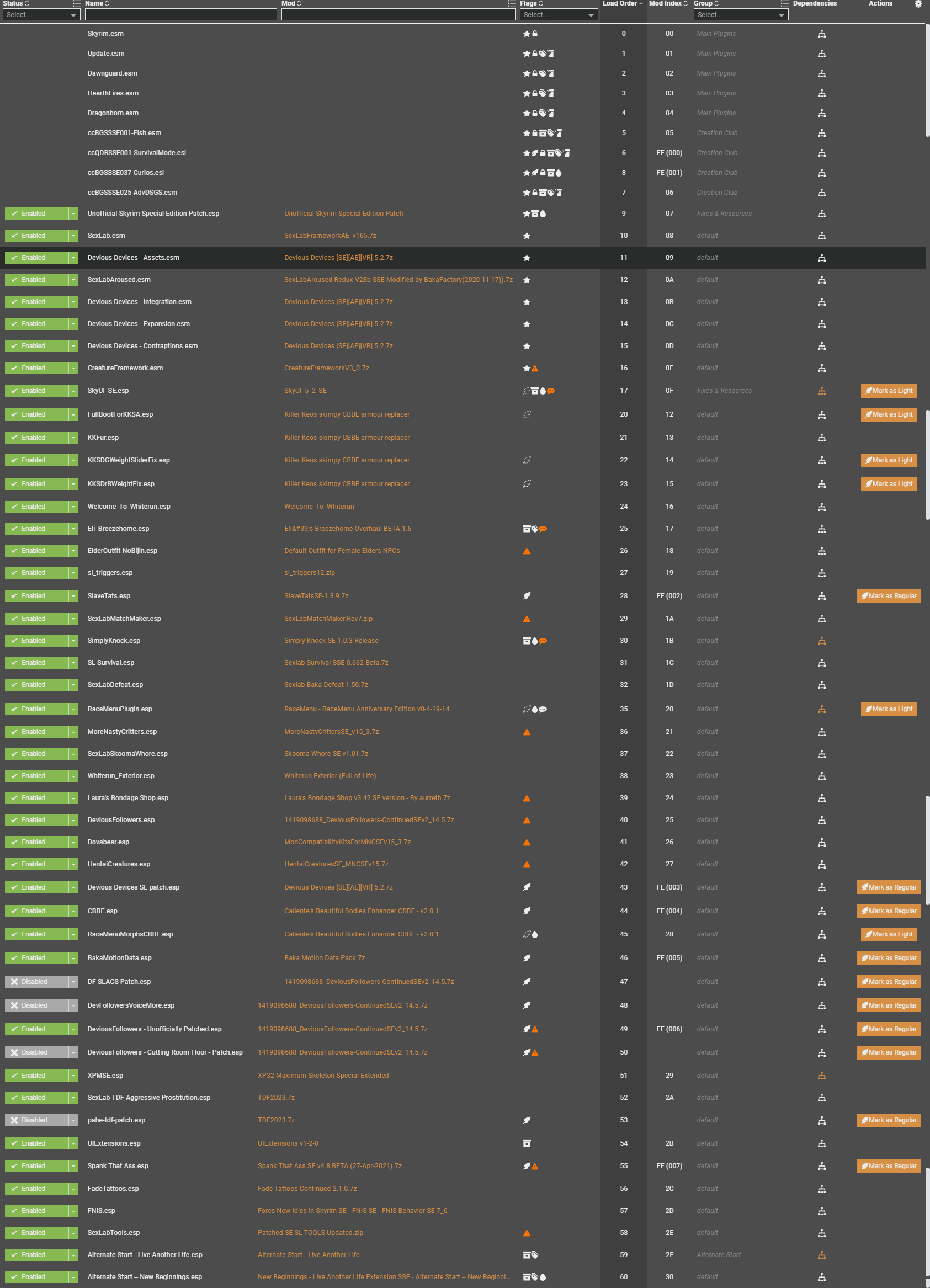
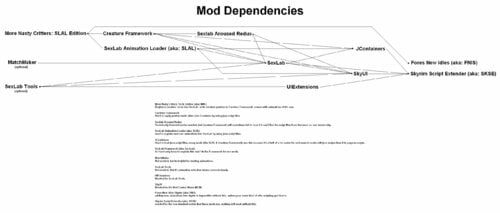
 More Nasty Critters Special/Anniversary Edition View File BE ADVISED: some sack of shit is using my name to re-post mods on other websites, this person is NOT me. DO NOT DOWNLOAD ANYTHING FROM THOSE OTHER SITES. I ONLY UPLOAD TO LOVERSLAB. THIS VERSION IS FOR SKYRIM SPECIAL, VR & ANNIVERSARY EDITIONS ONLY go here for Skyrim Legendary Edition: https://www.loverslab.com/files/file/4130-more-nasty-critters-slal-edition/ MNC is a unified collection of the basic adult creature mods, the contents within came from multiple mod authors. this version has updated mesh files, and is using SLAL for animation control. - - - - - - - - - - - - - - - - - - - - - - - - - - - - - - - - - - - - - - - - - - - - - - - - DISCLAIMER (copied from original v9 mod page): I know its problematic to expand on the work of others or even expand upon someone elses expansion of the work of a third modder. However some of the stuff here cant be released in any other meaningful way, at least not for someone who just wants to download and have fun. If someone is offended by the stuff I put here let me know and I remove it. Its just here to give fellow players easy access to stuff thats posted all over the board, after all. original More Nasty Critters made by dentarr: http://www.loverslab.com/files/file/1140-more-nasty-critters/ - - - - - - - - - - - - - - - - - - - - - - - - - - - - - - - - - - - - - - - - - - - - - - - - The Downloads: MoreNastyCritters: the main mod, adds aroused meshes & animations for creatures + registers races into SexLab so that other SLAL Packs can use them. (note: mod does NOT have a MCM of it's own, the CF and SLAL MCMs are used to control this mod). CreatureSummoner: adds spells to summon creatures for you to play with (note: mod has a MCM). ModCompatibilityKitsForMNC: various patches for other mods. CreatureFramework: used to apply aroused meshes onto creatures (note: mod has a MCM). ExperimentalSexLabCreaturesV1-66bToSLALConversion.7z removes creature animations from sexlab and re-adds them as a SLAL Pack. - - - - - - - - - - - - - - - - - - - - - - - - - - - - - - - - - - - - - - - - - - - - - - - - Required Mods/Install Order: The full install guide (and a list of SLAL Packs) can be found here: http://www.loverslab.com/files/file/3524-sexlab-more-nasty-critters-install-guide/ that guide is mostly not suitable for SE/AE anymore due to all the updates/game versions, but the list of slal packs is mostly still valid. Mod Organizer 2 is the recommended mod manager to use: https://www.nexusmods.com/skyrimspecialedition/mods/6194/ https://www.youtube.com/watch?v=j4ZQpzf_iAE&list=PLE7DlYarj-DcLS9LyjEqOJwFUQIIQewcK also if you are installing this into SkyrimVR you should go here first: https://www.loverslab.com/topic/134393-how-to-sl-in-vr-step-by-step-tutorial/ install mods in order shown: Skyrim Script Extender (aka: SKSE) http://skse.silverlock.org/ Note: must be installed manually into your game, NOT with the mod manager Warning: pay attention to what version of Skyrim.exe/TESV.exe you have, right click on it and go to "Properties" and then go to the "Detales" tab to find your version number. DO NOT FALL FOR THE SE/AE TRAP, if your game is "up to date" then your game is using the "AE" exe even if you did not buy the pack of CrapClub mods that goes by the same name, this is why you must look at your exe version number to see what you actually have. Address Library for SKSE Plugins SE/AE https://www.nexusmods.com/skyrimspecialedition/mods/32444 Note: you most likely want the file called "1.6.x" SkyrimVR https://www.nexusmods.com/skyrimspecialedition/mods/58101 Fores New Idles in Skyrim SE (aka: FNIS) https://www.nexusmods.com/skyrimspecialedition/mods/3038 Note1: don't forget to download the "FNIS Creature Pack" Note2: don't bother trying to use Pandora/Nemishit, combat mods are not worth it, you are just going to end up playing as a stealth archer again anyways. SkyUI https://www.nexusmods.com/skyrimspecialedition/mods/12604 note: use"SkyUI_5_2_SE" the new "6" versions seem to be causing issues. UIExtensions (needed for SexLabTools lower down on this list) https://www.nexusmods.com/skyrimspecialedition/mods/17561 Papyrus Tweaks NG ( makes sexlab run faster if you turn on "Speed up native calls" ) https://www.nexusmods.com/skyrimspecialedition/mods/77779? 1.7.xxx version https://www.nexusmods.com/skyrimspecialedition/mods/190778 SexLab Framework SE (aka: SexLab....the real SexLab and not that fake P- crap) https://www.loverslab.com/files/file/20058-sexlab-se-sex-animation-framework-v165-110822/ Warning: like SKSE you need to pay attention to what version of Skyrim you have. SexLab Tools https://www.loverslab.com/files/file/10660-sexlab-tools-for-se-patched/ note: when animations are running this lets you open a selection window by pressing H on your keyboard. Sexlab Aroused Redux SSE (aka: SLAroused) https://www.loverslab.com/files/file/5482-sexlab-aroused-redux-sse-version-29/ More Nasty Critters Special Edition (aka: MNC ) (you are here) Creature Framework (aka: CF) (you are here) JContainers SE (aka: JCON, needed for both SLAL and CF.) https://www.nexusmods.com/skyrimspecialedition/mods/16495 or https://github.com/ryobg/JContainers/releases Warning1: like SKSE you need to pay attention to what version of Skyrim you have. Warning2: if SkyrimVR DO NOT USE JCon v4.1.13 only use the older v4.1.2 file. SexLab Animation Loader SSE (aka: SLAL, SLALSE) https://www.loverslab.com/files/file/5328-sexlab-animation-loader-sse/ MatchMaker https://www.loverslab.com/files/file/163-sexlab-matchmaker-updated-09172014/ NOTE: this is a LE mod and it works fine in SE/AE without any porting, form 43 esp files are safe to use in SSE. it's only mods that have meshes, animations, bsa or dll files that you need to worry about, MatchMaker has none of these. Suggested Load Order: (Skyrim and it's DLCs here) SexLab.esm SexlabAroused.esm CreatureFramework.esm (other SexLab related mod's .esm here) (All other .esm mods here) SkyUI.esp UIExtensions.esp FNIS.esp (All other .esp mods here) SexLabTools.esp MoreNastyCritters.esp CreatureSummoner.esp (if installed) SexLabMatchMaker.esp SLAnimLoader.esp (other SexLab related mod's .esp here) Warning: if you have it please load XP32/XPMSE before MNC. Do not let there skeletons overwrite MNC or your game may crash or have floating dick problems, MNC is using nodes that are sometimes not found in these skeleton mods. - - - - - - - - - - - - - - - - - - - - - - - - - - - - - - - - - - - - - - - - - - - - - - - - other Related Mods/Addons you may or may not want: SexLab Utility Plus (NOT Sexlab P+ and never Sexlab P+) https://www.loverslab.com/files/file/10316-osmelmc-mod-tweaks/ Animation Limit Crash Fix ) https://www.nexusmods.com/skyrimspecialedition/mods/31146? Warning: may not be working for AE at this time, seeing mixed reports about it. alt mod to use: Engine Fixes SE/AE https://www.nexusmods.com/skyrimspecialedition/mods/17230 VR https://www.nexusmods.com/skyrimspecialedition/mods/62089 + Memory Leak Fix for the GOG version of skyrim https://www.nexusmods.com/skyrimspecialedition/mods/169302 Animated Beast's Cocks https://www.loverslab.com/files/file/7556-animated-beasts-cocksabc-for-users-le-se/ SexLab Werewolves Redux (for using animations when in Werewolf form) https://www.loverslab.com/files/file/18014-sexlab-werewolves-redux/ Werewolf Prostitution https://www.loverslab.com/files/file/36844-werewolf-prostitution/ SexLab Dragons https://www.loverslab.com/files/file/7900-sexlab-dragons/ + animations https://www.loverslab.com/files/file/5465-horny-creatures-of-skyrim-special-edition/ https://www.loverslab.com/files/file/3999-billyys-slal-animations-2020-2-1/ SexLab Aroused Creatures https://www.loverslab.com/files/file/6022-sexlab-aroused-creatures-se-2025-04-05/ Creature Overhaul (the "CO More Creatures" file to be exact, it goes well with the SLAC mod above) https://www.loverslab.com/files/file/12760-creature-overhaul/ Bad Dog's Immersive Creatures SE (if you have "Skyrim Immersive Creatures" mod installed) https://www.loverslab.com/files/file/6663-bad-dogs-immersive-creatures-se/ Note1: a bit outdated so some creatures are not supported. Note2: DO NOT install the "BDIC Creature Framework Patch", it was made for CFv2 not CFv4, installing it will cause CFv4 to stop working. Note3: don't install the "BDIC MNC Patch", it does nothing. the file you want is "1216885848_BDICBadDogImmersiveCreaturesSE_T2.1.7z" - - - - - - - - - - - - - - - - - - - - - - - - - - - - - - - - - - - - - - - - - - - - - - - - Animation Troubleshooting: 1. if you are using a Mod Manager ( please go with Mod Organizer 2, it's highly recommended ) make sure it's installing the files to the right location and with the right load order. a good guide for using Mod Organizer 2 can be found here: https://www.youtube.com/watch?v=j4ZQpzf_iAE&list=PLE7DlYarj-DcLS9LyjEqOJwFUQIIQewcK 2. run/rerun the GenerateFNISforUsers.exe, if you don't the animations wont work/run. C:\Games\Steam\SteamApps\Common\Skyrim Special Edition\Data\tools\GenerateFNIS_for_Users\GenerateFNISforUsers.exe WARNING: Windows (Vista/7/8/10) Security may interfere with updating/overwriting the FNIS behavior files. you may not even get a error message telling you that this has happened. make sure FNIS and your mod manager (if your using one) are running with administrator privileges. NOTE: try deleting "Data\meshes\actors\character\behaviors\0_master.hkx" and re-running FNIS again, that sometimes helps. 3. when you start the game with the Skyrim Script Extender (SKSE) loader the list of installed mods wont get refreshed, so if you install a mod and just start the game with the loader any new mods you installed wont be fully activated. to fix this problem go to the skyrim launcher and click on "DATA FILES" and it will refresh the list of installed mods, you can now close the launcher and start the game with the skse loader. note: this only apply if you are not using a mod manager 4. in game you need to go inside SexLab's Mod Control Menu (MCM) and click on "install" first before you can use SexLab. 5. make sure you have "Allow Creature Animation" checked in SexLab's MCM settings. 6. turn off "Match Creature Gender" in sexlab's MCM settings, if this setting is enabled some animations won't play. 7. did you forget to install the FNIS Creature Pack? install it and rerun the GenerateFNISforUsers.exe, then do steps 5 & 8 NOTE1: if you do have the Creature Pack but some creatures are just playing idle animations during sex or not moving try clicking on "De-Install Creatures" in FNIS, after it's done running click on "Update FNIS Behavior" (doing this will delete all the creature behavior files generated by FNIS and remake new ones...that is assuming you DO have the FNIS Creature Pack installed) NOTE2: try turning on the "hkx file compatibly check" in FNIS to see if you installed the wrong version/s of any animation packs. 8. you may need to reload the animations, go to the Animation Loader's MCM and then: 8.1. click on the "Disable All" button. 8.2. click on "Rebuild Animation Registry", then Wait for the message to pop up*. 8.3. click on "Reload JSON". 8.4. click on "Enable All". 8.5. click on "Count Animations" and make sure nothing is over 1000 (the stock SexLab v1.65 animation limit), turn off some animations if they are. 8.6. click on "Register Animations", then Wait for the message to pop up*. *if you like you can press "~" on your keyboard to open the console so you can watch it Register everything, just make sure you close it before you try to click on anything. 9. if SLAL Packs are not being listed in SLAL try reinstalling/updating JContainers. https://www.nexusmods.com/skyrimspecialedition/mods/16495 10. if you are getting teleported into the air above Secunda's Kiss (giant camp at center of map) then try starting a animation in a indoor area first. it should stop happening outside after you do. 11. if all else fails, try going to sexlab's "Rebuld & Clean" menu and click on "Clean System" to reset everything to there default values. note: once done you will need to re-select any sexlab settings you changed (turn Allow Creature Animation back on), and re-register your SLAL Packs. - - - - - - - - - - - - - - - - - - - - - - - - - - - - - - - - - - - - - - - - - - - - - - - - (Human) Animation Troubleshooting: Problem1: actors standing inside each other and T pose or playing idle animations. cause1: you forgot to run FNIS after installing/removing animations. fix: run FNIS. cause2: you installed the wrong animations for the version of the game you are using. fix: remove the animation mod that is wrong and install the correct version. tip: if you don't know what mod is wrong, then turn on the hkx compatibility check in fnis. cause3: the generated 0_master.hkx may be corrupted. fix: delete the 0_master.hkx to force fnis to generate a new one instead of trying to update it. file location: Data\Meshes\actors\character\behaviors\0_master.hkx note: should be deleted from within your mod manager...but that may also depend on however fnis was setup within it. Problem2: odd behavior from sexlab (Eg: animations are not what it says are running, massive actor misalignments, or other odd shit) cause1: corrupted animaton registry/SKSE cosave. fix: go to the Animation Loader's MCM and then: 1. click on the "Disable All" button. 2. click on "Rebuild Animation Registry", then Wait for the message to pop up*. 3. click on "Reload JSON". 4. click on "Enable All". 5. click on "Count Animations" and make sure nothing is over 1000 (the stock SexLab v1.65 animation limit, yours may be different), turn off some animations if they are. 6. click on "Register Animations", then unpause and Wait. cause2: corrupted sexlab settings/scripts. fix: go to sexlab's "Rebuld & Clean" menu and click on "Clean System", then unpause and wait. note: once done you will need to re-select any sexlab settings you changed, and re-register your SLAL Packs. cause3: the generated 0_master.hkx may be corrupted...again. fix: same as last time. - - - - - - - - - - - - - - - - - - - - - - - - - - - - - - - - - - - - - - - - - - - - - - - - Creature Framework Troubleshooting: note1: don't use alt player werewolf form mods (Eg: the Player Hermaphrodite Werewolf patch) if you are playing as a vampire lord or using a creature transformation mod, due to how those mods work it will prevent CF from working on your non-werewolf creature form. CF will see you as still wearing the custom werewolf body mesh but as a different race, therefor seeing you as a unregistered race/armor combo. note2: if using SkyrimVR DO NOT USE JCon v4.1.13 only use the older v4.1.2 file. Aroused mesh not getting/staying applied during animations (a list of things to try): A. go to the Creature Framework MCM and click on "Re-register all mods", then unpause the game and Wait a Minute. B. go to the Creature Framework MCM and click on "Clear Creatures" C. go to SexLab's MCM and turn off "Automatic Free Camera" (don't know why but freecam may stop meshes from getting refreshed, especially the player's werewolf form) D. go to the Creature Framework MCM and disable "SexLab Aroused integration" E. try clicking on the uninstall button in CF's MCM, then save & quit and reload the save. (wait for Creature Framework to reinstall and register) F. click on the uninstall button in CF's MCM, then save & quit, then use a save editor to remove all of Creature Framework's scripts & forms from your save file. NOTE: you may need to save & quit again after installing to get it's MCM menu to load. also adding this to the Skyrim.ini (My Documents\My Games\Skyrim) may help CF work a bit better: [General] bPreemptivelyUnloadCells=1 Creature Framework not registering mods / is empty / stuck in a registering loop: try reinstalling JContainers or installing a older version of it. ( Warning: pay attention to what version of Skyrim.exe you have. ) https://www.nexusmods.com/skyrimspecialedition/mods/16495 or https://github.com/ryobg/JContainers/releases There was a problem if you had any Mods from CrapClub (Creation Club) installed, but that bug should be fixed in newer versions of JContainers: the problem was you had to remove them (or any other esl based mods) before you could register/reregister Creature Framework based mods into Creature Framework. (i'm just keeping this message here in case the problem comes back) - - - - - - - - - - - - - - - - - - - - - - - - - - - - - - - - - - - - - - - - - - - - - - - - List of known mods that cause Werewolf problems: One of the "Serana" mods but i can't remember the exact name, however theses esps are known to turn the female werewolf into a male: Serana.esp Valerica.esp Bijin AIO.esp load there esps before mnc's or delete the ArmorAddon ( NakedTorsoWerewolfBeast [ARMA:000CDD87] ) and any other werewolf edits from them. EasyNPC: I don't know the details of what this program it's doing, just that it's causing problems. I assume its creating the same issue as the above, and therefor has the same fix. ABC: the "MNC_ABC_Patch.esp" file found in that mod is turning the herm werewolves into male (and is also messing up the Player Hermaphrodite Werewolf patch because of it), turn off and/or delete that esp from that mod. ABC also has rogue meshes in it that are causing problems: "meshes\actors\werewolfbeast\character assets\" has random body part meshes in it, this may cause issues with mods such as "Total Werewolf Overhaul", the only thing that ABC should have in this folder are the skeleton files. ABC's version of "MaleWerewolf_1.nif" in "MoreNastyCritters\werewolf\" is causing double dick & permanent erections issues, the only thing ABC should be replacing in this folder are the "addon_penisnamehere.nif" files. SOS: double dick problems, you need to turn off werewolves under all of its mcm settings. if that fails to work then a more extreme fix can be found in the ModCompatibilityKit. One With Nature - Dynamic Animals and Creatures: it does not cover the female creatures added by mnc you need to add OWNWerewolfFaction "OWN Werewolf Faction" [FACT:xx00388B] to the female werewolf's faction, and OWNAbilityWerewolf "OWNAbilityWerewolf" [SPEL:xx04FBA9] to the female werewolf's actor effects. Bash/Smash patches: they can be known to mess up the body template flags on some creatures. Total Werewolf Overhaul (TWO): it has a patch for HCOS in it but HCOS no longer has werewolf meshes in it, so using that patch will only cause more problems. Moonlight Tales: that piece of shit is not even compatible with itself, let alone other werewolf mods. remove it and never look at it again. Growl - Werebeasts of Skyrim: this mod adds new keywords to the Werewolf & Werebear races, so the esp must be loaded after MNC to avoid problems. but this mod also makes them larger again, so you will need to edit the race's heights with xedit to make the animations line up again. - - - - - - - - - - - - - - - - - - - - - - - - - - - - - - - - - - - - - - - - - - - - - - - - FNIS Troubleshooting: "ERROR(9): Index was outside the bounds of the array" or "ERROR(2026): Too many animations": you may have Too many animation mods and/or SLAL Packs installed, use the "XXL" version of FNIS or uninstall some animations. "ERROR(76): Could not find a part of the path DebugData.txt": a Win10 update (or antivirus software) has forcibly turned on real time protection and it's stopping FNIS from generating/updating files. you need to disable real time protection before running FNIS, or add GenerateFNIS_for_Users.exe to the exclusions list (also you should probably add skse_loader.exe and TESV.exe as well) Crashing on loading save file: you have Too many animations installed, most people start crashing around 12000 to 14000. remove some animation mods to fix the problem, or try installing these mods to bypass the crashing point: https://www.loverslab.com/files/file/11208-animation-limit-crash-fix/ https://www.nexusmods.com/skyrimspecialedition/mods/17230/ - - - - - - - - - - - - - - - - - - - - - - - - - - - - - - - - - - - - - - - - - - - - - - - - Papyrus Tweaks: "NOTE: THIS MAY OR MAY NOT FULLY APPLY TO SKYRIM SPECIAL EDITION" the problem with installing script heavy mods is that the default Papyrus settings are not capable of handling the additional stress. This tweak should increase stability, and needs to be added to the Skyrim.ini file under the [Papyrus] section. Your Skyrim.ini can be found in "My Documents\My Games\Skyrim" [Papyrus] fUpdateBudgetMS=1.6 fExtraTaskletBudgetMS=1.6 fPostLoadUpdateTimeMS=1000.0 bEnableLogging=0 bEnableTrace=0 bLoadDebugInformation=0 iMaxMemoryPageSize=8192 iMinMemoryPageSize=256 iMaxAllocatedMemoryBytes=153600 note1: there is some debate on the last 3, it has been suggested that they should just be deleted from (or never entered into) the Skyrim.ini https://www.loverslab.com/topic/56084-crash-fixes/ use this mod and use there Papyrus setting suggestions: https://www.nexusmods.com/skyrimspecialedition/mods/77779? note2: you should only have logging turned on (bEnableLogging=1) if you are actively trying to find a Papyrus script based problem, the rest of the time it's just a drain on system resources and it can cause extra stress for the papyrus system, therefor if you have it on all the time it can potentially become a part of the problem your trying to fix. it only logs the scripts anyways so if you have a problem like a deleted world object or a bad navmesh the log won't say anything helpfull, you should be doing this if you have such a problem: http://www.creationkit.com/index.php?title=TES5Edit_Mod_Cleaning_Tutorial http://wiki.step-project.com/TES5Edit/TES5Edit_Cleaning_Instructions - - - - - - - - - - - - - - - - - - - - - - - - - - - - - - - - - - - - - - - - - - - - - - - - Other Notes: when you select "MNC Rescaled Meshes" for the wolves in CF's MCM it makes the wolves larger and gives them a penis that does not support ABC animations, this is intended to be used for older wolf animations. (if you have RaceMenu/NIOverride you may want to edit the MoreNastyCritters.esp to remove the object effect from the wolf armors or they may end up much bigger than 1.2) - - - - - - - - - - - - - - - - - - - - - - - - - - - - - - - - - - - - - - - - - - - - - - - - Mod Compatibility Kit index of patches: Warning: theses are ported from the LE version of the "mod compatibility kit" so some patches may be looking for the LE versions of the mod (eg: not a esl file) Bear Mods: The DovahBear (with & without Werebear form) Canine Mods: A Dogs Life Amaterasu The Great Spirit (was unnecessary, Amaterasu is/was Female, this makes her a male) garm companion GenderDogs (you don't need the original mod to use this because MNC already includes female meshes) Meeko Reborn OkamiFollower True Meeko True Wolves of Skyrim Vargr - a Draugr Hound Vigilance Reborn Zombie Dogs and Skinned Hounds- Mihail Monsters and Animals Dragon Mods: Behemoth Dragon Chaos Dragons Deadly Dragons Diverse Dragons Collection 3 V4-1-3 DurnehviirResurrected Jills of Akatosh Jormungandr Dragon Nithhogg Dragon Thanatos Dragon (note:if you are mixing dragon mods (Eg: Chaos Dragons with Deadly Dragons) you may need to edit the leveled npc lists, Eg: LCharDragonAny "0005EACF") Horse Mods (the bane of my existence): Blaze Of Eventide Convenient Horses V5 GenderHorses (you don't need the original mod to use this because MNC already includes female meshes) Horse Armors Immersive Horses Levelers Tower Realistic Primitive Horse Breeds Stendarr Rising Other Mods: Bestial Essence (may or may not work) Creature Mod - Degonians (A.K.A: a DeathClaw mod for Skyrim) Darkend Reapers The Dark Tower SkyFem Tame the Beasts of Skyrim II The Gray Cowl of Nocturnal Tumbajamba's Mounts Vilja in Skyrim Yiffy Age of Skyrim Zombies- Mihail Monsters and Animals MNC Werewolf extras: Alternative Werewolf Textures (for female/herm werewolves) Player Hermaphrodite Werewolf patch Remove Werewolves from SOS installing the patches with a Mod Manager: note from harveytherabbit: "Mod Manager (i think he meant Mod Organizer) : Install the patch in the Mod Manager interface and you will see all of them under that one install. Navigate under the respective folder title for the patch you wish to install. Keep expanding the folder hierarchy until you see that patch's 'data' folder and the Right Click and set as Data Directory. Once it shows the green text indicating it is selected as the data folder, rename the install however you want to identify it as the patch for that specific mod (ex - "MNC Patch - ModTitle") and then complete the install and enable it. Repeat these steps for each patch you need for your own mod structure." as i understand the things i've seen other people say in the past the patches need to be extracted and then recompressed into 7zip files of there own to be installed. - - - - - - - - - - - - - - - - - - - - - - - - - - - - - - - - - - - - - - - - - - - - - - - - CREDITS: note: this list of credits most likely has many errors due to the amount of crossover work that has been done. its hard to keep track of things when others are expanding upon someone else's expansion of work from a third person. AnTiWoMaAgNoT (female VampierLord mesh) Ashal (SexLab, scripting consultant) Bad Dog (mesh consultant, edited Deer/Elk penis, Steam Centurion mesh, edited sabercat penis, Dragon Priest mesh, Riekling penis?, frost giant penis) billyy (past Animations now removed, mesh & animation consultant + testing) Blaze69 (consultant for many things) blipblap (edited Hulking Draugr mesh, edited Giant body meshes, edited troll penis, Ashhopper) Chosen Clue (Ash Spawn fix) Cyndi (Benthic Lurker penis) DARKGRAY (helped with something but i can't remember what it was) Dayelyte (Animations) dentarr (original MNC mod author) Derrax (werewolf balls) diarawr (Canine penis & werewolf penis from horny dogs of skyrim) Dr Fring (female VampierLord texture) Ep1cL3w1s (Creature Framework) Flyingtoaster (Hentai Creatures) Fore (FNIS, animation consultant) FunnyBiz (Animations) Gary3 (female horse meshes) Gone (Animations, Beastiality Extras, Bear balls, Chaurus penis, spider penis, Draugr penis, Falmer penis, Gargoyle penis, Giant penis, Sabrecat penis, troll penis, VampireLord penis) h38fh2mf (did something but i can't remember what it was) jacques00 (female giant mesh, female Draugr texture) Leito86 (Creature Features, Animations, Horse penis, new bear penis, Werebear penis, Riekling penis?) llabsky (Animations) lordescobar666 (Sexlab Nude Creatures) Lost_Hawk (Female Falmer) Lugburzum (Dremora face Fix for Hentai Creatures) MadMansGun (mod maintenance, multiple edited meshes, dwarven sphere dildos, Dwarven Spider penis, Dwarven Ballista dildo, Werebear penis (based on Leito's horse penis), Frostbite Spider penis (based on Gone's Chaurus penis), Chaurus Hunter (also based on Gone's Chaurus penis), Frost Atronach, edited Dragon penis) nicholas8 (helped with race registration) Moutarde421 (female werewolf) Panicforever (Animations) PaulGreen (modifications to SLAL and enabling icewraith animation support) Pfiffy (SSE porting) ppp (helped with the Immersive Horses patch) RavenKZP (female Dog & Husky) SirNibbles (consultant, idea tester) Skullered (helped with something but i can't remember what it was) SkyMoMod (the Arch Demon in Hentai Creatures) Subject2Host (edited bear penis textures, Werebear penis based on horse penis, Rabbit penis based on skeever) Vioxsis (Goat, Horker, Hagraven, new Boar) vpoteryaev (helped with something but i can't remember what it was) Xandero (Animations) ZarthonTheVanquished (fixed some creature voice errors) Submitter MadMansGun Submitted 03/18/18 Category Framework & Resources Requirements SexLab Framework, SLAL and other things Regular Edition Compatible No Install Instructions
 -
View File This is the Creature Framework conversion from the SE Conversion Tracking thread: Thanks go to Ep1cL3w7z for allowing me to upload this for the masses, Flowers go to LazyGirl and Tasairis for editing some scripts and making this possible. This is NOT an official version! (It seems like it will be the only one thats officially availible) If you run into problems, first make sure you have the fitting JContainers version for your SKSE version. Thanks to MadMansGun there is a full installation guide here: If you still have problems visit: https://www.loverslab.com/topic/94228-sse-conversion-tracking-mar-16-rev-8/?page=25&tab=comments#comment-2182722 SKSE can be found here: http://skse.silverlock.org/ JContainers can be found here: https://www.nexusmods.com/skyrimspecialedition/mods/16495 Notes: To make MNC run with the OLD CF it is better to install CF without MNC present in your loadorder. You can test if it is working with Hentai Creatures: Spawn a Husky, target it and mark it with 'N' and check if it shows up in the CF MCM puppeteer. Submitter Pfiffy Submitted 03/18/2018 Category Regular Mods Requires Jcontainers, SKSE, Regular Edition Compatible No View File
-
请注意,我只保留了汉化后的文件,仍然需要下载原模组!默认支持版本为SE 1.5.97,请自行确认是否支持其他版本。 没有说明的内容是补档9DM上的汉化,有些做过少量的修改: Sexlab实验室 SexLab Framework1.63正式版 Sexlab扩展 P+ SexLab Framework PPLUS(P+)v2.17.1 - NG (精翻) ZAZ束缚框架 ZaZ Animation Pack CBBE HDT V.8.0+ SE2023 生物框架 CreatureFramework 4.0 生物召唤术 CreatureSummoner_MNCSEv16 生物与生物动画-汉化加载界面 HornyCreaturesofSkyrimSE&AE V2-4A (AI翻译) 肏龙 SexLabDragonsV6_WIP39(AI翻译) 好色生物-修改生物模型和添加动画 MoreNastyCrittersSE&AE V16_2E 填满她-怀孕或膨胀模组 Fill Her Up Baka Edition 2.03 Hotfix(原出处不在L网) 纹身插件 SlaveTatsSE-1.3.9 死后奸淫 Player Death Aftermath 3.2.1 PPlus Integration(粗翻) 饥饿 Ravenous SE 3.34(AI翻译) 简单战败 SimpleDefeat 1.7.0 (1.7.0后续版本的汉化我用着有问题,由于原帖没法下1.7.0版本因此上传完整的模组) 致命家具 PamaDeadlyFurniture 3.4.5 (AI翻译) 肢体分解套装 ToastGuroOutfits_2_12_1 监狱后果替代 PamaPrisonAlternative_V2.0.3_LE_SE_AE 监狱后果替代扩展-风舵监狱坏结局 PA_Extension_BadEndsRevived_WindHelm 监狱后果替代扩展-赏金猎人 OrkishBountyHunters_V0.4_SE_AE 监狱后果替代扩展-挂树监狱坏结局 Pama-OutdoorEventPackV1.2 监狱后果替代扩展-裂谷城 Bad Ends Revived Riften SE 1.31 监狱后果替代扩展-安息圣域死亡替代 PamaSovngardeAftermath_V1.0.0_SE_AE 监狱后果替代插件-独孤城监狱坏结局 PA_Extension_BadEndsRevived_Solitude_V1.7.9 (AI翻译) 简单玩家卖淫 Simple Player Prostitution.1_7_3 肆意放纵 SexLabRandomSexNG_2023 (适用于Sexlab框架 1.63) 可怕的性骚扰 SLHH Expansion 3.85 束博奴隶展览会 v3.0.0 DM3 dse-display-model-gamma1 愚蠢对话 BaboDialogue 6.00 新版巨根系统 SOS-NG Schlongs of Skyrim AE 2.1.1(精翻) 动物研究:欲求不满的学者 Animal Research: The Insatiable Scholar 054 (AI翻译) 夜生活 SLNights 2.8.0 (AI翻译) 危险的天际之旅 DeviousCarriages v40a (AI翻译) 声望框架重制版 SLSF Reloaded 3.4.1 (AI翻译) 声望评论重制版 FameCommentsReloadedSE 1.3 (AI翻译) 女英雄的麻烦 Troubles of Heroine 3.0.2 (别人的精翻,SE版本) 迪贝拉的爱 Dibella's Love (Vow of Nudity) 0.27 (AI翻译) 调戏 SexLab Approach 3.61(AI翻译) 怀孕模组 SexLabHentaiPregnancy SE 2022-09-06 (精翻) 性偿 LMAO - Tolls and Crimes - 0.3.7.4.9(AI翻译) 醉酒 SLDrunkRedux 1.3(AI翻译) 做爱围观 SpectatorCrowdsUltra 0.99 BETA 6(ESP文件由buguniaogu翻译) 由sblichking翻译的模组: 巴拉扎尔的母狗 Adventures with Balazar (Balazar's Bitch) - Beta 0.95 SE/LE 生物欲望 SexLab Aroused Creatures SE v04.18 CH-YZ 强盗天堂 Bandit Paradise 1.5.1 魔法传送阵鸡巴 Magic Portal Dicks 2.2 动物庄园重制版 Animal Mansion Reborn 1.0 自改或自制模组: 新版巨根 SOS-NG 与 Fluffy khajiit 3 的兼容补丁 Fluffy Khajiit Slot 52 适用于新版巨根SOS-NG(将原模组的基于TNG的条件判断改为SOS-NG,不需要原模组):基于欲望的扶她自慰动画 Futa Aroused Masturbation Idle OAR V2.0 赤裸闲置-诱惑站姿与潜行(自改,只有被判定为裸体才能触发的闲置,原出处为9dm,我删添了些动画) 自改集合纹身包 SlaveTats Tattoo AIO 纹身包(修改显示名称为中文,统一整合后以语言和类型分类) 动画切换 pplus_tools_forWIPPPLUS 自改使其支持中文显示,按字母O键随机切换动画,H键查看动画列表并选择动画 未来计划:Player Death Aftermath的下一次更新会考虑精翻,但脚本暂时不会考虑精翻(因为太多了) 请遵守网站规则不要询问和回答任何有关萝莉或正太的内容,这有利于这个网站和那个网站。 如果你要找就去原址找,自行搜索魔曰:临者旅而现之,遥者探而筑之。恋将岩之,此空有旧树瑞铃,骏福瑞空。鸢曰:“曲可行鲤迸添,且火岩咸作” ,是故长璃不必不如雀,驿不必旧于安森,虽无物花之致,亦关以少问明声。 咒语:你是故意找茬儿是不是啊 如果有好mod可以说一下(记的附上mod原址),我会考虑汉化(默认用AI翻译,精翻看内容和文本量了) ZaZ Animation Pack CBBE HDT V.8.0 SE2023.7z SexLab Framework1.63正式版汉化.7z 监狱替代插件-坏结局:裂谷城 Bad Ends Revived Riften SE 1.31.7z 肢体分解套装 ToastGuroOutfits.7z 纹身插件 SlaveTatsSE-1.3.9.7z 填满她-怀孕或膨胀模组 Fill Her Up Baka Edition 2.03 Hotfix.7z 肆意放纵 SexLabRandomSexNG_20250121.7z 生物召唤术 CreatureSummoner_MNCSEv16 汉化.7z 简单玩家卖淫 Simple Player Prostitution.1_7_3.7z 监狱替代扩展-赏金猎人 OrkishBountyHunters_V0.4_SE_AE.7z 监狱替代插件-坏结局:裂谷城 Bad Ends Revived Riften SE 1.31.7z 监狱后果替代扩展-挂树监狱坏结局 Pama-OutdoorEventPackV1.2.7z 监狱后果替代扩展-安息圣域死亡替代 PamaSovngardeAftermath_V1.0.0_SE_AE.7z 监狱后果替代 PamaPrisonAlternative_V2.0.3_LE_SE_AE.7z 风舵监狱坏结局 PA_Extension_BadEndsRevived_WindHelm.7z 监狱替代插件-裂谷城 Bad Ends Revived Riften SE 1.31.7z 可怕的性骚扰 SLHH Expansion.7z 束博奴隶展览会v3.0.0-dse-display-model-gamma1.7z 愚蠢对话 BaboDialogue 6.00 CN.7z 肏龙 SexLabDragonsV6_WIP30.7z Fluffy Khajiit Slot 52.esp 监狱后果替代插件-独孤城监狱坏结局 PA_Extension_BadEndsRevived_Solitude_V1.7.9.7z 致命家具 PamaDeadlyFurniture_V3.4.5.7z 肏龙 SexLabDragonsV6_WIP32.7z 动物研究:贪得无厌的学者 Animal Research The Insatiable Scholar 054.7z 生物与生物动作 HornyCreaturesofSkyrimSE&AE_V2_4A.7z 夜生活 SLNights-2.8.0.7z 生物框架 CreatureFrameworkV4_0.7z 死后奸淫 Player Death Aftermath 3.2.1 PPlus Integration.7z 危险的马车之旅 DeviousCarriages v40a.7z 身望框架重制版 SLSF Reloaded 3.4.1.7z 女英雄的麻烦 TOH3.0.2 CHS.7z SimpleDefeat 1.7.0 简单战败.7z Balazar's Bitch v0.95 SE CH-YZ.7z 迪贝拉的爱 Dibella's Love (Vow of Nudity) 0.27.7z 调戏 SexLab Approach 3.61.7z [Sexlab P+] 动画切换 pplus_tools_forWIPPPLUS.7z 基于欲望的扶她自慰动画 SOS-NG Futa Aroused Masturbation Idle OAR V2.0.7z 怀孕模组 SexLabHentaiPregnancy SE.7z 饥饿 Ravenous SE 3.34.7z 性偿 LMAO - Tolls and Crimes - 0.3.7.4.9.7z 肆意放纵 SexLabRandomSexNG_20230107.7z 醉酒 SLDrunkRedux.7z 肏龙 SexLabDragonsV6_WIP39.7z SexLab Framework PPLUS - V2.17.1 - NG.7z Bandit Paradise v1.5.1 LE_SE_AE CH-YZ.7z SexLab Aroused Creatures SE v04.18 CH-YZ.7z Magic Portal Dicks 2.2 CH-YZ.7z 赤裸闲置-诱惑站姿与潜行(改).7z 做爱围观 SpectatorCrowdsUltra.7z 新版巨根系统 SOS-NG Schlongs of Skyrim AE 2.1.1.7z SlaveTats Tattoo AIO 纹身包.7z 好色生物-修改生物模型和添加动画 MoreNastyCrittersSE&AE_v16_2.7z 声望评论重制版 FameCommentsReloadedSE1.3.7z Animal Mansion Reborn 011 LE_SE_AE CH-YZ.7z Animal Mansion Reborn 011 LE_SE_AE CH-YZ.7z
-
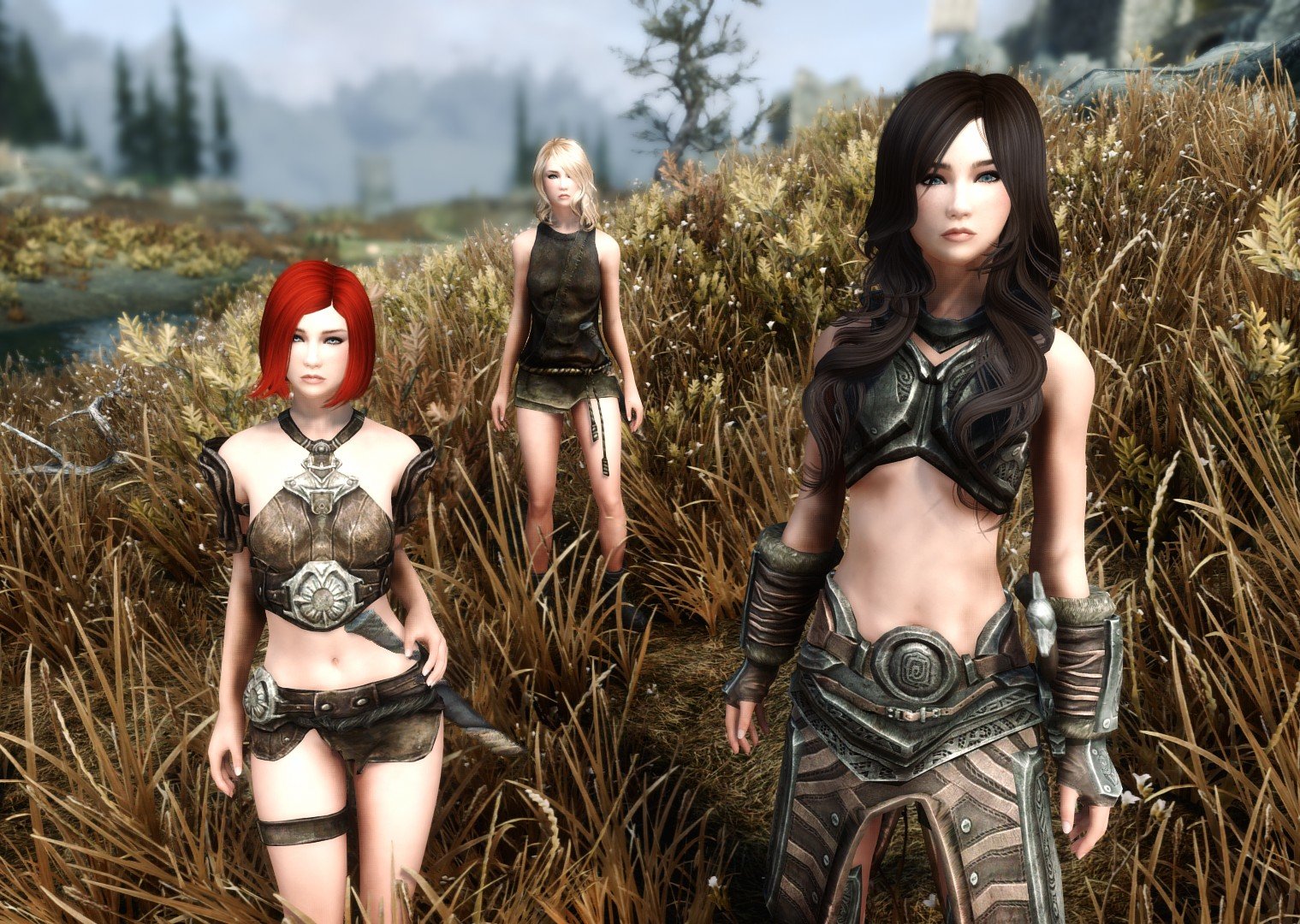
Meet Heidi, Mikki, Vera, and several other new companions, with unique classes and fun dialogues! They will alternately be happy, giggly, sad, bitchy, arrogant and downright mean - they are, after all, sassy! They chatter away constantly, and are location and situation aware. Try changing into a Werewolf in front of them. They will comment about enchanted weapons, items and spells. They also will tell you where they like to eat, what they think about where they are, and when they are tired and want to go to sleep. And they like to sass you when you ask them to do something. Do the wrong thing and they will HATE you. They're teenage girls! The mod was originally posted in 2016 on Nexusmods, with thousands of downloads, but after several harassments and conflicts the creator decided to delete the mod. She is also responsible for the voices of the followers. So I reposted this mod on Loverslab This is my version of follower mod Sassy Teen Girls for Skyrim Legendary Edition and Special Edition, CBBE slim, no neck seams. Upon request, I am also including the most recent UNP version, but I was unable to test it. I have permission from original author (triptherift) to post this version, provided I NEVER upload it to Nexus Mods. By downloading this version you must also agree to this condition, NEVER upload it to Nexus Mods. Also, nothing contained in the mod can be used for paid modding sites, ever. Legendary Edition Version (2011) There are only three girls (Mikki, Vera, Heidi), they are inside Jorrvaskr Living Quarters. Requirements Caliente's Beautiful Bodies Edition -CBBE- Download STG CBBE LE Special Edition Version CBBE (2016) There are a total of 24 girls. Compatible with Skyrim Anniversary Edition (2021). Requirements Caliente's Beautiful Bodies Enhancer -CBBE- Download STG CBBE SE Special Edition Version UNP (2016) The most recent UNP version, but I was unable to test it. Requirements UNP Female Body Renewal Download STG UNP SE Bonus Normal-size Sylvi (thanks @bryanthesnail) Physics (thanks @PrimeZero170) Balance Patch (thanks @PrimeZero170) 3ba bodyslide (thanks @nr8) Changing Body Type (thanks @Deanevea) Sassy customizer uunp uunps (thanks @Silvio2020) Where Are They: 1. Mina - College Of Winterhold Hall Of Attainment (Upper Level) 2. Tessa - Dawnstar Windpeak Inn 3. Cara - Falkreath Dead Man's Drink 4. Sara - Riften Hall Of The Dead 5. Missy - Windhelm Candlehearth Hall 6. SharLynn - Riften The Bee and Barb 7. Jenna - Deep Folk Crossing 8. Kali - Solitude Winking Skeever Inn 9. Lilith - Riften Ratway 10. Shauna - Karthwasten Fenn's Gulch Mine 11. Sabina - Ivarstead Vilemyr Inn 12. Bogran - Largashbur Longhouse 13. Mikki - Whiterun Dragonsreach 14. Vera - Jorrvaskr Living Quarters 15. Heidi - Riverwood Sleeping Giant Inn 16. Greta - Ragnvald Temple 17. Sayan - Markarth Understone Keep 18. Lyra - High Hrothgar 19. Eydis - Brinewater Grotto 20. Sylvi - Riverwood entrance 21. Hege - Anise's Cabin Cellar 22. Selby - Snapleg Cave 23. Nanna - Arcwind Point 24. Ingrid - Hella's Folly Other Info: Height: 0.95 (Sylvi 1.75) Weight: 0 Cleaned with SSEEdit: Yes Install: Use Vortex, MO2 or just extract with 7Zip, place the files in the data directory and enable them in the launcher. Uninstall/upgrade: Dismiss them ALL. leave the cell area. Save, exit, then uninstall the files. Start up the game, and save again. Re-install any new versions after you've taken the preceding steps FIRST. Body Type: CBBE Slim. You can equip them with most armor types and get a decent result. Use BodySlide and Outfit Studio for extra customization. You can change the Body Type by following this guide. Sleep package: Yes. Sandbox type: They will make themselves at home wherever you dismiss them. Adoptable? No. They are young adults. Marriage? Well, if you say so. Can I recruit more than one at a time? They use default game follower rules. If they see that you have someone already following you, they will say “Nah, I don’t think so” when you ask them to join you. You will need to use a follower management mod and force recruit if you need a team to follow you. They use custom forms for the follower dialogue, which the multi-follower mods tend to choke on. You will need at a minimum to have those mods loaded higher than this one and “force recruit”. And even with that, expect some issues. Issues: DO NOT open this mod up in the Creation Kit. Every time you open this esp in the new Creation Kit it will generate a new facegen, and ruin their looks. They use custom geometry. You've been warned. If you need to make changes in the esp for stats, ai, etc. use SSEEdit. Seriously. Sylvi the giant will scale up and down using furniture and some idle markers. Use this mod to prevent that. Girl, Class and Locations (thanks @GrumpyOldNord)


-

Collectible Waifu Cards
doragonmaid posted a topic in Downloads - Skyrim: Special Edition Adult Mods
Collectible Waifu Cards View File --- About --- This mod adds over 200 unique cards to Skyrim for you to collect, along with a number of other fun gameplay features like a display hall, unlockable dungeons, gachas and crafting! There's a variety of rarities ranging from common to ultra rare, with non-commons having unique holographic patterns. The card art primarily features cute/lewd characters, with rarer cards featuring more explicit hentai/fetish content. Here's the main ways to get them: - As rare drops from chests, enemies, and various other loot containers - Misc merchants will sometimes stock cards, and a special merchant can be unlocked later on who sells gachas - instant card packs that might also give additional rewards if you're lucky! - A sizable number of cards have also been hand-placed in the world, primarily in dungeons and sometimes in fairly obscure spots - Lastly, a few special cards are craft-only! The Display Hall An LoTD-esque location where you can display all your cards! There's not only the displays, but a crafting area, bedroom and an unlockable portal room as well. It can found immediately Southeast of Ivarstead, though as an early milestone reward (finding 3 unique cards), you'll get a free teleport spell to get there even quicker. To place your cards on the shelves, it's as easy as either using the auto-sorter button near the nocturnal statue, or hovering over individual spots on each shelf to place/remove them manually. Crafting and Unlockable Dungeons Crafting is a somewhat mid-to-late game feature where you can break down duplicate copies of cards to get Mystic Dust, which can then be used to craft unique cards, the key to the Portal Room, and a bunch of other useful items. Note "duplicate copies" - you need to have at least one copy of a card on display first before you can destroy any duplicates! Crafting the portal room key allows you to access three new dungeons with unique, dungeon-exclusive cards you can find along with better chances of finding more rare cards. The portals themselves will activate as your character reaches higher levels (5, 20 and 40). Milestone Rewards These are simply things you can get automatically just by finding more unique cards! They include a few small stat buffs, crafting recipes, and two other simple (but secret) things. There's also a final reward requiring all 227 cards to be found and placed in the Display Hall! Completionist Add-on ***Because Completionist was updated with a new format, this add-on can currently only be used if you're running an older version of it before v4.1.0.2. (Ideally, v4.1.0.1) A very recommended addition to have an always-available checklist of every card you've collected! By default, even without this you'll still be able to keep track of the total number of cards you've found and displayed, but the checklist can really help tie the whole experience together. Needless to say, it requires the mod of the same name. --- Install/Compatibility --- ***V3 Update*** - If you were previously playing a version before v3.0.0 and want to update, you'll need to start a new game! Also, if you were using the old BoS add-on, make sure to uninstall it and get the new version here. Otherwise, if you're installing the mod entirely fresh then you can add it mid-game without issue. The base mod only requires the base game + DLCs. If you want to use the Completionist add-on, that of course requires Completionist and its related requirements. (again currently only supporting v4.1.0.1 or below) This mod adds its content to the game without making any direct edits, so it should be compatible with nearly anything. ** Note that major loot overhauls might reduce the number of cards you find in dungeons, depending on what they do. If you want to find cards as often as intended, then I recommend avoiding any that outright reduce or remove the contents of loot containers/leveled lists. --- Credits --- The base card template and mesh are based on InsanitySorrow's modder's resource. The card artworks were all generated via stable diffusion (AI). --- Custom Card Resource --- Have a bit of image editing knowledge and want to replace the card art with something more your style? I've released templates and a guide to make it easy. Submitter doragonmaid Submitted 09/22/2023 Category Adult Mods Requirements Only the base game and DLCs. Regular Edition Compatible No -
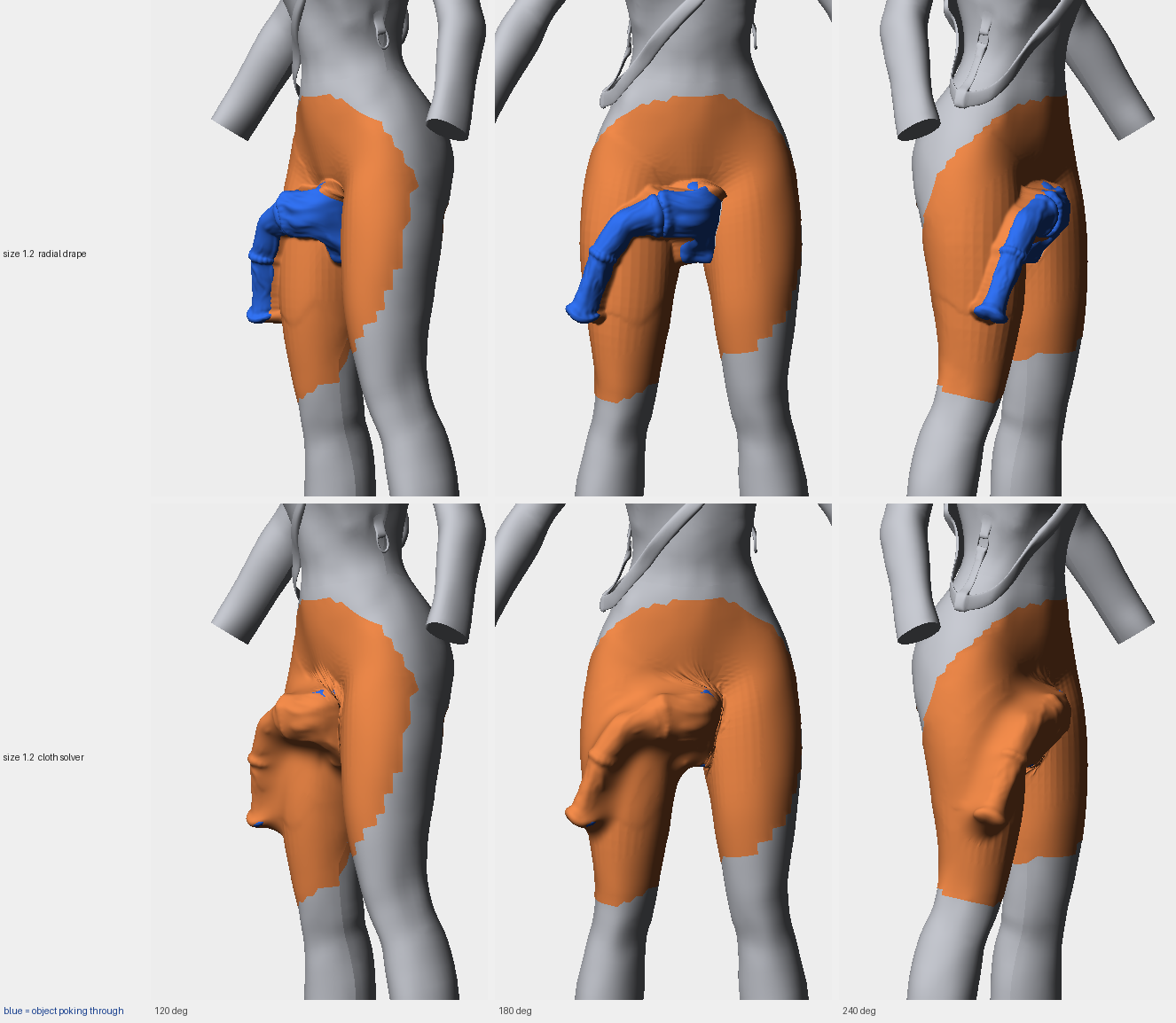
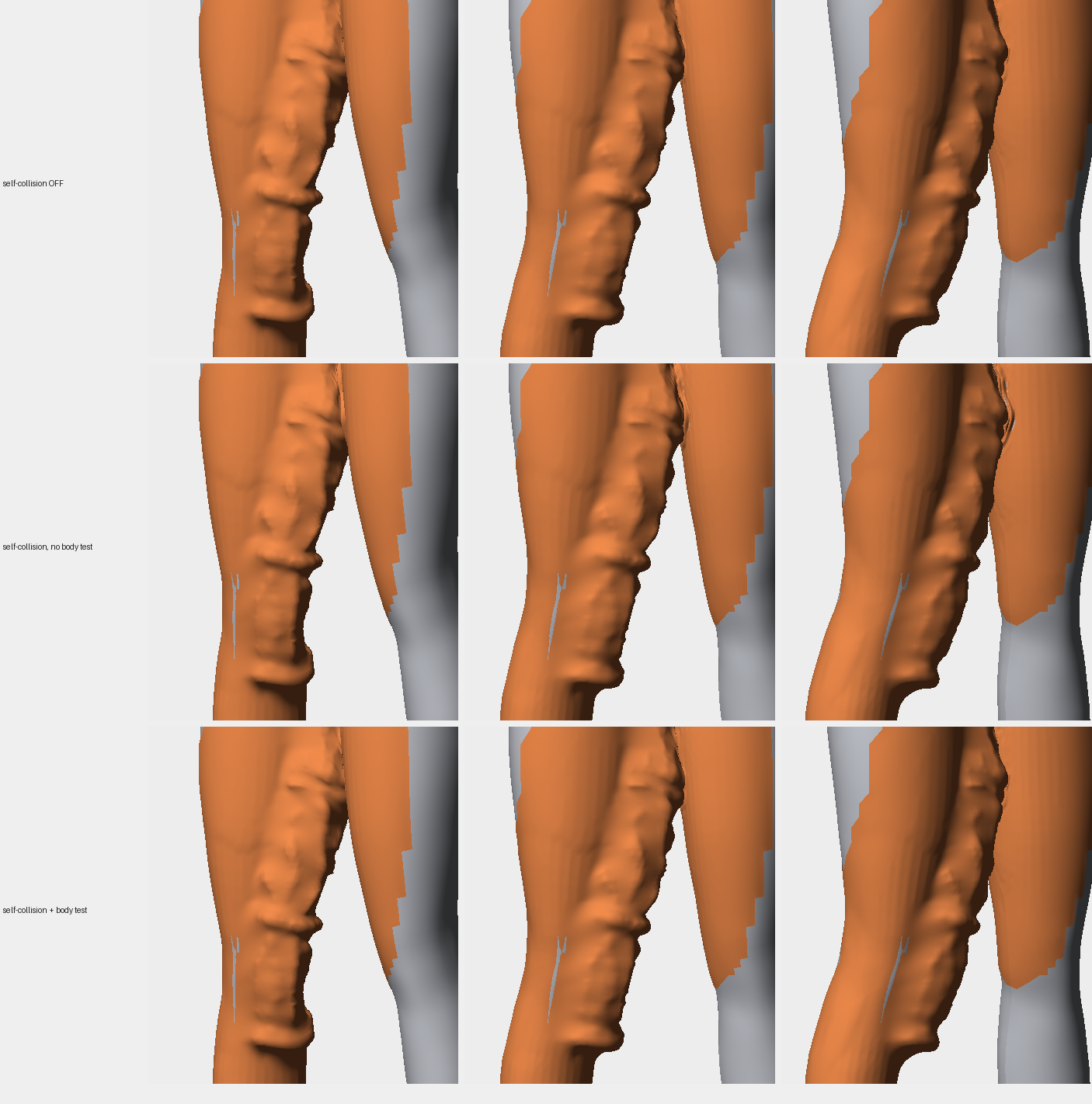
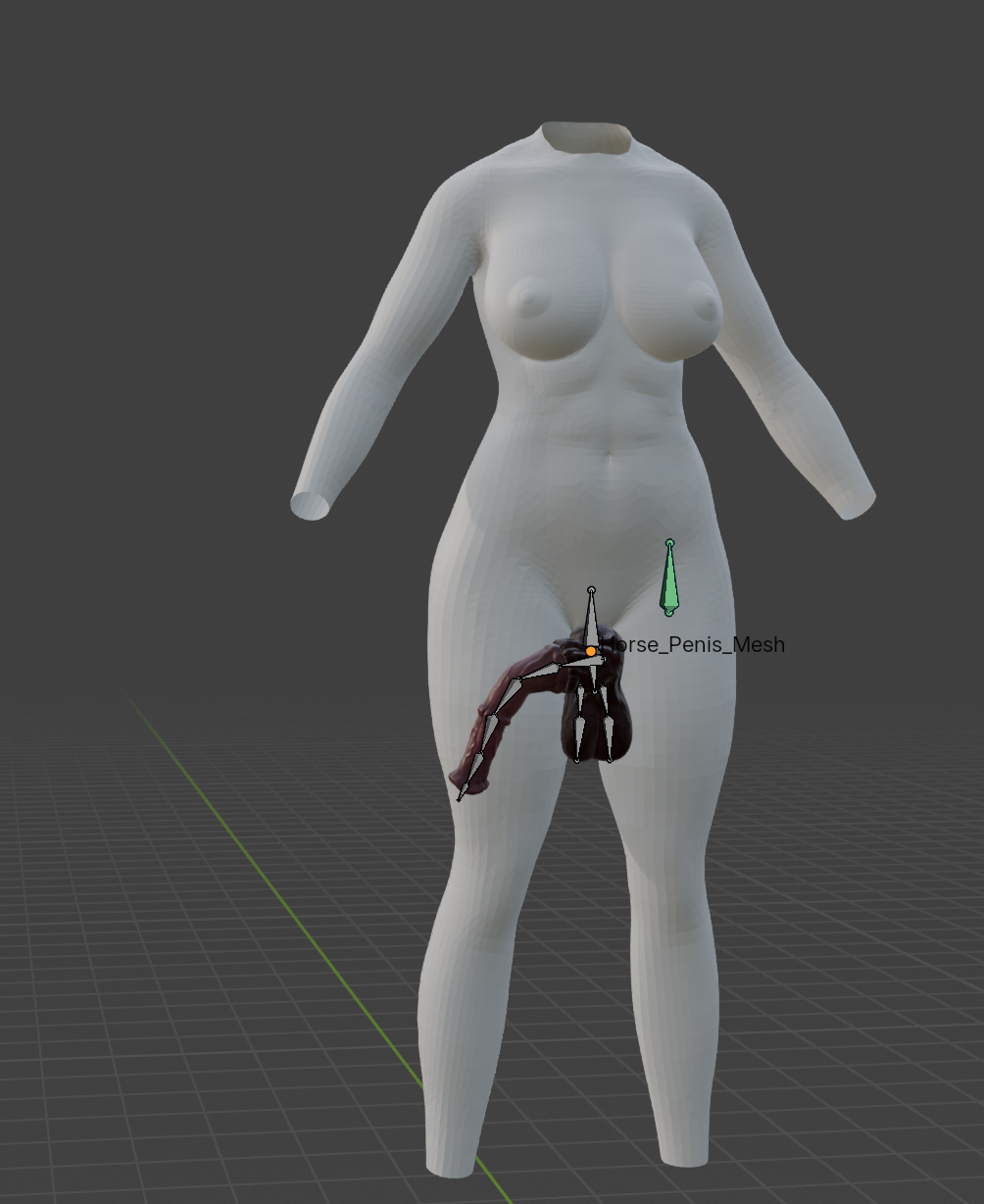
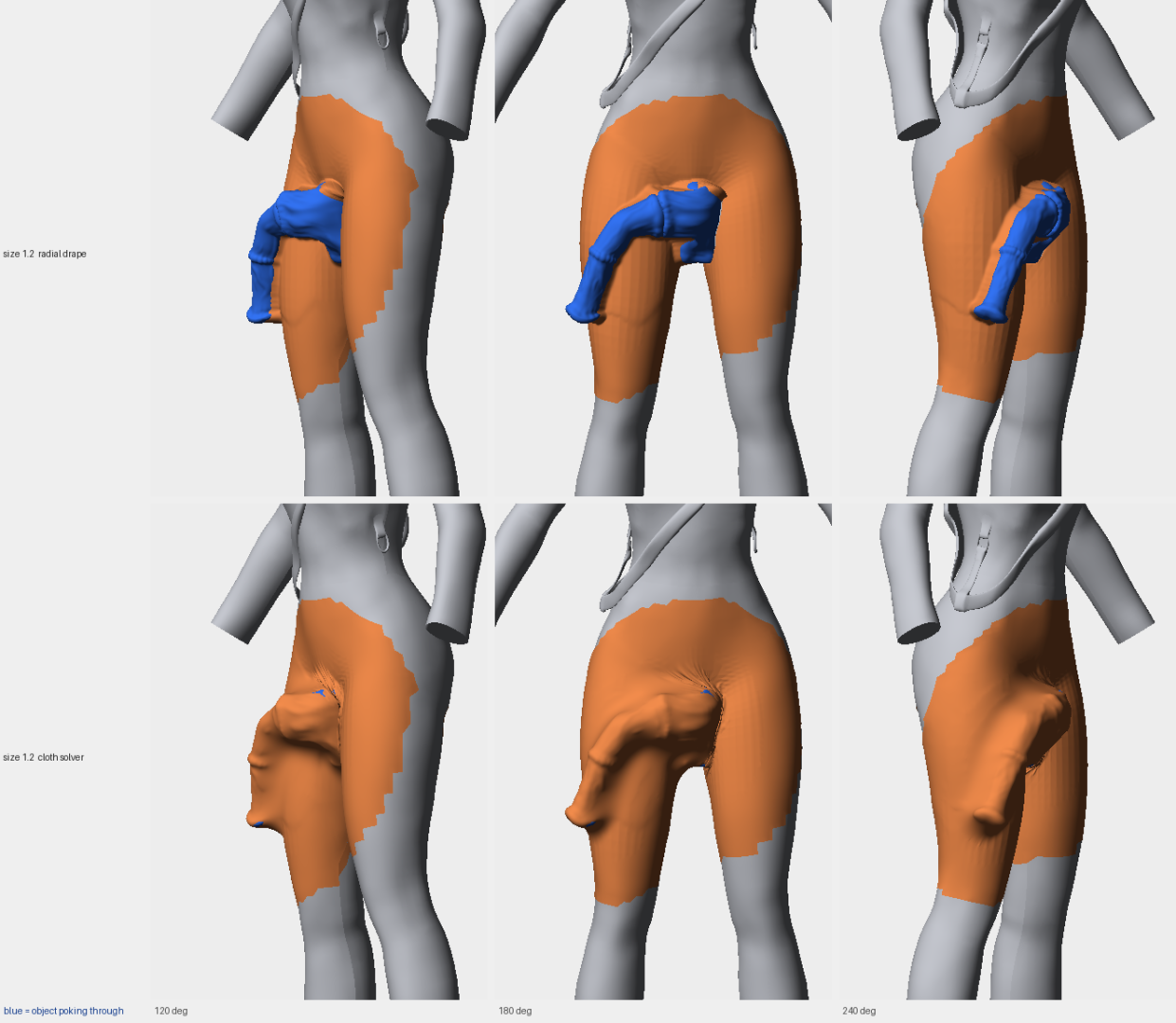
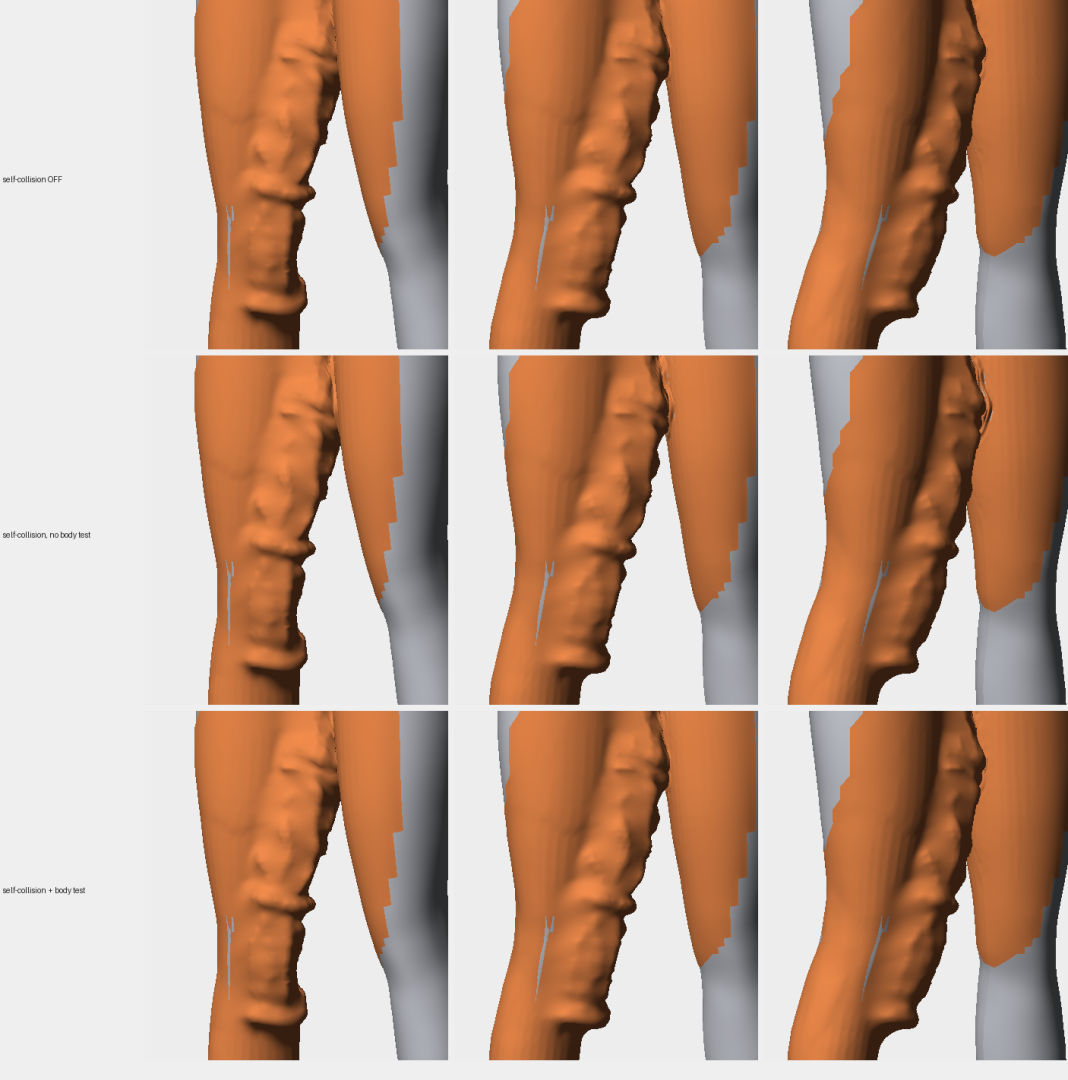
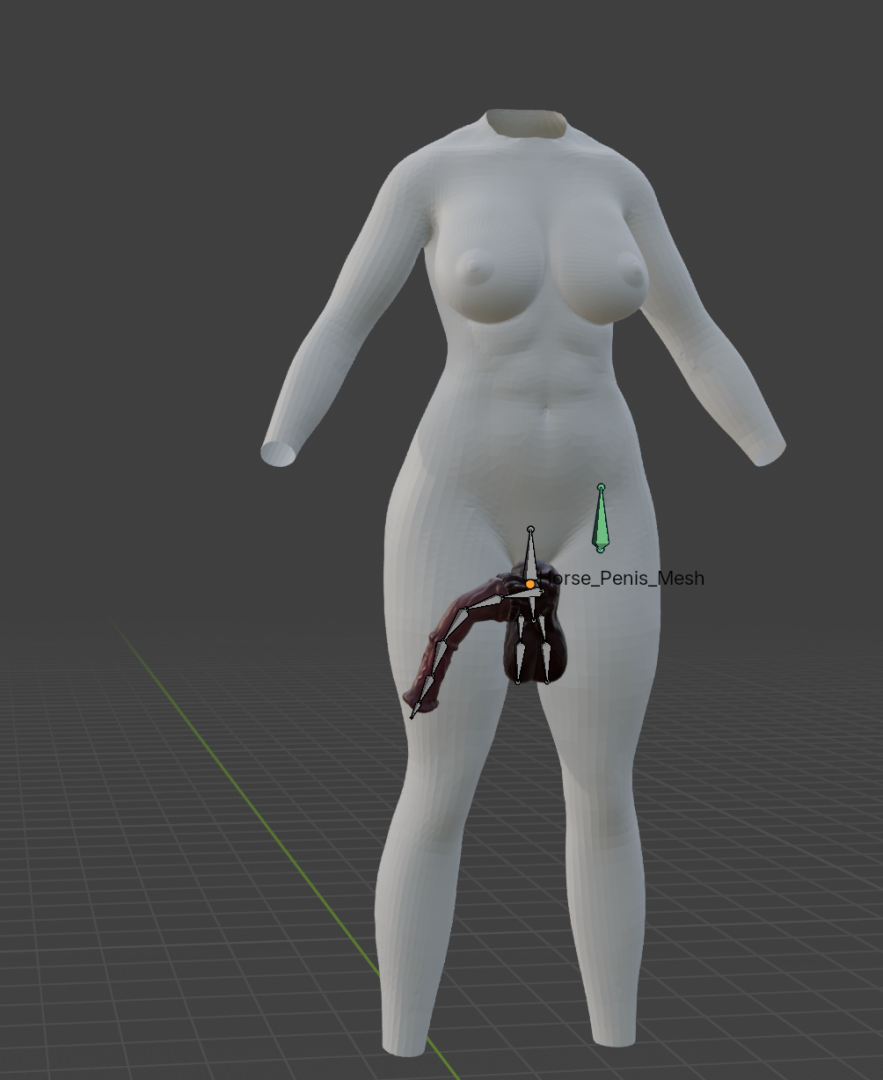
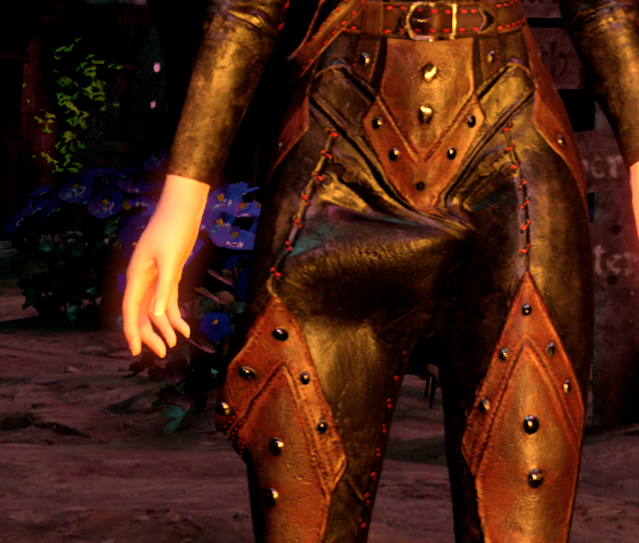
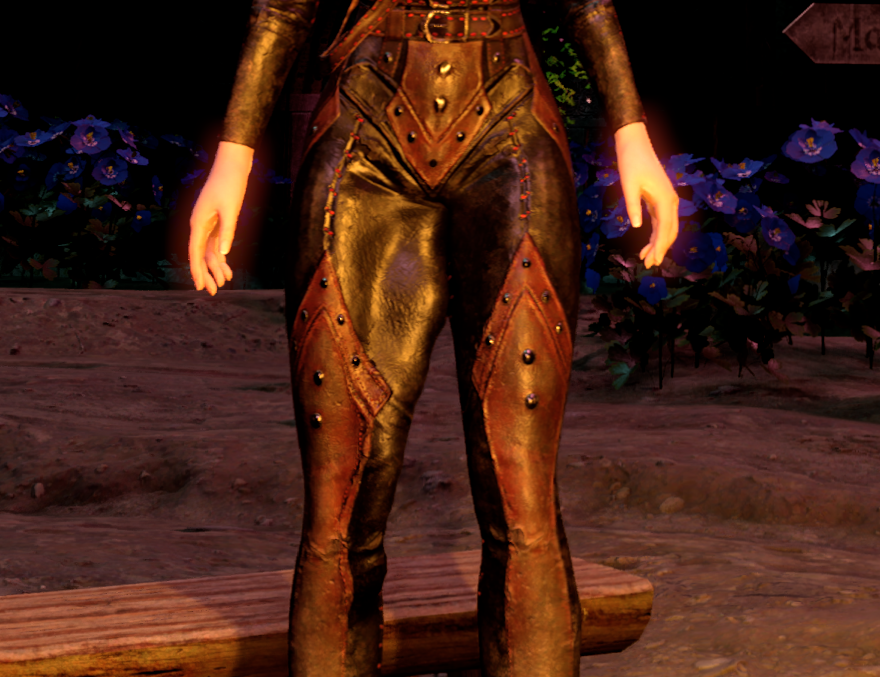
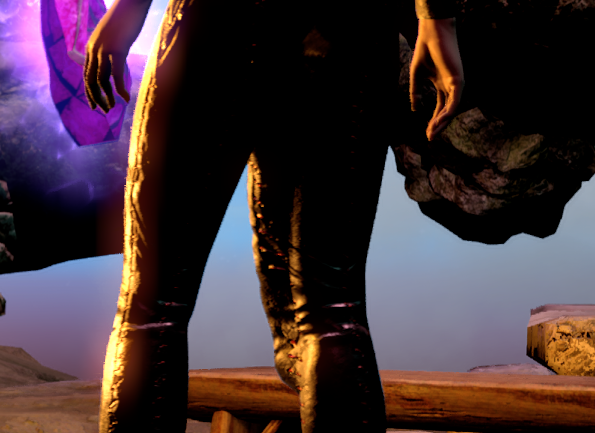
Hi, everyone, I'm making this post to present my first skyrim modding project: UCBF is a framework and a tool for modders to easily create bulges and under cloth displacement sliders for bodyslide that can then be exported to skyrim. The goal is to automate most of it, the current modder pipeline is: import body to blender, add any 3D mesh (even really high quality ones) and place it where the bulge should appear. then from blender using the plugin export the collider and position data. From this file you can then generate the bulge slider for on any piece of clothing using the pyhon script. It creates a patched bodyslide file + ESP for ingame control and framework discoverability. Check attachement for exemples of ingame + tool results. If you have any questions feel free to ask F.A.Q: Is it available? Not yet I need to finish the in game API and make it easier and more modular (quite a lot of hardcoded values) How does it work? The script create a new geometry patch that is then applied to the cloth piece as a new mesh by sampling the color so no real geometry conflict can happens and it can be disabled easily.
-
Wet Function Redux SE View File Wet Function Redux SE ? Requirements PapyrusUtil SE 3.7 SKSE64 1.5.80 or older SkyUI SE 5.0+ RaceMenu SE or download Racemenu SE and extract the RM bsa file and install only the nioverride.pex and the skee-dll/ini from it (ECE users) Textures not required, but strongly recommended CBBE: Sweaty Wet Skin Auto Adjustment (textures only) UNP: Textures by bola08 Male: Wet function redux - male textures Optional mods (with integration) SexLab SE SexLab Aroused Redux SE Devious Devices SE BETA ZaZ Animation Pack SE Frostfall SE 3.4+ Quickstart Install everything Start game and go into MCM menu of Wet Function Redux Open Targets Select Player Click Start effect Go back into the game (close all menus) Experiment a bit by: Go back into the Targets menu Select the player as target (if not already) Screw around with the values Go back into the game and wait for them to update (2 seconds by default) Additional Features Support for texture swapping on male targets: own set of textures - does not interfere with female textures SOS SE support diffuse texture swapping - for different details while wet (body hair) [*]A lot of sources for wetness, each with its own rate of wetness generation stamina & magica usage (as before but with separate rates) sprinting running sneaking galloping working (mining, chopping wood, any blacksmith work) weather influence pleasant cloudy rainy snow interiors/other [*]SexLab SE (if installed) base rate during scenes increasing rate with each stage orgasm modifiers victim modifiers [*]SexLab Aroused Redux SE (if installed) increasing rate with arousal threshold above which the textures with wet pussy effect may be used [*]ZaZ/Devious Devices SE (if installed) rate from vibration, increasing with strength orgasm caused by device edged by device [*]Frostfall SE (if installed) drying when near fire (scales with fire size) separate weather influence for rainy and snow when in shelter [*]Effect can be applied to any number of NPCs view current values and modify wetness can force a constant wetness and specular-/glossiness-strength [*]Auto-apply the effect: to (options): every NPC followers Participants in a SexLab scene (with option for the player scene only) NPC wearing something that is flagged by: ZaZ: Ankles, Belt, Blindfold, Bra, Collar, Device, Gag, Hood, Wrist, Yoke Devous Devices: Lockable, Armbinder, ArmCuffs, Belt, Blindfold, Boots, Bra, Clamps, Collar, Corset, Gag, Gloves, Harness, Hood, LegCuffs, PiercingsNipple, PiercingsVaginal, Plug, PlugAnal, PlugVaginal, Suit, Yoke [*]naked NPCs [*]auto-removes itself if: not refreshed (no save-game bloat) the player is not nearby the model is/was unloaded [*]can auto-fix broken effects (does not need other features to be enabled) [*]can be controlled as any normal effect [*]uses PapyrusUtil instead of cloak spells/quests: efficient and can't cause the brawl bug [*]Global wetness rate multiplier [*]NPC-only global wetness rate multiplier and bonus (for AI lethargy compensation) [*]Support for head texture swapping (textures are not included in the linked texture sources) [*]Export/Import all settings Using custom textures When dry, the default textures of the body are used (you may want to use non-sweaty/glossy variants). To use custom sweaty textures just replace the following files with your according textures. Folder: Textures\Actors\Character\WetFunction Files: wethead_s.dds: not included in original texture pack wethand_s.dds wet_DSP_s.dds male_wethead_s.dds male_wethand_s.dds male_wet_DS_s.dds male_wet_d.dds: the diffuse texture male_wetschlong_s.dds Body textures are present with different detail effects, where each D, S, P is 1 if the corresponding effect is active in this variant else 0 D: droplet effect S: sweat effect P: pussy effect (wet crotch) Tip: For faster replacing of the body texture, just replace the wet_010_s.dds variant and disable the droplet and pussy effect in the MCM menu (visuals). Known Issues On affected NPCs the game may just remove the effect partially on cell change (this is a known Skyrim bug). nop0x90 implemented a workaround that fixed this problem in his test cases. The bug can still be provoked. Using head texture swapping will cause brief visual glitches when swapping the texture. In some cases (certain presets/followers) the effect won't show up despite them being correctly applied by the mod. Changes of a NPCs sex will only be detected after stopping and restarting the effect on the target. Credits nop0x90 for the original Skyrim implementation and the permission to port it to SSE Please don't bother Nop0x90 via his own page about this SSE port! Submitter Andreis Submitted 06/21/2019 Category Adult Mods Requires Textures, PapyrusUtil SE 3.7, SKSE64 1.5.80, SkyUI SE 5.0, RaceMenu SE Regular Edition Compatible No
-
 I am dumbfounded. I am absolutely confused and lost and everything. I've been trying to get Mantella NPCs to act like they're not in a safe for work tame children's morning show for two days, to no avail. The instructions are confusing, API this, model that, text to speech the other, web mantella app, what is this language? Please for the love of god, somebody guide me step by step on how to set it up to work for NSFW content, to "jailbreak" as the cool kids say. I already have the mod installed and working perfectly fine. I just need to lift the restrictions it has. i think I need to change the "API" or the "Model" or whatever it is called. But how, please? And thank you.
 -
Side Story: A Young Succubus 3
zilvradrow posted a blog entry in (What .. If... ) Skyrim & Fallout 4 - Alternative Worlds
A few days later, Lovenia visited her new friend/Sister again - as Zil had promised, to talk about the events of the months she had been away. -
Version V17
3688727 downloads
BE ADVISED: some sack of shit is using my name to re-post mods on other websites, this person is NOT me. DO NOT DOWNLOAD ANYTHING FROM THOSE OTHER SITES. I ONLY UPLOAD TO LOVERSLAB. THIS VERSION IS FOR SKYRIM SPECIAL, VR & ANNIVERSARY EDITIONS ONLY go here for Skyrim Legendary Edition: https://www.loverslab.com/files/file/4130-more-nasty-critters-slal-edition/ MNC is a unified collection of the basic adult creature mods, the contents within came from multiple mod authors. this version has updated mesh files, and is using SLAL for animation control. - - - - - - - - - - - - - - - - - - - - - - - - - - - - - - - - - - - - - - - - - - - - - - - - DISCLAIMER (copied from original v9 mod page): I know its problematic to expand on the work of others or even expand upon someone elses expansion of the work of a third modder. However some of the stuff here cant be released in any other meaningful way, at least not for someone who just wants to download and have fun. If someone is offended by the stuff I put here let me know and I remove it. Its just here to give fellow players easy access to stuff thats posted all over the board, after all. original More Nasty Critters made by dentarr: http://www.loverslab.com/files/file/1140-more-nasty-critters/ - - - - - - - - - - - - - - - - - - - - - - - - - - - - - - - - - - - - - - - - - - - - - - - - The Downloads: MoreNastyCritters: the main mod, adds aroused meshes & animations for creatures + registers races into SexLab so that other SLAL Packs can use them. (note: mod does NOT have a MCM of it's own, the CF and SLAL MCMs are used to control this mod). CreatureSummoner: adds spells to summon creatures for you to play with (note: mod has a MCM). ModCompatibilityKitsForMNC: various patches for other mods. CreatureFramework: used to apply aroused meshes onto creatures (note: mod has a MCM). ExperimentalSexLabCreaturesV1-66bToSLALConversion.7z removes creature animations from sexlab and re-adds them as a SLAL Pack. - - - - - - - - - - - - - - - - - - - - - - - - - - - - - - - - - - - - - - - - - - - - - - - - Required Mods/Install Order: The full install guide (and a list of SLAL Packs) can be found here: http://www.loverslab.com/files/file/3524-sexlab-more-nasty-critters-install-guide/ that guide is mostly not suitable for SE/AE anymore due to all the updates/game versions, but the list of slal packs is mostly still valid. Mod Organizer 2 is the recommended mod manager to use: https://www.nexusmods.com/skyrimspecialedition/mods/6194/ https://www.youtube.com/watch?v=j4ZQpzf_iAE&list=PLE7DlYarj-DcLS9LyjEqOJwFUQIIQewcK also if you are installing this into SkyrimVR you should go here first: https://www.loverslab.com/topic/134393-how-to-sl-in-vr-step-by-step-tutorial/ install mods in order shown: Skyrim Script Extender (aka: SKSE) http://skse.silverlock.org/ Note: must be installed manually into your game, NOT with the mod manager Warning: pay attention to what version of Skyrim.exe/TESV.exe you have, right click on it and go to "Properties" and then go to the "Detales" tab to find your version number. DO NOT FALL FOR THE SE/AE TRAP, if your game is "up to date" then your game is using the "AE" exe even if you did not buy the pack of CrapClub mods that goes by the same name, this is why you must look at your exe version number to see what you actually have. Address Library for SKSE Plugins SE/AE https://www.nexusmods.com/skyrimspecialedition/mods/32444 Note: you most likely want the file called "1.6.x" SkyrimVR https://www.nexusmods.com/skyrimspecialedition/mods/58101 Fores New Idles in Skyrim SE (aka: FNIS) https://www.nexusmods.com/skyrimspecialedition/mods/3038 Note1: don't forget to download the "FNIS Creature Pack" Note2: don't bother trying to use Pandora/Nemishit, combat mods are not worth it, you are just going to end up playing as a stealth archer again anyways. SkyUI https://www.nexusmods.com/skyrimspecialedition/mods/12604 note: use"SkyUI_5_2_SE" the new "6" versions seem to be causing issues. UIExtensions (needed for SexLabTools lower down on this list) https://www.nexusmods.com/skyrimspecialedition/mods/17561 Papyrus Tweaks NG ( makes sexlab run faster if you turn on "Speed up native calls" ) https://www.nexusmods.com/skyrimspecialedition/mods/77779? 1.7.xxx version https://www.nexusmods.com/skyrimspecialedition/mods/190778 SexLab Framework SE (aka: SexLab....the real SexLab and not that fake P- crap) https://www.loverslab.com/files/file/20058-sexlab-se-sex-animation-framework-v165-110822/ Warning: like SKSE you need to pay attention to what version of Skyrim you have. SexLab Tools https://www.loverslab.com/files/file/10660-sexlab-tools-for-se-patched/ note: when animations are running this lets you open a selection window by pressing H on your keyboard. Sexlab Aroused Redux SSE (aka: SLAroused) https://www.loverslab.com/files/file/5482-sexlab-aroused-redux-sse-version-29/ More Nasty Critters Special Edition (aka: MNC ) (you are here) Creature Framework (aka: CF) (4.0) (you are here) or (1.0.1) https://www.loverslab.com/files/file/5462-creature-framework-se/ note: v1 uses a area effect spell (scan scripts) that is fired continuously from the player to find nearby creatures, v3 uses a quest aliases update scan to find creatures near the player. JContainers SE (aka: JCON, needed for both SLAL and CF.) https://www.nexusmods.com/skyrimspecialedition/mods/16495 or https://github.com/ryobg/JContainers/releases Warning1: like SKSE you need to pay attention to what version of Skyrim you have. Warning2: if SkyrimVR DO NOT USE JCon v4.1.13 only use the older v4.1.2 file. SexLab Animation Loader SSE (aka: SLAL, SLALSE) https://www.loverslab.com/files/file/5328-sexlab-animation-loader-sse/ MatchMaker https://www.loverslab.com/files/file/163-sexlab-matchmaker-updated-09172014/ NOTE: this is a LE mod and it works fine in SE/AE without any porting, form 43 esp files are safe to use in SSE. it's only mods that have meshes, animations, bsa or dll files that you need to worry about, MatchMaker has none of these. Suggested Load Order: (Skyrim and it's DLCs here) SexLab.esm SexlabAroused.esm CreatureFramework.esm (other SexLab related mod's .esm here) (All other .esm mods here) SkyUI.esp UIExtensions.esp FNIS.esp (All other .esp mods here) SexLabTools.esp MoreNastyCritters.esp CreatureSummoner.esp (if installed) SexLabMatchMaker.esp SLAnimLoader.esp (other SexLab related mod's .esp here) Warning: if you have it please load XP32/XPMSE before MNC. Do not let there skeletons overwrite MNC or your game may crash or have floating dick problems, MNC is using nodes that are sometimes not found in these skeleton mods. - - - - - - - - - - - - - - - - - - - - - - - - - - - - - - - - - - - - - - - - - - - - - - - - other Related Mods/Addons you may or may not want: SexLab Utility Plus (NOT Sexlab P+ and never Sexlab P+) https://www.loverslab.com/files/file/10316-osmelmc-mod-tweaks/ Animation Limit Crash Fix ) https://www.nexusmods.com/skyrimspecialedition/mods/31146? Warning: may not be working for AE at this time, seeing mixed reports about it. alt mod to use: Engine Fixes SE/AE https://www.nexusmods.com/skyrimspecialedition/mods/17230 VR https://www.nexusmods.com/skyrimspecialedition/mods/62089 + Memory Leak Fix for the GOG version of skyrim https://www.nexusmods.com/skyrimspecialedition/mods/169302 Animated Beast's Cocks https://www.loverslab.com/files/file/7556-animated-beasts-cocksabc-for-users-le-se/ SexLab Werewolves Redux (for using animations when in Werewolf form) https://www.loverslab.com/files/file/18014-sexlab-werewolves-redux/ Werewolf Prostitution https://www.loverslab.com/files/file/36844-werewolf-prostitution/ SexLab Dragons https://www.loverslab.com/files/file/7900-sexlab-dragons/ + animations https://www.loverslab.com/files/file/5465-horny-creatures-of-skyrim-special-edition/ https://www.loverslab.com/files/file/3999-billyys-slal-animations-2020-2-1/ SexLab Aroused Creatures https://www.loverslab.com/files/file/6022-sexlab-aroused-creatures-se-2025-04-05/ Creature Overhaul (the "CO More Creatures" file to be exact, it goes well with the SLAC mod above) https://www.loverslab.com/files/file/12760-creature-overhaul/ Bad Dog's Immersive Creatures SE (if you have "Skyrim Immersive Creatures" mod installed) https://www.loverslab.com/files/file/6663-bad-dogs-immersive-creatures-se/ Note1: a bit outdated so some creatures are not supported. Note2: DO NOT install the "BDIC Creature Framework Patch", it was made for CFv2 not CFv4, installing it will cause CFv4 to stop working. Note3: don't install the "BDIC MNC Patch", it does nothing. the file you want is "1216885848_BDICBadDogImmersiveCreaturesSE_T2.1.7z" - - - - - - - - - - - - - - - - - - - - - - - - - - - - - - - - - - - - - - - - - - - - - - - - Animation Troubleshooting: 1. if you are using a Mod Manager ( please go with Mod Organizer 2, it's highly recommended ) make sure it's installing the files to the right location and with the right load order. a good guide for using Mod Organizer 2 can be found here: https://www.youtube.com/watch?v=j4ZQpzf_iAE&list=PLE7DlYarj-DcLS9LyjEqOJwFUQIIQewcK 2. run/rerun the GenerateFNISforUsers.exe, if you don't the animations wont work/run. C:\Games\Steam\SteamApps\Common\Skyrim Special Edition\Data\tools\GenerateFNIS_for_Users\GenerateFNISforUsers.exe WARNING: Windows (Vista/7/8/10) Security may interfere with updating/overwriting the FNIS behavior files. you may not even get a error message telling you that this has happened. make sure FNIS and your mod manager (if your using one) are running with administrator privileges. NOTE: try deleting "Data\meshes\actors\character\behaviors\0_master.hkx" and re-running FNIS again, that sometimes helps. 3. when you start the game with the Skyrim Script Extender (SKSE) loader the list of installed mods wont get refreshed, so if you install a mod and just start the game with the loader any new mods you installed wont be fully activated. to fix this problem go to the skyrim launcher and click on "DATA FILES" and it will refresh the list of installed mods, you can now close the launcher and start the game with the skse loader. note: this only apply if you are not using a mod manager 4. in game you need to go inside SexLab's Mod Control Menu (MCM) and click on "install" first before you can use SexLab. 5. make sure you have "Allow Creature Animation" checked in SexLab's MCM settings. 6. turn off "Match Creature Gender" in sexlab's MCM settings, if this setting is enabled some animations won't play. 7. did you forget to install the FNIS Creature Pack? install it and rerun the GenerateFNISforUsers.exe, then do steps 5 & 8 NOTE1: if you do have the Creature Pack but some creatures are just playing idle animations during sex or not moving try clicking on "De-Install Creatures" in FNIS, after it's done running click on "Update FNIS Behavior" (doing this will delete all the creature behavior files generated by FNIS and remake new ones...that is assuming you DO have the FNIS Creature Pack installed) NOTE2: try turning on the "hkx file compatibly check" in FNIS to see if you installed the wrong version/s of any animation packs. 8. you may need to reload the animations, go to the Animation Loader's MCM and then: 8.1. click on the "Disable All" button. 8.2. click on "Rebuild Animation Registry", then Wait for the message to pop up*. 8.3. click on "Reload JSON". 8.4. click on "Enable All". 8.5. click on "Count Animations" and make sure nothing is over 1000 (the stock SexLab v1.65 animation limit), turn off some animations if they are. 8.6. click on "Register Animations", then Wait for the message to pop up*. *if you like you can press "~" on your keyboard to open the console so you can watch it Register everything, just make sure you close it before you try to click on anything. 9. if SLAL Packs are not being listed in SLAL try reinstalling/updating JContainers. https://www.nexusmods.com/skyrimspecialedition/mods/16495 10. if you are getting teleported into the air above Secunda's Kiss (giant camp at center of map) then try starting a animation in a indoor area first. it should stop happening outside after you do. 11. if all else fails, try going to sexlab's "Rebuld & Clean" menu and click on "Clean System" to reset everything to there default values. note: once done you will need to re-select any sexlab settings you changed (turn Allow Creature Animation back on), and re-register your SLAL Packs. - - - - - - - - - - - - - - - - - - - - - - - - - - - - - - - - - - - - - - - - - - - - - - - - (Human) Animation Troubleshooting: Problem1: actors standing inside each other and T pose or playing idle animations. cause1: you forgot to run FNIS after installing/removing animations. fix: run FNIS. cause2: you installed the wrong animations for the version of the game you are using. fix: remove the animation mod that is wrong and install the correct version. tip: if you don't know what mod is wrong, then turn on the hkx compatibility check in fnis. cause3: the generated 0_master.hkx may be corrupted. fix: delete the 0_master.hkx to force fnis to generate a new one instead of trying to update it. file location: Data\Meshes\actors\character\behaviors\0_master.hkx note: should be deleted from within your mod manager...but that may also depend on however fnis was setup within it. Problem2: odd behavior from sexlab (Eg: animations are not what it says are running, massive actor misalignments, or other odd shit) cause1: corrupted animaton registry/SKSE cosave. fix: go to the Animation Loader's MCM and then: 1. click on the "Disable All" button. 2. click on "Rebuild Animation Registry", then Wait for the message to pop up*. 3. click on "Reload JSON". 4. click on "Enable All". 5. click on "Count Animations" and make sure nothing is over 1000 (the stock SexLab v1.65 animation limit, yours may be different), turn off some animations if they are. 6. click on "Register Animations", then unpause and Wait. cause2: corrupted sexlab settings/scripts. fix: go to sexlab's "Rebuld & Clean" menu and click on "Clean System", then unpause and wait. note: once done you will need to re-select any sexlab settings you changed, and re-register your SLAL Packs. cause3: the generated 0_master.hkx may be corrupted...again. fix: same as last time. - - - - - - - - - - - - - - - - - - - - - - - - - - - - - - - - - - - - - - - - - - - - - - - - Creature Framework Troubleshooting: note1: don't use alt player werewolf form mods (Eg: the Player Hermaphrodite Werewolf patch) if you are playing as a vampire lord or using a creature transformation mod, due to how those mods work it will prevent CF from working on your non-werewolf creature form. CF will see you as still wearing the custom werewolf body mesh but as a different race, therefor seeing you as a unregistered race/armor combo. note2: if using SkyrimVR DO NOT USE JCon v4.1.13 only use the older v4.1.2 file. Aroused mesh not getting/staying applied during animations (a list of things to try): A. go to the Creature Framework MCM and click on "Re-register all mods", then unpause the game and Wait a Minute. B. go to the Creature Framework MCM and click on "Clear Creatures" C. go to SexLab's MCM and turn off "Automatic Free Camera" (don't know why but freecam may stop meshes from getting refreshed, especially the player's werewolf form) D. go to the Creature Framework MCM and disable "SexLab Aroused integration" E. try clicking on the uninstall button in CF's MCM, then save & quit and reload the save. (wait for Creature Framework to reinstall and register) F. click on the uninstall button in CF's MCM, then save & quit, then use a save editor to remove all of Creature Framework's scripts & forms from your save file. NOTE: you may need to save & quit again after installing to get it's MCM menu to load. also adding this to the Skyrim.ini (My Documents\My Games\Skyrim) may help CF work a bit better: [General] bPreemptivelyUnloadCells=1 Creature Framework not registering mods / is empty / stuck in a registering loop: try reinstalling JContainers or installing a older version of it. ( Warning: pay attention to what version of Skyrim.exe you have. ) https://www.nexusmods.com/skyrimspecialedition/mods/16495 or https://github.com/ryobg/JContainers/releases There was a problem if you had any Mods from CrapClub (Creation Club) installed, but that bug should be fixed in newer versions of JContainers: the problem was you had to remove them (or any other esl based mods) before you could register/reregister Creature Framework based mods into Creature Framework. (i'm just keeping this message here in case the problem comes back) - - - - - - - - - - - - - - - - - - - - - - - - - - - - - - - - - - - - - - - - - - - - - - - - List of known mods that cause Werewolf problems: One of the "Serana" mods but i can't remember the exact name, however theses esps are known to turn the female werewolf into a male: Serana.esp Valerica.esp Bijin AIO.esp load there esps before mnc's or delete the ArmorAddon ( NakedTorsoWerewolfBeast [ARMA:000CDD87] ) and any other werewolf edits from them. EasyNPC: I don't know the details of what this program it's doing, just that it's causing problems. I assume its creating the same issue as the above, and therefor has the same fix. ABC: the "MNC_ABC_Patch.esp" file found in that mod is turning the herm werewolves into male (and is also messing up the Player Hermaphrodite Werewolf patch because of it), turn off and/or delete that esp from that mod. ABC also has rogue meshes in it that are causing problems: "meshes\actors\werewolfbeast\character assets\" has random body part meshes in it, this may cause issues with mods such as "Total Werewolf Overhaul", the only thing that ABC should have in this folder are the skeleton files. ABC's version of "MaleWerewolf_1.nif" in "MoreNastyCritters\werewolf\" is causing double dick & permanent erections issues, the only thing ABC should be replacing in this folder are the "addon_penisnamehere.nif" files. SOS: double dick problems, you need to turn off werewolves under all of its mcm settings. if that fails to work then a more extreme fix can be found in the ModCompatibilityKit. One With Nature - Dynamic Animals and Creatures: it does not cover the female creatures added by mnc you need to add OWNWerewolfFaction "OWN Werewolf Faction" [FACT:xx00388B] to the female werewolf's faction, and OWNAbilityWerewolf "OWNAbilityWerewolf" [SPEL:xx04FBA9] to the female werewolf's actor effects. Bash/Smash patches: they can be known to mess up the body template flags on some creatures. Total Werewolf Overhaul (TWO): it has a patch for HCOS in it but HCOS no longer has werewolf meshes in it, so using that patch will only cause more problems. Moonlight Tales: that piece of shit is not even compatible with itself, let alone other werewolf mods. remove it and never look at it again. Growl - Werebeasts of Skyrim: this mod adds new keywords to the Werewolf & Werebear races, so the esp must be loaded after MNC to avoid problems. but this mod also makes them larger again, so you will need to edit the race's heights with xedit to make the animations line up again. - - - - - - - - - - - - - - - - - - - - - - - - - - - - - - - - - - - - - - - - - - - - - - - - FNIS Troubleshooting: "ERROR(9): Index was outside the bounds of the array" or "ERROR(2026): Too many animations": you may have Too many animation mods and/or SLAL Packs installed, use the "XXL" version of FNIS or uninstall some animations. "ERROR(76): Could not find a part of the path DebugData.txt": a Win10 update (or antivirus software) has forcibly turned on real time protection and it's stopping FNIS from generating/updating files. you need to disable real time protection before running FNIS, or add GenerateFNIS_for_Users.exe to the exclusions list (also you should probably add skse_loader.exe and TESV.exe as well) Crashing on loading save file: you have Too many animations installed, most people start crashing around 12000 to 14000. remove some animation mods to fix the problem, or try installing these mods to bypass the crashing point: https://www.loverslab.com/files/file/11208-animation-limit-crash-fix/ https://www.nexusmods.com/skyrimspecialedition/mods/17230/ - - - - - - - - - - - - - - - - - - - - - - - - - - - - - - - - - - - - - - - - - - - - - - - - Papyrus Tweaks: "NOTE: THIS MAY OR MAY NOT FULLY APPLY TO SKYRIM SPECIAL EDITION" the problem with installing script heavy mods is that the default Papyrus settings are not capable of handling the additional stress. This tweak should increase stability, and needs to be added to the Skyrim.ini file under the [Papyrus] section. Your Skyrim.ini can be found in "My Documents\My Games\Skyrim" [Papyrus] fUpdateBudgetMS=1.6 fExtraTaskletBudgetMS=1.6 fPostLoadUpdateTimeMS=1000.0 bEnableLogging=0 bEnableTrace=0 bLoadDebugInformation=0 iMaxMemoryPageSize=8192 iMinMemoryPageSize=256 iMaxAllocatedMemoryBytes=153600 note1: there is some debate on the last 3, it has been suggested that they should just be deleted from (or never entered into) the Skyrim.ini https://www.loverslab.com/topic/56084-crash-fixes/ use this mod and use there Papyrus setting suggestions: https://www.nexusmods.com/skyrimspecialedition/mods/77779? note2: you should only have logging turned on (bEnableLogging=1) if you are actively trying to find a Papyrus script based problem, the rest of the time it's just a drain on system resources and it can cause extra stress for the papyrus system, therefor if you have it on all the time it can potentially become a part of the problem your trying to fix. it only logs the scripts anyways so if you have a problem like a deleted world object or a bad navmesh the log won't say anything helpfull, you should be doing this if you have such a problem: http://www.creationkit.com/index.php?title=TES5Edit_Mod_Cleaning_Tutorial http://wiki.step-project.com/TES5Edit/TES5Edit_Cleaning_Instructions - - - - - - - - - - - - - - - - - - - - - - - - - - - - - - - - - - - - - - - - - - - - - - - - Other Notes: when you select "MNC Rescaled Meshes" for the wolves in CF's MCM it makes the wolves larger and gives them a penis that does not support ABC animations, this is intended to be used for older wolf animations. (if you have RaceMenu/NIOverride you may want to edit the MoreNastyCritters.esp to remove the object effect from the wolf armors or they may end up much bigger than 1.2) - - - - - - - - - - - - - - - - - - - - - - - - - - - - - - - - - - - - - - - - - - - - - - - - Mod Compatibility Kit index of patches: Warning: theses are ported from the LE version of the "mod compatibility kit" so some patches may be looking for the LE versions of the mod (eg: not a esl file) Bear Mods: The DovahBear (with & without Werebear form) Canine Mods: A Dogs Life Amaterasu The Great Spirit (was unnecessary, Amaterasu is/was Female, this makes her a male) garm companion GenderDogs (you don't need the original mod to use this because MNC already includes female meshes) Meeko Reborn OkamiFollower True Meeko True Wolves of Skyrim Vargr - a Draugr Hound Vigilance Reborn Zombie Dogs and Skinned Hounds- Mihail Monsters and Animals Dragon Mods: Behemoth Dragon Chaos Dragons Deadly Dragons Diverse Dragons Collection 3 V4-1-3 DurnehviirResurrected Jills of Akatosh Jormungandr Dragon Nithhogg Dragon Thanatos Dragon (note:if you are mixing dragon mods (Eg: Chaos Dragons with Deadly Dragons) you may need to edit the leveled npc lists, Eg: LCharDragonAny "0005EACF") Horse Mods (the bane of my existence): Blaze Of Eventide Convenient Horses V5 GenderHorses (you don't need the original mod to use this because MNC already includes female meshes) Horse Armors Immersive Horses Levelers Tower Realistic Primitive Horse Breeds Stendarr Rising Other Mods: Bestial Essence (may or may not work) Creature Mod - Degonians (A.K.A: a DeathClaw mod for Skyrim) Darkend Reapers The Dark Tower SkyFem Tame the Beasts of Skyrim II The Gray Cowl of Nocturnal Tumbajamba's Mounts Vilja in Skyrim Yiffy Age of Skyrim Zombies- Mihail Monsters and Animals MNC Werewolf extras: Alternative Werewolf Textures (for female/herm werewolves) Player Hermaphrodite Werewolf patch Remove Werewolves from SOS installing the patches with a Mod Manager: note from harveytherabbit: "Mod Manager (i think he meant Mod Organizer) : Install the patch in the Mod Manager interface and you will see all of them under that one install. Navigate under the respective folder title for the patch you wish to install. Keep expanding the folder hierarchy until you see that patch's 'data' folder and the Right Click and set as Data Directory. Once it shows the green text indicating it is selected as the data folder, rename the install however you want to identify it as the patch for that specific mod (ex - "MNC Patch - ModTitle") and then complete the install and enable it. Repeat these steps for each patch you need for your own mod structure." as i understand the things i've seen other people say in the past the patches need to be extracted and then recompressed into 7zip files of there own to be installed. - - - - - - - - - - - - - - - - - - - - - - - - - - - - - - - - - - - - - - - - - - - - - - - - CREDITS: note: this list of credits most likely has many errors due to the amount of crossover work that has been done. its hard to keep track of things when others are expanding upon someone else's expansion of work from a third person. AnTiWoMaAgNoT (female VampierLord mesh) Ashal (SexLab, scripting consultant) Bad Dog (mesh consultant, edited Deer/Elk penis, Steam Centurion mesh, edited sabercat penis, Dragon Priest mesh, Riekling penis?, frost giant penis) billyy (past Animations now removed, mesh & animation consultant + testing) Blaze69 (consultant for many things) blipblap (edited Hulking Draugr mesh, edited Giant body meshes, edited troll penis, Ashhopper) Chosen Clue (Ash Spawn fix) Cyndi (Benthic Lurker penis) DARKGRAY (helped with something but i can't remember what it was) Dayelyte (Animations) dentarr (original MNC mod author) Derrax (werewolf balls) diarawr (Canine penis & werewolf penis from horny dogs of skyrim) Dr Fring (female VampierLord texture) Ep1cL3w1s (Creature Framework) Flyingtoaster (Hentai Creatures) Fore (FNIS, animation consultant) FunnyBiz (Animations) Gary3 (female horse meshes) Gone (Animations, Beastiality Extras, Bear balls, Chaurus penis, spider penis, Draugr penis, Falmer penis, Gargoyle penis, Giant penis, Sabrecat penis, troll penis, VampireLord penis) h38fh2mf (did something but i can't remember what it was) jacques00 (female giant mesh, female Draugr texture) Leito86 (Creature Features, Animations, Horse penis, new bear penis, Werebear penis, Riekling penis?) llabsky (Animations) lordescobar666 (Sexlab Nude Creatures) Lost_Hawk (Female Falmer) Lugburzum (Dremora face Fix for Hentai Creatures) MadMansGun (mod maintenance, multiple edited meshes, dwarven sphere dildos, Dwarven Spider penis, Dwarven Ballista dildo, Werebear penis (based on Leito's horse penis), Frostbite Spider penis (based on Gone's Chaurus penis), Chaurus Hunter (also based on Gone's Chaurus penis), Frost Atronach, edited Dragon penis) nicholas8 (helped with race registration) Moutarde421 (female werewolf) Panicforever (Animations) PaulGreen (modifications to SLAL and enabling icewraith animation support) Pfiffy (SSE porting) ppp (helped with the Immersive Horses patch) RavenKZP (female Dog & Husky) SirNibbles (consultant, idea tester) Skullered (helped with something but i can't remember what it was) SkyMoMod (the Arch Demon in Hentai Creatures) Subject2Host (edited bear penis textures, Werebear penis based on horse penis, Rabbit penis based on skeever) Vioxsis (Goat, Horker, Hagraven, new Boar) vpoteryaev (helped with something but i can't remember what it was) Xandero (Animations) ZarthonTheVanquished (fixed some creature voice errors) -
Side Story: A Young Succubus 2
zilvradrow posted a blog entry in (What .. If... ) Skyrim & Fallout 4 - Alternative Worlds
After composing herself a bit, Lovenia cautiously reach out her hand to Zilphia, and the red succubus takes it. Zilphia: "I'm sorry, I didn't mean to do that. Are you okay now?" Lovenia: "Yeah... you're so empathetic. That's something I rarely encounter." -
Side Story: A Young Succubus
zilvradrow posted a blog entry in (What .. If... ) Skyrim & Fallout 4 - Alternative Worlds
This a side Story, with a Character from @little zerkling, just for a test and some Ideas. A new day, or so this young blonde succubus believes, yet things are not as they usually are for her, despite being in Winterhold, quite a few things are different than usual. -
OLM: Just chatting among Succubi
zilvradrow posted a blog entry in (What .. If... ) Skyrim & Fallout 4 - Alternative Worlds
Lynn and Zilphia are chatting about the past few days again, just as they often do. -
 51's xVASynth Voice Packs View File NEW PACKS: SLSF Fame Comments 3.72 & Troubles of Heroine 3.0.2 by @Azatthot Voice packs created with xVASynth. To use the voice packs you will need the original mod and all of its dependencies. My voice packs are packed into BSAs. Install like any other mod. Make sure you read the spoiler contents below for the packs you're interested in. Adventures with Balazar (Balazar's Bitch) Alicia Painslut Animal Research: The Insatiable Scholar Aroused Creatures Binding Cum Addiction Begging Addon Deadly Pleasure Devious Carriages Redux Fill Her Up Misogynistic Guards Notice Me Senpai Orkish Bounty Hunters Practical Defeat + Addons Prison Alternative Prison Alternative POP Addon Public Whore Comments Radiant Prostitution RMCW Ravenous SSE Sexlab Beastess Slave Girls By Hydragorgon SLSF Fame Comments S.L.U.T.S Resume Solitude Slaughtery Submissive Lola: The Resubmission Thief Trapped In Rubber Troubles of Heroine Available Unique Voices By default I do not generate generic voice lines for the below NPCs, only the lines that are specifically for them. Serana is not in this list as her voice is generated by default. Voicepack Requests I am no longer taking requests. If there is a mod that you want voiced, check this thread to see if it has a voicepack. LE Compatiblity If you're on LE, this post has a guide on how to unpack the BSAs into loose files: https://www.loverslab.com/topic/172662-voice-packs-now-available-se-le-a-list-for-your-convenience/?do=findComment&comment=3451904 Credit Many thanks to @DoubleCheeseburger for their guide on creating voice packs for xVASynth: Thanks to the contributors to xVASynth and the model trainers. And also thanks to mod authors for their hard work in creating their respective mods. Submitter 51offthescale Submitted 08/11/24 Category Adult Mods Requirements Regular Edition Compatible Install Instructions
 -
 So as title says, I'm having issues with Devious Devices! The Devices are shown on PC, but they cause no effect! Armbinders (cuffs) and the legs cuffs do not restrain my PC at all, movement still working as normal, I've run FNIS, Bodyslide, I've tried lots of things trying to make it work, but, no sucess. I got no idea whats wrong can anyone give a help? My load order (I guess), the plugins from Vortex... If other info is needed please just tell me. PS: When I first started the game and received the first Device (arms and legs cuffs) some mensage about "device settings .json" shown up and vanished along the mensages "arms cuffs", "legs cuffs" been added to inventory... I don't know if its relevant, but since that, even when I apply devices in other saves no mensage pops up... So far, only arm and legs cuffs don't seems to work, all else, gags, plugs, piercings, blindfolds, are working just fine... Can anyone help? Please?! I apologize for any miswritting...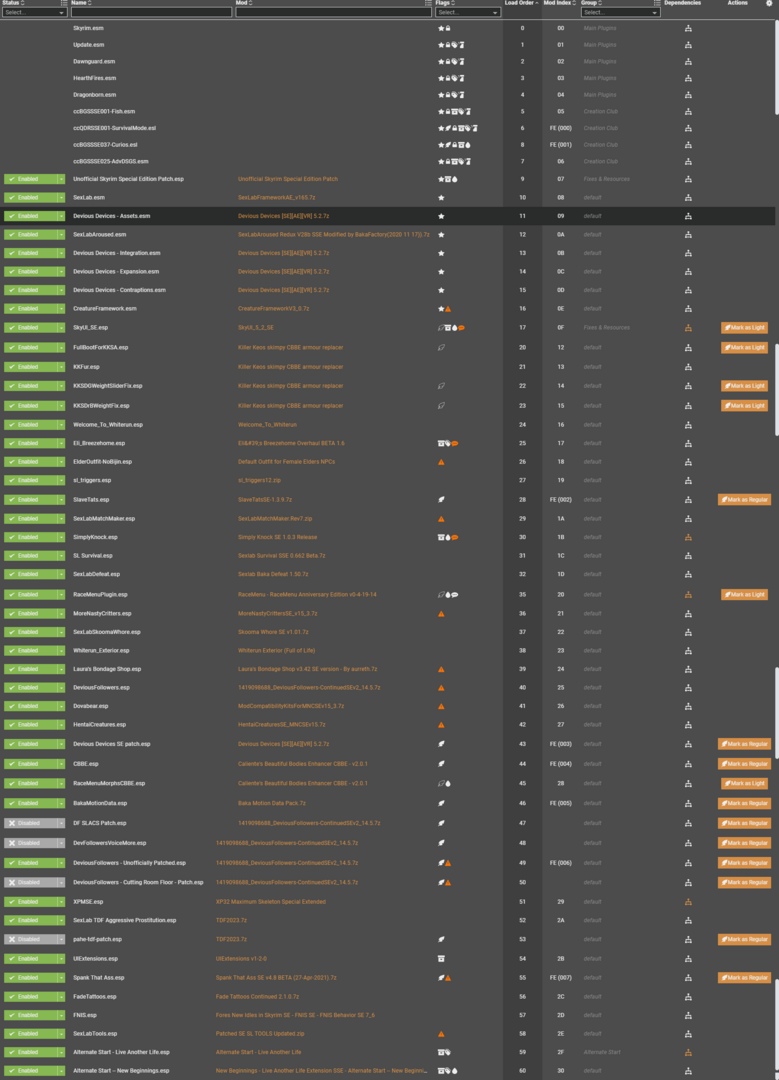
-
 THAT'S RIGHT, OVER 150 MODS VOICED! AND COUNTING... First, I want to make it clear that I did not make any of the voice packs listed here. I appreciate the work done by these modders and want to thank them for enriching my Skyrim experience. A special shout out goes to @DoubleCheeseburger for developing, refining and updating the process and creating a 'How to ...' for others to use. Also to @Executaball for continuing to make the process better. Loose files can be used in both LE and SE versions. Additional notes and information in next post, including an ADDENDUM containing DBVO files, etc. THE LIST with links to voice pack mod page or support post, voice pack creator, some notes. Voice packs included in the download section of the base mod are not also listed here. Now grouped behind spoilers due to length of list. A - C D E - O P - R S T - Z Over 100 mods, you guys continue to be awesome!
 -
Horny creatures of Skyrim Special Edition View File BE ADVISED: some sack of shit is using my name to re-post mods on other websites, this person is NOT me. DO NOT DOWNLOAD ANYTHING FROM THOSE OTHER SITES. I ONLY UPLOAD TO LOVERSLAB. Horny Creatures of Skyrim a Dragon & creature focused SLAL pack with bonus animated main menus and load screens. by MadMansGun special thanks to: Billyy, Blaze69, CPU, Dayelyte, Leito86, notmenotyou, Serenna187 and SirNibbles for help, advice and pointing me in the right direction. Ixum and Dravus for finding some solutions and walkarounds for animations not loading or crashing. Pfiffy for Original SSE port. 32Bit/SLE version: https://www.loverslab.com/files/file/2436-horny-creatures-of-skyrim/ ---------------------------------------------------------- the downloads: HornyCreaturesofSkyrim < the mod. HCOS_Bonus&Extras < 3D printable model and alternative main menus (is compatible with main menu randomizer mod). ---------------------------------------------------------- Mod Requirements: More Nasty Critters: SE https://www.loverslab.com/files/file/5464-more-nasty-critters-special-edition/ Fores New Idles in Skyrim SE (aka: FNIS) (don't forget to download the "FNIS Creature Pack") https://www.nexusmods.com/skyrimspecialedition/mods/3038 Suggested Load Order: (Skyrim DLC and Patch mods here) SexLab.esm SexlabAroused.esm CreatureFramework.esm (other SexLab related mod's .esm here) (All other .esm mods here) SkyUI.esp UIExtensions.esp FNIS.esp (All other .esp mods here) SexLabTools.esp MoreNastyCritters.esp HentaiCreatures.esp (only if installed) SexLabMatchMaker.esp SLAnimLoader.esp HornyCreatures.esp (other SexLab related mod's .esp here) ---------------------------------------------------------- suggested (but not at all needed) mods: SexLab Dragons (highly recommended) https://www.loverslab.com/files/file/7900-sexlab-dragons/ SexLab Werewolves Redux (highly recommended) https://www.loverslab.com/files/file/18014-sexlab-werewolves-redux/ Animation Limit Crash Fix (note: may not be working for AE at this time) https://www.nexusmods.com/skyrimspecialedition/mods/31146? SexLab Aroused Creatures + osmelmc's patch for SexLab Aroused Creatures. https://www.loverslab.com/files/file/6022-sexlab-aroused-creatures-se-2025-04-05/ https://www.loverslab.com/files/file/10316-osmelmc-mod-tweaks/ Quite the Sperm Replacer http://www.loverslab.com/files/file/2568-sexlab-quite-the-sperm-replacer/ ---------------------------------------------------------- Animation Troubleshooting: 1. if you are using a Mod Manager ( please go with Mod Organizer 2, it's highly recommended ) make sure it's installing the files to the right location and with the right load order. a good guide for using Mod Organizer 2 can be found here: https://www.youtube.com/watch?v=j4ZQpzf_iAE&list=PLE7DlYarj-DcLS9LyjEqOJwFUQIIQewcK 2. run/rerun the GenerateFNISforUsers.exe, if you don't the animations wont work/run. C:\Games\Steam\SteamApps\Common\Skyrim\Data\tools\GenerateFNIS_for_Users\GenerateFNISforUsers.exe WARNING: Windows (Vista/7/8/10) Security may interfere with updating/overwriting the FNIS behavior files. you may not even get a error message telling you that this has happened. make sure FNIS and your mod manager are running with administrator privileges. NOTE: try deleting "Data\meshes\actors\character\behaviors\0_master.hkx" and re-running it again, that sometimes helps. 3. when you start the game with the Skyrim Script Extender (SKSE) loader the list of installed mods wont get refreshed, so if you install a mod and just start the game with the loader any new mods you installed wont be fully activated. to fix this problem go to the skyrim launcher and click on "DATA FILES" and it will refresh the list of installed mods, you can now close the launch and start the game with the skse loader. note: this only apply if you are not using a mod manager 4. in game you need to go inside SexLab's Mod Control Menu (MCM) and click on "install" first before you can use SexLab. 5. make sure you have "Allow Creature Animation" checked in SexLab's MCM settings. 6. turn off "Match Creature Gender" in sexlab's MCM settings, if this setting is enabled some animations won't play, its because most creatures don't have female counterparts in skyrim by default. 7. did you forget to install the FNIS Creature Pack? install it and rerun the GenerateFNISforUsers.exe, then do steps 5 & 8 NOTE1: if you do have the Creature Pack but some creatures are just playing idle animations during sex try clicking on "De-Install Creatures" in FNIS, after it's done running click on "Update FNIS Behavior" (doing this will delete all the creature behavior files generated by FNIS and remake new ones...that is assuming you DO have the FNIS Creature Pack installed) NOTE2: try turning on the "hkx file compatibly check" in FNIS to see if you installed the wrong version/s of any animation packs. 8. you may need to reload the animations, go to the Animation Loader's MCM and then: 8.1. click on the "Disable All" button. 8.2. click on "Rebuild Animation Registry", then Wait for the message to pop up*. 8.3. click on "Reload JSON". 8.4. click on "Enable All". 8.5. click on "Count Animations" and make sure nothing is over 500, turn off some animations if they are. 8.6. click on "Register Animations", then Wait for the message to pop up*. *if you like you can press "~" on your keyboard to open the console so you can watch it Register everything, just make sure you close it before you try to click on anything. 9. if SLAL Packs are not being listed in SLAL try reinstalling/updating JContainers. https://www.nexusmods.com/skyrimspecialedition/mods/16495 or https://github.com/ryobg/JContainers/releases 10. if you are getting teleported into the air above Secunda's Kiss (giant camp at center of map) then try starting a animation in a indoor area first. it should stop happening outside after you do. 11. if you are having nonstop walking problems with the dragons try unchecking "Disable Starting Teleport" in SexLab's animation settings. 12. with some creature on creature animations you may need to use SexLab Tools for them to run correctly: https://www.loverslab.com/files/file/10660-sexlab-tools-for-se-patched/ 12.1. use the MatchMaker spells to start animations: https://www.loverslab.com/files/file/163-sexlab-matchmaker-updated-09172014/ 12.2. walk up to them, then look at them and press "N" on your keyboard. 12.3. click on "Control Animation". 12.4. press "H" on your keyboard. 12.5. click on the correct animation. ......or you could also try using "SexLab Utility Plus" it helps to reduce this problem: https://www.loverslab.com/files/file/10316-osmelmc-mod-tweaks/ 13. if all else fails, try loading a older save file from before sexlab was installed. ------------------------------------------------------------------------ FNIS Troubleshooting: "ERROR(9): Index was outside the bounds of the array" or "ERROR(2026): Too many animations": you may have Too many animation mods and/or SLAL Packs installed, use the "XXL" version of FNIS or uninstall some animations. "ERROR(76): Could not find a part of the path DebugData.txt": a Win10 update (or antivirus software) has forcibly turned on real time protection and it's stopping FNIS from generating/updating files. you need to disable real time protection before running FNIS, or add GenerateFNIS_for_Users.exe to the exclusions list (also you should probably add skse_loader.exe and TESV.exe as well) Crashing on loading save file: you have Too many animations installed, most people start crashing around 12000 to 14000. remove some animation mods to fix the problem, or try installing these mods to bypass the crashing point: https://www.loverslab.com/files/file/11208-animation-limit-crash-fix/ https://www.nexusmods.com/skyrimspecialedition/mods/17230/ ------------------------------------------------------------------------ Main Menu & LoadScreens: if you don't like the main menu just delete or replace* Data\meshes\interface\logo\logo.nif also the loadscreens can be easily removed with TES5Edit, just delete the loadscreen section from the esp *there are alternatives in the HCOS_Bonus&Extras.7z, the "wordwall dragonnamehere" loadscreens are non adult. or you can try this edited version of Skyrim's original: https://www.nexusmods.com/skyrimspecialedition/mods/725/? ------------------------------------------------------------------------ .___. {0,0} ___________________________________ /)__)> |creative commons, No One May Profit| -"-"- """"""""""""""""""""""""""""""""""""" a song to sing as you lay dragons: https://www.youtube.com/watch?v=CArejI2nZLg Submitter MadMansGun Submitted 03/18/18 Category Adult Mods Requirements many things, there are a few guides available. Regular Edition Compatible No Install Instructions
-
SexLab Drunk Redux View File This is a re-imagination of vinfamy's SL Drunk that attempts to provide more features, while being more compatible with regular gameplay/other mods at the same time. -------------------------------------------------- Have a drink alone or with friends. Have fun with others or get used after being drugged. Contains both dominant and submissive content for both male and female PCs. To get started, simply consume any alcoholic item, or share one of your drinks with an NPC by selecting the "Let's have a drink together." dialogue. If someone doesn't like you, they will probably say no. Features An MCM to configure different parameters. Comes with a debug page for troubleshooting. Make advances on NPCs after sharing a drink with them. NPCs may approach you with different intentions. Have a drink together, or maybe some fun. Some actions have consequences. Spiked drinks will make you more vulnerable and not everyone will take no for an answer. Your vision will blur around the edges, or overall, to indicate how drunk you are. Being drunk will also make you move slower. Differences compared to SL Drunk No vanilla records modified. Dialogue won't always have the same outcome. Spiked drinks will make you drunk more quickly. After sobering up, NPCs won't keep approaching you indefinitely. No broken followers! Requirements SkyUI SexLab Framework Fuz Ro D-oh Powerofthree's Papyrus Extender for SSE (for v1.3+) Compatibility This should work with pretty much anything, even mods that modify the vanilla alcohol items. No existing items/records were touched. Future content No current plans. I don't use a lot of SL mods for stability reasons. Suggestions are welcome. Submitter Creek191 Submitted 12/19/2019 Category Misc Sex Requires SkyUI, SexLab Framework, Fuz Ro D-oh, Powerofthree's Papyrus Extender for SSE Regular Edition Compatible No
-
 [SE] CBBE HDT Piercing Sets - Bodyslide Conversion for 3BBB View File I wanted to use the piercings with the SE version of Skyrim but noticed a bit late they were not yet adapted to SMP and since I wanted them I red some guides on bodyslide/outfit studio and attempted to do the conversions myself, so for other people that would like to use them with CBBE 3BBB and SMP, here are my conversion attempts. (You will still require the meshes, textures and other files from CBBE HDT Piercing Sets) This is my first conversion so it may contain a lot of errors, please go easy on me :(, any errors I made just report them and I'll try to fix them as soon as I can. What was changed - All meshes optimized for Skyrim SE. - All nipple piercings were realigned to the nipples. - Some labia, navel and nipple piercings were adjusted in rotation/position to avoid clipping with the body. - Bones on the nipple piercings were replaced with the 3BBB ones, it will work with SMP and CBPC ?. - Ported needed files to SSE. Instructions Using Mod Organizer: - Install CBBE HDT Piercing Sets - Install this mod - Make sure this mod sits below the original in the Mod Order - Build all the piercings to your favourite body preset* Manually OR Any mod manager that install directly to data: - Install CBBE HDT Piercing Sets - Install this mod (Dump all to the 'data' folder if manually, overwrite everything if asked) - Build all the piercings to your favourite body preset* * When building the piercings in outfit studio, they will all be prefixed with "[SE 3BBB]" for ease of search (Look at the 2nd screenshot for reference). * Don't forget to build all the piercings you want to use to your preset The outfits can be found in the groups: - [SE 3BBB] AH1 Piercings - [SE 3BBB] Newmiller Piercings - [SE 3BBB] SED7 Piercings Obtaining the piercing in game: - Using console commands or mods like AddItemMenu - Crafting the piercings at a forge or having NPCs craft them (Honed Metal - SSE) - Buying the piercings from vendors if you chose extended changes during installation (PROBABLY WILL REQUIRE BASHED PATCH) * Radiant Raiment in Solitude for SED7 Piercings * Fralia in Whiterun market for Newmiller Piercings (except spikes) * Kerah in Markarth market for AH1 Piercings * Madesi in Riften market for Newmiller spikes * Any Khajiit caravan may hold some piercings of any set Notes - There may be slight differences as many corrections were made manually (specially belt and neck chains >.<). - Labia piercings may not be very correct since the body shape with hdt pussy changed a bit since the original piercings and I didn't had any reference for the positions. - If you have mods that alter jewellery merchants or caravan containers, the vendor lists will probably not work as expected and a bashed patch will be required. - I couldn't create an outfit group with the piercings because the slider presets disappear, and I don't understand why this happens when the piercings are grouped, however this makes it impossible to build the piercings for the preset you want, so I ungrouped all piercings for now. - I couldn't adjust the belt, neck & nipple chain piercings from Newmiller without deforming the models, so I'm leaving those 8 piercings for later, feel free to adjust them yourself if you would like to :D. Requirements - CBBE SMP (3BBB) - OR CBBE 3BBB - BodySlide and Outfit Studio - CBBE HDT Piercing Sets Future Plans Maybe add SMP to the piercings' chains, I thought of that while doing the conversions but don't have the know how right now. Besides this, only fixing stuff, this is pretty much final :P. Acknowledgements Much thanks to Skeuomorph for the HDT conversions I used to build the new files Hentaijin, Newmiller, and Shazhar for the original piercings Disclaimer I only did re-fitting and porting over Skeuomorph's original files and adapted the new bodyslide files based on his. So if he disagrees with this usage of his work, I'll remove the files immediately. Change Log 1.2.0 - Added FOMOD installer - Added optimized meshes and sliders for Newmiller's neck and belt chain piercings - Added inventory models to AH1 piercings - Fixed Newmiller/SED7 piercings' inventory model meshes - Fixed AH1 snake and skull missing textures from Dragon Princess - Removed "unneeded" npcs, containers and cell edits from the esp (extended changes option) - Removed light armour from SED7 piercings (extended changes option) - Added piercings to jewellery vendor lists (extended changes option) - Added smiting recipes for AH1 piercings (extended changes option) - Changed all piercings to use the same set of slots (extended changes option) - Changed weight and price values for AH1 piercings (extended changes option) 1.1.1 - Fixed the alignment of the optimized meshes - Fixed and enabled the slider groups for the piercings 1.1.0 - Fixed missing optimized meshes - Adapted a texture reported as unsupported by Nif Optimizer - Adapted esp to SSE (resaved as form 44) 1.0.0 - Initial Release Submitter EronicHunter Submitted 01/03/2021 Category Adult Mods Requires CBBE HDT Piercing Sets, CBBE SMP or CBBE 3BBB, Bodyslide and Outfit Studio Regular Edition Compatible No
 -
OLM: Lydia's new Outfit
zilvradrow posted a blog entry in (What .. If... ) Skyrim & Fallout 4 - Alternative Worlds
The days passed, and the intense heat subsided. Zilphia was back in Whiterun, having brought a new outfit for Lydia - one she had mentioned she would really like. Naturally, Lydia put it on right away, and the two subsequently went for a walk through Whiterun so she could get used to the new boots. Lydia: "I don't even know how to thank you. You ran all across Skyrim just to get me this outfit." Zilphia: "You don't need to thank me for that; after all, you paid for it." -
 As the title, I need SLSFR v3.3.0 for loading an old save file, but it requires this specific version of SLSFR so if anyone has it please kindly share it, Thanks in advance
 -
OLM: Spontaneous things
zilvradrow posted a blog entry in (What .. If... ) Skyrim & Fallout 4 - Alternative Worlds
As the day wore on, the two chatted for a while, mostly about trivial matters. Lydia: "I couldn't agree more. It is a bit strange hearing that from a succubus. Then again, that’s just who you are." Zilphia: "Yes, I certainly understand that. But I wouldn't be here if I weren't exactly the way I am." Lydia nodded at Zilphia with a smile, then glanced down at the succubus again. Lydia: "What the... You're aroused again, my Thane." Lydia began to chuckle as Zilphia added, "Well, I'm actually always aroused. Sometimes more intensely, sometimes less." But then, the two women were suddenly interrupted by Laufey, who had approached them. "There you are! I’ve been looking for you." -
View File SOL - SE Port Still banned from epstein so still posting my ports here. (: Should I return to it ? Sorry in advance since most ports of today are in french, didn't bother to recreate an account to offer the english version. You'll have some french in your game... Sorry for the incovenience. 44 form, optimised through CAO and eslified. "Both the silvered and normal version can be crafted at any forge under the steel and misc category." Submitter Korath0 Submitted 07/14/26 Category Regular Mods Requirements "Modex" Regular Edition Compatible Install Instructions
-
View File The Sherwood - SE Port 44, optimised and eslified. "It can be crafted at the forge under the steel category. Ebony stats, Ebony Smithing perk." Submitter Korath0 Submitted 07/28/26 Category Regular Mods Requirements "Modex" Regular Edition Compatible Install Instructions
-
View File Sedethul - SE Port 44, optimised and eslified. "Visit any forge. Both one- and two-handed swords will show up under the "STEEL" menu." Submitter Korath0 Submitted 07/28/26 Category Regular Mods Requirements "Modex" Regular Edition Compatible Install Instructions