Search the Community
Showing results for tags 'utilities'.
Found 6 results
-

Version 2.7.1
1851 downloads
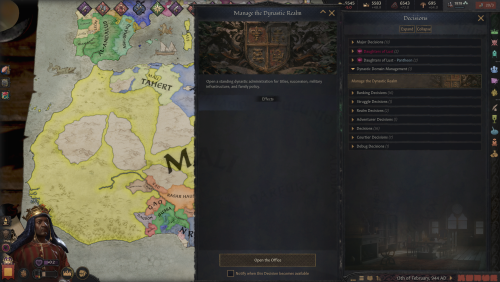
Dynastic Comdom Pack Dominion of Communion + Dynastic Domain Manager NTR Lovers We Eating....Cucks, Your Scraps Are In The Corner Current LoversLab Pack — September 29, 2026 Dominion of Communion 2.7.0 | Dynastic Domain Manager 2.7.0 Carnalitas Compatibility 2.6.0 | Slavery Reimagined Living Market 2.7.0 Thank you for 1,000+ downloads (^^)d! This project is actively developed. If something breaks, feels unfinished, or you have an idea worth adding, please contact me through LoversLab. My DMs are open and people havent had issue so far! Collaboration requests are welcome too (and I'm just going to let you know, are approved). SEPTEMBER 29, 2026 — 2.7 UPDATE Stability • Performance • UI • Systems This release consolidates roughly two weeks of work across Dominion, Dynastic Domain Manager, Living Market, and the Carnalitas compatibility bridge. The focus was long-save stability, simulation overhead, AI behavior, market logic, GUI cleanup, nonsexual age-rule consistency, and retiring genuinely obsolete code without stripping out CK3 content that is discovered directly by the engine. DOMINION OF COMMUNION 2.7.0 Reworked recurring Patron maintenance around CK3's native pulse system instead of continuously generating delayed callback chains.Reduced unnecessary recurring and global work in several long-running systems.Reworked Human Amongst AI containment and coalition behavior to reduce excessive AI war spam.Containment responses now use stronger military checks, game-rule awareness, peace requirements, and longer cooldowns.Audited Dominion custom wars so they remain script/event-driven rather than being freely spammed by CK3's generic AI war planner.Completed a broad Communion Ledger GUI overhaul covering navigation, containment, spacing, columns, sorting controls, tooltips, and large-list usability.Removed unnecessary Dominion-specific age restrictions from nonsexual recruitment, political, administrative, court-transfer, legitimacy, and maintenance systems.Apex recruitment and ordinary court movement no longer use the previous custom Dominion age gate.Removed the oversized under-age character-hover warning that could turn character tooltips into giant banners.Fixed multiple parser, localization, profile, portrait, Endowment, Ruler Designer, and long-save state issues. DYNASTIC DOMAIN MANAGER 2.7.0 Completed a full Dynastic Domain Office GUI overhaul rather than continuing to patch individual screens.Standardized office sizing, navigation, page margins, footer containment, tab widths, dense-list behavior, and compact controls.Expanded pagination for large management screens, including Designated Heir and the optional Living Market interface.Reduced kidnapping overhead by removing unnecessary court-transfer operations before imprisonment.Reworked War to Recover the Kidnapped so it behaves as an exceptional recovery mechanism rather than an AI-spammable war.Recovery behavior now considers relationship importance, military strength, existing wars, game rules, and long cooldowns.Writ Hostage recovery no longer repeatedly retries on short timers.Removed unnecessary DDM-specific age floors from nonsexual systems including ordinary kidnapping, administrative Proscriptions, and Dynastic Command School eligibility. SLAVERY REIMAGINED LIVING MARKET 2.7.0 Fixed individual and bulk slave-sale execution.Mass Sell now evaluates the highest actually executable bid independently of the visible UI sort order.Characters with no valid or willing buyer, or only zero-value bids, are no longer sold anyway.Buyer affordability is recalculated while a bulk sale proceeds, so earlier purchases can correctly affect later bids.Tightened manual Sell validation.Rebuilt Buy, Sell, Marriage, and Workforce list handling around cached full rosters, sorting, and pagination.High-to-Low and Low-to-High sorting now applies to the complete roster before paging.Completed GUI containment work for the DDM-integrated Slavery office, including the Workforce page.Removed redundant custom age restrictions from nonsexual Labour, Military, procurement, and enslavement entry points where dependency-native validity already governs the action.Removed an expensive recurring AI procurement world scan. Slave sourcing now happens when procurement actually runs instead of during every eligibility check.Removed the obsolete standalone Slave Exchange window, hidden opener decision, associated UI state, localization, and standalone-only bridge code. Living Market Interface Dynastic Domain Office → Realm Office → Slavery CARNALITAS COMPATIBILITY 2.6.0 Updated the compatibility bridge for the 2.7 Dominion release.Continued synchronization hardening around Dominion's persistent Endowment/profile data.Dominion remains authoritative for established persistent measurements while supported Carnalitas state can synchronize without repeatedly rerolling or overwriting them.The compatibility module remains a bridge rather than another standalone interface or recurring gameplay layer. PERFORMANCE & CODE CLEANUP Audited recurring callbacks, world searches, delayed-event chains, GUI bridges, old decisions, and legacy integration paths across the pack.Removed or retired confirmed obsolete UI/state plumbing and genuinely unused legacy routes.Reduced recurring world searches, unnecessary court transitions, delayed-event generation, and custom-war evaluation.Retained compatibility stubs, save-migration logic, engine-discovered CK3 definitions, and legacy callback drains where removing them could break existing saves or optional dependencies.Cleaned several sources of repeated runtime and error-log noise. DOMINION OF COMMUNION Dominion of Communion is a relationship, rivalry, sexual-competition, household-control, and personal-power overhaul for Crusader Kings III. It began as an attempt to make cuckoldry/NTR mechanics matter beyond a single event. It has grown into a larger simulation of persistent relationships, humiliation, loyalty, rivalry, submission, reputation, personal influence, household politics, and the consequences of power and blah and blah and stroke and stroke of my own cokc, just try it out. Dominion and Patronage Characters can develop persistent relationships with individual Patrons. Dominion XP persists over time.Characters can become lovers, rivals, cuckolds, Owned characters, devoted followers, or otherwise tied to a Patron.Alpha Checks, Tantalize, humiliation, sex, loyalty, rivalry, and other interactions can deepen those relationships.Relationship states are repaired and audited during long campaigns instead of being treated as disposable one-event outcomes. Communion Ledger The Communion Ledger is the main interface for the mod. Use it to track: Dominion relationshipsLoyalty and followersWorld OutcomesEndowments and preferencesRelationship statesPersistent character recordsReputationLong-running campaign data The Ledger is designed for campaigns with large dynasties, many lovers, numerous rivals, and sprawling realms. Alpha Check and Tantalize Alpha Check and Tantalize create direct competition between characters. Outcomes depend on the characters involved rather than automatic player victory.Competition can create rivalry, humiliation, attraction, submission, or deeper Dominion.Repeated outcomes can matter long after the original interaction ends. Cuckoldry With Persistent Consequences Cuckoldry is treated as a continuing relationship state rather than a temporary event modifier. Cuck XP can accumulate over time.Humiliation and submission can deepen.The system distinguishes actual cuckoldry from CK3 family structures that merely look suspicious.Lawful co-spouses are not automatically treated as cheating simply because they share a spouse.Old saves include repair logic for missing or invalid Cuck-state records. Endowment System Eligible adult male characters can receive persistent physical Endowment measurements. Length and girth are stored directly on the character.Visible size categories range from Micropenis through Massive.Exact measurements can be viewed through the Endowment systems.Characters can have their own size preferences rather than using a simple "larger is always better" rule.Manual preference controls are available where appropriate. Endowment Mastery Physical size and sexual experience are separate systems. Endowment Mastery represents experience, confidence, and reputation. A character can therefore be physically average but highly experienced, or extremely endowed but inexperienced. Endowment Registry The Endowment Registry lets you compare and sort eligible characters by: MeasurementsEndowment categoryEndowment IndexPreferencesMastery The registry is designed to remain usable as the campaign population grows. World Alpha World Alpha is a global seeded elimination tournament. Eligible characters receive an Alpha Rating.Participants progress through successive matchups.Placement, opponent, rating, odds, and rewards are recorded.World Outcomes can be reviewed later instead of disappearing after the event. Lick the Tip Lick the Tip is a realm-wide loyalty test. Eligible adult courtiers, direct vassals, and their adult courtiers can be called upon to demonstrate loyalty. Every character makes an individual decision.Opinion, personality, Dread, position, and relationship with the Patron matter.Their answer is remembered.Repeated loyalty can build Loyalty XP. Cult of Personality Loyal followers contribute to a persistent Cult of Personality around their Patron. Followers can generate resources and political influence.AI characters can build their own followings.Loyalty can eventually become tangible political and military power. The Devoted A sufficiently developed Cult of Personality can support The Devoted, a special military force tied to the Patron's following. Its size and effectiveness scale with the strength and loyalty of the Patron's adherents. Human Amongst AI Human Amongst AI is an optional power-fantasy mode for players who want a more extreme relationship between the human player and the simulated world. Includes its own Fame progression.Provides special bonuses and reactions.Exists as an optional layer rather than replacing normal Dominion play. Power Trip Power Trip is a full activity built around traveling into another independent realm and forcing a major personal or political confrontation. Uses actual travel.Success is calculated rather than guaranteed.Targets can resist.Outcomes can affect rulers, titles, relationships, and realm politics.Repeated crash, targeting, and state-handling fixes have been made for long campaigns. Reputation The Reputation system watches how a character actually behaves over time and gradually builds public archetypes around those actions. It is intended to reflect a pattern of behavior rather than simply handing out another permanent personality trait. The D(etails) — Household Dynamics The D adds background household relationships between spouses and registered intimates. Depending on their personalities and circumstances, they can develop: FriendshipsRivalriesHostilityIn extreme cases, genuine vanilla murder schemes Submission, Warfare and Collapse Dominion can affect more than sex and romance. Characters with extreme submission may behave differently during war, surrender, or political confrontation. At the furthest end, Final Collapse can produce major outcomes for rulers whose resistance to a Patron has effectively been destroyed. Special handling exists for unusual CK3 government and title structures to avoid needlessly breaking realms. AI Participation Dominion is not intended to exist only for the player. AI Patrons can pursue relationships.AI can deepen Dominion states.AI can build followings.Game rules let you decide how active or restrained the simulation should be. Player Household Agency The human player receives additional protection from completely invisible AI outcomes involving their household. When Dominion-generated behavior targets the player's lawful partner, the player can receive an opportunity to intervene rather than having the result silently decided in the background. Long-Term Campaign Support Dominion includes repair and audit systems intended for long saves and repeated updates. Missing or invalid relationship records can be repaired.Existing valid Endowments are not deliberately rerolled.Persistent registries use pagination where practical.Background maintenance is designed to avoid unnecessary repeated work.Routine lover/breakup memory spam is cleaned while important relationship, family, pregnancy, childbirth, death, crime, secret, and major memories are preserved. DYNASTIC DOMAIN MANAGER Dynastic Domain Manager is a standalone companion mod for players managing enormous dynasties, courts, and realms. It can be used with or without Dominion of Communion. Major systems include: Crown Estate managementDynasty and title distributionRealm and household administrationMarriage planningEducation managementPrisoner and kidnapping toolsCouncil and court staffingChild-ruler supportLarge-family managementProscriptions and bounty hunters Proscriptions and Bounty Hunters The Proscription system has grown into a persistent bounty-hunter simulation. Hunters track XP, wins, losses, and history.The Bounty Office provides direct management.Survivor progression runs through I–VIII.Eight successful defenses can earn Defied the Writ protection.Hostage, ransom, coercion, tributary, court-service, and abdication outcomes can occur.Retrieval Wars can undo certain DDM-imposed political coercion.Revocation, immunity, automation, and reissue rules are tracked persistently. Education and Realm Management DDM also includes expanded education and realm tools, including Educate the Realm, searchable character management, marriage planning, household management, and automation intended to reduce repetitive dynasty micromanagement. CARNALITAS COMPATIBILITY — OPTIONAL Dominion of Communion — Carnalitas Compatibility 2.6.0 is included for players using Dominion with Carnalitas. It keeps overlapping body/Endowment information synchronized and allows supported Carnalitas hooks to communicate with Dominion while keeping Dominion's persistent Endowment data authoritative. Requires: Dominion of CommunionCarnalitas Do not enable this module if you are not using Carnalitas. SLAVERY REIMAGINED LIVING MARKET — OPTIONAL Slavery Reimagined Living Market 2.7.0 expands Carnalitas Slavery Reimagined + Carnalitas Slavery Expansion into a much more active slave economy. It is not required for Dominion or DDM. Living Slave Market The Buy market is designed as an actual paged market rather than a tiny local list. Available slaves within diplomatic range can be listed.Listings are paginated and sortable.Merchant inventory is replenished so buying a few characters does not empty the entire economy.AI rulers actively build slave households instead of waiting years between opportunities.AI can enslave eligible prisoners and war captives more aggressively.Strong hooks can create additional AI enslavement opportunities where allowed. Buy and Sell The Sell market evaluates actual available buyers rather than treating every candidate as a valid sale. Mass Sell evaluates the highest executable bid.The visible sort order does not determine which bid is used.Characters with no valid buyer remain unsold.Buyer affordability is reevaluated as bulk transactions proceed. AI Household Targets Major AI rulers attempt to maintain meaningful slave households. Approximate baseline targets: Dukes: 4Kings: 8Emperors / Hegemons: 10 Procurement becomes more active while rulers remain below target. Workforce Living Market uses the real CSE job systems for: Labour SlavesSlave ProstitutesSex Slaves / concubine serviceMilitary Slaves The Workforce Service Desk makes the system visible to the player instead of hiding everything in background pulses. Each worker can be shown as: ListedPrivateDeployed Player controls include: ListPauseOffer ServiceList AllPause All Service Economy Listed workers can provide supported services inside the owner's court or to eligible foreign rulers. Labour slaves generate court income and can take external work.Slave Prostitutes generate court income and can provide supported services to eligible adult characters.Sex Slaves / concubine service can generate prestige and can be offered externally.Foreign listed workers expose a visible Hire Listed Slave Service interaction.Buy-market rows can expose a direct Hire Service action.Your own selected worker can be offered by right-clicking an eligible landed ruler and choosing Offer Selected Slave Service. Automatic outside contracts for your workers can be shut off with Pause All Services if you want complete manual control. Military Slave Contracts Military Slaves can be contracted to rulers who are already at war. Contract values: Recruit: 400Soldier: 800Commander: 1,200 Military contracts use gold, prestige, and piety rewards. The current owner receives 99% and the slave retains 1%. While deployed: The slave receives a visible deployment state.They cannot be sold or reassigned through Living Market.The hiring ruler receives rank-scaled military assistance.The slave faces ongoing wound risk.The contract ends when the hiring ruler returns to peace or the deployment can no longer continue. The system deliberately avoids physically transferring ownership or permanently moving the slave into another ruler's court, which helps prevent conflicts with CSR's own ownership/court-restoration logic. Financial Report The Service Desk includes a visible financial report tracking: Court incomeExternal-service incomeMilitary incomePrestige incomePiety incomeAvailable listingsActive military contracts A Reset Report control is included. Living Market Interface Living Market's player-facing management interface is integrated directly into: Dynastic Domain Office → Realm Office → Slavery The office contains Buy, Sell, Marriage, and Workforce pages. There is no separate standalone Slave Exchange window. Living Market Requirements CarnalitasCarnalitas Slavery Reimagined 0.30.0+Carnalitas Slavery Expansion 2.2+Dominion of Communion 2.6.0+Dynastic Domain Manager 2.6.12+ INCLUDED FILES The LoversLab download contains four components: Dominion of Communion 2.7.0 — main Dominion / relationship / Endowment / personal-power mod.Dynastic Domain Manager 2.7.0 — standalone dynasty, realm, household, education, and proscription manager.Dominion of Communion — Carnalitas Compatibility 2.6.0 — optional Dominion + Carnalitas compatibility module.Dominion of Communion — Slavery Reimagined Living Market 2.7.0 — optional CSR/CSE slave-market and workforce expansion. INSTALLATION Manual Install Close Crusader Kings III and the Paradox Launcher.Go to: Documents/Paradox Interactive/Crusader Kings III/mod/If updating, delete the old copies of: dominion_of_communion Dynastic_Domain_Manager dominion_of_communion_carnalitas dominion_of_communion_slavery_reimaginedExtract the contents of the ZIP directly into the CK3 mod folder.The .mod launcher files should sit beside their matching mod folders.Enable only the components you actually use. Do not merge a new release over an old folder. Old development files can survive an overlay install and create duplicate decisions, raw localization keys, or other strange behavior. BASIC LOAD ORDER Dominion of Communion Dynastic Domain Manager IF USING CARNALITAS Carnalitas Dominion of Communion Dynastic Domain Manager Dominion of Communion — Carnalitas Compatibility IF USING LIVING MARKET Recommended full order: Carnalitas Carnalitas Love Reimagined (if used) Carnalitas Slavery Reimagined Carnalitas Prostitution Reimagined (if used) Carnalitas Slavery Expansion Dominion of Communion Dynastic Domain Manager Dominion of Communion — Carnalitas Compatibility Dominion of Communion — Slavery Reimagined Living Market EXISTING SAVES Current builds are intended to update existing campaigns, but always back up an important save before changing a large mod list. STEAM WORKSHOP Prefer Steam for the mods? The ones that are normie-ish are on steam Dominion of Communion Dynastic Domain Manager Dominion of Communion — Carnalitas Compatibility Dominion of Communion — Slavery Reimagined Living Market The LoversLab download remains the easiest way to get the combined manual-install package containing the entire current set. CHINESE TRANSLATION Chinese localization for Dynastic Domain Manager is available through 牛奶大魔王's CK3 Chinese translation collection: 集成汉化·|收复失地| Thank you to 牛奶大魔王 and the translation team for supporting Chinese players. SUPPORT Cashapp: $BBURDSCH -
View File Dynastic Comdom Pack: Dominion of Communion + Dynastic Domain Manager - NTR Lovers We Eating....Cucks, Your Scraps Are In The Corner | CK3 Relationship & Realm Management Mods Dynastic Comdom Pack Dominion of Communion + Dynastic Domain Manager NTR Lovers We Eating....Cucks, Your Scraps Are In The Corner Current LoversLab Pack — September 29, 2026 Dominion of Communion 2.7.0 | Dynastic Domain Manager 2.7.0 Carnalitas Compatibility 2.6.0 | Slavery Reimagined Living Market 2.7.0 Thank you for 1,000+ downloads (^^)d! This project is actively developed. If something breaks, feels unfinished, or you have an idea worth adding, please contact me through LoversLab. My DMs are open and people havent had issue so far! Collaboration requests are welcome too (and I'm just going to let you know, are approved). SEPTEMBER 29, 2026 — 2.7 UPDATE Stability • Performance • UI • Systems This release consolidates roughly two weeks of work across Dominion, Dynastic Domain Manager, Living Market, and the Carnalitas compatibility bridge. The focus was long-save stability, simulation overhead, AI behavior, market logic, GUI cleanup, nonsexual age-rule consistency, and retiring genuinely obsolete code without stripping out CK3 content that is discovered directly by the engine. DOMINION OF COMMUNION 2.7.0 Reworked recurring Patron maintenance around CK3's native pulse system instead of continuously generating delayed callback chains. Reduced unnecessary recurring and global work in several long-running systems. Reworked Human Amongst AI containment and coalition behavior to reduce excessive AI war spam. Containment responses now use stronger military checks, game-rule awareness, peace requirements, and longer cooldowns. Audited Dominion custom wars so they remain script/event-driven rather than being freely spammed by CK3's generic AI war planner. Completed a broad Communion Ledger GUI overhaul covering navigation, containment, spacing, columns, sorting controls, tooltips, and large-list usability. Removed unnecessary Dominion-specific age restrictions from nonsexual recruitment, political, administrative, court-transfer, legitimacy, and maintenance systems. Apex recruitment and ordinary court movement no longer use the previous custom Dominion age gate. Removed the oversized under-age character-hover warning that could turn character tooltips into giant banners. Fixed multiple parser, localization, profile, portrait, Endowment, Ruler Designer, and long-save state issues. DYNASTIC DOMAIN MANAGER 2.7.0 Completed a full Dynastic Domain Office GUI overhaul rather than continuing to patch individual screens. Standardized office sizing, navigation, page margins, footer containment, tab widths, dense-list behavior, and compact controls. Expanded pagination for large management screens, including Designated Heir and the optional Living Market interface. Reduced kidnapping overhead by removing unnecessary court-transfer operations before imprisonment. Reworked War to Recover the Kidnapped so it behaves as an exceptional recovery mechanism rather than an AI-spammable war. Recovery behavior now considers relationship importance, military strength, existing wars, game rules, and long cooldowns. Writ Hostage recovery no longer repeatedly retries on short timers. Removed unnecessary DDM-specific age floors from nonsexual systems including ordinary kidnapping, administrative Proscriptions, and Dynastic Command School eligibility. SLAVERY REIMAGINED LIVING MARKET 2.7.0 Fixed individual and bulk slave-sale execution. Mass Sell now evaluates the highest actually executable bid independently of the visible UI sort order. Characters with no valid or willing buyer, or only zero-value bids, are no longer sold anyway. Buyer affordability is recalculated while a bulk sale proceeds, so earlier purchases can correctly affect later bids. Tightened manual Sell validation. Rebuilt Buy, Sell, Marriage, and Workforce list handling around cached full rosters, sorting, and pagination. High-to-Low and Low-to-High sorting now applies to the complete roster before paging. Completed GUI containment work for the DDM-integrated Slavery office, including the Workforce page. Removed redundant custom age restrictions from nonsexual Labour, Military, procurement, and enslavement entry points where dependency-native validity already governs the action. Removed an expensive recurring AI procurement world scan. Slave sourcing now happens when procurement actually runs instead of during every eligibility check. Removed the obsolete standalone Slave Exchange window, hidden opener decision, associated UI state, localization, and standalone-only bridge code. Living Market Interface Dynastic Domain Office → Realm Office → Slavery CARNALITAS COMPATIBILITY 2.6.0 Updated the compatibility bridge for the 2.7 Dominion release. Continued synchronization hardening around Dominion's persistent Endowment/profile data. Dominion remains authoritative for established persistent measurements while supported Carnalitas state can synchronize without repeatedly rerolling or overwriting them. The compatibility module remains a bridge rather than another standalone interface or recurring gameplay layer. PERFORMANCE & CODE CLEANUP Audited recurring callbacks, world searches, delayed-event chains, GUI bridges, old decisions, and legacy integration paths across the pack. Removed or retired confirmed obsolete UI/state plumbing and genuinely unused legacy routes. Reduced recurring world searches, unnecessary court transitions, delayed-event generation, and custom-war evaluation. Retained compatibility stubs, save-migration logic, engine-discovered CK3 definitions, and legacy callback drains where removing them could break existing saves or optional dependencies. Cleaned several sources of repeated runtime and error-log noise. DOMINION OF COMMUNION Dominion of Communion is a relationship, rivalry, sexual-competition, household-control, and personal-power overhaul for Crusader Kings III. It began as an attempt to make cuckoldry/NTR mechanics matter beyond a single event. It has grown into a larger simulation of persistent relationships, humiliation, loyalty, rivalry, submission, reputation, personal influence, household politics, and the consequences of power and blah and blah and stroke and stroke of my own cokc, just try it out. Dominion and Patronage Characters can develop persistent relationships with individual Patrons. Dominion XP persists over time. Characters can become lovers, rivals, cuckolds, Owned characters, devoted followers, or otherwise tied to a Patron. Alpha Checks, Tantalize, humiliation, sex, loyalty, rivalry, and other interactions can deepen those relationships. Relationship states are repaired and audited during long campaigns instead of being treated as disposable one-event outcomes. Communion Ledger The Communion Ledger is the main interface for the mod. Use it to track: Dominion relationships Loyalty and followers World Outcomes Endowments and preferences Relationship states Persistent character records Reputation Long-running campaign data The Ledger is designed for campaigns with large dynasties, many lovers, numerous rivals, and sprawling realms. Alpha Check and Tantalize Alpha Check and Tantalize create direct competition between characters. Outcomes depend on the characters involved rather than automatic player victory. Competition can create rivalry, humiliation, attraction, submission, or deeper Dominion. Repeated outcomes can matter long after the original interaction ends. Cuckoldry With Persistent Consequences Cuckoldry is treated as a continuing relationship state rather than a temporary event modifier. Cuck XP can accumulate over time. Humiliation and submission can deepen. The system distinguishes actual cuckoldry from CK3 family structures that merely look suspicious. Lawful co-spouses are not automatically treated as cheating simply because they share a spouse. Old saves include repair logic for missing or invalid Cuck-state records. Endowment System Eligible adult male characters can receive persistent physical Endowment measurements. Length and girth are stored directly on the character. Visible size categories range from Micropenis through Massive. Exact measurements can be viewed through the Endowment systems. Characters can have their own size preferences rather than using a simple "larger is always better" rule. Manual preference controls are available where appropriate. Endowment Mastery Physical size and sexual experience are separate systems. Endowment Mastery represents experience, confidence, and reputation. A character can therefore be physically average but highly experienced, or extremely endowed but inexperienced. Endowment Registry The Endowment Registry lets you compare and sort eligible characters by: Measurements Endowment category Endowment Index Preferences Mastery The registry is designed to remain usable as the campaign population grows. World Alpha World Alpha is a global seeded elimination tournament. Eligible characters receive an Alpha Rating. Participants progress through successive matchups. Placement, opponent, rating, odds, and rewards are recorded. World Outcomes can be reviewed later instead of disappearing after the event. Lick the Tip Lick the Tip is a realm-wide loyalty test. Eligible adult courtiers, direct vassals, and their adult courtiers can be called upon to demonstrate loyalty. Every character makes an individual decision. Opinion, personality, Dread, position, and relationship with the Patron matter. Their answer is remembered. Repeated loyalty can build Loyalty XP. Cult of Personality Loyal followers contribute to a persistent Cult of Personality around their Patron. Followers can generate resources and political influence. AI characters can build their own followings. Loyalty can eventually become tangible political and military power. The Devoted A sufficiently developed Cult of Personality can support The Devoted, a special military force tied to the Patron's following. Its size and effectiveness scale with the strength and loyalty of the Patron's adherents. Human Amongst AI Human Amongst AI is an optional power-fantasy mode for players who want a more extreme relationship between the human player and the simulated world. Includes its own Fame progression. Provides special bonuses and reactions. Exists as an optional layer rather than replacing normal Dominion play. Power Trip Power Trip is a full activity built around traveling into another independent realm and forcing a major personal or political confrontation. Uses actual travel. Success is calculated rather than guaranteed. Targets can resist. Outcomes can affect rulers, titles, relationships, and realm politics. Repeated crash, targeting, and state-handling fixes have been made for long campaigns. Reputation The Reputation system watches how a character actually behaves over time and gradually builds public archetypes around those actions. It is intended to reflect a pattern of behavior rather than simply handing out another permanent personality trait. The D(etails) — Household Dynamics The D adds background household relationships between spouses and registered intimates. Depending on their personalities and circumstances, they can develop: Friendships Rivalries Hostility In extreme cases, genuine vanilla murder schemes Submission, Warfare and Collapse Dominion can affect more than sex and romance. Characters with extreme submission may behave differently during war, surrender, or political confrontation. At the furthest end, Final Collapse can produce major outcomes for rulers whose resistance to a Patron has effectively been destroyed. Special handling exists for unusual CK3 government and title structures to avoid needlessly breaking realms. AI Participation Dominion is not intended to exist only for the player. AI Patrons can pursue relationships. AI can deepen Dominion states. AI can build followings. Game rules let you decide how active or restrained the simulation should be. Player Household Agency The human player receives additional protection from completely invisible AI outcomes involving their household. When Dominion-generated behavior targets the player's lawful partner, the player can receive an opportunity to intervene rather than having the result silently decided in the background. Long-Term Campaign Support Dominion includes repair and audit systems intended for long saves and repeated updates. Missing or invalid relationship records can be repaired. Existing valid Endowments are not deliberately rerolled. Persistent registries use pagination where practical. Background maintenance is designed to avoid unnecessary repeated work. Routine lover/breakup memory spam is cleaned while important relationship, family, pregnancy, childbirth, death, crime, secret, and major memories are preserved. DYNASTIC DOMAIN MANAGER Dynastic Domain Manager is a standalone companion mod for players managing enormous dynasties, courts, and realms. It can be used with or without Dominion of Communion. Major systems include: Crown Estate management Dynasty and title distribution Realm and household administration Marriage planning Education management Prisoner and kidnapping tools Council and court staffing Child-ruler support Large-family management Proscriptions and bounty hunters Proscriptions and Bounty Hunters The Proscription system has grown into a persistent bounty-hunter simulation. Hunters track XP, wins, losses, and history. The Bounty Office provides direct management. Survivor progression runs through I–VIII. Eight successful defenses can earn Defied the Writ protection. Hostage, ransom, coercion, tributary, court-service, and abdication outcomes can occur. Retrieval Wars can undo certain DDM-imposed political coercion. Revocation, immunity, automation, and reissue rules are tracked persistently. Education and Realm Management DDM also includes expanded education and realm tools, including Educate the Realm, searchable character management, marriage planning, household management, and automation intended to reduce repetitive dynasty micromanagement. CARNALITAS COMPATIBILITY — OPTIONAL Dominion of Communion — Carnalitas Compatibility 2.6.0 is included for players using Dominion with Carnalitas. It keeps overlapping body/Endowment information synchronized and allows supported Carnalitas hooks to communicate with Dominion while keeping Dominion's persistent Endowment data authoritative. Requires: Dominion of Communion Carnalitas Do not enable this module if you are not using Carnalitas. SLAVERY REIMAGINED LIVING MARKET — OPTIONAL Slavery Reimagined Living Market 2.7.0 expands Carnalitas Slavery Reimagined + Carnalitas Slavery Expansion into a much more active slave economy. It is not required for Dominion or DDM. Living Slave Market The Buy market is designed as an actual paged market rather than a tiny local list. Available slaves within diplomatic range can be listed. Listings are paginated and sortable. Merchant inventory is replenished so buying a few characters does not empty the entire economy. AI rulers actively build slave households instead of waiting years between opportunities. AI can enslave eligible prisoners and war captives more aggressively. Strong hooks can create additional AI enslavement opportunities where allowed. Buy and Sell The Sell market evaluates actual available buyers rather than treating every candidate as a valid sale. Mass Sell evaluates the highest executable bid. The visible sort order does not determine which bid is used. Characters with no valid buyer remain unsold. Buyer affordability is reevaluated as bulk transactions proceed. AI Household Targets Major AI rulers attempt to maintain meaningful slave households. Approximate baseline targets: Dukes: 4 Kings: 8 Emperors / Hegemons: 10 Procurement becomes more active while rulers remain below target. Workforce Living Market uses the real CSE job systems for: Labour Slaves Slave Prostitutes Sex Slaves / concubine service Military Slaves The Workforce Service Desk makes the system visible to the player instead of hiding everything in background pulses. Each worker can be shown as: Listed Private Deployed Player controls include: List Pause Offer Service List All Pause All Service Economy Listed workers can provide supported services inside the owner's court or to eligible foreign rulers. Labour slaves generate court income and can take external work. Slave Prostitutes generate court income and can provide supported services to eligible adult characters. Sex Slaves / concubine service can generate prestige and can be offered externally. Foreign listed workers expose a visible Hire Listed Slave Service interaction. Buy-market rows can expose a direct Hire Service action. Your own selected worker can be offered by right-clicking an eligible landed ruler and choosing Offer Selected Slave Service. Automatic outside contracts for your workers can be shut off with Pause All Services if you want complete manual control. Military Slave Contracts Military Slaves can be contracted to rulers who are already at war. Contract values: Recruit: 400 Soldier: 800 Commander: 1,200 Military contracts use gold, prestige, and piety rewards. The current owner receives 99% and the slave retains 1%. While deployed: The slave receives a visible deployment state. They cannot be sold or reassigned through Living Market. The hiring ruler receives rank-scaled military assistance. The slave faces ongoing wound risk. The contract ends when the hiring ruler returns to peace or the deployment can no longer continue. The system deliberately avoids physically transferring ownership or permanently moving the slave into another ruler's court, which helps prevent conflicts with CSR's own ownership/court-restoration logic. Financial Report The Service Desk includes a visible financial report tracking: Court income External-service income Military income Prestige income Piety income Available listings Active military contracts A Reset Report control is included. Living Market Interface Living Market's player-facing management interface is integrated directly into: Dynastic Domain Office → Realm Office → Slavery The office contains Buy, Sell, Marriage, and Workforce pages. There is no separate standalone Slave Exchange window. Living Market Requirements Carnalitas Carnalitas Slavery Reimagined 0.30.0+ Carnalitas Slavery Expansion 2.2+ Dominion of Communion 2.6.0+ Dynastic Domain Manager 2.6.12+ INCLUDED FILES The LoversLab download contains four components: Dominion of Communion 2.7.0 — main Dominion / relationship / Endowment / personal-power mod. Dynastic Domain Manager 2.7.0 — standalone dynasty, realm, household, education, and proscription manager. Dominion of Communion — Carnalitas Compatibility 2.6.0 — optional Dominion + Carnalitas compatibility module. Dominion of Communion — Slavery Reimagined Living Market 2.7.0 — optional CSR/CSE slave-market and workforce expansion. INSTALLATION Manual Install Close Crusader Kings III and the Paradox Launcher. Go to: Documents/Paradox Interactive/Crusader Kings III/mod/ If updating, delete the old copies of: dominion_of_communion Dynastic_Domain_Manager dominion_of_communion_carnalitas dominion_of_communion_slavery_reimagined Extract the contents of the ZIP directly into the CK3 mod folder. The .mod launcher files should sit beside their matching mod folders. Enable only the components you actually use. Do not merge a new release over an old folder. Old development files can survive an overlay install and create duplicate decisions, raw localization keys, or other strange behavior. BASIC LOAD ORDER Dominion of Communion Dynastic Domain Manager IF USING CARNALITAS Carnalitas Dominion of Communion Dynastic Domain Manager Dominion of Communion — Carnalitas Compatibility IF USING LIVING MARKET Recommended full order: Carnalitas Carnalitas Love Reimagined (if used) Carnalitas Slavery Reimagined Carnalitas Prostitution Reimagined (if used) Carnalitas Slavery Expansion Dominion of Communion Dynastic Domain Manager Dominion of Communion — Carnalitas Compatibility Dominion of Communion — Slavery Reimagined Living Market EXISTING SAVES Current builds are intended to update existing campaigns, but always back up an important save before changing a large mod list. STEAM WORKSHOP Prefer Steam for the mods? The ones that are normie-ish are on steam Dominion of Communion Dynastic Domain Manager Dominion of Communion — Carnalitas Compatibility Dominion of Communion — Slavery Reimagined Living Market The LoversLab download remains the easiest way to get the combined manual-install package containing the entire current set. CHINESE TRANSLATION Chinese localization for Dynastic Domain Manager is available through 牛奶大魔王's CK3 Chinese translation collection: 集成汉化·|收复失地| Thank you to 牛奶大魔王 and the translation team for supporting Chinese players. SUPPORT Cashapp: $BBURDSCH Submitter cani____init Submitted 09/01/26 Category Crusader Kings 3 Requirements Crusader Kings 3 CK3_Comdom_Pack_2.7_RELEASE_2026-09-29.zip CK3_Comdom_Pack_2.7.1_RELEASE_2026-09-29.zip
-
SexLab Animations List - Hotkey View File Hello everyone! I've been searching for a mod for a long time without success that would allow me to open the list of animations for Sexlab with a single key (in a scene already playing), but I could only find the feature I needed in heavy mods (whose functionality I don't need). And so... if you want something done right, do it yourself, right? And... after a day of struggling with variables, data, and scripts, here it is—a simple mod that performs only one function: When you press the "0" key, it opens the list of animations (by tags, which Sexlab already sorts before starting the scene). You can select the desired animation from the list and change the current one right in the scene. That's all it does. The plugin is marked as 'esl' and will not take up a slot in the load order. Requirements: Sexlab - (I tested and use on version - SexLabFrameworkAE_v166b) UIExtensions - to open the menu correctly ________________________________________________________________________________________________________________________________________________ For more complex controls, the "SexLab Tools" mod still exists. But for those who simply want to choose an animation right then and there, this mod will be useful. Submitter ZakkBaker Submitted 05/01/26 Category Framework & Resources Requirements Sexlab, UIExtensions Regular Edition Compatible No Install Instructions Install manually or via any mod manager.
-
![More information about "[XCL] [0.23] NPC Position Roughness Options"](https://static.loverslab.com/screenshots/monthly_2026_01/Screenshot2026-01-09195611.thumb.png.d75ea76bb758ec3c416794ba7790f7fe.png)
Version 1.0.1
4847 downloads
Are you tired of needing to keep an entire harem of fuck buddies? Do you want a minimalist lineup without having to maintain 20 different fuck buddies just to get every sex position? Then NPC Position Roughness Options is the mod for you! Adjust the upper and lower limits to your desired range. This allows you to control your own experience and change it mid-game, fine-tuning it to your preferences. Long and more technical explanation: By default the passive positions available to any given NPC is based on two main factors. Dominance and Athletics. Roughness positions are derived from Dominance and are of a value of +/-1 of dominance by default. This means that at 7 dominance an NPC will be able to use positions that have 6-8 roughness but not 9-10 or 1-5. This mod Changes that +/-1 variable and gives you fine-tuned control. +1 and -1 are default and play the same as vanilla. You can go as high as +9 and -9 which open the entire range of 1-10 roughness for any NPC. Info for modders & technically inclined people: -
Version 1.0.1
3063 downloads
Hello everyone! I've been searching for a mod for a long time without success that would allow me to open the list of animations for Sexlab with a single key (in a scene already playing), but I could only find the feature I needed in heavy mods (whose functionality I don't need). And so... if you want something done right, do it yourself, right? And... after a day of struggling with variables, data, and scripts, here it is—a simple mod that performs only one function: When you press the "0" key, it opens the list of animations (by tags, which Sexlab already sorts before starting the scene). You can select the desired animation from the list and change the current one right in the scene. That's all it does. The plugin is marked as 'esl' and will not take up a slot in the load order. Requirements: Sexlab - (I tested and use on version - SexLabFrameworkAE_v166b) UIExtensions - to open the menu correctly SkyUI - to display the hotkey assignment menu ________________________________________________________________________________________________________________________________________________ For more complex controls, the "SexLab Tools" mod still exists. But for those who simply want to choose an animation right then and there, this mod will be useful. -
View File [XCL] [0.23] NPC Position Roughness Options Are you tired of needing to keep an entire harem of fuck buddies? Do you want a minimalist lineup without having to maintain 20 different fuck buddies just to get every sex position? Then NPC Position Roughness Options is the mod for you! Adjust the upper and lower limits to your desired range. This allows you to control your own experience and change it mid-game, fine-tuning it to your preferences. Long and more technical explanation: By default the passive positions available to any given NPC is based on two main factors. Dominance and Athletics. Roughness positions are derived from Dominance and are of a value of +/-1 of dominance by default. This means that at 7 dominance an NPC will be able to use positions that have 6-8 roughness but not 9-10 or 1-5. This mod Changes that +/-1 variable and gives you fine-tuned control. +1 and -1 are default and play the same as vanilla. You can go as high as +9 and -9 which open the entire range of 1-10 roughness for any NPC. Info for modders & technically inclined people: Submitter Azmodeous55 Submitted 01/09/26 Category Gameplay Utilities Requirements