About This File
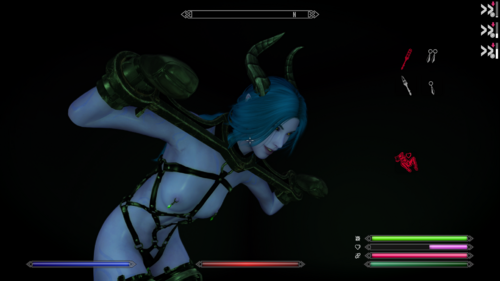
Unforgiving Devices is a framework extension for mod Devious Devices which focuses on adding more immersive and complex escape system.
My goal with this mod is to make custom devices with custom behavior. My vision is to convert all devices from framework and give them custom behavior that will be more punishing and realistic for the player. With that, I mean something along this line: Gas mask will actually work like gas masks, reducing player ability to breath. Collars can choke a player. Moving in restrictive boots will hurt the player. Trying to swim with heavy bondage will drown the player.
These are all examples of what I want to achieve in this mod (not what is currently in this mod yet).
People currently/previously taking part in mode development
@ihatemykite
@BreadDain
@iivanvv
@kurotatsu
@tznvlw
Current features
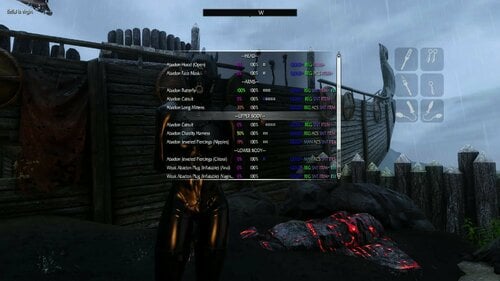
- Reworked bondage devices - These new devices contains much more customization in comparison to Devious Devices. System of escaping the said devices is also reworked. Escape system is more focused on immersion and user feedback (sometimes more, sometimes less). These devices work in parallel to normal Devious Devices, and so can both types be used at once. Existing Devious Devices can also be converted to new type by using Synthesis patcher.
- Reworked orgasm system - (almost) Every registered NPC can orgasm/be edged by wearing specific devices. Some devices, like soulgem plugs, can increase character orgasm progress, which when reach top will cause orgasm. There are many more variables in play, which can make it harder/easier for character to reach orgasm. Every vibrator can also have different setting, like strength, duration and mod.
- Devious Swimming - Swimming with hand restrain can cause player to drown.
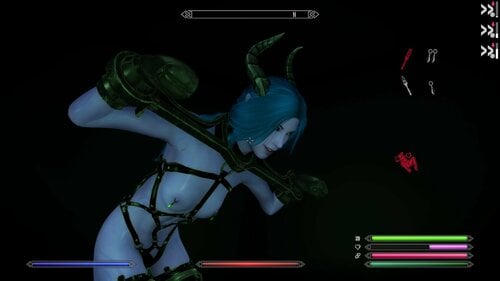
- Abadon quest - Small quest which more of works like mod demo. All devices are included in base mod and so can be used even without any patch. Quest is currently very short, but I'm planning on extending it in the future.
Changes from version 2.1.1
-
Greatly increased performance by replacing many of papyrus code with native C++ implementation. In most cases, this should also make the game more stable. Still, there is always chance that CTD happens. That cant be prevented. Any SKSE mod can cause such issue depending on multiple factors (like compatibility with other mods)
- Greatly increased performace of minigames by converting UI papyrus handling to native one
- Animation native handling, which should make time to start animation shorter
- Reworked cutting minigame. Instead of pressing buttons rapidly, player needs to try to press button when the bar is most full
-
Added OutfitManager
- New section in MCM where player can change chances of different devices being equipped with black goo or quest. Changing Weight to 0 will disable the device
- It is also possible to disable the Outfit from being used
- Added more events which are sent by UD and can be hooked by other mods. For information, see script UD_Events.psc in documentation
- Integrated animation extension by @iivanvv
-
Reworked device modifier system by @iivanvv. Totaly reworked system which is much more flexible and configurable. This makes it possible to made new modifiers much easier.
- Additionaly new modifiers are added. There are quite a lot of them, so I recommand to check them in MCM, where you can see what they do
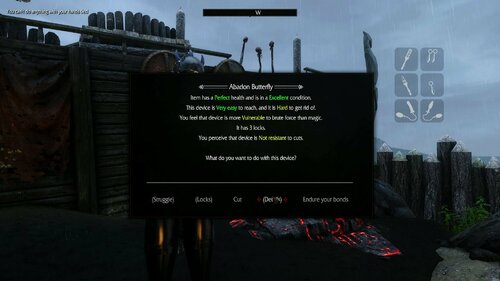
- Reworked message boxes to use html by @iivanvv. This allows much better stylization, and also to adds more information in single message box.
- Reworked device list to also use html by @iivanvv. This allows much better stylization, and also to adds more information in single message box.
-
MCM preset system. Allows player to store multiple presets and switch between them. Currently there are also 2 presets which are shipped with UD. I made them in haste, so they might not be perfect. If anyone got some ideas of how to adjust them, let me know. Lastly, if you made preset yourself, it can be easily shared with other users. Preset shoul be stored in folder Data\skse\plugins\StorageUtilData\UD\Presets\. If UD detects the preset in this folder, it will show in the MCM
- Easy preset - Much easier then the Default preset.
- Hard preset - Much harder then the Default preset. Be ready that escaping the devices at small level will takes quite a long time.
-
Many, many more changes which I omitted because I'm lazy. Here are just some funny numbers
- Total of 348 Github commits were made between version 2.1.1 and 3.0 on main repository
-
There were 458 files changed/added/removed
- 27189 New lines of papyrus script
- 8524 New lines of C++ code
- Detailed changes can be found on GitHub
Required mods
- AE/SE version of the game. Version 1.7 or newer is not compatible, as I will have to update most of hooks in Native plugin
- Devious Devices 5.2 (And all mods they require)
- Devious Devices NG 0.4+ (And all mods they require)
- OSL Aroused
- UIExtensions
- ConsoleUtilSSE NG
- Papyrus Tweaks NG
Recommended mods
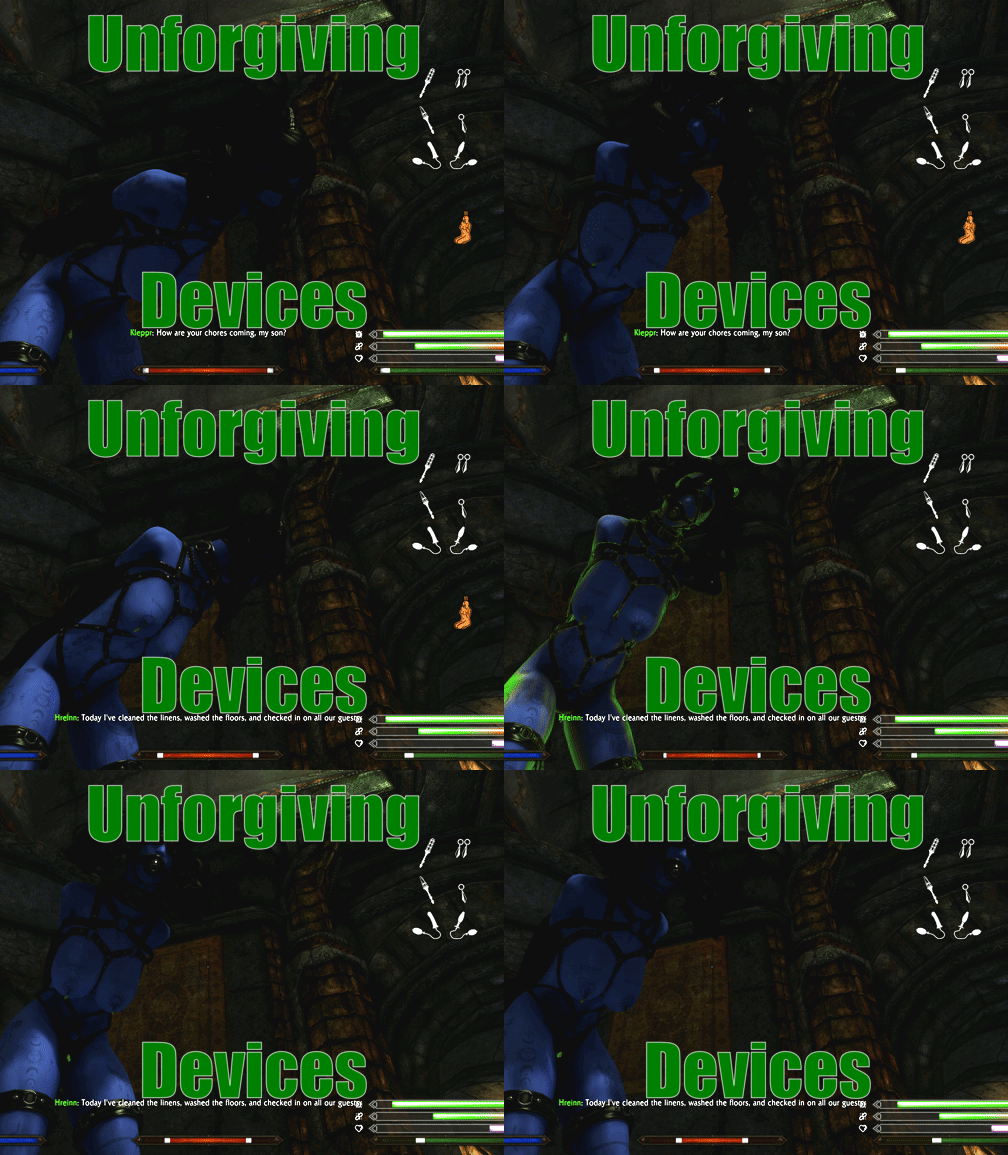
- IWantWidget and IWantWidgetsNG - Hightly recommanded!! Having iWantWidget installed and enabled in MCM will show additional widgets for plugs/piercing. Also replaces meters and adds icons to them. Try to only use it with NG version, as otherwise script can be stuck and prevent loading of the save. This issue is caused by implementation of original IWW which is fixed by IWWNG. I basically created IWWNG just to fix this issue with UD, so please try to use it
- Improved Camera SE - Will give you first person experience while playing. UD have inbuild compatibility, so animations should hopefully work without issue.
- Skyrim Souls RE - Funnily makes the UD more stable, as there is no longer need to check if menu is open. Also makes mod little more harder/immersive.
Optional mods
- ZazAnimationPack - Use animations for struggle minigame
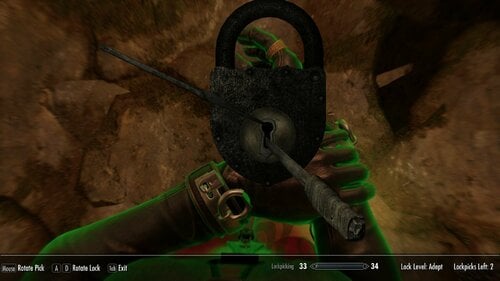
- Security Overhaul - Adds unique locks for lockpick minigame. Require patch which can be selected when installing Unforgiving Devices in other patch category
Installation
In case you are installing the mod for fresh new game, then do following
- Download the mod from there (or from GitHub)
- Install it using mod organizer (either MO2 or vortex). You can select some additional features in fomod, like patches, or fixes.
- In case you installed patches, check that mod loaded is correct! Patch have to be ALWAYS loaded after Unforgiving Devices and the patched mod! Not doing so will make devices broken and can cause strange issues. This can even lead to the whole framework breaking down. In case you are using esp patches, the framework will give you error immediately after starting the game, so you will know that you have to move the patches. But if you use esl patches, the error will not show. So always double check after you install the mod that load orders are correct. You can see example on how the load order should look at the last page of fomod.
- (optional, but highly recommended) Run LOOT. This way, it should be impossible for patches to be installed incorrectly. LOOT will also check if incompatible mods are not installed after patches.
If you intend to install Unforgiving Devices on existing save, do following
- Rethink your choices. Even if you do following, it might still not work correctly. Best is to just start the new game. If you still insist, do the following
- Uninstall Devious devices (all modules) and all mods that require it.
- Open the save in ReSaver and clean all unattached forms. This way, save should be clean from Devious Devices.
- Load the save in game, wait some time and save the game.
- Install Devious Devices back and all other uninstalled mods. DO NOT LOAD THE SAVE YET
- Immediately install Unforgiving devices. Follow steps which are in the guide above. You have to load the save as if you never used Devious Devices and Unforgiving Device before. Otherwise, Unforgiving Devices will not correctly override some DD scripts and will not work.
Compatibility
List of tested mods which are working or not. There are only mods which I personally tested.
- Devious Lore - Not issue, works fine
- Devious Lore DD Patch - Not compatible with Unforgiving Devices DD Patch! Install either before UD and any of its patches, or disable.
- Devious Devices - SE patch (part of Devious Devices for Special Edition) - Not compatible with Unforgiving Devices DD Patch! Install either before UD and any of its patches, or disable.
-
Devious Strike -
Not issue, works fineWorks fine, but might UD might have issue many devices being locked at once (like when many strikers spawn at once). I recommend to reduce spawn chance so not too many strikers can spawn at once. - Devious Enhanced chest - Not issue, works fine
-
Devious Cursed Loot - Not very compatible (but works). If you only care about random devices, I would better recommend Devious Enhanced chest
- I would also recommand instead Devious Curses NG if you dont care about quests
- Requires Patch. Patch doesn't cover 100% of devices as there are too many of them.
- There are reported issue with some quest.
-
Laura's Bondage Shop - Not issue (for now)
- Requires patch, but it can technically be skipped (I didn't test it without it)
- All quest works fine, but I didn't finish them all yet, only till 75%.
- Devious Pink - Requires Patch, otherwise didn't found any issue.
- Devious Training - Can cause issue as its very papyrus heavy. In combination with UD can cause serious papyrus lags
- Devious Curses NG - Not issue, works fine
- Trapped in rubber - Not issue, works fine
- Trappings of Fate - Not issue, works fine
How to make new patch using Synthesis
(taken from https://github.com/Gamerooni/UDScripts?tab=readme-ov-file#how-to-basic)
-
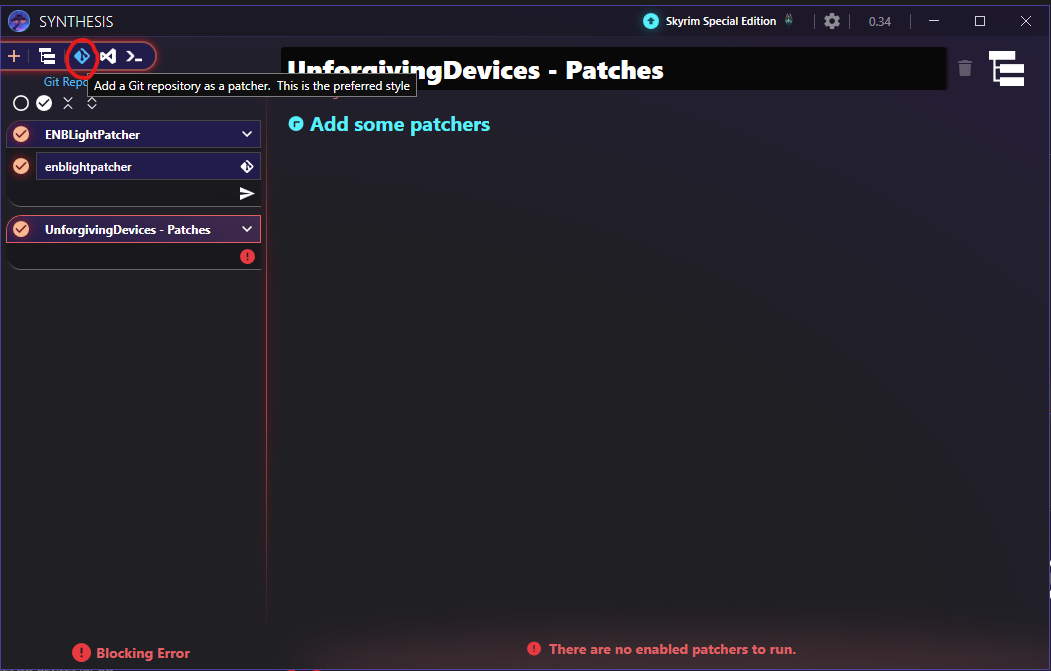
Near the top left corner of Synthesis, next to the '+,' create a new Group. Name it something appropriate, such as
UDPatches; the outputted.espwill use this name. - On the right pane, choose all the mods to blacklist. You don't need to choose every mod in your modlist - just the ones you find important to exclude from the Patcher's prying gaze.
- Add the Patcher to this new group.
- In the Patcher's right pane, click Settings. Scroll down to ensure they're not completely empty - if absolutely none of the values are filled in, check the Troubleshooting section of this guide for a fix.
- Add all the mods you want to patch to Mods to Patch. In almost every case, this will be the only setting you change. If left empty, all mods will be patched (recommanded)
- Run the Patcher! If the patcher informs you that some devices were skipped, keep in mind that this isn't the fault of you or the patcher. Some mods create Devices with custom scripts that cannot be automatically converted into a UD-friendly format. The patch, in this case, must instead be crafted manually.
Graphical guide
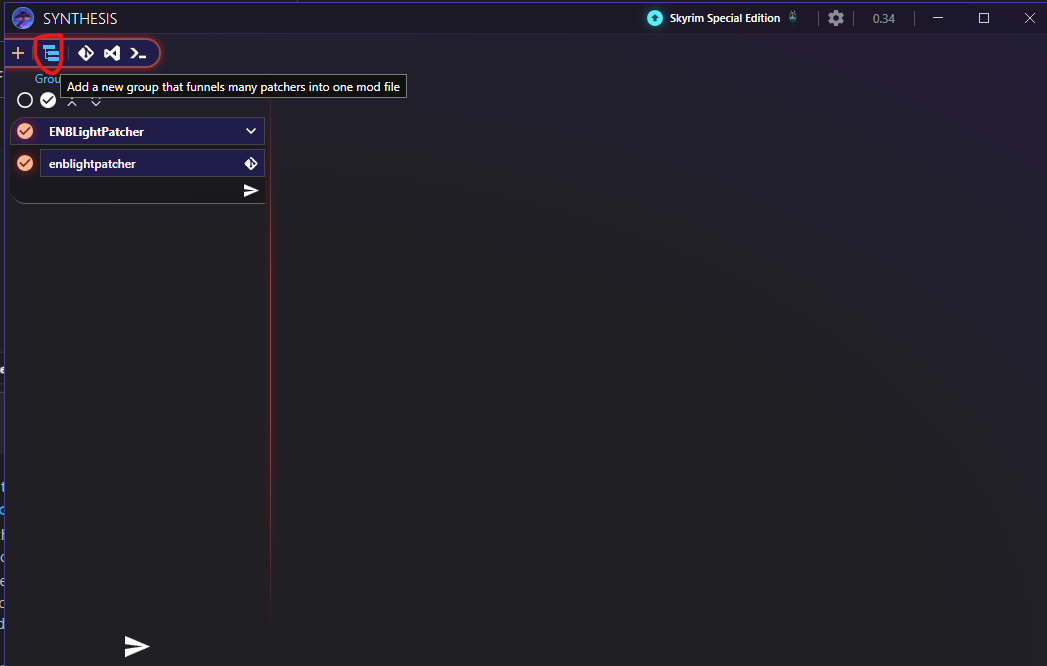
Name the group how you want. That will be also name of generated esp
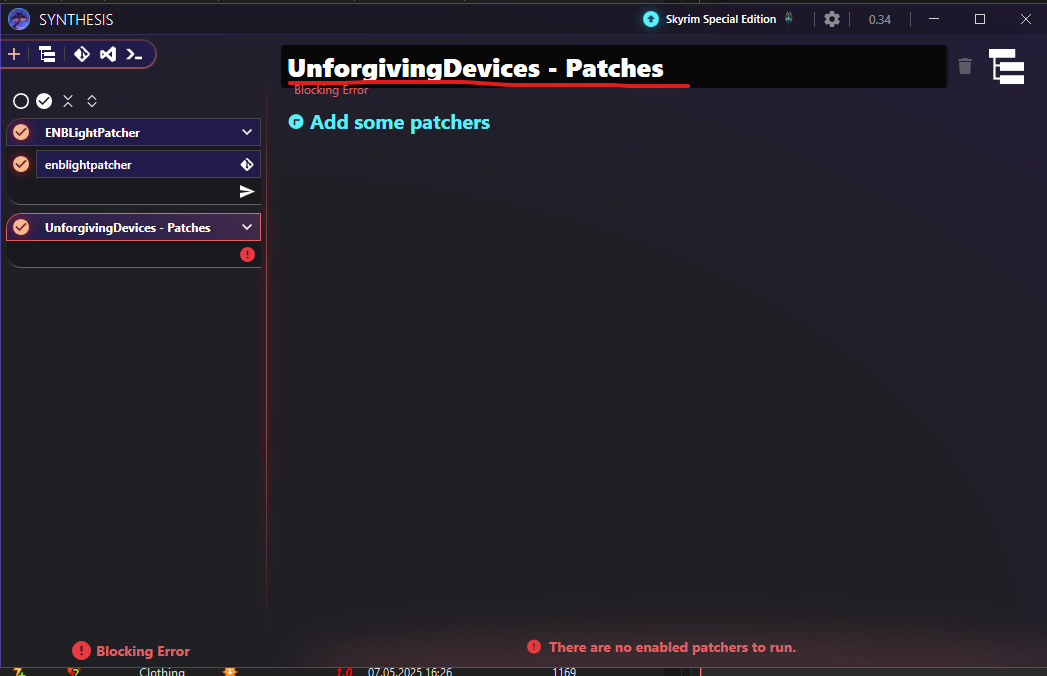
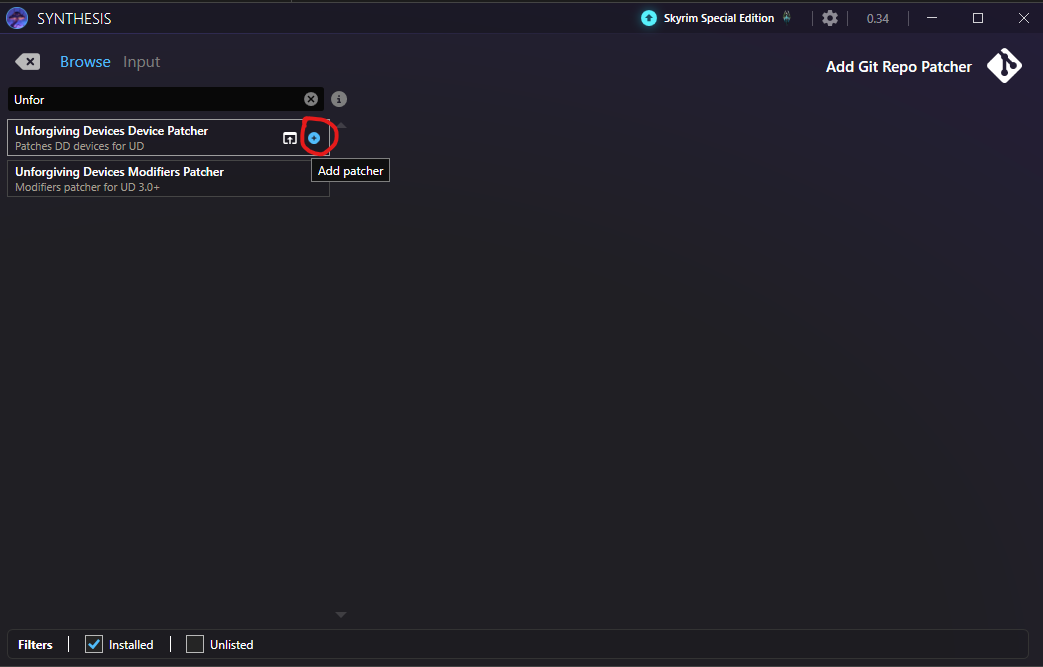
Synthesis should now do its own thing. Wait for it to complete.
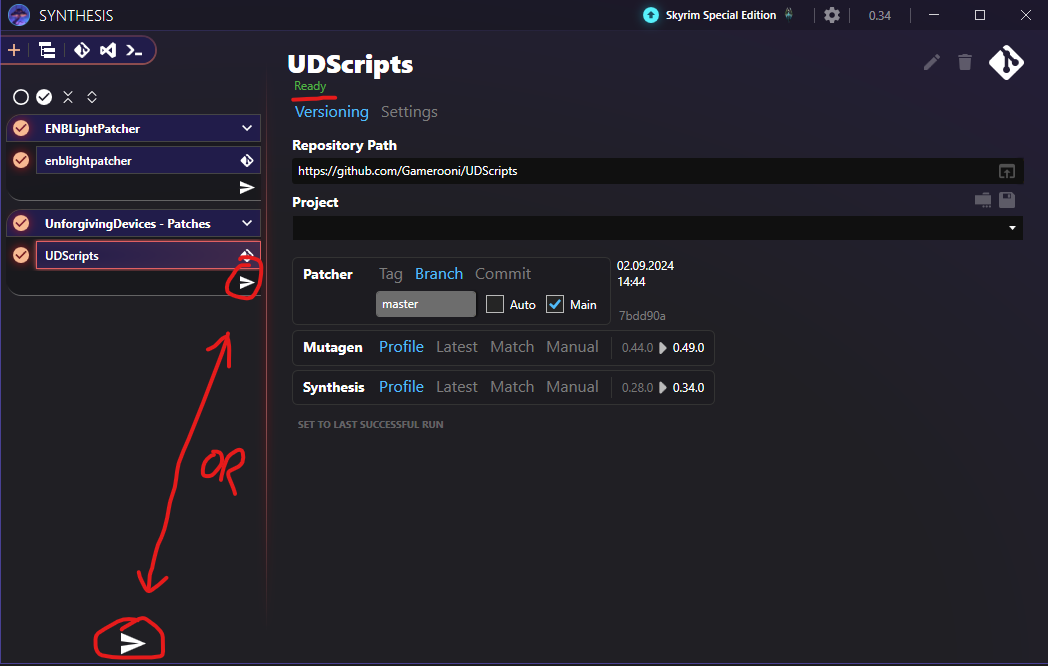
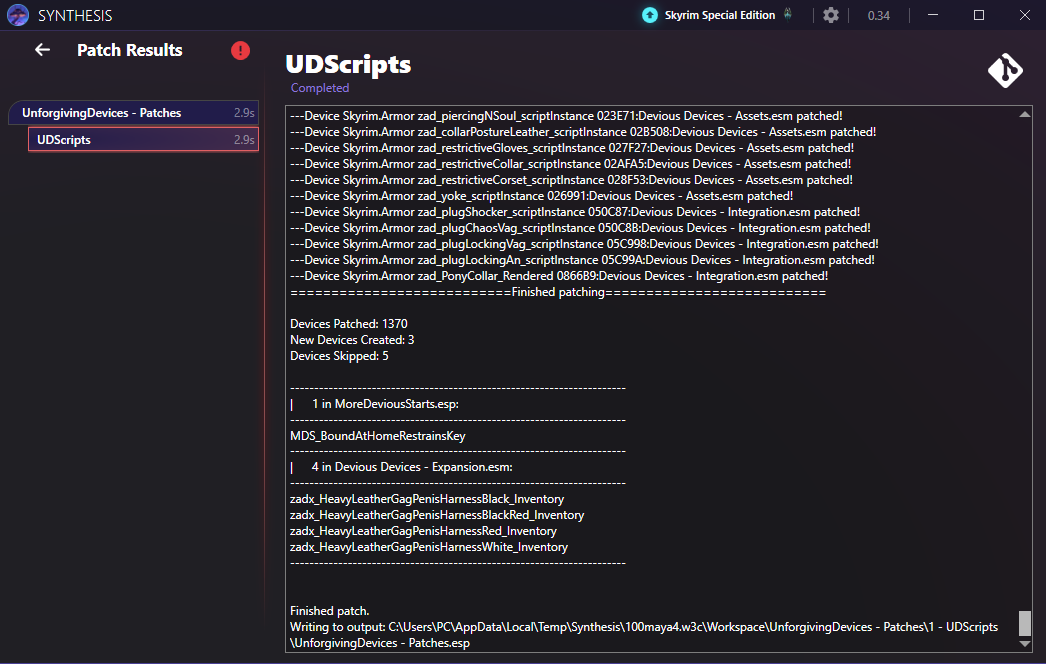
Don't forget to enable the esp after it's generated for the first time!!!
to How to create new patch using Synthesis (recommanded)
Development
Most of the development takes place on the GitHub. As so, any user can directly observe the mod development there. Reporting issues there is also preferred, as it can be easier tied to specific part of the mod implementation. It will also be harder to forget about the issue this way.
Lastly, every time there is an update to indev version of the mod, a nightly build will be created. The latest nightly build can be downloaded from there. Be warned that it is still in dev version, and as so can be broken. Only use NB if you are interested in trying the latest features, which are not yet public on LL. I, and others, will also be very thankful for any early feedback, so we can prevent releasing broken betas.
Documentation
Mod documentation is created using NaturalDocs. It can be access either online or offline
- Online - Using github.io. Note that I have to update it manually once in the while, so it might not always be correct.
- Offline - Last generated documentation will always be in docs/Documentation folder. Opening index.html will result in the same result as if online documentation is opened.
Documentation also contains some additional informations
- Example: mod: very simple mod which adds 3 new devices that use mods of the features provided by UD. Can be used as reference to be mod creators.
- Controls: Default controls layout (keybinding)
- Guide: Will replace existing tutorial from this page. Currently, contains information about some of the minigames.
Current issues
- Mod is very script heavy. Weaker computers may have issues.
- Incompatible with mods which don't have Patch. (That doesn't mean the mod will not work, it just means the mods will not interact)
- Balance
Troubleshooting
In case you found that something is not working or not working as intended, please report it in support thread and i will give it a look. But also please add following information to your report
- Version of skyrim: SE/AE
- Version of mod (in case of using older version then current)
- Used patches (if none, then also type it)
- In case that some device doesn't work but other works, tell me exactly which device doesn't work, not just type (saying that one boots does't work will really not help me)
- (Optional) Papyrus log. If you don't know what it is then you don't need to worry. I just need it if things get really broken. In most cases I manage to replicate the bug so this isn't really required.
- (Optional) UDNative.log. If you don't know what it is then you don't need to worry. I just need it if things get really broken. In most cases I manage to replicate the bug so this isn't really required.
- (Optional 2) Save file. Saves contain all information about papyrus threads and its local variables. This can greatly help to pinpoint the location of the issue.
How to help with mod development
- By providing feedback in the support thread
- By providing bug reporst in support thread
- By actively helping with mod development using GitHub https://github.com/IHateMyKite/UnforgivingDevices
- If you like my work, you can also support me on my Patreon
Credits to
- SirCrazy for suggesting how the intro quest for plug should look and writting some of the text in the quest.
- @naaitsab for contributing sentient dialogues and also explaining how to implement it
- @Shakx88 for creating Devices Escape Overhaul which was main inspiration when creating this mod
- Everyone who has taken part in creating DD framework
- Everyone who have given feedback/ideas for this mod
- All contributors who took their time to make this mod better (see list at top of this page)
Changelog
Version 3.1 (21.09.2025)
!NEW SAVE FILE IS RECOMMENDED - When updating from 3.01
Some updated variables will not take effect on existing saves
-
Reworked skill system
- New ini file variables to configure what skills are used for what minigame stats
- Reworked system for detecting perks used by player. Before this was done by prefilling form lists with all possible perks. New approach is to use native plugin to check all perks on runtime. Because of this change, it is no longer need to use Ordinator patch, which is removed with this version. Additionally, UD should be also now compatible with all other mods which rework skill trees perks (replace them, change their number)
- Stat increase per perk can be also changed in ini file
-
Reworked how skills gain experience. Before this was done by increasing skill by flat value. This was causing numerous issues when users were using mods that change experience formula for skills. With new version, the skill increase is done natively by checking how many experience are need to level up skill. Then skill increase by % of that value instead of flat value. Because of that all skills should increase at same rate
- Additionally, the gain is reduced linearly with the current level of skill. So lower level skills should still increase faster.
-
Updated which skills are used for what stats
- Agility (normal minigame) - Pickpocket + Archery
- Strength (Desperate minigame) - TwoHanded + HeavyArmor
- Magick (Magick struggle) - Destruction + Alteration
- Cutting (Cutting minigame) - OneHanded + LightArmor
- Maintenance (Lock repair minigame) - Smithing
-
Added Concentrated Black Goo (Selective)
- This item works like concentrated black goo, but player can choose which abadon outfit will be equipped
- Also added Concentrated Black Goo Ball (Selective) which can be used on NPC
- Can be crafted on cooking pot using concentrated goo
-
Updated MCM
- Moved all skill related options to new tab
- Added MCM option to change number of experience gained if Experience mod is installed. Option will be disabled if Experience is not installed
-
Added arousal calculation fallback if no OSL Arousal is used
- If OSL Arousal is not used, fallback arousal calculation will be used instead
- With this, any arousal mod should be compatible with UD again (as long as they provide exposure faction and provide papyrus function for updating arousal)
- Note that it is still recommended to use OSL Arousal, as UD can update arousal without using Papyrus
- Fixed typo by @johnsonjoe1
-
Nerfed Manifest modifiers
- Default value for patched is now reduced
- Value for Abadon devices is also reduced
- Fixed Desperate minigame not updating its power correctly. before it was only updating power (based on remaining device health) when minigame starts. Now this value is updated periodically during minigame
- Fixed Device lock option in MCM not being disabled when disable MCM option in on
- Fixed issue with crits not taking in account the own time it takes the crit
- Fixed last device not updating when getting help from NPC
- Hopefully fixed issue with StripWeapon function not working properly
- Attempt at fixing #249. As issue can't be reproduced, its impossible to say if this helped
- Attempt at fixing #249. As issue can't be reproduced, its impossible to say if this helped
- Increased chance the NPC will react to crit when in solo minigame from 70% to 90%
- Updated mutexes on slot script
- Increased power of Repair lock minigame for npc who struggle alone. This is done to make it actually possible for them to repair lock before it get jammed again from Cheap locks modifier
- Some small additional adjustments to some devices
Version 3.01 (07.06.2025)
!NEW SAVE FILE IS REQUIRED WHEN UPGRADING FROM 3.0!
-
Updated fomod with updated patches for latest versions of some DD mods. Mainly DDNG 0.4.1
- Use of Synthesis is still recommended, as that will patch everything in users mod list
- Fixed language files, so MCM works correctly when not playing in English
- Fixed Black Goo texture causing CTD on older versions of SE
- Fixed BRRF compatibility
-
Fixes for modifiers, widgets and more by @iivanvv
- Orgasm meter should now work correctly
- Add messages about modifiers actions
- Restored missing ENCH1 and LCOL modifiers.
- A bunch of bug fixes and parameter customization.
- Added new tags: ALCO, CRIME
- TimeHour trigger fires at different times for different devices and modifiers.
- Fixed somehow
- Fixed Abadon devices Crit chances not being set correctly by @iivanvv
- Fixed "Cant set lastopeneddevice on pressing device key" error
Version 3.0 (15.05.2025)
!NEW SAVE FILE IS REQUIRED WHEN UPGRADING FROM <3.0!
Many things. See description of mod
Edited by ihatemykite
What's New in Version 3.2
Released
!!! NEW GAME IS ABSOLUTELY REQUIRED. UD IS CHANGED ON FUNDAMENTAL LEVEL AND BACKWARD COMPATIBILITY WITH 3.1 IS NOT POSSIBLE !!!
-
Reworked handling of modules initialization and reloads (updates)
- Aims at fixing the issue where UD will refuse to Install or update
- This is done by reworking most singleton scrips to use new ModuleBase script. Native plugin then handles these scripts setup and reload
- Only one module can be updates at once to prevent race conditions
- Every module have priority which can change when the module will be setup/reloaded
- Added new MCM page where users can force reload specific modules. Can be usefull when some parts of mods seems to not work. This will also help in future to let users to update the UD without needing to make new game
-
Reworked MCM from the ground (Visually will be +- same)
- Instead of making one huge MCM script (was around 5k lines before rework), MCM is now separated in to the pages, where every page is its own scripts. This is done using aliases and page storage. This also allow other mods to make custom pages for UD
- Similar to Module rework, all pages are handled by manager script to remove script overhead. This makes maintaining MCM much easier (previously was almost impossible)
-
Reworked skill system (again)
- Functionally should be same as with last version
- Main change is in its implementation. Similar to previous 2 reworks, every skill is now handled as object using quest alias. With that every skill can be easily edited or added
- Reworked MCM page for skills to reflect the changed. Users can now edit which specific skills are used directly in MCM, instead of using UDNative.ini. MCM will also show current calculated skill to give user better idea of what their change did
-
Updated most ingredients
- Removed paralysis effect. Damage stamina regen is now used instead. Main reason is that paralysis can create many kinds of issues when used at bad time
- Increased durations and power of Reduce/Enhance orgasm resistence effects to make it more useful
- Fix runaway arousal with SexLab Aroused NG (no OSL DLL) by @crajjjj
- Fixed animation sometimes playing when swimming
- Fixed default value for stats drain being 0 on devices. This made some devices to almost not drain any stats during minigame (mainly abadon panel gag)
- Fixed issue where landing crit after minigames end can insta unlock device
- Fixes grammar errors by Derived01
- Fix when asking an NPC to unlock a worn device, it will now use fuzzy matching as a fallback if exact match failed by johnsonjoe1
- Disabled SweetRoll thief modifier by default
- Nerfed some modifier to make them less punishing
-
Nerfed Abadon plug
- Is easier to escape at easier difficulties
- Plug no longer locks player in full outfit on removal. Instead, it only cast Black goo effect, which mostly results in single device being locked
- Fixed some papyrus errors I found in Papyrus log. Should have not real effect, but should make log more clear