Search the Community
Showing results for tags 'qol'.
Found 13 results
-
![More information about "[XCL] [0.25.9] Quality of Life Cheats"](https://static.loverslab.com/screenshots/monthly_2026_09/Capture.thumb.PNG.764115f31437e0c73f0e4eeac918f569.PNG)
Version 1.3.0
1104 downloads
Increases the number of cheats with some QoL improvement. I was annoyed that I never had saves last long enough to get high enough manicure level to use the longer acryllics lol. This mod adds some of the newer skills to the cheat menu as well as some other Quality of Life features. All AI made. I can't read code. I can't write code. I do, however, write much better prose than AI which is why I wrote this part myself lol. The AI made some interesting choices in terms of the layout that I may try and fix later and the aesthetics are lacking in the makeup spots, but from what I can tell it's all functional. Hardly tested and not grunted bug-free. LMK if there are other cheats that you think should be added? -
View File [XCL] [0.25.9] Quality of Life Cheats Increases the number of cheats with some QoL improvement. I was annoyed that I never had saves last long enough to get high enough manicure level to use the longer acrylics lol. This mod adds some of the newer skills to the cheat menu as well as some other Quality of Life features. All AI made. I can't read code. I can't write code. I do, however, write much better prose than AI which is why I wrote this part myself lol. The AI made some interesting choices in terms of the layout that I may try and fix later and the aesthetics are lacking in the makeup spots, but from what I can tell it's all functional. Hardly tested and not guaranteed as bug-free. LMK if there are other cheats that you think should be added? Submitter KellyWinter Submitted 09/02/26 Category Gameplay Utilities Requirements
-

waterpark simulator VicMod - Multimod for Waterpark Simulator
Vicodin88 posted a topic in Adult Gaming
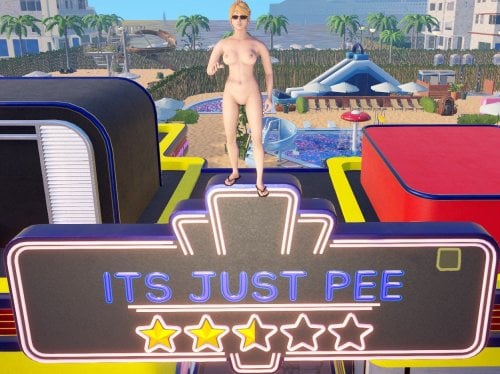
VicMod - Multimod for Waterpark Simulator View File VicMod for Waterpark Simulator A Waterpark Simulator multimod that incidently also includes a nude mod and jiggle physics ... Features StaffCapacity - more staff slots from the research tree. 3 to start and +3 per upgrade instead of vanilla's 0-1 and +1. StaffExperience - removes the research XP penalty on jobs your staff finish for you. Configurable if you'd rather just soften it. GuestSwimwear - main nude mod, removes swimwear from guests (and optionally staff) WardrobeNone - puts the game's own hidden "None" buttons back into the character editor's body slots - you can go commando too StaffMarker - keeps employees identifiable once StripStaff has taken their uniform. Nameplate, hat, or sunglasses Wetness - tones down the wet skin shader, which otherwise looks like shiny plastic, and retunes skin specular. BodyMesh - another important part of the nude mod, replaces female LOD0 and LOD1 meshes with (this time by hand) edited meshes that complete the breast and their UV mapping Jiggle - spring physics on breast and (optionally) glute bones so they lag and settle as characters move. DayLength - multiplier for day length VisitorVariety - (nearly) full control of the builtin guest randomizer VisitorSexRatio - sets how often a visitor, and optionally a new hireable staff offer, is female VisitorSkinTones - reweights how often each skin tone shows up Every setting is documented in the config file the game writes on first launch, plus in docs/features.md in the repo. Install 1. BepInEx 6 bleeding-edge, IL2CPP, win-x64. Not BepInEx 5, and not the IL2CPP build from the 5.x line. This game is Unity 6 IL2CPP and only BepInEx 6 loads against it. Grab the latest BepInEx-Unity.IL2CPP-win-x64-*.zip from builds.bepinex.dev/projects/bepinex_be (developed against 6.0.0-be.785, anything close should be fine). Extract it into the game folder, the one with WaterparkSimulator.exe in it. You should end up with BepInEx/, doorstop_config.ini and winhttp.dll sitting next to the exe. Launch the game once, let it reach the main menu, then quit. First run generates the IL2CPP interop assemblies and can take several minutes with no progress bar. That's normal. Check that BepInEx/LogOutput.log exists. If it doesn't, BepInEx isn't loading and no plugin will run, so fix that before going further. On Linux (Steam/Proton): the injector is a winhttp.dll override and Proton won't enable it on its own. Set your launch options to: WINEDLLOVERRIDES="winhttp=n,b" %command% Lutris, Heroic and friends need the same variable in their per-game environment. 2. VicMod. Download the zip attached to this post and extract it into the same game folder. The zip already has the BepInEx/plugins/VicMod/ path inside it, so everything lands where it should. Launch the game. You should end up with: <game folder>/ WaterparkSimulator.exe BepInEx/ plugins/ VicMod/ VicMod.dll meshes/ CC_Body_Female_LOD0.vmesh CC_Body_Female_LOD1.vmesh To uninstall, delete BepInEx/plugins/VicMod/. 3. Config. After the first launch you'll have BepInEx/config/VicMod.cfg with every setting, its default, and a comment explaining what it does. Edit it in any text editor and restart the game. Compatibility Built against game build 24862398 (Unity 6000.0.65f1, IL2CPP) with BepInEx 6.0.0-be.785. Nothing here compiles against game assemblies. Every type, method and field is resolved by name at runtime, which is usually what breaks a mod on an update. A patch that only shuffles metadata won't hurt it. A patch that renames something a feature looks for will disable that one feature, log which one and why, and leave the rest running. Multiplayer: the cosmetic stuff is client-side and safe. Anything touching a NetworkSystem is server-authoritative, so test in singleplayer first. Source MIT licensed, source and docs here: github.com/JIRPOS/VicMod Full feature and settings reference Issues / bug reports Fair warning, this is heavily vibecoded. It works and it's documented, but it was built by poking at the disassembly until things moved. Report anything that breaks. Submitter Vicodin88 Submitted 08/28/26 Category Other Requirements https://builds.bepinex.dev/projects/bepinex_be -
Version 0.2.1
92 downloads
VicMod for Waterpark Simulator An all-in-one QoL and character mod for Waterpark Simulator, built on BepInEx 6 (IL2CPP). Features StaffCapacity - more staff slots from the research tree. 3 to start and +3 per upgrade instead of vanilla's 0-1 and +1. StaffExperience - removes the research XP penalty on jobs your staff finish for you. Configurable if you'd rather just soften it. GuestSwimwear - main nude mod, removes swimwear from guests (and optionally staff) WardrobeNone - puts the game's own hidden "None" buttons back into the character editor's body slots - you can go commando too StaffMarker - keeps employees identifiable once StripStaff has taken their uniform. Nameplate, hat, or sunglasses Wetness - tones down the wet skin shader, which otherwise looks like shiny plastic, and retunes skin specular. BodyMesh - another important part of the nude mod, replaces female LOD0 and LOD1 meshes with (this time by hand) edited meshes that complete the breast and their UV mapping Jiggle - spring physics on breast and (optionally) glute bones so they lag and settle as characters move. DayLength - multiplier for day length VisitorVariety - (nearly) full control of the builtin guest randomizer VisitorSexRatio - sets how often a visitor, and optionally a new hireable staff offer, is female VisitorSkinTones - reweights how often each skin tone shows up Every setting is documented in the config file the game writes on first launch, plus in docs/features.md in the repo. Install 1. BepInEx 6 bleeding-edge, IL2CPP, win-x64. Not BepInEx 5, and not the IL2CPP build from the 5.x line. This game is Unity 6 IL2CPP and only BepInEx 6 loads against it. Grab the latest BepInEx-Unity.IL2CPP-win-x64-*.zip from builds.bepinex.dev/projects/bepinex_be (developed against 6.0.0-be.785, anything close should be fine). Extract it into the game folder, the one with WaterparkSimulator.exe in it. You should end up with BepInEx/, doorstop_config.ini and winhttp.dll sitting next to the exe. Launch the game once, let it reach the main menu, then quit. First run generates the IL2CPP interop assemblies and can take several minutes with no progress bar. That's normal. Check that BepInEx/LogOutput.log exists. If it doesn't, BepInEx isn't loading and no plugin will run, so fix that before going further. On Linux (Steam/Proton): the injector is a winhttp.dll override and Proton won't enable it on its own. Set your launch options to: WINEDLLOVERRIDES="winhttp=n,b" %command% Lutris, Heroic and friends need the same variable in their per-game environment. 2. VicMod. Download the zip attached to this post and extract it into the same game folder. The zip already has the BepInEx/plugins/VicMod/ path inside it, so everything lands where it should. Launch the game. You should end up with: <game folder>/ WaterparkSimulator.exe BepInEx/ plugins/ VicMod/ VicMod.dll meshes/ CC_Body_Female_LOD0.vmesh CC_Body_Female_LOD1.vmesh To uninstall, delete BepInEx/plugins/VicMod/. 3. Config. After the first launch you'll have BepInEx/config/VicMod.cfg with every setting, its default, and a comment explaining what it does. Edit it in any text editor and restart the game. Compatibility Built against game build 24862398 (Unity 6000.0.65f1, IL2CPP) with BepInEx 6.0.0-be.785. Nothing here compiles against game assemblies. Every type, method and field is resolved by name at runtime, which is usually what breaks a mod on an update. A patch that only shuffles metadata won't hurt it. A patch that renames something a feature looks for will disable that one feature, log which one and why, and leave the rest running. Multiplayer: the cosmetic stuff is client-side and safe. Anything touching a NetworkSystem is server-authoritative, so test in singleplayer first. Source MIT licensed, source and docs here: github.com/JIRPOS/VicMod Full feature and settings reference Issues / bug reports Fair warning, this is heavily vibecoded. It works and it's documented, but it was built by poking at the disassembly until things moved. Report anything that breaks. -
View File Streamer Mode Your monitor stays normal. OBS gets a censored picture. Skyrim Streamer Mode watches the game and tells OBS where to cover a body. Black rectangles over the pelvis and chest, or a black screen for menus and load screens. Your own screen is never modified — only the picture you send to Twitch/Kick/etc. Installation Install the main file with Mod Organizer 2 or Vortex. Enable the mod and tick SkyrimStreamerMode.esp on the Plugins tab. Launch through SKSE, load a save, then Pause → Mod Configuration → Skyrim Streamer Mode. The recommended way: OBS plugin Install the optional download "OBS plugin" (manual install into your OBS folder), then in the scene you stream to Twitch/Kick/etc. add the source "Skyrim (StreamerMode)". Why this one: It is exact. The picture is censored inside the game, frame by frame, before OBS ever receives it. No catching up, no lag behind a fast camera turn. That feed physically cannot contain an uncovered frame — the raw pixels are not in that scene at all. Blur, pixelate or custom image instead of black boxes, if you prefer that look. The simple way: browser overlay No extra install: keep your normal Game Capture and add a Browser Source above it: URL: http://127.0.0.1:8765/ Width / Height: your canvas size, e.g. 1920 × 1080 Read this before using the overlay. It draws on top of OBS's own capture, so it is always a step behind the game: during a fast camera spin or a sprint the rectangles can lag by a frame, and the raw picture is still in the scene underneath them. If you use the overlay, make the rectangles noticeably bigger (MCM → Rectangles → Width / Height) and keep "Motion margin" above zero. Trading a slightly larger black box for a safety margin is the whole point. Network and privacy The overlay mode runs a tiny web server on 127.0.0.1 only (your own machine, port configurable). It serves the rectangle positions to your browser source. Nothing is sent anywhere, there is no telemetry, no auto-update, no account. Settings (MCM) Covered areas — who gets covered, and the test hotkey Rectangles — size, position and rotation of the pelvis / chest boxes Menus & scenes — black screen for RaceMenu, inventory, load screens… OBS connection — the browser port, or the OBS-plugin options Defaults are tuned for a normal third-person setup. If a close-up leaks, make the rectangles a little bigger — that is the one knob most people ever need. Nexus - Streamer mode at Skyrim Special Edition Nexus - Mods and Community Submitter xiqima Submitted 08/23/26 Category Regular Mods Requirements Skyrim Script Extender (SKSE64) Address Library for SKSE Plugins SkyUI and MCM Helper for the in-game settings menu Regular Edition Compatible Install Instructions
-

Version 2.0.0
70 downloads
Skyrim Streamer Mode watches the game and tells OBS where to cover a body. Black rectangles over the pelvis and chest, or a black screen for menus and load screens. Your own screen is never modified — only the picture you send to Twitch/Kick/etc. Installation Install the main file with Mod Organizer 2 or Vortex. Enable the mod and tick SkyrimStreamerMode.esp on the Plugins tab. Launch through SKSE, load a save, then Pause → Mod Configuration → Skyrim Streamer Mode. The recommended way: OBS plugin Install the optional download "OBS plugin" (manual install into your OBS folder), then in the scene you stream to Twitch/Kick/etc. add the source "Skyrim (StreamerMode)". Why this one: It is exact. The picture is censored inside the game, frame by frame, before OBS ever receives it. No catching up, no lag behind a fast camera turn. That feed physically cannot contain an uncovered frame — the raw pixels are not in that scene at all. Blur and pixelate instead of black boxes, if you prefer that look. The simple way: browser overlay No extra install: keep your normal Game Capture and add a Browser Source above it: URL: http://127.0.0.1:8765/ Width / Height: your canvas size, e.g. 1920 × 1080 Read this before using the overlay. It draws on top of OBS's own capture, so it is always a step behind the game: during a fast camera spin or a sprint the rectangles can lag by a frame, and the raw picture is still in the scene underneath them. It also cannot blur — only cover. If you use the overlay, make the rectangles noticeably bigger (MCM → Rectangles → Width / Height) and keep "Motion margin" above zero. Trading a slightly larger black box for a safety margin is the whole point. Network and privacy The overlay mode runs a tiny web server on 127.0.0.1 only (your own machine, port configurable). It serves the rectangle positions to your browser source. Nothing is sent anywhere, there is no telemetry, no auto-update, no account. Settings (MCM) Covered areas — who gets covered, and the test hotkey Rectangles — size, position and rotation of the pelvis / chest boxes Menus & scenes — black screen for RaceMenu, inventory, load screens… OBS connection — the browser port, or the OBS-plugin options Defaults are tuned for a normal third-person setup. If a close-up leaks, make the rectangles a little bigger — that is the one knob most people ever need. Nexus - Streamer mode at Skyrim Special Edition Nexus - Mods and Community -
 View File Console Commander - Add and Execute Console Commands Through UI - SKSE Menu Framework A lightweight SKSE plugin that lets you add, save, search, and execute console commands directly from the SKSE Menu Framework without keyboard. No more typing long commands manually! Console Commander is a SKSE plugin that lets you add, save, search, and execute console commands directly from the SKSE Menu Framework without keyboard. Endorse if you like it. Features Console Commander 1.2.5 -> Default key for SKSE Menu Framework is F1 -> Config and Commands are saved in ConsoleCommander.ini [Data\SKSE\Plugins\ConsoleCommander.ini] -> Add console commands and control 'console close' behavior -> Reload config instantly Console Commander 2.1.2 -> [New] Added custom tooltip function for additional information (Optional: Hover over Execute) -> Format: Name|ConsoleCommand|CloseConsole (1=yes, 0=no)|Tooltip (optional) -> Example: Add Gold - 100|Player.additem f 100|1|Adds 100 gold to player inventory -> [New] Added custom ini support. Modders can now add custom ini with console commands. -> Custom ini is saved in: Data\SKSE\Plugins\ConsoleCommander\ConsoleCommander_*.ini -> Add ConsoleCommander_[name].ini in ConsoleCommander folder with the commands. it will scan add the command in the UI. -> Format: ConsoleCommander_QAR.ini [ConsoleCommands] Quick Armor Rebalance|QAR|0|Open Quick Armor Rebalance UI -> Custom Commands will appear after user added commands in the Custom Commands tab. -> If no Custom Commands are present or all hidden, Custom Commands tab will not show up in UI. -> User can Hide/Unhide Custom Commands. A button 'Show Hidded/Hide Hidden' has been added to Show/Hide Hidden Commands. (Applicable for Custom Commands) Console Commander 2.2.2 -> [New] Added support for execution of multiple commands at once. ->Separate multiple commands by adding , (comma) to execute the commands in sequence. ->Format: Name|Command1,Command2,Command4,Command4|CloseConsole (1=yes, 0=no)|Tooltip (optional) Console Commander 2.3.0 -> [New] Added support for execution of commands with custom variable input when executing command. ->An option to add a command as variable command has been added in the 'Add Command' ->In the console command box: input a command without the last value. [Ex: player.additem f] it will add [#] to recognize the variable as variable command. ->Format: Name|Command [#]|CloseConsole (1=yes, 0=no)|Tooltip (optional) ->A popup will show up and ask for specific value before executing. Video Demonstration (Old) Console Command Showcase Source Code: Github Requirements - SKSE Menu Framework (required) - Kill Caps Lock NG (Optional)[Strongly Recommend][It keeps caps lock off only in console] Installation 1. Make sure SKSE Menu Framework is installed and working 2. Download and install the mod. How to use 1. Open SKSE Menu Framework (default key: F1 or whatever you set) 2. Go to "Console Commander" 3. Click "Add Command" → enter name and console command → Add 4. Select a command → click "Execute" 5. (Optional) Edit Data\SKSE\Plugins\ConsoleCommander.ini manually and click "Reload Config" Notes: - It simulates keyboard key input to execute command so don't press any keys when executing the console command. - If Caps Lock behaves strangely in console → install Kill Caps Lock NG (optional) - Tested on Skyrim AE v1.6.1170 and v1.6.353. Confirmed to work on v1.5.97. Should work on all versions of Skyrim SE/AE. - ini file will be created after adding a command. or use the provided ini below. ConsoleCommander.ini config: ; Console Commander Config [Delays] ; in ms EscDelay=100 ; Delay to close SKSE Menu framework after executing OpenConsoleDelay=200 ; Delay to open console after SKSE Menu framework is closed TypingStartDelay=150 ; Delay before start typing CharDelay=30 ; Typing Speed EnterDelay=200 ; Delay to press enter after typing. CloseConsoleDelay=50 ; Delay after entering command to close console. [ConsoleCommands] ; Format: ; Format: Name|ConsoleCommand|CloseConsole (1=yes, 0=no)|Tooltip (optional) Example: Add Gold - 100|Player.additem f 100|1|Adds 100 gold to player inventory For multi command execution Format: Name|Command1,Command2,Command4,Command4|CloseConsole (1=yes, 0=no)|Tooltip (optional) For custom variable command execution Format: Name|Command(without value) [#]|CloseConsole (1=yes, 0=no)|Tooltip (optional) Example: Add Gold|player.additem f [#]|1|Adds x gold amout of gold in player inventory Console Commander - Default ini.zip Console Commander - Faster Execution ini.zip Optional Custom Command Opens 'Quick Armor Rebalance (QAR)' Menu Requirement Quick Armor Rebalance (QAR) https://www.nexusmods.com/skyrimspecialedition/mods/127967 Console Commander - QAR ini.zip Uninstallation Disable/remove the mod in your mod manager. Bug Reports If you encounter issues, please report them through Github or support. Include 'ConsoleCommander.log' from Documents, description of the bug and steps to reproduce it. Credits * Mrowrpurr - for her amazing SKSE tutorials in YT (Skyrim Scripting) * SkyrimThiago - for SKSE Menu Framework * QTR-Modding - for SKSE Menu Framework 3 Example Template Permissions This project is licensed under the MIT License. You are not allowed to use this mod in any mods/files/modlists that are being sold for money. Enjoy faster console command execution! Check out my other mods! Execute Hotkeys - Without Keyboard Through UI - SKSE Menu Framework Simple Text Viewer - Create Open Edit Delete Text Files In-Game - SKSE Menu Framework Submitter Edzio Submitted 02/19/26 Category Regular Mods Requirements SKSE Menu Framework Kill Caps Lock NG (Optional)[Strongly Recommend] Regular Edition Compatible No Install Instructions
 -
Version 2.3.0
889 downloads
A lightweight SKSE plugin that lets you add, save, search, and execute console commands directly from the SKSE Menu Framework without keyboard. No more typing long commands manually! Console Commander is a SKSE plugin that lets you add, save, search, and execute console commands directly from the SKSE Menu Framework without keyboard. Endorse if you like it. Features Console Commander 1.2.5 -> Default key for SKSE Menu Framework is F1 -> Config and Commands are saved in ConsoleCommander.ini [Data\SKSE\Plugins\ConsoleCommander.ini] -> Add console commands and control 'console close' behavior -> Reload config instantly Console Commander 2.1.2 -> [New] Added custom tooltip function for additional information (Optional: Hover over Execute) -> Format: Name|ConsoleCommand|CloseConsole (1=yes, 0=no)|Tooltip (optional) -> Example: Add Gold - 100|Player.additem f 100|1|Adds 100 gold to player inventory -> [New] Added custom ini support. Modders can now add custom ini with console commands. -> Custom ini is saved in: Data\SKSE\Plugins\ConsoleCommander\ConsoleCommander_*.ini -> Add ConsoleCommander_[name].ini in ConsoleCommander folder with the commands. it will scan add the command in the UI. -> Format: ConsoleCommander_QAR.ini [ConsoleCommands] Quick Armor Rebalance|QAR|0|Open Quick Armor Rebalance UI -> Custom Commands will appear after user added commands in the Custom Commands tab. -> If no Custom Commands are present or all hidden, Custom Commands tab will not show up in UI. -> User can Hide/Unhide Custom Commands. A button 'Show Hidded/Hide Hidden' has been added to Show/Hide Hidden Commands. (Applicable for Custom Commands) Console Commander 2.2.2 -> [New] Added support for execution of multiple commands at once. ->Separate multiple commands by adding , (comma) to execute the commands in sequence. ->Format: Name|Command1,Command2,Command4,Command4|CloseConsole (1=yes, 0=no)|Tooltip (optional) Console Commander 2.3.0 -> [New] Added support for execution of commands with custom variable input when executing command. ->An option to add a command as variable command has been added in the 'Add Command' ->In the console command box: input a command without the last value. [Ex: player.additem f] it will add [#] to recognize the variable as variable command. ->Format: Name|Command [#]|CloseConsole (1=yes, 0=no)|Tooltip (optional) ->A popup will show up and ask for specific value before executing. Video Demonstration (Old) Console Command Showcase Source Code: Github Requirements - SKSE Menu Framework (required) - Kill Caps Lock NG (Optional)[Strongly Recommend][It keeps caps lock off only in console] Installation 1. Make sure SKSE Menu Framework is installed and working 2. Download and install the mod. How to use 1. Open SKSE Menu Framework (default key: F1 or whatever you set) 2. Go to "Console Commander" 3. Click "Add Command" → enter name and console command → Add 4. Select a command → click "Execute" 5. (Optional) Edit Data\SKSE\Plugins\ConsoleCommander.ini manually and click "Reload Config" Notes: - It simulates keyboard key input to execute command so don't press any keys when executing the console command. - If Caps Lock behaves strangely in console → install Kill Caps Lock NG (optional) - Tested on Skyrim AE v1.6.1170 and v1.6.353. Confirmed to work on v1.5.97. Should work on all versions of Skyrim SE/AE. - ini file will be created after adding a command. or use the provided ini below. ConsoleCommander.ini config: ; Console Commander Config [Delays] ; in ms EscDelay=100 ; Delay to close SKSE Menu framework after executing OpenConsoleDelay=200 ; Delay to open console after SKSE Menu framework is closed TypingStartDelay=150 ; Delay before start typing CharDelay=30 ; Typing Speed EnterDelay=200 ; Delay to press enter after typing. CloseConsoleDelay=50 ; Delay after entering command to close console. [ConsoleCommands] ; Format: ; Format: Name|ConsoleCommand|CloseConsole (1=yes, 0=no)|Tooltip (optional) Example: Add Gold - 100|Player.additem f 100|1|Adds 100 gold to player inventory For multi command execution Format: Name|Command1,Command2,Command4,Command4|CloseConsole (1=yes, 0=no)|Tooltip (optional) For custom variable command execution Format: Name|Command(without value) [#]|CloseConsole (1=yes, 0=no)|Tooltip (optional) Example: Add Gold|player.additem f [#]|1|Adds x gold amout of gold in player inventory Console Commander - Default ini.zip Console Commander - Faster Execution ini.zip Optional Custom Command Opens 'Quick Armor Rebalance (QAR)' Menu Requirement Quick Armor Rebalance (QAR) https://www.nexusmods.com/skyrimspecialedition/mods/127967 Console Commander - QAR ini.zip Uninstallation Disable/remove the mod in your mod manager. Bug Reports If you encounter issues, please report them through Github or support. Include 'ConsoleCommander.log' from Documents, description of the bug and steps to reproduce it. Credits * Mrowrpurr - for her amazing SKSE tutorials in YT (Skyrim Scripting) * SkyrimThiago - for SKSE Menu Framework * QTR-Modding - for SKSE Menu Framework 3 Example Template Permissions This project is licensed under the MIT License. You are not allowed to use this mod in any mods/files/modlists that are being sold for money. Enjoy faster console command execution! Check out my other mods! Execute Hotkeys - Without Keyboard Through UI - SKSE Menu Framework Simple Text Viewer - Create Open Edit Delete Text Files In-Game - SKSE Menu Framework -
View File Execute Hotkeys - Without Keyboard Through UI - SKSE Menu Framework Execute key or key combo through UI without keyboard to launch your mods or MCM hotkeys. You don't need to remember all the key combo anymore. Add hotkeys with the name to the list to execute without keyboard. We've all been there. Setting endless hotkeys for our favorite mods just to forget what it was. Now, with the help of Execute Hotkeys, you don't need to remember the hotkeys anymore. Just add the key or key combo to the list and execute it through UI to launch your mod MCM hotkey. After adding and selecting a hotkey from the list, SKSE Menu Framework will close and execute the key combo. F1 hotkey is all you need to remember now. Tested on Skyrim AE v1.6.1170 and v1.6.353. Confirmed to work on v1.6.640 Video Demonstration: Youtube Execute Hotkeys v1.1.0 Execute Hotkeys v1.2.1 Features: * Execute key or key combo through UI with the press of a button without using keyboard. * New: Ability to hold down hotkeys * New: Ability to search for saved hotkeys * Add, remove, and manage hotkeys in SKSE Menu framework in Execute Hotkeys section. * Configuration is saved in `ExecuteHotkeys.ini`. It will be created when a hotkey is added. * You can use the UI or edit the ini to add hotkeys. Format(v1.2): Name|DxCode|LCtrl|LAlt|LShift|RCtrl|RAlt|RShift|IsPress(1=Press/0=Hold)|HoldMs * Use DXScanCodes listed here. Do not use invalid DXScanCodes in ExecuteHotkeys.ini. Only Keyboard DXScanCodes supported. Edit: Mouse keys support added. * Since SKSE Menu Framework supports controller. You can technically use controller to execute Keyboard shortcut. (Testing needed) Inspiration: I can't remember 20+ key combos for the mods I use. Source Code Bug Reports If you encounter issues, please report them in github. Include 'ExecuteHotkeys.log' from Documents, description of the bug and steps to reproduce it. Compatibility No compatibility issues. Permissions This project is licensed under the MIT License. You are not allowed to use this mod in any mods/files/modlists that are being sold for money. Enjoy executing hotkeys without keyboard. Submitter Edzio Submitted 01/26/2026 Category Regular Mods Requirements SKSE Menu Framework Regular Edition Compatible No Install Instructions * Install SKSE Menu Framework and their dependencies * Install this mod through your mod manager.
-
View File DatDude's Oral Pills [XCL 0.25.9] DatDude's Oral Pill 💊👄 Ever wondered why Oral Pills aren't available in Summer City? Well, they finally are! Oral Pills are now an option at the Paradise Mall Pharmacy 🏥! Originally developed as an "improvement" to the patented Cum-Cure formula, the scientists at X-Change Corp. were delighted to discover the unexpected Freudian benefits that can come from improved taste buds. This pill temporarily rewires your brain's dopamine centers to focus around your mouth and throat, rather than just your genitals. As a result, you'll find it hard (read: impossible) to orgasm through normal means — instead, you'll find that getting your partners off gets you off too! Careful, though: you've got to swallow every last drop to maximize the effect. 😉 ✨ Features 💊 New pill at the Pharmacy: Oral. Lasts between 5 and 7 days. 400 currency at the Pharmacy (occasional 10% discount). 🚫➡️👅 Blocks normal orgasms, but rewards throatpies. While on an Oral Pill, you can't cum the normal way — but swallowing a partner's cum will get you off, hard. 📈 Boosted skill XP. Big bonuses to Gag Reflex and Blowjob skill gains whenever you're on an Oral Pill (3x) or dealing with the Oral Fixation side effect (2x). 🏢 Works on coworkers. Give an Oral Pill to a male coworker at the office and watch how it changes their gender-swap duration and how their sexual encounters play out. 🍸🍻🕺 Non-Con spiking support. If Non-Con mechanics are enabled, Oral Pills can now show up when someone gets spiked at the workplace, bar, or nightclub — fully integrated with the game's spike settings. 🧬 New-U side effect. The New-U machine can hand out "Oral Fixation" as a temporary side effect all on its own — no pill required. ⚠️ Permanent risk, if you enjoy it too much. The more you use Oral Pills — and the more oralgasms you rack up while on them — the greater the odds that Oral Fixation sticks around permanently once the pill wears off. Don't worry, it's treatable... eventually. 👇 🏆 6 new achievements to unlock along the way (see below). 🧪➡️🔮 The Path to Nyx: A Complete Walkthrough Want to unlock the (non-repeatable!) purple-pill scene with Nyx the Witch Doctor at Mutatio? Here's the full route: Use Oral Pills often, and let them expire naturally (or during sex) — every expiration rolls a chance for the effect to become permanent. The more oralgasms you've had, and the more times you've gone through this, the better your odds. Once you're permanently Oral Fixated, keep living your life — you'll start getting occasional night thoughts nudging you toward the X-Change Pharmacy. Visit the Pharmacy and ask about your "leftover oral pill effects." You can either: Buy a $50 Detection Kit and wait ~3 days for results, or (If female) work with the pharmacist directly for an instant diagnosis. 😏 Once diagnosed, go back to the Pharmacy for the temporary treatment ($250, female only) — this buys you time, but the side effect will try to come back. With a diagnosis on record, head to the Potion Shop at Mutatio and ask Nyx about permanent Oral Fixation treatment. Agree to return the next day — and make sure you're in your Pink (female) form when you do. …and that's where the spoilers stop. Nyx has her own way of doing things. This scene is a one-time deal, so savor it. 🍆🔥 ⚠️ Known Limitations One-off, hand-authored scenes involving cum-swallowing have not all been individually updated for Oral Pill/Oral Fixation awareness — most notably, Purple Alexia's scene doesn't currently acknowledge or react to your Oral Pill or Fixation status. Everything that runs through the game's shared sex, masturbation, and spiking systems is fully compatible as of this update; unique one-off scenes are reviewed and added over time. 🙏 Credits Thanks to Notapotato in the Discord for help with the mod thumbnail! 🐛 Bug Reports Please direct your feedback and bug reports to the relevant mod threads on the official X-Change Life Discord server, as I will not be monitoring threads here on LoversLab. Thanks! Want to Support me? Thanks to all who have enjoyed my modding efforts. This work isn't easy, but it is fun and invigorating. If you want to support my efforts and help me continue making new gameplay mechanics and systems for X-Change Life, consider joining my SubscribeStar page. There is no pressure to sub -- I have no plans to create exclusive content for subscribers. The main benefit will be getting a more up-to-date and detailed look at my upcoming modding efforts. Thanks! Submitter datdude69 Submitted 03/07/25 Category Pill & Drug Types Requirements
-
Version 1.0.0
92 downloads
Simple Text Viewer is an in-game text file viewer/editor for Skyrim SE / AE with the help of SKSE Menu Framework. Features * Browse text files from SimpleTextViewer folder (Location: SKSE\Plugins\SimpleTextViewer) * Open and edit files in-game thanks to SKSE Menu Framework * Edit and Save changes * Create new text files * Rename existing files * Delete text files Tested on Skyrim AE v1.6.1170 and v1.6.353 Supported File Types * .txt, .ini, .json, .log, .md, .xml, .yaml, .yml, .toml, .csv, .psc Usage 1. Open the 'Simple Text Viewer' menu from SKSE Menu Framework 2. Browse files in the Notes tab 3. Click a file to open it in the viewer/editor 4. Edit text freely 5. Use the 'File → Save' menu to save the file Notes * Maximum size for text files is 1MB for stability reasons. It should be more than enough for simple notes. * Files larger than '1 MB' will display a warning in editor. It will not view all the contents. * Do not save files larger than '1 MB' or you will lose contents of the file. * Unsupported files are ignored/hidden * Supports All standard ASCII characters. Does not support Non-ASCII / extended Unicode. Compatibility It only works on the 'SimpleTextViewer' folder. So, no compatibility issues. Bug Reports If you encounter issues, please report them in github. Include 'SimpleTextViewer.log' from Documents and description of the Bug and steps to reproduce it. Source Code Permissions This project is licensed under the MIT License. You are not allowed to use this mod in any mods/files/modlists that are being sold for money. Enjoy viewing/editing your notes without leaving Skyrim -
Simple Text Viewer - Create Open Edit Delete Text Files In-Game - SKSE Menu Framework View File Simple Text Viewer is an in-game text file viewer/editor for Skyrim SE / AE with the help of SKSE Menu Framework. Features * Browse text files from SimpleTextViewer folder (Location: SKSE\Plugins\SimpleTextViewer) * Open and edit files in-game thanks to SKSE Menu Framework * Edit and Save changes * Create new text files * Rename existing files * Delete text files Tested on Skyrim AE v1.6.1170 and v1.6.353 Supported File Types * .txt, .ini, .json, .log, .md, .xml, .yaml, .yml, .toml, .csv, .psc Usage 1. Open the 'Simple Text Viewer' menu from SKSE Menu Framework 2. Browse files in the Notes tab 3. Click a file to open it in the viewer/editor 4. Edit text freely 5. Use the 'File → Save' menu to save the file Notes * Maximum size for text files is 1MB for stability reasons. It should be more than enough for simple notes. * Files larger than '1 MB' will display a warning in editor. It will not view all the contents. * Do not save files larger than '1 MB' or you will lose contents of the file. * Unsupported files are ignored/hidden * Supports All standard ASCII characters. Does not support Non-ASCII / extended Unicode. Compatibility It only works on the 'SimpleTextViewer' folder. So, no compatibility issues. Bug Reports If you encounter issues, please report them in github. Include 'SimpleTextViewer.log' from Documents and description of the Bug and steps to reproduce it. Source Code Permissions This project is licensed under the MIT License. You are not allowed to use this mod in any mods/files/modlists that are being sold for money. Enjoy viewing/editing your notes without leaving Skyrim Submitter Edzio Submitted 01/27/2026 Category Regular Mods Requirements SKSE Menu Framework Regular Edition Compatible No Install Instructions * Install SKSE Menu Framework and their dependencies * Install this mod through your mod manager.
-
Version 1.2.1
188 downloads
Execute key or key combo through UI without keyboard to launch your mods or MCM hotkeys. You don't need to remember all the key combo anymore. Add hotkeys with the name to the list to execute without keyboard. We've all been there. Setting endless hotkeys for our favorite mods just to forget what it was. Now, with the help of Execute Hotkeys, you don't need to remember the hotkeys anymore. Just add the key or key combo to the list and execute it through UI to launch your mod or MCM hotkey. After adding and selecting a hotkey from the list, SKSE Menu Framework will close and execute the key combo. F1 hotkey is all you need to remember now. Tested on Skyrim AE v1.6.1170 and v1.6.353. Confirmed to work on v1.6.640 Video Demonstration: Youtube Execute Hotkeys v1.1.0 Execute Hotkeys v1.2.1 Features: * Execute key or key combo through UI with the press of a button without using keyboard. * New: Ability to hold down hotkeys * New: Ability to search for saved hotkeys * Add, remove, and manage hotkeys in SKSE Menu framework in Execute Hotkeys section. * Configuration is saved in `ExecuteHotkeys.ini`. It will be created when a hotkey is added. * You can use the UI or edit the ini to add hotkeys. Format(v1.2): Name|DxCode|LCtrl|LAlt|LShift|RCtrl|RAlt|RShift|IsPress(1=Press/0=Hold)|HoldMs * Use DXScanCodes listed here. Do not use invalid DXScanCodes in ExecuteHotkeys.ini. Only Keyboard DXScanCodes supported. Edit: Mouse keys support added. * Since SKSE Menu Framework supports controller. You can technically use controller to execute Keyboard shortcut. (Testing needed) Inspiration: I can't remember 20+ key combos for the mods I use. Source Code Bug Reports If you encounter issues, please report them in github. Include 'ExecuteHotkeys.log' from Documents, description of the bug and steps to reproduce it. Compatibility No compatibility issues. Permissions This project is licensed under the MIT License. You are not allowed to use this mod in any mods/files/modlists that are being sold for money. Enjoy executing hotkeys without keyboard.