Other
Fallout 4 mods that don't fit in any of the existing categories
164 files
-
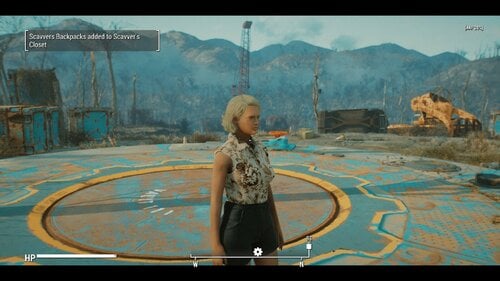
SCAVVER'S CLOSET - One size does not fit all -
By Tentacus
SCAVVER'S CLOSET
- One size does not fit all -
What's new:
I added an optional download of vanilla eyeglasses without facebones. This is to prevent them from deforming with custom faces. You may need to adjust your character's ear position for best results. It's unknown if this will negatively affect any npcs, but the glasses are just models so they are safe to uninstall at any time.
What's new in 1.1.3:
Bug Fix.
VIEW CHANGELOG:
What's new in 1.1.2:
------------------------------------------------------------------------------------------------------------------------------------------------------------------------------------
NEW FEATURES:
------------------------------------------------------------------------------------------------------------------------------------------------------------------------------------
Improved Backpack system:
Backpacks are now additive rather than replacing the base carry amount. This offers more flexibility and less bugginess, and is just generally more realistic.
Perishable fusion cells:
The Gun condition sorting ignores energy weapons for compatibility reasons, but I personally think laser weapons are far too easy to get. If I can't have the guns be broken why not the ammo? I mean, yes Fusion cells are modern marvels, but no battery is gonna lie around for 200 years and work 100% of the time. When selected this makes only 1 in 3 Fusion cell pickups viable.
Hardcore encumbrance for food, drinks, meds, chems, ingredients, empty water bottles, and Molotovs:
These are all handled by one set of sliders. Imagine how nerve wracking it will be to have to choose between food, water and stimpacks... Suddenly that psycho addiction seems a whole lot worse.
"Why molotovs?" you might ask... Well if everything else that comes in a bottle is covered why not? Unlike grenades you can't attach molotovs to a belt or bandolier, or easily pocket them. It makes sense to me anyway.
What's new in 1.1.1: EXTREMELY VITAL UPDATE!
1.1.1 Introduces a LOT of vital bugfixes. It will be the only version abailable and all users are urged to update. It adresses issues I did not know about the Fallout 4 Inventory system, such as the fact that keywords on items in the players inventory or containers DO NOT PERSIST after a reload. This means that the Gun system introduced in 1.1.0 is basically useless for actual gameplay.
-----------------------------------------------------------------------------------------------------------------------------------------------------------------------------------------
The info in this section only applies to guns and mod added clothing that is in the sorting list:
-----------------------------------------------------------------------------------------------------------------------------------------------------------------------------------------
I've made every effort to address that in this update. Now on load, all guns and mod added clothing items that need it will be sorted and have their ownership keywords restored. Likewise the backpack will run the same procedure on it's contents whenever you put it on. This works pretty much seamlessly.
Somewhat stickier is the issue of containers. Containers have the same issue with eating keywords. The way I've come up with to get around this is whenever you add an item with the _T_ Owned Keyword to a container it will get an keyword of it's own to tell the mod that you own whatever is inside. This can be exploited potentially so RP responsibly. When you first add an owned object to the container you will get a warning telling you to close the container so that it can be sorted. DO THIS. After the message about the keyword being added you can freely add more items to the container.
When retrieving owned items... ESPECIALLY after a reload it is of VITAL importance that you remove them one at a time (You will be prompted when this is necessary)
UNDER NO CIRCUMSTANCES hit the take all button!!
Upon removal of all owned keyworded items the container's keyword will be removed.
NOTE: If you do accidentally take all, you can save the game then reload, and the keywords should be restored on load!
------------------------------------------------------------------------------------------------------------------------------------------------------------------------------------
NEW FEATURES:
------------------------------------------------------------------------------------------------------------------------------------------------------------------------------------
Added support for several clothing mods:
Militarized minutemen:
Uniform
Full support
Backpack
(note MM backpack autoequips much slower than the Scavvers packs... no idea why. Can be added with MCM like the Scavver packs)
Mojave Manhunter:
Duster
Outfit
(Encumbrance only)
Vesta new armor is picked up
(Vest uses new torso armor encumbrance system )
Brotherhood Recon:
(Leveled items have full support, constructable encumbrance only).
Torso armor encumbrance:
Functioning similarly to how heavy gun emcumbrance works, you can only pick up one torso armor at a time and it auto equips. On enequip it drops. (The vest added by Mojave Manhunter can be unequipped but will still drop if another armor is added, I had to do it this way to accommodate a script on the armor) Can be toggled in the MCM.
What's new in 1.1.0:
1.1.0 is a ground up rewrite, with many more features than the previous release, as such I'll be treating it as essentially a new mod, so please carefully read the entire mod page.
Have you ever been playing fallout 4 and felt un-immersed by the fact that every single piece of clothing you find fits you perfectly? That it's all in good enough condition to wear? That every gun you find is in working order, even the shoddily made pipe pistols? that as long as you have the carry weight you can seemingly cram as many huge objects as you want into thin air? Have you wished that scavenging could be more difficult and nerve wracking like we see in post apocalypse movies like The Road Warrior?
Well, that's what this simple mod seeks to accomplish!
What it does:
Most of the features listed below can be activated , deactivated, or adjusted in the MCM:
Clothing check:
Now, when you pick up a clothing item from the ground, a corpse or a container, you will try them on. If the clothing fits, it will be renamed (IE: Your Road Leathers) This owned version of the item will behave exactly like normal, you can drop it, mod it, rename it, whatever. There is an MCM option to determine if you automatically wear the new item after finding out if it fits, or not.
If the clothing didn't fit... you'll be given a non wearable version of the item that you can scrap or sell like normal. (junk) When trading with NPCs such as merchants you'll always receive the version that fits.
Some item types, (wasteland clothing and rags mostly) have a chance of being completely unsalvagable. I've made an effort to ensure that unique and rare items either aren't touched by this part of the mod or always fit perfectly. Prisoner rags aren't affected as many mods add them. That said I may have missed something so save often, or turn the mod off temporarily when in doubt.
Bonus loot:
Select if you are RPing a nearsighted person in the MCM and recieve extra glasses loot. This is mainly intended to be used alongside the great mod: Myopia Simulator (Immersive Glasses) As with the clothing sometimes the glasses are broken or the the wrong prescription, but you may get scrap.
If you have the mod Commonwealth Vans - CBBE - JBE - EVB Male - Fusion Girl - FG-JBE installed, you will also have a chance to find shoes with the ruined clothing. These may or may not fit as well.
Weapon check: (See What's new in 1.1.1 for updated information)
Guns you find might be broken. If it's a prewar gun and you have the Gun nut perk and a screwdriver, you can strip the weapon for parts. If you have the Scrapper perk you will also get screws. Gather enough and you can repair the next broken weapon you find. Some weapon types will always be functional and some are more or less likely to be damaged. For example, revolvers and bolt actions are far more reliable than automatics. Pipe weapons are FAR more likely to be broken, and don't yeild weapon parts, but they can be stripped for minor scrap and unlike prewar guns no special skills or tools are required.
Again, I've made every effort to protect uniques.
Heavy weapon Encumbrance:
No longer can you slip a minigun into your pocket! Now heavy weapons like Fatman and flamers, must be equipped and drawn to be carried (Think of the way Halo treats the turret guns Masterchief pulls off.) If you attempt to holster or unequip the weapon it will be dropped on the ground, and you can only carry one at a time. Doesn't count against your hard core encumbrance. For the purposes of this mod bulky guns like Railway, and Gauss Rifles are considered heavy.
Hard Core Encumbrance:
REQUIRES CLOTHING CHECK BE ACTIVATED
Limits the number of clothing and weapons you can carry on your person at any one time. By default this is extremely restrictive, however you can carry more by equipping a backpack Requires the mod Scavver's backpacks (no relation) Each item type has it's own maximum value (Clothes, pistols, long guns) These can be individually adjusted to your liking in the MCM. Even clothing not included in the clothing check is affected by this.
Special Backpack effect:
When backpack is unequipped, it's dropped on the ground taking all the non equipped weapon and clothing items (fitting and not) with it. If you pick up your non backpack limit while the backpack is off then try to pick it back up you'll have to drop what you are carrying. Once you pick the pack back up it will automatically re-equip and return all the items to your inventory.
Caveats/limitations:
I've done my best but there are still a few quirks.
When weapons are checked they are momentarily dropped from the inventory, this may result in the occasional odd moment of seeing a phantom gun in front of you for a second. This also means you will see a weapon dropped notification whenever you pick up even owned guns (no way to silence this sadly)
Some pipe and laser pistols will be counted as long guns, there is just no way around this given the way the lego-gun system in FO4 works.
This mod is intended for a new game and the main functions shouldn't be started until after the vault, or any alternate start operations. If you add this to an existing save where you already have vanilla clothes you can use a function in the MCM to convert them to the "owned version" If they don't convert they are probably one of the items not covered by clothing check, such as vault suits, hazmat suits, companion outfits, bath robes, and quest rewards.
Lastly I removed the DLC requirements, that means however that clothing and weapons added by Nuka World and Far Harbor aren't covered. It honestly wasn't worth the effort for the benefit IMO.
Requirements:
Mod Configuration Menu
Scavver's backpacks (optional, but HIGHLY recommended)
Commonwealth Vans - CBBE - JBE - EVB Male - Fusion Girl - FG-JBE (optional)
Cross Mojave Manhunter (optional)
Cross Brotherhood Recon (optional)
Militarized Minutemen (optional)
Give Me That Bottle (optional)
Smokeable Cigars - Cigarettes - Joints - With HardCore Auto Save (optional)
LEGAL:
The source code is provided for you to make personal changes, should you wish to. It is not provided for you to alter, compile and redistribute your own version of the mod. The mod, Scavver's Closet is only allowed to be hosted and downloaded from Lover's Lab, under my specific user account.
THANKS:
To @EgoBallistic for providing some example code that made the weapon sorting possible.
To the Hardship fans who've been patient while I worked on this instead.
1670 downloads
Updated
-
Rad Morphing Redux
By LenAnderson
Extensible Body Morphing Framework
Rad Morphing Redux reacts to external triggers and modifies LooksMenu sliders on your (or your companion's) body based on the values provided by those triggers.
Pretty much every aspect of the mod can be configured via MCM (which sliders to change, by how much, thresholds for the trigger values, unequipping of clothes, ...).
Originally, all morphing was done based on the player's radiation (hence the name Rad Morphing), but the mod has now been extended to allow input from any other mod instead. That means you could apply morphs not just based on radiation, but also SPECIAL stats, health, Sex Attributes, calorie intake, weather, addictions... as long as a mod provides the respective triggers.
Based on the mod Rad Morphing by @Invictusblade.
Cover image on LoversLab graciously provided by @Narsdarknest.
By default this mod is disabled through MCM.
You need to open MCM to configure and enable Rad Morphing Redux before it does anything.
Notice
April 4, 2023
I am stepping away from modding for at least a couple of years.
If anyone wants to continue working on this mod, you'll find everything you need on GitHub.
Getting Started
Dependencies
MCM to configure the mod LooksMenu to apply morphs A BodySlide compatible body (any body that can be modified with BodySlide / LooksMenu will work) All clothes must be built with morphs enabled in BodySlide F4SE 0.6.23 for Fallout 4 1.10.163 SUP F4SE to detect MCM changes outside of the current savegame At least one RMR trigger All DLCs
Conflicts
The mod comes with the LL_FourPlay library (LL_FourPlay.pex/psc/dll) that is also included in other mods (e.g., AAF). When your mod manager complains about a conflict I would suggest letting AAF overwrite this file.
Integration
Combat Strip Lite or Combat Strip Lite, Sound Replacer (Ripping Sounds)
Installing either of these mods (or both) allows Rad Morphing Redux to play a sound from that mod when clothes are removed due to rads. Devious Devices will not be unequipped by this mod (tested with unofficial version RC8). Advanced Animation Framework / AAF scenes involving the player are detected and the body double created by AAF will be morphed alongside the actual player body while AAF scenes are playing.
Installing
Install with your mod manager of choice. The FOMOD installer asks you how many slider sets you want to have available and lets you pick an optional default slider configuration for a couple of different bodies.
Unless you're already familiar with RMR and know how many slider sets you need, I would suggest starting with 10 to keep the MCM small. You can always re-run the installer and increase the number of slider sets later.
By default this mod is disabled through MCM.
You need to open MCM to configure and enable Rad Morphing Redux before it does anything.
Uninstalling
Before uninstalling, disable this mod in MCM to restore the original body. If you uninstall without disabling the mod first in MCM you will be stuck with a morphed body.
Triggers
Rad Morphing Redux does nothing on its own. You must install a mod that provides a trigger for this mod to be able to do anything.
RMR Trigger: Cleavage RMR Trigger: Rads RMR Trigger: S.P.E.C.I.A.L. Unhealthy Craving by @vaultbait
Limitations of LooksMenu / BodyGen
Depending on which version of LooksMenu you have installed, you will see different behavior when morphing sliders. One big limitation that as of writing this (February 2023) all versions of LooksMenu have, is that only one single value is ever applied to one slider. If multiple sources try to modify a slider (i.e., you have given a slider a value in LooksMenu and RMR tries to morph that slider, or RMR morphs a slider and another mod tries to morph that same slider), those values are not combined in any way, but only one of them is chosen by LooksMenu and applied to that slider.
LooksMenu v1.6.18
With this version of LooksMenu, which is the version suggested in the The Fucking Manual thread, the morph sent from the mod that has been set with the "highest" mod-specific keyword is being applied, independent of the slider value. As far as I understand this logic, that means that the mod with the highest (largest) mod index, i.e., loaded last in your load order, will win out. However, I have not tested this version of LooksMenu, so confirmation or correction of this assumption would be appreciated.
LooksMenu v1.6.20
With this version of LooksMenu (currently the latest version), the highest of all the values assigned to a slider is being used. As a result any value that RMR sets on a slider that is lower than either the value specified directly in LooksMenu or lower than a value sent from another mod will not have any effect since it is suppressed by that higher value.
Unfortunately that means that even without other mods modifying sliders, RMR cannot produce negative morphs on a slider that has been given a value through LooksMenu.
Configuration
The FOMOD installer comes with default settings for Atomic Beauty, CBBE, Fusion Girl, and Jane Bod. However, you can configure it to your liking through MCM with up to 50 sets of sliders with individual morphing strengths and ranges. By using the RMR Helper or editing the MCM ini file you can use even more slider sets.
For easier configuration, with previews of morphs and automatic setup for morphing from one BodySlide preset to another, you can use RMR Helper.
Start or load a game, pause, open MCM, and select Rad Morphing Redux.
General Settings
Enable Rad Morphing Redux
Enable or disable Rad Morphing Redux. On disabling RMR, the original body is restored. Display disabled warning
Whether to display a warning message when you load a game with RMR disabled. This only really exists as a notice for first installs, since RMR is disabled by default. Reload MCM settings
Reload all settings from MCM. Use this if you have modified the settings outside of the game (e.g., by using RMR Helper or directly editing the ini file) or made changes in another savegame.
Changes from other savegames and from RMR Helper should be automatically detected and result in RMR restarting. Morph Updates Morph calculation
How to calculate the morph value. RMR: This is how previous version of RMR v2 up to v2.4.0 have worked. The value calculated from your slider set configuration is sent to BodyGen to morph your character. Due to the way BodyGen / LooksMenu works (LooksMenu version 1.6.20), this means that you will not see any change on the affected sliders if the value directly set in LooksMenu (i.e., your default / original body) is higher than this value. You also won't see any change on the affected sliders if another mod has morphed that slider to a value larger than the one calculated by RMR. RMR + LooksMenu: With this setting, RMR adds the value set in LooksMenu (i.e., your default / original body) to the value calculated from your slider set configuration before sending it to BodyGen to morph your character. You still won't see any change on the affected sliders if another mod as morphed that slider to a value larger than the sum of RMR's value and LooksMenu's value. RMR + Highest Morph: With this setting, RMR reads the highest value for a slider (i.e., your default / original body or a morph from another mod) and adds that value on top of the value calculated from your slider set configuration before sending it to BodyGen to morph your character. Update delay
Seconds between morph updates when Update Type is set to Periodically. Companions Restore companion morphs when dismissed
Whether to restore morphed companion bodies to their original body when dismissing them. Healing Caps to heal 1% of morphs
Number of caps to heal 1% of morphs at a doctor. This only applies when permanent morphing (only doctors can reset morphs) is enabled.
Debug Tools
Enable logging
If you experience any problems with RMR, please enable logging and provide your papyrus log when reporting your issue.
Global Overrides
Settings made in this section will override all individual settings on the slider set pages. Descriptions for each setting can be found further down.
Permanent Morphs Only doctors can reset morphs Additive morphing Limit additive morphing Additive morphing limit Unequipping Unequip action Override chance to drop / destroy Chance to drop / destroy
Equipped Items
Show a list of all the currently equipped items and their slots.
Actor
Dropdown to select the actor (player or active companions) whose items you want to see. Refresh
The list is not automatically updated when you equip or unequip items. Click to refresh this list.
Slider Set X
Use the slider sets to configure how the body should be morphed when a trigger changes. A slider set is a group of sliders (or a single slider) that react the same way when their trigger value changes.
Sliders Slider names
Enter the names of the sliders that should be affected. When entering multiple sliders, separate them with | (e.g., Boobs Yuge|Bum Chubby).
Unfortunately you cannot just use the labels shown in BodySlide as the game needs the internal name / keyword of the slider. You can look these up in the body's SliderCategories XML file, found in .../Data/Tools/BodySlide/SliderCategories/.
Each slider has a name and a displayname attribute. The displayname is the label shown in BodySlide while name is the internal name that you have to enter in MCM.
One example from CBBE (CBBE.xml): <Slider name="BreastsNewSH" displayname="Silly Huge" /> The internal name for the slider labeled Silly Huge in BodySlide is BreastsNewSH. So BreastsNewSH is what you need to enter in MCM if you want this slider to change. Targets Apply to
Whether to apply this slider set to only the player, only companions, or player and companions. Sex
Whether to apply this slider only to female characters, only to male characters, or to both. Trigger Trigger name
Choose the trigger that you want to base the morphs for this slider set on. Invert trigger
When inverting the trigger value, morphs will take full effect when the trigger value reaches 0% and no effect at 100%.
This would allow for example to apply morphs as the player's HP goes down (i.e., no morphs at 100% HP, full morphs at 0% HP). Update type
Whether to update immediately when the trigger sends an update, periodically every X seconds (see Update delay in General Settings), or after you sleep.
When this is set to After sleeping, morphs will according by the current trigger value every time you go to sleep; i.e., after sleeping four times with a trigger value of 25% morphs will reach 100%. This way, only doctors will be able to reset your morphs, as a 0% trigger only means that no additional morphs will be added. Size Target size increase
How much the slider will change when the trigger value reaches its maximum.
These are absolute percentage points, not percentage of the current slider value. If the slider on your unmorphed body is at 50% and target size increase is set to 100% the slider will end up at 150% when fully morphed. When set to -100% it will end up at -50% when fully morphed. Lower threshold
Percentage of the trigger value at which morphing should start. While the trigger value is lower than this, no morphs will be applied. Upper threshold
Percentage of the trigger value at which morphing should end. While the trigger value is higher than this, full morphs will be applied. Unequipping Armor slots to unequip
Enter the numbers of the armor slots to unequip when the unequip threshold is reached. Separate multiple slot numbers with | (e.g., 9|11|15). You can only equip the items again once the morphing is again below the threshold.
To see what you have currently equipped, go to the Equipped Items page and click on Refresh. Unequip threshold
When x% of the morphing target is reached, the above slots will be unequipped. This is a percentage value that refers to the target size increase. Unequip action
Determines what happens to unequipped items.
Unequip: Old behavior. The unequipped items are put into the character's inventory.
Drop: Unequipped items are dropped to the ground.
Destroy: Unequipped items are completely destroyed. Chance to drop / destroy
If unequip action is set to Drop or Destroy, this setting determines how likely it is that the unequipped items are actually dropped or destroyed or just placed in the inventory. Permanent Morphs Only doctors can reset morphs
With this option enabled, the body will not restore its original shape on its own when the trigger values goes down again. You will have to visit a doctor to restore your body. Additive morphing
If enabled, morphs are added every time the trigger value increases, even if the trigger value decreases in between. This can lead to reaching a fully morphed body without a 100% trigger value, or even morphing beyond the target size increase.
Example with rads as trigger: You take 50% radiation and get morphed to 50% of your target size increase. You reduce rads to 20% (no morph change due to permanent morphs / only doctors can reset). You take some more rads and are now back up to 30% and morph a further 10% to 60% of the target size increase. Limit additive morphing
If enabled, you can limit how far additive morphing can exceed the target size increase.
If disabled, there is no limit and you can morph until Fallout crashes... I would keep this enabled. Additive morphing limit
Percentage how far additive morphing can exceed the target size increase.
0%: morphing will stop once the target size increase is reached.
100%: morphing will stop once 2x the target size increase is reached.
Development
Creating a new trigger
Rad Morphing Redux provides an API for other mods (like triggers) to interact with RMR.
Get a reference to the API Game.GetFormFromFile(0x4C50, "LenA_RadMorphing.esp") as LenARM:LenARM_API
When first running your trigger mod, register your trigger name with RMR. RegisterTrigger("YourTriggerName")
Call UpdateTrigger with value as a float between 0.0 (0%) and 1.0 (100%) to update the trigger value. UpdateTrigger("YourTriggerName", value)
Register for the OnStartup and OnShutdown events to keep track of RMR's state and avoid wasting resources while RMR is inactive. Register for the OnRequestTriggers event. Re-register your trigger name and provide the current value whenever this event is raised.
For more details, have a look at the Rads trigger. The source code is included with the mod and the full project is also available on GitHub.
Source Code
All source code is included with the mod. The full project including build scripts for VSCode is available on GitHub.
Changelog
45171 downloads
Updated
-
transfersettlement Sanctuary covenant walls
By Arcturus7777
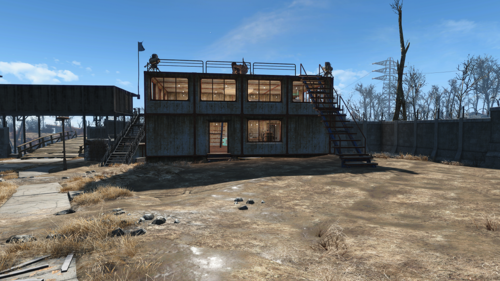
This mod is a transfer settlements blue print to use at the start of a new playthrough, or anytime you have not done much building in Sanctuary. It includes Convenant walls
Beds
water
food
turrets
a couple stores
a couple special workbenches
I install this just after sturges asks for help building beds.
It is best if you clear all the furniture items from all the bedrooms, and clear all trees and junk on the ground around the bridge and in the water. Also, remove all the unusable houses and their foundations.
The walls are not perfect, but look good from the inside, couple spots from the outside view that I could not fix. everything else is just there to get Sanctuary going you will want to move the stores and other stuff eventually.
Transfersettlements recommends that you go away after adding blue print, I just go do the first Minuteman settlement quest, and come back.
Requirements really needed, be sure to install any requirements these mods have.
Transfer Settlements https://www.nexusmods.com/fallout4/mods/22442
Homemaker https://www.nexusmods.com/fallout4/mods/1478
AWKCR https://www.nexusmods.com/fallout4/mods/6091
Easy homebuilder and working double beds https://www.nexusmods.com/fallout4/mods/17521
Ground https://www.nexusmods.com/fallout4/mods/17691
best dirt adding mod out there as far as navsmesh. I use vanilla version
Settlement Objects expansion pack https://www.nexusmods.com/fallout4/mods/10075
I love this mod, good stuff, easy to find, always seems to work when I mess everything up Lol
Soft requirements
America rising https://www.nexusmods.com/fallout4/mods/23923
I do not know why this is listed 90 percent sure you can leave it out, it may of changed something in Sanctuary
FPE family planning enhanced
these two loverslab mods are needed cause I built their workbenches. So now they get free advertising here!
FPE baby Addons
Changes.
removed a requirement as it was merged into the homemaker mod
Credit
All credit goes to the mod creators be sure the thank them and endorse their mods.
231 downloads
- transfersettlements
- sanctuary
- (and 1 more)
Updated
-

Chiisana Naked Bows Fix
By Dare_Devil
Fix for bows turning invisible when naked
Requires AnimeRace Style Clothes - Chiisana Amai Koi
I'll delete this mod after the main mod fixes this.
222 downloads
Submitted
-
Raider Queens - Legendary Female Raider Faces Revamp
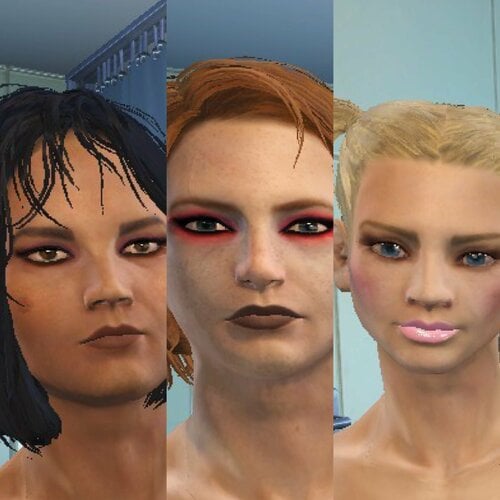
Why?
I got sick of looking at named female raider bosses with shit on their face.
6884 downloads
Submitted
-
INVB_BodyMorphs
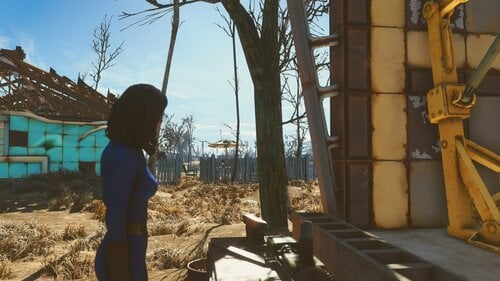
This mod allows you to change your breast and butt size via the workbench
Build a Body Implant at the chemistry workbench to increase or decrease body sizes
Build a Scalpel at the chemistry workbench to remove body sizes
Size modifiers (this depends on your players body size so it may be different for everybody)
+400%
+350%
+300%
+250%
+200%
+150%
+100%
+050%
000%
-025%
-050%
-075%
-100%
-125%
-150%
-175%
-200%
Body Types
CBBE (Default)
CBBE Breasts
CBBE Butt
Atomic Beauty
Atomic Beauty Breasts
Atomic Beauty Butt
Fusion Girl
Fusion Girl Breasts
Fusion Girl Butt
Jane Bod
Jane Bod Breasts
Jane Bod Butt
TBOS
TBOS Butt
Custom (Edit RadMorphs in xEdit, alter the strings in the armor to your choice)
Requirement - You will have to build clothes with Morphs in Bodyslide for this to work properly
Let me Know if there is any issues?
2107 downloads
Updated
-
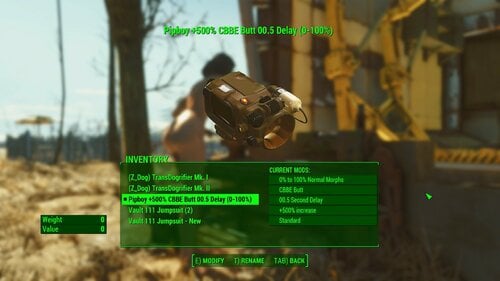
Rad Morphing
if you uninstall or update the mod, please unequip the rad mood ring before changing and unequip and equip the pipboy after changing
This mod allows you to change your breast and butt size via the effects of Radiation.
this mod uses the players Pipboy(or crafted Rad Mood Ring) to alter the effects of the mod in several different ways by Armor Workbench
Body Types
CBBE (Default)
CBBE Breasts
CBBE Butt
Atomic Beauty
Atomic Beauty Breasts
Atomic Beauty Butt
Fusion Girl
Fusion Girl Breasts
Fusion Girl Butt
Jane Bod
Jane Bod Breasts
Jane Bod Butt
TBOS
TBOS Butt
Custom (Edit RadMorphs in xEdit, alter the strings in the armor to your choice)
Size modifiers (this depends on your players body size so it may be different for everybody)
+600%
+500%
+400%
+300%
+200%
+100%
0% (Default)
-100%
-200%
-300%
-400%
-500%
-600%
Timing (controls the timing between updates)
0.5 Second
1.0 Second
1.5 Seconds
2.0 Seconds (Default)
2.5 Seconds
5.0 Seconds
10.0 Seconds
Start and end times
0%-100% - Normal (this works all of the time) (Default)
25% - this starts at 25% percent radiation
75% - this ends at 75% percent radiation
Please Note (for old save game users)
this uses the Pipboy so it should only effect the player. (however it may get overrided by other mods)
player.removeitem 21b3b
player.additem 21b3b
player.equipitem 21b3b
(this should start the script)
Requirement - You will have to build clothes with Morphs in Bodyslide for this to work properly
Let me Know if there is any issues?
4281 downloads
Updated
-
Fallout 4 dynamic CWSS furniture placement
By phillout
This is a simple xEdit script to replace some of the vanilla furniture in the game with CWSS furniture - toilets and showers, so you can finally have a shower at your Institute quarters and poop without having to go to the mines every time. Mostly for those who use Advanced Needs, but it's not required. Since it's a dynamic patch, it should be compatible with everything, with all mods adding the supported furniture etc. Tested on vanilla locations and Lexington Interiors.
Simply put the file into the "Edit Scripts" folder of your FO4Edit installation, load all your plugins, right-click anywhere and select "Apply Script...".
Then choose "Fallout4 - CWSS Dynamic Placement" to run. Run it, enter the name of the plugin you're going to generate. That's it.
In version 1.2 the patch to fix CWSS shower activation has been added. Install it with a mod manager of your choice or simply unpack it to the Data folder of the game. For this to work you need either
A new game Clean install of CWSS (remove it, save, use FallrimTools to clean up the scripts, install again, add the patch, make a patch using the script) Clean up all CWSS shower scripts from the game, using FallrimTools. If you have no idea how to use it, just start a new game. Sorry. If you have - load a save, add a filter for CraftableShowerScript in FallrimTools filter (the one in the top left corner) and remove the script CWSS_CraftableShowerScriptF and all its instances.
Let me know if something isn't working as expected.
Things to check if it's not working as expected:
It doesn't replace the furniture:
Is the furniture actually supported? Check with the list in the first comment Did you allow FO4Edit to generate references and not skipped that step (it's possible to skip in by holding the Shirt key, IIRC - don't) Did you forget to enable the generated plugin?
"Access violation" errors
Are you using the 64 bit version of FO4Edit? When xEdit developers say it's not really stable, they mean it. Even the 32-bit version is kinda wonky, and the 64-bit version seems to be broken IME in many ways.
The script itself released under the BSD license. Meaning - do whatever you want, but if you redistribute it or your own work based on it - crediting the original author is appreciated.
The CWSS patch is not for redistribution. According to the original CWSS permission, modification or redistribution of its content require author's permission. I have a permission to redistribute the modified copy with the patcher, but that's all. So please don't.
I haven't tested this with CWSS 3. You certainly can't use the patch provided. Hopefully it works w/o it, if it's not - let me know.
WARNING: the script breaks PreVis so you'll need mods to recover it.
First - Boston FPS Fix - aka BostonDT PreVis-PreCombine for exteriors.
Seconds - Previs Repair Pack for interiors. Download the Interiors version, which is complete, unlike the one for exteriors, and you don't need it for now, thanks to Boston FPS fix which also has patches for some other mods.
Place them at the very bottom of your LO. If you use Smashed Patch, Previs Repair pack goes below it.
3251 downloads
Updated
-
playerhome The Lionhouse - A Dockside Retreat
By ZenonDT
****************************************************************************************************************************************************************************************************************
***DISCLAIMER: This is a re-upload of the same file found on Nexus at: https://www.nexusmods.com/fallout4/mods/42329?tab=description
as a member of their mod team I have permission to upload this file, no other permission has been granted to upload elsewhere***
****************************************************************************************************************************************************************************************************************
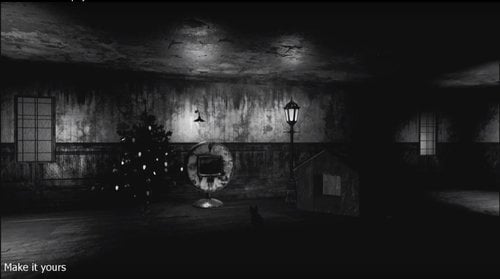
A new 4-story, fully customizable, player home/settlement now rests on a peaceful pier near Bunker Hill
This mod features a new mini quest, new player home/settlement, that is fully open to customize beyond your wildest dreams.
THE LIONHOUSE
A FULLY CUSTOMIZABLE PLAYER HOME
FOR FALLOUT 4:
Introduction:
The Lionhouse is a major mansion-like player-home nestled on the docks of the Charleston
4 Floors,
Fully Customizable,
Player Workshop settlement.
248 downloads
Submitted
-
Heroines Pain AddSound Caiena
By Caiena
Only for female character.
Replacing the cry of female pain.
I made a substitute for the cry of pain that a woman makes when she is wounded or shell-shocked.
The Mod file extension is an ESP, but the flag - ESL.
The mod is made in several versions:
1. Heroine Pain - Replacement of the original sound. (Without ESP File)
2. Heroines_Pain_AddSound_Caiena - Replace original sound + 27 additional sounds in Ba2-archive + ESP-File.
3. Heroines_Pain_AddSound_Caiena - Replacement of the original sound + 27 additional sounds in the Ba2-archive + ESP-File + Sound of pain when using a Stimpak.
4. Heroines_Pain_AddSound_Caiena - Replacement of the original sound + 27 additional sounds in the Ba2-archive + ESP-File + Sound of pain when using Stimpak, RadAway, RadX, MedX and Adrenaline.
I did this mod for personal use, but recently decided that this mod can be shared with someone. I will be glad if someone likes my work.
All sound files are made by me personally. If someone wants to use them in their work, I will be very happy. Tell me thank you and use the sound as you want.
Русскоязычные пользователи могут скачать эту работу с Adult Mods Localized.
3627 downloads
Updated
-
Sim Settlements Leaders for Lovers Lab mods
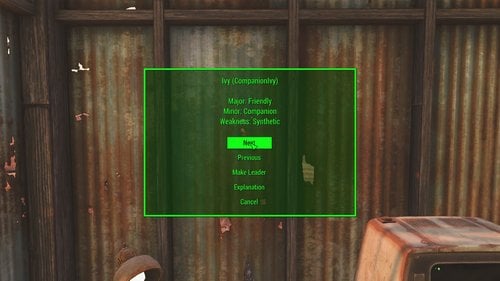
Here is my Lovers Lab Leadership Patch for Sim Settlements. this is still work in progress
This contains a simple patch for allowing NPC's from Certain Lovers lab mod to become leaders in Sim Settlements
Boston Breeder.esp
April (Boston Breeder) Major: Hornet Leader Minor: Breeder Weakness: Defender
Blake (Boston Breeder) Major: Slaver Minor: Breeder Stock Weakness: Notorious
Bourne (Boston Breeder) Major: Ex Hornet Leader Minor: Breeder Weakness: Lonely
Brooke (Boston Breeder) Major: Occult Minor: Breeder Weakness: Tired
Don (Boston Breeder) Major: Voyeur Minor: Cuckold Weakness: Horny
Jade (Boston Breeder) Major: Breeder Minor: Ex-Brotherhood of Steel Weakness: Lonely
Jean (Boston Breeder) Major: Breeder Minor: Loves Orgies Weakness: Tired
Katie (Boston Breeder) Major: Gunner Lover Minor: Loves Orgies Weakness: Wasteful
Katie (Boston Breeder) Major: Supermutant Lover Minor: Loves Orgies Weakness: Wasteful
Katie (Boston Breeder) Major: Deathclaw Breeder Minor: Loves Orgies Weakness: Wasteful
Kimberly (Boston Breeder) Major: Deathclaw Breeder Minor: Breeder Weakness: Reliant
Luna (Boston Breeder) Major: Breeder Minor: Loves Orgies Weakness: Tired
Mathew (Boston Breeder) Major: Rancher Minor: Loves Orgies Weakness: Tired
Sabine (Boston Breeder) Major: Deathclaw Breeder Minor: Breeder Weakness: Reliant
Woden (Boston Breeder) Major: Deathclaw Minor: Like Women Weakness: Deathclaw
CompanionIvy.esp
Ivy (Companion Ivy) Major: Friendly Minor: Companion Weakness: Synthetic
Traits
Friendly - Guarantees at least one new recruit every day.
Companion - Increase tax income
Synthetic - Reduce the amount of daily junk collected
Ex-Brotherhood of Steel, Ex Hornet Leader - martial plots will upgrade 20% faster
Voyeur - Synths can no longer infiltrate the settlement.
Deathclaw Breeder, Gunner Lover, Supermutant Lover, Deathclaw - always defend against settlement attacks successfully
Hornet Leader - Brotherhood of Steel will patrol and defend the settlement
Tired - reduce tax income by 20%
Horny - Increase maintenances costs
Deathclaw - Reduce the chance animals will move into the settlement
Like Women - Reduces the max settlers that can be radio-recruited
Breeder, Breeder Stock - Greatly reduces food needs of the settlement
Loves Orgies - settlement happiness will increase by 5
Rancher - animals are more likely to move into the settlement
Slaver - Recruits an extra settler daily; 25% chance a random settler dies daily.
Occult - City upgrades much faster
Cuckold - Increase the number of visitors that will come to the settlement
Lonely - Decreases settlement base defense
Notorious - Reduce chance of recruiting settlers
Reliant - Martial plots will take longer to upgrade
Wasteful - Reduce the base water production
I believe all of them should work but I only know that Mathew, Jean, Luna and Ivy works so far (due to using a new game)
Really soft requirement (it didn't require any masters with the exception of SimSettlements.esm)
Let me know if I have any incorrect character traits (but I cannot make any new traits)
Hard Required: Sim Settlements.
Soft Required: Boston Breeder.esp & CompanionIvy.esp
this is build from Sim Settlements - Leader Pack - Gannon's Overtly Adequate Trove (Cancelled) by Gannon93
https://www.nexusmods.com/fallout4/mods/30599
1846 downloads
- sim settlements
- companionivy
- (and 1 more)
Updated
-
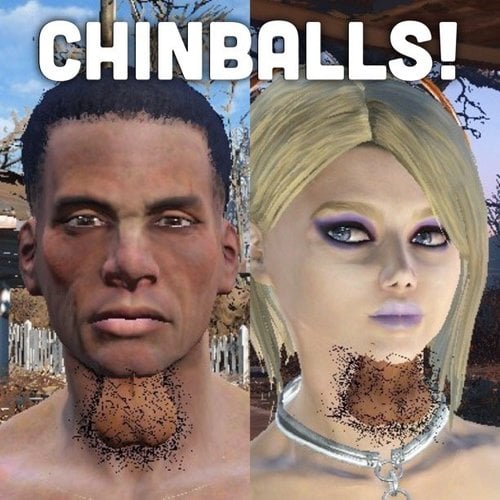
CHINBALLS!!!!
In the proud tradition of South Park and Wolverine from Movie 43, CHINBALLS!
An equippable scrotum complete with testicles for males and females to roam the commonwealth, pubic hair is optional.
Credit to:
Butters
the guy who plays Wolverine.
The creator of EVB cause im almost certain I just did a chop job on his nuts and moved it to the chin.
35 downloads
Updated
-
caiena Ghouls Add Sound Caiena
By Caiena
I apologize for English, which is not my language.
Let me ask you a question: what makes a Computer Game (for example, Fallout4) exciting?
Aside from the Game Mechanics, it's obvious that it's Graphics and Sound.
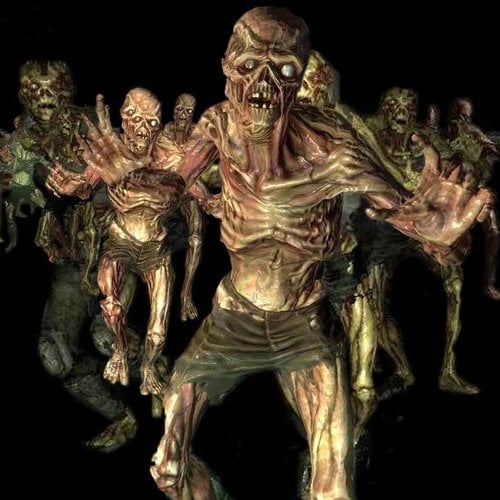
Actually about the Sound, I wanted to say. Ghouls. Feral Ghouls.. A foolish but dangerous foe. Feral Ghouls is quite common. Why does such an Enemy have three sounds to Attack, two sounds to Die and another half to the other?
This question worried not only me. There are a few Mods that are somehow trying to solve the problem of the lack of the Sound of Feral Ghouls. However, I always miss something, and I decided to go my own way - Ghouls_AddSound_Caiena. My mod does not replace anything. The sound is only added.
In this Mod I have significantly expanded the number of sounds that produce Feral Ghouls. First of all, the sounds of Attack and Death were added. Many Revival sounds of Feral Ghouls. Revival, very good gameplay with Mods Ghoulish Ghouls or Zombie Walkers. Other sounds were also added.
In the boot order, preferably positioned below Zombie Walkers, as edited line Sound Descriptor.
I don't know how to make a Video, but you can get an idea here and here.
Version 1.5 of the Mod consists of the following Sounds:
1. Vanilla Sounds Of Feral Ghouls. Special thanks to the sound engineers of Bethesda.
2. Sounds taken from mod Terrifyer-Ghouls. Special thanks to taylorlongboard.
3. The sounds of my good friends, recorded by me . Special thanks to the producers of Vodka and Beer.
File Ghouls_AddSound_Caiena.esp has an ESL flag.
Sound data has two types:
1. Ghouls_AddSound_Caiena_v.1.5 ESP+Loose-Version where Sound files are not Packed into an Archive .Ba2
2. Ghouls_AddSound_Caiena_v.1.5 ESP+Ba2 Version where the Sound files are Packed in Archives .Ba2
I have a problem with the version Ghouls_AddSound_Caiena_v.1.5 ESP+Ba2. Sounds in Fallout were not played. However, everything works with a guarantee, with a New Game. Maybe it's not necessary. I have no strength and patience to check. I spent two whole days just creating a working Archive..
Perhaps, together, we can solve this problem. Everyone knows the Truth is out there..
Русскоязычные Пользователи, так же могут познакомится с данным Творением на Adult Mods Localized.
452 downloads
Updated
-
Dead body collision for FO4
By SAC
Adds collision to corpses. Re-made by following the workflow posted for Skyrim at https://www.nexusmods.com/skyrim/mods/30947
Necessary since the original FO4 mod which did the same thing is no longer available on Nexus
Installation = normal as with any mod
3391 downloads
Submitted
-
Red Rocket Basement
By Reginald_001
Welcome to the Red Rocket Basement Player Home Update 2! (V1.0.3)
VERSION 1.3 IS NOT PHYSICALLY DIFFERENT FROM VERSION 1.2. IT JUST CHANGES THE VOICE.
During its checkered past, the basement below Red Rocket had always been a perfect place to handle the more... shady business of Power Armor repair and underground dealings. Favored by local criminals to tune stolen goods, the cave access in the back gave them means to move, and repair, both stolen cars and power armor unseen. Now collapsed, the back entrance to the cave cannot be entered, but its secret entrance on the hill right in front of the shop makes it an ideal place to stay, while your settlers work up top. Shielded from both radiation and the dangers from up top, it's as secure as a vault!
Features
RR Basement is a simple undecorated player home. It has a workshop and quite a few resources you can scrap before you decorate it. You can use all interior workshop elements. Power is supplied at two places, players need to add their own power nodes to expand power across the home. The workbench is (SHOULD BE) connected to the workshop up top. This means that if you create a settlement at Red Rocket truck stop, you could in theory live out your days in the basement, while your settlers gather resources, food and water. Settlers will NOT enter the basement so everything there is yours.
Thank YOU for direct or indirect support:
- @urbanoantigo (ptBR translation)
- Chic Geek
- @Fiona159 (Ru translation)
- @Nebuchadnezzer2 (for being supportive)
- @Flashy (JoeR) for helping out when needed and furthering my knowledge of the engine
- Anyone I might have forgot to mention and I'm sure I have...
New features include:
- A maid that can satisfy many needs and keeps the basement clean and fresh..
- A terminal to provide you with configuration options (such as music, doors etc..)
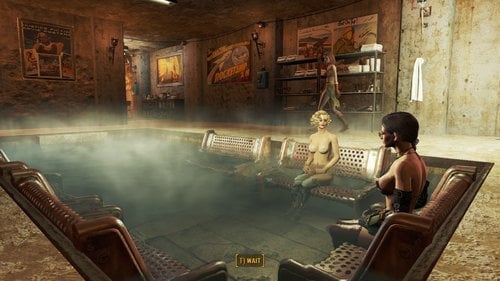
- A bath pool
- A sauna.
- 3 New rooms to explore and decorate.
Portugal/BR translation available!
Download the Red Rocket Basement_v1.0.2_ptBR.7z file and overwrite it's contents, after installing the original file!
Russian translation available!
Download the RedRocketBasement1.0.2_ru.7z file and overwrite it's contents, after installing the original file!
How to Enter
For game balance the home is not available right away in a fresh game. You'll need a lock pick skill of Expert to be able to lock pick the entrance!
If you can't wait, you can always cheat:
Known issues
NPC's and companions should have no difficulty navigating through the player home, unless you fill it up completely with furniture and book cases. All nav meshing was done by hand to ensure smooth navigation and I've play tested this player home thoroughly after making it over 6 months ago. I've been tweaking and adding rooms slowly since then and I found that this size was the best size for me so I can live in comfort, while raiding the wasteland...
At some places the wall meshes don't really align well, this can cause some overlapping/flickering lines here and there. This will be tweaked in the future as I find them, or if they really bother me.
Installation instructions
Drag the 7zip file into your mod manager and activate it... OR:
Unzip it manually into your Fallout 4 directory.
WARNING 1.0.1 IS NOT YET AVAILABLE ON NEXUS.
Older version available from Nexus Mods:
https://www.nexusmods.com/fallout4/mods/35056/
WATCH THE VIDEO TO GET AN IDEA OF THE LATEST FEATURES
RR VID 2.mp4
Australian Maid Voce.
Maid Bot Aussie Intro.mp4
Maid Bot Aussie Dialogue.mp4
See the download topic for more screenshots AND a layout of the place!
Warning: All screenshots reflect ONE way that you can decorate this home. It's very reactive to the light you use, so you can do with this whatever you desire.. make it a cozy fire lit place.. make it a bright workshop.. or a dark underground sex basement.. it's up to you!
9291 downloads
Updated
-
VOTW Betty Boop in The Old Man on the Mountain
By Sulphur.999
VOTW - BB OldMan.7z
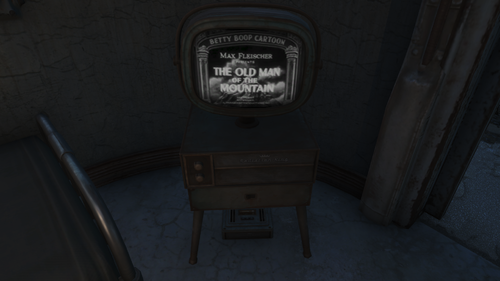
A holotape for use with Videos of the Wasteland. Betty Boop in "The Old Man on the Mountain." I love this short animated film. Fits right in with the period. The music alone is worth the download.
Craft at VOTW Workbench or console in.
235 downloads
Updated
-
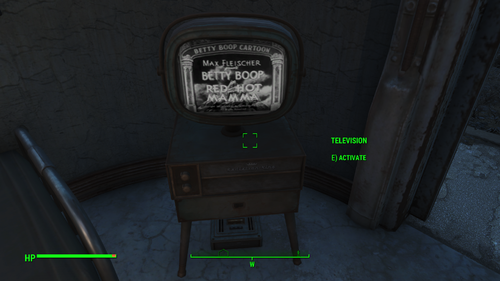
VOTW - Betty Boop in Red Hot Mama
By Sulphur.999
VOTW - BB RedHot.7z
A holotape for use with Videos of the Wasteland. Betty Boop in "Red Hot Mama," a dream sequence caused by her changing environment. You can't tell me these guys weren't trippin' BALLS most of the time!
Craft at VOTW Workbench or console in.
273 downloads
Updated
-
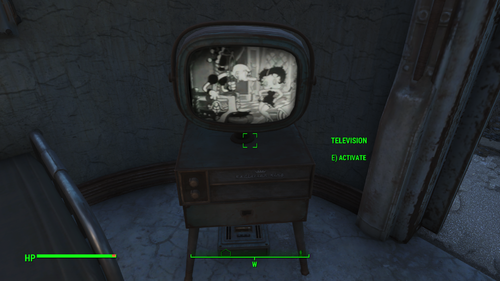
VOTW - Betty Boop in Snow White
By Sulphur.999
VOTW - BB SnowWhite.7z
A holotape for use with Videos of the Wasteland. Betty Boop in Snow White: Another of the Cab Calloway appearances. Just like the other two this really moves.
Craft at VOTW Workbench or console in.
226 downloads
Updated
-
VOTW - All 3 Betty Boop Holotapes in 1 esp
By Sulphur.999
VOTW_-_BBVidz.7z
All 3 of the Betty Boop holotapes I made, 1 esp.
Includes: The Old Man on the Mountain, Red Hot Mama and Snow White.
Craft at VOTW Workbench or console in.
1103 downloads
Updated
-
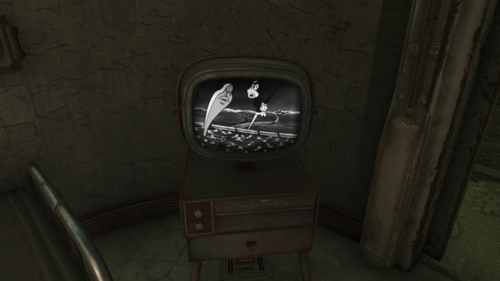
VOTW - Animated short - Swing You Sinners
By Sulphur.999
VOTW - Swing Sinner.7z
A holotape for use with Videos of the Wasteland. From the same guys that did the Betty Boop cartoons. Swing you Sinners is a darkly humorous, trippy tale of regret. Very cool!
Craft at VOTW Workbench or console in.
518 downloads
Updated
-
Piper Face Fix
By VonHelton
This VERY small file will fix Piper if her face gets mangled by bad face mods!
It goes DEAD LAST in your load order!
100% guaranteed to work!
?
283 downloads
Submitted
-
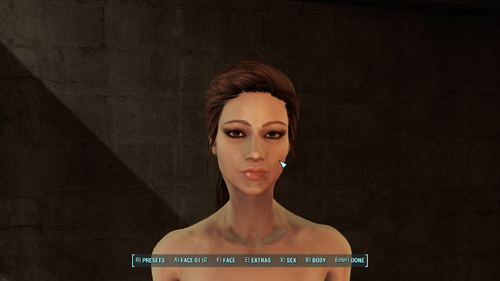
Neontubes's_Preset_v1.zip
By Guest
Hello,
Here is my preset for fallout 4. I reconmend you to use HQ Faces on Nexus (https://www.nexusmods.com/fallout4/mods/32404?tab=files) but its not requird.
The only thing requied is the base game. Let me know is there are any issues.
Cheers
357 downloads
Submitted
-
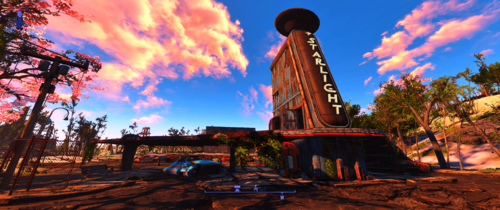
CrispAndClear Reshade Preset
By Sandman525
Tired of all the blurry and haziness in game? I was so I decided to improve it.
I had to downsize images to fit the 2 MB max so they actually look better in game but it should give you a fairly good idea of the changes.
Depending on your system you may notice a fps hit. I also uploaded an alternate version that is a bit lighter.
If you don't like something, you can change it to your preferred tastes using the ingame ReShade menu.
INSTALLATION:
Download the latest ReSahde release at reshade.me and follow the installation instructions.
Unzip the CrispAndClear.ini and place it in your game folder (where fallout4.exe is located).
In game open the Reshade menu and select CrispAndClear.ini from the dropdown menu.
If you have any questions or issues let me know, I'll do my best to help.
CrispAndClear.7z
CrispAndClear(Light).7z
274 downloads
Updated
-
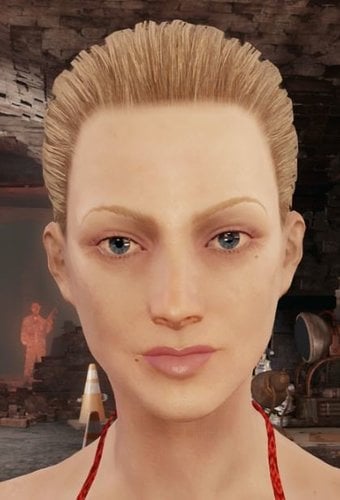
Lili Reinhart character preset
By Fixadent
If you watch Riverdale, which you probably don't, then you'll know that actress Lili Reinhart plays the character Betty on that show.
This is a character preset for Fallout 4 that I made of her.
HOW TO INSTALL
Just copy and paste the .json file contained in the zip folder to the presets folder in your Fallout 4 data directory.
143 downloads
Updated
-
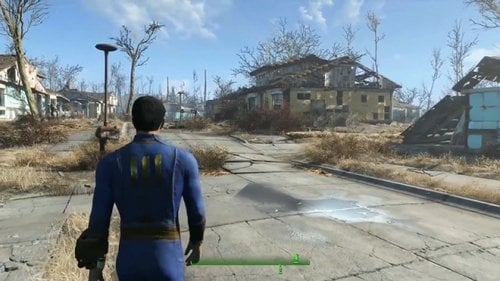
StopHammerTime && Quiet Vertibirds
By Reginald_001
Stop! Hammer! Time!
While modding a custom companion I was often in or around Sanctuary. The settlers constantly hammering away at the houses, never ever actually improving them, was making me go crazy. Sometimes while chatting with an NPC... Sturges comes stands next to you and starts his F#$#$ing hammering... so I put a stop to it. I went into Sanctuary and took away all the 'Hammer around the house' activators from the map.
Only works for players that do not run other Sanctuary mods.
Otherwise, this mod changes nothing.
If you get glitches in the map, move StopHammerTime.esp to the top of your load order, so your other mods will have a higher priority.
There are other mods that do this as well, but often they are more invasive.
This only changes Sanctuary, not the animation or sounds itself.
Quiet Vertibirds!
Lowers the volume in turrets and vertibirds AND CATS, by adjusting the SoundOutputModel configuration.
379 downloads
Updated

![More information about "[XCL] EASY SALES !!! - A sales cheat mod"](https://static.loverslab.com/screenshots/monthly_2026_10/Breaking-Bad-money-nap-meme-6-3583251892.thumb.jpg.aad64969705614bba4e9834ed8f04670.jpg)

.thumb.jpg.d864902d2e06ac7c1b931acbe3396de3.jpg)