Select a subcategory to view available files.
Files From Subcategories
-
Fusion Core Chastity Belts
By dibz666
These are altered versions of the Institute Chastity Belt,
These are generally the same as the original belt, Except These ones have Fusion cores in the back as Butt plugs.
----------------------------------------------------------------------------------------------------------------------------------------------------------------------------
I screwed up, ............The Belts from pack 1.2, They had no mesh files & I didn't back them up.
I managed to save pack 2 but I'll have to do pack 1.2 over..............I don't know when It'll be done,
when I upload more belts I'll put more work into them.
The 1st & 2nd pack(s) should still work.
-----------------------------------------------------------------------------------------------------------------------------------------------
To install these Chastity belts, Simply drop the Data folder in your Fallout 4 folder.
Use BodySlide to build your body type, Then play the game.
Once ingame You can make them at the chem station.
----------------------------------------------------------------------------------
Credit goes to Vioxsis for the creation of the original Institute Chastity Belt.
I just added Fusion cores.
----------------------------------------------------------------------------------
P.S. You can use OutfitStudio to tweak the position of the Fusion cores.
3307 downloads
Updated
-
Snuggie Onesies
By dibz666
These are the Onesies that were made by Lucia1 for Skyrim.
I personally thought Lucia's Onesies were really really cute...........So I ported them to Fallout 4,
And I love sharing with people so here we are.
-----------------------------------------------------------------------------------------------------------------
Attention- To those who downloaded onesies before sunday 9/3/2017, I fixed the 1stPerson issue.
Just re-download the onesies you want, Let the files overwrite, Build your body, And play the game.
-------------------------------------------------------------------------------------------------------------------------------------------
1 more color pack coming soon, I'm going to add more colors, Orange Green & Indigo(Dark Blue).
-------------------------------------------------------------------------------------------------------------------------------
To install these Onesies, Simply drop the Data folder in your F4 folder.
Use BodySlide to build your body type, & then play the game.....
Once ingame You can make them at the chem station.
----------------------------------------------------------------------------------
Credit goes to Lucia1 for the creation of the original Onesie mesh(s).
&
Credit goes to Me(Dibz666) for porting them to Fallout 4.
3907 downloads
- abdl
- adult onsie
- (and 1 more)
Updated
-
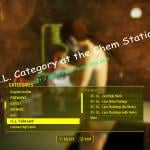
I.L.L. or I Like Lace
I.L.L. (I Like Lace)... a Skyrim Conversion.
V 0.3 (Still Fine Tuning...)
Fixes from V0.2
Stocking color should now work, it was pointing to the wrong attach point in the omod... FIXED.
GarterClips now pointed to the correct Material File. I left off the "S" in the damn lacegarterclipS.bgsm... Fixed
Items and Slot Numbers!!!
Slot 33 - 4 items.
Heels and body
Heels, Stockings, and Body
Flat Foot Stockings and Body
Full Package (body, heels, stockings, garter, slip, and dress)
Slot 36 - Garter Belt (Under Armor Chest Slot)
Slot 37 - Slip (another Under armor slot)
Slot 38 - Dress (another Under armor slot)
Next up:
Look into maybe changing the base color for the slip to something with a pattern (cause if it has a patern it can be worn as a smaller dress by itself)...
Look into making different lace patterns available for the dress and stockings (maybe a rose patern or something else, I'm not sure)...
Probably look into making some specular maps in the future so they will look better... a texture expert I am not (but I can mod the fuk out of some meshes)...
Special Bits:
As of version 0.3... There is a Ballistic Weave MK6 - Costs 500 caps, 100 ballistic weave, some ruber, some glue, and some other small bits... It is as it says (Cheater Version) cause it adds 500 to the following defense bits of an armor: armor, energy, cryo, poison, and radiation. It also gives you +10 to stealth move (basically double what sleek gives you when you crouch with a drawn weapon).
Labia Textures in the tools\temp folder:
If you take a look at the body you will see it has naughty bits added to the cbbe body (cause reasons).
There is a set of textures in the \tools\temp folder. You'll need to blend them into your female body textures for the labia to show up (yes the diffuse, normal, and specular textures).
-----------------------------Everything Below this line is from the v0.1 list---------------------------
So this is version 0.1 of my Lace Dress, Stockings, heels, panties, bra's, and Garter Belt conversion from the Skyrim "Black Lace Mini Dress UUNP".
Why: cause I like Heels and Stockings and See Thru Dress's and all kinds of shit!!!
Currently done
1 set of heels (with body); 1 flat foot stocking (with body); & 1 combo of Stockings, heels, & Body.
Note: They set in slot 33 (body slot).
They have Cherry Hots weight Paintings and the body is a little something special (its all the rage)....
There are 6 colors to the stockings (choose at the armor bench), and they can be crafted at the chem station under a custom category... called "I.L.L. "I Like Lace""...
The Colors are Black, Red, Blue, Pink, Purple, and White (cause those were the sets I created back when the skyrim package as being made a long ass time ago).
Version 0.2 will have the Lace Dress and probably the Slip... (uh we aren't there yet cause I haven't converted them, spent most of this morning setting up the material swaps and making sure they work).
I'm probably going to go with Slot 38 for the dress, 37 for the Slip... I'll try to make it compatible with Easy Girl from HN666 where ever possible...
So for now enjoy some shoes and some lacey stockings.
Oh yeah You'll need to build them in bodyslide to your preset cause the default ones are my preset
Side note: The shoe's are based on the meshes from charming high heels (converted to FO4 nif's and relocated to the FO4 CBBE foot) and just made to use a pure black texture for now... but since the feet and heels now fit those... I could probably convert all the other parts over (but I'ld make it multiple shoes with the different strap designs -vs- build your own as that just takes up to many slots).
That or I may take the shoes from Lazman's High Heels mod and work them until they fit the body and stocking set...
4017 downloads
Updated
-

Sex Toys of the Commonwealth
By Crazy6987
Description
Have you ever felt that the Nuclear Wasteland was missing something. Well I certainly think about these things, and I wondered... where are all the adult toys? Did none of them survive nuclear annihilation? What is everyone supposed to do for fun? And well, I just couldn't watch the people of the Commonwealth suffer any longer. And so I present, Sex Toys of the Commonwealth. The people need a way to pleasure themselves, are you willing to provide them with the means to do so. These are mainly meant for decorational purposes, though they could be made into "animobjects" and used in future sexual animations.
Sex Toys
EVB Dildo -- (Normal, Glass, and Glowing versions available - Static/Non-Static)
Custom Dildo -- (Normal, Glass, and Glowing versions available - Static/Non-Static)
Butt Plug -- (Normal, Glass, and Glowing versions available - Static/Non-Static)
Beads -- (Normal, Glass, and Glowing versions available - Non-Static)
Note: Glowing versions look considerably better if you are using an ENB. (not the default ENB though, it doesn't seem to have an effect on glowmaps)
Where to Find
The Static versions are under my custom workshop category. (Decorations -> Crazy's Sex Objects)
The Non-Static versions can be crafted at a Chem Workbench under my custom category there.
Uninstall
Before uninstalling my mod be sure to use the uninstall chem (craftable at a chem workbench under my custom category). If you don't do this you could potentially lose vanilla workshop categories. No worries if you forget and are now missing categories, try using this mod Missing Settlement Categories Fix
Plans
Add the objects to leveled lists so they show up in containers every now and then
Create my own objects with 3dsMax
Might try to port/edit some Skyrim mods
Credits
Leito - Enhanced Vanilla Bodies
24793 downloads
Updated
-
DD Reference Mesh Fix
This is my attempt to eliminate the "double body" or "beer goggles" effect from Devious Devices. I identified four outfits which had a reference body attached (but did not use slot 33) and removed the reference. The outfits are still shaped to fit your body in BodySlide.
To install:
Install Devious Devices Install this modYou can use Nexus Mod Manager or just extract the "Tools" folder from the zip and place it in your "Data" folder
[*]Build your outfits in BodySlide as you normally would.
This mod ONLY contains the files I changed from Devious Devices. The only testing is that this mod worked for me. I was even able to use CBBE Physics Body again! Having that said, I am providing this mod with ABSOLUTELY NO WARRANTY. You assume all responsibility for any effect this mod has on your game or system.
Requires Devious Devices (version 2.0 or higher)
6221 downloads
- bondage
- devious devices
- (and 1 more)
Updated
-
Devious Devices - Bondage Grenade
By ssonly
Add into game "Bondage Grenade" (based on fragmentation grenade). It tightly bounds all targets in explosion radius.
Grenade available via console. (Type help "bondage grenade" 4 and then player.additem <id> <count>)
Also some ingame mines (bottlecap and fragmentation) and fragmentation grenade bounds player.
Added config variables.
be_hardbondage
0 - (default) adds only one random DD piece on player. (NPC still tightly bound)
1 - tightly bound player and npc
-1 - disables adding DD equipment
Example of usage (open console and type):
set be_hardbondage to 1
be_pacify
0 - (default) dont pacify bound enemies
1 - try to pacify bound enemies (will be pacified enemy who was bound, so man, animal and other races are unaffected to this feature)
Example of usage (open console and type):
set be_pacify to 1
Mods made just for fun and now under development. Consider it as beta.
Requirements:
0.4+ Devious Devices 2.0+ and its requirements.
0.3 Devious Devices 1.3+ and its requirements.
Permissions: Free to copy/use any part of mod inside LL.
7621 downloads
Updated
-

Mega-super-ultra IMMERSIVE sexy Magazine retexture
By ygcxsw
do you wanna look at boobies in your game but those other magazine retextures are too UNIMMERSIVE!!!! and NOT-LORE-FRIENDLY!!!! for you to Ever even CONSIDER using??????? Well jeez you are in luck my pal!! Here's like 8 maybe? retextures I threw together editing vanilla textures but drawing tits on them! I did it only where it made most the sense to me. Could have tried some Live and Love issues but they weren't convenient and I don't really take that mag as being sleazy. Mostly edited grognaks, upgrading cleavage to actual boobs. Also got a junktown jerky vendor issue and 2 Awesome Tales!! issues. The awesome Tales!! edits are also fairly subtle, again, didn't seem sleazy enough for that.The main idea her is for these to blend in with ya game. I went through everything and sifted through to find the best magazines for the tit and pussy treatment. I might've missed something though, if I did, let me know about it, let me know why, and I can try to fix something up. Otherwise don't ask for anything more. Enjoy! ))))))))
3447 downloads
Submitted
-

F4:SS - Fallout 4 Slavery System 0.9b (05.08.17)
By ag12
Fallout 4 : Slavery System
v0.9b (alpha)
Download - Thread - Blog
Disclaimer: This mod is supposed to add what the Fallout universe always had - slavery. I do not condone slavery in the real world in any way. Human trafficking is one of the most evil and disturbing things out there. Never forget - this is a game - not the real world. I have implemented simple checks to prevent the enslavement of children. Modifying this mod in any way without my explicit (!) permission is strictly prohibited. Redistribution of this mod or making any patches for this mod without permission is strictly prohibited. If you want to make a patch for this mod, PM me first.
That will not ever change for any reason.
Also, this mod is in Alpha. It may try to kill you.
I. Introduction
II. Requirements & Installation
III. Content
IV. Troubleshooting
V. Incompatibilities
VI. Credits
I. Introduction
The Commonwealth is a brutal and relentless place without mercy for the weak. Many have died to the dangers of the wasteland - many have not been so lucky. This mod implements ever expanding slavery functionality to Fallout 4. It is designed as framework, so that other modders can use the functionality to create content for it. I'm using DeviousDevices by Kimy and TortureDevices by Vader666 to add some spice. Keep in mind that I have a very dynamic workload in real-life and thus updates may be released every day or not for months.
II. Requirements & Installation
You require a copy of Fallout 4 as well as all DLCs and have Fallout 4 Script Extender installed.
Fallout 4 Base Game + All DLCs Fallout 4 Script Extender (F4SE) Devious Devices 2.0+ BETA TortureDevices 1.8+
Make sure that F4SS is after the requirements in the load order. Using a clean save is advised whenever you update to a newer version of the mod. At this time in development I am not paying attention to backwards compatibility.
Once you have installed the mod, you're ready to get started in your new life as slaver. When first starting the game with F4:SS enabled, you'll see notifications telling you that the mod has been installed. To get going you need to build a slaver's safe in one of your settlements. When you build your first slaver's safe, all necessary perks will be added to your character. You can then start enslaving people.
III. Content
F4:SS offers a great number of features to the Commonwealth Slaver. If you have any questions concerning specific mechanics, please just ask in the thread below and either myself or a more experienced user will answer. All the mechanics would warrant a Wiki, but I really cannot be bothered, so here's an overview.
Enslave!
Using F4:SS you can enslave your foes (and friends) instead of killing them! The mod supports an infinite number of slaves - you can capture everyone and anyone. There are a couple methods of enslaving people...
Stun them: a new round for your trusty Syringer Rifle is available for crafting at any Chemistry Station: the tazer round. It will send anyone it hits (including the player!) into a 15 second stun, during which time you can enslave them. Beat them: your human enemies value their life, so there is a good chance that they'll surrender to you when reaching 20% health. But beware: the more feared you are throughout the Commonwealth, the less likely people will surrender to you. Some will prefer death over life under a cruel master. Intimidate them: so, you're a talkative person, hmm? No worries, with Intimidation Level 3 you can capture people without spilling blood! This ties into the vanilla hold-up mechanic.
Control!
So you just enslaved everyone in sight? Good. Now you can worry about keeping them and getting some enjoyment out of them.
Command them: issue orders to your slaves, have them follow or stay. Select them for processing or change their clothes. Clothes? ... who am I kidding, they won't have clothes, will they? (But if you wanted to, you could give them clothes!) Restrain them: this mod is fully integrated with Devious Devices and devices will suppress your slaves wish for freedom. But be wary, if left to themselves, they will surely free themselves of their restraints! Punish them: Sometimes your slaves will misbehave and then you have to show them who's boss! Make sure that misbehaving slaves get what they deserve, or else they may incite others to follow their lead. Things can spiral out of control if you don't manage your slaves.
Profit!
Slaves are a lucrative business, both in monetary aspects as well as providing endless fun. (Unless you're actually a nice person and don't enslave people, then you might not be so amused.)
Train them: good slaves need training. Break them in, show them the ropes and watch their value rise. Sell them: build auction posts in your settlements and sell your slaves for a nice profit! Enjoy them: feed them to your arena animals or do whatever you want to with them. They are your slaves, afterall.
F4:SS is always expanding. I'm planning on adding tons of features, detailed slave AI, lots of training programs and more. Keep in mind that F4:SS is a project in development, bugs can and will appear and ruin your immersion. The entire system is running fairly smooth on my machine and I spent plenty of time testing it - but your mileage may vary!
Also, starting with Version 1.0, the mod is going to be .esm'ified and can serve as framework for your own creations. I had that in mind from the very beginning and the entire engine is built around having simple hooks for other mods. Check the documentation in the next post if you are interested in how to make mods using F4:SS. If you're interested in adding some slave traders to your mod, don't hesitate to pitch me a PM - I'll try to make sure you get what you need to make the Commonwealth evil again.
IV. Troubleshooting
There are a couple thousand lines of code in this mod - things can and inevitably will go wrong. In most cases it's an unlucky coincidence, but you should tell me about it anyway. Most things will be easy to fix - but if the problem seems serious, or your game informs you that a critical error has occured, here's what you need to do
Reload a save from before the issue occured. Open the console and type 'set F4SSglobalDebug to 5' and confirm. Try to reproduce the error and when it occurs again... Make a detailed post in this thread, attach your Papyrus log file as well as your load order.
F4SS has a lot of working parts and all of them have extensive debugging capabilities. You should only enable debugging mod when you're actively hunting for a specific glitch, because debugging mode will seriously spam your Papyrus log. You really don't want that unless it's for the greater good.
It is generally advised to use a clean save for each new version until the mod is declared stable. Check the thread for each versions changelog to see if a clean save is recommended or required.
V. Incompatibilities
Due to the fact that F4:SS is a very complicated mod that changes some of the vanilla game-mechanics, as well as adds some new mechanics, there are some mod incompatibilities present. Once the mod is pretty much finished, I'll spend some time getting rid of as many incompatibilities as possible, until then you'll have to manage your mods carefully.
The mods that are currently incompatible with F4:SS are:
Abduction Just Business Non-lethal or lethal resolution
I'm going to keep adding to this list as things come up.
VI. Credits
Bethesda for Fallout 4
RuthlessPeasant for the logo
LoversLab for what it is
If you enjoy the mod - leave a like or follow the file to give me some extra motivation!
117194 downloads
Updated
-
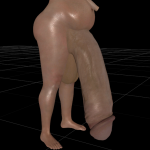
Futa Galore - Unique player female Futa bodies (bodyslide CBB CHERRY)
By blopie
This is a mod inspired by the bag of dicks mod http://www.loverslab.com/topic/78757-bag-of-dicks-equipable-penises-for-fallout-4-fourplay-compatible/ (support the author), it adds a custom (with lots of choices) futa body for the female player. It also includes the modified version of unique player mod to make the male and female playable character stand out from the rest.
Installation
Use a mod manager or extract in game directory.
Notes
Breast and butt physics from cherry Female player skin and male body and skin is completely customizable:
To change the female player skin download a CBBE compitable skin texture and place contents in (You can't change the face texture yet but hands and body shouldnt be a problem) C:\Program Files \Steam\steamapps\common\Fallout 4\Data\textures\actors\character\playerhumanfemale
To change the male player skin download a file thats compatible with your male body mesh (EVB - is standard) compitable skin texture and place contents in (You can't change the face texture yet but hands and body shouldnt be a problem) C:\Program Files \Steam\steamapps\common\Fallout 4\Data\textures\actors\character\playerhumanmale
To change the male player body download a Male body mesh and place contents in (You can't change the face texture yet but hands and body shouldnt be a problem) C:\Program Files \Steam\steamapps\common\Fallout 4\Data\Meshes\actors\character\Playercharacterassets
Female CBBE presets compatible (same for cherry presets) Clipping is going to be an issue if you pick huge presets for the penises. (Trivial but still)
Notes on fourplay
This mod has no issues with fourplay and you can play aside with it but ofcourse if you pick too big meshes clipping will be a problem. And there is no support for futa penetration in fourplay so you may somtimes equip strapons.
Let me know if something's a miss.
6574 downloads
- Futa
- Breast/butt physics
- (and 1 more)
Updated
-
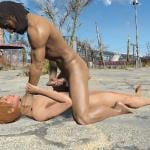
Four-Play Animations by Crazy6987
By Crazy6987
Description
This file contains my animations made specifically for Four-Play. It contains nothing else, no .esp, scripts, or anything, just the animation files. Will update as I create more animations.
Animation List
Aggressive
Jerking & Choking
Standing Chokehold (Anal)
Normal
Wheelbarrow
Laying Gorilla
Handstand BJ
Laying BJ
Kneeling 69
Layed-Back Fuck
3-Way
Double Penetration
Spitroast
Creatures/Animals
Dogmeat Style
DogmeatStyle (Faster)
Dog Handjob
Dogmeat Animations, Information for Modders
Behavior Graph:
Actors\Dogmeat\Behaviors\DogmeatDefault.hkx
Anim Event:
dynamicIdleLoop
Looping Seconds:
Loop Forever: Checkmarked (I believe this setting is only shown in the Creation Kit)
Min: 255 (setting both of these to 255 should do the same as the Loop Forever setting)
Max: 255
Replay Delay: 0
Credits
DocClox - Four-Play
vinfamy - All the stuff he does for Four-Play
692854 downloads
Updated
-
Canine Genitals
By Crazy6987
Description
A quick and dirty adaptation of Tony Azors Dogmeat Genitals applied to Raider Dogs and the common Vicious Dog (wasn't able to apply the penis to other variations of the Vicious Dog like the glowing version of the dog, the game just ended up crashing for me). All credit goes to Tony Azor for the penis mesh, I just modified it to better fit the Raider Dog and Vicious Dog bodies. And my texture skills are shit I know, literally just copying parts of the dogs body texture on to the sheathe texture, I can't really do much better than that.
This requires Tony Azors Dogmeat Genitals to be installed as it reuses some of its textures.
Credits
Tony Azor - Dogmeat Genitals (9th post down, file includes includes two .zip archives, DogmeatP.zip = Erect Penis, DogmeatS.zip = Non-Erect Penis)
39844 downloads
Updated
-
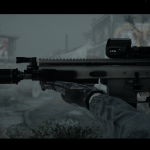
Modern Firearms (Tactical Edition Latest) 2.5 1.4 by Idlesheep
By siframe
Hi,
Most of you will know about this mod by now, originally made by Idlesheep and now that his life is too busy to maintain it, cared for by his 'team' - a ragtag bunch including myself of varying skill levels.
The mod includes a huge variety of weapon families which are all as customisable as we can make them, for example there aren't many varieties of AR15 that you can't make, and anyone who knows guns knows that's a LOT of variations. Families include but are not limited to:
You get the picture, there are a ton of guns here. There are some modern type body armours included too, and more customisation options for everything than it would even be possible to list. Functions such as suppressors on/off, fire mode, scope zoom/type and underbarrel equipment are all switchable in gameplay by use of the 'Fallout 4 Hotkeys' mod by Registrator2000, negating the need to carry more than one of any weapon type. All of it is integrated into the level lists. As the file is way too large for the Lovers Lab server, please download the latest version at this link:
http://www.mediafire.com/file/60atggsen2koh6s/Modern+Firearms+2.5-1.4.zip
The downloads section here contains the Modern Sidearms sister mod and various patches for personal taste tweaking- damage reduction, stagger removal and Contraptions compatibility, along with a temporary fix for some scopes for AMD GPU users.
FO4Hotkeys can be found here:
http://www.nexusmods.com/fallout4/mods/11664/?
...and finally the team can be found at our Discord server here:
https://discordapp.com/invite/d8n6FXM
While I will attempt to answer your questions, some technical issues may be above my pay grade, so the Discord may be a quicker and more direct way of getting support.
Installation:
Changelog can be found in the MF zip. Credits and FAQ can be found by contacting the team or via our pages at bethesda.net, moddb (listed as Cold Steel Hot Lead) or our webpage here: http://darkheartsdream.eu/
Our credit list is in the process of being re-written, when it's complete and up-to-date I'll amend this post.
NOW, A CALL FOR SOME HELP:
As I mentioned, Idlesheep has left us in charge of his mod for the time being, but few of us possess any modding skills at all. We currently (and pretty urgently) need help or at least advice on a couple of things:
1) Scripting- LegacySlayer from this forum and the Nexus has re-written our pre-ck plug in, cleaning many potentially dirty edits and making it possible for us to get an update out for Xbox, but in the process our switch scripts have broken. Anyone willing to lend a hand would be much appreciated, and his experimental version of the plug-in can be provided for any interested modders to take a look at.
2) Animation rigging- we have permissions to use a whole bunch of animations, Wardaddy's stuff amongst it, but the only thing stopping that is a total lack of know-how in rigging them. Again, anyone willing will be welcomed.
Anyone that feels they can help in any way with these issues, contact myself or LegacySlayer via PM here, or head over to our Discord to just get right into the discussion. Thanks for reading.
9546 downloads
Updated
-
Femboi- unique female body replacer (4play(plugins) ready)
By blopie
Description
A personal body-type that I use in my game. It's a mashup of
Boibomb - A Femboi CBBE Preset (modified) (http://www.loverslab.com/files/file/3556-boibomb-a-femboy-cbbe-preset/) and EVB penis mesh. (modified) (lots of modified texture from all kinds of mods on the nexus)
Notes
Breast physics, (and butt animation in 4play) Custom penis mesh Only Unique player is needed to work Oily skin (i prefer it that way, if you don't want that feel free to change the xxx_s.dds texture files)
Installation
Extract in C:\Program Files\Steam\steamapps\common\Fallout 4 or use a mod manager.
4033 downloads
Updated
-
Sissy- unique male body replacer (4play(plugins) ready) (bodyslide)
By blopie
Description
A personal body-type that I use in my game. It's a mashup of
SHB body (modified) EVB penis mesh. (modified) (lots of modified texture from all kinds of mods on the nexus)
Notes
Works with 4play (even better with the agressor animation only setting in 4 play ) The skin in-game is way diffrent and way more sissy friendly Custom penis mesh Bodyslide Ready Only Unique player is needed to work Oily body (I prefer it that way, feel free to change the xxx_s.dds files to get less oily)
Installation
Extract in C:\Program Files\Steam\steamapps\common\Fallout 4 or use a mod manager.
1309 downloads
Submitted
-

Glowing Halos
By dibz666
These are some glow in the dark halos I worked into a stand alone mod....Thats it.
I just wanted to share with everyone.
--------------------------------------------------------------------------------------------------------------
Full credit goes to FavoredSoul for the originally creation of these meshes.
&
Credit goes to Bumex for porting them to Fallout 4.
-------------------------------------------------------------------------------------------------------------------
To install the Halos,
Simply drop the Data folder in your Fallout4 folder & then play the game.
Once ingame You can make the Halos at the Chem station.
987 downloads
Updated
-
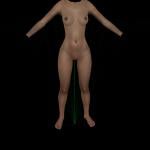
Alternate CBBE with Detailed Vagina
By TAJocelyn
This is my redo of Valkyr Female face and body.
The body texture has been updated to be compatible with Animated Fannies and Diverse Bodies.
The texture now supports CBBE and allows you to make full or flat chested characters without a bulls-eye around the breasts.
It has Detailed_Vagina.
9415 downloads
- CBBE
- Animated Fannies
- (and 1 more)
Submitted
-

Wild Whiskers
By dibz666
These are Whiskers in a stand alone mod.....
This is for all te peeps who like cat ladies, Like I do.
I'm just sharing with the public.
These whiskers will take equipment slot 48-Beard
-------------------------------------------------------------------------------------------------------------------
To install the Whiskers,
Simply drop the Data folder in your Fallout4 folder & then play the game.
Once ingame You can make the Whiskers at the Chem station.
486 downloads
Updated
-

Submitted
-

Thicket Exc LOD bugfix
By mgrandy
always bugged me this one and no fix so thought i would do heres a vid to the issue.
fix changes the position of the LOD so that you cannot see it like this. looks normal before and after drain of the water.
install via nmm then enable plugin. should be last on the list.
tested on 750 ti 4gbs and rx 460 4gbs both work.
657 downloads
Updated
-

Sanctuary Lost
By SharkNFur
"Sanctuary Lost"
This started as simply a way to have sanctuary clean and semi fortified when i started a new game. Then i realized its been 200 years, someone would have settled here already. For now its simply a clean version of sanctuary. Very early WIP. Now Requires all the DLC to Function.
Things to do:
- Finish setting up decor and enviroment.
- Set up Quest and Story.
This is my first mod, i apperciate any constructive criticism, advice or ideas.
Changelog.
-v01Alpha-
Sanctuary cleaned up. Bridge rebuilt and basic settlement stuffs placed.
-v02Alpha-
Codsworth diarys (unfinished and unfinilized) (Spoilers for future Quest). Placed in Player Home.
-v03Alpha-
You're Special, and Grognak books returned to playerhome. Cooking Stove added to main settlement house.
-v04Alpha-
Grognak magazine now works properly. Resource building added in to compensate for loss of scrapping materials. Chemistry Station also added in resource building.
-v05Alpha-
Linked Chemstation and Cooking Stove to Workbench, General Cleanup.
-v06Alpha-
Dead Bodies and Platforms can now be Manipulated through the workshop.
-v07Alpha-
Fixed every dresser having 250 Ballistic Fiber in its inventory.
-v08Alpha-
Fixed BOS platforms not being able to be built upon in workshop mode.
-TESTA4
This is a Version containing the unfinished Quest Bunker. Its going to be a massive underground complex built with quite a story. Don't explore it if you don't want to ruin the fun. The New Bunker complex is now about 90% complete. Partial Lighting and Navmeshing Started. I will be officially start designing the quest and filling the bunker with general lore friendly information. I will be trying to fill in a lot of what is missing in the lore with my own personal take on what happened to the military after the war.
793 downloads
Updated
-

Debby's Cozy Sneakers
By dibz666
These are just some meshes I messed with making some shoes & leg warmers.
To install these Sneaker/ Leg warmers, Simply drop the Data folder in your F4 folder.
Use BodySlide to build your body type(if needed), & then play the game.....
Once ingame You can make them at the chem station.
----------------------------------------------------------------------------------
Full credit goes to ThomasR100 for the creation of the original Lolipop chainsaw mesh(s).
&
Credit goes to Bumex for porting them to Fallout 4.
631 downloads
Submitted
-
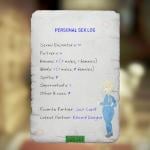
Four Play Stats and Personal Sex Log
* Updating to version 0.2 will reset your four-play saved stats because of a new optimized data saving structure
After activated, this mod starts tracking some basic four_play stats and adds a custom book '[FP] Personal Sex Log' to the player's inventory.
This is my very first scripted mod and an early work in progress.
Tests and bug reports are welcome !
Stats tracked are shown in the screenshot
Obviously, four_play is a requirement. In the current version of four-play it's not possible yet to track animations metadata like consensual/non-consensual, . Let's wait for the updates !
Planned features:
- Assign titles to the player based on stats (Gay Slut, Faithful Girl, Ghoul Lover, etc ...)
- Add NPC comments about the player sex stats
- Track consensual/non-consensual and sex type count (anal, oral, etc...) [This would need a keyword/tag system to be implemented into four-play animations]
12384 downloads
Updated
-
![More information about "[Obsolete] Four-Lei PLUS (Patch for Leito's Animation Pack with Supermutants)"](https://static.loverslab.com/screenshots/thumb-7125db7951454e428d1cf35c1d37a694-screenshot342.jpg)
[Obsolete] Four-Lei PLUS (Patch for Leito's Animation Pack with Supermutants)
By vinfamy
This has now been incorporated into Four-Play Alignment Fixes and Animation Loader. Only use the old Four-Lei Plus in this download page if you absolutely only want to load Leito's animation pack, and not the alignment fixes and other improvements to Four-Play itself.
---------------------------------------
This is the compatibility patch for Four-Play to work with Leito's animations , which includes aggressive animations with sounds and supermutant animations! This in turn allows Leito's animations and sounds to work with all Four-Play plugins (Prostitution, Violate, Vanilla Fudge etc). 18 Jun - Support Leito's new supermutant animations and sounds.
Sorry for the horrible pun! I couldn't resist Screenshot credit: Leito86
Installation Instructions: Please follow carefully, doesn't matter whether you use MO, NMM or manual installation
(Optional - only required for solo animations) keep/ install Crazy's latest gun version . Make sure you DELETE or at least disable Crazy's esp Install Four-Play 0.8.2 as normal (make sure you install F4SE and enable Papyrus logging as in my installation guide) Install Leito's animations Install this patch, overwriting if asked. Don't worry if you don't see any esp for this patch, it doesn't have any. Load a save, ideally where Four-Play has not been installed on, even better still: a clean save without the [M]. You'll see "Vinfamy: Registered Leito's animations and intialized Four-Play with Supermutant support.". Enjoy!
For more detailed installation guide for a whole Four-Play setup, read this.
58946 downloads
Updated
-

Submitted
-
Submitted



![More information about "[HOI4] Hearts of Desire"](https://static.loverslab.com/screenshots/monthly_2026_10/Capturadetela2026-10-05234232.thumb.png.8a425bf2a3362b7e7cd043504af27069.png)