
Select a subcategory to view available files.
Files From Subcategories
-
Patricks Texture Pack
Requires CBBE Body
There are three ways you can do this and the choice is yours.
1 (Just Me please). Before starting open your fallout 4 player texture directory located in the directory you installed the game at
fallout 4/Data/Textures/Actors/Charicter/ and either Basehumanfemale if you are just useing cbbe and/or unique npc bodies or playerhumanfemale if useing unique player as well. then make a copy of femalebody_d and put it somewhere in case you want to go back till i get the hands and head textures.
open the folder in the 7zip file you want to use the body from
if usieing it for your body rename the texture file to femalebody_d and replace the file in your texture folder
2 (Not all of them, thankyou). Before starting open your fallout 4 player texture directory located in the directory you installed the game at fallout 4/Data/Textures/Actors/Charicter/ and either Basehumanfemale if you are just useing cbbe and/or unique npc bodies or playerhumanfemale if useing unique player as well.
rename and replace the textured in your directory you would like to see useing the new body you choose
3(What you got goin on over here) Before starting open your fallout 4 player texture directory located in the directory you installed the game at fallout 4/Data/Textures/Actors/Charicter/ and either Basehumanfemale if you are just useing cbbe and/or unique npc bodies or playerhumanfemale if useing unique player as well.
replace the bodies in your texture folder as named
this works for most other texture mods as well. once i finish the full d body set ill do the heads still really hoping someone jumps on board and helps me on this project its gonna be a pretty large overhaul including more then bodys when done.
1237 downloads
Updated
-
Four-Play
By DocClox
Before we start:
Alpha Software - this mod may destroy your machine, ruin your life or bring about global nuclear Armageddon. YOU HAVE BEEN WARNED. Modders' Resource. No Normally playable content. This is a sex framework, meaning that it doesn't add content itself but rather makes it easier for other modders to add content. Limited Functionality. This is a quick and dirty adaptation of Crazy6987's sex gun into a format more easily used by modders. Compared to Sexout or SexLab, this is severely lacking in features. On the other hand, it has all sorts of advantages over nothing at all. Just, let's keep expectations realistic to start with. Upgrading from 0.0.1: Delete the old BSA2 archives! One of them has been renamed as four_play - Main.bsa2 as per the convention. The other one, the textures archive, has disappeared altogether since I'm not adding any textures. Delete the Data/Scripts/four_play folder as well.
What It Is
A sex animation framework based on Crazy6987's sex animations.
Installation
Use the mod manager of your choice. Or just copy the archive contents into Fallout 4\Data. There's no installers or wizards to worry about.
Software Demo
Open the console and type "coc 4test" to get to the test cell. The terminals there have some information and some test options that can double as demo scenes.
How to use it
The source is included in the archive, and that's probably your best documentation. Briefly however:
The module name space is "four_play" and the main quest is four_play:Main
There are two entry points for the module: four_play:Main.four_play and four_play:Main.four_play_main.
Umm... I could have probably used a little more imagination in some of those names... Nevermind.
four_play:Main.four_play(actor a0, actor a1=None, float duration=30.0)
This takes two actors, picks a random two person animation and starts it going for 30 seconds. You can override the time with the duration flag. If a1 is None, a solo animation is chosen for a0. This function tries to make sure there's a male actor in the male role (all current animations are solo or m/f) and will swap a0 and a1 to make that happen.
There are also a couple of parameters that probably shouldn't be there. "happy" is supposed to set a happy expression on the actors faces. I forgot about it until I came to write this. "start_mark" is a marker that can be used to position a0 before sex starts. This is implements but broken, so don't use it.
function four_play_main(Actor a0, Idle i0, Actor a1=None, Idle i1=None, keyword arch0=none, keyword arch1=none, objectreference start_mark=none, float duration=30.0)
This is a lower level function. Actors a0 and a1 are used in the male and female position respectively, So if you want your female PC to ream Kellogg with a strapon, this is the one to call. Both idles are specified separately, and in principle can take any animation supplied. The Arch parameters are facial animation archetypes intended to change the expression, duration is how long the animation lasts and start_mark is broken and should not be used.
When either of these functions are called, the a1 actor is moved next to a0 and the idles are started. Actors are stripped and re-dressed - usually, anyway.
Callback
The mod sends a custom event called animation_over with the two actor as arguments. This should let you pick up control after an animation ends. There doesn't seem to be a way to raise a custom event on another form., so there's no way to register for events from an actor - you'll need to make sure the event you get is for the actors you expect.
Known Issues
No control of a running scene: You can't change the animation, restart, reposition or any of the cool sexlab features most of us are used to.
Single Stage Only: Only one simple loop is animated. There's no syncing of animation, no multi-stage animations just one loop.
Ground Pounder Weirdness: The "ground pounder" animation has the female floating about three foot off the ground for some reason. Seems to be an issue with the animation. Maybe.
Survival Options, v1.62. This mod has an inventory item that saves the game in Survival Mode. It seems to conflict with the mod for some reason.
And probably thousands more - I'll update the list as I remember them (or am reminded!)
Custom Races
Custom races need to be registered from a script. I've made this as easy as I can:
race property my_race auto; ...four_play:Main.register_race(my_race)
Troubleshooting Guide
I can't get to the test cell!
The test cell is just a cell like any other interior location in the game. You got there by typing
coc 4test
from the console. If you can't get there, it almost certainly means the mod isn't loaded. Check your mod manager and make sure the esp is selected.
Stripping isn't working!
As of 0.0.4 stripping uses F4SE 0.3.0 So make sure that's installed and up to date.
No, really! Stripping isn't working!
Turns out there's a known bug in F4SE 0.3.0 where the GetWornItem function doesn't work right unless Papyrus loads debug information. So do the following:
Edit %USERPROFILE%\Documents\My Games\Fallout4\Fallout4Custom.ini. Add the following if absent:
[Papyrus]bLoadDebugInformation=1
Those of you who found that stripping started working when you enabled logging - this is why. Which means you can disable the logging if you wish so long as you keep the two lines above.
The GetWornItem bug is expected to be fixed in 0.3.1 which is currently under development.
F4SE is installed and up to date, I'm loading debug information and there's still no stripping
F4SE 0.3.0 also modifies some of the vanilla scripts. In particular Four-Play's stripping code needs the F4SE version of Actor.pex. The easiest way to ensure you're using this is to copy the data folder from the F4Se archive. It's easy to overlook this since the install instructions that come with F4SE 0.3.0 are out of date and don't mention this step at all.
Stripping isn't working, I tell you!
A lot of people have reported that enabling papyrus logging fixed their stripping issues. That probably means I need a wait or two somewhere in the code. Meanwhile, enabling logging seems to be a practical workaround. See "If All Else Fails" for how to do this.
Animations Aren't Working
Check you have the animations installed. Installing Crazy's Gun Mod will do the job, and you can check that the animations themselves work with Crazy's gun. If that works, go to the test cell (see above) and use the terminals to see if you can start animations that way. If the test cell works, then the problem is likely with a mod calling Four-Play. If it doesn't I'll need to look at it.
If All Else Fails
There's a lot that could go wrong and a lot of cases that I almost certainly haven't considered. If it's still not working the best way to proceed is to give me a log file to look at. To do that:
Follow the instructions here start up a game session coc to the test cell. try and start an animation leave the game edit the log file in notepad post the contents to pastebin.com submit the pastebin page - this will give you a new web page with your pasted log file as its contents post the url of the new pastebin page here along with a description of the problem
Dependencies:
F4SE: Now needed for stripping.
Crazy's Animation Gun: At the time of writing, Crazy hasn't signed in since before I started on this exercise. As such I've not been able to get his permission, so I don't feel comfortable bundling his animations. So you need the mod installed. You shouldn't need the esp loaded if you don't want it.
NSFW Strap-on dildo for FO4: Optional. If loaded and if a female actor is in the aggressive role, Four-Play will try and soft-load the strapon. I haven't really had a chance to test that yet, so it may not work.
466868 downloads
Updated
-
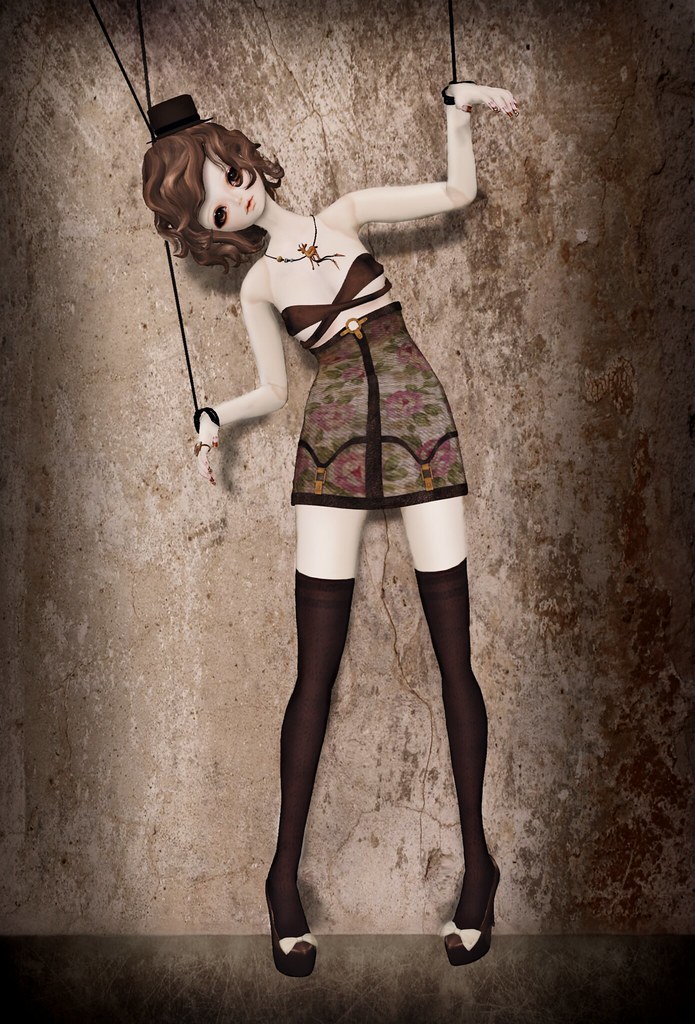
PuppetMaster
By LazyGirl
Adds 50 armor racks with extended customization functionality and animation support making it easier to create action packed scenes for screenshots or settlement ambiance.
Long version: Armor racks using the default female model allowing more customization than normal armor racks.
* Edit appearance - Standard menu, make them look however you want
* Looping or proximity triggered animations - Set an idle and have them continuously repeat them or only when the player gets close enough. Want someone to salute you whenever you get out of bed? No problem!
* Toggle AI option - If disabled animations will freeze making it possible to lock them in the perfect stage of an idle
* Command mode - Issue orders to where they should stand, sit or what furniture to use for that perfect screenshot scene
* Follow mode - Tired of settlement shots? Have them follow you for some nature shots!
* Settlement mode - Just want some ambiance? Assign them to a settlement and they'll sandbox around. Don't worry they don't count towards the population.
* Show weapon mode - Unlike armor racks (?) puppets can show off whatever weapon you give them. Can interfere with animations updating, see known issues below.
HOW TO USE
* Enter workshop
* Place rack
* Exit and customize
* Wonder why you're creating fake people to act as pretend friends in a virtual world and where life went so very very wrong
If you want to place several with identical looks just keep placing without exiting. If you want a new unique one exit and renter and the game will automagically iterate to the next one. If you want to pick a previous one quickly use the rack selector.
Beyond that there are some toggles that might require more detailed explanation
* Head tracking toggle - Toggles whether the selected rack should look at the player or not. May revert back to on on re-placement and other actions since it seems to be default NPC behaviour
* Restrained toggle - Toggles the NPC being "locked" in place. When off idle animations may make them move away from their spot.
* Ghost toggle - Toggles "god mode", when on they ignore all attacks. When off they can be injured just like any humanoid for that full Westworld experience.
* Toggle AI - As previously mentioned disables any actions/animations on the NPC, even freezing them mod motion or fall. Will be re-enabled in a lot of cases by the game.
ANIMATIONS
Animation support require Voyeur. Mod might work without it though, haven't tried.
RECOMMENDED MODS
Dave's Poses - Enables Voyeur to play these on the puppets
Place anywhere - So you can put baby in the corner or wherever else you want
KNOWN ISSUES
Crash-to-desktop - Sometimes the game will do this when trying to place a rack. I suspect it might be related to physics bodies that the workshop, not surprisingly, isn't prepared to handle. Quickly placing them, exit and then re-enter the workshop so the NPC is properly placed in the game world before making any other changes seem to avoid this.
Menu displays wrong state (off when on or vice versa) - The game lacks functions to check if things are active or not for many functions so the mod makes a guess based on the known state when placing a rack. If this is a problem simply toggle the option between both settings and it should read correct.
Can't be assigned in settler mode - The standard menu for static object will override the one for NPC assignments. Very low on the priority to fix since the goal of this mod isn't to add settlement workers.
Repeated placement of identically numbered puppets sometimes don't work - Seems editing the filters of allowable items to place in the same workshopmode-session is a bit iffy with current solution. You may have to exit out and select the desired id again. Making sure the function to increment to the next puppet number is only run outside workshop through related events alternatively disabling it altogether (is it more a problem than useful?) could solve this.
Weapon display mode blocks animation update - Keep it off until you selected the animation
Preview selection not updating properly - Set animation mode to PROXIMITY and stay outside the trigger range while selecting
Logo image courtesy of "The Wandering Faun"
3095 downloads
Updated
-

Voyeur
By LazyGirl
Basic animation player with support for external sources to add more idles, idle length, randomization, tags, naming and stuffs
This is functionality was originally integrated in my PuppetMaster mod but I decided to break it out for ease of development and reuse. It is not a stand-alone mod and will do nothing on it's own, it simply provides some convenience functions to other addons.
WHAT IS THIS
An idle player with some extra features over the usual "playidle" command
* Custom events - "VoyeurIdleStart" and "VoyeurIdleEnd" allows detection of when an idle starts or ends making it possible to make sure idles can finish or aren't blocked by an already ongoing one
* Randomization - Keyword tagging allows playback from a select group of idles.
* Expansion - "registerIdle" allows external sources to expand the library of idles
* Labels - Give any idle a description making it easier to identify.
* Duration - Specify idle duration to make control and chaining of several easier, requirement for the start and end events to work since there is no way to detect the duration from the idle directly AFAIK. This requires you to play the idle first, time it and then pass the duration in the register command.
HOW TO ADD MORE IDLES
I've included a sample mod "VoyeurAnimationLoader" showing how this can be done. Core function with type and default value below.
function registerIdle(idle inIdle, int inDuration = 10, keyword inKeyword = none, string idleName = "unnamed", bool waitForFinish = true)
To access the script from another mod you need to add the Voyeur:VoyeurAnimationHandler quest referance cast it as Voyeur:VoyeurAnimationHandler. Sample below from the loader will create the handle and add the magnolia dance idle to Voyeur. There are other ways to do this but they're not covered in the source currently.
Voyeur:VoyeurAnimationHandler handle = voyeurHandle as Voyeur:VoyeurAnimationHandlerhandle.registerIdle(IdleMagnoliaSong05, 10, none, "Magnolia" )
OTHER FUNCTIONS
Checks if the idle is registered.
bool function findIdle(Idle inIdle)
Returns the id of the passed idle, -1 if not found.
int function findIdleNumber(Idle inIdle)
Returns an int array with all idles with the matching keyword (not tested)
int[] function getAllAnimationNumbersWithKeyWord(Keyword inKeyword)
Returns number of registered animations, useful if you want to use your own selector rather than the default built in
int function getNumberOfanimations()
Returns the name of the matching idle id
String function getAnimationName(int idleId)
Plays the specified idle on the actor
bool Function playRegisteredIdle(Actor inActor, int idleId)
Play a random idle from all registered (not untested)
bool Function playRandomIdle(Actor inActor)
Play a random idle tagged with matching keyword (not untested)
bool Function playRandomIdleWithKeyword(Actor inActor, Keyword inKeyword)
Shows the default animation selection menu
int Function showAnimationSelector(int inCurrentChoice = 0)
BUILT IN SUPPORT
Dave's Poses
HALP PLZ NO WORK!
Well I have no idea what I'm doing, I just make random edits and slam that compile key until the errors are gone. Plus this is more a resource than a mod and currently it isn't prioritized for any support whatsoever since I'm focusing on other projects.
Try it out, poke around in the source, add or remove functions, use it as a base for your own mod or make a superior version or whatever. Just link back to this page if you use anything from it. If you fix/optimize something or have reasonable suggestions feel free to leave a comment about what and how and I'll see if it can be integrated on the next (if any) update.
SHOULD DO LIST
* Try to change idle definition from an integrated struct to it's own class/object separating functions and making things easier to update/manage
* Add a Message object to the idle struct (or class) meaning a notice can be registered and displayed even in environments where debug.notification isn't availible
* Add a holotape interface to compliment the Message menu, combined with the addition of the message variable above the name could be displayed in top left corner when toggling through idles making it easier to keep track of what's selected
* Maybe add some way/mode to have the game start a timer on idles without a set duration and a way for the player to issue a "break" when they end. This would allow the user to set/modify duration without having to use stopwatch or similar ancient methods
* Add some way to delete idles and/or the option to move them to a "disabled" storage
* Make it possible to register more than 128 idles
* Add a custom event mods can send to inform Voyeur they've added new idles to the registration queue rather than the current oninit/onload variant.
CREDITS
DocClox for help and ideas
2005 downloads
- WIP
- proof of concept
- (and 1 more)
Updated
-
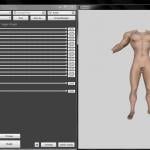
4 Play Nude Body files
Doc listed up needing specific paths for 4 play bodies.... so here ya go.
Male body outputs to data\meshes\actors\character\characterassets\malebody_nude.nif
Female body outputs to data\meshes\actors\character\characterassets\femalebody_nude.nif
Male body is Leito's EVB Male Cut with "Super Hero Body" sliders (need to build it in bodyslide).
Female body is CBBE with Cherry Hot's Physic's along with the Labia from UN7B (will need to update your femalebody texture to add the labia texture to it for it to look right in game).
Both male and female bodies will use existing material files from cbbe (female) and evb (male) and textures (minus needing to update the cbbe femalebody_d.dds)...
So yeah... 2 bodies for sex'n in FO4
How to add the labia onto your cbbe body texture.
1. Load the dds file: Fallout 4\Data\Textures\actors\character\basehumanfemale\FemaleBody_d.dds into a paint program (gimp, photoshop, paint.net etc).
2. Load the labia texture from the zip file that is in the data\tool\temp\labia.dds file into the paint program.
3. Copy the labia texture and past it as a new layer into the cbbe texture. Adjust the texture color of the labia layer to match up with the cbbe texture then merge the layer with the cbbe layer and save the file in the correct dds format.
How to add the labia to the dirty texture...
1. Load the dds file: Fallout 4\Data\Textures\actors\character\basehumanfemale\femalebodydirty_d.dds into a paint program (gimp, photoshop, paint.net etc).
2. Load the labia texture from the zip file that is in the data\tool\temp\labia.dds file into the paint program.
3. Copy the labia texture and past it as a new layer into the cbbe texture. Adjust the texture color of the labia layer to match up with the cbbe texture then merge the layer with the cbbe layer and save the file in the correct dds format.
Things to note:
The malebody_nude.nif and femalebody_nude.nif will only be called on with later versions of 4play (once doc has added them into the esp).
If you get naked in the game currently you will get what ever you have in the femalebody.nif as your player character.
If you want the special body as your default naked body then go download the FO4 CBBE Special v.2 pack off my other page.
Version 1.1
Added 3 new sliders to the Male Body (evb shb).
Shaft Length, Shaft Width, and Ball Sack (fondle em while you got em).
There are now 4 osp's in the slidersets folder. So you can make the malebody.nif, malebody_nude.nif, femalebody.nif, and femalebody_nude.nif files (probably should have done a version that outputs to the crazyrug folder and replace that male and female bodyset as well (meh what ever)).
6559 downloads
Updated
-
Kiki Plus - CBBE BodySlide Preset
By HeyChloe
Kiki too small? Kiki Chounyuu too big?
Well here you go!
1704 downloads
Submitted
-
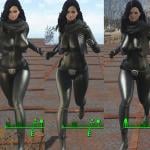
Shrine Maiden Anime Body
By krw1013
It is the beautiful body completed with my smart brain. (Is a lie)
However, what I did was worrying about three hours to name it. (Lol)
After all I thought that there was only a shrine maiden as myself.
This kind of erotic body under that cool figure. .
It does not matter anything. I feel delusional explosion (lol)
That's right.
Please see the screenshot at.
Yes. Nice.
It was an ideal body.
As I am the last weapon.
What about you?
P.s. Recently get hot and let's get the moisture firmly.
Well then. I hope you get well.
(日本語)
俺の最先端に光るブレインで完成した最強のボディです。(嘘です)
しかしながら俺としたことが名前を付けるのに三時間悩みましたね。(笑)
やはり俺としては巫女さんしかいないんだと思いました。
その渋い姿の下にこんなエロいボディを。。
なんも関係ないんですけどね。妄想爆発て感じ(笑)
そうですねぇどうでもいいですねぇ。
でスクリンショットをご覧ください。
はい。いいですねぇ。
いかにも理想的な体でした。
僕としては最終兵器くらいなもんなんですが。
皆さんはどうですか?
p.s. 最近熱くなりましたので水分をしっかりと取りましょう。
それでは。お大事に。
7629 downloads
Updated
-
Submitted
-

Vault Meat - Sex Tec Visual Assets
By Guest
Description
This modder's resource contains vault meat assets made for the purpose of supporting Sex Tec or any other fallout 4 sex animation mod. The resources have most scenarios considered as well as contain variations for both a full animation sequence as well changing the purpose of the asset in the first place.
Hence once animated these resources can be used in multiple ways and for multiple purposes.
For example:
The sex training asset, first previewed image, shows Vault Meat in a happy & docile state however the assets also contain different faces & body position variations that show her struggling to free herself. Most assets provided here contain workfiles that include these variations.
File Types
The assets provided are both in .psd and .ai formats to help animators to fully animate these files similarly used in the game without having to re-draw anything or needing to draw Vault Meat accurately from scratch. The modder in question needs to have experience with animating via vector lines to be able to properly animate these assets and bring Vault Meat to life in FO4.
Permissions
These files are free to use by anyone as long as they get in touch with me before starting work on them.
I simply hope to be involved.
Credits
All these arts & assets have been made by Ruthless Peasant
(If you like his work please consider supporting him on Patreon!)
28714 downloads
- Modders resource
- vault meat
- (and 1 more)
Updated
-
Assamer And Sanguine skin Textures 1.0 Pale 1.0
Sanguine vampire / elven and Assamer D skin files. based of and pulled directly from smothe skin models blended together morphed and smothed with an eye for the subtle differences. use with a fresh build
known issues
dark hands
dark back of head
working on it is you wine will be realeased in 2.0
my back hurts and im not high enough for work ima play some and smoke
next weak 2.0
393 downloads
Submitted
-
CBBE Cum Retextures
The sex-tech is out, but i can find no fallout 4 cum textures... here you go they are rough and just the start of a series of textures im going to produce but hey. the bukkake is a super rough draft where the freckled cum is a 1.0 version.
Extract with either 7-zip or win-rar and drop the file in Fallout4/Data/textures/actors/character/ and depending on if you are using unique player or not basehumanfemale or playerhumanfemale
9858 downloads
Submitted
-

Kiki Chounyuu - CBBE BodySlide Preset
By HeyChloe
This is Kiki. She looks different today.
1452 downloads
Updated
-

Updated
-

Adult magazines covers 1K . Over 100 covers!
By Ridick82
85143 downloads
- sexy
- sexy magazines
- (and 7 more)
Updated
-
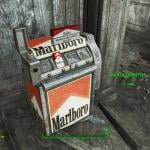
marlboro set
By mgrandy
re-textures ciggy and ciggy machines to marlboro counter parts
692 downloads
Updated
-

MK3 vats critical sound
By mgrandy
changes the vats critical sound to MK3 style voice at the end "fatality"
instal via nmm
217 downloads
Updated
-

Adult Gallery
By mikeallan
Just a small thank you to everyone for the mods I download here.
Adds 30 standalone craft-able adult themed "paintings".
I followed the guide by Sickotic http://www.loverslab.com/files/file/2461-higs-moddable-gallery/ and made this .
Install manually or with your favorite mod manager.
My Nexus profile http://www.nexusmods.com/fallout4/users/19523939/?
13411 downloads
Updated
-

Synthetic Kitty
By dibz666
These are files for a character I've been working on, Synthetic Kitty
Synthetic Kitty is a Synth version of my main Wild Girl Miss.Kitty.
I still don't now how to make fmod(s) yet so as usual this must be installed manually.
--------------------------------------------------------------------------------------------------------------------------------------------------------
This mod has some of the same requirements as my (Wild Girl Skins) mod
Animal Tails And Animal Ears by Chemistt (Highly Recommended), The mesh for S.Kitty's ears will overwrite the (cow ears).
Zella's Hair Dye Collection by ANiceOakTree (V.2.1 not V.2.2) (Recommended)
Diaper Lovers' Fallout by Lucia1 for the pacifier (Recommended)
And lastly F4SE.script extender & Looksmenu...Witch are both required for the actual preset.
-------------------------------------------------------------------------------------------------------------------------------
Credit goes to ousnius & Caliente for the original body textures
used in the creation of this Furry one.
Credit also goes to cfrrulez & Fox6000 for the (Original) mesh used as S.Kitty's ears.
Everyone enjoy
-----------------------------------------------------------------------------------------------------------------------------------
Here is how to install Synthetic Kitty's skin texture(s)
Step.1
(Optional)Backup your normal skin.
WARNING-if you do not follow Step.1 your original skin texture will be overwritten.
Open the (basehumanfemale) folder in your (Fallout 4) folder.
most likely located in here (C:\Program Files (x86)\Steam\steamapps\common\Fallout 4\Data\Textures\actors\Character)
Now move the following dds files from the (basehumanfemale) folder
to the folder labled (z.Folder to backup your skin.z)
in the (S.Kitty) folder.
1.basefemalehands_d.dds
2.basefemalehands_s.dds
3.BaseFemaleHead_d.dds
4.femalebody_d.dds
5.femalebody_s.dds
this will keep your original skin texture safe.
When installing this skin u need to do step 1
for the (AnimalEars AnimalTails Hair & CharacterAssets) folders NOT the (character assets) folder i know confusing.
So you preserv those original textures as well...Assumeing u have these three mods.
Animal Tails (CBBE_Vanilla)
Animal EARS (CBBE_Vanilla) by Chemistt
&
Zella's Hair Dye Collection by ANiceOakTree (V.2.1 not V.2.2)
-------------------------------------------------------------------------------------------------------------------------------------------
Step.2
Installing Synthetic Kitty.
Copy the (S.Kitty) folder to your desktop...
Now open the (S.Kitty) folder grab the folder(s) labeled (Textures)(Meshes)&(F4SE) and drop them in the (Data) folder thats in your (Fallout 4) folder
most likely located in here (C:\Program Files (x86)\Steam\steamapps\common\Fallout 4)
The mesh for Synthetic Kitty's ears will overwrite the (cow ears) from the (Animal Ears) mod...you DO NOT need the Cute Clothing mod.
If you followed these steps correctly your Player should now be a Synthetic cat women.
-------------------------------------------------------------------------------------------------------------------------
Step.3
Play the game and enjoy.;P
574 downloads
Updated
-
The Multi-Tool & Other Things
By Crazy6987
Description
The Multi-Tool is a gun (for NPCs) and a ring (for Player) both of these items can do a number of things to the Player, NPCs, and the World. You can obtain the Multi-Tool gun and ring by crafting them at a Chem Workbench it's under the utility category. More things may get added in the future.
Things these items can do,
--- Multi-Tool Gun ---
Strip NPCs of their clothes Open NPCs Inventory Restrain/Unrestrain NPCs (Prevent them from moving) Change NPCs facial expression Show Looks Menu for NPCs (Change their appearance) Set Alpha Levels on NPCs (Make them look like a ghost, effect doesn't seem to last)
--- Multi-Tool Ring ---
Show Looks Menu for Player (Change their appearance, the looks menus have a delayed start to give you the chance to position the camera so you can see your face) Change Player's Facial Expression Set Alpha Levels on Player Change the Weather
Added some other things to the mod, didn't feel like creating a separate .esp for this stuff, so I put it in here.
--- Misc ---
Dummy Gun (Gun that does minimal damage, Craft at a Chem Workbench) Various Laser Weapon mods that add new effects to Laser Guns, They use the Muzzle slot should be the bottom most option for the Laser Gun when looking at it in a Weapon Workbench, this is where you craft them. Mix and match with vanilla attachments to get some interesting effects.
Weapon Effects:
Laser Force Push - Temporarily ragdolls NPCs and can send them flying. Laser Electric Beam - The same effect from those Tesla Arc traps, except it shoots out of your gun. Laser Gauss Blue - Slightly modified effects used by the Gauss Rifle, applied to a Laser Gun. Laser Cryo Stream - Effect from the Cryolator, applied to a Laser Gun. Laser Plasma Flamer - Strange green flame looking stuff
Requirements
Fallout 4 Script Extender (F4SE)
Installation
Install with a mod manager, seriously you really should be using one if you plan to install
mods.
Credit
Crazy6987 - Feel free to modify and use my content as you wish
43928 downloads
Updated
-

Institute Mechanist's Lair
By OverGamer
I was playing on my Institute character while building in the Mechanist's Lair. I looked at the default Mechanist's Lair seal in the middle of the room and thought to myself that it could use more of an Institute theme to it. I know the texture is not perfect, so please be nice.
Anyway, enjoy!
162 downloads
- Mechanists Lair
- Institute
- (and 2 more)
Updated
-

Adult Board and Paintings of the Wasteland - 2k and 1K
By Ridick82
19487 downloads
- adult board
- adult paintigs
- (and 6 more)
Updated
-
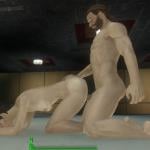
Crazy6987 - Sex Animation
By Crazy6987
Description:
Behold, some of the first "working" sex animations made publicly available. After spending some time trying to get Fallout 4 - Animated Prostitution to work properly, and failing at it (It is in the Alpha stage afterall). I decided I couldn't wait for SexTec or a working version of F4AP. So I took matters into my own hands and created these animations. Enjoy!
My animations no longer replace vanilla animations. Each animation has its own rug now.
3/11/17 - Updated Rug Version to v.2.7
3/11/17 - Updated Gun Version
Check out my Multi-Tool mod. It replaces the Nude Ray Gun file I uploaded here, as it allows you to do more than just strip someone of their clothes. Sure to compliment this mod and plenty of other peoples mods.
Multi-Tool: http://www.loverslab.com/topic/71019-the-multi-tool/
Gun Version
The Gun version is mostly complete, there are still things I want to implement/add. Like for the bed animations actually getting the Actors to move to the nearest bed, so far my efforts to accomplish this have been unsuccessful. But will keep trying.
Credit to davethedrunk - Used his mod as a reference for creating the Gun Version
Mods you Should Use:
F4SE (Fallout 4 Script Extender)
CBBE - By Caliente
Enhanced Vanilla Bodies - By Leito86 (Only the male is needed, I used Male Nude Cut Erect)
---- I don't know what other male bodies would look like during my animations. ----
Installation:
Install with a mod manager like NMM or whatever else is out there.
Manual Install for the rug version
Required:
00 Main Files
Choose only one:
01 Default Plugin
02 Default Armor Plugin
03 Default No Undressing Plugin
04 Relax Plugin
05 Relax Armor Plugin
06 Relax No Undressing Plugin
Again, Choose only one:
07 Visible Rugs
08 Invisible Rugs
Lastly, Choose only one:
09 Dildo Black
10 Dildo Pink
11 Dildo Tan
12 Dildo Blue
13 Dildo Purple
14 Dildo Green
How it Works:
The rugs should be located under Resources -> Misc section when settlement building.
--- Paired Animations ---
1. Place the male rug down on the ground
2. Place the female rug down on the ground
3. Position the rugs so they are right next to each other, side-by-side, like practically touching each other.
4. Assign NPCs to the rugs or use one of the rugs yourself
5. Magic
--- Solo Animations ---
1. Place one of the solo animation rugs down on the ground.
2. Assign a NPC to the rug or use the rug yourself
3. Magic
Other Mods that you see in the screenshots (Not Required):
Mass Pike Loft Player Home - By JPitner
LMSE (Lots More Settlers and Enemies) - By Recluse
Improved Skin Texture For CBBE - By kellogsfrostedflakes
Valkyr Female Face and Body Textures - By Fuse00 (Only Face Textures)
Place Everywhere - By TheLich
Homemaker - By NovaCoru
Resources used to make the animations:
Credit to Leito 86 for allowing me to use the penis from his Enhanced Vanilla Bodies mod as a dildo in my mod.
For those that are interested in attempting to create animations themselves.
Fallout 4 Animation Kit (F4AK) by ShadeAnimator - The description provided on loverslab and nexusmods should tell you what other tools you need.
Tutorials:
Fallout 4 Animation Setup Tutorial - By The Shiny Haxorous
Exporting Anims Fallout 4 - By The Shiny Haxorous
1042804 downloads
Updated
-
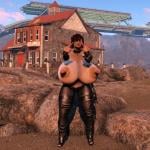
Annika Maito
By HeyChloe
A curvy BodySlide preset for CBBE.
Includes nude and clothed (push up, hidden nipples) variants.
1533 downloads
Updated
-
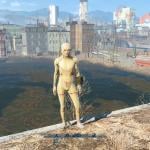
Synth Outfit
By horribl3
It's a synth outfit consisting of a suit and mask. I never intended to upload this and only did as an afterthought, I merely made it to help me learn my way around outfit studio and the creation kit. Male version of the mask has some clipping issues as I only did a single mesh based on a CBBE female form, I might get around to fixing it. To obtain type "help mask 4" in command console and scroll till you see "synth mask" then add item, repeat process for the suit using "help suit 4" and scroll till you find "synth suit". Have fun creeping the normies out kek
266 downloads
Updated
-
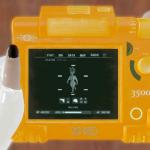
Colored Pip-pad(s)
By dibz666
These are re-textures of the awesome Pip-pad.......so people have a range of choice of colors to choose from for there Pip-pads.
I've done every color of the RAINBOW!
I plan on making more but for now I want to dabble in other things.
----------------------------------------------------------------------------------------------------------------------------------------------------------------
Credit & props goes to the Pimpcrew for the awesome Pip-pad.
--------------------------------------------------------------------------------------------------------------------------------------
Just drop the texture folder of the color you want into your F4 Data folder.
RECOMMENDED
It is recommended that you delete or move the (texture) ba2 file for the Pip-pad...
Leaving this ba2 can result in CTD as the game has 2 sources of textures for the same object.
---------------------------------------------------------------------------------------------------------------------------------------
Enjoy...........................More colors coming eventually.
497 downloads
Updated




![More information about "HL_Maids — Maid Career [18+]"](https://static.loverslab.com/screenshots/monthly_2026_06/1.thumb.jpeg.48cdd3c1ce270cb8330c3bbb42dc0d53.jpeg)