Select a subcategory to view available files.
Files From Subcategories
-

Marvel Comics Deadpool Fallout 4 Mod
By wapeddell
http://www.thepcmasterrace.com/marvel-comics-deadpool-fallout-4-mod/
Break the fourth wall with Deadpool!
Description:
All of the following items will be added to your inventory upon starting the game, Deadpool Modern Armor, Deadpool Classic Armor, Deadpool X-Force Armor, Deadpool X-Force Alt Armor, Deadpool Sai, Deadpool Sledge Hammer, and Deadpool Sword along with the perk that disables falling damage and gives you Deadpools Healing Factor outside of combat. Thus, you will receive full health after intense battles or futile battles. Everyone the MOD is MEANT to REMOVE PIPBOY IN 3RD PERSON. 3rd person is when you can see your character. In 1ST PERSON the PIPBOY works. I deliberately removed the Pipboy in 3rd person. PLEASE DON'T SPAM MY PIPBOY ISN"T WORKING. THE PIPBOY WORKS IN 1ST PERSON ONLY WITH THIS MOD ENABLED. However, if you prefer to wear the Pipboy in 3rd person you can equip it from your inventory as well. The armor rating is 100.
For all mod request please leave them on my forums.
http://www.thepcmasterrace.com/forum/request-1/
Mod by wapeddell
Special Thanks to CPU for helping with the Script.
Special Thanks to Paranoia with helping with the mod.
1442 downloads
Updated
-

Adult Magazines of Fallout
By a2b
Adult Magazines of Fallout v1.0
Note: while this mod does add new items, there's currently no way to acquire them in-game without using console commands.
Adult Magazines of Fallout (MOF) is a collectibles mod that adds 53 brand new and unique magazines to Fallout 4.
It's designed to add adult-oriented collectibles with their own lore that properly fit in with the Fallout universe.
I'm still not 100% decided on how to implement the collection of these magazines yet. I have considered hand-placing them (like the vanilla magazines) but this would require many cell edits and that might not be something everyone wants. Suggestions are very welcome!
Without further ado... here's some of the magazines you'll be able to find:
Bombshell Babes (12 Issues)
Bombshell Babes is a pre-war pinup magazine that released once a month for $29.99 each.
Due to it being in heavy circulation before the war, each issue is now worth 75 Caps.
It's a softcore collectible, and most issues do not feature actual nudity.
Commonwealth Hentai (12 Issues)
Commonwealth Hentai is a post-war hentai magazine. Nobody seems to know where they come from or who's drawing the art inside.
Due to the relative difficulty of finding printing presses in the Commonwealth, there aren't too many of these, so each issue is worth 100 Caps.
It's a hardcore magazine that features plenty of Commonwealth beasts. Probably one to hide from the kids.
Vault Porn (7 Issues)
Vault Porn is a short-lived pre-war magazine authored by Vault-Tec in a bid to capture every market imaginable, and it sold for an eye watering $49.99 per issue.
Only 7 issues were printed, and the high original asking price meant not many were sold. Due to this, each issue is worth 150 Caps.
It's a mix of soft and hardcore images, with the common factor in all of them being Vault-Tec's very own Vault Girl.
Wasteland Fucking (10 Issues)
Wasteland Fucking is a hand-drawn post-war magazine. Copies of this seem to be everywhere in the Commonwealth, and the original author intended it to be free.
This magazine is common, so it's only worth 50 Caps per issue.
It's a relatively hardcore magazine.
Zipp (12 Issues)
Zipp is a pre-war "lad's mag" that was a pretty common occurrence in any household with a young guy living in it. Originally retailed for $29.99.
It was in heavy publication when the bombs fell, so there's still plenty of issues out there. Each one goes for 75 Caps.
It's all relatively tame topless models.
16386 downloads
Updated
-
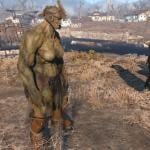
Female Super Mutants
By Guest
This mod born from a request in adult section
Info:
It add female SM with their own body, face, armour and voice to mutants levelled lists.
All assets come from Female Super Mutants mod, go endorse it.
The only thing I didn't add from original mod was gore and Strong meshes.
Any mods that change SM Race and levelled lists will need a patch.
Added Redux version, new female Nightkins and Glowing, I consider it an Alpha because of one bug (see bugs below)
Dependencies:
The Redux version need Super Mutants Redux
Installation:
Unzip it to Data folder
Keep Redux version below Super Mutants Redux
Bugs:
There is one issue that bugs me in Alpha version (at least in my game), in 100 mutants, 25 are males other 25 are females and then things get confused,
25 Female Named Mutants have Male Body and 25 Male Named Mutants have Female Body,
at the moment I'm not understanding what is causing this, the females created are completely stand alone, they don't get nothing from males and didn't touch vanilla males, the only thing that came to mind is some script is responsible for 50% of the spawns and make some mix of templates,
the Vanilla mutant race is marked as ungendered and I removed that flag.
I suspect the version 1.2 have the same bug.
Request:
Can someone make improved textures for body and face, please?
Future improvements:
The main file will have names corrected but unless someone make improved textures (If I find what make the body swap it will be corrected),I'll consider it finished.
When I was making the patch for 'Super Mutants Redux' I noticed that I could make one Add On to make a few more females with those new textures (Nightkin and any other retexture), so, the next version will only work with Super Mutants Redux . Available.
Credits:
HarmonicaBlues aka Lord Buffquad
MrCasual aka Buffscale McThundertail
7376 downloads
- female
- super mutants
- (and 2 more)
Updated
-
![More information about "Yangzte Anchor Weapon [WIP]"](https://static.loverslab.com/screenshots/thumb-26542a418d6de96ba723a2d1fd16194e-20160804005425_1.jpg)
Yangzte Anchor Weapon [WIP]
By xenic
This mod adds an equipable Anchor to the game. It the same model the behemoth's use but with some minor tweaks. I tried placing it in world and changing a little more about it but the CK keeps crashing. So I left it in the v0.9 state =) But it's ready to use just type "help anchor 4" and you should see "Yangtze Anchor." I thought it would be fun to name it after that ship.
It's incredibly not lore friendly but Strong seems to have a blast with it.
Let me know what you think and if I should add anything to this.
What will be added so far is the anchor placed in game, and when I find someone willing, I get the name placed on the anchor.
39 downloads
Submitted
-
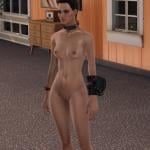
Craftable Slave Collar and Manacles
By Romuluz
With kind permission from DixiePig i present you:
Craftable Slave Collar and Manacles
Now you can craft these nice Accessories either from the Chem Station (no special Requirements) or from the AWKCR Workbench (needs AWKCR, Armorsmith Extended and the DLCs). You no longer need to aquire them through the Console.
The Files only contain the updated esp, so you need to install DixiePigs Mod first and after that you overwrite with chosen one from here.
With AWKCR you find them under "Skimpy Slooty"
With Chemstation you find them under "Utility"
Have fun!
Rom
5674 downloads
- clothing
- accessories
- (and 1 more)
Updated
-

CBBE Real-High-Heel FrenchMaid with Low-Damping Physics
By invalidfate
=============================================================================================
License:
This is ported from a FO3 mod made by backsteppo, but the last Nexus login date of him is 2012/3.... so it's not possible to get explicit permission from him, but however I saw he had mentioned something like "free to use his mod for anything" in all his Skyrim mod pages on Nexus, so I do assume this work can be treated that.
(for me, with proper credits, do whatever you want to the content owned by me. )
=============================================================================================
Intro:
Thanks to HKXPack by DexexTTP, we can now modify the havok information inside FO4 cloth nifs. The maid-skirt physics is modified to have only 10% damping, so it do flutter more excellently. For testing also, the breast physics is adjusted to have 50% gravity and damping.
(NOTE: the havok parameter is from Far-Harbor hunter suit, and it is not even a skirt, so the maid-skirt sometimes clips to thigh if moving violently. )
Here is a video to demonstrate this thing
https://www.youtube.com/watch?v=m-h-ZFdO7Ac
=============================================================================================
What's inside:
a FrenchMaid suit ported from Fallout3, orignate by
"help zwg 4" to get suit ID
==============================================================================================
NOTE:
1. this mod does NOT SUPPORT outfit studio due to the real high heel and breast physics.
2. this mod is more likely an experiment, technical, and proof-of-concept demonstration. use at your own risk.
================================================================================================
credits:
Fallour3 FrenchMaid by backsteppo
Skyrim Pantyhose mesh by Petrovich (for stocking)
HKXPack by DexesTTP
FO4 CBBE by
3DS + HCT for hkx exporting
3DS+ nifplugin for skyrim nif exporting
010 edior for nif conversion, vmd-to-kf conversion, havok hacking (mighty 010 editor...)
6148 downloads
Submitted
-
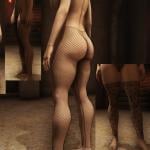
PantyHose by Zenna
By zenna11
PantyHose for Bodyslide slot-58
Old file are delete
How get in game
Can be craft at Chemistry Station
Change type
Use Armor WorkBench under PantyHose_black
For now is only 3 types but i will update it with more
Installation
Instal with NMM
Manual Installation
Extract with 7 zip or with Winrar and add Data folder to your Fallout4 game folder
Permission
Use this mod how do you like it but give me credits thank you
Hrer is my other mods with outfits http://www.loverslab.com/files/file/2830-daz-conversions-by-zenna/
35381 downloads
Updated
-
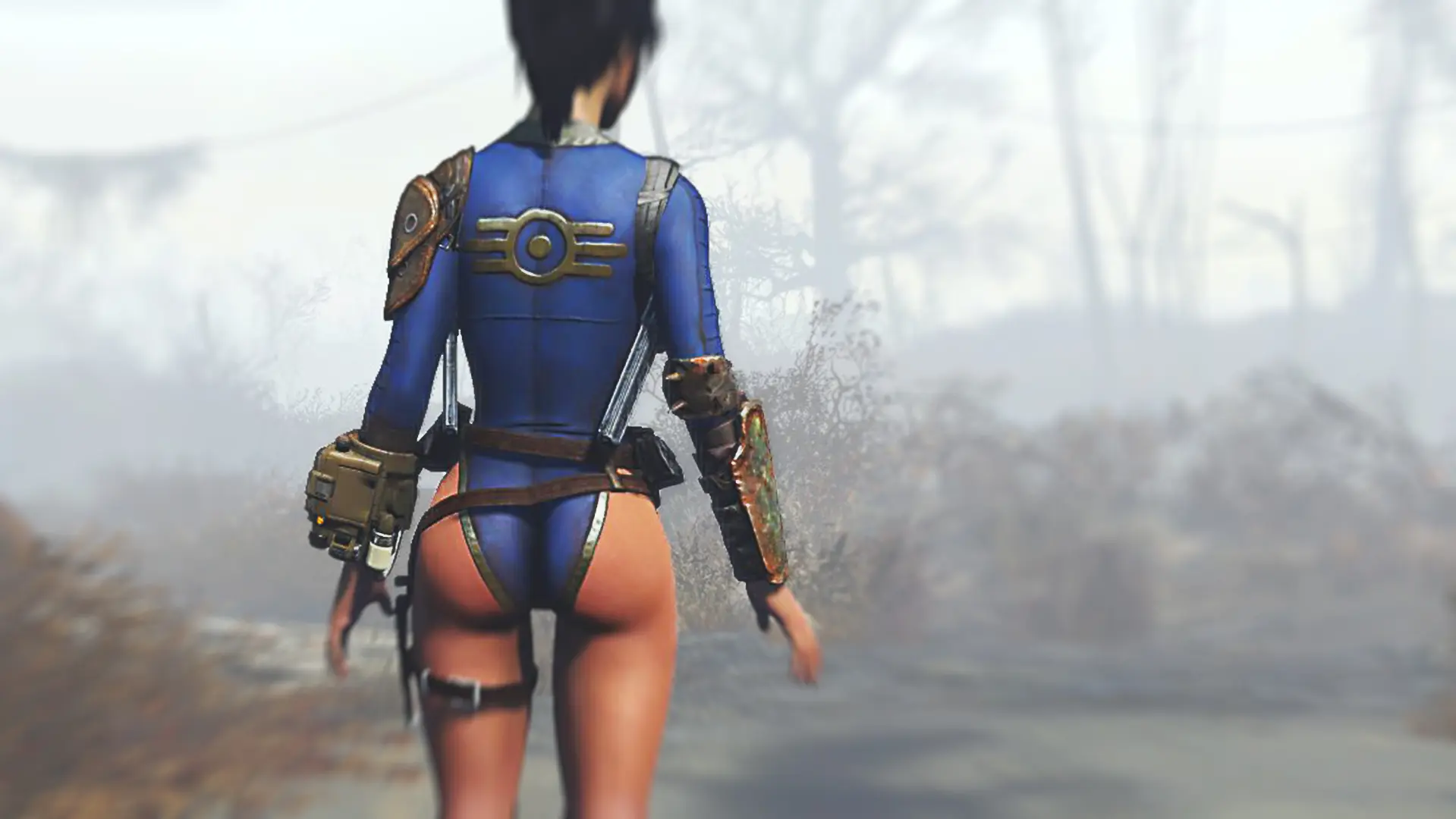
Armored Leotard - Ultimate Nuka Sweetroll Edition
By Apal
Apal Armored Leotard for CBBE and Atomic Beauty
A simple standalone under-armor that reveals your hips and makes your legs appear longer !
Craftable at a chemistry station.
Once crafted, you can modify it at a workbench
REQUIRED:
CBBE
Bodyslide & OutfitStudio
Installation:
- Step 1 : Download it with Mod Organizer or Nexus Mod Manager
- Step 2 : Extract it with the brand new installer fully functional
- Step 3 : Run Bodyslide and build it
- Step 4 : Profit
CreditS:
Thanks to Chuckdm for his Railroad skin : RRmod in download section, only available for Sleeveless version
Caliente and Ousnius for CBBE and Bodyslide
FOMOD files made with FOMOD Creation Tool by http://www.nexusmods.com/fallout4/users/10324035/?]Wenderer[/url]
For the screenshots :
Ralfetas for Fortaleza armor
WhiteShades for Bodyslide Underwear Mesh (for the socks)
Darklynxxx for Suitdreams (the belts, more particulary)
Armorsmith Extended for holstered weapons
Ponytail Hairstyles by Azarkiowa for the hairs
This mod is free to be modified and used elswhere with my permission, and only for free mods.
11104 downloads
- UnderArmor
- clothing
- (and 6 more)
Updated
-

Bride Suit with Low-Gravity Skirt Physics, Real High Heels, and Breast Physics
By invalidfate
=============================================================================================
Intro:
Thanks to HKXPack by DexexTTP, we can now modify the havok information inside FO4 cloth nifs. The skirt physics is modified to have only 10% gravity and 50% damping, so it flutters more lovely; now one can really look like a real dancer.
The video below just demonstrates how it can flutter lovely.
https://www.youtube.com/watch?v=vZgR4sIz4WM&feature=youtu.be
=============================================================================================
What's inside:
a bride suit and WIP animation hkx (one in the video, only dancer's motion, not including the camera moving) for you to test the physics.
"help zwg 4" to get suit ID
"help zwa 4" to get idle animation ID
==============================================================================================
NOTE:
1. this mod does NOT SUPPORT outfit studio due to the real high heel and breast physics.
2. this mod is more likely an experiment, technical, and proof-of-concept demonstration. use at your own risk.
================================================================================================
credits:
HKXPack for havok hacking
FO4 CBBE
3DS + HCT for hkx exporting
3DS+ nifplugin for skyrim nif exporting
010 edior for nif conversion, vmd-to-kf conversion, havok hacking (mighty 010 editor...)
someone who made this bride outfit in Skyrim, I cannot find him....
5508 downloads
- havok
- breast physics
- (and 2 more)
Submitted
-

Fallout 4 Terminator
By wapeddell
http://www.thepcmasterrace.com/fallout-4-terminator-mod-download/
Become the Terminator!
Mod by wapeddell
Special Thanks to CPU for helping with the Script.
Special Thanks to Paranoia with helping with the mod.
Description:
Be the TERMINATOR! Description: You will get the Terminator T800 added to your inventory upon starting the game along with the perk that disables falling damage. Everyone the MOD is MEANT to REMOVE PIPBOY IN 3RD PERSON. 3rd person is when you can see your character. In 1ST PERSON the PIPBOY works. I deliberately removed the Pipboy in 3rd person. PLEASE DON'T SPAM MY PIPBOY ISN'T WORKING. THE PIPBOY WORKS IN 1ST PERSON ONLY WITH THIS MOD ENABLED. You will be given no fall damage and a lot of resistance to everything in the game. The armor rating is 100.
960 downloads
Updated
-

Fallout 4 Ghost Rider
By wapeddell
http://www.thepcmasterrace.com/fallout-4-ghost-rider-mod/
Mod by wapeddell Ghost Rider by Gazillion Entertainment & Marvel
Special Thanks to CPU for helping with the Script.
Special Thanks to Paranoia with helping with the mod.
Description:
You will have the Ghost Rider added to your inventory upon starting the game along with the perk that disables falling damage.You will be given no fall damage and resistance to fire in the game. The armor rating is 100.
532 downloads
Updated
-

Handcuff Bracelets
By darkconsole
You have the right to remain sexy.
Flaunt your freedom with these broken symbols of not freedom and let the world know you are just a bit kinky.
Craft bracelets from handcuffs which are laying around everywhere in The Commonwealth. You can craft left wrist, right wrist, or both wrist. They use slot 51 which CreationKit labels as "Ring" because all the other slots are used by bags n shit. They are craftable under the UTILITY category of the Chemlab since all the Hot Topics seem to have been obliterated.
Permissions.
Under no circumstances is this to be uploaded to any other sites by anyone other than me.
1123 downloads
Submitted
-

Home In the Woods
By Lovely Rose
Sooo my first player home for Fallout 4. I'm pleased with it
Check your map! I enabled it to already be fast traveled to without finding it first. its the little cave symbol near vault 111.
Also, unzip and put the esp in ur fallout 4 data folder. i dont have it "nexus ready" lmao
Screenshots here
Lemma know what you think, i made all the boxes set to not respawn. so all the inventory should be kept.
If you find any bugs lemma know, I'll attempt to fix it a.s.a.p!
Be on the look out! I'm planning on making some more houses mods, if you want one specifically made for you let me know!
(Don't submit my house mod anywhere else you theives stealing my awesomeness!) lol
only to be located on LoversLab!
518 downloads
Updated
-
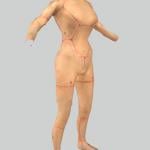
Female Gen2 Synth - Quick and Dirty Proof of Concept
By LazyGirl
WHAT IS THIS?
A suggestion on how to create the commonly requested female version of the Gen2 synths with fully working dialogue and limb destruction.
HOW IS IT DONE?
By using readily available development, text-to-speech software and transcriptions of existing dialogue one can quickly and without the need for voice acting create a cross-gender variant of any npc.
WHY DON'T YOU DO IT?
Because I lack the skills to produce a good enough result I feel comfortable releasing. Instead I decided to share what I found out here since I saw a few others where toying with the idea in these forums while googling around for tips and this might give someone a head start if they want to try as well.
TOOLS I USED
Audacity or any other audio editor you're comfortable with capable of batch voice file editing and processing
Full dialogues and voice files list Contains necessary dialogue information
PTTS or any other text-to-speech solution capable of batch textstring-to-wav processing
Material Editor makes it easy to duplicate and edit the male BGSM files to point to our new unique female resources
Standard Windows Text-to-Speech engine voice files
HOW IT'S DONE
GECK WORK #1
Uncheck the "ungendered" flag for SynthGen2Race
Create a new voicetype and set it to female
Create a female SynthGen2 actor with the above voice
Add the voice to the VoiceList "VoicesSynthGen1List"
Open up Quest "CreatueDialogueSynth" to verify the new voice has been added as an option by checking a spoken line or two
VOICE WORK #1
Import the dialogue list to Openoffice Calc, Excel or similar spreadsheet
Filter away all rows that don't contain the path to the "synthgen1male01" fuz-files
Now nuke all colums except the above and the one containing the dialogue text
Now we got the two important things, the text we want the spoken and the filename it should be saved into
If you know how to do text-to-speech get this information into your program and create the files making sure the filename is exactly the same as in the dialogue list but with wav-extension
If not you can use the PTTS program - by default it only has two modes, speak a user typed line or parse an entire text file into one wav. Neither is suitiable for what we want to do - parse each spoken line into its own wav.
Script is released under GNU so modification is allowed meaning people handy with Visual Basic Scripting can edit this script to do what they want. People who have no clue like me will make edits blindly until everything breaks except what they want to do.
I've added this butchered script to the mod, it's gutted so all the other useful options like selecting anything but the default voice processor, rate, quality and so on probably don't work so only use it as a last resort. The SAPI5 voice I used was "Microsoft Hazel Desktop" btw.
VOICE WORK#2
Throw these wavs into your audio editor removing starting and ending silences, tweak volume, apply voice processing and anything else you want.
Dump the finished wavs into the "\Fallout 4\Data\Sound\Voice\Fallout4.esm\[yourvoicenamehere]" folder.
VOICE WORK#3
Enter the GECK again
Open up Quest "CreatueDialogueSynth" again
Check every line to make sure your voice is in the list and to remove/edit conditioncheck on voicetypes or gender so the new female Gen2 isn't excluded
CREATING THE DESTRUCTIBLE FEMALE ACTOR
Extract the Synth meshes, textures and materials and put them into their respective folders but with a fitting name like SynthGen2Female instead
Now duplicate the GECK entries for the above so creating a female actor with identical look but using unique files. This means making texturesets for eyes/body/head, armoraddons for the same and an armor item for the skin containing all this. I'm no good at explaining this since this is my first attempt doing it so open the mod in the GECK or FO4Edit to see what I've done.
Set the female Gen2 to use this.
RESULT
Now we have an unique gen2 female with female voice. Well, female and female, it's the same male body and textures. To finish everything there are a two options according to my limited understanding
Scale/move/push/prod the male mesh AND face into a female form
PROS - Destruction doesn't need to be redone, selecting everything the "breaking points" follow
CONS - Makes the body incompatible with any clothing
Remove the male body from the SynthGen2Body.nif and paste the vanilla female into it instead
PROS - All vanilla clothing should fit
CONS - The "breaking points" would need to be moved since the limb lengths differ between genders. Tried it but the limbs where severed too far off, someone more skilled with meshes would probably be more successful
The best option would be to use CBBE but from what I understand it doesn't support dismemberment so you'd lose out on the limb removal as well as the unique synth features to fall over and still shoot leaving us with basically just another human npc with a slightly stranger voice. Booooring.
Another bonus of this solution is that adding new voices is easy, just write them down and run them through the text-to-speech software and you get the exact same voice every time.
The "mod"
It's my very basic take on a modified male mesh female alternative. Limb destruction works. Voices work short of a couple of lines not being processed properly like "ma'am" being cut to "ma" and me missing to change CQB to "close quarters combat" so it doesn't spell every letter out lol. And yes I know the body mesh is ugly and probably looks more "different" than female but it's just to show that if I can do it anyone who wants to can too. With hopefully the result of a cool mod everyone can enjoy
277 downloads
- experimental
- Mod Idea
- (and 4 more)
Submitted
-
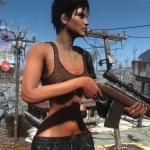
Armpit & Pubic Hair PNGs FO4
By dePog
ARMPIT and PUBIC HAIR PNG's
for CBBE & IDA compatible skin textures
Version 1.1 - Now with Bum Crack hair options
You can now add pits, pubes, and bum crack hair in four different styles to most CBBE or IDA compatible textures. Available as Brunette or Blonde
Installation of the Mod
Download and it will put two new Folders into your BaseHumanFemale Folder
( Fallout 4\Data\textures\actors\character\basehumanfemale )
The new folders are Pits and Pubes
Installing this Mod does not install the hair onto your player or NPC's bodies, it just installs the Pits and Pubes folders. If you don't know how to use PNG files to add the hair to your character's body there is a step by step tutorial below
Tutorial - How to add body hair to any skin texture
This tutorial is based on the Paint.net graphics program. If you don't have this program you can download it FREE from here
Once you have downloaded and installed Paint.net, then follow the following steps:
Step 1
Go to your Fallout4 data folder, then drill down till you find the BaseHumanFemale folder ( Fallout4\Data\Textures\Actors\Character\BaseHumanFemale )
Find the file FemaleBody_d.dds
As shown below, right-click on FemaleBody_d.dds, click on Open with, and choose Paint.net
Step 2
You should now have Paint.net open with the FemaleBody_d.dds texture showing similar to the pic below. It may look slightly different depending on what skin type Mod you are using.
Step 3
Now click on the Layers menu and choose Import From File, as shown below
Step 4
You should now have a window open that shows the Pits and Pubes folders
Double click on the Pits folder
Step 5
and now you have the choice of Brunette or Blonde.
In this example we are choosing Brunette, so we double click on the Brunette folder
Step 6
We now have the choice of four different armpit hair styles: Long Dense; Long Sparse; Short Dense; Short Sparse
In this example I chose Long Dense
Step 7
And you should now see the armpit hair appear on your body texture, like the pic below
Step 8
If you go back to step 3 and repeat steps 3 to 7, but this time choose Pubes instead of pits, then you will now have a texture with both the Armpit style and Pube style to your liking. The Pic below shows a texture with both armpit and pubic hair.
Step 9
Now we need to save your creation.
Click on File, and choose Save As from the dropdown menu
Step 10
In the window that appears change the Save as type to DirectDraw Surface (dds)
Step 11
Make sure you are still in the BaseHumanFemale folder and the File name is FemaleBody_d.dds
Then click on Save
Step 12
Now click on Yes when it asks "Do you want to replace"
Step 13
Then when the "Save Configuration" window appears, click OK
Step 14
Then click on Flatten
That's it! You have now given the BaseHumanFemale texture armpit and pubic hair. You could also do the same procedure again for the Femalebodydirty_d.dds texture and perhaps give them a different combination of styles if you wish.
2368 downloads
Updated
-
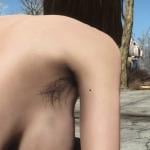
Armpit & Pubic Hair FO4
By dePog
Armpit & Pubic Hair
Works with:
Caliente's Body Textures (has no bum crack hair)
or
IDA Body Textures (has bum crack hair)
Available in Blonde or Brunette, and four styles: Short Sparse; Short Dense; Long Sparse; Long Dense.
The long hair options will also show a bit of pubic hair if wearing " Awesome Shorts" by Deserter X as shown in the pic below
Should install into your PlayerHumanFemale directory, or you can manually move the texture over to the BaseHumanFemale if you wish. (IDA Textures install into both BaseHumanFemale and PlayerHumanFemale)
Let me know if you want other body textures to be included.
Cheers
dePog
10499 downloads
Updated
-

Prewar Home by Xenic
By xenic
This is the pre war version of the player's home that replaces the post apocalyptic version. This also replaces everything inside so loot the run down house before you activate this mod. I tried my best to make it perfect but it has a few issues.
Known issues:
A small post war dresser in the master bedroom keeps showing up. It should be scrappable though.
Crib mobile doesn't spin.
Many items non interactable. (this will be fixed later)
Important:
Do not run this mod until AFTER you find Sanctuary. I'm not sure what will happen if you try to use it with a new game. Maybe nothing.
Please let me know of any problems but please be specific, not "the car did a wierd thing." I will fix it as I go.
612 downloads
Submitted
-
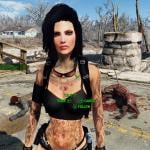
Vex Knife Fighter Companion
By ccclover
Made using assets with permissions except for the Skyrim voice lines. This version still has the Skyrim voice lines whereas the one on the Nexus is using Proctor Ingram.
7702 downloads
Submitted
-

Experimental Fat Man
By xenic
Have ya ever wanted to just nuke someone into oblivion but had to reload? Well, that problem is a thing of the past. My experimental fatman has higher base damage and can hold 20 nukes at once. No more pesky reloading. Just....uh...don't ask where the other nukes go....
(This is actually just a test I made for playing around with weapons. It looks just like the normal fatman in game but holds 20 nukes at once. I plan to do more with it as I learn how.)
85 downloads
- fat man
- experimental
- (and 2 more)
Submitted
-
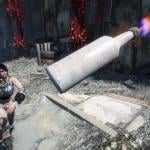
Molotov Cocktail Nerf
By darkconsole
Mazel Tov Molotov
This mod lowers the explosion direct damage radius and removes the stagger effect from molotov cocktails. You should now be able to fight raiders without accidentally picking up your keyboard and beating your mother with it. The fire damage and damage over time is unchanged.
First I looked at trying to make people throw grenades less - but all the CombatStyles have Throw set to 0... all of them... So then I said fuck it, and did a little research based on some common sense and probably getting me on a few national security watch lists. Molotovs don't really have that forceful of an explosion. And they sure as hell shouldn't 1 shot you... They are incendiaries, they light shit on fire. They don't explode with the force of a super mutant that ate ten million cans of beans.
Permissions
Under no circumstances is this to be uploaded to any other sites by anyone other than me.
139 downloads
Submitted
-
MMAppetizer.esp
By Michele
There is a distress signal somewhere. If you follow it, this being a sex quest, you just might end up as the sex toy of a deranged loner. If he doesn't annoy you past the breaking point...
I called this Appetizer because it should whet your appetite for longer and more complicated adventures later. Without sex animations there's not much that can be done... but with a few tricks a short sexy story can be told.
Warnings and such
Save your game before loading the mod. Don't forget to turn on the mod using the Mods menu.
The zip file contains the scripts. Extract it into your Data folder (not Data/MMAppetizer).
Turn on subtitles! There is no voice acting.
Tell your companion to stay put. I tried to do this in a script but it didn't work. The quest will work with a companion in the room but it will be a little silly.
No mods are required, but you should have a nude mod. The dialog is written for a female character.
The quest will remove your items temporarily. (They are available when the quest is completed.) If you have special body parts you need to be there, I suggest you re-apply them using the console.
23246 downloads
Updated
-

All Followers Range
By darkconsole
You There. Take Point.
Makes all followers range ahead similar to how Dogmeat does. Handy for making them be the tank too by having them be the ones enemies see first. Also gets them out of the way more which was a pain in the ass since I play in third person. I usually go solo but I have been told they say funny shit so I started dragging them around.
The game doesn't always make them always be in front as well as Elizabeth in Bioshock Infinite, but it's better than having them derping around behind, IMHO.
Permissions
Under no circumstances is this to be uploaded to any other sites by anyone other than me.
607 downloads
Submitted
-
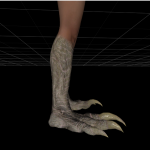
Deathclaw for CBBE body - Modder's resource
By thatTESguy
NIF and texture files for the humanoid deathclaw on the CBBE body. Bodyslide files attached.
As this is a modder's resource release, I am currently not offering technical support. Feel free to use this for whatever; just drop some credit.
Textures have been separately released here: http://www.nexusmods.com/fallout4/mods/2865/
2226 downloads
Submitted
-
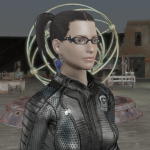
Bayonetta Inspired Accessories
By SlapMeSilly
Inspired by the Skyrim port at UNPB TV
Original models and textures from xkammyx on DeviantArt.
I needed some new glasses so I ported them over. Figured I'd follow suit and do the earrings too. No physics on the earrings so they're statically attached and move with the character's head.
REQUIREMENTS
Armor and Weapon Keywords Community Resource (AWKCR) Armorsmith Extended
Features
The glasses can be crafted at the Armorsmith workbench under Accessories - Glasses, and the earrings under Accessories - Earrings. The glasses support eyewear mods from Armorsmith Extended and Legendary mods. The earrings support Legendary mods.
1223 downloads
Updated
-

Nekopara Magazine Replacer
By OverGamer
This mod replaces the Live & Love Magazines #1, #2, and #8 with Nekopara doujinshi.
1186 downloads
Updated


.thumb.gif.c49b3498f1718c2cfdc9804ffa66e8a4.gif)