Select a subcategory to view available files.
Files From Subcategories
-
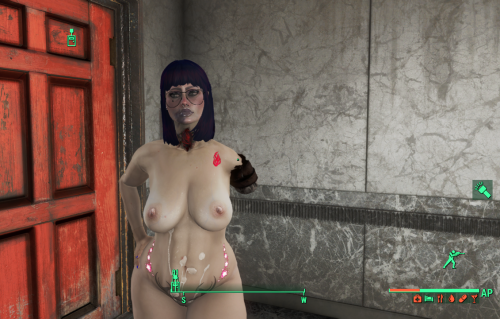
Hurt Me (Amputator)
By D4NSUM
My most ambitious project yet, I made a script to apply amputations to Aggressive/rough tagged AAF scenes. The defaults are 10 percent chance for amputations to occur, and if you have over 50 percent of your hp consumed by RADS you will regrow your missing limbs after 24 in game hours, I wanted to do MCM configs but it turned out to be more difficult than I could figure out. ill come back to it eventually. or if someone else knows better, have at it. PS if anyone does know how to set up MCM configs DM me and teach me pls
243 downloads
Updated
-
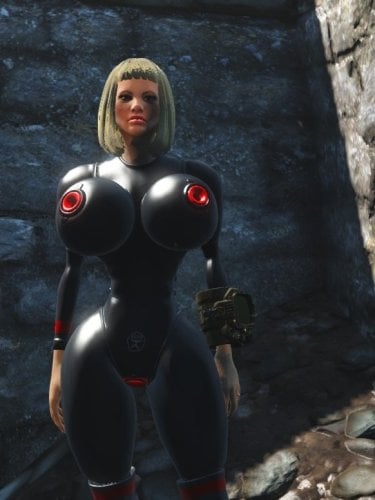
Soviet Sex Suits Fo4
By Voidson22222
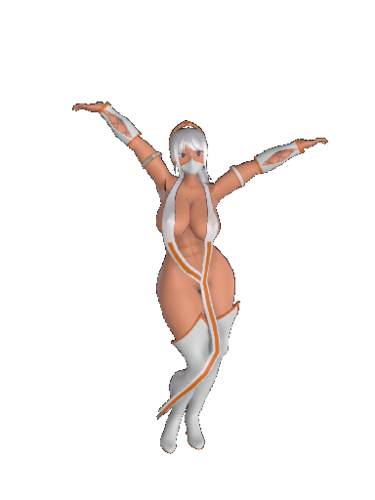
A port of one outfit from my FNV mod. The outfit is based on inflatable latex suits.
My idea for the lore is that the Soviet Union determined the best way to build relations with the factions of post war America was trough sex and ordered their scientists to make hazmat sex suits for diplomatic missions.
1062 downloads
Updated
-
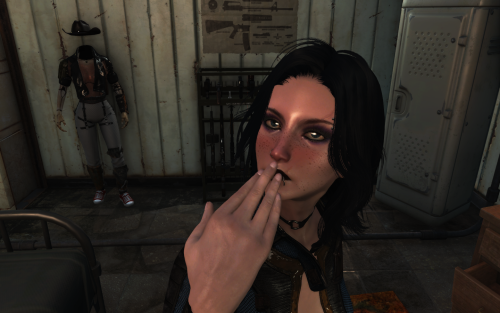
Aroused blush
By Samhsay
The mod adds three levels of blushing based on arousal. It is based on SexAttributes parameters. This works with both 1K and 2K face textures.
REQUIREMENTS
AAF Things
Sex Attributes
PROBLEMS
I have the feeling that the textures are being applied just a tiny bit lower than they should be.I have the feeling that the textures are being applied just a tiny bit lower than they should be.
FOR MODDERS
1220 downloads
Updated
-
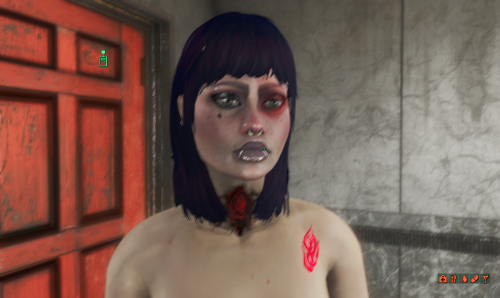
Hurt Me (SFT)
By D4NSUM
Same as my hurt me mod but for the face, uses scripted face tints to apply damage face details during aggressive and rough tagged animations
311 downloads
Submitted
-
Submitted
-
[Dev/Test/Beta] LL FourPlay community F4SE plugin
By jaam
Scriptname LL_FourPlay Native Hidden ; ; Shared community library of utility function from LoverLab distributed with FourPlay resources as a F4SE plugin with sources included ; ; Version 52 for runtime 1.10.984 2024 08 19 by jaam and Chosen Clue and EgoBallistic and Fedim ; Runtime version: This file should be runtime neutral. The accompanying F4SE plugin (ll_fourplay_1_10_984.dll) is NOT! ; You need to always use a plugin corresponding with the game version you play. ; Plugin should be available just after F4SE has been updated for the modified runtime. ; Runtime versions lower than 1.10.984 will no longer be supported. ; Written and tested against F4SE 0.7.2. You should not use an older version of F4SE. ; ; ; ; Returns the version of this script (when someone has not forgotten to update it :) ) Float Function GetLLFPScriptVersion() global return 52.0 endFunction ; Returns the version of the plugin and servers to verify it is properly installed. Float Function GetLLFPPluginVersion() native global ; Custom profile: written into "Data\F4SE\Plugins" ; =============== ; Returns the full path for custom profile name. IE "WhereverYourGameIs\Data\F4SE\Plugins\name". Don't forget to provide the .ini extension. string Function GetCustomConfigPath(string name) native global ; Get the value of custom config string option string Function GetCustomConfigOption(string name, string section, string key) native global ; Get the value of custom config integer option (Use 0/1 for boolean) int Function GetCustomConfigOption_UInt32(string name, string section, string key) native global ; Get the value of custom config float option Float Function GetCustomConfigOption_float(string name, string section, string key) native global ; Sets the value of custom config string option (at most 66535 characters per option). The directories and path will be created as needed. If the result is false, the set did not happen. bool Function SetCustomConfigOption(string name, string section, string key, string value) native global ; Sets the value of custom config integer option. The directories and path will be created as needed. If the result is false, the set did not happen. bool Function SetCustomConfigOption_UInt32(string name, string section, string key, int data) native global ; Sets the value of custom config float option. The directories and path will be created as needed. If the result is false, the set did not happen. bool Function SetCustomConfigOption_float(string name, string section, string key, float data) native global ; Get all the keys and values contained in a section. Both at once to avoid discrepancies in the order. ; The keys are in VarToVarArray(Var[0]) as String[] and the values in VarToVarArray(Var[1]) as String[] Var[] Function GetCustomConfigOptions(string fileName, string section) native global ; Set a list of keys and values in a section. Any other existing key will be left alone. bool Function SetCustomConfigOptions(string fileName, string section, string[] keys, string[] values) native global ; Reset all the keys and values contained in a section. ; Any exiting key value pair will be suppressed first, so providing none arrays will effectivly removes all keys from the section. bool Function ResetCustomConfigOptions(string fileName, string section, string[] keys, string[] values) native global ; Get all the sections in a file. string[] Function GetCustomConfigSections(string fileName) native global ; For all array functions: ; The implementation as an arbitrary limitation of 32767 bytes buffer for all Keys, Values or sections involved. ; If needed because the limitation becomes a problem, another implementation can be done using memory allocation, though there will remain a limit imposed by Windows. ; When arrays for keys and values are provided, the count of elements in both arrays must be identical or the function fails on purpose. ; An empty value should be provided as a zero length string. TO BE TESTED ; ; Camera functions ; ================ ; ; Forces the FlyCam state. ; if activate is true and the FlyCam is not active AND the FXCam is not active either, the FlyCam will be activated. ; if activate is false and the FlyCam is active, the FlyCam will be deactivated. ; if the requested state is identical to the current state nothing is done. ; Returns whether the FlyCam was active or not before the call so mods can restore the previous state if needed. bool Function SetFlyCam(bool activate) native global ; TO BE TESTED ; Forces the FlyCam state. Alternative version that allows to pause/unpause the game when entering FlyCam ; if activate is true and the FlyCam is not active AND the FXCam is not active either, the FlyCam will be activated. ; if pause then the game will be paused ; if activate is false and the FlyCam is active, the FlyCam will be deactivated. ; otherwise if the requested activate is identical to the current state nothing is done. ; Returns whether the FlyCam was active or not before the call so mods can restore the previous state if needed. ;TBT; bool Function SetFlyCam2(bool activate, bool pause) native global ; TO BE TESTED - So far this is useless as scripts seem to be stopped while in pause mode :( ; Get the current state of the FlyCam bool Function GetFlyCam() native global ; Get the current pause state of the game bool Function GetPaused() native global ; Get the current state of the FXCam bool Function GetFXCam() native global ; Select the speed at which the FlyCam moves (identical to SetUFOCamSpeedMult/sucsm console command) ; The console command supports an optional second parameter to control rotation speed. ; The way it handles default value is not compatible so I use an explicit bool to select which speed to change ; Returns the previous value of the selected speed. float Function SetFlyCamSpeedMult(float speed, bool rotation=False) native global ; ; Power Armor/Race/Skeleton functions ; =================================== ; ; Returns the actor's race when in PowerArmor Race Function GetActorPowerArmorRace(Actor akActor) native global ; Returns the actor's skeleton when in PowerArmor string Function GetActorPowerArmorSkeleton(Actor akActor) native global ; Returns the actor's current skeleton, not affected by PowerArmor string Function GetActorSkeleton(Actor akActor) native global ;Chosen Clue Edit ; ; String functions ; ================ ; ; Returns the first index of the position the toFind string starts. You can use this to check if an animation has a tag on it. Is not case sensitive. Int Function StringFind(string theString, string toFind, int startIndex = 0) native global ; Returns the selected substring from theString. If no length is set, the entire string past the startIndex number is returned. string Function StringSubstring(string theString, int startIndex, int len = 0) native global ; Splits the string into a string array based on the delimiter given in the second parameter. ; As this function does ignore whitespace, putting a space as the delimiter will only result in a string being returned without spaces. string[] Function StringSplit(string theString, string delimiter = ",") native global ; Opposite of StringSplit. string Function StringJoin(string[] theStrings, string delimiter = ",") native global ; Converts an integer of any base to a hexadecimal string representation string Function IntToHexString(Int num) native global ; Converts a hexadecimal string to an integer Int Function HexStringToInt(String theString) native global ; ; Array functions ; =============== ; ;Just a precursor: This does not mean we can use Alias based scripts to store animations like sexlab does, as the F4SE team has yet to include a typedef of them in the F4SE CPP files. I am guessing that they haven't reverse engineered it yet. Form[] Function ResizeFormArray(Form[] theArray, int theSize, Form theFill = NONE) native global String[] Function ResizeStringArray(String[] theArray, int theSize, String theFill = "") native global Int[] Function ResizeIntArray(Int[] theArray, int theSize, Int theFill = 0) native global Float[] Function ResizeFloatArray(Float[] theArray, int theSize, Float theFill = 0.0) native global Bool[] Function ResizeBoolArray(Bool[] theArray, int theSize, Bool theFill = False) native global Var[] Function ResizeVarArray2(Var[] theArray, int theSize) native global Var[] Function ResizeVarArray(Var[] theArray, int theSize) global ; Because filling with invalid values will CTD ; Bugged for any version prior to 14 ; theFill will be ignored, but kept for compatibility. Anyway nobody used it ever as it would have CTD. Please use ResizeVarArray2 Int theFill = 0 return ResizeVarArrayInternal(theArray, theSize, theFill) endFunction ; if the int theSize is negative, the resulting array is a copy of the original array unchanged. ; Sets the minimum array size required by a mod. Returns false if the current value was greater. Bool Function SetMinimalMaxArraySize(int theMaxArraySize) native global ; This patches ArrayAdd and ArrayInsert so they respect that maximum. The value is memorised in ToolLib.ini ;[Custom Arrays] ;uMaxArraySize=nnnnnn ; ; !! Creating arrays that are too large will adversaly affect your game !! ; ; Keyword functions ; ================= ; ; Return the first keyword whose editorID is akEditorID Keyword Function GetKeywordByName(string akEditorID) native global ; Adds a keyword to a form (not only a reference). Does not persists. bool Function AddKeywordToForm(Form akForm, Keyword akKeyword) native global ; Delete a keyword from a form (not only a reference). Does not persists. bool Function DelKeywordFromForm(Form akForm, Keyword akKeyword) native global ; Return an array of all keywords loaded in game. Keyword[] Function GetAllKeywords() native global ; ; CrossHair functions ; ==================== ; ; Returns the Reference that is currently under the CrossHair. Returns None if there isn't one currently. ObjectReference Function LastCrossHairRef() native global ; Returns the last Actor that is or was under the CrossHair. Returns None until there is one since the game was (re)started. Actor Function LastCrossHairActor() native global ; ; ObjectReference functions ; ========================= ; ; Set the reference display name as a string without token. TO BE TESTED bool Function ObjectReferenceSetSimpleDisplayName(ObjectReference akObject, string displayName) native global ; Sets reference angle in degrees. Will not cause load screen if called on Player Function SetRefAngle(ObjectReference akRef, float x, float y, float z) native global ; Sets no-collision state on reference Function SetRefNoCollision(ObjectReference akRef, bool abState) native global ; Get the scale of a reference Float Function GetScale(ObjectReference akRef) native global ; Set the scale of a reference Function SetScale(ObjectReference akRef, Float afScale) native global ; ; Actor functions ; =============== ; ; Check if the ActorBase has a specific skin. TO BE TESTED bool Function ActorBaseIsClean(Actor akActor) native global ; Return the WNAM ARMO of either the actor base or the actor's race Form Function GetActorBaseSkinForm(Actor akActor) native global ; Copy the base skin of one actor onto another as a skin override, similar to what LooksMenu does bool Function CopyActorBaseskinForm(Actor akSourceActor, Actor akDestActor) native global ; MFG morph function provided by EgoBallistic ; Apply a MFG Morph to the actor bool Function MfgMorph(Actor akActor, int morphID, int intensity) native global ; Set all MFG Morph values to zero on an actor bool Function MfgResetMorphs(Actor akActor) native global ; Save an actor's MFG Morph values to an array of float Float[] Function MfgSaveMorphs(Actor akActor) native global ; Restore an array of saved MFG morph values to an actor bool Function MfgRestoreMorphs(Actor akActor, Float[] values) native global ; Copy the MFG morph values from one actor to another bool Function MfgCopyMorphs(Actor a0, Actor a1) native global ; Apply a set of MFG morphs to an actor. Morph ID morphIDs[x] will be set to values[x] bool Function MfgApplyMorphSet(Actor akActor, int[] morphIDs, int[] values) native global ; Return an Actor's actor flags (not the same as the Form flags) Int Function GetActorFlags(Actor akActor) native global ; Reset an actor's persistent Essential / Protected data ; Calling Actor.SetEssential() overrides the actor base value. Changing the state on the actor base will no longer have any effect, and ; neither will the Essential flag on Aliases. This function resets the override so ActorBase and alias flags will work again. bool Function ResetActorEssential(Actor akActor) native global ; Sets an actor's position. Directly moves the ref so does not cause load screen if called on player Function SetActorPosition(Actor akActor, float x, float y, float z) native global ; Enable collisions for specific actor Function EnableActorCollision(Actor akActor) native global ; Disable collisions for specific actor Function DisableActorCollision(Actor akActor) native global ; Snap actor out of whatever interaction (furniture, etc) they are in Function ActorStopInteractingQuick(Actor akActor) native global ; Force AI package Function ActorSetPackageOverride(Actor akActor, Form pkg) native global ; Clear forced AI Package Function ActorClearPackageOverride(Actor akActor) native global ; Returns whether the actor is currently ignoring combat (e.g. due to package flags) Bool Function ActorGetIgnoringCombat(Actor akActor) native global ; Force the actor to ignore combat or not, overriding any package flags Function ActorSetIgnoringCombat(Actor akActor, Bool abIgnoreCombat) native global ; Update actor 3D equipment only (less expensive than QueueUpdate 0xC) Function ActorUpdateEquipment(Actor akActor) native global ; Update Player Character 3D Function PlayerUpdateEquipment() native global ; ; Collision functions ; =================== ; ; Set the collision state of a reference. Returns the previous state. TO BE TESTED _ currently fails. ;TBT; bool Function ObjectReferenceSetCollision(ObjectReference akObject, bool enable=True) native global ; Get the collision state of a reference. If akObject is None, return the global collision state (controlled by TCL). TO BE TESTED ;TBT; bool Function ObjectReferenceGetCollision(ObjectReference akObject) native global ; ; Cell Functions ; ============== ; ; Returns the number of references of type formType in cell. Use GetFormType() below for formType values. If formType is 0 this returns the count of all refs in the cell. Int Function GetNumRefsInCell(Cell akCell, Int formType) native global ; Returns nth reference of type formType in cell. If formType is 0 this returns the nth reference of any type. ObjectReference Function GetNthRefInCell(Cell akCell, Int index, Int formType) native global ; ; Misc. Form functions ; ==================== ; ; Returns the Editor ID of a Race. Originally GetFormEditorID, but passing in a form and using the F4SE function GetEditorID() has only worked on Quest and Race forms. So I've just made it for race forms only. String Function GetRaceEditorID(Race akForm) native global ; Returns the name of the plugin that created a form String Function OriginalPluginName(Form akForm) native global ; Returns the persistent ID of a form (excluding the load index) Should be compatible with esl files. (Fixed as of v18) Int Function OriginalPluginID(Form akForm) native global ; Returns whether a form is in a given leveled item list bool Function GetInLeveledItem(Leveleditem akList, Form akForm) native global ; Return a form's record flags Int Function GetRecordFlags(Form akForm) native global ; Return a form's formType Int Function GetFormType(Form akForm) native global ; Return whether form is persistent or not - updated in v51 Bool Function IsPersistent(Form akForm) native global ; Set a form persistent or not. Returns false if form does not exist - updated in v51 Bool Function SetPersistent(Form akForm, bool akFlag) native global ; Return an array of all the forms in a FormList Form[] Function FormListToArray(FormList akFormList) native global ; Return the form with the given formID from any type of plugin (esm, esl, esp) Form Function GetFormFromPlugin(String modName, Int formID) native global ; Return an array of forms given an array of plugin names and an array of form IDs Form[] Function GetFormArray(String[] modNames, Int[] formIDs) native global ; Given an array of FormID Ints that was packed as Var via VarArrayToVar(), return the array of corresponding forms Form[] Function GetFormArrayFromVar(Var akVar) native global ; Populate a formlist with the forms given an array of plugin names and a corresponding array of form IDs Function PopulateFormlist(FormList akFormList, String[] modNames, Int[] formIDs) native global ; ; AAF functions ; ============== ; ; Return an array of actors near akRef who qualify for AAF animations Actor[] Function AAF_PerformActorScan(ObjectReference akRef, float radius) native global ; Return the actor gender as seen by AAF Bool Function AAF_GetGender(Actor targetActor) native global ; Collects statistics on an actor for use by the Scaleform Var[] Function AAF_MakeActorData(Actor targetActor, Bool includeDistance, Keyword[] conditionKeywords) native global ; Collects statistics on location objects for use by the Scaleform Var[] Function AAF_MakeLocationData(ObjectReference target, Bool includeDistance = False) native global ; Returns whether an object is suitable for use as an animation location Bool Function AAF_IsValidLocation(ObjectReference targetLocation, Var[] actorGroup) native global ; Converts the internal representation of AAF's furniture list to an array of Forms as Var Var[] Function AAF_ProcessFurnitureList(Var[] akArgs) native global ; Returns an array of LocationData, packed as a Var, of all the valid locations for animations within the given radius from the scan location Var Function AAF_GetLocationData(int scanLocation, Var[] furnitureForms, Var[] furnitureSources, Var[] actorGroup, Bool quickScan, Float scanRadius) native global ; Returns whether an actor has any keywords in the blocked keywords list Bool Function AAF_GetBlockedStatus(Actor akActor) native global ; Returns whether an actor is valid for AAF use (not dead, not disabled/deleted, etc.) Bool Function AAF_IsValidActor(Actor akActor) native global ; Returns whether an actor is valid for use and not currently in an animation Bool Function AAF_IsAvailableActor(Actor akActor) native global ; ; Misc functions ; ============== ; ; Prints a message to the debug console. Exposes the internal F4SE function Console_Print using the code found in Papyrutil in Skyrim. bool Function PrintConsole(String text) native global ; Enable or disable blinking. Disabling allows MFG morphs to work on eyelids (morph ID 18 and 41) Function SetAllowBlinking(Bool allowed) native global ; ; HIDDEN Functions. Never call directly. ; ; hidden function, use ResizeVarArray instead Var[] Function ResizeVarArrayInternal(Var[] theArray, int theSize, Var theFill) native global ; ; Wav function (by Fedim) ; ; Plays a WAV file. FileName relative to "Data\Sound\Voice\" ; Option is possible "Data\Sound\Voice\MyPlugin\sound001.wav" Function PlaySoundWav(string FileName) native global ; Returns the current volume level of the player (-1 = 0xFFFFFFFF -> max) ; LowWord - left channel volume ; HeighWorg - right channel volume ; 0 <= volume <= 65535 (0xFFFF) int Function GetVolumeWav() native global ; Sets the volume of the player channels ; 0 <= volume <=65535 (0xFFFF) int Function SetVolumeWav(int volumeA, int volumeB) native global ; Randomly selects a line from the SectionText section of the "Data\F4SE\Plugins\PluginName.ini" file, plays the WAV and returns the text ; ini file must be UTF-8 encoded ; Sounds should be in the "Data\Sound\Voice\PluginName.esp\" String Function VoiceMessage(String PluginName, String SectionText) native global ; ; INI setting functions ; ===================== ; ; Functions to retrieve INI settings, e.g. Fallout4.ini, Fallout4Prefs.ini, Fallout4Custom.ini, mod .ini files in Data folder ; These functions retrieve the settings from the game engine, not from the INI files themselves. ; Parameter is the .ini setting name and section, fSettingName:SectionName. For example, fMinCurrentZoom:Camera ; Note that typing is strict, e.g. you cannot call GetINIFloat on an Int setting ; ; Return Float setting value or 0.0 if not found float Function GetINIFloat(string ini) native global ; Return Int setting value or 0 if not found int Function GetINIInt(string ini) native global ; Return Bool setting value or false if not found Bool Function GetINIBool(string ini) native global ; Return String setting value or NONE if not found String Function GetINIString(string ini) native global ; ; Animation functions ; =================== ; ; Functions to play animations on actors. They do basic sanity checking on the inputs so that None idles and actors, ; actors who are deleted or disabled, and actors with no AI middle process will not attempt to play idles. ; ; Make one actor play an idle Function PlayIdle(Actor akActor, Form akIdle) native global ; Make an array of actors play a corresponding array of idles, in synch Function PlayMultipleIdles(Actor[] akActor, Form[] akIdle) native global ; Stop the actor's current idle Function StopCurrentIdle(Actor akActor) native global
Looks like I delteted the list of updates Well the first post is a lot shorter now.
Also there is now a GitHub site to host the sources for this and other tools of mine at https://github.com/Lkdb5RDr
v52-20240902 is a hotfix for v52-20240821
v53-20250105 fixes loading in fallout 1.10.163.
v54-20250330 Hotfix for issue describe on March 30th by EgoBallistic
v55 : deleted.
v56 for 1.11.137.0
v57-20251120 adds support for Game version 1.11.159.0 (~AE Hotfix) paired with F4SE 0.7.5. Maintains support with 1.10.163.0, 1.10.984.0 and 1.11.137.0 (temporary)
Tested successfully with basic functionality.
v58-20251126: Adds support for Fallout v1.11.169.0 and F4SE 0.7.6.
v59 for Fallout 1.11.191.0 and F4SE 0.7.8
v60 :
- Compatible with game version 1.11.221.0 (and F4SE 0.7.8)
- Corrected an issue with SetFlyCamSpeedMult in all versions but 1.10.984.0 since that game version was available.
v61 :
- Compatible with game version 1.11.240.0 (and F4SE 0.7.9)
- Tested for functions not specific for AAF.
v62 :
- Correct 2 offsets I missed to update.
246463 downloads
Updated
-
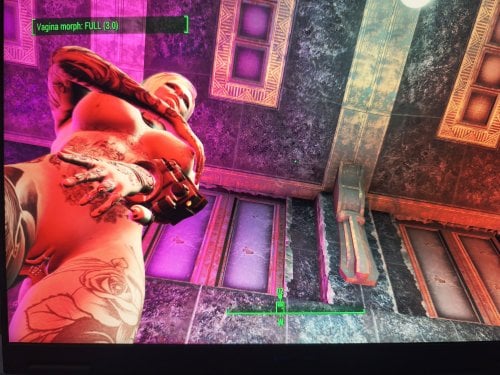
Female Genitals Morph Control with Key
By TobiR999
this Mod requires
FusionGirl-VagAnusMod
FusiongGirl 1.80 or above for the textures
1.10.163 + F4SE 0.6.23 or higher
ZaZ Extended Skeleton
ZeX In-Game Sliders
fallout4 bodyslide to create the body
what does it
it opens the vagina with Key T and the anus with Key Y and closes them
The F4SE (Fallout 4 Script Extender) hex key codes (DirectX scan codes) for T and Y are 0x54 for T and 0x59 for Y.
so now you can use all sex animation mods no matter if they have
animated vagina or anus, so no more dicks hitting against closed
doors.
I havent tested if it works with CBBE only FusionGirl-VagAnusMod
my thanks go to DeepSeek AI & ChatGPT I never made a scripted mod its my first one
if you use MO2 you have to create a mod folder an put it below ZeX In-Game Sliders because it adds slider for vagina and anus penetrate
For Modders who ever likes to use this mod and to modify it or whatever can do with it, just do it! Its public opensource for everyone to use and intigrate!
it took me 3 days with AI to create it without knowledge 😄
Cant believe I made it, well it was teamwork!
For people who never tried it, just try use AI, I hope that AI gets better for us common people to create more mods and stuff!
629 downloads
Updated
-
TobiR999 Tattoos
By TobiR999
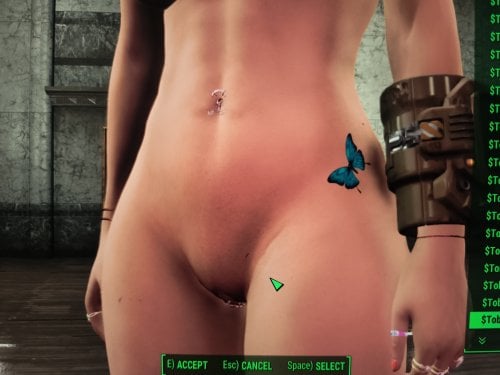
Tattoos for FG body 8K
Fusion Girl with the 8K body texture because the tattoos are also 8K
created with the help of AI because I was too lazzy writing this all by myself Deepseek 100%
but you need Material Editor and you have to create .BGEM files yourself https://www.nexusmods.com/fallout4/mods/3635
overlays.json
[
{
"id": "TobiR999_A1",
"name": "$TobiR999_A1",
"slots": [{"slot": 3, "material": "overlays\\TobiR999\\A1.BGEM"}],
"playable": true,
"transformable": true,
"sort": 1,
"gender": 1
},
{
"id": "TobiR999_A2",
"name": "$TobiR999_A2",
"slots": [{"slot": 3, "material": "overlays\\TobiR999\\A2.BGEM"}],
"playable": true,
"transformable": true,
"sort": 2,
"gender": 1
},
{
"id": "TobiR999_A3",
"name": "$TobiR999_A3",
"slots": [{"slot": 3, "material": "overlays\\TobiR999\\A3.BGEM"}],
"playable": true,
"transformable": true,
"sort": 3,
"gender": 1
},
{
"id": "TobiR999_A4",
"name": "$TobiR999_A4",
"slots": [{"slot": 3, "material": "overlays\\TobiR999\\A4.BGEM"}],
"playable": true,
"transformable": true,
"sort": 4,
"gender": 1
},
{
"id": "TobiR999_A5",
"name": "$TobiR999_A5",
"slots": [{"slot": 3, "material": "overlays\\TobiR999\\A5.BGEM"}],
"playable": true,
"transformable": true,
"sort": 5,
"gender": 1
},
{
"id": "TobiR999_A6",
"name": "$TobiR999_A6",
"slots": [{"slot": 3, "material": "overlays\\TobiR999\\A6.BGEM"}],
"playable": true,
"transformable": true,
"sort": 6,
"gender": 1
},
{
"id": "TobiR999_A7",
"name": "$TobiR999_A7",
"slots": [{"slot": 3, "material": "overlays\\TobiR999\\A7.BGEM"}],
"playable": true,
"transformable": true,
"sort": 7,
"gender": 1
},
{
"id": "TobiR999_A8",
"name": "$TobiR999_A8",
"slots": [{"slot": 3, "material": "overlays\\TobiR999\\A8.BGEM"}],
"playable": true,
"transformable": true,
"sort": 8,
"gender": 1
},
{
"id": "TobiR999_A9",
"name": "$TobiR999_A9",
"slots": [{"slot": 3, "material": "overlays\\TobiR999\\A9.BGEM"}],
"playable": true,
"transformable": true,
"sort": 9,
"gender": 1
},
{
"id": "TobiR999_A10",
"name": "$TobiR999_A10",
"slots": [{"slot": 3, "material": "overlays\\TobiR999\\A10.BGEM"}],
"playable": true,
"transformable": true,
"sort": 10,
"gender": 1
},
{
"id": "TobiR999_A11",
"name": "$TobiR999_A11",
"slots": [{"slot": 3, "material": "overlays\\TobiR999\\A11.BGEM"}],
"playable": true,
"transformable": true,
"sort": 11,
"gender": 1
},
{
"id": "TobiR999_A12",
"name": "$TobiR999_A12",
"slots": [{"slot": 3, "material": "overlays\\TobiR999\\A12.BGEM"}],
"playable": true,
"transformable": true,
"sort": 12,
"gender": 1
},
{
"id": "TobiR999_A13",
"name": "$TobiR999_A13",
"slots": [{"slot": 3, "material": "overlays\\TobiR999\\A13.BGEM"}],
"playable": true,
"transformable": true,
"sort": 13,
"gender": 1
},
{
"id": "TobiR999_A14",
"name": "$TobiR999_A14",
"slots": [{"slot": 3, "material": "overlays\\TobiR999\\A14.BGEM"}],
"playable": true,
"transformable": true,
"sort": 14,
"gender": 1
},
{
"id": "TobiR999_A15",
"name": "$TobiR999_A15",
"slots": [{"slot": 3, "material": "overlays\\TobiR999\\A15.BGEM"}],
"playable": true,
"transformable": true,
"sort": 15,
"gender": 1
},
{
"id": "TobiR999_A16",
"name": "$TobiR999_A16",
"slots": [{"slot": 3, "material": "overlays\\TobiR999\\A16.BGEM"}],
"playable": true,
"transformable": true,
"sort": 16,
"gender": 1
},
{
"id": "TobiR999_A17",
"name": "$TobiR999_A17",
"slots": [{"slot": 3, "material": "overlays\\TobiR999\\A17.BGEM"}],
"playable": true,
"transformable": true,
"sort": 17,
"gender": 1
},
{
"id": "TobiR999_A18",
"name": "$TobiR999_A18",
"slots": [{"slot": 3, "material": "overlays\\TobiR999\\A18.BGEM"}],
"playable": true,
"transformable": true,
"sort": 18,
"gender": 1
},
{
"id": "TobiR999_A19",
"name": "$TobiR999_A19",
"slots": [{"slot": 3, "material": "overlays\\TobiR999\\A19.BGEM"}],
"playable": true,
"transformable": true,
"sort": 19,
"gender": 1
},
{
"id": "TobiR999_A20",
"name": "$TobiR999_A20",
"slots": [{"slot": 3, "material": "overlays\\TobiR999\\A20.BGEM"}],
"playable": true,
"transformable": true,
"sort": 20,
"gender": 1
},
{
"id": "TobiR999_A21",
"name": "$TobiR999_A21",
"slots": [{"slot": 3, "material": "overlays\\TobiR999\\A21.BGEM"}],
"playable": true,
"transformable": true,
"sort": 21,
"gender": 1
},
{
"id": "TobiR999_A22",
"name": "$TobiR999_A22",
"slots": [{"slot": 3, "material": "overlays\\TobiR999\\A22.BGEM"}],
"playable": true,
"transformable": true,
"sort": 22,
"gender": 1
},
{
"id": "TobiR999_A23",
"name": "$TobiR999_A23",
"slots": [{"slot": 3, "material": "overlays\\TobiR999\\A23.BGEM"}],
"playable": true,
"transformable": true,
"sort": 23,
"gender": 1
},
{
"id": "TobiR999_A24",
"name": "$TobiR999_A24",
"slots": [{"slot": 3, "material": "overlays\\TobiR999\\A24.BGEM"}],
"playable": true,
"transformable": true,
"sort": 24,
"gender": 1
},
{
"id": "TobiR999_A25",
"name": "$TobiR999_A25",
"slots": [{"slot": 3, "material": "overlays\\TobiR999\\A25.BGEM"}],
"playable": true,
"transformable": true,
"sort": 25,
"gender": 1
},
{
"id": "TobiR999_A26",
"name": "$TobiR999_A26",
"slots": [{"slot": 3, "material": "overlays\\TobiR999\\A26.BGEM"}],
"playable": true,
"transformable": true,
"sort": 26,
"gender": 1
},
{
"id": "TobiR999_A27",
"name": "$TobiR999_A27",
"slots": [{"slot": 3, "material": "overlays\\TobiR999\\A27.BGEM"}],
"playable": true,
"transformable": true,
"sort": 27,
"gender": 1
},
{
"id": "TobiR999_A28",
"name": "$TobiR999_A28",
"slots": [{"slot": 3, "material": "overlays\\TobiR999\\A28.BGEM"}],
"playable": true,
"transformable": true,
"sort": 28,
"gender": 1
},
{
"id": "TobiR999_A29",
"name": "$TobiR999_A29",
"slots": [{"slot": 3, "material": "overlays\\TobiR999\\A29.BGEM"}],
"playable": true,
"transformable": true,
"sort": 29,
"gender": 1
},
{
"id": "TobiR999_A30",
"name": "$TobiR999_A30",
"slots": [{"slot": 3, "material": "overlays\\TobiR999\\A30.BGEM"}],
"playable": true,
"transformable": true,
"sort": 30,
"gender": 1
},
{
"id": "TobiR999_A31",
"name": "$TobiR999_A31",
"slots": [{"slot": 3, "material": "overlays\\TobiR999\\A31.BGEM"}],
"playable": true,
"transformable": true,
"sort": 31,
"gender": 1
},
{
"id": "TobiR999_A32",
"name": "$TobiR999_A32",
"slots": [{"slot": 3, "material": "overlays\\TobiR999\\A32.BGEM"}],
"playable": true,
"transformable": true,
"sort": 32,
"gender": 1
},
{
"id": "TobiR999_A33",
"name": "$TobiR999_A33",
"slots": [{"slot": 3, "material": "overlays\\TobiR999\\A33.BGEM"}],
"playable": true,
"transformable": true,
"sort": 33,
"gender": 1
},
{
"id": "TobiR999_A34",
"name": "$TobiR999_A34",
"slots": [{"slot": 3, "material": "overlays\\TobiR999\\A34.BGEM"}],
"playable": true,
"transformable": true,
"sort": 34,
"gender": 1
},
{
"id": "TobiR999_A35",
"name": "$TobiR999_A35",
"slots": [{"slot": 3, "material": "overlays\\TobiR999\\A35.BGEM"}],
"playable": true,
"transformable": true,
"sort": 35,
"gender": 1
}
]
TobiR999Overlays_en.txt
$TobiR999_A1 A1
$TobiR999_A2 A2
$TobiR999_A3 A3
$TobiR999_A4 A4
$TobiR999_A5 A5
$TobiR999_A6 A6
$TobiR999_A7 A7
$TobiR999_A8 A8
$TobiR999_A9 A9
$TobiR999_A10 A10
$TobiR999_A11 A11
$TobiR999_A12 A12
$TobiR999_A13 A13
$TobiR999_A14 A14
$TobiR999_A15 A15
$TobiR999_A16 A16
$TobiR999_A17 A17
$TobiR999_A18 A18
$TobiR999_A19 A19
$TobiR999_A20 A20
$TobiR999_A21 A21
$TobiR999_A22 A22
$TobiR999_A23 A23
$TobiR999_A24 A24
$TobiR999_A25 A25
$TobiR999_A26 A26
$TobiR999_A27 A27
$TobiR999_A28 A28
$TobiR999_A29 A29
$TobiR999_A30 A30
$TobiR999_A31 A31
$TobiR999_A32 A32
$TobiR999_A33 A33
$TobiR999_A34 A34
$TobiR999_A35 A35
169 downloads
Submitted
-
Transfer Settlements - Warwick Homestead and Corporate Headquarters
By msmfoster
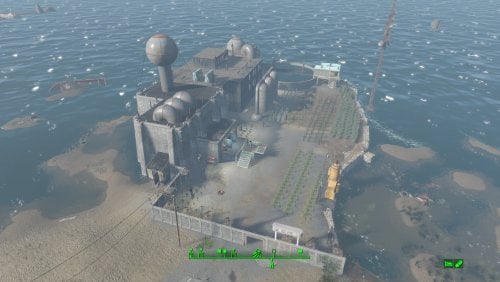
A Transfer Settlements blueprint that leverages ideas from the in-game Weston Water Treatment. It expands the Nut Island Sewage Treatment Plant to include a corporate headquarters over one of the purification tanks. This new build uses the Brotherhood of Steel build items from Settlement Objects Expansion Pack. The end effect is a new structure that fit in nicely within the existing decor. Details on this build: Replaced the catwalks linking the buildings. Cleaned out the main pump house to hold shops and medical facilities. Cleaned out the blue outbuilding to make it a workshop. Cleaned out the secondary pump house to hold slot machines and a barber shop. Added a headquarters building over the tank between the two pump houses housing bunks, gym, and kitchen. Added a Covenant wall with turrets along the perimeter. Settlement Features 26 bunks. 145+ food. 440+ defences. 200 power. 60 water. Tier 3 Medical, Restaurant, Clothing, and General Store. Dedicated gym area. Vault-Tec drink dispenser and slot machines. Working sinks and showers. Power mostly runs through conduits to minimise visible power lines. Cat and dog included in the build. No visual glitches observed from this build. Settlers can move freely through the new build but appear to have some trouble with the original buildings. Requirements Downloadable Content Contraptions Workshop Vault-Tec Workshop Wasteland Workshop Far Harbour Hard Requirements Transfer Settlements. To import this blueprint. Scrap Everything or an equivalent. To clear out the area as per Setup Instructions. Settlement Objects Expansion Pack. Primary build components for most of the settlement. Fusion generators, railings, pools, foundation liners, cooking station, and water pumps. Homemaker. Decorations, furniture, and miscellaneous objects. Note. Transfer Settlements will not add items if the mods are missing. Mods listed below are not required but will remove associated elements. Soft Requirements Craftable Working Sinks and Showers Redux. Working sinks and showers. Erotic Art. Frames and pictures used throughout. Working Fridges. Simple mod that adds working fridges, ice machines, and vending machines. Working Washer and Dryer (Immersive Laundry). Player functional laundry machines and dryers with sound effects. Nice to Have Armour and Weapon Keywords Community Resource. Additional types of workshops, namely power armour. Videos of the Wasteland. Working televisions and projectors. Invisible Furniture. Adds invisible markers that are used as idles for settlers and pets. Standing Stones from Skyrim. Skyrim styled statues for aesthetics. Gruffydd's Signs and Posters. Billboards and signs. Crazy Sex Animations. Invisible mats that make settlers happy through masturbation, done without using the Advanced Animation Framework, and additionally places assignable gurneys that increase happiness. Sex Toys of the Commonwealth. Adds the random placement of sex toys throughout. Bad Dragon Dildos. Adds more extreme dildos throughout. Companion Ivy. If you happen to have Ivy as a companion, one of her broadcast towers will be added in an out of the way area. Unrelated But Useful Place Everywhere. Allows you to make minor adjustments if necessary. Armour Rack Female Mannequin Fix. Fixes the armour rack to support alternate bodies like Fusion Girl. Setup Clearing the area is relatively straightforward. Clear out the pump houses and blue out-building. Focus on clutter and furniture but keep the industrial elements and piping in place. The only exceptions are the large pieces of equipment by the kitchen table. Maintain the contents of the small warehouse structure by the workshop. It will remain outside of the perimeter and is used for an Atom Cats side quest. Clean up the grounds of clutter, removing the fire pit, sitting positions, and fencing. Build a Transfer Settlements console from Power > Miscellaneous facing the workshop. Note. Import should be done with Workshop Mode enabled. Tasks After Import No additional requirements other than to confirm that all power has been restored as expected. Notes on Imports Transfer Settlements recommends leaving the area after import and to not return for 1-2 game days. However, I found that saving on site always crashes the game. The easiest way to get away and save is to coc Vault111Ext from the console. Wait a couple of minutes before heading into the vault. Once you arrive at the bottom it is safe to save. I recommend that you import/export Blueprints using Stable defaults. Using other methods has caused ladders, walls, and flooring to appear without collision. In many cases the collision effects are found elsewhere leading to interesting behaviours among the NPC population, and leading to a snap back effect as you push through an area and are forced back by the invisible wall. Note. This blueprint was tested with Transfer Settlements working under Stable. Lastly Import wired power connections should always be selected as part of the import process. It will reliably re-connect all wired connections. This saves you the trouble of linking up floors, turrets, and in some cases re-establish connections for hidden or buried runs. Notes on Power and Performance These blueprints utilize ambient fill lighting to provide a pervasive glow. I use Naked Bulbs to create a lived-in atmosphere for statues, fountains, and roof voids. Warning for Dynamic Lighting Users If you use mods that turn all lights into dynamic, shadow-casting sources, the sheer number of these bulbs will severely cripple your framerate. I strongly recommend using the Transfer Settlements Blueprint Editor to strip out all instances of 306F1 before importing. Optimization for Complex Builds: Because of the heavy use of conduits to reduce visible power lines, these settlements have high object counts. To steps below may improve performance. Enable Faux Power in the Workshop Framework's workbench settings. Use the Transfer Settlements Blueprint Editor to strip all conduits from the .json file. This can reduce build complexity by up to 40% without losing the overall aesthetic of the settlement. Note. I cannot guarantee the above will work. A Special Thanks To Thank you to Caladon for creating the template that makes blueprints installable. Updates Version 1.0.1
Adjusted Erotic Art to work with my Classic Erotic Art Retexture. Adjusted power distribution, should import cleanly every time while reducing clutter. Removed the caravan stop, these do not import cleanly anyway. Adjusted decorations throughout. Added a series of idles for use. Version 1.0.0
Initial release of this build.185 downloads
Updated
-
Transfer Settlements - Somerville Place a Farming Community
By msmfoster
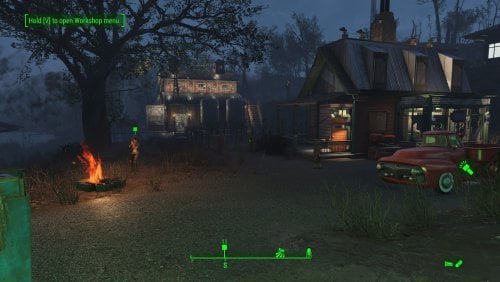
Somerville Place is defined not only by its convenient location near the Glowing Sea and a Gunner vault, but also by its unforgiving terrain and the lone Destroyed Home structure. This blueprint builds on that to create an expansive, thriving farming community. The added barn, homes, and structures form a layered defense strong enough to make even a legendary alpha deathclaw will think twice. Details on this build: Repaired the destroyed home to house the diner, general store, and clothing store. Created an elevated area with retaining walls for access to four bunkhouses. Added a large two-level barn: ground floor used as gym, upper level serves as a workshop. Placed two large cisterns beside the barn to conceal water generators while preserving the farm aesthetic. Dedicated medical facility with surgical bays. Dedicated laundromat that also houses the barbershop. Added a large bunkhouse nearer to the water to fully enclose the settlement. Every structure equipped with independent power. Double-flooring used throughout to reduce settler fall-through issues. Settlement Features 30 bunks. 140+ food. 860+ defences. 420 power. 63 water. Tier 3 Medical, Restaurant, Clothing, and General Store. Dedicated gym area. Vault-Tec drink dispenser and slot machines. Working sinks and showers. Power mostly runs through conduits to minimise visible power lines. Cat and dog included in the build. No visual glitches observed from this build. Requirements Downloadable Content Contraptions Workshop Vault-Tec Workshop Wasteland Workshop Far Harbour Hard Requirements Transfer Settlements. To import this blueprint. Scrap Everything or an equivalent. To clear out the area as per Setup Instructions. Homemaker. Primary build components for most of the settlement, decorations, furniture, and miscellaneous objects. Settlement Objects Expansion Pack. Fusion generators, railings, pools, foundation liners, cooking station, and water pumps. Note. Transfer Settlements will not add items if the mods are missing. Mods listed below are not required but will remove associated elements. Soft Requirements Craftable Working Sinks and Showers Redux. Working sinks and showers. Erotic Art. Frames and pictures used throughout. Working Fridges. Simple mod that adds working fridges, ice machines, and vending machines. Working Washer and Dryer (Immersive Laundry). Player functional laundry machines and dryers with sound effects. Nice to Have Armour and Weapon Keywords Community Resource. Additional types of workshops, namely power armour. Videos of the Wasteland. Working televisions and projectors. Invisible Furniture. Adds invisible markers that are used as idles for settlers and pets. Standing Stones from Skyrim. Skyrim styled statues for aesthetics. Gruffydd's Signs and Posters. Billboards and signs. Crazy Sex Animations. Invisible mats that make settlers happy through masturbation, done without using the Advanced Animation Framework, and additionally places assignable gurneys that increase happiness. Sex Toys of the Commonwealth. Adds the random placement of sex toys throughout. Bad Dragon Dildos. Adds more extreme dildos throughout. Companion Ivy. If you happen to have Ivy as a companion, one of her broadcast towers will be added in an out of the way area. Unrelated But Useful Place Everywhere. Allows you to make minor adjustments if necessary. Armour Rack Female Mannequin Fix. Fixes the armour rack to support alternate bodies like Fusion Girl. Setup Clearing the area can be done quickly. Still, save often just in case scrap the destroyed home. Be sure to maintain: Destroyed home, but toss the contents. Existing food plants and surrounding fence. Tree with swing. Water pump. Fire pit. Note. To make scraping less risky around the Damaged Home consider using Disable during the scrap and Enable when done. Be sure to note the home's Reference ID in case you click on another object by mistake. Build a Transfer Settlements console from Power > Miscellaneous facing the workshop. Note. Import should be done with Workshop Mode enabled. Tasks After Import No additional requirements other than to confirm that all power has been restored as expected. Notes on Imports Transfer Settlements recommends leaving the area after import and to not return for 1-2 game days. However, I found that saving on site always crashes the game. The easiest way to get away and save is to coc Vault111Ext from the console. Wait a couple of minutes before heading into the vault. Once you arrive at the bottom it is safe to save. I recommend that you import/export Blueprints using Stable defaults. Using other methods has caused ladders, walls, and flooring to appear without collision. In many cases the collision effects are found elsewhere leading to interesting behaviours among the NPC population, and leading to a snap back effect as you push through an area and are forced back by the invisible wall. Note. This blueprint was tested with Transfer Settlements working under Stable. Lastly Import wired power connections should always be selected as part of the import process. It will reliably re-connect all wired connections. This saves you the trouble of linking up floors, turrets, and in some cases re-establish connections for hidden or buried runs. Notes on Power and Performance These blueprints utilize ambient fill lighting to provide a pervasive glow. I use Naked Bulbs to create a lived-in atmosphere for statues, fountains, and roof voids. Warning for Dynamic Lighting Users If you use mods that turn all lights into dynamic, shadow-casting sources, the sheer number of these bulbs will severely cripple your framerate. I strongly recommend using the Transfer Settlements Blueprint Editor to strip out all instances of 306F1 before importing. Optimization for Complex Builds: Because of the heavy use of conduits to reduce visible power lines, these settlements have high object counts. To steps below may improve performance. Enable Faux Power in the Workshop Framework's workbench settings. Use the Transfer Settlements Blueprint Editor to strip all conduits from the .json file. This can reduce build complexity by up to 40% without losing the overall aesthetic of the settlement. Note. I cannot guarantee the above will work. A Special Thanks To Thank you to Caladon for creating the template that makes blueprints installable. Updates Version 1.0.1 Adjusted Erotic Art to work with my Classic Erotic Art Retexture. Used SOE lighting sources for a few locations to enhance clarity. Version 1.0.0 Initial release of this build.158 downloads
Updated
-
Archive of my mods
Fuck nexus. Replacer magazines for "Backpacks of the commonwealth" - "Build your own pool" - "LEO" - "Char Ghoul" is standalone. DEF not a virus.... ffs
342 downloads
Updated
-
Transfer Settlements - Croup Manor Redux
By msmfoster
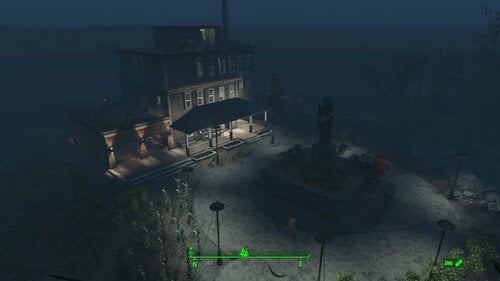
A Transfer Settlements blueprint that aims to repair Croup Manor making every level viable. This focuses on a high settler count that fits within the manor itself and a high food production. Details on the changes below: Damaged walls are replaced by intact duplicates. Replaces the floors and roof with Homemaker pieces. Removes the carport and replaces it with a two-door garage with an electric door. Replaces the deck overhang. Extends the roof onto the third deck balcony to add living space. Removes internal walls to allow for more efficient spacing. Maintains the existing stairwells for pathing. Settlement Features 21 bunks. 99+ food. 415+ defence. 200 power. 60 water. Tier 3 Medical, Restaurant, Clothing, and General Store. Dedicated medical area. Gym area. Vault-Tec drink dispenser and slot machines. Working sinks and showers. Power mostly runs through conduits to minimise visible power lines. Cat and dog included in the build. No visual glitches observed from this build. Requirements Downloadable Content Contraptions Workshop Vault-Tec Workshop Wasteland Workshop Far Harbour Hard Requirements Transfer Settlements. To import this blueprint. Scrap Everything or an equivalent. To clear out the area as per Setup Instructions. Homemaker. Primary build components for most of the settlement, decorations, furniture, and miscellaneous objects. Settlement Objects Expansion Pack. Fusion generators, railings, pool, foundation liners, cooking station, and water pumps. Note. Transfer Settlements will not add items if the mods are missing. Mods listed below are not required but will remove associated elements. Soft Requirements Craftable Working Sinks and Showers Redux. Working sinks and showers. Erotic Art. Frames and pictures used throughout. Working Fridges. Simple mod that adds working fridges, ice machines, and vending machines. Working Washer and Dryer (Immersive Laundry). Player functional laundry machines and dryers with sound effects. Nice to Have Armour and Weapon Keywords Community Resource. Additional types of workshops, namely power armour. Videos of the Wasteland. Working televisions and projectors. Invisible Furniture. Adds invisible markers that are used as idles for settlers and pets. Crazy Sex Animations. Invisible mats that make settlers happy through masturbation, done without using the Advanced Animation Framework, and additionally places assignable gurneys that increase happiness. Sex Toys of the Commonwealth. Adds the random placement of sex toys throughout. Bad Dragon Dildos. Adds more extreme dildos throughout. Unrelated But Useful Place Everywhere. Allows you to make minor adjustments if necessary. Armour Rack Female Mannequin Fix. Fixes the armour rack to support alternate bodies like Fusion Girl.
Setup Clearing the area can be relatively quick. Still, save often just in case you accidentally scrap something important like stairwells, and cliffside. Gut the main home with exception of the stairwells, and intact walls. Start from the third floor and remove the roof, accoutrements, garbage, and clutter. Remove all internal walls, floors, and damaged exterior walls. Remove the carport, storage above the workshop, and pavement in the carport area. Remove deadfall, trees, dead leaves. Leave scaffolding leading to the statue intact. Remove the door leading into the carport. Build a Transfer Settlements console from Power > Miscellaneous anywhere on the road. I prefer to place it nearer to the cul-de-sac as you can see the larger structures take shape. Note. Import should be done with Workshop Mode enabled. Tasks After Import No additional requirements other than to confirm that all power has been restored as expected. Notes on Imports Transfer Settlements recommends leaving the area after import and to not return for 1-2 game days. However, I found that saving on site always crashes the game. The easiest way to get away and save is to coc Vault111Ext from the console. Wait a couple of minutes before heading into the vault. Once you arrive at the bottom it is safe to save. I recommend that you import/export Blueprints using Stable defaults. Using other methods has caused ladders, walls, and flooring to appear without collision. In many cases the collision effects are found elsewhere leading to interesting behaviours among the NPC population, and leading to a snap back effect as you push through an area and are forced back by the invisible wall. Note. This blueprint was tested with Transfer Settlements working under Stable. Lastly Import wired power connections should always be selected as part of the import process. It will reliably re-connect all wired connections. This saves you the trouble of linking up floors, turrets, and in some cases re-establish connections for hidden or buried runs. A Special Thanks To Thank you to Caladon for creating the template that makes blueprints installable. Updates Version 2.0.1
Adjusted Erotic Art to work with my Classic Erotic Art Retexture. Doubled up ceilings for a consistent look between settlements. Switch for settlement beacon added to the third floor. Turn off beacon without clipping to the roof. Version 2.0.0
Complete rebuild of the settlement with a focus duplication and precise placement of pieces by copying existing geometry.
259 downloads
Updated
-
Transfer Settlements - Boylston Club Coastal Cottage
By msmfoster
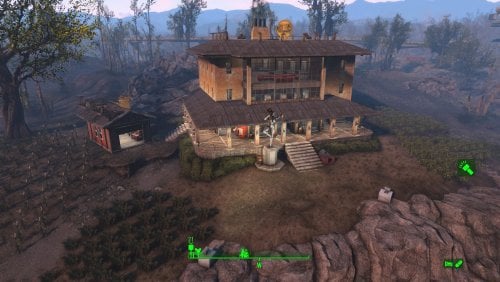
A Coastal Cottage that lives up to its name: A rebuilt three-storey cottage with basement and fixed garage, that offers commanding views of the fish plant and mirelurk queen spawn points. Meets the goal of building within the existing template without sacrificing food production.
Details on this build: Removed existing cottage and cleaned out the sinkhole. Created a three-storey cottage with large observation area. First deck: shops, bar, and medical facilities. Second deck: bunks, washrooms, gym, and barber shop. Third deck: bunks, and washrooms. Basement: power, water, and laundry. Repaired garage serving as a workshop. Added large Skyrim statue near entrance as showpiece. Discounting rooftop turret lines, only one visible power cable from the exterior. Radiators/conduits routed below surface for lighting without marring views. Settlement Features 28 bunks. 170+ food. 525+ defense. 200 power. 60 water. Tier 3 Medical, Restaurant, Clothing, and General Store. Dedicated gym area. Vault-Tec drink dispenser and slot machines. Working sinks and showers. Power mostly runs through conduits to minimise visible power lines. Cat and dog included in the build. No visual glitches observed from this build. Requirements Downloadable Content Contraptions Workshop Vault-Tec Workshop Wasteland Workshop Far Harbour Enclave Remnants Hard Requirements Transfer Settlements. To import this blueprint. Scrap Everything or an equivalent. To clear out the area as per Setup Instructions. Homemaker. Primary build components for most of the settlement, decorations, furniture, and miscellaneous objects. Settlement Objects Expansion Pack. Fusion generators, railings, pools, foundation liners, cooking station, and water pumps. Note. Transfer Settlements will not add items if the mods are missing. Mods listed below are not required but will remove associated elements. Soft Requirements Craftable Working Sinks and Showers Redux. Working sinks and showers. Advanced Bubble Turret Set (Realistic No Power version). Bubble turrets in the basement and roof outcroppings. Erotic Art. Frames and pictures used throughout. Working Fridges. Simple mod that adds working fridges, ice machines, and vending machines. Working Washer and Dryer (Immersive Laundry). Player functional laundry machines and dryers with sound effects. Singing Settler. Used for flooring in the gym and barber shop. Nice to Have Armour and Weapon Keywords Community Resource. Additional types of workshops, namely power armour. Videos of the Wasteland. Working televisions and projectors. Invisible Furniture. Adds invisible markers that are used as idles for settlers and pets. Gruffydd's Signs and Posters. Billboards and signs. TRX Trixter Statues Collection. Skyrim styled statues for aesthetics. Crazy Sex Animations. Invisible mats that make settlers happy through masturbation, done without using the Advanced Animation Framework, and additionally places assignable gurneys that increase happiness. Sex Toys of the Commonwealth. Adds the random placement of sex toys throughout. Bad Dragon Dildos. Adds more extreme dildos throughout. Unrelated But Useful Place Everywhere. Allows you to make minor adjustments if necessary. Armour Rack Female Mannequin Fix. Fixes the armour rack to support alternate bodies like Fusion Girl. Setup Clearing the area is relatively straightforward: Remove the existing cottage and clutter found throughout the build area. Remove the damaged roof for the garage and the clutter within. Do not remove the garage itself. Remove all clutter within the sinkhole itself. This significantly expands the usable space. A few elements cannot be scrapped normally, in this case you will need to do the following: Go into the console. Select the object (E.g., ivy or wood plank). Disable MarkForDelete Note. Disable first in case you selected the wrong object. In that case Enable will recover the object without consequence. Build a Transfer Settlements console from Power > Miscellaneous facing the workshop. Note. Import should be done with Workshop Mode enabled. Tasks After Import No additional requirements other than to confirm that all power has been restored as expected. Notes on Power and Performance These blueprints utilize ambient fill lighting to provide a pervasive glow. I use Naked Bulbs to create a lived-in atmosphere for statues, fountains, and roof voids. Warning for Dynamic Lighting Users If you use mods that turn all lights into dynamic, shadow-casting sources, the sheer number of these bulbs will severely cripple your framerate. I strongly recommend using the Transfer Settlements Blueprint Editor to strip out all instances of 306F1 before importing. Optimization for Complex Builds: Because of the heavy use of conduits to reduce visible power lines, these settlements have high object counts. To steps below may improve performance. Enable Faux Power in the Workshop Framework's workbench settings. Use the Transfer Settlements Blueprint Editor to strip all conduits from the .json file. This can reduce build complexity by up to 40% without losing the overall aesthetic of the settlement. Note. I cannot guarantee the above will work. Notes on Imports Transfer Settlements recommends leaving the area after import and to not return for 1-2 game days. However, I found that saving on site always crashes the game. The easiest way to get away and save is to coc Vault111Ext from the console. Wait a couple of minutes before heading into the vault. Once you arrive at the bottom it is safe to save. I recommend that you import/export Blueprints using Stable defaults. Using other methods has caused ladders, walls, and flooring to appear without collision. In many cases the collision effects are found elsewhere leading to interesting behaviours among the NPC population, and leading to a snap back effect as you push through an area and are forced back by the invisible wall. Note. This blueprint was tested with Transfer Settlements working under Stable. Lastly Import wired power connections should always be selected as part of the import process. It will reliably re-connect all wired connections. This saves you the trouble of linking up floors, turrets, and in some cases re-establish connections for hidden or buried runs. A Special Thanks To Thank you to Caladon for creating the template that makes blueprints installable. Updates Version 1.0.1
Adjusted Erotic Art to work with my Classic Erotic Art Retexture. Re-built the roof to better align it. Switch for settlement beacon added to the third floor. Turn off beacon without clipping to the roof. Version 1.0.0 Initial release of this build.
148 downloads
Updated
-

Skimpy Armor Keyword Resource REDUX
By Evi1Panda
📄Please note: This mod is a fork and development of the original Skimpy Armor Keyword Resource mod by @twistedtrebla. Before diving into the detailed description, I’d like to thank the author for the SAKR idea and for his wonderful mods!
⚙️Requirements
OldGen game (1.10.163). F4SE (OG ver) CommonLibF4 (OG ver) Optionally but recommended:
FO4Edit M8r98a4f2's Complex Item Sorter for using clothes autopatcher.
💥Motivation
I’m a big believer in natural, seamless gameplay where mechanics emerge organically from the player’s actions — without any “magic buttons”. Pressing a hotkey to “activate slut mode” or “switch to hunter mode” completely shatters immersion and turns role-playing into a clunky simulator full of toggles. What I loved about the original SAKR idea was treating the degree of clothing exposure as a quantifiable stat. This lets modders tie it directly into dialogues, quests, perks, spells, and effects. NPCs can react to your outfit automatically — no manual switches required.
☕ Why even bother with this?
On its own, it doesn't do much. Like any framework, it first needs to be supported by modders (who need to make patches for clothing and mods that will use it).
🎯 For modders:
Use the new ActorValue ClothesExposureValue in your quests, dialogues, perks, spells, MGEFs, conditions, etc. Build mechanics that depend on how revealing (or conservative) the character’s outfit is.
🎯 For players:
Eventually you’ll get natural, immersive reactions: NPCs responding to your outfit, your character reacting to others, or even NPCs reacting to each other. Things flow smoothly without breaking gameplay — e.g., to earn caps as a prostitute, you just dress like one… no magic button needed.
🤪 In simple terms:
This is a powerful concept, but scaling it globally is tough. For everything to shine, two things must happen:
Modders need to patch armors/clothing with exposure keywords. Modders need to create content that actually reads and reacts to ClothesExposureValue. The possibilities are endless: perks that get stronger the more exposed you are, dialogues unlocked only when dressed provocatively enough, raunchy NPC chit-chat, enemy behavior (raiders might let a scantily-clad “working girl” into their camp instead of shooting on sight), companion reactions (e.g., Ivy refusing anything with low exposure), and so on. The only real limit is modder creativity and adoption.
⭕Main issues with the original mod:
Only supported female player characters (and only the player). No easy way to use it in other mods without heavy Papyrus wrappers. Couldn’t track exposure on NPCs. Hard-coded keywords — impossible to expand or tweak without recompiling. Not an ESL-flagged plugin.
✅ What’s been improved / added in this REDUX fork:
Plugin converted to ESL — doesn’t eat into your precious 255 plugin limit. Core logic ported to C++ (F4SE plugin) — nice performance and deeper engine integration. New ActorValue ClothesExposureValue added to all actors (player + every NPC). Value auto-updates on cell load / equip change. Fully usable in perks, dialogue conditions, magic effects, quests — zero Papyrus scripts needed. Track changes via the event OnExposeValueChange(Actor akActor, int aiValue). Full male support — added matching _MALE keyword sets; exposure now works for any gender. JSON-based configuration — all keywords, categories, and exposure levels are loaded from an external JSON file. Add new keywords, tweak values, or override logic without touching the plugin or recompiling anything.
🧐 How it works (simple explanation)
Every actor now has a hidden stat similar to Strength or Agility — ClothesExposureValue — that measures how revealing their current outfit is. Everything happens under the hood: the value updates automatically when gear changes. Modders can read it anytime (via conditions or scripts), and listen for updates via the event. For players, it’s simple: dress skimpy (or modest) depending on what you want to achieve in-game.
🤖Description of the mechanics of calculating exposure
⚠️Clothing patching
Instead of RobCo patchers that are difficult to control, Complex Sorter from M8r is used. But you can use RobCo if you like it more.
Ready-made plugins for Complex Sorter are provided, which add the necessary keywords to popular clothing from well-known mods.
If desired, you can easily supplement or modify the patches for your build.
Complex Sorter rules are used to automatically add keywords to items from popular mods. Ready-made plugins are included in the archive. They work as follows:
find items by name, EditorID, or other criteria; add the corresponding SAKR keywords. have fallback for every A-Torso and U-Torso armor - if there is no specific rules then add fullTop and fullBottom keywords.
If you want to add support for other clothing, edit the Complex Sorter rules or create your own patch in xEdit
@KinataHoru has made a great web tool that will make creating patches even easier!
С++ source code is here
If you'd like to support the ongoing development, you can donate here. It's never required but always deeply appreciated!
2211 downloads
Updated
-
OpenCBP for Fallout 4 AE
By 0wizard
I've taken OpenCBP from Takosako's Github, updated for AE, and merged Worthless99's FPS fix and MCM support.
Here is Release 3.5.240 of OpenCBP for Fallout4.
F4SE plugin to animate bones in actor skeletons.
- works with latest game
- physics fixes and optimizations for high FPS
- Mod Configuration Menu support (optional): Some settings available in MCM. These settings take priority over INI file settings
- enhanced, configurable logging: You can turn it on and off from the INI. Has a deduplicator to reduce log spam.
- new INI file listing valid parameters
- FOMOD will let you skip installing "ocbp.ini" settings file, useful if you have one already
- Optimizations and bugfixes
Install Instructions:
- Requires F4SE 0.7.9, Fallout 4 1.11.240
- Disable old package or conflicting previous release CBP family mod in vortex or mo2
- If you have customized OCBP.ini, back it up and review the new INI after installation
- Install this package with Vortex or MO2.
If you've never used CBP, you need to prepare the skeleton and clothing first.
MrTroublemaker has made helpful guides for using CBP here:
https://www.nexusmods.com/fallout4/mods/39195?tab=articles
GPL; source code: https://github.com/rickmccl/OpenCBP_FO4
OpenCBP_FO4-3.5.240.zip
20756 downloads
Updated
-

sylveonXpenny by smugbluefaun VoTW(videos of the wasteland)
By sip tin can
an addon holotape for the mod videos of the wasteland a 10 minute video of sylveon x penny by smugbluefaun requirements is videos of the wasteland i was too lazy when making this so it only works on the TVs it wont work on the other screens so no big screen making videos for videos of the wasteland is quite easy although time consuming so if youre unhappy with this just go make your own it takes about an hour to make the first time and 20 minutes or so the second time there is a tutorial video on how to do so on the videos of the wasteland nexusmods page it should work fine just extract the files into the corresponding folders
510 downloads
Submitted
-
skin Cellulite and muscular skin normals
By DragAndPlace
Description
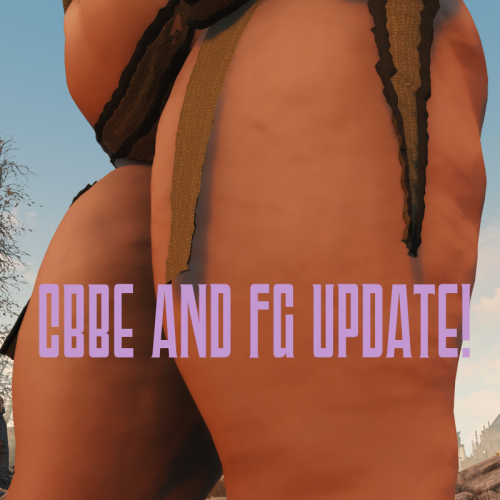
One of the most powerful and underutilised features from LooksMenu is being able to replace your character's skin. This is often used to make a unique player and/or npcs. With this, I have decided to give a little more customisation via adding the muscular normal maps (JB only) from Tigersan for your melee powerhouses as well as custom-made cellulite textures for a more average -or even full-figured- wastelander.
For JaneBod, you have six options - 4 or them muscular normals from Tigersan and 2 cellulite normal maps made by me. For CBBE and FG you have only the cellulite option.
Don't forget to activate the plugin JBSkinsRnR.esp! You can find the skins on LooksMenu -> Body -> Skin list.
Permissions
Except for Tigersan's normals whose permissions you must follow (credit them basically), feel free to use this mod as you see fit. No credits needed, but always appreciated.
Credits
Tigersan for the muscular normal maps that were included in the mod.
radbeetle for "LooksMenu Skin Override Tutorial"
Tools used
GIMP
Blender
Creation Kit
392 downloads
Updated
-
Necromantic
By Oohtre
Necromantic
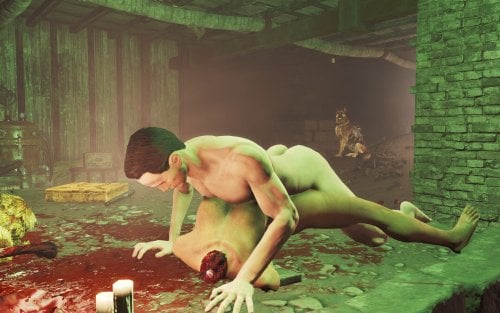
A necrophilia mod for Fallout 4 (AAF). Align yourself to a dead female NPC and run a one-player scene — only you are animated. The corpse is never reanimated, never added to AAF, and gore remains.
Overview
Necromantic lets you run a 1-actor AAF scene while aligned to a corpse. The body is treated as a prop for placement and aftermath only — the animation is the player’s only, wrapped as custom 1P AAF positions.
Features
Hotkey N — start / cancel a scene (MCM-configurable) Aim at a dead woman nearby, or stand facing her in range Hotkey position picker — curated 1P male-idle wrappers of BP70 ground anims (Missionary is the default and most tested). Doggy, Prone Bone, Romantic Missionary, Pit Doggy, Spooning, Lotus, Cowgirl, and similar options use the same start path and should also work; alignment may need a nudge per pose Can be extended to use other animations that aren't BP70 Optional cum aftermath via AAF overlay sets when CumOverlays is present Corpse Craving — after two finished scenes, a craving meter unlocks (time + seeing dead women nearby; stronger if undressed). High craving applies AGI −1 / CHA −1 until you finish another Necromantic scene Witness insult lines (editable text file) Full MCM: scene, alignment, craving, witnesses, debug
Requirements
Fallout 4 + F4SE Advanced Animation Framework (AAF.esm) At least one AAF sex animation pack — the game needs real idle animations to play. Shipped defaults use BP70; any other pack works but needs a short setup (docs/ADD_ANIMATION_PACK) Garden of Eden Papyrus Script Extender (targeting / nearest-dead scan) Body stack (for AAF) — pick one: Fusion Girl + BodyTalk (what BP70 targets), or CBBE (+ Animated Fannies if you use that path). Necromantic does not depend on these plugins directly, but scenes will look wrong or break without a supported body.
Highly Recommended
Graf's Fusion Girl Reduced CumOverlays — for Belly (etc.) aftermath overlays Collect Bodies — haul corpses into interiors A multi-follower / companion framework if you prefer “alive → private interior → aftermath” play BP70 sex animations 2.8 (rxl_bp70_animations.esp + its AAF data / meshes); If nothing else it is currently supported out of the box. Pickman's Whisper My other mod
Known limits
How to add new animation packs
Prior releases
Quick start
Load a save — you should see a ready toast (hotkey N) Get a dead woman into an interior Optionally change position using U or P. Aim at her and press N Press N again to cancel Open MCM → Necromantic for positions, craving sliders, and debug checks.
Permissions
Ask before redistributing or porting. Do not upload this mod’s files to other sites without permission.
Built on AAF and BP70 — their licenses / permissions still apply to those assets.
Feedback, bug reports, and load-order notes welcome in the thread.
2164 downloads
- necrophilia
- fallout4
- (and 3 more)
Updated
-
pubic hair MuffFluff 3D Pubic Hair
By MrNicoras
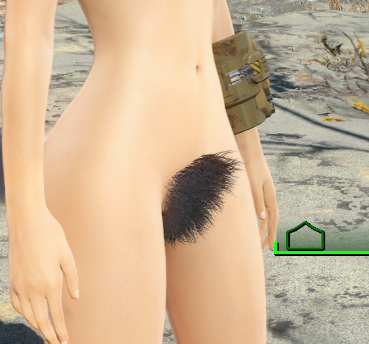
Muff Fluff - Dynamic 3D Pubic & Armpit Hair for Fallout 4
For Fusion Girl or CBBE
Also With or Without Creation Club requirement.
ONLY DOWNLOAD ONE VERSION OF THE MOD FROM THE MEGA LINK
Ever notice that every woman in the Commonwealth seems to have unlimited access to razors or waxing, despite those luxuries being gone for 200 years?
Muff Fluff fixes that.
This mod adds dynamic pubic hair to the female player and NPCs. Hair appears when the relevant area is exposed and disappears when it's covered by clothing. Everything happens automatically during gameplay.
No baked-in NPC edits. No manually patching hundreds of NPCs. No separate versions of the same character.
Strip someone down and the hair appears.
Put their clothes back on and it disappears.
Simple.
Because the hair is implemented through HeadParts Extended, it automatically matches the actor's hair color.
The curtains match the drapes every time.
Tested and fully compatible with AAF animations without any weird stretching or distortion.
*****This is Developed for OLD GEN. This was developed for the Fusion Girl Body.*****
*****At least one user has said he's running AE and it works perfectly for him. Take that for what its worth.*****
*****Make sure you have all requirements.*****
*****Might require a new save, probably at least a new cell to get the scanning to work.*****
*****Make sure you build the meshes in BodySlide after installing*****
*****Creation Club Content is Optional*****
*****Now With Hotkeys!!*****
Updating From an Older Muff Fluff Version
Version 2.0 is designed to update existing saves. A new game is not required.
Install the new version directly over the previous version and overwrite the old files.
Do not uninstall Muff Fluff, just load and save without it, and then reinstall.
As always, make a backup save before updating a scripted mod.
MEGA LINK FOR ALL VERSIONS
What's Different in 2.1?
Basically, I added customizable hotkeys so you can change the pubic hair style or armpit hair style of an NPC without going into the MCM. Just put them under your crosshair and hit the hotkey.
What's Different in 2.0?
The underlying system has been completely rewritten.
Previous versions periodically scanned loaded NPCs and used body slots to determine whether hair should be visible.
That system is gone.
Muff Fluff is now event-driven. NPCs react only when relevant clothing is equipped or removed.
There is:
No recurring NPC scan No constant polling No processing weapon equips as clothing changes No requirement to hijack body slots 39 or 53 for Muff Fluff This should greatly reduce unnecessary Papyrus activity and clothing conflicts.
There may still be a brief 1-2 second delay when clothing is changed while Fallout updates the actor. Sorry. It was the necessary trade-off to a hopefully much more lightweight mod with fewer performance stutters.
Scroll Down for Patches to common clothing mods. If you want to make a patch for a mod that isn't here yet, just send me the .esp or post it in the support forum.
Features:
Player
The player can use MCM to:
Enable or disable pubic hair Select from multiple pubic hair styles or no style at all Enable or disable armpit hair Select from multiple armpit hair styles or no style at all
Hair visibility updates automatically based on equipment.
NPCs
Female NPCs receive randomized pubic hair and armpit styles through SPID.
Each NPC keeps the style assigned to them.
Hair appears when exposed and disappears when covered.
The MCM also allows you to point at an NPC and change their pubic hair and armpit hair style.
Male NPCs can receive armpit hair. - Be sure to build the armpit hair meshes on the male body in Body Slide.
Changes are applied immediately.
How It Works
The mod uses HeadParts Extended to add body hair as headparts rather than body overlays.
Because the pubic hair is set up as HeadParts instead of a typical armor mesh, the hair color of the actors hair will automatically match the color of their pubes. In other words, the curtains match the drapes every time.
Visibility is controlled by keywords.
Making Outfits Compatible
The pubic hair is tied to underwear type clothing items. But any item of clothing or armor can be modified to allow for the pubes to appear and disappear as intended.
The compatibility work is done through armor slots. So yes, you’re going to have to use xEdit to make changes to the ARMO records. It’s stupid easy
First , Right click on the name of the plugin and select 'Add Masters' Then select Muff Fluff to add this mod as a Master file. (unavoidable, but it's ok)
Then, Open the Keywords record in MuffFluff.esp. Then open the Armor records for your mod in xEdit.
Copy the Keyword you want to add to the outfit - either Pubic Hair or Armpit Hair
Navigate to: the ARMO record for the clothing item you want to modify. Go to the KWDA - Keywords line, right click, and select 'Add'
In the Null Reference slot, double click and then hit Ctrl+V to paste the Keyword record into the empty Keyword slot
You should see the Keyword added to the Armor item in the Keywords spot.
That's all that's required.
No other scripting on your part.
Just proper keyword usage depending on the style of clothing you're using.
General rule of thumb is this:
If the item covers the groin, add:
MF_HidesPubicHair
If it covers the armpits, add:
MF_HidesArmpitHair
If it covers both:
Add both.
That's it.
To save you some time, I've added some .esps below for some popular clothing mods that I've already updated with my own personalized body slot assignment system. I created this because there's no universal formula for mod creators to assign body slots to clothing items, which makes for a lot of overlaps. This system allows for a much broader amount of clothing items that can be worn at once. If you want to use it, cool. If not, cool. But each of the .esp files in the Patch section have been modified to add slot 39 to the outfits it should be added to for this mod. Hope they help.
___________________________________________________________________________________________________________________________________________________________________________________
Patches
DonEb14n
Clothes Pack v2.0 by DonEb14n.esp
Clothes Pack 2 by DonEb14n.esp
Clothes Pack 3 by DonEb14n.esp
Clothes Pack 4 by DonEb14n.esp
Clothes Pack 5 by DonEb14n.esp
Clothes Pack 6 by DonEb14n.esp
Collection of tops v2.0.esp
Dikr -
Absolutely Skimpy Attire
ASA.esp
Dickyftw
Dicky's Pinup Outfit
Dickys Pinup Outfit.esp
DeserterX
DX_NaughtySecretary.esp
DX_Pornstar_Fashion.esp
HN66
HN66Fo4_EasyGirl_BS.esp
HN66Fo4_TRS.esp
Nezzar
NezzarUltimateCollection.esp
Ousnius
Lacy Underwear.esp
Sporty Underwear.esp
Kharneth1
Venus Nine Baseball Uniform
Venus_Nine_FG.esp
Stylish Bloomer
Stylish_Bloomer_FG.esp
Osare
OsareUndies.esp
The Dude Abides:
tdaFO4 Vanilla.esp
Derpsdale
TERAPunk.esp
FrenchMaidFO4-CBBE.esp
VTAW
VtawUtilityPack1.esp
VtawWardrobe1.esp
VtawWardrobe2.esp
Vtawleatherdress.esp
VtawWardrobe4.esp
VtawWardrobe5.esp
VtawWardrobe5 HeelSound.esp
VtawWardrobe6.esp
VtawWardrobe6 HeelSound.esp
VtawWardrobe7.esp
VtawWardrobe7 HeelSound.esp
VtawWardrobe8.esp
VtawWardrobe8 HeelSound.esp
VtawWardrobe9.esp
VtawWardrobe9 HeelSound.esp
VtawWardrobe10.esp
VtawWardrobe10HeelSounds.esp
VtawAsari.esp
VtawGothicDressNe.esp
Squirrel97
VtawWardrobe5 Previews HO3.esp
VtawWardrobe6 Previews HO3.esp
VtawWardrobe7 Previews HO3.esp
VtawWardrobe8 Previews HO3.esp
VtawWardrobe9 Previews HO3.esp
VTAW Wardrobe Crafting by themodleyfool
VtawUtilityPack1Crafting.esp
VtawWardrobe4Crafting.esp
VtawWardrobe5Crafting.esp
VtawWardrobe6Crafting.esp
VtawWardrobe7Crafting.esp
VtawWardrobe8Crafting.esp
VtawWardrobe9Crafting1.esp
VtawWardrobe9Crafting2.esp
VtawWardrobe10Crafting1.esp
VtawWardrobe10Crafting2.esp
UNKUT
K-Girl outfits.esp
kziitd
Outfit Of Hookers.esp
Master Tailor patches
Master Balance for DonEb14n by Nachomastero
Mbalance_CP1v2DonEb14n.esp
Mbalance_CP2Doneb14n.esp
Mbalance_CP3DonEb14n.esp
Mbalance_CP4DonEb14n.esp
Mbalance_CP5DonEb14n.esp
Mbalance_CP6DonEb14n.esp
Mbalance_CoTv2.0.esp
Master Balance for VTAW by Nachomastero
Mbalance_Vtawleatherdress.esp
Mbalance_VtawUtilityPack1.esp
Mbalance_VtawWardrobe1.esp
Mbalance_VtawWardrobe2.esp
Mbalance_VtawWardrobe4.esp
Mbalance_VtawWardrobe5.esp
Mbalance_VtawWardrobe6.esp
Mbalance_VtawWardrobe7.esp
Mbalance_VtawWardrobe8.esp
Requirements
F4SE SUP F4SE Head Parts Extended Spell Perk Item Distributor
Compatibility
Because Muff Fluff uses headparts, it can conflict with mods that dynamically modify NPC headparts or rebuild faces at runtime.
One known example is Diverse Bodies Redux.
The mod will still function, but NPC appearance mods that alter headparts may occasionally overwrite each other depending on load order and timing.
Performance
Hopefully Fixed. Please report any problems.
Credits
A massive thank you to @Vioxsis for creating the meshes and figuring out that using headparts allows for color changing hair meshes, and for giving me permission to use her mod assets in this mod. Here’s her original mod:
Another massive thank you to @lee3310. His Head Parts Extended mod made this entire approach possible. Also for his help testing and confirming that what I wanted to do with the NPCs would actually work.
Finally, a massive thank you to @donnerwetter for creating the armpit hair meshes for Skyrim. I asked her for permission to use her assets but she hasn't been on LL since January 2025.
I can't reach her on X and don't know of any other way to reach her. If she has a problem wity my porting her mod assets to Fallout 4 and using the .nif files in this mod, then I'll take it down and reload without them. I hope she doesn't mind, and i hope she's out there living her best life. Check out her original mod for Skyrim here: https://www.loverslab.com/topic/189235-dws-3d-underarm-hair-for-3ba/
Armpit Hair
The armpit meshes still aren't perfect.
They can stretch in extreme poses and could use better positioning and bone weights. Normal gameplay should generally look fine.
If you're good at working with .nif files or Outfit Studio and want to improve them, go nuts.
Permissions:
I do this for fun, so please feel free to use anything from this mod in your own projects. You have my permission to do whatever you want with this mod that doesn't involve paid work. Just give credit where credit is due.
If anyone is talented at creating .nif files, and wants to make leg hair meshes, it would be an easy matter to update the mod to include script logic for that mesh also.
Fallout 4 Body Slot Index.txt Clothes Pack 5 by DonEb14n.esp Clothes Pack 6 by DonEb14n.esp TERAPunk.esp
1605 downloads
- bodyhair
- fusion girl
- (and 1 more)
Updated
-

overlay LooksMenu Tanline Overlays
By DragAndPlace
Description
This mod adds 3 LooksMenu overlays for men and 4 for women for you to add. At first, their intensity is very little and are hardly visible on darker skins. Worry not, you can pile them up by adding them multiple times via LooksMenu to get a greater effect. Mix and match!
They work for BodyTalk, CBBE (as well as TWB and likely Fusion Girl) and JaneBod (and its extended version, of course).
There's two versions of this file: one with loose files and one packed. I highly recommend the latter due to a vastly reduced file size. Unless you use JaneBod, download the cbbe-* package.
Credits
Monno for creating the bikini some overlays were based on and aubrii for porting it to FO4. DemiDemonArt for BodyTalk v4 and its outfits. Caliente for creating CBBE. Nightasy for creating JaneBod. dup3w4sh1ngt0n for creating Vanilla Wares, from which I based the underwear overlays.
Permissions
Feel free to use any part of this mod for whatever purpose! Credits, of course, would be appreciated; but not needed.
Tools used
GIMP Blender Material Editor by Ousnius586 downloads
Updated
-
overlay LooksMenu Breast Vein Overlays
By DragAndPlace
Description
At last, some LooksMenu overlays for JaneBody as I couldn't find any. This is a simple, sloppy port of pema123's breast veins overlays made for Skyrim.
Currently, you have six options, where there's two variants of each pattern.
There's a loose version and a bsa-packed version. I recommend using the latter as it is much smaller in file size.
Don't forget to activate the plugin JBOverlays.esp!
Credits
pema123 for creating the original textures and having open file permissions
krisser143 for "How to make LooksMenu body overlays" tutorial
Tools used
GIMP
Material Editor by Ousnius
1439 downloads
Updated
-
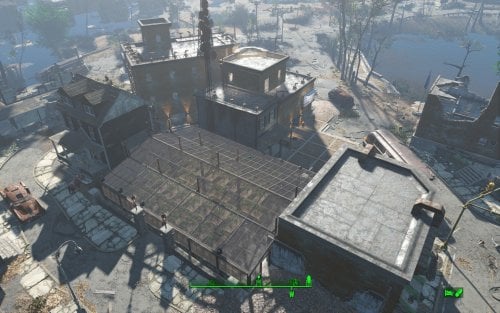
Transfer Settlements - Jamaica Plain Victory Garden and Home
By msmfoster
A Transfer Settlements blueprint that aims to make Jamaica Plain usable while working within the confines of the space. While it would be nice to remove the damaged buildings and abandoned home to create a coherent design, it tends to cause visual glitches that ruin the experience. Details on this build: Repaired the brick structure making both levels usable, and added an additional display area for clothing advertisements. Repaired the wall on the second level of the home linking to the second level of the brick building, the latter of which houses the medical facilities. Cleared out the parking area and turned it into a greenhouse. This permits high food production and supports turrets for additional security. The empty space between the liveable buildings and retaining walls now supports a three-storey brick structure. This addition supports shops, bunks, bathrooms, and a kitchen. Replaced the damaged roads and sidewalks surrounding the liveable buildings with cobblestone pieces. Note. A third level was added to the brick building but it is purely decorative. There are no stairs leading to it and it is generally only accessible through jumping off the addition's roof. Settlement Features 18 bunks. 70+ food. 525+ defence. 180 power. 60 water. Tier 3 Medical, Restaurant, Clothing, and General Store. Vault-Tec drink dispenser and slot machines. Working sinks and showers. Power mostly runs through conduits to minimise visible power lines. Settlers appear able to move freely, with minimal difficulties observed. Cat, dog, and child included in the build. No visual glitches observed from this build. Note. Warehouse glass pieces add a reflection component that can tank your framerate when you are on the second deck. See Unrelated But Useful for more information on mods that may help. Requirements Downloadable Content Contraptions Workshop Vault-Tec Workshop Wasteland Workshop Far Harbour Mid-Century Modern Furniture Set (Optional) Virtual Workshop – Desert Island (Optional) Hard Requirements Transfer Settlements. To import this blueprint. Scrap Everything or an equivalent. To clear out the area as per Setup Instructions. Homemaker. Primary build components for most of the settlement, decorations, furniture, and miscellaneous objects. Settlement Objects Expansion Pack. Fusion generators, railings, pools, foundation liners, cooking station, and water pumps. Note. Transfer Settlements will not add items if the mods are missing. Mods listed below are not required but will remove associated elements. Soft Requirements Craftable Working Sinks and Showers Redux. Working sinks and showers. Erotic Art. Frames and pictures used throughout. Working Fridges. Simple mod that adds working fridges, ice machines, and vending machines. Working Washer and Dryer (Immersive Laundry). Player functional laundry machines and dryers with sound effects. Advanced Bubble Turret Set (Realistic No Power version). Unobtrusive defensive elements used along the greenhouses' outside-facing walls. Nice to Have Armour and Weapon Keywords Community Resource. Additional types of workshops, namely power armour. Videos of the Wasteland. Working televisions and projectors. Gruffydd's Signs and Posters. Billboards and signs. Crazy Sex Animations. Invisible mats that make settlers happy through masturbation, done without using the Advanced Animation Framework, and additionally places assignable gurneys that increase happiness. Sex Toys of the Commonwealth. Adds the random placement of sex toys throughout. Bad Dragon Dildos. Adds more extreme dildos throughout. Companion Ivy. If you happen to have Ivy as a companion, one of her broadcast towers will be added in an out of the way area.
Unrelated But Useful Place Everywhere. Allows you to make minor adjustments if necessary. Armour Rack Female Mannequin Fix. Fixes the armour rack to support alternate bodies like Fusion Girl. Setup Clearing the area is relatively straightforward Clear out all clutter, brush, and trash. Remove all walls within the brick structure except for the angled one. The rest will be replaced for consistency. Remove the damaged wall on the first and second level of the wooden home. Remove the sidewalks and roads in the area surrounding wooden home. Anything below the parking lot retaining walls should be scrapped. Beyond the retaining walls there's a large tree, remove it. In the parking area the retaining wall bends in. Remove those bends along with the associated concrete posts. To remove the tree, do the following: Select the tree. Disable MarkForDelete Note. Disable first in case you selected the wrong object. If that happens Enable will recover the object. Build a Transfer Settlements console from Power > Miscellaneous on the roof of the boarded up home. Note. Import should be done with Workshop Mode enabled. Tasks After Import Confirm all power has been restored. Notes on Imports Transfer Settlements recommends leaving the area after import and to not return for 1-2 game days. However, I found that saving on site always crashes the game. The easiest way to get away and save is to coc Vault111Ext from the console. Wait a couple of minutes before heading into the vault. Once you arrive at the bottom it is safe to save. I recommend that you import/export Blueprints using Stable defaults. Using other methods has caused ladders, walls, and flooring to appear without collision. In many cases the collision effects are found elsewhere leading to interesting behaviours among the NPC population, and leading to a snap back effect as you push through an area and are forced back by the invisible wall. Note. This blueprint was tested with Transfer Settlements working under Stable. Lastly Import wired power connections should always be selected as part of the import process. It will reliably re-connect all wired connections. This saves you the trouble of linking up floors, turrets, and in some cases re-establish connections for hidden or buried runs. Notes on Power and Performance These blueprints utilize ambient fill lighting to provide a pervasive glow. I use Naked Bulbs to create a lived-in atmosphere for statues, fountains, and roof voids. Warning for Dynamic Lighting Users If you use mods that turn all lights into dynamic, shadow-casting sources, the sheer number of these bulbs will severely cripple your framerate. I strongly recommend using the Transfer Settlements Blueprint Editor to strip out all instances of 306F1 before importing. Optimization for Complex Builds: Because of the heavy use of conduits to reduce visible power lines, these settlements have high object counts. To steps below may improve performance. Enable Faux Power in the Workshop Framework's workbench settings. Use the Transfer Settlements Blueprint Editor to strip all conduits from the .json file. This can reduce build complexity by up to 40% without losing the overall aesthetic of the settlement. Note. I cannot guarantee the above will work. A Special Thanks To Thank you to Caladon for creating the template that makes blueprints installable. Updates Version 1.0.2
Adjusted Erotic Art to work with my Classic Erotic Art Retexture. Double up ceiling for consistency. Added public showers with appropriate signage. Adjustments to decorates and lighting. Fixed two potential failure points in power distribution. Results in a cleaner look and feel. Version 1.0.1 Switched to Immersive Laundry. Cloned wall to repair damaged wall on first level of wooden home. Fixed up the retaining wall leading into the parking area.
280 downloads
Updated
-
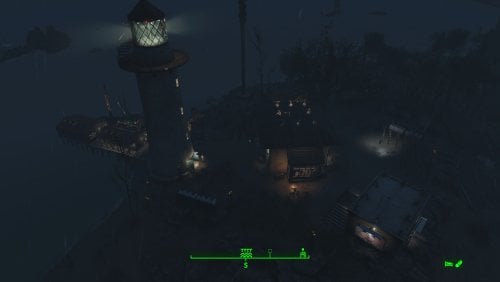
Transfer Settlements - Kingsport Lighthouse and Visitor Centre
By msmfoster
Kingsport Lighthouse is transformed into a functional lighthouse-and-visitor-centre settlement that preserves its isolated coastal charm while supporting high settler count and food production. The main home serves as the shop hub, the dock as bunkhouses, and an outbuilding provides visitor bathroom facilities. Details Repaired roof and expanded second level of the main home. Removed damaged dock sections, extended the dock, and added a fishing shack. Added outbuilding on the rocks for visitor washroom facilities. Cleaned up the lighthouse interior for sleeping accommodations and electric lighting. Placed a pallet in the docked fishing vessel for two extra bunks. Added a large Skyrim statue near the waterline (may explain the shipwrecks in the area). Settlement Features 24 bunks. 100+ food. 485 defences. 260 power. 60 water. Tier 3 Medical, Restaurant, Clothing, and General Store. Dedicated gym area. Vault-Tec drink dispenser and slot machines. Working sinks and showers. Settlers can move throughout and even make use of the beds inside the lighthouse. Power mostly runs through conduits to minimise visible power lines. Cat and dog included in the build. No visual glitches observed from this build. Requirements Downloadable Content Contraptions Workshop Vault-Tec Workshop Wasteland Workshop Far Harbour Hard Requirements Transfer Settlements. To import this blueprint. Scrap Everything or an equivalent. To clear out the area as per Setup Instructions. Homemaker. Primary build components for most of the settlement, decorations, furniture, and miscellaneous objects. Settlement Objects Expansion Pack. Fusion generators, railings, pool, foundation liners, cooking station, and water pumps. Note. Transfer Settlements will not add items if the mods are missing. Mods listed below are not required but will remove associated elements. Soft Requirements Craftable Working Sinks and Showers Redux. Working sinks and showers. PsBoss Statues from Skyrim. Skyrim styled statues for aesthetics. Advanced Bubble Turret Set (Realistic No Power version). Used within the main structure and lighthouse in case of respawns. Erotic Art. Frames and pictures used throughout. Working Fridges. Simple mod that adds working fridges, ice machines, and vending machines. Nice to Have Armour and Weapon Keywords Community Resource. Additional types of workshops, namely power armour. Videos of the Wasteland. Working televisions and projectors. Invisible Furniture. Adds invisible markers that are used as idles for settlers and pets. Gruffydd's Signs and Posters. Billboards and signs. Crazy Sex Animations. Invisible mats that make settlers happy through masturbation, done without using the Advanced Animation Framework, and additionally places assignable gurneys that increase happiness. Sex Toys of the Commonwealth. Adds the random placement of sex toys throughout. Bad Dragon Dildos. Adds more extreme dildos throughout. Companion Ivy. If you happen to have Ivy as a companion, one of her broadcast towers will be added in an out of the way area. Unrelated But Useful Place Everywhere. Allows you to make minor adjustments if necessary. Armour Rack Female Mannequin Fix. Fixes the armour rack to support alternate bodies like Fusion Girl. Setup Clearing the area can be quick. Still, save often just in case you accidentally scrap something important like the main home. Clear out the main home entirely of clutter and furniture. Additionally remove the damaged roof, and damaged wall leading to the narrow end. Clear out the contents of the fishing shack, and damaged portion of the dock. This includes the barrels and wooden frame. Remove the clutter, including rocks and shrubs from the surrounding area, including the red truck and the road beneath it. Be sure to maintain the rock face for the various cliffs. Move the large tree near the home. Push it beyond the boundaries of the build area using Place Everywhere. If you are running Universal Craftable Working Sinks and Showers, you will not be able to scrap the tub. From the console: Select the tub. Disable MarkForDelete Note. Disable first in case you selected the wrong object. In that case Enable will recover the object. Build a Transfer Settlements console from Power > Miscellaneous on the road leading into the settlement at the edge of the build area. Note. Import should be done with Workshop Mode enabled. Tasks After Import No additional requirements other than to confirm that all power has been restored as expected. Notes on Imports Transfer Settlements recommends leaving the area after import and to not return for 1-2 game days. However, I found that saving on site always crashes the game. The easiest way to get away and save is to coc Vault111Ext from the console. Wait a couple of minutes before heading into the vault. Once you arrive at the bottom it is safe to save. I recommend that you import/export Blueprints using Stable defaults. Using other methods has caused ladders, walls, and flooring to appear without collision. In many cases the collision effects are found elsewhere leading to interesting behaviours among the NPC population, and leading to a snap back effect as you push through an area and are forced back by the invisible wall. Note. This blueprint was tested with Transfer Settlements working under Stable. Lastly Import wired power connections should always be selected as part of the import process. It will reliably re-connect all wired connections. This saves you the trouble of linking up floors, turrets, and in some cases re-establish connections for hidden or buried runs. Notes on Power and Performance These blueprints utilize ambient fill lighting to provide a pervasive glow. I use Naked Bulbs to create a lived-in atmosphere for statues, fountains, and roof voids. Warning for Dynamic Lighting Users If you use mods that turn all lights into dynamic, shadow-casting sources, the sheer number of these bulbs will severely cripple your framerate. I strongly recommend using the Transfer Settlements Blueprint Editor to strip out all instances of 306F1 before importing. Optimization for Complex Builds: Because of the heavy use of conduits to reduce visible power lines, these settlements have high object counts. To steps below may improve performance. Enable Faux Power in the Workshop Framework's workbench settings. Use the Transfer Settlements Blueprint Editor to strip all conduits from the .json file. This can reduce build complexity by up to 40% without losing the overall aesthetic of the settlement. Note. I cannot guarantee the above will work. A Special Thanks To Thank you to Caladon for creating the template that makes blueprints installable. Updates Version 1.0.2 Adjusted Erotic Art to work with my Classic Erotic Art Retexture. Double-up ceiling for a consistent look across my settlements. Added a tree to account for an idle that cannot be removed. Replaced the roof so it aligns properly. Added a power switch to power on and off the recruiting beacon without going to the roof. Cleaned up lighting using SOE light sources. Version 1.0.1 Added a Skyrim statue on the cliff near the water line. Adjusted the wiring for the lighthouse. Much of it is now hidden for a cleaner look.
238 downloads
Updated
-
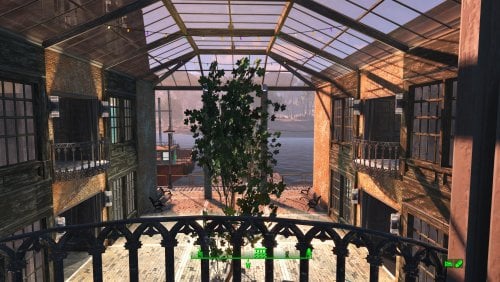
Transfer Settlements - Egret Yacht Squadron
By msmfoster
Egret Tours Marina reimagined as a fancy yacht squadron. A single large structure houses stores, medical facilities, and a club. Wasteland elegance amid the ruins.
Details on this build: Removed derelict buildings, workshop, warehouse/boat launch; replaced with large coherent structure. First level: shops, club, kitchen, medical, pump room, enclosed courtyard. Second level: bunks, washrooms, greenhouse. Third level: large workshop area, rooftop garden. Converted diner to barbershop. Converted boat shed to gym, and clipped in a warehouse electric door. Floated fishing trawler that is ready in all respects to go to sea. Replaced boat launch retaining walls for a consistent facade. Added large Skyrim statue near entrance as showpiece. Note. Warehouse glass pieces add a reflection component that may tank your framerate when you are in the courtyard or greenhouse area. See Unrelated But Useful for more information on mods that may help. Settlement Features 28 bunks. 115+ food. 470+ defense. 240 power. 60 water. Tier 3 Medical, Restaurant, Clothing, and General Store. Dedicated gym area. Vault-Tec drink dispenser and slot machines. Working sinks and showers. Power mostly runs through conduits to minimise visible power lines. Cat and dog included in the build. No visual glitches observed from this build other than at a distance when the entire structure has not yet loaded. Requirements Downloadable Content Contraptions Workshop Vault-Tec Workshop Wasteland Workshop Far Harbour Enclave Remnants (Turrets) Halloween (Optional) Coffee and Donuts Workshop Pack (Optional) Hard Requirements Transfer Settlements. To import this blueprint. Scrap Everything or an equivalent. To clear out the area as per Setup Instructions. Homemaker. Primary build components for most of the settlement, decorations, furniture, and miscellaneous objects. Settlement Objects Expansion Pack. Fusion generators, railings, pools, foundation liners, cooking station, and water pumps. Note. Transfer Settlements will not add items if the mods are missing. Mods listed below are not required but will remove associated elements. Soft Requirements Craftable Working Sinks and Showers Redux. Working sinks and showers. Erotic Art. Frames and pictures used throughout. Working Fridges. Simple mod that adds working fridges, ice machines, and vending machines. Working Washer and Dryer (Immersive Laundry). Player functional laundry machines and dryers with sound effects. Singing Settler. Stage and performer in the pub and some flooring. Nice to Have Armour and Weapon Keywords Community Resource. Additional types of workshops, namely power armour. Videos of the Wasteland. Working televisions and projectors. Invisible Furniture. Adds invisible markers that are used as idles for settlers and pets. Standing Stones from Skyrim. Skyrim styled statues for aesthetics. Gruffydd's Signs and Posters. Billboards and signs. Crazy Sex Animations. Invisible mats that make settlers happy through masturbation, done without using the Advanced Animation Framework, and additionally places assignable gurneys that increase happiness. Sex Toys of the Commonwealth. Adds the random placement of sex toys throughout. Bad Dragon Dildos. Adds more extreme dildos throughout. Unrelated But Useful Place Everywhere. Allows you to make minor adjustments if necessary. Armour Rack Female Mannequin Fix. Fixes the armour rack to support alternate bodies like Fusion Girl. Glass Roofs Stop Rain and Snow - Various Mods Patches. Stops rain and snow from going through glass roofs. Glowing Glass Fix. Changes the glass textures to reduce glare and reflection. Setup Clearing the area is relatively straightforward. Remove the warehouse, sidewalks, and outbuildings. Remove the upper retaining walls entirely including the railings. Maintain the following: Docks and stairs that transition to the upper retaining wall. Diner and refueling station (remove the sliding panels blocking two windows). Boat shed, but clear out it's contents. Power pole by the warehouse. Clear out the remaining clutter, including junk cars. Build a Transfer Settlements console from Power > Miscellaneous facing on the road coming into Egret Tours Marina facing the bridge. Note. Import should be done with Workshop Mode enabled. Tasks After Import No additional requirements other than to confirm that all power has been restored as expected. Notes on Imports Transfer Settlements recommends leaving the area after import and do not return for 1-2 game days. However, I found that saving on site always crashes the game. The easiest way to get away and save is to coc Vault111Ext from the console. Wait a couple of minutes before heading into the vault. Once you arrive at the bottom it is safe to save. I recommend that you import/export Blueprints using Stable defaults. Using other methods has caused ladders, walls, and flooring to appear without collision. In many cases the collision effects are found elsewhere leading to interesting behaviours among the NPC population, and leading to a snap back effect as you push through an area and are forced back by the invisible wall. Note. This blueprint was tested with Transfer Settlements working under Stable. Lastly Import wired power connections should always be selected as part of the import process. It will reliably re-connect all wired connections. This saves you the trouble of linking up floors, turrets, and in some cases re-establish connections for hidden or buried runs. Notes on Power and Performance These blueprints utilize ambient fill lighting to provide a pervasive glow. I use Naked Bulbs to create a lived-in atmosphere for statues, fountains, and roof voids. Warning for Dynamic Lighting Users If you use mods that turn all lights into dynamic, shadow-casting sources, the sheer number of these bulbs will severely cripple your framerate. I strongly recommend using the Transfer Settlements Blueprint Editor to strip out all instances of 306F1 before importing. Optimization for Complex Builds: Because of the heavy use of conduits to reduce visible power lines, these settlements have high object counts. To steps below may improve performance. Enable Faux Power in the Workshop Framework's workbench settings. Use the Transfer Settlements Blueprint Editor to strip all conduits from the .json file. This can reduce build complexity by up to 40% without losing the overall aesthetic of the settlement. Note. I cannot guarantee the above will work. A Special Thanks To Thank you to Caladon for creating the template that makes blueprints installable. Updates Version 1.0.2
Adjusted Erotic Art to work with my Classic Erotic Art Retexture. Double up ceiling for consistency. Blueprint now includes the entire retaining wall sets to make it easier to scrap. Re-added idle animations. Version 1.0.1
Duplicated boat for precise placement during import. Duplicated and replaced retaining walls to create unified facade. Added pier surface to the top boardwalk to improve navmesh. Added a statue at the entrance along with additional lighting. Added Immersive Laundry. Removed Singing Settler lockers to avoid frequent wardrobe malfunctions. Replaced sliding panels within the diner with window duplicates. Clipped in a warehouse electric garage door for the boat shed. Closed up and repaired the third deck for a cleaner look.
225 downloads
Updated
-
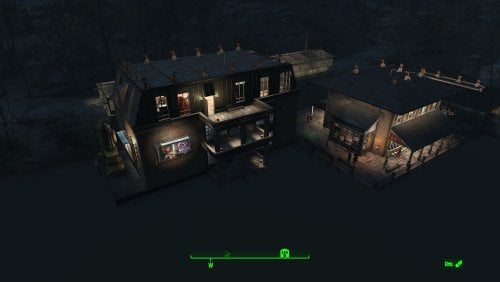
Transfer Settlements - Taffington Boathouse Restored and Expanded
By msmfoster
Taffington Boat House is an interesting location that could have easily been great had they increased the build area. This Transfer Settlements blueprint uses the existing space to: Expand the boardwalk. Fix up the existing building including the roof and overhangs. The main structure now houses shops and medical facilities, including a surgical area. Adds another bunkhouse with a laundry area, working bathroom, and a large space for workshops. Moves the boathouse slightly to accommodate the roof repair. Adds two greenhouses over the road. Note. For some easy experience points, get the attention of the bloodbugs and stingwings nearby and draw to the settlement's defences. Settlement Features 23 bunks. 110+ food. 485 defence. 260 power. 60 water. Tier 3 Medical, Restaurant, Clothing, and General Store. Dedicated gym area. Vault-Tec drink dispenser and slot machines. Working sinks and showers. Settlers appear able to move throughout but occasionally get stuck in the original home. Power mostly runs through conduits and under the boardwalk to minimise visible power lines. Cat and dog included in the build. No visual glitches observed from this build. Requirements Downloadable Content Contraptions Workshop Vault-Tec Workshop Wasteland Workshop Far Harbour Mid-Century Modern Furniture Set (Optional) Virtual Workshop – GNR Plaza (Optional) Hard Requirements Transfer Settlements. To import this blueprint. Scrap Everything or an equivalent. To clear out the area as per Setup Instructions. Homemaker. Primary build components for most of the settlement, decorations, furniture, and miscellaneous objects. Settlement Objects Expansion Pack. Fusion generators, railings, pool, foundation liners, cooking station, and water pumps. Note. Transfer Settlements will not add items if the mods are missing. Mods listed below are not required but will remove associated elements. Soft Requirements Craftable Working Sinks and Showers Redux. Working sinks and showers. Advanced Bubble Turret Set (Realistic No Power version). Unobtrusive defensive element used along the greenhouses' outside-facing walls and inside the main structure in case creatures respawn. Erotic Art. Frames and pictures used throughout. Working Fridges. Simple mod that adds working fridges, ice machines, and vending machines. Working Washer and Dryer (Immersive Laundry). Player functional laundry machines and dryers with sound effects. Nice to Have Armour and Weapon Keywords Community Resource. Additional types of workshops, namely power armour. Videos of the Wasteland. Working televisions and projectors. Invisible Furniture. Adds invisible markers that are used as idles for settlers and pets. Gruffydd's Signs and Posters. Billboards and signs. Crazy Sex Animations. Invisible mats that make settlers happy through masturbation, done without using the Advanced Animation Framework, and additionally places assignable gurneys that increase happiness. Sex Toys of the Commonwealth. Adds the random placement of sex toys throughout. Bad Dragon Dildos. Adds more extreme dildos throughout. Companion Ivy. If you happen to have Ivy as a companion, one of her broadcast towers will be added in an out of the way area. Unrelated But Useful Place Everywhere. Allows you to make minor adjustments if necessary. Armour Rack Female Mannequin Fix. Fixes the armour rack to support alternate bodies like Fusion Girl. Setup Clearing the area can be done quickly. Save often just in case you accidentally scrap something important like a wall. Clear out the boathouse completely. Remove the damaged part of the roof and overhangs of the main home, remove the tub, and bathroom walls. Remove the boardwalk entirely, including pylons and posts. Clear the area of clutter and junk. If you are running Universal Craftable Working Sinks and Showers, you will not be able to scrap the tub. From the console: Select the tub. Disable MarkForDelete Note. Disable first in case you selected the wrong object. In that case Enable will recover the object. Build a Transfer Settlements console from Power > Miscellaneous near the edge of the build area on the road near the boat ramp. Note. Import should be done with Workshop Mode enabled. Tasks After Import No additional requirements other than to confirm that all power has been restored as expected. You may need to adjust the glass in the windows for the bunkhouse. Just move them forward or back a bit until you have the desired effect. Glass also prevents the player from accidentally going through the window. Notes on Imports Transfer Settlements recommends leaving the area after import and to not return for 1-2 game days. However, I found that saving on site always crashes the game. The easiest way to get away and save is to coc Vault111Ext from the console. Wait a couple of minutes before heading into the vault. Once you arrive at the bottom it is save to save. I recommend that you import/export Blueprints using Stable defaults. Using other methods has caused ladders, walls, and flooring to appear without collision. In many cases the collision effects are found elsewhere leading to interesting behaviours among the NPC population, and leading to a snap back effect as you push through an area and are forced back by the invisible wall. Note. This blueprint was tested with Transfer Settlements working under Stable. Lastly Import wired power connections should always be selected as part of the import process. It will reliably re-connect all wired connections. This saves you the trouble of linking up floors, turrets, and in some cases re-establish connections for hidden or buried runs. A Special Thanks To Thank you to Caladon for creating the template that makes blueprints installable. Updates Version 1.0.3 Adjusted Erotic Art to work with my Classic Erotic Art Retexture. Closed up the attic Added some Anniversary Edition lighting (Optional) Version 1.0.2 Properly duplicated pylons and posts. Version 1.0.1 Electric doors were attached to workshop. Replaced washers and dryers with those from Immersive Laundry. Pylons and supports are now duplicated and pre-placed. Gas light added atop the pylons to more closely match the original look and feel.324 downloads
- transfer settlements
- taffington
- (and 1 more)
Updated


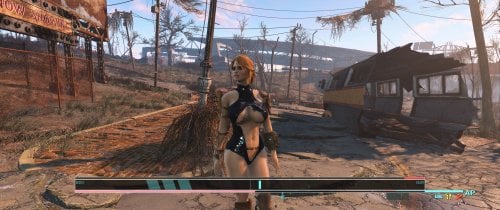
![More information about "[XCL] [0.25.9] InstaGirl Laboratory"](https://static.loverslab.com/screenshots/monthly_2025_06/ForDiscord.thumb.jpg.fbfa501d8fb756f46cc9d28cf123b424.jpg)