
Select a subcategory to view available files.
Files From Subcategories
-
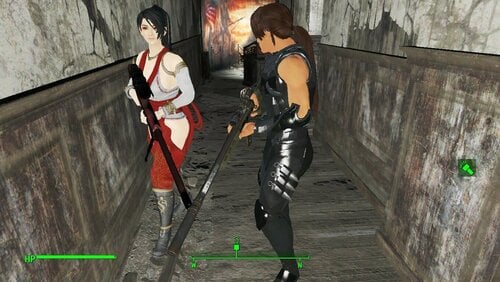
Momiji And Hayabusa Followers. Add on and standalone.
Adds Momiji and Ryu Hayabusa of DOA fame and something about Ninja Gaiden.
Fusion Girl and CBBE
Two versions for Each.
The mod is intended to be an add on to the Kasumi Follower mod. The mod is designed for them to interact with each other.
The main version REQUIRES KASUMI FOLLOWER (found here).
Standalone version is meant to be if you don't use Kasumi.
They are found at Abernathy farms, on the opposite side of the barn as Kasumi. (Yes there is dialogue to address this).
Momiji and Hayabusa have multiple outfits and you can change their default weapons through dialogue once you talk to them.
Momiji's default weapon is her sniper rifle, Ryu's is the Dragon Sword.
Both have randomized outfit versions and you can craft a reminder note and place it in their inventory for them to change their outfits on their own.
They have no unique quest but can assist with kasumi's quest if you haven't finished it yet.
I'm probably missing some info so i'll just add it later. It's Friday time to chill.
Now Fully Voiced as ov Version V1 Add on Versions. Voiced like the rest used my Speechify Studio account that I have full license to use as part of my subscription.
Oh- Momiji has her own custom body as does Ryu. The outfits were built around Fusion Girl. in the main files there is a pre-set of her body if you want to use it to make more outfits for her. The bodyslide files are only if you want to change her body shape to something you prefer. If you don't want to change her body you won't need them.
Yes, I will eventually release these and the previous outfits from Kasumi (some most are in the pub) and Tina as a "player use" standalone.
WORKSHOP ADD ON (Only for the Kasumi Add-On Version For Now)
Adds some minimal workshop functionality. I intentionally left it very minimal so it doesn't conflict with any of her dialogue options.
They does not count towards a settlements maximum followers,
You can assign her to Caravan and Move them.
They will not use some workshop higher functions but will participate in the animations.
I am doing this as a test as I don't want to add the workshopnpc script to the follower in the base mod in case there are issues.
NOTE: you do not have permission to upload, modify, This mod to any other site without my express written permission. Ask me, I will probably say yes unless its behind a paywall or monetary gain. But I want to know what is going on.
Kasumi follower mod:
5120 downloads
Updated
-
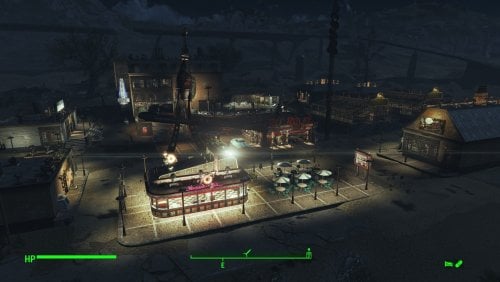
Transfer Settlements - Nuka-World Red Rocket Truck Stop and Bordello
By msmfoster
This Transfer Settlements blueprint transforms the Nuka-World Red Rocket into a sprawling, multi-functional hub. Leveraging the massive build area, this overhaul introduces a high-end diner, a multi-story hotel with a hedonistic twist, and a fortified farmers' market. The site is also protected by a massive 1600+ defense rating.
The end result is a sealed-in environment that provides high defences and food production while making use of both levels of the terminal itself. This blueprint integrates nicely with mods like Just Business, Human Resources, and Hookers of the Commonwealth - Settlement Edition, but these elements are contained within this blueprint. Details of the Build The shoulder area between the road and the Red Rocket now houses a diner. Added a strip mall complex housing a general and clothing store. Added a medical clinic featuring surgery bays, waiting area, and recovery ward. Added a four-storey hotel featuring a club, gym, entertainment rooms, and shared accommodation. Working elevator part of the build. Added an additional strip mall complex housing a laundromat, public washrooms (like a truck stop), and a barbershop. Given proximity to the hotel, the Red Rocket has become a player home. Bubble turrets are added to the canopy, as that's a known spawn point for super mutants. Added two greenhouses with a small roadside stand to act like a farmers' market. Two small farmhouses have been added at the back of the greenhouses for additional bunks. Key Statistics 50 bunks. 120+ food. 1600+ defence. 400+ power. 60 water. Tier 3 Medical, Restaurant (Diner), Clothing, General Store, and several bars. Dedicated gym area. Vault-Tec drink dispenser and slot machines. Working sinks and showers. Power mostly runs through conduits to minimise visible power lines. Cat and dog included in the build. No visual glitches observed from this build. Requirements Downloadable Content Nuka World Contraptions Workshop Vault-Tec Workshop Wasteland Workshop Far Harbour Enclave Remnants Arcade Workshop Pack (Optional) Virtual Workshops – Capital Wasteland (Optional) Coffee and Donuts Workshop Pack (Optional) Hard Requirements Transfer Settlements. To import this blueprint. Scrap Everything or an equivalent. To clear out the area as per Setup Instructions. Homemaker. Primary build components for most of the settlement, decorations, furniture, and miscellaneous objects. Settlement Objects Expansion Pack. Fusion generators, railings, pool, foundation liners, cooking station, and water pumps. Note. Transfer Settlements will not add items if the mods are missing. The following are not required but will remove associated elements. Soft Requirements Craftable Working Sinks and Showers Redux. Working sinks and showers. Erotic Art. Frames and pictures used throughout. Working Fridges. Simple mod that adds working fridges, ice machines, and vending machines. Working Washer and Dryer (Immersive Laundry). Player functional laundry machines and dryers with sound effects. Singing Settler. Stage and performer in the pub and some flooring. Alex Stripper Pole. Adds assignable stripper poles. Advanced Bubble Turret Set (Realistic No Power version). Bubble turrets for defence along the outer edge of the playground. Nice to Have Armour and Weapon Keywords Community Resource. Additional types of workshops, namely power armour. Videos of the Wasteland. Working televisions and projectors. Invisible Furniture. Adds invisible markers that Dogmeat and settlers can use for basic actions. Gruffydd's Signs and Posters. Billboards and signs TRX Trixter Statues Collection. Sexualised Skyrim statues that work well with the theme of this place. Companion Ivy. If you have Ivy as a companion, one of her broadcast towers will be added in an out-of-the-way area. Crazy Sex Animations. Invisible mats that make settlers happy through masturbation, done without using the [Advanced Animation Framework](https://www.loverslab.com/files/file/5584-advanced-animation-framework/), and additionally places assignable gurneys that increase happiness. Sex Toys of the Commonwealth. Adds the random placement of sex toys throughout. Torture Devices. Addition of associated torture devices. Unrelated But Useful Place Everywhere. Allows you to make minor adjustments if necessary. Armour Rack Female Mannequin Fix. Fixes the armour rack to support alternate bodies like Fusion Girl. Setup Setup in this case is a straightforward process: Clean out the area of clutter, trash, cars, brush, and plants. Remove the sidewalks around the Red Rocket as these will be replaced. Remove the cement curbs surrounding the gas station sign. Ensure you keep the Red Rocket itself intact, while scrapping all content inside. Note. It is faster and safer to scrap within the Red Rocket if you disable it temporarily. Simply get the reference id and REFID.Disable followed by REFID.Enable when done. Build a Transfer Settlements console from Power > Miscellaneous on the road by the Red Rocket gas price sign. Note. Import should be done with Workshop Mode enabled. Tasks After Import Confirm that all power has been restored as expected. Most lamps will not be lit, simply select them in workshop mode to light them up. Notes on Imports Transfer Settlements recommends leaving the area after import and not return for 1-2 game days. However, I found that saving on site always crashes the game. The easiest way to get away and save is to coc Vault111Ext from the console. Wait a couple of minutes before heading into the vault. Once you arrive at the bottom it is safe to save. I recommend that you import/export Blueprints using Stable defaults. Using other methods has caused ladders, walls, and flooring to appear without collision. In many cases the collision effects are found elsewhere leading to interesting behaviours among the NPC population, and leading to a snap back effect as you push through an area and are forced back by the invisible wall. Note. This blueprint was tested with Transfer Settlements working under Stable. Lastly Import wired power connections should always be selected as part of the import process. It will reliably re-connect all wired connections. This saves you the trouble of linking up floors, turrets, and in some cases re-establish connections for hidden or buried runs. Notes on Power and Performance These blueprints utilize ambient fill lighting to provide a pervasive glow. I use Naked Bulbs to create a lived-in atmosphere for statues, fountains, and roof voids. Warning for Dynamic Lighting Users If you use mods that turn all lights into dynamic, shadow-casting sources, the sheer number of these bulbs will severely cripple your framerate. I strongly recommend using the Transfer Settlements Blueprint Editor to strip out all instances of 306F1 before importing. Optimization for Complex Builds: Because of the heavy use of conduits to reduce visible power lines, these settlements have high object counts. The steps below may improve performance. Enable Faux Power in the Workshop Framework's workbench settings. Use the Transfer Settlements Blueprint Editor to strip all conduits from the .json file. This can reduce build complexity by up to 40% without losing the overall aesthetic of the settlement. Note. I cannot guarantee the above will work. A Special Thanks To Thank you to Caladon for creating the template that makes blueprints installable. Updates Version 1.0.2 Optimized Erotic Art to work with my Classic Erotic Art Retexture. Added a switch to turn on and off the settlement beacon above the Red Rocket without having to clip. Adjusted power distribution around the diner. Diner is now a Slocum's Joe with space for three attendants. Added AE lighting in a few locations. Added arcade machines in the Laundromat. Doubled the ceilings within the hotels for a consistent look. Used SOE lighting to increase ambient lighting. Added idles using Invisible Furniture. Version 1.0.1 Switched to Immersive Laundry. Did more work on the Red Rocket, lighthouse doors fit the aesthetics better, and Warehouse Electric Door was added to replace the missing garage door.
394 downloads
Updated
-
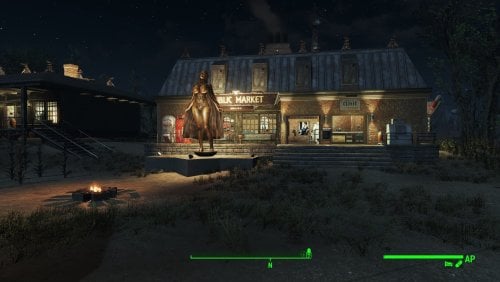
Transfer Settlements - Sunshine Tidings Luxury Cabins and Resort
By msmfoster
A Transfer Settlements blueprint that re-imagines Sunshine Tidings. While maintaining the overall footprint, it redoes the cabins to make settler and player travel easier and increase the amount of bunks available. The site mimics resorts that were popular during the fifties and sixties. Details on this build: Replaces every cabin with a similarly themed home. Each includes a washroom, kitchen, fireplace, and counter. Every home is individually powered but linked together. This would permit their turrets to engage enemies even if linking power lines are damaged. Replaces the food hall with a larger facility that houses stores and a dedicated medical clinic. Replaces the bathroom with a dedicated gym. To make things easier in the demolitions phase, workshop building is redone using standard components and flooring, making the doors functional. Every outside building has turrets on the roof, creating an all-around perimeter to fend off attacks. Settlement Features 24 bunks. 125+ food. 850+ defences. 360 power. 60 water. Tier 3 Medical, Restaurant, Clothing, and General Store. Dedicated gym area. Vault-Tec drink dispenser and slot machines. Working sinks and showers. Power mostly runs through conduits to minimise visible power lines. Cat and dog included in the build. No visual glitches observed from this build. Requirements Downloadable Content Contraptions Workshop Vault-Tec Workshop Wasteland Workshop Far Harbour Home Decor Workshop Pack (Optional) Arcade Workshop Pack (Optional) Virtual Workshops – Capital Wasteland (Optional) Hard Requirements Transfer Settlements. To import this blueprint. Scrap Everything or an equivalent. To clear out the area as per Setup Instructions. Homemaker. Primary build components for most of the settlement, decorations, furniture, and miscellaneous objects. Settlement Objects Expansion Pack. Fusion generators, railings, pools, foundation liners, cooking station, and water pumps. Note. Transfer Settlements will not add items if the mods are missing. Mods listed below are not required but will remove associated elements. Soft Requirements Craftable Working Sinks and Showers Redux. Working sinks and showers. Erotic Art. Frames and pictures used throughout. Working Fridges. Simple mod that adds working fridges, ice machines, and vending machines. Working Washer and Dryer (Immersive Laundry). Player functional laundry machines and dryers with sound effects. Singing Settler. Additional flooring in the settlement. Nice to Have Armour and Weapon Keywords Community Resource. Additional types of workshops, namely power armour. Videos of the Wasteland. Working televisions and projectors. PsBoss Statues from Skyrim. Skyrim styled statues for aesthetics. Invisible Furniture. Adds invisible markers that are used as idles for settlers and pets. Gruffydd's Signs and Posters. Billboards and signs. Crazy Sex Animations. Invisible mats that make settlers happy through masturbation, done without using the Advanced Animation Framework, and additionally places assignable gurneys that increase happiness. Sex Toys of the Commonwealth. Adds the random placement of sex toys throughout. Bad Dragon Dildos. Adds more extreme dildos throughout. Unrelated But Useful Place Everywhere. Allows you to make minor adjustments if necessary. Armour Rack Female Mannequin Fix. Fixes the armour rack to support alternate bodies like Fusion Girl. Setup Clearing the area is relatively straightforward. Remove all the cabins and their contents, along with the dining hall, workshop area, bathroom, and outhouses. For aesthetics, maintain the grain silos. Note. If you are not interested in maintaining the grain silos this settlement is an ideal candidate for the ScrapAll command. Build a Transfer Settlements console from Power > Miscellaneous on the path leading into the area by the dining hall. Note. Import should be done with Workshop Mode enabled. Tasks After Import No additional requirements other than to confirm that all power has been restored as expected. Notes on Imports Transfer Settlements recommends leaving the area after import and to not return for 1-2 game days. However, I found that saving on site always crashes the game. The easiest way to get away and save is to coc Vault111Ext from the console. Wait a couple of minutes before heading into the vault. Once you arrive at the bottom it is safe to save. I recommend that you import/export Blueprints using Stable defaults. Using other methods has caused ladders, walls, and flooring to appear without collision. In many cases the collision effects are found elsewhere leading to interesting behaviours among the NPC population, and leading to a snap back effect as you push through an area and are forced back by the invisible wall. Note. This blueprint was tested with Transfer Settlements working under Stable. Lastly Import wired power connections should always be selected as part of the import process. It will reliably re-connect all wired connections. This saves you the trouble of linking up floors, turrets, and in some cases re-establish connections for hidden or buried runs. Notes on Power and Performance These blueprints utilize ambient fill lighting to provide a pervasive glow. I use Naked Bulbs to create a lived-in atmosphere for statues, fountains, and roof voids. Warning for Dynamic Lighting Users If you use mods that turn all lights into dynamic, shadow-casting sources, the sheer number of these bulbs will severely cripple your framerate. I strongly recommend using the Transfer Settlements Blueprint Editor to strip out all instances of 306F1 before importing. Optimization for Complex Builds: Because of the heavy use of conduits to reduce visible power lines, these settlements have high object counts. The steps below may improve performance. Enable Faux Power in the Workshop Framework's workbench settings. Use the Transfer Settlements Blueprint Editor to strip all conduits from the .json file. This can reduce build complexity by up to 40% without losing the overall aesthetic of the settlement. Note. I cannot guarantee the above will work. A Special Thanks To Thank you to Caladon for creating the template that makes blueprints installable. Updates Version 1.0.2 Optimized Erotic Art to work with my Classic Erotic Art Retexture. Added a switch to turn on and off the Settlement Beacon from the medical clinic without having to get on the roof. Switched the ceiling for warehouse floors for consistency. Doubled the walls in the main structure for consistency. Medical centre now includes a surgical bay. Added arcades to the laundromat. Version 1.0.1 Added a laundromat with washers and dryers from Immersive Laundry. Replaced the warehouse doors with powered variants. Added a Skyrim statue of Mara as a showcase before entering the shops.
289 downloads
Updated
-
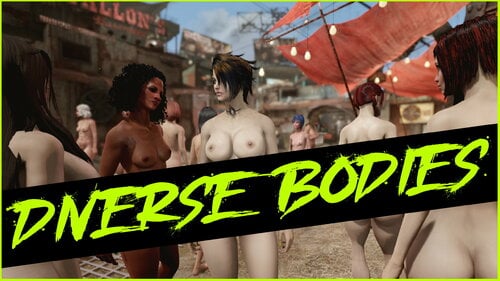
Diverse Bodies Redux
By Evi1Panda
This is redux of my old mod Diverse Bodies.
If you really want to, but don't understand anything...
Requirements
Game version 1.10.163.x (not NG)
F4SE
LooksMenu exactly official 1_6_20 version, not any forks
Newest C++ VC Redist
optionally More Pubic Hair Overlays
optionally Fuzz - Bodyhair overlays - BT
optionally any your hair, tattoos, nails mods.
First of all: this is a kind of framework that does NOTHING on its own. In other words, in order for your game to start delighting you with a variety of characters, you need:
In order to see different bodies in clothes, you need the body slides to be tied to your clothes. This functionality is provided by bodies such as CBBE, Fusion Girl, TWB, 3BBB, BodyTalk, and so on. The mod itself does not have any binding or dependence on the body you use, but you will need presets specifically for your body type. In addition, clothing must have slides “bound” to the slides of your body type. The standard practice is to do this using Bodyslide & Outfit Studio, and many clothes already have such bindings to popular body types freely available as part of a clothing mod or as separate modifications. For more information on how to do this yourself, see the Bodyslide & Outfit Studio mod page.
In order to apply tattoos, hair, and nails, you will need various mods and presets. I have attached what I have managed to do for my own use, but it is important to understand that in order for all of this to take off, support from the modding community is needed. How convenient it will ultimately be depends on how many ready-made presets with descriptions there will be and how much modders will get involved in the process, because I certainly can't do it alone.
I use CBBE and BodyTalk in my game. I'm not saying that CBBE is better or worse than Fusion Girl/TWB and other mods — it just happened that way historically, and it's too difficult for me to redo everything now.
To help you understand how it works, I have written a guide in Russian and English.
MANUAL IN RUSSIAN | MANUAL IN ENGLISH
FEATURES
Applying presets from the Looks Menu (json) randomly or deliberately to different game characters.
Additionally: applying presets for Bodyslide (xml) in terms of body morphing.
A system of conditions that allows you to finely tune the rules for applying various presets or groups of presets.
Separate application of morphing for bodies, body hair, tattoos, nails, and heads. This allows you to achieve random and planned results.
WARNINGS:
Presets that were provided with previous versions will not work in version 2.4.0+.
Uncompatible with all mods that replaces face meshes to HiPoly. In my tests, any version of these mods completely broke the physics of clothing and hair. I do not recommend using them.
Available sources
>>> CPP SOURCES <<<
If you'd like to support the ongoing development, you can donate here. It's never required but always deeply appreciated!
5906 downloads
Updated
-
Transfer Settlements - Longfellow Estates at Archers Point
By msmfoster
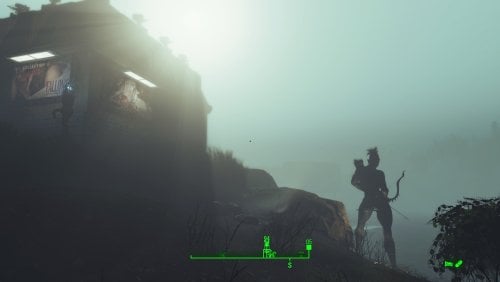
Transforms Longfellow's rugged island into a premier seaside locale. Featuring the iconic Lynn Woods Tower as a historic lighthouse and a fully refurbished boardwalk, this build offers a stark, brightly-lit contrast to the gloom of the Fog. The build is dotted with nude elven archer statues, hence Archers Point.
Details on this build: Added the Lynn Woods Tower as a historic lighthouse on the rocks. Lit and visible from afar, even in fog. Replaced the boardwalk with a functional version which now leads straight to the beach. Added gift shop housing general/clothing store and gym. Added dedicated medical facility with surgical bays. Replaced the Longfellow's Cabin with a combination bar and workshops. Longfellow can now enjoy a cold one any time of the day. Added bunkhouses throughout. The two by perimeter serve as weapon platforms for fog threats. Wrought iron fence beach-to-beach. Bubble turrets on concrete posts defend openings/outer areas. Large pump house with windows located along the shore. Windows and lights make it clearly visible to those huddling for warmth at Far Harbour. Added beach side decor: Lifeguard shack, seaside bar, parasols, and deck chairs. Placed several large Skyrim statues of nude elf archers throughout. Radiators/power lines run underground in key areas for remote lighting without view obstruction. Every building has independent power. Settlement Features 32 bunks. 100+ food. 1125+ defences. 420 power. 120 water. Tier 3 Medical, Restaurant, Clothing, and General Store. Dedicated gym area. Vault-Tec drink dispenser and slot machines. Working sinks and showers. Power mostly runs through conduits to minimise visible power lines. Cat and dog included in the build. No visual glitches observed from this build. Requirements Downloadable Content Far Harbour Contraptions Workshop Vault-Tec Workshop Wasteland Workshop Modern Furniture Workshop Pack (Optional) Home Decor Workshop Pack (Optional) Arcade Workshop Pack (Optional) Nuka-Cola Collector Workshop (Optional) Virtual Workshops – Capital Wasteland (Optional) Hard Requirements Transfer Settlements. To import this blueprint. Scrap Everything or an equivalent. To clear out the area as per Setup Instructions. Homemaker. Primary build components for most of the settlement, decorations, furniture, and miscellaneous objects. Settlement Objects Expansion Pack. Fusion generators, railings, pools, foundation liners, cooking station, and water pumps. Beach Workshop. Core elements related to making this a viable beach side resort. Note. Transfer Settlements will not add items if the mods are missing. Mods listed below are not required but will remove associated elements. Soft Requirements Craftable Working Sinks and Showers Redux. Working sinks and showers. Erotic Art. Frames and pictures used throughout. Advanced Bubble Turret Set (Realistic No Power version). Additional defensive capability around the fence line. Working Fridges. Simple mod that adds working fridges, ice machines, and vending machines. Working Washer and Dryer (Immersive Laundry). Player functional laundry machines and dryers with sound effects. Nice to Have Armour and Weapon Keywords Community Resource. Additional types of workshops, namely power armour. Videos of the Wasteland. Working televisions and projectors. Invisible Furniture. Adds invisible markers that are used as idles for settlers and pets. TRX Trixter Statues Collection. Skyrim styled statues for aesthetics. Gruffydd's Signs and Posters. Billboards and signs. Crazy Sex Animations. Invisible mats that make settlers happy through masturbation, done without using the Advanced Animation Framework, and additionally places assignable gurneys that increase happiness. Sex Toys of the Commonwealth. Adds the random placement of sex toys throughout. Bad Dragon Dildos. Adds more extreme dildos throughout. Unrelated But Useful Place Everywhere. Allows you to make minor adjustments if necessary. Armour Rack Female Mannequin Fix. Fixes the armour rack to support alternate bodies like Fusion Girl. Setup Clearing the area can be done quickly. Still, save often just in case you scrap a cliff or dirt terrain that may lead to visual glitches. Be sure to maintain cliffs and dirt mounds to avoid visual glitches. Clear trees from the line drawn by the tree trunk that has fallen over the path leading into the settlement all the way back to the end of the point. Note. Visual glitches have been noted when scrapping terrain near the path leading to Longfellow's cabin. Build a Transfer Settlements console from Power > Miscellaneous on the rocks in front of Longfellow's Cabin. Note. Import should be done with Workshop Mode enabled. Tasks After Import No additional requirements other than to confirm that all power has been restored as expected. Want to have permanent bikini-clad settlers hanging around the beach? Do the following: Position yourself at a prime location by the beach. E.g., fire pit. From the console type: Player.PlaceAtMe 20593 5 This will spawn five settlers. Want to change a NPC? From the console select the NPC and type: recycleactor Using something like Crazy's Multi-tool, strip the NPC, and open their inventory to add in appropriate clothing. Additionally you can do it from the console. Repeat the above for more settlers using the idles. Notes on Imports Transfer Settlements recommends leaving the area after import and to not return for 1-2 game days. However, I found that saving on site always crashes the game. The easiest way to get away and save is to coc Vault111Ext from the console. Wait a couple of minutes before heading into the vault. Once you arrive at the bottom it is safe to save. I recommend that you import/export Blueprints using Stable defaults. Using other methods has caused ladders, walls, and flooring to appear without collision. In many cases the collision effects are found elsewhere leading to interesting behaviours among the NPC population, and leading to a snap back effect as you push through an area and are forced back by the invisible wall. Note. This blueprint was tested with Transfer Settlements working under Stable. Lastly Import wired power connections should always be selected as part of the import process. It will reliably re-connect all wired connections. This saves you the trouble of linking up floors, turrets, and in some cases re-establish connections for hidden or buried runs. Notes on Power and Performance These blueprints utilize ambient fill lighting to provide a pervasive glow. I use Naked Bulbs to create a lived-in atmosphere for statues, fountains, and roof voids. Warning for Dynamic Lighting Users If you use mods that turn all lights into dynamic, shadow-casting sources, the sheer number of these bulbs will severely cripple your framerate. I strongly recommend using the Transfer Settlements Blueprint Editor to strip out all instances of 306F1 before importing. Optimization for Complex Builds: Because of the heavy use of conduits to reduce visible power lines, these settlements have high object counts. The steps below may improve performance. Enable Faux Power in the Workshop Framework's workbench settings. Use the Transfer Settlements Blueprint Editor to strip all conduits from the .json file. This can reduce build complexity by up to 40% without losing the overall aesthetic of the settlement. Note. I cannot guarantee the above will work. A Special Thanks To Thank you to Caladon for creating the template that makes blueprints installable. Updates Version 2.0.0 Complete rebuild of the design. Improved NavMesh for the wooden path Optimized Erotic Art to go with my Classic Erotic Art Retexture. Increased size of the Shamrock Pub, which allows for a player home on the second level. Added some Anniversary Edition lighting and furniture in some spots. Version 1.0.0 Initial release of this build.
107 downloads
Updated
-

Nuka Ride: 7.1.4 traduccion a español
es una traducción en proceso si ves algún error en la traducción es porque pues estoy traduciendo esto yo solo . _. y pues son muchos diálogos e,e y los problemas de luz y mas huevadas. :3 en fin disfruta o yo que se XD
descargar el mod original bla bla bla bla bla ya me voy a mimir bye
32 downloads
Submitted
-
Commonwealth Slavers - Female Protagonist Patch-0.5.3.zip
By MegaRayRat
Commonwealth Slavers - Female Protagonist Patch-0.5.3.zip
made for Commonwealth Slavers 2.9.2
For normal female protagonist(non-futa), fusion girl body don't normally spread lips apart. Randomly gay animations recalled. It's really weired to see Nora and Morphy sucks Gristle's dick together on the campsite and other FMM animations in gay pose. This patch solved problems above.
I made this patch using the matched UAP-improved animations instead of the CS's for scenes in quests and avoid gay threesome at certain scenes.
Requirements:
(UAP) Ultimate AAF Patch v2.6.64-1 (EAP) Extended AAF Patch v1.11 Commonwealth Slavers v2.9.2117 downloads
- commonwealth slavers
- patch
- (and 1 more)
Submitted
-
Wash That Body - Player Blood Cleaner
By Rhivens_
DESCRIPTION
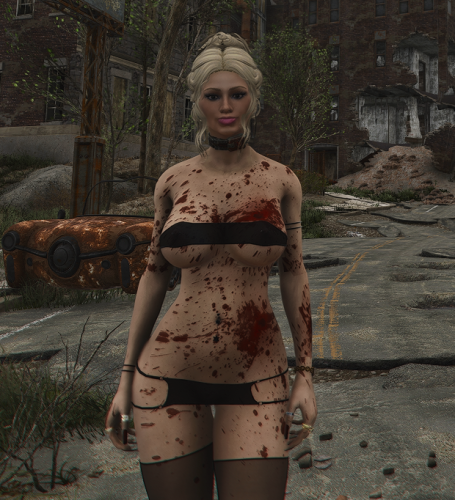
Tired of reloading an old save just because your player character is covered in blood after a fight?
Wash That Body – Player Blood Cleaner gives you a simple manual way to clean blood from your character whenever you want, without touching nearby NPCs and without removing tattoos, makeup, tints or body overlays.
Just press the configured hotkey during normal gameplay and the blood is gone.
Wash That Body cleans:
- Blood decals from the player's body
- First-person and third-person character models
- Equipped weapon blood effects
- Screen blood splatter
It does NOT remove:
- Tattoos
- Body overlays
- Makeup
- Mascara effects
- Lipstick
- Eyeshadow
- Other LooksMenu cosmetic overlays
Nearby NPCs are not affected.
The plugin is completely standalone. It contains no ESP/ESL, Papyrus scripts, quests or MCM, and does not require any external blood-cleaning mod.
REQUIREMENTS
- Fallout 4 OldGen 1.10.163
- F4SE 0.6.23
That's all.
Wash That Blood Off is NOT required.
This build is specifically made and tested for Fallout 4 OldGen 1.10.163.
Next-Gen is NOT supported by this build.
INSTALLATION
Install with Mod Organizer 2 or another mod manager.
The package contains:
F4SE\Plugins\WashThatBody.dll
F4SE\Plugins\WashThatBody.ini
There is no ESP/ESL plugin, so Wash That Body does not consume a load-order slot.
USAGE
The default hotkey is:
P
Simply press the hotkey during normal gameplay whenever you want to clean blood from your character.
There is no automatic cleanup and nothing is triggered when loading a save.
SETTINGS
The hotkey can be changed in:
Data\F4SE\Plugins\WashThatBody.ini
Default configuration:
[Hotkey]
KeyCode=80
80 corresponds to the P key.
Replace 80 with the desired Windows Virtual-Key code.
The INI file contains a comment linking directly to Microsoft's official Virtual-Key Codes reference, making it easy to find the correct value for another key.
If the INI file is missing or the setting cannot be read, the built-in default remains P (80).
No MCM is required.
COMPATIBILITY
Wash That Body does not replace textures or edit Fallout 4 records.
It should therefore be compatible with most:
- Blood mods
- Body replacers
- Tattoos
- LooksMenu overlays
- Makeup
- Texture replacers
Version 0.2.2 was tested with the player simultaneously displaying extensive blood decals, multiple tattoos, body overlays, makeup and running mascara.
Only the blood was removed.
Nearby bloody NPCs remained unchanged.
Repeated cleanup operations were also tested without crashing.
Compatibility with every possible heavily modded setup cannot be guaranteed.
UNINSTALLATION
No special uninstall procedure is required.
The plugin does not use an ESP, Papyrus scripts, quests or persistent save-game data.
Simply remove:
F4SE\Plugins\WashThatBody.dll
F4SE\Plugins\WashThatBody.ini
INSPIRATION / ACKNOWLEDGEMENTS
Wash That Body was originally inspired by powerofthree's Wash That Blood Off.
During development, an early prototype used an internal cleanup routine from Wash That Blood Off as a technical reference.
For the standalone version, the cleanup system was independently implemented directly inside Wash That Body's own F4SE plugin.
Wash That Body does NOT include, redistribute or require the Wash That Blood Off DLL or any of its assets.
Many thanks to powerofthree for the original inspiration and for suggesting that the cleanup function could be implemented directly inside my own F4SE plugin.
CREDITS
- powerofthree – Wash That Blood Off, original inspiration
- LucaDotGit – OldGen-compatible CommonLibF4 fork
- F4SE contributors
- CommonLibF4 contributors
PROJECT DOCUMENTATION
Public documentation for Wash That Body is available on GitHub:
https://github.com/Rhivens/Rhivens-Fallout4-Mods/tree/main/Wash-That-Body
Wash-That-Body
The public repository contains the mod documentation, requirements, usage information, compatibility notes and development details.
PERMISSIONS
Translations, patches, forks, modifications and improvements are welcome under the repository-wide permissions policy.
Proper credit is appreciated.
Third-party frameworks and components remain subject to their respective licenses.
CHANGELOG
Version 0.2.2
- Initial public release
- Standalone player-only blood cleanup
- Removes body blood decals
- Handles first-person and third-person models
- Clears equipped weapon blood effects
- Clears screen blood splatter
- Preserves tattoos, makeup, tints and body overlays
- Does not affect NPCs
- Configurable INI hotkey
- No ESP, Papyrus, MCM or external cleaning dependency
- Fixed unsafe decal-node identification discovered during development
- Tested successfully on Fallout 4 OldGen 1.10.163 / F4SE 0.6.23
115 downloads
Submitted
-
Pickman's Whisper
By Oohtre
Pickman’s Whisper
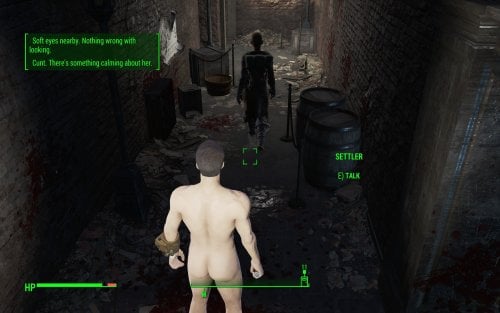
Continue Pickman’s legacy. Pick up the instrument of his art—his gift—and hear the voice of the blade turn the wasteland into your canvas, painted with the blood of anonymous NPCs that, all of a sudden, catch your eye. You know them. You even name them, because you know them like an old friend. Why do they not seem to know their own name? Is it because they are arrogant? Well, you’ll teach them the cost of their hubris. Haughty bitches. Why won’t the voices stop?
Pickman's Whisper is a serial killer simulator. Not for the weak of mind or easily offended. It pairs well with Necromantic.
This mod is under active development.
Restrictions
The mod requires an unmodified Pickman's Blade to function.
Features
Older Versions
444 downloads
Updated
-
A-Body V2 WIP Release
By Allnarta
MOD FINALLY GOT OFFICIAL UPDATE ON NEXUSMODS. FROM NOW ON I WILL ONLY UPDATE IT THERE AND WILL LEAVE THIS FILE JUST IN CASE.
https://www.nexusmods.com/fallout4/mods/66788
5847 downloads
Updated
-
Triggerwoman - Brothel in London
By Plite
This is a patch for the Triggerwoman mod, which moves the brothel "Secrets of Chestnut Hill" from Commonwealth to London. The brothel workers had to urgently flee to London, fleeing the massacre, due to the fact that one of their prostitutes killed a Diamond City security guard. Now the brothel is located near Lewisham Dock, and is called "Secrets of London Ruins". If you have "Fallout: London" installed, your heroine has the opportunity to earn tickets at the very beginning of the game. And there are grocery stores there. And your heroine can live there, because there is a personal bed for her.
The English and Russian versions of the patch are presented here.
Important note:
This place is a good home for the player, combined with work. There is a bed in the brothel where your heroine can sleep, as well as vendors from whom she can buy food. There are many mods that add a home for the player, but Triggerwoman is the only mod that allows you to work from home without going outside. In order to start working there, you just need to talk to Ruby, whom you will meet as soon as you enter the brothel.
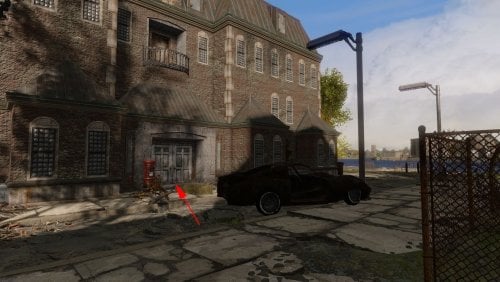
Well, since the "Secrets of London Ruins" are secret, it doesn't have a marker on the map. So you need to look for a brothel here:
The initial dialogue with Ruby corresponds to the location of the brothel. Also in the dialogues, the money that the heroine receives is called what they are called in London - tickets.
Requirements:
Fallout: London - necessarily, hard requirement (this patch was tested in Fallout: London v1.03).
Triggerwoman - necessarily, hard requirement.
Recommendation:
If you want to add a doctor to the brothel, and you want vendors to sell not only food, but also weapons, then I recommend additionally installing my "Triggerwoman Alive or Brothel is Best Home" patch.
Load order:
Triggerwoman.esp (the main file of the Triggerwoman mod)
TriggerwomanFurniturePatch.esp (if you downloaded this patch from here and installed it)
TriggerwomanContraceptivesFromSellersPatch.esp (if you downloaded this patch from here, and you also have the mod Family Planning Enhanced v2.710 and you have installed both of them)
TriggerWomanLondonPatch.esp (the patch from this page)
Thanks:
TeamFOLON for creating Fallout: London
Heinzelman for creating the Triggerwoman
ElminsterAU for creating xEdit and keeping it updated through years
31 downloads
- triggerwoman
- brothel
- (and 2 more)
Updated
-
morphs Additional sliders for Fusion Girl v1.89
By DragAndPlace
==== WHAT'S THIS? ====
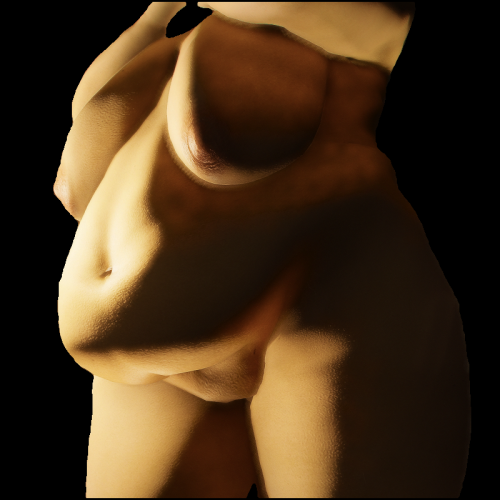
These are sliders to add to Fusion Girl on Outfit Studio. Any suggestions on what to port next or a new slider to be created are welcome!
==== HOW TO USE ====
These are sliders to be imported to Fusion Girl 1.89. You can either use the .tri file or the .obj's individually as follows:
- Using the .tri file:
* Open the 'FusionGirl-Nude' project on Outfit Studio.
* Look into the 'Sliders' dropdown and then 'Import', then select 'Import TRI morphs'.
* You will be shown dialogue with an extensive list of sliders. Do not forget to check 'Merge sliders' and click 'Ok'.
- Using the .OBJ's:
* Open the 'FusionGirl-Nude' project.
* Go to the 'Sliders' dropdown menu and select 'New Slider'.
* You will be prompted to name it. You could name it anything, but I recommend naming the slider the same as the .OBJ you will be importing. Refer to the list at the end of section
* On the bottom right, where all the sliders are listed, search for the slider you just created and click on the pencil icon to its left.
* Look into the 'Sliders' dropdown again and select 'Import' -> 'Import to active slider' -> 'Import OBJ...'
* Do it for any sliders you want to add.
Now you will have the sliders for the naked body. If you want to use it on outfits, load the FusionGirl project and then conform the pieces.
The added sliders are:
- BBW
- BellyDiameterIn
- BellyDiameterOut
- BellyFatty
- BellyLineaAlba Depth
- BellyLineaAlba Under
- BellyLowerFat
- BellyPotBelly
- BellyPrego
- BellyRotateUp
- BellyThicker
- BellyThinner
- BellyUnderCrease
- BellyUpperFat
- BreastImplant
- BreastImplantTypeOne
- BreastSagTypeOne
- BreastSagTypeTwo
- FUPA
- HipWider
- JaneBody
- NavelDepth
- NavelHorizontal
- NavelSize
- ThighApart
- ThighOuter
- ThighThicker
- Vulva Skin Correct
The 'Data' folder is for the sliders to show up neatly organised on BodySlide. Make it replace the original SliderCategories found in regular Fusion Girl
==== CREDITS ====
Everyone involved in BodySlide and Outfit Studio and Fusion Girl.
@Nightasy for creating JaneBod, of which some of the sliders were based on.
==== PERMISSIONS ====
Being a resource, this is of course open!
==== TOOLS USED ====
Outfit Studio
Blender
212 downloads
Updated
-
Transfer Settlements - Zimonja Broadcasting Station
By msmfoster
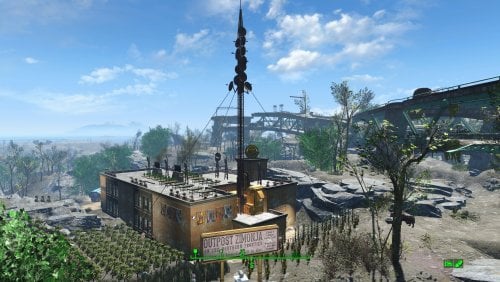
A Transfer Settlements blueprint that completely re-imagines Outpost Zimonja into a pre-war television broadcasting station. Elements of the studio and stages remain to this day. Details on this build: Two storey structure First deck: Workshop, clothing store, medical area, bathrooms, shops and lounge. Second deck: Bunks, control space, sound stages, bathrooms. Roof: Additional space for food production. Antenna is incorporated into the build, but should be rotated to align with the main structure. Antenna area on the second deck contains industrial equipment that appears like an amplifier bank. Powered turret batteries located outside the primary build area to provide additional protection. Note. If you are using Companion Ivy the antenna can be removed as it will be replace with Ivy's radio antenna. Settlement Features 30 bunks. 145+ food. 585+ defence. 200 power. 60 water. Tier 3 Medical, Restaurant, Clothing, and General Store. Dedicated gym area. Vault-Tec drink dispenser and slot machines. Working sinks and showers. Power mostly runs through conduits to minimise visible power lines. Settlers appear able to move freely, with minimal difficulties observed. Cat, and dog included in the build. No visual glitches observed from this build. Requirements Downloadable Content Contraptions Workshop Vault-Tec Workshop Wasteland Workshop Far Harbour Hard Requirements Transfer Settlements. To import this blueprint. Scrap Everything or an equivalent. To clear out the area as per Setup Instructions. Homemaker. Primary build components for most of the settlement, decorations, furniture, and miscellaneous objects. Settlement Objects Expansion Pack. Fusion generators, railings, pools, foundation liners, cooking station, and water pumps. Note. Transfer Settlements will not add items if the mods are missing. Mods listed below are not required but will remove associated elements. Soft Requirements Craftable Working Sinks and Showers Redux. Working sinks and showers. Erotic Art. Frames and pictures used throughout. Working Fridges. Simple mod that adds working fridges, ice machines, and vending machines. Working Washer and Dryer (Immersive Laundry). Player functional laundry machines and dryers with sound effects. Singing Settler. Used for the singing settler and flooring. Nice to Have Armour and Weapon Keywords Community Resource. Additional types of workshops, namely power armour. Videos of the Wasteland. Working televisions and projectors. Gruffydd's Signs and Posters. Billboards and signs. Crazy Sex Animations. Invisible mats that make settlers happy through masturbation, done without using the Advanced Animation Framework, and additionally places assignable gurneys that increase happiness. Sex Toys of the Commonwealth. Adds the random placement of sex toys throughout. Bad Dragon Dildos. Adds more extreme dildos throughout. Companion Ivy. If you happen to have Ivy as a companion, one of her broadcast towers will be added in an out of the way area.
Unrelated But Useful Place Everywhere. Allows you to make minor adjustments if necessary. Armour Rack Female Mannequin Fix. Fixes the armour rack to support alternate bodies like Fusion Girl. Setup Clearing the area is relatively straightforward. Scrap everything except for the antenna itself. Note. If you are using Companion Ivy this settlement is a great candidate for 'ScrapAll'. Build a Transfer Settlements console from Power > Miscellaneous near the rocks behind the antenna. The small patch you can easily walk over facing the overpass. Note. Import should be done with Workshop Mode enabled. Tasks After Import Confirm that all power has been restored as expected. Additionally if you want everything to look clean, do the followowing: Select the antenna. From the console: modangle z ZZ Recommend increments of 5 until for the above until you can dial it in. Adjust the above using Z or -Z until it aligns properly. Optional It is possible to move the workshop so it aligns with the settlement Do the following steps in order: Place a new workshop from Homemaker. Select the new workshop and use the following: getpos z getpos x getpos y getangle z Scrap the new workshop as it is not functional. Select the original workshop and apply the values procured: setpos x XX setpos y YY setpos z ZZ setangle x XX setangle y YY setangle z ZZ Notes on Imports Transfer Settlements recommends leaving the area after import and not return for 1-2 game days. However, I found that saving on site always crashes the game. The easiest way to get away and save is to coc Vault111Ext from the console. Wait a couple of minutes before heading into the vault. Once you arrive at the bottom it is safe to save. I recommend that you import/export Blueprints using Stable defaults. Using other methods has caused ladders, walls, and flooring to appear without collision. In many cases the collision effects are found elsewhere leading to interesting behaviours among the NPC population, and leading to a snap back effect as you push through an area and are forced back by the invisible wall. Note. This blueprint was tested with Transfer Settlements working under Stable. Lastly Import wired power connections should always be selected as part of the import process. It will reliably re-connect all wired connections. This saves you the trouble of linking up floors, turrets, and in some cases re-establish connections for hidden or buried runs. Notes on Power and Performance These blueprints utilize ambient fill lighting to provide a pervasive glow. I use Naked Bulbs to create a lived-in atmosphere for statues, fountains, and roof voids. Warning for Dynamic Lighting Users If you use mods that turn all lights into dynamic, shadow-casting sources, the sheer number of these bulbs will severely cripple your framerate. I strongly recommend using the Transfer Settlements Blueprint Editor to strip out all instances of 306F1 before importing. Optimization for Complex Builds: Because of the heavy use of conduits to reduce visible power lines, these settlements have high object counts. The steps below may improve performance. Enable Faux Power in the Workshop Framework's workbench settings. Use the Transfer Settlements Blueprint Editor to strip all conduits from the .json file. This can reduce build complexity by up to 40% without losing the overall aesthetic of the settlement. Note. I cannot guarantee the above will work. A Special Thanks To Thank you to Caladon for creating the template that makes blueprints installable. Updates Version 1.0.0 Initial release of this build.
45 downloads
Submitted
-
Transfer Settlements - The Slog Recreational Facility
By msmfoster
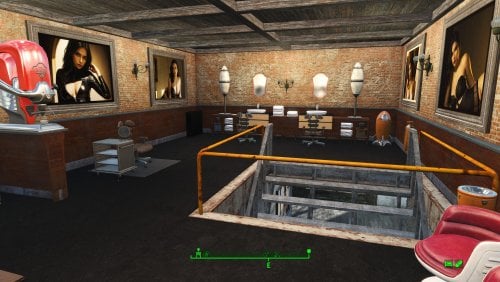
A Transfer Settlements blueprint that attaches a multi-level administrative building to the shower facilities and adds a greenhouse. The end effect increases bunk space and food production, while simultaneously increasing defensive capabilities.
Details on this build:
Main building houses shops and medical facilities with a central lounge area. Open warehouse over the settlement workshop for workbenches and additional turrets. Large greenhouse provides additional defensive capability in that area. Brick structure added to the main building. First deck: Contains washrooms, gym, and kitchen. Second deck: Contains bunks, and the third houses a barber shop. Third deck: Contains a barbershop, massage table, and spa. Easy roof access of The Slog through the administrative building.
Note. It is possible to open up a doorway between The Slog and adjoining administrative building. However, NPCs will not use it and it may cause visual glitches. Save before you scrap the wall.
Settlement Features
25 bunks. 130 food. 630+ defence. 260 power. 60+ water. Tier 3 Medical, Restaurant, Clothing, and General Store. Dedicated gym area. Vault-Tec drink dispenser and slot machines. Working sinks and showers. Power mostly runs through conduits to minimise visible power lines. Cat and dog included in the build. No visual glitches observed from this build.
Requirements
Downloadable Content
Contraptions Workshop Vault-Tec Workshop Wasteland Workshop Far Harbour
Hard Requirements
Transfer Settlements. To import this blueprint. Scrap Everything or an equivalent. To clear out the area as per Setup Instructions. Homemaker. Primary build components for most of the settlement, decorations, furniture, and miscellaneous objects. Settlement Objects Expansion Pack. Fusion generators, railings, pools, foundation liners, cooking station, and water pumps.
Note. Transfer Settlements will not add items if the mods are missing. Mods listed below are not required but will remove associated elements.
Soft Requirements
Craftable Working Sinks and Showers Redux. Working sinks and showers. Erotic Art. Frames and pictures used throughout. Working Fridges. Simple mod that adds working fridges, ice machines, and vending machines. Working Washer and Dryer (Immersive Laundry). Player functional laundry machines and dryers with sound effects. Singing Settler. Flooring for the gym and barber shop.
Nice to Have
Armour and Weapon Keywords Community Resource. Additional types of workshops, namely power armour. Videos of the Wasteland. Working televisions and projectors. Invisible Furniture. Adds invisible markers that are used as idles for settlers and pets. Gruffydd's Signs and Posters. Billboards and signs. Crazy Sex Animations. Invisible mats that make settlers happy through masturbation, done without using the Advanced Animation Framework, and additionally places assignable gurneys that increase happiness. Sex Toys of the Commonwealth. Adds the random placement of sex toys throughout.
Unrelated But Useful
Place Everywhere. Allows you to make minor adjustments if necessary. Armour Rack Female Mannequin Fix. Fixes the armour rack to support alternate bodies like Fusion Girl. Glass Roofs Stop Rain and Snow - Various Mods Patches. Stops rain and snow from going through glass roofs.
Setup
Clearing the area is relatively straightforward:
Cleanup the area removing all beds, showers, furniture and junk. The pool and surrounding areas should be clear of clutter, brush, and park elements. Remove the skylight in the main building it will be replaced with something that works.
Maintain the following:
Maintain the existing food production, since this build will simply add-on to the existing stock. The fire pit besides the boarded up door leading into Arlen's workshop.
A few elements cannot be scrapped normally, in this case you will need to do the following:
Go into the console. Select the object (E.g., Holly or Dierdre's bed). Disable MarkForDelete
Note. Disable first in case you selected the wrong object. In that case Enable will recover the object without consequence.
Build a Transfer Settlements console from Power > Miscellaneous on top of the workshop.
Note. Import should be done with Workshop Mode enabled.
Tasks After Import
No additional requirements other than confirming that all power has been restored as expected.
Notes on Imports
Transfer Settlementsrecommends leaving the area after import and to not return for 1-2 game days. However, I found that saving on site always crashes the game.
The easiest way to get away and save is to coc Vault111Ext from the console. Wait a couple of minutes before heading into the vault. Once you arrive at the bottom it is safe to save.
I recommend that you import/export Blueprints using Stable defaults. Using other methods has caused ladders, walls, and flooring to appear without collision. In many cases the collision effects are found elsewhere leading to interesting behaviours among the NPC population, and leading to a snap back effect as you push through an area and are forced back by the invisible wall.
Note. This blueprint was tested with Transfer Settlements working under Stable.
Lastly Import wired power connections should always be selected as part of the import process. It will reliably re-connect all wired connections. This saves you the trouble of linking up floors, turrets, and in some cases re-establish connections for hidden or buried runs.
Notes on Power and Performance
These blueprints utilize ambient fill lighting to provide a pervasive glow. I use Naked Bulbs to create a lived-in atmosphere for statues, fountains, and roof voids.
Warning for Dynamic Lighting Users
If you use mods that turn all lights into dynamic, shadow-casting sources, the sheer number of these bulbs will severely cripple your framerate. I strongly recommend using the Transfer Settlements Blueprint Editor to strip out all instances of 306F1 before importing.
Optimization for Complex Builds:
Because of the heavy use of conduits to reduce visible power lines, these settlements have high object counts. To steps below may improve performance.
Enable Faux Power in the Workshop Framework's workbench settings. Use the Transfer Settlements Blueprint Editor to strip all conduits from the .json file.
This can reduce build complexity by up to 40% without losing the overall aesthetic of the settlement.
Note. I cannot guarantee the above will work.
A Special Thanks To
Thank you to Caladon for creating the template that makes blueprints installable.
Updates
Version 1.0.2
Optimized Erotic Art to work with my Classic Erotic Art Retexture. Adjusted power conduits to prevent a snapping glitch from breaking power to most of the settlement. Replaced the skylight with a warehouse variant. Allows for natural light and can also block the rain (with the appropriate mod in place). Added public showers near the pool. Doubled ceiling for a consistent look and feel across my settlements. Added idles throughout.
Version 1.01
Added washers and dryers from Immersive Laundry. Increased the amount of idles found throughout. Closed off the roof access of the adminstrative building, while maintaining the same amont of turrets. Added a salon, spa, and massave parlour mix within the additional space created above.
283 downloads
Updated
-
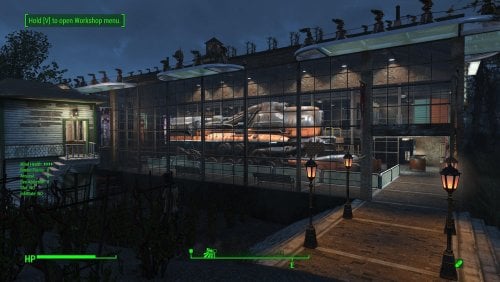
Transfer Settlements - Oberland Station Interpretative Museum
By msmfoster
A Transfer Settlements blueprint that completely re-imagines Oberland Station into a pre-war train interpretative centre. The most notable feature is a multi-level museum with a train engine acting as the centrepiece. This build is a fusion of Homemaker brick walls with vanilla warehouse glass pieces. Details on this build: Three storey structure with a working mechanical level. First deck: Train exhibit, shops, and medical facilities. Second deck: Gym, bunks and washroom facilities. Third deck: Kitchen, bunks, and washroom facilities. Mechanical room: Working laundry, power, water, and workbenches. Repaired the roof for the switching station, while converting it into a barbershop and spa. Added a large water tower to fit in with the overall decor. Hidden radiators and wires are used to power some of the lights. Settlement Features 30 bunks. 175+ food. 630+ defence. 200 power. 90 water. Tier 3 Medical, Restaurant, Clothing, and General Store. Dedicated gym area. Vault-Tec drink dispenser and slot machines. Working sinks and showers. Power mostly runs through conduits to minimise visible power lines. Settlers appear able to move freely, with minimal difficulties observed. Cat, dog, and child included in the build. No visual glitches observed from this build. Note. Warehouse glass pieces add a reflection component that can tank your framerate when you are on the second deck. See Unrelated But Useful for more information on mods that may help. Requirements Downloadable Content Contraptions Workshop Vault-Tec Workshop Wasteland Workshop Far Harbour Creation Club: Arcade Cabinets (Optional) Creation Club: Bunker Homes Pack (Optional) Hard Requirements Transfer Settlements. To import this blueprint. Scrap Everything or an equivalent. To clear out the area as per Setup Instructions. Homemaker. Primary build components for most of the settlement, decorations, furniture, and miscellaneous objects. Settlement Objects Expansion Pack. Fusion generators, railings, pools, foundation liners, cooking station, and water pumps. Note. Transfer Settlements will not add items if the mods are missing. Mods listed below are not required but will remove associated elements. Soft Requirements Craftable Working Sinks and Showers Redux. Working sinks and showers. Erotic Art. Frames and pictures used throughout. Working Fridges. Simple mod that adds working fridges, ice machines, and vending machines. Working Washer and Dryer (Immersive Laundry). Player functional laundry machines and dryers with sound effects. Singing Settler. Used for the singing settler and flooring. Nice to Have Armour and Weapon Keywords Community Resource. Additional types of workshops, namely power armour. Videos of the Wasteland. Working televisions and projectors. Invisible Furniture. Adds invisible markers that are used as idles for settlers and pets. Gruffydd's Signs and Posters. Billboards and signs. Crazy Sex Animations. Invisible mats that make settlers happy through masturbation, done without using the Advanced Animation Framework, and additionally places assignable gurneys that increase happiness. Sex Toys of the Commonwealth. Adds the random placement of sex toys throughout. Bad Dragon Dildos. Adds more extreme dildos throughout. Companion Ivy. If you happen to have Ivy as a companion, one of her broadcast towers will be added in an out of the way area.
Unrelated But Useful Place Everywhere. Allows you to make minor adjustments if necessary. Armour Rack Female Mannequin Fix. Fixes the armour rack to support alternate bodies like Fusion Girl. Glass Roofs Stop Rain and Snow - Various Mods Patches. Stops rain and snow from going through glass roofs. Glowing Glass Fix. Changes the glass textures to reduce glare and reflection. Setup Clearing the area is relatively straightforward. Remove flora, food, garbage, rubble. Leave the following intact: The existing food production. The switching station, but clear out the inside. The train tracks. Scrapping within the switching station an be risky. To reduce the risk, you can do the following: Select the switching station to get the Reference ID (REFID). REFID.Disable Scrap without risk. REFID.Enable Build a Transfer Settlements console from Power > Miscellaneous on the tracks near the edge of the build area nearest to the switching station. Note. Import should be done with Workshop Mode enabled. Tasks After Import No additional requirements other than to confirm that all power has been restored as expected. Optional There is a brand new settlement workshop near the existing one. This serves as a reference to move the existing workshop in it's place. This is purely for aesthetics, but it does make the settlement look better. Do the following steps in order: Select the new workshop and use the following: getpos z getpos x getpos y getangle z These are the values I extracted: setpos x -45666.39 setpos y -4482.37 setpos z 1583.14 setangle x 0 setangle y 0 setangle z 0 Scrap the new workshop as it is not functional. Select the original workshop and apply the values procured: setpos x -46104 setpos y -4368.05 setpos z 1569.18 setangle x 0 setangle y 0 setangle z 184.34 Note. While the above can be a copy and paste, confirm the values and save prior to making the changes. Notes on Imports Transfer Settlements recommends leaving the area after import and not return for 1-2 game days. However, I found that saving on site always crashes the game. The easiest way to get away and save is to coc Vault111Ext from the console. Wait a couple of minutes before heading into the vault. Once you arrive at the bottom it is safe to save. I recommend that you import/export Blueprints using Stable defaults. Using other methods has caused ladders, walls, and flooring to appear without collision. In many cases the collision effects are found elsewhere leading to interesting behaviours among the NPC population, and leading to a snap back effect as you push through an area and are forced back by the invisible wall. Note. This blueprint was tested with Transfer Settlements working under Stable. Lastly Import wired power connections should always be selected as part of the import process. It will reliably re-connect all wired connections. This saves you the trouble of linking up floors, turrets, and in some cases re-establish connections for hidden or buried runs. Notes on Power and Performance These blueprints utilize ambient fill lighting to provide a pervasive glow. I use Naked Bulbs to create a lived-in atmosphere for statues, fountains, and roof voids. Warning for Dynamic Lighting Users If you use mods that turn all lights into dynamic, shadow-casting sources, the sheer number of these bulbs will severely cripple your framerate. I strongly recommend using the Transfer Settlements Blueprint Editor to strip out all instances of 306F1 before importing. Optimization for Complex Builds: Because of the heavy use of conduits to reduce visible power lines, these settlements have high object counts. To steps below may improve performance. Enable Faux Power in the Workshop Framework's workbench settings. Use the Transfer Settlements Blueprint Editor to strip all conduits from the .json file. This can reduce build complexity by up to 40% without losing the overall aesthetic of the settlement. Note. I cannot guarantee the above will work. A Special Thanks To Thank you to Caladon for creating the template that makes blueprints installable. Updates Version 1.0.1 Optimized Erotic Art for use with my Classic Erotic Art Retexture. Fixed a critical power distribution fault. One entire floor was not receiving power including the Vault-Tec Drink Dispenser. This has been corrected. Added SEO lighting sources. Added Anniversary Edition lighting and arcades. Entirely optional and works without. Version 1.0.0 Initial release of this build.
154 downloads
Updated
-
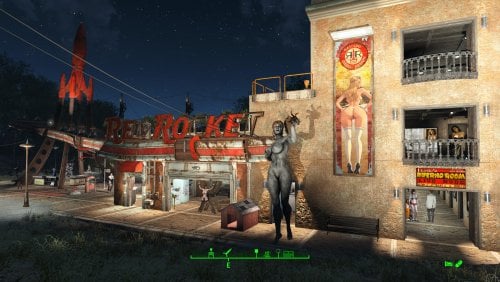
Transfer Settlements - Red Light Entertainment at the Red Rocket
By msmfoster
A Transfer Settlements blueprint that makes the Red Rocket the centre for red light entertainment for the Commonwealth. It creates an annex that houses stripper poles, beds, a gym, and eases access to the roof for food production.
This blueprint integrates nicely with mods like Just Business, Human Resources, and Hookers of the Commonwealth - Settlement Edition to complete the look, but they are not contained within this blueprint.
Details on this build:
Added four-storey annex to the garage. End result is a nearly seamless addition that increases usable space. First Floor: Entertainment rooms and bathrooms. Second Floor: BDSM club, gym, and bathrooms. Third Floor: Kitchenette and bunkhouse. Fourth Floor: Bunkhouse. Food production on the roof of the Red Rocket to maximise floor space for entertainment. Garage is primarily dedicated to workshops. Office area of the Red Rocket converted into a medical facility. Flooring for the area has been changed to red cobblestone pieces from Homemaker. Area for the coolant pumps houses shops, stripper poles, and a singing settler. Hidden radiators and wires are used to power some of the lights.
Settlement Features
28 bunks. 60+ food. 425+ defence. 200+ power. 30+ water. Tier 3 Medical, Restaurant, Clothing, and General Store. Dedicated gym area. Vault-Tec drink dispenser and slot machines. Working sinks and showers. Power mostly runs through conduits to minimise visible power lines. Settlers appear able to move freely, with minimal difficulties observed. Cat and dog included in the build. No visual glitches observed from this build.
Requirements
Downloadable Content
Contraptions Workshop Vault-Tec Workshop Wasteland Workshop Enclave Remnants
Hard Requirements
Transfer Settlements. To import this blueprint. Scrap Everything or an equivalent. To clear out the area as per Setup Instructions. Homemaker. Primary build components for most of the settlement, decorations, furniture, and miscellaneous objects. Settlement Objects Expansion Pack. Fusion generators, railings, pools, foundation liners, cooking station, and water pumps.
Note. Transfer Settlements will not add items if the mods are missing. Mods listed below are not required but will remove associated elements.
Soft Requirements
Craftable Working Sinks and Showers Redux. Working sinks and showers. Erotic Art. Frames and pictures used throughout. Working Fridges. Simple mod that adds working fridges, ice machines, and vending machines. Working Washer and Dryer (Immersive Laundry). Player functional laundry machines and dryers with sound effects. Singing Settler. Used for the singing settler and flooring. Stripper Pole. Adds assignable stripper poles.
Nice to Have
Armour and Weapon Keywords Community Resource. Additional types of workshops, namely power armour. Videos of the Wasteland. Working televisions and projectors. Invisible Furniture. Adds invisible markers that are used as idles for settlers and pets. Gruffydd's Signs and Posters. Billboards and signs. TRX Trixter Statues Collection. Skyrim styled statues for aesthetics. Crazy Sex Animations. Invisible mats that make settlers happy through masturbation, done without using the Advanced Animation Framework, and additionally places assignable gurneys that increase happiness. Sex Toys of the Commonwealth. Adds the random placement of sex toys throughout. Bad Dragon Dildos. Adds more extreme dildos throughout. Torture Devices. Addition of associated torture devices used for the BDSM lounge.
Unrelated But Useful
Place Everywhere. Allows you to make minor adjustments if necessary. Armour Rack Female Mannequin Fix. Fixes the armour rack to support alternate bodies like Fusion Girl.
Setup
Clearing the area is relatively straightforward. Remove brush, garbage, railings, rubble, and sidewalks from the build area. The exceptions are:
The billboard at the edge of the property and the associated hedge row. Thin out the trees to make the sign visible from both sides. The Red Rocket building itself.
Build a Transfer Settlements console from Power > Miscellaneous between the Gas Price sign and guardrail demarking the entrance.
Note. Import should be done with Workshop Mode enabled.
Tasks After Import
No additional requirements other than to confirm that all power has been restored as expected.
Optional
The workshop ends up being lower than the floor level of the motel. This can be corrected with two quick commands:
Select the lantern besides the workshop and type getpos z to get the elevation. Select the workshop itself and type setpos z <value> using the above elevation.
Notes on Imports
Transfer Settlementsrecommends leaving the area after import and to not return for 1-2 game days. However, I found that saving on site always crashes the game.
The easiest way to get away and save is to coc GraygardenExt from the console. Wait a couple of minutes before venturing into the home itself. Once inside wait a few more minutes before saving.
I recommend that you import/export Blueprints using Stable defaults. Using other methods has caused ladders, walls, and flooring to appear without collision. In many cases the collision effects are found elsewhere leading to interesting behaviours among the NPC population, and leading to a snap back effect as you push through an area and are forced back by the invisible wall.
Note. This blueprint was tested with Transfer Settlements working under Stable.
Lastly Import wired power connections should always be selected as part of the import process. It will reliably re-connect all wired connections. This saves you the trouble of linking up floors, turrets, and in some cases re-establish connections for hidden or buried runs.
Notes on Power and Performance
These blueprints utilize ambient fill lighting to provide a pervasive glow. I use Naked Bulbs to create a lived-in atmosphere for statues, fountains, and roof voids.
Warning for Dynamic Lighting Users
If you use mods that turn all lights into dynamic, shadow-casting sources, the sheer number of these bulbs will severely cripple your framerate. I strongly recommend using the Transfer Settlements Blueprint Editor to strip out all instances of 306F1 before importing.
Optimization for Complex Builds:
Because of the heavy use of conduits to reduce visible power lines, these settlements have high object counts. To steps below may improve performance.
Enable Faux Power in the Workshop Framework's workbench settings. Use the Transfer Settlements Blueprint Editor to strip all conduits from the .json file. This can reduce build complexity by up to 40% without losing the overall aesthetic of the settlement.
Note. I cannot guarantee the above will work.
A Special Thanks To
Thank you to Caladon for creating the template that makes blueprints installable.
Updates
Version 1.0.2
Removed the requirement for Erotic Art Expanded. Optimized Erotic Art for use with my Classic Erotic Art Retexture. Adjusted lighting, including the use of SOE light sources. Made adjustments to decorations.
Version 1.0.1
Adjusted power and routing. Conduits within the Red Rocket itself are hidden and smaller fusion generators removed. Added washers and dryers from Immersive Laundry. Closed up the roof, walled and patched to create a forth usable deck. Second deck converted into a club. Most of the rooms are now double walled for aesthetics. Removed requirement for Erotic Art Expanded. Removed Singing Settler lockers, reducing the number of wardrobe malfunctions. Increased the number of idles throughout. Razorgrain fields added along the edge of the settlement for increased food production.
1074 downloads
Updated
-
Captive Tattoos (LooksMenu Overlays / Facial Tattoos / Males / Females)
By JB.
Main Requirements
F4SE LooksMenu CBBE or Fusion Girl for females BodyTalk for males
FACIAL TATTOOS
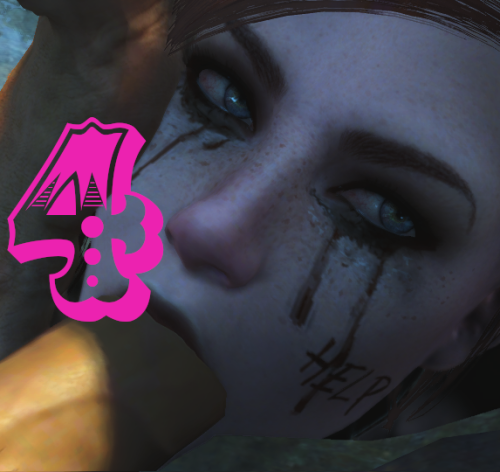
There are +100 facial tattoos/scars/bruises. Compatible with facial textures in 2K and 1K (Vanilla).
Brief tutorial
Write "SLM 14" on the console. Go to "Extras", then "SlaveTattoos", and apply the tattoo you like.
(You can raise and lower the contrast of tattoos).
LOOKSMENU OVERLAYS
There are +750 overlays for women and +100 for men.
Brief tutorial
In third person, take off your clothes Write "TFC" on the console. Exit the console and you will see that you can move the camera around the character. Adjust the angle you like and write "SLM 14" on the console. Go to "Body", then "Overlays", and apply the tattoo you like. When you finish and exit LooksMenu, rewrite "TFC" on the console, to return to the usual camera.
(You can move and adjust the size of the tattoos).
Recommended Mods ✔️
Looksmenu Rotation - Essential for rotating your character and checking tattoos Looksmenu Temp Scroll -I have so many tattoos that this is essential for quickly scrolling up and down! Looks Menu Console Extend - add console command for open selected reference's looks menu Tint Fix - fixes a specific texture compatibility problem that can cause face tints not appearing, tattoos or makeup disappearing and brown or dark faces (Rusty faces)
Used Tools
Nifscope Mudbox Gimp (with Imap addon) Material Editor Bethesda Archive Extractor Creation Kit.
Resources
https://drive.google.com/file/d/1Y-eeOt_LR_pVSpAoD1tTZaXfCWo3unJc/view
443721 downloads
Updated
-
RohZima Fallout 4 Sex Animations for AAF
By RohZima
Here is my AAF sex animations pack for FO4.
Known Issues:
Sounds effects are working (breathing/slapping), no voices though. I'm not planning to do voices. No genital animations, Morphs can be triggered via xml.
Extra Info:
Install the mod just like any AAF mod.
The pack features animations with three suffix types; Tender, Rough & Bound, which tells you what type it is. Most animations take place on some piece of vanilla furniture. For bound you have to use an equip able hand cuff from a mod.
I'll attach two optional files; some equip able vanilla handcuffs, and my workstation mod that makes it easier to add the furniture I use, such as the cinder blocks. The objects are found under furniture/ExtraZ
I am an active long time modder Patreon support is deeply appreciated and is what keeps me contributing to this mod scene since 2017. Endorsements and comments etc are great too! I give a reward to patrons by releasing updates earlier on patreon - thanks to their support I have no intention to quit and a strong desire to improve and offer more content.
Current List of Animations:
Thanks:
Dago, Ulf, Kziitd, Elzee, AAF discord... Andrelo.
Goodbye:
Hope you enjoy the mod, and let me know if you find any other issues or have suggestions.
-Roh
422130 downloads
Updated
-
nsfw NSFW change Intro SPECIAL
By blabla_18
"Following total atomic annihilation, the rebuilding of this great nation of ours may fall to you. That's why we at Vault-Tec have prepared these educational material for you to better understand the seven defining attributes that make you S.P.E.C.I.A.L.."
"Regularly study your Vault-Tec provided materials to prepare for survival, and to answer the question, do you know what makes you S.P.E.C.I.A.L.?"
Today we will focus on Swallow. In this chapter we will focus on Pregnancy. Our topic today is Expansion. And now, Cum, what is it made of? Our next area of attention is Interspecies. Now, let's discuss the uses of Anal. It's time we talk about Lesbian. ____________________________________________________________________________________________________________________________
This mod replaces "S.P.E.C.I.A.L." intro videos with NSFW videos.
____________________________________________________________________________________________________________________________
How to install:
- Use "Mod Organizer 2" or "Vortex" to install the seven videos (this avoids overwriting the original videos).
That it.
Warning
There is a low chance of the videos playing. The Bethesda logo video takes priority, while the others retain that low chance of playing.
If you want to prevent the Bethesda logo video from playing (without deleting it), add this to the file in "\Documents\My Games\Fallout4\Fallout4Custom.ini":
[General]
fChancesToPlayAlternateIntro=1
____________________________________________________________________________________________________________________________
Credits:
Swallow Animation: ZMSFM
Character: Lune (Clair Obscur: expedition 33)
Duration: 36 seconds
Pregnant Animation: ZMSFM
Character: Lady Maria (Bloodborne)
Duration: 41 seconds
Expansion Animation: Vreya3D
Character: Tifa (Final Fantasy VII)
Duration: 49 seconds
Cum Animation: ZMSFM
Character: Jinx (League of Legends)
Duration: 25 seconds
Interspecies Animation: ZMSFM
Character: Hunter female (Bloodborne)
Duration: 47 seconds
Anal Animation: Idemi
Character: Maxime Caulfield (Life is strange)
Duration: 48 seconds
Lesbian Animation: Drill3D
Characters: Yuffie&Tifa (Final Fantasy VII)
Duration: 49 seconds
Thanks to them for their work; I am only reworking the video, not the animation.
____________________________________________________________________________________________________________________________
____________________________________________________________________________________________________________________________
This mod is only available here in LoversLab, if you see it outside, it is not me. I don't give my permission to post them elsewhere.
7097 downloads
- replacer
- animated sex
- (and 1 more)
Updated
-
preset Plump preset for JaneBod
By DragAndPlace
IF YOU USE FUSION GIRL, THIS MIGHT INTEREST YOU INSTEAD
==== Description ====
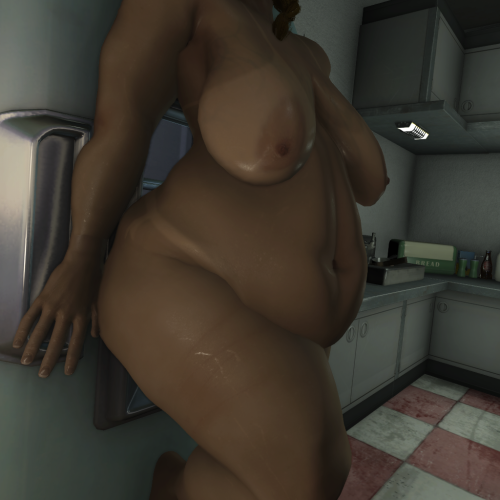
A preset for JaneBody that tries to depict a somewhat realistic shape taking advantage of the many sliders this body has. As some sliders are extreme, there will be clipping in armours that show a lot of skin. However, most vanilla outfits look fine.
You will find seven presets there named 'Fatty', which are the stages this preset has gone through. V7 is the one I consider finished, but the previous ones might suit some outfits better.
==== Permissions ====
Do as you please with this
87 downloads
Updated
-
Hurt Me
By D4NSUM
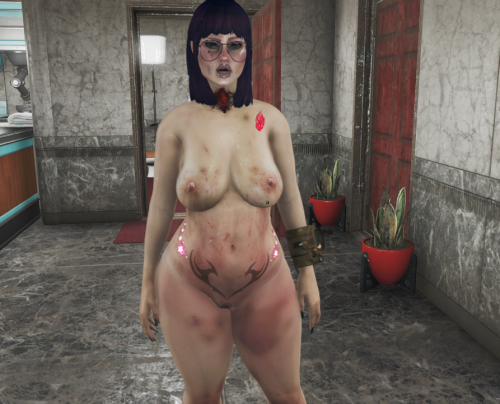
This is my first mod, I think it went pretty well, this is a simple script mod that applies damage overlays to player when an aggressive tagged aaf scene played through aaf api. works with NAF as long as the scene if first triggered through aaf api.
Credits:
jeffey67 for materials and textures
706 downloads
Updated
-
Hurt Me (Amputator)
By D4NSUM
My most ambitious project yet, I made a script to apply amputations to Aggressive/rough tagged AAF scenes. The defaults are 10 percent chance for amputations to occur, and if you have over 50 percent of your hp consumed by RADS you will regrow your missing limbs after 24 in game hours, I wanted to do MCM configs but it turned out to be more difficult than I could figure out. ill come back to it eventually. or if someone else knows better, have at it. PS if anyone does know how to set up MCM configs DM me and teach me pls
237 downloads
Updated
-
Soviet Sex Suits Fo4
By Voidson22222
A port of one outfit from my FNV mod. The outfit is based on inflatable latex suits.
My idea for the lore is that the Soviet Union determined the best way to build relations with the factions of post war America was trough sex and ordered their scientists to make hazmat sex suits for diplomatic missions.
1055 downloads
Updated
-
Aroused blush
By Samhsay
The mod adds three levels of blushing based on arousal. It is based on SexAttributes parameters. This works with both 1K and 2K face textures.
REQUIREMENTS
AAF Things
Sex Attributes
PROBLEMS
I have the feeling that the textures are being applied just a tiny bit lower than they should be.I have the feeling that the textures are being applied just a tiny bit lower than they should be.
FOR MODDERS
1171 downloads
Updated
-
Hurt Me (SFT)
By D4NSUM
Same as my hurt me mod but for the face, uses scripted face tints to apply damage face details during aggressive and rough tagged animations
301 downloads
Submitted


.thumb.png.d476ec0bfca6ca16a086bc179741e360.png)
.thumb.png.ea1cd1c28ec6e6a0dc7025d0ce1ef3ab.png)
![More information about "[The Super Pie Throwing] Nude Princess Rosa"](https://static.loverslab.com/screenshots/monthly_2026_09/Fix2.thumb.png.d09c179da80db64c2e12a8d0f760bb19.png)
![More information about "Deutsche Übersetzung von Home Lacter's : HL_PornStar — Adult Film Career [18+] 0.2.5"](https://static.loverslab.com/screenshots/monthly_2026_08/dddd.thumb.png.5edc466f2fcd9c6592eac6f217aec9cf.png)
![More information about "[Simpossible] ❤️💜💛 Lewd And Cute Sex Animations for WW 💛💜❤️ [54 in total - 19 June 2026] - NEW ANIMATIONS 😘🥵💞🥧"](https://static.loverslab.com/screenshots/monthly_2026_10/MasterClassInPleasingHerPOV.thumb.gif.b2e96d22cf33a0c4381a4bd1cf5acf1a.gif)