Select a subcategory to view available files.
Files From Subcategories
-
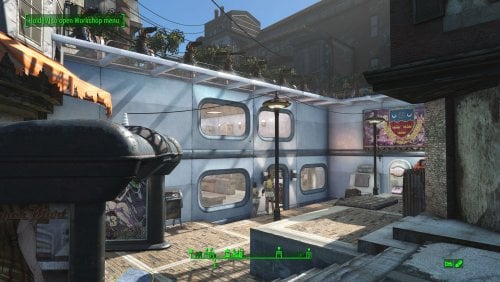
Transfer Settlements - Highrise Living at Hangman's Alley
By msmfoster
Hangman's Alley is a challenging settlement to build with. This Transfer Settlements blueprint uses highrise Settlement Objects Expansion Pack elements that maximises space and enhances overall aesthetics. The overall effect is a compact, clean, and defensible settlement. Details of the Build High-rise pieces used to integrate the structure into the existing alleyway. First deck features a space for shops, booths, workshops and bunks. Second deck is composed of a gym, and additional bunk spaces. Third deck is reserved mostly for mutfruit planters. The third entry space at the top of a wooden set of stairs has been further sealed using Homemaker brick pieces. Heavy turret presence at both entry points, and additional turrets hidden in dead spaces to defend against opponents spawned within the settlement. Key details 22 bunks 90+ food 600+ defence 240+ power 35+ water All Tier-3 stores (Medical, Restaurant, Clothing, General) Dedicated gym area Vault-Tec drink dispensers, and slot machines Fully working sinks, showers, and fridges Power routed through conduits to minimise visible wiring Cat, and dog included Minimal visual glitches observed from this build. Settlers appear to have little trouble moving around the build. Requirements Downloadable Content Contraptions Workshop Vault-Tec Workshop Wasteland Workshop Hard Requirements Transfer Settlements. To import this blueprint. Scrap Everything or an equivalent. To clear out the area as per Setup Instructions. Settlement Objects Expansion Pack. Primary build components for most of the settlement. Fusion generators, railings, pool, foundation liners, cooking station, and water pumps. Homemaker. Decorations, furniture, and miscellaneous objects. Note. Transfer Settlements will not add items if the mods are missing. The following are not required but will remove associated elements. Soft Requirements Craftable Working Sinks and Showers Redux. Working sinks and showers. Erotic Art. Frames and pictures used throughout. Working Fridges. Simple mod that adds working fridges, ice machines, and vending machines. Working Washer and Dryer (Immersive Laundry). Player functional laundry machines and dryers with sound effects. Advanced Bubble Turret Set (Realistic No Power version). Bubble turrets for defence along the outer edge of the playground. Nice to Have Armour and Weapon Keywords Community Resource. Additional types of workshops, namely power armour. Videos of the Wasteland. Working televisions and projectors. Gruffydd's Signs and Posters. Billboards and signs Crazy Sex Animations. Invisible mats that make settlers happy through masturbation, done without using the Advanced Animation Framework, and additionally places assignable gurneys that increase happiness. Sex Toys of the Commonwealth. Adds the random placement of sex toys throughout. Bad Dragon Dildos. Adds more extreme dildos throughout. Companion Ivy. If you happen to have Ivy as a companion, one of her broadcast towers will be added in an out of the way area. Unrelated But Useful Place Everywhere. Allows you to make minor adjustments if necessary. Armour Rack Female Mannequin Fix. Fixes the armour rack to support alternate bodies like Fusion Girl. Setup Clearing the area can be done quickly. Still, save often just in case you accidentally scrap something important like a wall. Note. Any references to left or right are based on coming down the concrete steps. Clear out the area of trash, shrubs, and visible sidewalks within the area below the concrete stairs. Remove any makeshift walls and buildings. The sole exception is the chained door at the top of the refuse pile. Keep that one intact, as it prevents opponents from attacking from there. Remove the workbenches, fridge, and fire barrel. Remove the supports located by the fridge on the right. Remove the overhang located by the weapons workbench on the left, including the thin matching fringe that goes along that wall. Two elements of that fringe will require MarkForDelete to remove. There are two rusted trunkings visible in the alley. Remove the one furthest away from the weapons workbench. This will likely require you to select the object and MarkForDelete from the console. Remove the lowest level of window outcroppings on the left wall, including those around the corner. The blueprint will add build elements to prevent visual glitches. To remove an explosion hazard, mark the truck in the console and MoveTo Player the vehicle to within the settlement. This allows you to scrap it. Alternatively, blow it up ahead of time. A few elements cannot be scrapped normally, in this case you will need to do the following: Go into the console. Select the object (E.g., fringes, trunking). Disable MarkForDelete Note. Disable first in case you selected the wrong object. In that case Enable will recover the object without consequence. Build a Transfer Settlements console from Power > Miscellaneous at the top of the concrete steps to import this blueprint. Note. Import should be done with Workshop Mode enabled. Tasks After Import Confirm that all power has been restored as expected. Notes on Imports Transfer Settlements recommends leaving the area after import and to not return for 1-2 game days. However, I found that saving on site always crashes the game. The easiest way to get away and save is to coc Vault111Ext from the console. Wait a couple of minutes before heading into the vault. Once you arrive at the bottom it is safe to save. I recommend you import/export Blueprints using Stable defaults. Using other methods has caused ladders, walls, and flooring to appear without collision. In many cases the collision effects are found elsewhere leading to interesting behaviours among the NPC population, and leading to a snap back effect as you push through an area and are forced back by the invisible wall. Note. This blueprint was tested with Transfer Settlements working under Stable. Lastly Import wired power connections should always be selected as part of the import process. It will reliably re-connect all wired connections. This saves you the trouble of linking up floors, turrets, and in some cases re-establish connections for hidden or buried runs. Notes on Power and Performance These blueprints utilize ambient fill lighting to provide a pervasive glow. I use Naked Bulbs to create a lived-in atmosphere for statues, fountains, and roof voids. Warning for Dynamic Lighting Users If you use mods that turn all lights into dynamic, shadow-casting sources, the sheer number of these bulbs will severely cripple your framerate. I strongly recommend using the Transfer Settlements Blueprint Editor to strip out all instances of 306F1 before importing. Optimization for Complex Builds: Because of the heavy use of conduits to reduce visible power lines, these settlements have high object counts. The steps below may improve performance. Enable Faux Power in the Workshop Framework's workbench settings. Use the Transfer Settlements Blueprint Editor to strip all conduits from the .json file. This can reduce build complexity by up to 40% without losing the overall aesthetic of the settlement. Note. I cannot guarantee the above will work. A Special Thanks To Thank you to Caladon for creating the template that makes blueprints installable. Updates Version 1.0.3 Added a recruitment beacon on the rooftop of the surrounding buildings. Switch to turn on and off is below it by the scavenger station. Re-added some missing lights and added some SOE light sources for additional illumination. Optimized build to use my Classic Erotic Art Retexture. Version 1.0.2 Adjusted turret positions to ensure they have no effect on player and NPC movement. Slight power tweaks to ease import. Switched to Immersive Laundry. Version 1.0.1 Dog, and cat can now be imported.
374 downloads
- transfer settlements
- settlement
- (and 1 more)
Updated
-
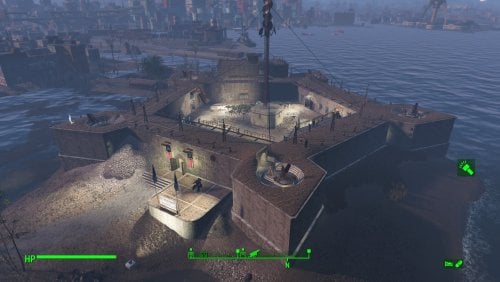
Transfer Settlements - The Castle - Minutemen Rest and Recreation Centre
By msmfoster
A Transfer Settlements blueprint that not only repairs the walls of the Castle, but adds a three-storey annex, along with bars and entertainment for the Minutemen. Not only is the end result armed to the teeth, the recreational facilities encourage settler interaction. This blueprint integrates nicely with mods like Just Business, Human Resources, and Hookers of the Commonwealth - Settlement Edition, but these elements are contained within this blueprint.
Details on this build: Repairs all of the walls using the Homemaker retaining wall elements. This creates a cleaner look that incorporates the cobblestone sidewalk pieces already part of the base build. Three-storey annex that is linked through an entrance in the wall and on the top storey. Houses bunks, bathrooms, and a full gym. Medical bays and a large ward to treat the troops (additional bunk space). Large room reserved for Tier 3 Clothing, General, Armour, and Weapons stores. Siren's Song, a club featuring a large bar, couches, and a singing settler. The General's Quarters features a bar, pole dancers, slot machines, and entertainers. Radio shack has been replaced by a bunker. Glass windows have been added to handle adverse weather. Catwalks have been replaced with warehouse equivalents. Cleaner look, permitting the idles that cannot be scrapped to work with the new structure. Settlement Features 50 bunks. 100+ food. 975+ defence. 420 power. 120 water. All Tier 3 stores. Dedicated gym area. Vault-Tec drink dispenser and slot machines. Working sinks and showers. Power mostly runs through conduits to minimise visible power lines. Settlers appear able to move freely, with some difficulty observed in getting to the first and second storey of the annex. Cat and dog included in the build. No visual glitches observed from this build. Requirements Downloadable Content Contraptions Workshop Vault-Tec Workshop Wasteland Workshop Far Harbour Home Decor Workshop Pack (Optional) Virtual Workshops – Capital Wasteland (Optional) Hard Requirements Transfer Settlements. To import this blueprint. Scrap Everything or an equivalent. To clear out the area as per Setup Instructions. Homemaker. Primary build components for most of the settlement, decorations, furniture, and miscellaneous objects. Settlement Objects Expansion Pack. Fusion generators, glass, railings, foundation liners, cooking stations, and water pumps. Note. Transfer Settlements will not add items if the mods are missing. Mods listed below are not required but will remove associated elements. Soft Requirements Craftable Working Sinks and Showers Redux. Working sinks and showers. Erotic Art. Frames and pictures used throughout. Working Fridges. Simple mod that adds working fridges, ice machines, and vending machines. Working Washer and Dryer (Immersive Laundry). Player functional laundry machines and dryers with sound effects. Singing Settler. Singing settler, and scene rugs (carpeting). Alex Stripper Pole. Adds assignable stripper poles. Advanced Bubble Turret Set (Realistic No Power version). Bubble turrets for defence along the outer edge of the playground. Nice to Have Videos of the Wasteland. Working televisions and projectors. Gruffydd's Signs and Posters. Billboards and signs. Crazy Sex Animations. Invisible mats that make settlers happy through masturbation, done without using the Advanced Animation Framework, and additionally places assignable gurneys that increase happiness. Sex Toys of the Commonwealth. Adds the random placement of sex toys throughout. Unrelated But Useful Place Everywhere. Allows you to make minor adjustments if necessary. Armour Rack Female Mannequin Fix. Fixes the armour rack to support alternate bodies like Fusion Girl. Setup There are two ways the setup can occur: Minutemen Takeover Setup In this scenario, the Minutemen have taken the Castle and cleaned it up for you. For this to happen, you need to leave the area and return. Clearing the area is relatively straightforward. Remove brush, garbage, rubble within the build area. I also typically remove the railings at the top and those outside the main gates. Take your time when removing the walls and roof of the radio shack. You may inadvertently remove key equipment to run Minutemen Radio, such as the antenna. Within the armoury, maintain the tables containing artillery scape and plans, the shelves with turrets, and smaller shelf on the left side when facing the door. Additionally, keep the table in place. The rest can be scraped and will be replaced on import. Note. If you have Companion Ivy installed, remove the antenna as Ivy's radio tower will replace it. Clearing the area can be done quickly. Still, save often just in case you accidentally scrap something important like a wall. Build a Transfer Settlements console from Power > Miscellaneous in front of the workshop. Non-Minutemen Playthrough In this scenario, the Minutemen do not yet exist or you cleared the area yourself and do not want to bring Preston in. In additional to what is listed above, this leaves you with the mirelurk mess to deal with, which cannot be scrapped normally. Fortunately, there is a way to remove the elements and make the Castle a viable settlement. It simply takes time and patience to do so, but the process is straightforward. The steps below work for mirelurk eggs, seaweed, dirt, mud, lichen, and anything else the Minutemen would normally clear out. A few elements cannot be scrapped normally, in this case you will need to do the following: Go into the console. Select the object (E.g., eggs, seaweed, and so forth). You can use the mouse's scrollwheel to find the appropriate target. Disable MarkForDelete Note. Disable first in case you selected the wrong object. In that case Enable will recover the object without consequence. It is highly recommended that you adjust the .ini or get a mod which highlights objects selected in the console. Note. Import should be done with Workshop Mode enabled. Tasks After Import No additional requirements other than confirming that all power has been restored as expected. Notes on Imports Transfer Settlements recommends leaving the area after import and to not return for 1-2 game days. However, I found that saving on site always crashes the game. The easiest way to get away and save is to coc Vault111Ext from the console. Wait a couple of minutes before heading into the vault. Once you arrive at the bottom it is safe to save. I recommend that you import/export Blueprints using Stable defaults. Using other methods has caused ladders, walls, and flooring to appear without collision. In many cases the collision effects are found elsewhere leading to interesting behaviours among the NPC population, and leading to a snap back effect as you push through an area and are forced back by the invisible wall. Note. This blueprint was tested with Transfer Settlements working under Stable. Lastly Import wired power connections should always be selected as part of the import process. It will reliably re-connect all wired connections. This saves you the trouble of linking up floors, turrets, and in some cases re-establish connections for hidden or buried runs. Notes on Power and Performance These blueprints utilize ambient fill lighting to provide a pervasive glow. I use Naked Bulbs to create a lived-in atmosphere for statues, fountains, and roof voids. Warning for Dynamic Lighting Users If you use mods that turn all lights into dynamic, shadow-casting sources, the sheer number of these bulbs will severely cripple your framerate. I strongly recommend using the Transfer Settlements Blueprint Editor to strip out all instances of 306F1 before importing. Optimization for Complex Builds: Because of the heavy use of conduits to reduce visible power lines, these settlements have high object counts. To steps below may improve performance. Enable Faux Power in the Workshop Framework's workbench settings. Use the Transfer Settlements Blueprint Editor to strip all conduits from the .json file. This can reduce build complexity by up to 40% without losing the overall aesthetic of the settlement. Note. I cannot guarantee the above will work. A Special Thanks To Thank you to Caladon for creating the template that makes blueprints installable. Updates Version 1.1.0 Moved power conduits above the ceiling to hide them entirely. Added advanced bubble turrets to strengthen defences around certain areas. Added pubic showers near the exit. Added more decorating elements and lighting. Added a firing range. The sand bags will break apart, spill sand, or explode. Adjusted food production. Switched to bunks within the bunkhouse increasing bed level to 51. Switched Erotic Art to use my own textures. Version 1.0.1 Put new catwalks in due to idles that cannot be scrapped. Cleaner look and feel than the originals. Scrapped the Singing Settler lockers as these tend to cause wardrobe malfunctions. Switched to Immersive Laundry. Doubled up the flooring under the gym.
650 downloads
Updated
-
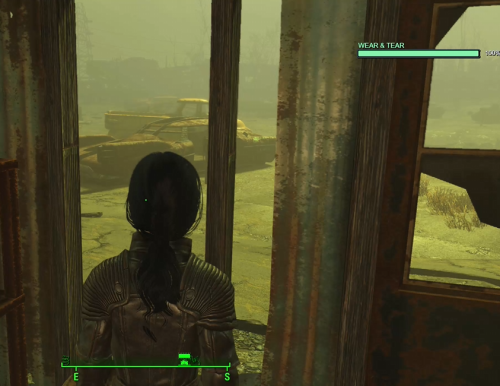
Multi-Player-Menu (MPM)
By Wolfe6900
WARNING: Work-In-Progress (early stages). Bugs are expected — use at your own risk.
Multi Player Manager (MPM) — v1.3.0
Have you felt the Commonwealth was too easy for one survivor? MPM lets you run multiple player identities in one save — each with their own inventory, LooksMenu preset, and MCM options — and swap between them from a terminal hub / MCM.
What it does:
- Up to 10 player slots (inventory + appearance presets; shared skills/XP by default)
- Institute lab alternate start with a terminal to configure/deploy loadouts
- MCM for per-player options, widgets, and MSM profile hooks
- Defeat outcomes (reload, stay as the defeated player, swap-defeat lookalike, late/random fate) with MCM weights — optional soft integrations for captured / Bad End / auction-style flows; optional follower support
- Widgets: Defeat, KFT Struggling, BIP Struggling and etc., incorporated to better immersion on the struggling process.
- Panic Meter + Wear & Tear System: Widget to monitor the Player's Panicking and Sexual Health. (No need for WSS install separately)
Why:
One save, many survivors. Failures and swaps stay part of the journey instead of always reloading the same character.
Requirements (hard):
- Fallout 4 (current F4SE-supported build; built against 1.11.221 / F4SE 0.7.8)
- F4SE — https://www.nexusmods.com/fallout4/mods/42147
- Address Library for F4SE Plugins — https://www.nexusmods.com/fallout4/mods/47327
- Mod Configuration Menu (MCM) — https://www.nexusmods.com/fallout4/mods/21497
- LooksMenu — https://www.nexusmods.com/fallout4/mods/12631
- MCM Settings Manager — https://www.nexusmods.com/fallout4/mods/56195
Soft dependencies (optional features only):
Torture Devices: https://www.loverslab.com/files/file/3341-torturedevices/
Auction House: https://www.loverslab.com/files/file/34256-auctionhouse-fallout-4/
Bound In Public: https://www.loverslab.com/files/file/26548-aaf-bound-in-public-8312023/
KFT: https://www.loverslab.com/files/file/32791-kft-kziitd-fetish-toolset/
Bad End Animation Pack: https://www.loverslab.com/files/file/8183-aaf-bad-end-animation-pack/
Install:
Mod Organizer 2: drop the MPM_v1.3.0 folder in as a mod (or extract so MultiPlayerMenu.esp sits under Data). Enable MultiPlayerMenu.esp. Launch with f4se_loader.exe.
New Game recommended (MPM lab alternate start). Existing saves are unsupported.
Incompatibilities:
- Start Me Up (MPM provides its own alternate start)
- AAF Violate
Appearance tip:
Overwrite LooksMenu presets Male_MPM_01…10 / Female_MPM_01…10 (mirror at start or showlooksmenu player 1, then save over those names).
Known quirks:
- Start mirror: Nora may not visibly swap with Nate up front, but you can still edit her — not game-breaking.
- After deploy/swap, the weapon may briefly draw/sheathe before settling.
101 downloads
Updated
-
Pervert Russian translate
By Samhsay
Ручной перевод этого мода. Перевод самостоятельный, но все зависимости, описания и обсуждения там. В планах перевод пропатченного под него HARDSHIP и TSEX
Если увидите какие-то странности, баги и неработающие скрипты, пишите. Есть вероятность, что накосячил.
И да, может резать глаз смена обращения "ты" и "вы". Я выловил, где нашёл, но вполне мог что-то оставить. Буду играть сам и, по мере прохождения, исправлять опечатки.
993 downloads
Updated
-
GAPE
By riveth
A simple bridge between Sex Attributes and Expanded Holes.
Every time the Wear value increases (typically after a sex scene), this mod applies a gape effect from Expanded Holes. The dilatation amount scales with current Wear — higher Wear means a larger gape and a longer-lasting effect.
Gaping becomes noticeable around Wear 60.
The effect is temporary: dilatation gradually retracts over time and the body returns to normal. The next time Wear increases, the gape is applied again.
Warning: If you use Fusion Girl, you need to download and install PotC FGMP v1.20a FOMOD, then run BodySlide and build the nude body morph+. Otherwise, the gape effect will not be visible.
The mod contains only a modified SA script and does not take up the ESP slot.
Hard requirements:
Sex Attributes
Expanded Holes
for FG users:
PotC FGMP v1.20a
I recommend first installing the exaple dcc patch, which is found in the expand holes files. This simple mod will apply anal dilation after inserting and removing the anal plug from the PotC mode.
2742 downloads
- gape
- expand holes
- (and 4 more)
Updated
-
RMR Config - Fusion Girl (FPE-safe)
By Langmans
RMR Config — Fusion Girl (FPE-safe)
A ready-made MCM configuration for Rad Morphing Redux 2.5.0 on Fusion Girl, covering four triggers at once (Rads, SPECIAL, Cleavage, Arousal) without ever touching a slider that Family Planning Enhanced drives. It is just one file: MCM/Settings/RadMorphingRedux.ini. No ESP, no scripts, no meshes. Drop it in, load a game, hit Reload MCM settings, done.
Why you might want it
Setting RMR up by hand means looking up internal slider names in ZeX-FusionG.xml, working out that thresholds are percentages of the trigger and not raw stat values, and discovering the hard way that negative morph targets silently do nothing on current LooksMenu. This config has all of that already sorted out and commented inline.
It is also deliberately built to coexist with Family Planning Enhanced: not a single one of the twelve Fusion Girl sliders FPE writes to appears anywhere in it. Pregnancy and RMR run past each other without fighting.
Requirements
Core — mandatory
Fallout 4 1.10.163 F4SE 0.6.23 Mod Configuration Menu 1.39 — Registrator2000 LooksMenu 1.6.20 — Expired BodySlide and Outfit Studio 5.8.2 — ousnius ZeX - ZaZ Extended Skeleton 6.0 — TheBottomhoodofSteel ZeX - Fusion Girl 1.75+ — TheBottomhoodofSteel Rad Morphing Redux 2.5.0, installed with at least 20 slider sets — LenAnderson ZeX moved Fusion Girl and the skeleton off Nexus — LoversLab is their current home, so use those pages. LooksMenu, BodySlide, MCM and SUP F4SE have no official LoversLab release; anything you find there is a reupload, so stick to Nexus for those four.
The slider-set count matters.
t is a FOMOD question when you install RMR. This config uses Slider0 through Slider16 (17 sets). Pick fewer than 20 and the higher sets are silently ignored — no error, just fewer effects. More than 20 is fine; the spare sets stay empty and cost nothing at runtime.
Your bodies and outfits must be built in BodySlide with "Build Morphs" ticked.
Without the .tri files nothing can morph, no matter how the config looks.
Triggers
RMR does nothing on its own. Install the ones whose effects you want — any trigger you skip just leaves its slider sets idle, the rest keeps working.
RMR Trigger: Rads 1.0.0 — LenAnderson — drives sets 1-3 RMR Trigger: Cleavage 1.2.0 — LenAnderson — drives sets 4-5 RMR Trigger: Arousal 1.0.0 — Franco Cozzo — drives sets 6-8 RMR Trigger: S.P.E.C.I.A.L. 1.0.0 — LenAnderson — drives sets 9-17 Two of those pull in a dependency of their own:
Cleavage needs SUP F4SE Plugin 11.70 — Sovereignty Arousal needs AAF Sex Attributes - Framework 2.8.0 — twistedtrebla The Arousal trigger reads the global FPA_Value_Arousal (0x01E80D) from FPAttributes.esp. Without Sex Attributes it logs a missing-dependency trace and stays silent.
Nice to have, not required
Installation
Install as a normal mod (MO2/Vortex), or just drop MCM/Settings/RadMorphingRedux.ini into your Data folder. In MO2, place it below RMR 2.5.0 in the left pane so it wins the file conflict. Otherwise RMR's own default config takes priority. Load your save, open MCM → Rad Morphing Redux → Reload MCM settings. Fill in the Cleavage slots — see After installing.
MCM edits this file in place.
Once you change anything in RMR's MCM, MCM writes your setting straight back into MCM/Settings/RadMorphingRedux.ini — and under MO2 that means this mod's own copy of the file, not something in Overwrite. USVFS routes a write to an existing virtual file back to the real file in the winning mod; Overwrite only ever receives files that no enabled mod provides.
Two things follow. The comments survive, because MCM updates individual keys rather than rebuilding the file. But your copy is no longer pristine — a copy of the original ships as docs/rmrconfig/RadMorphingRedux.ini.original, so you can drop that back over the top to reset.
What it does
All 17 sets are player only (iApplyTo=0) and female only (iSex=1).
Rads — wasting away
Cleavage — clothed vs. bare
Arousal
S.P.E.C.I.A.L.
Things worth knowing
Thresholds are percentages, not stat values
Calibrate the rads thresholds to your character
Negative targets do not work
iMorphCalculation is set to 1
Family Planning Enhanced
Companions are not included
────────────────────────────────────────
After installing
Fill in the Cleavage slots, or sets 4 and 5 will never fire.
Slot numbers here are not the Creation Kit biped slot numbers you see in mod descriptions. Both RMR and the Cleavage trigger call Actor.GetWornItem(slot) with a counter running 0-61, which is a different numbering. Don't guess — read them off:
Wear the outfit you want to trigger cleavage Open MCM → Rad Morphing Redux → Equipped Items, or the "Click to show worn clothes" button at the top of any slider set page Note the number next to the garment Enter it in MCM → RMR Cleavage → Slots, actor Player Same function, same numbering, so what RMR shows is exactly what you type. Separate multiple slots with a pipe character.
Tuning
Everything is editable in MCM, or in the ini directly — it is heavily commented.
fTargetMorph is absolute percentage points on the slider: 100 = +1.00 morph. The MCM slider steps in 10s; the ini accepts anything. Slider names are the internal name attribute from Tools/BodySlide/SliderCategories/ZeX-FusionG.xml, including spaces — Boobs Yuge, not BoobsYuge. Separate them with a pipe, no spaces around it. Sliders shared between sets add up. Boobs Big appears in sets 7 and 14 on purpose: max arousal and CHA 10 together give +40. All 45 slider names in this config were verified against ZeX-FusionG.xml.
Credits
LenAnderson — Rad Morphing Redux, the Rads / SPECIAL / Cleavage triggers, and RMR Helper Franco Cozzo — RMR Trigger: Arousal TheBottomhoodofSteel / ZeX — Fusion Girl and the ZaZ Extended Skeleton twistedtrebla — AAF Sex Attributes EgoBallistic — AAF Family Planning Enhanced, and Chosen Clue for the original Haberdasher — HBD_MorphDebug Invictusblade — the original Rad Morphing that RMR is based on This is only a configuration file for their work.
292 downloads
- rad morphing redux
- fusion girl
- (and 1 more)
Updated
-
Vault 144 Quest Russian Translation
By Samhsay
Требуется установить оригинальный мод, потому что в архиве только esm и скрипты. Переводил все с рассчетом на игру женским персонажем. Если увидите какие-то странности в переведенных фразах, несоответствия сценам или что-то в этом духе, пишите и скриньте.
62 downloads
Submitted
-
Skimpy Armour Keyword Archive
By msmfoster
This is a growing archive of RobCo Patcher .ini files designed for use with the Skimpy Armour Keyword Resource (SAKR). These patches are also fully compatible with the Skimpy Armour Keyword Injector. Currently Supported Mods: Anarchist Outfit (CBBE) Angeli Techsuit (CBBE) Azur Lane Atago Baggy TankTop (CBBE) Bikini Soldier Boston Riot Armour BZW Tactical Goth Casdin Caravan Armor Mashup Commonwealth Mini Dresses Commonwealth Shorts (CBBE) Courser X-92 Power Suit Crimson Punk Crimson Rider Prostitute Outfit Devious Devices Desert Punks DX Dark Mistress DX Fetish Fashion Part 1 DX Fetish Fashion Part 2 DX Pornstar Fashion (CBBE) DX Vintage Summer Eve Outfit MGS Snake Eater (CBBE) French Maid Good Vibrations (CBBE) Grease Rat Garbs (CBBE) Gunner Armor Expansion (CBBE) Gunner Operator Jinga Apathy Jinga's Closet No. 3 Jinga Pool Outfit K-Girl Outfits Kziitd Outfit of Hookers Kziitd Fetish Toolset Latex Nurse Uniform Lazman's Jumpsuits Minutemen Enforcer Armor (Vanilla) MM69's Ghoul Hunter More Clothes and Textures (CBBE) Nanosuit Obi's Cozy Classic Outfit (CBBE) Obi's Goth GF Outfit (CBBE) Obi's Random (CBBE) Obi's Sportswear Obi's Urban Cat Outfit (CBBE) Obi's Vault Suit Post Nuclear Outfit (CBBE) Precursor Suit (CBBE) Private Military Company Raider Accessories Raider Punk Outfit Slooty Vault Suit (CBBE) Summer of 69 Dress (CBBE) Tactical Combat Swimwear (CBBE) TankTop (CBBE) TCN Panties and Heels TCN's Pasties Pack No.1 TCN's Pasties Pack No.2 TCN's Bikinis TCN's Dresses TCN's Ero Tech TCN's Kinky Wear TCN's Lingerie TCN's More Panties TCN's Office Skirts TCN's Panties TCN's Platform Boots TCN's Shirts TCN's Sleeveless Dresses TCN's Thick High Heel Sandals TCN's Thong High Heels TERA Business Casual TERA Punk (CBBE) TERA Nurse Uniform (CBBE) Transparent Zip Suit The Apocalypse Vault Suit Fusion TheKite Charred Vault Suit TheKite Combat Zone Stripper Outfit TheKite Diamond City Scoop Digger TheKite Institute Health Care Division TheKite Milita Woman TheKite Railroad Handmaiden (CBBE) TheKite Vault-Tec Slavesuit Toxic Raider Armour Vtaw Atom Cats Mechanic Vtaw Brotherhood of Steel Infiltrator Vtaw Bunny Ultimate Vtaw Cammy (CBBE) Vtaw Cop (CBBE) Vtaw Death Blossom (CBBE) Vtaw Cow Girl Vtaw Crimson Wings Vtaw Cross The Line (CBBE) Vtaw Dia (CBBE) Vtaw Dominatrix (CBBE) Vtaw Fashion Dress Vtaw Gothic Dress Vtaw Hailey Combat Suit Vtaw Kaine (CBBE) Vtaw Maxy Dress Vtaw Nyantech (CBBE) Vtaw Onyx (CBBE) Vtaw Pinup Dress Vtaw Skin Suit (CBBE) Vtaw Summer Mini Dress Vtaw Sweet Rebel (CBBE) Vtaw Ultimate Freyna Vtaw Umbra (CBBE) Vtaw Valby Ultimate Vtaw Wardrobe No. 10 Waxwing Outfit WT Jacket (CBBE) Note. Links above point to Fusion Girl conversions unless stated otherwise. The requirements will take you to the original versions. Variants There are two major variants: Lewd. Lewd variants are provided for clothing items that have more revealing options. Some can be modified at an armour workbench, while others, like Bikini Soldier, require Outfit Studio. Items that are lewd by default, such as the TheKite Vault-Tec Slavesuit, do not have a separate Lewd variant. Lewd will override the ones in base to avoid conflicts. Vanilla. Provides a clean interpretation of the vanilla content. For now this is restricted to Fallout 4 itself. Other known archives base their tags based on the Classy Chassis Outfit variants. Frequently Asked Questions How do I use these? Install the Skimpy Armour Keyword Resource (SAKR), then install either RobCo Patcher or the Skimpy Armour Keyword Injector. Finally add the clothing item patches that match the armour you use. Note. If using the Skimpy Armour Keyword Injector, you will need to run the FO4Edit script to generate the final patch. Do you have more? This collection is actively growing. You can also check these excellent repositories: Rubber Duck’s SAKR Repository. Collection includes DLC and big clothing packs. Krazyone’s SAKR - Skimpy Armor Keyword Resources Addons. Smaller collection for more niche items. NGamma's Skimpy Armor Keyword RobCo Patches. Includes larger collections like HN66 Easy Girl and Eli's Armour Compendium. Note. If you know of any other good repositories, let me know and I’ll add them. Do you want more? Yes! If you create or improve any SAKR patches, feel free to send them my way. I’ll test them with the Skimpy Armour Keyword Editor and add them to the archive. How do I make my own? You can use either Rubber Duck’s SAKR/RCP Gen or my Skimpy Armour Keyword Editor. Both tools include instructions. Note. The Skimpy Armour Keyword Editor is currently the only tool capable of editing existing .ini files. Why support Devious Devices and Kziitd Fetish Toolset? Many mods grant bonuses or effects based on nudity or exposure. These patches ensure that when you equip chastity belts or other fetish gear, you no longer incorrectly register as Exposed. This is especially useful for perks in Milking Human Kindness and Provocative Perks. Besides, Devious Devices have some perfectly nice dresses on offer. Will this add to my load order? No. It simply places the .ini files into the expected location for RobCo Patcher. Changelog 1.0.6 Thanks to @rilieAP for the following except for TERA Business Casual and Latex Nurse Uniform: Angeli Techsuit (CBBE) Azur Lane Atago Courser X-92 Power Suit Crimson Rider Prostitute Outfit French Maid Good Vibrations (CBBE) Jinga's Closet No. 3 K-Girl Outfits Latex Nurse Uniform Lazman's Jumpsuits Nanosuit Obi's Urban Cat Outfit (CBBE) TERA Business Casual Transparent Zip Suit Vtaw Cross The Line (CBBE) Vtaw Atom Cats Mechanic Vtaw Bunny Ultimate Vtaw Cammy (CBBE) Vtaw Cop (CBBE) Vtaw Death Blossom (CBBE) Vtaw Dia (CBBE) Vtaw Dominatrix (CBBE) Vtaw Kaine (CBBE) Vtaw Nyantech (CBBE) Vtaw Onyx (CBBE) Vtaw Skin Suit (CBBE) Vtaw Summer Mini Dress Vtaw Sweet Rebel (CBBE) Vtaw Ultimate Freyna Vtaw Umbra (CBBE) Vtaw Valby Ultimate 1.0.5 Thanks to @Mimirue17 for the following: Casdin Caravan Armor Mashup DX Dark Mistress DX Fetish Fashion Part 1 DX Fetish Fashion Part 2 DX Pornstar Fashion (CBBE) 1.0.4 Thanks to @JohnyBurner for the Fallout 4 vanilla-clothing variant: Fallout 4 - Vanilla Set Base Game Jinga Apathy Jinga Pool Outfit Vtaw Hailey Combat Suit Vtaw Wardrobe No. 10 1.0.3 Thanks to @Samhsay for the non TCN items: Kziitd Outfit of Hookers Obi's Random (CBBE) Obi's Sportswear Obi's Vault Suit TCN's Panties and Heels TCN's Pasties Pack No.1 TCN's Pasties Pack No.2 TCN's Bikinis TCN's Dresses TCN's Ero Tech TCN's Kinky Wear TCN's Lingerie TCN's More Panties TCN's Office Skirts TCN's Panties TCN's Platform Boots TCN's Shirts TCN's Sleeveless Dresses TCN's Thick High Heel Sandals TCN's Thong High Heels The Apocalypse Vault Suit Fusion
1.0.2 Thanks to @Samhsay the following clothing items are available: Tactical Combat Swimwear (CBBE) 1.0.1 Thanks to @Samhsay the following clothing items are available: Boston Riot Armour Minutemen Enforcer Armor (Vanilla) Desert Punks Raider Accessories Gunner Operator Post Nuclear Outfit (CBBE) Toxic Raider Armour BZW Tactical Goth Grease Rat Garbs (CBBE) Eve Outfit MGS Snake Eater (CBBE) Commonwealth Mini Dresses Raider Punk Outfit Private Military Company Gunner Armor Expansion (CBBE) Waxwing Outfit Summer of 69 Dress (CBBE) Crimson Punk WT Jacket (CBBE) Commonwealth Shorts (CBBE) Baggy TankTop (CBBE) TankTop (CBBE) TERA Punk (CBBE) Slooty Vault Suit (CBBE) Precursor Suit (CBBE) Obi's Cozy Classic Outfit (CBBE) Obi's Goth GF Outfit (CBBE) Anarchist Outfit (CBBE) Vtaw Gothic Dress TERA Nurse Uniform (CBBE) More Clothes and Textures (CBBE) MM69's Ghoul Hunter
4097 downloads
Updated
-
CWSS London patch
A small ESL flagged patch between FOLON and CWSS.
Requirements: Fallout London and CWSS v4.011
patch is in ENG and RU versions
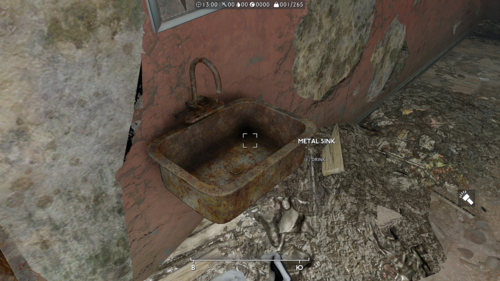
CWSS is one of the "must have" mods, which I always use. And there are several universal fixtures type of patches to it. Unfortunately all of them are for vanilla game. So I was hoping to have on for FOLON one day. Unfortunately it did not come out, so I decided to make one myself. And while making it I though to myself that it would be more immersive if instead of placing everywhere CWSS native furniture models, I would place models native to FOLON. So, I modified FOLON nifs in Nifskope, so they work with CWSS scripts. Or in some cases I modified CWSS nifs by importing trishapes from FOLON nifs into them. As a result this patch have several sinks, toilets and couple of baths which look like models from FOLON, but are usable like the ones from CWSS.
I placed them instead of FOLON native statics around the world, primarily at indoor locations. I did not replaced everything and everywhere, but a lot of locations have at least one functional toilet. Sometimes they go in pair with showers or baths. These functional appliances appear mostly at locations inhabited by sentient beings, like hooligans, Jack Tars, cultists, Millers Man etc. You got the idea, if a place is not abandoned, then the inhabitants would probably fix the restrooms. Or if its abandoned, but not long ago, like when you find a relatively fresh corpse in there. Sometimes you will find some at locations abandoned long ago with skeletons and stuff, but there were also some criterias applied. Like for instance, if the model of static is in good condition (toilet bowl is attached to the toilet tank, sink is not fractured, bath is not flipped or buried, etc), then it can be replaced. Or if a location has a water cooler, then I did not bothered myself with placing functional sink in there.
This patch also includes a modified script of Wash Out That Cum because... well, because of reasons. Basically I just added two baths from patch to the list of furnitures Wash Out That Cum supports. CWSS is already among them as you know. But if don't need Wash Out That Cum, you may ignore Scripts folder of the patch.
A NOTE: these are not craftable furnitures. I mean if you have a main CWSS mod, and you have one, then you do not need any other craftable toilets.
Regarding CTDs, I did not encountered them while testing, at least not a single crashlog that would point to CWSS or this patch. But as usual, it is preferable that you place this patch somewhere at the bottom of loadlist (since its an ESL plugin, you would naturally do so).
Problems: One of the baths have water activator going out of bath walls as I denoted on one of the screenshots. I didn't quite figured out why its happening. I created a separate activator, by modifying one created by Steve40, changed its size through transform, applied transformation, changed the collision (at least i remember doing it), changed object boundaries, in Nifskope activator fits perfectly inside the bath, etc. TLDR, I tried a lot of things, but the water activator appear in game in its original size and keeps pissing me off. So at least for now it will remain like this. Also toilet seat on one of the toilets goes up a little bit weird, I apologise for that.
Credits and thanks:
Steve40 for creating CWSS and permission to use his resources
TeamFOLON for creating Fallout London and permission to use their resources, especially to DoubleYou for sparing his time and talking to rest of the team on my behalf
Megururu for creating Wash Out That Cum and giving out his resources to be used by community
ElminsterAU for creating xEdit and keeping it updated through years
Nifskope team for creating Nifskope and publising tutorials for it
162 downloads
Updated
-
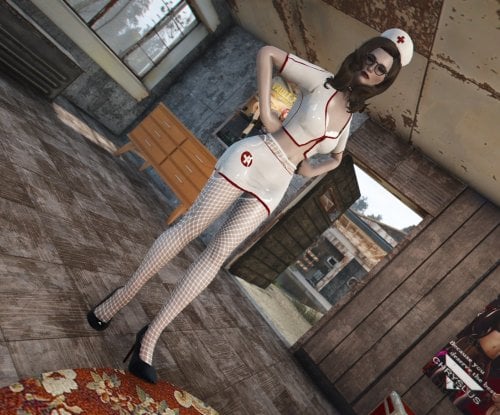
Latex Nurse Uniform (FG)
By gerroth
A skimpy latex nurse I made for educational purposes.
I only created a fusion girl variant for now, but you are free to port it however you like (see permissions)
The uniform comes in three color variants and includes:
Mini-skirt Top Nurse Hat Lingerie (Variants: Nylon, Lace, Fishnet) Choker (Variants: Plain, Studded) High-Heels
Requirements
Fusion Girl High Heels System Bodyslide
Permissions
I'm releasing this under CC4, which means you can do whatever you want with it, but you need to give credits.
Acknowledgements
I used the following assets in this (also CC4):
"Studded Punk Collar" (https://skfb.ly/6UuAI) by SpaceCat Blender Lace Material by Chroma3D
Disclaimer
I made this to learn Blender. Please tell me if you are having issues.
There's still a lot of issues, clipping, messy morphing, needlessly huge textures and whatnot, but I ran out of time so here we are. If you can give me tips, go ahead! I might be doing a new revision to fix things in the future!
355 downloads
Updated
-
Skimpy Armour Keyword Injector
By msmfoster
A FO4Edit script that injects Skimpy Armour Keyword Resource (SAKR) keywords into patched copies of relevant Armour (ARMO) records. This process uses the existing RobCo Patcher .ini infrastructure as the source of keywords, but does not require RobCo Patcher. Key Features Accepts your entire load order (every single loaded plugin) in one go. Creates the patch, adds all required masters, and injects keywords in a single run. Uses your existing RobCo Patcher .ini files. Requires no new tools to run. Creates a tiny, ESL-flagged patch. Typically under 500 KB for a setup with 400 mods. Fuzzy FormID matching. Works regardless of load order, ESL flags, or overrides. Pre-emptively adds required masters to ensure compatibility with other keyword injectors such as Armour and Weapon Keywords Community Resource (AWKCR) and Complex Item Sorter. Creates a new patch file per run to avoid keyword drift. Recommended for consistency when .ini files change. This requirement can be bypassed if the patch is already loaded in FO4Edit. Extensive, configurable logging. Uses dialogue boxes to notify the user of abnormal runs. E.g. No keywords to inject or nothing to patch. Zero performance impact in-game as the patch is generated by FO4Edit beforehand. Why This Exists Skimpy Armour Keyword Resource was designed to work with RobCo Patcher, which adds keywords at runtime. But: The Next-Gen Update (2024) broke RobCo Patcher. Users waited months for the Next-Gen alpha version of the patcher. The Anniversary Edition has an alpha version of the patcher. This script removes RobCo Patcher from the equation entirely while leveraging the existing configuration files. No more waiting. No more runtime overhead. Just SAKR support. Requirements FO4Edit. Tested on 4.1.5f. Skimpy Armour Keyword Resource (SAKR). Required in your load order. Rubber Duck's SAKR Repository, or NGamma's SAKR RobCo Patches or Equivalent. Provides the required keywords to inject. How to Use Install the script under Scripts in your FO4Edit install. (Optional) Install the blank .esp if you use a mod manager. Do NOT load ZZZ_SAKR_Direct_Injection.esp when starting FO4Edit. If loaded, the script will remind you of this requirement and allow you to bypass if desired. In FO4Edit:
Press Ctrl+A to select all plugins. Right-click on any mod and Apply Script. A new window will appear. Choose Fallout4 - SAKR Direct Injection v1.2.0 and click OK. Wait ~60--90 seconds (tested with 400+ loaded mods and 2.5M records). Save. Let your mod manager (Vortex/MO2) deploy the new patch. Run the game and go try on some outfits! Tip. For testing, select a few clothing mods to speed up script processing. Cleanup After Use A normal run adds several masters to ensure the winning record is copied and injected. It is recommended that you: Save ZZZ_SAKR_Direct_Injection.esp; Right-click on the mod and select, Clean Masters to remove unnecessary masters. While optional, the above keeps the patch tidy and avoids Missing Masters warnings when changing your mod order within a mod manager. Confirmation Tests The screenshots on the download pages outline various scenarios to confirm the patch works. These tests cover ESLs, base-game items, heavily overridden packs (preview patches), and exposure score changes. Shot in Kziitd Fetish Toolset. Result 100 % skimpy because that mod has no .ini in the Rubber Duck repository. Shots in a Vtaw Wardrobe 6 bikini with or without the top. Highlights the changes in exposure levels and scores. Shot in a COCO Bikini Collection showing exposure and scores change, indicating the .ESL was successfully patched. Shot in Summer Shorts with appropriate scores. Showing that base-game clothing items were successfully patched. Shots in various Vtaw Wardrobe 6 clothing with varying scores. Additionally some are blurry as they triggered Exhibitionist Streak from Provocative Perks because the player is not skimpy enough. Frequently Asked Questions Do I need RobCo Patcher installed? No. This script does not require RobCo Patcher to be installed and the patch negates its requirement for use with the Skimpy Armour Keyword Resource once generated. Will this break if I add new outfits later? No. Just re-run the script --- the new items will be included in the patch automatically assuming you have associated RobCo Patcher .ini files to inject the keywords. Why does it stop if the patch file is loaded? There is no reliable way for FO4Edit to unload and remove a mod while loaded. To prevent corrupting the patch, the script confirms the patch is unloaded prior to generating a fresh patch. However, you can opt to bypass this check entirely at the risk of introducing keyword drift over an extended period of time. There are legitimate reasons for doing so: You accidentally ran the script against a mod with no clothing items. You prefer to be surgical in your application of the patch and run it for individual mods or collection. You are trying this for the first time and the default patch (empty by default) is loaded. You manually cleaned the patch yourself and want to proceed. For the above, you will simply be given an option to proceed. I hate getting asked if I want to continue when the patch is already loaded. You can disable this check entirely by setting bFORCE_CLEAN_ESP to False in the script. However, this may lead to keyword drift, especially if you are fine-tuning the .ini files to suit your gameplay. Can I keep the old patch and append changes? Yes. See above. Is this safe with 500+ plugins? Yes. Tested with 500+ mods / 3.2 million records. Process took under 180 seconds to generate a clean patch, but the time required varies based on system specifications. Will it work on Anniversary Edition? Yes. While not explicitly tested on Anniversary Edition, FO4Edit 4.1.5f which was used to develop this script fully supports that version. I still want to keep RobCo Patcher for other features (material swaps, slot masking, etc.) This script does not stop you from continuing to use RobCo Patcher. Both can coexist perfectly, but to prevent duplicate keyword injection, simply delete or move the RobCo Patcher .ini files used for SAKR keywords. Bonus side-effects of removing those .ini files: RobCo Patcher has fewer records to process reducing runtime overhead May reduce the chances of RobCo Patcher crashing. Is this compatible with Armour and Weapon Keywords Community Resource (AWKCR) and Complex Item Sorter? Yes. The script will add these as masters and carry forward any modified or injected keywords. However, this patch needs to be lower in your load order override their records. Some of my clothing packs have no .ini file for it. How can I make these? Rubber Duck has made a SAKR RCP Tool that generate the RobCo Patcher files along with extensive documentation. I keep seeing Error Assigning To and Mapping Errors in my logs. Message such as the one below occurs because the script cannot know for certain every mod that it will need to add a master. Error assigning to [ \ [FA] ZZZ_SAKR_Direct_Injection.esp \ [1] GRUP Top "ARMO" \ [77] Armor_Synth_Underarmor "Synth Uniform" [ARMO:0012B91D] \ [19] Object Template \ [2] Combinations \ [34] Combination \ [2] OBTS - Object Mod Template Item \ [8] Keywords \ [0] Keyword #0] from [ \ [A7] Synth_Fem.esp \ [4] GRUP Top "ARMO" \ [2] Armor_Synth_Underarmor "Synth Uniform" [ARMO:0012B91D] \ [19] Object Template \ [1] Combinations \ [34] Combination \ [2] OBTS - Object Mod Template Item \ [8] Keywords \ [0] Keyword #0]: [Exception] Load order FileID [A5] can not be mapped to file FileID for file "ZZZ_SAKR_Direct_Injection.esp In such cases the keywords will not be injected. However the Script naturally takes precautions to avoid this: Preemptively loads any non-ESL flagged ESM/ESP as a Master. This will cut out most of these errors. Provides an ability to add a custom list of masters. Update the sADDMASTERS constant to include a comma delimited list of additional mods you need to load as masters. Between the above, the script should all relevant masters, and inject keywords without fault. Can I modify or fork your code? Yes. The script is released under the two-clause BSD licence which is a permissive free software licence. Configurable Items The following constants may be changed to alter the script's behaviour. You only need to touch these constants if you have a very custom setup. Most users will be able to ignore these options entirely. There are listed in alphabetical order. bADDALLMASTERS Default: True Automatically adds all non-ESL flagged ESP and ESM files with ARMO records as masters. This ensures that injection will occur most of the time. Tip. Clean up the loaded masters in the mod after running the script and saving the contents. sADDMASTERS Default: '' A comma delimited list of mods that need to be mastered beyond those added as part of the standard script processing. This constant becomes critical when disabling bADDALLMASTERS. iDEBUG_LEVEL Default: DEBUG_INFO Adjust the level and verbosity of logs generated. Available levels are: DEBUG_FATAL DEBUG_ERROR DEBUG_WARN DEBUG_INFO DEBUG_VERBOSE DEBUG_PATHING bDRYRUN Default: False Kept for historical reasons. With a patch-file workflow there are no risks to the game and other mods, but it remains useful for pathing. bESLFLAG Default: True By default the ZZZ_SAKR_Direct_Injection.esp will be created as an ESL-flagged ESP. This means that the patch will not tie up a slot on your limited load order at the cost of reduced entries. Set to False if you need to inject keywords into more than 4095 items. bBALLISTIC Default: True Injects Ballistic Weave related keywords to the item in addition to SAKR. This can be useful for certain mods that expect this slot to exist for their own use and increase available clothing items. bFORCE_CLEAN_ESP Default: True Deletes and recreates the patch every run. Prevents drift when .ini files change. Set False if you prefer incremental patching on selected mods. sLOGFILE Default: '' Set the path of an external file that the log will be written to. iMERGE Default: False By default the script will drop any conflicting keyword injection. This prevents situations where a competing .ini has conflicting keyword injections to make. Any such conflicts will be logged at the end of the process to identify and sort out conflicts. If set to True the script will merge the conflicts together into one line. However, there are potential risks. A perfect example of this is Eli's Armour Compendium and Classy Chassis Outfits - Eli's Armour Replacer. The former includes lore friendly and non-lewd clothing items, whereas the latter will spice things up. They both use Eli_Armour_Compendium.esp and a matching identifier leading to the following situation where an item now has keywords for: 0000081A. Top Full 0000081E. Tank Top 00000821. Top Tight 0000080E. Pants Long 0000080F. Pants Shorts The above contains clearly contains keywords that are at odds with each other and should not co-exist. The resulting score will be wildly off from expected behaviour. Hence merge mode is provided for advanced users who understand the risks. When set to False the script generates a report at the end of the run. This permits you to find and correct these conflicts to ensure the desired outcome. sPATCH_ESP Default: ZZZ_SAKR_Direct_Injection.esp Name of the generated patch. ZZZ prefix keeps it at the bottom of the load order. bSTRIPEXT Default: True When parsing rules the script will perform a check against ESP/ESL/ESM variants of the mod name. This catches situations where the author provided different versions of the same mod. iRECURSION Default: 5 Maximum directory depth when scanning for .ini files to prevent infinite loops. sROBCOPATH Default: F4SE\Plugins\RobCo_Patcher\armor\ Default location of RobCo armour .ini files (overridden by sSCANPATH if used). bSAKRSTATIC Default: False Use static keyword list (True) or read directly from SAKR.esm (False). False is the default as it adjusts to future releases of the mod. sSCANPATH Default: '' Hardcoded location for the RobCo Patcher .ini files. Use '' to use game defaults. sSAKR_ESP / sGAME_ESP / sPATCH_AUTHOR Self-explanatory and should never need changing. License Copyright (c) 2025, M.S.M. Foster Redistribution and use in source and binary forms, with or without modification, are permitted provided that the following conditions are met: list of conditions and the following disclaimer.
Redistributions of source code must retain the above copyright notice, this 2. Redistributions in binary form must reproduce the above copyright notice,
this list of conditions and the following disclaimer in the documentation
and/or other materials provided with the distribution.
THIS SOFTWARE IS PROVIDED BY THE COPYRIGHT HOLDERS AND CONTRIBUTORS "AS IS"
AND ANY EXPRESS OR IMPLIED WARRANTIES, INCLUDING, BUT NOT LIMITED TO, THE
IMPLIED WARRANTIES OF MERCHANTABILITY AND FITNESS FOR A PARTICULAR PURPOSE ARE
DISCLAIMED. IN NO EVENT SHALL THE COPYRIGHT HOLDER OR CONTRIBUTORS BE LIABLE
FOR ANY DIRECT, INDIRECT, INCIDENTAL, SPECIAL, EXEMPLARY, OR CONSEQUENTIAL
DAMAGES (INCLUDING, BUT NOT LIMITED TO, PROCUREMENT OF SUBSTITUTE GOODS OR
SERVICES; LOSS OF USE, DATA, OR PROFITS; OR BUSINESS INTERRUPTION) HOWEVER
CAUSED AND ON ANY THEORY OF LIABILITY, WHETHER IN CONTRACT, STRICT LIABILITY,
OR TORT (INCLUDING NEGLIGENCE OR OTHERWISE) ARISING IN ANY WAY OUT OF THE USE
OF THIS SOFTWARE, EVEN IF ADVISED OF THE POSSIBILITY OF SUCH DAMAGE.
Changelog 1.2.0 When bSTRIPEXT is enabled the script will now try ESP/ESL/ESM variants of the mod name when parsing rules. This will match rules in cases where the rules were written for ESP, but have the ESL variant installed. 1.1.0 Added bBALLISTIC which will add Ballistic Armor keywords along with SAKR keywords. 1.0.1 Updated keyword conflict reporting. Now indicates the filenames, and lists conflicting rules. 1.0.0 Added winning overrides to allow the patch to co-exist with other keyword injectors like Armour and Weapon Keywords Community Resource (AWKCR). Added bESLFLAG to toggle the addition of the ESL flag when updating the patch. Added sADDMASTERS and bADDALLMASTERS to add requisite masters to the patch for safe injection. Implemented a fix from iampumpkin for SafeCopy that removes the potential to copy something other than the Winning record. Added bMERGE to allow the user to merge conflicting keywords, or simply log the conflicts in a report. The latter can be used to remove conflicts and select the best keywords.3261 downloads
Updated
-
Wolfe's Struggle Systems
By Wolfe6900
NOTE:
This mod does nothing by itself. It needs to be called by another mod.
To Test:
"coc wss2"
Wolfe's Struggle Systems:
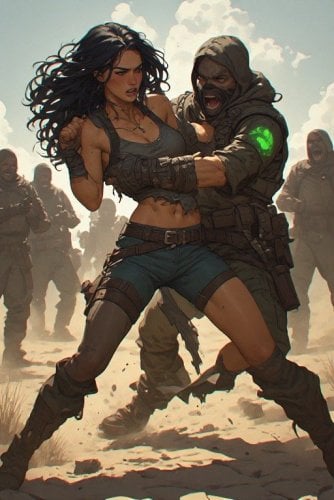
A Fallout 4 struggle / resistance minigame framework built for Advanced Animation Framework (AAF). When triggered, the player must fight back through a real-time QTE while an AAF scene plays. Win to break free and keep your outfit. Lose and the scene escalates.
There's 3 Files:
WolfesStruggleMod_v1.0.0.zip (WSS) - The Main Mod. Framework for calling a struggle animation on the Player. This will not work without an external mod that connects to it.
WolfesKFTQTESystem_v1.0.0.zip (WKQS)- This is my adjustment for KFT. Instead of going through a 'Do you wish to struggle?' message when trying to escape KFT restraints, this simply just shows the wiggle bar instead where you need to play a 'wiggle game' to be released. (Requires KFT).
WolfesKFTQTEAggressor_v1.0.0.zip (WKQA) - This allows YOU to become the aggressor. To activate, you'll need to pickpocket an NPC, give them a KFT item and (if not caught pickpocketing) will start a struggle. If won, they equip the KFT item and become a follower. (Requires KFT)
NOTE: These 3 work independently of each other, so you can download which ones (or all) if you'd like. I may work to eventually combine them all into one framework. At the moment, they are all separate projects independent of each other with different purposes.
Hard requirements:
- Fallout 4
- F4SE (required for the Scaleform HUD and extended input handling)
- Mod Configuration Menu (MCM)
- Advanced Animation Framework (AAF)
- Savage Cabbage animation pack
Recommended/Highly Suggested:
- Kziitd Fetish Toolset 1.0 Beta 3 (Required for WKQS/WKQA, optional for WSS)
Load order:
Place this mod below AAF, F4SE-dependent plugins, and MCM. Keep your animation packs below AAF as usual.
WHAT IT DOES:
When a struggle is triggered (dialogue, another mod, or a test call), the system:
1. Snapshots the player (and partner) outfit.
2. Starts an AAF struggle scene if AAF Compatible is enabled in MCM.
3. Shows a Scaleform struggle HUD and runs one of three minigame modes:
- Mash — spam click / attack / jump / sprint to fill the bar.
- Keyboard — press the prompted letter or gamepad face button.
4. Resolves win or loss:
- Win — stops the struggle scene, restores clothing after a short delay, fires outcome events / quest stages.
- Lose — progressively strips armor and clothing as the meter falls, then plays a defeat AAF scene.
HOW ARMOR AFFECTS THE STRUGGLE:
Armor is not just cosmetic — it changes how hard the fight is.
When Armor Affects Start Progress is enabled (default), better coverage gives you more of the bar at the start:
- Light clothing on the body slot gives a modest boost.
- Each worn armor piece adds bonus starting progress based on its rating.
- A strong full set can start you much higher on the meter.
Resistance while mashing / prompting
*Worn armor also scales how much progress you gain from successful inputs. Nearly naked = very slow progress. Full coverage = noticeably faster fills.
MODDER'S RESOURCE — HOW TO LINK YOUR MOD
========================================
1839 downloads
Updated
-
Killer905 Poses
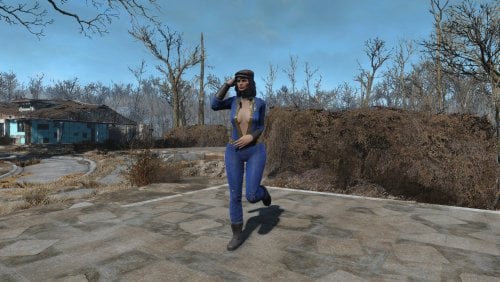
By killer905
Hi!
I'm killer905 and i try created a Pose Mod.
Note:
I'm taking the suggestion for in pose form, but animated ones I plan to do too.
Remember that in your body type, the limbs may go into the body or be too far away from the body.
Current Poses:
Standing: 16
Kneeling: 1
Other: 3
HOW TO USE
In console type: player.playidle xxx
ex. player.playidle k905_001
If you want the npc to use the pose just select them first then type: playidle xxx
ex. playidle k905_001
to make them stop just type: playidle stop (while the npc is selected)
-=INSTALLATION=-
Download the pose mod and install manually or with a mod manager of your choice
-=CONSOLE COMMANDS I RECOMMEND FOR POSING=-
TFC: Toggles free cam
TGP: Pauses the game
TM: Removes HUD
TCAI: Makes the npc's ignore you
TAI : freezes the selected npc
SUCSM: Sets the camera movement speed
ex. sucsm 1 (higher is faster)
SETSCALE TO: changes the size of the selected npc/item
ex. xxxxxxxxx.setscale to 10 (higher is bigger)
SGTM: Slows or speeds time
ex. sgtm 1 (higher is faster)
SET GAMEHOUR TO: Sets the ingame time
ex. set gamehour to 1 (sets the gamehour to 1am)
FW 0002B52A: Clears the weather for more visibility
These commands can move npc/player and items as well
modpos x (ex. modpos x 1)
modpos y
modpos z
modangle x
modangle y
modangle z
Credits to:
pornphile for his rigs and guide
BREADPIG for better rig
NCK30 for his help and guide
dagobaking for the Skyrim-to-Fallout 4 animation/pose converter
44 downloads
Submitted
-
Tail skeletal animations beta
By Holylokki
This is not a released mod. These are resources for modders and a test version of the skeleton.
"Tail Skeletal Animations Beta" is a simple mod that contains:
1. A new skeleton (skeleton.hkx and skeleton.nif)
2. A test tail and one AAF test animation. Don't expect anything special from these; they're just for testing functionality. Tail_project.esp is needed only for this.
3. A lupine tail with new bones for "Lupines - Wolf Race"
4. Several F4 animations for female PCs, edited using tail bones. Standing, running, sneaking.
Requirements: ZeX - ZaZ Extended Skeleton
HKXImportScript_for_ZeX_CAT_RiGs contains:
1. 3DSMax2013 ImportScript CAT Rigs for Female and Male actors and MaxScript for importing and editing F4 animations based on vanilla or ZeX skeletons into Max. This is a modification of the 3dsMax Havok Import Script . The 3dsMax Havok Import Script is required to import animations.
2. Havok settings files for exporting vanilla/ZeX/Tailed animations.
Demo:
https://youtu.be/tHyCnz027B4
75 downloads
Updated
-
Skimpy Armour Keyword Editor
By msmfoster
The Skimpy Armour Keyword Editor is a visual tool used to create or edit RobCo Patcher .ini files for use with the Skimpy Armour Keyword Resource (SAKR). The goal is to allow for quick edits of existing files without recreating the entire .ini or editing it manually by hand.
Key Features
Visual editor for quick keyword injection and editing. Generates new .ini files on the fly. Toggles to show/hide Top or Bottom keyword sections Accepts a .csv from Rubber Duck's SAKR RCP Tool and/or an existing RobCo Patcher file (.ini or .txt). Using both the .csv and .ini will adjust the RobCo Patcher file to match what is currently in the mod. E.g., Version 2 of Eli's Armour Compendium added several clothing items requiring keywords. Validates all SAKR keywords and merges data from multiple sources. First entry wins, while others are discarded (duplicate handling). Hover tooltips on every keyword explaining its meaning and use. E.g., Difference between a tank top and halter top. Native support for high DPI displays. Options to either copy-and-paste the generated .ini or download it at the press of a button. Features a console to display script logic and troubleshooting info. No internet connection or server-side processing required—runs entirely offline in your browser. Heavily commented styles and code to enable customization. Designed to fit seamlessly into Rubber Duck's SAKR/RCP Gen toolset and processes.
Requirements
Modern browser (e.g., Chrome, Firefox, Edge).
Compatibility
Works with .csv exports from Rubber Duck's SAKR/RCP Gen tool. Compatible with RobCo Patcher .ini files formatted for SAKR. Handles multiple input files, with first-wins merging.
How to Use
The Skimpy Armour Keyword Editor works in conjunction with Rubber Duck's SAKR/RCP Gen tool and the associated SAKR/RCP Gen User Guide.
Note: Steps 1 through 3 in Rubber Duck's guide can be skipped entirely if you do not need a .csv file.
This tool specifically replaces steps 4 to 6 of the guide's process, which we focus on below:
Double-Click on the HTML file to open it in your browser. Drag-and-drop source files (.csv, .ini, or .txt) into the Drop Zone or click to select desired files. A list of all files will appear. Click on Process to activate the Manage and Export tabs. Click on the Manage tab and adjust as necessary. You can confirm that changes were registered by going into the Console tab (useful for troubleshooting). Once satisfied with your changes, Click on the Export tab. Optional: Adjust the load order prefix. This is only required for specific edge cases (e.g., ESL patching) and should generally remain blank. Look over the generated preview. Click on Download to get a copy.
Note: As a precaution, I include my test data for Absolutely Skimpy Attire by dikr.
Follow the rest of the steps from the SAKR/RCP Gen User Guide to integrate with your existing RobCo SAKR infrastructure.
Frequently Asked Questions
Why does this exist?
I was looking for a way to change RobCo Patcher .ini files without creating an entirely new .ini or editing the file manually.
For example, Vtaw Wardrobe No. 8 features a fantastic body harness and corset. Both fully expose the breasts, but SAKR registers them as being covered. With this script, I can quickly make a change and test the change in-game within minutes.
Why is this in HTML?
There are several reasons to create an HTML/CSS/JavaScript solution:
Modern web-browsers easily handle large tables that adjust dynamically to displays. Documents can be quickly compared with one another using Browser Tabs. CSS makes it straightforward to adjust the style. This script has ZERO requirements beyond a browser. No need to install anything.
How do I de-select a radio button?
Click on the already-selected radio button again. It acts as a toggle and will clears the selection for that keyword group.
Why can't I select multiple options in the same group (e.g., Bra Normal + Bra Micro)?
The radio buttons are designed that way on purpose. The goal is to prevent mutually exclusive keywords from being applied. I.e., A bra cannot be normal, bikini, and micro at the same time, but it can be normal and sheer.
Can I host this somewhere?
Yes. The permissive license allows for such use, and a webserver will treat the contents as static HTML.
Why would I need to provide a load order prefix?
It helps with RobCo Patcher when patching an ESL. Unless you need this particular capability, I recommend steering clear of it and using the default 6-digit FormID. Invalid prefixes are skipped silently.
Script is showing fewer changes than I've actually made?
Changes are measured by item (line), not individual keywords applied.
Why is there a console?
The console is primarily a debugging tool. It will also list reasons why certain decisions were made, such as:
Clothing item dropped because it does not exist within the .csv. Keyword was dropped because it was not valid. That multiple entries were found with keywords for the same item. That the Load Order prefix was dropped due to not being valid.
Can I change the look and feel?
Yes. Simply adjust the CSS styles to suit your needs. These are located near the top of the HTML document.
What if I want a French or Russian version?
This script can be translated and contains all language-specific elements within two constants:
LANG. Contains language related to the look, feel, and code: HTML.* Language elements found within the HTML itself. SCRIPT.* Language found within the JavaScript Code. LOG.* Language used for logging of operations and tasks. TOOLTIPS. Descriptors applied directly to the table when editing keywords. These were kept separate due to their integration with other SAKR elements.
Can I fork the code?
Yes. The license and code were specifically designed to allow for it.
A Special Thanks To
I would like to thank Rubber Duck for his tool and guide that made SAKR repositories a reality.
License
* Copyright (c) 2025, M.S.M. Foster * * Redistribution and use in source and binary forms, with or without * modification, are permitted provided that the following conditions are met: * * 1. Redistributions of source code must retain the above copyright notice, this * list of conditions and the following disclaimer. * * 2. Redistributions in binary form must reproduce the above copyright notice, * this list of conditions and the following disclaimer in the documentation * and/or other materials provided with the distribution. * * THIS SOFTWARE IS PROVIDED BY THE COPYRIGHT HOLDERS AND CONTRIBUTORS "AS IS" * AND ANY EXPRESS OR IMPLIED WARRANTIES, INCLUDING, BUT NOT LIMITED TO, THE * IMPLIED WARRANTIES OF MERCHANTABILITY AND FITNESS FOR A PARTICULAR PURPOSE ARE * DISCLAIMED. IN NO EVENT SHALL THE COPYRIGHT HOLDER OR CONTRIBUTORS BE LIABLE * FOR ANY DIRECT, INDIRECT, INCIDENTAL, SPECIAL, EXEMPLARY, OR CONSEQUENTIAL * DAMAGES (INCLUDING, BUT NOT LIMITED TO, PROCUREMENT OF SUBSTITUTE GOODS OR * SERVICES; LOSS OF USE, DATA, OR PROFITS; OR BUSINESS INTERRUPTION) HOWEVER * CAUSED AND ON ANY THEORY OF LIABILITY, WHETHER IN CONTRACT, STRICT LIABILITY, * OR TORT (INCLUDING NEGLIGENCE OR OTHERWISE) ARISING IN ANY WAY OUT OF THE USE * OF THIS SOFTWARE, EVEN IF ADVISED OF THE POSSIBILITY OF SUCH DAMAGE.
434 downloads
- skimpy armor
- tool
- (and 1 more)
Updated
-

Panic Meter
By Wolfe6900
Panic Meter:
A Fallout 4 immersion mod that tracks how shaken your character is during and after combat. Panic rises in fights, lingers afterward, and can affect aim, stamina, body language, sleep, and how you recover.
REQUIREMENTS:
- Fallout 4
- F4SE (for gun accuracy penalties)
- Mod Configuration Menu (MCM)
WHAT IT DOES:
While you are in combat, a hidden Panic value (0-100%) slowly climbs. Endurance slows how fast it rises. Getting hit spikes panic immediately, and the lower your health, the faster both combat gain and hit spikes climb (up to about 2x near death by default). When combat ends, panic decays very slowly (about 1% every 10 seconds by default). Agility helps recovery a bit. Once panic has reached 10%, normal recovery and calming items will not drop it below that "uneasy floor." Only a full night of sleep can clear that baseline tension. This keeps a low, constant edge of nervousness until you actually rest well. The on-screen meter appears only when panic is above 0% (and only if the HUD is enabled in MCM).
HOW PANIC AFFECTS YOU:
Effects ramp with the meter. Defaults:
- Perception / accuracy start fading early as panic rises
- AP drain and speed penalties kick in at higher tiers
- Overlay / HUD flash effects start at 80%+
- Camera / controller shake only at 100%
- At 50%+: nervous 3rd-person stance (captive-style body language)
- Flavor notification lines as panic climbs (optional)
At 80%+ insomnia: trying to sleep may only give a restless 1-hour nap
instead of a full rest.
HOW TO LOWER PANIC:
- Leave combat and wait (slow natural recovery)
- Drink alcohol
- Use Mentats or Calmex
- Eat certain comfort foods (e.g. Noodle Cup, Fancy Lads, Cram, etc.)
- Sleep - full sleep helps most and can break the 10% uneasy floor
- MCM Debug: Reset Panic Meter to 0
HOW TO USE:
1. Install with your mod manager (MO2 / Vortex) so PanicMeter.esp, Scripts,
Interface, and MCM folders load.
2. Make sure F4SE and MCM are installed and running.
3. Start or load a game. The quest starts automatically.
4. Open the Pause menu -> Mod Config -> Panic Meter to tune settings.
Suggested first look in MCM:
- General: enable mod, flavor lines, show/hide HUD
- Rate: how fast panic rises / falls
- Effects: toggles and intensity for debuffs, overlay, shake
- Sleep & Calm: insomnia, uneasy floor, item calm amounts
- Nervous: 3rd-person stance / fidget options
- Debug: add +25 panic for testing, reset to 0, restore defaults
MCM QUICK REFERENCE (DEFAULTS):
Enable Panic Meter On
Show Panic Meter HUD On
Combat gain ~0.85% / sec (scaled by Endurance + low health)
Hit spike ~2.5% per hit (less if blocked; more if power attack)
Near-death multiplier up to 2.0x at critical health
Recovery ~0.10% / sec (~1% per 10 sec)
Uneasy floor 10% (full sleep can go below)
Overlay / flash 80%+
Aim shake 100% only
Nervous stance 50%+
NOTES:
- Disabling the mod in MCM stops new effects and hides the HUD, but keeps
your current panic value until you reset it.
- Overlay visuals need a spell / ImageSpace assigned on the quest in the
Creation Kit (properties PanicOverlaySpell / PanicOverlayISM). Without
those filled, gameplay effects still work; the flash overlay simply will
not appear.
- Optional fidget idles also need Idle forms assigned on the quest in CK.
The nervous stance works without that.
- Gun accuracy changes use F4SE InstanceData. Without F4SE, other systems
still function.
CONFLICTS:
- Lewd Talks: Whichever one takes priority will override the other.
TROUBLESHOOTING:
- Meter missing after load: reload once, or add panic via MCM Debug.
The HUD reinjects on load; it stays hidden at 0% panic.
- Settings look wrong after an update: MCM -> Debug ->
"Reset All Settings to Defaults".
- No accuracy effect: confirm F4SE is launching Fallout 4.
343 downloads
Updated
-
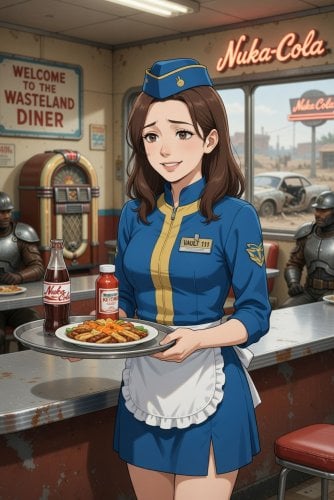
Simple Jobs
By Wolfe6900
WARNING: v1.2.1+ are still a Work-In-Progress (WIP). Some users have been experiencing CTDs after an hour or so of gameplay. If you'd like to help test, please provide crash logs, and details to the crash (i.e., what were you doing, where were you at, etc.) to help pinpoint any issues:
Requirements:
- Fallout4 Version: 1.11.221.0
- AAF Version: V1-7-0-1
- LooksMenu v1-7-0-3
- Mod Configuration Menu 1.11.221
- Address Library - All In One-47327-1-11-221
- Unofficial Fallout 4 Patch-4598-2-2-1a-1779927834
- Slave and Model 100 poses-38340-SM2
New in update v.1.2.1+:
- 10 random events; doing basic tasks awards the player (hidden) random tokens. Enough random tokens will meet a condition for a trigger box to work. When the trigger box is stepped into, some unusual and out of the norm will happen. This adds some variety to the repetitive tasks.
- College Added: The player can now go to college, attend a cooking class and attend an acting class to be rewarded skills to help survive the wasteland.
- MCM created: This allows the player to add a keyword to their currently worn armor. Wear the outfit > Use the MCM > Click whatever keyword it needs > Close the MCM.
- Pinup Quest Adjustments: Due to LL's 250MB upload limit, I can not add my textures required for posters around town. This is a neat concept, however, the question the player first receives in game asking what they look like currently does nothing without the textures file.
If not using/debugging v1.2.1+, please use the old version:
- Fallout4 Version: 1.10.163
- SimpleJobs_v1.1.9-LOOSE.zip
- SimpleJobs_V1.0.6_VOICE.zip
- Simple Jobs SAKR Patch.rar (if you use SAKR)
Requirements:
Waitress/Postal:
https://www.nexusmods.com/fallout4/mods/2136
Maid:
https://www.nexusmods.com/fallout4/mods/27185
Nurse:
https://www.nexusmods.com/fallout4/mods/30865
Simple Jobs.esp
What it is:
A simple mod that adds a few small time and radiant jobs for the female protagonist in the town of Concord. It's made to pair with more extreme sexist mods during early gameplay as a way to earn small cap awards for misc jobs. This makes the role-playing experience a little better, considering a Level 1 character probably can't go around guns blazing in a Sexist, Apocalyptic wasteland without earning some caps and arming up first.
The end goal is to make Concord a kind of "safe haven" with a sexist aura until the Player can venture out into the world.
All quests are currently voiced by AI, enhancing immersion.
No markers/quests will be populated to avoid clogging up the Player's journal. You will just need to explore Concord.
1. Maid: Work at Hotel Concord. Repletively clean rooms to make small amounts of caps.
2. Waitress: Take orders from customers and give it to the Chef to make small cap rewards.
3. Nurse: Talk to patients to earn 1-3 caps per conversation. Cash out at the end of your shift.
4. Pinup girl: Risk 1,000 caps to do a Photoshoot with a potential of 500-1,300 cap return (bonus if doing it naked).
5. Post Girl: Work as a small time delivery girl and deliver packages around town for 0-20 caps per delivery. There's 5 mailboxes (no markers), you'll need to find the right one and deliver the package to it.
6. Bar: Take orders, cook food, fetch drinks for a sexist bar for small tips.
7. Bank: Deposit, Withdraw, Invest & Receive Dividends. Investing = permanently lose the money for a 5-10% return on how much was invested on a daily amount.
8. Clothing Store: Purchase more outfits.
Most jobs give an outfit and/or have uniform requirements (keyword conditions) to progress.
Recommendations (for outfits):
Waitress/Postal:
https://www.nexusmods.com/fallout4/mods/2136
Maid:
https://www.nexusmods.com/fallout4/mods/27185
Nurse:
https://www.nexusmods.com/fallout4/mods/30865
(Remember to build with Bodyslide!)
Incompatibilities:
- Any mod that strips away keywords, and special thanks to Samhsay, there's now a patch for Skimpy Armor Keyword Resource (SAKR).
- Any mod that may change/add/remove doors in Concord, i.e., Sim Settlements 2.
Credits:
Derpsdale - Tera Nurse Armor, Maid Armor
Twistedsymmetry - Short Skirts
Backsteppo - Maid Armor
invalidfate - Mina Armor (not yet incorporated in game)
Samhsay - For SAKR Patch
3292 downloads
Updated
-
Vault Script Forge
By Wolfe6900
Vault Script Forge:
Overview:
Vault Script Forge is a simple and easy to use program that prevents modders from needing to learn Papyrus Scripting to make simple commands like (open this door, kill this actor, set the stage, etc. etc.)
It hosts an entire library of basic scripts to do basic things and categorizes them into a library that's easy to search, modifiable and user friendly. It breaks it down to what kind of script, i.e., a script you can call from dialogue, a trigger box, an activator/object etc. Additionally, it has a search box for you to easily locate a script you're trying to use.
The goal of it is simple:
1. Make it so anyone, without modding knowledge, scripting or anything can start making mods.
2. Make it work completely offline so no network or internet connection is required.
I. Buttons:
There's a variety of buttons for useful features:
- You can select "Dialogue Fragments" for common dialogue fragment calls. (Change the stage, etc.)
- You can use "Stage Fragments" for common stage fragment calls. (i.e., Show this objective or that objective)
- You can use the "Useful Conditions" for common modder conditions (if player has no armor, if the player has XXX bottlecaps, etc.)
- There's a "Detect Frag" that allows you to paste a script and it will give you what you need to call from the scene.
- There's a "Mod Checklist" where you can make notes about your mod, flag them to complete them, categorize them and etc.
- "Build book" which guides you through writing a book.
- There's "Make MCM" (WIP) but later on (once I actually start making MCMs and understand them better) which should help you make an MCM.
- "Track NPC" - A whole tracking graph where you can overview what multiple NPCs are doing at what stage.
- "Debug Cleaner" A button to allow you to paste a script and clean out the debug, in game messages, to clean up your mod.
- "Gen Name" - A simple name generator to help out when you need a quick name for a new NPC.
II. Libraries:
There are 4 Large Libraries: Library, Library (Conditions), Papyrus AI, Novice Builder
Main Library:
There's 6 Additional Libraries:
- Library (Native): Scripts used in the native Creation Kit that are easy to compile
- Library (Mod): Scripts that deal with FO4Edit, AAF and outside the norm for the Creation Kit.
- Common Debugging: Quick fixes for things that piss you off (why does my monitor default to the left screen???)
- MyMod: Where you can place your cell IDs, quest names and etc. for quick reference.
- Tutorial: A bunch of tutorial information on how to do things.
- Lore: A quick reference guide to locations, chems and etc., if you need a quick reference of what kind of chems there are and etc.
Library Conditions:
This is an easy, searchable library to find a condition you're looking for. (aka., no more writing the exact thing to find it. You can just search "item" and it will find: GetIsUsedItem, GetItemCount, GetKeywordItemCount, etc.). In the native Creation Kit, you would need to type the exact thing to find it, i.e., "GetIsUsedItem" instead of just "item".
Papyrus AI:
This allows you to use a local LLM for script generation. The wizard will suggest an AI model for you to download, i.e., DeepSeek. This program has all the info needed for the LLM to develop scripts TOTALLY OFFLINE. Note: There are some online capabilities (not fully tested!) if desired to use. Since I don't want to deal with LLMs and etc. directly (due to licensing etc.) this prompts you to download them manually). When created, you can just build the model and it will use my AI info to make it Papyrus specific. You can create agents, give them interests for chats (john likes combat and etc., Nora likes romance - they'll guide you if you hit a writers block in your mod).
*Ai comes in 3 modes:
- Tutorial: Walks you through Tutorials
- Script: Helps you write scripts
- Chat Mode: Helps you get over writers blocks.
Novice Builder (WIP). This is a little bit harder unless you have a grasp of basic scripting. It's currently a WIP and may not progress any further. It can be disabled in the File > Options.
149 downloads
Updated
-
Classic Erotic Art Retexture and Modder Resources
By msmfoster
An AI-generated retexture pack for the Erotic Art mod, replacing all 575 images and 36 magazines with theme-specific variants. Note: Only one version of the mod is available here due to the 200MB file limit. For more options and full modder resources please see the Nexus Mods version of this mod. This retexture pack was designed with the following goals: Create a more classically erotic image set. While there is some nudity, the overall tone aims to be artistic or playfully cheeky. Align the aesthetics with the 1920s–1950s era. This includes more voluptuous models in later periods. Keep collections thematic and consistent with the original mod. You will not find Roaring Twenties images outside of their proper collection. Make the images blend naturally with Fallout 4's art style. Collections included: Behind Closed Doors. 29 image. Boudoir. Bound. 38 images. Fetish attire: harnesses, leather, corsets. Cat's Meow. 61 images. Roaring Twenties / Flapper culture. Decibelles. 11 images. Singers & entertainers. Nautica. 63 images. Yachts & nautical themes. Rub-a-Dub-Tub. 44 images. Bathroom, shower, bathtub. Senior Service. 95 images. Naval uniforms and settings. Surf & Turf. 102 images. Beach and pool. Taking Notes. 43 images. Secretaries in various poses. The General's Quarters. 91 images. Military uniforms throughout history. Variants The pack comes in three ageing variants, all designed to look like found material: High — Strong ageing with fading and yellowing. Mid — Balanced ageing without excessive loss of detail. Low — No ageing, closest to the original AI images. On Lovers Lab there's only the mid-tier aging available as loose files due to file size limits. For full archive Loose Files and BA2 formats (compatible with all versions of Fallout 4), please visit the Nexus Mods link. The BA2 version also correctly masters the original Erotic Art mod so mod managers will warn you if the base mod is disabled or removed. Requirements Erotic Art and its associated requirements. Installation Download parts 1 through 4 of the mod and install as a group. Alternative you can merge the archives into one/ Collection Guide A quick guide to help you see the breakdown of the images, including orientation and dimensions. These are tied to the original Erotic Art mod. Behind Closed Doors (Heroine's Desires) Landscape 3-2. 6 4-3. 4 Portrait 2-3. 15 3-4. 4 Bound (Classy Erotica) Landscape 3-2. 9 4-3. 6 Portrait 2-3. 8 3-4. 15 Cat's Meow (Friar's Lantern) Landscape 3-2. 15 4-3. 9 Portrait 2-3. 19 3-4. 18 Decibelles (Vault Series) Landscape 3-2. 4 4-3. 7 Portrait 2-3. 5 3-4. 2 Nautica (Sex Arcade) Landscape 3-2. 22 4-3. 10 Portrait 2-3. 31 Rub-a-Dub-Tub (Paradise Falls) Landscape 3-2. 3 4-3. 1 Portrait 2-3. 27 3-4. 13 Senior Service (Frolic) Landscape 3-2. 10 4-3. 6 Portrait 2-3. 35 3-4. 44 Surf & Turf (Cat'a Paws) Landscape 3-2. 42 4-3. 3 Portrait 2-3. 43 3-4. 14 Taking Notes (Carnal Desires) Landscape 3-2. 31 4-3. 9 Portrait 3-4. 3 The General's Quarters (Lust) Landscape 3-2. 26 4-3. 20 Portrait 2-3. 19 3-4. 26 Modders & Resources The full tool-chain and source files are available for remixing or use in other mods. They are licensed under the BSD 2-Clause License (code/tools) or CC0 (images & data). Full modding resources are available on Nexus Mods.320 downloads
- texture mod
- erotic art
- (and 2 more)
Updated
-
Fusion Girl In-Game Slider Presets
By dav42
This is a conversion of the BodySlide Presets for Fusion Girl 1.89 to be used in LooksMenu. This allows you to use the same presets available in BodySlide with ZeX In-Game Sliders via LooksMenu.
REQUIREMENTS
ZeX - Fusion Girl 1.89 ZeX In-Game Sliders 2.0.0 LooksMenu Fusion Girl body built with FusionGirl-ZeroSliders preset & Build Morphs checked
748 downloads
- fusion girl
- looksmenu
- (and 1 more)
Submitted
-
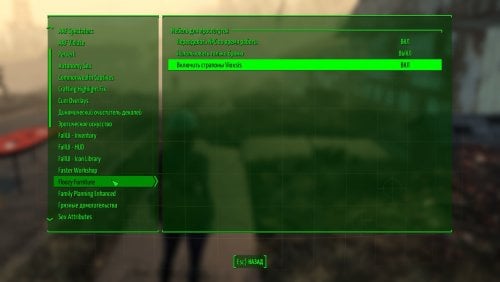
Floozy Furniture RU
By vjnmrf
Только перевод Floozy Furniture, сам мод по ссылке.
Позволяет строить рабочие места для шлюх, где они 24 часа будут принимать разные позы(встроено) и торговать бухлом, автоматически меняя наряды. При наличии НАФ или ААФ с ними можно потрахаться. Если поставить мод того же автора на посетителей поселений, то можно создать и нормально работающий бордель. (а то все, имеющиеся здесь, моды на проституцию НПС, это лютый ПЦ)
Отдельно добавил архив с коррекцией особо вырвиглазных текстур, ну и часть из них "разрисовал".
В процессе эксплуатации выявилась пара ошибок
1 Примерно трети рабочих мест аффтырь забыл добавить ключевое слово запуска анимации. Соответственно, назначенные на них шлюхи просто тупо топтались перед станком.
2 Обычные кровати были названы(и, соответственно, переведены), как рабочие места.
Для исправления заменить esm.
Добавляю переводы свежих модов того же автора Settlement Visitors 2.0 и Vulgar Settlers and Visitors 2.0.
Первый добавляет посетителей, шарахающихся по поселениям и занимающихся всякой ерундой. Их можно нанимать. Частичная альтернатива НПС-тревел, не создающая его проблем.
Второй неплохо заменяет всякие "автономии", опять же не вызывая их проблем.
В общем, все три мода взаимодополняют друг друга.
672 downloads
Updated
-
RWR Radio Station (Player's House + Lagertha's Companion + New Quests)
By Cookie DLC
Hello everyone!
IMPORTANT!
====================================================================================
❥ I've finally updated this mod. The main focus has been on developing storylines and NPCs. Now, there's Lahn, a completely different character (companion) named Lagertha. She's also a fugitive from Nuka World, a former raider from the Operator gang. She now lives in her radio station and sells Nuka World junk.
This mod features three storylines that will develop as you interact with the main character, Lagertha.
A new hostile faction has appeared in the Commonwealth (for now, it will only be present in one quest where you
need to kill several of them).
❥ Merchant Greta will appear briefly in the Commonwealth during the first quest, then return to Nuka World. Merchant Cooper will also be in his old spot near the cart in Cambridge, unchanged. You'll meet everyone as you progress through the first quest. The quest begins with a radio signal, but only in the Commonwealth (which is logical). Next comes the quest to find Lagertha's friend and destroy the Nuka World raiders. You'll learn everything as you progress.
Overall, a great deal of work has been done; anyone who's played this mod before will understand that everything is completely different.
===========================================================================
❥ I present to you my work. I created a radio station, RWR, inspired by my previous radio station, Dark RWR FM+. This mod contains the radio station itself (a building/room), which can be used as a "player home." There's also a workshop, and you can add your own customizations using various Chaos mods and much more.
❥ The radio station itself features a character named Lagertha, a merchant who escaped from Nuka-World.
Also wandering around the radio station is a merchant named Greta (a member of the Operator gang from Nuka-World). This is Cooper's house (the owner of the Cambridge trading post), an NPC you'll meet during a short quest that begins when you leave Sanctuary Hills and head to the Red Rocket, where you meet Dogmeat. From here, the quest begins, leading you along the signs to the RWR radio station itself.
❗IMPORTANT❗ - If the "Strange Radio Signal from Nuka-World" glitches, I recommend heading to the Red Rocket and listening to the holotape; it's on the workbench. The quest will definitely start.
There's also Greta's house, located in Nuka-World, near the Operator base. Greta herself trades not far from the base.
Anyway, that's how it all turned out! Don't judge me too harshly.
I also built a new house in Diamond City. It's located next to the Diamond City radio station. The house isn't completely finished, but it's a good place for the Player to relax. I placed a Looks Mirror in the bathroom; you can change the player's appearance if you wish.
Thank you for your attention, and I hope someone enjoys my work. Let me know if anything happens or if you encounter any issues (I might have missed something).
This is a βBETA version. The mod's core features are complete, but a few minor details may still be unfinished, like the house in Diamond City. Overall, the mod is playable.
By the way, I've fixed the scripts for Lagertha's companion since the previous version. Now, the Lagertha search and Bleeding abilities work properly without causing lag. I also fixed the script where Lagertha changes into her raider outfit when you visit Nuka World. I also made some minor script tweaks. I added a new costume for Lagertha (it's exclusive to Lagertha). If you accidentally remove her clothes, you can use a holotape to restore her default outfit. You can also randomly change Lagertha's weapon in the holotape under certain conditions. That's all I wanted to say, I think.
===========================================================================
❥ If you liked my work, don't forget to like it!
┆ ⤿ 💌 ⌗ My Discord channel. Join us, let's chat!
❥ And if you'd like to support me financially, you can do so here: ♡ SUPPORT COOKIE ♡
❥ You can listen to my music on my YouTube channel, covering Fallout and more!
💖💗🥰💞 Thank you all for your attention, and goodbye!
884 downloads
Updated
-
Animated Tentacles: The Walking Dongs: Goldblum '86
By ninjabes
For anyone who wants to get rid of the green screen hypno effect: Go to Interface and delete the AnimatedTentaclesMenu.swf file. This will break the scripting for the hypnosis effect however, effectively making all hypnosis creatures regular "you bump into it to get it to violate you" creatures.
Animated tentacles has returned to the Lab, with a vengeance! I present to you Animated Tentacles: The Walking Dongs!
Moderators I have reached out to _snapdragon in regards to updating this file and am awaiting a response. Update have got the go ahead from _snapdragon to keep developing this fork of Animated Tentacles.
This is not just a reupload, I have added the ability to build the tentacles in the workshop for you to terrorize your settlers with. In addition to the tentacles you can “build” several other creatures that utilize the aggressive tentacle functionality to “help themselves” to anyone who gets too close.
Available players are
-Goris the Deathclaw
-Reggie the feral ghoul
-HandBanana Dogmeat’s cloned cousin
-Melvis the mirelurk king
-Priscilla the mirelurk queen
-FISTO the protection
-Get in your Gutsy the Mr. Gutsy (Sometimes fails to start animations)
-Mean Joe the super mutant
-Heavy D the super mutant behemoth
-Jake the wolf from statefarm
-Jeff the Bloatfly
-Draq the Bloodbug
-Harambe the Gorilla
-PigRoach the Radroach
-Bambi the Radstag
-Winnie the YaoGuai
-Passive tentacles, regular, brain, plant, mechanical
-Aggressive tentacle, regular, brain, plant, mechanical
-Hypnotic brain tentacle
For the creatures that are not tentacles to do anything you need to have animation packs installed that have animations for them I use Leito’s, savagecabbages, bp70s, atomic and mutated lust, vadermania, and the creature animation pack by Darthroman.
Also for the creatures to have genetalia you need the aaf creature resources pack installed.
The menu to build them should appear at the end of your settlement build list as it is injected via quest script.
I can only support this for minor bug fixes at this time as I'm still working to get my other mod The Fun House feature complete but I am interested in adding more creatures to the list in time, and hopefully finish the quest _snapdragon started.
If you run classic holstered weapons you will get crashes to desktop if you do add the actors to the excluded npc list for classic holstered weapons through its ini file. I have included the file in the CHW Crash Fix folder in case you need to use it, it covers all of the creatures I have added to the settlement menu.
Sometimes AAF will queue up the wrong animation causing it to fail to start and sometimes the animation will fail to start if the actor is moving too fast.
Let me know if there are any problems in the support thread, like I mentioned before it's a one perv show over here so work with me while I get this up and going.
28615 downloads
Updated
-
![More information about "Lore Friendly Magazines [Live & Love, Wasteland Survival Guide]"](https://static.loverslab.com/screenshots/monthly_2026_07/6.thumb.png.74a1ffae0936a585e08542912aab3050.png)
Lore Friendly Magazines [Live & Love, Wasteland Survival Guide]
By BitterBlue
Welp, I'm back.
After posting the Vault Posters, I sort of got a renewed zeal for re-doing the magazines.
For me, being near lore or lore-appropriate is the most important element for anything I add into the game.
For these, I finally found art that I thought was perfect so I kind of just dove in and wasted 2 weekends on this. I used Lomien's Editable Comics and Perk Posters as a base but even that required a lot of cleaning up.
This will replace Live & Love and the Wasteland Survival Guide.
While I've seen them in-game and checked them in the CK I have not managed to see them in the Loadscreen because of the ridiculously high amount of things that can show up on the Loadscreen. I reloaded 50+ times in 2 sittings and still couldn't get a single magazine to show up. Because of this, I don't know how the High Res Magazines look in-game but they should be fine....
I'm not sure if this will have additions in the future. I have to find an art style I like that also FITS the magazines I want to replace.
I love the rough, hand drawn magazines in the game like Tales of a Junktown Jerky Vendor and Scav Magazine but I haven't found art that fits the style that I actually like that also have enough pieces to use for multiple magazine covers.
ALSO, You don't need the PNGs file, that's just for people who want to see all the magazine covers in their full glory or something. If you use the covers elsewhere be sure to credit the respective artists properly, even though it's highly edited, the base art is still theirs.
Live and Love, Art by Erenisch
Wasteland Survival Guide, Art by BenMorbez
There are links in the included txt.
675 downloads
Submitted
-
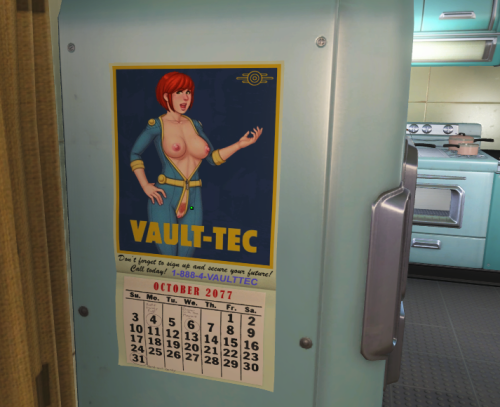
Lore Friendly Vault Posters + Calendar
By BitterBlue
This might be the only post I ever make, idk.
I made these years ago after seeing something similar. I'm all for NSFW but I prefer it to be a bit lore friendly so the edits that use anime girls are just not for me.
I recently re-installed and found these old posters as I was combing through my F4 Save Storage so I thought I might as well share with whoever. Making these annoyed the heck out of me, especially cleaning up the cutouts so they really fit the poster circles. I'm especially proud of the "America Lives in You" poster. I thought someone else might enjoy the fruits of my labor.
It's an NSFW recreation of the posters you can use in Vault-Tec Workshop, including the Vault Tec Calendar.
They're just textures. Drag and drop with the Mod Manager of your choice. It's pretty easy to see if it's working by just checking the poster on the side of the fridge in your pre-war house.
There are clean and dirty versions. I'm actually not sure if the calendar is a deco object in the workshop, might need something to add it but I don't recall what.
The art I used is from a particular NSFW Fallout parody game but I'm not sure I can mention it here.
If the original creator (of the game/art, Not the posters) or whoever wants to take it down then whatever.
I recall that the original posters from Vault-tec workshop actually have a weird floating issue where they're not flush with the wall by default (Might have been caused by my bloated mod folder, idk). I'm not sure if this was fixed in the interim, I doubt it, but This Dupe by Siles (actually don't know why this exists) seemed to fix the issue back then.
If anyone knows some Lore Friendly Magazine/Posters mods that don't use anime girls, and preferably not GenAI, then I'd love some suggestions.
Edit:
Also, yes, the art is from a parody game called Fall:Out and can be found on Patreon under Dvoika. It is VERY early in development so feel free to support the creator if you want to see that game finished.
922 downloads
Updated



.thumb.png.d476ec0bfca6ca16a086bc179741e360.png)
.thumb.png.ea1cd1c28ec6e6a0dc7025d0ce1ef3ab.png)