Select a subcategory to view available files.
Files From Subcategories
-
Loading Screens for All 130 Base Game Skill Magazine Issues (With Limited Rotation)
By R33coil
This is an alternate version of my mod Maximum Chance & Less Rotation for Skill Magazine Loading Screens which I made because I got a bit bored looking at the same 17 skill magazine loading screens over and over again. What it does:
1) Adds loading screens for all 113 base game skill magazine issues that didn't have one before so now the game has 130 to pick from.
2) Sets the chance value for skill magazine loading screens to 99 percent so almost all loading screens will feature skill magazines.
3) Limits the automatic rotation of the skill magazine loading screens so you only see the front and not the boring blank back cover.
The mod is of course intended to be used with mods that replace the vanilla skill magazine textures such as Yet Another Adult Magazine Cover Replacer, but if you're just a huge fan of the vanilla magazine covers you can of course use it without a texture replacer as well.
2205 downloads
Submitted
-
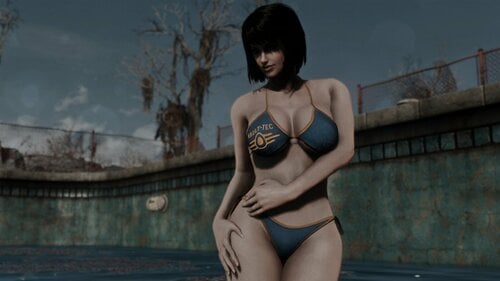
monno's bikini - skyrim port.
By Aubri
monno's bikini from skyrim ported to fallout 4.
cbbe required for female, evb for male.
supports bodyslide & an experimental test of janebod.
vanilla, armorsmith extended, and awkcr versions available. also available on the nexus.
IN-GAME:
ae & awkcr can be crafted at the armorsmith workbench:
vanilla can be crafted at the chemlab:
obtain using console: ADDITIONS: monno's bikini bodyslide with physics body files by mrtroublemaker. monno's bikini for vanilla-evb by radbeetle. monno's bikini - fusion cbbe - separated to upper and lower part by busses. monno's bikini horizon 1.8 patch by likun. CREDITS:
monno - granting me permission to port their bikini. mizho - flag-based retextures.
rumbicup - clean/dirty retextures.
mergatroid skittle - spoopy retextures.
melvinius - retextures.
daftbunny - screenshots.
ousnius - sliders.
slapmesilly - advice and mesh work.
caliente & cell - cbbe, bodyslide and outfit studio.
material editor.
fo4edit.
nifskope. I WILL NOT BE RETURNING TO FALLOUT 4.
PLEASE DO NOT SEND ME MESSAGES ABOUT THIS MOD. THANKS ❤️7689 downloads
Updated
-
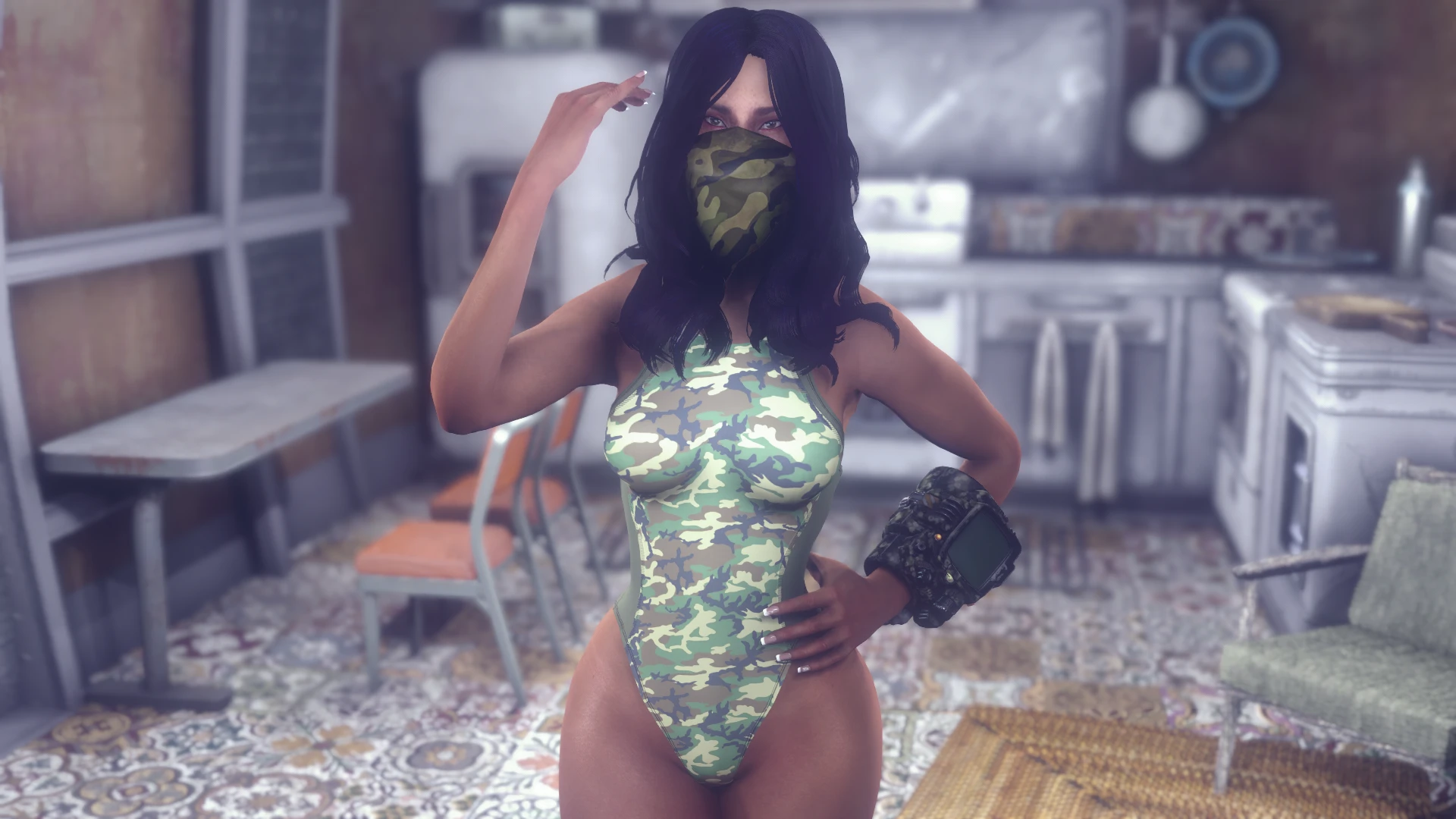
competition swimsuit - skyrim port.
By Aubri
competition swimsuit from skyrim ported to fallout 4.
cbbe required for female. supports bodyslide
vanilla, armorsmith extended, and awkcr versions available.
also available on the nexus.
IN-GAME:
ae & awkcr can be crafted at the armorsmith workbench:
vanilla can be crafted at the chemlab:
obtain using console: ADDITIONS: competition swimsuit for atomicb by themilkdrinker. competition swimsuit fusion girl by kp by krazyman999. CREDITS:
shimaneko - permission to port their swimsuit. moriartykain - lore-friendly retextures. caliente & cell - cbbe, bodyslide and outfit studio.
material editor.
fo4edit.
nifskope. MODS SHOWN IN SCREENS:
I WILL NOT BE RETURNING TO FALLOUT 4.
PLEASE DO NOT SEND ME MESSAGES ABOUT THIS MOD. THANKS ❤️
2706 downloads
Updated
-
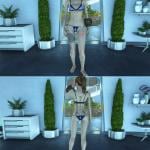
layer bikini - skyrim port.
By Aubri
port of layer bikini from skyrim to fallout 4.
cbbe required for female, supports bodyslide.
vanilla and awkcr versions available.
IN-GAME:
ae & awkcr can be crafted at the armorsmith workbench:
vanilla can be crafted at the chemlab:
obtain using console: CREDITS:
anano - creator of the skyrim mod.
sgtmcbiscuits - biscuit bikini retextures.
kitsuneshoujo - tropical layer retextures.
gentaishinigami - violetta retexture.
darkconsole - new american & distressed bikini.
I WILL NOT BE RETURNING TO FALLOUT 4.
PLEASE DO NOT SEND ME MESSAGES ABOUT THIS MOD. THANKS ❤️3339 downloads
Updated
-
Furry Paintings
By Rorahusky
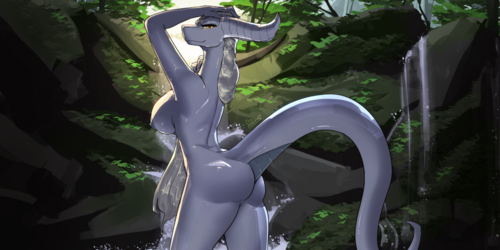
Changed all the Cabot, Generic, Institute, and Portrait paintings to be a little more furrified.
4232 downloads
Submitted
-
Erotic Art - Expanded v3
By supernipsu
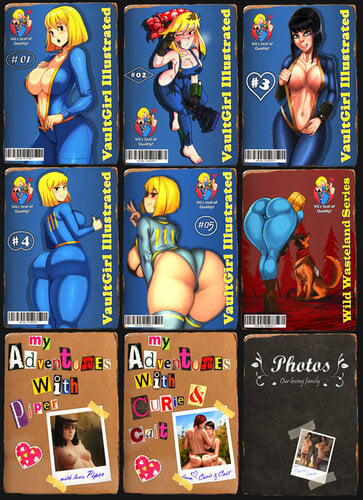
This mod is an expansion to the Erotic Art -mod on Nexus. The purpose of the mod was to add more exclusively Fallout related pics, which sadly the original mod was pretty light on.
The expansion adds 304 additional pics, and 9 new magazines from which said craftable pics are unlocked from, just as in the original mod.
The pics are sourced from random post on Sankaku Complex and Rule34 image boards, but the only artist I able recognize and name is Shädmän.
Installation:
Download the original mod, and install the *ESP* version of the mod, and ONLY THE ESP VERSION:
Download this mod, and install it.
No More ESL version?
Sorry, the issues caused by using the ESL that were dependent on ESP was just more trouble than it was worth, so I converted the entire mod into .ESP and it is now only in .ESP. Second, editing .ESL version for more content is also a hassle, third, having both .ESP and .ESL version of the base mod supported, meant I had to remake the mod for each version, sorry, I am just too lazy to keep doing that.
Also, the menus are now inserted into the Erotic Art's -menu structure via scripts, so even if it gets updated etc. this will be compatible.
The magazines are located at:
Changes from v1 to v2.
Some pics were changed due to their inappropriate nature breaking loverslab rules, that's it, nothing else has been changed.
43851 downloads
Updated
-
companion Meet Companion Ivy
By Reginald_001
Companion Ivy 6.1
DOWNLOAD INSTRUCTIONS:
(Previous patches are now integrated. No new game required!)
1) CLICK ON THE DOWNLOAD LINK.
2) WAIT 10 SECONDS UNTIL YOU ARE REDIRECTED TO THE GDRIVE
3) FOLLOW THE INSTRUCTIONS IN THE README.TXT FILE
4) MAKE SURE TO DOWNLOAD:
- CompanionIvy6.1.7z
NEEDED TO COMPLETELY FINISH IVY'S STORY
- CompanionIvy_Nuka6.7z (DLC required!)
5) OPTIONAL DOWNLOADS
- IvyMainMenuReplaced.7z (replaces main menu with Ivy's cellar)
- CompanionIvyQuest_VR_Patch.7z (fixes final mission so it can be run in VR)
- CompanionIvy_MagAddon6.7z (PORNOGRAPHIC CONTENT. Adds Magazines Perks and hundreds of Lines to Ivy and a small quest)
IMPORTANT: ANY 'PATCHES' FOR EARLIER VERSIONS THAN 6.0 WILL NOT WORK WITH THIS BUILD BUT BREAK IVY INSTEAD.
DO NOT RUN IVY AFT
DO NOT POST 'BUT I DID IT AND IT WORKS FINE FOR ME' CAUSE IT DOESN'T.
WARNING: PERMISSION IS NOT GRANTED TO REDISTRIBUTE THIS MOD IN ANY TYPE OF 'MOD-PACK' IN ANY FORM.
WARNINGS / LEGAL / CREDITS & GAME PLAY VIDEO AND SHOWCASES in spoiler tag:
More legal:
All covers from the Magazine Addon were downloaded from official Color Climax and Marc Dorcell and other vintage Archives. Millions of copies of all of these magazines were sold all over the world and are still available today through official channels. All models depicted are over 18 years old. No content of the actual magazines is distributed through this add-on other than the publicly available covers.
206327 downloads
Updated
-
Rubber Duck's SAKR Repo
By rubber_duck
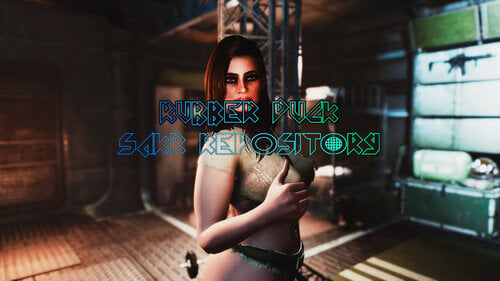
Skimpy Armor Keyword Resource (SAKR) is absolutely amazing. However, not everyone has the time to manually add keywords to a bunch of different clothing items. This 'Repository' has been made with that in mind.
What is this?
A (master) download page for various SAKR patches. I will be patching certain clothing mods the way I see fit. From 09/04/23, every patch (INI) is created with my Rubber Duck's SAKR/RCP Gen tool. INIs created with ESLified masters probably won't work on your end and you will have to either change the FormIDs manually or (recommended) create your own INI with my tool.
Requirements
Skimpy Armor Keyword Resource
RobCo Patcher
some clothing mods
How to install/use?
About ESL-flagged masters...
Fallout 4 has, unfortunately, a plugin limit. To bypass this, I'm applying ESL-flag to certain plugins; primarily clothing mods.
What does this mean, exactly?
To put it simply - it won't work as expected. To successfully apply ESL-flag to ESP plugin, one has to compact FormIDs for ESL. In a nutshell, this process changes values in the plugin. This becomes a serious problem when compacting FormIDs from a mod that's used by the other mod. It will most likely - break.
My patches that have been made with ESLified masters won't work properly with RobCo Patcher (a new hard requirement for all the patches here) as it (RobCo Patcher) is looking for FormIDs that don't exist in your game.
To fix this, you will (unfortunately) have to change the FormIDs yourself.
Rubber Duck's SAKR/RCP Gen (link)
I highly, highly recommend you to give it a shot! Not because it's mine, but because it allows you to create the perfect SAKR patch.
Apart from the obvious issue (ESL-flagged masters), there's something else. See, the problem with using my patches from this repository is that they are made by me - for me. I'm applying SAKR keywords to items the way I see fit, and that might not be the most realistic case for certain items. If, for example, one outfit contains a short pants, most of the people would apply SAKR's Pants-Shorts keyword. I would, on the other hand, apply Pants-HotPants keyword. That's unfortunate and you'll have to deal with it if you use my INIs.
Rubber Duck's SAKR/RCP Gen tool, will do all the work for you - you just export YOUR FormIDs from xEdit, load the exported file to SAKR/RCP Gen, select an item and all the keywords you want, and hit a button. That's it! There's a lot more information (as well as proper documentation) available on its page, so go check it out!
Current progress so far:
Note #1: '[ ]' indicates whether the patch has been made with ESL-flagged master plugin. If it has, it will read [ESL], else it'll read [Default].
Note #2: CTRL + F is your best friend here as this list is somewhat long...
Useful links:
Rubber Duck's SAKR/RCP Gen
Krazyones SAKR Addons
Thanks
Special thanks to twistedtrebla for SAKR (and other mods!)
Ultra-mega-giga thanks to Zzyxzz for RobCo Patcher (and other mods!)
All the users who provided their own patches!
All the mod authors for creating nice clothes!
Changelog:
29367 downloads
Updated
-
Ai Upscaled Textures - Devious Devices
By Alcater
Devious Devices - Ai Upscaled Textures by Alcater
Ah, I See You're a Man of Culture As Well
We now have a brand new 3BBB Discord Server
More of my mods here
The Bodyslide Preset i used here
First link is for Fallout 4
Second link is for Skyrim
Special thanks to NobodyImportant33333 for converting this mod to Skyrim.
Features:
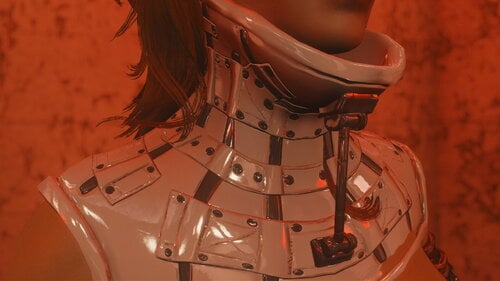
Ai Upscaling of the following Textures in all Colors in Latex and Leather: Straightjackets Restrictive Dress, Boots, Collar, Corset, Cuffs, Posture Collar, Harness, Gloves, Blindfold, Gags, Armbinder Formal Dress, Kimy Dress, Paw Mittens, Slave Highheels Wrist Rope
Some Color Adjustments
Red Latex is now red like a Ferrari White is not so grey Black is darker
Requirements:
Devious Devices
Installation:
Download and install Devious Devices and its requirements Download and install this mod and let it overwrite (load after Devious Devices) Enjoy Support the Devious Devices mod by Kimy
Permissions are the same as Devious Devices mod:
You can NOT post this mod or any of its parts (including any derived works) outsides of LL without my explicit permission. You can NOT incorporate any of my code in any for-profit project (Donations/Patreons are fine as long as they are strictly voluntary and don't offer the donor any tangible advantage over non-donors) You can NOT incorporate any of my code in mod that's going to be uploaded to Bethesda.Net and/or made available for consoles in any other way. You can NOT use any of my code in a closed source project. No exceptions, ever. No need to ask for permission either. I won't give it. Even in my wildest dreams I can't think of a good reason not to publish a mod's source code. You can NOT publish a fork of this mod without my permission. That includes porting it to other platforms/games. You CAN otherwise use my code for your own projects as long as you include all source code with your distribution and allow others to use your own code in a similar fashion. And give proper credit where it's due. All above rules still apply!
Credits:
Devious Devices by Kimy
8513 downloads
Updated
-
3BBB (CBBE) Conversion - Devious Devices
By Alcater
Devious Devices - 3BBB (CBBE) UNIBOOB Conversion by Alcater
Ah, I See You're a Man of Culture As Well
We now have a brand new 3BBB Discord Server
More 3BBB (CBBE) Conversions here
The Bodyslide Preset i used here
Features:
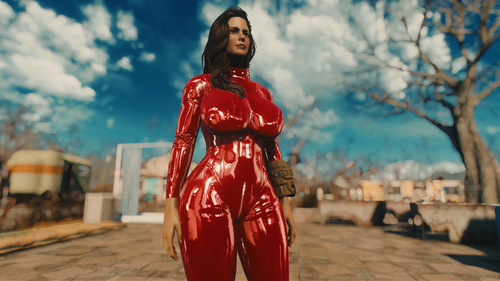
Conversion of all Outfits except the Heretic and Restraint Corset in the Devious Devices mod to 3BBB for CBBE. Depending on the Outfit they were converted using 3BBB or 3BBB UNIBOOB Did xyEdit of the CatSuits Added name prefix "DD" to most of the outfits so they are not all over the place in Bodyslide.
Requirements:
Devious Devices 3BBB Physics (CBBE) BodySlide
Installation:
Download and install Devious Devices and 3BBB for (CBBE) and their requirements Download and install this mod and overwrite if necessary Open BodySlide and Batch Build all the outfits in the Group "DD Devious Devices" Enjoy Support the original Devious Devices mod by Kimy
If you have trouble getting 3BBB to work have a look into the Guide to 3BBB
Permissions are the same as original mod:
You can NOT post this mod or any of its parts (including any derived works) outsides of LL without my explicit permission. You can NOT incorporate any of my code in any for-profit project (Donations/Patreons are fine as long as they are strictly voluntary and don't offer the donor any tangible advantage over non-donors) You can NOT incorporate any of my code in mod that's going to be uploaded to Bethesda.Net and/or made available for consoles in any other way. You can NOT use any of my code in a closed source project. No exceptions, ever. No need to ask for permission either. I won't give it. Even in my wildest dreams I can't think of a good reason not to publish a mod's source code. You can NOT publish a fork of this mod (as in using it as a base for a project offering similar functionality) without my permission. That includes porting it to other platforms/games. You CAN otherwise use my code for your own projects as long as you include all source code with your distribution and allow others to use your own code in a similar fashion. And give proper credit where it's due. All above rules still apply!
Credits:
Devious Devices by Kimy
BodySlide by ousnius and Caliente
Caliente's Beautiful Bodies Enhancer by ousnius and Caliente
OCBP for Fallout 4 by takosako
3BBB (CBBE - TWB) by SQr17
CBBE Outfit Helper Reference Suite by SQr17
10835 downloads
- bondage
- restraints
- (and 5 more)
Updated
-
Loadscreens for ALR - Rusty style
By Zohtaikz
Hi everyone,
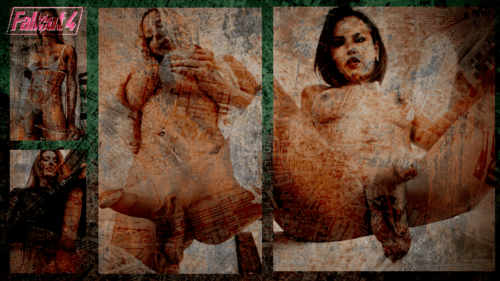
I tried to make my own loadingscreen for ALR but with a fallout-ish style.
You can choose to take one pic as a loadingscreen or use al of them.
DISCLAIMER
Some pics are more normal-themed but others are maybe not what other might like, choose which ones you prefer.
ALR is need of course, link below:
Automated Loadscreen Replacer (ALR)
Place pics in:
...\Automated Loadscreen Replacer (ALR)\F4SE\Plugins\ALR_Image_Dir
891 downloads
Submitted
-
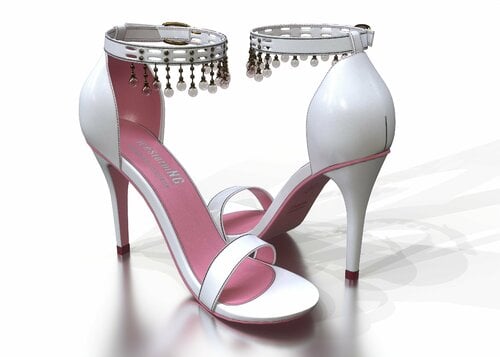
IceStorm's Glass Pendant Sandals
By IceStormNG
IceStorm's Glass Pendant Sandals - Version 1.0
See my Patreon for more mods, screenshots or if you want to support me.
A pair of high heel sandals with glass pendants hanging on the ankle strap.
Requirements
Fallout 4 (obviously) CBBE BodySlide (Optionally but highly recommended) Fallout 4 High Heels System (FO4HHS) and it's dependencies
Installation
Install with your mod manager or manually. Run BodySlide to build the shoes (with body) for your preset. This mod requires FO4HHS.
How to acquire Craft them at the chemlab under "IceStorm's Shoes" for some materials. You can modify the color at an armor workbench.
The heels use Slot 33-Body, like any other pair of high heel shoes. They come with custom high heel sounds, but you can change it back to vanilla at the armor workbench.
Notes
Sound of the heels is louder than normal footsteps. Sneaking is almost impossible and enemies will hear you much earlier than with flat shoes. If you revert it back to vanilla, this does not apply. To keep the high amount of details, full precision is enabled on the shoe's mesh. This means, that you may encounter some graphics glitches when a character wearing the shoes is set on fire (e.g. hit by a molotov). This mod requires game version 1.10.162 or newer due to changes to the ESP/ESL format.1885 downloads
Submitted
-
Assimilation Beds n Stuff KP
By Krazyone
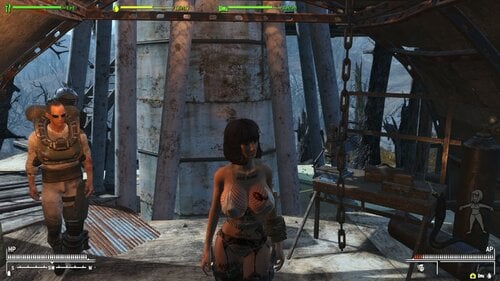
Adds Beds, Workbenches, and a Locked Safe to Camps that you are stuck at.
First time I've made Linked Workbenches, along with adding some additional stuff, as well as giving you a Private Bed. No Booting out people from your Private Bed.
I haven't found any problems, I am still testing this mod. But it really adds to the immersion, as you will spend a lot of time Assimilated.
Tested it to Level 72 in a new game...
Warning...
Don't store your stuff in Vanilla Containers, they re-spawn monthly, and delete their contents. A Vanilla game feature.
People will steal your Weapons and Ammo.
New Linked Workbenches ...... Limited Linked Workbenches, put an item in one to see if it is linked with other's.
New Safe's ..................................... Storage Option has been added, Personal Safe with a Note inside of them. Store your Ammo and Weapons to stop people stealing them.
Features...
- Safe Storage Safe ........... Leave your Weapons and Ammo in here, to stop it getting stolen. Smaller than a regular Safe, with Instructions Note inside.
If it doesn't have a Note, it's not a Personal Safe mod added Safe. This mod adds the Note, and Shrinks the Safe to 70% of it's size.
- Linked Workbenches .................. Cooking, Armor, Weapons, Chem Bench, Power Armour. Linked...
- Private Beds ......................... In Survival, you need a good nights sleep, so I added Beds.
Navmeshes ..................... Navmeshed areas, removing some of old, and replacing it with custom Navmeshes. So no more NPC's walking into your newly added stuff, they can see and walk around the Workbenches and Beds.
Precombines and Previses ... Designed around the world, to stop broken Previs's and Precombines. At present, on 2 Tiny Internal Cells have been altered, soo small that rebuilding previses and precombines was not needed.
Requires...
- Assimilation
- Personal Safe
Load Order... Mod Organizer 2
Mod Name...
- Personal Safe
- Assimilation ...................... Main Mod
- Assimilation Beds n Stuff ...... This Add-On
Plugins...
- PersonalContainer.esp
- Assimilation.esp
- Assimilation Beds n Stuff KP.esp
Locations...
Supermutants...
- West Everett Estate ... Supermutant ... Cellar has all the Workbenches you need, and bunk beds. Next to Taffington Boathouse.
- GeneralAtomicsFactoryExt 02 ... Supermutants ... building site, North of The Castle, across river.
- Big Johns Salvage ... Supermutants ... North of Jamaica Plains.
- Fallons Store ... Supermutants ... West of Jamaica Plains.
- Fort Strong ... Supermutants ... Supermutant House, on island, South of Nordhagen Settlement.
- Coast Guard Pier ... North of Egret Tour Marina Settlement.
Gunners...
- GNN01 Gunners Plaza ... Gunners ... SW of Jamaica Plains.
Raiders...
- Fens Evans Cul De Sac ... SE of Diamond City, near Molerat Warehouse
- Cambridge Camp Kendall Skyscraper roof... SW of Bunker Hill Settlement, riverside.
- Beantown Brewery... North of Oberland Station.
- Lynn Woods... North side of the big lake.
- Haymarket Mall... North of Goodneighbor
Rust Devils...
- Fort Hagen Satellite Array ............................ Commonwealth, halfway down West side
Railroad...
- Railroad HQ ... Near Pickmans Gallery, in the Old Church Basement.
987 downloads
Updated
-
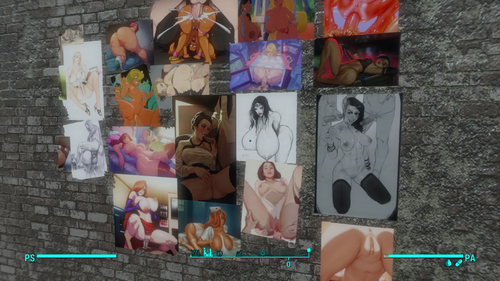
genericposterS.rar
By peronperon
straight content for generic posters textures
buy me a beer -->https://www.buymeacoffee.com/taringarca5
3879 downloads
Updated
-
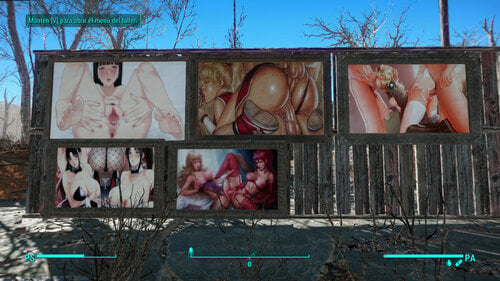
NSFW Texture replacer for paintings
By peronperon
Not standalone texture replacer for paintings, hentai straight content.
buy me a beer --> https://www.buymeacoffee.com/taringarca5
4419 downloads
Updated
-
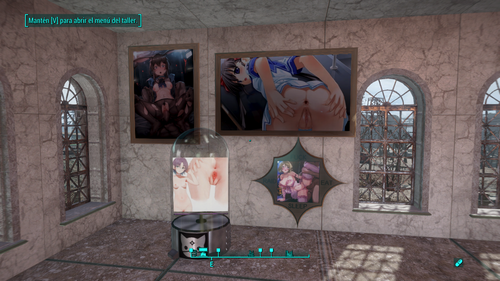
Hentai kitty crafteables texture replacer
By peronperon
New link --> https://mega.nz/file/6MUDVK4D#aJiLJuyFBgW7VH0VIhnv3YOt8wugvbQ5KAKAZYyIREU
In the link you can download this personal modification. The original mod have a strange beavior whit lights. I dont fix that bug, only replace textures. I dont know how put files bigger tan 250mb, so dont download the file droped, only the link in this post. Good luck
You can buy me a beer --->https://www.buymeacoffee.com/taringarca5
1662 downloads
Updated
-
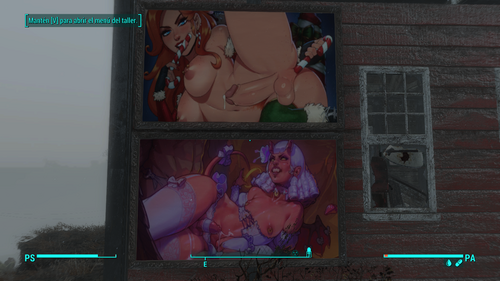
Pickman gallery paints replacer (nsfw)
By peronperon
Replacer for pickman gallery paintings. Shemale/femboy content.
you can buy me a beer -> https://www.buymeacoffee.com/taringarca5
3884 downloads
Updated
-
Sickotik's Settlement Expansion
Sickotik's Settlement Expansion Mod
Description:
Welcome to Sickotik's Settlement Expansion Mod, a comprehensive expansion for Fallout 4's settlement system! Take control of your settlements like never before and turn them into thriving communities across the Commonwealth. This mod expands the size and potential of various settlements, allowing you to create larger and more immersive player-built towns.
Features:
10-20% Larger Settlements: Unlock the true potential of Fallout 4's settlements by expanding their boundaries. Build bigger and more elaborate structures, develop flourishing communities, and customize your settlements to your heart's content.
Creative Freedom: With the expanded settlement bounds, unleash your creativity and build grandiose structures, intricate defenses, and beautiful gardens. Let your imagination run wild and craft unique settlements that reflect your vision.
Compatibility: Sickotik's Settlement Expansion Mod is designed to be compatible with other settlement-focused mods, ensuring that you can enjoy a seamless experience while using your favorite settlement-enhancing addons.
Important Notes:
Some settlements may have slight issues with the settlement bounds highlighter, but this does not restrict your ability to build outside those boundaries. Embrace the creative freedom and construct beyond the highlighted edges for truly expansive settlements.
Not all objects within the expanded settlement bounds are currently marked as "Scrapable." However, future updates will address this issue, providing a more immersive and streamlined building experience.
Settlements Included:
Abernathy Farm
County Crossing
Egret Tours Marina
Finch Farm
Greentop Nursery
Greygarden
Hangman's Alley
Oberland Station
Somerville Place
Taffington Boathouse
Tenpines Bluff
The Slog
Settlements Not Included in Initial Release (yet): Due to complex border shapes, these locations will be released in a future update.
Boston Airport
Coastal Cottage
Croup Manor
Jamaica Plain
Kingsport Lighthouse
Nordhagen Beach
Outpost Zimonja
Sunshine Tidings Co-op
NOTICE: These locations WILL NOT be expanded due to their current size being PLENTY.
Sanctuary Hills
Vault 88
Warwick Homestead
Spectacle Island
Future Updates:
In upcoming updates, Sickotik's Settlement Expansion Mod will include:
Integration of DLC settlements, expanding your building opportunities to include Far Harbor, Nuka-World, Automatron, and more.
Further enhancements to settlement bounds, ensuring accurate highlighting and improved alignment.
Additional scrapable objects within the expanded settlement bounds, allowing for a more comprehensive settlement management experience.
Experience the Power of Settlement Expansion!
Unleash your creativity, reshape the Commonwealth, and build thriving communities with Sickotik's Settlement Expansion Mod. Embark on a journey of boundless possibilities as you transform settlements into sprawling hubs of civilization.
Note: DLC settlements and additional settlements mentioned will be included in future updates. Stay tuned for exciting improvements and expansions.
522 downloads
Updated
-
AAF Sex Em Up (French translation)
By KhyodK
Voici la traduction française de la version 1.16 du mod AAF Sex Em Up de Egoballistic.
625 downloads
Updated
-
Commonwealth Captives (French translation)
By KhyodK
Voici la traduction française de la version 1.00 du mod Commonwealth Captives de Egoballistic.
321 downloads
Updated
-
Dank's Magazine Replacer
By DankPuppy
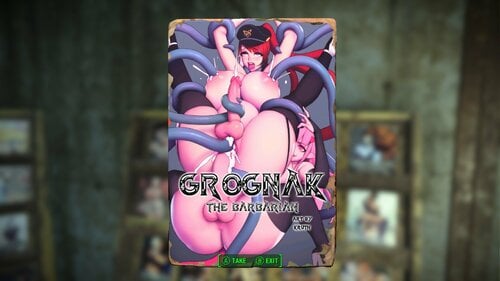
just a simple magazine replacer for every perk mag in game, enjoy
145901 downloads
Updated
-
Sickotik's Ultra Epic Lore Friendly Texture Overhaul
A Complete Texture Overhaul of Sexy, Lore Friendly, funny, Hand Crafted Images.
PLEASE RATE if you like my mod!
If you are using "SETTLEMENT KEYWORDS FRAMEWORK" my "Sickotiks_Art.esp" must be at the BEGINNING of your load order.
My Mods Have Been Spotlighted on Youtube! Yay!
I just wanted to say thank you to everyone commenting and downloading my mods. Your appreciation is highly valued and keeps me up at night making these mods for you.
The Nexus Banned me for mentioning Lovers Lab in my own mods comments, so I'll be doing all my modding here now. I don't deal with Fascists.
I PUT UP A VIDEO TUTORIAL ON HOW TO REPLACE IMAGES IN GAME YOURSELF
NSFW*
[iNSTALLATION]
How to enable modding
Navigate to your Fallout 4 Folder at the following location "Documents/My Games/Fallout 4" Within this folder will be a number of .ini files, highlight "Fallout4Prefs.ini" and "Fallout4.ini". Right Click, select Properties and ensure that these are NOT marked as read only. Open Fallout4Prefs.ini with your favourite text editor (we use Notepad++). Navigate to the very bottom and you will see the line [Launcher]. Directly underneath this, add the following line: bEnableFileSelection=1 Save and Close Open Fallout4Custom.ini with your favourite text editor. * Note that this file was changed from Fallout4.ini following update 1.2 Add the following lines to your Fallout4Custom.ini [Archive] bInvalidateOlderFiles=1 sResourceDataDirsFinal= Save and close...
(The Files were too big to go into one RAR package, so you can either install each as their own "mod" or put all their texture folders into one DATA folder and drop that into your Fallout Game Folder or Zip/RAR the new Data folder you made, and install that as a mod)
How to enable my mods
1. Download BOTH Magazine Files.
2. Download the Misc file, Billboards File and the Paintings File (Unless you're using one of my other painting packs)
3. Using Mod Organizer or NMM, install all the RAR files or alternatively...
3.5. Take all 5 texture folders and drop them into your Fallout 4 DATA folder, located in Steam>SteamApps>Common>Fallout4>
Run Your Game - Enjoy
Here's my step by step process of creating your VERY OWN +50 Extra Paintings ESP like mine.
I'm using my own mod as an example, because that's what I have. So if you've got the 50+ Extra Paintings Pack Installed, you should be able to follow along just fine. Let's go!
You're going to need three programs to create your own "New Paintings" ESP.
GIMP (With the DDS Plugin[Google it])
FO4edit (It's on the Nexus[Put the Hardcoded file and the FO4edit(Which will be called TESVedit[You need to rename it FO4edit or it won't work]) into your Fallout 4 Main Folder.
WinRAR (Google it)
Install Sickotik's Personal Paintings + 50 Extra (found in this mod) with NMM, so the ESP file is in your load order. You will be changing this. *(Or Install Higs Gallery and replace anywhere I say "Sickotik's Art" with "HigsGallery")
Step One - Replacing Sickotik's Art with your own favorite filth.
1. Open Gimp and drop one of the Sickotik's Art images (From Fallout4>Data>Textures>SetDressing>SickotiksArt) onto the main area first. This will bring up the image so you can work on it.
2. Then all you have to do is drop the image YOU WANT to replace Sickotik's image with, right on top of mine.
3. A Dialogue box will appear, UNCHECK LOAD MIPMAPS (You do not want it loading all those extra files, or nothing will work)
4. Then take the SCALE TOOL, and tick "Maintain Aspect" at the bottom. Now just scale your image so it fits nicely in the frame.
5. Now go over to your layers panel and right click on YOUR image (Which should be the top one). [if you don't see the layer panel go to WINDOWS>RECENTLY CLOSED DOCS> and make sure both are turned on.]
6. Once you have right clicked your image, select "MERGE DOWN". Your two images will now become one.
7. Right Click on the single image and select "LAYER TO IMAGE SIZE". This will ensure your image is the same as Higs original. If you don't do this, it won't work. The resolution must be the same.
8. Go over to FILE and select EXPORT AS. (It will automatically default to replace the original image you dropped in and this is what we want.)
9. Click EXPORT (A dialogue box will again appear)
10. For Compression Select BC2/DXT3. Format you can leave default. And for Mipmaps select GENERATE MIPMAPS.
11. Press OKAY and now you have your first DDS file replaced with your own image. Ready to work in game. Do this for ALL the files. At this point, you can run the game and you'll have your images in there. If you want to make your own ESP with your own name, keep reading.
Step Two (If you want to make your own ESP so the category in-game says your name) - Changing the ESP and Material Files
1. Install Sickotik's Personal Paintings + 50 Extra (found in Sickotiks Various Paintings Pack) with NMM so the ESP file is in your load order
2. Go to your Fallout folder and run FO4edit.
3. Right click any mod and choose "SELECT NONE"
4. Now tick Fallout4.esm and Sickotiks_Art.esm
5. Click okay and wait for it all to load
6. On the right side of the menu press the little + sign next to Sickotiks_ Art. Do the same for all the other +'s that drop down.
7. Under "Constructable Object" click PAINTINGS and you should see this.
8. Where you see "Sickotik's Art"(There are two of these), right click it, select edit, and change it to the file name of your choice. (This will be what the menu is called in game, in the settlement building menu)
9. Under "FormID List" click WorkshopMenu1. Do the same as above here. Where you see "Sickotik's Art" right click, edit, change to your same name.
10.Under "FormID List" click GalleryList. Do the same as above. Anywhere you see "Sickotik's Art" change it.
11.Under "Keyword" click paintings. Do the same as above.
12.Now under "Material Swap" you're going to have to do the same as above A LOT of times. Go through EACH of the drop down items, IE; "010082b RgalSwap01", click it, change "SickotiksArt" what you plan on naming these by the folder you will setup shortly. It must match the folder name.
13.Close and Save and overwrite the ESP.
Step Three - Setting up your folders.
1. Go to your Fallout4>Data>Materials>setdressing>SickotiksArt folder and rename it to whatever you have been changing it to in Fo4edit this whole time.
2. Open the folder, right click the first file, open with Notepad.
3. Open each file, one at a time, with notepad, and change "SickotiksArt" to whatever YOUR folder is called. Do this for ALL the files.
4. Go to your Fallout4>Data>Textures>SetDressing>SickotiksArt and rename it the same thing you've been renaming everything. It needs to be the same name for both the texture and materials folders.
Step Four - Creating Your Mod
1. Make a new folder on your desktop called data
2. Make 2 folders inside the data folder. One called textures and one called materials.
3. From your Fallout4>Data>Materials>Setdressing folder, copy your newly named folder.
4. Paste it into the materials folder you just made on your desktop.
5. From your Fallout4>Data>Textures>SetDressing> folder, copy your newly named folder.
6. Paste it into the textures folder you just made on your desktop.
7. From your Fallout4>Data folder, copy the ESP called "Sickotiks_Art".
8. Paste it into the data folder you just created on your desktop and rename it whatever you want your ESP to be called.
9. Right click your new Data folder, select "Add to Archive" and name your mod. Press Okay.
10. You now have a mod you can install with a Mod Manager. Congratulations.
I hope this helped all of you. Enjoy! Special thanks to Higs for helping me along in this process!
3214 downloads
Updated
-
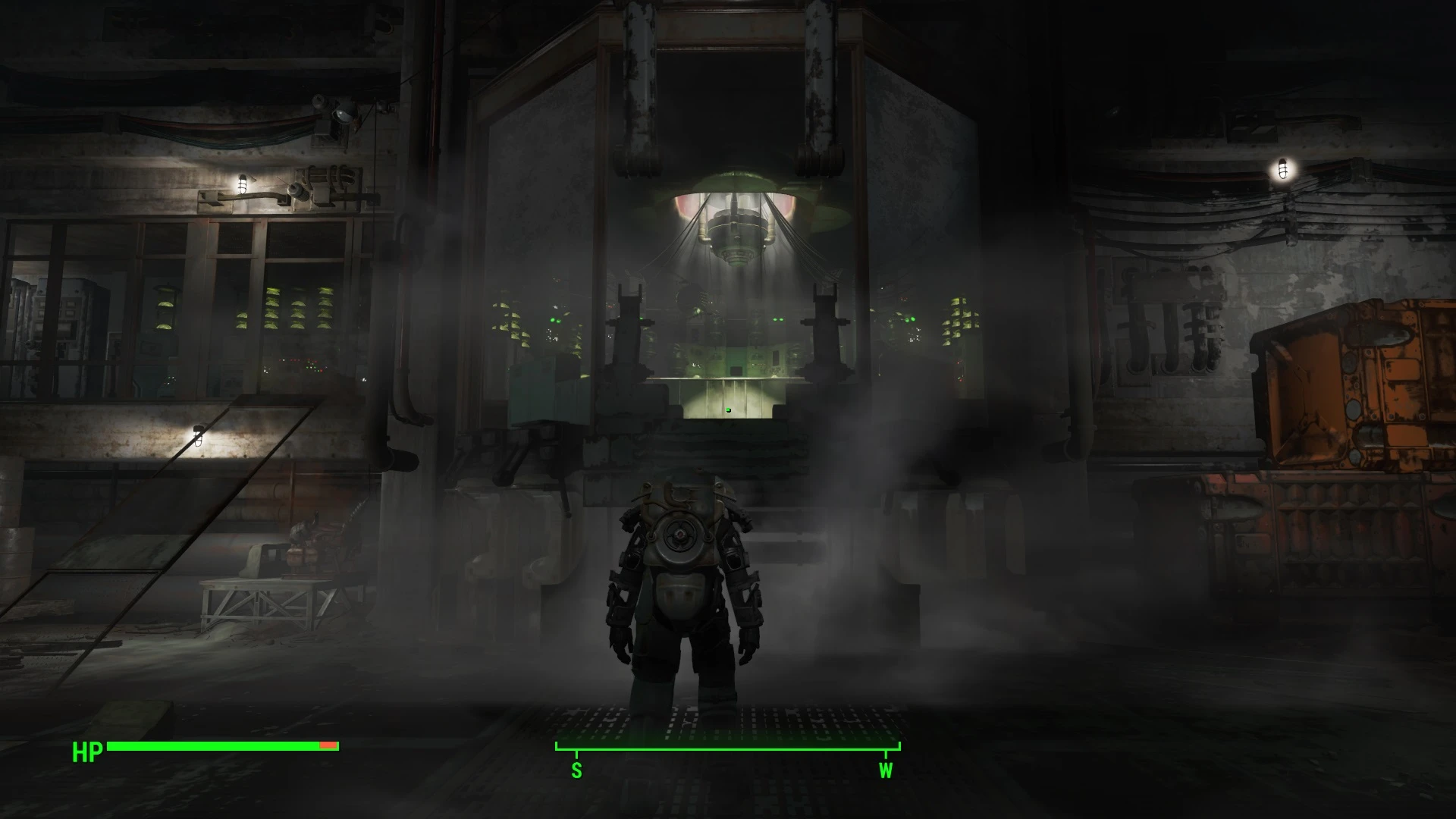
Extended Mechanist's Lair
By AceSevenFive
I hid all of my mods from Nexus in July 2021 to protest the removal of mod deletion. People still ask me for them on occasion, so I'm reuploading them to various alternative sites. I have no idea if this still works, as I haven't done modding for Bethesda games in years, so use at your own risk.
Original description from Nexus:
This mod extends the settlement boundaries of the Mechanist's Lair by approximately 100x, which should be enough to cover the entire interior.
Place this mod below DLCRobot.esm in your load order.
646 downloads
Updated
-
Transcripts for Prelude to Vault 273
By AceSevenFive
I hid all of my mods from Nexus in July 2021 to protest the removal of mod deletion. People still ask me for them on occasion, so I'm reuploading them to various alternative sites. I have no idea if this still works, as I haven't done modding for Bethesda games in years, so use at your own risk.
Original description from Nexus:
This mod requires Prelude to Vault 273, by DDProductions83. You can get it here
This mod provides a holotape that has transcripts for the various audio logs in Prelude to Vault 273. This holotape can be found at the location of the first audio log, in the root cellar in Sanctuary Hills.
Transcripts for each audio log will be unlocked in the holotape once you pick up the bear at them.
Place this mod below DD_Prelude_273.esp in your load order.
82 downloads
Submitted
-
The Omnicidal Maniac Mod - Kill Everyone
By AceSevenFive
I hid all of my mods from Nexus in July 2021 to protest the removal of mod deletion. People still ask me for them on occasion, so I'm reuploading them to various alternative sites. I have no idea if this still works, as I haven't done modding for Bethesda games in years, so use at your own risk.
Original description from Nexus:
Warning: I am not responsible if you break your save by killing a quest-critical NPC.
Do you want to kill all the NPC's in Fallout 4? Do you agree not to file a bug report when you irreparably break your game? Then have I got the mod for you!
Does exactly what you think it does; allows you to kill any NPC, including essential ones [with the exception of children and NPCs you can't actually access.]
Put at the top of your load order.
88 downloads
Submitted