Regular Mods
These Skyrim: Special Edition mods are of a non-adult nature.
1206 files
-
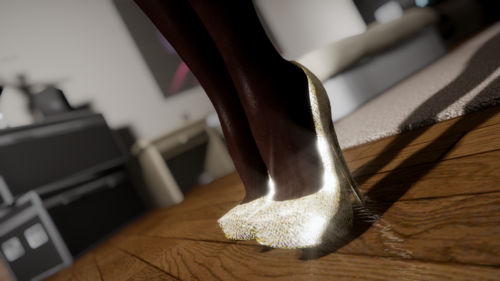
high heels Shimmer Heels - BodySlide for BHUNP
By donnerwetter
Shimmer Heels by zzlaq1 is one of my favourite high heel mods and I was sad to discover no BHUNP conversion existed, so I made my own. Requires the 3BA conversion of Shimmer Heels from here: https://drive.google.com/file/d/1rzkWKyC4i8zkMigUU1cv3plcAV2WXF1Z/view?usp=sharing
363 downloads
Submitted
-
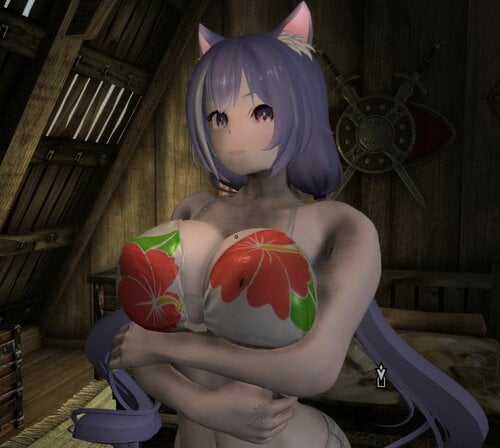
Tera Elin Remastered lighter skin (3BA)
Some Texture files that replaces the tera elin remaster skin to a brighter lighter tone
Brighter lighter : lighter toned skin but remained closer to humanlike
Slightly Pale : much lighter and a little pale toned skin which is closer to anime
replace existing files
requirements:
obviously
1277 downloads
Updated
-
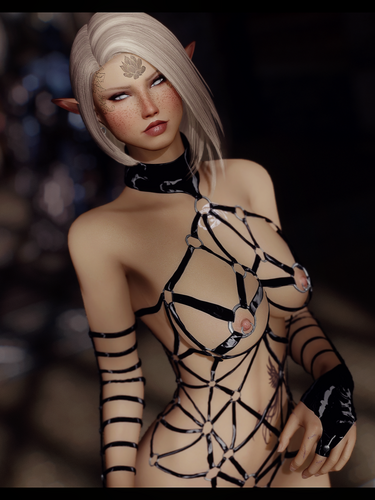
Demonatrix SE CBBE (3BA) (With SMP Earrings)
By spaz490
Version 1.2 (8/7/22)
Comes in black, Teal, pink, purple, red, cyan, burnt orange, green, white. and yellow.
Equips as separate pieces as gloves, heels, cuirass, earrings, nipple/pussy piercings and sword.
The AR is about the same as dragonscale.
5Crafted using standard dragon material amounts.
Tempered using 1 dragon bone.
The riding crop has the same damage and crafting requirements as a dragonbone sword.
The starting prebuilt meshes are a custom preset named Kurone Bell.
(Body preset is currently unreleased)
Use in game weight sliders to adjust size or replace with your own preference.
Use bodyslide to access zap sliders on the earrings and piercings.
ESP is flagged light.
Note: download and install the standalone SC Cubemaps on the pages misc file section
metal will be black without it
SC - Cubemaps - Standalone - 1024 - on nexus - in the MISC file section
version 1.2
Mod now requires heels sound.
Applied spec/alpha to normal maps.
Changed orange texture to a yellow.
Changed brown to be a burnt orange.
Changed the texture set for the metal parts.
Changed Earrings to have a gothic appearance.
Fixed heels to have solid bone weighting movement across the soles .
Moved nipple and pussy piercings to be a separate object.
CBBE
3BA
Bodyslide
FSMP - Faster HDT-SMP
CBPC - Physics with Collisions
Heels Sound 1.5 SSE
SC - Cubemaps - Standalone - 1024 - on nexus - in the MISC file section
Created by: Arsenic
Further work by: PredatorRJ
ShinglesCat - cubemaps
Cedeon - cross earrings
Rektas69 - earring SMP
Kurone1247 - bodypreset
Jeir, Caliente, & Ousnius - fonts from their description pages and work done on CBBE/Bodyslide
Acro748 - CBBE 3BA (3BBB)
Groovtama - XP32 Maximum Skeleton
Saphira2812 - screenshots
SunJeong: for her nice 5 min outfit studio ground mesh tutorial on youtube
6271 downloads
Updated
-
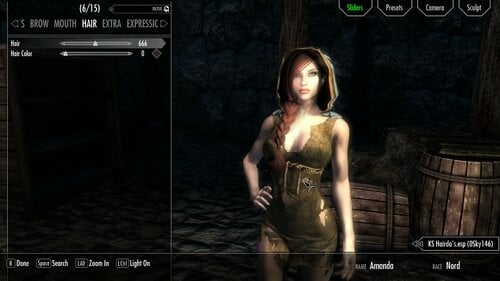
Nocturnal's Hood Keeps Hair
By Herowynne
This mod does three things:
Switches Nocturnal's hood to the circlet slot 42 so that it can coexist with KS Hairdos hairstyles, and no longer makes the character bald under the hood with a KS Hairdos hairstyle. Makes Nocturnal's hood more spacious to avoid clipping with some of the KS Hairdos hairstyles. See the screenshots for the names of several KS Hairdos hairstyles that are compatible with the remodeled hood. Please note that most KS Hairdos hairstyles will clip through the hood. Makes Nocturnal's hood playable, so it can be acquired with AddItemMenu and worn by the player character. Please note that Nocturnal's hood is actually named Nocturnal's Hat in the game.
This mod includes an ESL-flagged ESP file and two replacement meshes.
1629 downloads
Updated
-
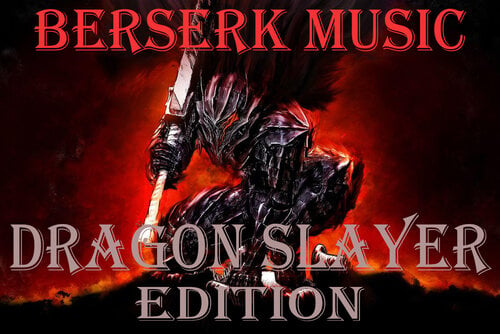
Berserk Music Replacer - Personalized Music Preset (SSE Version)
By Kaguto
MY BROTHER, COME JOIN ME...
This is a preset for Personalized Music Replacer. You must have that mod, which you can find here: Personalized Music - Skyrim Special Edition at Skyrim Special Edition Nexus - Mods and Community (nexusmods.com)
This preset for Personalized Music Replacer will replace your ingame music with the music from the 2016 Berserk anime and the Golden Age Arc movies.
Optionally, you can download a file which replaces the main menu music with "Dragon Slayer," and the wallpaper with this:
This was achieved with help from this mod: Easy set up for Changing your Main Menu Background and Music at Skyrim Nexus - Mods and Community (nexusmods.com)
Please enjoy putting the fear of Akatosh back into those pesky dragons with this epic music replacer. The One They Fear is You (See what I did there?)
Although this is exactly the same as the LE version I uploaded, I'm putting it in the SSE section as well for people's convenience/to make it easier for SSE users to find. You can find the LE Version here:
544 downloads
Updated
-
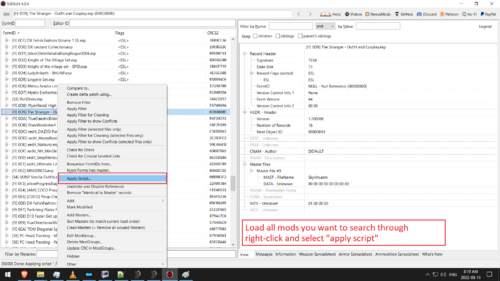
xEdit Scripts - Body Slot Filter plus Changer
By xavier0self
Extremely simple script that filters ARMO and ARMA records by specified body slot(s).
Second optional script additionally changes body slots, including combinations of flags.
Third script will change body slots and add keywords.
This is handy for checking for conflicting armor pieces.
eg. - search all mods to see if they use body slot 'x', and what armor pieces are using body slot 'x'
- more easily identify particular pieces you may want to wear simultaneously, but can't
- batch-edit all similar pieces from multiple mods
Reminder: You still also have to change the nif's partition data to match if you change body slot data in the plugin!
Use Nifskope or Outfit Studio to change nif body slots.
Also can be helpful if you are trying to choose the most compatible body slots for your own outfit mod.
It is very basic and I didn't write it. I simply repurposed an existing script for myself and added the reference table.
https://stepmodifications.org/forum/topic/13243-processing-all-records-that-meet-a-condition/
To install, just toss the unzipped file (_FIND [ARMO] containing BODY SLOT.pas) into the "Edit Scripts" folder contained within your SSEEdit installation folder.
TIP:
To modify multiple records at once:
Highlight all the records you wand to edit (in the left pane), then right-click and "compare selected".
Now you can make edits to what ever values you want, then right-click on the value you edited and "copy to selected records".
-----------------------------------------
OPTIONAL + MORE POWERFUL SCRIPT:
I edited another script for myself by Rathkeaux - https://www.nexusmods.com/skyrimspecialedition/mods/16011
Optional script searches for -and- CHANGES body slot flags.
The searching can be constrained by COMBINATIONS of flags, and the flags can be changed into COMBINATIONS as well.
All I did to Rathkeaux's script was add a MUCH NEEDED reference table and explanation on how to use it.
Both scripts can complement each other very well.
3rd script will also add keywords, by request of another.
You have to make mods of keywords you're using masters.
eg. adding SOS keywords to mods requires you to make SOS a master first.
Lemme know if it's not working like it should or something!
-----------------------------------------
301 downloads
- xedit scripts
- filter
- (and 4 more)
Updated
-
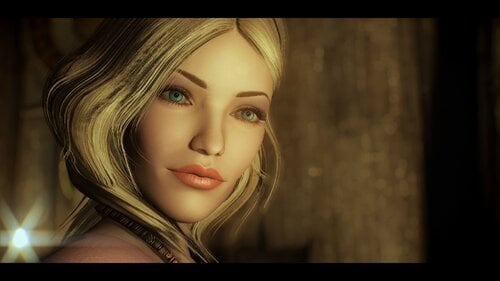
90'S celebrities Cameron Diaz
By daxoss
90'S celebrities Cameron Diaz V2
More presets here: https://www.patreon.com/daxosscontent
requirement:
Racemenu
RaceCompatibility for Skyrim Special Edition
COtR - HQ Characters creation addon for RM
Eye Normal Map Fix SSE
Improved Eyes Skyrim !!!New!!!
CotR x Improved Eyes Skyrim - Updated Patch !!!New!!!
KS Hairdos Brows !!!New!!!
COtR x Hvergelmir's Brows !!!New!!! Credit:
ALL THE COMMUNAUTY!710 downloads
- racememu
- customrace
- (and 4 more)
Updated
-
Additional Expressions Project - Addon for Poser Hotkeys Plus
By Slick Silk
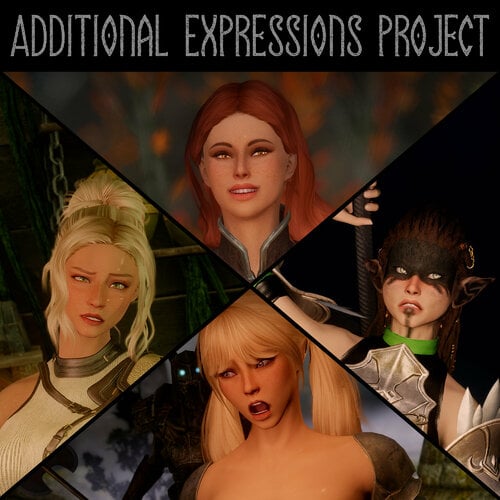
I like posing my characters and taking screenshots. Facial expressions can really bring the characters to life, but I found that the base expressions in "Poser Hotkeys Plus" were a bit lacking. It's possible to manually set the mfg expression, phoneme & modifier settings to get the perfect expression, however this usually takes a bit too long for my liking. This is why I've decided to create this addon. It adds over 80 new facial expressions to quickly cycle through for your screenshotting purposes. The expressions are split into categories for easy navigation.
There are currently 7 categories which are:
ANGER
CONFUSION
FEAR
HAPPINESS
PAIN
SADNESS
SURPRISE
I may add more expressions or categories down the line. If there are any specific expressions you'd like for me to add, leave a comment and I'll see what I can do.
REQUIREMENTS:
Poser Hotkeys Plus
High Poly Head 1.4
Even More Expressive High Poly Facial Animation
This mod will work without the Even More Expressive High Poly Facial Animation mod, however it was designed with it in mind so if you do not have it installed, the expressions will look slightly different.
Installation:
Install with your preferred mod manager or extract into your data folder if you're installing manually.
Quick tip:
The expressions where the character has their mouth open can look weird on some character presets due to the teeth being misaligned. Thankfully Racemenu has a bunch of teeth sliders which let you move the teeth up and down as well as set the depth inside of the mouth. If your teeth are badly misaligned when smiling, I would recommend tweaking the teeth sliders to set everything up nicely. You only need to do this once per character.
1254 downloads
Updated
-
[REDUNDANT] The Amazing World of Bikini Armor - CBBE 3BBB Bikini Top Bodyslides to Slot 46
By supernipsu
After doing some more research I actually found the culprit. It's not the mod in question nor is it "the game's fault".
The problem is with Devious Devices, an obscure option under its MCM menu.
I'm still going to leave this here, in case someone like me ends up googling for few hours and can not find the answer to: "why the game is hiding / making certain armor parts invisible when I equip certain armors in certain slots?" Or if you want to be able to equip your armored bikinis on top of underwear from other mods that use Slot 32.
I had a similar issue with SexLab - Sexual Fame, where I had no idea the mod was auto distributing and equipping collars to random NPCs from ZaZ animation pack.
Here are solution screens shots what option need to be changed and into what to fix these issues:
And Here is the Sexual Fame solution if you also had the issue:
Old Description:
299 downloads
Updated
-
Fallen Doll Erika Combat Outift
By KKMod777
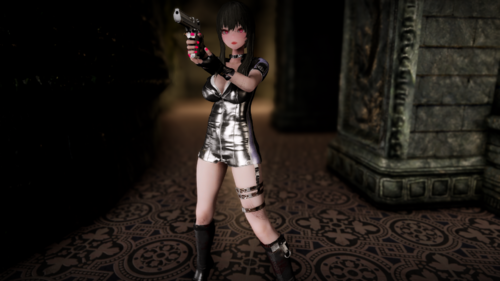
◆ Fallen Doll Erika Combat Outift ◆
An outfit from Operation Lovecraft: Fallen Doll.
BHUNP Ver3 & CBBE 3BA (fomod option)
Regular & Lewd version
(The gloves in the screenshot are from other mods.)
◆ Requirements ◆
XP32 Maximum Skeleton Special Extended
BHUNP (UUNP Next Generation) SSE or CBBE 3BA (3BBB)
FSMP - Faster HDT-SMP
BodySlide and Outfit Studio
Heels Sound 1.5 SSE (Optional)
And ther requirements.
◆Credits◆
Operation Lovecraft: Fallen Doll by Project Helius
Model ported by dddkhakha1
Skyrim port & modded by KoboBear (me)
1484 downloads
Updated
-
Furry Eyeglasses of Skyrim
By MonVert
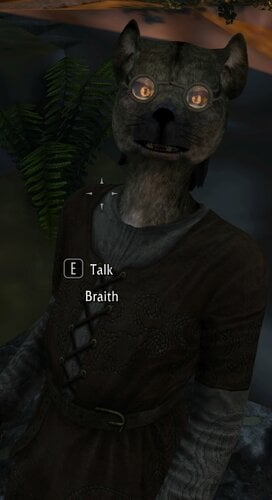
A re-upload of my nexus version; Furry Eyeglasses of Skyrim is a port of MannyGT's Realistic Eyeglasses to fit the furrified races of BadDog's Yiffy Age of Skyrim. All eight races+DLC races are included, along with new child race meshes and AAs. (Create your own outfits with them)
130 downloads
- eyeglasses
- yiffy age of skyrim
- (and 1 more)
Submitted
-
Glowing Runic ED Horns
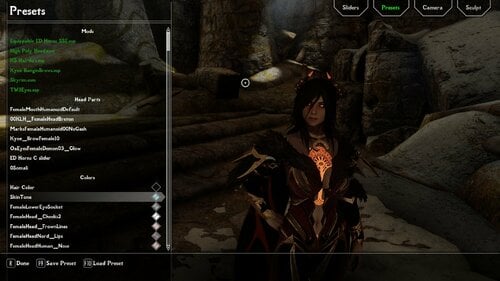
For those like me who have seen a certain blue horned succubus here on the site and have been obessesed with trying to get these runic horns I can gladly say that I've found them! All six horns have a different color that so that you can swap to your preferred color. The available colors are Orange, Purple, Red, Green, Cyan/Blue, and Pink as shown in the screenshots. REQUIREMENTS: Player80's Equippable ED Horns SSE 1.0.0. If you want to change the color you sadly can't do so in game, so you'll have to download the latest verion of Nifscope and apply whatever color you desire. Luckily it's suprisingly a fast and simple process and if enough people want it ill make a short video showing how I changed the colors. I should also mention that depending on your ENB your colors may vary. Okay I've finally made the video on the editing process, all you'll need to do is google nifscope and it should be the second option titled "Releases · niftools/nifskope - GitHub". Also only edit the nifs titled "horna.nif, hornb.nif, hornc.nif, hornd.nif, horne.nif, and hornf.nif". You can ignore the "_gnd" nifs unless you know what you are doing.
5258 downloads
Updated
-
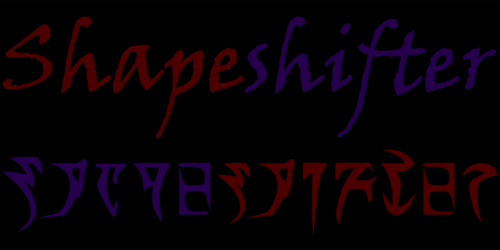
Shapeshifter
By MystOfDawn
When travelling through the mountains North of Whiterun, the Dragonborn comes across a unusual scene… A body in the snow covered in burns. On further investigation, it appears only the person’s skin is charred. The injuries don’t seem to be caused by fire magic. A dragon attack is unlikely to have caused this either. Even the snow hasn’t melted! What could have happened here? There’s an object in the snow: A strange orb. After picking it up, it feels like the orb radiates magic! But there’s no heat. Another dead end? Suddenly a disembodied voice can be heard!
“Well, what do we have here? How intriguing, you might be the only one able to unlock its full potential! What are you waiting for, mortal? Toss that thing into a smelter already!”
The Shapeshifter is a weapon mod. Yes, another daedric artifact…
As the story above suggests, you’ll first have to use the orb at a smelter to make the weapon itself. You can then restore the orb itself to its former glory as well. After that, you can change the weapon into one of the 17 different weapons at any time using the lesser powers.
The weapons cover all types and have unique models. Early game, the damage output will be OP since their stats are close to daedric weapons. They also have a custom enchantment (and the staff a similar spell) that can be unpredictable depending on the opponent.
A heavy and a light shield that fit the weapons appearance have been added. These can also be crafted at the smelter with a few pieces of ore if the corresponding weapon is equipped.
Arrows and bolts don’t have to be crafted anymore. The bow and crossbow will never run out of ammo. When changing weapon, the arrows and bolts left over remain in your inventory.
The treasure hunt to improve the weapons (and some extra stuff) is finished for now. How to start: After completing the quest “The Mind of Madness”, just walk a bit further down the hallway. The sign should be hard to miss (it falls over sometimes).
For those having trouble with the daedric writing, the translation of the riddles:
Two versions available:
File A : Lesser power for each weapon
File B : Only one power, switches to random Shapeshifter weapon
Only one file: All lesser powers are learned when the orb is restored.
If updating: Drop the orb and pick it up again to learn all powers.
With the optional patch, weapons will use proper animations if Animated Armoury – DAR version & New Weapon Types and Animation Support are installed.
I also added a keyword for scythe weapons.
Future plans:
- Adding more weapons (any suggestions?)
- Other events to continue “quest”
- Add side-effects from lore (devious devices, transformations,…)
The original models of the weapons are from various games. The models used in this mod are resources not created by me. As far as I’m aware, no credits necessary (correct me if I’m wrong). I only made some modifications and converted them to Skyrim.
Scripts made possible by all of the talented people both on LL and Nexus for their help, teaching me and fixing my poor attempts at scripting.
891 downloads
Updated
-
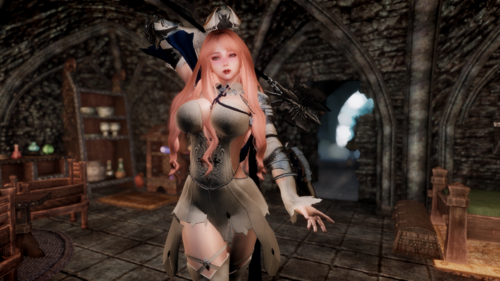
Taratha Commander BHUNP
By KKMod777
◆ Taratha Commander Outfit BHUNP 3BBB Advanced Ver2 ◆
Adjusted SMP for BHUNP body, added heel sound.
◆ Requirements ◆
XP32 Maximum Skeleton Special Extended - XPMSSE
BHUNP (UUNP Next Generation) SSE
FSMP - Faster HDT-SMP
BodySlide and Outfit Studio
Heels Sound 1.5 SSE
And ther requirements.
◆Credits◆
Kirax
1124 downloads
Updated
-
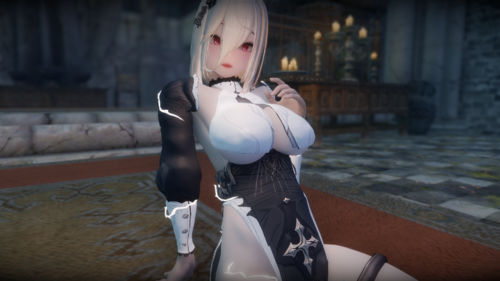
Aponia Honkai Impact 3rd BHUNP Ver3
By KKMod777
◆ Aponia Honkai Impact 3rd BHUNP Ver3 ◆
BHUNP Ver3
Original mod is required : https://arca.live/b/tullius/50950890
Translated esp into English, added heels sound (optional)
◆ Requirements ◆
Original mod is required https://arca.live/b/tullius/50950890
BHUNP (UUNP Next Generation) SSE
FSMP - Faster HDT-SMP
BodySlide and Outfit Studio
Heels Sound 1.5 SSE (Optional)
And ther requirements.
◆Credits◆
Original mod by makaron58191 and PROY
(I'm not really sure about it because the original post is gone)
1321 downloads
Submitted
-
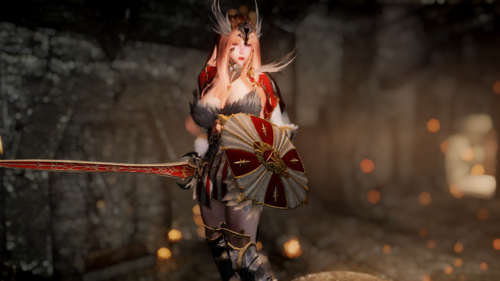
BDO Venslar BHUNP 3BBB Advanced Ver2
By KKMod777
◆ [SE] BDO Venslar BHUNP 3BBB Advanced Ver2 ◆
BHUNP 3BBB Advanced Ver2 Bodyslide
Ported from LE.
Divided the Cloak for SMP, 44-ify the esp, esl-lfag, gnd mesh, stats adjustments... etc.
◆ Requirements ◆
XP32 Maximum Skeleton Special Extended - XPMSSE
BHUNP (UUNP Next Generation) SSE
FSMP - Faster HDT-SMP
BodySlide and Outfit Studio
Heels Sound 1.5 SSE
And ther requirements.
◆Credits◆
LE author:空中铁匠, ReGenBot
SE port and SMP:Rektas
2210 downloads
Submitted
-
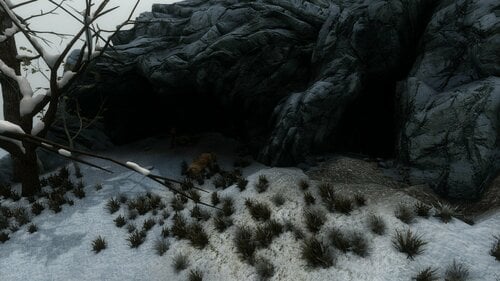
Beastess Cave
By TheUgin
What is it ?
-Just a cave near the Thalmor Embassy. Nothing fancy.
-Made for Beastess/Wildling/Nymph/Spriggan/Treelover characters
Whats inside ?
-Enchanting table, Bed, Leatherrack, Shrine of Kynareth, harvestable stuff, stash, 2 friendly wolfes
What does it require ?
-nothing ... i think
Stuff to be carefull with
- the large boss chest is set to respawn, if you want to stash your stuff, put it in the treestump
Notes
-my first upload here
-a friend asked for the file so here it is
-probably will not update or change stuff
-doesnt look pretty with mods that disable grass in caves
1266 downloads
- beastess
- playerhome
- (and 2 more)
Updated
-
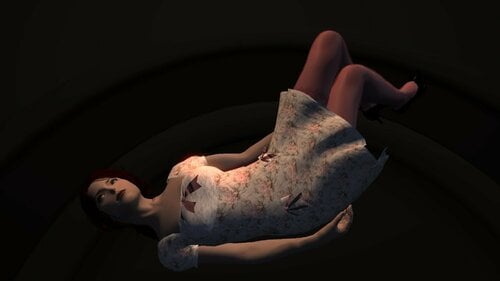
Sissy Suite UUNP Bodyslide for SSE (no HDT required)
By Rayblue
Converted to SSE with Outfit Studio and SSE NIF Optimizer. No physics engine needed this far (the original mod actually had TBBP bones, not HDT), as I removed these because my setup does not use HDT.
I already pre-generated a set of meshes for UNP Regular.
Not sure if the other male meshes would work in SSE, though.
To make them usable with the Bodyslide system you'll have to get the Legacy UUNP files from Ousnius and install them along with the other requirements, such as Racemenu and XPMSSE. Otherwise, people should be free to retrofit them to CBBE or other body shapes.
All credits to Lucia1, and regarding usage permissions, just follow as quoted from the original mod:
Permissions:
Do whatever you want with these. I'm not possessive. But do respect credits of the modders and texturers below.
Credits:
Style inspirations from The Birch Place (who make lovely stuff, by the way...). If you check out the Baby Bows Dress and Twinkle Dress, you could get the real thing. Buying something with that link would give me a few credits to use on the site, by the way. The talented VennecaBlind on Deviant Art for a lace texture. KameleonKlik's lovely lace photo resource on DeviantArt. Loli Dress style from a pic posted by AnimeCat198. Backsteppo, whose FO3 maid model I deconstructed and learned from, from a modeling standpoint. It taught me how to ruffle and served as a scale/style model. Halo, who brought Backsteppo's maid outfit into Skyrim and whose poses are extensive and super useful. Caliente and Ousnius - I don't know if they imagined this, but Outfit Studio's import/export allowed me to work mostly in Blender. Pretty amazing stuff. Dimon99 for UNP and Nightmare77 for HDT-ing it. HydrogensaysHDT - for the HDT extension The Niftools team. My friends over in the DLSkyrim thread for their support.774 downloads
Updated
-
LazyRaceMenuRotation
By LazyGirl
Makes it possible to rotate the player character in RaceMenu using user defined hotkeys to more easily inspect changes. Scriptbased gameversion-independent alternative to Player Rotation in RaceMenu
HOW TO USE
Just open RaceMenu, hold left shift and use the mouse wheel to rotate your character.
HOW TO CONFIGURE
I didn't feel the need to clutter the MCM with a small mod like this so it's done through console commands. Version 0.12.0 and later also allows users of PapyrusUtil to do so through a config file.
Through CONSOLE
Change right turn key - "set _MODLRRRight to N" where N is a DXScanCode. Default value 265 - mouse wheel down.
Change left turn key - "set _MODLRRLeft to N" where N is a DXScanCode. Default value 264 - mouse wheel up
Change modifer key - "set _MODLRRMod to N" where N is a DXScanCode. Default value 42 - left shift. Set to 0 to disable modifier key.
Change degree of turning - "set _MODLRRTValue to N" where N is a value between 0 to 360 (and walk away). Default value 15
Enable or disable automatic t-pose - "set _MODLRRTPose to N" where N is either 0 (disabled) or 1 (enabled). Default value 0
If you want to make permanent changes open up the mod in the Creation Kit or SSEEdit and edit the GlobalVariables mentioned above and save.
Through CONFIG
The file config.json is located in Data\SKSE\Plugins\LazyRaceMenuRotation. Changes are made by changing the value after the semicolon, be careful to not remove or add anything else! The values are the same as in the console version above with one exception, this method allows changing of the node through the "node target" value which the mod uses to implement the turning. The default value "NPC" should work both for the standard game and XPMSE skeleton.
The config is re-read whenever you open RaceMenu so it's possible to tab out, make changes, tab back and re-enter RaceMenu to immediately test them in game.
SKELETON SUPPORT
This mod works by turning the NPC node present on the standard game and XP32 skeleton through NetImmerse functions. If you use a different skeleton you might need to change this in the Creation Kit or SSEEEdit. Locate the "turnNode" value present on the _MODLazyRaceMenuRotationMain script attached to the _MODLazyRaceMenuRotation quest. PapyrusUtil users can just edit the config file - see above.
DISCLAIMER
This mod was just a quick experiment to see if it was possible to pull off. It hasn't been extensively tested since I personally use Player Rotation in RaceMenu and recommend that over this if your game version supports it.
While the mod can be ESL-ified you have to decide to do so yourself, keeping in mind the limitations that cause when it comes to updating or patching the mod.
499 downloads
Updated
-
LazyReLevel
By LazyGirl
Automatically relevel NPCs in game regardless of how the base game or mod defined them. Fine-grained control on what NPCs get relevelled using keyword targeting and user defined ranges.
As usual, this mod is an experiment and has not been tested through a full game with every possible configuration, mod, playstyle, lunar phase yada yada. I made it because I wanted a general tool to tweak NPC levels in a couple of mods without making hard edits or run patchers.
There are a couple of things to note though. For example, relevelling a NPC will reset their inventory so anything added by a quest or script after they spawned will be removed. Also note that relevelling often makes that TYPE of NPC changed rather than the unique one you encounter. In other words you can't just disable or uninstall the mod and have NPCs go back to normal. Change the settings and have the mod apply levels you approve of instead.
Since this mod uses keywords the NPCs need to have these correctly set up. There's a category for unidentified NPCs so those can be relevelled anyhow though.
RESTRICTIONS
The mod will only target NPCs who are detected as IsHostile to the player but not already in combat (relevelling resets HP/mana so that would be a bad idea).
As long as they match the settings and have 100% health and magicka they'll get relevelled.
HOW TO USE
1 - Check the "ReLevel" box to enable relevelling for the specified NPC type.
2 - Set up the min and max levels. The NPC will be set in this interval, matching your level if possible otherwise whatever is closest - the min or max level.
(optional) - Check autolevel to always level the NPC to your level regardless of set min or max levels.
299 downloads
Updated
-
Alternate Cubemaps
By yorpers
Sorry that there are no tits.
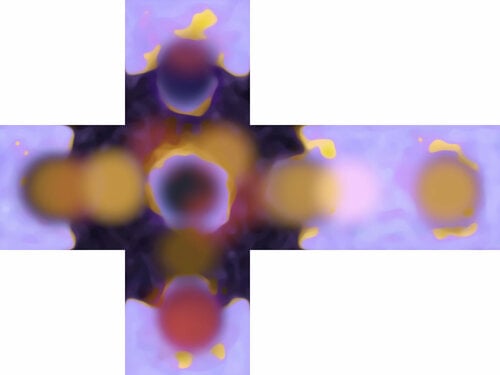
Decided to upload my cubemap textures here too as a resource and as a replacer. They are primarily meant to be a resource but I am uploading them as a replacer so people that don't mod themselves can get some use out of them too. There are 21 in total, and come in 2048, 1024, 512, and 128 sizes.
These are completely made from scratch from a combination of simple brush strokes and actual photographs I took that have been heavily edited. Because of this they can look very different than vanilla; Giving the game world a wider range of colors and more reflectivity. However because of the way cubemaps work this can actually make your game look worse depending on what mesh and texture replacers you use. Or, Alternatively it can make things look much, much better; also depending on what meshes and textures you use. So try them out! There is no downside from trying them, there is no plugin so you can try them and remove them in the middle of a playthrough.
I Primarily use these with custom armor and weapons from other mods to change their color and reflectivity.
In game comparisons
Hopefully these will help people understand better what cubemaps will do.
Eyes:
Glacier ice
Dwemer
What resolution should you pick?
You probably don't need the highest resolution; But I see no difference in my games fps if I take the 2048 option compared to the 128 option. You may just want to experiment. If you run Skyrim on integrated graphics on a 10 year old laptop, you probably want the 128 option. If you plan on using these cubemaps with custom weapons or armor you may want to try all the options to see if higher resolution actually looks better. With many meshes and textures... different resolutions make no difference, so I suggest trying out the different resolutions and finding out what's bests for you.
Incompatibilities:
Other cubemap replacers: You won't crash or anything but you will not see my cubemaps if something overwrites them.
Some specific items in game may look very different, because either my cubemaps are very different than vanilla or because they display cubemaps very poorly.
Please post here If a specific item looks bad so I can either work on the cubemap itself or make a texture replacer for the item, or recommend a mesh/texture replacer. Or if anything in general is wrong with the cubemap.
These are not compatible with LE because they are saved in bc7 compression. I don't Mind if someone converts these to LE but I will not help with that or offer support for any LE conversions. I don't play LE anymore, nor do I have it installed.
Permissions and credits:
You are free to use these in whatever project AS IS as long as it is only uploaded on nexus or lovers lab as lnog as you credit me. If you want to edit them in some way ask my permission first. I do not under any circumstance give permission to use these with a for-profit project or a paywalled project or any project to be posted outside of lovers lab or nexusmods.
If you want to edit the cubemaps in some way just ask permissions first. I probably wont say no unless its for something fucking weird. You gotta try really hard to weird me out too.?
All credit goes to paint.net and GIMP.
255 downloads
Updated
-
Muken's Arcane Archery + Spellsiphon Compatibility Patch
By Min
Hey folks! This is a quick little mod I made for my current VR playthrough. This mod adds the "Arcane Binding" magic effects from Muken's Arcane Archery mod to the Spellsiphon bound bow. With this, you can seamlessly use the two mods together.
Use all types of summoned arrows with the Spellsiphon bound bow. Supports Engraved spells. Supports Sigils. Combo Engraved Spells + Sigils with full Spellsiphon combat / discharges.
34 downloads
Updated
-
Elvira for COtR
By daxoss
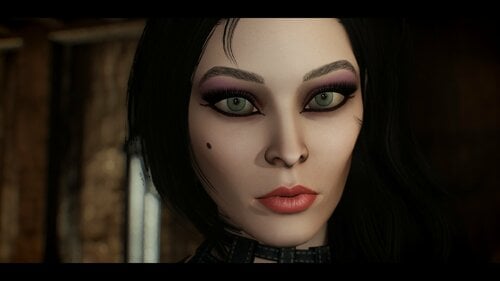
ELVIRA for COtR
More presets here: https://www.patreon.com/daxosscontent
Requirement:
Racemenu
RaceCompatibility for Skyrim Special Edition
COtR - HQ Characters creation addon for RM
Eye Normal Map Fix SSE
KS Hairdos
Credit:
ALL THE COMMUNAUTY!
291 downloads
- racememu
- customrace
- (and 4 more)
Submitted
-
LazyFollowers
By LazyGirl
Makes it possible to turn any RaceMenu preset into your own custom follower quick and easy completely in game - no CreationKit work necessary!
DISCLAIMER - loading presets on NPCs is experimental, it's a prototype feature in RaceMenu. You may experience unwanted effects like tints vanishing, body textures etc. This mod uses the exact same function as "NPC Appearance Changer" so please see that mod page for things that can pop up.
Do not use this mod in your superimportant save and expect things to work out fine now or later. Personally I haven't had any problem except having to restart the game once or twice when some appearance change lingered in the cache. But it likely depends on what other mods you use so YMMV, no guarantees, warranties yada yada.
Also, having several NPCs with dynamically generated appearances in the same location instead of using pre-made heads will tank your FPS. Especially if you decide to slap SMP hair on everyone. With that out of the way...
HOW TO USE - Setting up the Preset
HOW TO USE - Setting up the NPC
After that the NPC should function just like any other generic follower/marriage candidate.
SAMPLE SETUPS
After that the NPC should function just like any other generic follower/marriage candidate.
The target for the following menus are either the crosshair-target if the NPC is a LazyFollower, if not, it's the one selected in the NPCs list so make sure to double-check you're editing the right one.
STATS MENU
WeaponSpeed 0 means normal speed. WeaponSpeed 1 means normal as well (!), anything beyond that is an increase. E.g a value of 2.0 means 100% faster.
BowSpeed works normally, 1.5 is 50% faster
All stats are set directly on the base value. If there is any temporary buffs or modifier from other mods or sources they can change them, potentially to negative values, when they wear off or are removed
SPELLS MENU
Spells that are listed more than once are of different versions, the first is general/main hand type while the second copy is left hand only version.
This can be utilized to set attack spells on right hand and support on left so the NPC can do both at all time. E.g setting right hand Flames and left hand ward allows them to burn enemies and shield themselves from attacks.
Selecting a spell again will remove it from the NPC.
SHOUT MENU
Do not use this. Adding shouts to a NPC will corrupt your savegame. CreationKit Wiki Link. Again, do not use this until a mod like Engine Fixes offers a patch.
Regarding Familiar Faces, it circumvents this through a SKSK-plugin integrated into the mod itself which cannot be used standalone.
COMBAT MENU
Please see the Creation Kit Wiki for this - https://www.creationkit.com/index.php?title=CombatStyle
If nothing else make sure to adjust the Mult values so the type of items you want the NPC to use are set higher. E.g MeleeMult to 7-10 and the rest at 1 if you want them to focus on melee. Or spread them around on say Melee, magic and ranged if you want them to switch up between different styles. You can rename and edit both the default and unnamed styles as you wish.
Combat behavior *might* not update until the NPC leaves and re-enters combat again.
DEBUG MENU
Only for troubleshooting. Or shooting yourself in the foot. If it's the latter you're on your own.
SAVE/LOAD MENU
Offers options to save/load config and NPCs separately. Files are stored in "SKSE\Plugins\LazyFollowers". This can be used to load NPCs from one save to another. Stats and skills are NOT transferred to avoid conflicts with difference in level and scaling. Items ARE transferred but may not be immediately equipped, especially if the NPC isn't in the area when you import their data.
NPC PERKS
All NPCs have ALL perks. As for how/if they work who knows.
If they do work as intended the perks wont activate until you set the linked skill to the requirement value which will prevent super overpowered NPCs.
KNOWN ISSUES
CUSTOM VOICES/RACES
Custom race will be read from either the player or targeted NPC and added to the mod as an option automatically.
Custom voice will be read from the targeted NPC and added as above. NOTE - just because you can apply it doesn't mean it'll actually work, the dialogue for most custom voiced followers is controlled by other factors like quests which cannot be transferred this way making the NPC most likely silent.
ADVANCED USERS
Dynamic Animation Replacer - For those wanting their follower(s) to have unique animations the "LazyFollowers DAR" file contains unique folders for each NPC.
Custom body and textures - The "LazyFollowersCustomBody" gives the FemaleNord1 and MaleNord1 standalone body, hands and feet models as well as textures for them. Note that neither is included in the mod so you need to replace the included dummyfiles with your own. You probably want to make sure the presetfile and body use the same weight to avoid neckseams.
UPDATING THE LAZY WAY
This *might* work
While the animation replacer is safe, it either works or it doesn't, the custom body addon shouldn't be used for anything other as a tool to make regular standalone followers or just playing around. I don't use these features myself so they're largely untested. Adding support for more NPCs isn't likely since my CreationKit crashes regularily doing so for whatever reason.
The presets used in the images can be found here.
Credits
Expired for RaceMenu. Patreon with a Familiar Faces Port here.
Jespergunde for NPC Appearance Changer
SKSE Team
Really everyone making and sharing tools and information to make modding easier and gaming more fun!
8335 downloads
Updated
-
Mass Effect Celebrities for COtR
By daxoss
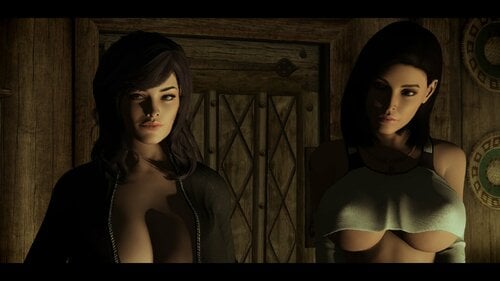
Mass Effect Celebrities for COtR
More presets here: https://www.patreon.com/daxosscontent
Requirements:
Racemenu
RaceCompatibility for Skyrim Special Edition
COtR - HQ Characters creation addon for RM
Eye Normal Map Fix SSE
The Eyes Of Beauty SSE
COtR x The Eyes of Beauty - Updated Patch
KS Hairdos Credit:
ALL THE COMMUNAUTY!989 downloads
Submitted