
Regular Mods
These Skyrim: Special Edition mods are of a non-adult nature.
1206 files
-
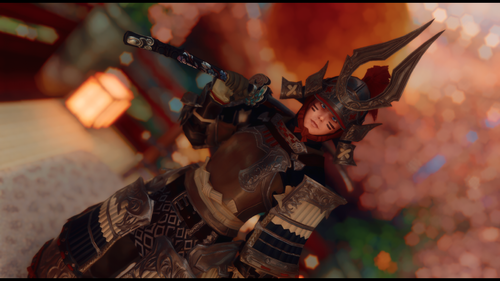
Genji Set of Fending + Odenta Kai vanilla/sos HDT-SMP
Genji set of Fending + Odenta Kai weapon ported from FF14. Chest piece and Head piece have HDT SMP. There's only vanilla/sos bodyslide for conversion or other reference.
Since the Pants are flagged as slot 52 they might be hidden by the Top, in that case set the Top as Revealing in SOS MCM.
The Set consists in:
Headpiece (HDT-SMP) Top (HDT-SMP) Gloves Pants Boots Odenta Kai (greatsword)
I think i found a way to replicate the same look of the original game so let me know if something looks weird.
The SMP Skirt might behave weirdly when crouching, my smp skills are not that high to figure out how to mitigate the issue, i tried to do my best on not breaking too much the physics.
Install and use AddItemMenu to get the Set ingame. (There's vanilla/sos bodyslide in case someone wanted to make a conversion reference or other, in case the projects are called "[Rand] Genji ... ")
If problems arise please let me know.
Credits: Final Fantasy 14, Square Enix
1059 downloads
Updated
-
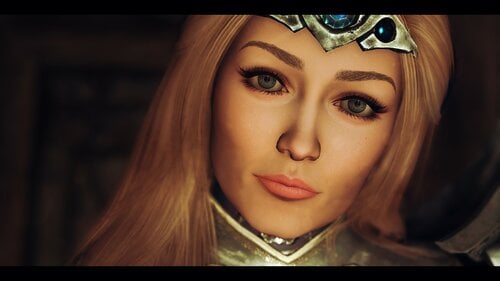
COtR Miranda Otto is Eowyn
By daxoss
COtR Miranda Otto is Eowyn
Face preset of our brave Eowyn
Requirement:
COtR - HQ Characters creation addon for RM
RaceCompatibility for Skyrim Special Edition
RaceMenu
KS Hairdos
Eye Normal Map Fix SSE
My bodyslide preset (optionnal)
Credit:
ALL THE COMMUNAUTY OF MODDING
All my celebrities presets here
245 downloads
Submitted
-
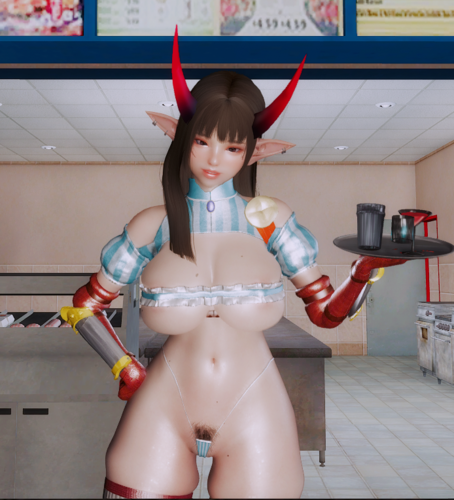
Wendy's Bikini Armor (3BA)
By Its_LB
Based off: Nisetanaka
Credits to munudunew for the edits and premesonho for making the original go support their work on Arca if you can.
I translated the mod to English, don't forget to build in bodyslide.
Includes:
-The Baconator (Greatsword)
-Gauntlets
-Boots
-Bikini
-Panty
-Belt
-half collar
If you want me to take down the mod let me know.
p.s there is no wendy restaurant I could find so burger king it is lol.
The Elder Scrolls V Skyrim Special Edition 2023.04.04 - 07.44.03.03.mp4
1676 downloads
Updated
-
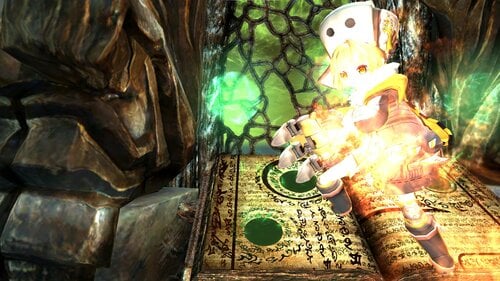
Cute Forces - Honkai
By Mephykuns
Hello there fellow skyrim friends. Today i made a mod similar to another mod you may know as "Cute Forces- Genshin ✔️" Made by me also.
"Honkai: Star Railway Official Account ✔️"
"Hoyoverse ✔️", again are releasing official MMD-format 3D models of their game, star rails, for free use. This has allowed me to rig them and put them into skyrim.
"Remodeling is allowed ✔️" "Allow modification of the model ✔️" "Do not use works, personal attacks, etc. for commercial purposes. Credits belongs to miHoYo ✔️"
The official source is from here. "https://www.aplaybox.com/u/516827875 ✔️"
The mod is very early in development the models are made with hdt in mind and can only be used for sse.
Bailu is a mix of water and electric type of p*kemon. If she uses water, she heals you. I didnt do much with her yet. Hook is a fire type. She summons some kind of claw and battle and (engine limitation ✔️) shoots fire. discount klee or klee 2.0. not as powerful.
They will be located in raven rock in the dlc. They start at level 20. they dont have a voice yet but the place holder voice is in japanese.
Mod requires all 4 of these mods -> RaceCompatibility, XP32 Maximum Skeleton Extended - XPMSSE, Elemental Destruction and HDT-SMP
Vids: https://youtu.be/1TrKSdwd4rA, https://youtu.be/6sQyOoAoKGo
253 downloads
- honkai
- star rails
- (and 5 more)
Updated
-
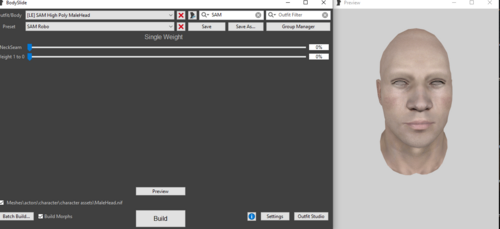
SAM MaleHead BodySlide
By qartz
Lubię SAMa...używam...ale zawsze czegoś mi brakowało...dlatego dodałem suwaki BodySlide dla głowy i szyi...z góry przepraszam jeżeli naruszyłem czyjeś prawa bo nie jestem biegły w tych sprawach...zrobiłem to dla siebie i bardzo dobrze mi się sprawuje przy tworzeniu moich "SAMów" w BodySlide..więc postanowiłem się podzielić tym co w sumie każdy może zrobić sam ?
Pozdrawiam wszystkich miłośników The Elder Scrolls V Skyrim Legendary Edition ?
[LE] SAM High Poly Male Head.mp474 downloads
Submitted
-
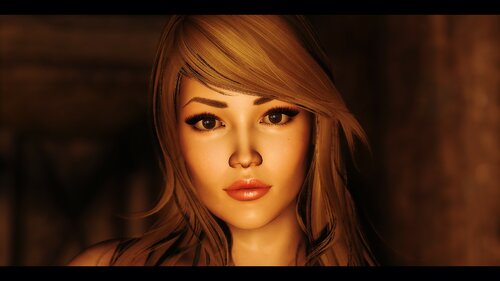
Sandy Munchies for COR
By daxoss
Sandy Munchie for COtR
This preset is based on a request from one of my Discord users. She offered me to do her face (Thanks to her).
I found it very cool because it changed me
from celebrities.
Here her Twitter and Instagram links:
https://twitter.com/Sandy_Munchies
https://instagram.com/sandyyybeauty?igshid=YmMyMTA2M2Y=
Requirement:
Last update of Skyrim special edition (1.5.97) not AE edition
Latest SKSE64 for Skyrim SE (version 2.0.20) higher than this version is for skyrim AE
Racemenu
RaceCompatibility for Skyrim Special Edition
COtR - HQ Characters creation addon for RM
Eye Normal Map Fix SSE
Brows
COtR x Hvergelmir's Brows
KS Hairdos
Credit:
Sandy Munchies
ALL THE COMMUNAUTY OF MODDING
All my celebrities presets here
243 downloads
Submitted
-
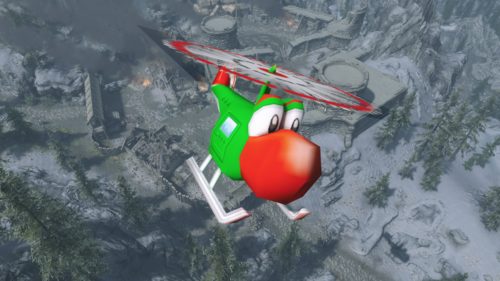
Yoshi Helicopter
Replaces Alduin with Yoshi Helicopter or YoshiCopter
Source: https://www.models-resource.com/gamecube/mariokartdoubledash/model/7511/?source=genre
I don't own the model, all credit to the ripper, just made for fun
82 downloads
Submitted
-
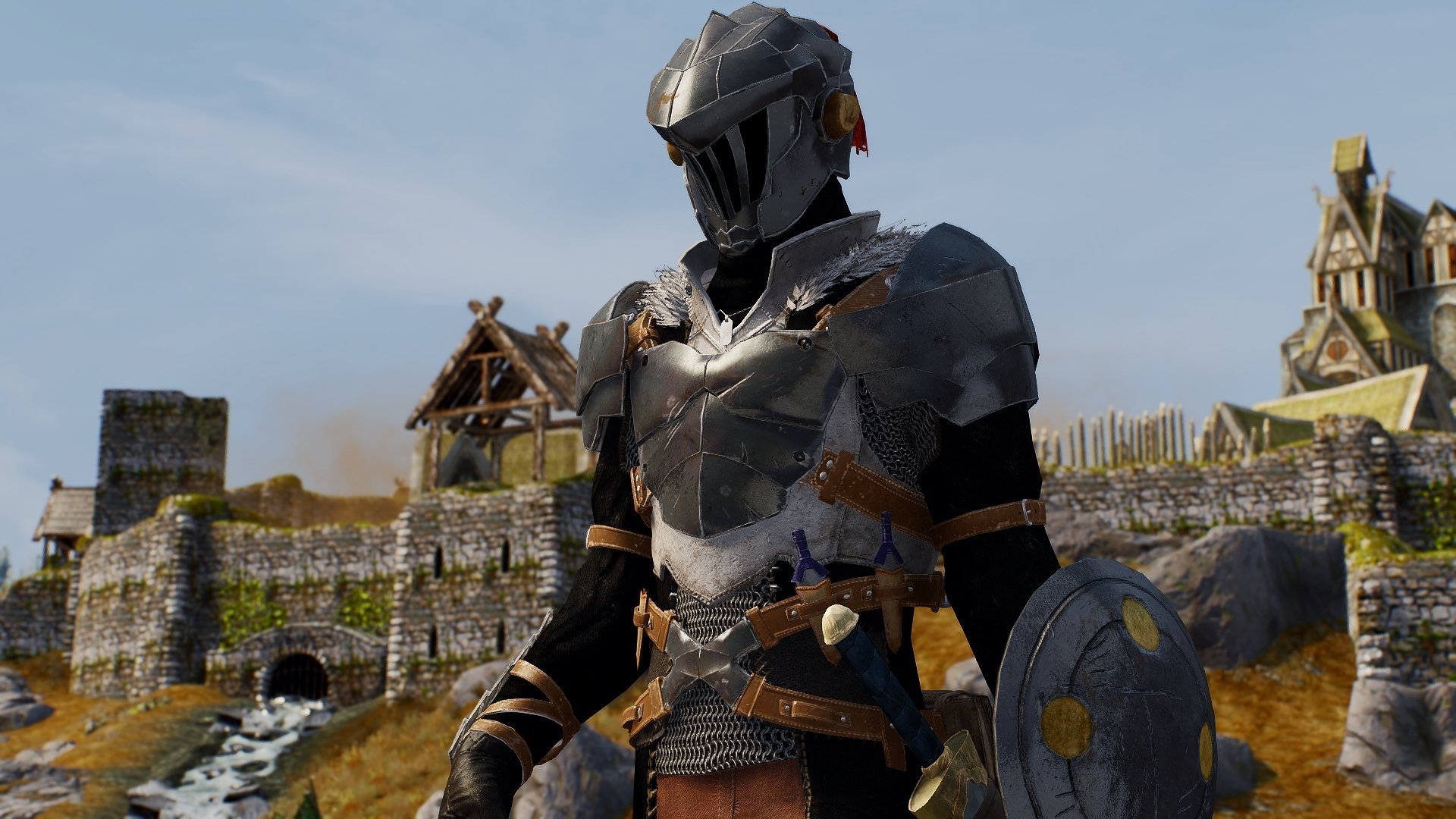
anime mod Goblin's Crown - Goblin Slayer Outfit_SE
By RomeoZero
RZ workshop Anime & Manga series mod
This is an armor outfit mod from a popular franchise [started as online textboard game] " Goblin Slayer "
DESCRIPTION
I started it creating in spring 2019 and the same idea started bombarding game mod communities quicker than I had to finish it. So I reworked some ideas to match the later OVA. Model inspired by original and cosplay design.
This is an outfit armor mod ( with optional RM face preset (in LE edition) to create a follower or MC I recommend TKTK face texture)
INSTALL
unzip - drop files from archive to your Skyrim data folder
UNINSTALL
Delete files from meshes\textures folders (romeozero\Goblin Slayer) and delete esp
Use ItemMenu if you don't want to craft the armor.
-----------------------------------------------------------------------------------
RECOMMEND
- any adventure mods like Campfire and others for realistic travels
WHAT YOU WILL GET:
Bad-ass armor outfits Signature short sword Signature shield Journey tools and Backpack for adventures that will boost your weight carry. Animated RageFx for Goblins lairs or slaying Riekling Crowns Can be equipped both by male and female human character bodyslide support and SAM Legendary Edition version Frostfall outfit system support --NOTE-----------------------------
Full armors and helmet is made for male 60 weight to match the char manga design
Made item creation easy for lazy players
PERMISSIONS
This mod is for Loverslab community and Pixiv community.No distribution to other sites, share links to original upload sites only.
No modification of this mod can be made for online sharing. Do it strictly for your PC & your game.
CREDITS
Kumo Kagyu (蜗牛くも)
Noboru Kannatuki (神奈月昇)
bad-ass Cosplayers for inspiration
Tools Used:
3Dmax and Substance Painter
19122 downloads
- goblin slayer
- skyrim se
- (and 8 more)
Updated
-
![More information about "[GR] Equippable Inari Ears and Tails SE SMP Spaz490 Re"](https://static.loverslab.com/screenshots/monthly_2019_12/455496444_Inaripreview.thumb.gif.26fda50df1047f4ae90d1c26e51ef1b8.gif)
[GR] Equippable Inari Ears and Tails SE SMP Spaz490 Re
By Gromilla
Skyrim SE conversion and SMP adaptation of the ears and tails from the Inari Race mod for Oblivion by Hidemaro.
Base:
Skyrim SE conversion and SMP adaptation of the ears and tails from the Inari Race mod for Oblivion by Hidemaro.
Equippable and standalone.
Comes in four standard color variations (red, orange, black, white) and a "haircolor" version that is scripted to match the player's hair color.
Tail mesh conversion by Siegmeyer.
Haircolor change script taken from Ashara POTW on nexus.
https://www.nexusmods.com/skyrim/mods/18008/
Tails and ears can be crafted or added via AddItemMenu.
Requires:
Skyrim SE
HDT SMP (Faster SMP)
(CBP(C) physics version is not supported)
XPMSSE skeleton (4.8 and above)
Just Install with your mod manager.
RE-build:
The mod has been updated and rebuilt again by SPAZ490
textures are now 4k (1k and 2k added) rebalanced the colors of the red and orange ears to better match the tails new normal map for the tail new spec/alpha applied to the ear and tail normal maps spec values in the NIFs rebalanced for the texture adjustments tails wont have the yellow/green spec most visible with ENBs added the big tail, 3 tails, 5 tails, and 9 tails to the ESP. all color and hair color options available SMP XML for the tails fixed and have collisions collision bodies now have the CBBE 3BA base shape collision bodies and tails now have 3BA sliders ear fur has been centered on the ears and now include a zap slider to remove them if wanted keywords added to the entries to be enchanted as if a helmet and jewelry fox pelt added to the crafting recipes sell value, based on crafting cost, given to the tails and ears so crafting xp is earned while crafting them ESP is now flagged as light so it doesn't count towards plugin limit the only asset that wasn't adjusted in some way was the ear SMP XML that should cover the bulk of it might be forgetting to mention some other minor changes
(All thanks, kudos, and goodies to him and Questions and comments to him )
DOWNLOAD LINKS FOR MAIN FILES:
- 2.3 version (fomod) with 4k textures: ZIP 7z
- 2.3 version (fomod) with 1k, 2k and 4k textures ZIP 7z
File REPOSITORY for all version and mods
RE:
OnceALeader made an excellent Glow adaptation of the mod, highly recommend. Download: SE LE
RE 2:
Kuand`s Inari Tails and Ears Racemenu addon. Here you can select which color options you want to apper in RaceMenu when you are creating and editing your character.
RE 3:
I changed the bodyslide collision files of the latest (2.3) version, now there is a full adaptation for the 3BA body, you can fit it to your favorite body preset (especially true for thick bodies). If there are no problems in the game, then I will add it to the main pack or make an additional version.
It is required to install after the main pack and create the desired body shape in the BodySlide Studio before loading the game. Tail size is also changeable for both body types (_0 and _1) separately.
Old version:
294222 downloads
Updated
-
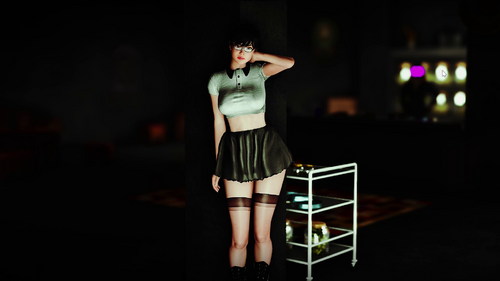
A Scenic Idle Animation
By daxoss
A Scenic Idle Animation
My first animation mod for Skyrim SE.
!!!Animation is female player oriented!!!
!!!CHECK THE VIDEO!!!
I create 2 versions: "ScenicIdle" & "ScenicIdleDAR"
The first one makes all female npc (and you) have this animation. (ScenicIdle)
The second is a version for DAR (dynamic animation replacer) and only the female player play the animation. (ScenicIdleDAR)
Requirements
Latest SKSE64
XP32 Maximum Skeleton Special Extended - XPMSSE
Fores New Idles in Skyrim SE - FNIS SE (for ScenicIdle)
Racemenu
Address Library for SKSE Plugins (for ScenicIdleDAR)
Dynamic Animation Replacer (for ScenicIdleDAR)
Install
-Use your prefered Mod Manager (I use Vortex)
-Install ALL the required files before (AND THEIR REQUIREMENTS)
-Install my mod.
-Uses Fnis or Dar depending on the version.
ENJOY!
NOTE (Important)
This mod is above all a way to express myself in this area in order to gain skills.
I hope to read your feedback on the quality of the animation, it is very important to me and I assure you that I will not be frustrated if you tell me that it sucks. Just put the shapes there :D, it will help me in future projects.
Thanks in advance.
Credits
SKSE | https://skse.silverlock.org/
Caliente: https://www.nexusmods.com/skyrimspecialedition/mods/198
XPMSSE: https://www.nexusmods.com/skyrimspecialedition/mods/1988
FNIS SE: https://www.nexusmods.com/skyrimspecialedition/mods/3038
DAR: https://www.nexusmods.com/skyrimspecialedition/mods/33746
AND MANY OTHERS...
1502 downloads
Submitted
-
Updated
-
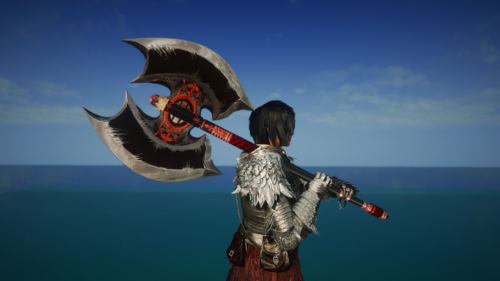
Law's Order Labrys (2 Handed Axe)
One of the relic weapons from Shadowbringers in FF14.
Please note that due to the different ways in which Skyrim and FF14 implement and render textures, how the sword looks in Skyrim will not be exactly like the original.
The weapon can be crafted, enchanted, and upgraded.
Installation
-Use a Mod Manager.
Credits:
-Final Fantasy 14, by Square Enix
282 downloads
Submitted
-
![More information about "[Jmel'] SN_ devil"](https://static.loverslab.com/screenshots/monthly_2023_03/enb2023_3_8_21_24_09.thumb.png.6b869cbf488d7d3d5f462ab6ed67c185.png)
[Jmel'] SN_ devil
By Jmel-san
This it port from mobile game for Skyrim SE.
If u are interesting on my works - i have twi ?
Hair have multiple texture and non smp version.
Pls enjoy and have good screens!
The outfit gotten via additemmenu or QUI
Requirements
-HDT-SMP
Installation
-Use a Mod Manager like MO2.
1205 downloads
Updated
-
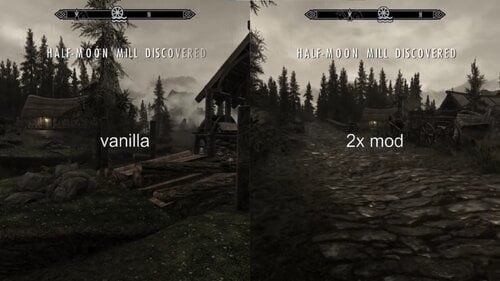
configurable discover distance multiplier
Multiply the distance at which map markers are discovered:
Multiplier is configurable in the additional config file, defaults to 2 times the vanilla distance.
Keep the multiplier in sane values (personally i wouldn't go lower than 0.5 or higher than 4.0),
as even vanilla map markers are often placed somewhere in the air.
-> If you set it too low you won't be able to discover certain map markers.
Requires Address Lib.
Tested with Special Edition v1.5.97 and Anniversary Edition v1.6.640
(but "should" be compatibly with anything inbetween aswell *fingers crossed* *no guarantees* *use at your own risk* )
source code on Github:
Special thanks to:
mrowrpurr: for creating the SKSE plugin template
the CommonlibSSE-NG creators/coders (including, but not limited to Ryan, powerof3, CharmedBaryon)
the SKSE team
(standing on the shoulders of giants)
234 downloads
Updated
-
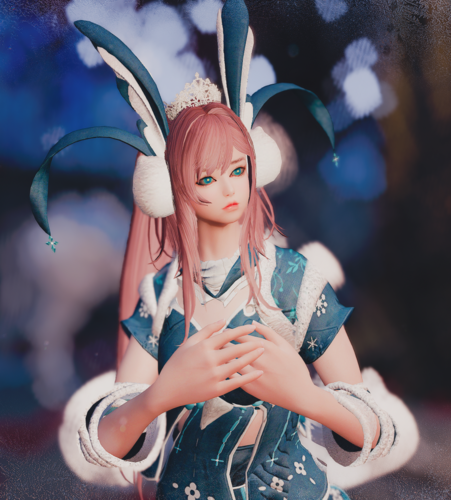
BDO_zima
By Jmel-san
This it port from u know that game kkk for Skyrim SE.
If u are interesting on my works - i have twi ?
2 colors for patrons(3-4 pic)
Pls enjoy and have good screens!
The outfit gotten via additemmenu or QUI
Requirements
-Bodyslide and Outfit Studio (v5.6.0+)
-CBBE 3BA (use 2.31 or beyond)
-CBBE (use v1.6.2 or beyond)
-CBPC (must use latest version 1.5.2 or beyond)
Installation
-Use a Mod Manager like MO2.
-Use Bodyslide and make sure to build
367 downloads
Submitted
-
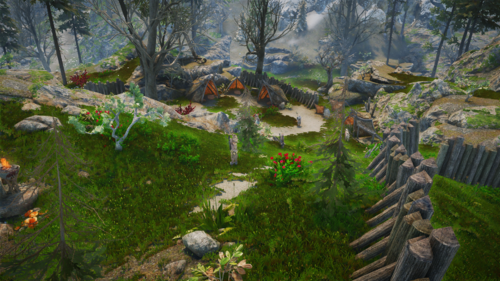
Kingdom of Forsworn SSE
By EnragedBard
This mod was released for LE in 2012 and hasn't been updated since that year. I messaged the mod author nearly one year ago, asking for permission to port this and have yet received no reply. If you are the mod author, I'll take this down immediately at your request. For now, enjoy this mod. This is my first ever mod post (and it was a simple conversion), so I'll most likely not be able to help anyone.
Showcase:
https://youtu.be/YaqRwv5gINA
From the original modpage:
https://www.nexusmods.com/skyrim/mods/13353/
With this mod I intend to add more to both the Nord and Forsworn factions in the Reach, so that whatever side the player chooses there is more for them to encounter, raid, defend, and slaughter.
What this mod Does:
-Expands the Forsworn holdings of Lost Valley Redoubt, Brukas Leap Redoubt, and Serpents Bluff Redoubt by adding new enemies, tents/FS clutter, and farms.
-Makes Old Hroldan an actual village with guards.
-Adds two Forsworn patrols and one Markarth Guard Patrol. They do at one point intersect.
-Increases the total Forsworn population by 39
-Increases the total population of the Reach by 29 (including Guards)
-Ups the difficulty of certain enemies so that the player isn’t wading through hordes of reachmen with supreme ease.
New NPC types:
-You will now find Forsworn Fishermen in a few places along the Karth River.
-Added “Disenfranchised Reachmen” to represent the Forsworns new recruits who aren’t yet fully versed in the ways of hatred and war.
-Reachmen Militia now guard Karthwasten, reflecting the Jarls unwillingness to protect his native subjects.
-Markarth Scout
(My)
UPDATE LOG:
1.0
-Ported over from SSE with Cathedral Asset Optimizer and Creation Kit. Autocleaned using xEdit to remove deleted navmeshes.
Thanks to Kyman3 for creating this mod.
654 downloads
Updated
-
LE-000.thumb.jpg.1f575c2bbb9dc661892b7e8034d8c176.jpg)
B & B NPC Replacer SE
By Verzus
This is my English translation of the popular Korean B&B (Beauty & Brilliant) NPC. Previously only found only on gall.dcinside and arca.live, I just translated them to English and uploaded them to here.
The mod completely changes the appearance of 126 female NPCs and makes them look like something out of Lost Ark or Black Desert Online.
[NPCS Koreaned]
Bryling, Elenwen, Elisif the Fair, Endarie, Victtoria Vici, Gisli, Illdi, Lisette, Sayma, Pantea Ateia, Rikke, Silana Petreia, Sybille Stentor, Taarie, Una, Vivienne Onis, Alessandra, Dinya Balu, Haelga, Ingun Black-Briar, Marise Aravel, Maven Black-Briar, Mjoll the Lioness, Nivenor, Svana Far-Shield, Ghorza gra-Bagol, Lisbet, Sigrid, Delphine, Camilla Valerius, Gerdur, Idgrod the Younger, Jonna, Annekke Crag-Jumper, Lynly Star-Sung, Boti, Fastred, Arob, Gharol, Shel, Saffir, Carlotta Valentia, Olfina Gray-Mane, Saadia, Hulda, Arcadia, Danica Pure-Spring, Ysolda, Alfhild Battle-Born, Irileth, Adrianne Avenicci, Ahlam, Voldsea Giryon, Adelaisa Vendicci, Hillevi Cruel-Sea, Jora, Silda the Unseen, Suvaris Atheron, Niranye, Arivanya, Elda Early-Dawn, Nilsine Shatter-Shield, Hermir Strong-Heart, Ugor, Garakh, Nocturnal, Aela the Huntress, Ria, Njada Stonearm, Urog, Karliah, Astrid, Gabriella, Birna, Brelyna Maryon, Faralda, Nirya, Mirabelle Ervine, Vex, Fjotra, Aranea Ienith, Nimriel, Gwendolyn, Leonara Arius, Illia, Temba Wide-Arm, Brelas, Uthgerd the Unbroken, Margret, Argis the Bulwark, Lydia, Jordis the Sword-Maiden, Iona, Tonilla, Jenassa, Sapphire, Sylgja, Dulug, Ghak, Serana, Fura Bloodmouth, Salonia Caelia, Sorine Jurard, Valerica, Galathil, Modhna, Ingjard, Beleval, Rayya, Valdimar, Gregor, Llewellyn the Nightingale, Sonir, Oriella, Varona Nelas, Frea, Aphia Velothi, Cindiri Arano, Tilisu Severin, Mirri Severin, Dreyla Alor, Milore Ienth, Bralsa Drel
[Requirements]
Should be compatible with any version of Skyrim SE and AE
Requires SG 350 Hair Pack (I'm not sure if I'm allowed to upload the file here, it apparently has gotten into trouble with copyrighted content)
If any NPCs have purple or blank eyes, try installing Eyes of Beauty
[Credits]
All credits go to the original author (00) and porter (sunny day 화사한날씨) for their amazing work!
5071 downloads
Updated
-
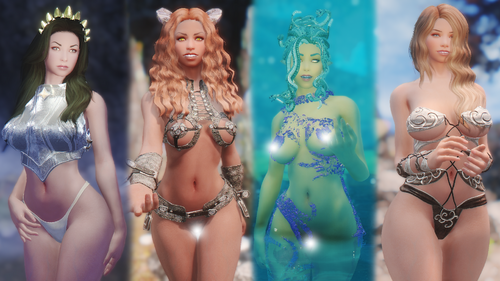
Anuketh Greek Goddesses De-Standalone
This mod edits the divine Greek Goddess Mega Pack by Anuketh to allow for the use of your own body and textures. Also flagged ESPFE.
The original mod by Anuketh had custom bodies and textures. This mod will allow you to use your own body and textures when installed over the original mod. It is also flagged ESPFE. In my testing, you will get good results if you use BnP - Female Skin.
One thing to note is that the RBT version of this conversion requires Race-Based Textures (RBT) by Lord4rgon.
Original Mod Required:
Anuketh Greek Goddesses MegaPack - Standalone Followers SE 1.0
Recommended Mods:
BnP - Female Skin
https://www.nexusmods.com/skyrimspecialedition/mods/65274
Race-Based Textures (RBT)
https://www.nexusmods.com/skyrimspecialedition/mods/29725
OBody NG - OStim and Standalone Version
https://www.nexusmods.com/skyrimspecialedition/mods/77016
De-Standalone Credits:
Anuketh for Anuketh Greek Goddesses MegaPack - Standalone Followers SE 1.0
swefrida for BnP - Female Skin
Lord4rgon for Race-Based Textures (RBT)
Aietos for OBody NG - OStim and Standalone Version
Original Credits:
Body - Bodyslide Studio
Skin - Fair Skin
Brows - Hvergelmir Brows
Eyes - The Eyes of Beauty, CN Eyes and Elemental Eyes
Hair - KS Hairdo's & HG Hairdo's
ENB - Picturesque ENB
750 downloads
Updated
-
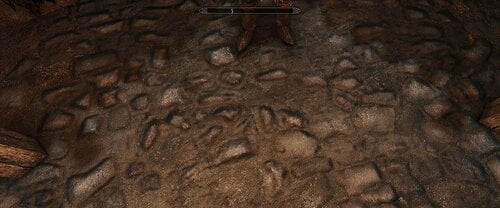
SKYRIM SE Whiterun Groundfloor Fix
By t.ara
This is easy as is and replaces the digitalized damaged texture of the whiterun Groundfloor with the SKYRIM´s old ones, which is FAR MORE BETTER LOOKING inside of SSE.
If you have texture replacers also of other whiterun city overhauls, you can use this one to ONLY replace the sort of texture with those, which are added to third party replacers if you add this one as the last mod in the mod-loading order. If it is standing higher (upper) than another texture-replacer, you can simply let this aside and delete it or don ´t use it. It can be used for getting the old texture onto the whiterun floorground together with other whiterun overhauls if one maybe whants some originally ABCK IN GAME. Or you install it alone like I have it in use to optimize the damaged texture of SSE.
89 downloads
Submitted
-
Anemos Set BHUNP/3BA
Anemos Set ported from FF14 for BHUNP v3 body. Added standalone 3BA version of the mod, There might be issues since i can't test it ingame.
New texture look is seen in the pics with the blonde girl.
The Set consists in:
Necklace Top Top (Skimpy) Top (Skimpy) (slot 46) Pants Pants (Skimpy) Pants (Skimpy) (slot 56) Gloves Boots (now with feet mesh)
Top and Pants have zap sliders for necklace, sleeves and shorter shirt/inner trousers as seen in the screenshots, the two screens with the blond girl have the most recent textures (and reshade).
This was my first port i've done chronologically so textures might be not the same as the original ones, its glossiness may be a hit or miss in your enb/lighting rig.
Build the set in Bodyslide ( [Rand] Anemos ... ) and use AddItemMenu to get the Set ingame
If problems arise let me know.
Credits: Final Fantasy 14, Square Enix and HoshinoSkyrim for the invaluable help ❤️
1.3 Changelog
For both BHUNPv3 and 3BA, download again the file of your choice and replace.
Updated textures with new specular strength (lower glossiness strength overall) Let me know how it is. New texture look is seen in the pics with the blonde girl. Updated meshes for more Zaps. More zaps, options for sleeves. Added alternate versions of Skimpy Top and Pants occupying slot 46 (Top) and slot 56 (Pants) for more freedom with external outfit pieces ^^
1108 downloads
Updated
-
Khajiit Replacer Ohmes Raht Fluffjiit
By Gameplayer
This is a FIXES Mod of another mod here, https://www.nexusmods.com/skyrimspecialedition/mods/10112
Merges the needed files, and corrects a pesky persistant eye issue, removes a dependancy, and adds/corrects Khajiit Vampire records not done in original mod.
All of that for the purrfect kitty.
Installation Procedure,
Download and install the original mod, https://mega.nz/file/1kg3jTgA#pc6GNy6mr19BxT-mu7ZrpNwzaRGZ0EnWV0nXMyVzVeg
Remove its ESP's/ESM's,
Install my ESP
IF using UNP meshes or BHUNP your done,
IF using CBBE, CBA, 3BBB, or TBD meshes you need to download CBBE textures from Eiries Ohmes Raht Race CBBE or similar there are quite a few around the internet to pick from.
Swapping the CBBE textures will require that you navigate the folders and find the texture files and perhaps rename them using windows explorer.
IF you want them for Skyrim Legendary Edition,
You follow the above but you also need nif converter found here, https://www.nexusmods.com/skyrimspecialedition/mods/4089
Unpack the original mod to the desktop, put the nif converter exe inside the mod folder then run the exe it should back port the meshes to legendary edition in seconds. Afterwards pack the file using winrar or 7zip and install normally. Dont forget to overwrite or replace the original files ESP with mine!
Description,
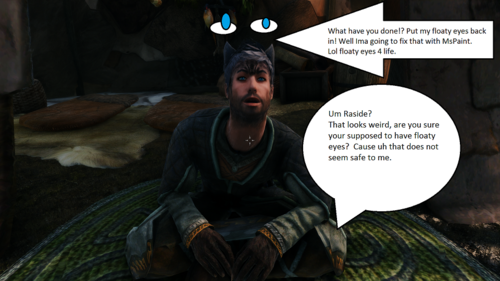
Original mod, allows you to play a humanized Khajiit in male or female, which is called Ohmes Raht I believe basically a half breed Khajiit born of a human mother. The original mod replaced all Khajiit in the game but it had a persistent eye issue where eyes on characters would float above head, there were fixes for that but between all the other fixes mod one had to also install well then you would still get floating eyes....Also the Vampire records were never actually addressed in the mod so if you turned well you were really SOL FUBAR then.
This merges, main esp file with all the updates and the fixes found in its options and misc sections such as EyeFixes and HelmetFixes.
Fixes I performed on the file beyond that,
Gave Vampire Khajiit the proper vampire eyes and vampire teeth, original had them using I think it was either original Khajiit Eyes/Teeth or it was Elf vamp eyes/teeth its been at least a year or two since I did all this.
Overall Net,
Fixed floating eye problem, fixed vampire issues, removed RaceCompatibility file dependancy and merged all the files into one esp. Basically it all now works as it was intended. Bonus you also have option for Imperious Races version which is the one I use. Why remove RaceCompatibility? Makes the file compatible with Growl Werebeasts, really cool mod for playing werewolf.
Also I have made a file over here so that these Khajiit can have KSwigsSMP available to them,
CBBE textures are located over here,
Just got to rip the textures out of that packaged file and then rename them, drag drop them into the proper texture folder.
EDIT,
The original mod over on Nexus has been set to hidden, reason given was that the mod was not working...?
Well my ESP fixed every single issue with the original mod and merged all of its ESP/ESM's together, so I found a link to the original mod on mega and linked that above!
Yes I understand my file requires Imperious, but that file is awesome
1909 downloads
Updated
-
Nether's Fantabulous Frea
By Netherworks
A complete overhaul to Frea including greatly expanded dialogue, quest/location awareness, comments on player actions, npc interaction, combat enhancements and abilities, non-combat bonuses, sculpted face, multitude of appearance options, quest content, sexlab/flowergirls integration and much more!
A Frea overhaul like you've never seen before...
Requirements:
- Skyrim Special Edition or Anniversary Edition
- SKSE64
- SkyUI
- Dawnguard, Dragonborn and Hearthfires need to be active in your load order.
- XP32 Maximum Skeleton Special Extended (some wigs have breast bones)
- UNP or CBBE-based body required if you use Nether's Frea appearance
- This mod is near the record limit for ESL and uses a unique cell. It is not going to be ESLified.
Highlights:
- Can be used if you have completed the main Dragonborn quest or if you've never met Frea in game.
- Custom appearance with high-poly head, full maps for UNP/CBBE based bodies, built-in wig system that allows you to change or color her hair in game. Coloring works with wigs, such as HDT wigs.
- Almost 1000 lines of new, voiced dialogue. Aware of quests and player actions, combat lines, new interaction lines and much more.
- Relationship system that awards unique combat and non-combat abilities. Ability to marry Frea.
- Challenging quest content that allows you to help her become a better shaman.
- New abilities for Frea are discovered as she levels with you.
- Outfit system that allows you to pick up to 5 outfits for her. You can set her up to automatically change into different outfits through conditions you choose.
- Intimacy system for those that like a bit more adult adventure in their games. Supports Sexlab or Flowergirls and is hidden away if you don't have either installed. Can be disabled as well.
All these features add up to truly make Frea Fantabulous!
Installation:
- FOMOD installer for SSE.
- You can choose your appearance. Nether's Frea is recommended (but I'm biased of course) but you can also choose from: Bijin Warmaidens (Frea Standalone or All-In-One), Frea in Coldsun's Pantheon Pack 1, Pandorable's Frea, Vanilla Appearance or a User Textures option.
- User Textures give you Nether's appearance but uses your own installed body, head, eye and brow textures. It will use Nether's facegeom and facetint.
- If choosing Nether's Frea, you can pick between CBBE or UNP based textures. Choose the option that makes the type of body you use in game for most female characters.
- If choosing Nether's Frea, you can pick between Athletic, Toned or Smooth body normal maps.
- You may optionally elect to add support for Party Combat Parameters, in way of a new icon for Frea. (https://www.nexusmods.com/skyrimspecialedition/mods/57127)
- Finally, you can choose the Follower System that you use: NFF, AFT or EFF/Vanilla.
- Note that there is no longer a hair color color option since you can now choose wigs and wig hair color in game.
Updating:
- The Updates document (Nether's Frea Updates.text) and the changelog shows all the changes from the earlier versions of Nether's Frea (1.0) to Frea 2.0.
- There are significant changes from the old version to this one. I recommend a new game as the safest option, if going from 1.0 to 2.0. However, if you haven't met Frea yet in your current game and you currently have 1.0 installed, it should be fine.
- If you haven't installed a version of Nether's Frea at all in your current game, you should be able to install this mod at any point (this is very general advice, I can't vouch for your specific game).
Aquiring:
Appearance:
Personality and Interaction:
Relationship:
Gameplay - Combat:
Gameplay - Nature Affinities:
Gameplay - Elemental Boons:
Gameplay - Elemental Conduit:
Gameplay - General:
Outfit and Home:
Gameplay - Intimacy:
Integration:
MCM Control:
Issues:
3993 downloads
Updated
-
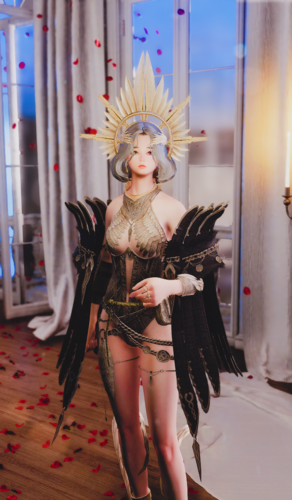
Odin priest CBBE 3BA
By Jmel-san
He he, my first post here as modmaker.
This it port from mobile game Odin Valhalla for Skyrim SE.
Have 2 colors and some outfit variants
Light armor at game
SMP for hair
Maybe i will do some smp for body part.
Pls enjoy and have good screens!
The outfit gotten via additemmenu or QUI
Requirements
-Bodyslide and Outfit Studio (v5.6.0+)
-CBBE 3BA (use 2.31 or beyond)
-CBBE (use v1.6.2 or beyond)
-CBPC (must use latest version 1.5.2 or beyond)
-HDT-SMP
Installation
-Use a Mod Manager like MO2.
-Use Bodyslide and make sure to build
1685 downloads
Submitted
-
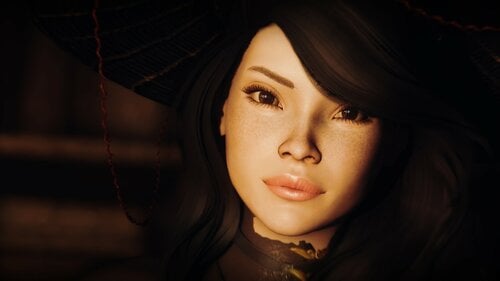
Aoi a Dax preset
By daxoss
AOI a DAX preset V2
A personnal preset based on mixed race asian.
Requirement:
Last update of Skyrim special edition (1.5.97) not AE edition
Latest SKSE64 for Skyrim SE (version 2.0.20) higher than this version is for skyrim AE
Racemenu
RaceCompatibility for Skyrim Special Edition
COtR - HQ Characters creation addon for RMKS Hairdos
Eye Normal Map Fix SSE
KS Hairdos
Credit:
ALL THE COMMUNAUTY!
659 downloads
- racememu
- customrace
- (and 3 more)
Updated
-
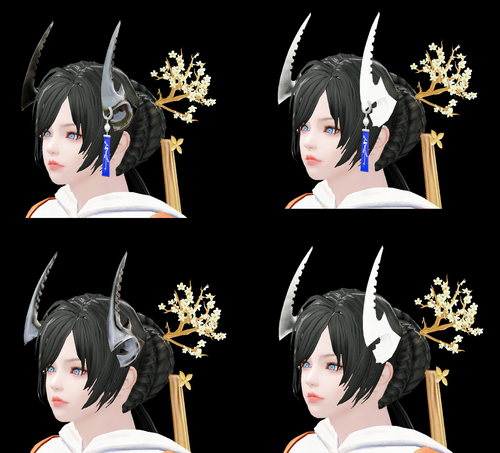
Blade and Soul Frozen demon horns
Balde and soul horns "Frozen demon"
2 colors black/white and same smp variants
it's my first smp stuff so..
to get horns use additemmenu or similar mod.
1.webm
423 downloads
Updated

.thumb.png.a3cfaa078ba2f2416704cfe329ae5b63.png)