.thumb.png.fb6e25a41f09f5626cc298fec2fcfa13.png)
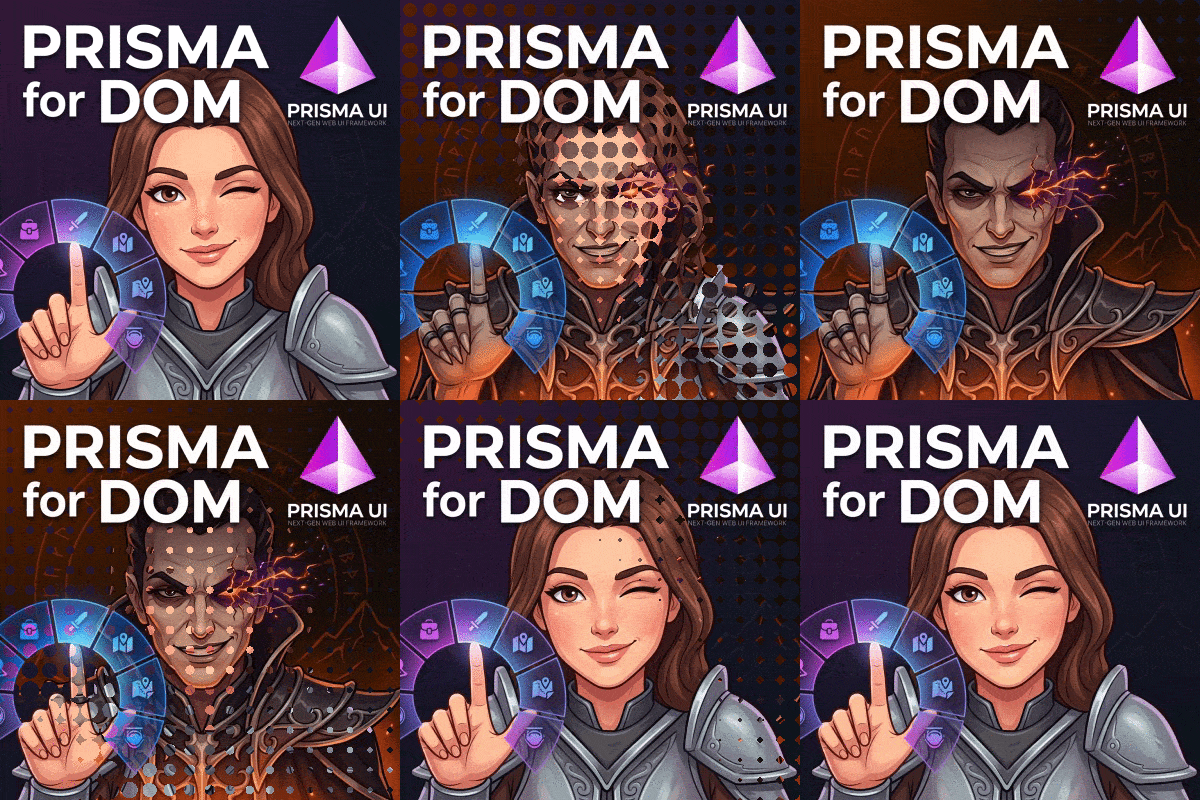
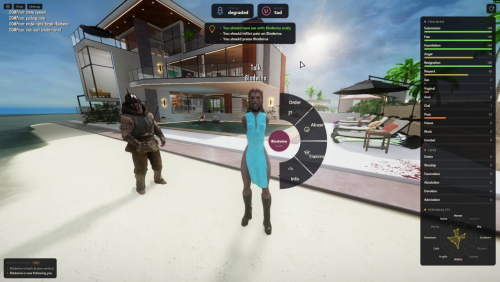
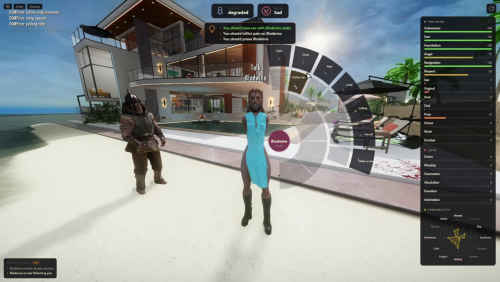
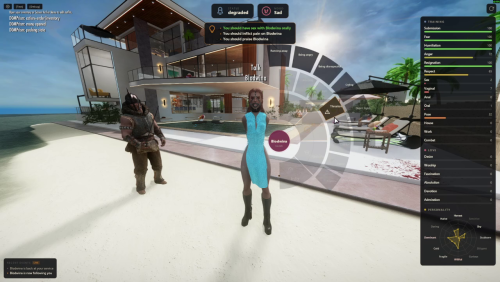
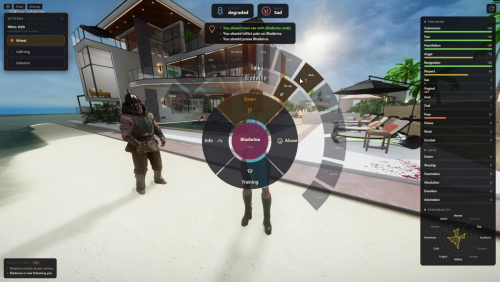
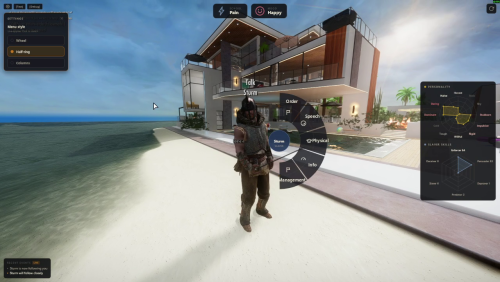
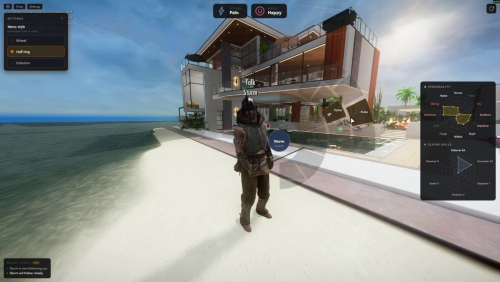
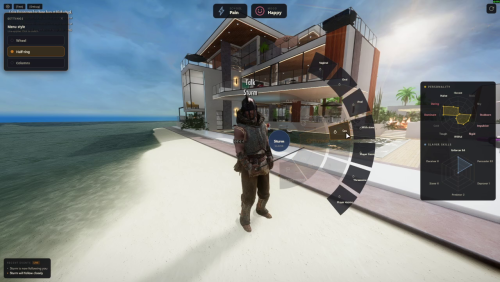
A modern overlay UI for TAK's Diary of Mine.
It does not replace DOM. It does not change DOM. DOM's own wheels and MCM stay exactly as TAK shipped them. This just sits next to them and gives you a faster, cleaner way to do the same things - one hotkey, live slave info, actions from the same menu.
━━━━━━━━━━━━━━━━━━━━━━━━━━━━━━━
■ This Mod Is For You If
━━━━━━━━━━━━━━━━━━━━━━━━━━━━━━━
- You're a big fan of TAK's work and want to support him by helping him focus on improving the backend and core systems of DOM
- You like modern UIs and sleek gameplay
- You're tired of juggling twenty hotkeys and cramped wheel labels
━━━━━━━━━━━━━━━━━━━━━━━━━━━━━━━
■ This Mod Is Not For You If
━━━━━━━━━━━━━━━━━━━━━━━━━━━━━━━
- You're allergic to vibecoding
- You enjoy that 2013 feel in Skyrim mods and UI from that era
- You want something that rewrites or "improves" DOM's game logic (this one doesn't touch it)
━━━━━━━━━━━━━━━━━━━━━━━━━━━━━━━
■ Features
━━━━━━━━━━━━━━━━━━━━━━━━━━━━━━━
- Modern UI - cascading radial menu + info panel, built on Prisma UI
- All the DOM commands (that I'm aware of) for slaves, trainers, free NPCs.
- In addition: Slave info panel - status, mood, training, love/loyalty, personality, facets. All of it, live, while you aim.
- Individual + group - aim at a slave for personal menu + stats; no target = group orders
━━━━━━━━━━━━━━━━━━━━━━━━━━━━━━━
■ Benefits
━━━━━━━━━━━━━━━━━━━━━━━━━━━━━━━
- Fast and sleek
- More information at a glance (no more Status-wheel message-box dumps)
- Use ONE key (combination) instead of 20
- Doesn't fight DOM - additive only
━━━━━━━━━━━━━━━━━━━━━━━━━━━━━━━
■ Integration / Install Notes
━━━━━━━━━━━━━━━━━━━━━━━━━━━━━━━
- This mod does not change DOM at all. It does not replace DOM's UI.
- Pick a hotkey that nothing else uses. There is an ini file to configure the key. Default Hotkey: Shift + Y
- Requirements: Prisma UI, Diary of Mine. Tested on DOM 8.4. 8.5 untested but should work (new leash actions excluded).
━━━━━━━━━━━━━━━━━━━━━━━━━━━━━━━
■ If You Want To Help
━━━━━━━━━━━━━━━━━━━━━━━━━━━━━━━
- Report bugs - what you did, what happened, DOM version, log, load order if you can spare it
- Send me SVGs for each action/status - line icons, simple, consistent set. Every menu action could use a clean glyph and I'm happy to credit
- Suggest fixes for the known bugs.
━━━━━━━━━━━━━━━━━━━━━━━━━━━━━━━
■ Disclaimer
━━━━━━━━━━━━━━━━━━━━━━━━━━━━━━━
Unofficial. Not affiliated with TAK. If anything here ever conflicts with DOM, DOM wins - disable this and keep playing.
━━━━━━━━━━━━━━━━━━━━━━━━━━━━━━━
■ Permissions
━━━━━━━━━━━━━━━━━━━━━━━━━━━━━━━
- You may use, modify, or build on this mod as long as you credit me and let me know.
- Do not reupload this mod or a modified version of it to any site other than LoversLab.
- If you make a variant, link back to the original page here.
Edited by Fraying9981
What's New in Version 0.158
Released
v0.158
- Bugfix: every group command (wheel opened with no one in the crosshair) now reaches the game; all group wheels were silent no-ops before, and Jail, Task, Clothes, Upkeeping, Threaten and Promise gained their sub-menus.
- Bugfix: Punish and Praise now continue into the type sub-menu (pain, scold, choke, slap face, spank and more); the reason list previously dead-ended and no punishment or praise could be sent at all.
- Backend: release packages now include the JSON helper script that fresh installs were missing (dynamic menus broke without it).
━━━━━━━━━━━━━━━━━━━━━━━━━━━━━━━
■ Hard Requirements
━━━━━━━━━━━━━━━━━━━━━━━━━━━━━━━
- Prisma UI
- SKSE + Address Library (Skyrim AE 1.6.1170)
- DOM 8.4. Above 8.4 is untested but should work.
- **TAK** — Diary of Mine. This exists because of his work. Support him.
- **Prisma UI** — the framework that makes a modern overlay possible in Skyrim
*Unofficial. Not affiliated with TAK. If anything here ever conflicts with DOM, DOM wins — disable this and keep playing.*
- **Prisma UI** — the framework that makes a modern overlay possible in Skyrim
*Unofficial. Not affiliated with TAK. If anything here ever conflicts with DOM, DOM wins — disable this and keep playing.*