
Select a subcategory to view available files.
Files From Subcategories
-
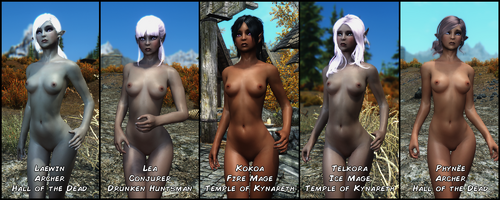
Dark elves followers 2
By piroro
Five elven followers found in Whiterun. They are actually a custom race based on the breton race.
I am not sure they are balanced. They are mostly supposed to be pretty.
I remade Lua in this mod, with a different face.
Requirements :
None for the main file.
HDT Physics extension ( https://www.nexusmods.com/skyrim/mods/53996 ) and its requirements for the optional bouncing breats.
Credits :
CBBE by Caliente
Mikan Eyes by nerune
KS Hairdo's
CharGen Extension
4534 downloads
Updated
-
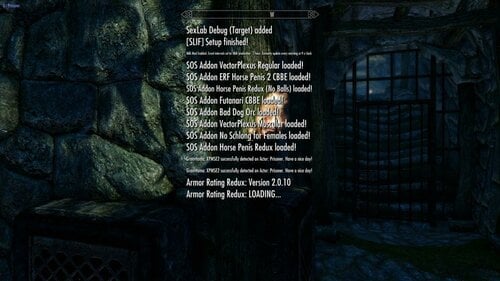
Faster Mod Setup Notifications LE
By pinkfluf
(text from SE page) But mod converted using LE vanilla Interface Assets and tested in LE
Supports Left, Centre and Right Notification messages.
This mod can increase the amount of notification messages (or use vanilla settings) and makes them fade faster. Handy during mod setups
This is based off this mod on Nexus but I didn't like the bright hud colours so I used the stock Interface assets
https://www.nexusmods.com/skyrimspecialedition/mods/30170?tab=description
Here are some timings with different settings (based on 261 active plugins)..
messages stopped/disappeared
3:29 80 frames 3 shown
2:12 50 frames 3 shown
2:02 40 frames 3 shown
1:27 30 frames 3 shown
1:17 20 frames 3 shown (Faster but noticed some messages still appeared "your follower can't follow you here" so scripts still running)
3:09 80 frames 15 shown
2:05 50 frames 15 shown
1:51 40 frames 15 shown (I use this setting, a good balance I think)
1:21 30 frames 15 shown
1:02 20 frames 15 shown (Faster but noticed some messages still appeared "your follower can't follow you here" so scripts still running)
You won't always get 15 spam messages during a playthrough unless your doing something to spam the notification messages (building a house etc)
Tools Used:
Jpexs - https://github.com/jindrapetrik/jpexs-decompiler
Compatability:
SE Version here
Anything that does not touch "interface/exported/hudmenu.gfx"
If you do have a mod that touches on it you can modify it (hudmenu.gfx or hudmenu.swf) yourself (might need to extract it if it's in a BSA).
Steps To Modify Or Change Position:
Open gfx or swf file in Jpexs ( if you get a "this uses assets from gfxfontlib.swf" just select no (twice).
1) In the left pane navigate to Scripts then click on Messages
2) In the far right pane click on "Edit P-code" and modify either the "MAX_SHOWN" (default 3) and "END_ANIM_FRAME" (default 80) to your choosing.
3) To change the position navigate to line 71 and change the x,y coords to your choosing
4) Press Save under the Pane, then Press Save on the main file menu voila your done.
1534 downloads
Updated
-
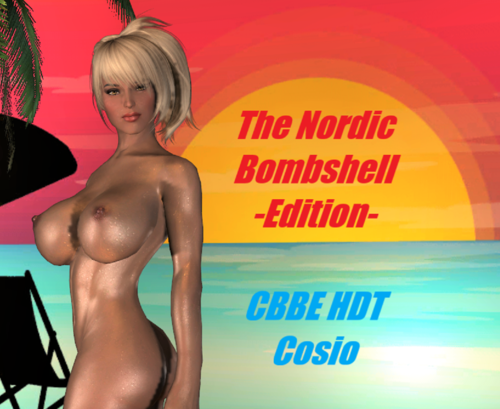
The Nordic Bombshell - CBBE HDT Body and Cosio Edition
By LamaKreis
To be honest, I actually play SSE. But on my detour to Skyrim LE, I rediscovered the greatness of HDT body physics and wanted to test how the TNB body works with it. So I copied the original as best I could with the Bodyslide LE and ... here it is.
In addition, photo sessions in GomaPero Land are just too much fun. This great mod allows each series of photos to be given a different theme or time ... I couldn't resist. Thanks also to Monique, who jumped out of my head especially for this presentation.
Since uploading this page I have received several posts with the request to provide the TNB Excessive Body from the original page here. Ok, it is now available for lovers of special opulence (see the last screenshots).
Notes: If you see the Bodyslide preview ... it looks less radical in-game.
I added the TNB Natural Body, for those who like the shape but don't want it too lush (see the last screenshots). This completes the page for LE. I hope you have fun.
Credits goes on:
Ousnius and Caliente - CBBE
Ousnius and Caliente - Bodyslide and Outfit Studio
HydrogensaysHDT - HDT Physics Extansions
GomaPeroPero - GomaPero Land (Screenshots)
GomaPeroPero - GomaPero Poses (Screenshots)
GomaPeroPero - Mini Bikini (Screenshots)
HumanNature66 - HN66 Mage Nails CBBE (Screenshots)
Have a good time
2472 downloads
Updated
-
Toys BodySlides born again for BHUNP 3BBB (SMP)
Description
This is just a simple BodySlide conversion of the devices from different Toy Boxes to BHUNP 3BBB (SMP). Not all the files are included, only any that use breast bones. As such you are required to add the UUNP version from original page and overwrite with the BHUNP 3BBB version before generating in BodySlide.
This is only for SMP breast physics.
The conversion is for this body: https://www.nexusmods.com/skyrim/mods/100306
Usage
1) Install the original Toy Box/mod linked below and have the BHUNP version overwrite the original.
2) Run BodySlide and generate for your body.
Available Toy Boxes
1) Toys Framework (Insignia, Ancient, and Chaotic Toy Boxes)
Get Toys_Bodyslide_LE_UUNP and overwrite with BHUNP 3BBB version before generating in BodySlide.
2) Shout Like a Virgin Evolved (Virgin Toy Box)
Get SLaVE Bodyslide LE UUNP and overwrite with BHUNP 3BBB version before generating in BodySlide.
3) Classic Toy Box
Get Classic ToyBox LE UUNP and overwrite with BHUNP 3BBB version before generating in BodySlide.
Credits
All credits go to original mod/asset authors, please see the mod pages linked above.
1110 downloads
Updated
-
Body Graffiti SlaveTats Pack
By Conscripted
Body Graffiti
A SlaveTats pack by Conscripted
NEW!
Added a pricelist that covers the back. You can list up to nine items, including advertisements and repricing (see screenshot). The format is Advert OR Service, Price 1/multiplier (x10, x100, x1000), Price 2 which includes a strike-through of price 1 (see other screenshot).
WARNING This file is only 32MB but expands to 11.8GB!
I'm still working on the arms and legs tattoos, but it is a little slower going since it includes a lot more resizing/rotating. Just one tattoo can take up to half an hour if my computer wants to be slow and I lose interest after doing only a few. But I am chipping away at it every once in awhile.
Requirements
CBBE body
SlaveTats
What is it?
This is a SlaveTats pack that contains mostly lore friendly, generally abusive graffiti writing and a few doodles for select parts of a CBBE body.
Why?
This is a thank you to the Lovers Lab community for all of the interesting content that they create. Seeing as how I have little technical abilities, there is little that I can do to truly contribute. But I do have paper, pens, a scanner and freeware image manipulation software (GIMP). And with those simple tools I was able to create part of (what I was hoping to be a full body) graffiti pack for SlaveTats.
Features
Over 100 unique SlaveTats covering the following body parts:
Chest Left and Right Breasts Nipples Stomach Belly Back Shoulders Mid Back Lumbar Left and Right Obliques Pubic Mound Forehead Left and Right Cheeks Left and Right Jaw Above (and below) lips Throat
Over 800 tats in all!
Plus a few full body examples!
WARNING
This file is only 27MB but expands to 3.45GB!
Format
Tats within (parenthesis) are doodles and words between -dashes- are striked out.
Why aren't there more?
After creating this small fraction of what I was hoping for, the file has already gotten incredibly out of hand. It was over 6 Gigs (Using BC3/DXT5 compression) before I cut the resolution in half (from 4096 -> 2048) and it's still 2.75Gigs! Not only that, but this you end up with long lists of body parts and tats.
What can you do?
I realize I need help. I require an organizational structure for the different tattoos, I have well over a thousand unique files that I had intended to ultimately use from the top of the players forehead down to her sole. But I lack an organizational structure to set it all up and everything starts to get really messy, really quickly. So I need suggestions on ways I can make this pack flow better.
Also, the file sizes start to increase ridiculously after just a few hundred files. Even cutting down the resolution only helped a little, and I was hoping to have a few thousand by the time I was done. If there are any tips or tricks on how I can further decrease the file size without harming the fidelity too much, or ways I can set up the pack to take up less space then I'd like to know.
Lastly
Applying these tats to the body template and exporting them is time consuming and tedious. I started this project over a year ago and this paltry file is the result. After working on this for so much time, I had almost considered scrapping the project. Instead I created a small token amount for most of the front torso to toss up here. If someone has suggestions, or something specific they want I may be able to accommodate them.
But I am really lacking the drive I started with to truly finish this. I've culled down tats to less than 50 files that I think I'll finish putting on the legs, feet, hands, back and butt, then I have no real plans after that. This is a gift, though, to this community, if there are specific requests then I will try to make them. But no promises.
Corrections or suggestions are both welcome.
Added a Progressive facial graffiti tats pack with 4 different flavors (A,B,C,D) of progressive markings from a single forehead tattoo (Level 1) to a full facial (Levels 8 or 9) plus a hashmarks pack from 1 to 20. This is a proof of concept.
Sorry I haven't been adding more tattoos (in general) but I've been playing a Non-Sexlab playthrough of Skyrim:SE so I've had no motivation create new tattoos. I also still have no good solutions to the problems that had already been plaguing me of how to organize the original pack and how to reduce the file size without compromising quality.
19026 downloads
Updated
-
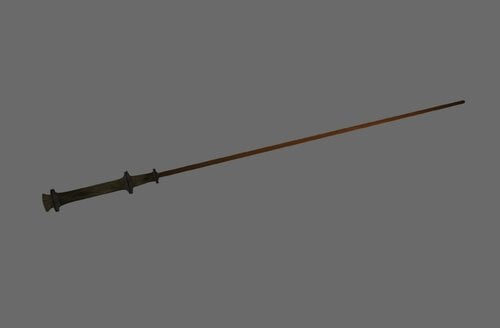
ShockCane
First, sorry for my bad english.
This mod brings a modified ZaZ-OldCane into the game.
It change not the original Cane. It comes with its own ID.
In addition to the normal damage, it also causes shock damage (see the images).
I create this weapon for my own, but i hope you have fun with it ?
Sorry, I forget to tell you, where you get this weapon ?.
You can buy this weapon by the Riverwood Trader or use additemmenu.
Installing
It is only a esp.-file, so you can drag and drop to your Skyrim\data - folder or use a MM like NMM.
Requires
- Skyrim
- last Update
- ZaZ Animation Pack CBBE V.8.0
180 downloads
Updated
-
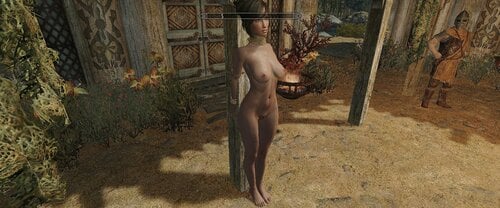
Bodyslide Female Shape Files DAZ G8 Default
By t.ara
Hello,
this is a UUNP-HDT-shape-copy of the DAZ-Genesis 8-default Body. It allows very nice results with the UUNP-sliders and is a nice choice for small breasts results and for slim body-variations in skyrim.
Can be edited in BS, being exported and being used for followers, for creating an alternative reference-body or it can be used to create a new or different slider in bodyslide.
Enjoy;-)
677 downloads
Submitted
-
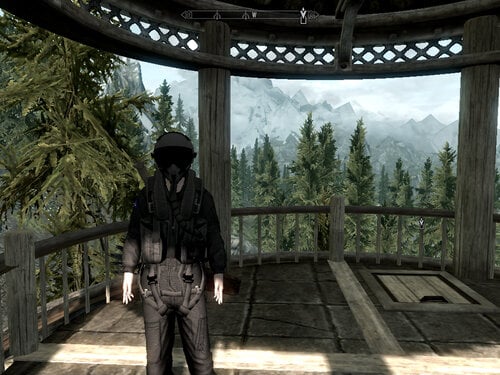
skyrim Small ports from other games..
By Reenana
Hello ?
Recently my hard drive had failed me, so upon scouring of what is left , i manage to save a few clothing mods and clutters that i personally use for myself.
and to prevent further losses, i decided to share it here in LL, so that i could redownload it too when i had a new workstation to tinker with.
this port consists of :
- 3 Female sets, and 2 Male sets.
- everything is _0 :C
- Either for male only , or for female only.
- and 1 female set may require HDT so it doesnt clip your feet through the ground when wearing it.
It wont crash though even if you dont uses HDT, it just sunk your feet through the ground.
i only have skyrim LE, so idk about the recent ones.
and there may be imperfections,so please bear with me.
Credits to :
- DICE/BF3
- Grasshopper Manufacture / Lollipop Chainsaw
-Kojima/MGS4
- Sparky84 & antistar for a gasmask (didnt make any records in esp for this one)
- and anyone i had not yet mentioned , will update please bear with me.
PS: there's a few things not added to the game , because im quite busy fixing things to even make edits on a creation kit.
check the data folder for more info.
feel free to use this port as you wish
screenshots are incomplete, please add yours to compliment it. thank you vm ?
489 downloads
Updated
-
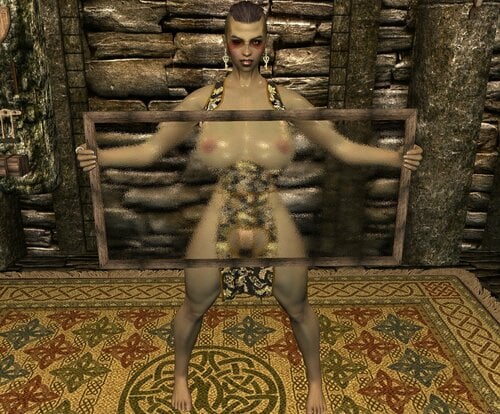
DEM Open Dress CBBE HDT Cloth
Description: DEM Open Dress CBBE Bodyslide LE v 1.0.0
======================
Converted to CBBE Bodyslide and Repackaged by NIND, I have left Elxdark's original Readme.
Original Author: Krista
Changes Made (in addition to CBBE Bodyslide):
-HDT-PE CLOTH OPTION ADDED BOIIIIIII (Yes there is some clipping but it looks pretty good)
-Additional Black Dragon body Texture Dress Added
-"Love Holes" Cutout Dress added in every texture
-Oily body option
-Zaps including: Back Cutout and Skirt/String Length
Install/Uninstall:
=======================
Use the usual methods and install with mod manager.
Select Zaps and build before use
Acquistion:
=======================
Utilize AdditemMenu and search "Open"
Credit to Krista for the original outfit, and Elxdark for the UUNP conversion.
3189 downloads
Updated
-
Fix texture mismatches (LE/SE/Whatever)
By Papitas
tl;dr: This is a Windows batch file that copies files from one place to another.
The problem
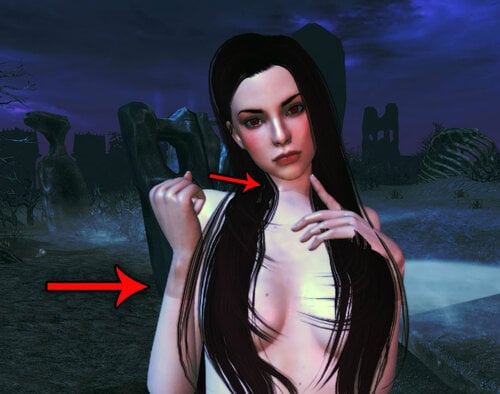
Mod authors who make new NPCs (or beautify the vanilla ones) often have a very specific idea of how they want their characters to look like, so they bundle custom textures with them for they to look exactly like envisioned. And they look exactly as intended... on THEIR OWN COMPUTERS.
The problem with using fixed textures for your NPCs is that you (modder) basically coerce players to use the same textures as you. If you (player) don't use them, you get the kind of color mismatches and seams between body/hands/feet/neck you see in the first picture of this file.
For example, do you use Leyenda Skin and installed The Ordinary Women (an NPC beautifier)? All bodies (naked, armored, clothed, whatever) will use Leyenda, but faces, hands and possibly feet of NPCs modified by The Ordinary Women will use the textures its author made for them. And you will be getting ugly color mismatches and seams as your prize.
The solution
It's quite simple, really. You just copy the textures you actually want to the folders with the custom textures made by the culprits; thereby, replacing them.
But that's a really tedious job. You copy one file by one, hoping you didn't forget to replace any of the textures. Or you can brute force and carelessly copy all files from the folder with your textures, but textures files are big and you can easily rake many gigabytes of useless files if you do so.
The best solution is using my script, of course. This script copies only the files that already exist in the destination folder.
Better yet, it also replaces files found in subfolders, so you don't need to run this script many times; once is enough (people that have ever had to mess with Bijin's textures will really apreciate this feature).
Usage
Put my script (bat file) in the folder with the textures you actually want (in my case, Leyenda). Drag and drop the root folder you want replaced (Bijin in this example) to my bat file and you are done.
Example pictures on how to use it are in this file's description.
I suggest to backup the folder with the textures you actually want before using my script.
Not because it's prone to errors, but because we are the ones prone to make mistakes
I made this script some time ago and I forgot how to use it, so I ended up replacing the files I wanted with the files I didn't want... twice
If you ever forget how to use it, you can open it with Windows Notepad and read how it works. I certainly wrote those instructions specially for me
Once you are familiar with how to use my script, you can stop backing up your folders.
Troubleshooting
This is a simple script that replaces files by name. It won't work on files that:
Don't have the very same name. Exist in the target folder, but not in the one where you put this script.
Since it just copies files, it doesn't matter what game you use it for.
Hell... for all I know, it could even work for Fallout (I don't play it, btw).
503 downloads
Updated
-
Xun Rama Coin
By XunAmarox
Description:
Good god, another coin replacer!
Aye, my friend. But this one is a little different.
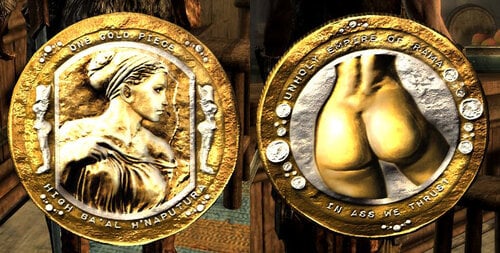
Features a beautiful girl on front, and (dat) ass on bottom. Made for the fictional Empire of Rama (my own creation). Funny Athiest joke included on back at no additional charge.
Default version is Bottoms Up Edition. Features (dat) ass on front, and a beautiful girl on bottom.
Grab the original edition here: xr-coin v1-3-1577-1-3.7z Features a beautiful girl on front, and (dat) ass on bottom.
Installation:
1. Drop in /Data/ in /Data/ folder.
2. Yes to overwrite.
3. Enjoy!
Uninstallation:
1. Navigate to Data/textures/clutter/
2. Delete relevant contents.
3. Stop enjoying.
Version History:
1.4 - bottom's up edition added (only use this version if you want the coin flipped around so the booty is on top rather than bottom; e.g. when you look at it in your inventory you'll see tails instead of heads.)
1.3 - redid butt/legs normal manually painting
1.2 - butt normal improved further
1.1 - butt normal fix
1.0 - Release
1159 downloads
Submitted
-
Serana and Valerica Redone
By XunAmarox
Description:
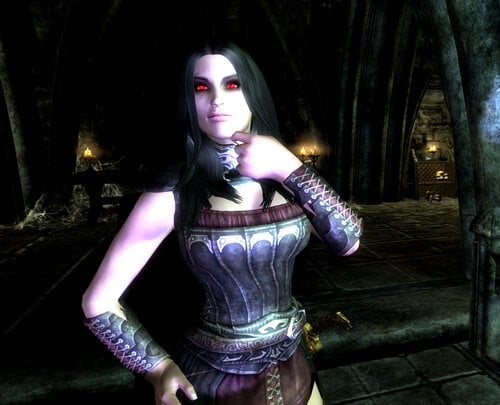
Just changes the appearance of Serana and Valerica. See the screenshots. Not much else to say really.
If you want the same exact textures as me, I'm using my CBBE Innies mod, you'll need the optional vampire face textures file too. And as for the eyes, the exact texture you can get in my VTF Vamp Innies mod VTF Vamp CBBE Innie-39568-1-0.7z, just download manually and only do the eye mesh and texture. If you don't want either of those though, then don't mess with any of that. It should look fine whatever texture pack you're using.
If you have a grey face bug it's probably because you changed how the NPC's look after their appearance was stored in your save game. You'll have to open console, click Serana and do "setnpcweight 50" and on Valerica "setnpcweight 100" then save and reload and they should be fixed. On a new save you shouldn't encounter that kind of problem.
If her lips look funny or makeup looks off then chances are it's because the Unofficial Dawnguard Patch breaks vampire faces a bit (though they won't admit it). If you set UDGP to Active with the CK then click Details then find NordRaceVampire and hit your Delete key to set it to IGNORE then load it, then save, then the problem should go away. The problem also happens to the player as well. You'll probably have to set their weight again afterwords.
Load this esp after any mod that might possibly change their appearance.
REQUIREMENTS:
ApachiiSkyHair - You will need both ApachiiHair.esm & ApachiiHairFemales.esm.
Dawnguard DLC
Mods used in screenshots:
Female Facial Animation
Smile in HD
BVFE - Better Vampire Fangs and Eyes (fangs only)
Killer Keos Skimpy CBBE V2-V3 Armor Replacer - Skimpy Vampire Armors
CBBE Innies + optional vampire face textures
VTF Vamp CBBE Innie-39568-1-0.7z - optional eye mesh and textures only - manually install just those
Credits
Serana's hair is by Apachii.
83 downloads
Submitted
-
No More Hay Beds
By XunAmarox
It's so simple that I'm amazed it hasn't been done.
Do you hate straw beds? Cringe whenever you see one and lose the urge to sleep? Well, lose your sleep no more! No more hay beds, no sir. Noble beds for all.
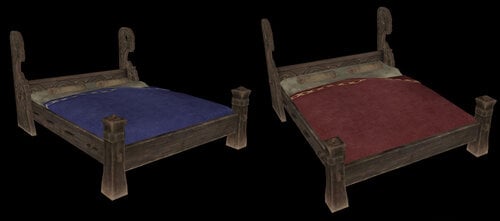
This is a simple model replacer mod with no scripts - it should be safe to install or uninstall on any save. It changes the "common" and "upperclass" beds - both single and double, to "noble" beds. You know, the nice green ones that actually look somewhat fit for human use.
As an added bonus, they're color coded so you still know what's "really" supposed to be there. Green is noble - that's vanilla. Red is "upperclass" and blue violet is "common."
Yep... you're welcome.
Permission
Re-use is free as long as credit is given.
420 downloads
Submitted
-
XunAmarox Modder's Resource
By XunAmarox
Description
I'll add some more stuff later after I finish my current project but I feel that these two things are severely needed by the modding community so I want to get them out there right away.
What's Included
As of right now there are just three scripts: One to create custom displays (e.g. for stuff like elder scrolls, thieves guild stuff, daedric artifacts, or whatever you want!), another for a disenchanting font which removes all enchantments and improvements from an item placed in a container and returns it to the player. Well, you could call it a renewal font or whatever you want since it pretty much renews the item to its original state before anything was done to it. And as of 1.3 a script to display animated objects (toggle their animation on/off) much like the display script does but it's set up for the Auriel's Bow Pedestal (a static version of it) so you'll need to edit the source and rename it for any other animated object you want to use it for.
I've also included an esp with a small test cell with the scripts implemented so you can study how the scripts work. You can go to the area via console with "coc 0xtestlab" and it's in the CK under 0xTestLab right at the top. As of 1.3 it's probably not too useful for showing the newer features. I recommend just taking a look at my Stormcrown Estate mod to see how I implemented the scripts if you're having issues.
Tip: To create a static object of any item you don't need to extract it from the BSA just edit it in the Object Window and copy the entire line it lists under Model, something like Clutter\Containers\Satchel.nif and then when you create a new static object make sure you're in your Meshes folder then just paste that address and click Open.
How to use
aaXunDisplayScript
-Create a static item that will be what you are displaying and set it to initially disabled.
-Create a container (set to not respawn), and hide it off of the map like under the floor or behind a wall or something (hiding it is optional but recommended).
-Add the script to a new trigger.
-Go to Primitives tab and make sure player activation is checked.
-Go to the scripts tab and then Properties and click Auto-Fill.
-Hover over various sections for descriptions, it should be intuitive.
Only one of DisplayArmor, DisplayWeapon, DisplayItem, DisplayBook, or DisplaySoulGem, should be used at a time and should point to the original item's BaseID. The words after Display are the category it falls under - Item is for MiscItem.
DisplayReference should link to the disabled static item you added earlier, the script will enable/disable it based on whether the real item is added or not.
DisplayContainer should link to the hidden container you created earlier. It doesn't need to be unique, you can use one container for your entire display setup.
When activated, the script should take the item out the player's inventory, move it to the container, and enable the static item. When activated again it will disable the static item and move the item back to the player's inventory. Any improvements or enchantments will have been retained.
aaXunDisenchantingScript
-Add the script to a container, any container will do.
-Create a new Global under Miscellaneous/Global called RFontGlobal with variable type of short, value set to 0, and Constant left unchecked.
-Create a new message under Miscellaneous/Message called RenewalFontMSG and keep Message box checked, inside the text box add a warning letting the user know what's happeing for instance "Items you place here will have all improvements and enchantments removed." or something.
-Go to properties in the script and click Auto-Fill.
-Done. Script will now work, any item added will be "disenchanted" and renewed to its original state. It'll also remove any smithing improvements done or renaming. Additionally, on its first activation the user will get the help pop-up that you wrote earlier.
aaXunDisplayScriptAnim
Currently this one only works for the Auriel's Bow pedestal which you'd want to create a static object for. If you wanted to use it for a different object you'd need to edit the source and change "AnimIdle01" and "AnimIdle02" to the appropriate animations but if you're going to do that then ensure you change the name of your script before distributing it so it doesn't conflict with anyone else's. The animation names are listed when you prevew an item (right click > preview)
To set this one up you need to place a static copy of auriel's bow pedestal and then create an activator and add this script to the activator.
--Go to Primitives tab and make sure player activation is checked for your activator.
-Open the script and hit auto-fill, PlayerRef and defaultLackTheItemMSG should be filled for you.
-Set the DisplayContainer to the hidden container where the bow will be stored for safekeeping.
-Set the DisplayAnim to the static copy of the auriel's bow pedestal
-Set the DisplayWeapon to Auriel's Bow (DLC1AurielsBow)
Hit OK.
Permission
This is a modder's resource. You are free to re-use it, modify it, and include it in your mods as much as you want as long as credit is given.
Changelog
Version 1.1
-DisplayItem renamed to DisplayMiscItem to avoid confusion.
-Linking the static reference to enable/disable to the activator is no longer required. It was just an oversight as we already set it in the script, now the script uses that variable rather than checking for linked references. It should be easier to do multiple displays now.
Version 1.0
Initial release.
31 downloads
Submitted
-
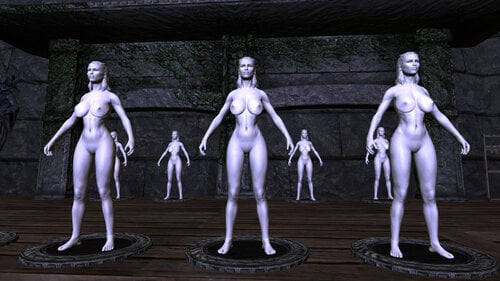
Sculpture Statue Mannequins
By XunAmarox
Sculpture Statue Mannequins
by XunAmarox
Description:
This replaces the default wooden male mannequin with a female stone sculpture/statue mannequin.
I never particularly cared for the wooden mannequins, though I suppose a female one would have been nicer. And well, the "real" ones just weird me right out. Like a bunch of brainwashed models standing around or something. *shivers*
So anyways, I thought having them like Greek Sculptures would be nice. Both realistic and yet fake. Best of both worlds.
What it does:
Replaces Skyrim mannequins. If you have HearthFires DLC and want your HearthFires mannequins to look like this as well there's a separate main download for that which includes both the Vanilla and the Hearthfires mannequins. The HearthFires version includes both HearthFires and Vanilla mannequins in one convenient download - choose one or the other: Either Vanilla Only or Vanilla+Hearthfires.
If you don't have or don't want the Hearthfires ones, the Vanilla one should be fine. HearthFires isn't required for the Vanilla one so anyone that doesn't have it shouldn't have to worry about that. BUT THERE CAN BE ONLY ONE. If you want the Vanilla one grab it here: Sculpture Statue Mannequins - Vanilla-26266-1-1.7z
No Scripts are modified in this mod. Only the Mannequin Actors and Mannequin Race are changed.
By default, the mannequins use the default CBBEv3 models, and some modified textures. You can use any CBBE texture compatible mesh you'd like however. Just drop the meshes in: "Data/Meshes/Galatea/" and it should be how you want it.
If you want to use it with another body mod... it may be more complex of a process. Textures go in: "Data/Textures/Galatea" but you'd have to edit them yourself to make them look like a sculpture.
If you have Photoshop, here's how you do that really easily:
Desaturate
Brightness/contrast: 44 59
Filters > Noise > 6
Save as DDS as either 8.8.8 (no alpha) or 8.8.8.8 (alpha)
You'll need the appropriate NVIDIA plugin to open and save DDS files.
Installation:
Pretty straight forward. As the files are just an esp and a bsa, just drop them in your data folder and activate. NMM should take care of everything for you.
I added an optional file for those of you that have UNP. Well, it's UNPB textures which I assume are the same anyhow. UNPB textures-26266-1-1.7z
Here's the UNP install procedure:
1. Navigate to Data\meshes and create a folder called galatea
2. Navigate to Data\textures and create a folder called galatea
3. Navigate to Data\meshes\actors\character\character assets and copy your UNP texture compatible body files to the meshes/galatea folder you made
4. Navigate to Data\textures\actors\character\female and copy your UNP textures over to the textures/galatea folder you made
5. Now install the optional UNPB texture pack I put up. NMM or manually, whatever works for you.
Uninstallation:
Just delete the esp and bsa. Should be fine.
Credits:
Caliente for CBBEv3
If I missed anyone, let me know!
Permission:
-You can INCLUDE assets from this mod in your mods as long as credit is given.
-You can not MODIFY assets of this mod and re-release them without first obtaining permission.
Known Issues:
-Brows may look outlined a bit darkly in some lighting. I'll likely release a patch to fix this in the near future.
-Small seam at the neck (likely existed in original, only more noticeable with noise). May 3D paint in Blender to see if I can fix it at some point. If it proves too difficult I may just make it a seam in the statue itself like it belongs there to mask it.
If you need the loose files grab them here: Sculpture Statue Mannequins - Loose Files-26266-1-1.7z
Incompatible Mods:
-Any mod that changes the mannequin races (manakin race) or overwrites files in the galatea directory (meshes/galatea or textures/galatea).
DartHairColors - dirty edit to mannequin race, clean with TES5Edit
Sweet and Sexy Lingerie shop CBBE - remove any esp entries relating to mannequins (open in CK, Details, hit Delete key next to entries, load esp in CK & save - done), remove galatea loose files.
Changelog:
11/11/12 - Version 1.1: Hair Fix. Hair now properly replaced by Hair Biped object.
10/30/12 - Version 1.0: Vanilla+Hearthfires Initial Release
Permissions
-You can INCLUDE assets from this mod in your mods as long as credit is given.
-You can not MODIFY assets of this mod and re-release them without first obtaining permission.
Credits
Caliente for CBBEv3
If I missed anyone, let me know!
767 downloads
Submitted
-
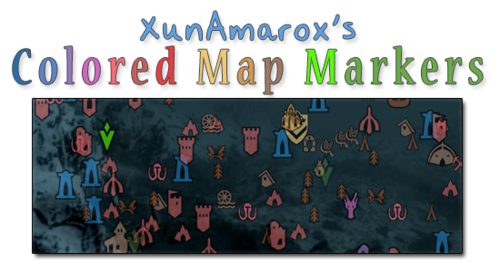
XunAmarox Colored Map Markers
By XunAmarox
Summary:
Contest winning map marker design based on EzEs Colored Map Markers. SkyUI 4.1 & all DLC compatible. Colored compass & unvisited markers included.
Required:
SkyUI 4.1 - May not actually be required... If you don't use it, let me know if it works alright without it.
I'm not sure how it'll do on older versions of Skyrim since there are markers from Dragonborn & Dawnguard. I'm also not sure if not having those DLC will affect it.
Design:
I started out with the idea that not everything needed unique colors because it becomes overwhelming and confusing and similar places should share colors to reduce clutter and make things easier to find on the map. So to do that I went through and reorganized the whole thing to make sure it all made sense. I tried to use mostly desaturated warm colors to that end. As for the coloring itself... I went with a yellow/orange (same spectrum) combination for the Major Cities & Palaces because I wanted them to be visible but not obnoxiously colorful, but still look related (e.g. same spectrum). They could have been about any color, but I thought a warm color would go best with the rest of the colors I chose which were also in the warm color spectrum.
I went with a very desaturated light brown color to indicate settlements because they're things that shouldn't really stand out that much and aren't a threat, so they should have a very mild color. For dungeons (e.g. very dangerous places) I gave them red as per the natural color response stimuli of red meaning danger so it indicates that the places is probably going to be hostile and dangerous, but I kept it very light and desaturated since these places are numerous as to not overwhelm the map with colors and become overly obnoxious... For the other world locations I went with a darker brown since they're more important than settlements though generally not as hostile as the more dangerous locations. The dark brown is a bit more vibrant, but brown tends to not be a color people associate with colorful and vibrant, so I figured it wouldn't draw too much attention other than making them noticeable.
As for the couple of special things, I wanted them to be very identifiable. Daedric Shrines are very rare in the world and attributed to Daedric Princes, so I wanted that to really stand out on its own. Dragon Lairs, a very dangerous and very unique set of places on the map and there aren't that many of them. With the Doomstones, I wanted these to have their own color and stand out more than other things because being able to find and change one's sign is pretty important. Giant Camps I made a lighter slightly more saturated red than the dungeons because they aren't really dungeons, but they're still extremely dangerous places. As for Stormcloak/Imperial camps, I wanted to give them their side's respective colors: red and blue.
Now, the player markers... Those are things the player is going to be seeing all the time and they tend to be vitally important. That's why I chose to go with green for the markers indicating places the player needs to go, since I made sure not to use the green spectrum anywhere else on the map so they would be noticeable. I left the generic markers a desaturated green, but made the player's custom marker a very bright green to be still in the same spectrum of normal markers, but to really pop out. I made the locked door thing an orange-ish color to indicate you can't go that way or it needs a key or whatever so it would be obvious but not stand out too much. And the player marker itself... I was actually really iffy on that. At first I had it a really bright red to make it stand out, but after I went with red for dungeons and Imperial camps I decided it might get too washed out and be hard to find... so I gave it a unique color. I went with the blue spectrum since very few things used that, but went much brighter so it'd be immediately noticeable and really pop out.
History:
Back in November of 2012 I won a design contest for the next new design of EzEs Colored Map Markers (linked above). I've used it ever since - I love it. Unfortunately when xEightballx updated his mod for SkyUI 4.1, much to my dismay, mine was never included. I completely understand -- it took me hours to do just this one while xEightballx was juggling 12 different versions. Insanity!
It makes sense to me in retrospect why only a handful were chosen to be updated and also why he does not include unvisted markers or the vast majority of compass markers. If you just do the map's discovered markers that's 1/2 of one page. If you do what I've done however, it's a full page for both the discovered and undiscovered markers, and then that is doubled because I did them for the compass as well. So my one map marker set that I'm uploading now is probably equivalent to about 4 of the others in terms of how much was done.
Making these colored map markers is not hard. It is however tedious and time consuming. If you want to know how to do it yourself, it's really so simple anyone could do it; xEightballx has a video tutorial on how to do it, so check it out if you're interested. I couldn't have made this without it.
The biggest problem for me using SWF Decompiler is that it doesn't play nice. Ctrl+A and Ctrl+V don't work so I have to manually highlight then right click and choose paste every time and every single time I have to select Solid from a drop down on what type of fill I want to do. Then, pretty frequently all the thumbnails will just disappear so I'd have to close the program and re-open it. Then, sometimes it refused to fill some markers at all and I had to go into select and individual groups and ninja my way around it. Tedious, time consuming, and a lot of work done exclusively with one hand since your other is completely useless.
All of that said, with the stark reality that EzEs markers will likely never be updated with mine ever again and xEightballx's video tutorial found I decided to just do it all from scratch myself, updated for SkyUI 4.1 and all the DLC's.
I actually had to redo the compass markers 3 times because first I started on the one included with EzE's which was horribly outdated, then I did it on the one extracted from my Interface bsa file, and then finally once more on the one from my Update bsa file. I'd gotten at least 80% done on each of those so yeah.. I was ready to start banging my head against the wall.
Changelog:
1.1 - Shape 307 which was previously thought unused (3 quest pointers stuck together) was colored (it's used one time, when you're sent to talk to Arngeir for the Peace Council I believe, or something like that). So, just minor update. You probably won't even notice, but I've got you covered anyways.
1.0 - Initial release
Credits:
xEightballx's video tutorial on how to edit Skyrim SWF & GFX files. I couldn't have made this without it. Also, he should be credited for the contest which inspired me to originally design my own map marker scheme.
195 downloads
Submitted
-
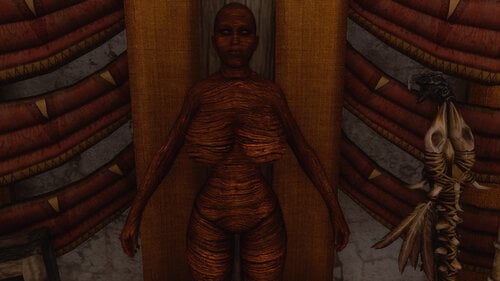
Realistic Wooden Mannequins - CBBE - UNP
By XunAmarox
Description:
This initial release only has female mannequins and requires either a CBBE or UNP compatible body and texture installed. Later I may do a male version if there's enough interest.
This mod changes the mannequins in the game to a realistic wooden mannequin with the anatomical shape you would expect for a person but with a wooden texture - much better than the vanilla game's wooden mannequin textures. As a result they look less creepy while still preserving the original ideals of the game's designers. They also happen to be proper female mannequins rather than males which don't exactly display female armors very well.
Some of you may remember my Statue Sculpture Mannequins. The knowledge I gained from making those assisted in my creation of these. While my statues were great without an ENB they don't look so great with one and lately I've been looking at home designs (specifically some of Elianora's work) and they just seem like wooden mannequins would go better with the decor, color-wise. And so, these were born. It was quick and easy - to be honest I spent more time packaging this thing up than I did making it!
READ THIS: Screenshots provided are not indicative of how the mannequin bodies will be shaped in your game - they will use your existing female body meshes.
Installation:
If you have NMM you should be presented with an installer. Choose whether you want the Vanilla or HearthFires version. The difference is that the Vanilla version doesn't change any mannequins introduced in HearthFires and the HearthFires version does, along with having a dependency to the HearthFires DLC. I understand not everyone has it though so I have the Vanilla version available.
Next you'll choose whether you have a CBBE or UNP type body. Of note, you don't need CBBE or UNP specifically, just bodies that are compatible with their textures, but as the mod draws on your existing models and textures it's important that you choose the correct one.
By default 100 weight mannequins will be installed. If you'd prefer 50 weight mannequins they have been provided for manual installation within the file archive in the folder "[Optional] Weight-50" - you will have to install this manually if you want it.
I recommend only installing this before you start a new game. If you don't you may experience issues such as neck gaps or discolored faces, or even more bizarre ones like a wrong face or body. Warning: if you choose to add this to an existing save I recommend creating a backup save before doing so as these things tend to get baked into saves and you would end up having to troubleshoot potential issues with the mod whether you kept it installed or not at that point. The issues are of course minor in nature and easily fixable with console commands but it's still good practice. There are however no scripts involved in this so aside from facetint data and NPC weight data being baked into saves for mannequins this mod is completely safe.
The general procedure to correct neck seams is to use the following command after clicking the NPC in question: setnpcweight ### with ### being the intended weight. After you do this close the console and the neck gap should have disappeared. Now you would use disable then enable as at this point the face will have discolored with the facetint data being lost once the weight was changed. Follow that with a quicksave and a quickload and if it didn't fix it try to disable/enable again. Unfortunately, this doesn't seem to work with mannequins for me. So, uh... good luck with that if you run into it!
Credits:
Stock wood texture from Mayang's Free Textures: LINK
CBBE by Caliente - base texture for CBBE version (specifically my CBBE Innies modified version)
UNP by dimon99 - base texture for CBBE version
Incompatible Mods:
-Any mod that changes the mannequin race (Manakinrace) or overwrites files that are added with this installation.
Find another? Let me know.
Known Issues:
-Neck gaps can occur if wrong NPC weight values are baked into an existing save, this can be fixed with console commands or by simply starting a new game. It's not the fault of this mod, it's just how data is baked into saves by the game engine.
-Discolored faces may result from setting an NPC's weight with console commands but this can be resolved by disabling and enabling the NPC along with a quicksave and quickload.
-Mannequins walking around? That's a vanilla bug but there are mods that correct that issue - it's not introduced by this mod.
-Incorrect face or body race? Something is incorrectly baked into your save, try starting a new game. If that doesn't work you have a mod conflict.
-People are incapable of reading and/or grasping the concept that these mannequins use their own existing body meshes and may be prone to making stupid comments. No solution currently available.
Version History:
1.0 - Initial release, female only. CBBE & UNP available.
1.1 Hotfix - This hotfix addresses a neck gap issue that surely would have arisen by my accidentally forgetting to include the FaceGeom mesh data, the hotfix will update 1.0 to 1.1 for the default 100 weight variant.
1.1 (full) - This is essentially just the combination of 1.0 and the 1.1 hotfix along with FaceGeom data for the 50 weight variant included for manual installation if it's the preferred weight. This is more or less the release that 1.0 originally should have been - just adding some meshes I forgot to include.
Credits:
Stock wood texture from Mayang's Free Textures: LINK
CBBE by Caliente - base texture for CBBE version (specifically my CBBE Innies modified version)
UNP by dimon99 - base texture for CBBE version
774 downloads
Submitted
-
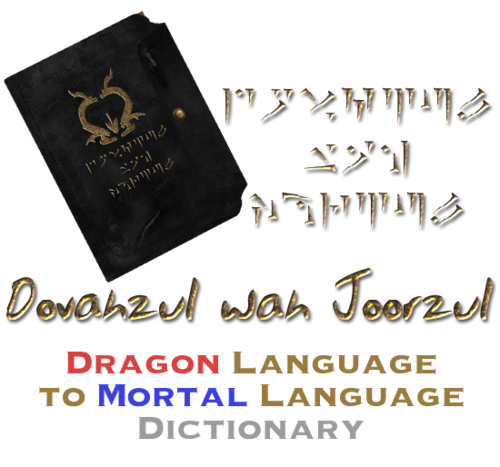
Dovahzul wah Joorzul - An in-game Dragon to Mortal Dictionary
By XunAmarox
Description
Adds a book to the game that contains the entire dragon alphabet as well as all known common translations.
Add it to your game via console.
player.additem xx000d62 1 ;Dovahzul wah Joorzul
Replace xx with the mod's load order. Text after ; not required, that's just a label if you want to make a bat file.
Video
Start at 10 minutes 36 seconds: video
Credits
Thuum.org - dragon alphabet font and translations
Dovah Zul Wiki - further translations
Changelog
•Version 1.1
Minor corrections. A "/" after "Mine" was removed and an extra "Mine - Dii" was removed.
•Version 1.0
Initial release.
68 downloads
Submitted
-
CBBE Innies
By XunAmarox
Description:
Changes the texture that comes with CBBE to have an "innie" rather than "outie" pussy. It may be called a "cameltoe" pussy, or in Japanese "sujiman." Comes in six styles (currently): shaved, traditional, small strip, strip, v, and imperial dragon. Features brand new nipples, and several normal map options to choose from. See images/installer for exact depictions.
No ENB or post editing were done on images. If you want to make some better ones feel free to upload them!
Want to learn how to make an NMM installer yourself? Check out my NMM Installer Tutorial.
If you're looking for Innies for UNP compatible bodies you can get that here:UNP-UNPB Innie - no support-39301-1-5-1.7z (untested and no support provided)
Changes include:
1.0+ "innie" pussy/reworked vulva
1.0+ edit of lower back, vulva, stomach, and nipples on normal map
1.0+ new spec map
1.1+ does not change belly button from default CBBE
1.1+ includes an optional face texture
1.3+ includes an optional Better Males style abs
1.4+ includes 4 new shaving styles: small strip, strip, v, imperial dragon
1.4+ includes brand new nipples and normal for nipples
1.4+ includes Sporty Sexy Map + Fitness Body by xs2reailty and SvarogNL, included with their permission
1.4.1+ removes "fat rolls" from feet that most other textures have
Should be compatible with adding shaving styles via TextureBlend if you would like more options than provided. Just install shaved/waxed style if you intend to add different styles with texture blend.
REQUIREMENTS:
(required) Calientes Female Body Mod Big Bottom Edition -CBBE- by Caliente
(optional) Official textures from CBBE pack. Otherwise, use TextureBlend to remove seams around neck/wrists. Make sure you do it for color/norm/spec. If you've already ran TextureBlend on your textures previously then you shouldn't need to do this.
Note: As of 1.1 there is an optional face texture included if you prefer to just use that instead.
Installation:
-Install default CBBE textures first (otherwise run TextureBlend on face/hand textures afterwords because it's made to be compatible with the default CBBE textures.
-Install with NMM. Choose option in installer.
Non-NMM installation:
-Install CBBE's default textures first as per above.
-Install "0 - Common" folder (e.g. open, then paste textures folder over your own textures folder in Data directory, confirm overwrite)
-Choose either "1 - Shaved", "2 - Traditional", "6 - sm strip", "7 - strip", "8 - v", "9 - dragon" and install as per above. There can be only one.
-[Optional] If you prefer toned abs choose either "4 - BM Abs" or "5 - Sporty Abs" being abs based on Better Males and Sporty Sexy Map respectively.
-[Optional] If you want to install face textures as well then use folders "3 - Face"
Changelog:
1.6 - February 22 2014 New!
-reverted leg normal map to default CBBE to remove cellulite looking effect
-changed butt normal to more like default CBBE
-completely redid spec map to remove the blockiness when glistening
-removed BM abs from the package since I just don't think it's very good
-arms reverted to default CBBE normal map
1.5.1 - January 9 2014
-Neck seam fixed. The supplied spec map didn't have TexBlend ran on it. You can download the Update file if you already have 1.5 so you don't have to redownload the entire package.
1.5 - January 8 2014
-Incorrect face textures were accidentally included in previous versions. This has been corrected. Face textures supplied now from CBBE skin texture by navetsea, ran through Texture Blender to remove seams.
-Vampire Face Textures now included in fomod installer as optional rather than requiring the user to download an extra optional file.
1.4.1 - August 26 2013
-Fixed the problem with the ModuleConfig.xml introduced in version 1.4 which was due to NMM not installing from folder paths properly and they needed the individual files to be explicitly defined.
-Fixed the foot fat rolls that I'm not sure who the heck decided that it would be a good idea to add to the normal map but all of them have it as far as I know of save for mine now.
1.4 - August 09 2013
-brand new nipple texture
-redesigned nipple normal map
-4 new shaving styles: strip, small strip, v, and imperial dragon bringing us to 6 total
-"Sexy abs" renamed to Better Males Abs to prevent confusion
-[Optional] Sporty Sexy Map abs (by xs2reality) + Fitness Body ab smoothing (by SvarogNL)
-Made NMM Installer script a bit less clunky
1.3 - August 6 2013
no change, just packaged the archive with better compression so it's half the size so it saves everyone a bit of bandwidth
1.3 - August 5 2013
-Removed a few moles/imperfections
-Added an optional "sexy abs" normal map
1.2 - August 4 2013
-fixed 1.1 package. The shaved texture included in 1.1 was actually the one from 1.0 so it would look pretty bad with the 1.0 texture and 1.1 normal. So now it's the right texture! xD
1.1 - August 3 2013
-updated some textures to use 8.8.8 uncompressed formats rather than DXT1/DXT5 to prevent any unsightly "blocking" due to bad compression.
-Reverted belly button to default CBBE belly button.
-Supplied optional face textures for people that can't figure out texture blend or cba to install the official CBBE face pack.
-resized fomod images to better fit installer
1.0 - July 31 2013
-initial release
Credits:
Thepal for his nude females texture Caliente based his texture on supplied in the CBBE 3.2.3 release
CBBE skin texture (face textures (as of 1.5), some norm - tummy, nipple, lower back, full spec, belly button from color), by navetsea (note: nipples/belly button no longer used as of 1.4+)
Better Males by FavoredSoul for the base normal map ab texture I modified for the optional "sexy abs" normal in versions 1.3 and higher which is called "BM abs" in 1.4+
xs2reality's Sporty Sexy Map for the new optional abs included in 1.4 as well as SvarogNL's Fitness Body for the upper and lower ab smoothing of the Sporty Sexy Map
Permissions
You are free to:
- Share: copy and redistribute the material in any medium or format.
- Adapt: remix, transform, and build upon the material for any purpose, even commercially.
Under the following terms:
- Attribution: You must give appropriate credit, and indicate if changes were made. You may do so in any reasonable manner, but not in any way that suggests the licensor endorses you or your use.
- ShareAlike: If you remix, transform, or build upon the material, you must distribute your contributions under the same license as the original.
- Exclusions: You may not under any circumstances remix, transform, include in a collection or mod pack, or redistribute any of these contents on NexusMods.
- No additional restrictions: You may not apply legal terms or technological measures that legally restrict others from doing anything the license permits.
Exceptions:
Some assets belong to other authors and you must gain permission from them first before you may use those assets. Assets include:
- xs2reality's Sporty Sexy Map for the optional abs included
- SvarogNL's Fitness Body for the upper and lower ab smoothing of the Sporty Sexy Map
1760 downloads
Updated
-
NMM Installer Tutorial - FOMOD - FOMM
By XunAmarox
This is a tutorial and example file of how to make a fomod NMM installer for your mod. Inside the download you'll find an Instructions.rtf - read it. It'll explain all of the tags of the xml files required, what they do, and how to use them. Some example xml files are also provided so that you can see how it's done.
Personally I wanted one when I was trying to figure out how to make an NMM installer but I simply couldn't find one. The only ones I could find were extremely long and far more complicated than they needed to be. This one just covers the basics of exactly what you need to do to make yours work for your mod.
I go into detail with what all of the tags and fields do, to a point, but if you have a basic grasp of any kind of code, even basic HTML or BBCode will do, then you can probably just check out the provided xml files and you'll have a pretty good idea of what's going on and what you need to do and then you can check the instruction file if you come up with any questions you need to reference.
If you've looked at the xml files and read everything in the Instructions.rtf and are still scratching your head then it may be helpful to go ahead and head on over to my CBBE Innies mod that I based this installer on (WARNING: It's NSFW and contains adult content, and nudity). You can download that file manually and check out how I have the xml files set up. They should be almost identical to this but with the fields filled in so you can see how one works in action if you can't figure it out. It shouldn't be necessary, but I'm just going to suggest that as a last resort.
Also as an important note: I didn't mention in the instructions that you'll need to open the xml file with notepad (or ideally something like Notepad++ for syntax highlighting), because you're not going to get much use out of it if you just double click it and let it open in your browser. So make sure you're editing it with the text editor of your choice.
Changelog:
1.2 - August 26th 2013
-It turns out that NMM isn't actually smart enough to install your mod if you only put the source folder and leave the destination blank. It'll go all the way through then when you click finish it'll say "Mod Not Activated" - this is at present time of editing with NMM 1.45.6. Each file needs to be explicitly defined and linked to.
1.1 - August 9th 2013
-added information explaining Flags and made the moduleConfig much more complex
-a simple moduleConfig is still included
-added information about file source and destination that will save people a lot of time
-explained what the config tag up at the top of the xml file does just to make a certain someone happy
1.0 - August 2nd 2013
-initial release
Permissions
Don't upload this anywhere else.
You have my permission to translate this mod to your language and do not need permission to upload a translation to this site or any other as long as it is very clearly credited to me originally. You only need to send me a message informing me that you've made a translation.
129 downloads
Submitted
-
SlowerDampedJigglingBreast-Butt-Physics
By t.ara
Hello,
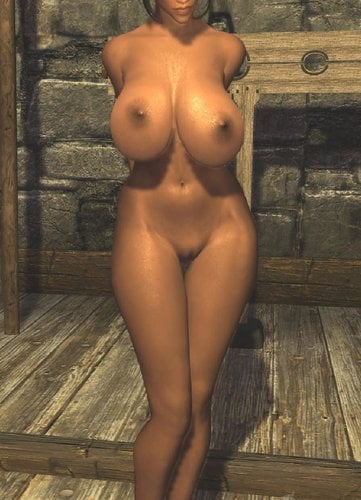
this is the BBP (breast- butt- physics) file, that commands the behavior of the butt, breast and belly of your character.
Caliente Bodyslide is coming with one version, that is quite well, and the original file that comes with the original mod (HDT-physic-extension) has always been to "quick" for my character.
This file is now created from the original file, but I have "screwed down" the "quick-moving", so that bigger jiggles will look more natural and don´t speed up too much and react more slowly. From time to time I will edit this file and try to get my "special" or "beloved" HDT-body behavior. But for my taste it´s for now quite interesting and of course ready to be used.
If you play with a shape that has "little" more breast, this may be a file for you.
The mod will overwrite the existing hdtPhysicsExtensionsDefaultBBP.xml and if you want to return, you can simply reinstall the original mod again, or overwrite with caliente´s physics.
Installation should work with every mod manager,
or you can do it manually by exchanging the existing file with mine:
data - SKSE - Plugins : hdtPhysicsExtensionsDefaultBBP.xml
Enjoy!
p.s. the latest file version is the LAST file in the list of the downloads
27175 downloads
- bbp
- natural heavy
- (and 2 more)
Updated
-
Bodyslide Shape Files
By t.ara
Hello,
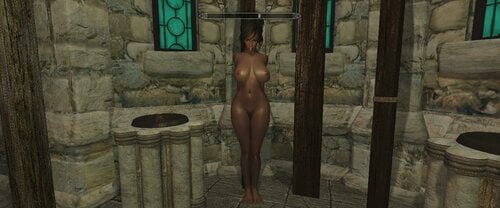
this one I made from the SKYRIM SE-Bodyshape, which I once created for SE. (I added in the past the legs and hip-area for more beautiful legs)
This is made now also for UUNPHDT and it allows us to play that shape in SKYRIM (LE).
I hope you liked my creations so far and always think about the stuff is owned by their authors-I only formed it into "correct" curves:-)
(Can be used for example for new character-creations, for followers or for a reference-body together with bodyslide, or as a new slider-morph-creation as well)
(textures can be used from the first upload of this series)
p.s. for a neutral-breast-distance you can use my added physics-file for a 1:1 breast-physics in the game and if you want to use your own physics-file, you can zero the orange marked numbers inside of your physic´s file, which may give you a more suiting result in the case you use this body (make a copy of your old file before you do this!):
(example of the content of the physics-file)
..............<hkparam name="name">NPC L Breast</hkparam>
<hkparam name="properties" numelements="0"></hkparam>
<hkparam name="material">
<hkobject>
<hkparam name="responseType">RESPONSE_SIMPLE_CONTACT</hkparam>
<hkparam name="rollingFrictionMultiplier">0.000000</hkparam>
<hkparam name="friction">0.200000</hkparam>
<hkparam name="restitution">0.000000</hkparam>
</hkobject>
</hkparam>
<!-- limitContactImpulseUtilAndFlag SERIALIZE_IGNORED -->
<hkparam name="damageMultiplier">1.000000</hkparam>
<!-- breakableBody SERIALIZE_IGNORED -->
<!-- solverData SERIALIZE_IGNORED -->
<hkparam name="storageIndex">65535</hkparam>
<hkparam name="contactPointCallbackDelay">65535</hkparam>
<!-- constraintsMaster SERIALIZE_IGNORED -->
<!-- constraintsSlave SERIALIZE_IGNORED -->
<!-- constraintRuntime SERIALIZE_IGNORED -->
<!-- simulationIsland SERIALIZE_IGNORED -->
<hkparam name="autoRemoveLevel">0</hkparam>
<hkparam name="numShapeKeysInContactPointProperties">0</hkparam>
<hkparam name="responseModifierFlags">0</hkparam>
<hkparam name="uid">4294967295</hkparam>
<hkparam name="spuCollisionCallback">
<hkobject>
<!-- util SERIALIZE_IGNORED -->
<!-- capacity SERIALIZE_IGNORED -->
<hkparam name="eventFilter">3</hkparam>
<hkparam name="userFilter">1</hkparam>
</hkobject>
</hkparam>
<hkparam name="motion">
<hkobject>
<!-- memSizeAndFlags SERIALIZE_IGNORED -->
<!-- referenceCount SERIALIZE_IGNORED -->
<hkparam name="type">MOTION_SPHERE_INERTIA</hkparam>
<hkparam name="deactivationIntegrateCounter">15</hkparam>
<hkparam name="deactivationNumInactiveFrames">49152 49152</hkparam>
<hkparam name="motionState">
<hkobject>
<hkparam name="transform">(1.000000 0.000000 0.000000)(0.000000 1.000000 0.000000)(0.000000 0.000000 1.000000)(0.000000 0.000000 0.000000)</hkparam>
<hkparam name="sweptTransform">
<hkobject>
<hkparam name="centerOfMass0">(0.000000 0.000000 0.000000 0.000000)</hkparam>
<hkparam name="centerOfMass1">(0.000000 0.000000 0.000000 0.000000)</hkparam>
<hkparam name="rotation0">(0.000000 0.000000 0.000000 1.000000)</hkparam>
<hkparam name="rotation1">(0.000000 0.000000 0.000000 1.000000)</hkparam>
<hkparam name="centerOfMassLocal">(0.000000 0.000000 0.000000 0.000000)</hkparam>
</hkobject>
</hkparam>...........................
hdtPhysicsExtensionsDefaultBBP-neutral-breast-distance.xml
379 downloads
Updated
-
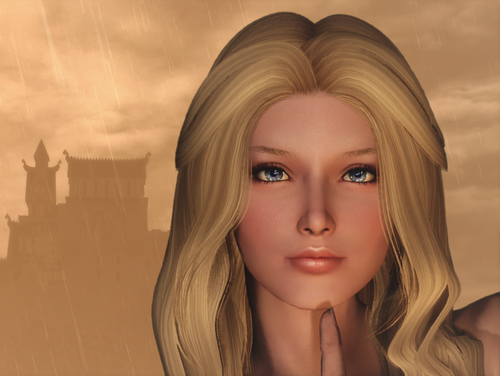
LamaKreis's Maidens of Skyrim - Loreley Follower CBBE HDT - UUNP HDT and Default
By LamaKreis
A Breton shieldmaid (High Poly)
Loreley is excellent at handling daggers and swords and can teach you these skills. Her dream was to join the companions in Whiterun, but on her way from High Rock through Skyrim, she ran out of money close to Rorikstatt. She had no choice but to look for a job at the local inn and earn some money.
Should you be around, take a look at the inn and free the maiden from her predicament...
Name: Loreley
Race: Breton
Weight: 100
Body: The Nordic Bombshell
Texture: Demoniac
Combat: Trainer One Handed, left hand flames
Location: Rorikstatt, Frostfruit Inn
essential and marriageable My followers of the Maidens of Skyrim series LE:
Arinya
Domana
Hedy
Ivy
Liss
Suki
Lydia Replacer or Lynn Follower
Serana Replacer and Lysanne Follower
Inuel
Dariya
Wenya1518 downloads
Submitted
-
DMGfollower and more English translation
By venxiciciala
English translation for above mod here on loverslab
Since there isnt a discussion board for this mod on the loverslab mod page anymore, im posting this here.
Just run a normal install of the base mod and replace the esp provided here
63 downloads
Submitted
-
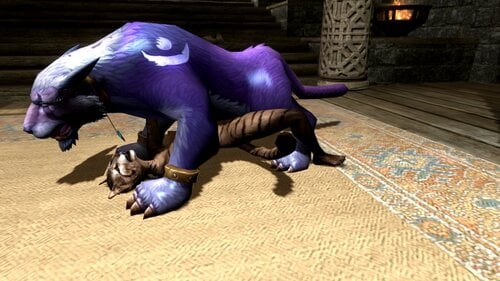
WOW Druid Cal Elph
By grawi
WOW Druid Cal Elph
replaces the wolf model with an elf so far only 1 model later I will add a coloring
summon wolves and you will be lucky
заменяет модель волка на эльфа пока только 1 модель позже добавлю расцветку
призывайте волков и вам повезет
SexLab.esm
SexlabAroused.esm
CreatureFramework.esm
SkyUI.esp
UIExtensions.esp
FNIS.esp
SexLabTools.esp
MoreNastyCritters.esp
HentaiCreatures.esp (можно сразу вызывать )
SexLabMatchMaker.esp
SLAnimLoader.esp
slal Billyy_Creature рекомендую
417 downloads
Updated
.thumb.png.32055e8e6505389eec67bbb9169d251d.png)
![More information about "[XCL] [0.25.9+] Cheat Menu"](https://static.loverslab.com/screenshots/monthly_2026_10/1.thumb.png.95996de74a5d2e203f6defb3f9145841.png)
.thumb.png.8f79f465d3d836910726af539c085dca.png)