Select a subcategory to view available files.
Files From Subcategories
-
Adult book series: Sexy Girls
By r3idenshi
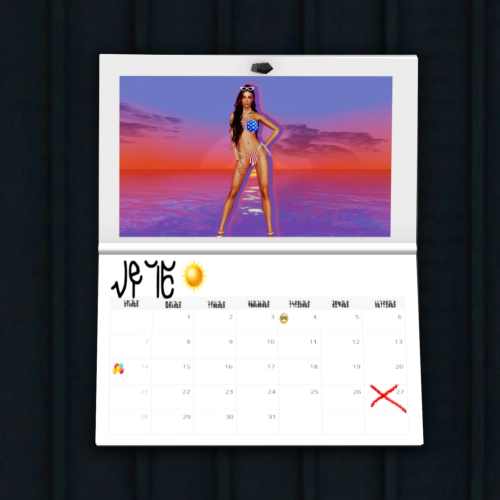
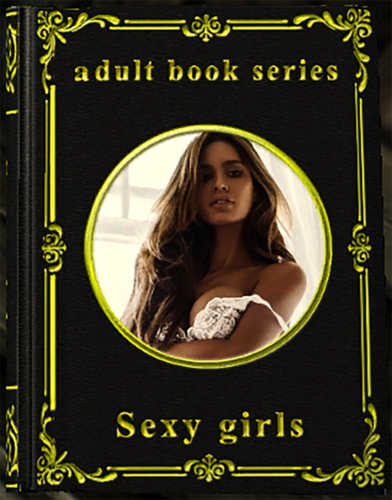
Hello everyone. This mod adds a free version of the book with 30 photos of sexy girls, no nudity.
Full version with 60 photos: https://www.patreon.com/posts/adult-book-sexy-57756986
Location
The book can be found in the Riverwood trader, on the second floor in a basket by the bed.
916 downloads
- skyrim
- legendary edition
- (and 2 more)
Updated
-
Adult book series: Beautiful Girls
By r3idenshi
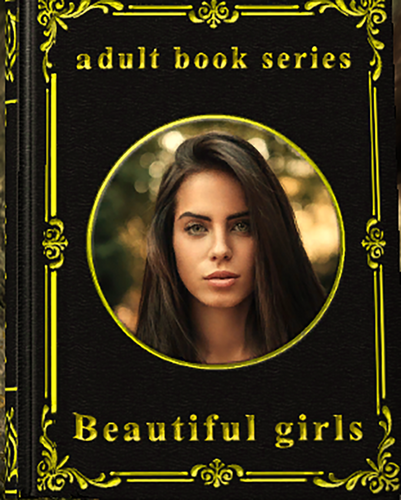
Hello everyone. This is my first modification. This mod adds a free version of the book with 40 photos of sexy girls, no nudity.
Full version with 60 photos: https://www.patreon.com/posts/adult-book-girls-57756091
Location
The book can be found in the helgen, under the bed, at the very beginning, where you run with Hadvar.
I got inspired by mods Skygirl Book series by PSBoss.
If you like this mod, I will continue to add books with girls on different topics that you want (no nudity, erotica, porn, different collections, cosplay, anime, hentai, manga, etc.).
Special Edition Compatible
I don't have the SE version because I have an ancient laptop. I don't know what this mod will look like on the SE version.
P. S. Sorry for my english.)
P. S. S. I have been studying Photoshop for only a few days, I made the cover and the frame from scratch, so sorry for the jambs in their design.
1041 downloads
- skyrim
- legendary edition
- (and 2 more)
Updated
-

Ave's Radiant Jewelry
By avebrave
Because I love to create Jewelry Stuff just for the passion for creating them, I decide to create UUNP bodyslide versions of them so that more are able to enjoy my humble work.
Note: This is an alpha version, first time I used Bodyslide for modding, so if anything turns out somehow wrong, please let me know.
Licensing/Legal
You must contact me and obtain my permission before re-packaging any part of
this mod.
Requirements
Bodyslide
Description
add some jewelry sets with UUNP Bodyslide option. Because I know that most of you use add-item-Menu anyway, I do not create crafting options. All of them can be bought from Endarie in Radiant Raiment, Solitude.
Current Sets are:
Moon-and-Star:
Earrings Necklace Belly Piercing Ring (separate Armor Slot, can be worn aside with other rings in this mod)
Dark Sun:
Earrings Necklace Belly Piercing
Frozen Star:
Earrings Necklace Belly Piercing Ring
Moth:
Earrings Necklace Belly Piercing Ring
Hjalti:
Earrings Necklace Belly Piercing Left-hand Ring
Details
Earrings use Slot 44
Belly Piercing use Slot 56
Moon-and-Star artifact use Slot 60
Left-hand Rings use Slot 58
Incompatibility
Mods wich edit Merchant Chest in Radiant Raiment
Known Issues or Bugs
Moon-and-Star Ring is not visible in 1st person. Because Slot 60 is not enabled for 1st person in all races since an edit in any race cause more trouble than anything else, I decide not to do it.
Credits
Caliente for creating Bodysilde and Outfit Studio
2689 downloads
Updated
-
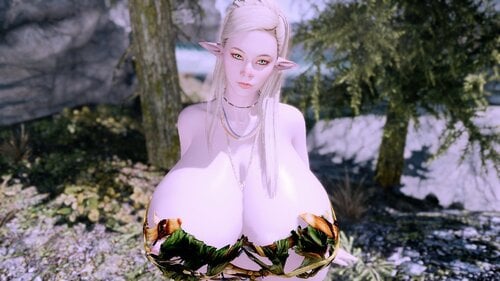
followers Caraline and July elven mini giantess
By MegaMydakXD
=======Info========
Сaraline and July magical hybrid of elves and giants.
======Detalis=======
Caraline:
Class: Warhammer tank
Location: Silver blood inn
Mirrage: possible
Body: custom UUNP
Weight: 100
Height: 1.28
July:
Class: Shield tank
Location: Silver blood inn
Mirrage: possible
Body: custom UUNP
Weight: 100
Height: 1.28
=====Requirements====
XP32 Maximum Skeleton - XPMS
HDT Physics Extensions
=======Credits=======
Caliente's Beautiful Bodies Edition -CBBE- by Caliente Ousnius and Jeir
BodySlide and Outfit Studio by Ousnius and Caliente
Racemenu by Expired
Enhanced Character Edit by ECE team
KS Hairdos - Renewal by Kalilies Stealthic Khaos and Shock
HDT Physics Extensions by HydrogensaysHDT
XP32 Maximum Skeleton - XPMS by Groovtama
PureSkinTexture by Anini's Regenbot03
Only Tribal Outfit by asenasen and Siegmeyer
==More related content==
If you are looking for more big-breasted followers for the game Skyrim for people like you, I created a list of busty followers.
On nexus: https://forums.nexusmods.com/index.php?/topic/7063006-skyrim-busty-follower-list/
On loverslab(warning 18+): https://www.loverslab.com/topic/109157-busty-followers-list/
________Report me of any bugs________
5277 downloads
Updated
-
Horgasm (Riding Horse/Orgasm Mod) V1.1 (06/22/15)
By Khajiirah
Hey Folks, thanks so much for these 15.000 Downloads!
Aww, i guess i should work or upload a New Version if you liked it like that no? *hug*
Hi @ all,
here's the Horgasm Mod!
Description:
If you get upon your Horse, your Female Character will shout out some Sounds like AH, or OH YES, till she gets an Orgasm.
Thats all, but to get it work you need to travel an straight distance, i mean it won't work if you do joust cycles.
It works also with Nexus Mod Manager.
Credits:
Many THX to Expired for Scripting this and include it into the Game.
Yeah and Voice @ Khajiirah. I hope u like it. - Oh God what have i done!
Thanks - Khajiirah.
27035 downloads
Updated
-
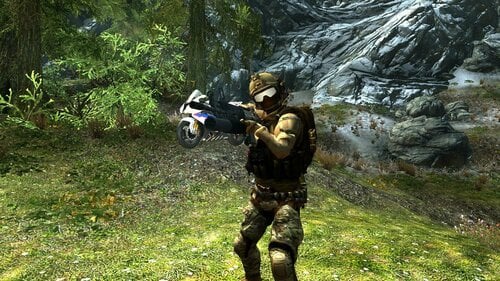
MODERN FIRE ARMS EXTENSIVE MOD LE
By lordarked
this another port i make from korean to englis,this mod is a pack from many mods vehicles,clothes and weapons, read instructions and look video for better idea what you mut doit for this mod work fine.
1. download and install all mods on this link; https://www.mediafire.com/folder/n25ho48k8igh7/modern_weapons
2. use additem mod for pick all stuff you want weapons,vehicles suits etc; additem mod link here : https://www.nexusmods.com/skyrim/mods/64905
3. look the video that explain some basic stuff there weapon dearler and a console for buy the vehicles.
4. a very important thing "on the book section dont pick or open spell for craft weapons for that you can pick directly with additem mod, the mines,explsoives and granades are on pergamine section they wrok 100 % fine.
5. follower or npcs can use any weapon you give to equip,but i sugest dont equip it with bazzokas or some explosives XD, just give shotguns or any other gun.
6.some weapons like sniper rifle have scope, for use that function press the wheel boton of mouse for activate or deactivate scope mode
7. have fun.
donations
https://ko-fi.com/xays1
sponsor me
https://www.patreon.com/XAYS
437 downloads
Updated
-
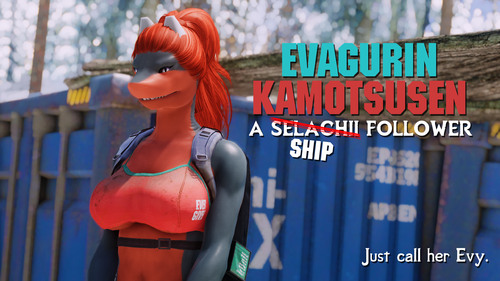
Evagurin "Evy" Kamotsusen - Selachii Follower
By ASlySpyDuo
Evagurin Kamotsusen - Selachii Follower
Yes, it's the meme boat that was stuck in Suez Canal that cost about $9.6bn in trade.
And yes, it's based on a R34 version.
Unofficial SE port here!
Requirements
- The Selachii - Shark Race 3.40+
- XPMSE
- UUNP or other UNP-based body replacer
Description
A peculiar looking shark(?) gal has been stranded in Skyrim and could use a companion.
Adds a Selachii-ish follower based on the Ever Given cargo ship with unique assets.
She can be found in a very... unique, small camp straight west from Dawnstar shoreline, it's really hard to miss her.
Prefers heavy armor and one handed axes or swords but is also proficient with bows. She also has increased carry weight for hopefully obvious reasons.
Can be married, starts at level 7 and levels with player.
Installation
Install like any other mod, plugin placement shouldn't matter since it doesn't overwrite anything. I'm not aware of any mods that edit the worldspace where her camp is either.
Other notes
- No CBBE support. I don't use it and I don't like it but feel free to make a patch if you desire.
- The pants in her outfit use slot 52 so make sure SL/whatever you are are using to undress her automatically (because I know you are) unequips that slot too.
- Her outfit (and she as a whole) is meant for 7B Natural UUNP shape. She does use whatever your generic shape is since I don't like custom bodies and skeletons for followers in general.
- She has 4 different color variations for her outfit. She has a chance of spawning with any of them but she also has a spare laundry in a container in her camp.
- There are BodySlide files included for her outfit but it is strongly recommended to use the prebuilt meshes instead.
- She starts as probably pretty OP companion at first because Bethesda's vanilla companions are balanced by unfocused and weird perk choices. She's focused on heavy armor and one handed so she'll shine with those, perks and all, and hopefully stays useful forever.
Future plans
- More outfit variations?
- Maybe a "de-boat" patch that removes the Evergreen markings and boat... things on her head and makes her regular dark cyan/dark red selachii instead in the future.
- Bugfixes if there is anything to fix.
Credits
- Blaze69 for instigating this in the first place, boat ear things, finishing up what I started, worldspace edits and her outfit/other assets.
- Rest of the authors of The Selachii, this wouldn't have been possible without the race.
- Lana Faux for the "Cargo" color scheme.
- ShinglesCat for SC - KS Hairdos Retextured.
- Loimu, for inspiring this whole thing with a R34 meme. (https://twitter.com/LoimuTheDeer/status/1375802608363917312)
- "Wood Crate" (https://skfb.ly/6WNtJ) by Pedro Silva is licensed under Creative Commons Attribution (http://creativecommons.org/licenses/by/4.0/).
- "Container" (https://skfb.ly/FZOL) by Willy Decarpentrie is licensed under Creative Commons Attribution (http://creativecommons.org/licenses/by/4.0/).
- "Semi-Rigid Camo Backpack" (https://skfb.ly/6QTMF) by Baptiste Lonqueu is licensed under Creative Commons Attribution (http://creativecommons.org/licenses/by/4.0/).
1697 downloads
Updated
-
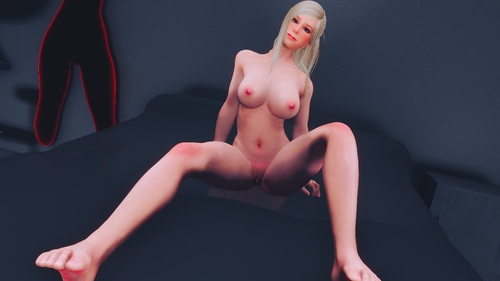
Cindy Lennox Racemenu Preset High Poly Head
By FlufyFox
Flufy Fox Cindy Lennox
This is my Cindy Lennox based preset :3 shes character from Resident evil Outbreak series, i will let an basic list for the mods needed, you can check my discord too. Oh i Forgot to mention the Race is Nord.
If you want the body look exactly same as my, she have medium to small breats, use uunp or bhunp, so i will list bhunp since is pretty nice for le too. I can add reference sliders pics or i try to make on the cbbe body too.
---Main mods i use on all my Characters---
BHUNP Next Generation
High Poly Head Vector Plexus
KS Hairdos
SG Female Eyebrows
Better Females Eyebrows
freckles for female
The Eyes of beauty
Linds Humans Eyes - Player Standalone
Eyes of Aber
Mikans Eyes
The Witcher Eyes
Female Makeup Suite 2K
Freckle Mania 2 Combo 4K
Female Expressive Facial Animation
Skin Texture was Fair skin, but i am using Diamond now.
This list is all mods i have now that i was using on my chars, i will let 2 presets, one with no make up and a normal blue skyrim eye, and another one full modded, and 2 files with mod managers path and one with just the files.
Discord:
https://discord.gg/JHzHgeZHyM
-----Credits-----
For the all the others authors of the mods i used to create her, theres too many so i put the for the main mods needed.
Vector Plexus
Kalilies
r1goodwin
LogRaam
856 downloads
- resident evil
- preset
- (and 3 more)
Updated
-

NiOPA Hotkeys and Skeletons
By Myst42
*This description is copy-pasted from my Patreon, the files are downloadable from there as it's mostly my new center of modding activities. Thought it was a good idea to make a window to the mod here too since it's some things that some people might find useful. I come bearing gifts. As this is quickly becoming halloween season, nothing more apropriate than posting skeletons.
This is 2 mods in 1 post actually.
For those who dont know, NiOPA (NiOverride Pose Adjustments) is a screenshot utility mod that allows repositiong of selective bones on a character, helping to make some posing issues in screenshooting go away by allowing pose adjustments, and allowing a new world of possibilities when posing. These mods are designed to work with it, and ultimately improve the quaility you can achieve with screenshooting.
__________________________________________________________
The first, I called "NiOPA Hotkeys".
What this thing does, is add an MCM menu to NiOPA that allows you to change its hotkeys in game. The original NiOPA came with a json file where you were supposed to be able to edit the control hotkeys, by looking at the keycode numbers page and editing it as a text file. As annoying as this already was, it never worked for me and every time I tried, it just broke the mod irreversivebly and I was forced to use the hotkeys as they came. Well, not anymore since I've tested this thing and it seems to be working perfectly. It does require, however, the original NiOPA which I believe can be found Here for LE and Here for SSE A good idea would be to merge the edits on my plugin into overwriting the quest form at the original NiOPA plugin to save some plugin slots, but I preferred not to do it myself on release and list NiOPA versions as a separate requirement instead. TESXEdit is an excellent tool and can complete the merge in a few clicks and a single drag and drop procedure. _____________________________________________
The second mod is Better Joint Ratios Skeleton for NiOPA - LE Version.
I've been using the Better Female Ratios Skeleton for LE for ages. What this mod does is improve the shape of body joints by editing a few scaling values on the skeleton's bones. It is fully upgraded and compatible with XPMSE Skeleton, but the problem is it was not compatible with NiOPA skeleton so both mods couldn't be used together. But then I found out someone made an SSE Skeleton that does in fact combine both, so I ported it back, and tried on my end and looks like it works. I've also patched it to be ready to use with All Geared Up Derivative (AllGUD) so it comes ready to just install and use.
Downloads available for free at Patreon
616 downloads
- posing
- screenshooting
- (and 1 more)
Updated
-
Monster Hunter Weapons pack
By lordarked
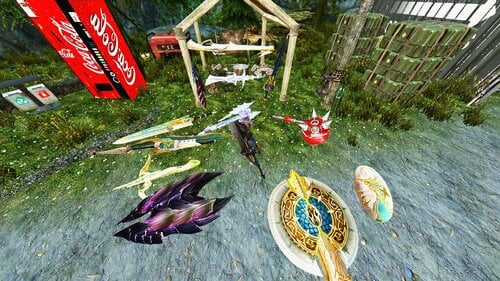
Monster Hunter Weapons Pack If you like or are fan of monster hunter here you got some randoms weaponss of sage port to le ;D
MHW weaposns pack le
285 downloads
Submitted
-
.thumb.jpg.fad2f87fd63b1155c9428a0ca1e9c2d1.jpg)
Ring of Havok Control
By Mechanist_SF
You know those vertex warps that followers get if they have BBP physics and HDT hair?
Like when they go through doors? Hair moves chaotically, or bodies stretch across the screen. Sometimes they disappear completely? This ring stops that.
To use it, add the “Ring of Havok Control” with AddItemMenu or console commands, and equip it on the affected character. It is mainly designed around followers with HDT wigs, but the PC can wear it and it helps with regular HDT hair as well.
It has three effects on any character (PC or NPC) who equips the ring:
1) When the PC goes from standing still to moving, havok is briefly frozen for the equipped character.
2) NPCs remove wigs after loading screens, which are replaced when the player moves.
3) NPCs and the PC will unequip and re-equip wigs when the player blocks, if not in combat.
Effect 1 and 2 happen on their own.
Effect 2 usually triggers but not always (not in cities in particular, or oft-frequented areas).
Effect 3 is the same as effect 2, but is available when needed at the player's command.
These effects will go mostly unnoticed in regular play, except for the refreshing absence of vertex warps.
*
Two additional items have been added in update 1.1 to free up the ring slot.
Nipple Rings HC: uses the original enchantment, without using the ring slot. If you don't have Devious Devices, the nipple rings will not be visible, but should still work.
Nipple Rings HC-a: is a pared down version that uses only the first effect, which is the only one that matters if the equipping character isn’t wearing a wig. Havok anomalies still will occur after loading screens but usually resolve within a few seconds, or sometimes a minute in the worst case where a character disappears.
2061 downloads
Updated
-
Polymorphic Armor - A PC Exclusive Armor Path (LE Edition) V1.0
Version 1.0 of Polymorphic Armors has arrived.
A broad overview of the mod is provided here. For more detailed information, please check the Readme doc at:
If you ask questions that are answered either in this post or the readme, I will either direct you to them or simply not respond. I took the time to write it up for a reason.
Overview
Polymorphic Armors is a mod that adds the ability to dynamically change the player's armor, clothing, and accessory models to models that are stored in a separate directory from regular. These directories, called PA directories, are otherwise intended to be identical to their normal counterparts and when the player equips an item, it will go in and find the equivalent model in the PA directory for the one from the regular directory. From an example, this would mean if the player equipped an armor using the model located at:
Data/Meshes/armor/bandit/body1f_1.nif
It would search for and use the model located at the pa directory which would be:
Data/Meshes/armorpa/bandit/body1f_1.nif
Notice the highlighted difference.
Why do it this way?
The ability to bulk build directories and rename them to pa directories so that the I can have a player wearing unique armors, with unique body type, etc.
Requirements:
1) SKSE
2) MCM
3) MESKSEUtils (Maria Eden SKSE Utility Scripts. You can find them in the ME mod for LE/SE. You do NOT need to have the mod itself, but you need to have the SKSE plugin and associated script. Make sure to get the correct version for the version of Skyrim you are running, LE or SE).
Modes:
There are three modes that the mod can be run in:
Normal Mode generates a piece of Polymorphic Armor that gets added and equipped in place of the armor that the player was wearing. The armor nominally will take the armor value, armor type, enchantments, armor slots, altered appearance, and name (With a (PA) appended on the end to denote that it is different from the base armor).
Replacement Mode does not generate a new piece of equip and instead replaces the meshes that the armor is using. This has benefits for heavily scripted pieces of equipment but means that ALL NPCS WILL USE THE CHANGED MODEL. Note that model changes currently only get reset on Save/Load, with only the gear that the player is currently wearing being reset to it's alternate model.
Manual Mode pops up a message box when the player equips a piece of gear that allows the player to chose how to handle that piece of gear (Normal, replacement, or do nothing).
Using the mod:
Once the mod is activated, whenever you equip a piece of gear it will convert via the mode you have selected. NOTE: The mod is only able to convert gear so quickly, so YOU CAN NOT RAPIDLY EQUIP PIECES OF GEAR AND EXPECT THEM ALL TO CHANGE. This shouldn't (but may in certain situations) break the mod, and you should be able to unequip and reequip and unchanged gear.
FAQ:
Can I use this with <armor mod>?
Yes, as long as you have a PA directory for the alternate models/.nifs, and the .nifs generated inside, it shouldn't matter if it is base, vanilla, DLC, comes from a mod, etc.
Will this cause issues with <heavily scripted armor mod>?
It can. My recommendation is to either 1) Use the prohibited slots section of the mod to have the mod not process anything in those slots the mod uses or 2) use the replacement mode to keep the original armor.
Why is my gear invisible?
Did you remember to make the replacement .nifs and put them in the proper directory? Enable the debugging line to see the directory it is searching for and verify that the replacement .nif is there. If it is, there may be a .niftype issue. See the readme for more info on this.
If I include a body in the pa folders will it automatically use that for the player?
Good question! Sadly, the answer is no. If you want the PC to use a custom body, you will need to use a custom race that can set a custom body for the PC. There are plenty of these available and I didn't feel like make a new one for this mod since it was largely unneeded.
Does this work for both male and female PCs?
It should, but I haven't tested it.
Troubleshooting:
1) See the readme for some common bugs/troubleshooting
2) If the readme doesn't help, when leaving a comment make sure to include:
What version (SE/LE) What is not working (Equipping X, etc.) How is not working When it is not working (Always, randomly, on load, etc.) What modes have you tried If nothing is working, have you enabled it to start in the MCM?113 downloads
Submitted
-
Bodyslide UUNP-HDT Body With Breast-Arm-Pose-Dependency
By t.ara
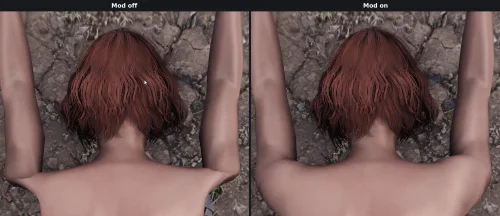
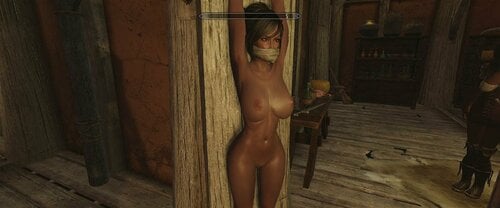
This is an experimental file which shows the dependency between the arm-rotation and the volume of the breasts. If you plan to use this file as a standard replacement, you can add it into your setup as a NAKED-BODY for example, or you simply weight all your existing clothing again with this body as a reference.
Anyway is this EXPERIMENTAL and I will try to put more work into this later. I found this quite interesting because (BP)-HDT is working aside as usually but the breast looks much more natural and is now NEVER symmetric, which is quite natural.
If you like to edit this work and if you get nice new nice suiting and fine looking results, I´d like you share this new version onto this thread if possible. I feel this is a really interesting update for the SKYRIM "female-breast-behavior".
973 downloads
Submitted
-
.thumb.jpg.2258eec2c64a6f2a01873865830f6af7.jpg)
Relationship Dialogue System (03/10/2021)
By Guffel
RDS is an extensive dialogue mod that allows for nearly any kind of interaction and has NPCs dynamically react to the player reputation.
Relationship Dialogue System
Summary:
RDS adds the following features to the game:
The generic dialogue minigame: A dialogue for all NPC that allows for small-talk, flirting, bullying and more. [done] Contextual approaches from NPC to invite the player to drink, shame them as a whore, try a pick-up line or blackmail the payer who has cheated on their spouse and more. [done] A reputation system that tracks the players sexual partners and how often they are seen naked or have sex in public. NPCs will then change their behavior based on the players purity or whore-status. [done] Form a relationship and even move in together with your partner. Have one sweetheart in every hold, but make sure they never hear from each other. Get love-letters when your partner is traveling. [done]
Description:
I. Generic Dialouge: The generic dialogue “minigame” can either be started by talking to any NPC using the line “Hello, are you free to chat?” or by NPCs approaching. Then you can choose out of a total of 21 options to manipulate the conversation. The first 16 options can be used to move the dialogue into a specific direction. This should be very intuitive, and the NPC will react in a realistic fashion. When you are friendly or funny you will form a friendship. If you’re flirty you’ll go more into the direction of sex. If you’re mean the NPC will get angry or offended. The main purpose of this dialogue is to give you the ability to roleplay your character as you imagine it. For that, you can set your characters overarching behavior in the MCM. Secondary it serves to trigger sex animations, brawling, friends-with-benefits and relationships.
The course of the dialogue is achieved by changing the NPCs arousal and affection points. The latter is a value between -100 and 100 used by RDS to measure how much the NPC likes you and they will be more friendly or angry, accordingly. With each dialogue option used these values are adjusted.
Additionally the NPC will change these values depending on their personalities and traits. After the dialogue ends the NPCs vanilla relationship rank is adjusted according to its new affection value.
At the beginning of the dialogue you’ll receive a notification about whether the NPC is attracted to you based on their sexuality. After that, every other turn a notification will display how the NPC feels. You can use this to move the dialogue into the direction you want.
See the spoiler for more details about the generic dialouge.
II. Reputation: The reputation system consist of a value of 100 points and is counted for each hold separately. The reputation is reduced for the following cases:
A NPC can see the player naked (doesn’t count for sex partners) A NPC can see the player having sex (doesn’t count for the sex partners) A NPC has no LOS, but is within 3 meters of the player having sex (means it can hear the player) The number of different sex-partners (multiple times with one partner don’t stack) One reduced the reputation doesn’t recover again. But the reputation loss is saved per NPC and therefor the only way to regain reputation is to kill of the witnesses. Additionally, sex witnesses can spot the player cheat on their spouse if the players partner lives in the same hold.
Based on the reputation and the players cheating-status other events and contextual approaches are triggered.
III. Contextual Approches: Next to the generic dialogue RDS features a multitude of contextual approaches. That means NPC approaches with specific intention which are triggered randomly but based on your reputation. The idea is to have the NPC react to your overall behavior and add new feeling of consequence to the world. Some approaches are simple flavor dialogue, while others are longer social interaction or hook-ups.
See the spoiler for a full list of all contextual approaches.
IV. Relationships: In RDS is it possible to form a relationship with any unmarried NPC once your affection rises above 60. This will turn the NPC into your partner and give them a special set of dialogue. You can have one partner in each hold and even have them parallel to your vanilla spouse. The vanilla spouses are not affected by RDS dialogues and events. You are also able to invite your partner to live with you in any of your owned vanilla homes. Your partner will then move to their new home and move around the surroundings. Depending on their personality they will litter around and demand you to clean up. Your partner also might invite friends over. Sometimes your partner leaves to go on their own adventures and might send you love-letters to remind you of them. But be careful if you decide to cheat on them. Some will forgive you; some will break up.
Installation:
Just use Vortex or Mod Organizer
Known Issues:
I've encountered a display bug during dialogues. It can happen that you can't scroll further down through the options, but still have the little arrow at the scroll bar, indicating that there're more options available. To fix this just use the arrow down or S key to have the list display all options.
If you find any bug, typos or have suggestions for new content, please let me know in the support topic or via PM. For typos best attach a screenshot so I can find the line in question easier.
Compatability:
RDS is compatable with Relationship Dialogue Overhaul. They sond similiar, but do very diffrent things.
RDS should be compatable with Special Edition, since it only contains dialogue and scripts. But untested so far.
Permission:
Please do not alter or re-upload this mod without my expressed permission.
50370 downloads
- approach
- friendship
- (and 4 more)
Updated
-
ZAP Helper Addon 8.0+ Extension - MULTI NPC SUPPORT
By Cycorix
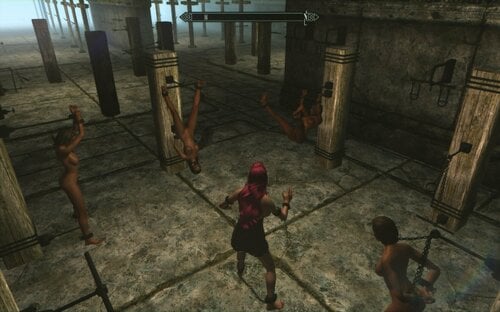
Heya all, so here it is! The much-requested Multi-NPC support for ZAP Furniture Placer.
v2.01 Released with minor bugfix! Please update your install! (will not cause issues to saved games)
v2.02b released with (beta) support for multi-npc furniture (such as vampire supply). See changelog notes.
This will probably be the final release for now unless a game-breaking critical error is found.
Now compatible with Paradise Halls! Furniture will stop slaves escaping - use 2.02b + 2.02b Compatibility Patch!
Bug hotfixes: (both versions): -Fixed error of ZFPStartup not running on a new game/install (Player spells now get added correctly on new game)
-Removed leftover Iona (RIften Housecarl) records in the .esp file (should fix broken custom housecarl races)
-missing ZFPMenuScript masterscript fixed, Placement menu now places items from list 6 correctly.
EXTENSION FEATURES:
-NPC support to lock up to 60 NPCs into the various items of furniture from ZAP 8.0 (Also tested on and compatible with ZAP 8.0+)
-10 Selectable NPC slots with immersive dialogue and animations
-50 Locked NPC slots (Assigned from the Selectable slots or by grabbing random NPCs off the street with magic ?)
-6 new control spells to help manage the various locked NPCs. (11 spells in total now).
Requirements:
ZaZ Animations Pack 8.0 or 8.0+
JaxonzPositioner (Recommended)
A follower mod of your choice to manage the inventory of locked NPCs (Extensible Follower Framework or similar - Recommended)
Installation:
Either remove your existing ZAP Helper installation or just replace it with the files from this one, it shouldn't matter.
This can either be done manually or with your favourite Mod Manager.
There are two archives! Use only one. They are labelled as Female and Male, and basically the only difference is whether you get called Mistress or Master in some of the dialogue options ? (This was a late addition, as I'd set it up to use only female pronouns but thought this wouldn't suit everyone, so I'm offering the choice).
This Extension includes all original files and should not need ZAP Helper 1.x in order to work.
To Update:- copy all files from the archive => Skyrim/Data.
(Or just use mod manager Should not cause any issues to save games)
Compatibility:
Aside from needing its requirements, this mod should not cause issues with other mods. Tested as part of an extensive (200+ mods) bondage-themed Skyrim with no real issues.
Made on LE (Oldrim). Someone has confirmed that it should work fine on SE too.
PAHE-ZFPe Compatibility Patch:
-Download the correct archive for your version (2.02b male/female currently supported -required for the patch!)
-Overwrite existing files in your Skyrim/Data folder
This patch makes Paradise Halls slaves unable to run away/escape while locked in furniture using ZAP Helper
ZAP Helper Extension How to use/FAQs:
(To Update an existing ZAP Helper install on a saved game)
(Also known as "help, where are the new spells?" )
(1) The first time you use the 'Furniture Placement' spell, ZAP Helper will update and add the new control spells.
(To Select an NPC)
(1) Select zbfFurniture using the Furniture Select Spell. The next time you talk to an NPC, you will have dialogue options starting from "(Restrain NPC) Hey you... You're mine now!" to order them into a furniture selection. They will stay there until released.
(To release a Selected NPC)
(1) Talk to them and say "(Release NPC) .... " OR (2) Use the Unlock All Selected NPC Spell
(To Lock an NPC):
(1) While they are in the furniture, you can either: (1) Talk to them again and say "(Lock NPC) I'm going to lock you in..." OR (2) Cast Spell "Lock Selected NPC" while looking at the restrained NPC in the crosshair (so their name shows up, if you're unsure). This will assign the (x of 10) Selected NPC to the next free (of 50) locked slot. (Selected NPCs will also stay in their furniture until released, "locked" is just for extra slots without the immersive dialogue).
(2) Select zbfFurniture using the Instant Lock spell. Cast it again at an NPC and they will be ordered to stay in that furniture, using the next free (of 50) locked slot.
(To release a Locked NPC):
(1) Talk to them and say "(Release NPC) .... " OR (2) Use the Unlock All Locked NPC Spell
(To align NPCs)
(1) Using either of the two Align spells will align ALL selected or locked NPCs to their furniture (depending on which spell is used).
(To clear empty Furniture selections)
(1) Using either of the two Clear Unused/Debug spells will clear ALL unused (but still selected) furniture targets and checked for orphaned Aliases (depending on which spell is used).
Changelog:
v2.20b: - Removed the conditions that prevent you from double selecting furniture. This enables multiple NPC furniture to be used, but also gives the possibility of other errors caused by the user (I cannot take responsibility for these).
- I have also modified the spells to add extra debug to clean up loose actor aliases that have been sent to unavailable furniture. (If you send 2 actors to the same furniture, the second actor will just stand around next to it until released).
Caution: If you send npcs a long distance to the furniture, if they are still walking there when you cast the debug spell they will also be released! If you are uncertain that all npcs you want to keep are safely locked, cast the Align spell first.
SAVE GAME SAFE - copy all files from the archive and overwrite the existing scripts/esp
v2.01: -Fixed error with dialogue still showing up without any addition Furniture selected
(simplified use of conditions and variables in the dialogue tree)
SAVE GAME SAFE - copy ZFPFurnitureSelectScript.pex and ZFPAliasControlScript.pex to => Data/Scripts, and ZFPFurniturePlacer.esp to => Skyrim/Data
Known Issues/Bugs:
(1) Bug: Character gets stuck after a dialogue animation
Symptom: Cannot cast spells, shout or sheathe/unsheathe weapon.
Frequency: Occasional/rare
Cause: Unknown/glitch in Skyrim animation system caused by certain slow animations (can happen on Vanilla)
Fix: De-equip and Re-equip any spell from your magic inventory and the glitch should immediately resolve itself.
(2) Bug: Dialogue Clutter.
Symptom: The options 1-10 to lock an NPC away appear before they have been greeted, cluttering up the dialogue (especially if you have lots of dialogue mods).
Frequency: Caused by user (depends on you, basically! )
Cause: Using Tab to quit the dialogue without choosing a furniture selection
Fix: Use the "(Cancel) On second thoughts..." dialogue, This will ungreet the alias properly. Otherwise using any other ZFP Selection spell or dialogue option will also fix this.
(3) Bug: Selection spells return an error on first attempt:
Symptom: Furniture select spell returns error "Error with selection "n"", but if recast on the same target works
Frequency: Caused by user (depends on you, basically! )
Cause: Moving too quickly while casting the selection spell. Depending on the script load of your game, it can take perhaps up to half a second for Papyrus to run the targeting selector. If you move too quickly or are moving when you cast a selection spell, sometimes it can glitch between conditions and return an error notification.
Fix: Re-cast the spell while standing still and it should work fine. (Encountering this error occasionally does not mean you have caused a persistent script error, it is safe to continue.)
(4) Bug: Furniture Delete not working / list 6 items not working / ZFP not starting up properly on a fresh install / Iona (riften housecarl) custom race glitches
Cause: Me being an idiot
Fix: Redownload archive, it's been hotfixed now.
(5) Bug: NPC goes for walk instead of staying in furniture
Frequency: Rare
Cause: 1. Sending more than 1 actor to furniture that only 1 actor can use. -OR- 2. Bugged scripts running on an NPC caused by interactions between multiple mods
Fix: Reload a save game before those scripts were run on that NPC.
(6) Bug: All spells not added correctly on script-heavy new install (Special Edition)
Frequency: Believed to be user-specific
Cause: Unknown - possibly excessive script load during new game setup
Fix: Download ZFPe Troubleshooting Pack. This contains a few options to help you. You can add the missing spells manually using the ID numbers provided, or there is an esp that will let you craft the spellbooks at a forge. (Thanks to T-Lam for the spellbooks).
Original ZAP Helper Addon by Tyrant99: (See for original Mod documents/readme)
Credits:
T.ara for ZAP 8.0/+
Tyrant99 for the original ZAP helper
T-Lam for the craftable spellbooks
Everyone who posted a message of support while I was working on this, really helped with motivation ❤️
----------------------------------------------------------------------------------------
This is provided only for the purposes of Fantasy, Roleplay and Entertainment.
Please Kink Responsibly.
----------------------------------------------------------------------------------------
23200 downloads
Updated
-
SC Followers - Mama - NSFW Body Addon
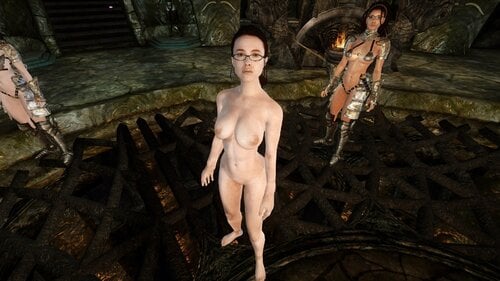
I've made a skin recolor+ smaller head+ nude conversion of the body for the Follower mod by SC, DS-Mama (mama from death stranding), u can get it on her patreon, its available to everyone right now i believe.
this patch by itself doesn't do anything, you need the original mod from the author's page.
https://www.patreon.com/posts/sc-ds-mama-51204434
simply install using mod manager.
no neck or hand or feet seems as much as i could help it.
Enjoy :D!
768 downloads
Updated
-
levitation Levitation animations by LinkzyZeus
By linkzyzeus
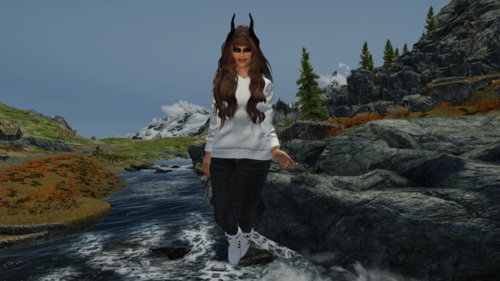
Do you like levitation? Are you tired of the boring stuttery animations you can find on the nexus? Well, I got the right mod for you! In this mod, there are over 40 hovering animations. Some are sexy, some are epic and most of them are smooth as butter. I bundled this mod with public poser, so you just have to put the mod in the game, run fnis and you are good to go! If you love flying animations as much as I do, you should fall in love with this mod!
This mod isn't meant to be a "flying mod", they're meant to be used as animated poses.
Right now, the mod contains over 40 animations, but I might add some others later on, so stay tuned!
271 downloads
Submitted
-
Ayane Follower Armors CBBE Bodyslide
By Aki K
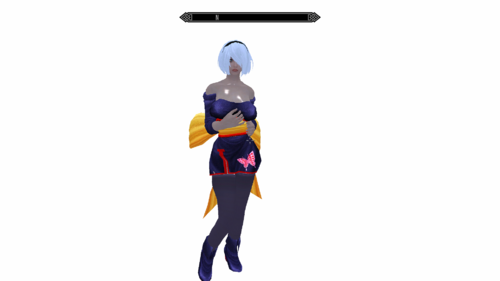
My attempt at converting all the armors of an Ayane follower mod (Ayane from the dead or alive series). I will likely try to update it in the future to fix clipping issues. Tried all day to fix them, but for some reason my changes WOULD NOT SAVE and every time I loaded the game, exact same clipping. Wondering if I have to keep saving them as entirely new bodyslide files to get it to stick., But aside from minor clipping (which drives me insane because I'm a perfectionist) they do fit reasonably well on an HDT CBBE body, and have some breast and butt physics. Potentially stomach as well for pregnancy mods but I haven't tested how that will look so it may be awful.
Also attached is an ESP. The original mod was Extremely glitchy due to the way the follower quest worked, and would cause the game to CTD if you got near Riften or a wide area around Riften (inside riften worked). So this esp totally eliminates the follower and follower quest. I tried to maintain the hair for player use but haven't tested it. Hair has no physics if it does work.
Another thing my custom ESP does is change the name of the outfits in game. So instead of 8 armors called "Ayane Armor" they are now more specific and let you know which armor piece, glove, or boot belongs to which set.
I do not know the original mod author or where to find the mod. It appears to be a combination mod of several creators going by folders. That said, this will not work without the original mod which has the original textures and meshes. I tried to find the mod and author(s) but to no avail. So this mod may vanish one day if the original creator shows up and tells me to delete it.
I did however, find the thread on here where I requested and was given this mod. So you can possibly still get the file from there. (https://www.loverslab.com/topic/128958-request-doa-ayane-hair-and-outfits/)
I GIVE FULL PERMISSION (AND WOULD HIGHLY APPRECIATE) ANYONE WHO FIXES THE CLIPPING ISSUES AND OTHERWISE SMOOTHS OUT THE VARIOUS ISSUES WITHIN THE BODYSLIDE FILES!
I am new at conversions and so some body parts may look poofy, out of shape, etc. But I did my best with the time I have. I hope you enjoy. Mod picture to be added at a later date.
418 downloads
Updated
-
Oh Serana
By Gargolon
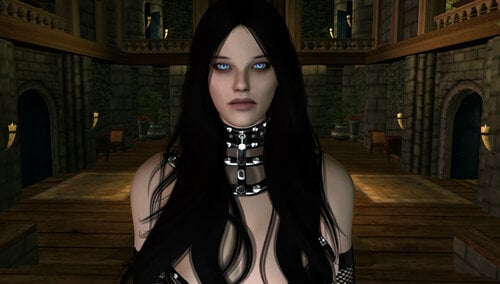
My Personal View of the Lovely Serana.
She has UUNP - HDT body.
Version 2.0 - Fringe hair (Fixed)
Version 3.0 - Quantum hair
590 downloads
Updated
-
Nier Automata Fists
By lordarked
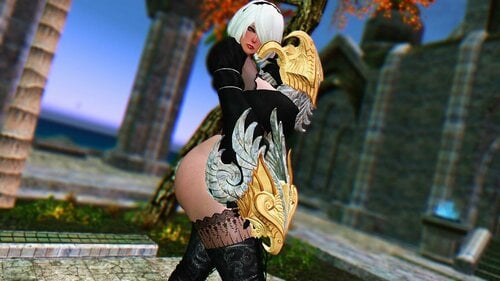
This another port i made from se to le this are fists help to ppl dont use any hand weapon.
Sponsors and Donator have acces to exclusives ports dont share to the public
Sponsor
https://www.patreon.com/XAYS
Sponsor or Donation
https://ko-fi.com/xays1
My TWEETER FOR MORE STUFF THAN HERE
410 downloads
Submitted
-
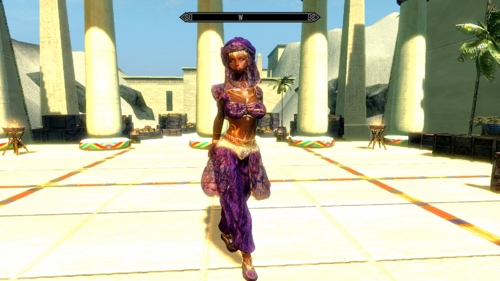
Desert Dancer HDT CBBE Bodyslide Conversion
By Aki K
Cannot guarantee this file will stay up. I have reached out to the original mod creator for permission but the mod is old and there is a language barrier (I do not speak Russian except for "cheers" "Hello" and some less than polite language and political phrases lol). In short I relied on google translate. If I am told to take this down, I will.
But this is my first proper conversion and I am proud, and want to see if it works for other people. Original mod still required (https://graviczapa.blogspot.com/2017/03/graviczapa-desert-dancer.html?zx=f32a397ddcaf5d35), then install the CBBE conversion and run bodyslide.
Note 1: Some of the jewels in the image are not from this mod, but from a variety of jewelry mods I used and forgot to unequip for the picture.
Note 2: I upped the skin gloss as part of my preference. This can be fixed by opening the project in outfit studio, double clicking the reference body for the pants, and setting the gloss options lower. (Use another mod to figure out the base game numbers. I do not remember them).
Please let me know if the mod does or does not work for you. I can't promise I'll know how to fix it (or that I'll even have the time to try. But I'd like to know if future conversions will be a waste of my time or not lol.)
To my knowledge this is the only CBBE conversion of this outfit.
I might take requests but my time and skill is super limited so I will be highly selecting as to which conversions I will take on. I also cannot do SE conversions. I don't have SE, I can't test SE, and I don't understand how conversions/ports work between the two games. That said, as long as the original creators approve, I will give my permission for anyone who wants to port any of my future conversions.
746 downloads
- cbbe
- deset dancer
- (and 4 more)
Updated
-
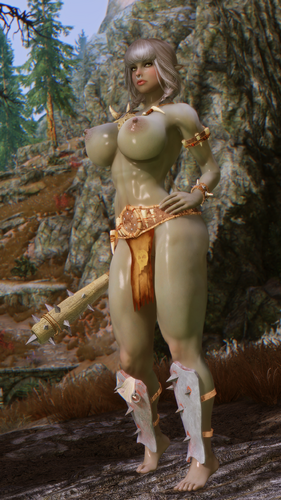
Arsenic Conversion - Orge Armor - TBD LE & SE
By Guest
What is it?
- It's all orge now!
- Ok, now that I got that joke out of the way. This is a conversion of WickedCreations' Daz3d Orge HD for Skyrim LE.
- I used Cathedral Assets Optimizer (https://www.nexusmods.com/skyrimspecialedition/mods/23316) to convert the armor from LE to SE for the SE version. It's not tested, so please let me know if anything is wrong on your end.
- The armor was converted to Touched By Dibella body, but it's modular (doesn't include a main body) so it might work with other body type.
- I also included all 3 color variants and the spiked club that came with the original daz3d product.
- Note: if the club looks small. Please scale up the weapon node in RM or ECE
How to install?
- Update 1: Hotfix for the weights of the pauldron and loincloth. Adjust the metal textures to be about 33% darker. Please download and overwrite old files.
How to install?
- Extract .rar file, and copy everything into Data\
- Or use a mod manager, much easier.
How to uninstall?
- Better to just delete using a mod manager.
- Else, refer to the structure of the zip file.
How to get?
- AddItemMenu mod.
Requirements?
- XMPSE 3.0+ Skeleton.
Credits:
themilkdrinker for the original body preset.
Nightasy for the awesome tutorials.
WickedCreations for the original armor in Daz.
Groovman for helping with the weapon scaling.
G_k for Cathedral Assets Optimizer.
Disclaimer:
Do whatever. Just don't reupload the whole pack and call it your own.
If you find anything wrong with the outfits, feel free to message me on here or my Pixiv: https://www.pixiv.net/member.php?id=14835768 or Twitter: https://twitter.com/SkyArsenic. Thank you!
7418 downloads
- skyrim
- daz3d conversion
- (and 2 more)
Updated
-
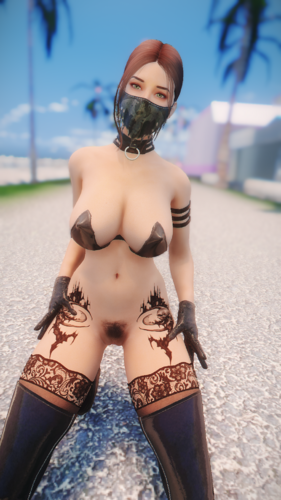
slavetats SlaveTats + RaceMenu Overlays | Anuketh Pack #4 - LE / SE
By Anuketh
Another one! Compatible for both CBBE and UNP / Skyrim Legendary Edition and Skyrim Special Edition.
* There are 5 categories under the "Body" tab: Anuketh General, Anuketh CBBE v4 / CBBE v4.1 and Anuketh UNP v4 / UNP v4.1. This will help you find the tattoos that match your body type.
This pack includes 93 tattoos:
Bodice of Ice (UNP/CBBE), Bodice of Fire (UNP/CBBE), Dragon, Dragon Alt, Forbidden, Mermaid, Pistol Left, Pistol Right, Roses, Leg Roses (Left), Leg Roses (Right), UnderBoob (UNP/CBBE), Bird (UNP), Bird (CBBE), Tree (UNP), Tree (CBBE), Death (UNP), Death (CBBE), Oni (UNP), Oni (CBBE), Tribunal (UNP), Tribunal (CBBE), Wings 2, Wings 1, Runic Arms, Runic Tattoo, Runic Half Circle (UNP), Runic Half Circle (CBBE), Runes (Left), Runes (Right), Flower Left (UNP), Flower Right (UNP), Flower Left (CBBE), Flower Right (CBBE), Tribal Tights Left (UNP), Tribal Tights Right (UNP), Tribal Tights Left (CBBE), Tribal Tights Right (CBBE), Tribal Left (UNP), Tribal Right (UNP), Tribal Left (CBBE), Tribal Right (CBBE), Spider Left (UNP), Spider Right (UNP), Spider Left (CBBE), Spider Right (CBBE), Decoration (UNP), Decoration (CBBE), Tribal Set 6 Left (UNP), Tribal Set 6 Right (UNP), Tribal Set 6 Left (CBBE), Tribal Set 6 Right (CBBE), Tribal Set 5 (UNP), Tribal Set 5 (CBBE), Tribal Set 4 (UNP), Tribal Set 4 (CBBE), Tribal Set 3 (UNP), Tribal Set 3 (CBBE), Tribal Set 2 (UNP), Tribal Set 2 (CBBE), Tribal Set 1 (UNP), Tribal Set 1(CBBE), Lady Death (UNP), Lady Death (CBBE), Hidden Skull (UNP), Hidden Skull (CBBE), Oni Mask Broken Mask (UNP), Oni Mask Broken Back (CBBE), Skull of Corruption (UNP), Skull of Corruption (CBBE), Sword Front (UNP), Sword Front (CBBE), Samurai Back (UNP), Samurai Back (CBBE), Native Back (UNP), Native Back (CBBE), Howling Buttocks (UNP), Howling Buttocks (CBBE), Death Castle L (UNP), Death Castle R (UNP), Death Castle L (CBBE), Death Castle R (CBBE), Stab L (UNP), Stab R (UNP), Stab L (CBBE), Stab R (CBBE), Original Sin L (UNP), Original Sin R (UNP), Original Sin L (CBBE), Original Sin R (CBBE).
██ First version (v1.0) | (05.20.2021) Release
██ Second version (v1.1) | (08.21.2021)
██ Third version (v1.2) | (08.23.2021)
██ Fourth version (v1.3) | (08.26.2021)
██ Fifth version (v1.4) | (09.14.2021) Final Version
RACEMENU TATTOO OVERLAYS ALREADY ADDED!
Check out my other SlaveTats Packs:
Anuketh SlaveTats Pack #1 | Anuketh SlaveTats Pack #2 | Anuketh SlaveTats Pack #3 | Anuketh SlaveTats Mini Packs
Social Links
Discord | YouTube | Instagram | Ko-Fi | Patreon
This mod is NOT standalone. That means it requires other resources in order to work.
Legendary Edition users must install first:
SKSE for Legendary Edition. SkyUI. JContainers. RaceMenu (or NetImmerse Override). SlaveTats for LE.
Special Edition users must install first:
SKSE for Special Edition. SkyUI. JContainers. RaceMenu. SlaveTats for SE.
Installation (extracted from SlaveTats page):
1. Make sure you have the requirements.
2. Download SlaveTats and extract it into the Skyrim Data folder.
3. Download this mod and extract it into the Skyrim Data folder.
3. Start Skyrim. You'll have a SlaveTats menu under the SkyUI's MCM.
4. On the Setup tab, select the character you want to apply a tattoo and then click Add/remove tattoos (so the mod will register my tattoo pack).
5. On the Body/Face tabs, select a Section and then a specific Pattern of your liking.
6. Pick color, glow and gloss if you like, or leave them with their defaults colors.
7. Exit the MCM and your tattoos will appear in a moment.
SlaveTats - murfk
Brushes - Obsidian Dawn
More Brushes - Brusheezy
- - - - - - - - - - - - - - - - - - - - - - - - - - - - - - -
If you have a specific request, send me a PM.
11374 downloads
Updated
-
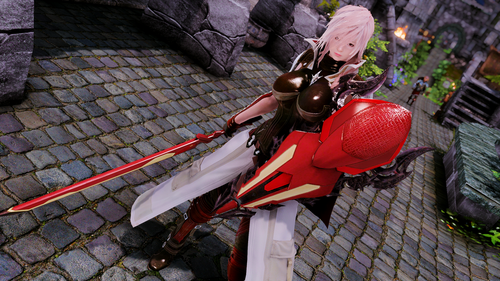
Final Fantasy Lightning Returs & Dissidia NT weapons + outfit.
By Sets00na
This mod contains the Lightning's original Crimson Blitz (broken version), Ultima Weapon (Dissidia Version), Ultima weapon (Lightning Returns ver.), Overture (LRFFXIII+DissidiaNT) Immortal Order, Night Lotus/Ultima Shield, Nemesis shield and Equilibrium outfit (Dissidia NT Version). It has no physics.
You can post screenshots of the mod in game and I will add them in the main page.
Credits:
SquareEnix: Final Fantasy
Dude that made Noesis
Dude that made the plugins for Noesis
Dude that made the plugins for xnalara
Dude that ported this stuff to xnalara
Sets00na: Porting, at first.
ODD: Porting the outfit and rescaling the weapons. Also the screenshots. Big thanks!
Although I forgot if you had to re-port the weapons also. Sorry I forgot.
3445 downloads
- final fantasy
- lrfxiii
- (and 9 more)
Updated
-
Vampire Quality of Undeath Tweaks
By Darkpig
This is a vampire makeover I mean overhaul I made because I didn't feel like fiddling with the MCMs in other vampire overhauls.
It is a simple esp file but I had it for awhile so I figured I'd share. First thing to mention is that you retain your appearance from before you turned so no more flashlight eyes. Sorry flashlight eye lovers. Another is that you no longer run like an overweight fat man in sunlight. In fact as long as you stay in stage 1 you won't have any penalties whatsoever. Just keep from going above that or that scary mudcrab will be doing up to 4 times the damage to you. Ouch! The frost resistance has been reversed to fix what I felt to be an issue which is that feeding should make you stronger not starving yourself. Molag Bal is the lord of Domination and feeding on humans seems pretty dominating to me. I added some shock resistance to the mix due to inspirations from Frankenstein. The vampire powers are still linked to starving yourself until I can figure it out. For now call it Bal's way of throwing you a bone. Also you can breathe underwater.
The vampire lord has also gained a few tweaks. The perks have been rewritten to show more of the nitty gritty data such as spell durations. The max default armor rating has been increased from 300 to 500 as well as a magic resistance of 75 at level 50. You are also immune to sunlight while transformed no matter which stage of vampirism you're at. You're welcome~
129 downloads
Updated