Extensions
Sims 4 packages that add or change game mechanics.
67 files
-

Sims 4 Lena Paul Loading Screen
By CryptoBoi
A loading screen consisting of various pics of the pornstar Lena Paul...
If you guys want some personalized loading screens, just suggest it in the comments below and I'll have it made in 2 days or so.
Make sure you only have 1 loading screen package in your folder!
Thanks!
2263 downloads
Submitted
-

Sims 4 Sexy Ebony Loading Screen
By CryptoBoi
Another loading screen that I made for personal use but ending up sharing it now. This includes just 1 loading screen which has a bunch of sexy ebonys in it. The background is transparent so dont worry, its not glitched.
Make sure you only have 1 loading screen package in your mods folder
1331 downloads
Submitted
-

loading screen Sims 4 Sexy Anime Loading Screen
By CryptoBoi
Just a loading screen for sims 4. Includes just 1 loading screen which has a bunch of anime girls in it lmao. Made it for personal use but thought why not share it.
If ya'll want anything, just suggest it.
Make sure you only have 1 loading screen package in your mods folder
3104 downloads
Submitted
-

SpentCL Cum Layers
By Spent
Stand alone add-on for Wicked Whims
***also compatible with Cumshine mod***
To Enable, simply click on a sim and select: WickedWhims Settings ->Sex Settings->Cum Settings->Cum Layer Package Selector
and select a Cum Layer Set
NEW: HOLIDAY STUFFING
If you wish cum was styled to look a bit more... internal
this is the package for you
These package files convert the cum layers for the Butt, Vagina And Mouth (Face) regardless of which of my cum layer sets you are using. Use them all or just the ones you prefer.
Important Note: PLACE IN THE SAME FOLDER AS CUM LAYER SETS (if you have cumshine: Mods/Cumshine/Cum Layer Sets)
Check out my Patreon for loads of goodies
655381 downloads
Updated
-
X-Ray for DD
By Oops19
X-Ray for DD 5.17+
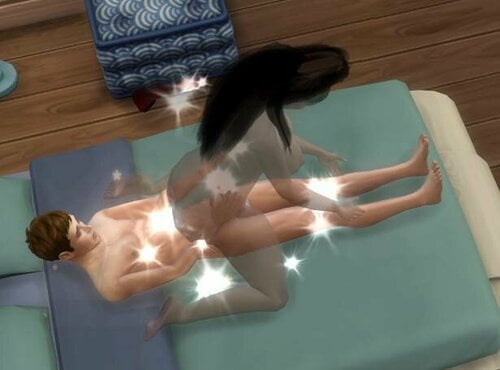
This mod detects the orgasm of a penis (attached to a sim) and if it is inside a vagina the sim with it will become transparent. This will not work properly for various animations as they are tagged correctly.
The sim with a vagina stays semi-transparent for 5 seconds and turns then back to normal. It relies on DD data / calls, in v4.1 it may be possible that all female sims get transparent temporarily. This mod doesn't include a config file or a UI, so all values are fixed.
Many, not to say all, animations do not care when the sim has an orgasm and do also not specify the right time for it. There is no cum or internal vagina to see (yet) but I'm sure animators will add inappropriate details soon.
Update
v5.11/v5.17 add an explosion effect (3rd image). If you don't like it use 5.0 which enables only transparency.
There is no need to update, I just updated the version numbers and tested with the recent version.
Compatibility
The version (v5.0.0) is compatible with DD 5.0 and may break with further DD updates as it injects into private methods.
The version (v5.11-1.0) is compatible with DD 5.11 and may break with further DD updates as it injects into private methods.
The version (v1.0-5.17.2) is compatible with DD 5.17.2 and may break with further DD updates as it injects into private methods.
It is compatible with TS4 v1.99.264 and very likely all upcoming TS4 versions.
Tested with S4CL v3.2.
Installation
Unless not yet installed: This mod requires DD, install it.
The ZIP file should be extracted into the `The Sims 4` folder to make sure that the folder structure is set up correctly.
This mod is not and will not made be compatible with Pose Player or Wicked Whims.
Requirements
https://github.com/Oops19/TS4-Library/releases/latest
Merging
Most people do not merge script mods. This mod may be merged with a ZIP program with other mods. The file name may be changed, it is not used to reference anything.
License and Copying
Feel free to share and improve this mod including sources with everyone interested.
As long as not the EA TOS license applies the code is licensed as CC BY 4.0:
https://creativecommons.org/licenses/by/4.0/ https://creativecommons.org/licenses/by/4.0/legalcode
I don't work with authors who added malware loaders and/or code to break other mods who reserve the right to do it again. ==> Do not ask me for WW support.
DD Downloads
No direct links to DD as I'm not sure whether we are allowed to use them.
F95Zone - https://f95zone.to/
NSFWMods - https://nsfwmods.com/
synthia.ru - https://synthira.ru/l
30014 downloads
Updated
-

Cumshine
By Spent
What's New:
Cumshine Features
Cum Queen Aspiration
Splashable Cum Glasses
Other Gameplay Features:
Ambrosia Cum Collar
Occult Features
Be the first to receive hot updates and an all round class act by supporting my PATREON
NØ AI CONTENT
2243763 downloads
Updated
-

trait T1me's Virginity trait
By kit1858644
This is a simple trait mod.
1. This mod adds the virginity of sim (default all the sims will be virgin).
2. After sex interaction (WickedWims) sims will be losing their virginity and get Grew up trait.
3. sims can ask other sims is or not virgin.
Yes, that simple.
Compatibility & Requirements
1. WickedWhims (for sex interaction detect)
Translations
- Chinese (me)
52445 downloads
Updated
-
![More information about "CinErotique's Porn Videos for the Computer [additional content for Wicked Whims]"](https://static.loverslab.com/screenshots/monthly_2021_09/logo-v1.thumb.png.174e69bd79bbcd0f4827781235bf6913.png)
wicked whims CinErotique's Porn Videos for the Computer [additional content for Wicked Whims]
By PECO
This mod extends the number of porn videos available to watch with Wicked Whims' "Watch Porn" computer interaction.
Just grab some new content from here, sit your sim in front of a computer, and enjoy the show...
(All videos are Exclusive Original Content, shot/edited by me, and includes simlish speech and text for maximum lore-friendly immersion)
✅ Compatible with Wicked Whims version 170 or later
2022-JULY-29 ~ IMPORTANT UPDATE! ALL FILES AFFECTED!
All Computer Video Package files were updated to add compatibility for the new Widescreen and Dual Monitor computers that were introduced in the High School Years Pack. You can safely update all files to their new version even if you don't have the expansion pack, as the changes made to the video package files do not affect backwards compatibility with the "old" single screen computers. 2022-MAY-01 ~ New Free Public Video Package:
Angelina J. Lee - Simturbate Masturbation Show
Interaction: Solo | Subcategory: Simturbate | PREVIEW VIDEO
-Additional Notes:-
★ I publish new content regularly, so if you don't wanna miss out, consider giving this mod a follow.
★ I rigorously test each of my new mods/videos before release, to make sure they work properly!
★ This mod is uploaded and maintained exclusively only on LoversLab & Patreon!
✘ I take no responsibility and/or provide tech support for any Unofficial / Third Party Site Mirrored releases!
You can download and install as many or few videos as you like! there's no limit! Wicked Whims automatically recognizes installed content and adds it to the computer's playlist. You can download the individual video package files from the #DOWNLOAD THIS FILE# section.
If you want to mass download all files, please refer to this forum post for details. Don't forget to unzip the downloaded files with 7zip (or similar software) before you copy them over to your Sims 4 Mods folder. Please consider subscribing to my -PATREON-, where you can get access to all my back catalog of videos and other mods, including some exclusive content, and also downloadable 1080p MP4 versions of all videos.
Lesbian themed content is marked with a -LEZ- tag. Untagged videos are featuring straight M/F sex or Solo F content. Videos marked as -PATREON- are available on Patreon. ONLYSIMS - OnlyFans style content. (Click on the titles for preview)
Belle Linguine - Bunny Bun Girl File: OS_belle-pack1-bunnygirl.7z Belle Linguine - Pink Dream File: OS_belle-pack1-pinkdream.7z Belle Linguine - Belles Hells -PATREON- SIMTURBATE - Chaturbate web-cam style content. (Click on the titles for preview)
Angelina J. Lee - Strip Show File: SMTB_ajlee-pack1-stripshow.7z -NEW- Angelina J. Lee - Solo Masturbation File: SMTB_ajlee-pack1-mastshow.7z CORNHUB - PornHub Style tube site. (Click on the titles for preview)
Casting Couch #03 File: CH_cc03-cweiner.7z
Feedback is always appreciated! If you liked this mod, found a bug or in general have something to say, you can leave a comment in the mod's #official#forum#thread#.
TROUBLESHOOTING:
★ YOU MUST UNPACK EACH DOWNLOADED ZIP FILE BEFORE YOU COPY THEM OVER YOUR MODS FOLDER, OTHERWISE THEY WILL NOT SHOW UP IN THE GAME!
If you have problem unpacking them, you can download 7zip from here.
★ Before asking for support, please make sure you've read, understood and properly followed the installation guide provided above!
ACKNOWLEDGEMENTS:
Big thanks to TURBODRIVER for the excellent Wicked Whims mod!
USAGE TERMS:
★ For personal use only.
✘ Please DO NOT re-distribute this mod or any parts of it on LoversLab or other 3rd party sites.
✘ Please DO NOT include this mod in bundles. Just link to this site please.
✘ Please DO NOT bundle/include this mod's video files in other mods' playlist.
430291 downloads
- porn
- original content
- (and 3 more)
Updated
-
![More information about "[Sims 4] wild_guy's Picture Stories [27.02.2025]"](https://static.loverslab.com/screenshots/monthly_2022_06/111.thumb.jpg.b4d88910fa9949150e2c395f594bdff2.jpg)
[Sims 4] wild_guy's Picture Stories [27.02.2025]
By wild_guy
Hey! Let me present you another creation for The Sims 4:
Picture Stories
Making mods takes much time and this mod really can't progress without your support, so if you like my work and have the ability to support me then please do it on my Patreon page. You can get early access to new content. Gold and Platinum supporters also get access to exclusive bonus stuff.
Did you ever think about we have painting descriptions in the build mode but sims aren't able to read them in the live mode? I always lacked such a function, I have many painting replacements and I can write any creative description for them but my sims couldn't know these descriptions, I could only see them while in the build mode and that really sucks.
I've wanted to make paintings more meaningful for a long time, so that any of them could have its own story that sims could remember and now they can.
This mod adds additional interactions for buyable paintings, photos and easel paintings that allow you to name them and give them their own stories (descriptions) and these stories are shown as notifications when sims remember them.
The maximum story length is limited to 2000 characters. Sims get +2 inspired custom buff for 3 hours after they remember stories.
Picture Stories interactions may be unavailable for some of buyable paintings that use their own specific tuning resources. For example the mod works for Spooky Stuff DLC paintings because I added their support on purpose but it doesn't work for specific paintings from Paranormal Stuff because I didn't do that for them.
I hope you like the idea of the mod. Happy simming!
How it works
Everything is very simple. If you click on any photo or buyable painting (except some special paintings), you can use 'Picture Story' option to give it a name and tell its story. After that any sim from teen to adult can remember that story using the 'Remember Picture (Photography) Story' option. I didn't allow this interaction for children just because it can often be illogical.
Once the name of a picture is set, you can change it as well as picture story using 'Rename' option. Untitled objects continue with 'Picture Story' option even if they have stories.
Thus, when you create quite a lot of stories, of course you can't remember them all with all of details, so It is quite fascinating to read them later while visiting different households, this can give the game some storytelling tone if you want that.
Patreon version
Picture Stories museum plaques
Extended functionality of the EA "Kiosk On a Plaque" object (Get Together) with custom name and story. Extended functionality of the EA "The Paramount Plaque" object (Get to Work) with custom name and story. You can describe anything in your museums now!
Translations included:
English, Russian - By default.
Polish - Thanks, Astercholik.
Chinese (Simplified and Traditional) - Thanks, wenwenbalala.
Additional translations:
Spanish - Thanks, Paw Rugg.
37274 downloads
Updated
-

Basemental Inspired Sex Addiction Mod
By Docche
This mod was heavily inspired by the great work of the Basemental team and their Basemental Drugs mod. This mod would not exist if their's didn't.
This mod adds the possibility of your Sim developing a sex addiction due to having too much sex.
After having Woohoo at least 2 times in 24h your Sim will get a buff, showing the increasing desire for the Sim to continue having sex. If your Sim ignores this warning, or in other words acts on this desire, he/she might acquire an addiction debuff, it will last 5 days and will be renewed every time the Sim has WooHoo. Your Sim will also experience increased fun and social need decay. If your Sim manages to abstain from sex for 5 days straight, he/she will have beaten the addiction but has an increased likeliness of reacquiring their addiction. Additionally, addicted Sims may loose small amounts of reputation when having Sex.
If your Sim is unflirty and gets addicted, he/she will have their trait removed and replaced by the romantic trait.
Your Sim may confess their unfortunate condition to other Sims. This can lead to a myriad of different outcomes...
When having Sex, Celebrities may have the fact that they are Sex Addicts leaked to the public. This will lead to a huge gain in fame but an equally huge loss in popularity. The probability of this occurring is based on the Sim's fame, meaning a Sim with a high celebrity level has a greater chance of this leak occurring than one with a low level.
If you want your Sim not to get addicted, limit their WooHoo interactions to max 2 in 20h and don't let your Sim have Sex if he/she has the "I wanna do it again!" buff and your Sim will not develop any Addiction. (or just don't use this mod, that works as well...)
Compatibility & Requirements
This mod does not require any other mod to function. WickedWhims is NOT required, though highly recommended, both WW sex as well as the default WooHoo interaction can trigger the effects of this mod.
BasementalDrugs is also not required. While the Sex Addiction is conceived in a similar way to BMD's addictions, there is no actual overlap and this mod may be used independently from BMD.
Translations
- Brazilian Portuguese (Thank you simlover124)
- Chinese (Thank you wwwby886622)
- English (Obviously)
- German
- Russian (Thank you farinelli)
- Spanish (Thank you 121415)
You are free to re-upload a translated version of this mod if you give credit via linking here. Please let me know if you do, so I can link to this translation.
122088 downloads
Updated
-

sims 4 °•.Movie Characters Pack.•°
By Guest
Enjoy with the movie characters! ?
Lucifer (Netflix)
Lucifer is an American urban fantasy television series developed by Tom Kapinos that premiered on Fox on January 25, 2016. It is based on the DC Comics character created by Neil Gaiman, Sam Kieth, and Mike Dringenberg taken from the comic book series The Sandman, who later became the protagonist of a spin-off comic book series, both published by DC Comics' Vertigo imprint. The series is produced by Jerry Bruckheimer Television, DC Entertainment and Warner Bros. Television.
The series revolves around the story of Lucifer Morningstar (Tom Ellis), the Devil, who abandons Hell for Los Angeles where he runs his own nightclub named 'LUX' and becomes a consultant to the LAPD. The ensemble and supporting cast include Lauren German as Detective Chloe Decker, Kevin Alejandro as Detective Daniel "Dan" Espinoza, D. B. Woodside as Amenadiel, Lesley-Ann Brandt as Mazikeen, and Rachael Harris as Dr. Linda Martin. Filming took place primarily in Vancouver, British Columbia, before production was relocated entirely to Los Angeles, California, beginning with the third season.
The series focuses on Lucifer Morningstar (Tom Ellis), a beautiful and powerful angel who was cast out of Heaven for his betrayal. As the Devil, Lucifer tires of the millennia he's spent being the Lord of Hell, punishing people. Becoming increasingly bored and unhappy with his life down there in Hell. He resigns his throne in defiance of his father (God) and abandons his kingdom for Los Angeles, where he ends up running his own nightclub called "Lux". When he finds himself involved in a murder investigation, he meets the intriguing Detective Chloe Decker (Lauren German), and accepts the subsequent invitation to become a consultant to the LAPD. Throughout the series, he learns he's changing into someone who is completely an opposite of the devil he is. But with his stubbornness and selfishness, he ends up getting the detective confused with who he actually is. As the events unfold, several celestial and demonic threats come to Los Angeles; at the same time, Lucifer and Chloe end up allowing their love for each other to bring them through the darkness.
Lucifer Morningstar
Chloe Decker
Mazikeen
Amenadiel
Lucifer's Penthouse
Download (with CC,All in one)
Leon
Leon: The Professional titled Leon in the UK and Australia (and originally titled The Professional in the US), is a 1994 English-language French action-thriller film written and directed by Luc Besson. It stars Jean Reno, Gary Oldman, and Natalie Portman (in her film debut). The plot follows Léon (Reno), a professional hitman, who reluctantly takes in 12-year-old Mathilda (Portman), after her family is murdered by corrupted Drug Enforcement Administration agent Norman Stansfield (Oldman). Léon and Mathilda form an unusual relationship, as she becomes his protégée and learns the hitman's trade.
Leon and Mathilda Lando
Download (with CC,All in one)
3886 downloads
Updated
-
wip Real-Time Body Physics (DirectX 11)
By CPVC
Real-Time Body Physics is a highly experimental mod for the Sims 4 that attempts to add real-time body physics to sims. Currently, only the breasts and butt are targeted, but other parts could be added in the future.
The mod works via a fake DirectX DLL that behaves just like the real deal, but injects a little extra code into the rendering loop (See: https://en.wikipedia.org/wiki/Hooking).
Please read the included "ReadMe.html" file before using this mod. It explains how to install, configure, and control the mod in-game.
RTBP 11 (DirectX 11):
RTBP for DirectX 11 is now available. You can expect all functionality from the DirectX 9 version in RTBP11, but the better performance of the Sims 4's newer DirectX 11 renderer.
https://streamable.com/0ukdjd
Be warned that it is a little buggy compared to the DirectX 9 version, but things should improve with time. DirectX 11 is quite a bit more complicated than DirectX 9, so getting everything working has been more of an ordeal. Most of the bugs are very minor, small visual glitches while everything else appears to be solid as a rock. That being said, don't forget to save often and backup your save games.
Hopefully the small visual bugs aren't deal breakers for most of you. If they are, you can eliminate almost all of them by disabling butt physics.
If you haven't used the internal GUI yet, try it out in game by pressing F11. The internal GUI will eventually replace the Commander, but for the time being both can be used to tweak RTBP to your liking.
To avoid confusion, I'm calling this release RTBP v2.0. That way you'll know that and RTBP release with a version number of 2.0 and above is the DirectX 11 version and anything below is DirectX 9.
Known Issues:
* For some meshes, one of the butt cheeks looks deflated and sags downward.
* Some sims glich out and their geometry shoots out in random directions.
* Sims might look a little weird in the portrait images.
* Probably more.
These issues ought to be fixed in time. Let me know if you have any problems. Please enjoy and have a happy new year.
Real-Time Body Physics
Experimental Builds
Fixing bugs can be difficult, especially when you can't reproduce the error that has befallen so many users. If you're up for it, try out an experimental build in testing and report your findings in the support thread.
v2.3.2~2 2026-09-28:
Added power variable to angular simulations. Added settings to enable/disable linear and angular limits. Switched from using TCP sockets to named pipes for RTBP/Sims 4 IPC. No more confusion over filewall settings or needing to give RTBP permission to listen on ports.
More realistic/accurate angular physics? Vary gravity based on angle between weight and pivot. Switched to a better rotation matrix to euler angles calculation method for angular physics. This should prevent body parts from deforming oddly during less common body movements, like when the sim is doing a head stand or something. Slightly tweaked the Installer. Rebuilt Companion and Installer using a newer version of wxWidgets. Let me know if there are any problems with these tools. (v2.3.2~1 -> v2.3.2~2): No changes, just a quick fix.
RTBP v2.3.2~2 2026-09-28.zip
RTBP Legacy (DirectX 9, Depreciated):
The DirectX 9 version of RTBP has been superseded by the DirectX 11 version and is no longer being developed. Use the DirectX 9 version only if you have to.
RTBP v0.4-p8 2024-04-12.zip
Note for those with an Intel GPU:
You'll need to tweak a Sims 4 configuration file for RTBP to work. Go to your game installation directory + "/Game/Bin/" (the same place you put "d3d9.dll"), and open the file "GraphicsRules.sgr". Find the line that says "setProp $ConfigGroup EnableSoftwareSkinning true" (for me it was on line 117) and replace the part that says "true" to "false".
This will enable hardware skinning for Intel hardware and allow RTBP to work.
Note on DirectX 11:
A recent update added DirectX 11 support to the Sims 4. RTBP was designed around the original version of the game that uses DirectX 9. For RTBP to function, the D3D9 version of the game needs to be used (D3D11 support is coming). To explicitly launch the D3D9 version of the Sims 4, find your installation directory and execute "...\Game\Bin\TS4_DX9_x64.exe". You can also choose to switch to the D3D9 version of the game in the game options.
RTBP 2020-08-12.webm Butt Physics.webm RTBP 2020-08-12.webm
Bonus: If you'd like, you can try out the super duper, highly experimental, RTBP GUI tool that allows you to Alt+Tab out of the game and change settings on the fly via the RTBP Command Server using a user friendly GUI interface:
* Screenshot is out of date.
The RTBP GUI Tool is a work in progress and more features will be added soon. Beware that you can send values to RTBP that might break it and cause body parts to disappear.
RTBP GUI Preview Breasts.webm RTBP GUI Preview Ass.webm RTBP GUI Preview Breasts.webm
Bonus 2: Having a bit of trouble installing RTBP? Try out the RTBP installer. Just select the RTBP zip file you'd like to install, your Sims 4 installation directory, and your Sims 4 mods directory. The RTBP Installer will attempt to automatically detect these paths, so if you're unsure, I recommend going with the default values.
Update 2023-11-11: The new versions of the RTBP Commander and Installer have been bundled to save space. Note that this version of the installer is incompatible with older versions of RTBP. Download both of them here:
Update 2023-04-01: Origin has been depreciated and replaced with the EA App. The RTBP installer will no longer look for your Sims 4 installation in the Origin game directory.
Update 2023-03-24: Added the EA App game installation directory to the list of potential Sims 4 game installation directories. The requisite libraries required for RTBP to function will be individually tested during installation.
Update 2022-08-13: The RTBP Installer should now detect when GShade is installed and make the changes necessary for RTBP compatibility.
Update 2022-07-26: Improved logging.
Update 2021-11-18: The RTBP Installer now has an uninstallation wizard.
Bonus 3: Looking for a more bleeding edge version of RTBP? Download the latest preview and/or experimental release here. These releases need to be manually installed, so they're for more advanced users. Documentation and script mods aren't typically included with these:
RTBP v0.4-p9-e3 2025-12-11.zip
RTBP GUI Tools 2026-03-04.zip
206132 downloads
- experimental
- boobs
- (and 2 more)
Updated
-
![More information about "? High Heels & Boots ? - Auto Slider Adjustment [Beta]"](https://static.loverslab.com/screenshots/monthly_2020_09/Oops19_High_Heels_v0.1.thumb.png.9228f8f2c0b98683be5a4eb1f654a44b.png)
? High Heels & Boots ? - Auto Slider Adjustment [Beta]
By Oops19
This is still an experimental mod for beta testers, content creators and developers. It allows to configure and apply CAS slider values and allows to set the walk style based on the outfit. For most base game + packs shoes and heels default settings are included. Settings for most DallasGirl heels and a few asty96 shoes are included. It's not possible for me to include settings for all random available CAS items.
2021-07-26
Shameless update to be on the first page again for at least 3 hours.
Memory Dump Error
If you updated TS4 after July 23rd and experience a crash after the household has been loaded please download and install (overwrite utilities/walkstyles.py) the provided patch file and let me know whether it helps. The mod calls native TS4 functions with - from my point of view - valid parameters (a TGI resource). TS4 crashes if the parameter is invalid and obviously also if a valid parameter is provided but the tuning / definition is incomplete.
I tested it with S4CL v1.62 and v1.72-test-build-1 without issues.
Many thanks to ColonolNutty for supporting also in this area.
EOL Announcement
My current location has a very bad uplink to connect to loverslab. I often can open only one connection and the bandwidth is below 1 MBit/s. Even if it is related to my local internet provider for me it became a pain to use this site.
For now I'll provide patches here. The mod will be moved to GitHub and there a standard (.ts4script) package will be provided for simple setup.
This will not happen today, I just want to inform you in time.
2024-04
Added 'hoverboard-shoe-f.package' as the ZIP file contains a broken (0 byte) package. Either delete this file after extracting the ZIP or download this package and replace the extracted 'hoverboard-shoe-f.package'.
2021-03-26
Hopefully fixed a small bug affecting some users.
2020-10-23
I added two UTF-8 icons to the title, the heels look really weird on Windows. But as a Windows user you may be used to things like this already.
2020-10-20 Add-Object added
The zip file contains an additional installation readme file. Old settings can not be migrated to this version and before you consider updating: The start time is quite high and removal of hoverboards does not always work. You may need to start a new game to get rid of hoverboards unless you disable this feature. Making a backup of the save game is highly recommended.
For all new users
This mod comes with configuration files to apply random sliders (actually only two sliders which are included here but all installed sliders are supported) based on the worn CAS item. 95% of the Basegame+EP+GP+SP shoes and some CC heels are supported. The CC links are below @2020-10-06 and in the INSTALL file.
Most clothing CC modifies the mesh already so there is likely no need to apply push-up or waist sliders but it's possible to create such a configuration file. Or a ring to create a long nose or deform the sim otherwise.
The mod allows to set the walkstyle based on a random CAS item, this makes most sense for shoes.
It allows to attach build items to all sim bones (similar to Debug > Attach As Head) based on the CAS item.
This version contains cloned Basegame shoes with a unique ID - wearing them will attach the hoverboard (download @2020-09-17 and in the INSTALL file). The walkstyle is set accordingly.
This mod requires S4CL by ColonolNutty.
The mod does not contain a PIE menu, use "Change Outfit" as usual and let the mod do its work.
Additional documentation regarding the used sliders is available in Oops19-Documentation 2020-09-20.zip. Unless you want to create your own bone sliders do not download this file. It is not required.
History Data
2020-10-08 Tiny WIP Update
Attaching objects works now quite good. The 3rd image above is static but the fountains emit water, shake and rotate with the hands. The objects have the in-game IDs 59591 and 59598 while the current release allows to set only one and not both or even more.
2020-10-06 Configuration Update
Some more slider configurations by Exorbitant!
A JoshQ TS3 to TS4 conversion by cooper322: Empress Impossible Heels TS4
Another JoshQ and Dallasgirl79 mesh used by Camillaleao: Camilla - High heels TS4
2020-10-05 Configuration Update
Exorbitant was so kind to provide more slider settings for DallasGirl79 heels and pointed my to some heels I missed. Hopefully all her slider heels are supported now. I added also the latest ones (oh no, new sandals released today) and hope that the configuration works also for them.
To use this update download the 'preset.DallasGirl79.ini' file and overwrite the existing one in %USERPROFILE%\Documents\Electronic Arts\The Sims 4\Mods\_Oops19-Debug_\Scripts\high_heels\configuration\ (Mac users may use ~/... and hopefully find the configuration directory).
2020-09-20 Update
Code cleaned up a little bit and hoping to get some feedback. A 'works as expected and no issues' reply would also be helpful. Changing cloths in-game (Outfits > Change Outfit ... or WW > Outfit ...) should adjust the total height of the sim for selected shoes and heels. If you have some heels and want to get the preset added here you may reply or send a PM. Unless I release the docs to do it it may be hard digging into the cheat command descriptions below. Installation as before. Make a backup of your save game. Download and extract Oops19_High_Heels_2020-09-20_v0.2.0.zip into Mods and make sure that you have set up this directory structure: Mods\_Oops19-Debug_\Scripts\high_heels\[main.py] and that S4CL by ColonolNutty is installed. The older versions are not required but still available for reference / developers. Tested with 1.65.77.1020 - The Disney update may break this mod and I didn't test it yet to keep my CC working. 'Set object as head' as seen @ 2020-09-17 is not yet implemented. Additional documentation regarding the used sliders is available in Oops19-Documentation 2020-09-20.zip. Unless you want to create your own bone sliders skip this file. The cheat commands below may no longer work as expected as a few things got renamed (to o19.dump, o19.slider, o19.walk)
2020-09-17 Update
This is a very small update, here the 'Set object as head' cheat is used a little bit different, currently standalone. This will be integrated in the mod and allow to "wear" build items based on the outfit. The hoverboard is from ATS4 https://sims4.aroundthesims3.com/objects/special_06.shtml and my sims are all black because of HQ issues. Anyhow it does not always work as TS4 sets random walk styles for short and long distances. The code can be found in 'add_board.py", as a standard user you want to wait for an upcoming release where this code is embedded in the mod.
hoverboard.mp4
2020-09-10 Update
There are still some open issues.
It may be impossible to modify the sim sliders in CAS after this mod modified or added sliders. I added new custom sliders which may overwrite other slider mods. An upcoming release will contain the sliders also without CAS controls. So one can modify them only via script and CAS will not be touched. The sliders max-value 1 shoud grow/move the sim 1 meter up. A value of 0.1 is about 100 (in-game) mm and a good starting point for many heels. Code tested with the July-version. The StarWwar-update may cause issues. The log file will grow very fast as many useless debug information is logged.
This version comes with presets for these shoes:
Base game and many packs (EA didn't send me all packs so far) NightingaleSims_DallasGirl_shoes_Petite Feet V2 Tiptoes_EDIT(Pia).package [CAS shoes] (+NightingaleSims_PiaHeels_S4_as_Tights.package [CAS thights] & DallasGirl_Toenail Colors HQ [ONLY For My Shoes].package [CAS socks] - complicated setup but looks nice) DallasGirl_shoes_SLIDER_Louboutin Botalili Boots HQ.package DallasGirl_shoes_SLIDER_New Year's Party Pumps.package DallasGirl_shoes_SLIDER_DIESEL Ankle Booties HQ.package astya96_shoes_trs_no.4_slider_remaster.package astya96_valentine_heels_vers.2.package astya96_valentine_heels_vers.1.package astya96_shoes_lolita_boots.package astya96_shoes_mary_jane_high_heels.package astya96_shoes_embrace_venus_princess_slider_remaster.package astya96_shoes_balet.package astya96_shoes_mary_jane_high_heels_with_socks.package
Also the configuration file format is new and not compatible with the old one. To update rename the 'Scripts' folder to 'Scripts.v0.1' and extract the zip file.
Some feedback would be great, even though I understand that most users prefer a PIE menu.
2020-09-04 Update:
Here's a very small update with a new walkstyle.py mod which is not yet included in the High Heals mod. Do either use Walkstyle or HighHeels, they are currently not compatible. The High Heels config file will change and allow to specify the walkstyle to select a slowly walk style. Also WW interactions will be detected in the next update to make sure that fly=0 during animations.
Currently the walkstyle priority is MAX_INT32 and overwriting any other mod which is trying to change the walkstyle. It also lists all available walkstyles, priorities and of course a new walkstyle can be set. There may be still some issues with the request queue.
It offers pseudo auto-completion when entering Sim names or walkstyle IDs in the cheat console by using 'startswith(), endswith() and contains()' tests. The entered sim name 'F#B' will match 'Foo Bar' - which may be the wrong sim if you were looking for 'Fun Bags', but with 'Fu#Ba' the sim should match. With this feature it's again easy to enter sim names in the console even though sometimes the wrong sim may match.
'os.walk' will display the help message, there are list, info set, stop, exit, fix and init options available.
2020-09-01 Release
With this mod one can modify random sliders when changing the outfit in-game. It's meant for heels but it should also work for push-up bikinis etc. These screenshots were made without going into CAS. The outfit was simply changed with WW/Instant Undress.
The shoes (body part 8 with 2 sliders) are used to adjust the leg length and sim size.
The mod is not plug & play ready. If you like to play with settings or want to try it out you are welcome but please understand that this is an early access alpha preview version with bugs. I intentionally added many bugs to make sure that things can be improved in future.
This mod requires S4CL by ColonolNutty. Thanks for this library and your support.
Disclaimer
This mod is still in alpha state. It has no PIE menu interactions to click and is not yet bundled as a package. This mod alters game settings (only the sliders) so please make a backup of your savegame before you use it. It may break your game.
Getting started
Make sure that you have set up this directory structure: Mods\_Oops19-Debug_\Scripts\high_heels\[main.py] - You may rename '_Oops19-Debug_' but do not copy it in any other folder or rename the 'Scripts' folder. Otherwise it will not work. Start the game. Choose your Sim and create an outfit with a flat shoe or barefoot. Clone it and replace the shoe with high heels of your choice. You may add as many outfits with different heels as you like but getting started with only could be a good idea. Open the cheat console (Shift + Ctrl + C) and enter testingcheats true cas.fulleditmode o19.hh.dump This will write 'debug/outfit.$sim_id.$outfit_category.$outfit_index.$sim_name.txt' and 'debug/slider.*.txt'.
Change the outfit ('Change outfit ...' or if the game is paused and in WW enabled 'Wicked... > Instant Undress ...').
You will be likely disappointed here as the mod does not yet work as intended. Enter
o19.hh.dump This writes two more files. The slider.*.txt files should be identical as the sliders did not change.
The outfit.*.txt are not identical, hopefully only the shoe id will be different:
8: { 'Shoes': 173424 <-- FLAT, 1st outfit [0] 8: { 'Shoes': 9223372040721740311 <-- HEEL, 2nd outfit [1] 2020-09-10: Each color has a unique ID, it makes sense to gather all IDs. The tool to do this for mod creators is not yet documented.
Now you can go into CAS and adjust the slider. Or if you prefer to do look up the slider names and IDs open the slider*.txt file and adjust them on the command line like this.
As we modify the active sim we don't need to get the sim_id or specify the name:
o19.slider.set_sim o19.slider.set_slider 3484085079657901585 2 o19.slider.to 0.3 If you wonder what the slider does enter a few times
o19.slider.toggle And when you are finished
o19.slider.toggle off To restore the previous slider settings. This is not really needed but your sim may end up looking like Angelina J. Hopefully you have a backup.
When your back from CAS or happy with the cheat console results enter once again:
o19.hh.dump
Now the sliders.*.txt files should differ and you should take a note of the keys and values. For example:
2: { 3484085079657901585: {'yfheadFeet_Big unknownAuthor_Height': 0.0 # old value 2: { 3484085079657901585: {'yfheadFeet_Big unknownAuthor_Height': 0.3 # new value Do not worry if the standard description does not match properly. It may be a CAS overwrite or clone or whatever.
Now go back into CAS or use the cheat console to reset the slider to the default value. When used for the 1st time the mod will store the current slider value(s) as default for your sim.
If the new value is lower than the old one the difference is negative. The difference of both values will be applied to the standard (old) value, with a limit from 0..1. If the sim has a 0.8 height value and we add 0.3 the result is 1 (not 1.1, so scaling will not be perfect).
Now we bring everything together and save the file as "config/setting_for_heels.ini". Choose any random file name, folder must be config and suffix '.ini'. Use this template:
{ CAS_ITEM_OutfitTxt: { BODY_ID_OutfitTxt[0..256, often 8]: { 0: { SLIDER_GROUP_SlidersTxt[1..2]: { SLIDER_ID[big]: SLIDER_VALUE[-1.0..1.0], SLIDER_ID[big]: SLIDER_VALUE[-1.0..1.0], SLIDER_ID[big]: SLIDER_VALUE[-1.0..1.0], ... }, } } } } It should look like this afterwards as we need only one slider.
{ 9223372040721740311: { 8: { 0: { 2: { 3484085079657901585: 0.3 }, } } } } 2020-09-10: Please copy 'preset.default.ini' to 'preset.yourname.ini' and look at it. The format is documented in the file itself. This old format is no longer supported.
I included also my small ini file so you can have a look. In the best case this mod comes with one or more ini files for all base game heels so users can use it.
If you make a mistake the file can not be parsed and will fail. There is no nice error handling available at the moment.
Read the file with (unless you want to restart the game to update the configuration):
o19.hh.readini If everything works as expected the next "Change outfit ..." to the configured heels should work as expected.
Open Issus
The configuration files may change in future not being backward compatible. Set walkstyle depending on selected CAS item. Add hidden no-CAS sliders with the same ID as the Oops19 CAS sliders. Cleanup the source code, replace some bugs with others, add calf sliders (see below) for this mod. Reduce logging to a reasonable amount. Add support for default
Getting Help
Do not expect a 24x7 hotline to get a solution for a bug, it will likely take much longer than expected.
If you find a bug you may fix it in the source code and reload it with 'r high_heels.main' (for main.py) if you have https://modthesims.info/t/534451#post5484995 installed.
Actually the source code is still a mess, as it is included you can confirm this on your own.
Looking for some help from you
As you read this until here you may be able to help creating a bone calf slider to make sure that the ankle-knee distance does not change. TS4 reduces it for heels and there may be a better way to fix it but a slider should also work.
TIA
Thank you all for contributing stuff for TS4.
With special thanks to AndaBelem, CmarNYC, ColonolNutty, JoshQ, Scumbumbo (RIP).
41815 downloads
Updated
-
STOC : WW Cum Replacer
By ecobotstar
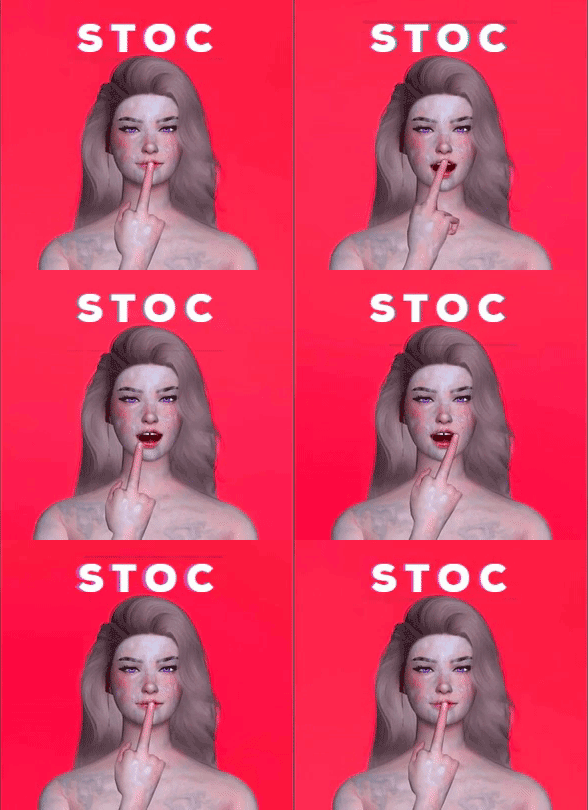
STOCV2
- Shit Tons of Cums -
Cum Textures replacer for TS4 Wicked Whims
By ecobot
This mod replace the Cum Texture for Wicked Whims so you'll need
Wicked Whims
To work
Thank you Turbodriver!
---------------------------------------------------------------------------
There are other cum texture replacers out there for WW but I want to adds a more volumic bukkake style for it.
This is not intended in anyway to be a "better" version of the originals.
Originally I wanted the cum to have more weight and gloss but my modding skill is quite limited so this is it for now.
A little credit would be nice if anyone wanted to share this stuff somewhere
Also a shout out to Madrix and Mass Cum Mod!
My mod is based on that very mod, so please check them out!
Introducing..
FLAVORS
-------------------
- ALMOND -
Basically a default version (from previous version)
A bukake galore with updated alpha.
------------------------------------------------------------
- MILKSHAKE -
Bring all the boys in the yard.
An ultimate cum bath. Goes in every nook and cranny.
------------------------------------------------------------
- SOY -
Lite Version.
A more "realistic" take, kind of believable for a single person's load.
------------------------------------------------------------
- M I X E D -
A bit of everything.
A mixed between not too much cum and too many cum, personally a version I used.
------------------------------------------------------------
75A or 50A?
This is basically just 75% opacity version and 50% -ish opacity version.
Use 50A if you plan on "using" this mod on a darker skin sims so it wouldn't look too much like a white paint.
--------------------------
I N S T A L L
----------------
1. Enable custom contents in game settings
2. Install Wicked Whims
3. Delete old versions of this mod if you have them.
4. Download this mod CHOOSE ONLY ONE FILE - there can be no more than one cum replacer mod in your folder.
5. Put the .package file in your Mods folder which is usually - My Document\Electronic Arts\The Sims 4\Mods - AND DON"T PUT THEM IN FOLDERS WITHIN FOLDERS
6. Launch the game and test it out!
------------------------
Some Bugs
-There are several reports of new cum textures not changing.
If that happened - try putting this mod in your WickedWhims's folder.
-------------------------------
I did this just for fun and I hope you have fun with it too. Enjoy!
-----
2595170 downloads
Updated
-
cinerotique CinErotique - A Lore Friendly Porn Mod (v7.10.1)
By PECO
LORE FRIENDLY ORIGINAL CONTENT! Featuring 7 standalone themed porn TV channels, a Video-On-Demand service + additional gameplay features, rewards and exclusive collectible minifigures... and more. ❤️
(All videos and other CC included are Exclusive Original Content that cannot be found anywhere else, and includes simlish speech and text for maximum lore-friendly immersion)
TS4 game versions 1.126 or newer.
(Please note that this does not mean that this mod doesn't possibly work with game versions older than that - it most likely will - I just can not guarantee that it will work perfectly.)
.2026-AUG-27 ~ CinErotique Mod Framework was updated to version 7.10.1.
Small Gameplay improvements and various Bugfixes.
Note to translators: The mod uses multiple string tables - including one that does not need any translating - instead of extracting from/using the framework itself as a source, please use the resources provided in this topic instead!
IMPORTANT CHANGE: To help flesh out the basic out-of-the-box experience - starting from v7.10 - the mod framework ZIP will now include some additional content by default in the MINIFIGS and VIDEOS folders. - However, these files are entirely optional. You can freely add, remove, or replace any files in those folders without affecting the mod itself.
2025-JUNE-08 ~ NEW Public Video Package is available for download:
Amateur Hour presents: Marissa Tracey & Dani DaVilla
Interaction: F/FUTA | Format: Short | Channel: CineReality + PC | WATCH PREVIEW
PUBLIC UPDATE HISTORY:
The continuous creation of new content and the upkeep of this mod is ensured by my wonderful supporters over at -PATREON-, as a reward, they get EARLY ACCESS to all my new stuff... If you're interested, below you check out the previews of all the Latest Early Access Videos that are available right now on Patreon:
All public video package files available here on LoversLab are using Maxis' standard resolution, but if you feel like upgrading, please consider subscribing to my -PATREON-, where you can access all my back catalog of videos and other mods, including all the video package files in a crisp HIGH DEFINITION format, plus as a bonus you can also download them all as standalone 1080p MP4 videos to watch them outside of the game at your own leisure.
-Additional Notes:-
★ I publish new content regularly, so if you don't wanna miss out, consider giving this mod a follow.
★ This mod is uploaded and maintained exclusively only on LoversLab, Wicked CC, NexusMods & Patreon! I take no responsibility and/or provide tech support for any Unofficial / Third Party Site Mirrored releases!
Standalone mod features:
Custom Porn Channels: Adds seven brand new custom porn channels to your TV, all showing original quality programming! Video Rental System: Now, you can also straight up just rent any porn videos to watch as well, no need to wait for them to show up on one of the channels. Rewards and Collectibles: Your sims will occasionally receive Free Merch gifts for watching TV, like Movie Posters, or even collectible minifigs of the CinErotique stars. -NEW- Sim-to-Sim figurine trading: Trade CineMinis figurines with other sims... one of them might just have the missing one you're looking for. -NEW- Unlockable Special Rewards: Complete certain tasks or hit milestones to unlock some really special figurines for your collection - see this Post for details. Web shop: Where you can buy the best CinErotique merch... accessible via the the active sim through the 'CinErotique' menu, or the computer's Order menu. - see Manual for details. Optional personal porn watching preferences: Attention span length and watch preferences can be set individually for each sim, so they watch only certain kinds of porn (straight, gay, lesbian). - see Manual for details. Optional Channel Rating system: You can fully customize your sims' autonomous TV watching preferences by assigning Likes/Dislikes to any TV channel, or even disable the ones you don't like. - see Manual for details. Additional Social Interactions: Your sims can now have a discussion about all the saucy stuff they just saw on the TV. The "Discuss Porn Films..." social context menu is available while (and shortly after) watching any of the porn channels.
Additional available features when used with Wicked Whims:
"Watch Porn" interaction: All CinErotique video packages are available for viewing through WW's "Watch Porn" interaction as well. "Masturbate to TV Porn" interaction: Your sims can rub a quick one out while watching any CinErotique Porn channel or VOD.
This mod is localized to the following languages:
🇧🇷 Brazilian/Portuguese by Naomy | 🇨🇳 Chinese (简体中文翻译) by aMuchen | 🇨🇿 Czech by phetrick | 🇫🇷 French by Angelus75 | 🇩🇪 German by Jorak84 | 🇮🇹 Italian by Massimo | 🇯🇵 Japanese by Kurzweil | 🇷🇺 Russian (Русский перевод) by 4ll_RUx4 | 🇪🇸 Spanish by ADimGaR | 🇪🇸 Spanish by JO4K
Please note that these third party translations are not made/maintained by me, I only link to them.
Always check if the translation is up to date before downloading and installing, otherwise you might end up with mismatched or missing text.
Note to translators: The mod uses multiple string tables - including one that does not need any translating - so instead of extracting from/using the framework itself as a source, please use the resources provided in this topic instead!
For the mod to work, you have to Download and Install the Base CinErotique Mod Framework first.
IF YOU'RE UPDATING THE FRAMEWORK FROM v6.x (DATED PRE 2023-APRIL), THEN YOU NEED TO REMOVE ALL CINEROTIQUE FILES, AND RE-INSTALL EVERYTHING!!! THAT MEANS VIDEO PACKAGE FILES AS WELL!!! PROBABLY BEST IF YOU JUST OUTRIGHT DELETE YOUR OLD CINEROTIQUE MOD FOLDER AND START OVER!
If you are a bit sloppy at managing your Mods folder, you can use the Windows batch script I wrote to find any v6.x or older CinErotique related mod files that might be hiding in your Mods folder. THIS IS COMPLETELY OPTIONAL THOUGH, ONLY USE IT IF YOU WANT TO!
-IMPORTANT:- When updating the MOD FILES to a newer version, always overwrite older files when prompted to.
Download the latest mod framework from the top of the #DOWNLOAD THIS FILE# section. Unzip it with 7zip or other compatible zip/rar software. Copy the whole CinErotique folder AS IT IS straight into your Sims4 "Mods" folder.
THIS IS VERY IMPORTANT, as the BASE_FRAMEWORK_PECO_CinErotique.ts4script file can not be more than one folder deep within the Mods folder! Move any video package files you might already have into the CinErotique > Videos folder. Make sure you've enabled both "Content and Mods" and "Script Mods" in the game's Game Options > Other settings. The core framework installation is now done, so let's move onto the "Pick Your Videos" section and download some actual video content for the channel(s)... If you are a noob to sims modding and feel unsure, here's a step-by-step guide for first time installation.
THE 32-BIT 'LEGACY EDITION' OF TS4 IS NOT SUPPORTED BY THIS MOD.
You can download and install as many or as few videos as you like! there's no limit! The mod automatically recognizes installed content and adds it to the ingame TV playlist. You can download the individual video package files from the #DOWNLOAD THIS FILE# section. If you want to mass download all files, please refer to this forum post for more details and a full tutorial. Alternatively to that, if you open the "Download this file" section in a new tab, then you can just hold down the CTRL key and click all the "Download" buttons. Copy the package files over to CinErotique > Videos folder within your Sims 4 Mods folder. All public video package files available here on LoversLab are using Maxis' standard resolution, but if you feel like upgrading, please consider subscribing to my -PATREON-, where you can access all my back catalog of videos and other mods, including all the video package files in a crisp HIGH DEFINITION format, plus as a bonus you can also download them all as standalone 1080p MP4 videos to watch them outside of the game at your own leisure.
VIDEO PREVIEWS ⬇️
COMMON TROUBLESHOOTING: YOU MUST UNPACK ZIP FILES BEFORE YOU COPY THEM OVER YOUR MODS FOLDER, OTHERWISE IT WILL NOT SHOW UP IN THE GAME!
If you have problem unpacking them, you can download 7zip from here. Before asking for support, please make sure you've read, understood and properly followed the installation guide provided above! FREQUENTLY ASKED QUESTIONS:
Q: Do I have to also re-download all the video package files every time the mod is updated?
A: No. The individual video package files are future proofed, and once downloaded, they need no future updating.
But in case that they need updating for whatever reason, I will specifically communicate that in the Changelogs. Q: Is it possible to add my own videos to this mod.
A: No. All content for this mod is made and/or curated by me to ensure maximum quality and compatibility, so custom user additions are not supported. Q: Do you take video requests?
A: No straight up requests. Though you can recommend an idea in the forums, but it's no guarantee I will actually make it. Q: Where can I download sims featured in your videos?
A: Here. There are only some of them available for download at the moment, but I will keep adding more of them in the future. POSSIBLE CONFLICTS WITH OTHER MODS:
Mods that alter the watch TV autonomy will likely have some slight conflicts with this mod. KNOWN BUGS:
There are no known serious bugs that I know of, but if you find any, please leave me a message in the support forums. ACKNOWLEDGEMENTS:
Big thanks goes out to Simser der Deutschen for the groundwork he made on Sims4 video conversion techniques, and to TurboDriver for helping me with the scripting and WW integration.
Feedback is always appreciated! If you liked this mod, found a bug or in general have something to say, you can leave a comment in the mod's #official#forum#thread#.
USAGE TERMS:
★ For personal use only.
✘ DO NOT re-distribute this mod or any parts of it on LoversLab or other 3rd party sites.
✘ DO NOT include this mod in bundles. Just link to this site please.
✘ DO NOT bundle, include or in any ways incorporate this mod's video files and/or other ingame assets with other mod's.
INSTANCE MODIFIER/OVERRIDE REFERENCE:
DON'T FORGET TO CHECK OUT MY OTHER MODS TOO...
18330692 downloads
- original content
- lore friendly
- (and 6 more)
Updated
-
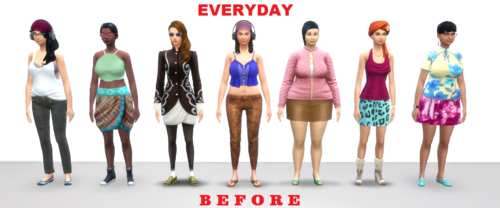
? FASHION POLICE ? Updated : 2020-03-10
By 2cool4u_1
Latest News:
July 19, 2020
Mini-update: Added 174 Outfits for the Eco Lifestyle EP. All outfits were added to both Adults, and Elders. The numbers in the charts have NOT yet been updated to reflect that.
FASHION POLICE
Thank you to everyone who showed so much interest in this project; It was much, much more than I had expected. First things first; The mod itself is Deaderpool's MC Command Center. This is a .cfg file that contains an extensive list of acceptable outfit combinations. This list is necessary for the mod to dress sims in such a manner. You can get MC Command Center here;
https://deaderpool-mccc.com/#/
!! PLEASE READ THE FOLLOWING CAREFULLY !!
This is still a work-in-progress (WIP), and does not yet include Children or Toddlers. This is a CC-FREE version, and as such makes use of various EPs/GPs/SPs. The less packs you own, the more likely you are to get "broken" outfits (outfits which have part of it missing, or replaced with an undesired piece). Broken (or even unwanted) outfits can be removed permanently from the list (see GUIDE). If there is an outfit you do not like on a specific sim, you can load a new random one without removing it from the list (see GUIDE). NOTE: When adding or removing outfits from the list, 'Teens/Young Adults/Adults' are one age group, while 'Elders' are a separate one, and must be added or removed separately!
There is an easy to use, Outfit Filter made by @erplederp. The Outfit Filter is an application that allows users to easily remove outfits from the list, that contain items from unwanted packs. This is an essential tool for any user who does not own all the packs, and is still useful for those that do. Simply, check off the packs you want potential outfits to use. Any outfit using a pack that is left unchecked will be deleted. The Outfit Filter is a 64b Windows application and may not be usable by all users. As such, I have included a "Base Game only" version of the .cfg file as a separate download option (includes the Free Holiday Pack). Anyone who cannot use the Outfit Filter, and would like a different combination of packs filtered, may post a request. I will gladly add it at my earliest convenience.
Current outfit count (Including MAXIS sims);
Current CC outfit count;
INSTALLATION INSTRUCTIONS
GUIDE FOR MC DRESSER: LIMITATIONS, SETTINGS, & HOW TO USE IT
OUTFIT FILTER: INSTALLATION & USE
ADDITIONAL CREDITS
CHANGE LOG:
123296 downloads
Updated
-

aep AEP_Career_4.8.3 - Bug Update- December 4, 2025
By Ksuihuh
Supports Game Version 1.120.117.1030
Mod Requirements
Get to Work
City Living
Get Famous
Recomended Mods
Wicked Whims by TURBODRIVER
Nisa’s Wicked Perversions by NisaK
Recomended CC Content
Photo Shoot Poses
Sexy Items To Get in Fan Mail
CHANGE LOG
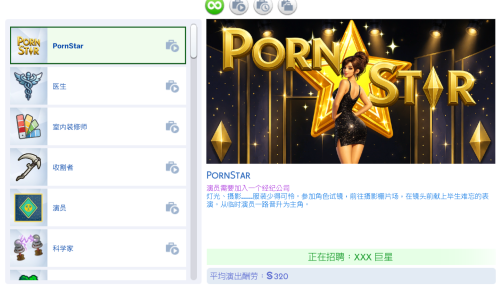
The AEP Pornography Mod adds Pornographic Film Studio Career at 'Adult Entertainment Production' with two branches: Production and Acting. You start as Webcam Model and climb the ladder of the Adult Industry. You will get the opportunity to build your career officially or just be an independent camgirl and earn your money streaming at home. You also can record sex videos and upload them on the Simternet! You will get fanmail from loyal fans and invitations for Erotic Photoshoots in which you can actively participate! You even can get Starlight Venus Award for your achievements in Adult Industry! Don't wait! The glamorous life of a famous Porn Star awaits you and there is so much more to discover!
There is a new menu on a computer 'AEP.com' where you can find interactions to 'Watch Porn' and also 'Create a Channel' at AEP 'Live Cams'. After creating a channel you can start earning money by doing live streams and Vip shows. There is a 24 hours cooldown period for 'Livestream' interaction. You can also talk to your subscribers and gain fame. After creating a channel at 'LiveCams' and getting enough subscribers your Sim will start to get fan mail from the fans. If you want your Sim to get naughty items, you will need to download a couple of CC. You can find a list of the items with links in here.
If your Sim chose to pursue Porn Star career through the official job, then on Acting Branch they will get access to the Sponsorships on the computer. The higher your level, the more deals you get. You will get money for this and even can get send some custom goods to try. If your Sim in the Acting Branch of the career, they can sell their phone interview. You can find this interaction on the phone. Pay depends on the success of the interview. If you have a channel at the 'LiveCams' you can get an invitation to the Erotic Photoshoot. You will get the call after which you will be automatically transferred to the event. It's an active event where you will need to perform tasks and your pay will depend on how well you perform. You need a place a custom venue for this to works. You can find a link for this in the Importan Notes section below. READ THE INSTALLATION INSTRUCTION carefully! Especially if you use custom venues from other creators! Click on Photo Studio object to 'Take Erotic Photo'. After the photoshoot you can get your photos by 'Ask for Photos'.
You can also Hire Photographer at home. For this, you need 'In a Flash Photo Studio. You can record sex videos and upload them on the Simternet. For this, you will use custom camera Vivus 3000 to record and video stations from 'Get Famous' pack to upload. Type of the video you get in the end depends on the WW satisfaction buff of your Sim. To get more detail on the recording module, please check out the ChangeLog or AEP Installation & Gameplay guide. There is also a Medio Studio menu on the computer where your Sim can practice editing skill and edit photos to be better quality and cost more.
The Starlight Venus Award is a new award ceremony for pornstar and anyone who works in the adult entertainment industry! The event is held at 7 PM every Tuesday in any lounge with 'Up-and-Coming Hotspot' lot trait. It works, in the same way, Starlight Accolades works, but all the attendees are workers of the porn industry (professionals and amateurs) who are nominated in various categories. Your Sim also can be nominated for their work in the AEP career or even for their online activity including video recordings they upload to the internet!
You can buy your own Personal Studio, where you will be able to conduct all your naughty video business. You can buy any residential lot, which will turn into Video Studio. You can also create a Video Studio lot and buy it later. This lot counts as a business lot, so you will need to transfer funds to the studio budget. However, the business panel doesn't work; the only button that works is 'Sell'. Don't touch anything else; forget that it exists. You can hire a Camera Operator on Personal Studio lot. He will shoot your video and always provide great quality recordings. The Camera Operator can only work with professional stationary cameras. Their services last for 6 hours, and it should be enough to do anything you Sim want. To start the recording process, first, you need to give notes on the scene. This interaction can be found in the 'Camera Operator' menu there you can also find other social interactions that will give your Sim different outcomes. To start recording, click 'Action', and Sim will get familiar 'Recording in Progress' buff. Click 'Cut' when you want the recording to stop, and video will be generated depending on what WW satisfaction buff your Sim has. You always need to stop the recording manually if you want to get the video. If time runs out and Camera Operator leaves, you won't get your video. Since Stationary Cameras don't have their own inventory, recordings will be in your Sim's personal inventory, from where it can be transferred to the video station as usual. You can also hire Co-Stars. You can hire them through your phone, one person at a time, and you can't hire more than three actors. You can hire any person who works at AEP or have a channel at LiveCams and have a fame level of 3 or lower. If you don't have Sims like that in the world, the game will create them automatically. Their services also last for six hours, and during this time, they won't gain any romantic relationship with your Sim from any romantic interactions or sex. They also won't get jealous.
This mod is in no way a realistic representation of reality. It's all my fantasy and fanfiction.
========================================================
!Important Notes!
Before getting invitation to Photo Shoot you need to put Photostudio venue in the world. You can download the Venue here. Just follow instalation instructions in the post. You need to use Universal Venue List by Basemental for venue to show up.
You can download pre-build Personal Video Studio lot here.
If you want your Sum to get more adult items in fan mail or have more poses for photoshoot you download compatible CC here and here.
!IF YOU WANT TO BIULD A NEW VENUE!
You can find all objects required in the venue requirements. Personal Video Studio has a list of required and optional objects. Video Station is optional, just in case you're using my No Video Station Mod and uploading your videos through the computer. If you don't use it, you need a video station to upload your recorded videos.
========================================================
HOW TO INSTALL
Download just one version of the mod.
Extract files from the .zip file.
Put .package file and .ts4script file into your Mods folder. To do this, go to Documents > Electronic Arts > The Sims 4 > Mods.
DO NOT PUT THE .TS4SCRIPT FILE MORE THAN ONE FOLDER DEEP IN YOUR MODS FOLDER!!!
Download Photo Studio Venue here and follow installation instruction in the post.
Make sure you have only one VenueList in your Mods folder. KsuihuhVenueList already contains all other existing venues of other moders I'm aware of: LittleMsSam's, Zerbu's, Basemental's, Coolspear’s Multipark Venue and itasan2's Get To College Mod. So If you use one of these mods delete their VenueList and keep just KsuihuhVenueList.
Make sure that Script Mods are enabled in your game. To do that go to your game setting, click Game Options, Other, and see if Script Mods are allowed.
========================================================
PATREON CONTENT
PATREON
Become a Patron and get early access!
DISCORD
Join my Discord Server for help and conversation!
2616489 downloads
Updated
.thumb.gif.c49b3498f1718c2cfdc9804ffa66e8a4.gif)
(2).thumb.png.0da11e19e13f2293791783aa2a385097.png)
(3).thumb.png.33f546ef44b7cee677218b81a2e2b4a5.png)