Search the Community
Showing results for tags 'the sims 4'.
-
Using Nisa's Wicked Perversions? Update it after updating WickedWhims! Always remove all files from the previous version before installation! Didn't find an answer? Create a new topic.







-
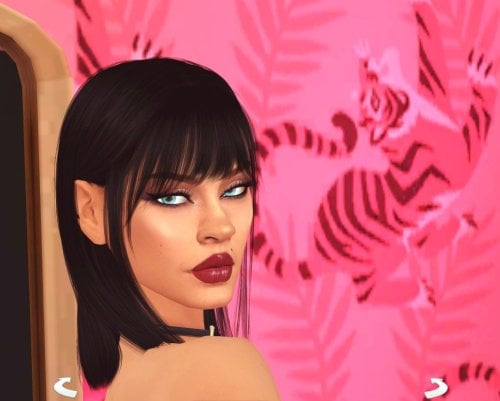
Sexy Model Sim 45 View File How to install? First of all, make sure " Enable Custom Content and Mods" option is turned on in your game. After activating this settings, you need to restart the game. Before restarting the game, download some of the Sims I shared. (Screenshot 1) After downloading a Sim, extract the Sim's files from the rar. You will get the following folders; Mods,Tray. Put the files in the "Mods" folder in > Documents/Electronic Arts/The Sims 4/Mods Put the files in the "Tray" folder in > Documents/Electronic Arts/The Sims 4/Tray After doing all this, when you open the game, click on the gallery icon in the upper right and check the "include custom content" box. This is how you can see your downloaded Sims. (Screenshot 2) See my other LoversLab Sims here Visit my SubscribeStar page for exclusive 200+ Sims,new Sims every week and Supporters Special Limited Gift Sims! Hope you enjoy my work! ~ ❤️ Visit my Website to see my Sims catalog and download more Sims! For more Sims & Support me,please visit ; https://www.mervejuanasims.com/ subscribestar.com/mervejuanasims I wish you a good game! ~ ❤️ 💌 October 2026 SubscribeStar Supporters Gift Sims 💌 💌 Early-Access Sims on my SubscribeStar 💌 Submitter Mervejuana Submitted 10/16/26 Category The Sims 4 - Sims Requirements The Sims 4
-
644 downloads
How to install? First of all, make sure " Enable Custom Content and Mods" option is turned on in your game. After activating this settings, you need to restart the game. Before restarting the game, download some of the Sims I shared. (Screenshot 1) After downloading a Sim, extract the Sim's files from the rar. You will get the following folders; Mods,Tray. Put the files in the "Mods" folder in > Documents/Electronic Arts/The Sims 4/Mods Put the files in the "Tray" folder in > Documents/Electronic Arts/The Sims 4/Tray After doing all this, when you open the game, click on the gallery icon in the upper right and check the "include custom content" box. This is how you can see your downloaded Sims. (Screenshot 2) See my other LoversLab Sims here Visit my SubscribeStar page for exclusive 200+ Sims,new Sims every week and Supporters Special Limited Gift Sims! Hope you enjoy my work! ~ ❤️ Visit my Website to see my Sims catalog and download more Sims! For more Sims & Support me,please visit ; https://www.mervejuanasims.com/ subscribestar.com/mervejuanasims I wish you a good game! ~ ❤️ 💌 October 2026 SubscribeStar Supporters Gift Sims 💌 💌 Early-Access Sims on my SubscribeStar 💌 -
 THE CLIP. Click your Sim. Get paid. [The Sims 4] View File Click an adult Sim. The pie is the page. Post a clip. Followers show up. The page pays. This file is the whole public build. Post a solo clip. It pays. Followers stop at 40. Check the page. It says what is waiting, and the exact simoleons. Collect tips. One simoleon per follower. One cycle banks up. Film with a partner, Take the brand deal, Ride the trend, Drop the finale, and Poach the rival stay on the pie. Each one names the simoleons. The public build does not pay those rows, and Film with a partner does not start sex. Young adult, adult, and elder humans. Teens, children, toddlers, infants, babies, and pets do not see the pie. There is a 45 sim-minute break between clips. WickedWhims is not in this zip. The public build does not call it. Install Quit the game. Put the file in Mods\BlackBox_TheClip\ BlackBox_TheClip_Lite.ts4script Do not also install the Patreon file. Script mods on. One folder deep. testingcheats true bb.clip The line should include THE CLIP v1.4.0. The Patreon build pays the partner clip, brings a random adult friend, and can start WickedWhims with that friend. It also pays the brand deal, the trend, the finale, and the rival. Followers go to 2,000. That build has no page button. Submitter BlackBoxMods Submitted 10/11/26 Category WickedWhims Requirements
 -
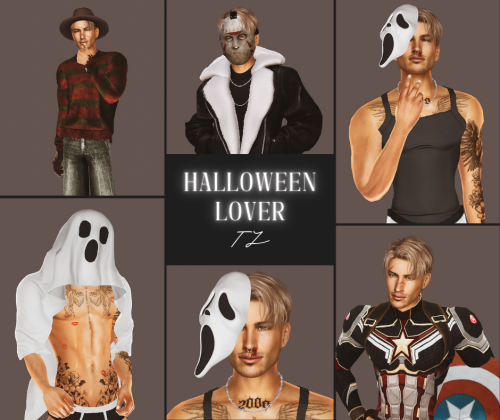
*:・゚Halloween Lover TJ*:・゚ View File //Since the file upload limit has been set to 97 mb right now, most of my sims will come in at least 2-3 separate parts, so you'll have to download them all. He is fully dressed, every category ♡ That's why I had to split him into 4 parts lmao. //You can check out my Patreon if you enjoyed him: https://www.patreon.com/Bambamiii . /HOW TO INSTALL: Inside the main folders that you'll download from me you'll see 2 folders: Tray and Mods. Take the content from the Tray folder and go to your Documents > Electronic Arts > The sims 4 > Tray, and move them in that folder. Do the same for the content in the Mods folder(s). You'll have to download every part and place all the files into your folders, so make sure to double check if you have all these 4 zips. Don't forget to launch your game, go to Game Options > Other > and check Enable Custom Contents and Mods, so the CCs used to create this sim will appear in your game. //I hope you'll have fun playing with him! 🎃🔥 Submitter Bambami Submitted 10/16/26 Category The Sims 4 - Sims Requirements
-
152 downloads
//Since the file upload limit has been set to 97 mb right now, most of my sims will come in at least 2-3 separate parts, so you'll have to download them all. He is fully dressed, every category ♡ That's why I had to split him into 4 parts lmao. //You can check out my Patreon if you enjoyed him: https://www.patreon.com/Bambamiii . /HOW TO INSTALL: Inside the main folders that you'll download from me you'll see 2 folders: Tray and Mods. Take the content from the Tray folder and go to your Documents > Electronic Arts > The sims 4 > Tray, and move them in that folder. Do the same for the content in the Mods folder(s). You'll have to download every part and place all the files into your folders, so make sure to double check if you have all these 4 zips. Don't forget to launch your game, go to Game Options > Other > and check Enable Custom Contents and Mods, so the CCs used to create this sim will appear in your game. //I hope you'll have fun playing with him! 🎃🔥 -
![More information about "THE CLIP. Click your Sim. Get paid. [The Sims 4]"](https://static.loverslab.com/screenshots/monthly_2026_10/YOTIX.thumb.gif.0779c4ca7b115eca92235a1d6024930f.gif)
Version 1.5.0
519 downloads
Click an adult Sim. The pie is the page. Post a clip. Followers show up. The page pays. This file is the whole public build. Post a solo clip. It pays. Followers stop at 40. Check the page. It says what is waiting, and the exact simoleons. Collect tips. One simoleon per follower. One cycle banks up. Film with a partner, Take the brand deal, Ride the trend, Drop the finale, and Poach the rival stay on the pie. Each one names the simoleons. The public build does not pay those rows, and Film with a partner does not start sex. Young adult, adult, and elder humans. Teens, children, toddlers, infants, babies, and pets do not see the pie. There is a 45 sim-minute break between clips. WickedWhims is not in this zip. The public build does not call it. Install Quit the game. Put the file in Mods\BlackBox_TheClip\ BlackBox_TheClip_Lite.ts4script Do not also install the Patreon file. Script mods on. One folder deep. testingcheats true bb.clip The line should include THE CLIP v1.4.0. The Patreon build pays the partner clip, brings a random adult friend, and can start WickedWhims with that friend. It also pays the brand deal, the trend, the finale, and the rival. Followers go to 2,000. That build has no page button. -
Negotiator Lite [The Sims 4] View File The first offer is free, and this file is the whole book. Click another young adult, adult, or elder. Propose a Deal, Negotiate a Contract, and Close the Sale are on that Sim. So are Counter the Offer, Walk Away, and Form a Partnership. A contract pays on a timer. You can renegotiate it, sell it, or break it. Work the Phones, Collect the Cut, and Open the Book sit on your own Sim. The book runs from Prospect to God-Tier. Charisma, friendship, traits, and mood change the close. Conservative pays less and lands more often. Balanced is the normal table. Sit with It brings fatigue back down when the book gets heavy. A fresh offer still pays the household. Three wins in one sim day clear the quota. Quit the game. Copy the folder BlackBox_DynastyLite into Mods, one folder deep. Script mods on. Restart. testingcheats true bb.lite.status The line should start with Dynasty Negotiator Lite v1.3.0. Base game. No XML Injector. No Sims 4 Community Library. The menu is on the Sim. Teens, children, and pets are skipped. Install this folder or the full Dynasty Negotiator folder, not both. Additional systems and early access to future modules are available on Patreon. Submitter BlackBoxMods Submitted 10/11/26 Category The Sims 4 - Sims Requirements
-
The Catch 1.1.4 — ALWAYS RARE FISHING [The Sims 4] View File The Catch 1.1.4 ALWAYS RARE FISHING. Cast a line and the bite lands. The catch is a rare fish, or a rare object, and it sells for a pile of simoleons. A bass, a trout, a goldfish, and the rest of the everyday fish stay in the water. What you pull up Rare fish rotate. The same one does not come back until the rest of the set has had a turn. Rich water splits the casts. About half are rare fish. About half are rare objects: crystals, metals, fossils, frogs, aliens, space rocks, and the rare treasures from your fishing spots. Junk never comes up. A plain old find is not treated as rare. The fish is as heavy as that species gets, and as fresh as its named state allows. If the object has collectible quality, it is set to the best one. A fish sells for at least §50,000. An object sells for at least §120,000. A higher price stays higher. The Sim gets that fish's catch moodlets, plus two bright ones. A fish trap pulls the top of its range. Examine Water still shows the spot the game wrote. Ponds, ocean spots, and traps use the same catch. The rare fish and objects are the ones in the packs you have installed. Requirements The Sims 4. Checked on 1.128.90.1030. Script mods and custom content on. No XML Injector. This file does not edit any other mod. Base game fishing is enough. More packs mean more rare fish. Install Quit The Sims 4 completely.Unzip BlackBox_TheCatch_v1.1.4_LoversLab.zip.Copy the folder BlackBox_TheCatch into Documents\Electronic Arts\The Sims 4\Mods\BlackBox_TheCatch.ts4script sits directly inside that folder. One folder deep.Remove any older copy of this script.Delete localthumbcache.package only while the game is closed.Load a lot. After testingcheats true, run bb.catch.status. A live load prints: Cheats After testingcheats true: bb.catch.status bb.catch.on bb.catch.off bb.catch.fish bb.catch.treasure bb.catch.rich bb.catch.fish keeps the haul on rare fish. bb.catch.treasure keeps it on rare objects. bb.catch.rich is the split, and it is the default. bb.catch.off gives the line back to the game. The download on this page is the full mod. You do not need another file to fish with it. Do not reupload this zip. Do not sell it. Submitter BlackBoxMods Submitted 10/15/26 Category Extensions Requirements
-
![More information about "The Catch 1.1.4 — ALWAYS RARE FISHING [The Sims 4]"](https://static.loverslab.com/screenshots/monthly_2026_10/TheCatch_cover.thumb.png.94a61ac2b7e22a5d84e791b57e8cff49.png)
Version 1.1.4
104 downloads
The Catch 1.1.4 ALWAYS RARE FISHING. Cast a line and the bite lands. The catch is a rare fish, or a rare object, and it sells for a pile of simoleons. A bass, a trout, a goldfish, and the rest of the everyday fish stay in the water. What you pull up Rare fish rotate. The same one does not come back until the rest of the set has had a turn. Rich water splits the casts. About half are rare fish. About half are rare objects: crystals, metals, fossils, frogs, aliens, space rocks, and the rare treasures from your fishing spots. Junk never comes up. A plain old find is not treated as rare. The fish is as heavy as that species gets, and as fresh as its named state allows. If the object has collectible quality, it is set to the best one. A fish sells for at least §50,000. An object sells for at least §120,000. A higher price stays higher. The Sim gets that fish's catch moodlets, plus two bright ones. A fish trap pulls the top of its range. Examine Water still shows the spot the game wrote. Ponds, ocean spots, and traps use the same catch. The rare fish and objects are the ones in the packs you have installed. Requirements The Sims 4. Checked on 1.128.90.1030. Script mods and custom content on. No XML Injector. This file does not edit any other mod. Base game fishing is enough. More packs mean more rare fish. Install Quit The Sims 4 completely.Unzip BlackBox_TheCatch_v1.1.4_LoversLab.zip.Copy the folder BlackBox_TheCatch into Documents\Electronic Arts\The Sims 4\Mods\BlackBox_TheCatch.ts4script sits directly inside that folder. One folder deep.Remove any older copy of this script.Delete localthumbcache.package only while the game is closed.Load a lot. After testingcheats true, run bb.catch.status. A live load prints: Cheats After testingcheats true: bb.catch.status bb.catch.on bb.catch.off bb.catch.fish bb.catch.treasure bb.catch.rich bb.catch.fish keeps the haul on rare fish. bb.catch.treasure keeps it on rare objects. bb.catch.rich is the split, and it is the default. bb.catch.off gives the line back to the game. The download on this page is the full mod. You do not need another file to fish with it. Do not reupload this zip. Do not sell it. -
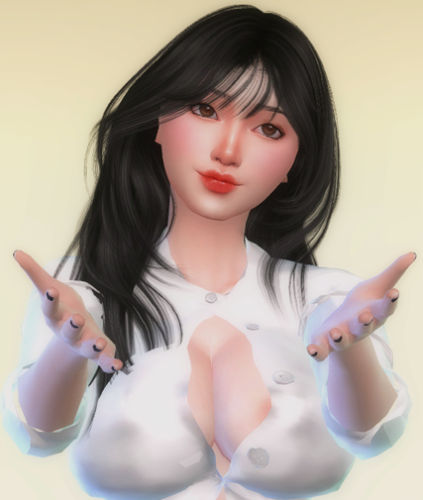
≧ω≦💗Ji-hye 지혜💗(≧◡≦) 💗 View File 💗WELCOME💗 Enjoy, and let's have fun together. ヽ(゚ー゚*ヽ)ヽ(*゚ー゚*)ノ(ノ*゚ー゚)ノ xoxo 💋 Installation: Folder Mods: Documents > Electronic Arts > The Sims 4 > Mods Folder Tray: Documents > Electronic Arts > The Sims 4 > Tray CLICK HERE TO MY PART 2 DOWNLOADS NEW COLLECTION ヽ(゜∇゜)ノWhat's new to download:^( '‿' )^ 💜≧ω≦💜 WHAT'S NEWS 💜≧ω≦💜 DOWNLOAD ❤️?DOWNLOAD OTHER MODS AND 200+ SIMS FREE LINK HERE❤️? PREVIEW 💋XOXO💋 Submitter SecretCrush Submitted 10/14/26 Category The Sims 4 - Sims Requirements ts4
-
Version 1.0.0
180 downloads
💗WELCOME💗 Enjoy, and let's have fun together. ヽ(゚ー゚*ヽ)ヽ(*゚ー゚*)ノ(ノ*゚ー゚)ノ xoxo 💋 Installation: Folder Mods: Documents > Electronic Arts > The Sims 4 > Mods Folder Tray: Documents > Electronic Arts > The Sims 4 > Tray CLICK HERE TO MY PART 2 DOWNLOADS NEW COLLECTION ヽ(゜∇゜)ノWhat's new to download:^( '‿' )^ 💜≧ω≦💜 WHAT'S NEWS 💜≧ω≦💜 DOWNLOAD ❤️?DOWNLOAD OTHER MODS AND 200+ SIMS FREE LINK HERE❤️? PREVIEW 💋XOXO💋 -
.thumb.png.4ca10e1cbb08fca66e6018f8877adabb.png)
Version 1.0.0
260 downloads
💦Custom sims,milf,pornstar, celebrities and cosplay😍 Installation: First, unzip the mods Copy the uncompressed files to the: Documents folder »Electronic Arts» The Sims 4 »Mods and Tray files to the: Documents folder »Electronic Arts» The Sims 4 »Tray. 💋💦More sims custom on 🔥link🔥 Custom sims, celebrities, hentai and cosplay: Links : DOWNLOAD News! Sims on Link OMPLETE COLLECTION LINK CHECK OTHER SIMS AVAILABLE: 💋👍 -
![More information about "Negotiator Lite [The Sims 4]"](https://static.loverslab.com/screenshots/monthly_2026_10/COVER.thumb.jpg.604e6d25f4af98d2dd80e9bfd920ec19.jpg)
Version 1.3.0
43 downloads
The first offer is free, and this file is the whole book. Click another young adult, adult, or elder. Propose a Deal, Negotiate a Contract, and Close the Sale are on that Sim. So are Counter the Offer, Walk Away, and Form a Partnership. A contract pays on a timer. You can renegotiate it, sell it, or break it. Work the Phones, Collect the Cut, and Open the Book sit on your own Sim. The book runs from Prospect to God-Tier. Charisma, friendship, traits, and mood change the close. Conservative pays less and lands more often. Balanced is the normal table. Sit with It brings fatigue back down when the book gets heavy. A fresh offer still pays the household. Three wins in one sim day clear the quota. Quit the game. Copy the folder BlackBox_DynastyLite into Mods, one folder deep. Script mods on. Restart. testingcheats true bb.lite.status The line should start with Dynasty Negotiator Lite v1.3.0. Base game. No XML Injector. No Sims 4 Community Library. The menu is on the Sim. Teens, children, and pets are skipped. Install this folder or the full Dynasty Negotiator folder, not both. Additional systems and early access to future modules are available on Patreon. -

Version 0.9.6
167 downloads
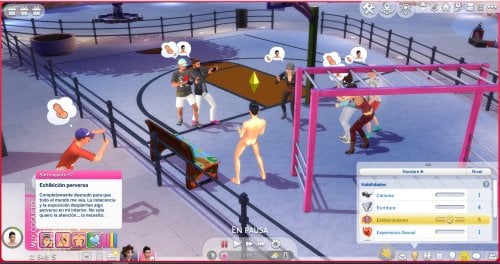
✨ Nueva traducción disponible — Ya está disponible mi traducción al español de: Bare Bare Male Exhibitionism Gameplay Mod (Demo) 0.9.6 es un mod de jugabilidad para Sims masculinos que amplía el sistema de exhibicionismo de WickedWhims. Permite elegir entre dos tipos de exhibicionista: cohibido o perverso. Cada uno cuenta con comportamientos, emociones y reacciones diferentes al mostrarse desnudo en lugares públicos. Dependiendo de su personalidad, el Sim puede sentirse avergonzado al ser descubierto o disfrutar de la atención. El mod también incorpora interacciones de desnudez, control de ropa, animaciones personalizadas, estados de excitación y distintas reacciones de los Sims cercanos, quienes pueden reírse, animarlo, observarlo o tomar fotografías. Esta es una traducción al español. El archivo contiene únicamente la traducción y debe instalarse junto con el mod original. 🔗 Descarga el mod original aquí: https://www.loverslab.com/files/file/43161-bare-bare-male-exhibitionism-gameplay-mod-demo/ Sobre la traducción Si encuentras algún texto en inglés, error de contexto, problema de concordancia o alguna frase que pueda mejorarse, puedes dejarme un comentario para revisarlo. Si el mod original recibe una actualización que añada o modifique textos, la traducción también puede necesitar una actualización. 🔧 Requisitos y dependencias Para que el mod funcione correctamente, asegúrate de tener instalado lo siguiente: • WickedWhims — última versión disponible >click< • The Sims 4: ¡Rumbo a la Fama! (Get Famous) Este pack de expansión es necesario para que funcionen correctamente las reacciones de los NPC. No le cambies el nombre a la traduccion. ❤️ Créditos Todo el crédito por el mod original corresponde a su creador Bara Bara. BRØDA TS4 únicamente realiza y mantiene la traducción al español. Por favor, descarga siempre el mod original desde la página oficial de su autor y apoya su trabajo. Nota* Trabaje en la versión Full de pago: DE PAGO Espero que la disfruten. 💙 BRØDA TS4 https://www.patreon.com/cw/BR0DA_TS4 -
 ❤️Sims Collection ~ Jaycee sullivan~ (100+ sims downloads)❤️ View File Looking for fun? ❤️WELCOME❤️ 👉Support me and download exclusive sims and mods visit my https://www.patreon.com/sugarbaby_sims👍 💞 👉Installation: Unzip the mods Copy the uncompressed files to the: Documents folder »Electronic Arts» The Sims 4 »Mods Tray files to the: Documents folder »Electronic Arts» The Sims 4 »Tray. COLLECTION LINK Thanks👍 Support me and download exclusive sims and mods visit my https://www.patreon.com/sugarbaby_sims 👇PATREON exclusive Thanks👍 Submitter SugarBaby_Sims Submitted 10/10/26 Category The Sims 4 - Sims Requirements ts4
 -
.thumb.png.75a6a2525e13d8f27703a4813f0ccd47.png)
Version 1.0.0
207 downloads
Looking for fun? ❤️WELCOME❤️ 👉Support me and download exclusive sims and mods visit my https://www.patreon.com/sugarbaby_sims👍 💞 👉Installation: Unzip the mods Copy the uncompressed files to the: Documents folder »Electronic Arts» The Sims 4 »Mods Tray files to the: Documents folder »Electronic Arts» The Sims 4 »Tray. COLLECTION LINK Thanks👍 Support me and download exclusive sims and mods visit my https://www.patreon.com/sugarbaby_sims 👇PATREON exclusive Thanks👍 -
3768 downloads
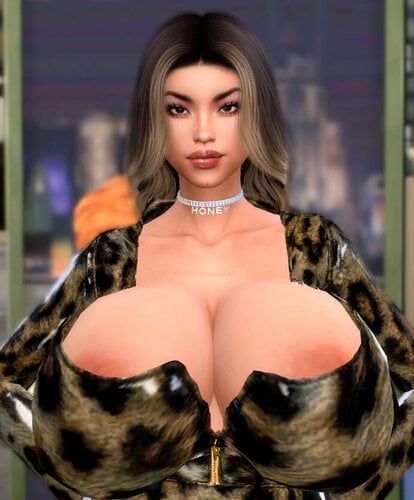
Looking for fun? ❤️WELCOME❤️ If you want to support me and download exclusive sims and mods visit my https://www.patreon.com/sugarbaby_sims If you want to support me and download exclusive sims and mods visit my https://www.patreon.com/sugarbaby_sims More sims: MORE DOWNLOAD : LINK DOWNLOAD SIMS Early access If you want to support me and download exclusive sims and mods visit my https://www.patreon.com/sugarbaby_sims More sims: MORE DOWNLOAD : LINK DOWNLOAD SIMS Early access Other collections SIMS ACTRESS PORN Available for download Available for download Available for download Available for download New skin with original tattoo. Available for download. SUGARBABY KYNDAL NEW: YASMIN Available on Patreon? SUGARBABY JAYDE FINN NEW: CAROLINE Available on Patreon? SUGARBABY ODETTE MARGO SANCHES NAJILLA JHONSON Available on Patreon? ELISABETH Rylen harrell Available on Patreon? SELENE LUDWING MAEVA HARTMAN MYRA AYALA ALIVIA DAWKINS KEELY CRAVEN SUGARBABY PATY THICC Scarlet milf Sugarmommy Available on Patreon? SUGARMOMMY MARCY SUGARBABY NATHALY Marsha Sugarbaby Available on Patreon? SUGARMOMMY CRISTINE SUGARBABY KETHLIN SUGARMOMMY KRYSTLES SUGARBABY ALEJANDRA SUGARBABY TESSA NEWS: ANNIKA SUPER SEXY | Now available Patreon SUGARBABY CRISTIN SUGARBABY KARA SUGARMOMMY GRACE BBW MILF SUGARBABY KHLOE HOT WIFE SUGARMOMMY VIOLET MILF SUGARBABY SKYE SUGARBABY ZEPHYRINE SUGARBABY YARELI BOND Reveal hidden contents SUGARBABY TARA HERRERA SUGARBABY TMMY NEWS: FREYA REID 04.05 | Now available Patreon Reveal hidden contents SUGARBABY MIKAELA SUGARBABY AMERIE -
Version 1.0.0
397 downloads
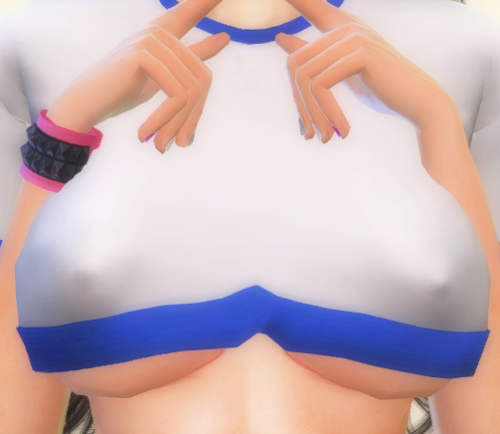
💗WELCOME💗 Enjoy, and let's have fun together. ヽ(゚ー゚*ヽ)ヽ(*゚ー゚*)ノ(ノ*゚ー゚)ノ xoxo 💋 Installation: Folder Mods: Documents > Electronic Arts > The Sims 4 > Mods Folder Tray: Documents > Electronic Arts > The Sims 4 > Tray CLICK HERE TO MY PART 2 DOWNLOADS NEW COLLECTION ヽ(゜∇゜)ノWhat's new to download:^( '‿' )^ 💜≧ω≦💜 WHAT'S NEWS 💜≧ω≦💜 DOWNLOAD ❤️?DOWNLOAD OTHER MODS AND 200+ SIMS FREE LINK HERE❤️? PREVIEW 💋XOXO💋 -
✧˖°Mummy Joanna✧˖° View File //Since the file upload limit has been set to 97 mb right now, most of my sims will come in at least 2-3 separate parts, so you'll have to download them all. She is fully dressed, every category ♡ That's why I had to split her into 4 parts lmao. //You can check out my Patreon if you enjoyed her: https://www.patreon.com/Bambamiii . /HOW TO INSTALL: Inside the main folders that you'll download from me you'll see 2 folders: Tray and Mods. Take the content from the Tray folder and go to your Documents > Electronic Arts > The sims 4 > Tray, and move them in that folder. Do the same for the content in the Mods folder(s). You'll have to download every part and place all the files into your folders, so make sure to double check if you have all these 4 zips. Don't forget to launch your game, go to Game Options > Other > and check Enable Custom Contents and Mods, so the CCs used to create this sim will appear in your game. //Have fun playing with Joanna!! ⚱️🎃 Submitter Bambami Submitted 10/02/26 Category The Sims 4 - Sims Requirements
-
One More(Mod). The hour gets shorter. [The Sims 4] [WickedWhims] View File One More Sits beside Wicked Whims. It does not replace it and it does not ship its animations. cover-loverslab.jpg AI gameplay still of an original adult Sim. Not a townie. ━━━━━━━━━━━━━━━━━━━━ The hour Press One More on an adult in the household you are playing. The count goes up. The next hour is shorter. A click near the end runs hotter. Miss the hour and the live count stops. The best and the bond stay, and the next notice tells you to press One More again. One More — the hour starts at 180 sim minutes. Each press cuts 20 minutes off the next one, down to 45. Where it stands — the count, the bond, the best, and the next window. The full One More — opens the Patreon page. The hour does not move. From 4 on, the public bond stays where it is. The count can still climb. The hour still shrinks. ━━━━━━━━━━━━━━━━━━━━ This download This is the public build. The other archive is the full build. It adds Draw it out, Say it, Hold the streak, and Put it down. Draw it out asks Wicked Whims to play its own scene. The bond keeps climbing. Counts 3, 5, and 8 pay extra. A rare click is the good one. ━━━━━━━━━━━━━━━━━━━━ Who gets the rows Young adult, adult, and elder humans in the played household. Teens, children, pets, visitors, and family do not get the rows. Close an open chat or the rows stay hidden. The mod does not edit the household and it does not pay it. Wicked Whims is required and is not in this zip. ━━━━━━━━━━━━━━━━━━━━ Install Quit the game. Mods\BlackBox_OneMore\BlackBox_OneMore.ts4script Mods\BlackBox_OneMore\BlackBox_OneMore.package[/CODE] Script mods on. Do not install this next to the full build. testingcheats true bb.onemore.status The line should include One More v1.2.1 lite This build names the next One More and keeps the hour, the bond, and the best. The full build is where the other Sim answers, the warmth changes the menu, and a reply is still waiting when you come back. Submitter BlackBoxMods Submitted 10/09/26 Category WickedWhims Requirements
-
![More information about "One More(Mod). The hour gets shorter. [The Sims 4] [WickedWhims]"](https://static.loverslab.com/screenshots/monthly_2026_10/COVER.thumb.jpg.0c3bad0a9235c824c99dc688cb743f67.jpg)
Version 1.2.3
132 downloads
One More Sits beside Wicked Whims. It does not replace it and it does not ship its animations. cover-loverslab.jpg AI gameplay still of an original adult Sim. Not a townie. ━━━━━━━━━━━━━━━━━━━━ The hour Press One More on an adult in the household you are playing. The count goes up. The next hour is shorter. A click near the end runs hotter. Miss the hour and the live count stops. The best and the bond stay, and the next notice tells you to press One More again. One More — the hour starts at 180 sim minutes. Each press cuts 20 minutes off the next one, down to 45. Where it stands — the count, the bond, the best, and the next window. The full One More — opens the Patreon page. The hour does not move. From 4 on, the public bond stays where it is. The count can still climb. The hour still shrinks. ━━━━━━━━━━━━━━━━━━━━ This download This is the public build. The other archive is the full build. It adds Draw it out, Say it, Hold the streak, and Put it down. Draw it out asks Wicked Whims to play its own scene. The bond keeps climbing. Counts 3, 5, and 8 pay extra. A rare click is the good one. ━━━━━━━━━━━━━━━━━━━━ Who gets the rows Young adult, adult, and elder humans in the played household. Teens, children, pets, visitors, and family do not get the rows. Close an open chat or the rows stay hidden. The mod does not edit the household and it does not pay it. Wicked Whims is required and is not in this zip. ━━━━━━━━━━━━━━━━━━━━ Install Quit the game. Mods\BlackBox_OneMore\BlackBox_OneMore.ts4script Mods\BlackBox_OneMore\BlackBox_OneMore.package[/CODE] Script mods on. Do not install this next to the full build. testingcheats true bb.onemore.status The line should include One More v1.2.1 lite This build names the next One More and keeps the hour, the bond, and the best. The full build is where the other Sim answers, the warmth changes the menu, and a reply is still waiting when you come back. -

Lost? Here's a General List of Mods & Custom Content. (Updated Jan. 06, 2021)
Guest posted a topic in Downloads - WickedWhims
THIS TOPIC IS CURRENTLY UNDER CONSTRUCTION ABOUT THIS TOPIC: It can be quite confusing going through all the mods offered here at LoversLab, so I've taken it upon myself to organize and explain what each mod does. As well as provide links to some mods that you may find useful! You can also use this thread to share Custom Content, or mods you think others may enjoy! NEW: (Expand this section to see what's been added/changed recently.) WICKEDWHIMS: (Expand this section for links and tips on how to install WickedWhims, as well as the animation packs.) BODY MODIFICATIONS: (By default, WickedWhims comes with a penis model for both male and female sims. Other things must be downloaded seperately) WICKED ANIMATIONS: (Expand this section to see the currently available animations here at LoversLab.) WICKED CLOTHING & ACCESSORIES: (Expand this section to see custom clothing and other CAS items.) WICKED OBJECTS: (Expand this section to see what types of objects have been created for WickedWhims.) MISC. DOWNLOADS: (Expand this section for other useful downloads.)


-
.†*Vampire Felicia.†* View File //Since the file upload limit has been set to 97 mb right now, most of my sims will come in at least 2-3 separate parts, so you'll have to download them all. She is fully dressed, every category ♡ That's why I had to split her into 4 parts lmao. //You can check out my Patreon if you enjoyed her: https://www.patreon.com/Bambamiii . /HOW TO INSTALL: Inside the main folders that you'll download from me you'll see 2 folders: Tray and Mods. Take the content from the Tray folder and go to your Documents > Electronic Arts > The sims 4 > Tray, and move them in that folder. Do the same for the content in the Mods folder(s). You'll have to download every part and place all the files into your folders, so make sure to double check if you have all these 4 zips. Don't forget to launch your game, go to Game Options > Other > and check Enable Custom Contents and Mods, so the CCs used to create this sim will appear in your game. //Have fun playing with Felicia!! 🕷🦇 Submitter Bambami Submitted 10/09/26 Category The Sims 4 - Sims Requirements
-
715 downloads
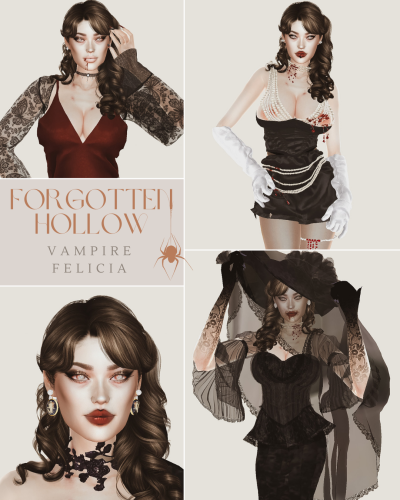
//Since the file upload limit has been set to 97 mb right now, most of my sims will come in at least 2-3 separate parts, so you'll have to download them all. She is fully dressed, every category ♡ That's why I had to split her into 4 parts lmao. //You can check out my Patreon if you enjoyed her: https://www.patreon.com/Bambamiii . /HOW TO INSTALL: Inside the main folders that you'll download from me you'll see 2 folders: Tray and Mods. Take the content from the Tray folder and go to your Documents > Electronic Arts > The sims 4 > Tray, and move them in that folder. Do the same for the content in the Mods folder(s). You'll have to download every part and place all the files into your folders, so make sure to double check if you have all these 4 zips. Don't forget to launch your game, go to Game Options > Other > and check Enable Custom Contents and Mods, so the CCs used to create this sim will appear in your game. //Have fun playing with Felicia!! 🕷🦇